
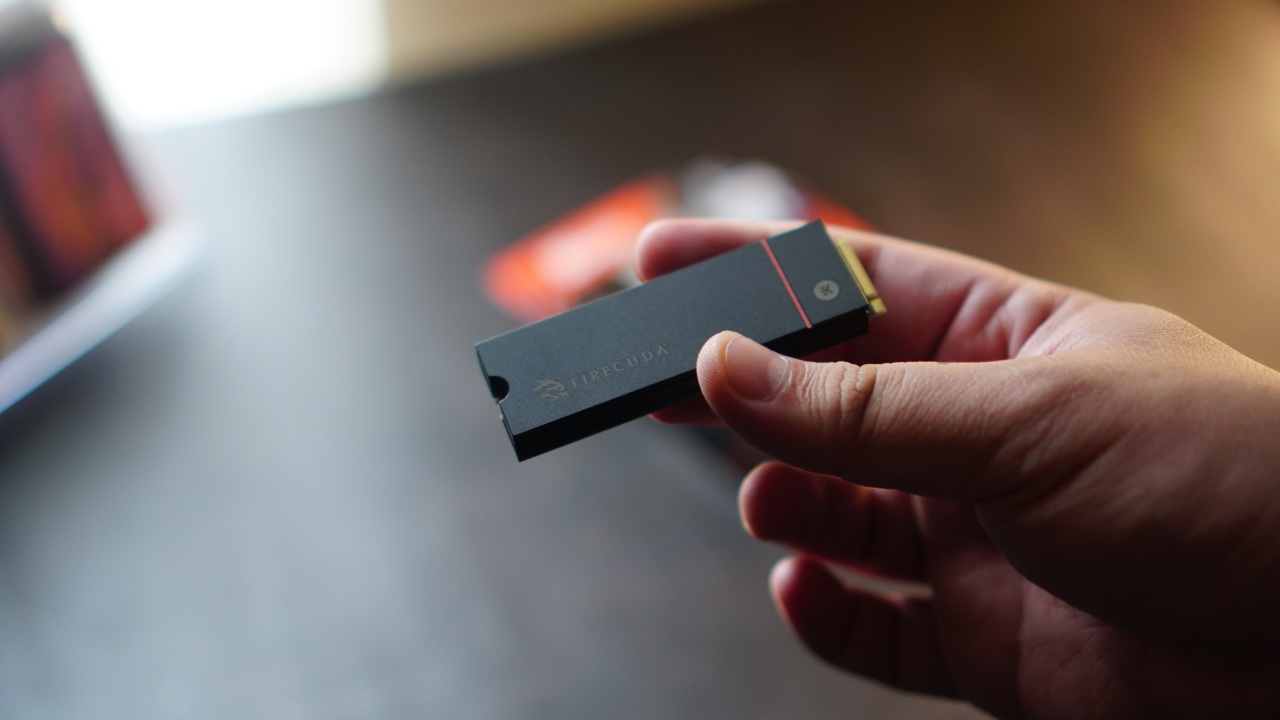


Sometimes all we need is some space. For my PlayStation 5, specifically, I wanted 2TB more space. There were plenty of brands to consider, but ultimately I landed on the Seagate FireCuda 530 2TB with Heatsink. We’ll just call it Firecuda530 from here on out for brevity.
Seagate is a brand that’s trusted when it comes to expanding storage. And the Firecuda530 meets all the requirements that PlayStation laid out for compatible m.2 solid state drive (SSD) options.
In case you were wondering, these are the requirements:
- Interface — PCI-Express Gen4x4 supported M.2 NVMe SSD (Key M)
- Storage — 1TB, 2TB, and 4TB* *(4TB available upon pre-order)
- Supported Sizes — 2230, 2242, 2260, 2280, 22110
- Size including heat-dissipation mechanism — Width: up to 25 mm / Length: 30/40/6080/110 mm / Thickness: up to 11.25 mm (up to 8.0 mm
- from above the board, up to 2.45 mm from below the board)
- Sequential read speed — 5500 MB/s or faster is recommended
- Socket Type — Socket 3 (Key M)
Seagate’s offering even exceeds this as it promises up to 7,300mb/s of speed and performance. They also claim to have transfer rates that are two times faster than PCIeGen3 NVMe SSDs.
Rescue Data
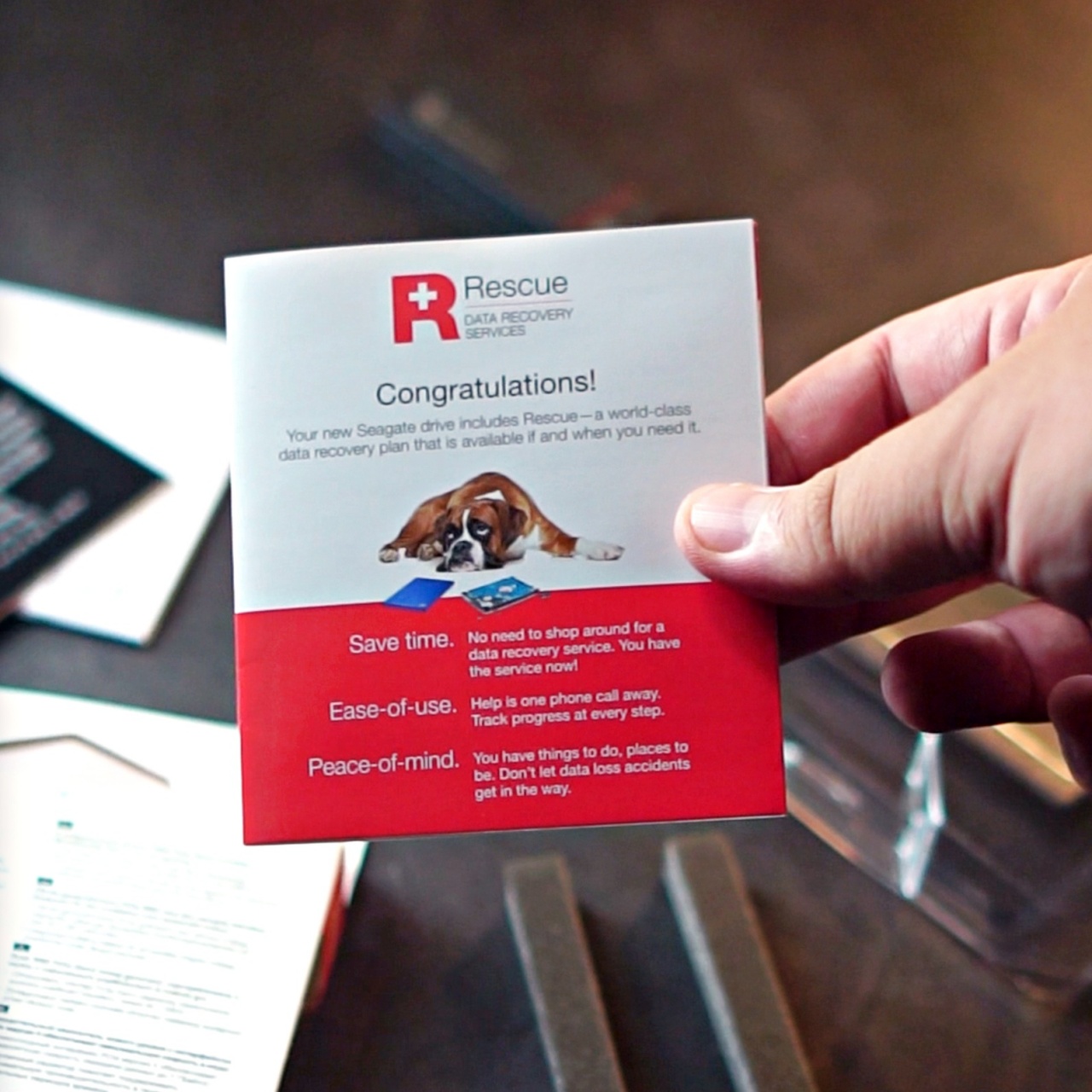
On top of that, you also get Rescue Data Recovery Services for the ultimate peace of mind on your precious files. Personally, I think this is one of the biggest value adds from Seagate. I have encountered my fair share of hardware data getting corrupted with only a small fraction of them recovered.
With this, Seagate offers the services of world-class data recovery experts with an industry-leading 95% success rate for in-house SSD and HDD data recovery. You get one in-lab data recovery attempt. And your recovered data will be stored in an encrypted storage device.
Alright, enough of that, let’s put this thing inside the PS5.
Installing the FireCuda 530 2TB with Heatsink
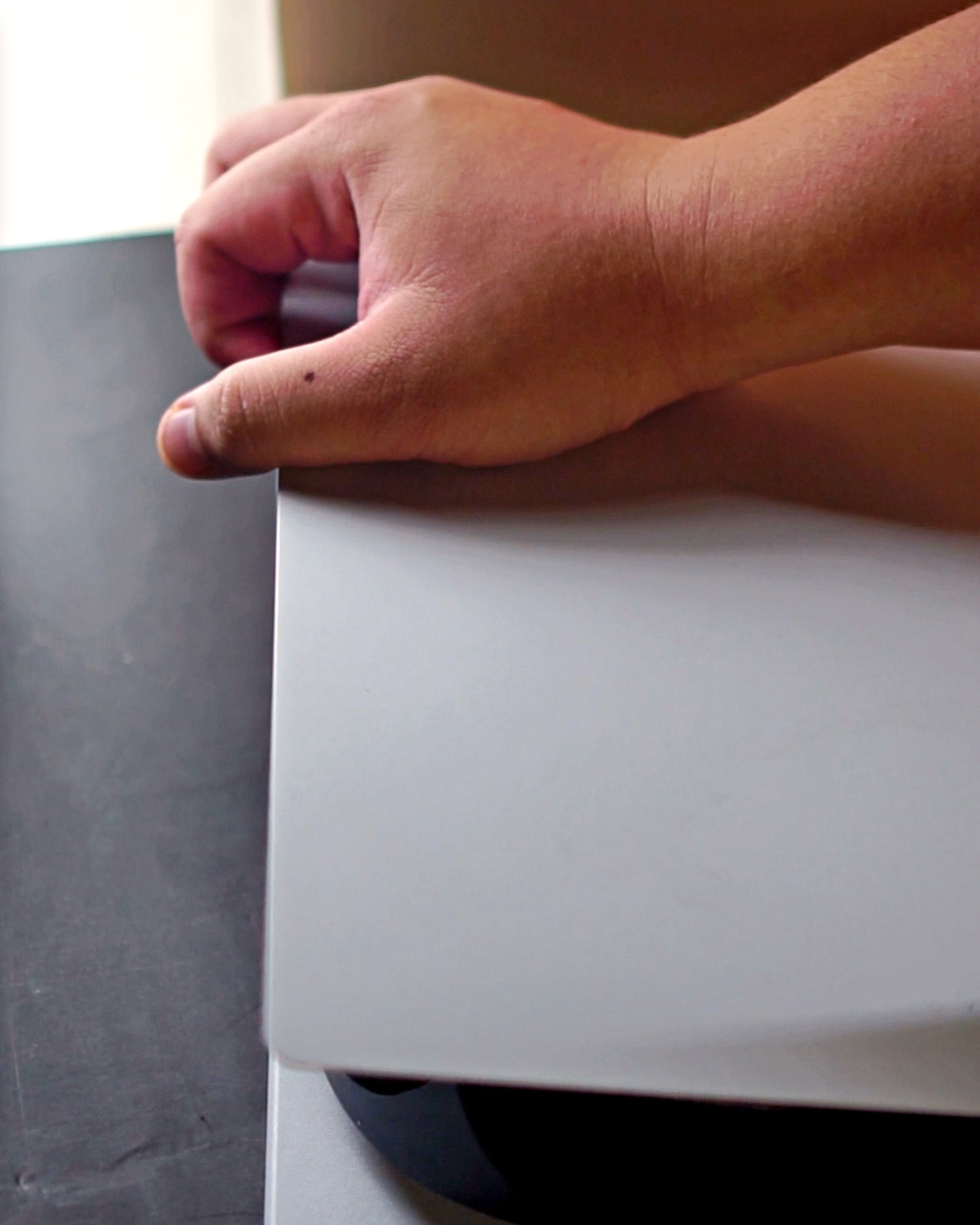
First we have to take off the faceplate. Make sure the side with the PS5 logo is the one that’s faced down. You want to remove the plate that’s on the other side.
To remove it, you have to pull up from the top side and then slide down from the bottom.
Once removed, you’ll see a plate covering the storage expansion slot. Unscrew and then remove the plate. Don’t lose the screw!
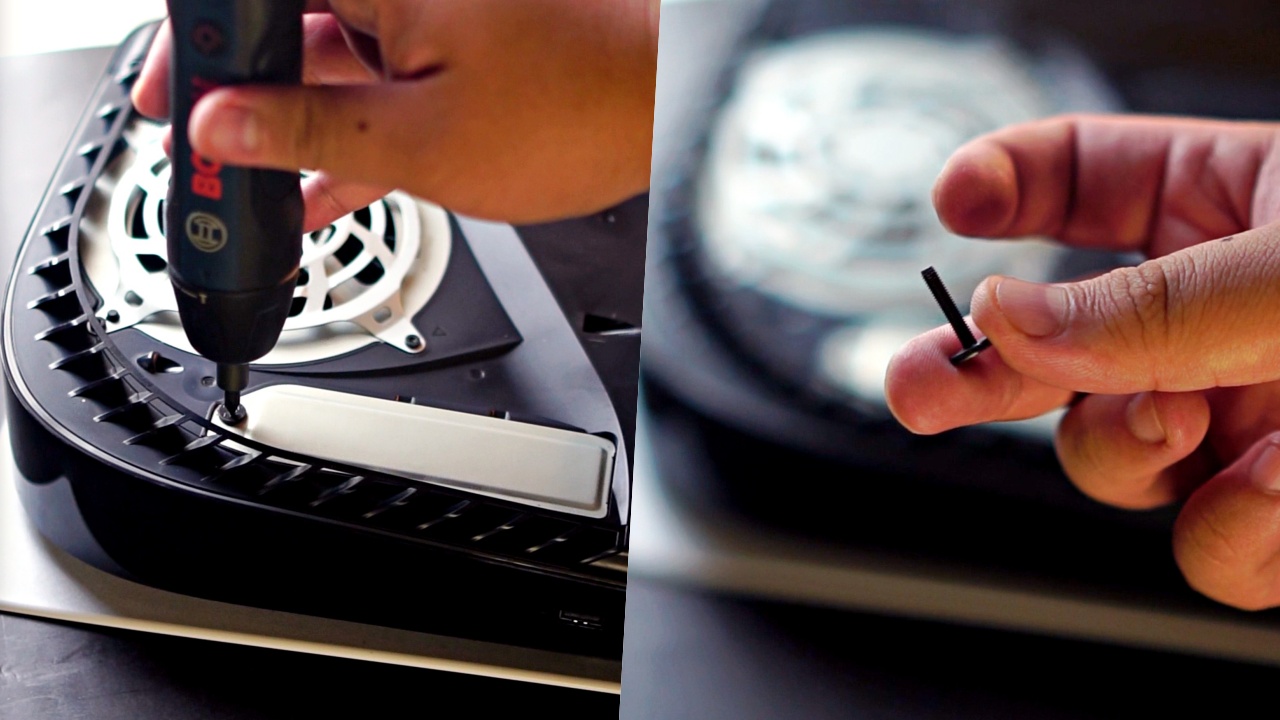
Inside, there are multiple screw slots, with the safety screw placed up top at the 110 slot. Remove it, and then place it loosely on the 80 slot.
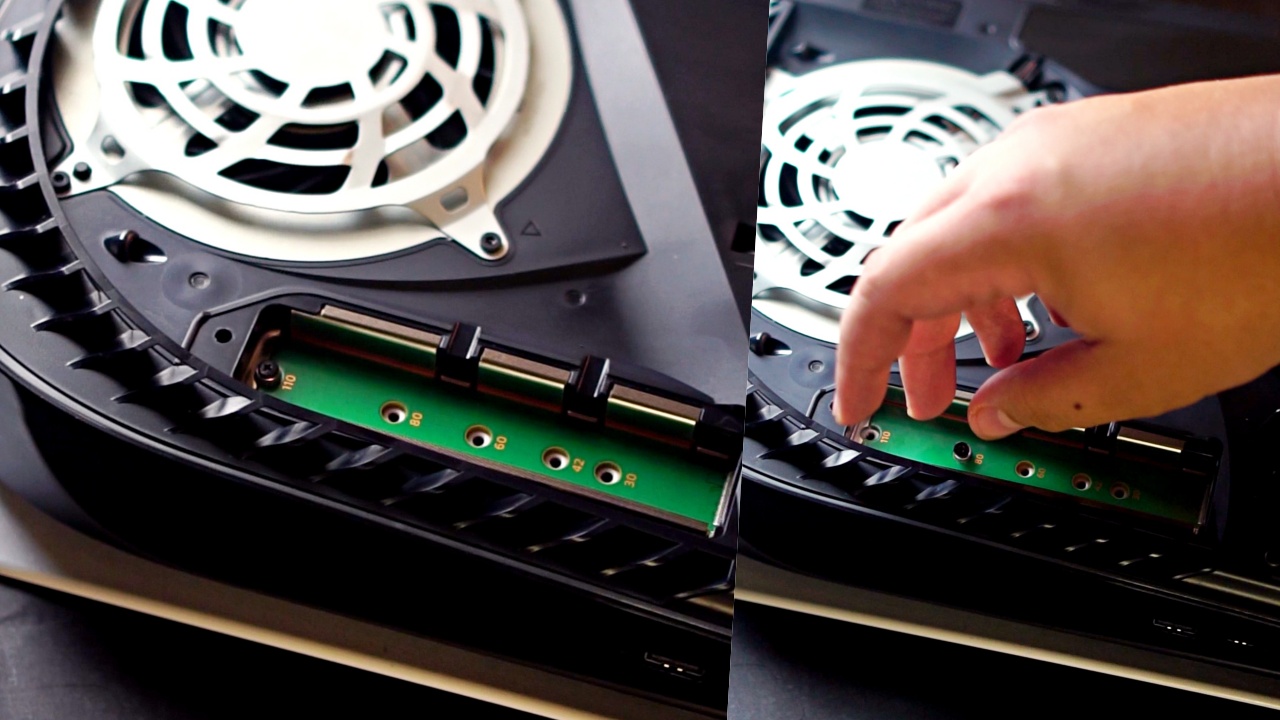
Now, take the Firecuda530 and slide it into the slot diagonally. You’ll know it’s in when you hear a click.
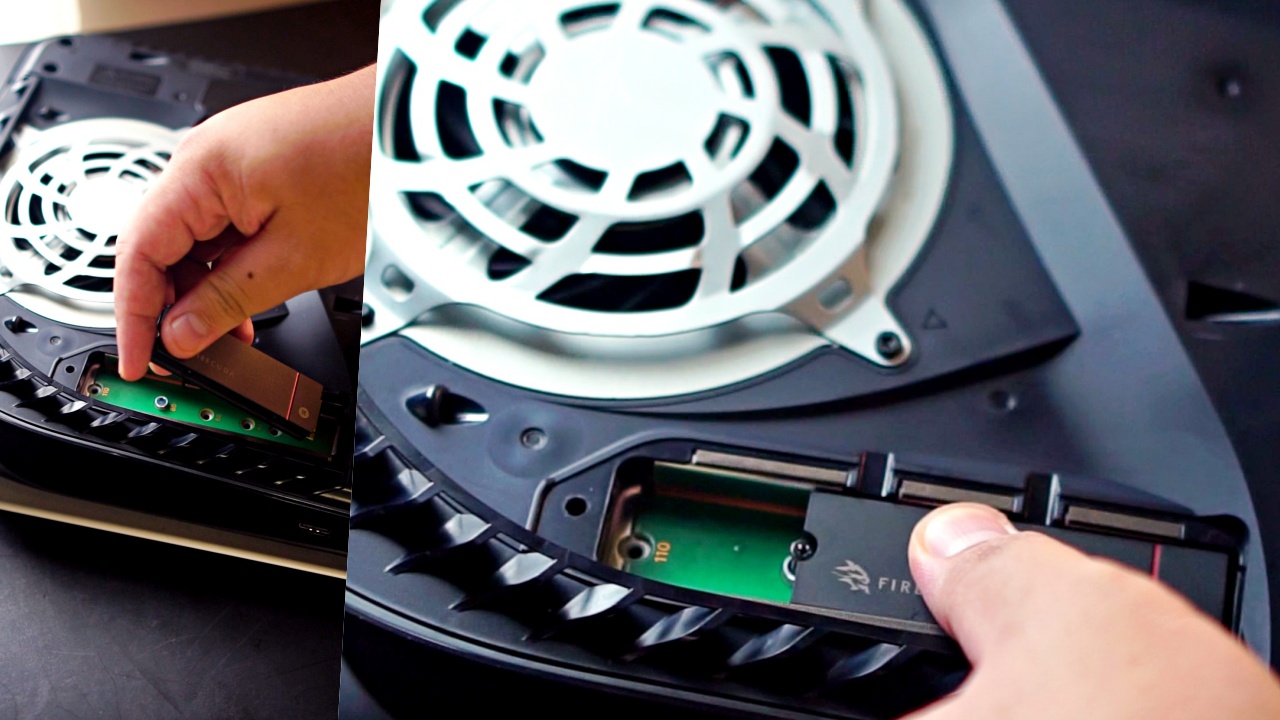
Afterwards, screw it in place and put back the protective plate.
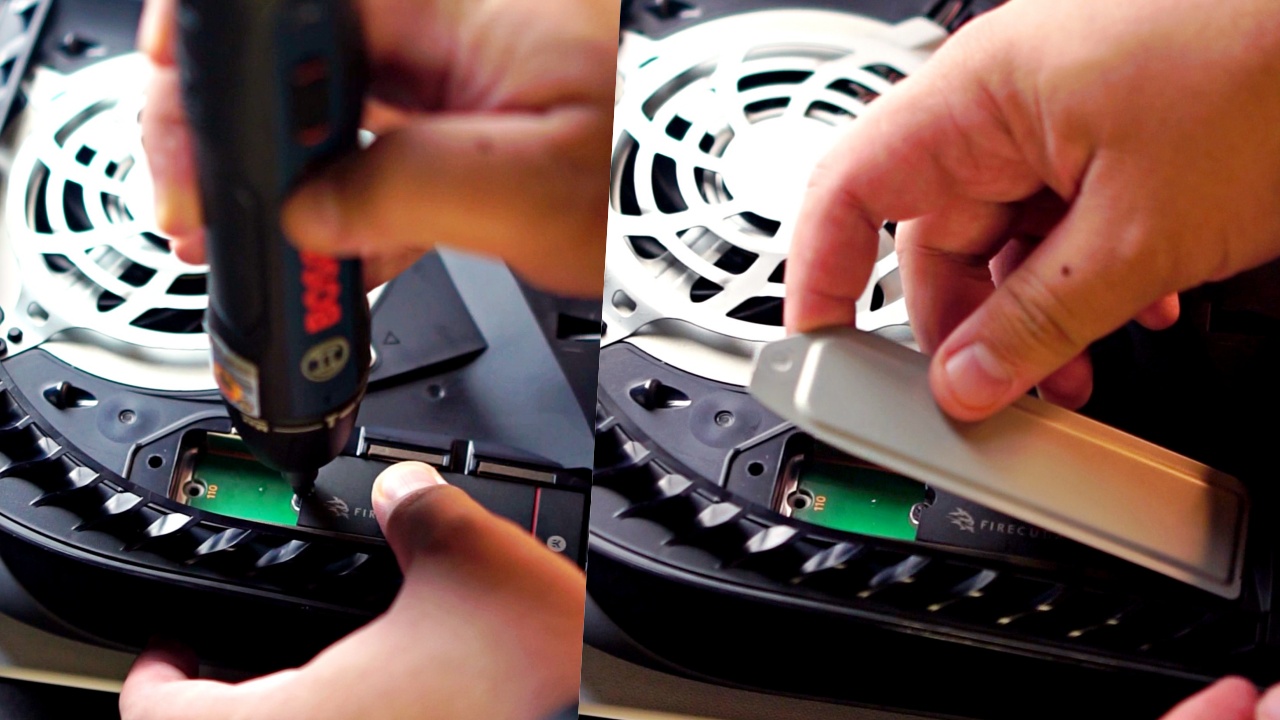
I also took this opportunity to replace the faceplates to black and added some personal touch.
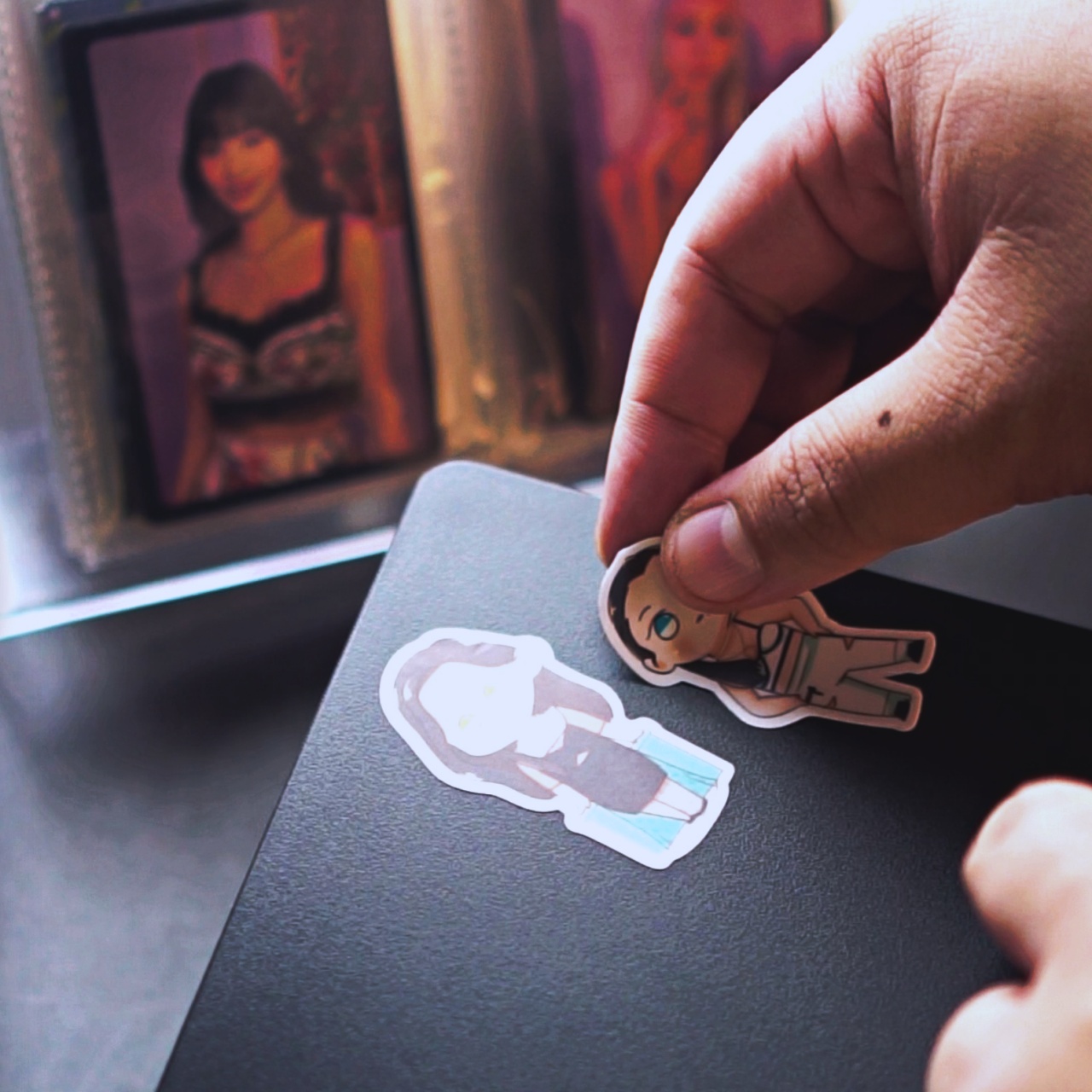
TWICE chibi stickers c/o @arts423
Formatting and testing
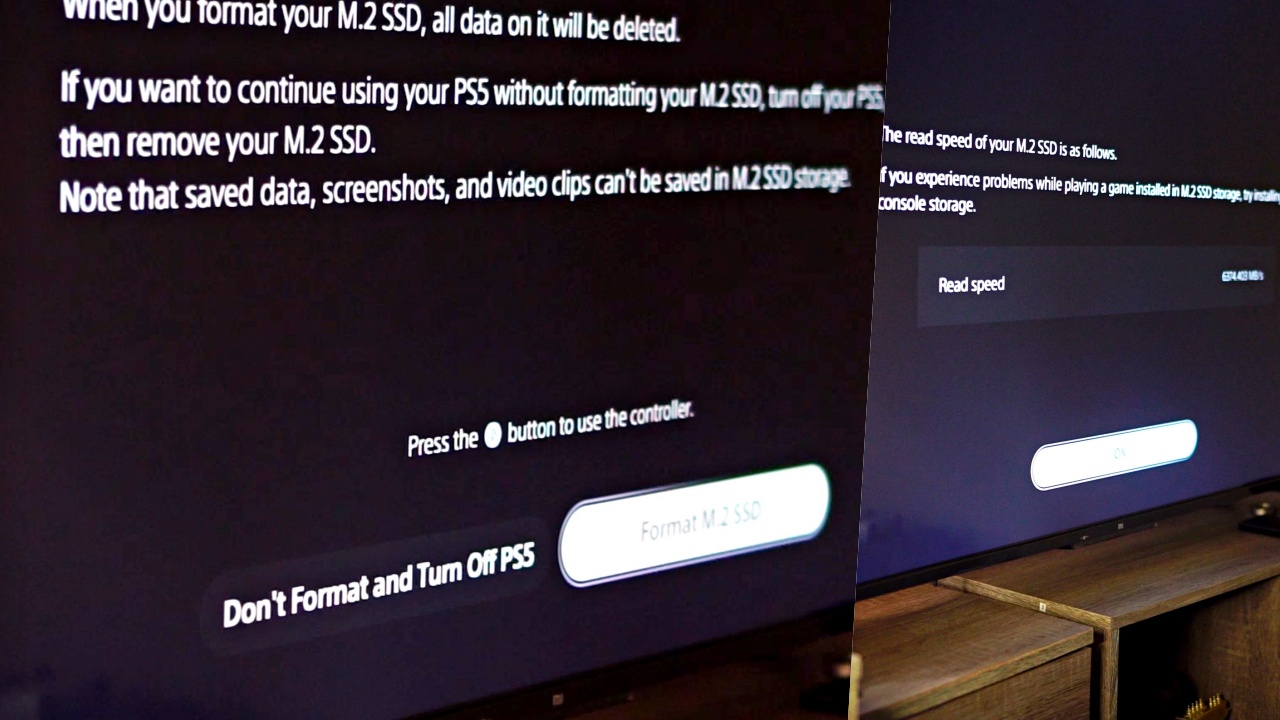
After installation, the next time you fire up your PS5, you’ll be asked to format the expansion drive. Do it by simply following the prompts. It should take less than 10 minutes.
After that, you can proceed to transferring your files to the Firecuda530. Transfer rates will vary depending on the file size.
The first time I did it, I transferred nearly 100GB and it took only around three minutes.
Before I transferred, I recorded how long it’ll take for me to load a few games. I did this for when they were on the main drive and when they were transferred.
Here are the results:
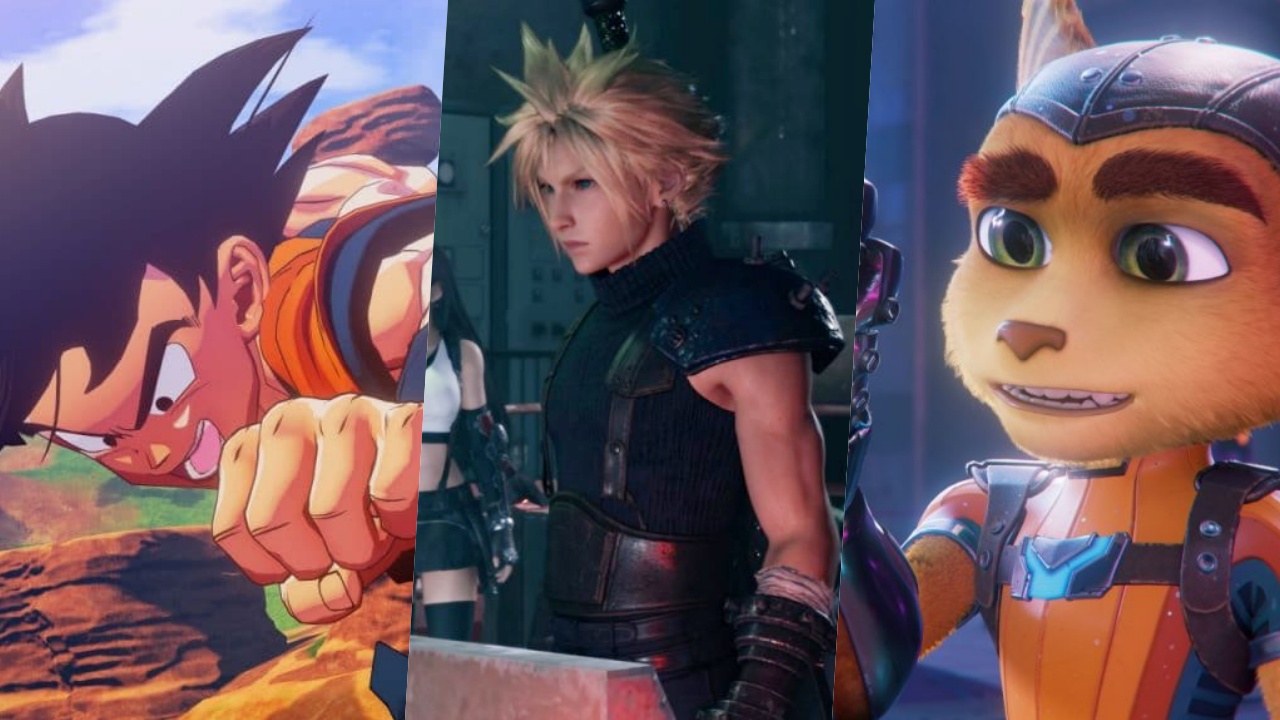
Dragon Ball Z: Kakarot (PS4 Game)
- PS5 Storage: 31.47 seconds
- M.2 Storage: 27.77seconds
Final Fantasy VII Remake (PS5 Game)
- PS5 Storage: 3.67 seconds
- M.2 Storage: 2.49 seconds
Ratchet & Clank: Rift Apart (PS5 Game)
- PS5 Storage: 2.61 seconds
- M.2 Storage: 2.17 seconds
These are insane results as the Firecuda530 loaded the games faster than the PS5’s internal storage. Safe to say, the promised transfer speed and performance delivered as advertised.
Just playing

In the week since I moved most of my library to the Firecuda530, I’ve spent most of my time trophy hunting on the same games I mentioned earlier. So far, everything has been running great.
In terms of load times, there’s no discernable difference between the PS5’s internal storage and the expansion storage. I didn’t bother timing them anymore so this is just based on my natural internal timer. Native PS5 games load blazingly fast and PS4 games installed on the PS5 load just about as fast as one can expect.
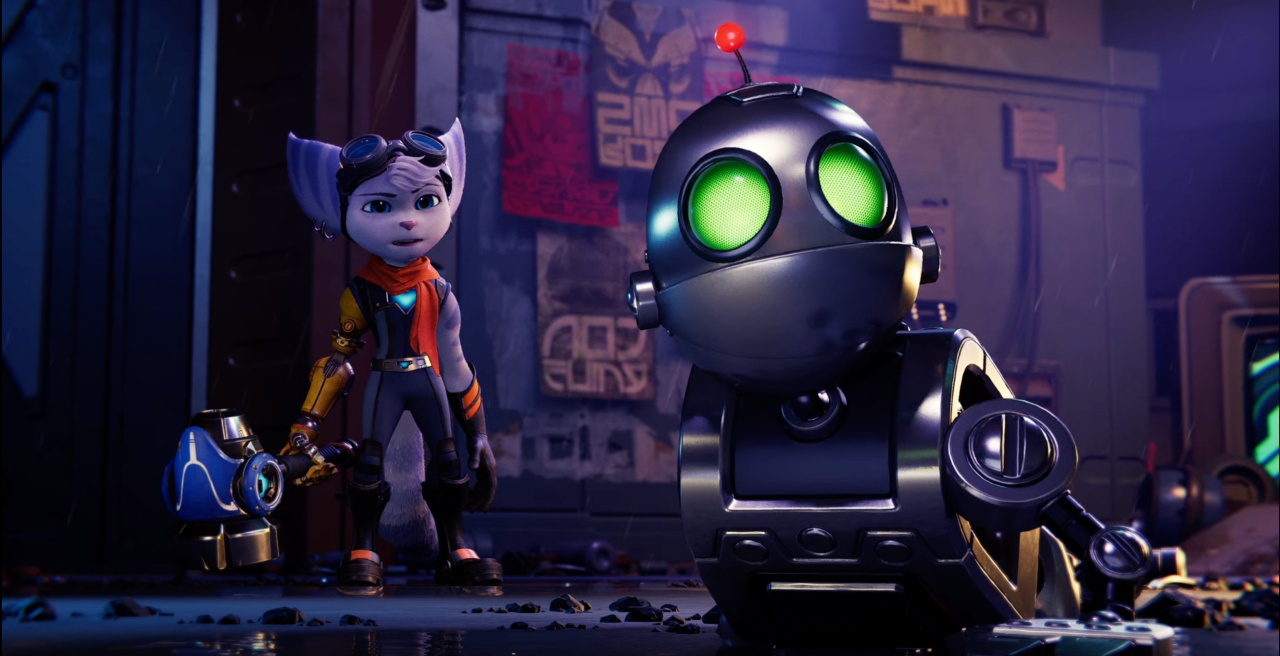
Rivet and Clank
Same thing is true during actual gameplay. The expansion storage simply matches, if not exceeds, the performance of the built-in one, you wouldn’t know the difference unless you have your timer out to really see the milliseconds or sometimes even seconds of difference.
The biggest benefit, of course, is I’m now able to increase the number of my installed games from a measly eight all the way up to 20. And that’s with plenty of room to spare. That is simply incredible and extremely convenient.
Price and availability

The specific version I installed, as mentioned earlier, has a 2TB capacity. It has an SRP of PhP 25,895. The FireCuda 530 Heatsink also comes in 1TB and 4TB. The SRP is PhP 13,760 and 56,789 respectively. You can purchase these on Shopee, Lazada, or any of their authorized sellers. Find out more about Firecuda here.
This feature is a collaboration between GadgetMatch and Seagate.





Gaming
The hunt begins: The Witcher in Concert hits Manila with surprises in tow
The Continent comes alive

If you’ve ever heard a haunting chant echo through a battlefield or felt the weight of a choice that isn’t as simple as good or evil, then you already know—the Path has a way of calling you back.
And if you haven’t stepped into that world just yet, consider this your invitation.
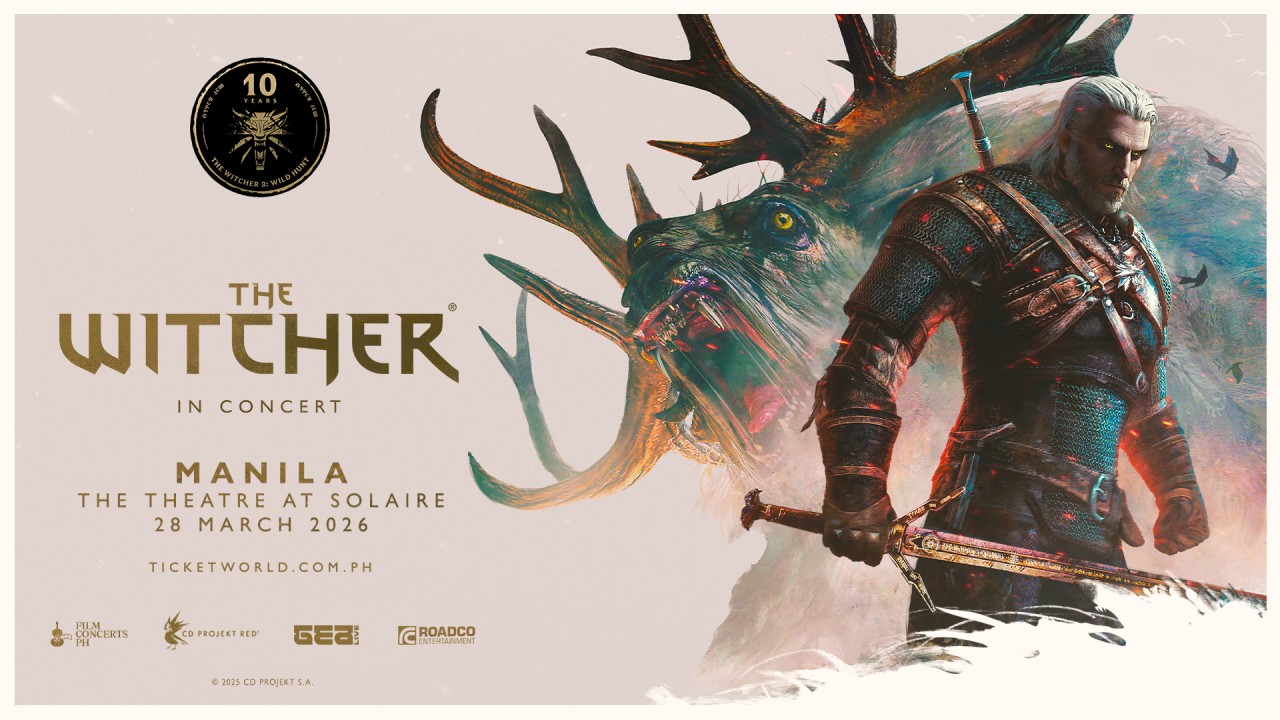
With less than two weeks to go, The Witcher in Concert is set to take over Manila for a one-night-only performance. It’s happening on March 28, 2026 at The Theatre at Solaire—bringing with it not just the music of a beloved RPG, but a full-on return to the Continent.
Celebrating the 10th anniversary of The Witcher 3: Wild Hunt, the concert transforms one of gaming’s most iconic soundtracks into a live experience. Expect performances from selected musicians of the Filharmonika Orchestra alongside Percival Schuttenbach—the Polish folk-metal band whose distinct sound helped define the game’s identity. Paired with in-game visuals, it’s a show designed to feel both nostalgic and entirely new.
As the night draws closer, here are three things fans can look forward to:
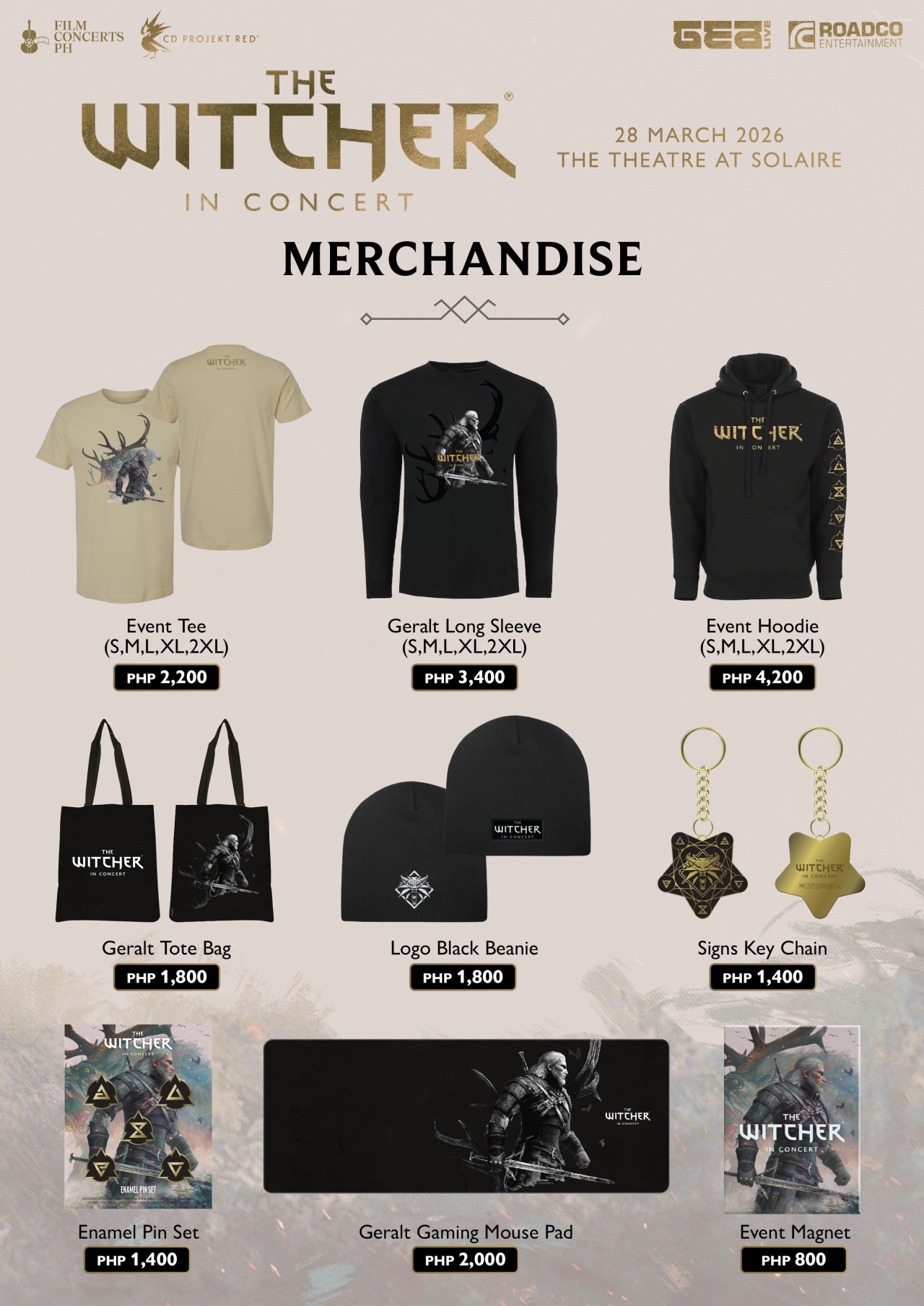
Relics from the Continent: official merchandise
For those who want to take a piece of the experience home, exclusive event merchandise will be available in limited quantities.
This includes the following:
- Event Tee (PhP2,200)
- Geralt Long Sleeve (PhP3,400)
- Event Hoodie (PhP4,200)
- Beanie (PhP1,800)
- Tote bag (PhP1,800)
- Key chain (PhP1,400)
- Enamel pin set (PhP1,400)
- Event magnet (PhP800)
- Geralt gaming mouse pad (PhP2,000)
It’s the kind of loot drop fans won’t want to miss.
The path to Solaire: getting there made easier
Getting to the venue is part of the journey—and this time, it’s a little easier. Attendees can use the Grab code FCPH2026 to get 20% off rides (up to PhP75). With the condition of a minimum fare of PhP250. The promo is valid for two rides per user and applies to trips to and from Solaire Entertainment City.
A rare encounter: meet Percival Schuttenbach
For a handful of lucky fans, the experience goes beyond the stage. Ten winners will get the chance to meet Percival Schuttenbach and receive an autographed CD.
To join, ticket holders need to share any official The Witcher in Concert post on their Instagram Story. They need to write what they’re most excited to hear live and tag @filmconcerts.ph. They need to submit their entry before March 24, 2026 at 5:00 PM. Winners will be announced on March 25.
Answer the call
As the Continent arrives in Manila, fans are encouraged to lean all the way in—whether that means coming in cosplay as a monster hunter, mage, bard, or something far more dangerous.
Tickets are available via TicketWorld and participating outlets nationwide.
The Path is open. The question is—will you answer the call?
Gaming
Monopoly: Star Wars Heroes vs. Villains launching on June 11
Introducing a team-based, cinematic twist to the classic board game
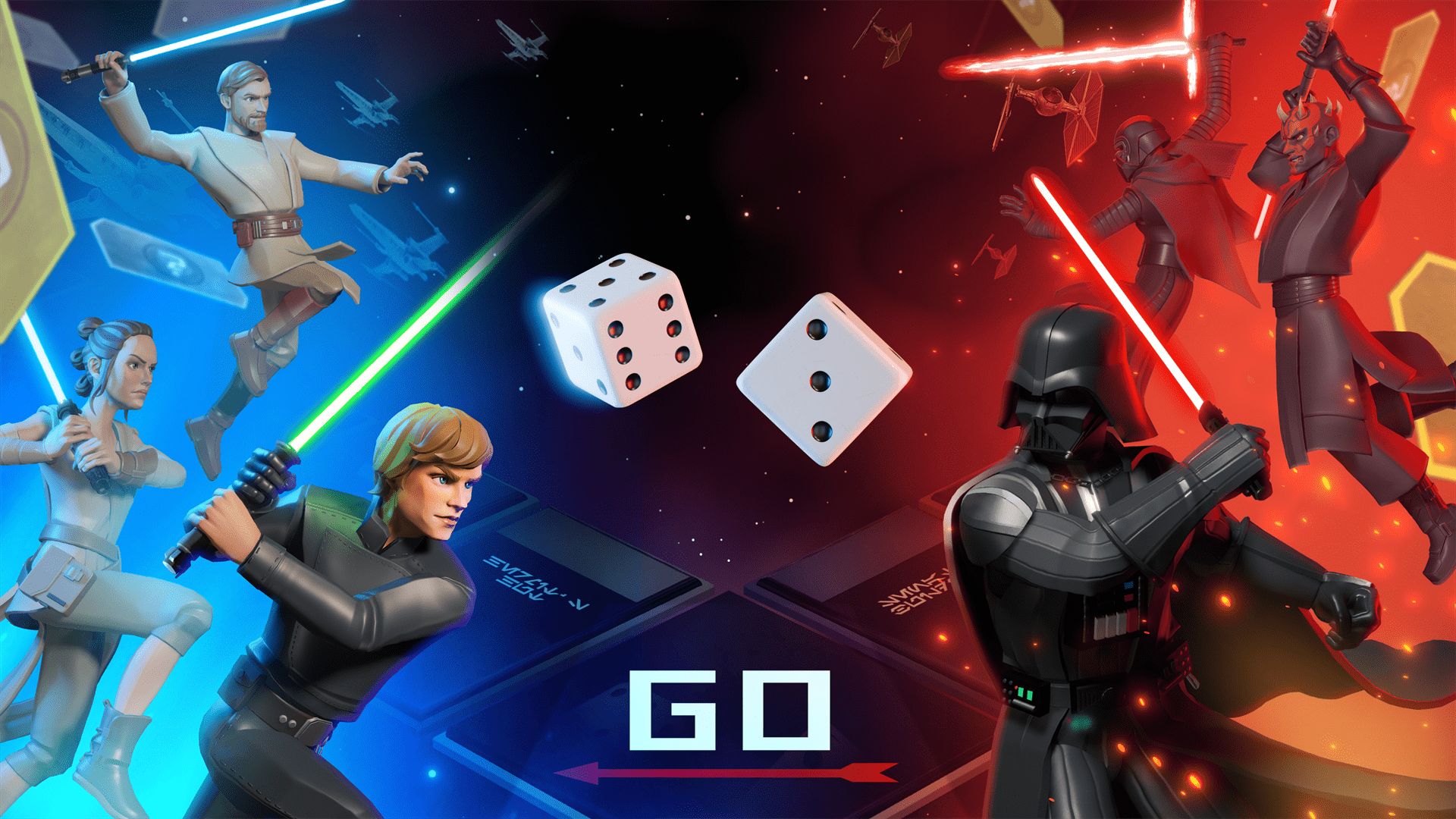
Monopoly: Star Wars Heroes vs. Villains will launch on June 11, Ubisoft has announced. It will debut on PlayStation 5, Xbox Series X|S, Nintendo Switch 1 and 2, GeForce Now, and PC through Steam, Epic Games, and the Ubisoft Store.
The Behavior Interactive title introduces a team-based combat twist to the traditional real estate board game. It includes competitive 2v2 and 3v3 modes, available online and through couch co-op.
This transforms the classic Monopoly gameplay into an action-packed, strategic showdown where teamwork and hero combinations matter.
Every turn carries high stakes as properties change hands in an instant. Dynamic GO events also introduce game-altering twists.
The full reveal will be on April 29.
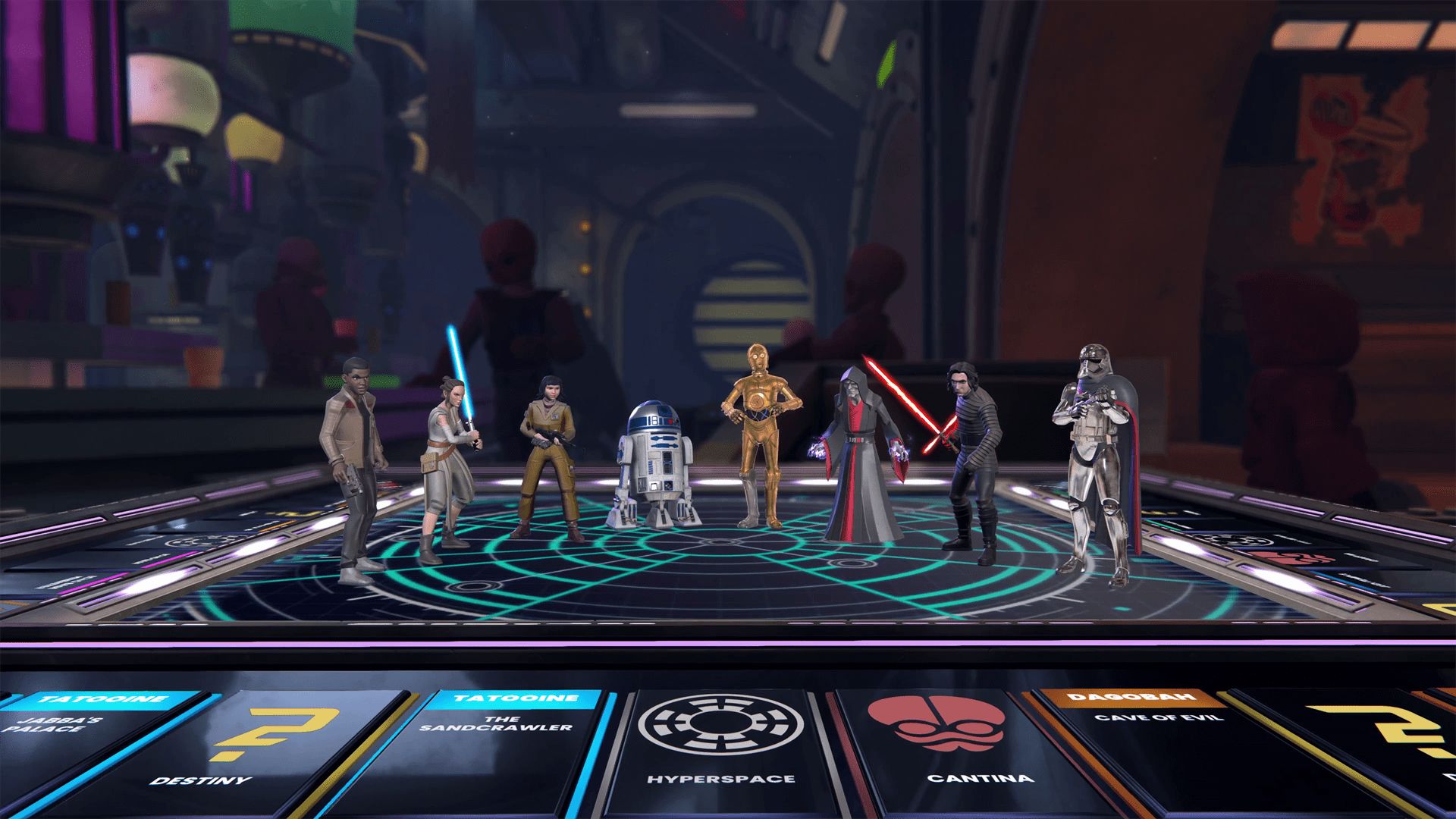
Monopoly: Star Wars Heroes vs. Villains transports players into the Star Wars galaxy with a custom Monopoly board, packed with iconic locations from across the saga.
The gameplay is reimagined with thrilling cinematic moments, themed spaces, and dynamic elements. These make up for a refreshed experience from start to finish.
Players can choose from a wide roster of Star Wars heroes and villains. There’s plenty of options, from Luke Skywalker and Princess Leia to Darth Vader and Darth Maul.
Each character brings unique abilities to shape the team’s strategy and affect the match’s complexion with every roll of the dice.
Gaming
Switch 2 now lets you play old games in 1080p
It tricks old games into thinking that the console is docked.

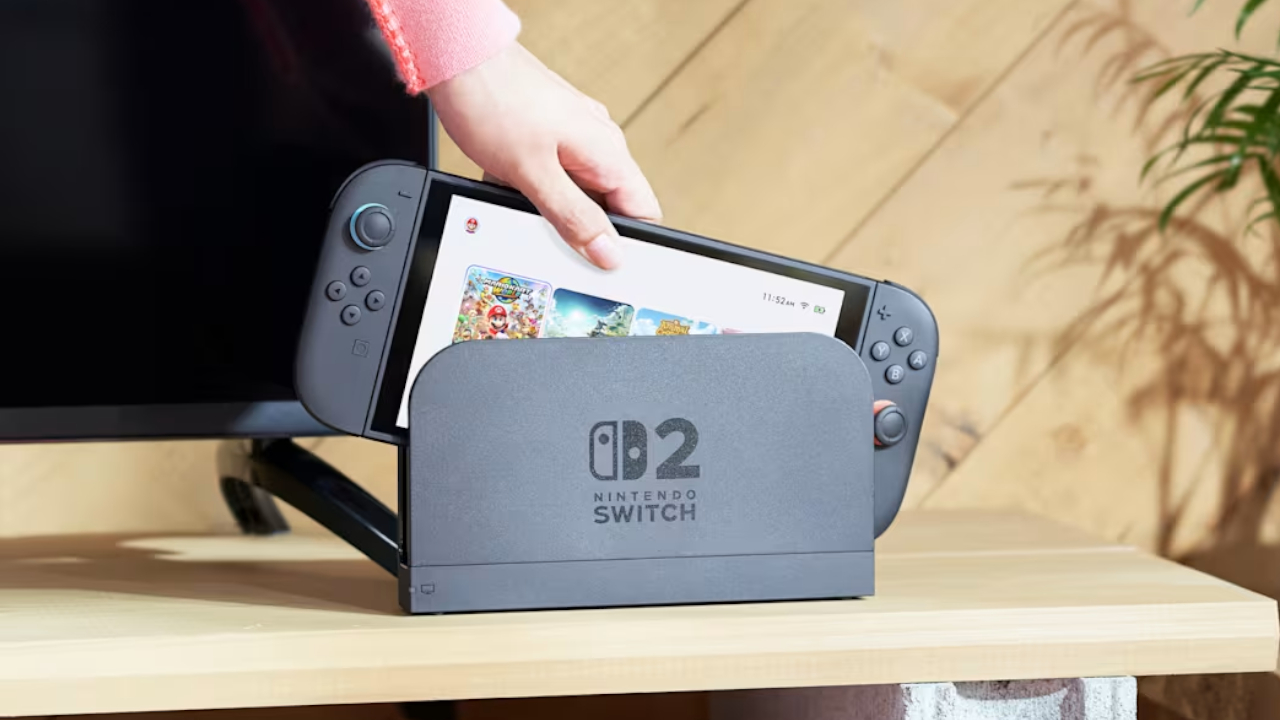
The Switch 2’s popularity is astonishing, to say the least. Just recently, a single game, Pokémon Pokopia, was responsible for taking the free times of over two million players on the Switch 2. Now, Nintendo has released a new feature which should make the console much more playable, especially for those who already had the original Switch.
Today, the Switch 2 received the 22.0.0 system update. Though the update is mostly a variety of smaller updates, one feature, called the Handheld Mode Boost, stands out among the rest. As per the patch notes, “Handheld Mode Boost will cause compatible Nintendo Switch software to run as if the console is being played in TV mode.” Put simply, the feature will unlock 1080p resolution for older games.
For gamers who had the original Switch, game resolution was a huge problem. The first console lived on a 720p screen, so the early games supported only lower resolutions. The only exception is when the console was docked, which allows 1080p resolution.
Now, the Switch 2 supports backwards compatibility. Players can access their older Switch games on the new console. The catch, however, is that these games are still stuck in 720p. Some titles, at least, have released an update to increase resolution on the new console.
Handheld Mode Boost tricks the console into thinking that it’s hooked up to the dock. In effect, the game will play in 1080p. The catch, however, is that it also thinks that the Joy-Cons are a single Pro controller, so players might lose some game features. It’s still a decent price to pay, though.
In other news, the update has also updated the naming of the “Hong Kong/Taiwan/South Korea” to “Hong Kong/Taiwan/South Korea/Southeast Asia,” potentially hinting that Southeast Asia might finally get an online store.
SEE ALSO: Now Playing: Yakuza 0 on Switch 2




Stylish, student-friendly HONOR X8d launches

The HONOR X8d is serviceable

Why the OPPO Reno15 5G series is a creator’s essential

The hunt begins: The Witcher in Concert hits Manila with surprises in tow

WATCH: The Super Mario Galaxy Movie final trailer


-

 Reviews2 weeks ago
The Xiaomi 17 shoots Leica dream
-

 Hands-On2 weeks ago
OPPO Reno15 F 5G hands-on
-
 Gaming2 weeks ago
Project Helix is Xbox’s next console, and it plays PC games
-

 Computers1 week ago
GIGABYTE collaborates with Capcom for RE Requiem custom PC
-

 Reviews2 days ago
POCO X8 Pro Max review: A new beast from the far east
-

 Laptops1 week ago
Apple MacBook Neo Review
-

 Entertainment1 week ago
The internet is thirsting over the One Piece Season 2 cast
-

 Apps7 days ago
Google Maps is finally getting a 3D mode