


Computers
6 things to consider before buying a smart monitor
Look beyond the widescreen monitors you’re familiar with!

Having a smart monitor isn’t something I considered, given that I left a desk station almost a decade ago. I was liberated from the usual office setup, tugging along my laptop wherever I go.
However, the recent circumstances surrounding our working setup changed the way I think about investing in a do-it-all monitor. Now, we’re torn between committing to on-site work, fully work-from-home, or staying in a hybrid setup. I’m certain it’s not just me thinking heavily about investing in one.
To ensure we get the value of the monitors we’re purchasing, here are some things to consider before buying one.
Clear and vibrant display
Frankly, a device’s screen is the most important part. You spend a lot of time looking at the information provided on the display. This is why you need to consider the screen first and foremost before buying a smart monitor.
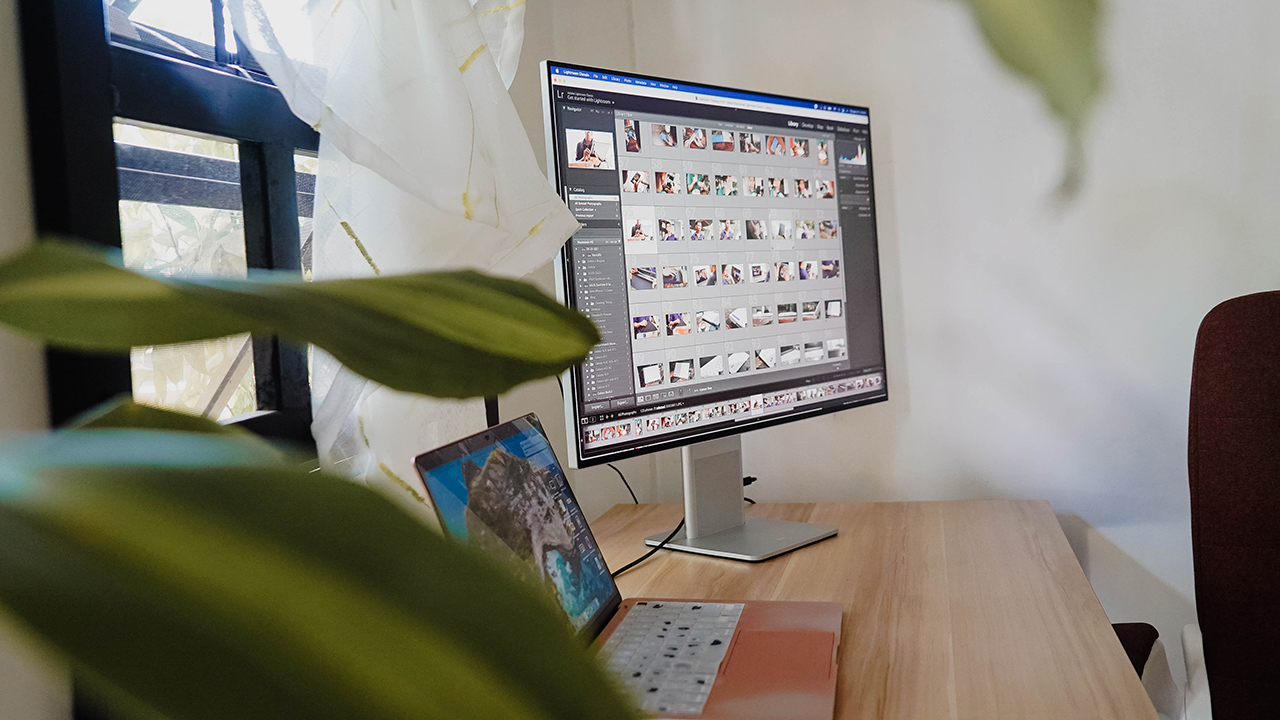
MacBook Air connected to Huawei MateView, working as a secondary display
An enthralling screen is extremely important, especially if you’re a creative professional. For instance, my Huawei MateView delivers 4K+ resolution, a 98% DCI-P3 color gamut offering 1 billion colors, 500 nits of brightness, and HDR capability. In other words, it has a high-resolution, color-accurate display that’s capable of displaying high dynamic range content.
It certainly helped me in my graphic design, photo retouching, and video editing endeavors.
Adjustable design
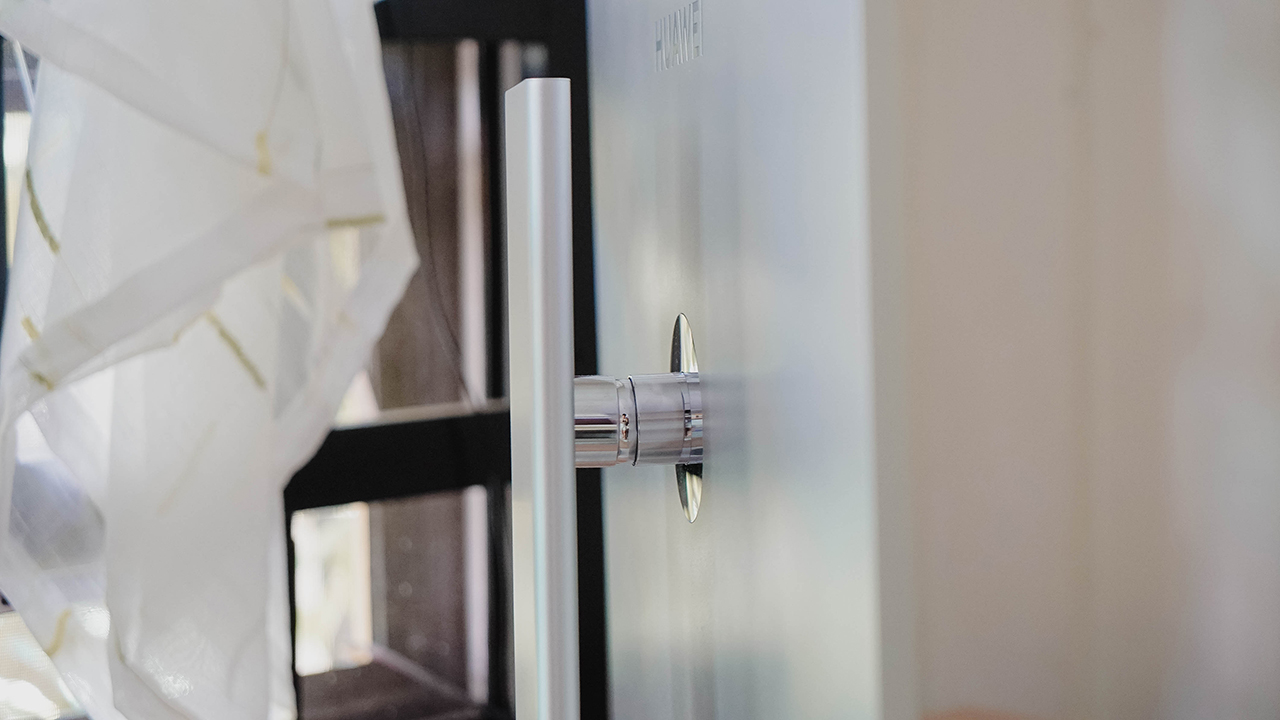
We’re not getting any younger — I think we’ve all heard everyone say that. That said, back and neck pain are something you’ll deal with especially when you spend hours looking down on your laptop. It’s inherently bad for your body and posture in the long run.

Experts recommend that you look straight, which is why having an adjustable monitor is important. Forget monitor stands or stacked books, an adjustable monitor will allow you to adjust its tilt and the height of the display to maintain eye level.
Taller screen for better productivity

If you’re more focused on being productive and getting things done, having a monitor with a taller aspect ratio is much better than the usual 16:9 widescreen monitors.
For example, the MateView has a 3:2 aspect ratio which makes it reasonably wide, but still tall enough to fit what you’re working on. In my case, it’s easier to post-process hundreds of photos we took of the devices we’re working on.
Seamless wireless connection

Huawei P50 Pocket
Most manufacturers are heavily investing in ecosystems nowadays. Apple, Samsung, Huawei, and even the likes of Xiaomi are starting to integrate their devices and connect seamlessly through smart features.
My Huawei MateView, for example, quickly connected to the Huawei P50 Pocket which I tapped on the monitor’s base imprinted with Huawei Share or OneHop icon.
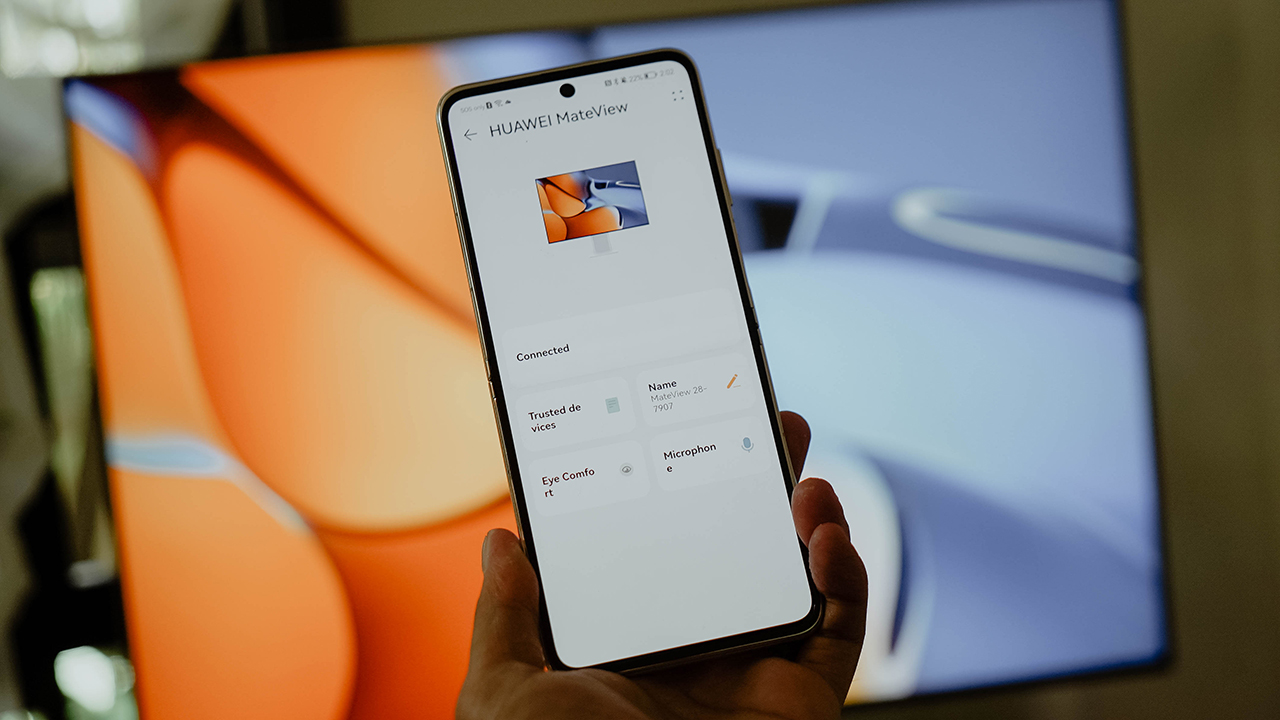
It automatically connected to the monitor and allowed me to choose to display what was on my phone. There’s a Desktop Mode which resembled more of a computer OS than a smartphone interface.
You can also connect through Wireless Connection and you don’t have to worry. The monitor is designed in such a way that latency — or lag — isn’t noticeable.
Go wired and keep it tethered
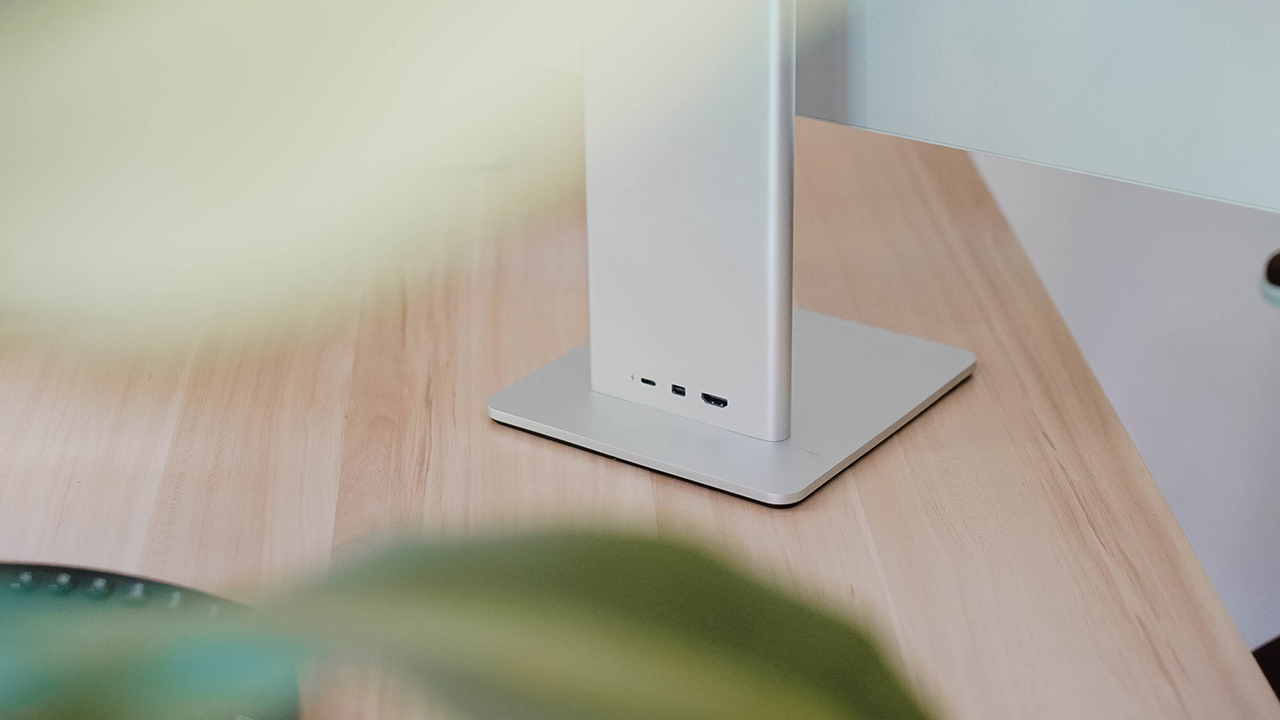
Some people still prefer to use different options for connectivity: USB-C, HDMI, and Mini Display. Personally, I still use the USB-C cable whether for my MacBook Air or the Samsung Galaxy Tab S8 Ultra since it charges the device at the same time.
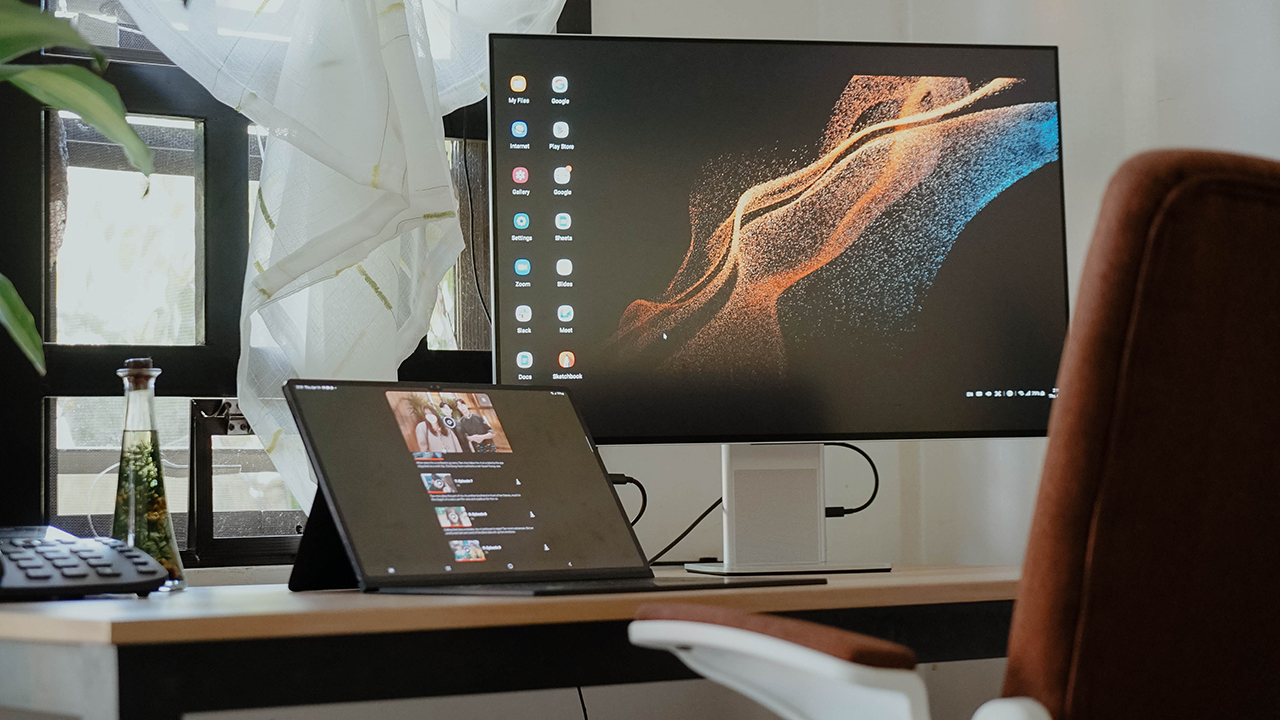
Samsung DeX on the Galaxy Tab S8 Ultra while connected to Huawei MateView via USB-C
The Huawei MateView can charge any laptop that requires 65W and under. Also, I like how it works smoothly with non-Huawei devices.
Moreover, there’s a headphone jack if you don’t want to use the front-firing speakers. The port also doubles as a mic input, perfect for important calls.
Aesthetically pleasing to your eyes
We spend time working on our desks for 8 hours or more. Sometimes, it goes beyond 18 hours when you work in a fast-paced environment like an advertising agency or production house.

If you’re going to look at your devices for a long time, make sure you like what you see. It’s easy to stay productive when you have a pleasant setup. It’s not always limited to decorating your desks with fancy accessories and color-matching everything.
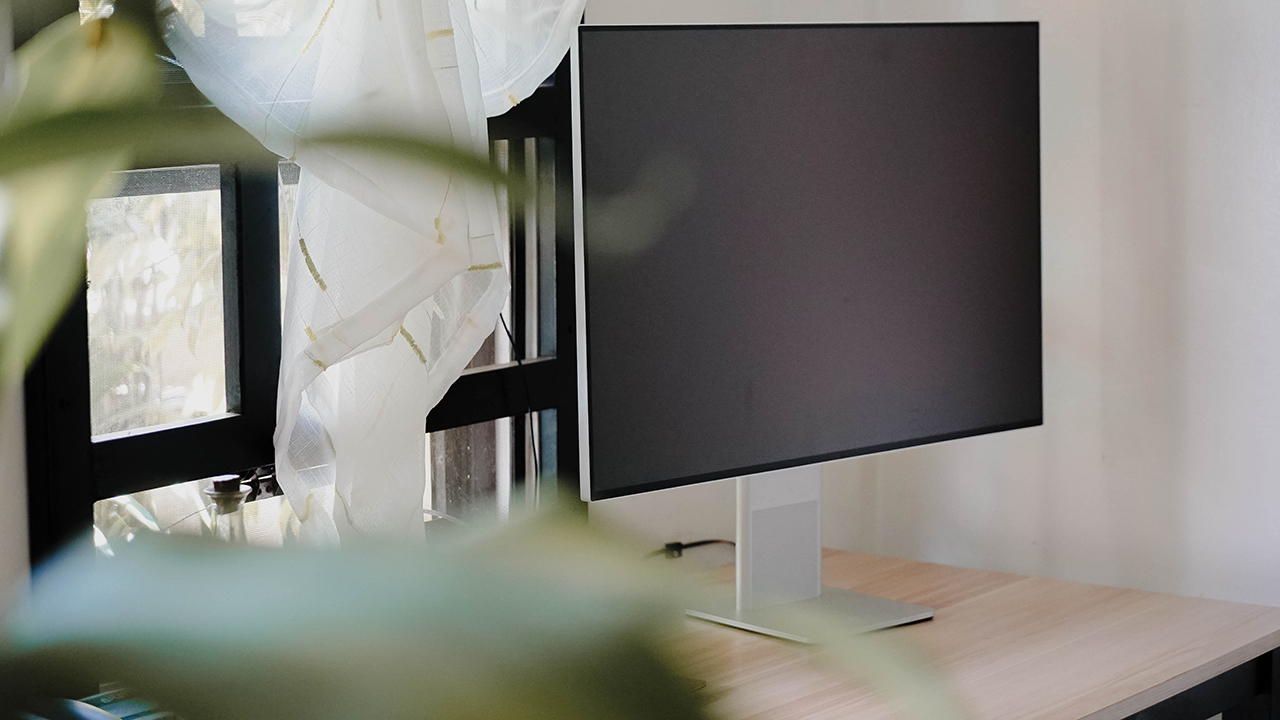
Sometimes, you just need a smart monitor that’s pretty to look at, so you get excited to hop on your work and get things done. Of course, it shouldn’t be just beautiful. It needs to be functional too.
As for me, the Huawei MateView delivers exactly what I need. From aesthetics, connectivity, display, and ergonomics — I’m happy to use this for the next few months or maybe, even a year.



Computers
ASUS, ROG announce 2026 desktops, AiO availabilities in PH
For gaming, heavy workloads, modern setups

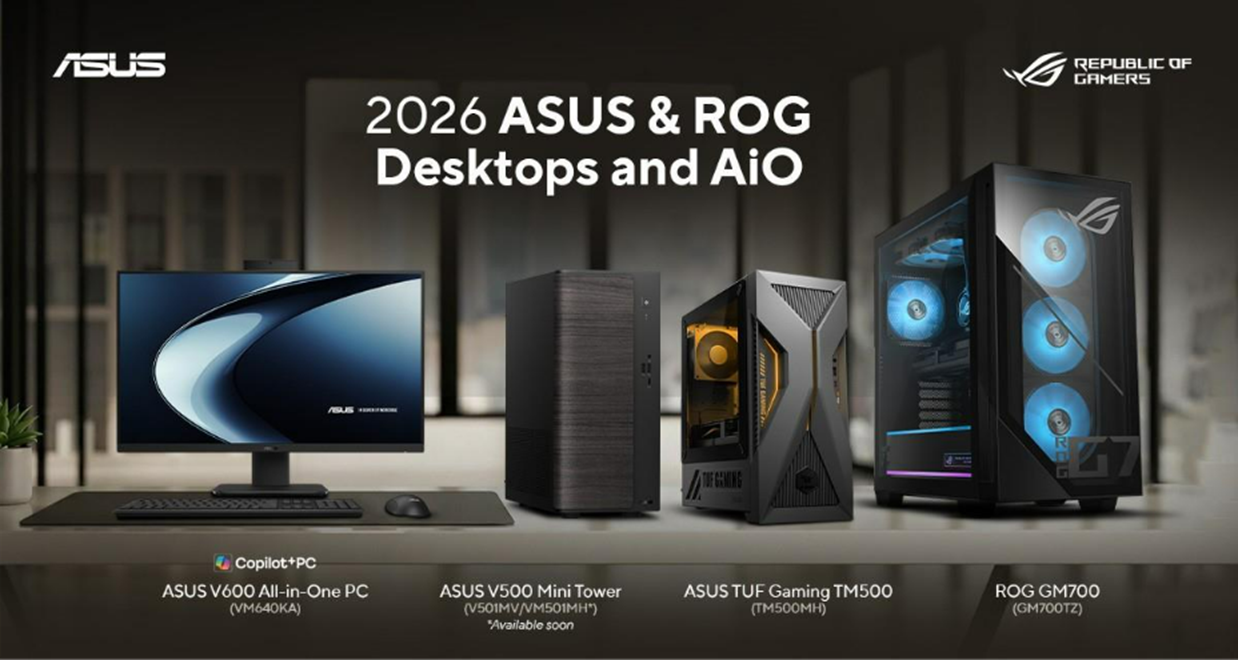
ASUS and ROG have announced the availabilities of their latest 2026 desktops and all-in-one (AiO) PCs in the Philippines.
Headlining the lineup is the ASUS V600 All-in-One PC, the latest addition to the AiO series. It has a sleek aesthetic and is powered by up to an AMD Ryzen AI 5 330 processor, capable of handling demanding workloads with ease.
This processor is paired with AMD Radeon 820M graphics, up to 16GB DDR5 memory, and up to 512GB SSD storage.
The V600 has a 23.8-inch FHD IPS 178-degree view display with a wide 93% screen-to-body ratio, anti-glare coating, and is certified for eye comfort.
The 50 TOPs NPU PC is also part of the Copilot+ family, making it efficient for AI computing tasks. Other features include ASUS AI Noise-Cancelling and Adaptive Lock.
Price: PhP 56,995
ASUS V500 Mini Tower
Meanwhile, the ASUS V500 Mini Tower is crafted to blend modern workspaces while delivering dependable performance.
It touts up to an Intel Core 7 240H processor and comes in a Dark Wood color. It operates at as low as 24dB in whisper mode.
An addition, it features up to 80 PLUS Platinum-certified PSU, reducing heat generation and eliminating power-consumption concerns. The PC has support for up to 64GB DDR5 RAM and up to 512GB of SSD storage.
Price: Starts at PhP 41,995
ASUS TUF Gaming TM500
Moreover, the ASUS TUF Gaming TM500 is a compact gaming desktop that delivers power and efficiency in a streamlined form factor.
It is fueled by an AMD Ryzen 7 260 processor, reaching a maximum boost speed of 5.1GHz. Along with up to an NVIDIA GeForce RTX 5060 GPU, users can experience seamless gameplay.
The PC comes with 16GB DDR5 memory, and two more SO-DIMM slots to support up to 64GB of memory. This allows the machine to breeze through memory-heavy workloads, outside of the most demanding AAA titles.
Complementing these hardware is a custom heatsink with 1,218cm2 of total dissipation area, copper heat piping, and 90 mm cooling fan.
Price: Starts at PhP 76,995
ROG GM700
Lastly, the ROG GM700 features the undisputed power and beastly performance of the AMD Ryzen 7 9800X3D processor and AMD Radeon RX 9070 XT GPU.
With up to 32GB of memory, the PC can process jaw-dropping visuals at ultra-fast speeds. With up to 2TB of storage, it guarantees swift load times, high frame rates, and freedom from stutters in high-stakes gaming.
The ROG GM700 is also amenable for customization, maintenance, and future-proofing. Users can enjoy an upgrade potential of up to four DDR5 U-DIMM slots and multiple M.2 slots.
Price: starts at PhP 139,995
Computers
3D printing made accessible: Bambu Lab moves closer to everyday consumers
Empowering consumers to create tangible objects
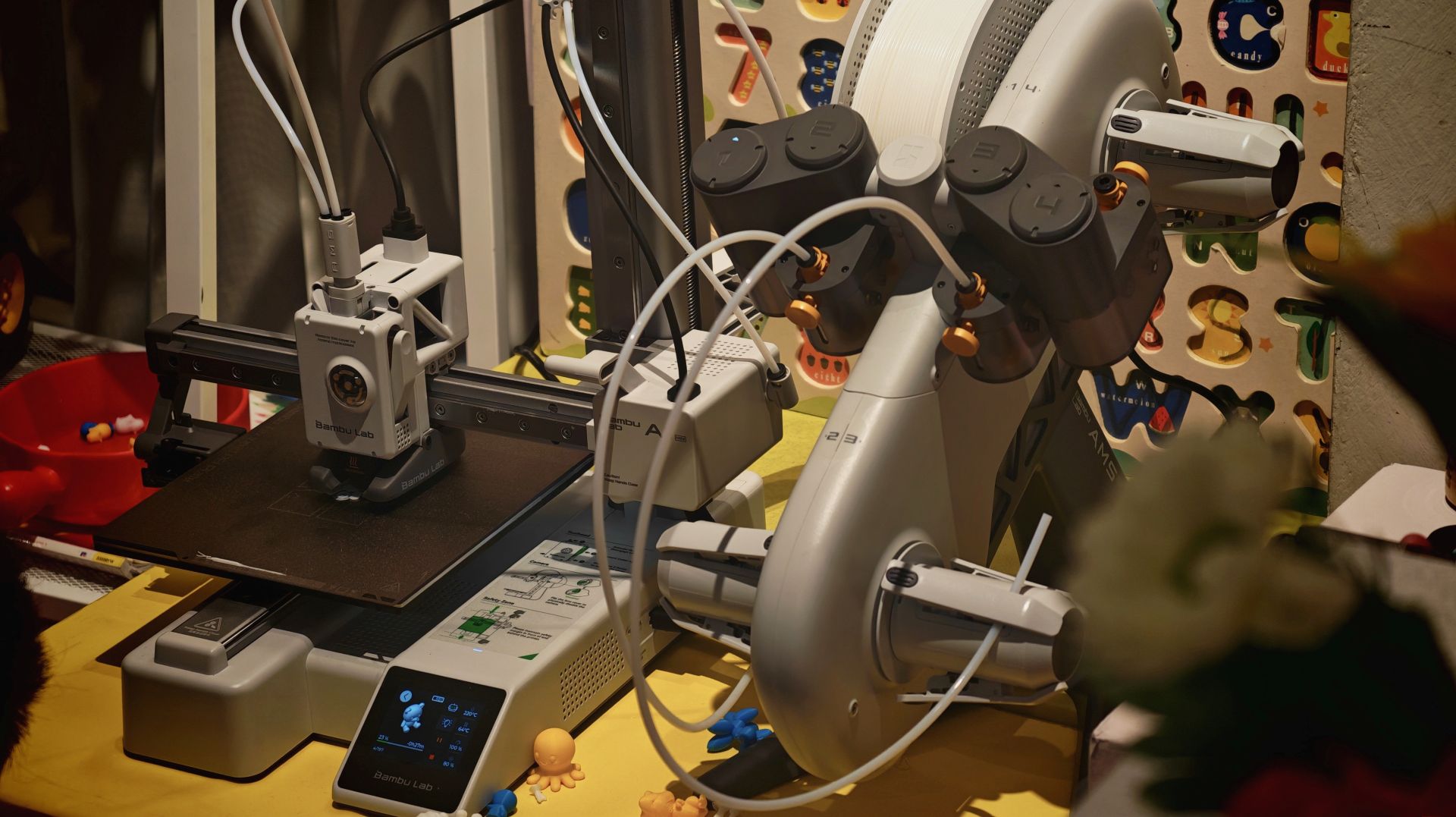
China-based brand Bambu Lab makes an effort to move closer to everyday consumers in the Philippines with a new retail partner by holding a media and creators roundtable in the Philippines. This was a bid to reshape how consumers perceive and use 3D printing technology.
Established in Shenzhen, China in 2020, Bambu Lab aims to make 3D printing more accessible, practical, and relevant to daily life through printers and other supplies.
The goal is to support practical home use, creative hobbies, product design, and even specialized tools, while putting emphasis on ease of use.
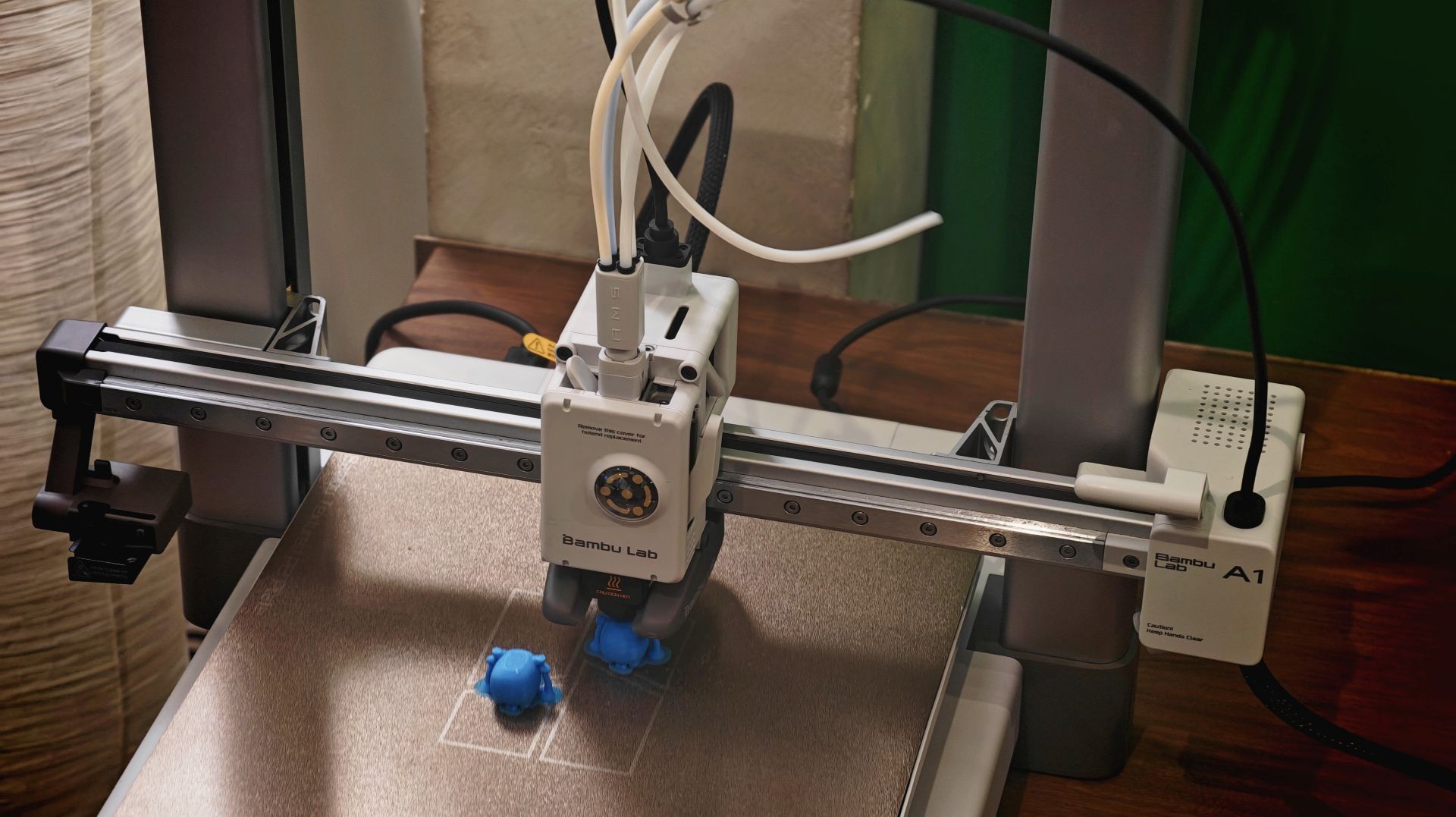
With such optics, Bambu Lab is trying to make consumers feel that there is less deep technical knowledge required and that they can actually create physical objects with 3D printing.
One of their products is the entry-level Bambu Lab A1 mini, which is compact enough to fit on a small desk.
The brand also has more advanced models which are capable of printing multiple colors and materials on a single run.

To complement the hardware ecosystem, Bambu Lab’s open platform MakerWorld lets users browse, select, and print from an extensive library of shared 3D designs directly from their own desktops.
The platform features a wide variety of objects across multiple categories. There’s household items, DIY tools, children’s toys, props, and educational materials.
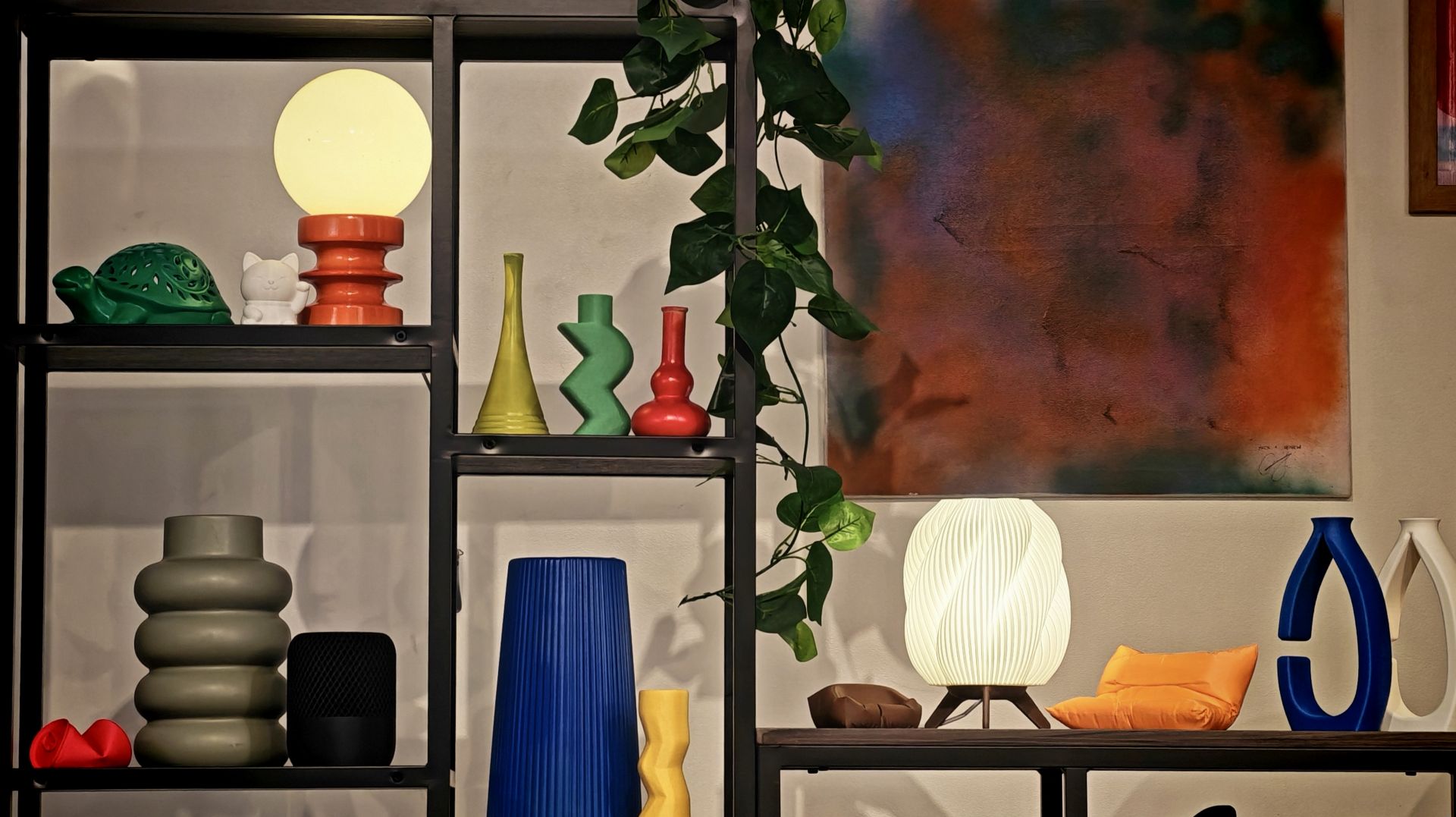
In the Philippines, Bambu Lab will open its first concept store at One Ayala, Makati City. The concept corner will give mallgoers the opportunity to see the range of 3D printers and consumables firsthand.
Computers
Next-gen AMD Ryzen 7 9850X3D desktop processor out soon
Built for the most demanding titles
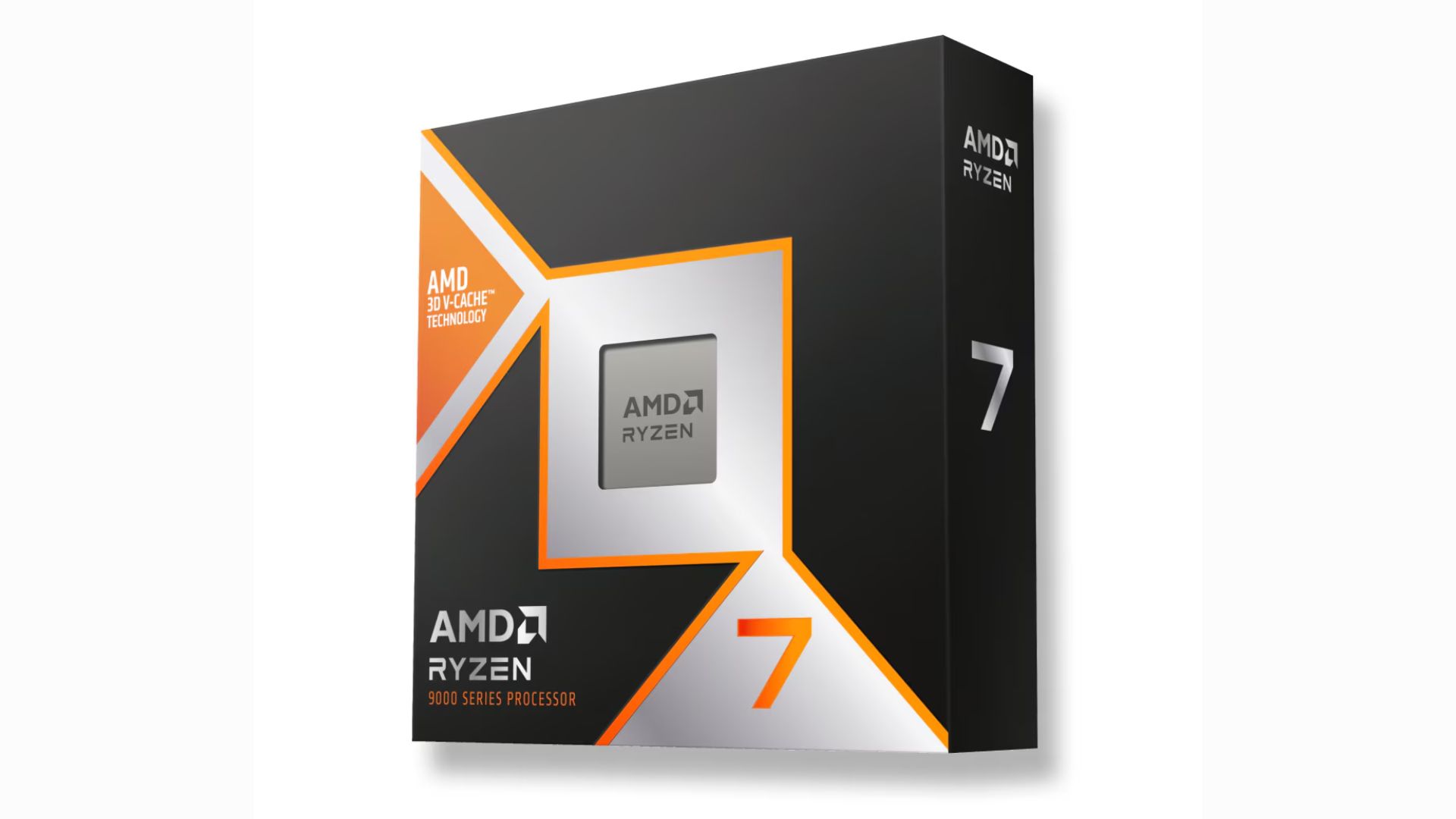
The next-generation AMD Ryzen 7 9850X3D desktop processor will be available for sale starting January 29. It has a standard pricing of US$ 499.
Built for enthusiasts, the latest AMD Ryzen 9000 series processor features a +400MHz improvement to the boost clock, building on the legacy of the 9800X3D.
This makes the “world’s fastest gaming processor” even faster. AMD says their offering boasts of an average 27% gaming performance improvement over the Intel Core Ultra 9 285k.
On paper, the Ryzen 7 9850X3D has a maximum boost clock speed of up to 5.6GHz, and a base clock speed of 4.7GHz.
The new 8-core, 16-thread processor is aided by 2nd Gen 3D V-Cache technology, so a high-frequency memory is not required.
Across an average of more than 30 games played, the FPS difference between a DDR5-4800 and a DDR5-6000 was below 1%.
The AMD Ryzen 7 9850X3D is ideal for running demanding titles, i.e. AAA games, at maximum FPS. Initial checks also suggest the processor stays efficient in spite of higher speeds.
For connectivity, the processor has two memory channels for a maximum 192GB of DDR5 memory. It can also support four USB 3.2 Gen 2s and a USB 2.0.





Forget the Phone: Xiaomi 17 Ultra Is A CAMERA!

Xiaomi Pad 8 review: Slab that slaps!

Xiaomi 17 Ultra is now available outside China

The Xiaomi Pad 8 series is now official

Samsung Galaxy S26 Ultra OLED receives Privacy Display verification


-
 News19 hours ago
Xiaomi 17 Ultra is now available outside China
-

 Camera Walkthrough1 week ago
OPPO Reno15 Pro: Camera Review
-
 First Look2 weeks ago
Match Pulse: Infinix NOTE 60 Pro
-

 Cameras1 week ago
Osmo Pocket 4 makes a surprising appearance in public
-

 Gaming2 weeks ago
LG unveils UltraGear evo, redefines 5K gaming with AI Upscaling
-

 News1 week ago
iPhone 17 Pro Max is somehow the most traded-in phone today
-

 News1 week ago
HUAWEI launches Mate X7, MatePad 11.5 S 2026, FreeClip 2
-
 Gaming2 weeks ago
PlayStation 6 reportedly delayed to 2029 because of RAM shortage