

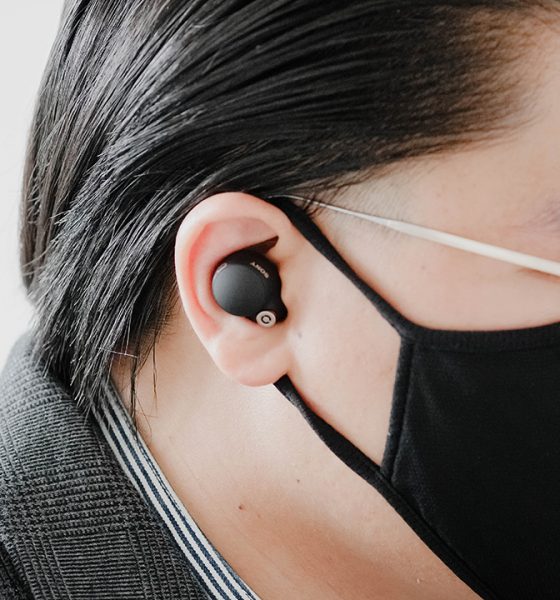

Almost two years ago, we saw Sony release their first “true wireless” Airpod-type earbuds with the WF-1000XM3. At the time, the XM3 really stood out for offering great noise cancellation along with the great audio quality we’ve come to expect from Sony’s most premium headphones.
Sony has its successor — the Sony-WF-1000XM4. But a lot has changed since then.
Apple now has the AirPods Pro which also boasts noise cancellation. There’s the Beats Studio Buds, QuietComfort Earbuds by Bose, Google even has their own Pixel buds, and pretty much every other smartphone manufacturer came out with their own earbuds.
Suddenly, the true wireless (TWS) earbuds scene is more crowded than ever.
A reputation of excellence
But Sony has a reputation to live up to. Their flagship WH-1000XM4 over-the-ear headphones is widely regarded as the best wireless headphones in the market. Even more than the nearly double-priced Apple Airpods Max. In fact, the only thing most reviewers could really find wrong with them (us included), was the annoying naming scheme Sony uses.
So when we saw the brand new Sony WF-1000XM4 earbuds announced — we really had our hopes up. How you do improve upon what was already one of the best all-round TWS earbuds?
Sony went right back to the drawing board to design a pair of earbuds that look quite different from their predecessors. The Sony WF-1000XM4 has an all new design and charging case that are much smaller, a new V1 chip audio processor for even better noise cancellation and audio quality, IPX4 water and sweat resistance, and they even have a new memory foam-like eartip material. All of these makes Sony’s offering the best pair of true wireless earbuds on the market, once again.
While we still have an annoying model name to deal with, the Sony WF-1000XM4 manages to stand out because of great audio quality, solid noise cancellation, along with being one of the most feature-packed and user-friendly wireless earbuds around.
Design and Build Quality

Our first impressions of the XM4 begin with the box. Sony switched to a new, very compact rectangular box that uses recycled packaging. It is plastic-free and made from a special blend of paper.
We aren’t fans of all the plastics we waste on larger packaging and were happy to see Sony switch to this more sustainable solution. It doesn’t give you the premium feeling you get when you purchase a high-end item. But once you move on to the actual earbuds themselves, things get much better.
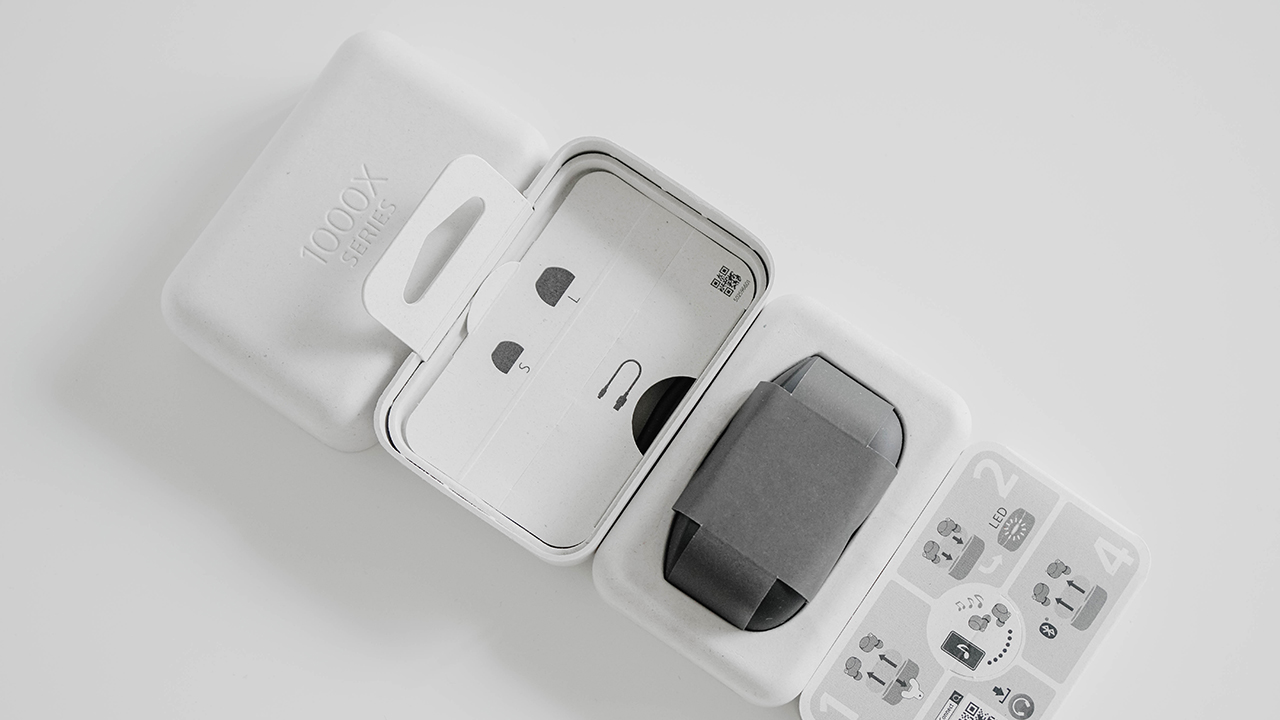
We got the black model to review, though the XM4 also comes in a nicer silver (light grey) color as well.
First up you’ll notice the new, smaller charging case that is 40 percent smaller than its predecessor. Much smaller than what we’ve seen with the Bose Earbuds. There’s a tiny status indicator light that lies right at the opening and glows green, orange, or red to indicate charge level.
At the top, you’ll just see that classic Sony branding printed in gold.
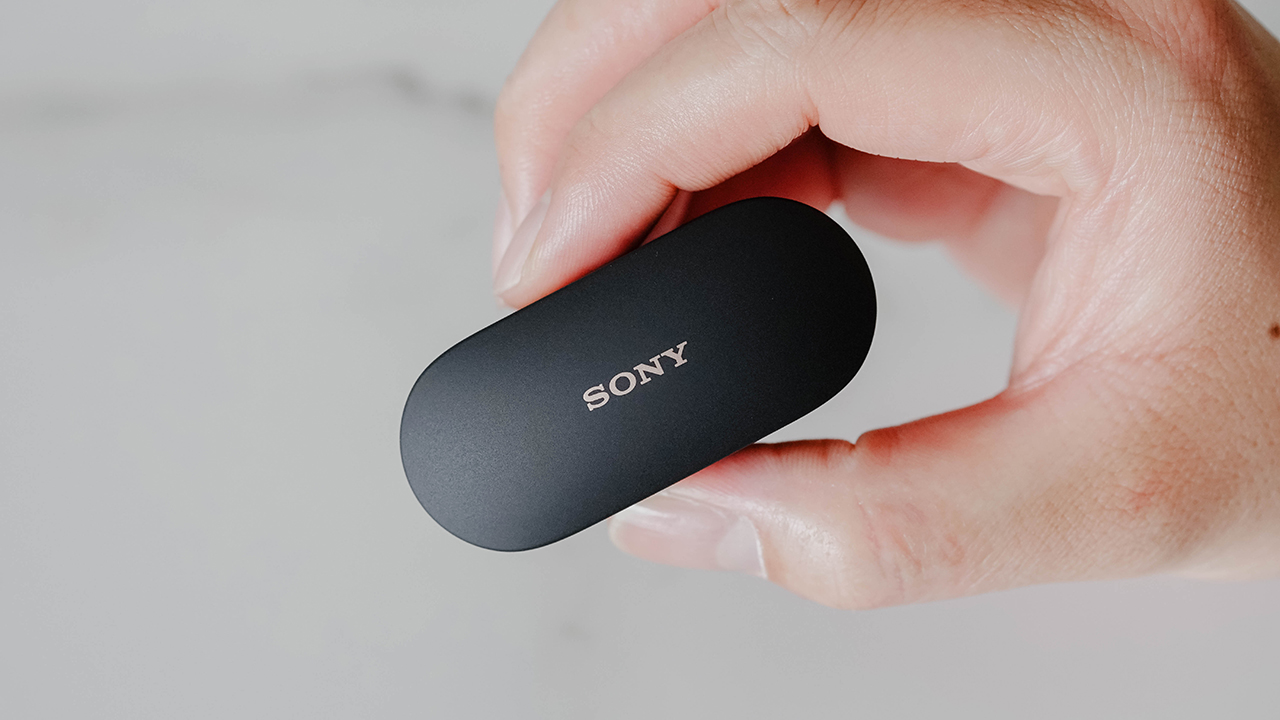
Flip to the back and you’ll see the hinge for the lid. The USB Type-C port is here which you’ll use to charge the case (which charges the earbuds).
Coming to the bottom, you’ll see the model information and various regulatory information along with the fact that these are made right here in Malaysia! Hooray!
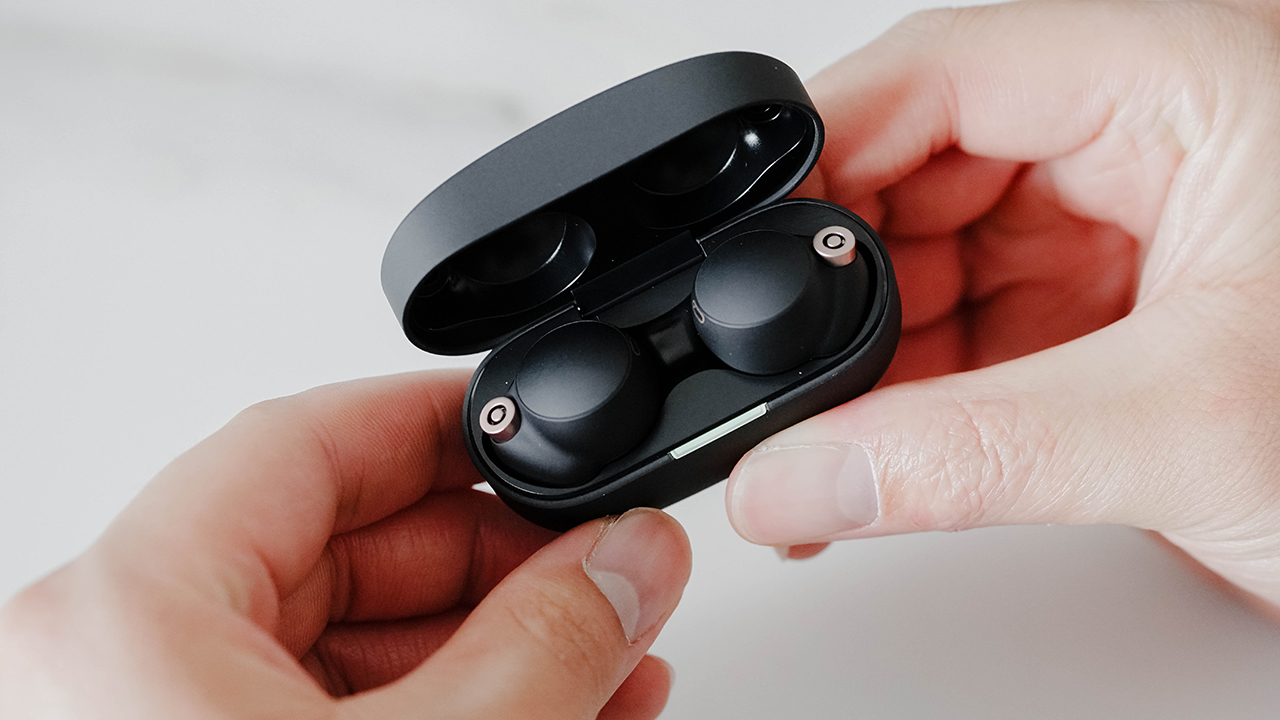
The entire case is made out of this really nice, matte finish hard plastic that feels quite premium and well built. Once you flip open the magnetic case, you’ll see the brand new, smaller earbud design of the Sony WF-1000XM4. The earbuds snap into the case magnetically and are held very securely in it.
Better fit
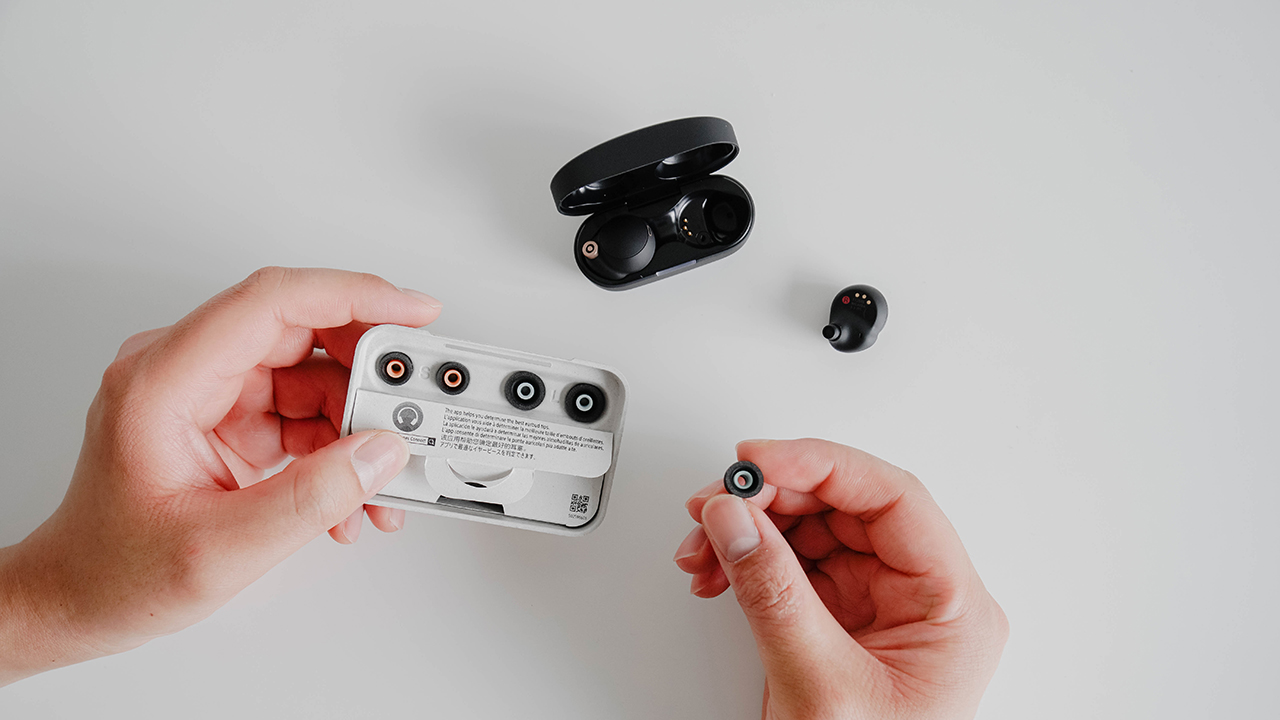
According to Sony, they went over customer feedback on the predecessor XM3. With research on the human ear and its various shapes and sizes, they created a round shape for the earbuds that sit more inside your ears.
You’ll see that same premium-feeling matte black finish on each earbud as well. It has these tiny hits of bronze accents around the microphone, the rear sensor, the SONY logo, and the charging pins.
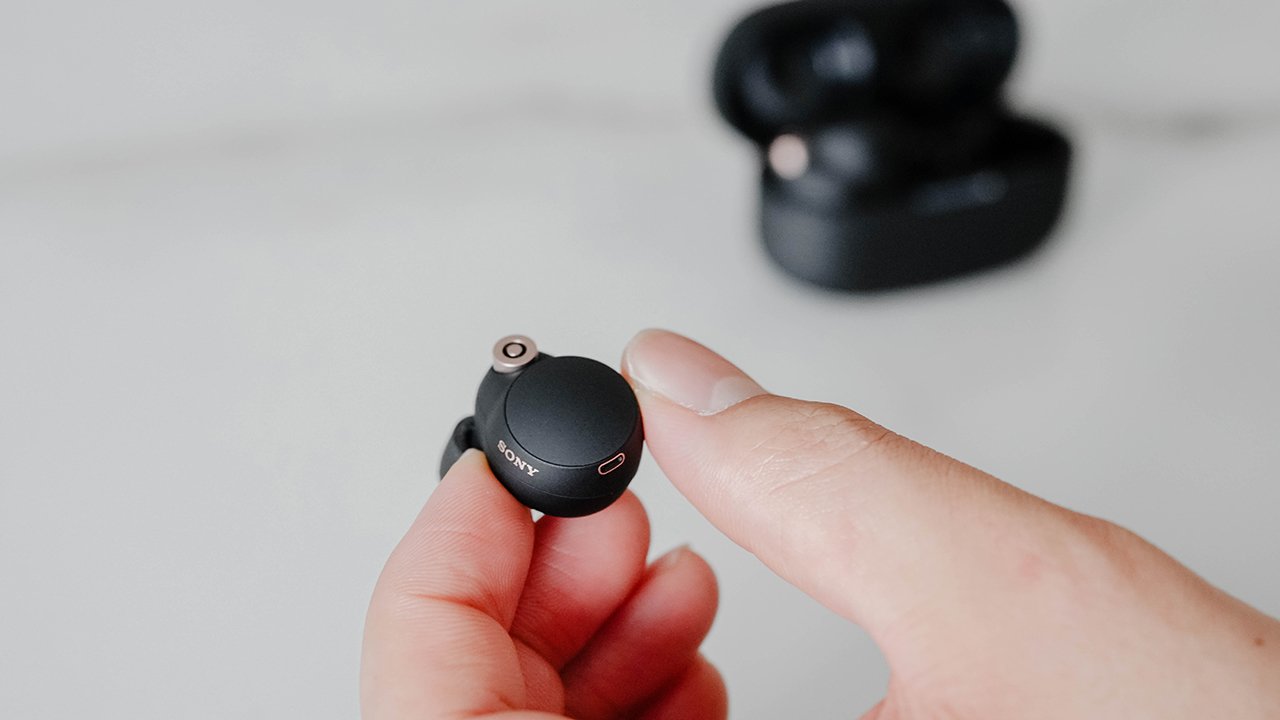
There’s this tiny pinhole for the microphones on the inside of the earbuds, next to what looks like it might be the bone conductor sensor or a tiny proximity sensor which detects whenever you take your earbuds off or put it on, and will automatically pause or play your music respectively.
The earbuds also have a L and R marking so that you know which is the left side earbud and which is the right side.
New eartips
Apart from that, the XM4 also boasts new eartips. It’s made from a memory-foam like polyurethane material., which sort of feels like a combination of the classic silicone tips we’re used to, and a new foam like material.
This material also apparently has tiny bubbles which are supposed to help dissipate and reduce noise. Sony says these will help secure a more stable, tighter fit that will ensure the earbuds stay in your ears and form a perfect seal for better audio quality and noise cancellation.

The only downside to this new eartip is that, unlike the XM3 which had six different ear-tip options, here you only get a set of small, medium, and large sized tips. These tips should last you a few years but Sony says you can purchase extra tips from them in case you lose one, or they wear out.
When you find the right eartip size for you, you’ll see how they are quite comfortable even over a long listening sessions.
Fit test
To help you make sure that you have the perfect fitting eartips, Sony has a new “air tightness test” available in their Headphones Connect app (iOS and Android). It plays a test tone to test out the seal with the foam in your ears, and reports back on whether you should move to a larger or smaller ear-tip.
Just like the AirPods Pro, it is recommended to run this test when you first connect the XM4 to your phone. This waytyou can avoid wearing the wrong sized eartips which might allow for outside noises to leak in, or make the bass feel less powerful.
Quick controls
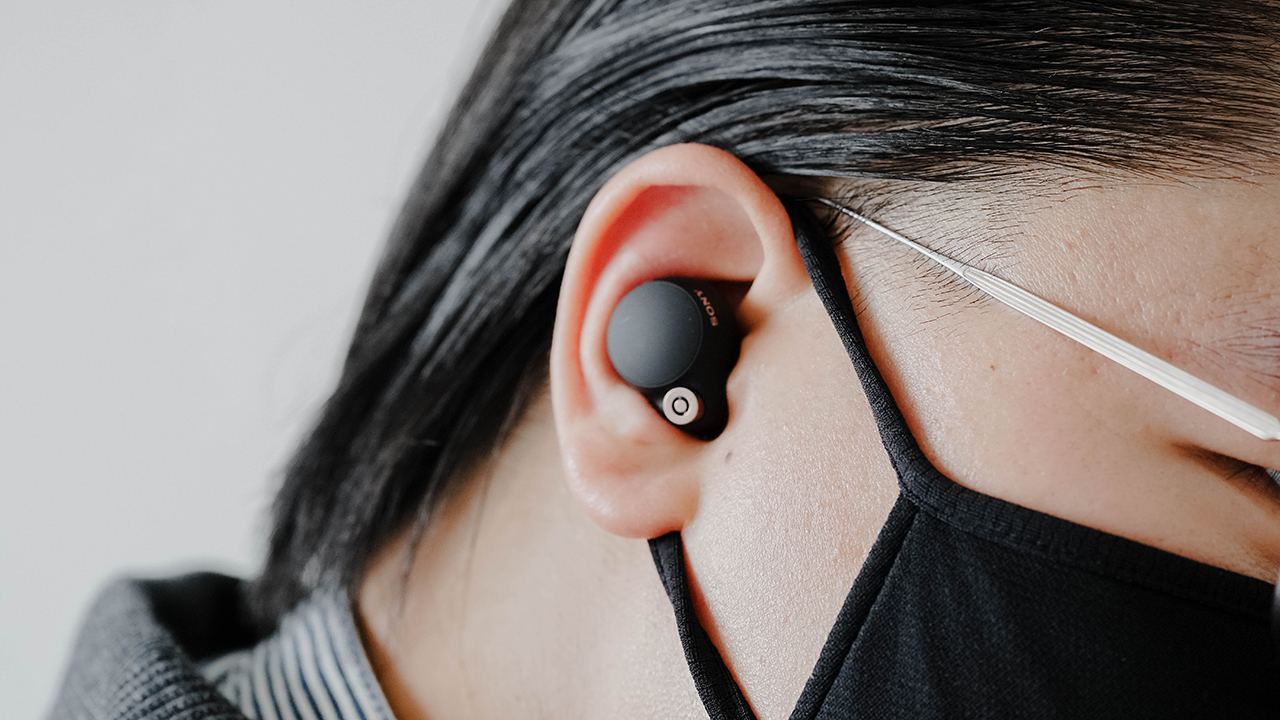
Just like its bigger, over-the-ears model, the Sony WF-1000XM4 is incredibly feature-packed, as you would expect for a pair of true wireless earbuds in this price range.
The circular surface on the outside of each earbud are touchpads. You can use taps or short/long presses to control volume, playback, or switch between noise-cancelling or ambient sound modes.
You can customize these gestures using Sony’s Headphones Connect app (iOS & Android), and the earbuds are quick to respond to each gesture.
Speak-to-chat
There’s also support for Sony’s “Speak-to-Chat” feature which will automatically turn down the volume and noise cancellation whenever you start to talk, so that you can effortlessly have conversations without having to take off the earbuds.
This feature works pretty well, but only triggers about a second after you start talking. So, in case you’d rather switch off the voice trigger, Sony allows you to use a similar “Quick Attention” gesture feature which uses a manual long-press on the left earbud instead.
Similarly, turning off the voice trigger is recommended in case you have a tendency to break into a spontaneous private karaoke session when you’re listening to a song while working from home.
Audio quality improvements
But there’s even more tech to impress you within the XM4. These include a new integrated “V1” processor unit which powers an improved DAC, and analogue amplifier, which Sony claims allows for clearer sound, and much better noise-cancellation than its predecessor. And from my experience, that claim is absolutely true.
There’s also Sony’s DSEE Extreme audio engine with “Edge-AI”, which magically allows the earbuds to upscale low-bitrate audio files to much better sounding hi-res quality. We first saw this used on the flagship Sony WH-1000XM4 earlier this year.
While there’s no aptX HD support this time, the XM4 does support Sony’s LDAC format instead, which allows hi-res audio files up to 24-bit/96kHz to be streamed over Bluetooth at data rates of up to 990kbps, provided its coming from a compatible source. Sadly, this does not include the iPhone.
Call quality
The XM4 also boasts clearer call quality with features like a new bone conductor sensor that stops the microphone from picking up any random ambient sounds while you’re talking or moving around. There’s also Sony’s new beamforming advanced speech reinforcement technology and an automatic wind noise reduction mode. These are all thanks to Sony’s Precise Voice Pickup technology, which we first saw on the over-the-ear type WH-1000XM4.
As a result, the XM4 actually does a pretty decent job at handling call quality, and blocking outside noise or interferences so that only your voice filters through loud and clear for the person on the other end of the line.
That being said, people we called said we sounded a little muffled vs when we used the AirPods Pro which might be because the XM4 doesn’t have those stems for the microphones that the AirPods do. So maybe, these aren’t as great for calls as the AirPods are, but there’s a chance Sony could improve these ever so slightly via software updates.
Pairing
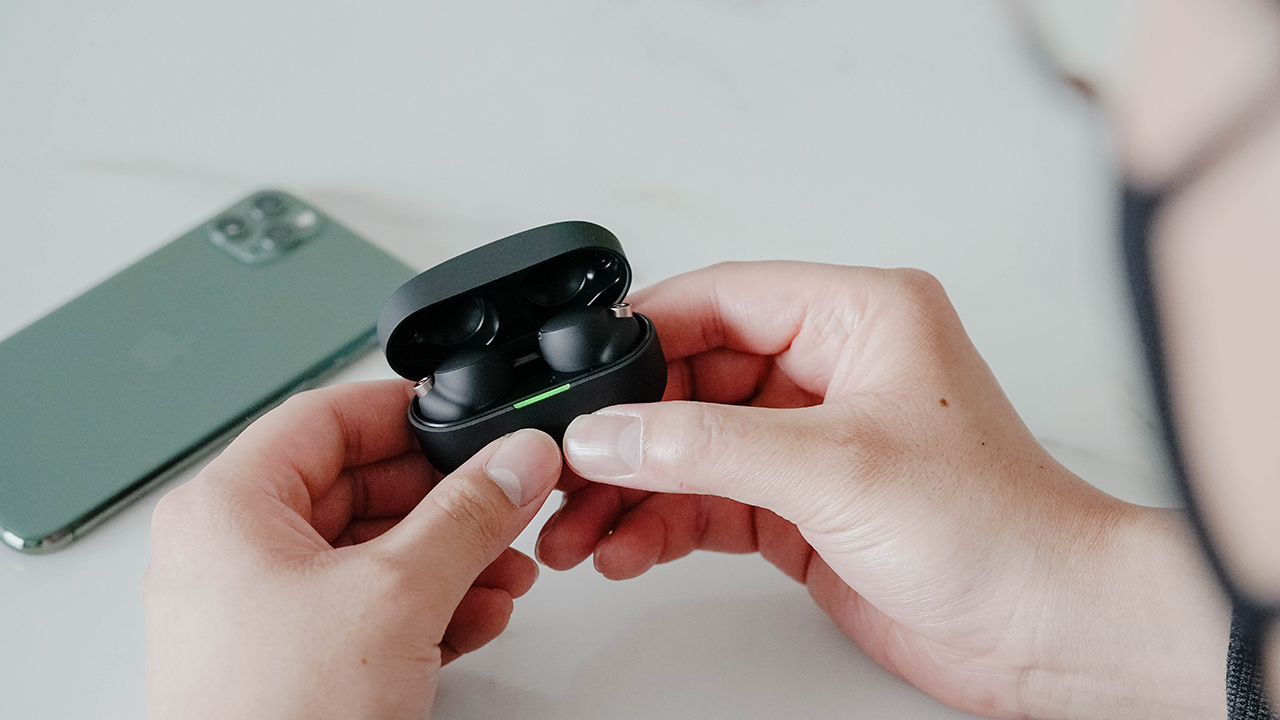
In terms of pairing, if you have an Android phone you’ll be happy to know that that the XM4 supports Fast Pair so connecting them to your phone happens in a matter of seconds. You’ll even be able to see battery information whenever they’re switched on.
Unsurprisingly, the experience on iOS is a bit different. Pairing happens the old fashioned way of manually going into your bluetooth settings and connecting to the earbuds.
Unfortunately Sony did not include bluetooth multi-point support on the WF-1000XM4, so you can’t connect to two different devices simultaneously which is a bummer if you plan on using these with multiple devices like your laptop and your smartphone or tablet. You can still switch between them manually, of course, but its a bit inconvenient. Hopefully Sony manages to bring it in with a software update in the coming months.
360 Reality Audio, other features

There’s support for Sony’s 360 Reality Audio as well for compatible streaming services like Tidal and Deezer. Setting it up is a tiny bit tedious because you need to take a photo of each ear in the headphones app which Sony will use to “optimize” the sound.
We used the XM4s with a OnePlus 9, an iPhone 11 Pro, and a Macbook Pro and the connection was always stable with no dropouts or interferences.
In terms of tech specs, the XM4 uses Bluetooth 5.2, and supports voice assistants like Google Assistant or Amazon’s Alexa. No Siri support here “officially” but you can still trigger it on an iPhone by just tap-and-holding the right earbud.
Lastly, if you were thinking about using these for running or at the gym, you’ll be happy to know that the XM4 boasts an IPX4 rating. This means they are sweat and water resistant — something that was missing from its predecessor, and is hugely appreciated.
While we do feel like these are overkill for using as running earbuds, if you’re going to pay this much for a pair of earphones you might as well use them as much as possible, right?
Audio Quality
The Sony WF-1000XM4 boasts a 6mm driver used inside, which is similar in size to its predecessor. But in this generation, it is made from an entirely new material and uses a larger magnet. Sony claims these help improve the overall audio quality and noise cancellation capabilities of the earphones especially in regard to lower frequencies.
And honestly, audio quality on the XM4s is glorious.
Starting with the way the earphones handle bass, there’s an immense level of audio detail with stunning audio quality and clarity at low frequencies. By comparison the Bose QC Earbuds almost sounded muffled.
For any kind of music
We listened to a wide range of music from Doja Cat to LANY to Daft Punk to The Rolling Stones to Frank Sinatra to Michael Jackson, and everything in between.
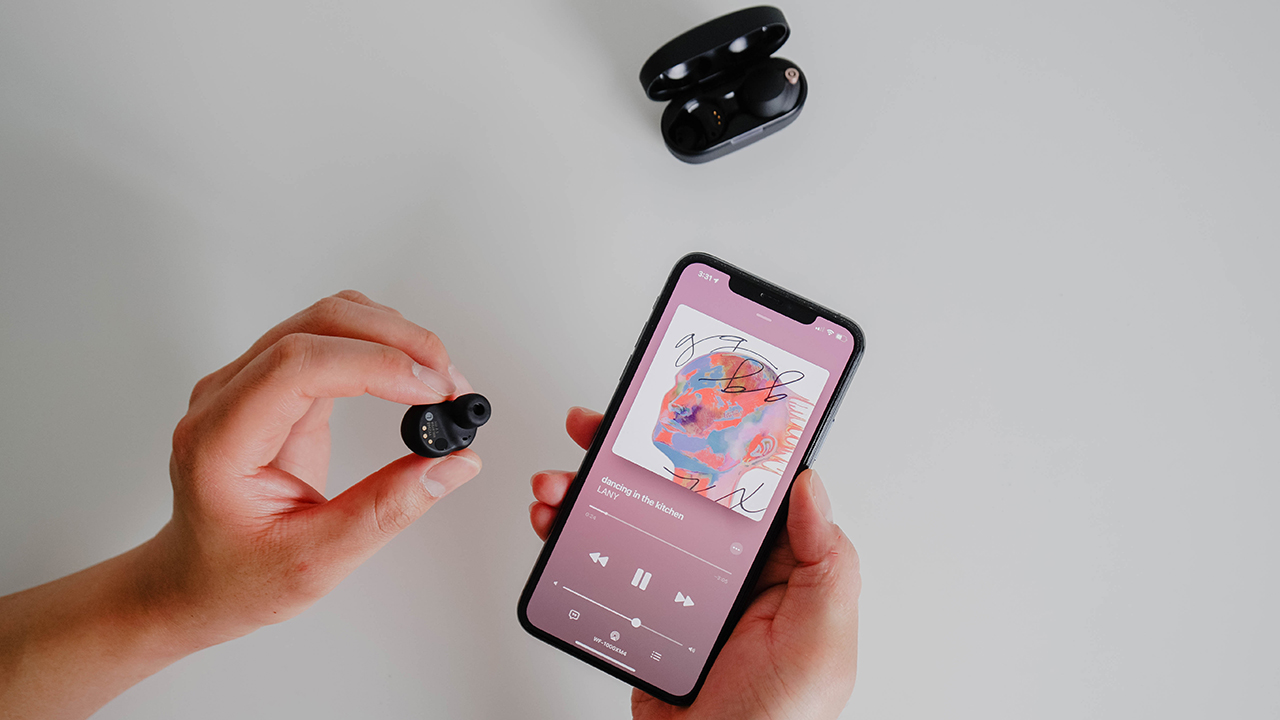
Even the most bass heavy tracks sounded fantastic, with each note and each beat coming in nice and clear. You can hear every element and intricacy of each note and every pulse of the bassline. Its a clarity that we didn’t realize we were missing out on, with our AirPods Pro.
But its not just all about the bass here. There’s clear audio across all frequencies of a music track. The XM4 can switch paces to handle any type of music effortlessly. Even a slower song with mainly vocals like “Its Oh So Quiet” by Bjork, will still allow these earbuds to completely captivate you. Sony has just done an amazing job here.
Better than the competition
Compared to its predecessor, the XM4 is a definite huge step up. If you’re happy with the older XM3 there’s no major reason apart from better audio clarity with clearer details and better battery life to switch to these.
But if you’re on the market for the best sounding, noise cancelling true wireless earbuds, the Sony XM4 is pretty much it. Compared to the Bose QC Earbuds and the Sennheiser Momentum True Wireless, the Sony XM4 boasts a more refined sound with better defined bass notes and overall just a better, more balanced audio experience.
Equalizer on the app
If all of that wasn’t enough, the Sony Headphones Connect app also does have an equalizer built-in, in case you want to try customizing your sound even more. The great noise cancellation is yet another major advantage for the XM4, managing an experience that is close to Sony’s Over-the-ear XM4s.
That is pretty much excellence across the board. There’s just no better audio and noise cancellation on a pair of true wireless earbuds right now.
This is also due to the memory foam-like material Sony is using in the ear-tips here which forms a great seal with your ear canal, so that the isolation blocks out most noises before the XM4’s ANC unit even has to.
Of course if the Active Noise Cancellation feels a bit suffocating, you can tap to turn it off, or switch to the “ambient noise” mode which will allow some environmental sounds to filter through.
Sony’s Headphones Connect app will even learn your locations and how you use your earphones so that it can switch on active noise cancellation while you’re commuting to work, but can switch to ambient noise mode at work or at home.
Battery Life and Charging
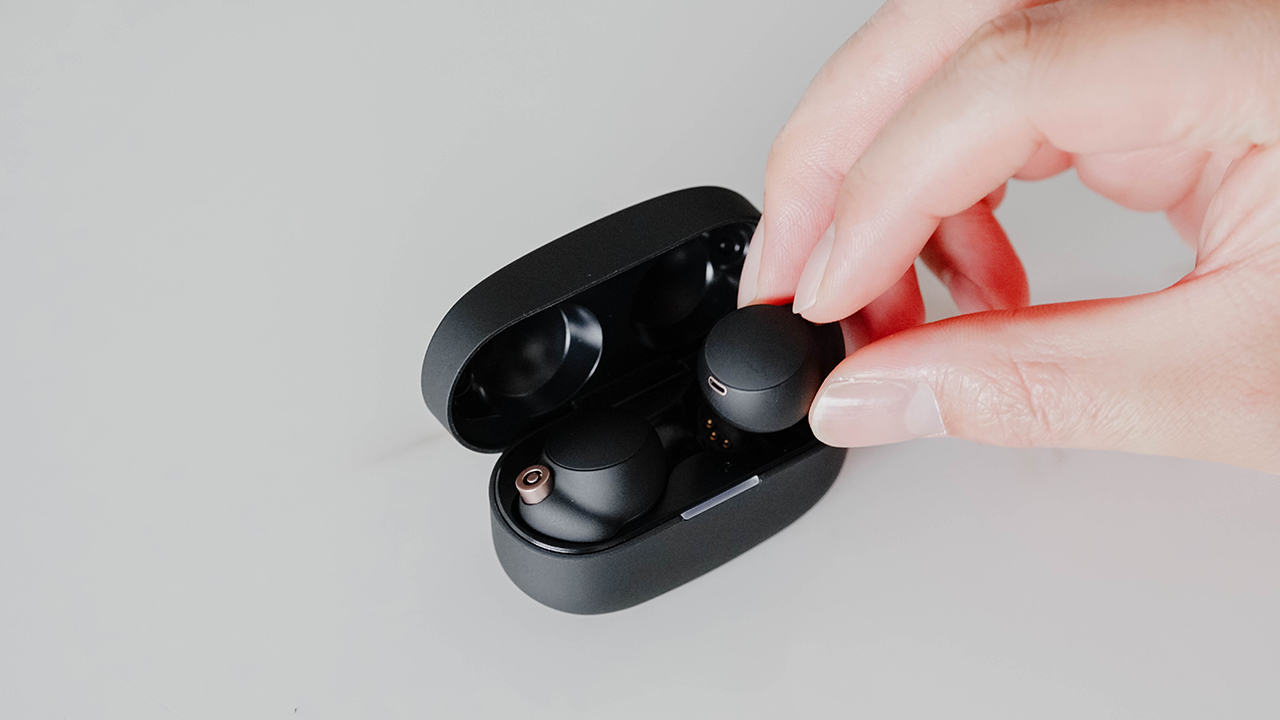
The case for the Sony XM4s charges via USB Type-C and also supports wireless charging as well (for the first time with Sony headphones) as long as you have a compatible Qi charging pad.
Battery life is something you’ll honestly never have to worry about much with the XM4. While the case is smaller and more portable, battery life has improved even more vs the older XM3.
You can now get up to eight hours of music playback with noise cancellation switched on, and the case can supply an additional 16 hours of battery life via charging.
That means the Sony WF-1000XM4 has the best battery life in the segment, vs its competitors like the AirPods Pro (up to 5 hours), the Bose QC Earbuds (up to 6 hours), and Sennheiser Momentum True Wireless (up to 6.5 hours). Honestly, how Sony managed to do it, is just pure wizardry.
Of course, if you want even better battery life out of the XM4s, you can switch off the noise-cancellation which will give you up to 12 hours of audio on a single charge, and up to 24 hours with the charging case. Sony’s also stated that a quick five-minute charge will give you about one hour of music playback too, which is awesome for those urgent situations.
While we were incredibly impressed with the audio quality and the noise cancellation, the fantastic battery life is just the piece de resistance on top of everything else.
Monitoring battery life
You can monitor the battery life remaining in the case and the buds via Sony’s Headphones Connect app, which will also alert you if the case drops below 30 percent charge. This is the only slight inconvenience you’ll have, if you’re an iPhone user. With the AirPods pro you could always just open the case to see a pop-up on remaining battery life on your iPhone. To get around this, you could always add the battery widget for iOS which will show you the remaining battery life on the XM4.
On an Android smartphone, things are the usual as with any other pair of earbuds.
Overall, battery life on the Sony WF-1000XM4 is fantastic. On a really music-and-call intensive day, it was still easily able to give us about an entire day of battery life.
Price and availability
The “1000XM_” models are Sony’s most premium headphones, so its not surprising that the WF-1000XM4 lies at the more premiumly priced side of the market.
The Sony WF-1000XM4 is priced at US$ 280 in the US, SG$ 379 in Singapore, and MYR 1099 here in Malaysia.
That puts them in the same price range as the Apple AirPods Pro (US$ 250), Bose QuietComfort Earbuds (US$ 280), and Sennheiser Momentum True Wireless 2 (US$ 299).
Is the Sony WF-1000XM4 your GadgetMatch?

Sony has absolutely done a fantastic job here. Not only are the XM4s smaller, lighter and have better battery life than its predecessor, but the new features and better audio quality makes you wonder what could Sony possibly improve upon with the next successor.
The XM4 delivers an incredibly satisfying experience, with stunning sound, some of the best noise cancelling you’ll hear in the segment, and the longest battery life in true wireless earbuds so far.
The Sony WF-1000XM4 not only raises the bar for true wireless earbuds to become the new benchmark, they are also the most versatile premium earphones from Sony yet. A reminder from Sony that there’s a reason that they’ve been in the audio industry for decades.
Whether it’s going on a run, blocking out the terrible music at the gym, your daily commute, or taking a flight, the new SONY WF-1000XM4 can effortlessly handle all of it
So are they worth the price tag? Well, it’s a lot of money, but consider it an investment into what will be the best noise cancelling earbuds you can find right now.
If you’re not a fan of true wireless earbuds and you prefer over-the-ear type headphones instead, there’s still the Sony WH-1000XM4 which remains the best noise cancelling headphones in the market. But if you’re looking for the best true wireless earbuds, the Sony WF-1000XM4 is it.
Definitely deserves the GadgetMatch seal of approval.






Accessories
Razer sharpens its competitive edge with Viper V4 Pro and Gigantus V2 Pro
Ultra-light. Ultra-tuned.
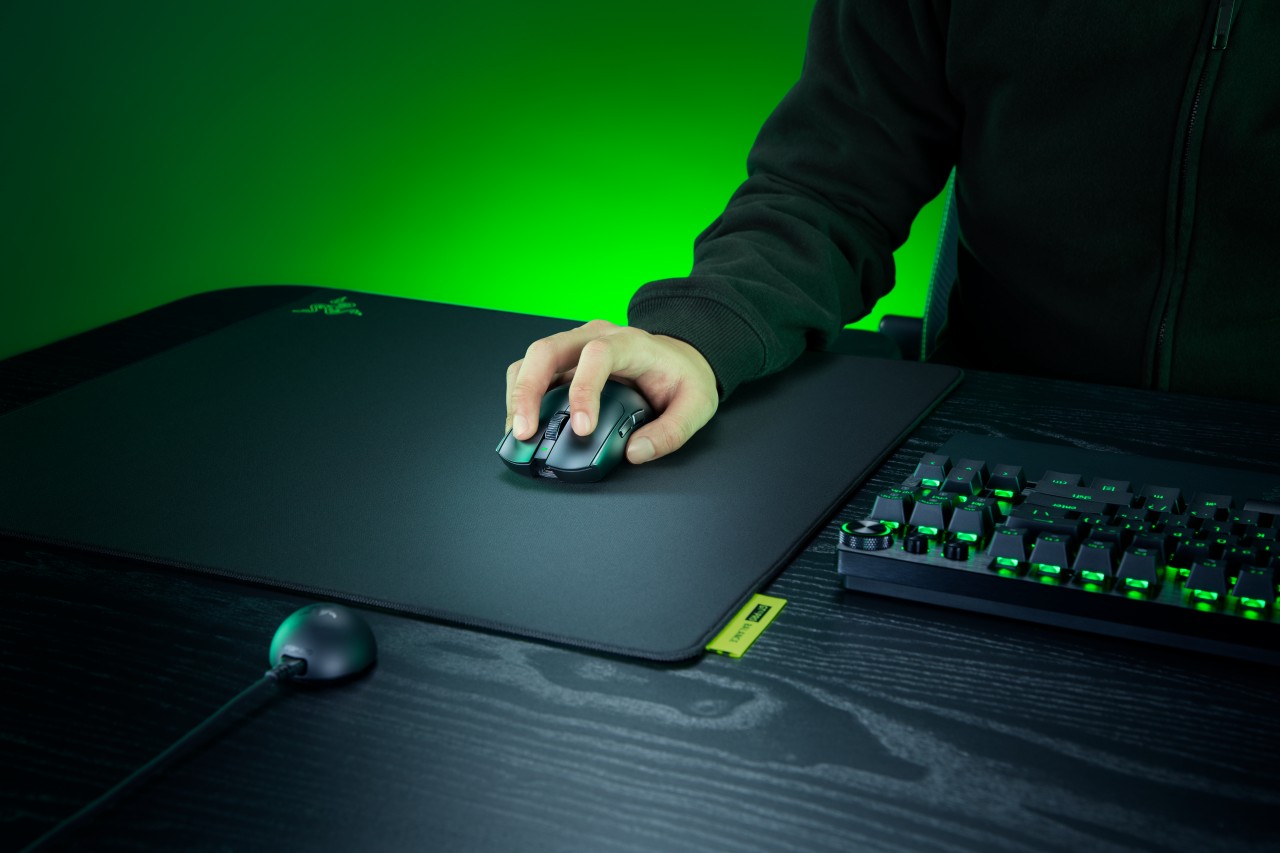
Razer expands its pro-grade lineup with a lightweight mouse and a highly customizable mouse mat built for different playstyles. The Razer Viper V4 Pro focuses on speed, precision, and responsiveness, while the Razer Gigantus V2 Pro brings tailored surface options that adapt to how players move.
Lighter, faster, and built for control
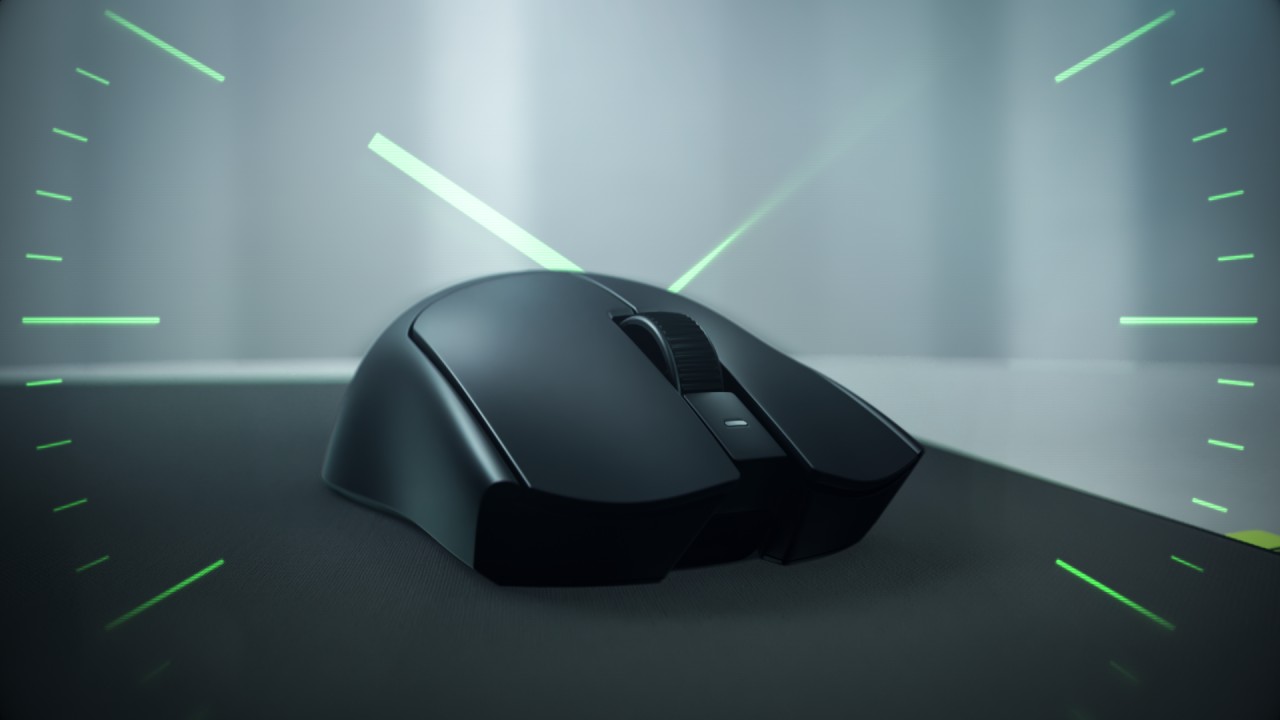
The Viper V4 Pro weighs approximately 49g in Black and 50g in White, making it around nine percent lighter than its predecessor. Razer achieves this through mechanical refinements like a thinner shell and a more compact PCB, without compromising durability. The structure still feels solid in hand, even with the aggressive weight reduction.
This balance matters in competitive play. A lighter mouse reduces fatigue and allows quicker adjustments, but stability keeps movements consistent. The Viper V4 Pro aims to deliver both.
Plug in, tweak, and play instantly
Razer also streamlines setup and tuning. The optimized hemispherical dongle maintains stable connectivity while providing quick status updates through LED indicators.
Players can adjust settings without installing software using Razer Synapse Web, enabling browser-based customization. Onboard controls allow quick DPI and polling rate changes mid-match, so adjustments happen without breaking focus.
A mouse mat that adapts to your play style
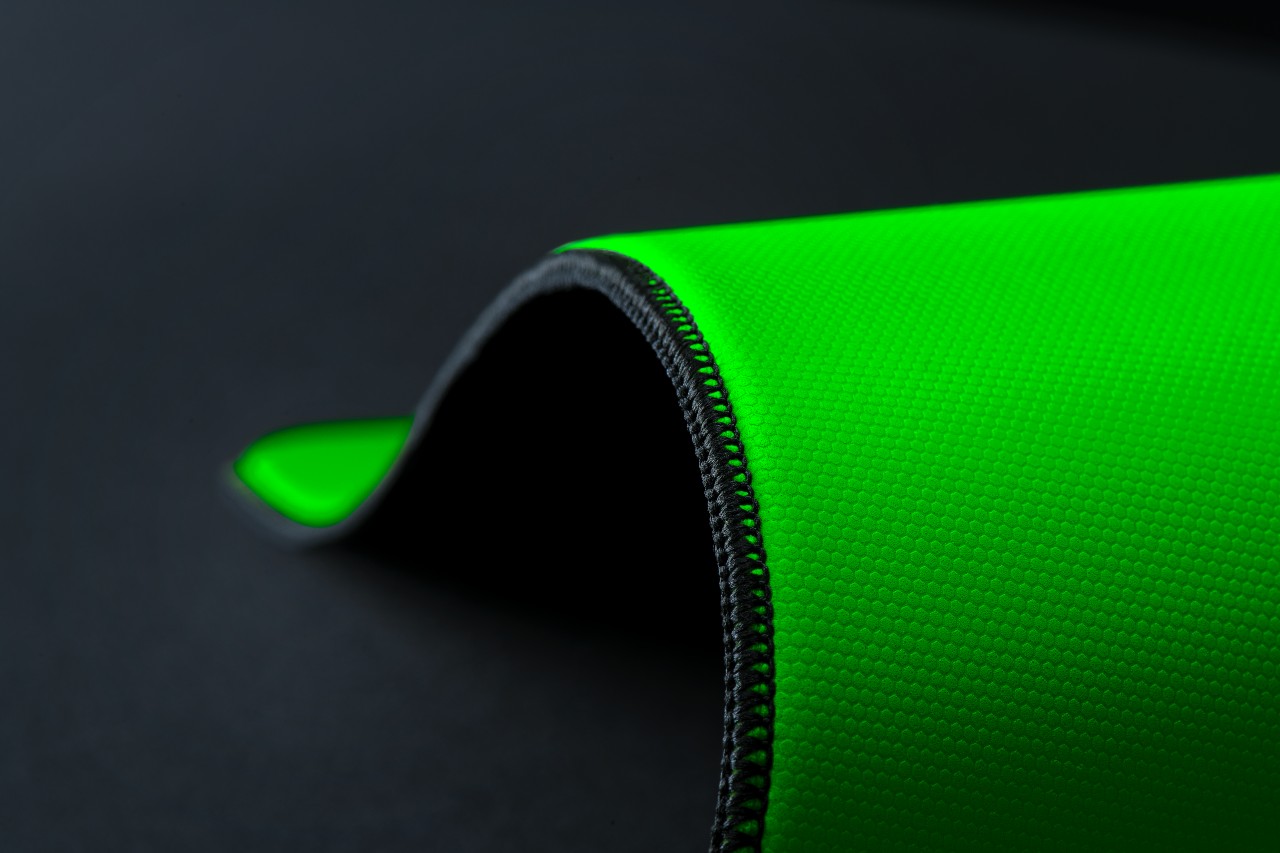
The Gigantus V2 Pro evolves Razer’s mouse mat lineup by introducing five distinct speed ratings paired with corresponding foam firmness. Instead of a one-size-fits-all surface, players can now choose based on how they aim and move.
Developed with esports pros like Nikola “NiKo” Kovač, Faker, and Zellsis, each variant reflects real competitive needs across different roles and playstyles.
The five surface options include:
- Max Control for ultra-high friction and precise flicks
- Control for consistent micro-adjustments
- Balance for a mix of speed and stopping power
- Speed for quicker swipes
- Max Speed for the fastest possible movements
Each surface is paired with Razer’s GlideCore foam, tuned to match the friction profile. Softer variants provide more stopping power, while firmer ones prioritize speed and responsiveness.
Built for consistency across every match
Razer ensures the Gigantus V2 Pro works seamlessly with modern optical sensors. Lab testing guarantees consistent tracking, whether for fine adjustments or wide flicks.
The mat is also designed for competitive environments. It features stitched edges to prevent fraying, an anti-slip base for stability, and a rollable build that makes it easy to bring to tournaments.
A complete competitive setup
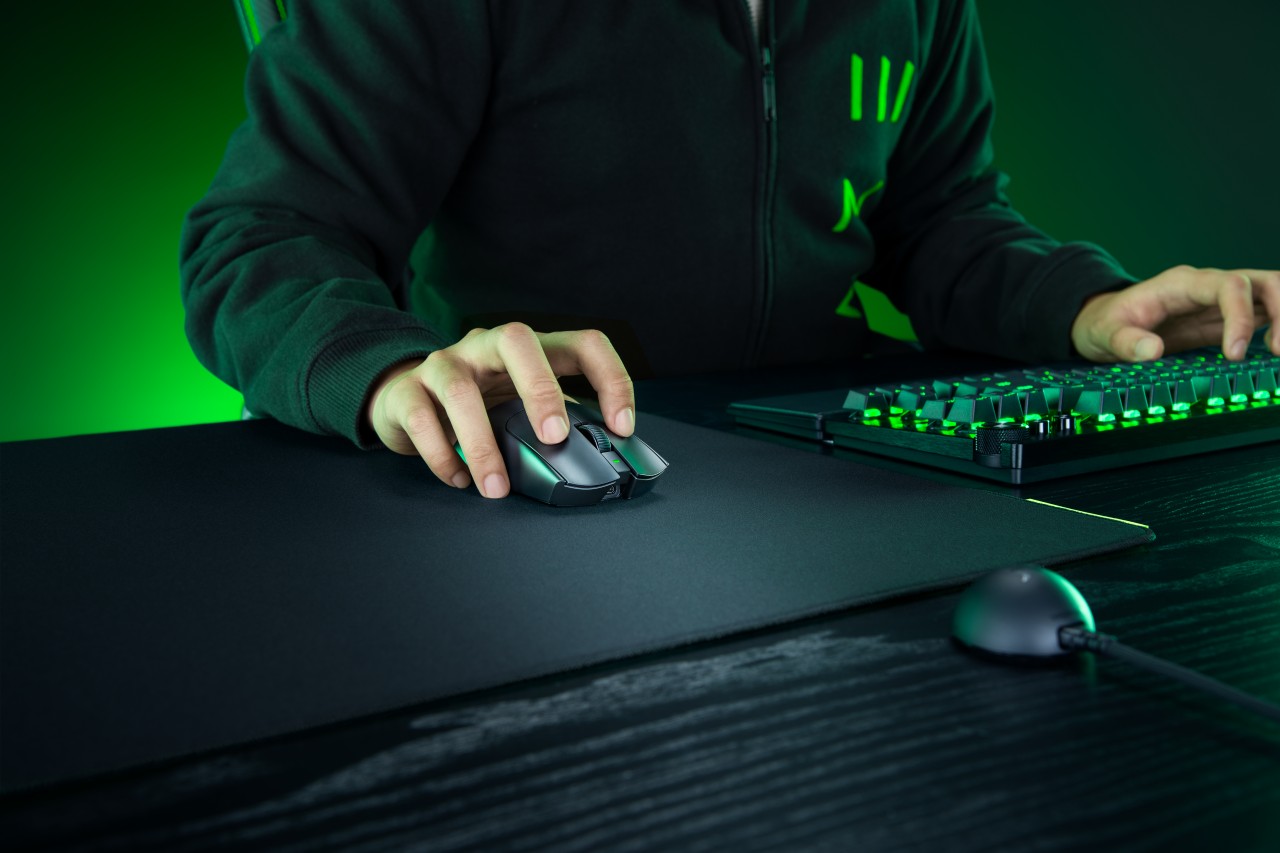
Together, the Viper V4 Pro and Gigantus V2 Pro form a cohesive setup that covers both input and surface. The mouse emphasizes low latency, precision tracking, and a shape validated by pros. The mouse mat complements it with clear, playstyle-based options.
Rather than focusing on a single standout feature, Razer builds a system. One that supports consistent performance, adapts to player preference, and helps turn practice into results when it matters most.
Accessories
Logitech G debuts PRO X2 SUPERSTRIKE with faster click tech
Faster clicks, deeper control
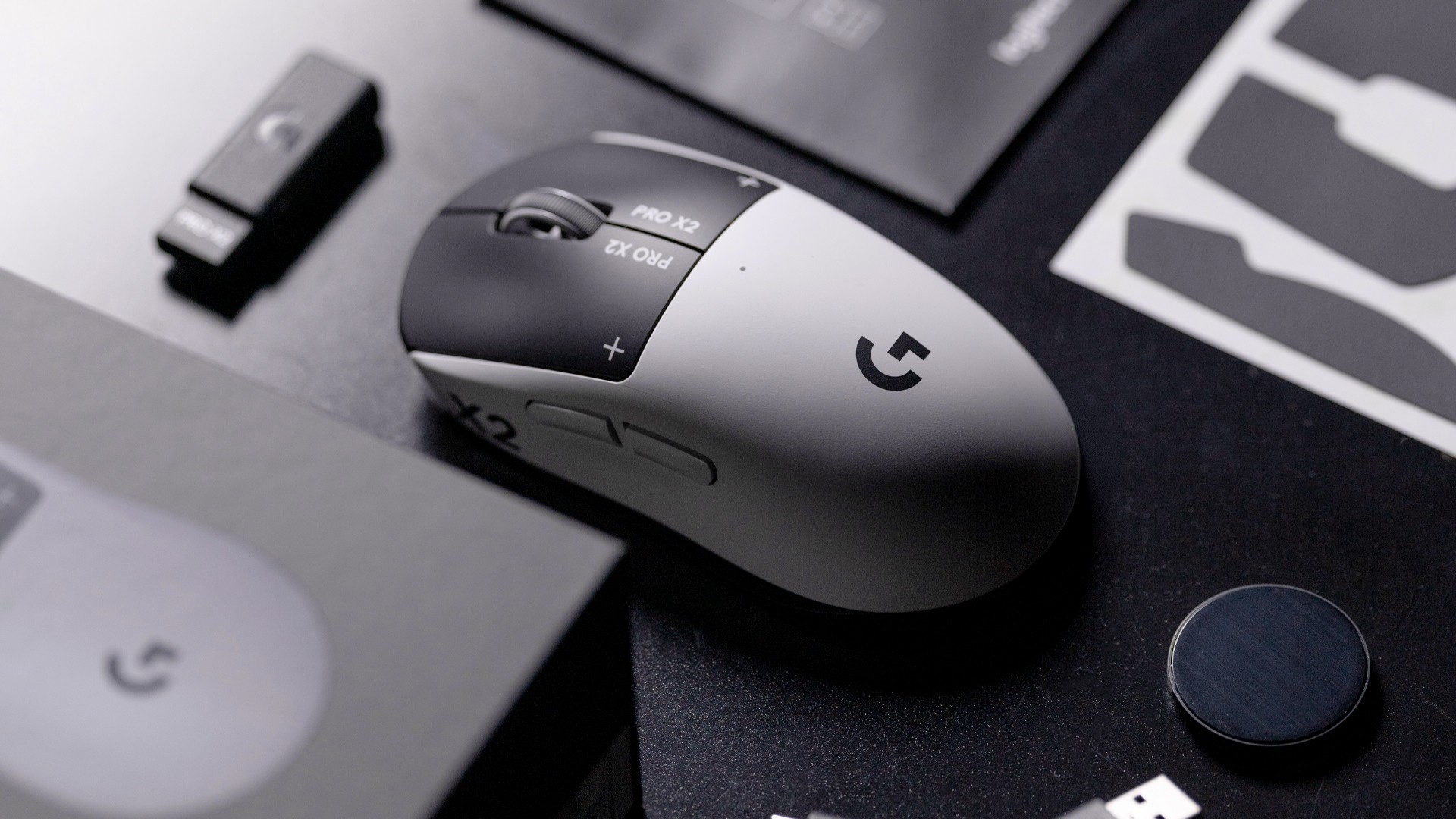
Logitech G is pushing competitive gaming performance further with the launch of the PRO X2 SUPERSTRIKE. It’s a next-generation wireless mouse built around a new click system designed for speed and control.
At the center of the PRO X2 is its patent-pending SUPERSTRIKE technology. It reduces the travel distance needed to register a click, cutting latency by up to 30 milliseconds based on internal testing. The result is faster inputs that can make a difference in high-stakes, split-second moments.
The mouse also introduces the Haptic Inductive Trigger System (HITS), replacing traditional mechanical microswitches. Instead of relying on physical contact, it delivers tactile feedback the moment a click signal is sent, helping players feel each input in real time.
Customizable clicks for competitive play
Developed with esports teams like G2 Esports, NAVI, and BLG, the PRO X2 SUPERSTRIKE focuses on precision and consistency. It supports 10 selectable actuation levels, allowing users to fine-tune how deep a click needs to be before it registers.
These adjustments can be made through Logitech G HUB, giving players the flexibility to match their setup to different games, roles, or playstyles without interrupting gameplay.
The mouse also uses Logitech’s LIGHTSPEED wireless technology with up to an 8kHz polling rate. This ensures fast and stable performance without the limitations of a wired connection.
Precision tracking and lightweight build
Powering the PRO X2 is Logitech’s HERO 2 sensor. It supports up to 44,000 DPI, 888 IPS tracking speed, and over 88G acceleration. Logitech says tracking remains free of smoothing, acceleration, or filtering, allowing for more consistent and direct input.
Despite its performance-focused internals, the mouse keeps a lightweight build at 61 grams. Logitech says this supports faster movements and reduces fatigue during long sessions.
Battery life is rated at up to 90 hours on a single charge, letting players stay in the game longer without interruptions.
Price and availability
The Logitech G PRO X2 SUPERSTRIKE is priced at PhP 11,945. It is available in the Philippines via Shopee and authorized Logitech retailers.
Accessories
Jackery SolarSaga series: Free power for small devices
Portable solar panels can charge small gadgets directly

As fuel prices continue to surge as of late, one of the ways to make up for the additional expenses is to turn to alternative power sources. That’s including solar power.
And Jackery is here to help Philippine consumers, with the availability of their portable SolarSaga panels.
These solar panels are an alternative to traditional and permanently installed rooftop solar panels. They are engineered for modern and mobile life with portable, lightweight, and sleek designs. They are built primarily to be set up and put away easily, and charge small devices directly.
Simply put the Jackery SolarSaga panels where sunlight is available, and it will convert up to 25% of sunlight into usable energy.
To charge small gadgets like phones and portable fans, or even smartwatches, the SolarSaga panels come with a USB-C and USB-A port.
Another way is connecting the SolarSaga to Jackery’s Explorer power stations like the Explorer 300 Plus or 1000 Plus.
From there, users can power up devices, essentially for free. On its own, the Jackery SolarSaga panels are available in 100W and 200W variants.
The panels are also IP68 rated for water and dust resistance. This makes them usable outdoors when brought to adventures like camping, picnics, or beach trips.
The panels are already available through Jackery’s Lazada and Shopee platforms, as well as Techroom’s Lazada and Shopee accounts.


Galaxy Buds4 Pro review: I thought I was done with in-ears
This Buds4 you


WWE 2K26 lets you live out all the fantasy matches you could want
But you have to play for hours and hours to unlock everyone.


The HONOR X8d is serviceable
Steady but slow?

Life is Strange: Reunion now available on consoles and PC

Why this AI-powered eye health exam is the only reading you need this season

DJI officially launches the Avata 360 with 8K immersive imaging

The Changan Eado Plus officially lands in the Philippines

PLDT Home, Samsung team up for exclusive entertainment deals


-

 Reviews1 week ago
POCO X8 Pro Max review: A new beast from the far east
-

 News2 weeks ago
POCO X8 Pro Series: Price, availability in the Philippines
-

 Reviews1 week ago
POCO X8 Pro Iron Man Edition review: Midrange phone in superhero armor
-

 Automotive2 weeks ago
VinFast extends free unlimited charging in 3 markets amid rising fuel prices
-
Philippines1 week ago
The HONOR X8d is serviceable
-

 Reviews2 weeks ago
Samsung Galaxy S26 Ultra review: A phone you live with
-
 News2 weeks ago
POCO introduces X8 Pro Series with Dimensity 9500s
-

 Gaming2 weeks ago
NVIDIA’s DLSS 5 can turn your favorite AAA game into AI slop