
Apps
Spotify will now let you download music on your desktop
You can finally play songs while working offline


One of the biggest updates to arrives for premium members on Spotify is the ability to download music on your laptop or computer. While this has always been a must-have feature on mobile phones, it wasn’t extended to a full-fledged PC.
Music streaming has taken over the world, and Spotify is leading the market. Streaming lets you listen to anything within a tap, so you never have to download songs via pirated sites or torrents. But the biggest problem with Spotify was — you can’t download songs for offline playback on your computer.

The hurdle is now gone, and you’ll never have to think of piracy or a legal alternative anytime soon. Just fire up Spotify’s free desktop app, and you’re good to go. Similar to the mobile UI, you can choose to keep an album or playlist offline. It’ll download all the tracks and be ready for you whenever you need them.
While this may seem like a minor addition that should’ve been implemented long ago, it technically isn’t. Only the desktop app supports it, and you can’t access it via the website player.
Spotify redesign
Spotify is also rolling out a redesign for the web and desktop app that looks similar to the mobile app. The move was aimed to improve the app’s navigation, add new features, and make the experience uniform across platforms or devices.
The old search bar is now relocated and toned down visually and sits in the left menu section. The “Made For You,” “Daily Mix,” and more playlists now sit within your library section. The Recently Played tab showed playback history up to three months ago.
If you’re a playlist fanatic, there’s now an option to add a description, upload your own images, and drag-drop apps within existing playlists. The new update is aimed at improving your discoverability, in turn offering more opportunities to curators. The hybrid manul-AI setup gets perfectly tuned to understand your taste and offer the most relevant curations.
Read Also: Spotify launches Car Thing, a voice-controlled music player for cars





Apps
Apple Creator Studio: Creative apps bundled into single subscription
All the tools you need, one payment

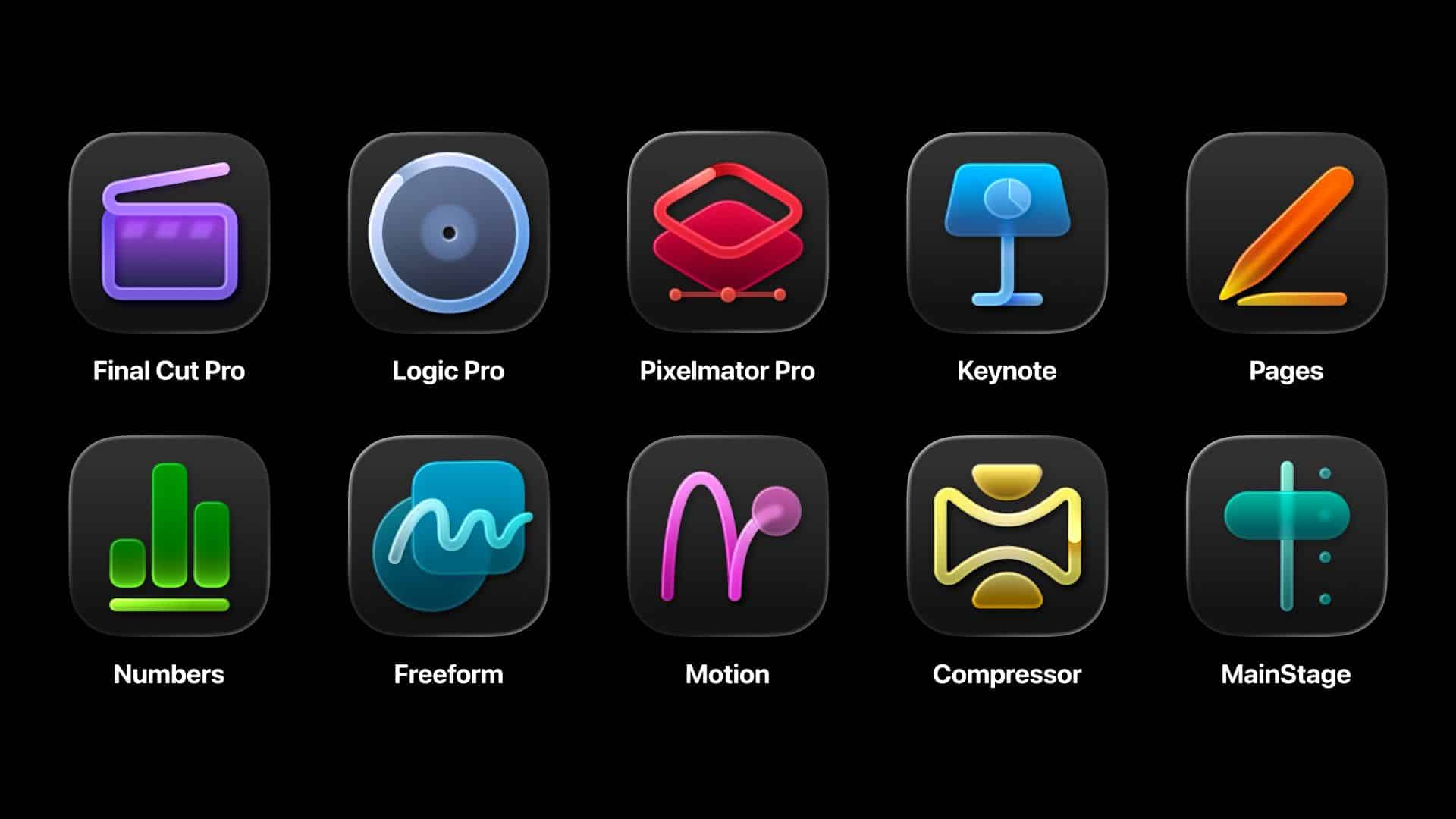
Apple has officially streamlined its popular creative apps into one single subscription suite with the introduction of Apple Creator Studio.
The collection includes some of the most useful apps for today’s creators: Final Cut Pro, Logic Pro, Pixelmator Pro, Motion, Compressor, and MainStage.
New AI features and premium content in Keynote, Pages, and Numbers also make the Apple Creator Studio an exciting subscription suite. Freeform will eventually be added to the lineup.
The groundbreaking collection is designed to put studio-grade power into the hands of everyone. It builds on the essential role Apple devices play in the lives of millions of creators worldwide.

The apps included cover video editing, music making, creative imaging, and visual productivity to give modern creators the features and capabilities they need.
Final Cut Pro introduces exceptional new video editing tools and intelligent features for Mac and iPad.
For the first time, Pixelmator Pro is also coming to iPad with a uniquely crafted experience optimized for touch and Apple Pencil.
Logic Pro, meanwhile, for Mac and iPad introduces more intelligent features like Synth Player and Chord ID.
Apple Creator Studio will be available on the App Store beginning January 29. In the Philippines, the rates are PhP 399 a month or PhP 3,990 annually.
There is also a free one-month trial which includes access to:
- Final Cut Pro, Logic Pro, and Pixelmator Pro on Mac and iPad
- Motion, Compressor, and MainStage on Mac
- Intelligent features and premium content for Keynote, Pages, Numbers, and later Freeform for iPhone, iPad, and Mac
College students and educators can subscribe for a discounted price of PhP 149 per month or PhP 1,490 per year.
Apps
Apple gives up on making AI, inks a deal with Gemini to power Siri
Gemini gets another feather in its cap.


In the not-too-long-ago past, the biggest names of the tech industry competed to build their own AI software. Now, though some brands are still on the hunt, it’s easier to name certain software that have more successfully drowned users in a flood of AI-powered features. Today, Google gets another win by adding Apple’s Siri to its Gemini cap.
In the past, Apple peddled Apple Intelligence, an upcoming AI-powered system to compete against the giants of the industry. However, much like other features from other brands, Apple Intelligence came out half baked with features still lacking months after the initial launch.
Now, Apple has signed a deal with Google to use Gemini for a revamped Siri. The former plans to launch a new version of Siri later this year. Because of the deal, the voice assistant will start using Gemini as a foundation for its own services. Currently, Samsung’s Galaxy AI already uses Gemini.
Formerly a battleground between so many competing brands, it’s now looking like a battle between two major companies: Google and OpenAI. Google now has a huge grip, though. Both Samsung and Apple are no slouches when it comes to owning market share in the world’s smartphones.
Now, as consumers, Apple’s deal probably doesn’t mean much besides the continued influx of features that add little to no value to a smartphone.
SEE ALSO: Google paid Samsung a lot of money to install Gemini on Galaxy
Apps
Microsoft continues to shove Copilot where it’s not wanted
This time, it’s reportedly coming to File Explorer.

If you look at a modern keyboard, you’ll find that the Copilot button is the cleanest one on the entire panel because no one ever willingly presses it. And yet, Microsoft still believes in the feature’s value. To show their odd commitment, the company is reportedly adding Copilot to File Explorer.
According to @phantomofearth from X (via Windows Central), a new Windows 11 preview build will add a button beside File Explorer’s navigation menu. Currently, the button is invisible and doesn’t do anything. However, the report says that the feature is tied to something called “Chat with Copilot.” It’s becoming clear that the system aims to add the AI software right inside the file organization app.
Besides revealing the potential addition of the egregious feature inside File Explorer, @phantomofearth also added mock-ups of a desktop with Copilot right on the taskbar, hinting at a potential nightmare of the feature lording itself over where it’s not wanted.
Thankfully, the preview build doesn’t always represent a final version of the system. There’s still a chance that Microsoft will not add the AI to the File Explorer.
As of late, Microsoft has received a lot of flak for persistently pushing Copilot onto users, regardless of how they feel about the feature. The company is also facing criticisms in the background for being a major proponent of AI data centers in the United States, which, in turn, have caused the prices of tech to skyrocket this year.
SEE ALSO: Dell admits AI PCs were a mistake


Mijia Smart Audio Glasses review: Immerse yourself in the music
Here's a unique way to listen to music.


POCO M8 Pro review: Goin’ loco over this POCO
POCO starts 2026 with some bang


HONOR Magic8 Pro Stage Mode at a TWICE concert
Good… with room to grow

Two new Xiaomi audio wearables join REDMI Note 15 Series

REDMI Note 15 Series unveiled: Price, availability in the Philippines
Mijia Smart Audio Glasses review: Immerse yourself in the music
POCO M8 Pro review: Goin’ loco over this POCO

Spotlight: ASUS Zenbook at CES 2026

Razer teams up with BLACKPINK for limited-edition gear

The Razer BlackShark V3 Pro might be the comfiest headphones I’ve tried

OPPO Find X9 review: Super Swipe material!

2025 GadgetMatch Approved Devices

HONOR WIN headlines the first 10,000mAh smartphone with built-in fan


-

 News6 days ago
HONOR X9d 5G launches in the Philippines: Price, preorder, availability
-

 Reviews2 weeks ago
OPPO A6 Pro: Adequate tool, no definitive punch
-

 Reviews1 week ago
HONOR Magic8 Pro review: What sorcery is this?
-
Camera Walkthrough1 week ago
HONOR Magic8 Pro Stage Mode at a TWICE concert
-

 CES 20261 week ago
The ROG Flow Z13-KJP brings your Death Stranding dreams to life
-

 CES 20261 week ago
First Look: Samsung Galaxy Z TriFold
-

 CES 20261 week ago
Lenovo Legion Pro Rollable Concept was possible thanks to TCL
-

 CES 20262 weeks ago
Samsung thinks AI works best together