

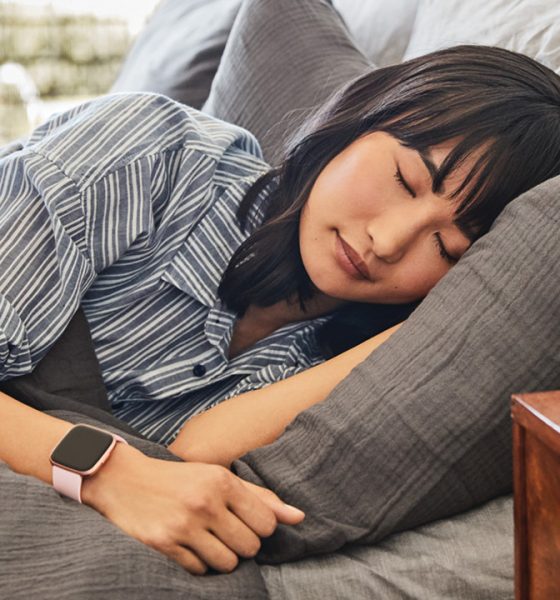

Most of the time, I find myself struggling to fall asleep even when I’m exhausted. This proves to be problematic especially when it interferes with my work, by being late in meetings and important presentations. Lack of a good night’s rest could also make an impact on the quality of your output.
Since I’ve been doing my research and tested them for weeks now, I can finally say I found a different way to shift my lifestyle so I can sleep better at night. I’m not going to say it will be 100% effective for everyone, but it’s worth a try.
Use a wearable with advanced sleep features
Wearables have come a long way from being just an accessory to a reliable health companion. Apple Watch has saved lives, Fitbit helps predict a flu outbreak and help you sleep better.
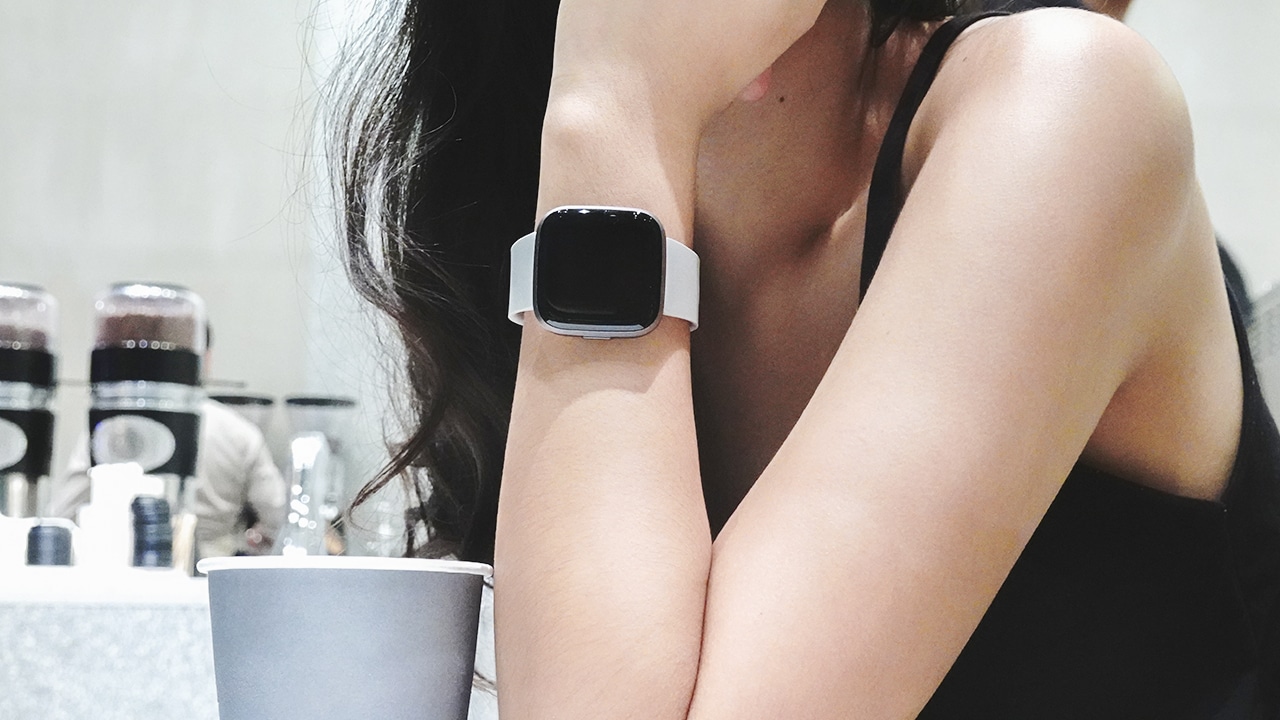
Photo by MJ Jucutan
Fitbit’s latest wearable — the Versa 2 — has advanced sleep features to help you sleep better at night. There are Sleep Stages to track your different sleep stages — light sleep, deep sleep, and REM; Sleep Score which provides insights and analysis on your sleep quality; and Sleep Mode which disables your screen display and keeps your notifications on silent to give you uninterrupted sleep.
Adjust your smartphone’s exposure
If you’re having trouble falling asleep at night, your smartphone might be the reason why. Smartphones emit blue light that made it difficult for our eyes to fall asleep. To combat this effect, we need to increase bright light exposure and reduce blue light exposure.
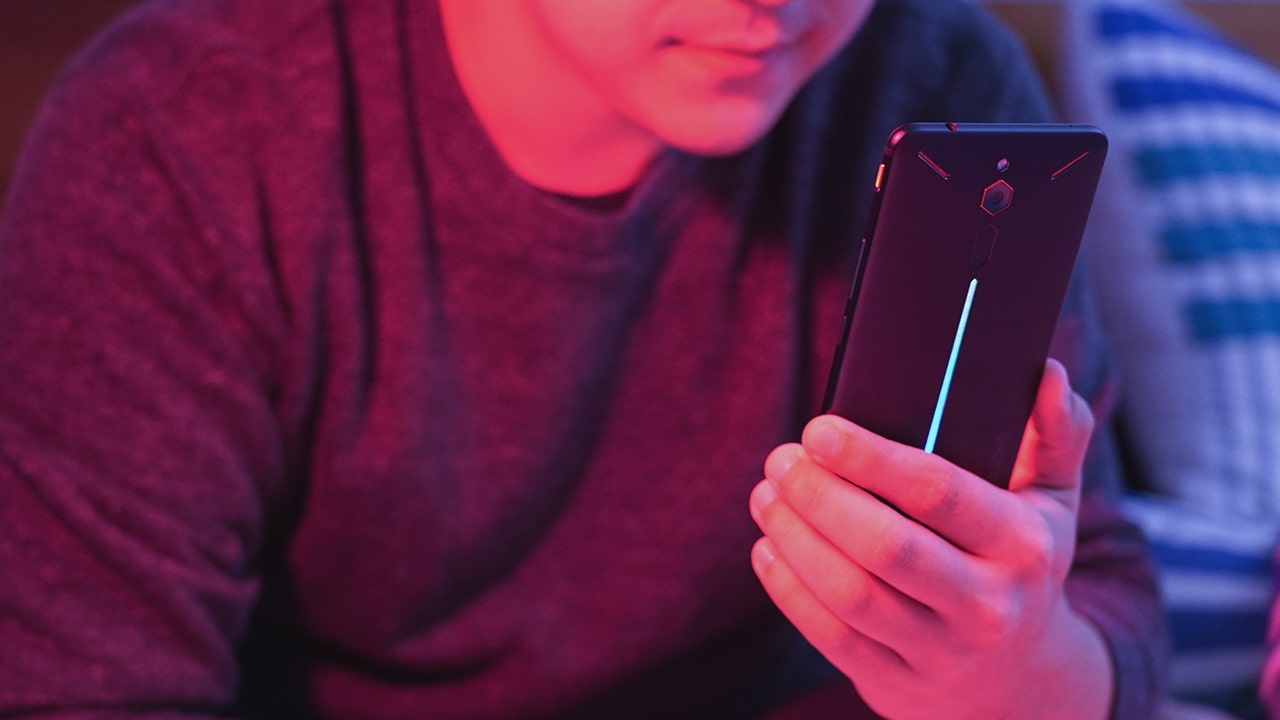
Photo by MJ Jucutan
This can be done through your smartphone’s display settings. Some smartphones let you adjust the white balance, color mode, and temperature. Others have specific modes to help you sleep by filtering out blue light.
Fix your bed and bedroom environment
Some people sleep better in hotels, mostly because of the comfortable experience when it comes to bed and the room’s temperature. Sleeping is difficult if it’s hot, adjust your temperatures accordingly. Additionally, improving your bed quality such as getting new bedding, a comfortable mattress, and fluffy pillows can enhance the quality of your sleep.

Photo by Christopher Jolly
On certain occasions, I’ve experienced lower-back pain due to my mattress and an extreme abundance of pillows. Of course, this is purely subjective, as everything will be based on your preference. But if you can upgrade your bed, then do it for the sake of a good night’s sleep.
Relax and clear your mind
Another thing that you can do is to try out a relaxation technique that works for you. Clear your mind by listening to relaxing music, reading a book (that’s not a thriller), meditating, or doing yoga.

Photo by Aaron Burden
If these don’t work for you at all, try taking a hot, relaxing bath or shower. I find it easier to fall asleep faster and deeper whenever I cleanse myself and my thoughts in the shower.
Use a sleeping app
I used to listen to music at night as I overthink my regrets, mistakes, wrong decisions and scenarios with my crushes until I fall asleep. However, that used to keep me up until 4 o’clock in the morning so I don’t recommend doing that. In my quest to sleeping better, I found an app that helps.

Photo by The Harmony Project
The Harmony Project is an app providing computer-generated music that you can rate if it helped you sleep better. Through artificial intelligence and user feedback, the app will determine which sound helped users sleep better, combining highly rated tracks to produce an even better track that will help us fall asleep faster.
The app recently launched last August after several beta testing and continues to be an evolving system. Take part in studying and developing the fastest way to better sleep. Download the app on the App Store and Play Store.
SEE MORE: SleepPhones lets you comfortably listen to music in bed




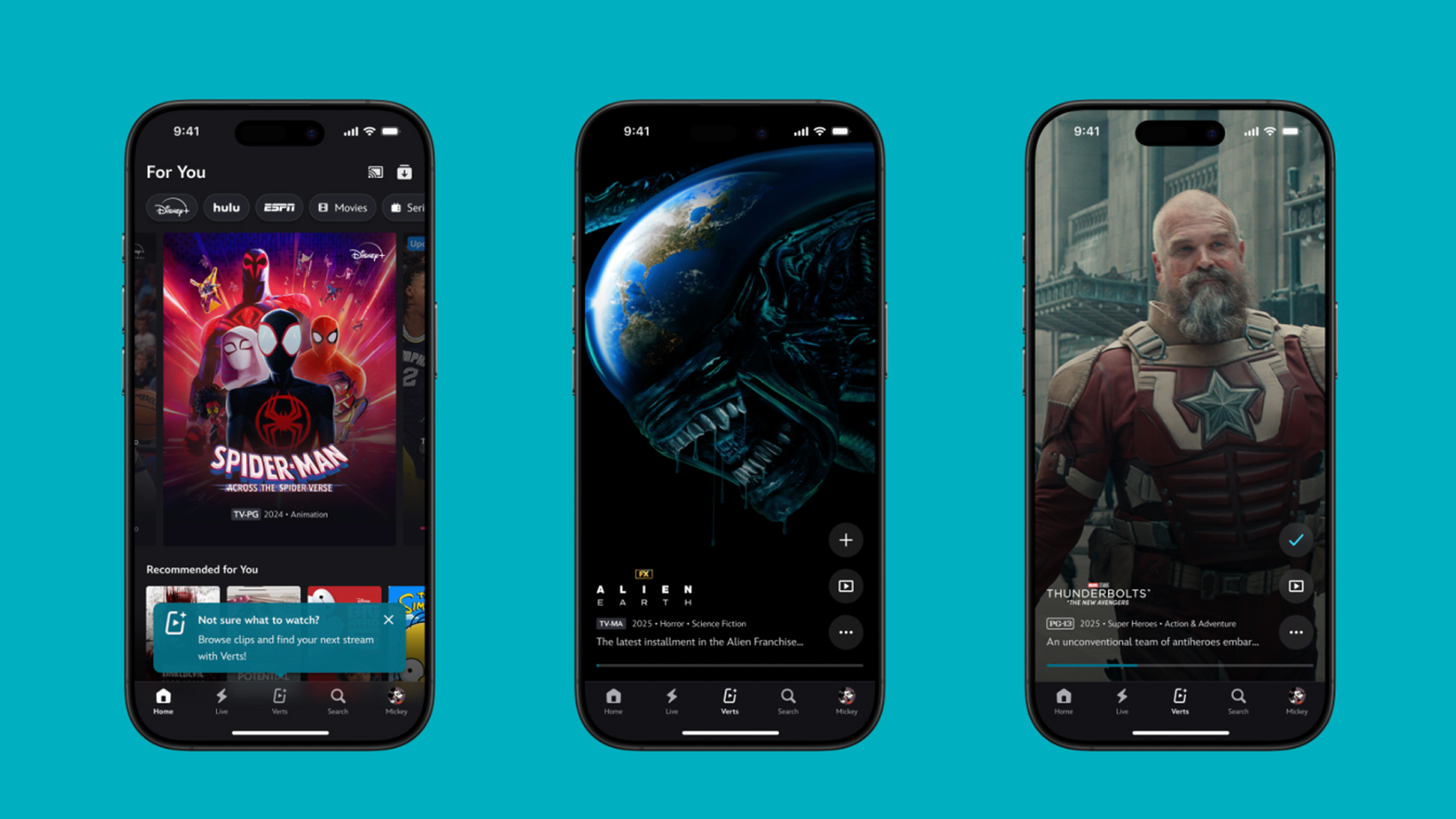
TikTok has changed how we consume media. Everything is now vertical. Even the most established streaming services, often a bastion for traditionally horizontal content, is adopting the different format. Now, Disney+ is getting a vertical feed called Verts.
Like its contemporaries, Verts presents a continuous feed of content but tailored to show the plethora of titles from the Disney+ library. This might include the first scenes of shows or notable highlights. The hope, of course, is to direct users to the longform content.
Directly from the Verts feed, users can easily add the respective title to their watchlist or go straight to the title’s page. In turn, the feed is accessible from the homepage since it has its own tab.
According to Disney, early experiments with the feature have driven engagement to available content. Right now, the feed is mostly for clipping enticing content from shows. However, the platform will experiment further with the format for new ways to tell stories.
Though Verts surely stands for “verticals” in this case, “adverts” might fit better as its full government name. Still, it might be a useful tool if you’re figuring out what to watch for the night.
Currently, Verts is available for Disney+ subscribers in the United States. Disney also has plans to expand the feature to ESPN for sports-related content.
SEE ALSO: Live NBA action on Disney Plus now available in the Philippines

Some of today’s navigation apps are living in the future. Instead of a two-dimensional map, these apps render the user’s surroundings in 3D. It’s a nifty upgrade that helps drivers more accurately visualize directions on the fly. Finally, Google Maps is getting a much-needed upgrade and will take navigation to the third dimension.
In a new update rolling out today, the new Immersive Navigation feature will bring your surroundings to life. The 3D view creates a render of the surrounding buildings, overpasses, and terrain around the car. It takes the guesswork out of navigation by showing precisely where to turn and what landmarks to look out for.
In the same vein, you can now use Street View to preview your destination before you arrive. Google Maps will also highlight your destination’s entrance, side of the street, and nearby parking.
Outside of how the map is visualized, Google Maps is also infusing its service with Gemini. The new Ask Maps feature will let you engage with the app in a conversational manner. For example, if you’re in the middle of a long drive, you can now ask Maps where the best place is to stop over and have a coffee break. Ask Maps will provide directions, a potential itinerary, and even helpful links to book a reservation ahead of time.
Now, availability for both of these features is still a bit limited. Immersive View is rolling out today to compatible devices and vehicles in the United States. Further, availability will expand over the coming months.
Meanwhile, Ask Maps is available now in the United States and India for Android and iOS. A desktop version is coming soon.
SEE ALSO: Google Maps is finally getting a power saving mode
Apps
Apple Music, TikTok launch Play Full Song, a new music discovery experience
Rolling out worldwide exclusively through Apple Music

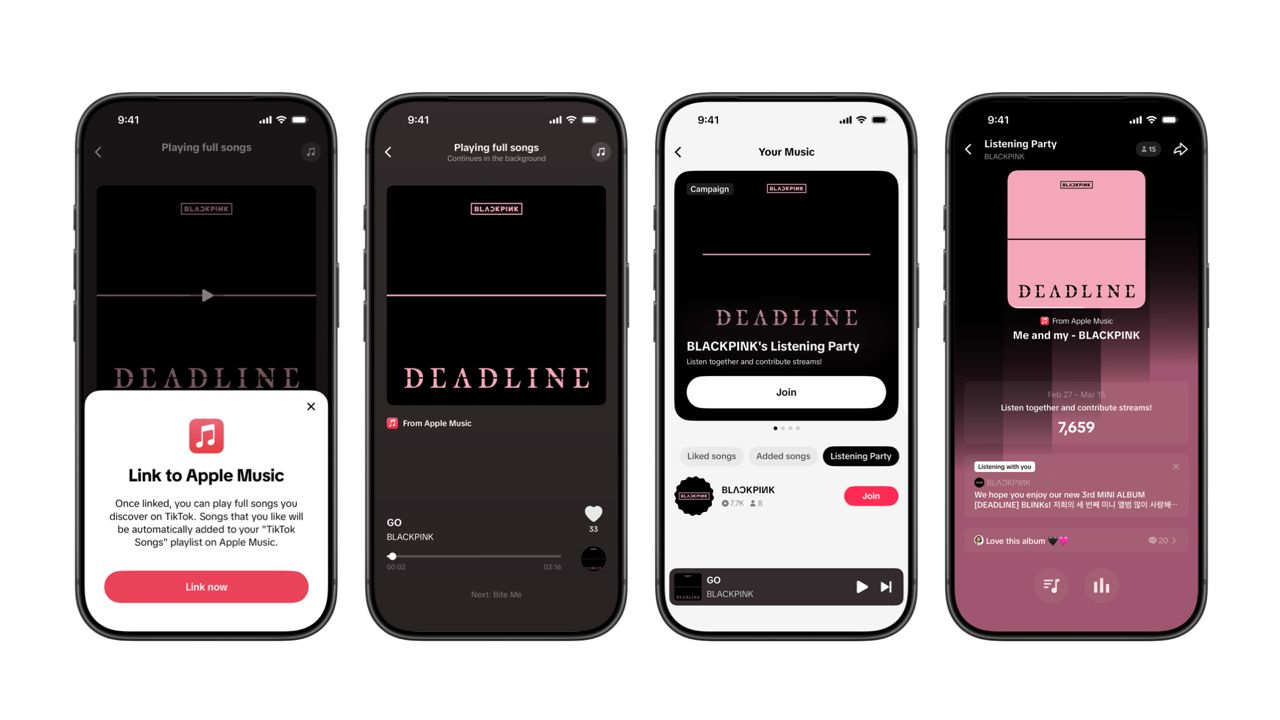
Ever came across a viral 15 or 30-second music snippet on TikTok that instantly became your jam on repeat?
For years, TikTok has been a regular source of songs that have become part of our playlists. And together with Apple Music, listening to the music you discover has just gotten even easier.
That’s through Play Full Song, a new music discovery experience, which launches exclusively though Apple Music.
With the new feature, Apple Music subscribers can now enjoy full-length tracks that they discover on TikTok. That’s without ever leaving that popular streaming app.
Fans who discover a song that they love on their For You or Sound Detail page can simply tap the Play Full Song button to open up an Apple Music player and enjoy the song in its entirety.
From there, subscribers can continue listening to a personalized stream of recommended songs. That means no more need to switch apps and search separately.
The new Play Full Song experience helps music fans move seamlessly from the moment of discovery to deeper listening. It’s also designed to be instant and all within the same environment.
Moreover, users can also save their favorite songs to Your Music and add them directly to their Apple Music playlists.
Built using Apple’s MusicKit, full-length song playback takes place on Apple Music. This way, streams are paid within the Apple Music service, supporting artists and rights holders while giving fans a smooth, uninterrupted experience.
Listening Party also launched
The feature builds on the success of TikTok’s Add to Music App. This was previously launched to help artists and fans convert discovery on TikTok to a playlist save in Apple Music and other streaming services.
To cap the announcement, TikTok and Apple Music are also introducing Listening Party. This new feature is designed to bring artists and fans together around music.
It creates a shared environment where fans can listen to songs from their favorite artists in real time, interact with each her, and engage directly with the artist during the session.


Galaxy Buds4 Pro review: I thought I was done with in-ears
This Buds4 you


WWE 2K26 lets you live out all the fantasy matches you could want
But you have to play for hours and hours to unlock everyone.


The HONOR X8d is serviceable
Steady but slow?

nubia Neo 5 series launches in the PH, starts below PhP 12K

Life is Strange: Reunion now available on consoles and PC

Why this AI-powered eye health exam is the only reading you need this season

DJI officially launches the Avata 360 with 8K immersive imaging

The Changan Eado Plus officially lands in the Philippines


-

 Reviews2 weeks ago
POCO X8 Pro Max review: A new beast from the far east
-

 News2 weeks ago
POCO X8 Pro Series: Price, availability in the Philippines
-

 Reviews2 weeks ago
POCO X8 Pro Iron Man Edition review: Midrange phone in superhero armor
-

 Automotive2 weeks ago
VinFast extends free unlimited charging in 3 markets amid rising fuel prices
-
Philippines1 week ago
The HONOR X8d is serviceable
-

 Reviews2 weeks ago
Samsung Galaxy S26 Ultra review: A phone you live with
-
 News2 weeks ago
POCO introduces X8 Pro Series with Dimensity 9500s
-
 Gaming2 weeks ago
NVIDIA’s DLSS 5 can turn your favorite AAA game into AI slop