

Accessories
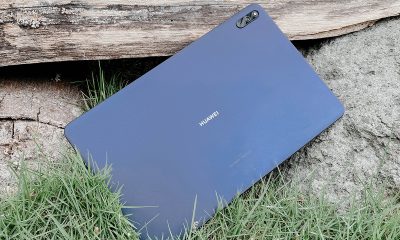
Viewsonic Woodpad 10: The wooden drawing tablet you never knew you needed
Just don’t put it anywhere near your kitchen area

Nowadays, products (not furniture) made out of wood dominate the interest list of most people — myself included. Whether that may be a monitor riser, headphone stand, wrist rest, and even as electric fans, wood simply is the way to go.
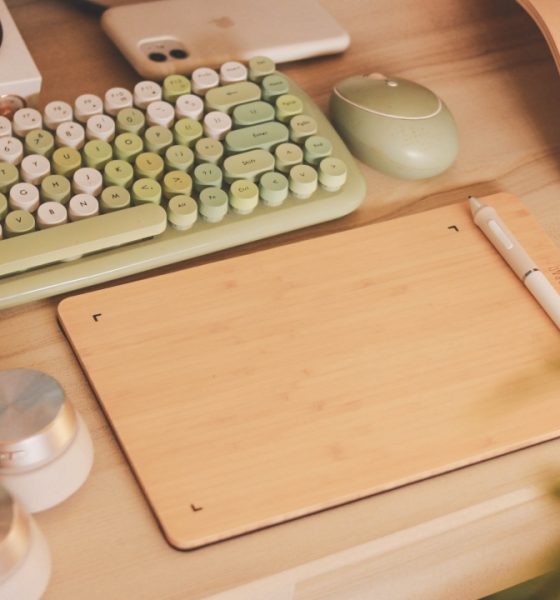
Well, Viewsonic also has something up in their sleeves. Their Woodpad line offers a unique-looking drawing tablet that suits every artist’s clean and minimal workspace. Here, we’re specifically checking out the Viewsonic Woodpad 10.
Viewsonic may not be the best brand when it comes to graphic tablets but they surely are a reputable Taiwan-based brand for computer peripherals. But would this drawing pad suffice? Let’s find out.
Wooden product in a non-wooden packaging
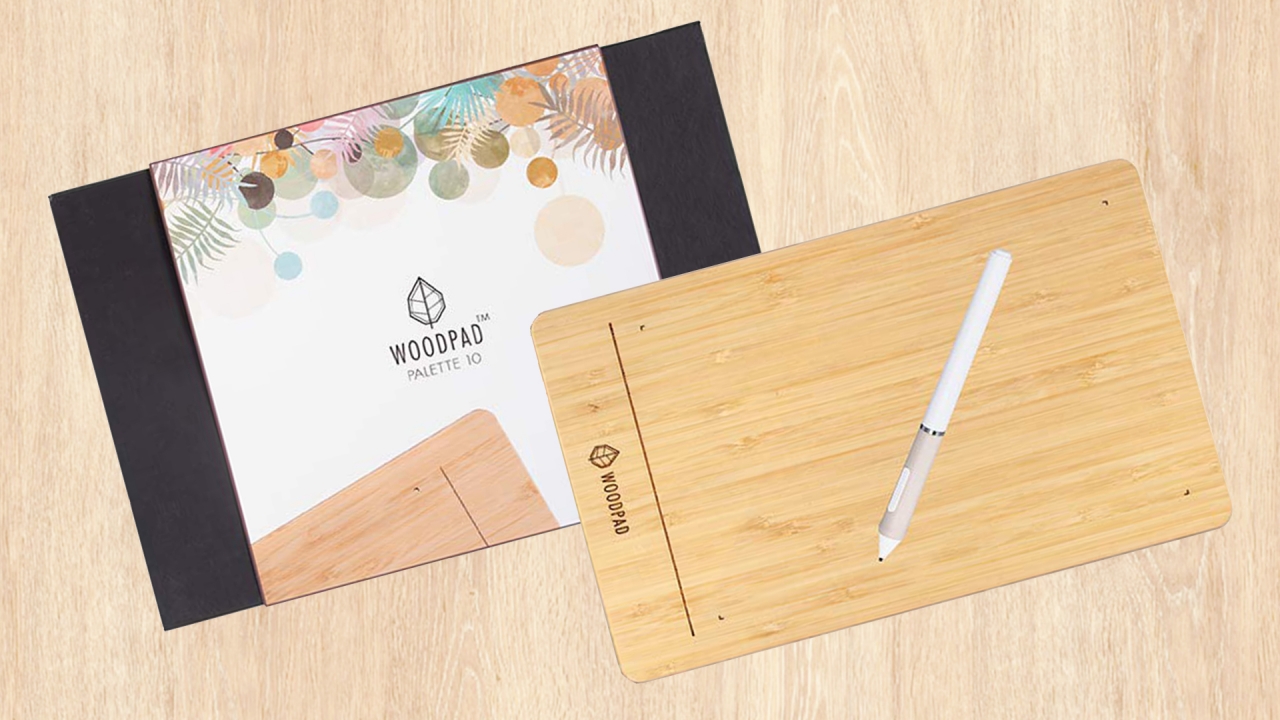
The packaging is actually nothing special but I have to point out that it looks cleaner and more premium than its other tablet counterparts.
And yes, the box is made out of a solid piece of cardboard in black, not wood. I’m not saying it should though since wood is harder to produce and will be a lot heavier when packed and shipped.

Inside, you get the Woodpad 10, as well as its stylus that matches the wooden aesthetic of the tablet. There’s also a super long cable (also in white) for connection, and three extra nibs with a nib remover in case your existing nib gets ruined.
Sleek and classic-looking
Say goodbye to your “wood” stickers and wallpapers! The Viewsonic Woodpad 10 is crafted from lightweight and renewable bamboo. Ironically, Wacom’s discontinued “Bamboo” product line (replaced by Intuos) is made from plastic, not even bamboo.

The “Woodpad” text with its leaf product emblem is carved on the drawing pad, mimicking a solid chunk of wood. Its bundled pen stylus is also one of a kind with its cream and white color combination. That’s something you don’t see among styluses because they usually come in black.
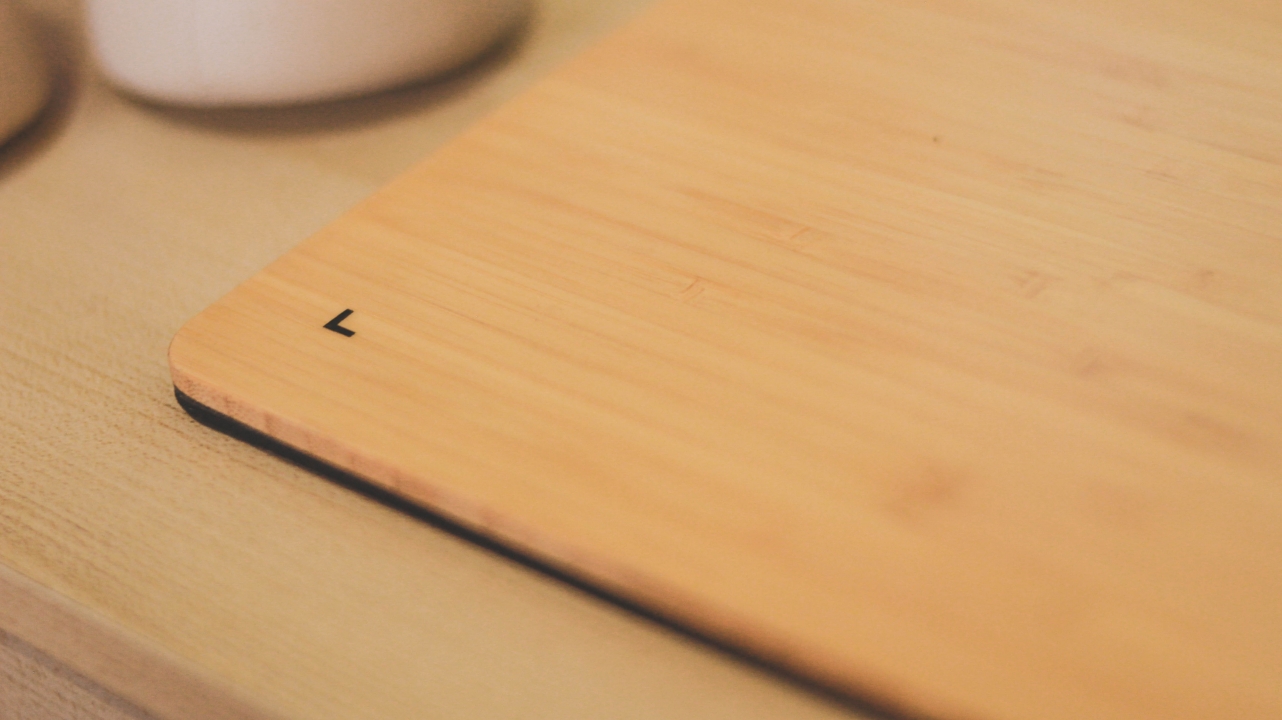
Of course, you wouldn’t expect a graphic tablet to have a jagged surface area. This drawing tablet has a super smooth finish even if it’s made up of bamboo. You just have to keep it beside you and not near your kitchen area. If not, expect someone will use it as a chopping board.
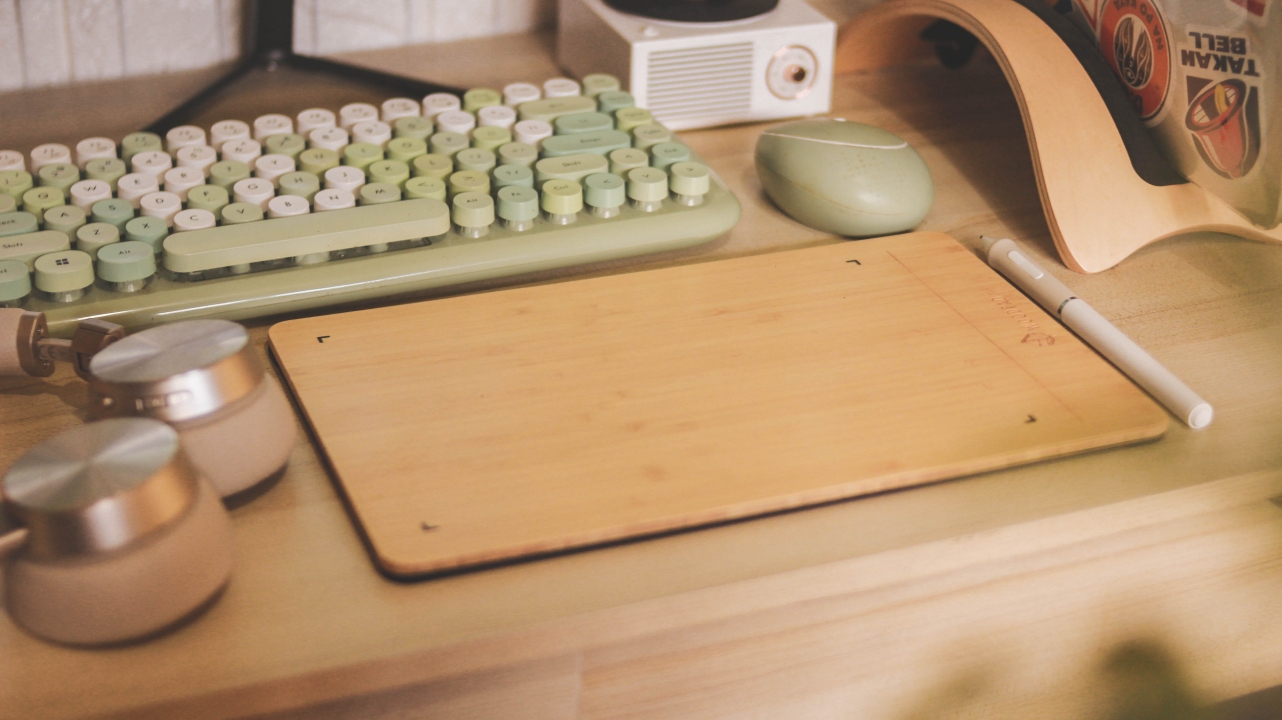
The Woodpad 10 is oh so thin at 7.5mm and super lightweight, just under 0.3kgs. This makes it convenient if you’re always on the go as you can just insert it in your laptop sleeve.
Overall, this is a solid piece of accessory that blends well in most rooms. This is mostly suited for people who dig that “Muji” (white and wood) vibe like I do.
Battery-free = worry-free
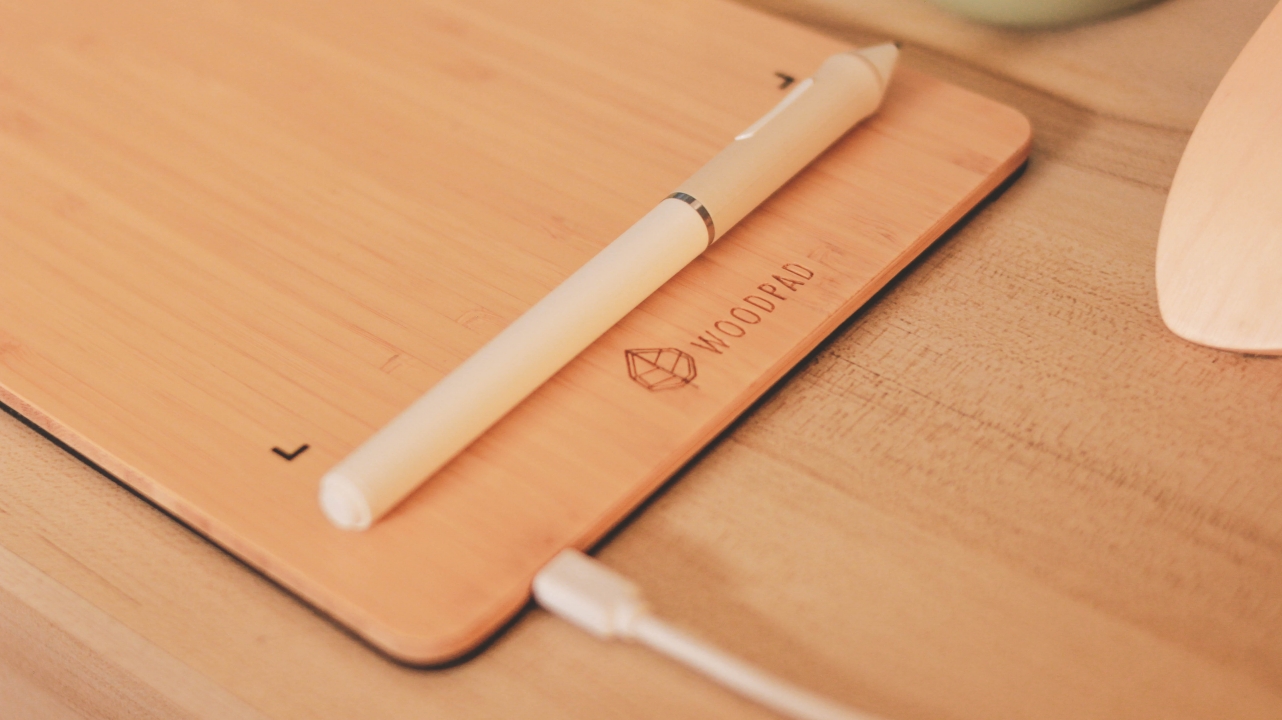
Both the Woodpad 10 and its stylus are battery-free. Meaning, you don’t have to worry about overheating and dying batteries over years of usage. While the pen works without any power, the graphic tablet connects from micro USB through your device’s USB-A port.
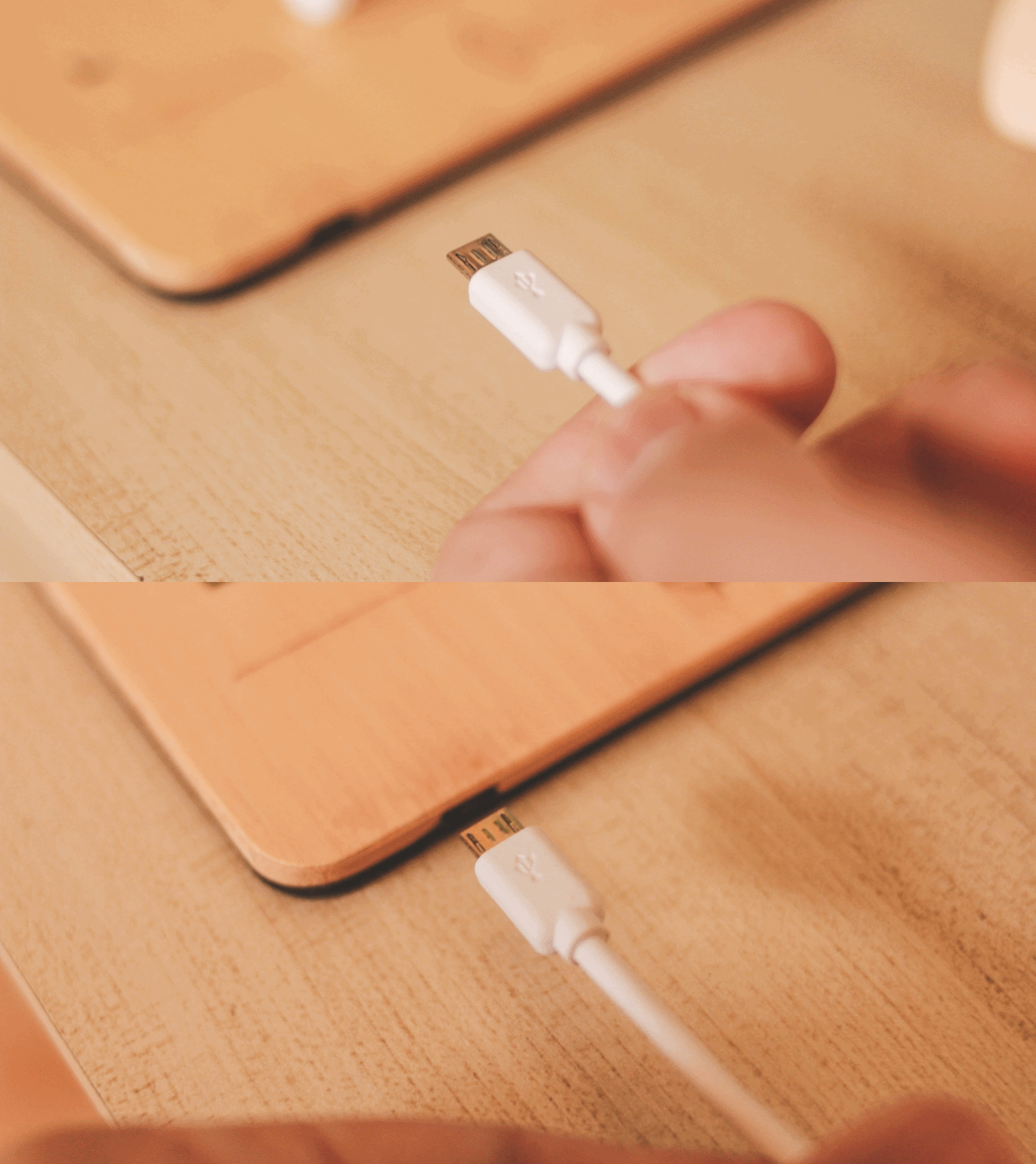
For most devices, I complain about not having a USB-C port. But the thing is, this is a product that doesn’t require fast charging nor data speeds. Equipping this with a USB-C would probably cost more since micro USB is still not obsolete. You just have to keep your dongles for this one.
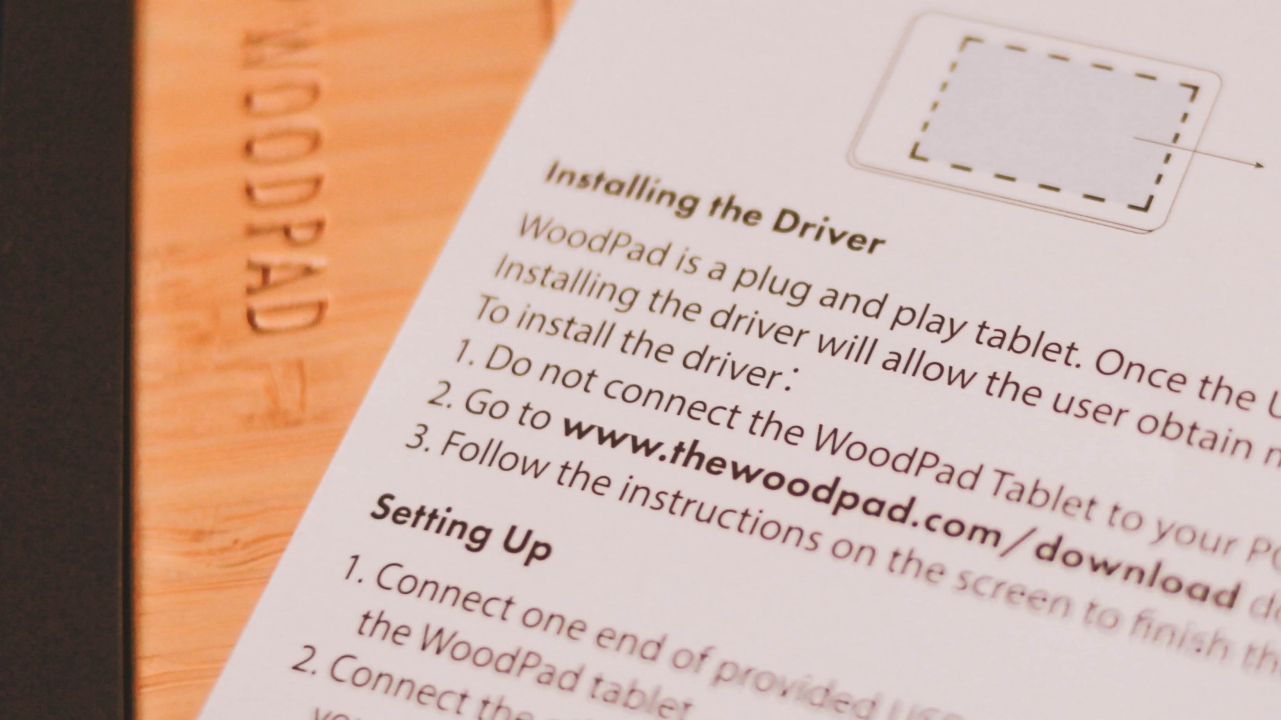
While this is a Plug-and-Play device for both Windows and Mac, there’s a reminder to install the drivers first through their Downloads page to maximize it. With my experience in Mac, it wasn’t able to automatically install the drivers so I manually installed it.
Without these drivers, pressure sensitivity won’t work regardless if you have Photoshop, Illustrator, Sketchbook, PaintTools SAI, or other sketching apps in installed in your machine.
Smooth-sailing performance
On paper, the Woodpad 10 has a 10-inch surface area. Other than that, it supports 4,096 levels of pressure with 250pps (points per pressure). And just like a true paper, the Woodpad 10 performs and functions well just like any other graphic tablet because of its 0.25mm pen accuracy.

While the stylus isn’t battery-powered like Samsung’s S-Pen and the Apple Pencil, it still supports pressure sensitivity so your artworks would look better and versatile with thin and thick brush strokes.
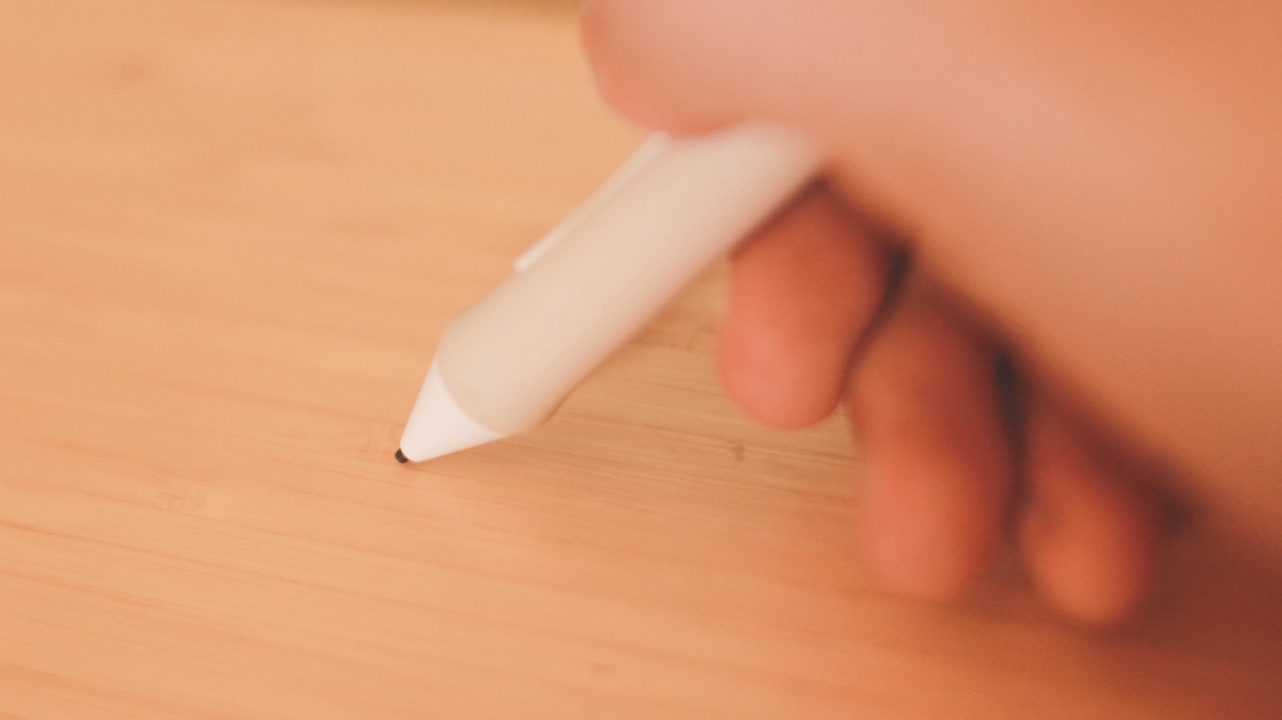
It also supports pen tilting so you can also do shading just like you would on a traditional pencil. The attached pen tip is also said to last of up to 150,000 taps before it needs to be replaced with the extra nib.
Verdict from both a casual and a professional artist
Admittedly, I’m not the type of creative who’s good at drawing and sketching. I used to draw cringey chibis and some doodles way back in high school, but times have changed — and my skill simply vanished into thin air. Anyhow, I still tried testing it and here are some works I did using the Woodpad 10.

With the pandemic far from ending, it makes me miss traveling even more. I then decided to just sketch out some of the places I’ve been to just re-live the experience.
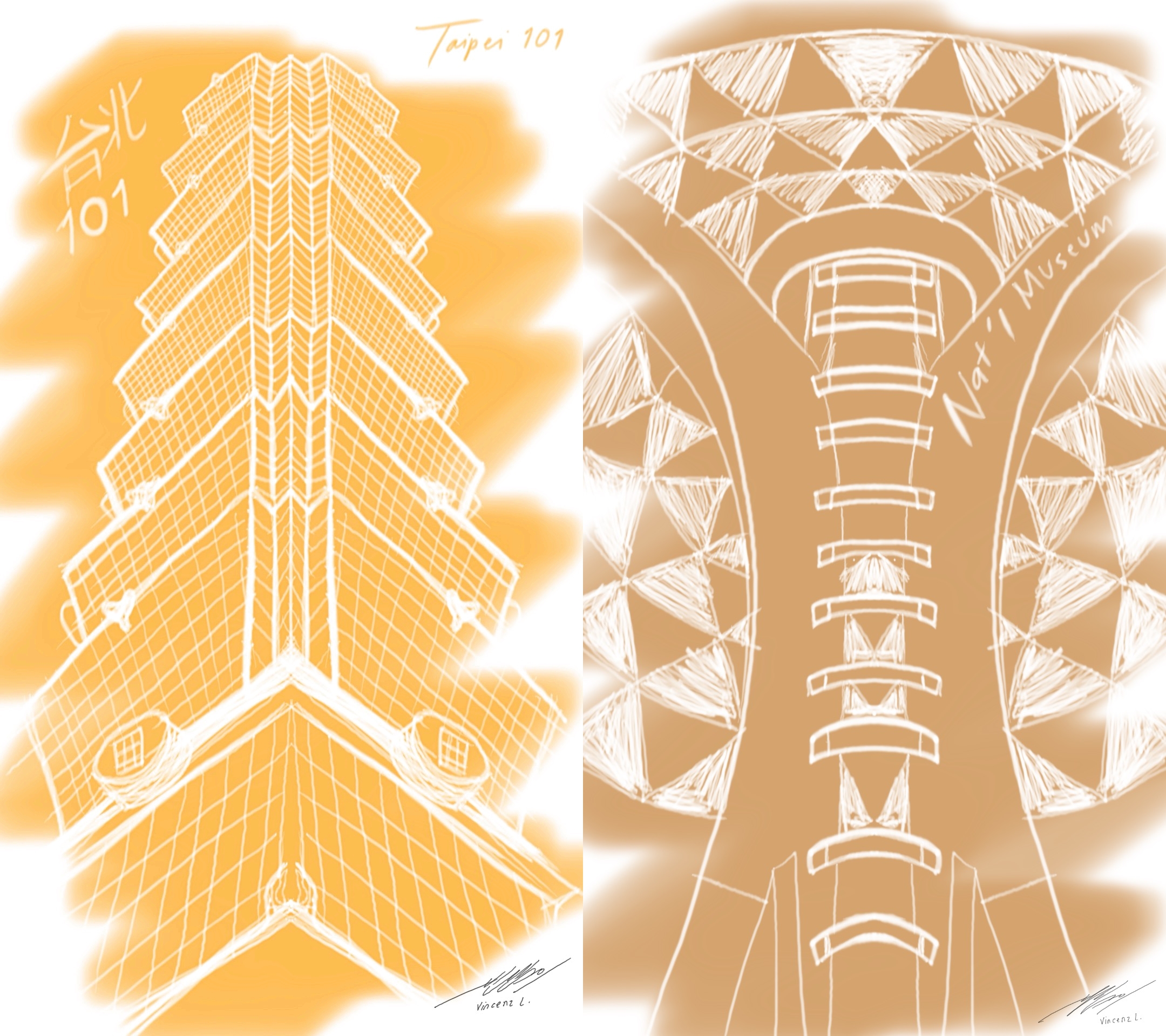
Some of those in my list are Singapore’s Gardens by the Bay, Taiwan’s Taipei 101, and the National Museum of Natural History in the Philippines. With these rough sketches I produced, I was able to verify that its pressure sensitivity works well — evident through the weight of strokes. At the same time, it really felt like I’m using a paper, not a drawing device.
Not sure if it’s because of my bigger hands but the bigger surface area was advantageous on my end. I can’t imagine myself using a smaller 7-inch drawing pad anytime soon or I might suffer from arm sore.

To finalize my drawing experience, I just tried sketching my frustrations — having no motivation and feeling blah in the past few days. I also tried writing Korean lyrics from Lee Hi’s HOLO (watch the music video here) to remind myself that everything will be okay eventually and one day IT will stop. Maybe not now, but soon enough.
I also lent this unit to my great artist friend Angeline (@titaeny) for her to try out the Woodpad 10. This is to check if the graphic tablet can really keep up with the industry’s standards. Obviously, my sketching skills are not even as good as the drawing/sketching talent she possesses. Here are some of her best outputs.

AoT’s Eren and Levi, TWICE’s Chaeyoung, and yes, she’s one of the biggest Taeyeon (SNSD) stans out there
You can check more of her great works via her Twitter account, as well as her Instagram and Bēhance portfolio.
Is this your GadgetMatch?
The Viewsonic Woodpad 10 has a retail price of PhP 6,599. Users from the Philippines who are interested to check it out can visit this product site by OnwardPH. Also, there’s a less pricey Viewsonic Woodpad 7 priced at PhP 4,099 with a smaller 7-inch drawing area.

Artists would know that Huion has more affordable offerings but with Viewsonic’s brand reputation and Woodpad’s unique wood aesthetic, you simply can’t go wrong choosing it. It’s also a great deal considering Wacom counterparts offer smaller 7-inch tablets that’s closer to the Woodpad 10’s SRP.
It doesn’t matter if you’re fond of drawing and sketching. As a casual user, I enjoyed using the Viewsonic Woodpad 10 and how it performed with its pressure-sensitive wooden pad.
If you’re like me who wants to have a graphic tablet that doesn’t look as tacky as other brands, Viewsonic’s Woodpad 10 is a must have. If you’re also willing to pay extra for that wood “aesthetics”, this is your best option.
For more great products and accessories like Viewsonic’s Woodpad series, visit OnWardPH or follow them through their Facebook and Instagram accounts (@OnWardPH) for you to keep posted.





Accessories
Razer sharpens its competitive edge with Viper V4 Pro and Gigantus V2 Pro
Ultra-light. Ultra-tuned.

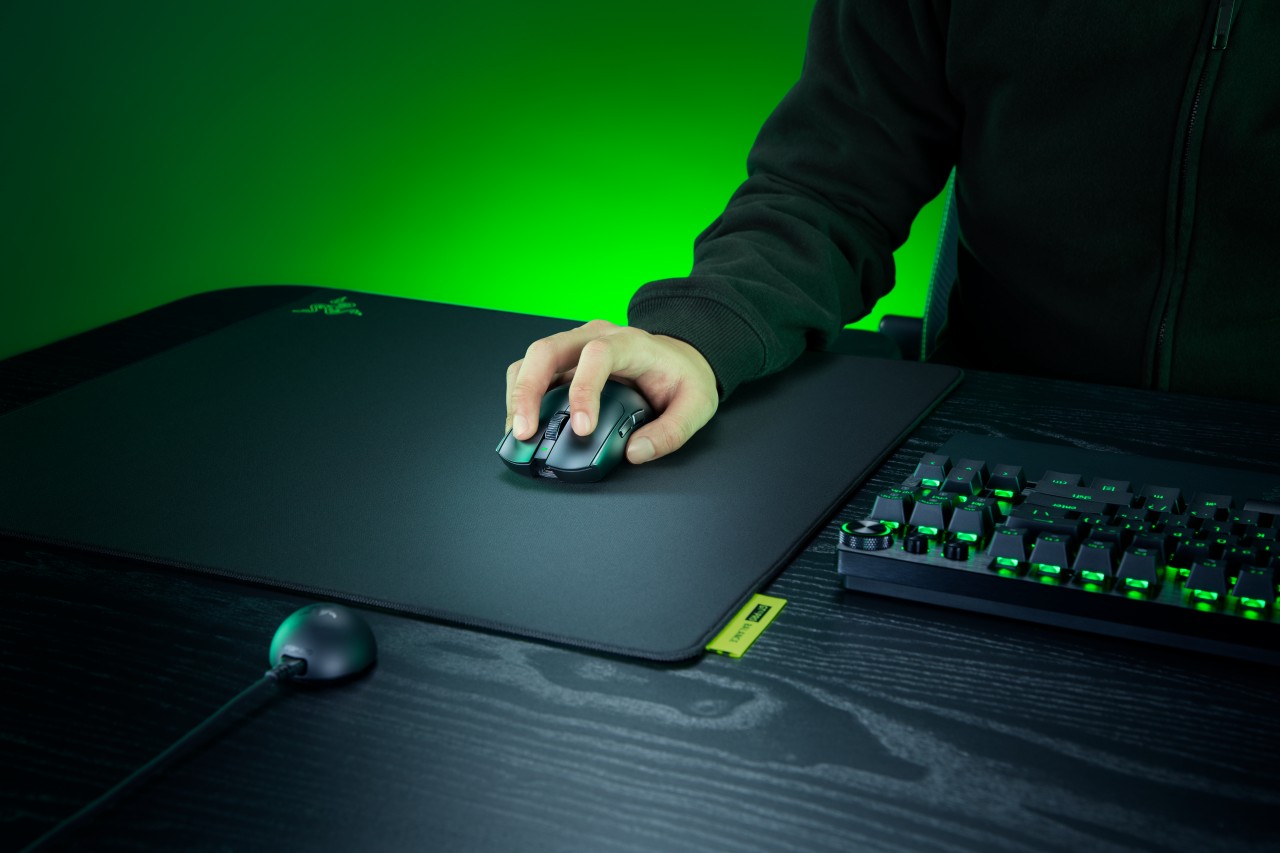
Razer expands its pro-grade lineup with a lightweight mouse and a highly customizable mouse mat built for different playstyles. The Razer Viper V4 Pro focuses on speed, precision, and responsiveness, while the Razer Gigantus V2 Pro brings tailored surface options that adapt to how players move.
Lighter, faster, and built for control
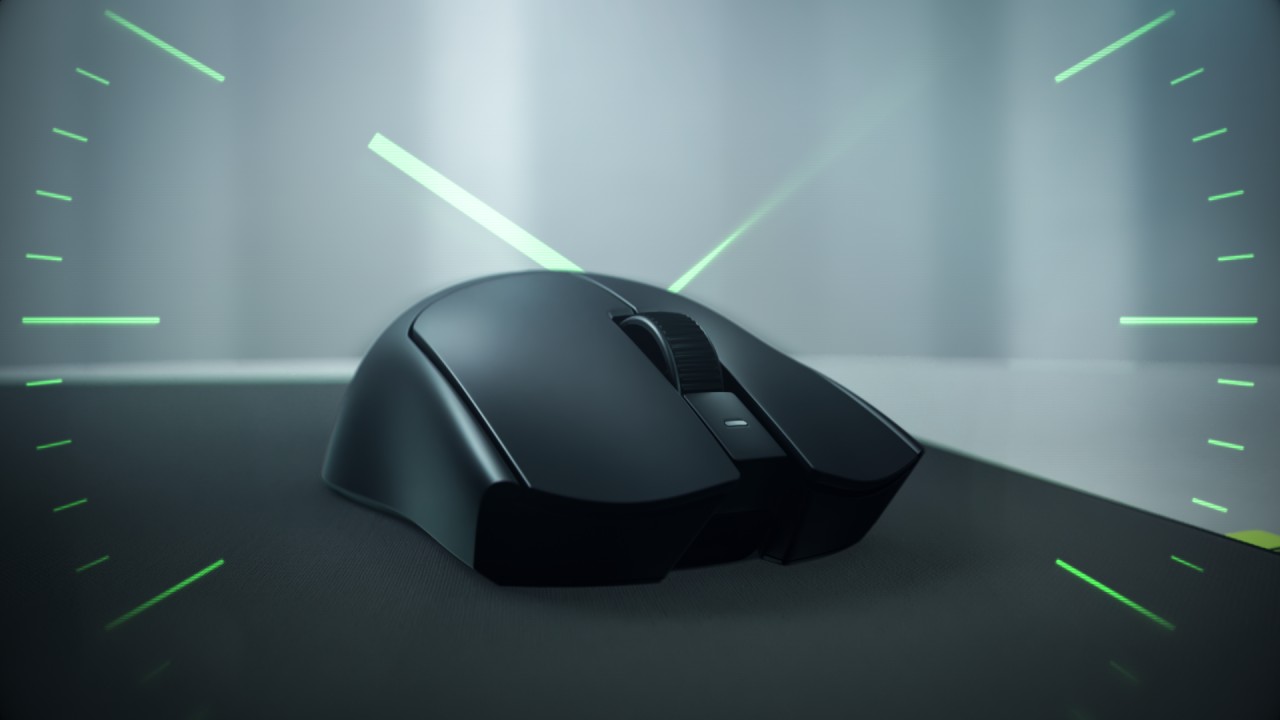
The Viper V4 Pro weighs approximately 49g in Black and 50g in White, making it around nine percent lighter than its predecessor. Razer achieves this through mechanical refinements like a thinner shell and a more compact PCB, without compromising durability. The structure still feels solid in hand, even with the aggressive weight reduction.
This balance matters in competitive play. A lighter mouse reduces fatigue and allows quicker adjustments, but stability keeps movements consistent. The Viper V4 Pro aims to deliver both.
Plug in, tweak, and play instantly
Razer also streamlines setup and tuning. The optimized hemispherical dongle maintains stable connectivity while providing quick status updates through LED indicators.
Players can adjust settings without installing software using Razer Synapse Web, enabling browser-based customization. Onboard controls allow quick DPI and polling rate changes mid-match, so adjustments happen without breaking focus.
A mouse mat that adapts to your play style
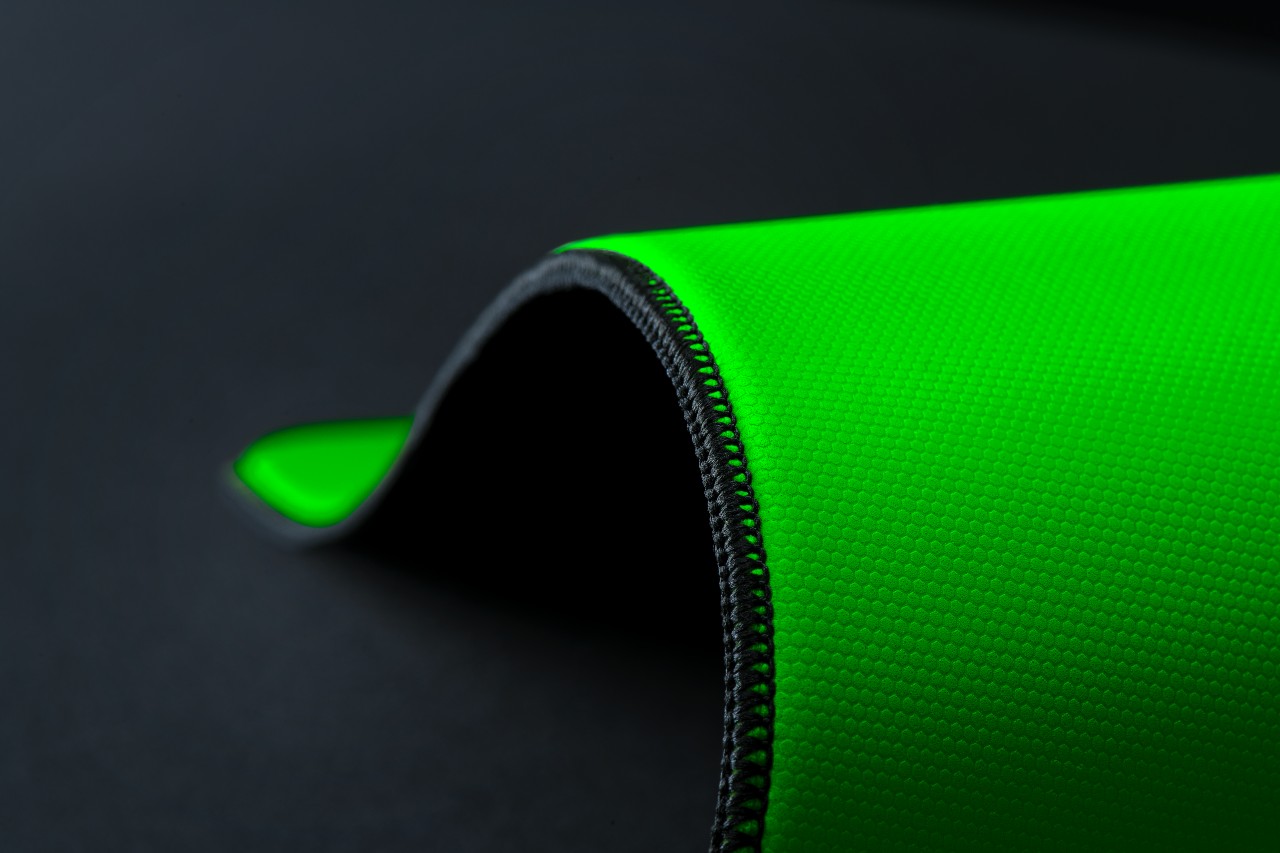
The Gigantus V2 Pro evolves Razer’s mouse mat lineup by introducing five distinct speed ratings paired with corresponding foam firmness. Instead of a one-size-fits-all surface, players can now choose based on how they aim and move.
Developed with esports pros like Nikola “NiKo” Kovač, Faker, and Zellsis, each variant reflects real competitive needs across different roles and playstyles.
The five surface options include:
- Max Control for ultra-high friction and precise flicks
- Control for consistent micro-adjustments
- Balance for a mix of speed and stopping power
- Speed for quicker swipes
- Max Speed for the fastest possible movements
Each surface is paired with Razer’s GlideCore foam, tuned to match the friction profile. Softer variants provide more stopping power, while firmer ones prioritize speed and responsiveness.
Built for consistency across every match
Razer ensures the Gigantus V2 Pro works seamlessly with modern optical sensors. Lab testing guarantees consistent tracking, whether for fine adjustments or wide flicks.
The mat is also designed for competitive environments. It features stitched edges to prevent fraying, an anti-slip base for stability, and a rollable build that makes it easy to bring to tournaments.
A complete competitive setup
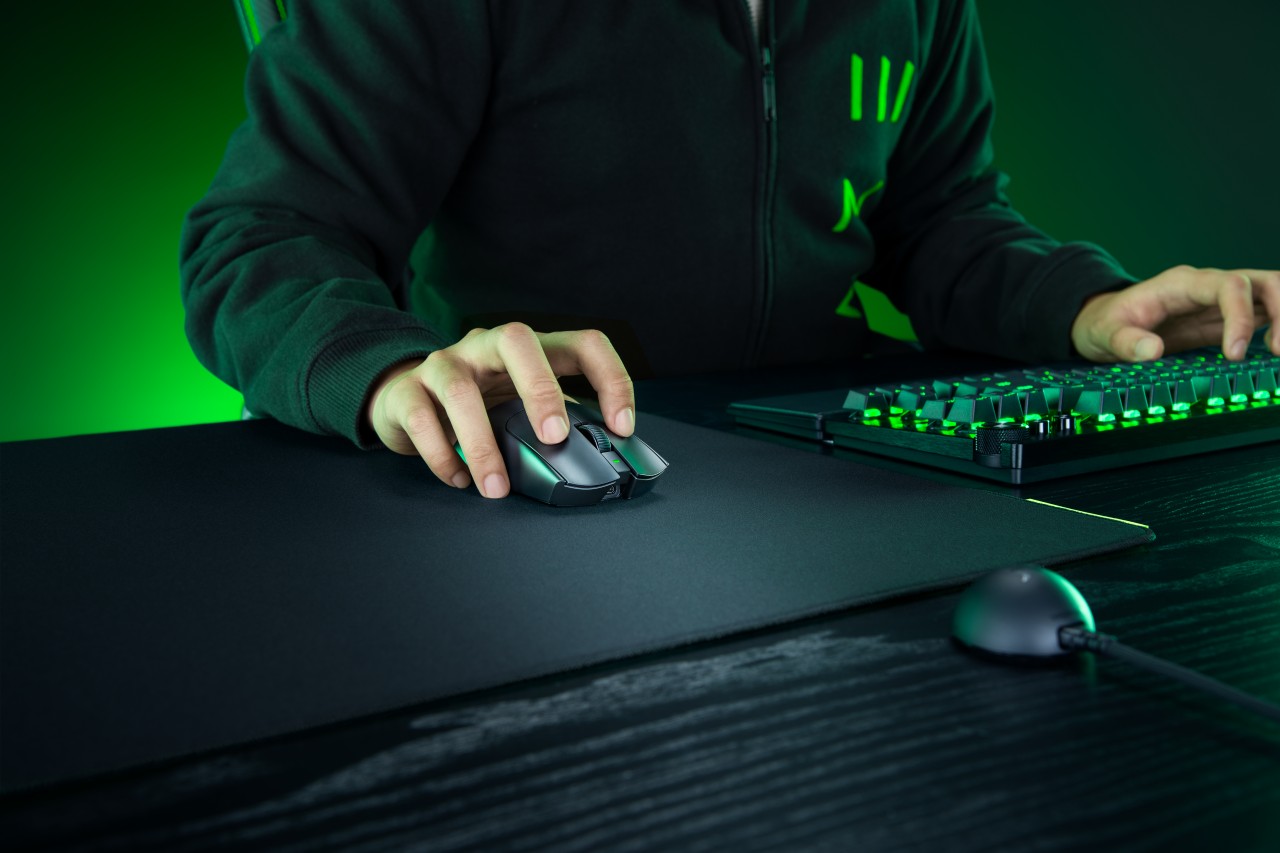
Together, the Viper V4 Pro and Gigantus V2 Pro form a cohesive setup that covers both input and surface. The mouse emphasizes low latency, precision tracking, and a shape validated by pros. The mouse mat complements it with clear, playstyle-based options.
Rather than focusing on a single standout feature, Razer builds a system. One that supports consistent performance, adapts to player preference, and helps turn practice into results when it matters most.
Accessories
Logitech G debuts PRO X2 SUPERSTRIKE with faster click tech
Faster clicks, deeper control
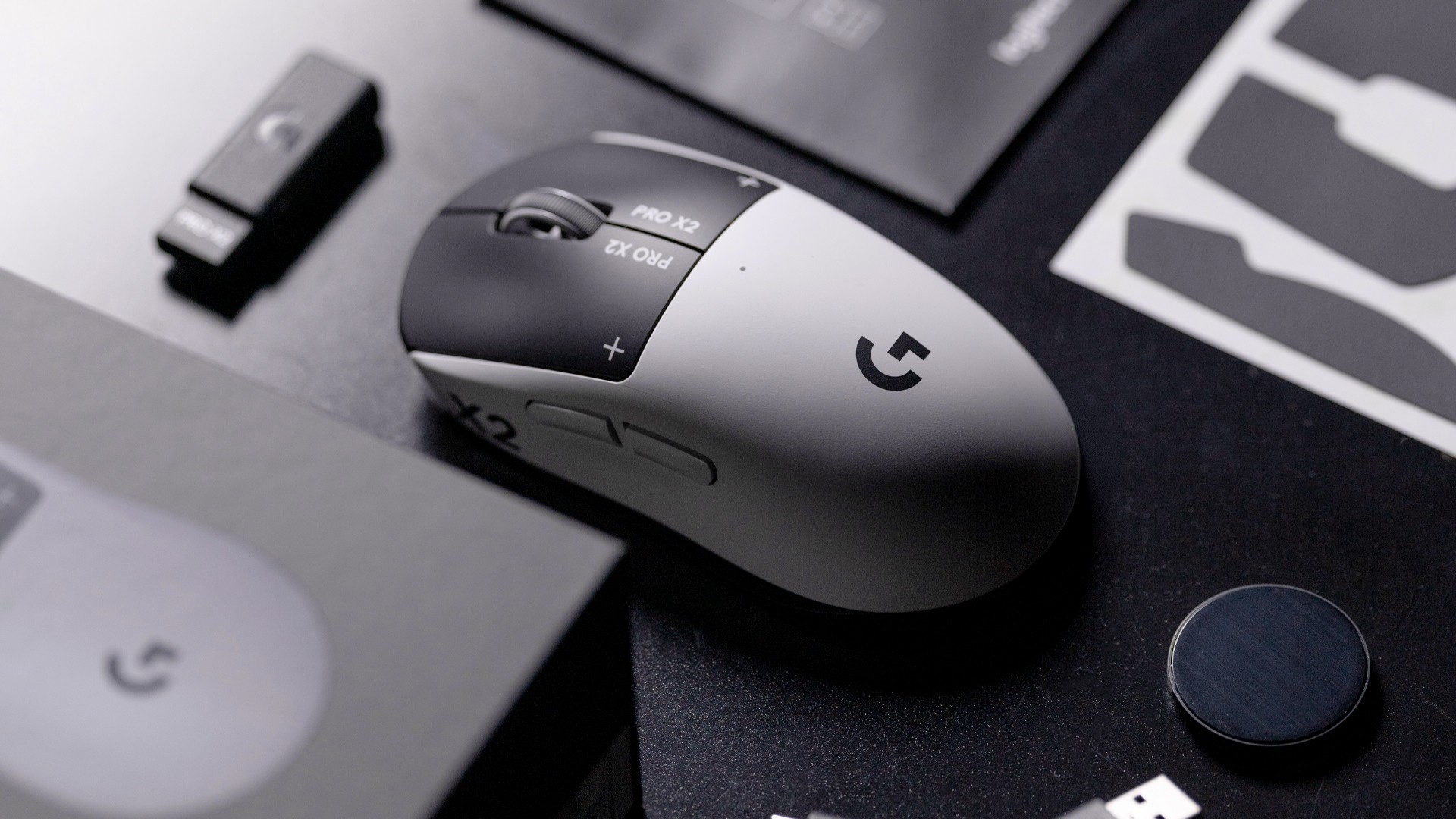
Logitech G is pushing competitive gaming performance further with the launch of the PRO X2 SUPERSTRIKE. It’s a next-generation wireless mouse built around a new click system designed for speed and control.
At the center of the PRO X2 is its patent-pending SUPERSTRIKE technology. It reduces the travel distance needed to register a click, cutting latency by up to 30 milliseconds based on internal testing. The result is faster inputs that can make a difference in high-stakes, split-second moments.
The mouse also introduces the Haptic Inductive Trigger System (HITS), replacing traditional mechanical microswitches. Instead of relying on physical contact, it delivers tactile feedback the moment a click signal is sent, helping players feel each input in real time.
Customizable clicks for competitive play
Developed with esports teams like G2 Esports, NAVI, and BLG, the PRO X2 SUPERSTRIKE focuses on precision and consistency. It supports 10 selectable actuation levels, allowing users to fine-tune how deep a click needs to be before it registers.
These adjustments can be made through Logitech G HUB, giving players the flexibility to match their setup to different games, roles, or playstyles without interrupting gameplay.
The mouse also uses Logitech’s LIGHTSPEED wireless technology with up to an 8kHz polling rate. This ensures fast and stable performance without the limitations of a wired connection.
Precision tracking and lightweight build
Powering the PRO X2 is Logitech’s HERO 2 sensor. It supports up to 44,000 DPI, 888 IPS tracking speed, and over 88G acceleration. Logitech says tracking remains free of smoothing, acceleration, or filtering, allowing for more consistent and direct input.
Despite its performance-focused internals, the mouse keeps a lightweight build at 61 grams. Logitech says this supports faster movements and reduces fatigue during long sessions.
Battery life is rated at up to 90 hours on a single charge, letting players stay in the game longer without interruptions.
Price and availability
The Logitech G PRO X2 SUPERSTRIKE is priced at PhP 11,945. It is available in the Philippines via Shopee and authorized Logitech retailers.
Accessories
Jackery SolarSaga series: Free power for small devices
Portable solar panels can charge small gadgets directly

As fuel prices continue to surge as of late, one of the ways to make up for the additional expenses is to turn to alternative power sources. That’s including solar power.
And Jackery is here to help Philippine consumers, with the availability of their portable SolarSaga panels.
These solar panels are an alternative to traditional and permanently installed rooftop solar panels. They are engineered for modern and mobile life with portable, lightweight, and sleek designs. They are built primarily to be set up and put away easily, and charge small devices directly.
Simply put the Jackery SolarSaga panels where sunlight is available, and it will convert up to 25% of sunlight into usable energy.
To charge small gadgets like phones and portable fans, or even smartwatches, the SolarSaga panels come with a USB-C and USB-A port.
Another way is connecting the SolarSaga to Jackery’s Explorer power stations like the Explorer 300 Plus or 1000 Plus.
From there, users can power up devices, essentially for free. On its own, the Jackery SolarSaga panels are available in 100W and 200W variants.
The panels are also IP68 rated for water and dust resistance. This makes them usable outdoors when brought to adventures like camping, picnics, or beach trips.
The panels are already available through Jackery’s Lazada and Shopee platforms, as well as Techroom’s Lazada and Shopee accounts.


Galaxy Buds4 Pro review: I thought I was done with in-ears
This Buds4 you


WWE 2K26 lets you live out all the fantasy matches you could want
But you have to play for hours and hours to unlock everyone.


The HONOR X8d is serviceable
Steady but slow?

Life is Strange: Reunion now available on consoles and PC

Why this AI-powered eye health exam is the only reading you need this season

DJI officially launches the Avata 360 with 8K immersive imaging

The Changan Eado Plus officially lands in the Philippines

PLDT Home, Samsung team up for exclusive entertainment deals


-

 Reviews1 week ago
POCO X8 Pro Max review: A new beast from the far east
-

 News1 week ago
POCO X8 Pro Series: Price, availability in the Philippines
-

 Reviews1 week ago
POCO X8 Pro Iron Man Edition review: Midrange phone in superhero armor
-

 Automotive2 weeks ago
VinFast extends free unlimited charging in 3 markets amid rising fuel prices
-
Philippines1 week ago
The HONOR X8d is serviceable
-

 Reviews2 weeks ago
Samsung Galaxy S26 Ultra review: A phone you live with
-
 News1 week ago
POCO introduces X8 Pro Series with Dimensity 9500s
-

 Gaming2 weeks ago
NVIDIA’s DLSS 5 can turn your favorite AAA game into AI slop