
WWDC 2025
visionOS 26 packed with more features for Apple Vision Pro
Part of Apple’s broad redesign across its ecosystem

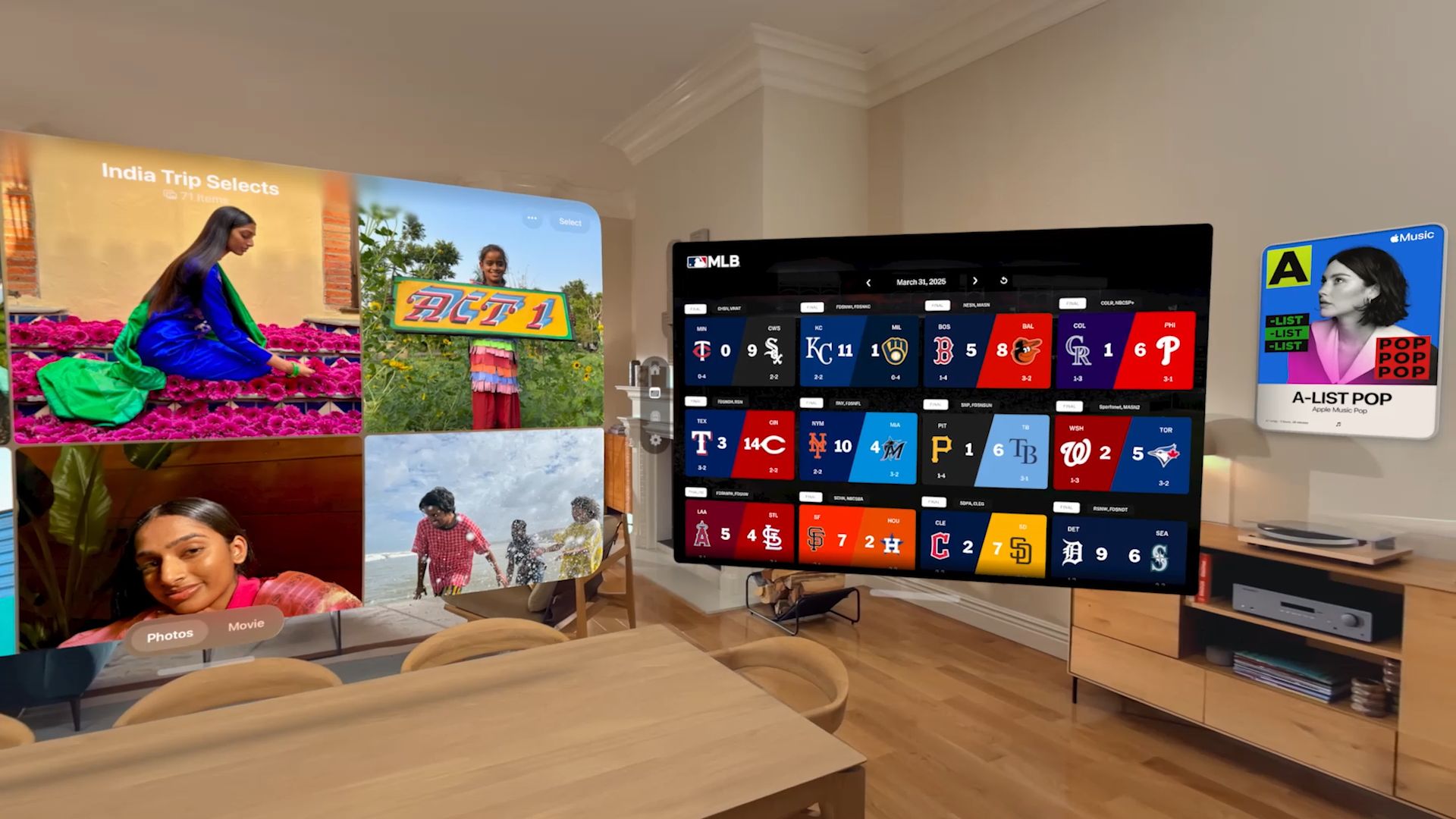
visionOS 26, part of a Apple’s across-the-board design update roll out, is packed with groundbreaking new spatial experiences and features for Apple Vision Pro.
The new OS for Apple’s mixed reality headset makes everyday interactions become more immersive and personal.
Widgets are integrated into a user’s space. Spatial scenes also use generative AI to add stunning lifelike depth to photos. These lead to Personas feeling more natural and familiar.
In addition, visionOS 26 adds support for 180-degree, 360-degree, and wide field-of-view content from Insta360, GoPro, and Canon. New enterprise APIs allow organizations to create spatial experiences unique to visionOS.
And with support for PlayStation VR2 Sense controllers, players can enjoy a new class of games on Apple Vision Pro.
Widgets become spatial

Widgets offer personalized and useful information at a glance. With visionOS 26, widgets become spatial. They integrate seamlessly into a user’s space and reappears every time they put on Apple Vision Pro.
Moreover, they are customizable, with a variety of options for frame, color, and depth. New widgets, including Clock, Weather, Music, and Photos, also offer unique interaction and experiences.
Users can decorate spaces with their favorite widgets, including panoramas and spatial photos. They can also opt for clocks with distinctive face designs, and quick access to their go-to playlists and songs on Apple Music.
The Widgets app helps users find widgets, including those compatible iOS and iPadOS apps. Developers, meanwhile, will also be able to create their own widgets using WidgetKit.
Enhanced shared spatial experiences

visionOS 26 also allows shared spatial experiences among Apple Vision Pro users. For instance, they can come together to watch the latest blockbuster movie in 3D.
They can also play games together or collaborate in meetings. They can even add remote participants from across the world via FaceTime.
Dassault Systèmes, a leading provider of engineering and 3D design software, is leveraging this ability with their 3DLive app.
This shall bring the ability to visualize 3D designs both in person and with remote colleagues.
Moreover, with industry-leading volumetric rendering and machine learning technology, the all-new Personas now have striking expressivity and sharpness.
They have been updated to feel more natural and familiar. They now offer a full side profile view and remarkably accurate hair, lashes, and complexion.
Of course, Personas are still created on device in seconds. New improvements to the setup process allow users to adjust and preview how their Persona looks spatially too.
Spatial scenes
Furthermore, visionOS 26 makes spatial photos more realistic. The system leverages a new generative AI algorithm and computational depth to create spatial scenes with multiple perspectives.
Users can view spatial scenes in the Photos app, Spatial Gallery app, and Safari. Zillow is one company taking advantage of the API for their Zillow Immersive app. This is so clients can see images of homes and apartments with a better level of immersion.
On the other hand, developers can use the Spatial Scene API to make their app experience even more immersive.
New ways to browse, play, watch

Apple Vision Pro users can also select spatial browsing to transform articles on Safari. This mode hides distractions and reveals spatial scenes that come alive as they scroll.
For instance, shopping for products or browsing for hotel rooms come with visuals with depth and dimension. Web developers have the ability to embed 3D models directly into web pages for such visuals.
visionOS 26 supports native playback of 180-degree, 360-degree, and wide field-of-view content from Insta360, GoPro, and Canon.
Users can enjoy their exciting 2D action footage the way it was meant to be seen. Developers can incorporate this new playback capability into their apps and websites.
Furthermore, visionOS 26 comes with support for the PlayStation VR2 Sense controller. Developers can deliver even more engaging gameplay experiences for Apple Vision Pro with high-performance motion tracking, finger touch detection, and vibration support.
Enterprise APIs and tools
For companies around the world harnessing spatial computing on Apple Vision Pro for various workflows, the new OS also provides new capabilities.
Team device sharing lets organizations easily set up and manage a shared pool of devices. Users can securely save their eye and hand data, vision prescription, and accessibility settings to their iPhone running iOS 26 and bring it to another Vision Pro.
visionOS 26 also adds support for Logitech Muse, a spatial accessory built for Apple Vision Pro. This accessory enables precise input and new ways to interact with collaboration apps like Spatial Analogue.
Additional visionOS 26 features include:
- More Apple Intelligence features, including support for new languages
- Look to Scroll: allows users to explore apps and websites with just their eyes
- Redesigned Control Center has features conveniently displayed in one view
- Ability to unlock iPhone while wearing Apple Vision Pro
- Ability to answer calls from iPhone directly from Apple Vision Pro
- Home View supporting folders




Computers
macOS Tahoe 26 transform the Mac, adds more Apple Intelligence
Liquid Glass, AI, Metal 4, more
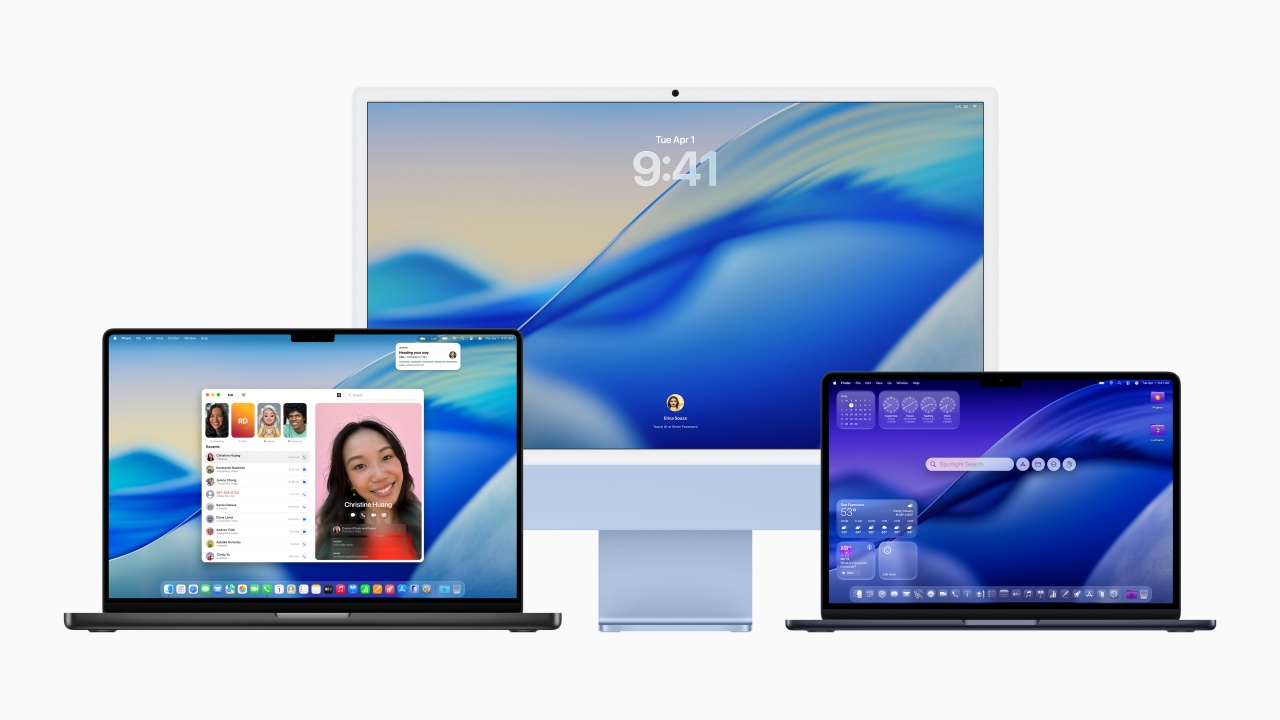
Apple officially introduced macOS Tahoe 26. The new OS for Mac brings a revamped design, advanced AI capabilities, and new features. Like the rest of the OS featured in WWDC 2025, the features are coming to core apps like Phone, Messages, Spotlight, Safari, and Apple Intelligence.
A Fresh Look with Liquid Glass
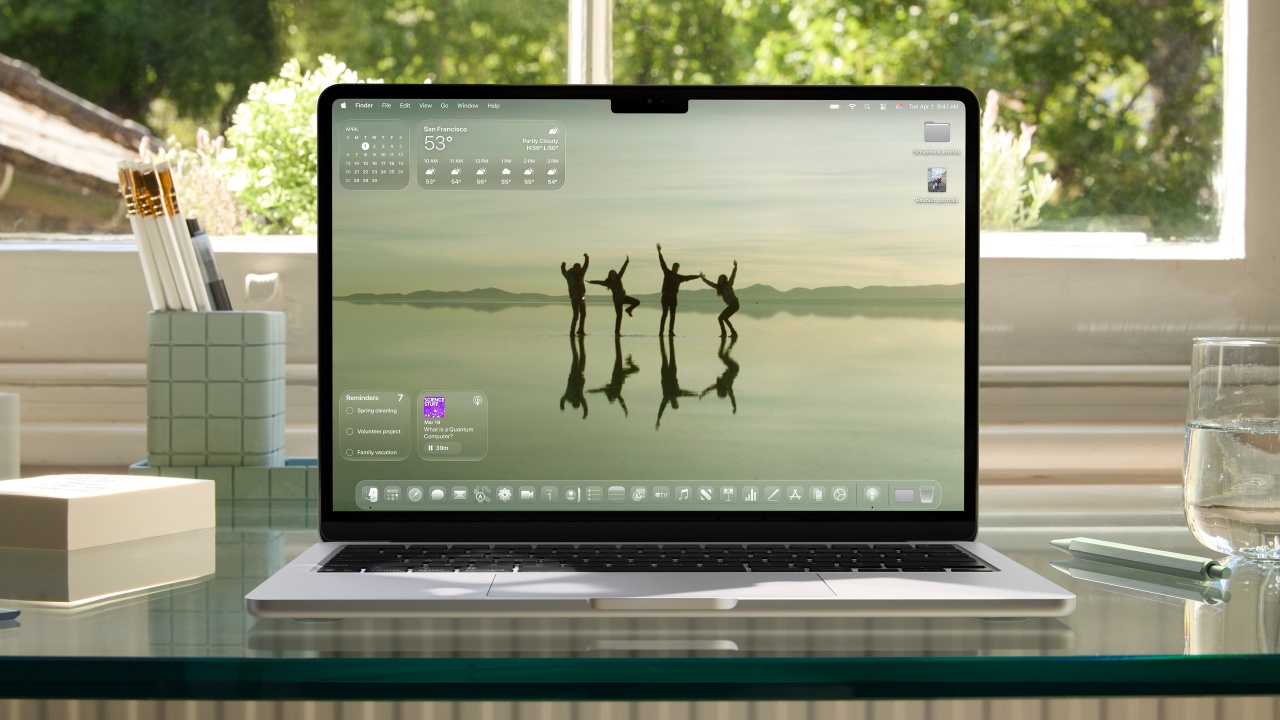
macOS Tahoe 26 introduces Liquid Glass. It’s a new translucent material that enhances the Dock, sidebars, toolbars, and menu bar. It’s coming to everything “OS 26” on Apple devices. Users can now customize app icons, folders, and widgets with new colors and symbols, creating a more personalized experience.
Apple Intelligence Gets Smarter
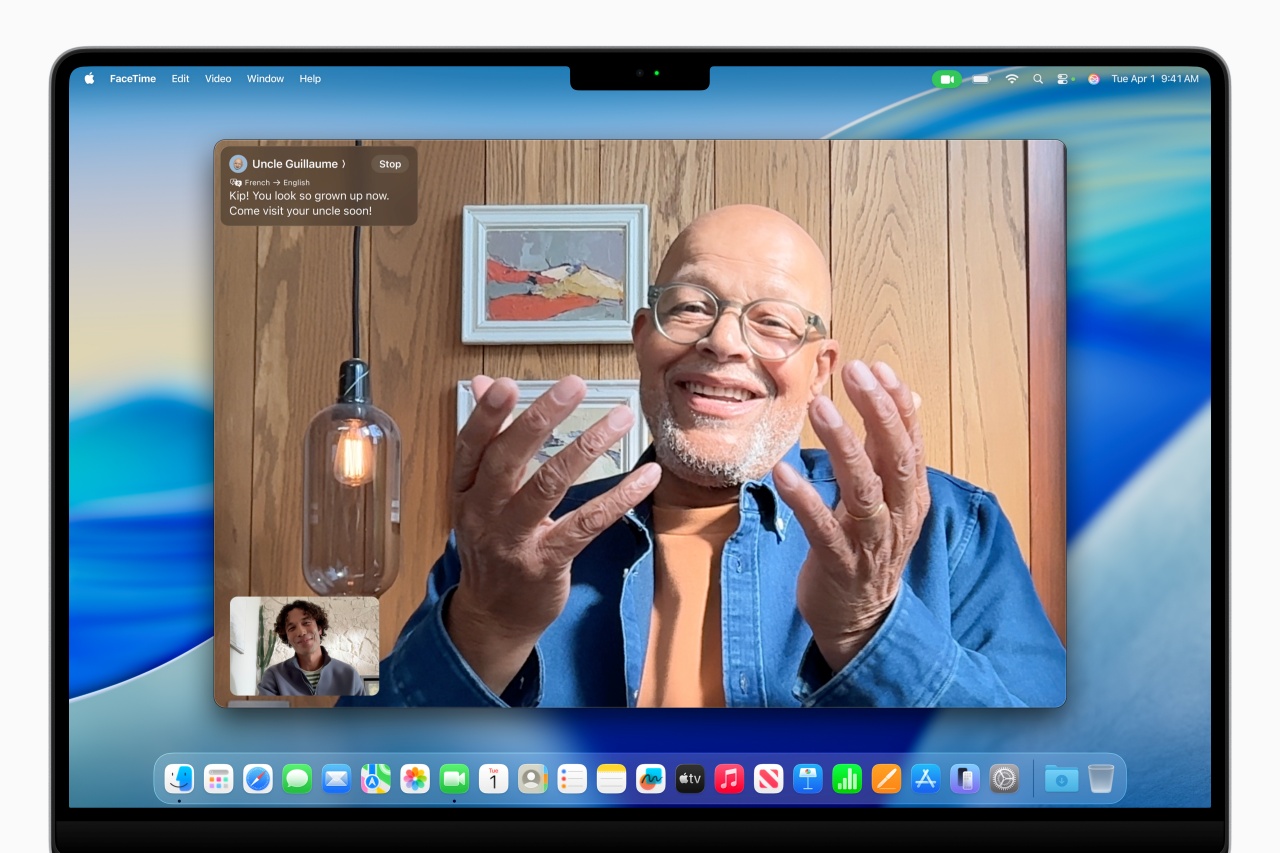
Apple Intelligence expands with Live Translation, enabling real-time multilingual communication in Messages, FaceTime, and Phone. Genmoji and Image Playground allow users to create custom emoji and AI-generated images. ChatGPT integration is optional.
Additionally, Shortcuts gains intelligent actions, allowing users to automate tasks like summarizing text or creating AI-generated images.
Spotlight’s Biggest Update Yet

Spotlight now executes hundreds of actions directly, such as sending emails, creating notes, and playing podcasts, without switching between apps. Users can also filter searches more effectively and browse through apps, files, and clipboard history with ease.
Enhanced Connectivity and Productivity

The Phone app arrives on Mac, bringing Recents, Contacts, Voicemails, Call Screening, and Hold Assist from iPhone. Live Activities now appear in the menu bar. It keeps users updated on flights, Uber rides, and live sports scores in real time.
Gaming Gets a Boost
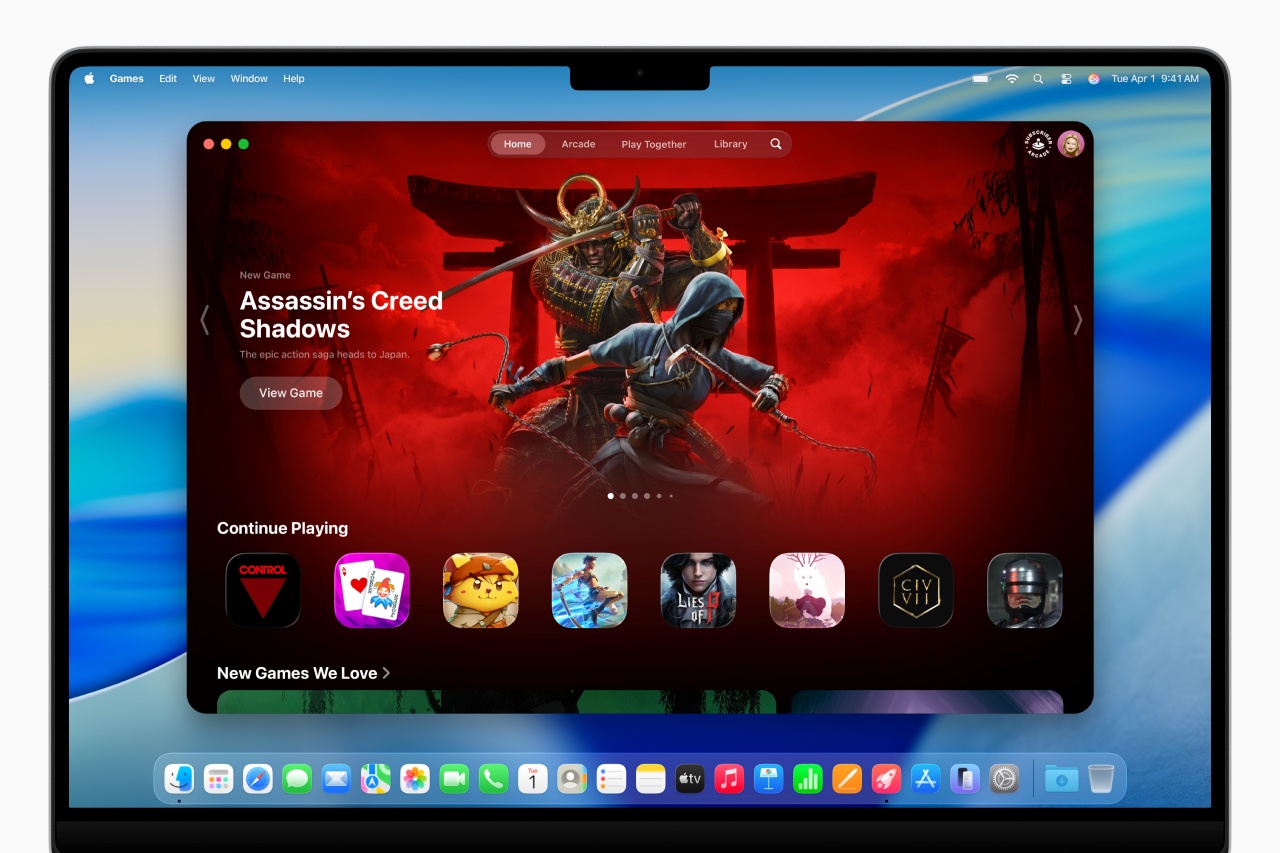
macOS Tahoe 26 introduces Apple Games. It’s a dedicated hub for gaming, alongside Game Overlay, which lets players adjust settings and chat with friends without leaving their game. Metal 4 brings advanced graphics rendering, supporting upcoming titles like Cyberpunk 2077, Lies of P: Overture, and Crimson Desert.
Availability
macOS Tahoe 26 is available for developer testing today. Public beta is coming in July 2025 and full release will come this fall. It supports Mac models with M1 and later.
For more details, visit Apple’s official macOS Tahoe 26 announcement.
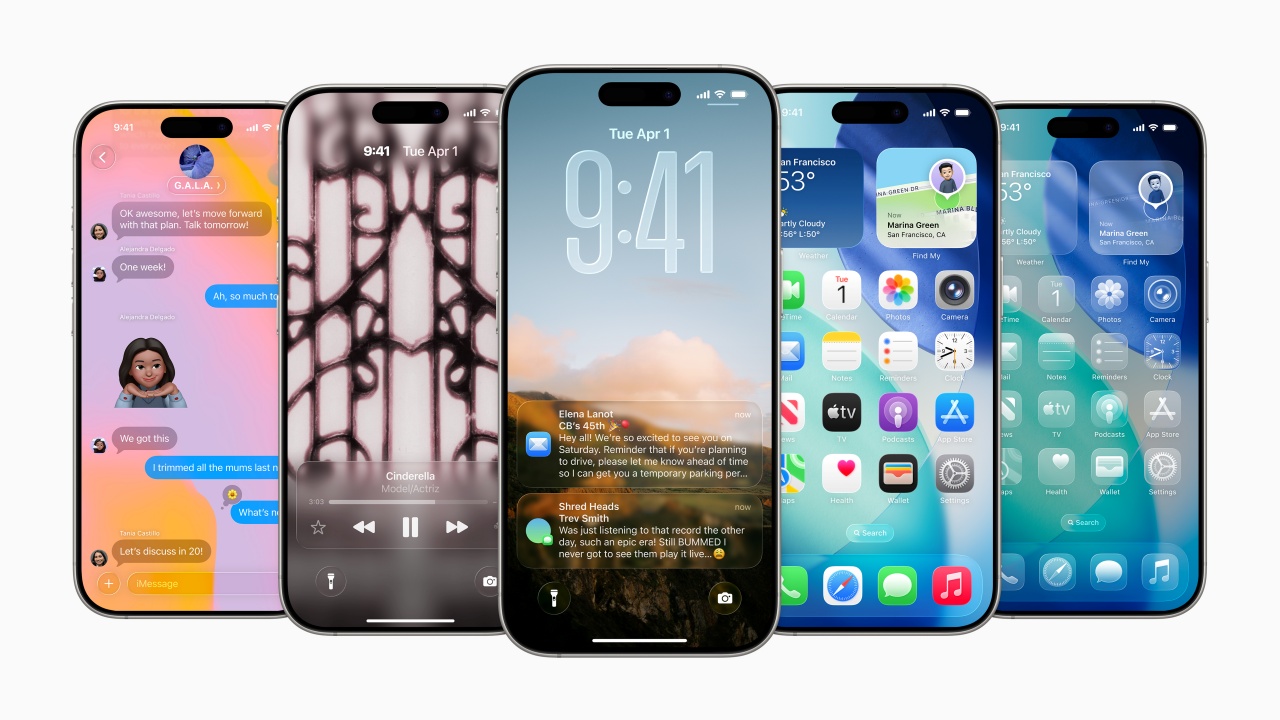
Apple has officially introduced iOS 26. It brings a revamped design, advanced AI capabilities, and more new features. These are coming to |core apps like Phone, Messages, CarPlay, Apple Music, Maps, and Wallet.
A Fresh Look with Liquid Glass
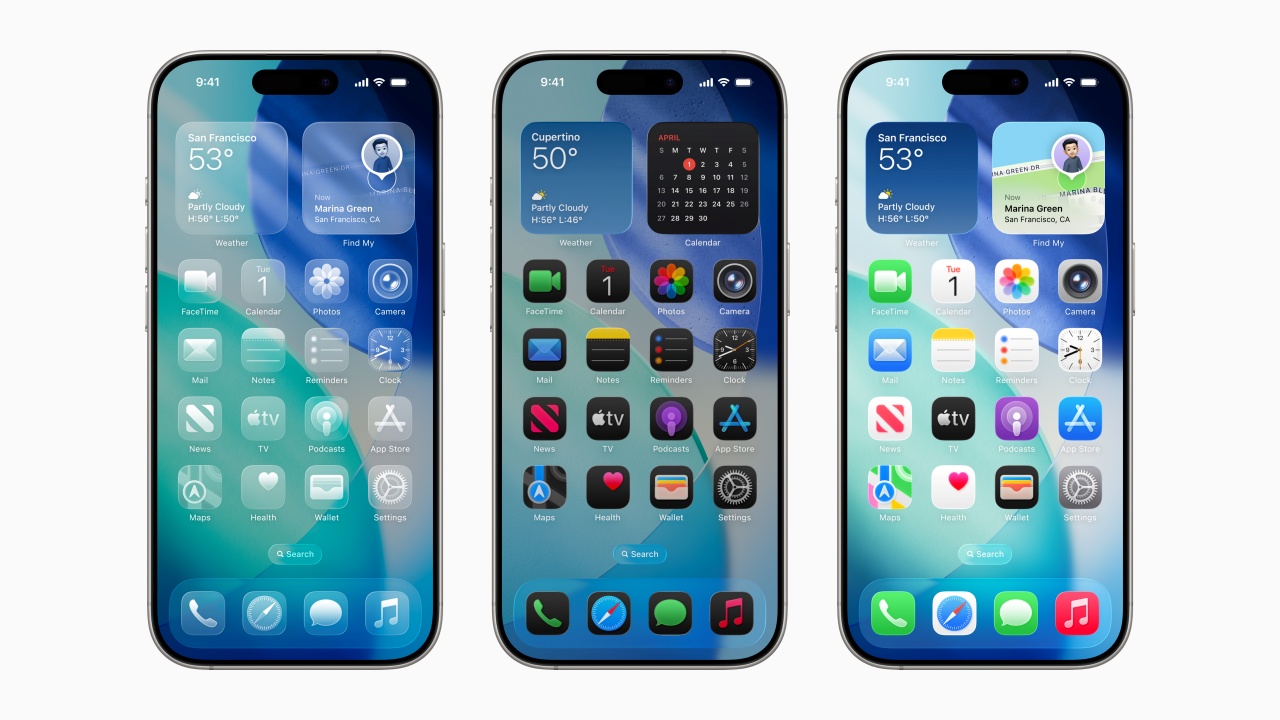
iOS 26 introduces Liquid Glass. It’s a new translucent material that enhances app icons, widgets, and navigation elements. The Lock Screen and Home Screen now offer dynamic customization, with adaptive time placement and spatial effects that respond to movement.
Apple Intelligence Gets Smarter
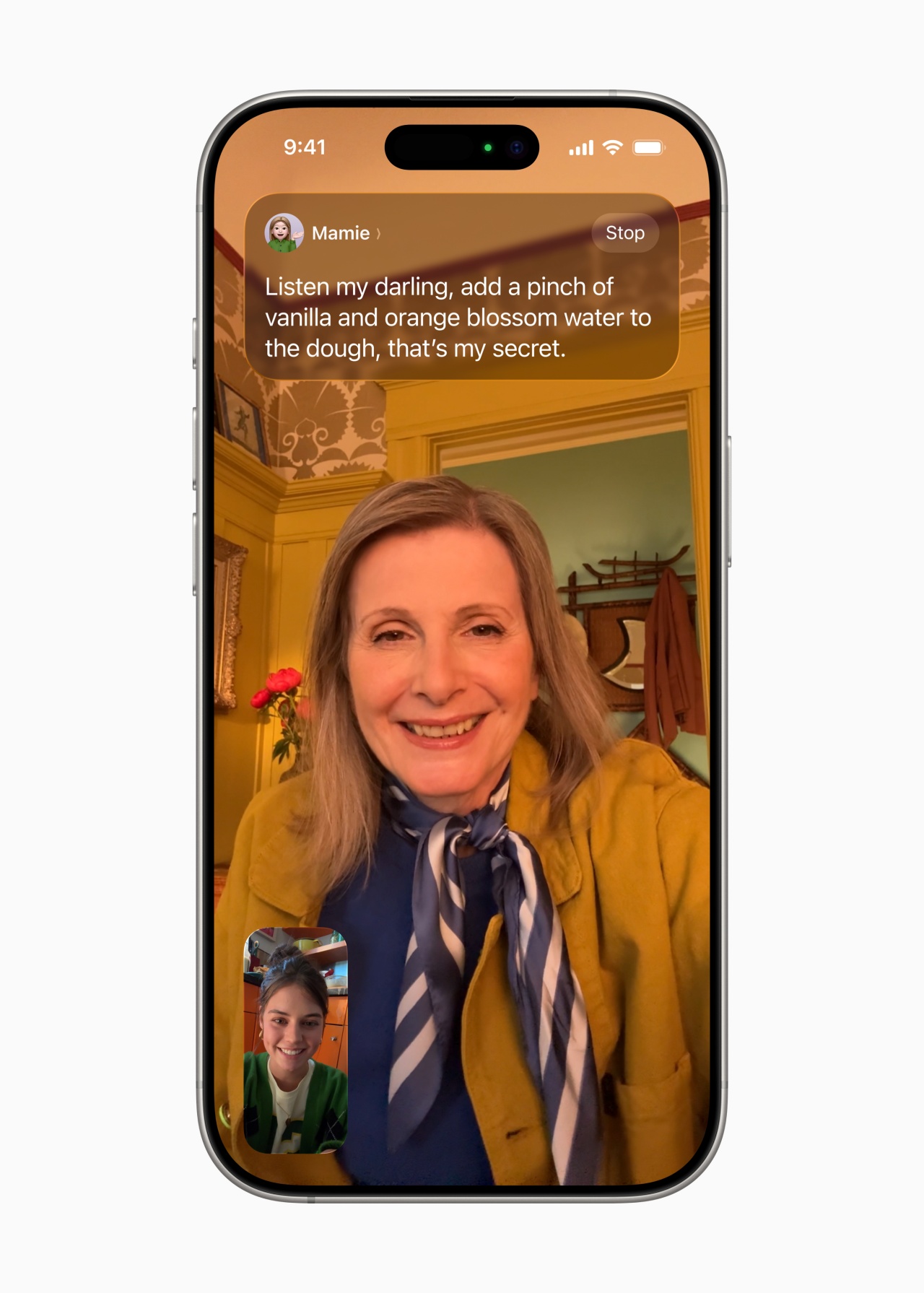
Apple Intelligence expands with Live Translation. It enables real-time multilingual communication in Messages, FaceTime, and Phone. Visual Intelligence allows users to search for products, recognize events, and integrate details into their calendars seamlessly.
Additionally, Genmoji and Image Playground let users create custom emoji and AI-generated images. There’s also an optional ChatGPT integration for more advanced styles.
Enhanced Connectivity and Privacy
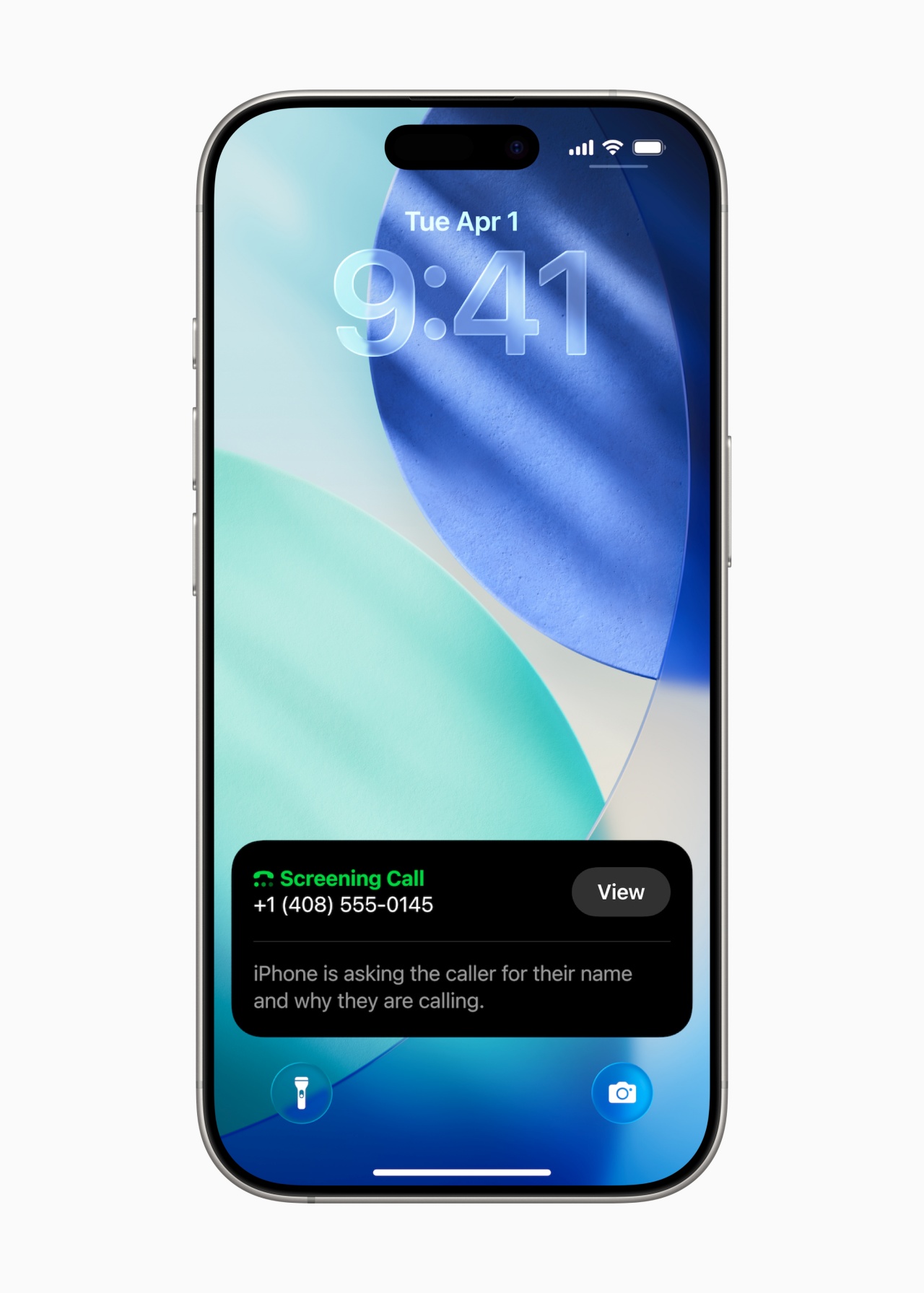
The Phone app now combines Favorites, Recents, and Voicemails into a unified layout. Meanwhile, Call Screening helps users filter unwanted calls. Hold Assist notifies users when a live agent is available, reducing time spent on hold.
In Messages, users can screen texts from unknown senders. They can also create polls and set custom backgrounds. Group chats now display typing indicators and support Apple Cash transactions.
Upgrades to CarPlay, Apple Music, and Maps

CarPlay receives a compact call view, pinned conversations, and Live Activities for real-time updates. Apple Music introduces Lyrics Translation and AutoMix. The latter seamlessly transitions between songs like a DJ. Apple Maps now tracks Visited Places, helping users recall locations while maintaining privacy with end-to-end encryption.
Availability
iOS 26 is available for developer testing today. Like the rest of the WWDC 2025 things, public beta launches in July 2025. The full release is expected this fall. It supports iPhone 11 and later models.
For more details, visit [Apple’s official iOS 26 announcement.

Apple has officially introduced iPadOS 26, marking its most significant update yet for iPad users. The latest version brings a redesigned interface. It comes with a powerful new windowing system and deeper integration with Apple Intelligence, enhancing productivity and creativity across devices.
A New Era of iPad Multitasking
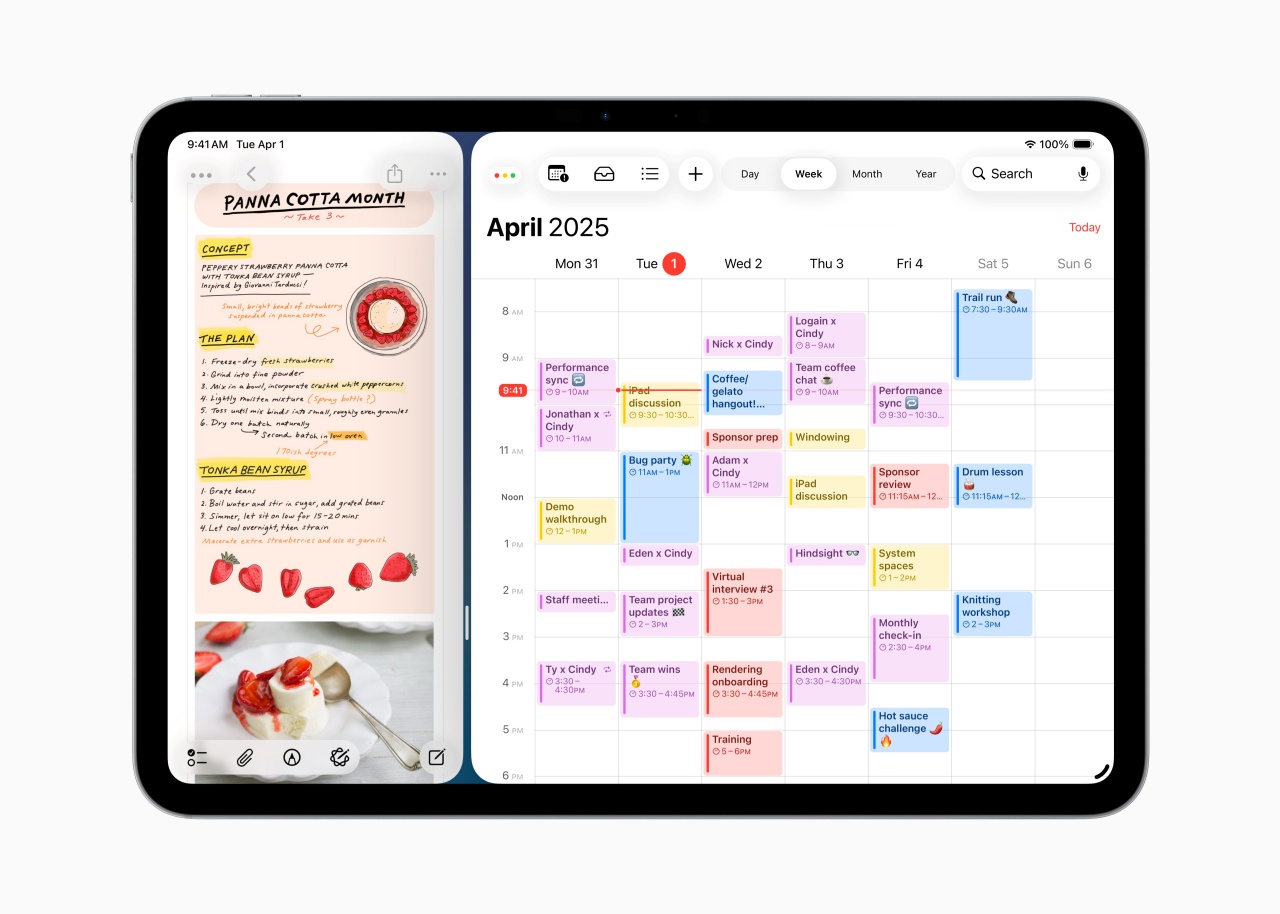
iPadOS | Window Tiling
One of the standout features of iPadOS 26 is its intuitive windowing system. It allows users to resize, organize, and switch between app windows with ease. The update also introduces Exposé. It enables users to view all open windows at a glance. There’s also window tiling which simplifies arranging apps with a flick.

Expose
For users working with external displays, iPadOS 26 enhances Stage Manager. It offers more flexibility in managing multiple apps simultaneously.
Apple Intelligence Expands Its Reach
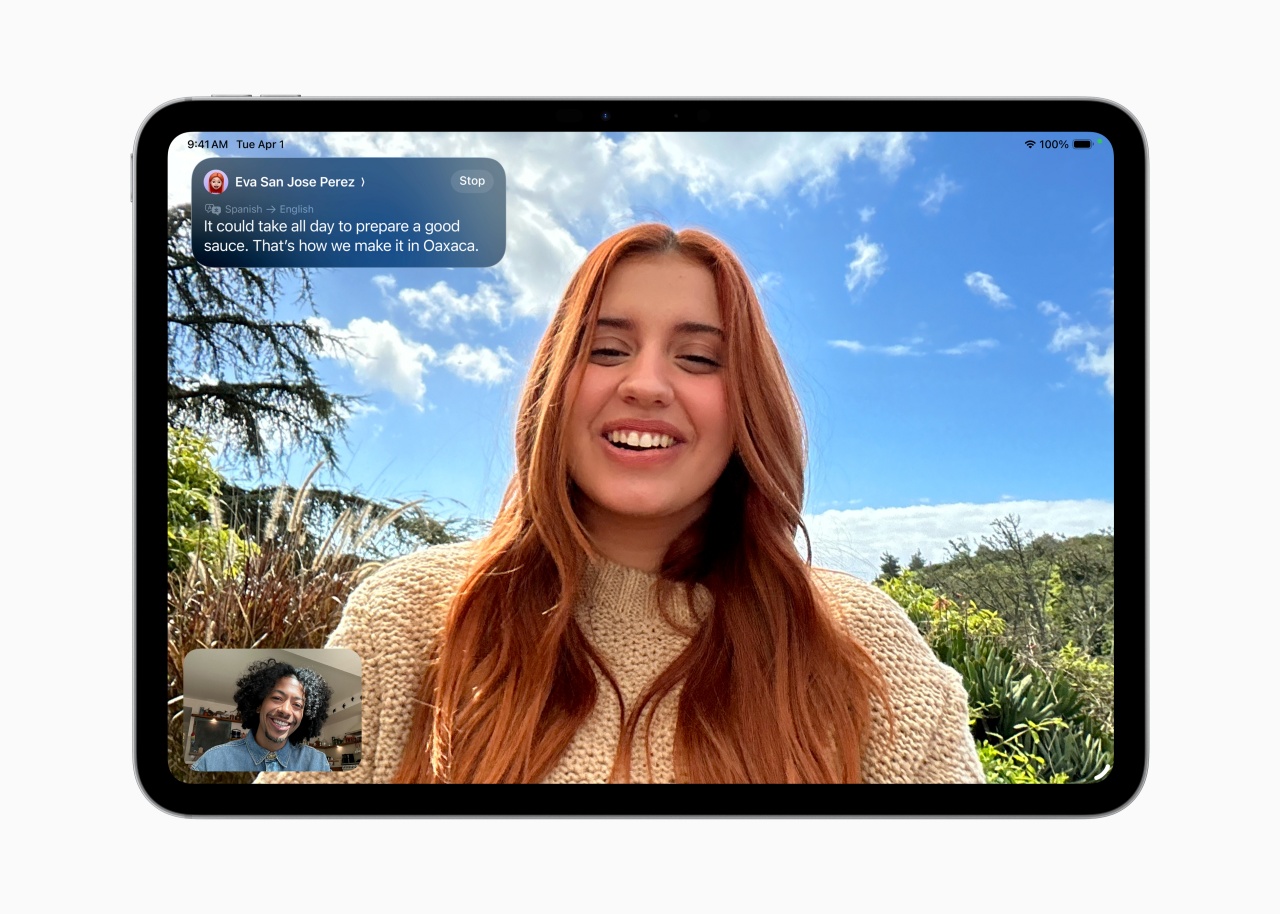
Live Translation
Apple Intelligence, the company’s on-device AI system, now powers Live Translation across Messages, FaceTime, and Phone., It enables real-time multilingual communication. Users can also create custom Genmoji and generate images with Image Playground. It now integrates ChatGPT for advanced styles.
Additionally, Shortcuts gains intelligent actions, allowing users to automate tasks like summarizing text or creating AI-generated images.
Enhanced File Management and Creative Tools
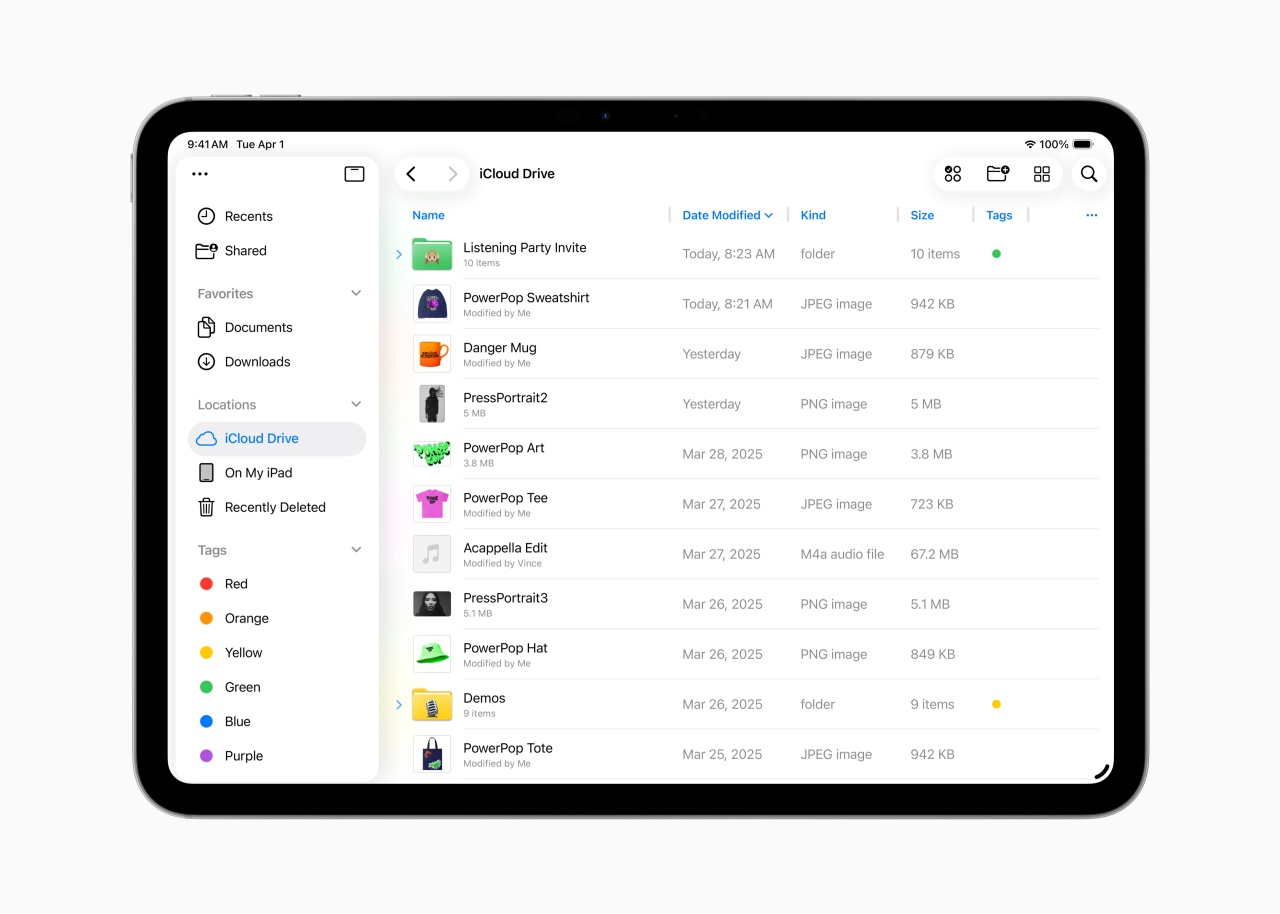
The Files app receives a major overhaul. It now has customizable folders, resizable columns, and dock integration for quick access.

Preview app
Meanwhile, the Preview app debuts on iPad. It offers PDF editing, Apple Pencil markup, and AutoFill for seamless document management.
For creative professionals, iPadOS 26 introduces **Background Tasks**, enabling long-running processes to continue while users multitask. **New audio features** allow users to select different microphones per app, while **Voice Isolation** ensures clearer recordings.
Availability
iPadOS 26 is available for developer testing today. Public beta launches in July. The full release is expected this fall, supporting iPad Pro (M4), iPad Air (M2), and later models.
For more details, visit Apple’s official iPadOS 26 announcement.



DJI’s Inspire 3 Basic Package make 8K aerial filmmaking more accessible

Disney+ launches a TikTok-coded vertical feed called Verts

Google Maps is finally getting a 3D mode

KPop Demon Hunters is officially getting a sequel

Bringing Care-a-Lot to my daily carry


-

 Reviews2 weeks ago
TECNO CAMON 50 Ultra review: End of an era?
-

 MWC 20262 weeks ago
Infinix NOTE 60 Ultra makes a motorsport-inspired debut
-

 MWC 20262 weeks ago
TECNO launches the all-new CAMON 50 series
-

 MWC 20262 weeks ago
TECNO showcases cool concepts at MWC 2026
-
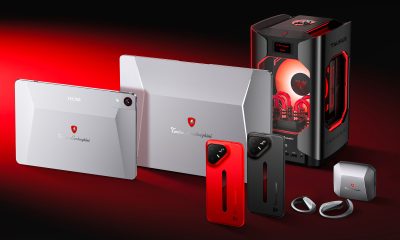
 MWC 20262 weeks ago
TECNO unleashes Tonino Lamborghini collection
-

 Computers2 weeks ago
AMD announces Ryzen AI 400, AI 400 PRO series at MWC 2026
-
 MWC 20262 weeks ago
TECNO debuts latest devices, HiOS 16, upgraded Ella at MWC 2026
-

 Automotive2 weeks ago
Xiaomi Vision Gran Turismo makes global debut at MWC 2026