


The quest for the bezel-less future is far from over, and Vivo has yet another surprise in store for everyone before it bids farewell to 2018. Recently launched in Shanghai is a smartphone that will surely catch your eye because this time, it has two displays: the Vivo NEX Dual Display Edition.
Ever since the start of the year, Vivo has been introducing one innovation after another: in-display fingerprint scanning, Time of Flight (TOF) 3D sensing technology, and who could forget the all-display Vivo NEX with a pop-up selfie camera that we reviewed in June.
The design story
While we appreciate brands trying to come up with different notch-free solutions, it makes us question the choice of reverting to pop-up mechanisms to achieve an all-display smartphone.
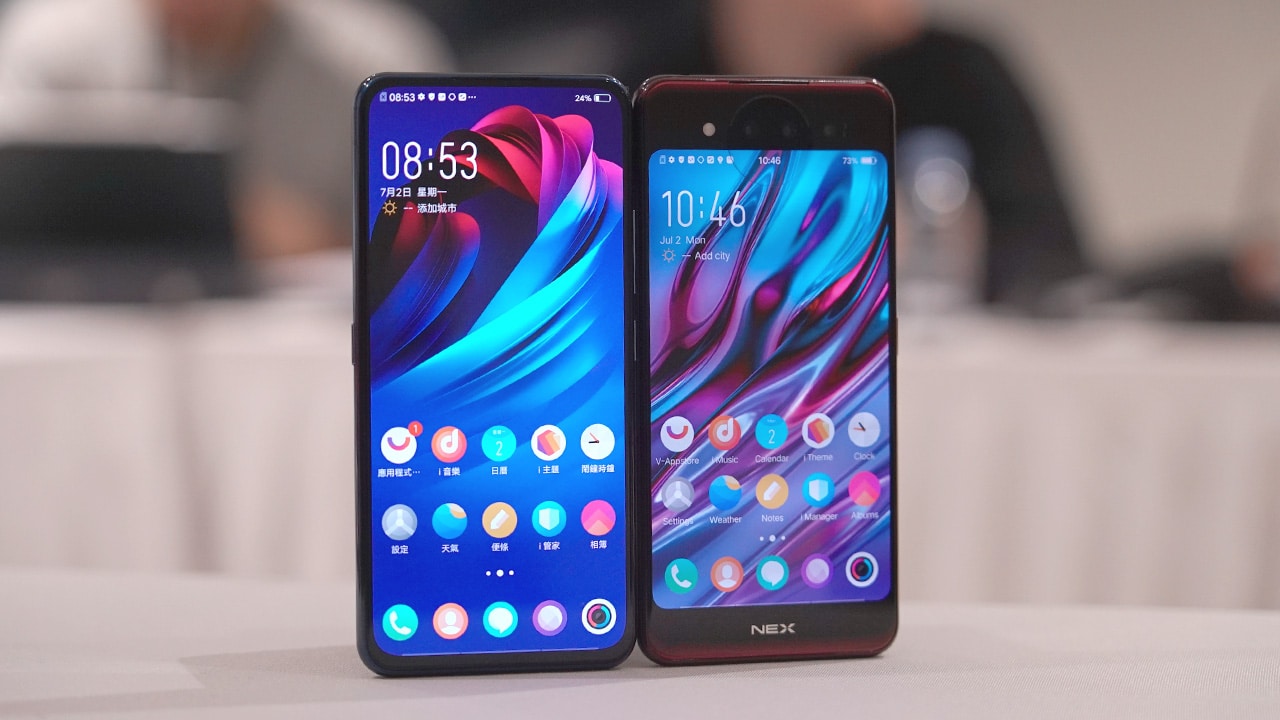
Vivo’s new proposal has two displays: a 6.39-inch Super AMOLED screen in front and another at the back at 5.49 inches. The Ultra FullView display boasts a 91.63 percent screen-to-body ratio, slightly higher than the original Vivo NEX’s 91.24 percent.
Having two displays may sound excessive but it actually has practical applications. On top of that, this implementation eliminates the need for pop-up cameras and one of 2018’s most hated smartphone feature — the notch.
Vivo Design Director Kyle Hsiao admits that the idea of creating both NEX phones came about around the same time while trying to solve the notch problem, hence the short gap between their launch dates. The pop-up mechanism was so easy to implement compared to having two displays on a single smartphone that it took almost 300 prototypes before finalizing the design we have today.

Hsiao says they don’t feel that the iPhone notch is the way to go. When working on the NEX Dual Display Edition, the design team had three considerations: technology, fashion, and most importantly, consumer experience.
Hsiao emphasizes that a smartphone doesn’t just have to look good, but has to be designed based on human needs. Mobile video app TikTok has been rising in popularity, and it’s this generation of users that Vivo had in mind when creating the new NEX — people who create and share their own content, no matter the level of production quality.
The last few years saw brands from China, including Vivo, to be simply copying what Apple does. Ultimately, Hsiao envisions the NEX line to always offer something different — something that breaks barriers. Although it is Vivo’s most premium line, it’s not about using expensive materials or coming out with the most premium phones, but providing solutions to users’ needs in a unique way.
Two displays, still a normal phone
In case you’re wondering, you can switch between the two displays in a multitude of ways. The easiest is by pressing the two buttons on both sides of the phone simultaneously.
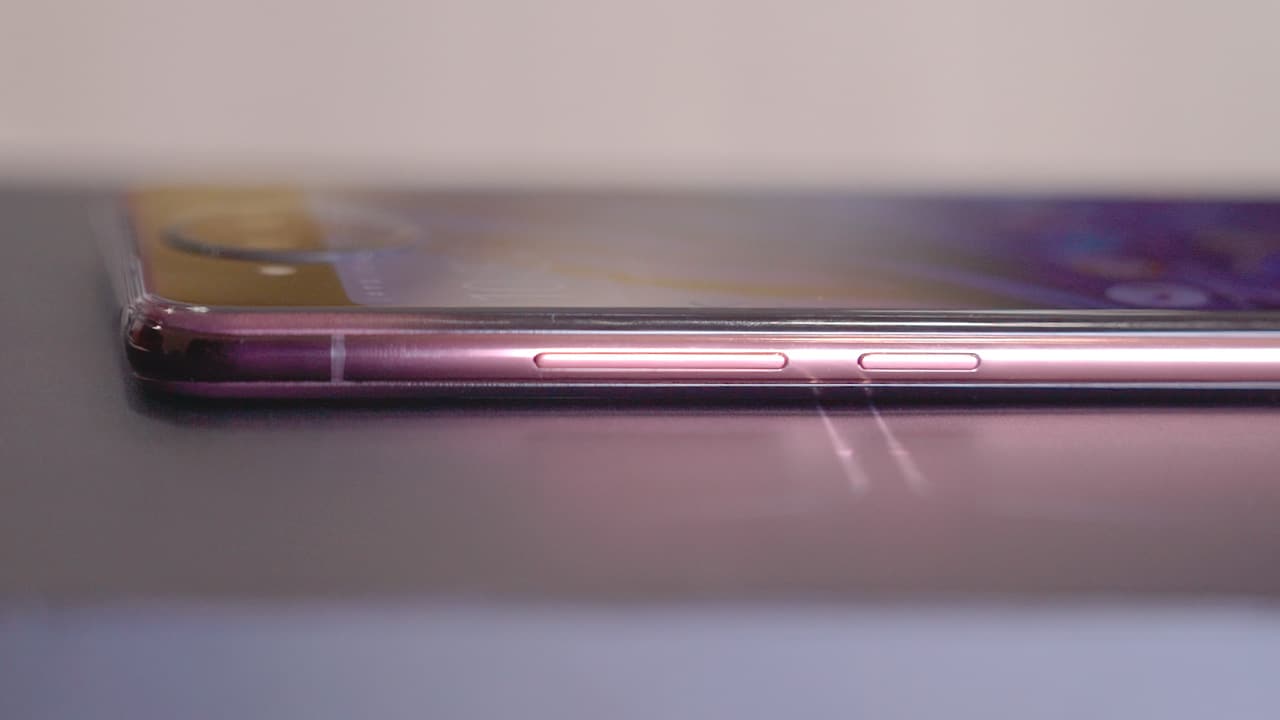
Speaking of buttons, placement is usual: volume rocker and power button on the right, and Vivo’s virtual assistant Jovy on the left.
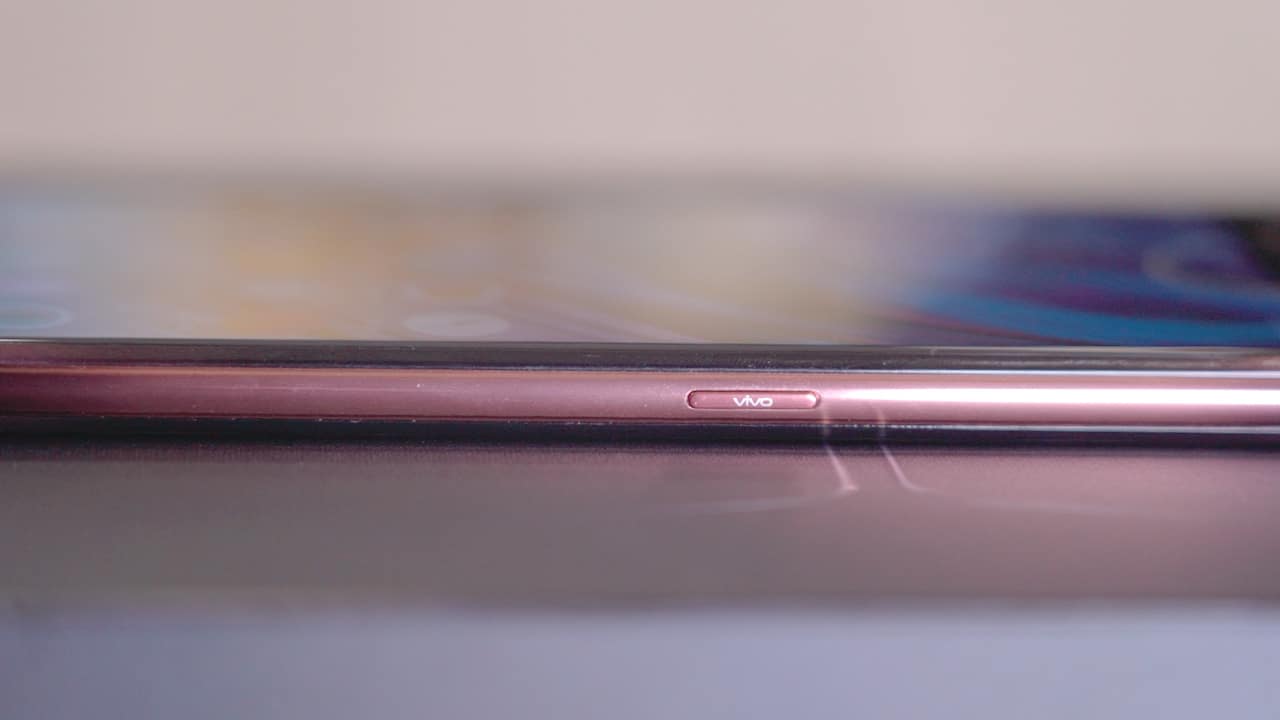
Vivo insists having a physical button for its personal assistant is a choice they made because they want to achieve a meeting of something that’s both real and digital, something users can interact with physically.

Dual nano-SIM card tray, USB-C port, and speaker grilles are at the bottom.
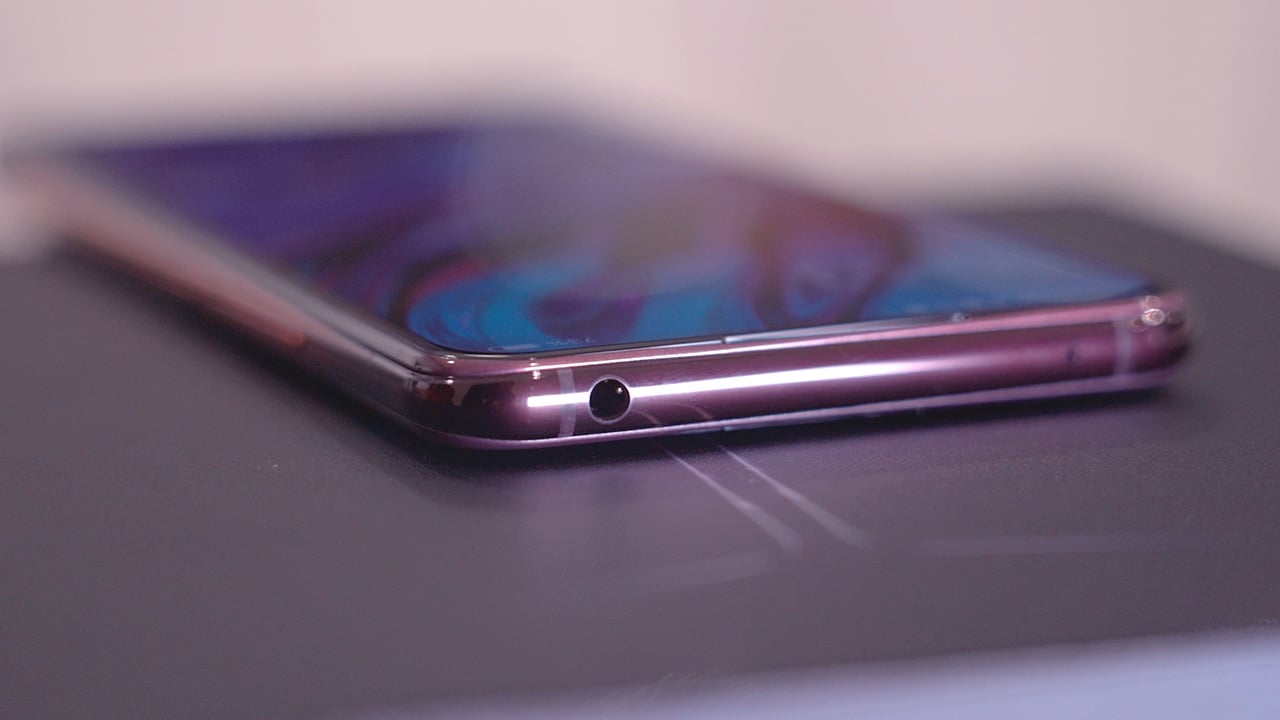
And yes folks, the headphone jack lives to fight another day.

You also get an earpiece on both sides of the phone, and that’s because even if the rear display is just secondary, it functions the same as the main one. So, you can also take calls no matter which one you’re using.
One question we get a lot when it comes to unconventional phones like the NEX is, “Will it work with a case?”
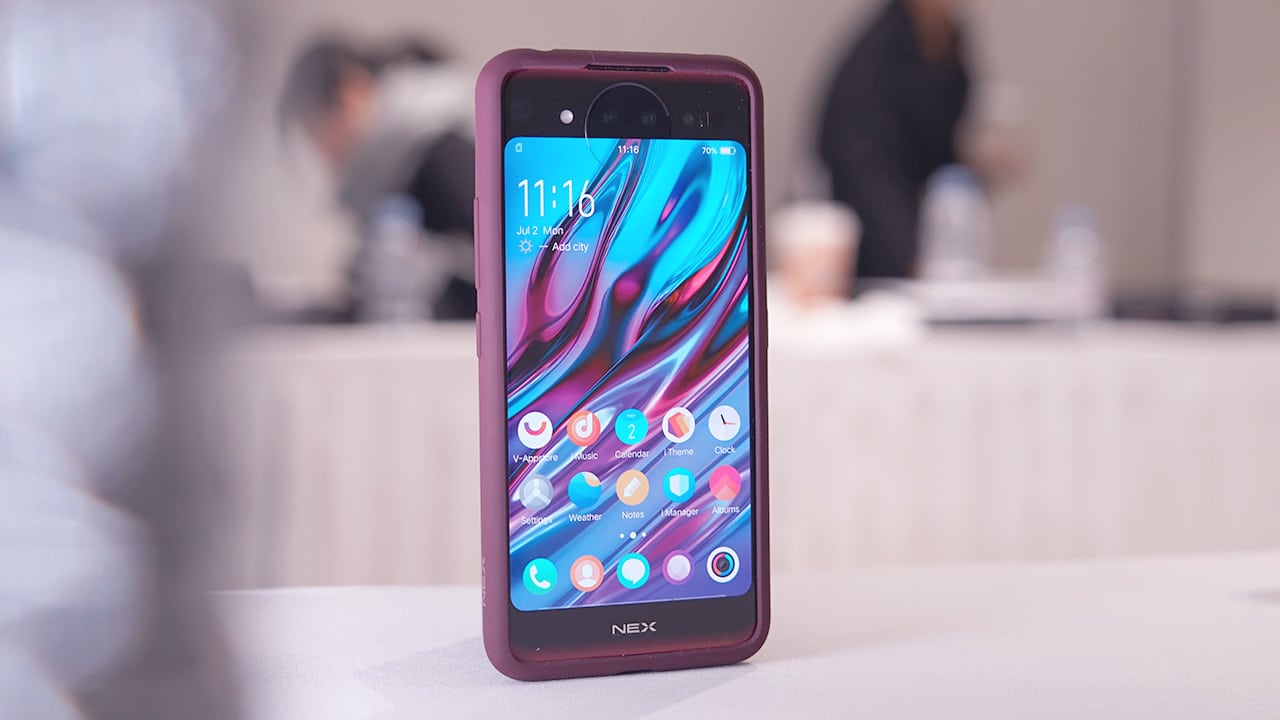
The Dual Display Edition comes bundled with a bumper that matches the phone color so the phone stays protected from accidental drops.
All photos are equal
The Vivo NEX S’ pop-up selfie camera is one of the best we’ve used this year that we even named it our favorite recently.
With another display at the back, Vivo ditches the pop-up mechanism for only one set of cameras on the Dual Display Edition. The setup found at the back doubles as a selfie camera: a 12MP dual-pixel main camera, a 2MP night video camera, and the Time of Flight 3D Camera.
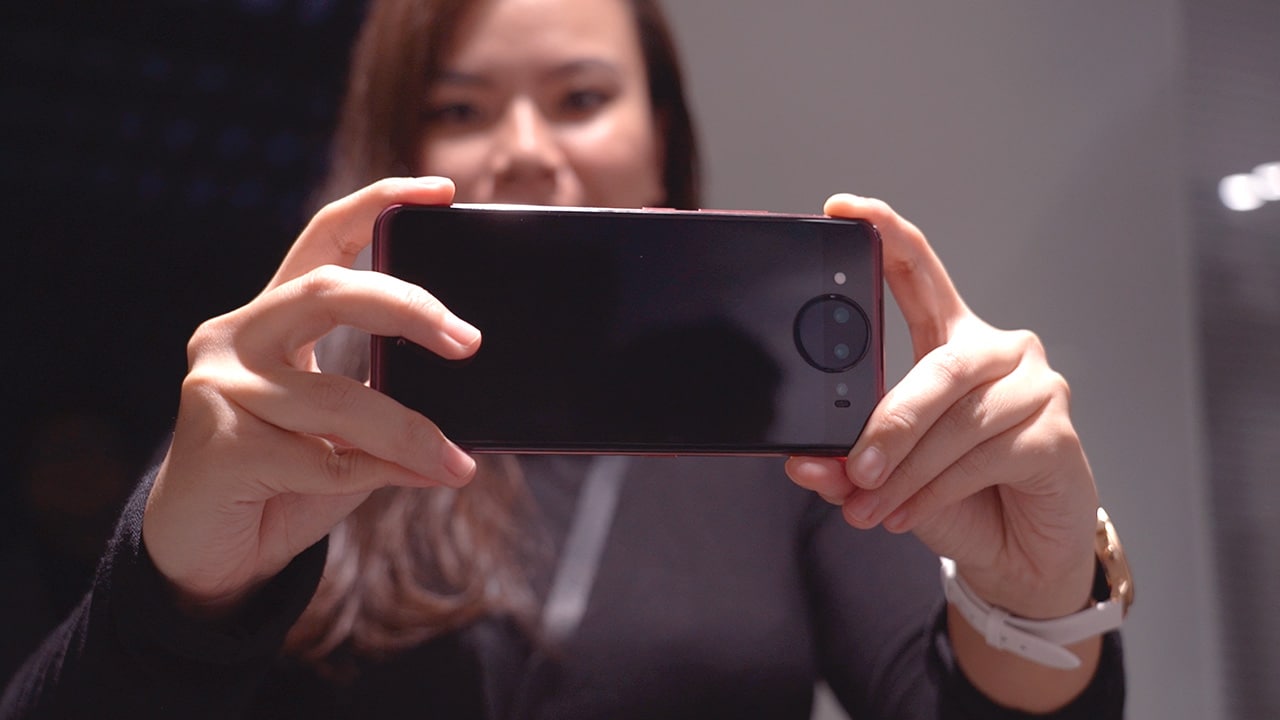
This means all your photos will look equally good, whether landscape, portrait, or a selfie. Vivo believes that selfies need not be inferior compared to photos taken on the main camera.
We haven’t had the chance to take the phone out in the real world during our time with it but if the NEX S’ cameras are any indication, this triple-camera setup will not disappoint.
Some smartphones, especially those made specifically for taking selfies, usually have a front-facing flash or some kind of fill light built in. The NEX Dual Display Edition steps that up with a ring light, which Vivo calls the Selfie Spotlight.

You know how beauty vloggers’ eyes look like they shine? It’s because most of them use a ring light when doing makeup tutorials. Of all the new features on this NEX phone, this is the one I got most excited about.
Because Vivo has always been really popular with its selfies, even if there is no dedicated selfie camera anymore, they actually added more features to make the most out of the two displays.
There are modes like Mirror Mode, which allows you to see yourself on the back display, even while being photographed by someone else. There’s also Pose Director, which can show you pose references that you can copy. This way, you can compose yourself better, and find your optimal angle the same way that Crazy Rich Asian family did.
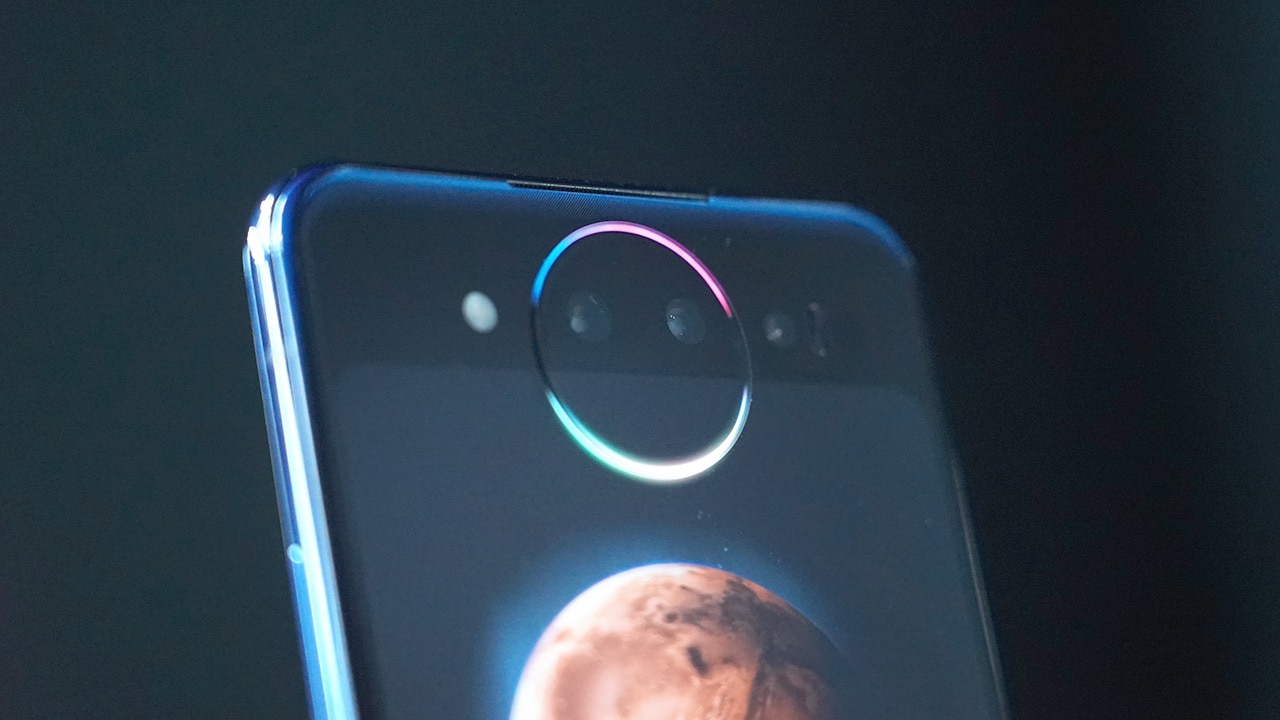
That circular bump around the cameras is called the Lunar Ring. Apart from serving as a ring light when taking selfies, you can set it to glow when you get notifications or even pulse when playing music.
Improved gaming
Another practical feature a dual-display phone like this offers is extra controls when gaming.
Certain games are played much better when you have a separate controller, but an extra display is the closest you can get to that without carrying another accessory.
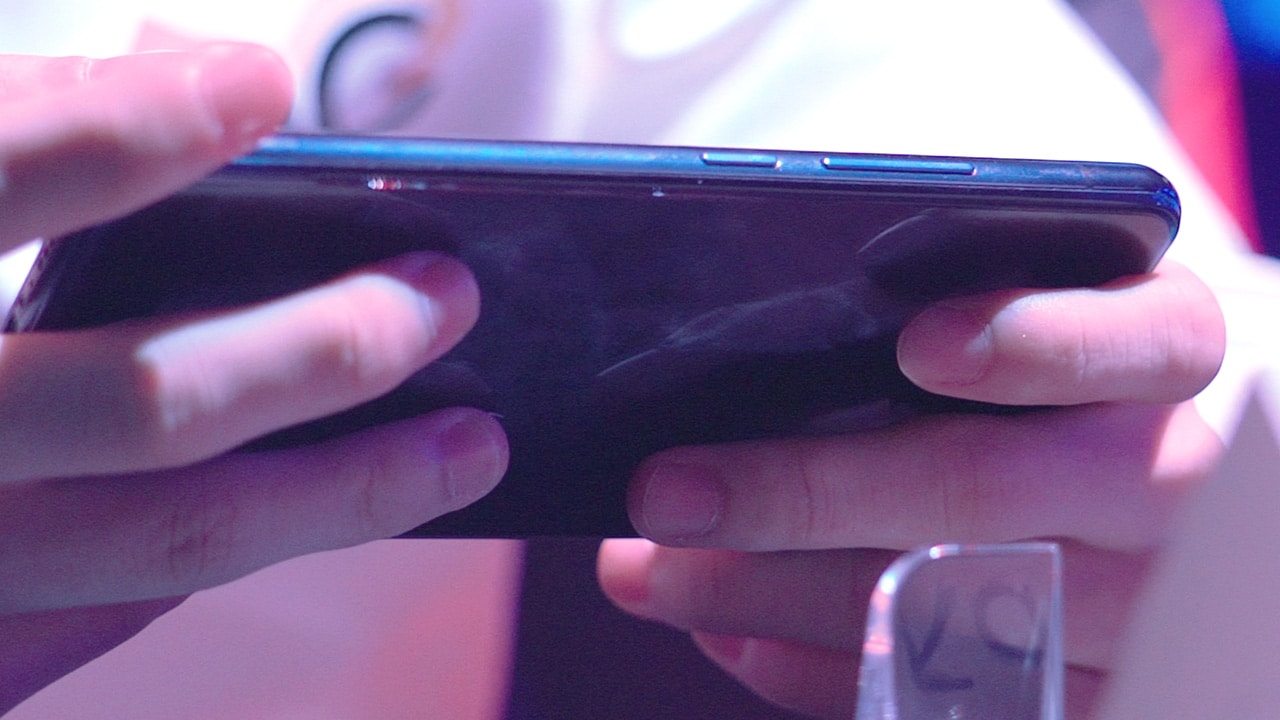
We had a limited time with the phone, but we look forward to trying this feature out ourselves once we get our own review unit!
While we’re on the subject of gaming, it’s worth mentioning that the NEX Dual Display Edition has all top-of-the-line specs you can expect from a flagship smartphone in 2018: Snapdragon 845, 128GB storage, and even 10GB RAM, making it one of the first smartphones to come with that much memory.
Faster and more secure biometrics
If you remember on the original Vivo NEX S, we only had one biometric option — an in-display fingerprint scanner. Because the front camera uses a pop-up mechanism, we didn’t get face unlock then.
On the Dual Display Edition, you get both fast and secure options. Built onto the main display is an in-screen fingerprint scanner, a technology pioneered by Vivo.
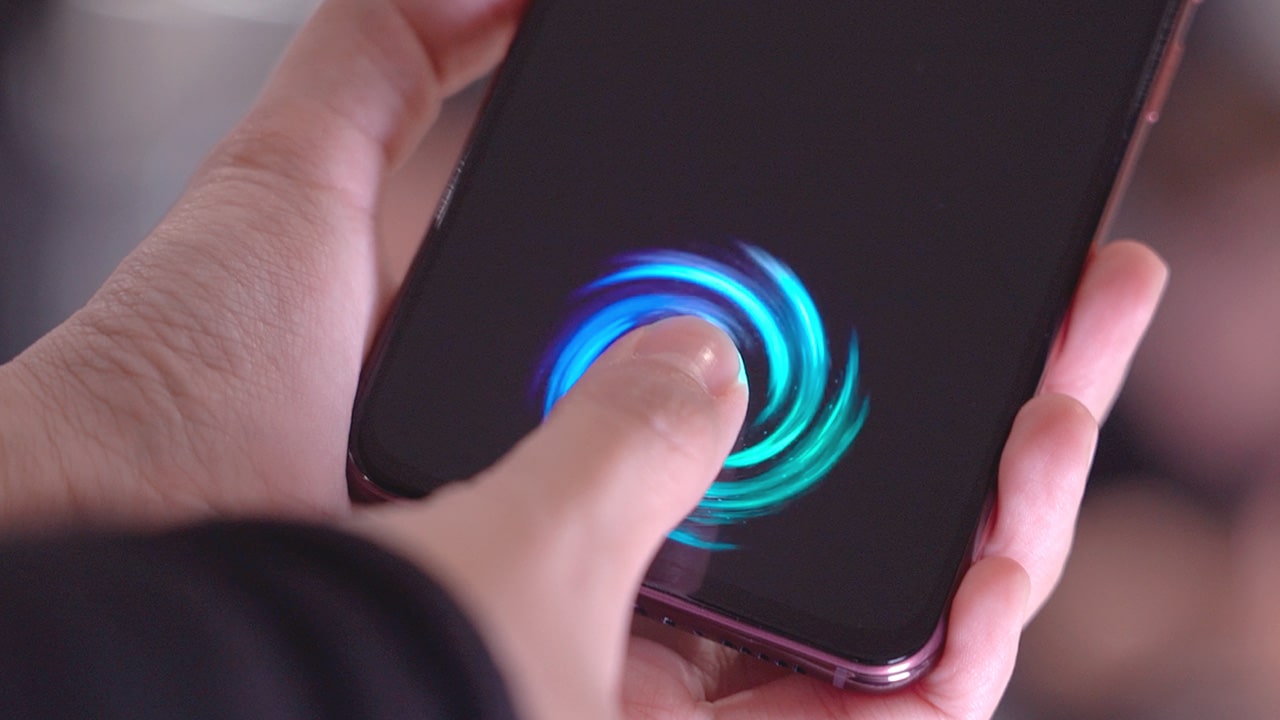
On the rear display, you can unlock the phone using the TOF 3D Camera. This means you can unlock the phone easily no matter which side you’re using. During our time with the phone, both options worked seamlessly.
Is this your GadgetMatch?
We’ll have to wait ’til we get an international review unit to answer this question, and that’s coming really soon.
The original Vivo NEX, no matter how futuristic it seemed at the time it launched, was a phone that felt normal and practical over time. Even though it came merely six months later, the Vivo NEX Dual Display Edition offers an entirely different experience than the former.
But, like we said in our Vivo NEX review, we appreciate how in its bid to distinguish itself among the many global players, Vivo built yet another premium smartphone that’s both innovative and fresh with ideas.


Hands-On
Apple iPhone Duo Unboxing and Hands-on
Supported apps, crease, cameras, and MagSafe all tested


Apple’s iPhone Duo is finally here!
Aside from unboxing the all-new iPhone-dable in Night Sky, we take a closer look at the display crease, check out the under-display camera quality, see which MagSafe accessories work with it.
Most of all, which apps support it (or not).
But how well does the dual-screen experience on an iPhone actually work? Watch our Apple iPhone Duo unboxing and hands-on to know more!


Moving into a new space comes with a long list of things to figure out, and lately, I’ve been paying more attention to something that’s easy to overlook: air quality.
After using the LG AeroMini for about a month, it has become a subtle but welcome addition to my space. It helps make the room feel fresher, while its compact and stylish design fits naturally into my setup. Here are the things that stood out to me most after living with it for a month.
360° purification for a fresher space
One of the things I appreciate about the AeroMini is its 360° air purification, designed to bring purified air in every direction.
For me, this is particularly useful in a new space where I’m spending a lot of time working, relaxing, and just settling in.

Combined with its True HEPA filter, which is designed to remove 99.999% of 0.01μm fine dust and allergens, it gives me added peace of mind about the air I’m breathing every day.
After a month, I can genuinely say that the space feels fresher with it running.

Surprisingly quiet
This is probably my favorite feature.
The LG AeroMini operates at just 26dB, and after using it for a month, what stands out is how easy it is to forget that it’s even running.

I can have it running while I’m working or sleeping without the noise becoming a distraction. For an appliance that’s designed to continuously improve the air around you, I think that’s a big deal.
Sometimes, the best feature is the one you barely notice.
Design that fits my space
Since I recently moved, I’ve been pretty conscious about what I bring into the space. I want things to be functional, but I also don’t want appliances that feel like they’re taking over the room.

The AeroMini’s slim and compact design makes it easy to incorporate into my setup. It doesn’t feel bulky or industrial, and I like that I can leave it out without feeling like I need to hide it away.
For me, that balance between functionality and aesthetics makes it feel more like part of the space rather than just another appliance.
Air quality at a glance
Another feature I’ve found convenient is its Smart Control. Through the app, I can monitor and control the AeroMini while getting real-time updates on the indoor air quality.
It’s a small convenience, but being able to check the air quality without having to interact with the purifier directly makes it easier to keep track of what’s happening in the room.

Easy to maintain
I also appreciate that the AeroMini is designed with an all-in-one dust and deodorization filter that makes replacement and maintenance easier.
That matters to me because the best home gadgets are the ones that don’t create another complicated chore. I want something I can set up, use regularly, and maintain without too much fuss.

After a month, would I keep it?
Yes, and mainly because it quietly fits into my everyday routine.
The LG AeroMini has helped make my new space feel fresher and more comfortable, while its compact design means it doesn’t compromise the look of the room. But if I had to pick just one thing I appreciate most, it’s still how incredibly quiet it is.

It’s one of those upgrades that doesn’t demand your attention. It simply works in the background.
If you’re also looking to make your home a fresher and more comfortable space for yourself and your family, visit https://www.lg.com/ph/ to learn more about the LG AeroMini and how it can fit into your everyday life.
Hands-On
Apple iPhone 18 Pro Series Hands-on
And everything announced during Apple’s September 2026 Event

The latest Apple event isn’t just about the shiny new Apple Duo. There’s a lot to talk about!
In this video, we break down everything Apple has announced during their September 2026 keynote.
First, there’s the updated iPhone 18 Pro and 18 Pro Max. That’s alongside their design and color changes, battery and performance improvements. Even that massive camera upgrade.
There’s even the ANC-infused AirPods 5 alongside the newer Apple Watch Series 12 and Apple Watch Ultra 4. Plus, the latest software updates coming to both these wearables.
So, are these worth the upgrade?


HP OMEN Max 16 review: Gamer-maxxing in deep black
Peripherals deemed necessary to max this out


vivo V80 review: Good phone, tough sell
A capable travel companion


Ghost of Yōtei Complete Edition review: More of a great thing
Picking up where Atsu left off

Visa: 79% of Filipinos want to learn about stablecoins

CASETiFY Match: Finding the right case for your Galaxy Z8 Series phone
HP OMEN Max 16 review: Gamer-maxxing in deep black

Google illegally destroys 250,000 trees for a single AI data center

FINAL FANTASY RESONANCE now available across major platforms

TECNO CAMON Slim 5G review: Slim on size, big on surprise

TECNO CAMON Slim 5G: Price, availability in the Philippines

HONOR Magic9 Pro Max launches in China with ARRI-powered imaging

BYD says that way better EV batteries are coming next year

TECNO CAMON Slim 5G teases an ultra-slim design ahead of launch


-

 Gaming2 weeks ago
Dragon’s Dogma 2: Dark Arisen launches with new Official Pawns
-

 News1 week ago
vivo V80 debuts with ZEISS cameras
-
 Deals2 weeks ago
Score PhP 22,000 in guaranteed freebies when you pre-order the iPhone 18 Pro at Beyond the Box
-

 Philippines1 week ago
TECNO CAMON Slim 5G gets launch discounts, free MagBadge
-

 Wearables2 weeks ago
Garmin Approach S72 brings swing metrics, green reading to your wrist
-

 News1 week ago
Samsung: Galaxy Z Fold8 demand rose because of iPhone Duo
-
 Features1 week ago
I don’t want a phone that unfolds — the Galaxy Z Fold8 gets why
-
Reviews6 days ago
vivo V80 review: Good phone, tough sell