


Reviews
The Xiaomi Buds 5 Pro packs in so much tech for earbud enjoyers
Perfect noise cancellation and comfort

I am a difficult man to please when it comes to audio. Though my budget can’t sustain a robust Hi-Fi home system, I know the precise sound profile that most pleases my eardrums. For wireless earbuds, my gold standard is the Sony WF-1000XM5. I do, however, welcome all challengers. Today, that challenger is the new Xiaomi Buds 5 Pro.
Pretty in chrome
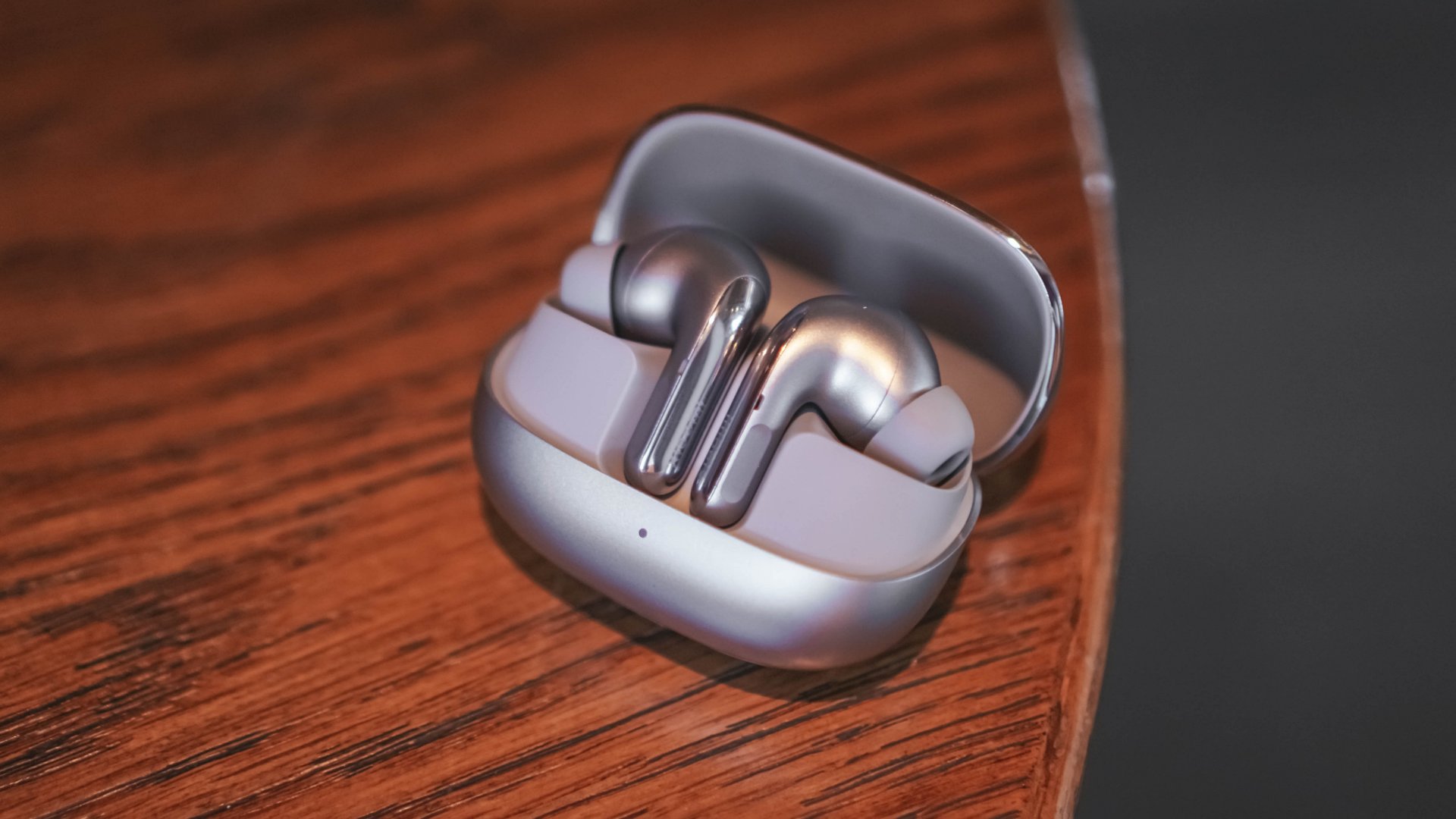
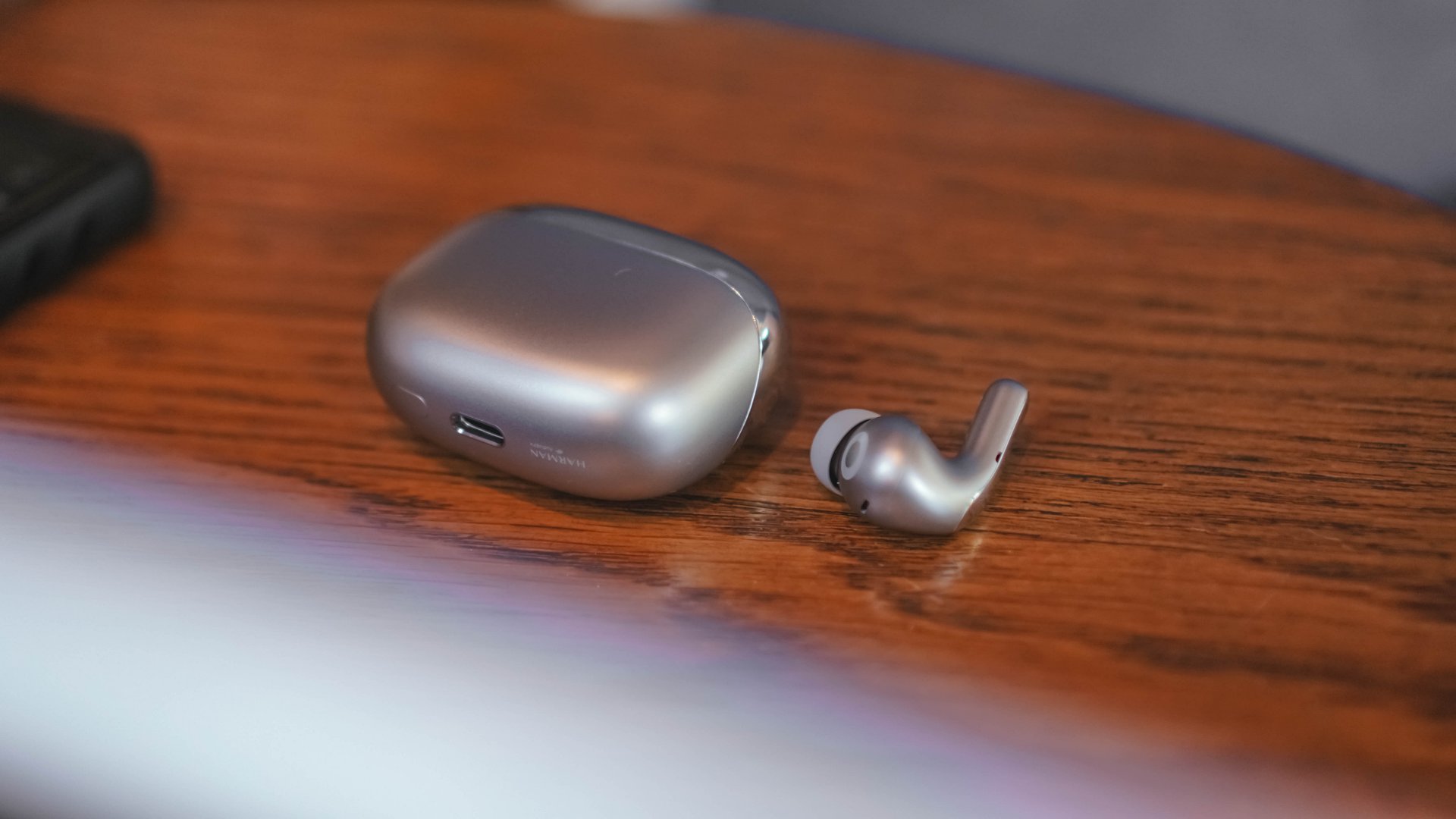
Touted as the new top-of-the-line driver from Xiaomi, the Buds 5 Pro ups the premium by improving one of the most elegant designs for earbuds today. I got the Titan Gray version, which has one of the most delightfully chrome cases in the market. Half of the case is covered in shiny chrome, while the other half is a matte silver.
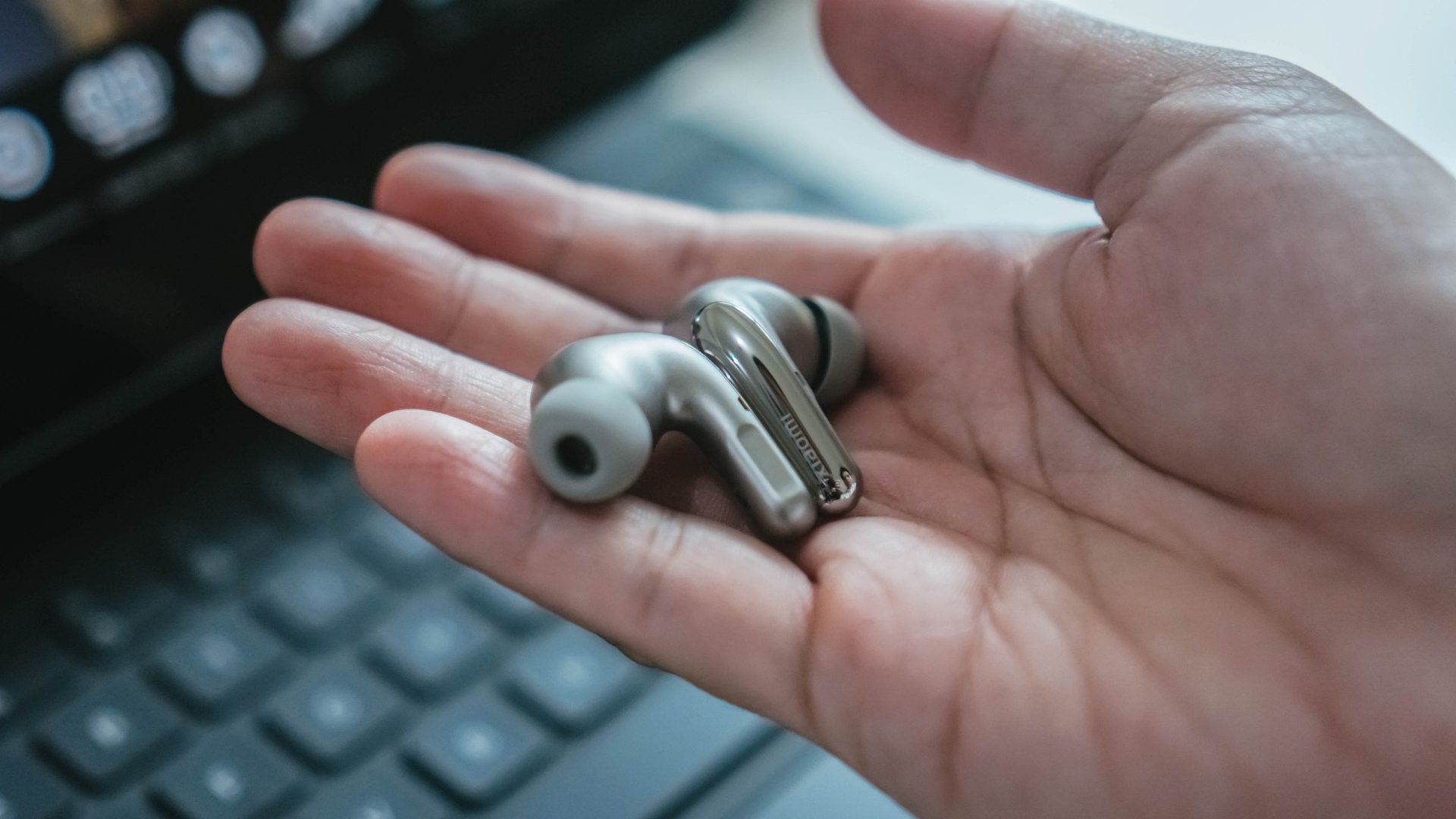
The earbuds themselves also follow the same premium feel of the case. Those most of the chassis, including the buds, are matte, the stems have a thin strip of chrome, accentuating how the earbuds want to subtly stand out from the crowd.
A comfortable fit for hours
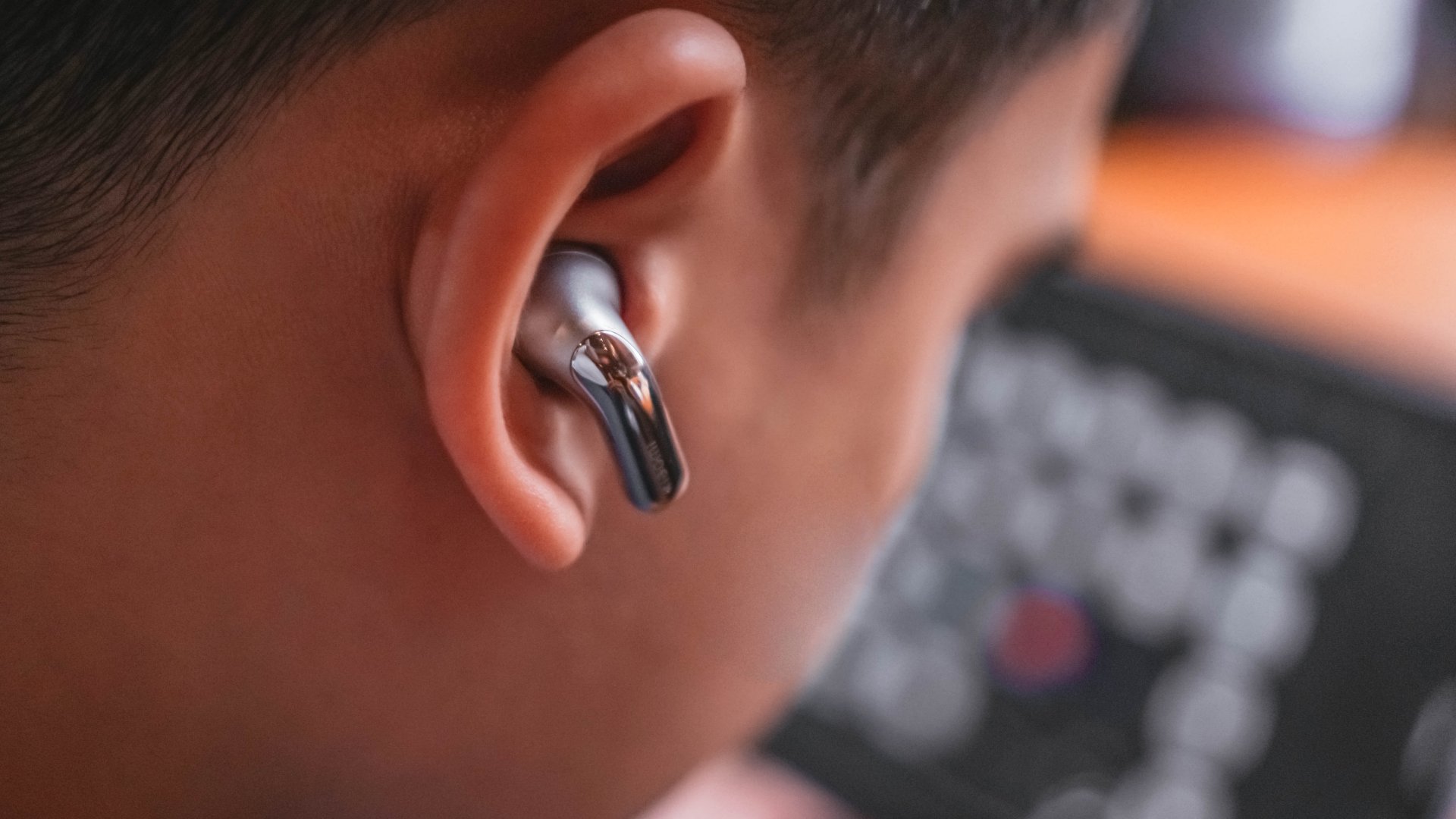
For me, the definition of comfort is forgetting that you were ever wearing anything in the first place. The Buds 5 Pro actually made me forget at one point. While I was on a flight, I had a moment where I was looking for my earbuds, not realizing that they were in my ears playing music.
These earbuds are incredibly light. They’re also comfortable enough to wear for an entire four-hour flight. Despite being in-ear, the silicone tips are soft enough to fit inside my ear with no problem. I never felt pressure welling inside my ear canal from having them on for extended periods of time. It also helps that the accompanying Xiaomi Earbuds app includes an ear fit test to ensure the perfect comfort.
Cut the noise
Now, having a comfortable fit in your ear usually means that the silicone tips aren’t tight on your ears. Despite feeling that way, the Buds 5 Pro delivers one of the most impressive noise cancellation systems I’ve tried in a pair of earbuds.
Besides flying in comfort, I also flew in relative silence. The earbuds can adequately cancel out the droning noise of the plane’s engine and other distractions inside. Right now, as I’m wearing the earbuds, I can’t hear my mouse wheel or my usually clicky mechanical keyboard.
Additionally, the app comes with a convenient slider to further tailor how much noise can get through in transparency mode. The entire mode itself is decent for commutes and travelling.
For a lightweight pair of earbuds, the Buds 5 Pro are surprisingly powerful when it comes to noise cancellation.

Not the best audio quality
And now, the moment I’ve been waiting for: How does the audio quality compare to my gold standard?
Unfortunately for Xiaomi, Sony is still king for me. The Buds 5 Pro lacks the breadth of a soundstage offered by its more expensive contemporaries. The sound does feel limited. However, the app does have a more virtual way to increase the soundstage. Off by default, the earbuds has two settings called Adaptive sound and Immersive sound. These two settings primarily increase the immersion of wearing the earbuds. It’s a unique experience that elevates the sound quality.
Additionally, the app has convenient presets for various uses and a handy equalizer for even more specific fine-tuning. For me, the two available Harman presets are enough to maximize the sound, but they’re not perfect. For a much better sound, you’ll have to rely more on the manual equalizer.
Pinch to use
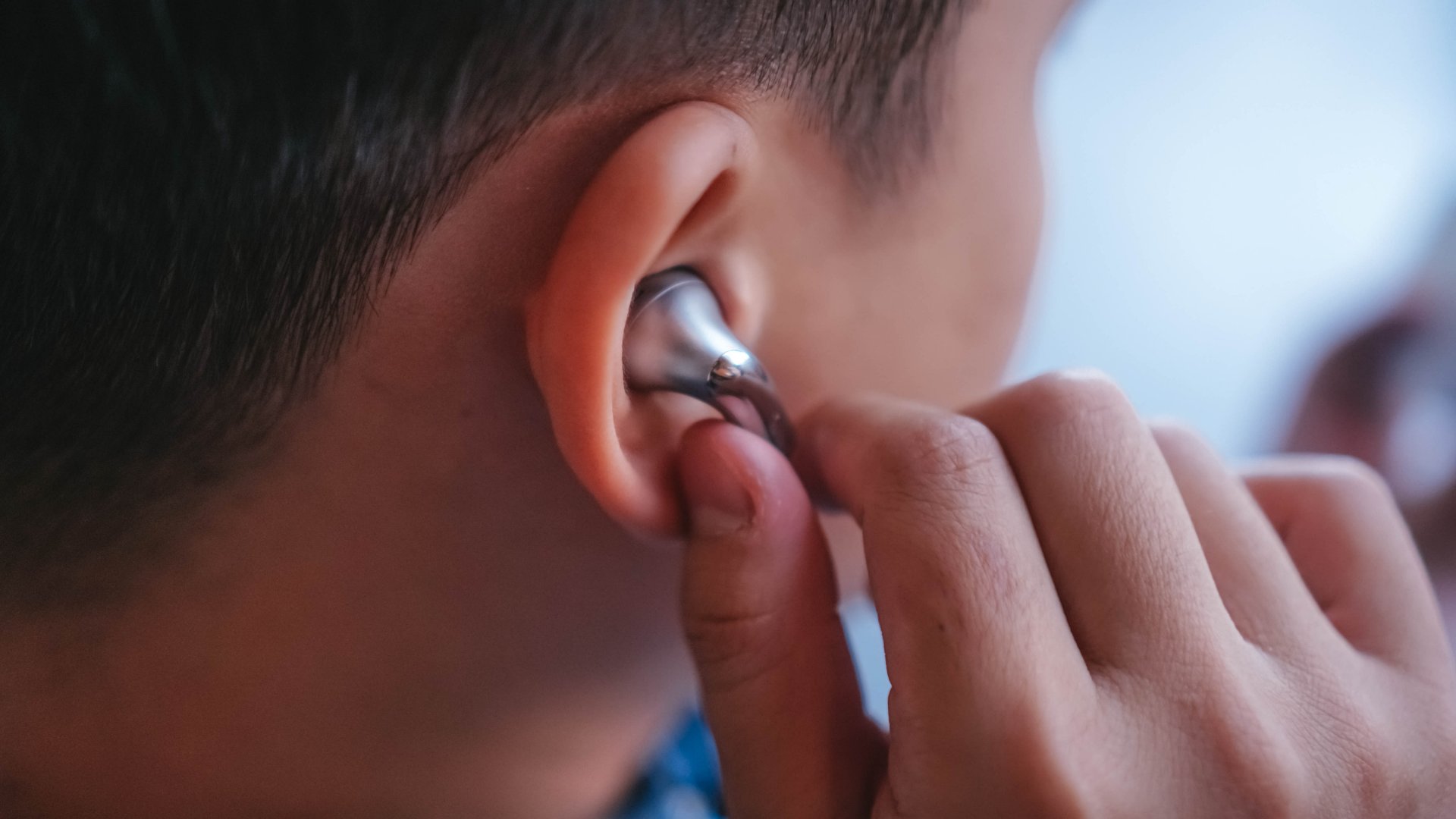
For additional functionality, the stems of the Buds 5 Pro feature gesture commands. Customized through the app, users can control the audio by tapping, swiping, or holding the stems. Besides audio, the gestures can also act as a makeshift shutter button for the camera.
On paper, I appreciate how much control we have over the gestures. However, in practice, squeezing the stems doesn’t feel as intuitive or easy to use. It took me a while to understand just how much pressure I needed to activate the earbuds. Even now, I still feel like I need to clamp down on the stems with pincer-like strength to turn the noise canceling on.

Enough for a four-hour flight
The battery is enough to get you through your travels. As I mentioned over and over, the earbuds survived through a four-hour flight. I still had 30 to 40 percent of juice after keeping them on for the entire duration.
That’s without the charging case too. Everything can hold up to 40 hours of playtime. After charging the earbuds with the case while deplaning, they were already ready to go again. Charging the case was also a breeze since it comes with wireless charging compatibility.
Is the Xiaomi Buds 5 Pro your GadgetMatch?
By themselves, the Buds 5 Pro feature a more technological mix of features, rather than focusing purely on audio quality. You’re getting one of the most comfortable and customizable wearables out in the market today.
Now, it does cost quite a bit, though. At EUR 199.99 (or approximately US$ 217), you’re looking at a pricey pair of earbuds. Is it worth the pretty penny? Ultimately, it will depend on what you’re looking for. Personally, I prefer a pair that delivers on raw audio, so this might be a pass for me. But I can definitely see the usefulness of the Buds 5 Pro, so I’m still keeping the wearables in my kit.
With that all said, it’s a Swipe Right for me. It’s not the best pair of earbuds I’ve ever tried, but the convenience and comfort are good selling points in their own right.







Why are some of today’s smartphones enamored with rear-mounted lighting systems? ASUS, Nothing, and Infinix all have recently released devices that show off with LEDs at the back. To me, a good number of these phones are either tacky or too gimmicky to be of any practical use. One, however, stands out as a true premium offering for the segment: the Infinix NOTE 60 Ultra.
Smartphone meets supercar
Designed with Pininfarina, the NOTE 60 Ultra subtly mixes the contours of a premium car with the curves of a flagship phone. The result of this pairing is an artistic piece that shines in its simplicity but also stands out in an industry inundated with over-large camera islands.
The rear offers a subdued carbon fiber pattern. The included case accentuates this even further in a tactile sense. Reminiscent of other premium phones, the metallic sides have the usual array of buttons and design quirks, except for a sparkling Pininfarina logo and an optical fingerprint sensor.
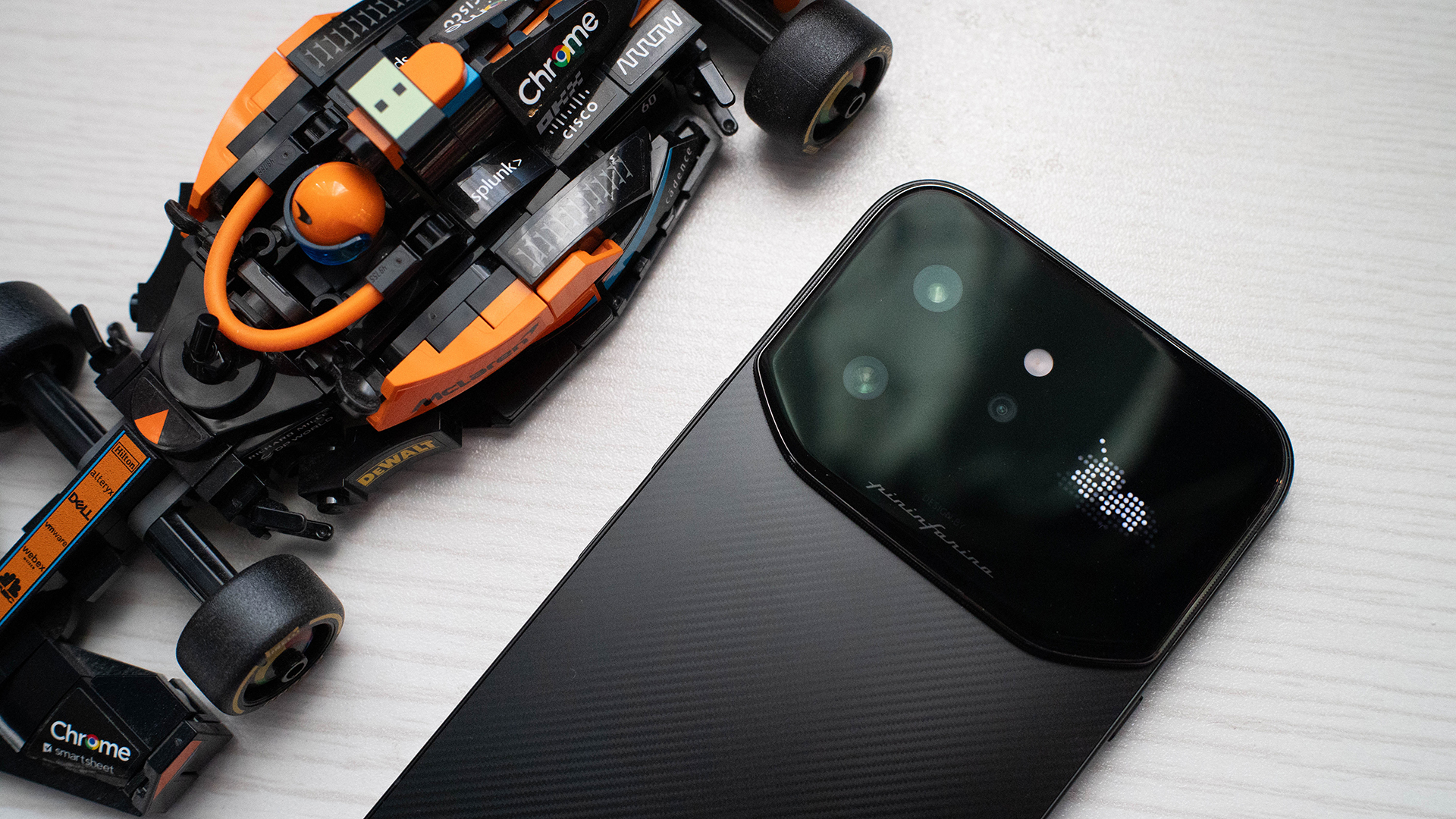
Meanwhile, the camera island embraces the current era by extending itself from end to end. A full fourth of the rear is enclosed in glass just for this area. It’s surrounded by pleasantly tactile grooves. The area itself contains the camera system, the Active Matrix Display (which we’ll get into later), and a floating taillight.
Overall, the NOTE 60 Ultra’s design is amazing in its uniqueness. I’m tired of the same-old. Infinix’s latest offering doesn’t break away from the ongoing tradition of over-large cameras but instead pushes the trend to its capacity without ruining its premium feel.
Active Matrix Display: Feature or gimmick?
The last Infinix phone I reviewed was the NOTE Edge. That particular midranger had the Active Halo Lighting, a simple ring that breathes in and out to signify notifications. Though the oddity was largely unobtrusive, I still thought that it was too much of a gimmick to be of any use to most users.
On the other hand, the NOTE 60 Ultra’s Active Matrix Display is something entirely new. Instead of just a notification ring, it’s an actual display. It also has a plethora of uses, including icons for notifications, a graphic for music playback, a quirky “screensaver,” and a few minigames.
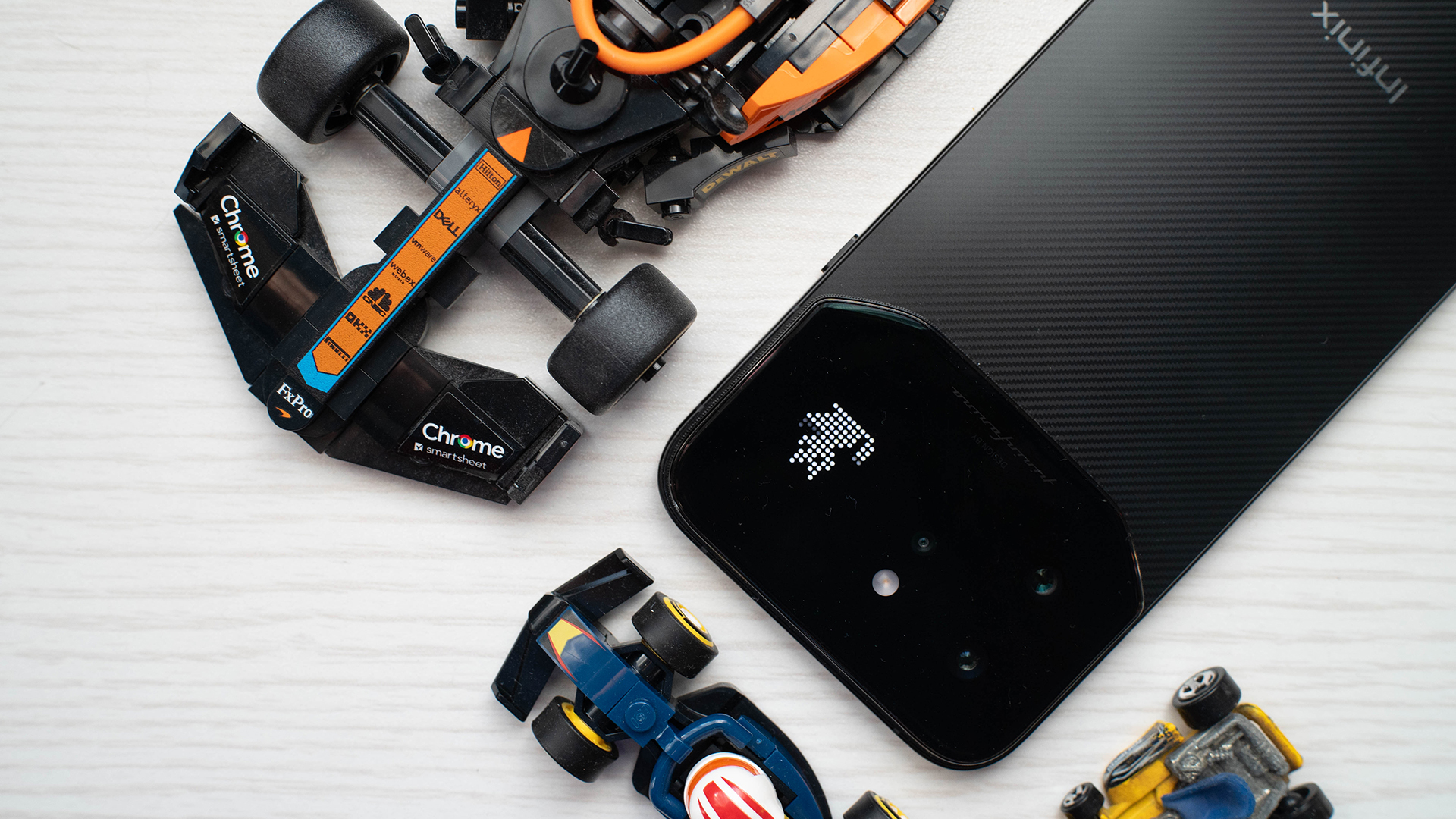
Just by sheer numbers, the Active Matrix Display feels more useful than most rear LED systems including my own Nothing Phone 3. Though there were still moments when I ignored the feature, there were more times when I engaged with the interface. The games weren’t difficult but were great ways to pass a few minutes of boredom. The light effect widget, which includes a few personas, looked visually interesting enough to be kept on all the time.
This doesn’t even include the aforementioned floating taillight yet. Much like the NOTE Edge’s Active Halo Lighting, this one breathes in and out. However, the NOTE 60 Ultra’s version is shaped like a car’s taillight and more effectively melds into the contours of the island. This makes it even less obtrusive than the Halo and adds to the phone’s premium feel.
I’m still on the fence about these lighting systems, but the NOTE 60 Ultra actually complements its design and offers something unique. For me, it’s the best version of this ongoing trend.
A set of peepers
The huge camera island isn’t just a gimmick; we’ve established that much with the Active Matrix Display. But besides the LED display, the island also houses a ginormous 200-megapixel Samsung ISOCELL HPE sensor, paired with a 50-megapixel Samsung ISOCELL JN5 periscope telephoto lens and a 112-degree ultra-wide camera.
Just on paper, this feels like overkill already. Do you really need a camera that can zoom in on your blackheads? Well, even if you don’t use the 100x zoom, the camera combination helps eke out so much more detail from moderately distanced subjects. Just take a gander at this bird I took.

The camera is also great at close subjects. It added so much juicy bokeh to focus on this flower. And it doesn’t look too artificial.

Wide-angle photos aren’t too bad, either. Personally, I’m not a fan of the format, but if you are, it’s a great shot.

Can we measure this in horsepower?
Under this supercar-slash-smartphone’s hood, you’ll get a Dimensity 8400 chipset from MediaTek. For all of its looks as a premium phone, the NOTE 60 Ultra misses out on a true flagship chipset. It’s still only a step behind, though.
It’s also adequate enough to play my HoYoverse vice of choice, Zenless Zone Zero. Though the phone put my settings under low to medium graphics settings by default, it had no complaints when I pushed everything to high at 60 frames per second.
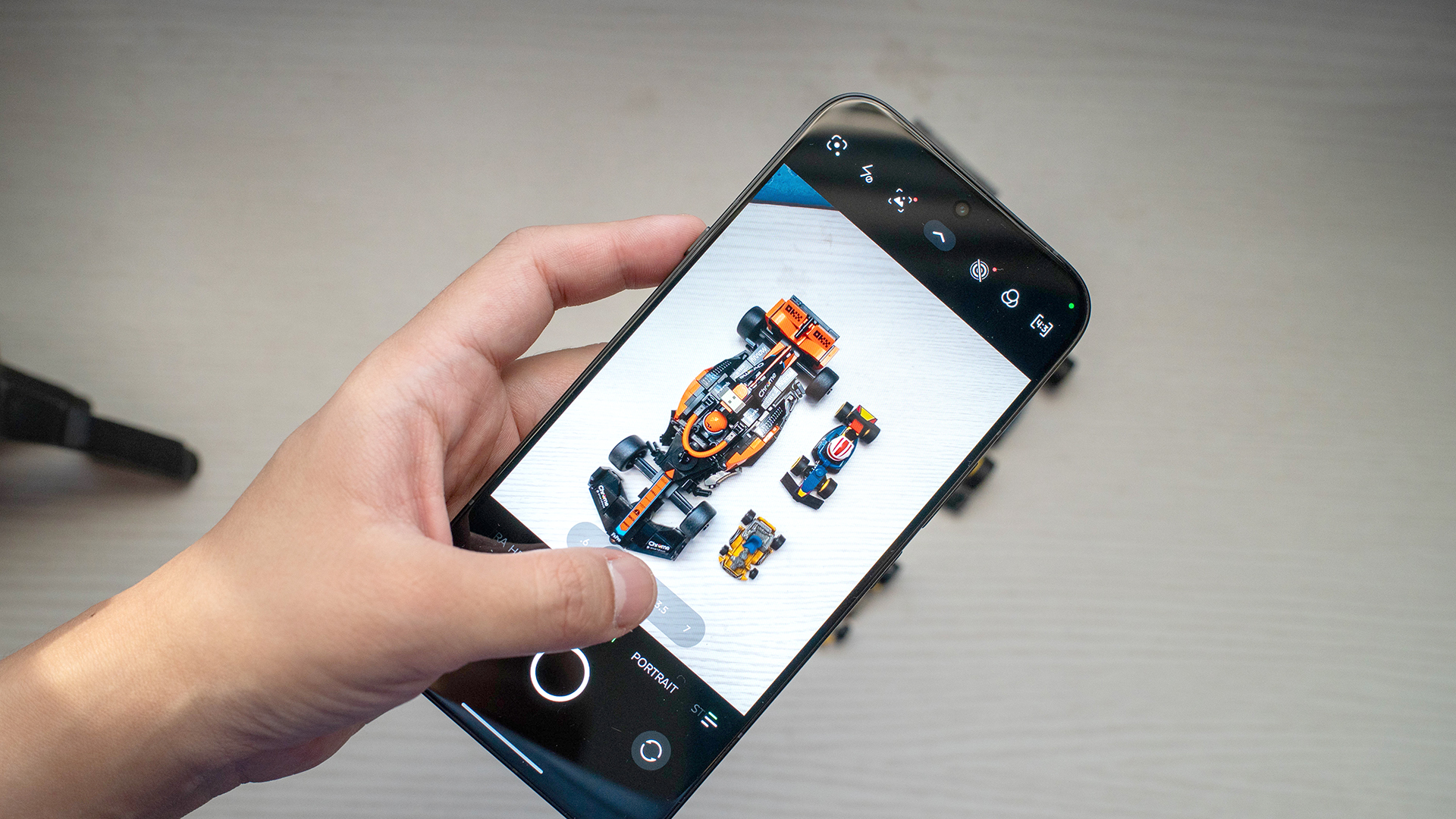
My only problem was the immense coverage area of the camera island. Because of how huge it is, no case can ever cover the island completely. So, when you hold the phone horizontally, your hands are making bare contact with the phone.
This is naturally terrible for smudges, but it also doesn’t protect your hands from the phone heating up. And it does heat up after around 40 minutes. Though this ultimately depends on how you use the phone, playing ZZZ for an extended period of time was scalding.
The NOTE 60 Ultra has all the capabilities of a true powerhouse, despite lacking a true flagship chipset. It just gets too hot for comfort. Maybe for the next iteration, this supercar can get some air conditioning.
Now Playing: Steel Ball Run
Jojo’s Bizarre Adventure wouldn’t have lasted seven seasons (or nine, if you count the manga) if it weren’t a good series. Having read the manga, Steel Ball Run, the seventh part, is my favorite one, and it’s finally getting an anime adaptation.
It’s apropos that I’m watching a racing anime on a motorsport-themed phone. With the NOTE 60 Ultra’s 6.78-inch 1.5K Ultra HDR display, Gyro Zeppeli bounces to life in full color. Every character — Johnny Joestar, Diego Brando, Sandman, and Pocoloco — looks amazing in the anime’s signature style. It’s less shadowy, more vibrant and smoother.
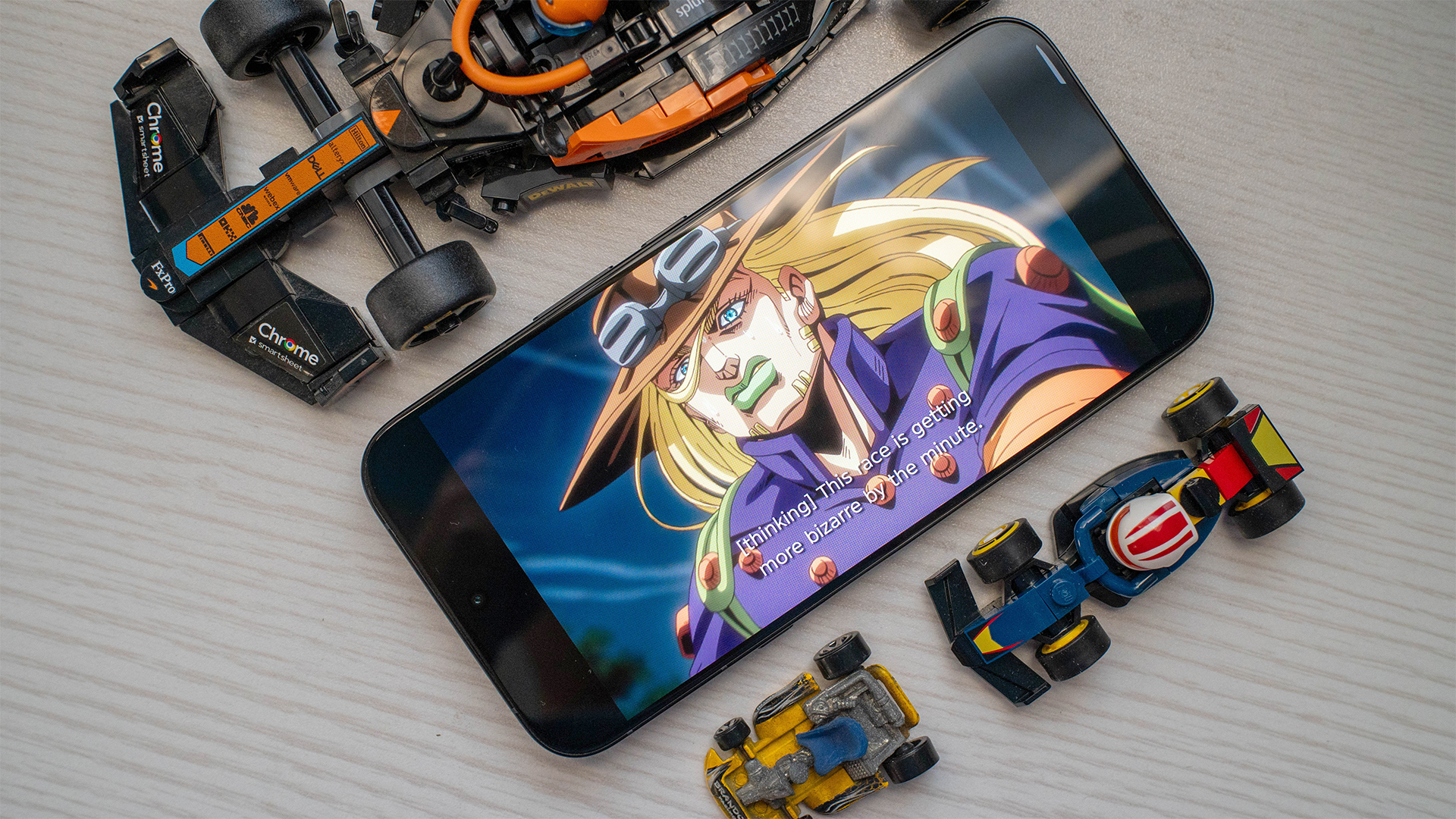
Hearing Gyro’s signature “Nyo-ho!” was likewise great. The phone’s JBL-tuned speakers made it seem like I was holding my own mini cinema.
It was a bonus treat that the first episode was double the length of a traditional one and included everything in the first leg of the race. Unfortunately, the second episode still doesn’t have a schedule. Plus, who knows if the second “batch” will include more than just one episode? Netflix has been atypically cagey with this release.
Finally, some good mileage
The NOTE 60 Ultra has an impressive 7000mAh battery. A single hour of ZZZ used up only 18 percent of the battery, despite being on the highest possible settings. Following this trend, it took four hours with the game up before the battery dropped to concerning “I need to find a charger” levels, which was around 25 percent to me.
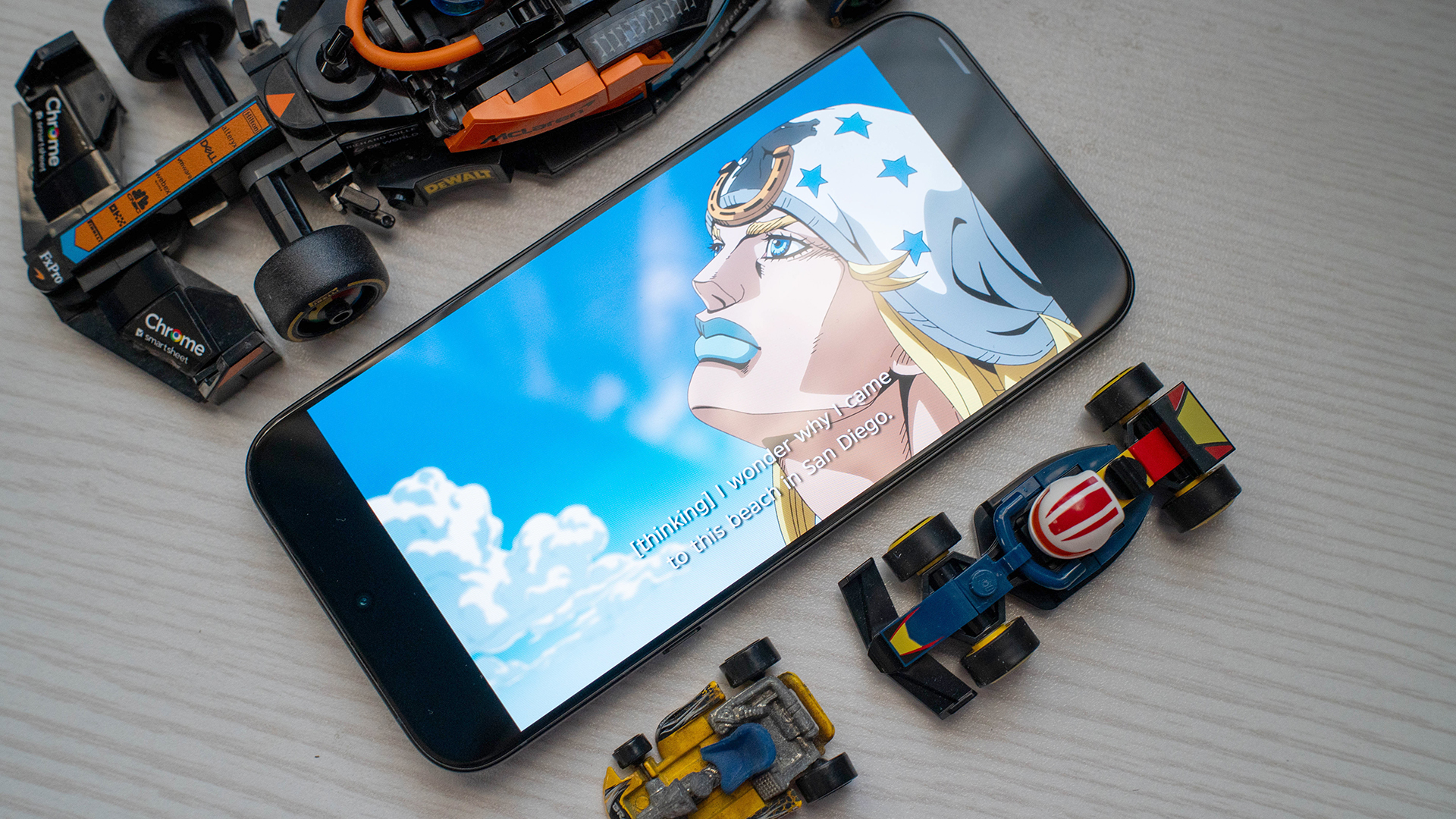
There was no reason to worry at all, though. The battery has spare juice left in the tank even if it’s low. It took an absurdly long time to completely drain the battery from 1 percent. I even turned ZZZ on again to speed things up, but it still lasted around 30 minutes on a single percent.
Because of how big the battery is, it also supports 100W wired charging. To be transparent, I don’t have a 100W charging brick, but I do have a 90W one. It took me 1 hour and 6 minutes to fill the tank from empty. If you’re not particular with filling the battery to full, a short 7.5-minute charge was enough for 10 percent.
Midrange software inside a premium package
When I buy a premium phone, I expect a premium-looking phone when I power it up for the first time.
To be fair, the interface’s custom theme does exude an expensive-seeming feel. However, it prioritizes being thematic over being functional. This isn’t something I expect from a flagship. To me, a flagship should have the easiest interface to use with no bloat or unnecessary frills.
Infinix’s XOS is blatantly unused to the flagship segment. The interface has rolls of suggested apps and games that clutter the home screen. It also has a bunch of pre-installed apps (like Facebook, Instagram, TikTok, and Shopee) and proprietary software.
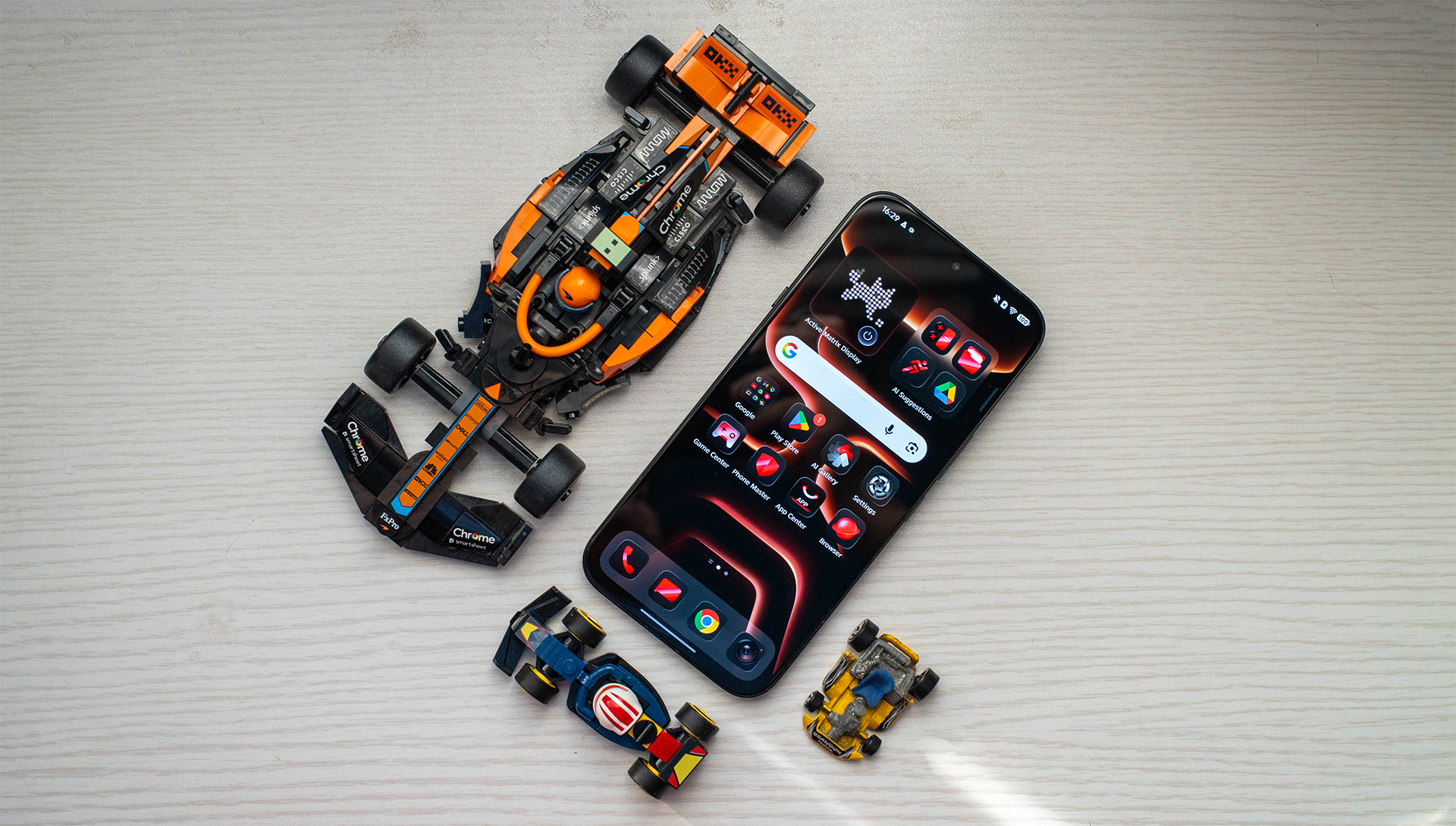
This was the same problem I had with the NOTE Edge. Since it’s a midrange phone, it was a lot more forgivable, though. After all, that much bloatware usually lets the brand price their lower-end products more competitively. That shouldn’t be the case for flagships.
There is some leeway because it’s Infinix’s renewed shot at the premium flagship market, but hopefully it’ll be fixed in the second go-around.
Is the Infinix NOTE 60 Ultra your GadgetMatch?
For a flagship product, the Infinix NOTE 60 Ultra is a worthy try. It looks and feels premium out of the box. However, the brand clearly has some work left to do on the inside. It’s a tiny step behind on performance, and its interface doesn’t reflect the advertised flagship status.
Still, it’s a Swipe Right if you’re looking for the best version of over-large camera islands today. The NOTE 60 Ultra’s design philosophy should be an inspiration to today’s trends. Indeed, it’s a supercar packed into a smartphone.
However, Swipe Left on this phone if software is just as important to you as a phone’s looks. Though it’s strong enough to perform like a flagship, the phone’s operating system makes it harder to use than most of its contemporaries.
Lifestyle
JBL Sense Pro review
My daily driver met a loud and capable rival in this quest for a superior training companion.

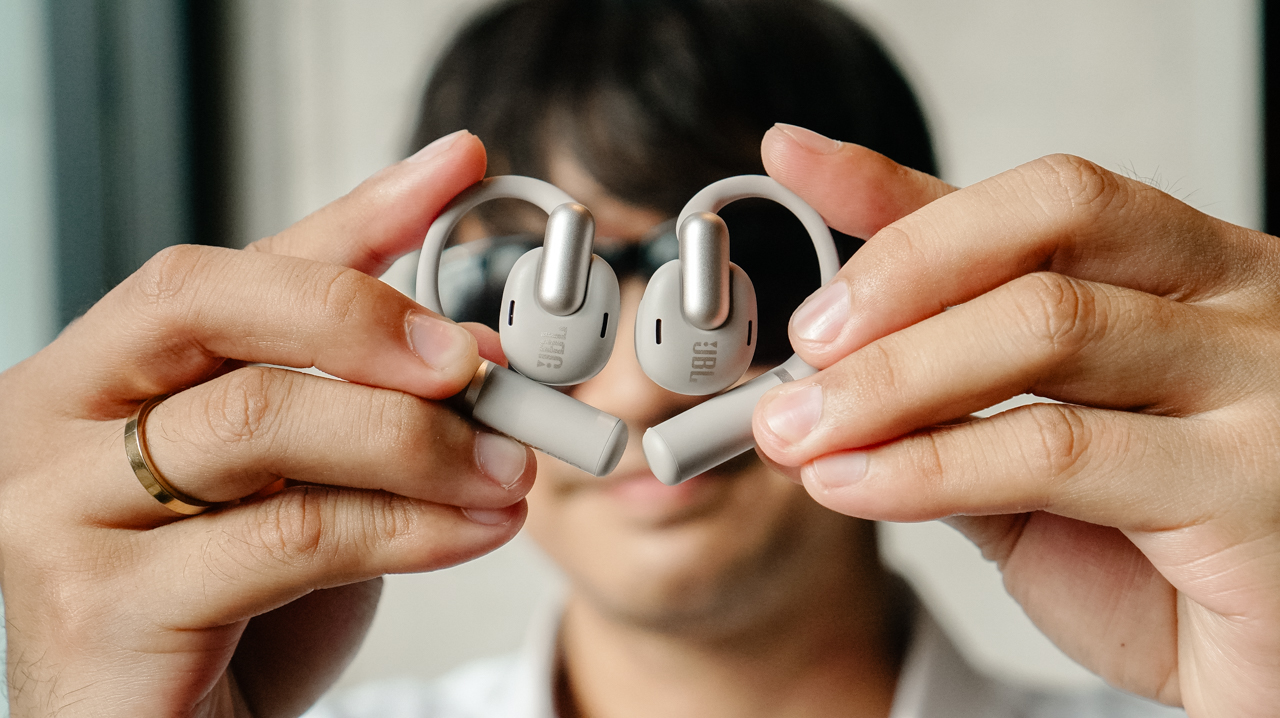
I consider my relationship with my workout gear to be a very serious, long-term commitment.
I’m a creature of habit when a product truly understands my everyday life. For the past year, I have depended on my Shokz OpenFit 2+ as if it were a physical extension of my morning.
When I lost my original pair, I didn’t even browse for alternatives before I secured a replacement. I knew exactly what worked for my ears and my life.
When the JBL Sense Pro arrived, it didn’t feel like a necessity so much as a very expensive curiosity.

I wanted to see whether the “Pro” label could actually offer more than the weightless comfort I already loved. I decided to treat this as an essential research project into whether my standards could actually be raised.
Weight of a secure fit
I find that gear often reveals its true character at the exact moment I am negotiating with my willpower to finish a final rep.
This is the time when I realize if my earbuds are truly supporting my ambitions or if they are simply getting in the way of my progress.
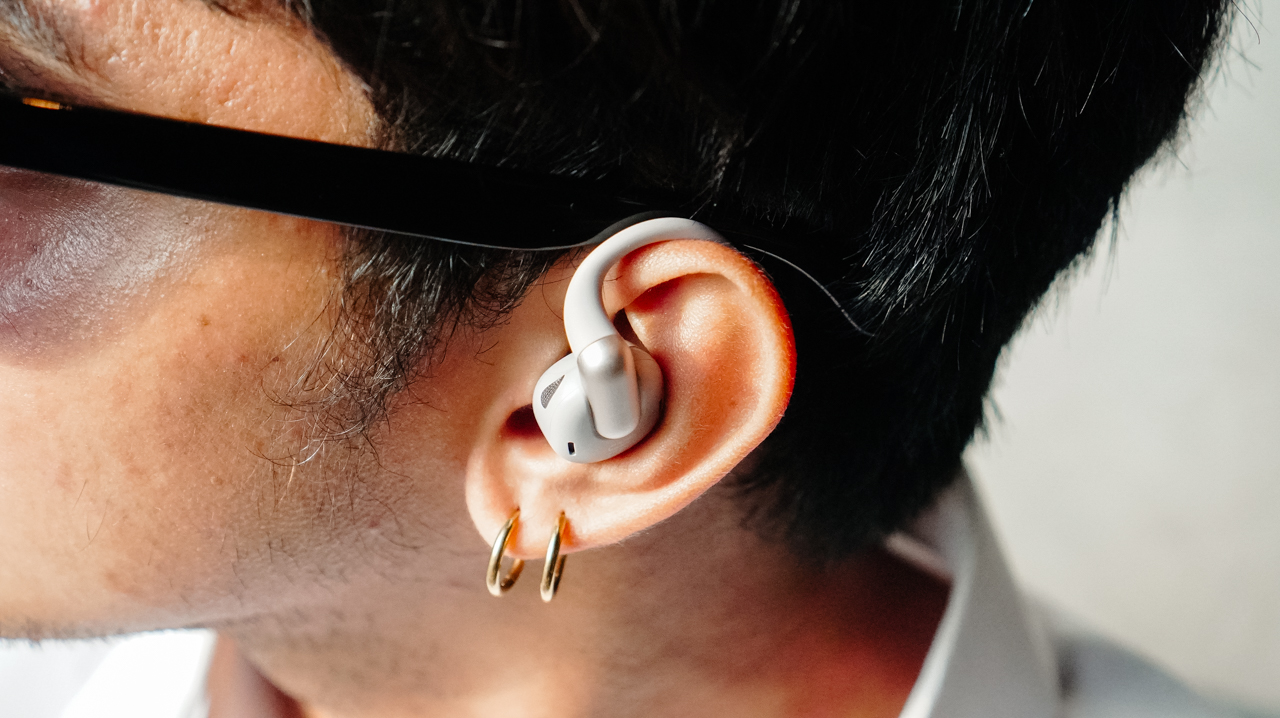
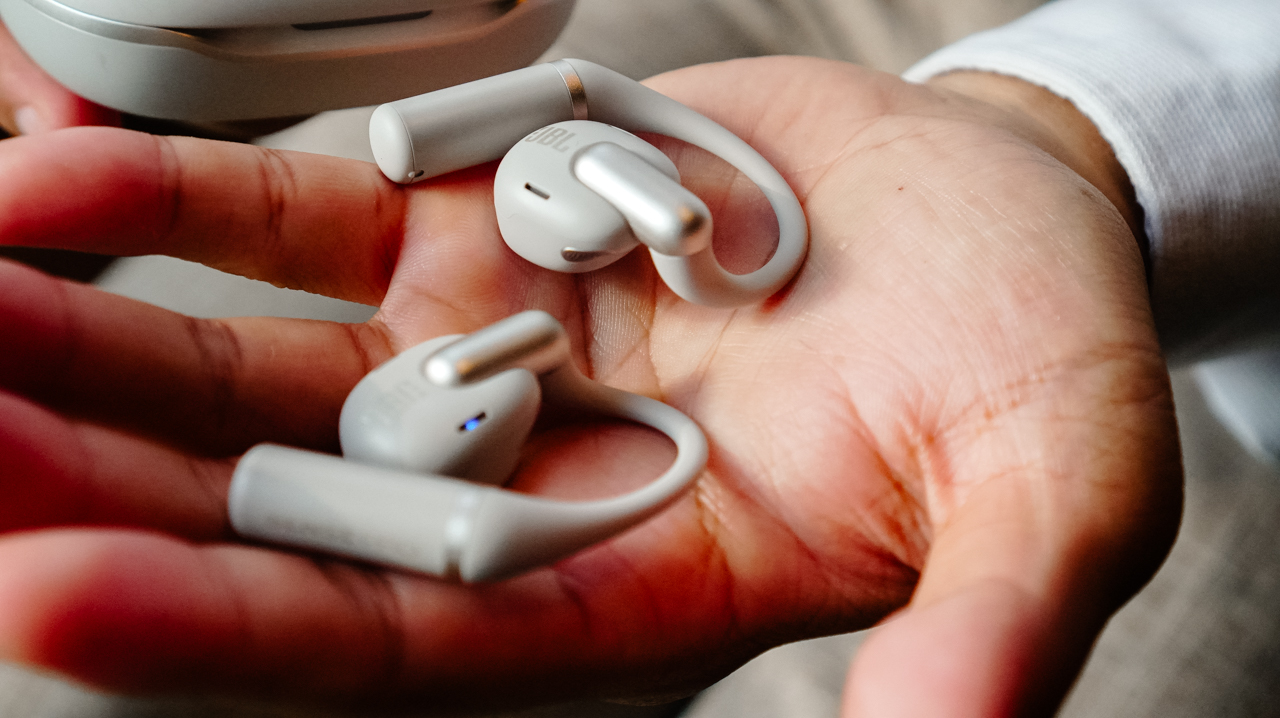
The JBL Sense Pro surprised me with its 20-degree adjustable hinge. During a light warm-up, the fit sits relaxed on my ear and feels remarkably airy.
However, when I transition into high-intensity movements like box jumps or plyometric exercises, I instinctively click the buds closer to my ears to ensure a tight grip.
The titanium memory wire wraps around the ear with a firm security that avoids the suffocating pressure I often feel with standard in-ear buds.
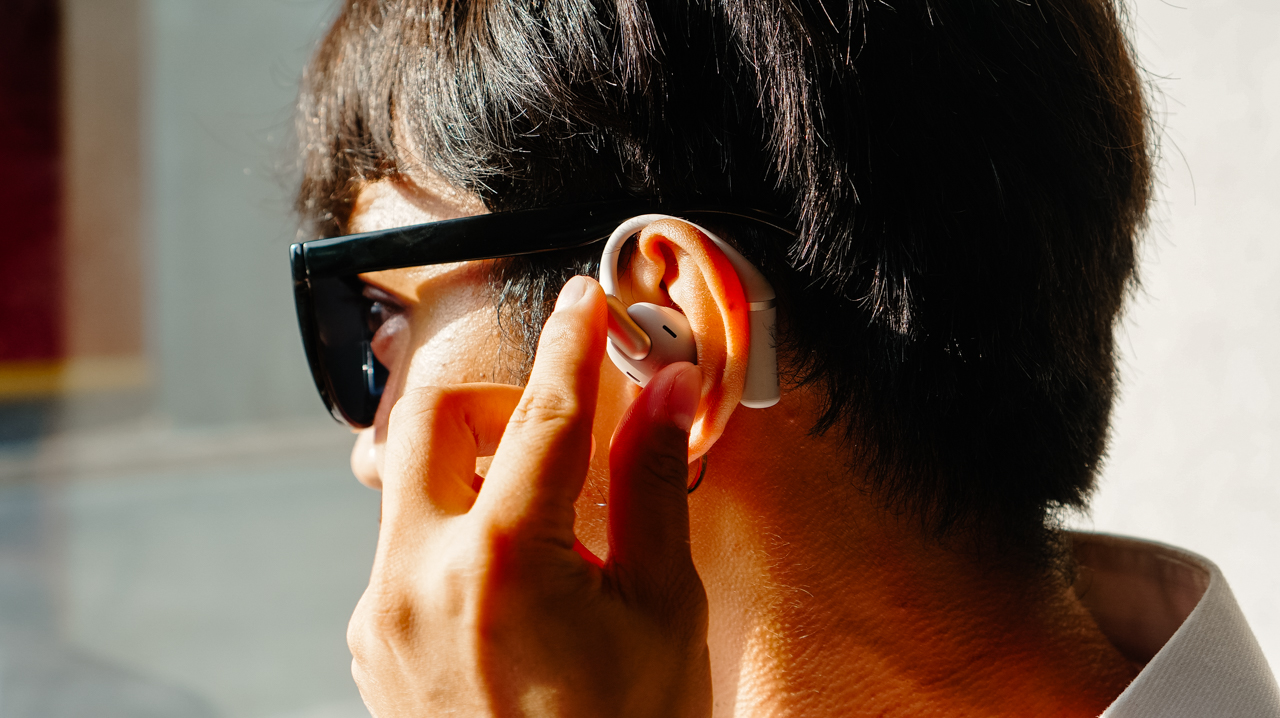
Even with that clever hinge, the presence of the device remains noticeable to me. After an hour of movement, I begin to feel the weight of the buds sitting against my skin.
Unlike my Shokz OpenFit 2+, which disappears even during long sessions, the JBL Sense Pro reminds me that it’s there.
I find myself adjusting the buds in between my sets to keep it snug, which is a small interruption I never experienced with my Shokz or even my previous Xiaomi OpenWear Stereo.
Soundstage for my private performance
Open-ear audio is usually a lesson in compromise where I expect to trade deep bass for environmental awareness.
Most music sounds thin and distant in these designs, which is why I was skeptical of the performance claims.
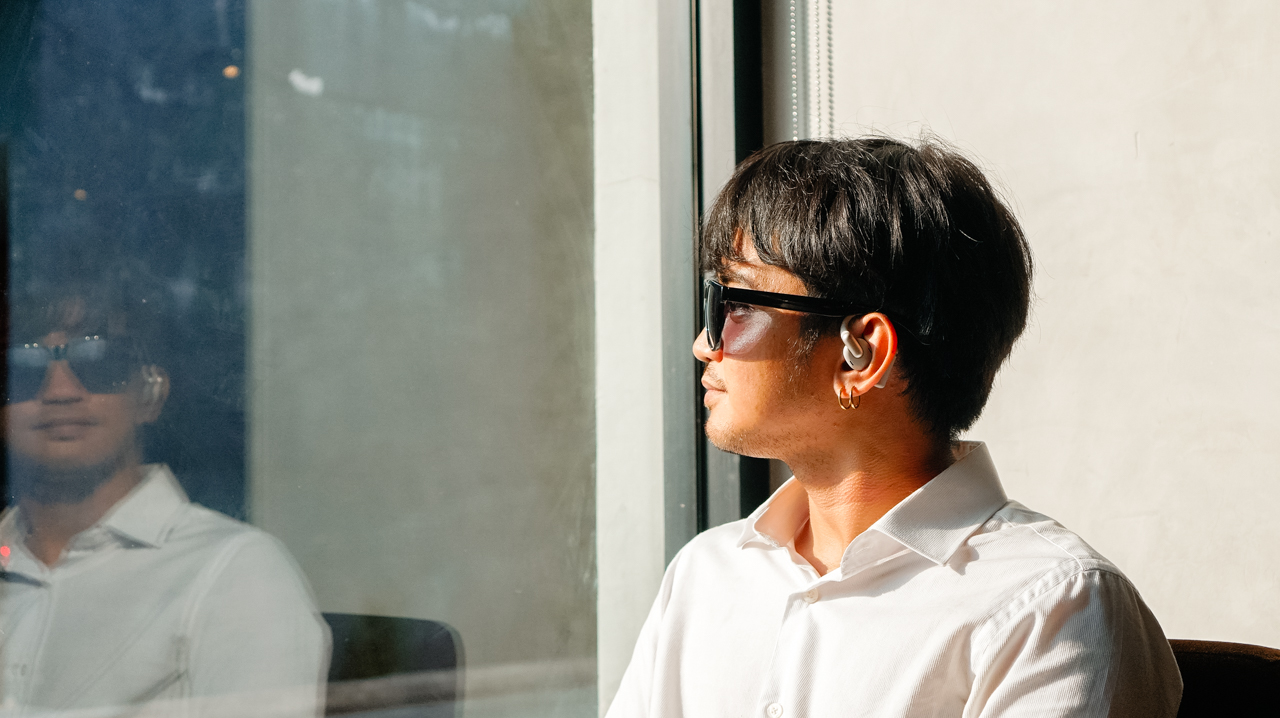
JBL is known for bass, and the 16.2mm drivers combined with LDAC support ensure the sound carries a level of authority I did not expect. The audio feels full and lush even when I am running on a busy street with heavy traffic.
The adaptive bass boost compensates for the wind and noise in real time so my power songs, specifically “Breaking Dishes” by Rihanna, never lose their emotional impact.
I appreciate hearing the full range of a track while remaining completely aware of the world around me.
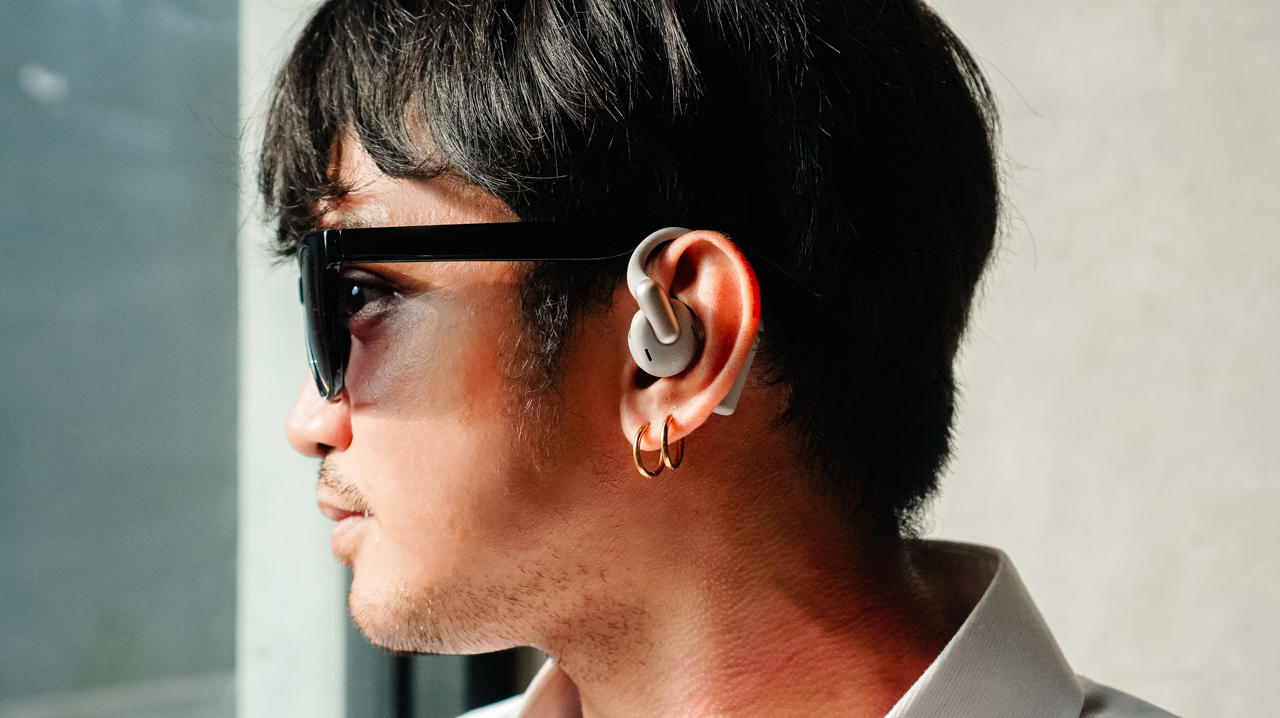
The spatial audio feature turns a standard gym session into something that feels like a professional sports film shooting.
It creates an atmosphere where the music feels like it’s following me from one weight station to the next rather than just playing in my ears.
One thing I did notice is the occasional static during my tests, which served as a tiny reminder that I was dealing with a complex piece of technology rather than a seamless part of my body.
Technology that understands my hustle
The real value of a professional device lives in the features I don’t see… until I actually need them.
For the Sense Pro, the bone vibration sensor is that essential investment. It sounds quite technical until I have to take an urgent client call while I’m huffing and puffing on the treadmill.
Instead of relying on microphones that catch every gust of wind, the sensor reads vibrations from my jaw to ensure my voice remains clear.
My Accounts Team was actually surprised to learn that I was running during our last meeting. They didn’t notice the gym environment at all when I told them I would send the presentation deck after my workout.
The sensor understands my voice even when I am in the middle of a busy setting. That said, its battery life supports my busy schedule without requiring constant attention.
The 38-hour total capacity means I can go an entire week without looking for a charging cable. Meanwhile, the quick-charge feature provides four hours of playback from just ten minutes of charging, which is my ideal safety net for those mornings when I’m rushing out the door.
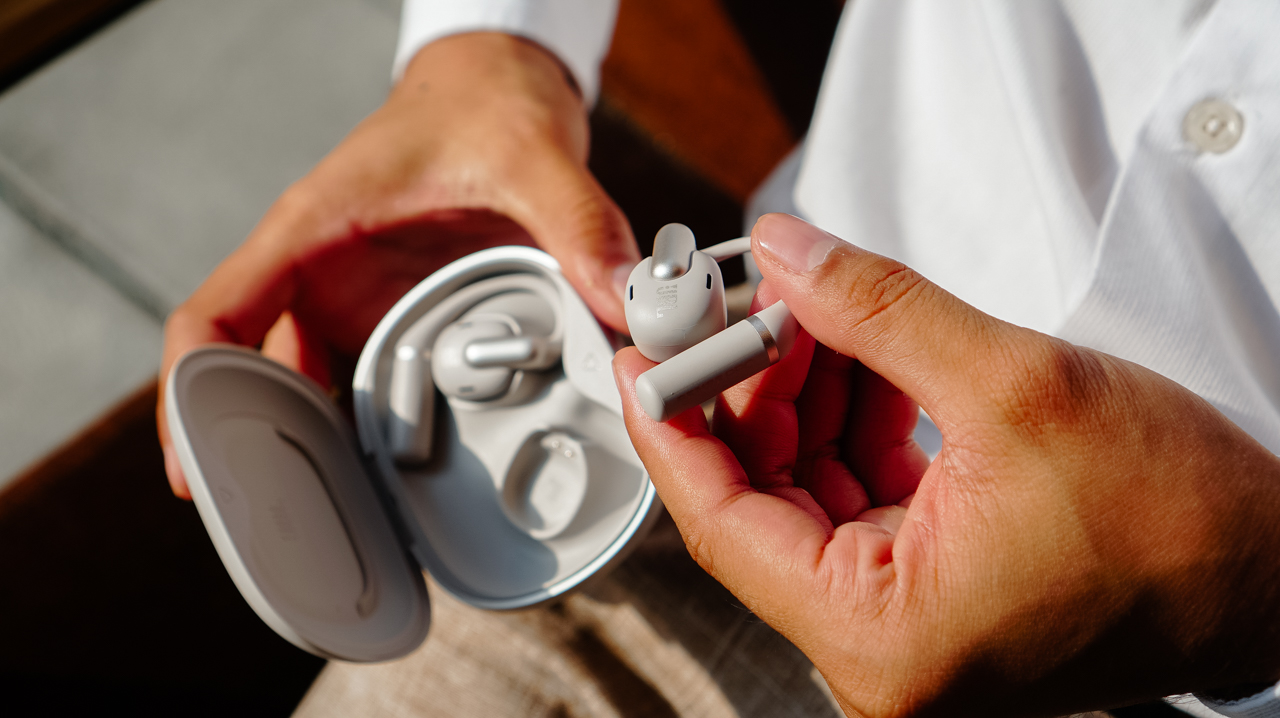
On top of that, I can easily monitor my juice through the JBL Headphones app along with the various settings I like to tweak.
Is this your GadgetMatch?
The JBL Sense Pro is a serious piece of equipment for those who need their audio to perform in loud, chaotic environments.
It offers a richer sound and better call quality than almost anything else I have tried in the open-ear category.
However, it cannot quite match the weightless comfort that makes the Shokz OpenFit 2+ (or the cheaper Xiaomi OpenWear Stereo) so easy to live with day after day.

Swipe Right if you prioritize deep, immersive audio and need a secure, adjustable fit for explosive workouts. It’s a good choice if you take frequent professional calls outdoors and want a battery that can keep up with a high-performance lifestyle.
Swipe Left if you have sensitive ears and want a weightless, invisible feel for long hours of wear. If you already own Shokz or Xiaomi’s Open-ear wearables, you might find the JBL feels a bit too present for a routine that you might have already perfected.
The JBL Sense Pro retails for PhP 9,599 and is available in official JBL stores and authorized retailers.

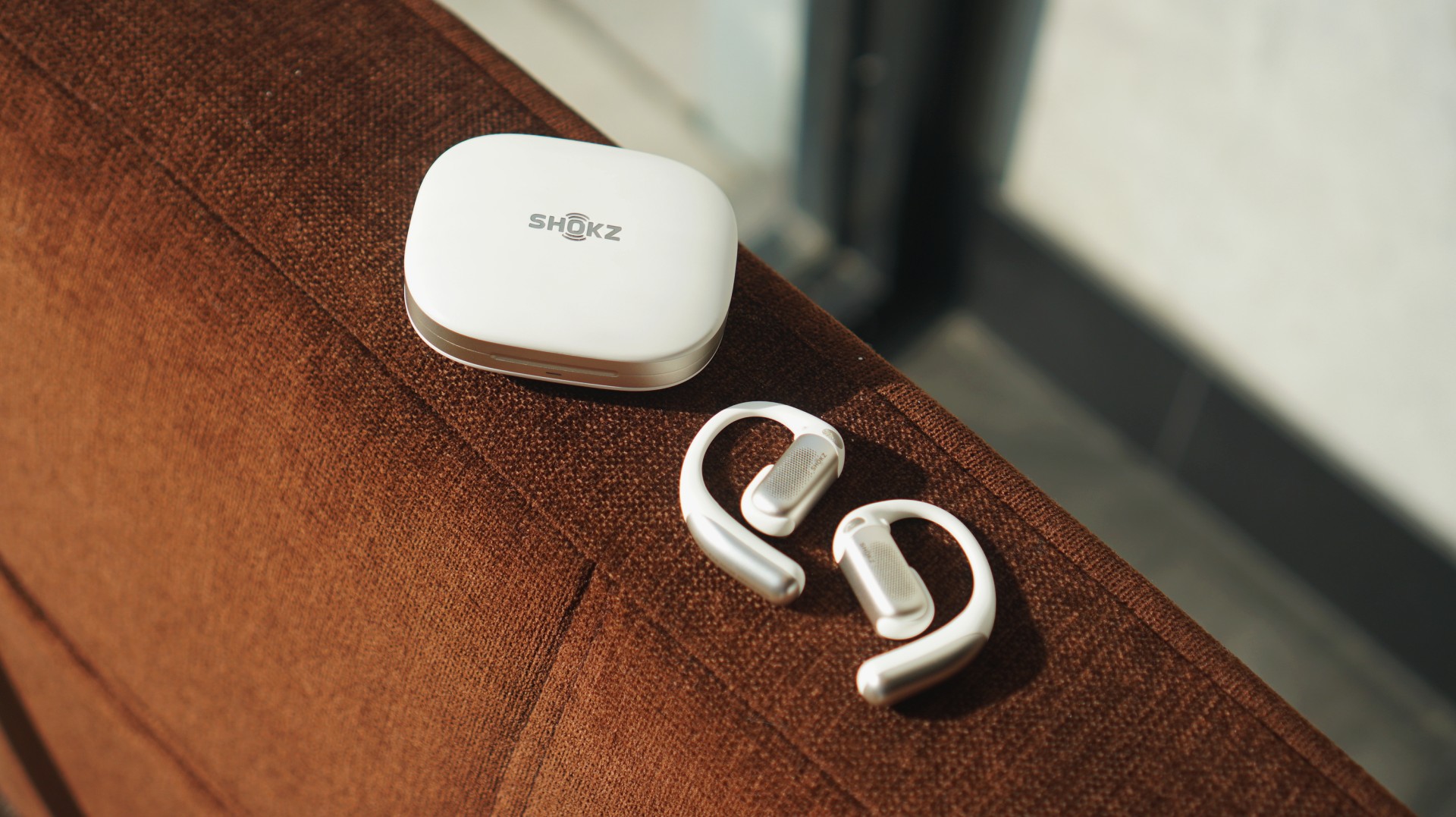
Somewhere between “stay aware” and “tune things out.” That’s exactly where the Shokz OpenFit Pro lands. It didn’t fully make sense to me at first. But after about a week of using it almost everywhere, it started to click.
First impressions: familiar, but better
For context, I’ve only used a couple of open-ear options before — the HONOR Earbuds Open and the Shokz OpenDots One. I also heard from a colleague that “Pro” versions tend to feel heavier.
That wasn’t my experience here.
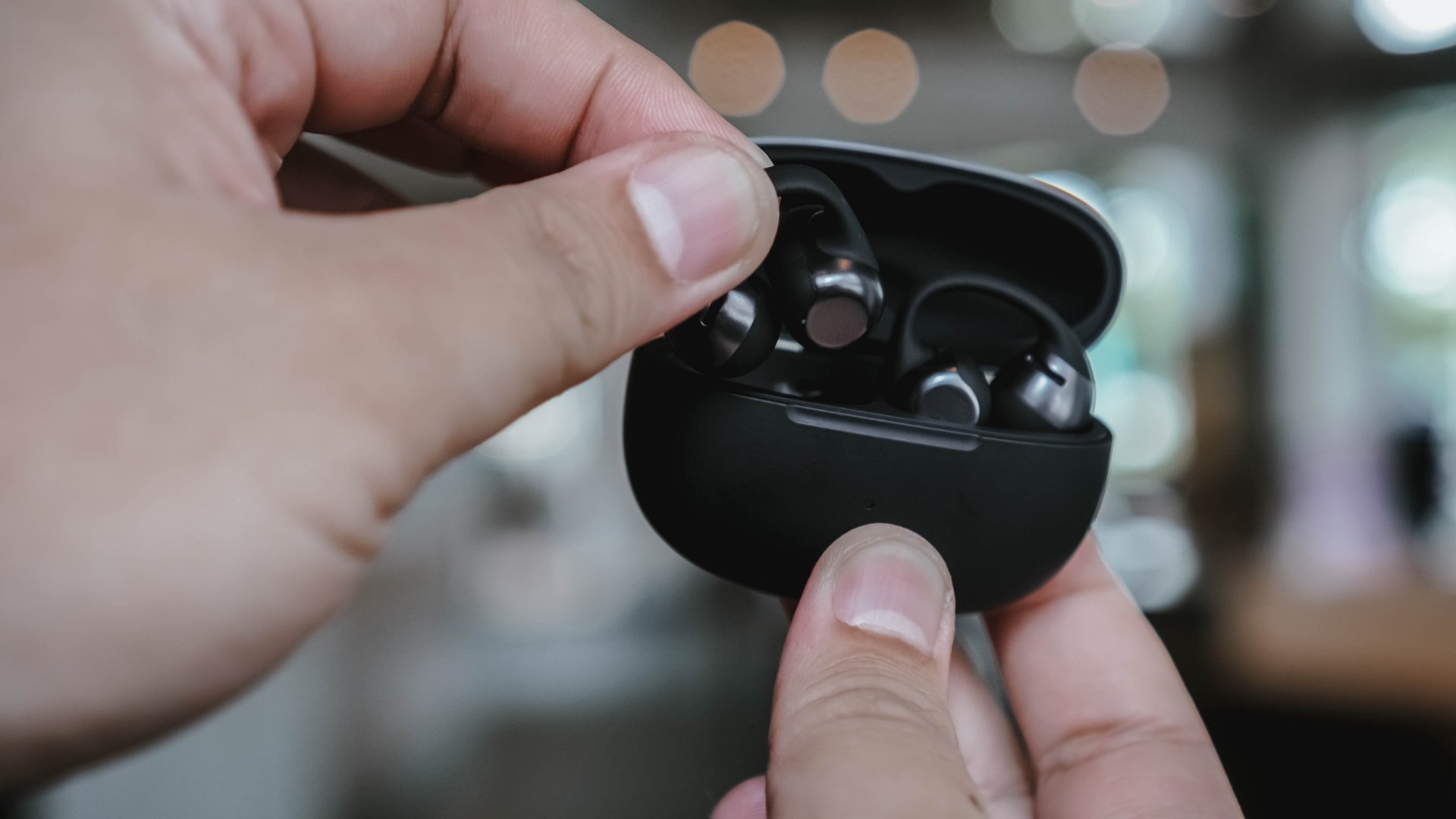
The first few minutes with the OpenFit Pro felt just right. Not too heavy, not awkward. Just… there. In a good way.
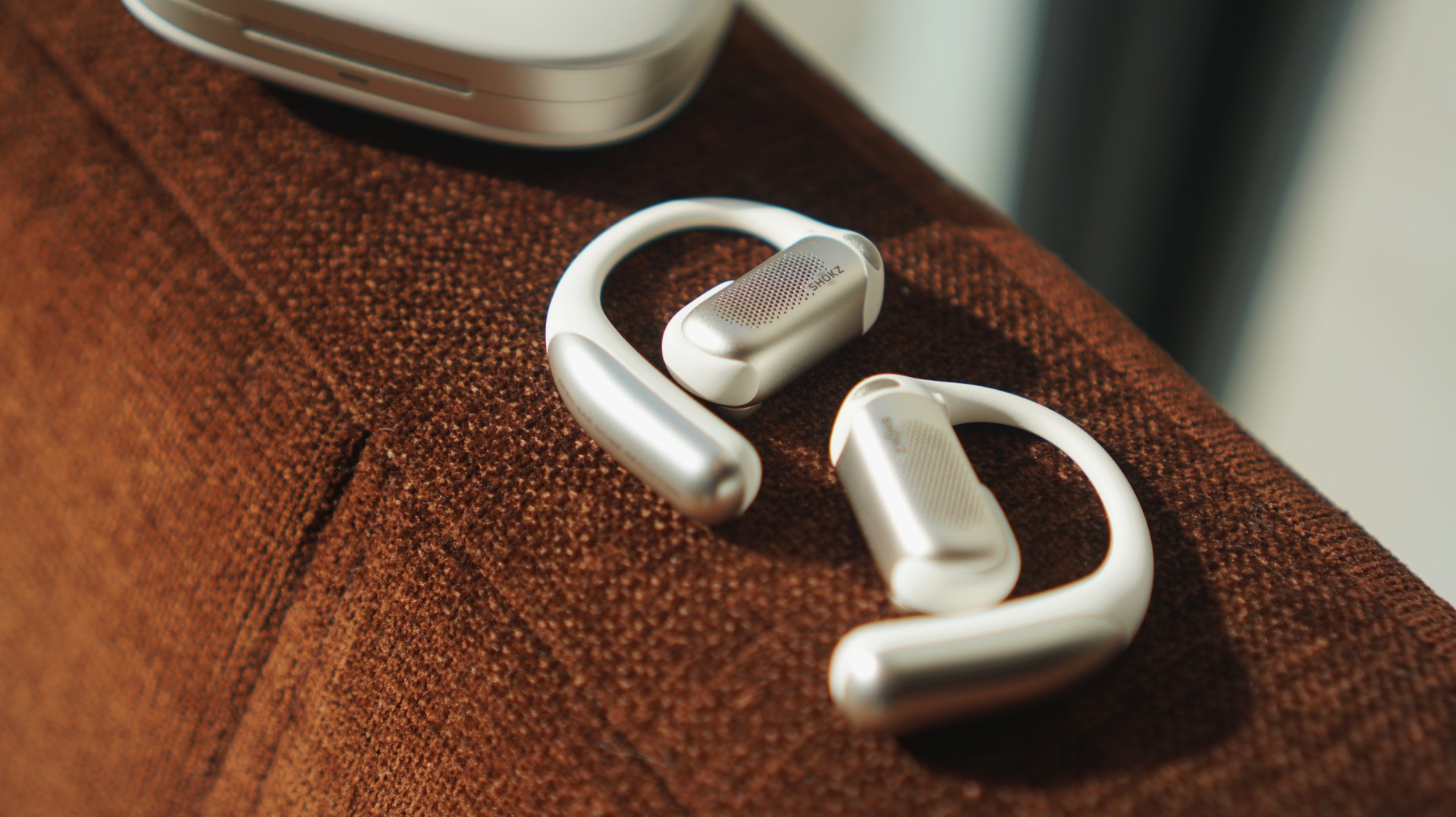
What stood out more immediately was how visible they are. These aren’t the kind of earbuds that blend in or pass off as accessories. If someone looks at you, they’ll know you’re wearing earphones.
And then there’s the sound.
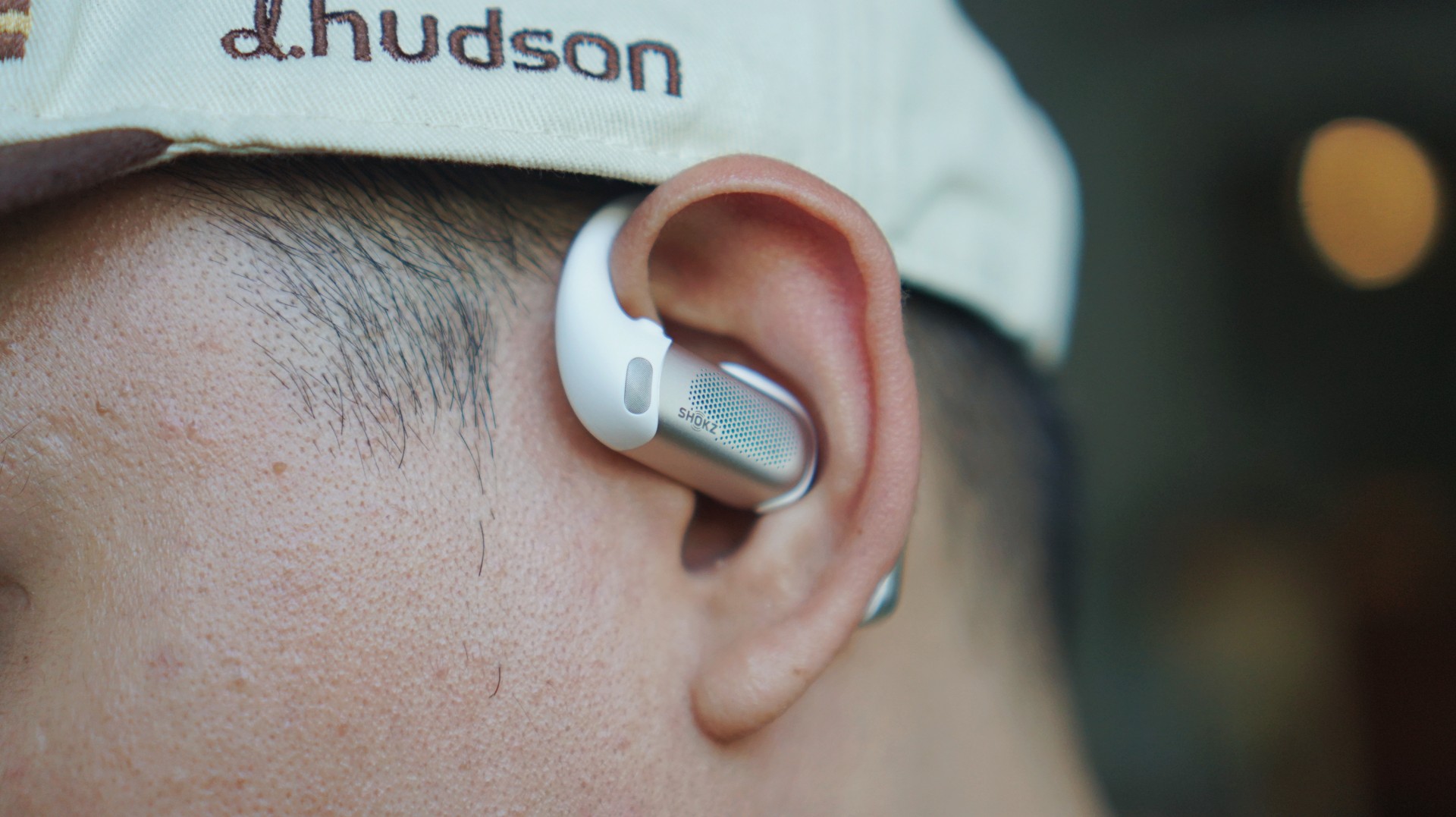
I could immediately tell they were better than both the Earbuds Open and OpenDots One. That was the first real “okay” moment.
It just fit into my day

Since unboxing, I’ve kind of just been using the OpenFit Pro everywhere.
I worked at a café for about four hours with it on. Took calls — both work and casual. Wore it while walking around.
In the week or so that I’ve used it, it felt appropriate in pretty much every scenario I found myself in. Mostly casual ones, but still.
There are moments where I’d still reach for something like the OpenDots One — especially when I want something more subtle, like at events or even on a date.
But lately, I’ve been picking up the OpenFit Pro more. Mostly because of the sound quality and the flexibility you get with the noise reduction options.
The kind of sound that lets you sit in it
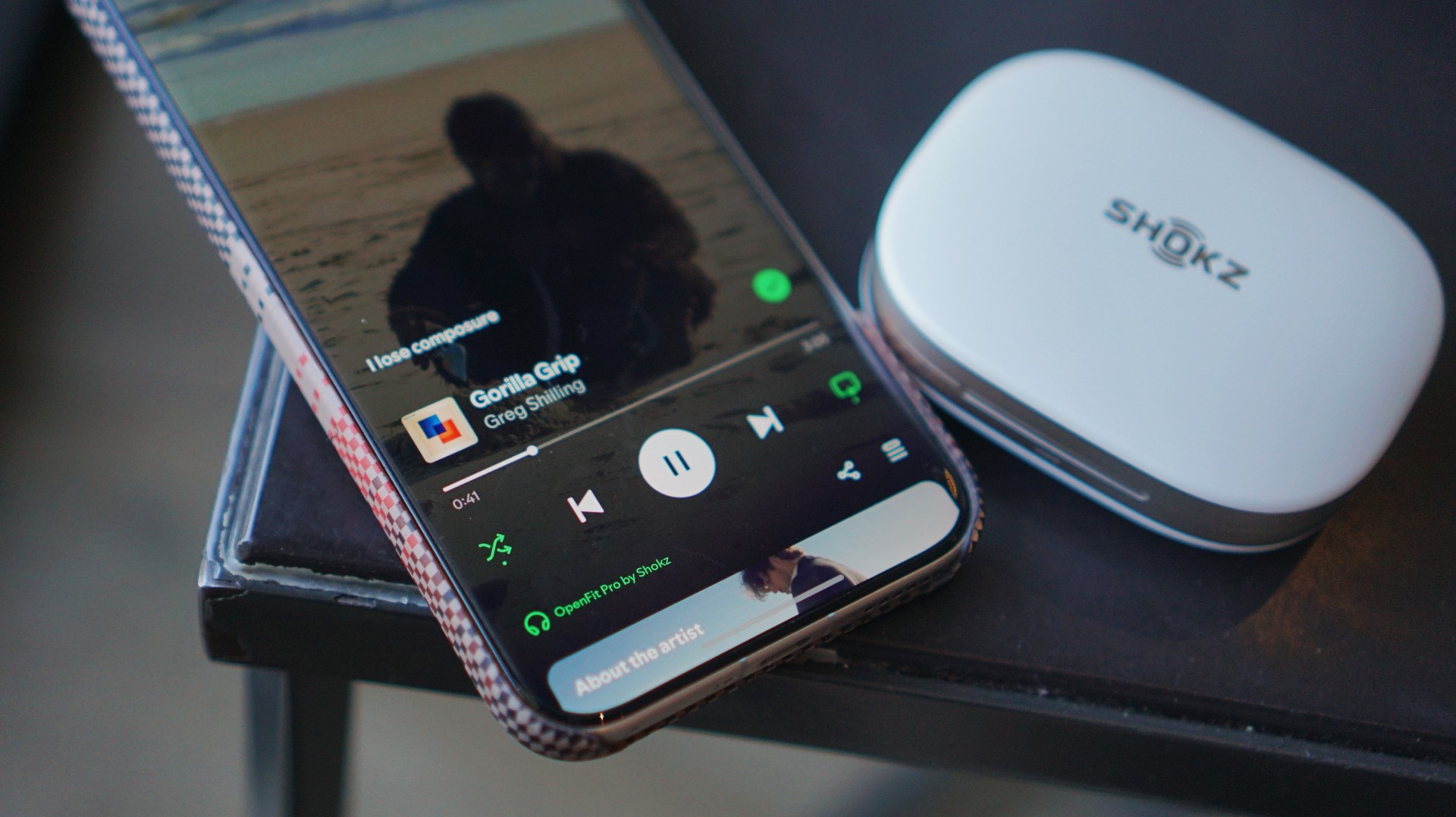
I’ve been stuck on a single playlist lately — a mix of chill neo soul and indie pop. Tracks like “Gorilla Grip” by Greg Shilling and “Psychosomatic” by Azkal. That’s been my vibe and the OpenFit Pro fits right into that.
At this price point (PhP 14,990 / USD 249.95), I expected it to sound good. Thankfully, it does.
The sound is clean, clear, and crisp. That’s really the best way to describe it.
Bass doesn’t hit you in a physical, “thumpin’” way, but it’s present. It rings. It sits where it should.
I usually test with “Turn It Up” by TWICE and “Summer Romance (Anti-Gravity Love Song)” by Incubus, and both come through nicely.
What I appreciated most is how easy it is to isolate sounds in your head. If you’re the type to mentally pick apart layers in a track, this makes that easy.
Dolby Atmos adds another layer to that experience. Tracks like “Sobakasu” by Judy and Mary and “⅓ No Junjo Na Kanjo” by Siam Shade feel like they move around you.
It’s the kind of sound that makes you want to move a little. Nothing dramatic. Just enough to groove.
Noise reduction, but still open

The main feature here is open-ear noise reduction. I turned it on right away during a café work session. It works best for tuning down general noise — conversations, ambient chatter, the usual café sounds. It doesn’t eliminate them, and that’s the point.
Vehicle noise gets reduced too, but to a lesser extent. It doesn’t fight your music. It just sits behind it. I wouldn’t say it feels weird or unnatural. It just does what it says it does.
You still hear the world. Just… less of it when you want to.
Awareness that feels intentional

This is probably the core of the experience. It never really felt like I was “half-present.” It felt intentional.
If I’m semi-engaged in conversation, I can turn noise reduction off and just let everything in. If I want a bit more focus, I turn it on.
Walking was where I appreciated it most.
I walked quite a bit with these on, and it helped me stay aware of my surroundings. I moved pretty much the same way I normally would — just with a bit more awareness in the background.
And if I’m locked into work, the outside noise fades anyway.
Comfortable, with a presence

On my first day, I wore it for four straight hours and honestly forgot about it.
After that, I started to feel it around the two-hour mark — not in a bad way. More like a reminder that it’s there.
But it never got to the point where it felt tiring or uncomfortable.
It only fell off once, and that was after taking off a helmet from a moto taxi. Outside of that, it stayed put no matter how I moved.
And I didn’t exactly take it easy either — there was some random dancing in the elevator and a bit of headbanging in my room.
It held up.
Calls that just work

I took several calls using the OpenFit Pro — all indoors, mostly with minimal background noise.
Here’s the feedback I got:
“It was pretty clear. There wasn’t much noise except for during the start of the call. It’s like there’s just one layer. Then noise cancellation was good because there was no background noise. I wouldn’t know if phone or earbuds in that sense.”
That last part stands out. If the person on the other end can’t tell whether you’re using earbuds or just your phone, that’s usually a good sign.
I’d trust this for important calls.
Battery that just exists
Battery life is one of those things I didn’t really have to think about.
I used it throughout the day and charged it when I got home. That’s it.
There was even a day I forgot to charge it, and it still had enough battery for my usual usage the next day.
No stress. No adjustments needed.
The trade-offs are mostly visual

If there’s one thing you’re giving up here, it’s subtlety. These are not discreet. People will notice you’re wearing them. If that matters to you, this might be a dealbreaker.
The black version helps if you want something more low-key. The white one stands out more — which I personally like.
Beyond that, there weren’t any real frustrations. Maybe the price, but given the tech and overall experience, it makes sense.
A lifestyle fit that makes sense
This feels like it’s made for people who move around a lot and don’t mind being seen.
Active, unbothered, always in motion.
It’s so easy to use and comfortable enough that I found myself listening to more music during short walks. I didn’t have to worry about it falling off the way I sometimes do with in-ear options.
It just fits into that kind of lifestyle naturally.
The moment it clicked
For me, it clicked right after setup. I connected it to the app, tried the head tracking, toggled noise cancellation on and off, even tested it without anything playing. Shook my head like a crazy person. The works.
From there, everything just lined up.
I liked the sound immediately. The comfort made sense. The controls were simple and easy to learn.
It felt like something I’d actually want to keep using.
Is the Shokz OpenFit Pro your GadgetMatch?

At this price, the OpenFit Pro positions itself as a main pair of earbuds — and it can absolutely be that.
It fits into most situations where you’d want to wear headphones.
Especially if you’re someone who likes music as a constant companion — whether you’re working out, walking around, or just moving through your day like you’re in your own little movie.
For people like that, this is a Swipe Right.
If the open-ear look isn’t your thing, though, that’s an easy Swipe Left.
Bonus: choosing this over traditional earbuds

This is funny, but I haven’t picked up my Galaxy Buds4 Pro at all since I started using the OpenFit Pro. The Buds4 Pro are still better in terms of overall sound and features. But I just find open-ear headphones more comfortable to wear.
At the end of the day, it comes down to comfort and how you want to show up. And right now, this is the one I keep reaching for.


Infinix NOTE 60 Ultra: Not bad for a flagship push
It's definitely got the looks, though.


JBL Sense Pro review
My daily driver met a loud and capable rival in this quest for a superior training companion.

Shokz OpenFit Pro: Somewhere between awareness and focus
Find your balance

Match Pulse: TECNO SPARK 50 5G
Infinix NOTE 60 Ultra: Not bad for a flagship push
JBL Sense Pro review

LE SSERAFIM Chaewon flexes Galaxy S26 Ultra Privacy Display

Power Mac Center opens 1st branch in Boracay


-

 Philippines2 weeks ago
The HONOR X8d is serviceable
-

 Gaming1 week ago
WWE 2K26 lets you live out all the fantasy matches you could want
-

 Reviews1 week ago
Galaxy Buds4 Pro review: I thought I was done with in-ears
-

 Smartphones2 weeks ago
Spotlight: OPPO Find N6
-

 Gaming2 weeks ago
The hunt begins: The Witcher in Concert hits Manila with surprises in tow
-

 Gaming2 weeks ago
Monopoly: Star Wars Heroes vs. Villains launching on June 11
-

 Automotive1 week ago
How the Ford Ranger is powering community resilience
-

 News2 weeks ago
nubia to launch new Neo 5 series gaming phones on March 28