


The year is far from over and neither are phone manufacturers from releasing smartphones. Although Mi 9T Pro isn’t the newest smartphone release from Xiaomi, it’s one of the most talked about smartphones around and is still the flagship killer to, well, kill.
If you previously read our Xiaomi Mi 9T review, you’d know by now that I’m exactly an Android user. I loved the Mi 9T Pro’s smaller sibling however because of its camera prowess and seamless experience despite its cheap price tag.
Now that I have the more powerful Mi 9T Pro on hand, I took it out on adventures the past few weeks to see whether it can actually live up to its flagship killer title.
Same design, different vibe

If you compare the Mi 9T and Mi 9T Pro side-by-side, it’ll be difficult to tell them apart. The symmetry is there. I like the Carbon Black option for its stealth while the Glacier Blue option is striking, in a good way. Although I’m not a fan of flashy design and colors, I love how there are subtle gradations flowing from both sides.

The red power button is still there, giving it a touch of contrast against its blue metallic body.
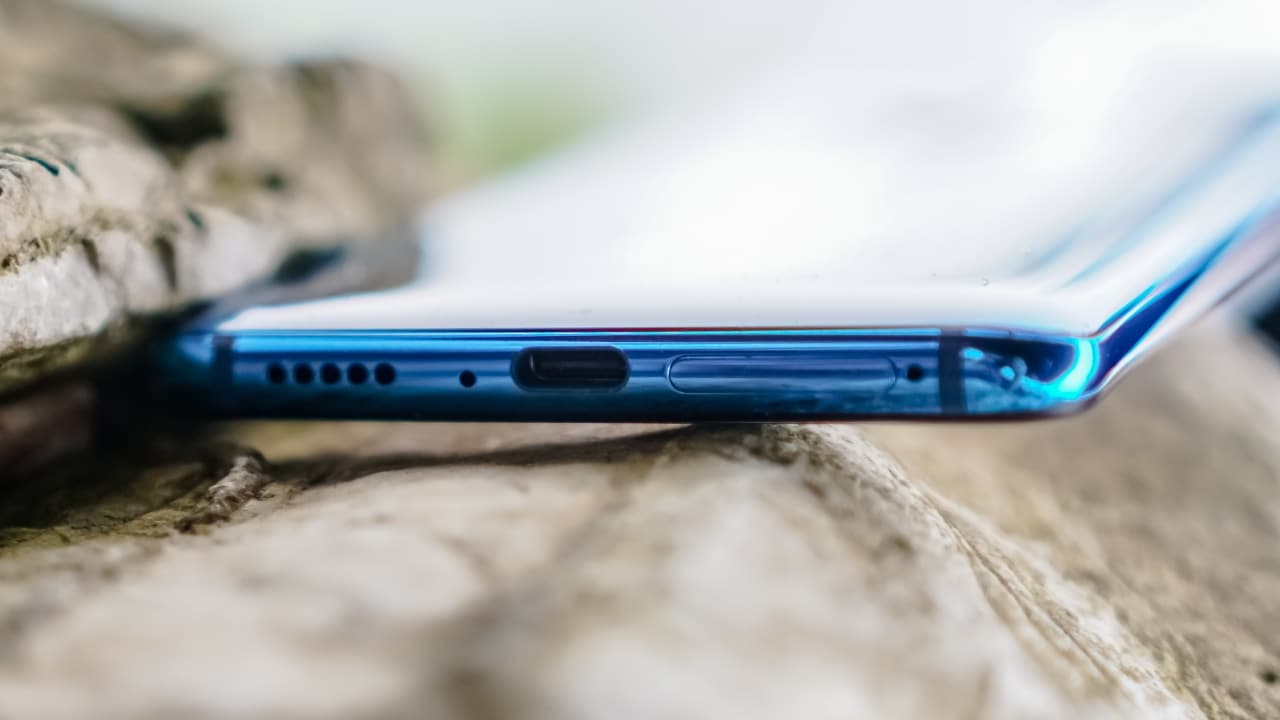
Speaker grilles, microphone, USB-C port, and SIM card slot below.

The Mi 9T Pro has a Gorilla Glass 5 back. It’s not the newest generation of Corning’s technology but it’s good enough to protect the phone from accidental scratches. The Mi 9T had none, which was a drawback for a smartphone with a glass back. I loved flaunting its back that I decided not to use the included black case. It’s still good as new and has not acquired any scratches. It feels right in my hand and doesn’t slip easily.
Same screen size, different display

Even Suzy looks confused with the differences in AMOLED and Super AMOLED
Xiaomi’s Mi 9T wowed me before because of its 6.4-inch AMOLED display. It’s an excellent panel, for such a cheap phone, with great viewing angles and contrast.
The Mi 9T Pro still packs a similar 6.4-inch display, but with a Super AMOLED display technology. Watching videos even outdoors is a great experience because it’s brighter and overall a better panel.

The Super AMOLED display is drop-dead gorgeous, so is Yoohyeon
I love its fullscreen display. Not having a notch or punch-hole camera makes a difference for me especially when watching videos. Color calibration is accurate and vibrant, making visuals pop.

Watching TWICE’s Feel Special in 4K made me miss Mina more #GetWellSoonMina
There are only a handful of smartphones with 4K resolution — and it’s not the basis of having a great display. It may not be the best display on a smartphone, but the Mi 9T Pro still delivers excellent entertainment experience even with its Full HD+ display. It’s also more power efficient than the AMOLED display found on the Mi 9T.
Flagship performance at half the price
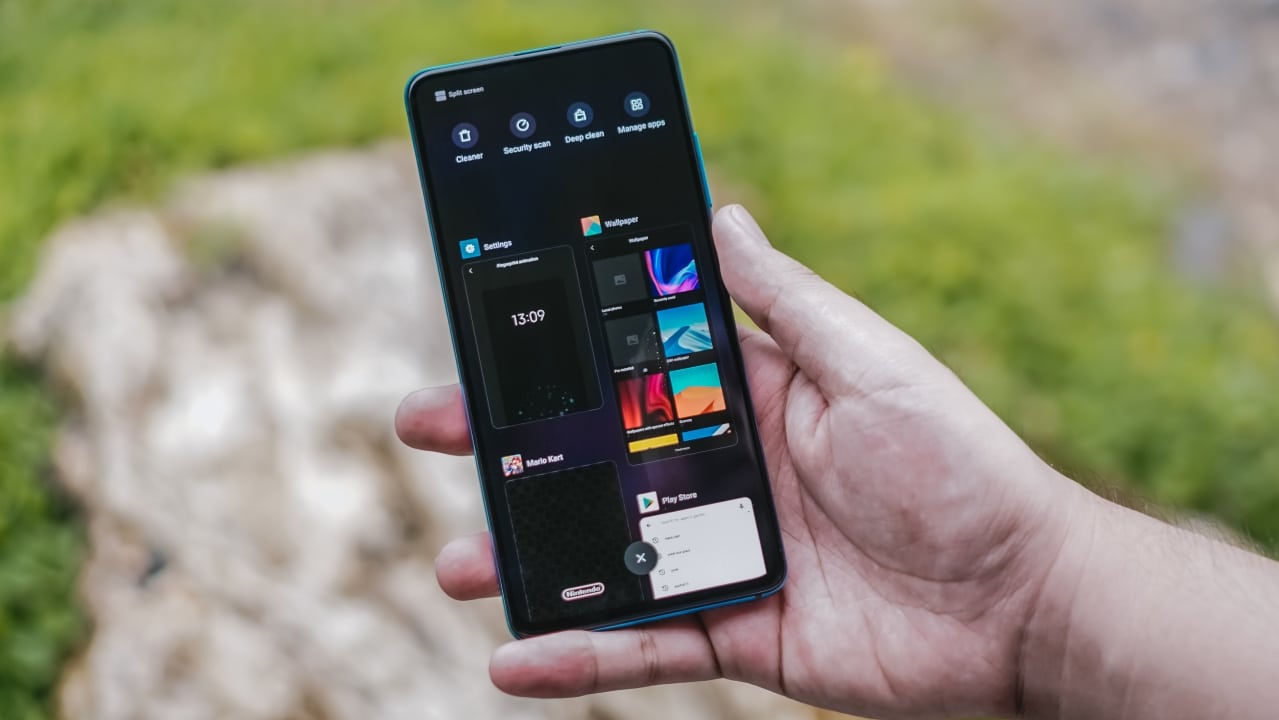
The Mi 9T was already a great smartphone with the Snapdragon 730, but Xiaomi made the Mi 9T Pro even better. This phone is equipped with a flagship Snapdragon 855 chipset — something you can only find on more expensive smartphones like the Samsung Galaxy Note 10 and OnePlus 7 Pro.

The Mi 9T Pro feels snappier than the Mi 9T — something I noticed immediately. Opening apps, the animation — they all feel faster. The experience is oh-so fluid and smooth. I can now play my favorite Asphalt 9 game at the highest settings that I couldn’t do (or even install) on the Mi 9T before.
Just like the Mi 9T, it also has 6GB of memory, so switching between apps is seamless.
Having a 3.5mm audio jack feels special (pun intended)

A lot of “Pro” products don’t seem like they meet expectations of actual pro users. If you’re the type of person who prefers the traditional way of listening to music, this phone has a 3.5mm jack — something you don’t see in many smartphones these days.
While I can always connect a wireless pair of headphones, the good ol’ audio jack is still very handy in a lot of scenarios. I find it useful when playing music in parties that don’t have wireless speakers. Some people still use wired microphones for audio recording as it’s more reliable. Some monopods require wired cables for you to control shutter releases.
Battery life is outstanding
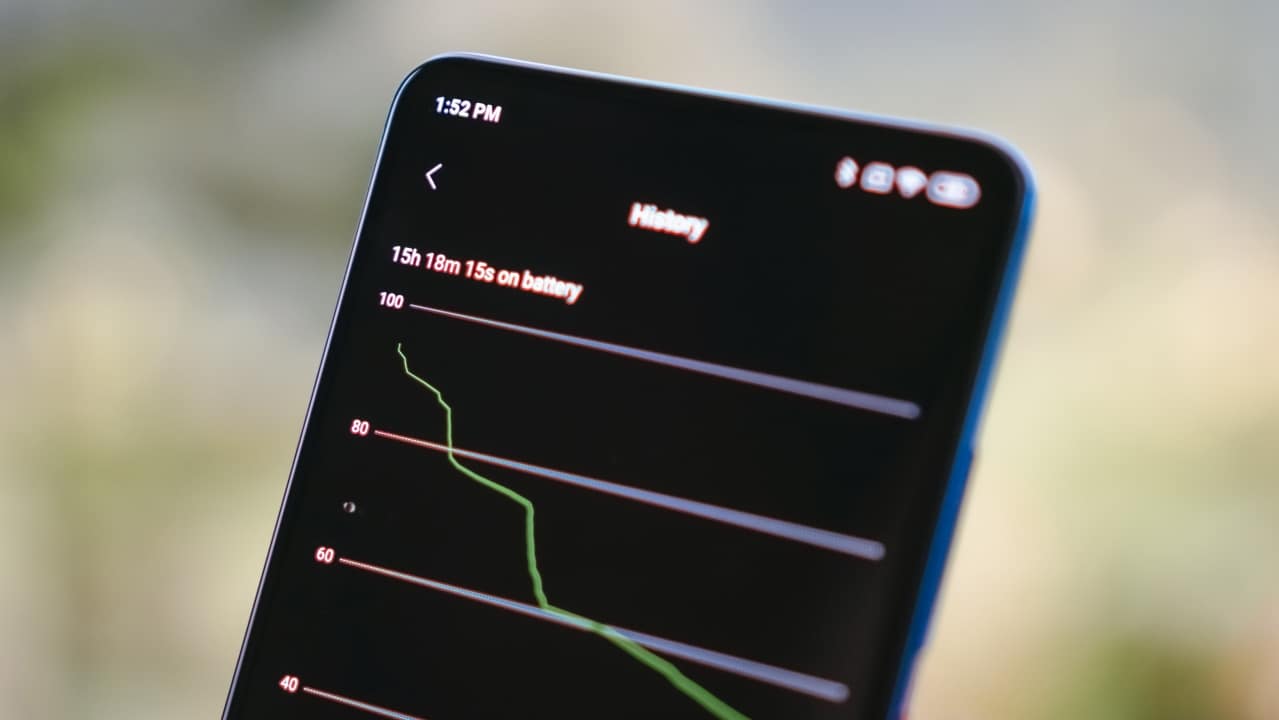
I’m not proud of it but I’m *that* power user. I fiddle around with my phone and browse my social media feed every five to ten minutes. When I’m bored, I watch videos on YouTube or at least two episodes of a series I’m following on Netflix at around 75% brightness. I also play graphics-intensive games every now and then. Despite all of this, the Mi 9T Pro’s battery lasts me my entire day.
Fast charging just got faster
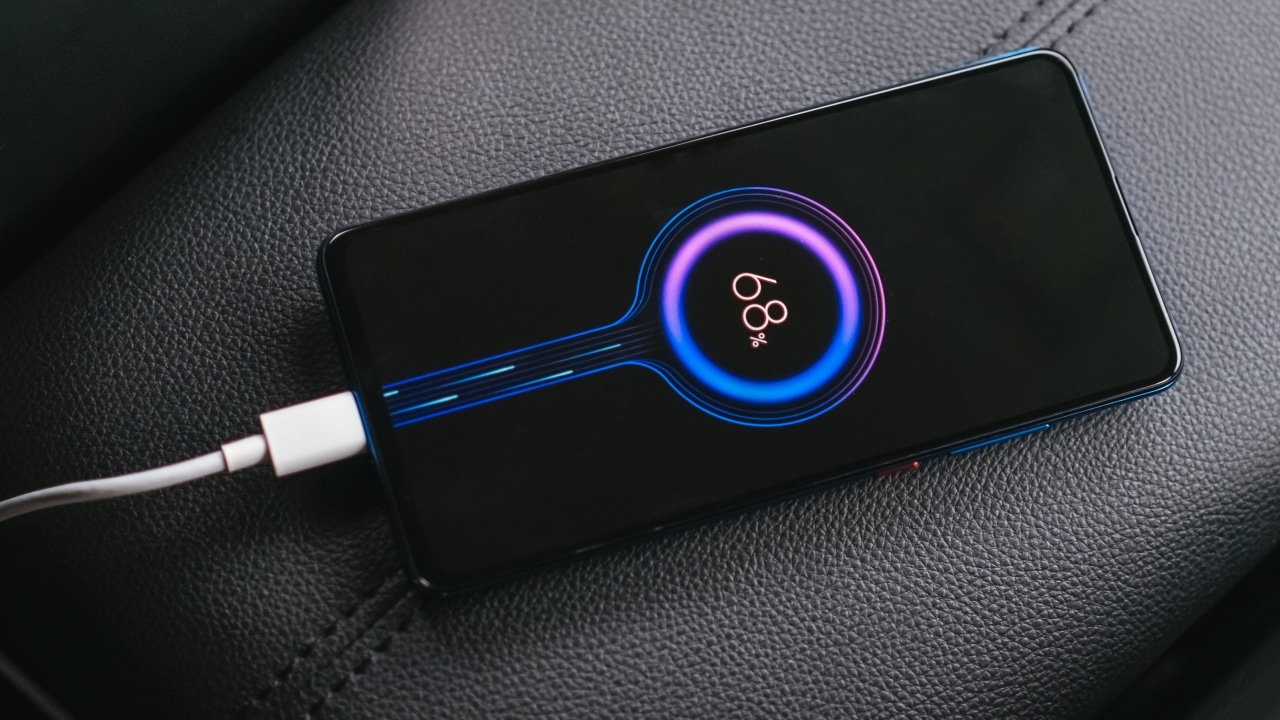
The Mi 9T already has a USB-C port and an 18W fast charger right out of the box — but the Mi 9T Pro ships with a faster 27W charger with Quick Charge 4+ technology.
It takes around 35 minutes to charge the phone from 0% to 50%. It reached 100% after around an hour and 30 minutes. That’s fast for a smartphone with a 4000 mAh battery.
Modern problems require modern solutions, except for these two

The Mi 9T Pro still features an in-display fingerprint scanner and it works most of the time. Not that I’m complaining, but it will never be as fast as a traditional scanner. A side-mounted scanner is always my alternative pick over this type of reader.

I thought there will be at least a difference when it comes to Face Unlock but it still performs sluggish. I would rather use the fingerprint scanner instead of the inconvenience of swiping and waiting for the camera to pop-up. Face unlock isn’t even as secure as it just relies on camera recognition.
The pop-up camera itself performs well

Don’t get me wrong, the pop-up camera is not bad, well at least in taking selfies. It captures decent selfies even when beauty mode is completely turned off.
I like how the selfies don’t look as saturated as other selfie shooters, which gives it a nice touch in persuading your crush to give you a chance to date you.



People who have shorter arms wouldn’t have a problem as the selfie camera is wide enough to accommodate four (or more) people in the frame — just like how a lot of you accommodate people that will never be a part of your life.
Same triple camera setup, but now snappier
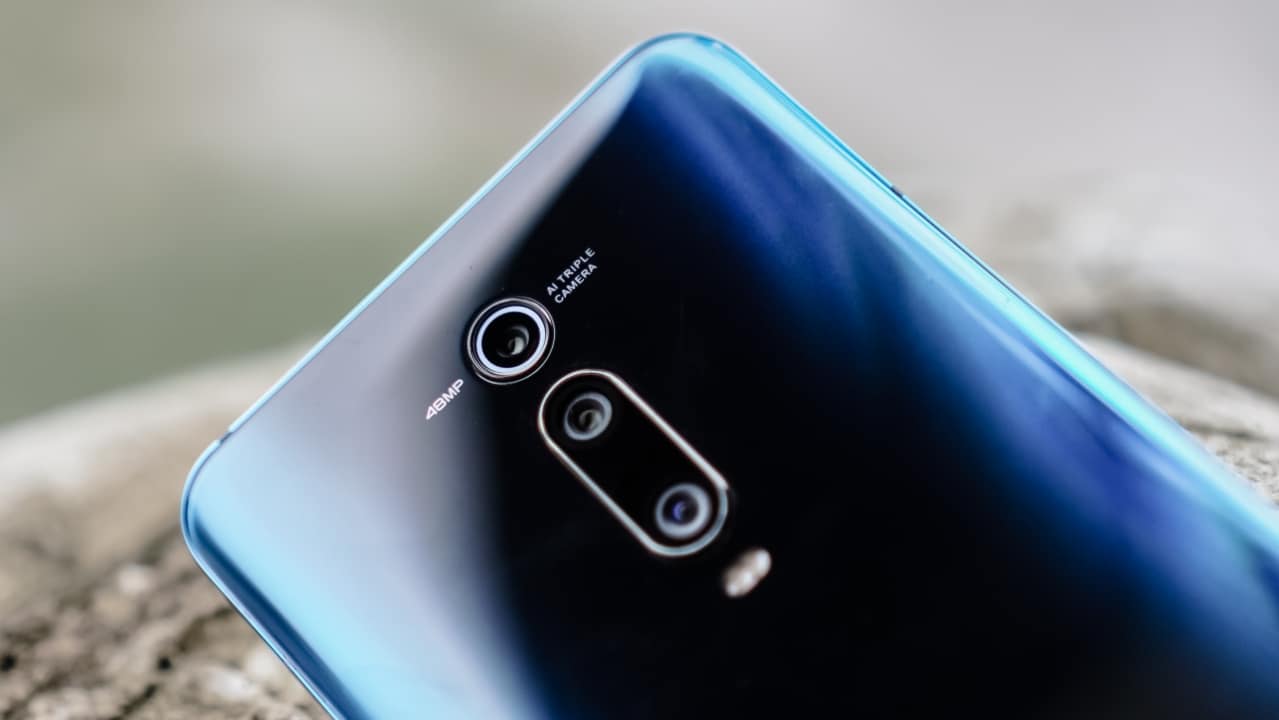
You get the same triple camera setup as the Mi 9T that I loved: 48MP f/1.8 wide, 8MP f/2.4 telephoto, and 13MP f/2.4 ultrawide.
-

- Ultrawide
-

- Wide
-

- Telephoto
-

- Ultrawide | HDR
-

- Wide | HDR
-

- Telephoto | HDR
There’s a small difference though: the Mi 9T Pro has laser autofocus. This might not sound like much but taking photos with the Mi 9T Pro felt snappier and photos turn out sharper. It’s an understated but very important improvement.
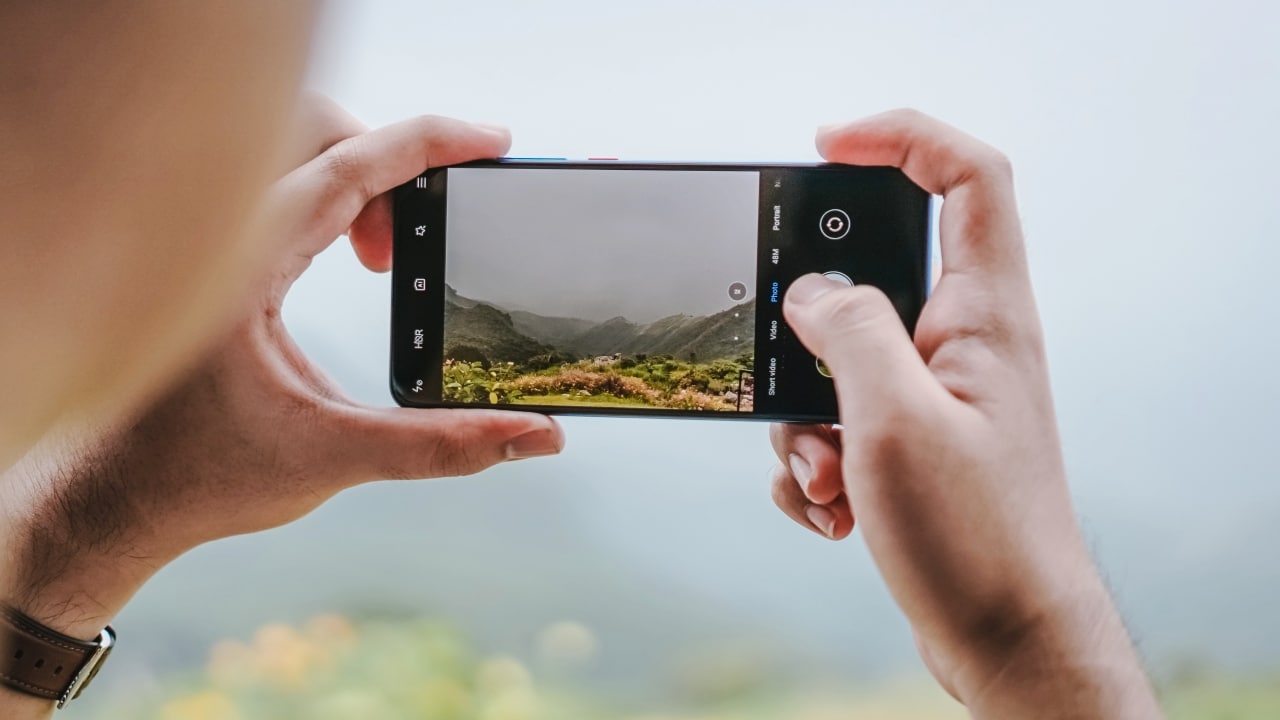
Unlike with the Mi 9T, I didn’t experience errors while using the Mi 9T Pro’s camera
-

- Macro AI
-

- HDR on
-

- Portrait Mode
The camera does well with food subjects



But it’s honestly even better with the telephoto lens




Night Mode works really well




But sometimes, it doesn’t do photos justice


The highlights in the neon signs were dimmed after turning on the Night Mode, which made the shots worse.
Using Night Mode on the telephoto lens is great, too


I really love how it captured the filament in these two light bulbs and produced the right amount of shadows and blur in the background.
Is this your GadgetMatch?
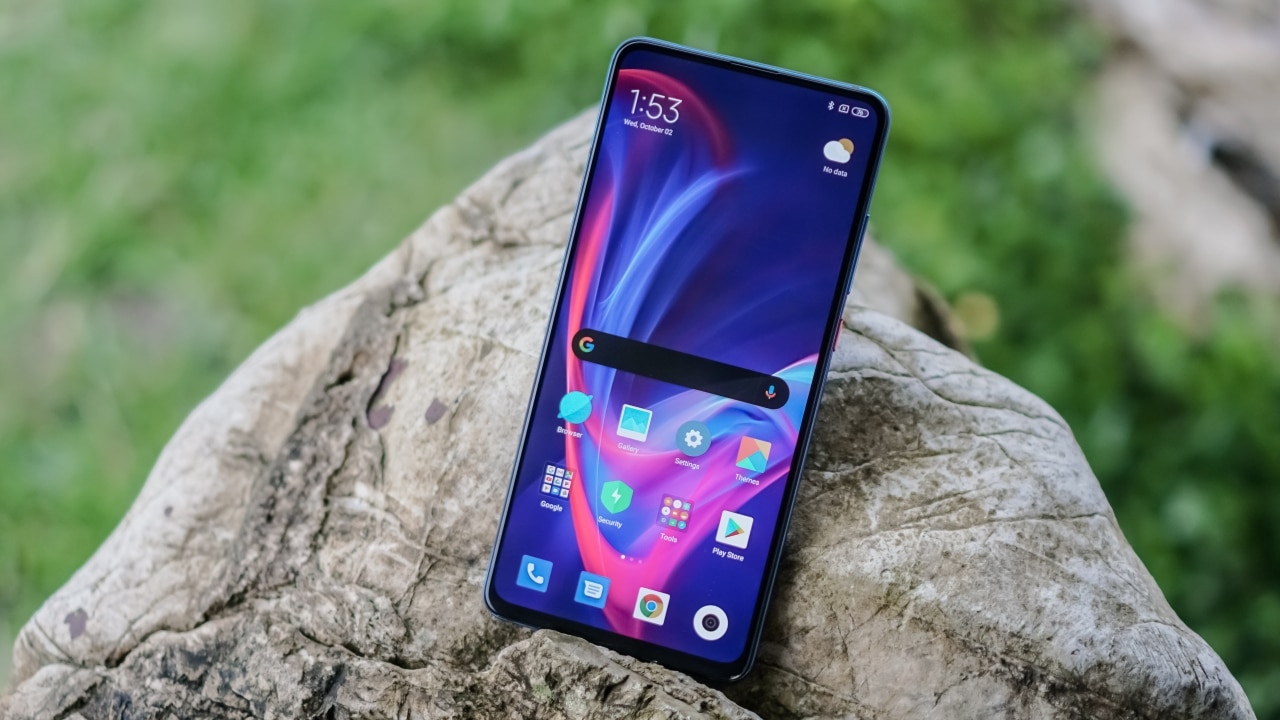
The maxed-out 128GB/6GB configuration of the Mi 9T Pro is priced at PhP 20,490, while the 64GB/6GB configuration currently retails at PhP 18,990 — which is just a PhP 1,500 difference from Mi 9T’s 128GB/6GB.
A lot of people have been calling the Mi 9T Pro as 2019’s true flagship killer, not just because of its top of the line specs but also because of its affordable price tag.
If you want to have a powerful smartphone with a bright display, snappy cameras, and unparalleled software experience without spending that much, the Mi 9T Pro is for you. If you don’t need the faster chipset and just want an overall great device, then go for the Mi 9T.



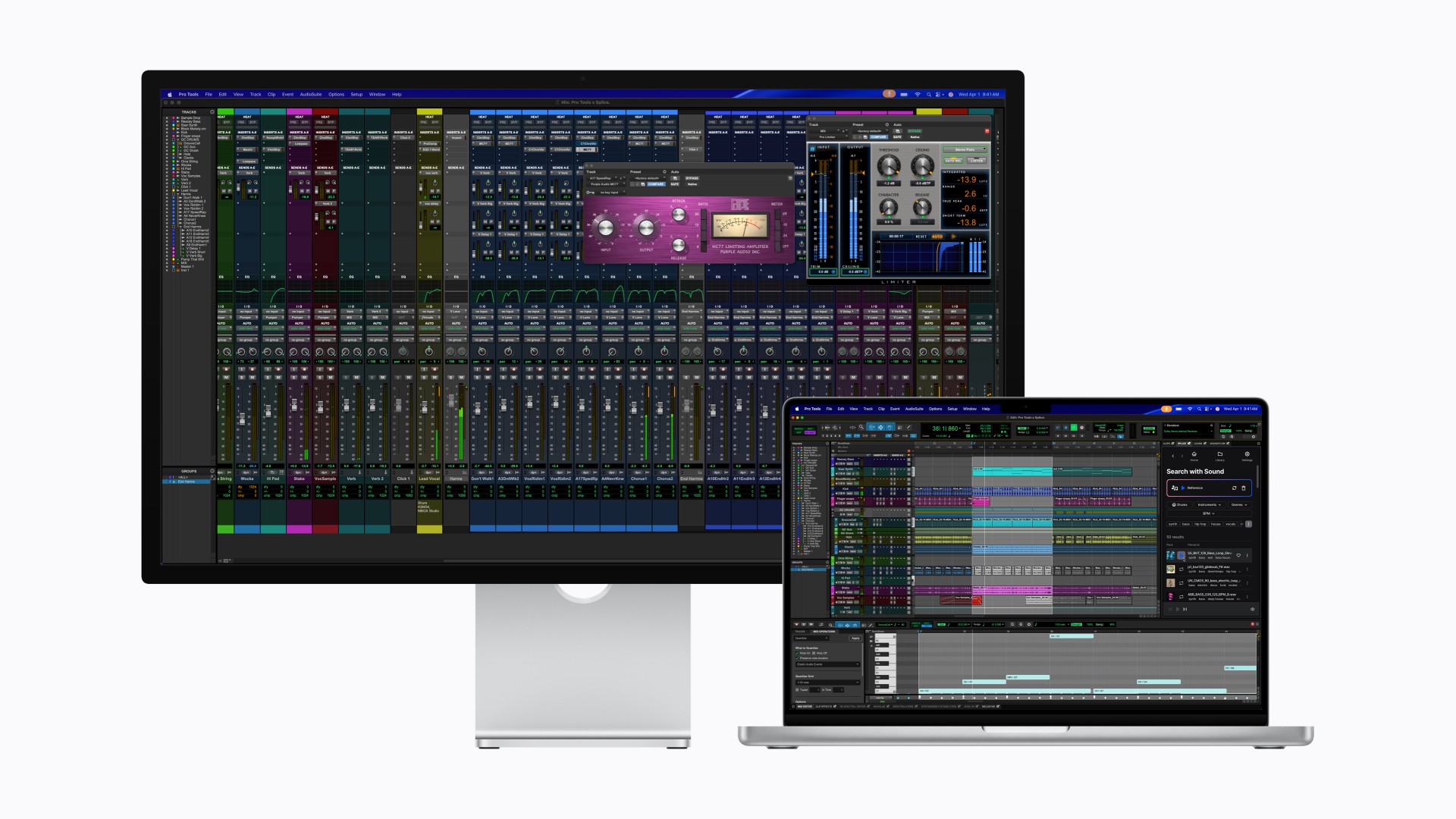
After taking the MacBook Pro to Super Saiyan levels, Apple is now doing the same for the display it pairs with.
With its latest Studio Display family, Apple is splitting the lineup into two clear tiers. The regular Studio Display already feels powered up. The all-new Studio Display XDR transforms.
If this were Dragon Ball Z logic, the Studio Display is Super Saiyan. The Studio Display XDR is Super Saiyan Blue — calmer, more controlled, and operating on an entirely different plane.
A strong base form
The new Studio Display sticks to what already worked: a 27-inch 5K Retina panel with over 14 million pixels, 600 nits of brightness, and P3 wide color. It’s sharp, bright, and more than capable for photo editing, design work, music production, and daily tasks.
Apple upgrades the experience around the screen, too. There’s now a 12MP Center Stage camera with improved image quality and Desk View support. The three-mic array and six-speaker system return, this time with deeper bass and Spatial Audio support.
Connectivity jumps to Thunderbolt 5, allowing users to daisy-chain up to four Studio Displays for nearly 60 million combined pixels. It also delivers up to 96W of charging power for a connected MacBook Pro.
It’s the dependable powered-up form. Strong. Confident. Already more than enough for most creators.
The controlled transformation
Then there’s Studio Display XDR.
This is where Apple goes full Super Saiyan Blue.
The 27-inch 5K Retina XDR panel uses a mini-LED backlight with over 2,000 local dimming zones. It pushes up to 1000 nits of SDR brightness and 2000 nits of peak HDR brightness, alongside a 1,000,000:1 contrast ratio. Highlights hit harder. Blacks stay deep. Blooming stays minimal.
The display also adds Adobe RGB support on top of P3, covering more than 80 percent of Rec. 2020 for HDR workflows. For video editors, colorists, and print professionals, this shifts the XDR from “great display” to “reference-grade tool.”
Motion gets smoother, too. A 120Hz refresh rate with Adaptive Sync dynamically adjusts between 47Hz and 120Hz, reducing latency and making everything from scrubbing timelines to gaming feel more fluid.
Apple even introduces DICOM medical imaging presets and a Medical Imaging Calibrator for diagnostic radiology use in the U.S., pending FDA clearance. It’s a reminder that this panel isn’t just about aesthetics. It’s about precision.
Built for the pro desk
Both displays share the same upgraded 12MP Center Stage camera, studio-quality microphones, six-speaker Spatial Audio system, and Thunderbolt 5 connectivity. The XDR model goes further with up to 140W charging power and additional downstream ports, effectively acting as a high-speed hub.
Pricing and availability
In the U.S.
The new Studio Display starts at $1,599 (U.S.) and $1,499 for education, while the Studio Display XDR begins at $3,299 (U.S.) and $3,199 for education. Both models can be pre-ordered starting tomorrow, March 4, with availability beginning March 11 in select Apple Store locations and authorized resellers.
In Singapore
Pre-orders open on March 9 via apple.com/sg/store and the Apple Store app. Pricing starts at S$2,199 for the Studio Display (S$2,059 for education). The Studio Display XDR begins at S$4,499 (S$4,359 for education).
Optional accessories such as the Magic Keyboard, Magic Trackpad, and Magic Mouse remain available in white and black color options. Apple also offers nano-texture glass and adjustable stand configurations for professional setups.
The message from Apple is consistent: the base Studio Display remains a strong professional companion, while the Studio Display XDR targets workflows demanding reference-grade performance and HDR capability. Pre-orders go live soon, with deliveries and in-store availability following in mid-March.
In the Philippines
Customers can pre-order starting March 4 at apple.com/ph/store.
Studio Display starts at ₱104,999, and ₱97,990 for education. Studio Display XDR replaces Pro Display XDR and starts at ₱219,999, and ₱212,990 for education.
Additional technical specifications, including nano-texture glass and a choice of stand options, are available at apple.com/ph/store.
Magic Keyboard with Touch ID and Numeric Keypad (from ₱10,490), Magic Trackpad (₱6,990), and Magic Mouse (₱5,490) in black or white color options are available at apple.com/ph/store.
Laptops
Apple unveils MacBook Pro with M5 Pro and M5 Max
Up to 8x AI gains, faster SSD, Wi-Fi 7, and bigger starting storage


Apple has introduced the new 14- and 16-inch MacBook Pro powered by the all-new M5 Pro and M5 Max chips — bringing what feels like a full Super Saiyan moment to its pro lineup.
If M5 Pro is Super Saiyan, then M5 Max is Super Saiyan 2.
Both chips are built using Apple’s new Fusion Architecture, combining two dies into a single system on a chip. The result: massive gains in CPU, GPU, memory bandwidth, and on-device AI performance.
Apple says the new CPU includes the world’s fastest CPU core, with up to 18 cores total — 6 “super cores” and 12 performance cores — delivering up to 30% faster performance. The next-generation GPU now includes a Neural Accelerator in every core, pushing AI workloads significantly further.
Compared to M1 models, the new MacBook Pro delivers:
- Up to 8x faster AI image generation
- Up to 6.9x faster LLM prompt processing
- Up to 5.4x faster video effects rendering
Compared to the previous M4 Pro and M4 Max generation, AI workloads see up to 4x gains, while graphics performance improves by as much as 50%.
This isn’t just about benchmarks. Apple is positioning this as a serious local AI machine. Developers can run advanced LLMs directly on device. Creators can train models, render 3D scenes, process massive photo libraries, and edit complex 8K timelines without leaning on the cloud.
And unlike many performance laptops, it does this with up to 24 hours of battery life.
Storage, bandwidth, and wireless get upgrades too
The performance bump isn’t limited to silicon.
The new MacBook Pro delivers up to 2x faster SSD speeds, reaching up to 14.5GB/s read and write performance. Starting storage also gets a major upgrade:
- M5 Pro models now start at 1TB
- M5 Max models now start at 2TB
- The base 14-inch M5 model also now starts at 1TB
Memory bandwidth scales aggressively depending on configuration:
- M5 Pro supports up to 64GB unified memory and 307GB/s bandwidth
- M5 Max supports up to 128GB unified memory and 614GB/s bandwidth
Connectivity gets a boost as well. Apple introduces its new N1 wireless chip with support for Wi-Fi 7 and Bluetooth 6. Thunderbolt 5 ports come standard, alongside HDMI with up to 8K support, SDXC, and MagSafe 3 with fast charging.
The laptop retains its Liquid Retina XDR display with up to 1600 nits peak HDR brightness, now with a nano-texture option. It also features a 12MP Center Stage camera, studio-quality microphones, and a six-speaker system with Spatial Audio support.
All models run on macOS Tahoe, which deepens integration with Apple Intelligence and introduces updated Spotlight, Live Translation, and more customizable UI elements.
Pricing and availability
In the U.S., pre-orders begin March 4, with availability starting March 11.
U.S. pricing starts at:
- 14-inch MacBook Pro with M5 Pro: US$2,199 (US$2,049 education)
- 16-inch MacBook Pro with M5 Pro: US$2,699 (US$2,499 education)
- 14-inch MacBook Pro with M5 Max: US$3,599 (US$3,299 education)
- 16-inch MacBook Pro with M5 Max: US$3,899 (US$3,599 education)
The 14-inch MacBook Pro with base M5 starts at US$1,699 (US$1,599 education), now with 1TB standard storage.
In Singapore, pre-orders also begin March 4 via apple.com/sg/store, with availability starting March 11.
Singapore pricing starts at:
- 14-inch MacBook Pro with M5 Pro: S$2,999 (S$2,789 education)
- 16-inch MacBook Pro with M5 Pro: S$3,649 (S$3,379 education)
- 14-inch MacBook Pro with M5 Max: S$5,099 (S$4,669 education)
- 16-inch MacBook Pro with M5 Max: S$5,449 (S$5,029 education)
The 14-inch MacBook Pro with base M5 starts at S$2,299 (S$2,159 education).
In the Philippines, customers can order the new 14- and 16-inch MacBook Pro models with M5 Pro and M5 Max soon on apple.com/ph/store and Apple Authorized Resellers.
Philippine pricing starts at:
- 14-inch MacBook Pro with M5 Pro starts at ₱149,990 (₱139,990 for education)
- 16-inch MacBook Pro with M5 Pro starts at ₱179,990 (₱166,990 for education)
- 14-inch MacBook Pro with M5 Max starts at ₱239,990 (₱219,990 for education)
- 16-inch MacBook Pro with M5 Max starts at ₱259,990 (₱239,990 for education)
All models are available in space black and silver.
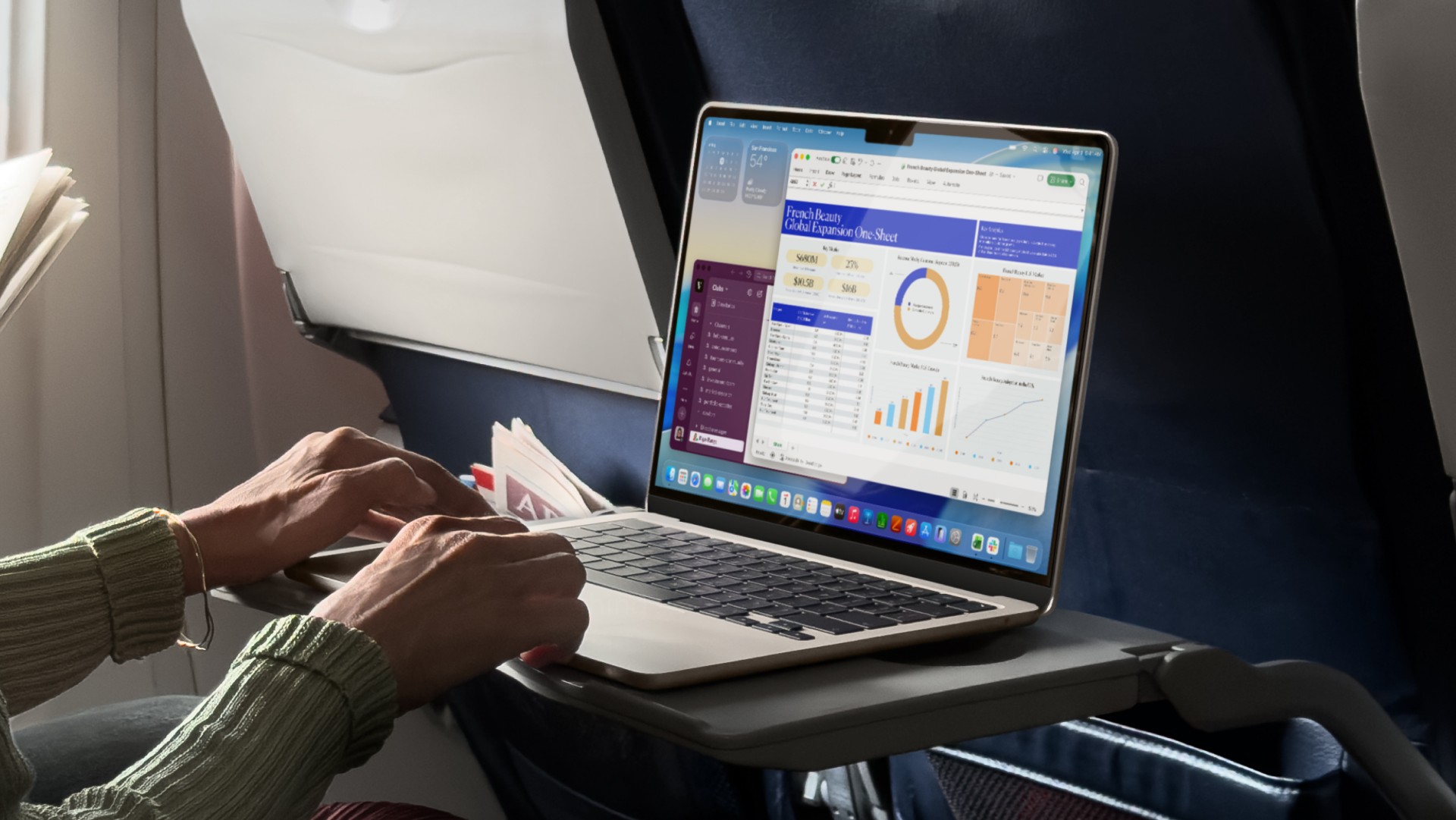
If the MacBook Air were a KPop idol, it would be the dependable center who never misses a beat — and somehow still levels up every comeback. With the new MacBook Air with M5, Apple gives its thinnest crowd favorite a serious stat boost, led by the new Apple M5 chip, double the starting storage, and upgraded wireless connectivity.
Announced in Cupertino, the latest MacBook Air brings faster CPU and GPU performance alongside expanded AI capabilities. M5 features a 10-core CPU and up to a 10-core GPU, each with a Neural Accelerator, pushing AI tasks up to four times faster than M4 and as much as 9.5 times faster than M1. Whether you’re batch-editing photos, rendering 3D models, or running on-device LLMs, this Air has more than enough headroom.
Paired with macOS Tahoe, the new MacBook Air leans deeper into Apple Intelligence features, from smarter automations to system-wide tools that tap directly into on-device AI models.
Faster, smarter, and finally 512GB standard
One of the biggest quality-of-life upgrades is storage. The MacBook Air with M5 now starts at 512GB — double the previous base configuration — and goes up to 4TB for the first time. The new SSD delivers up to 2x faster read and write speeds, making large file transfers, media imports, and heavy project loads noticeably quicker.
For creatives, Apple cites up to 6.5x faster 3D rendering in Blender compared to M1, and up to 2.7x faster image processing in Affinity. AI video enhancement in Topaz Video can be up to 6.9x faster versus M1. Even everyday tasks see gains, with web browsing up to 50 percent faster than a PC laptop powered by an Intel Core Ultra X7 processor.
M5 also boosts unified memory bandwidth to 153GB/s — a 28 percent improvement over M4 — which translates to smoother multitasking and faster app launches. It’s the kind of upgrade you may not flex in a spec sheet argument, but you’ll appreciate when you’re juggling Chrome tabs, Lightroom, and a Zoom call.
Thin, light, and still fanless
Apple keeps the design formula intact. The MacBook Air remains thin, light, and completely silent thanks to its fanless aluminum build. It comes in 13-inch and 15-inch options, offering a balance between portability and extra screen space.
The Liquid Retina display reaches up to 500 nits of brightness and supports one billion colors. Battery life stretches up to 18 hours — up to six hours longer than Intel-based MacBook Air models — with fast charging included.
You also get a 12MP Center Stage camera with Desk View support, a three-mic array, and Spatial Audio with Dolby Atmos. Two Thunderbolt 4 ports support up to two external displays, while MagSafe handles charging.
Connectivity sees an upgrade as well, with Apple’s N1 wireless chip enabling Wi-Fi 7 and Bluetooth 6 for faster and more reliable connections.
Built with AI — and the environment — in mind
With macOS Tahoe, users gain access to new personalization tools and deeper Apple Intelligence integration. Features like Live Translation in Messages, smarter Reminders categorization, and more powerful Shortcuts actions aim to make the MacBook Air not just faster, but more context-aware.
On sustainability, the MacBook Air with M5 uses 55 percent recycled content, including 100 percent recycled aluminum in the enclosure and 100 percent recycled cobalt in the battery. Apple says manufacturing now runs on 50 percent renewable electricity across its supply chain, and packaging is 100 percent fiber-based.
Pricing and availability
In the U.S., the 13-inch MacBook Air with M5 starts at US$1,099, or US$999 for education. The 15-inch model starts at US$1,299, or US$1,199 for education. Pre-orders begin March 4, with availability starting March 11.
In Singapore, customers can pre-order the 13-inch and 15-inch MacBook Air with M5 starting Wednesday, March 4, via apple.com/sg/store and the Apple Store app. Availability begins Wednesday, March 11, at Apple Store locations and Apple Authorised Resellers.
The 13-inch model starts at S$1,599, or S$1,449 for education. The 15-inch model starts at S$1,899, or S$1,749 for education. Both are available in sky blue, midnight, starlight, and silver.
Apple Trade In is available in Singapore, allowing customers to trade in their current computer for credit toward a new Mac. AppleCare+ offers extended coverage including protection against accidental damage, battery service, and 24/7 support from Apple Experts. Buyers who purchase directly from Apple Retail also get access to Personal Setup sessions and Today at Apple workshops.
For students, creatives, and business users who want something light but powerful enough to handle AI-heavy workflows, this feels like the MacBook Air stepping confidently into its main-character era — quiet, capable, and very aware it’s still the one everyone recommends.
In the Philippines, customers can order the MacBook Air with M5 soon via apple.com/ph/store and Apple Authorized Resellers.
The 13-inch MacBook Air with M5 starts at ₱72,990, or ₱65,990 for education. The 15-inch model starts at ₱85,990, or ₱78,990 for education. Both models are available in sky blue, midnight, starlight, and silver.



OPPO Reno15 F 5G hands-on

Project Helix is Xbox’s next console, and it plays PC games

Nothing adds color to its wearables with the Headphone (a)

Nothing launches the Phone (4a) series

HMD is developing an AI assistant for the elderly

Xiaomi 17 Ultra is now available outside China

TECNO will showcase the CAMON 50 and POVA 8 series at MWC 2026

The art of being in and behind the frame

HUAWEI MatePad 11.5 S 2026: The better-than-ever 4-in-1 productivity tablet

TECNO MEGABOOK K16s 13th review: No-frills beneath those grills


-
 News6 days ago
Xiaomi 17 Ultra is now available outside China
-

 Camera Walkthrough2 weeks ago
OPPO Reno15 Pro: Camera Review
-

 MWC 20264 days ago
TECNO showcases cool concepts at MWC 2026
-

 MWC 20261 week ago
TECNO resurrects modular phones with this new concept
-

 Reviews6 days ago
Xiaomi Pad 8 review: Slab that slaps!
-

 Events2 weeks ago
Capcom to hold Resident Evil Requiem launch event in Jakarta
-

 MWC 20263 days ago
TECNO launches the all-new CAMON 50 series
-

 Reviews6 days ago
Forget the Phone: Xiaomi 17 Ultra Is A CAMERA!