


Around 8-9 months ago, I was in the market for a tablet that can be my on-the-go companion when I step out for events and don’t want to bring a laptop. I found it with the Xiaomi Pad 6 but now months later, the company has come out with a bigger, better version — the Xiaomi Pad 6S Pro 12.4.
Unboxing the Xiaomi Pad 6S Pro 12.4 and its accessories
Like the tablet that preceded it, the 6S Pro came with a generous accompaniment of accessories. Other than the tablet itself, there’s the Cover, Touchpad Keyboard, and the Focus Pen.
Watch the unboxing below.
@gadgetmatch This is our favorite Android tablet right now! #XiaomiPad6SPro #Xiaomi
Pros and cons of going bigger

The first, most recognizable difference between the Xiaomi Pad 6S Pro 12.4 and the Xiaomi Pad 6 is the size. The 6S Pro comes in at, as the name suggests, 12.4 inches while the 6 offers 11 inches of screen.
That may not seem like a lot on paper, but I assure you, the extra 1.2 inch makes a huge difference in practice.

For one, the 6S Pro just doesn’t fit in the Xiaomi Sling I was merrily walking around with. Thankfully, I have since acquired a bag small enough to carry around for half to full day affairs, but big enough to fit my usual 13-inch laptop. That means it also easily fits the 6S Pro along with all of its accessories for a lighter load out.

The extra size also means it’s mostly better to use on a desk vs carrying on hand. I can count in one hand the number of times I opted to hold the tablet instead of just propping it up on some surface somewhere.
While I’ve found a solution, I still count the mini-laptop-like size as a con especially if you’re really eyeing something that you can already use with your existing smaller bags.

The size of the screen though, makes it great as both a main screen or secondary screen. On days that I would work from home, I usually have the 6S Pro to my left, running episodes of Arrow as I go through the day’s work. Meanwhile, when I’m out and about, it makes for a more than big enough screen to handle tasks like some quick writing and email correspondence.
Better in many ways
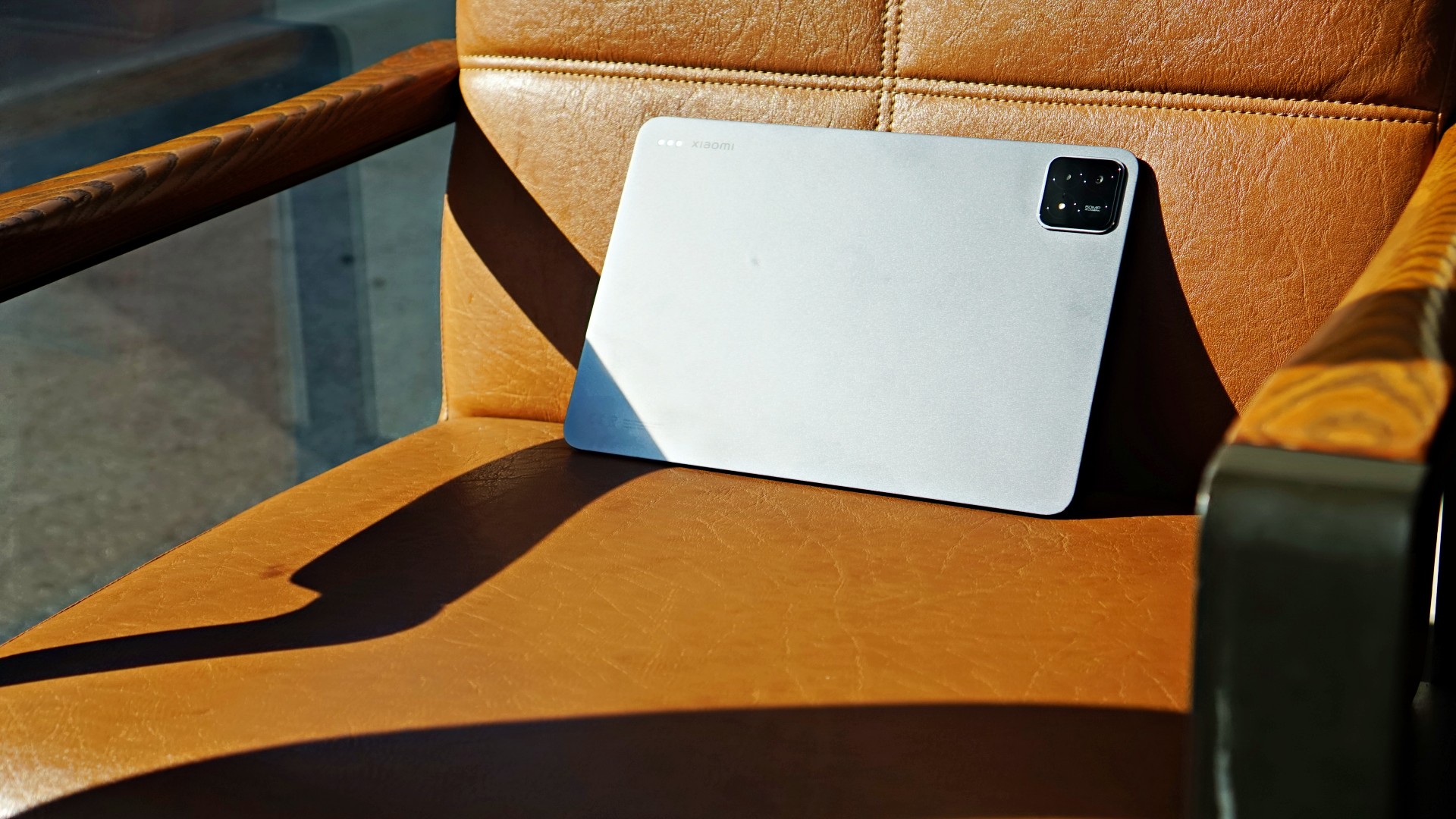
Powered by the Snapdragon 8 Gen 2 processor, the 6S Pro is as powerful as flagship smartphones that came out late 2023 to early 2024. It’s as good as it gets.
I feel even more at ease using the multi-screen function knowing it has the hardware to keep things running, perhaps all day. I’ve had a handful of writing sessions in this set-up, including the very article you’re reading now.
That means you should have no qualms pushing its computing power. In fact, I have to say I have criminally underutilized it over the last 10-12 days that I’ve had it.

I’ve also used the multi-screen feature when scheduling posts on our social platforms.

You can lock certain app combinations if you use them frequently.
It’s a handy function that works not just for productivity but also for more of my favorite showcase: Watching two different fancams (even if they’re of the same person), at the same time.
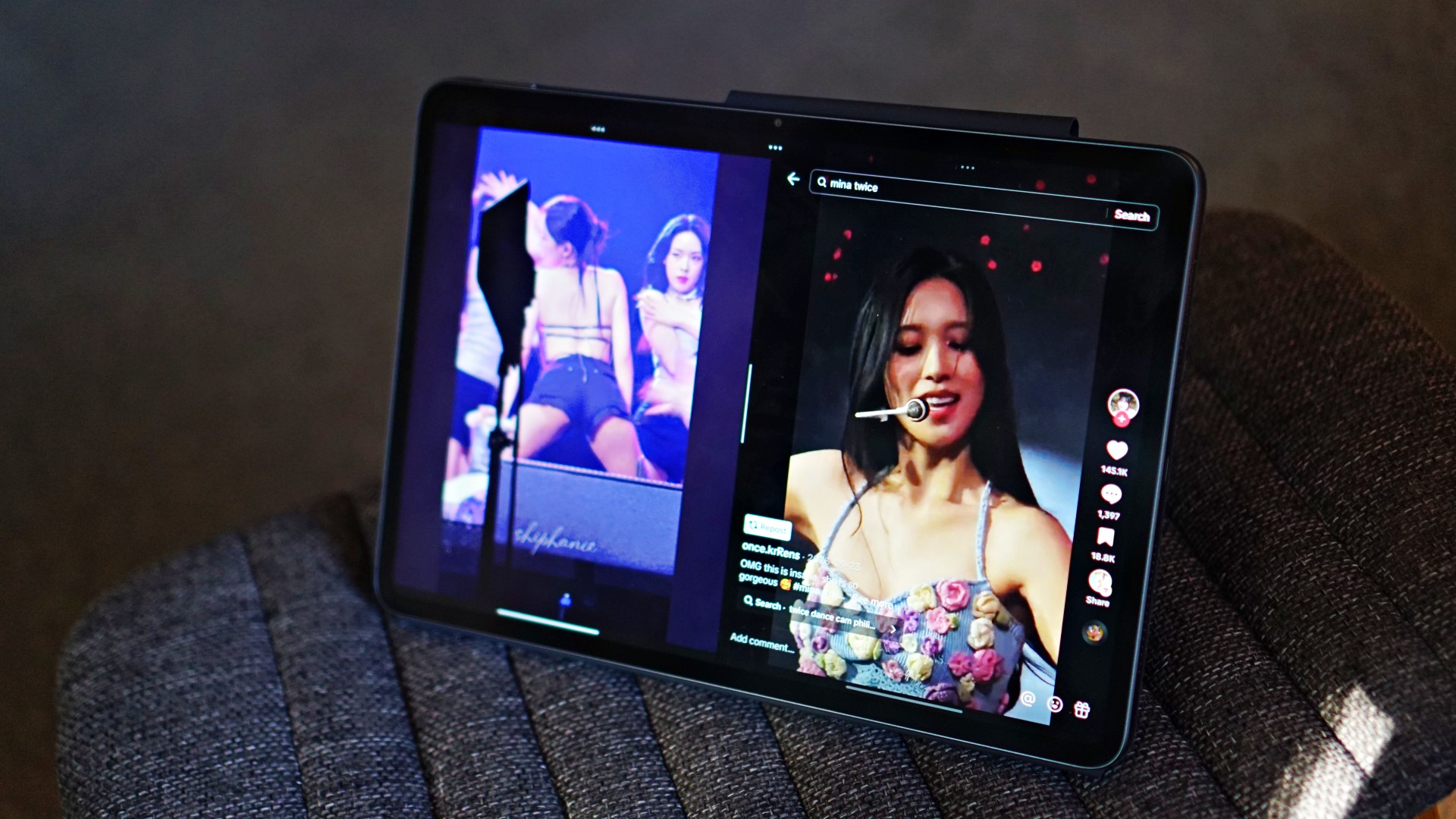
Media-viewing, you already know. The 3K display is absolutely stunning for media consumption. Other than X-Men 97 and Arrow episodes, I’ve used this to tune in to the NBA Playoffs in the morning. It’s the perfect white noise, desk companion.

And it’s not just the display too. The 6S Pro is equipped with 6 speakers with support for Dolby Atmos. While so many modern devices these days can say that. We can vouch that in the 6S Pro, this combination truly works wonders. If not old TV Shows, I switch over to music apps to listen to Gabe Bondoc, Jesse Barrera, BINI, TWICE, Marc Indigo, Kjwan,or whatever it is I’m in the mood for.

The top-of-the-line chip along with the 144Hz refresh rate also lends itself nicely to gaming. We only really played Honkai: Star Rail briefly but it was a fun and a little different experience on a display this large.
If you’re a content creator, this is also pretty darn good already for some light video editing. Whether that’s using the native video editor or an app like CapCut.

You can accomplish all of these tasks knowing you have a device whose 10,000mAh battery will more than keep up with you. Brought this along once on a 14-hour day and while I managed to drain it all the way to 13%, it did stay alive on a heavy-usage day. It tops up pretty quickly too thanks to its 120W HyperCharge tech.
There’s a lot you can do on the Xiaomi Pad 6S Pro 12.4 that I dare say it can replace a laptop for a large number of people.
About the accessories

The generous helping of accessories is also such a boon. These normally come as a bundle if you pre-order the device. And I can tell you right now, it’s totally worth it.

The Cover is a little unorthodox. Instead of the usual folio with a straightforward flapping cover, you get on that turns into somewhat of a triangular stand that sticks out. It looks odd at first but you’ll get used to it quickly especially since it lets you prop up the tablet in both portrait and landscape. Very helpful in many scenarios, especially when using apps that have no support for landscape orientation or are better off viewed vertically.
You don’t get a lot of versatility with how it tilts so that’s one thing to keep in mind. That means you get weird angles when using the pretty darn good selfie cameras when you’re in video calls.

For my part I opted to take calls while it’s propped up vertically.

The Cover also has a provision for the Focus Pen that I, admittedly, never really get to use a lot.

Although, I do plan to spend more time with the device. Hopefully I figure out more use-cases for the Pen during that time.

Lastly, there’s the Keyboard cover. Like the Cover, you don’t have a lot of freedom in terms of how it’s tilted. But that’s par for the course for most keyboard folios. But unlike most ones, this looks more like the Microsoft Surface where there’s a kickstand at the back.

The keyboard itself feels great to type on. There were days where I opted to write articles entirely on it because of the keyboard feel. It feels that good. Although it doesn’t light up so best to have a lamp at night or use it only when the lights are on. It also has an okay touchpad. Nothing too fancy but it gets the job done. The layout is so reminiscent of a regular laptop which added to the whole satisfying feeling when typing on it.
Xiaomi Pad 6S Pro 12.4 specs
- Display — 12.4” 144Hz 3K display, supports Dolby Vision
- Processor — Snapdragon 8 Gen 2
- Battery — 10,000mAh, 120W HyperCharge
- RAM and Storage — 8GB+256GB / 12GB+512GB
- OS — Xiaomi HyperOS
- Cameras — 50MP main (4K, 60 FPS video), 2MP depth, 32MP front (1080p, 30 FPS video)
- Connectivity — USB 3.2 Gen 1, Bluetooth 5.3, WiFi 7
- Audio — Six (6) speakers, support for Dolby Atmos, Hi-Res, Hi-Res wireless
Is this your GadgetMatch?

I absolutely love it when we get review devices that are easy to recommend. That’s exactly what the Xiaomi Pad 6S Pro 12.4 is. Mouthful of a name with a feature set that’s just as packed. It’s a device made for many purposes. It’s a workmate, a creative companion, and a relaxation buddy all-in-one. It certainly deserves the GadgetMatch Seal of Approval.

It also doesn’t hurt that it’s at a fair price point. Especially for everything it offers. I see this as a device great for anyone looking to be productive, creative, with a fair bit of balance since you can also use it to unwind with streaming apps and even gaming.
Price and availability
The Xiaomi Pad 6S Pro will be available in two variants and are priced as follows:
- 12+512GB — PhP 39,999
- 8+256GB — PhP 33,999
It comes in classic Black and White colors.
Meanwhile, the accessories are priced as follows:
- Focus Pen — PhP 3,499
- Touchpad Keyboard — PhP 6,499
Discounted from May 3 to 9
Naturally, these will be available at special slashed prices from May 3 to 9 on the Shopee exclusive online sale.
- 12+512GB — PhP 37,199
- 8+256GB — PhP 31,199
Buyers will get free Redmi Buds 4 Active (valued at Php 999) for every checkout of the Xiaomi Pad 6S Pro.





I’m starting to think that cosmic horror is near-impossible to adapt to the big screen. Often, the point of this subgenre of horror is to showcase the unfathomable, a horror so unknowable that it’s impossible to describe. Now, for a medium that thrives on “show, don’t tell,” a full-length movie doesn’t seem like the best format for this type of horror. I’ve seen so many cosmic horror films, and a majority of them fail to land the satisfaction of a more traditional horror film.
Iron Lung, directed by and starring Markiplier, takes a stab at this elusively complex genre.
After the sudden disappearance of stars and planets in the universe, a lone space station explores a nearby moon to search for a way to save humanity. The catch is that the entire moon is covered in an ocean of blood. A convict, played by Markiplier, is tasked with exploring the moon in a one-man submersible, in exchange for his freedom.
Naturally, an ocean of blood isn’t the best place to be. The moon’s ocean hides mysteries and monsters beneath all the gore.
On the impossibility of cosmic horror
Though a movie is all about showing and not telling, Iron Lung navigates through these intricacies by not showing anything.
Because everything is just blood outside, the submarine needs a special camera that takes only grainy photos directly in front of the submersible. There’s always a sense of claustrophobic dread. What’s outside the submarine? What were those sounds? Did the camera really take a photo of something alive?
The film’s premise alone is a perfect source of horror. This is where cosmic horror thrives: on the questions, on the tiny sneak peeks of a monster lurking around the corner.

But, then again, this is also where the subgenre can paint itself into a corner. Eventually, audiences ask for more. They need to see and know the beast for real. Think Cloverfield, when the massive alien finally shows its face, or The Nun with… well, The Nun.
It’s an unwritten rule in horror films that the monster must make an appearance. It becomes a paradox for cosmic horror because the beast must also be unknowable.
When the beast finally shows up in Iron Lung, the audience never learns an understandable reason why it’s stalking the submarine. It’s not hungry, it doesn’t want revenge, and it doesn’t want to take over the world. It just is.
Is that a satisfying enough conclusion? If you’re a fan of cosmic horror, then it’s par for the course. However, if you’re more used to the more traditional horror film, it might leave you wanting more.
On madness
A mysterious monster isn’t the only thing that cosmic horror is known for. It’s also about madness and how the protagonist goes insane after seeing the unknown.
It’s apropos, then, that the convict starts hallucinating right after seeing a glimpse of the ocean’s beast. He starts to lose track of what’s real and what’s not.
In other movies, madness is an effective tool in subverting expectations and amplifying the horror. For example, in The Lighthouse, Winslow, the protagonist, also loses his sanity and questions reality. The film is all about this descent into madness and the questionable actions as a result from it. In Shutter Island, madness is a punchline, a plot twist that invites the audience to revisit the entire film and question their own perception.

Iron Lung, however, is neither a complete descent nor a plot twist. Rather, it’s a clear third act stemming from the convict’s encounter with the monster.
Since it’s clearly delineated in the third act, it’s hard to empathize with the convict’s plight. There’s a sense of vertigo moving from a creature feature into, in the convict’s own words, “alien shit” where you’re not sure of what’s real. Likewise, it’s not a plot twist either. You don’t reevaluate whether the entire movie was a hallucination.
Madness is understandably a major plot point of the original game that the movie is based on. However, its translation into film isn’t the smoothest. It’s both too short and too long.
But is it a good film?
Despite its struggle with the format, Iron Lung is still a spirited attempt at a one-room horror film. Markiplier melds into his role and doesn’t just showcase his on-screen YouTube personality.

The premise is, at once, frightening. It’s eerie and creepy. There is always a pervasive need to figure out what comes next. That’s pretty much what you want from a movie anyway. Yes, the ending might be polarizing, especially to those more used to the usual horror film, but the journey is still worth the price of admission.
And, at the very least, the film got me interested in watching Mark’s original playthroughs.
Reviews
Infinix NOTE Edge: Stellar at street photography
Despite trailing in other specs, the Infinix NOTE Edge was built for point-and-shoot photography.


What makes a good midrange phone? Is it the competitive price, the more subdued specs that scream “I guess it’s okay,” or the wackier designs? For me, it’s how light they are. It never ceases to amaze me how they can pack in so much hardware in such a thin chassis. Fresh off the oven, the new Infinix NOTE Edge did its homework, putting together one of the most impressive ultra-slim phones to date. At least, on paper.
Welcome back, Galaxy S6 Edge
A decade ago, my daily driver was the Samsung Galaxy S6 Edge. Though I’ve gone through more phones since then, it’s still one of my favorite flagships ever. The curved edge started off as a fun gimmick but quickly grew into what made the old phone so unique.
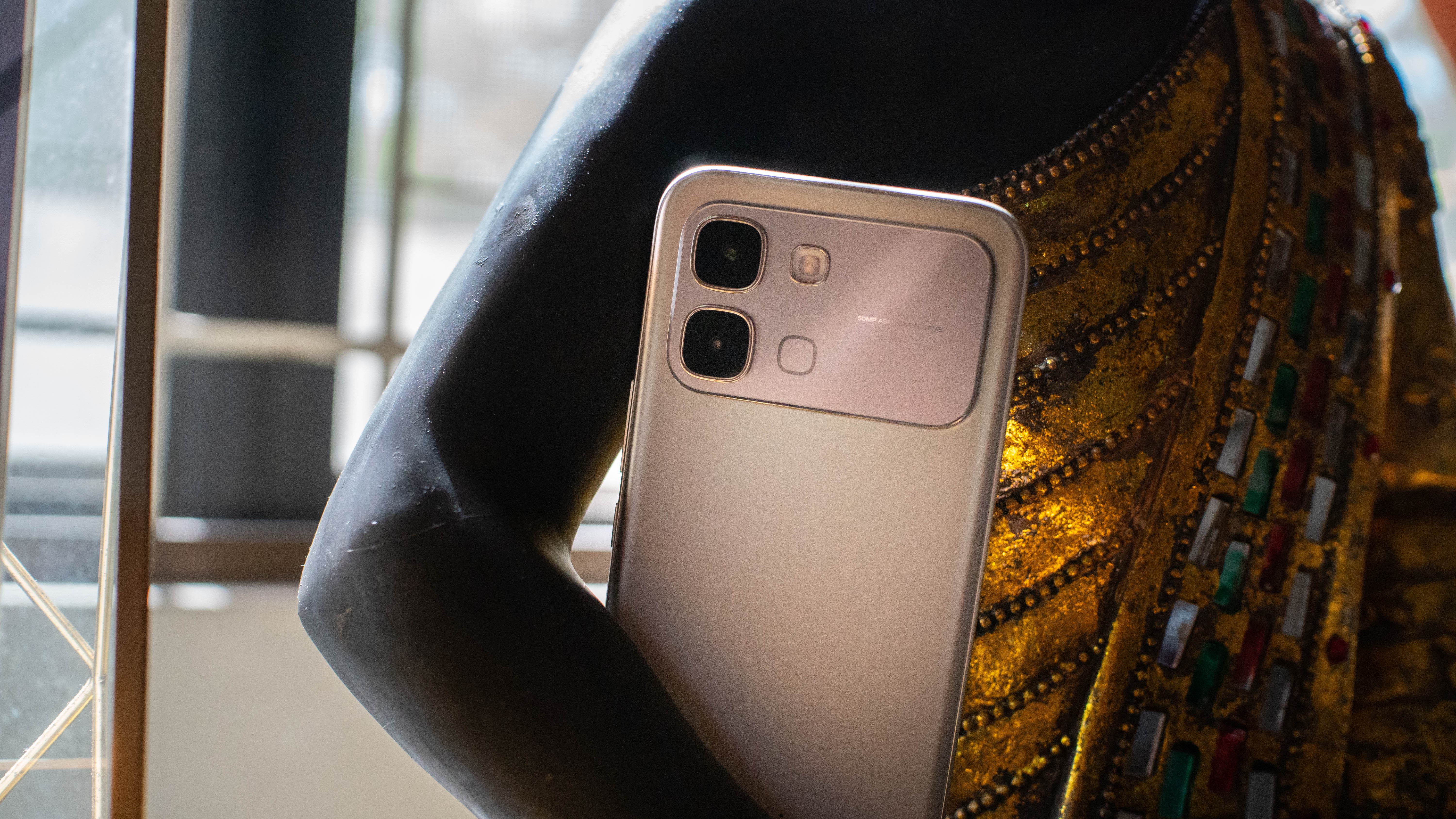
Now, in 2026, the Infinix NOTE Edge resurrects Samsung’s old flagship through its nostalgic design. The rear is mostly made up of a matte gold texture, which already makes for a nicely minimalist feel. However, it stands out even more with a huge camera island with a reflective surface that’s practically lifted from the iPhone 17 series.
Infinix’s phone skips the quirky designs typical of its segment. Instead, it goes for an iconic look that worked in the past and, arguably, still works today.
A phone for your pocket
A lot of phones today are just too big for pockets. Either the phone itself is just too large, or the camera island protrudes too much. Back in the day, we could have joked about having a certain appendage in our pockets. Now, phones are too comically large to be a laughing matter.
The Infinix NOTE Edge belongs to the unfortunately doomed ultra-thin phone segment. Though a lot of smartphone makers are already moving away from incredibly thin form factors, the NOTE Edge proves that the phone type works better in the midrange.

It weighs only 190 grams. Sure, it’s not a huge deal lighter than other smartphones, but you’d be surprised by how much cutting a few dozen grams helps. The NOTE Edge fits so well in my pocket. Throughout my time with the phone, it’s been only a secondary phone alongside my daily driver. Still, I could hardly feel it. Sometimes, I forget that it’s even in my pocket.
The ultra-thin phone might be a short-lived trend, but the NOTE Edge shows that it can be more with less.
Don’t let its size fool you
The Infinix NOTE Edge is one of the first phones to rock the Dimensity 7100 chipset. It’s a midrange chip that gets the job done. This phone has you covered for all facets of daily use. However, what it can’t do is become a dedicated gaming phone.
Zenless Zone Zero remains my biggest barometer for a phone’s performance. Very technically, the NOTE Edge can handle the title, but it wasn’t an enjoyable experience. Even in fairly low settings, the phone struggles with stuttering. Plus, on account of its lithe figure, it gets uncomfortably hot after only a while.
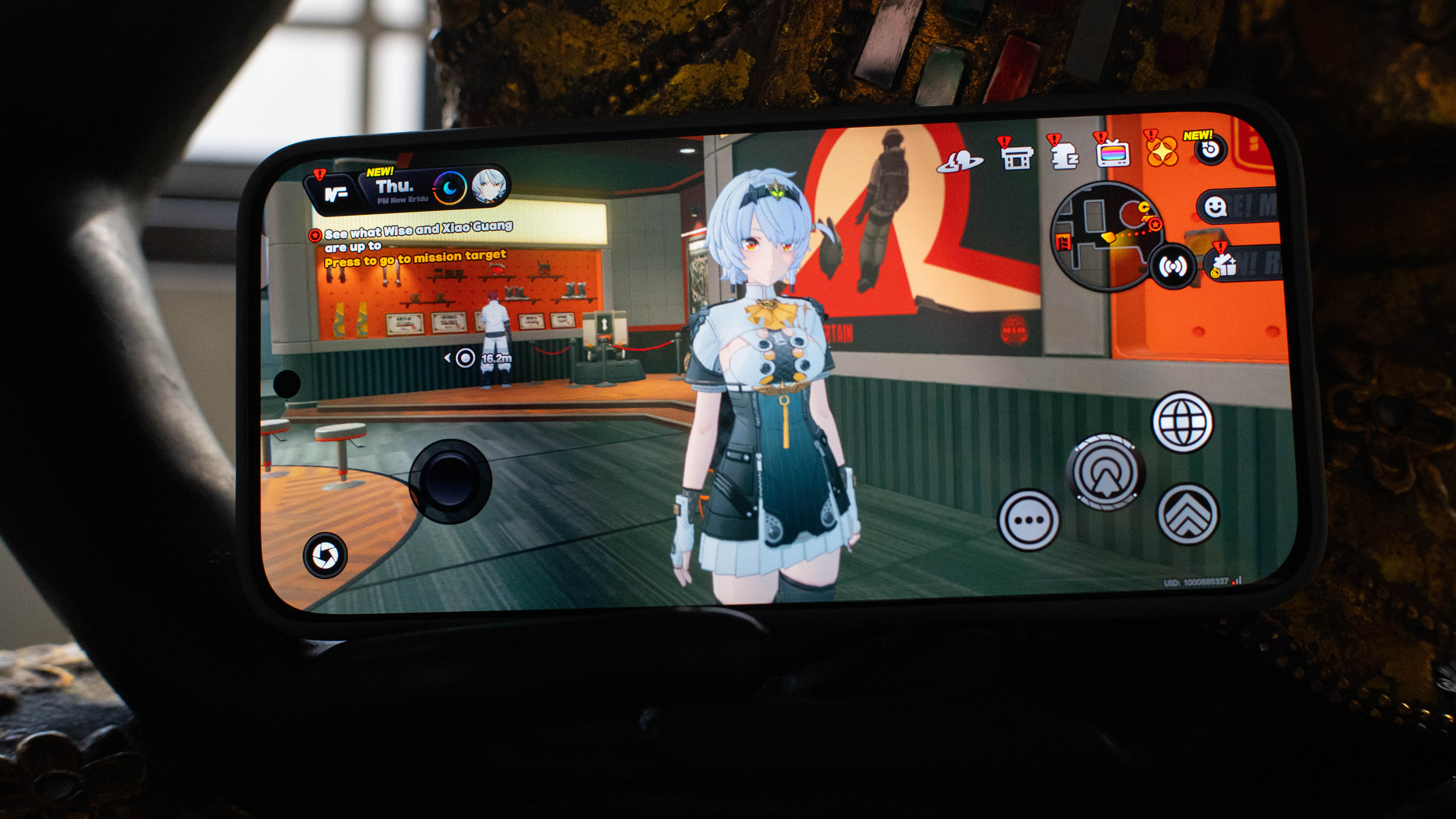
To be fair, it’s still capable with other titles. Firing up Bloons TD 6 from Netflix was a breeze. If you’re not a big mobile gamer, the NOTE Edge is pretty decent with those small time wasters.
Now Playing: Royal Rumble 2026
The Infinix NOTE Edge is more of a joy when you’re watching movies. The 6.78-inch AMOLED screen is delightful with 1B colors and 120Hz refresh rate.
As it happens, I got the phone right on time for this year’s Royal Rumble, my annual tradition as a lapsed WWE fan. What’s a better way to test a phone’s screen than with a 4-hour event?

Since WWE came to Netflix, wrestling fans have been eating good. The platform probably has every show to date. I’ve been enjoying the entire library from the past. But, of course, the best part is the availability of live events. Unlike the embarrassing way that Disney+ treated the WWE, Netflix’s live shows are in glorious HD, have no additional ads, and are available almost immediately.
Now, watching the show on the NOTE Edge was enjoyable. Because of its size, I didn’t need to squint hard to see which Superstar just made an entrance. And that’s a huge plus because there are so many new wrestlers I don’t recognize now.

Overall, I had a decent time watching, despite some questions with the results. Liv Morgan finally won a Rumble match, which I’m stoked by. Sadly, AJ Styles lost his career match, which means he’s gone from the WWE. I’m not really sure that having Roman Reigns win a Rumble again (and, therefore, be in the WrestleMania main event AGAIN) is a great idea, but that’s just part of the pain of liking the WWE.
At least, trying out the NOTE Edge was a revelation. Besides the size, the battery lasted well after four hours. Sure, a chunk was obliterated, but I still had around half the battery after that long.
An AI camera isn’t so bad after all
Whenever I see “AI” attached to a phone’s camera, the hairs on the back of my neck bristle. I don’t really need AI to help me take photos, thank you very much, especially when most of my gallery is of my cat anyway. (3,000 photos and counting!)
That said, I was blown away by the Infinix NOTE Edge. Despite only having a 50-megapixel rear shooter, I had fun using this phone to shoot. On a bright Saturday, it took the streets of Makati and a nearby taco shop with ease.
Colors under sunlight were lit perfectly without exposure turning everything into an overbright mess.

Similarly, indoor shots were very good. Just take a look at the colors on this wall.

This wall at Los Chachos in Makati looked sooo good.
I took the phone with me after dark, and it still performed well. Sure, you might jittery shots, but if you’re able to stay still, you’ve got a winner. For these shots, I did lower the brightness by quite a bit to allow the contrast to do the lifting.

Selfies were also good, if you’ve got good enough lighting.

Now, here’s a slight issue, though. The reflective back can give you a headache. If you find yourself shooting against the light or in brightly lit conditions, the camera can produce a very strong lens flare. In some situations, it adds a creative element to your shots, but it can be distracting during sunny days.


Here are a few more shots when I took the phone to Singapore. I’ll just say it: the Infinix NOTE Edge is incredibly good for street photography. The light weight and the photo quality are impressive.



Overall, I still wouldn’t sacrifice my daily driver and my camera for this phone. Regardless, it was enjoyable to shoot with this. It definitely works in a pinch.
The midrange problem of bloatware
Since this is a midrange phone, the NOTE Edge has the unfortunate problem consistent with most midrange phones: bloatware galore.
To be fair, the phone doesn’t really have a lot of apps installed. Then again, with the overwhelming deluge of advertised apps, the distinction hardly matters. The games section even had pages upon pages of titles that you’re definitely never installing in your life.

The phone also has the very midrange-coded Magazine Lockscreen, which sends content you might like straight to the lock screen. It’s a fancy way of saying that the lock screen has ads baked into it by default.
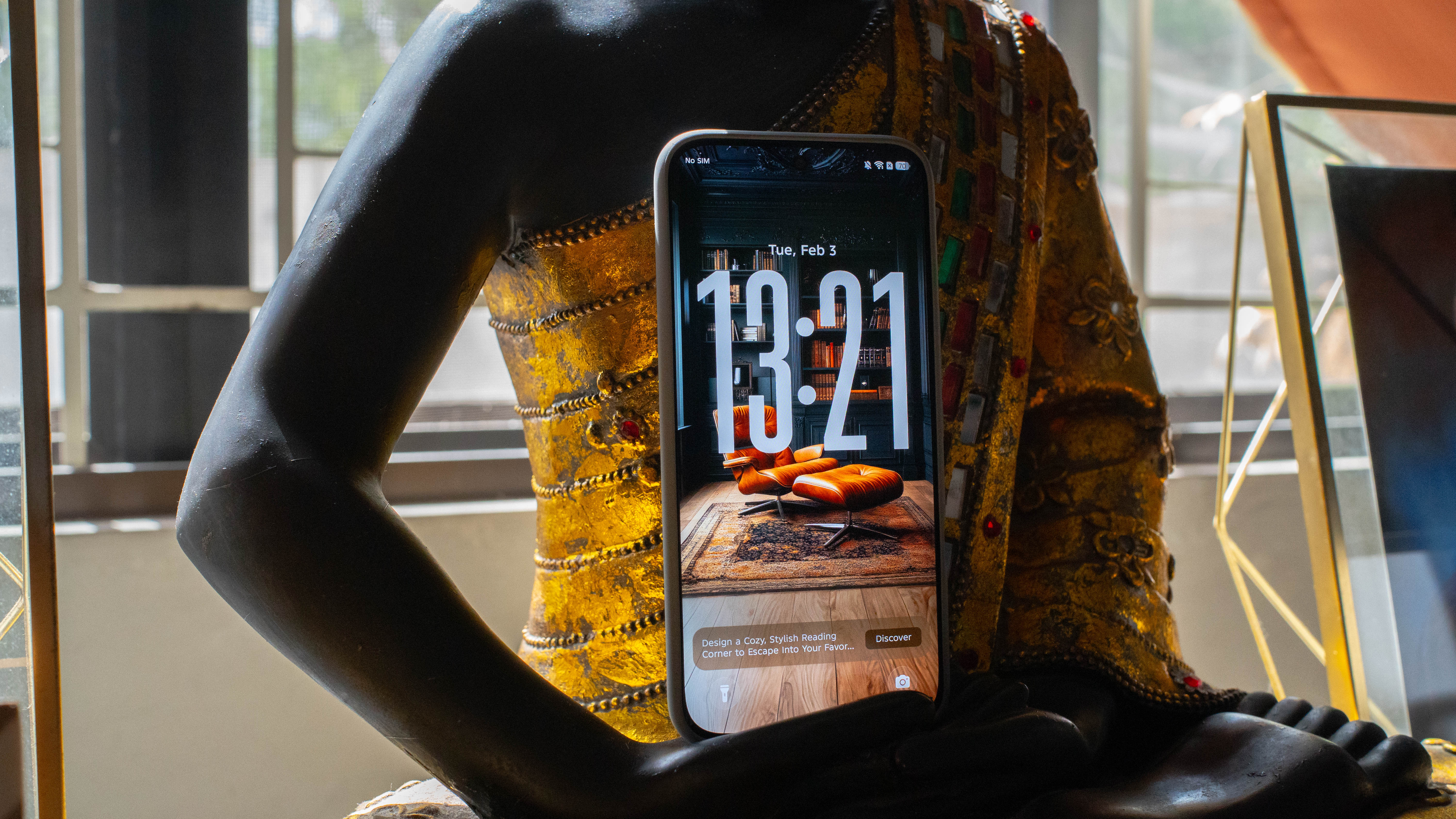
Thankfully, all these distractions can be turned off or deleted easily. But, honestly, I hope phone makers realize that no one really likes having them on in the first place.
A battery that’s good on paper
Despite its slim form factor, the NOTE Edge comes with a sizable 6500mAh battery. That’s a decent figure on paper. However, the phone’s real-time performance doesn’t really reflect this.
It’s not that the battery fails to perform as a smartphone battery. Rather, for a battery that hovers around the upper range of capacity these days, it doesn’t really have that oomph factor.

On the day that I took the NOTE Edge to a street shoot in Makati, the battery lasted a cool 15 hours before sinking to anxiety-inducing levels (around 20 to 30 percent for me). I’d consider this heavy usage already. Besides using the phone as a daily driver, I kept the camera on for extended periods of time, so I wouldn’t miss shots. I played games while waiting for friends and my food to arrive. I was using Waze without a charger going to and from Makati.
And, yes, by the way, it did get hot. After all, the thinness of the NOTE Edge doesn’t really allow for a dedicated cooling system, unlike thicker phones.
It’s fine as a battery, since it gets the job done throughout the day. But it’s not the 6500mAh type of fine.
Is the Infinix NOTE Edge your GadgetMatch?
Starting at only PhP 14,999, the Infinix NOTE Edge is as budget-friendly as it gets for a midrange phone. It’s not the most impressive phone I’ve seen in its price range, but, as I said for the battery, it gets the job done.

The two highlights here, besides that oh-so-affordable price, are the thin form factor and the impressive camera. If you value both specs in your daily driver, this is a good Swipe Right.
However, if bloatware is a problem for you, then this is a clear Swipe Left. You can also couple that with a processor and a battery that looks good on paper but fails to wow beyond that.

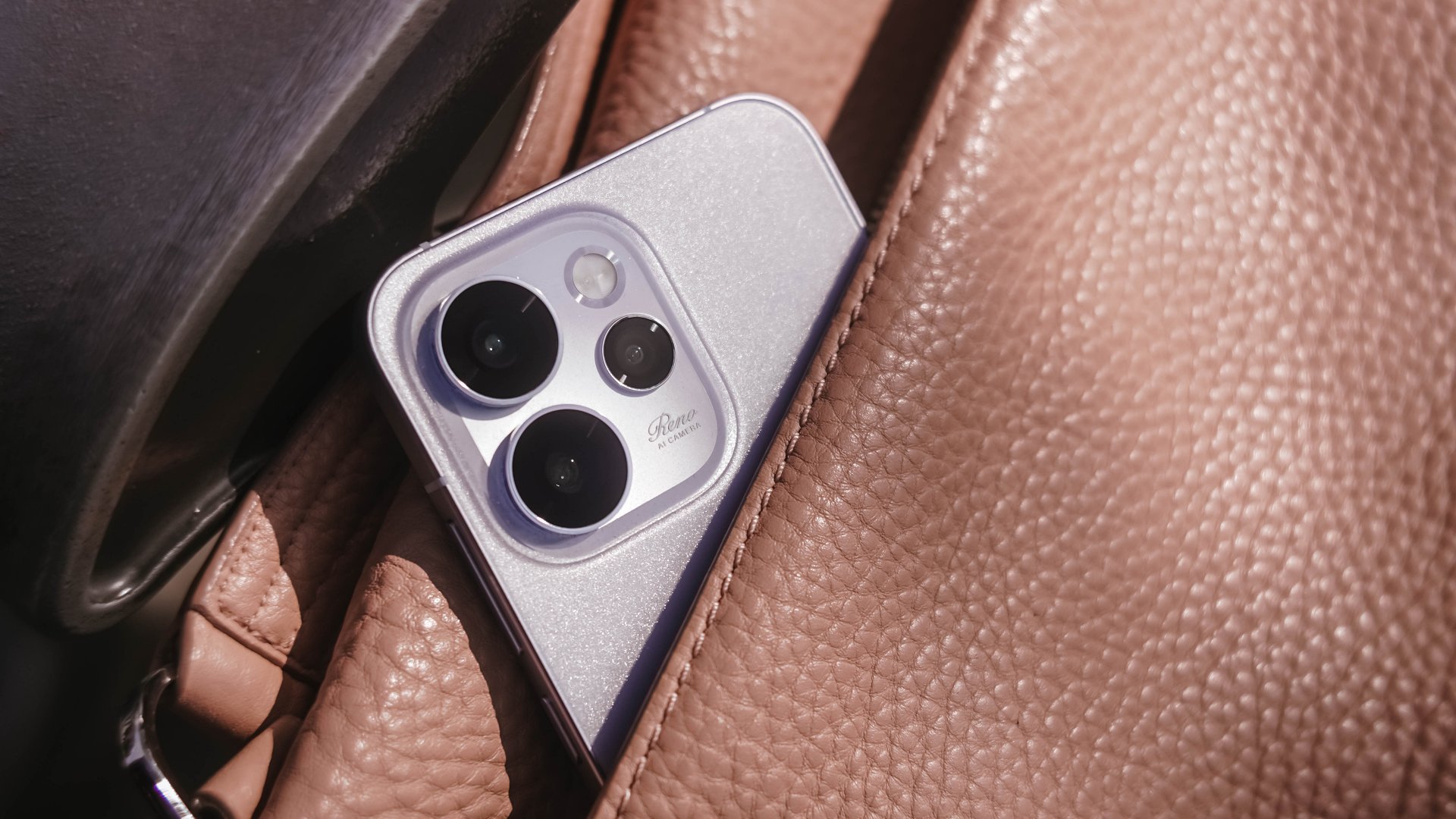
As GadgetMatch’s Creative Producer for 7+ years, I’ve had my fair share of review phones with me.
However, as I stated in my recent Reno15 Pro First Look, this is only my second time handling OPPO’s midranger.
Being the team’s full-fledged ~camera guy~, it’s the best time to shoot with this smartphone. Now, here’s my Camera Review of the all-new OPPO Reno15 Pro.
Hocus Focus
First in focus is none other than the Reno15 Pro’s main (1x) shooter. On paper, this has the biggest gap between the vanilla and Pro variants of the Reno15 series.
| OPPO Reno15 Pro | OPPO Reno15 | |
| Wide | 200MP f/1.8 1/1.56” Samsung ISOCELL HP5 sensor |
50MP f/1.8 1/1.95” Sony LYT-600 sensor |
| Ultra-Wide | 50MP f/2.0 116º FoV GalaxyCore GC50F6 |
8MP f/2.2 116º FoV OmniVision OV08D |
| Telephoto | 50MP f/2.8 1/2.75” Samsung ISOCELL JN5 sensor |
50MP f/2.8 1/2.75” Samsung ISOCELL JN5 sensor |
| Selfie | 50MP f/2.0 1/2.75” Samsung ISOCELL JN5 sensor |
50MP f/2.0 1/2.75” Samsung ISOCELL JN5 sensor |

That 200MP main camera not only has a larger megapixel count, but it also has a bigger sensor size, compared to what the base Reno15 has.
Right off the bat, the Reno15 Pro already serves with its superior image quality.
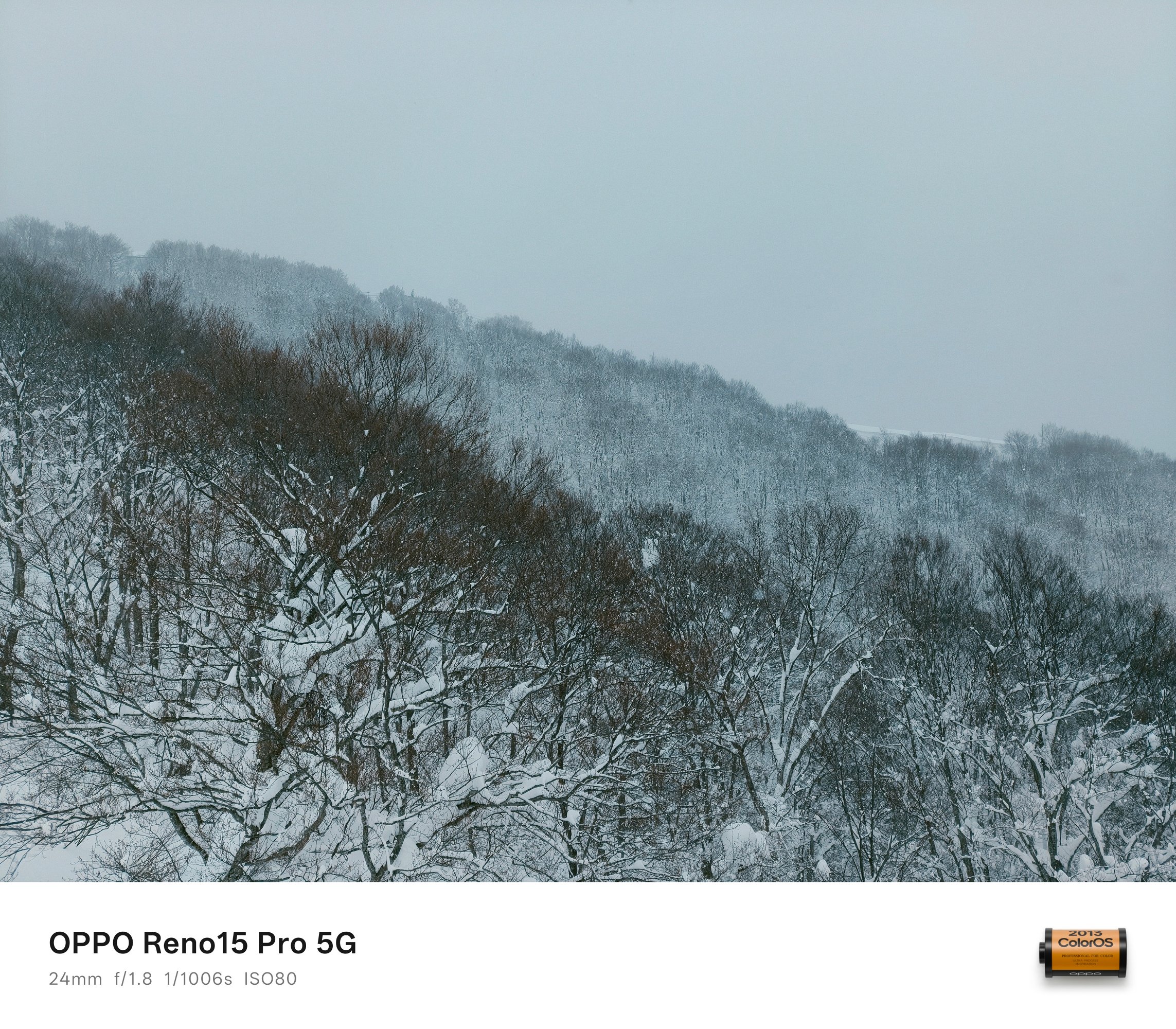
While color output is and will always be preferential, I prefer how the Reno15 Pro doesn’t produce photos that are looking too flat — with the fair share of balance in highlights, shadows, and contrast.




HDR scenes weren’t forgotten as well. There’s a good mix of everything in between despite capturing them against that harsh sunlight behind.


And before I forget, I just want to commend how fast the shutter response time is. Personally, I don’t use burst shooting and only relies on how fast my finger reflexes are when taking photos as fast as possible.
Good thing, the OPPO Reno15 Pro managed to capture this breezing train with ease.


The ability to switch between 24mm, 28mm, and 35mm is also a great feature flexibility especially for users who want to frame their shots properly.
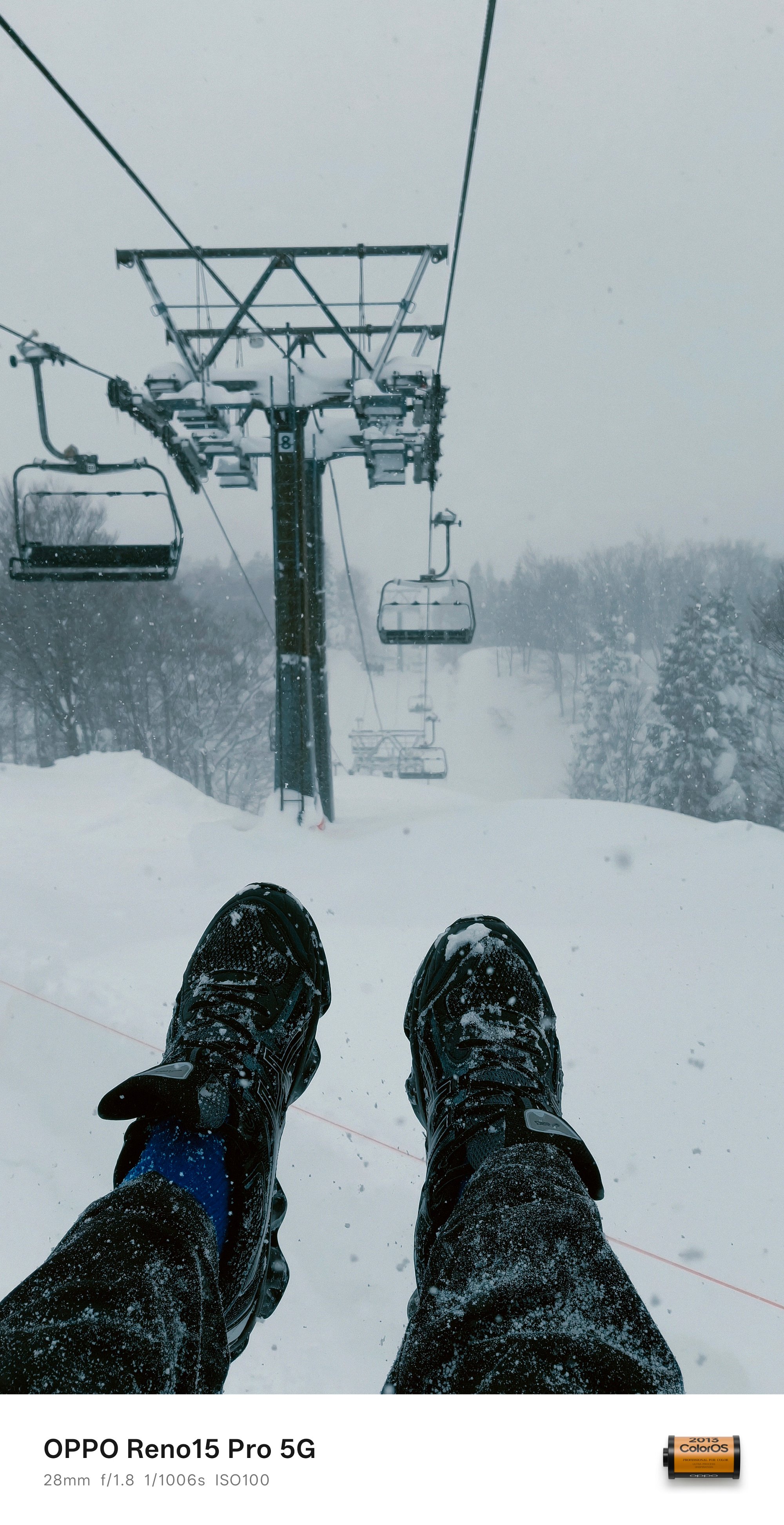
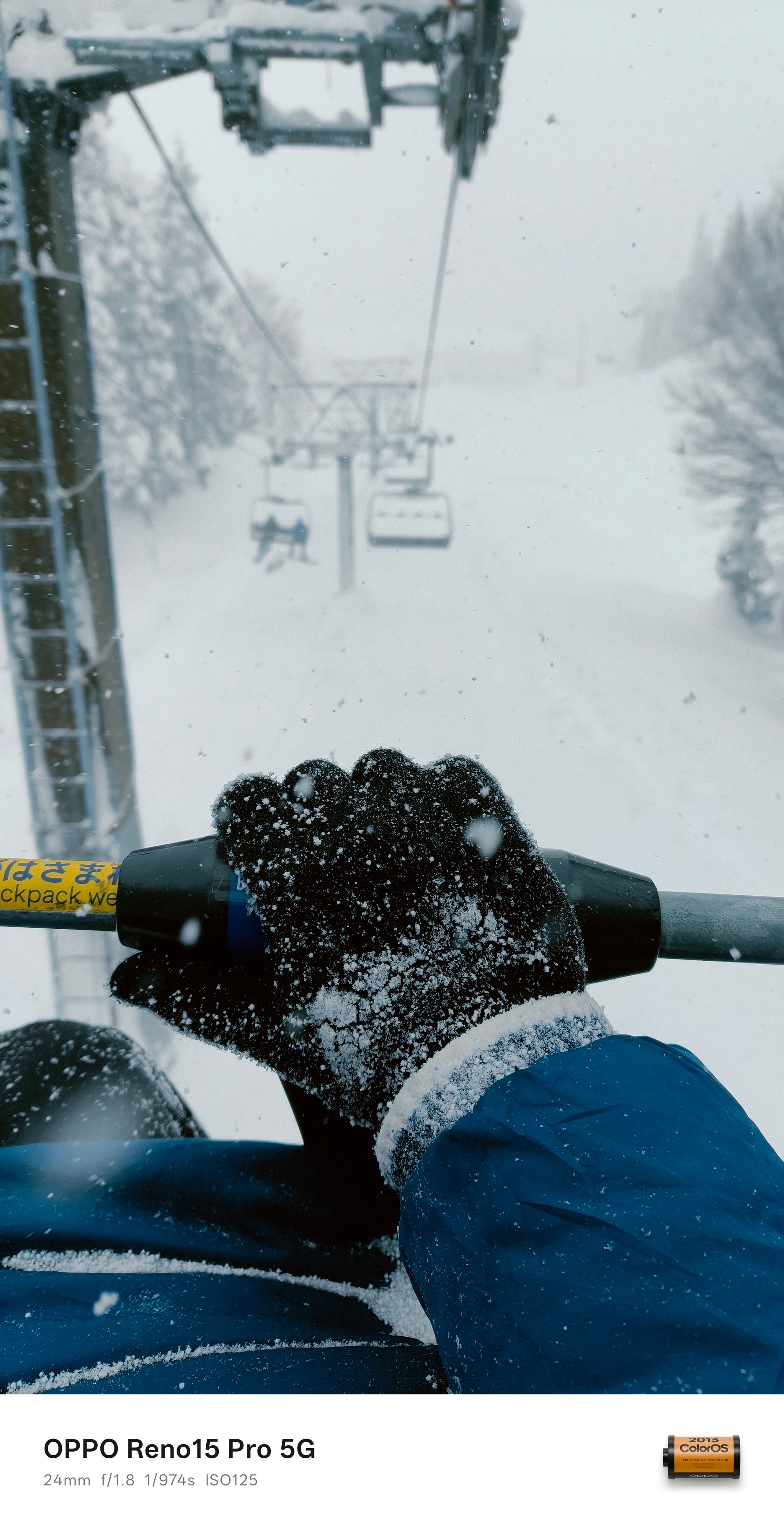
BONUS #1: It also captured my first snow fall experience in Osaka ❄️

Wider than wide
Usually, ultra-wide cameras are something that’s left behind among midrange phones. The case isn’t the same for the Reno15 Pro.
Although I cannot provide any comparison sample, that 50MP sensor obviously has the upper-hand versus the 8MP shooter found on the base Reno15.


Shots taken in the UWA (Ultra-Wide Angle) mode look crisp and clear, no questions asked.
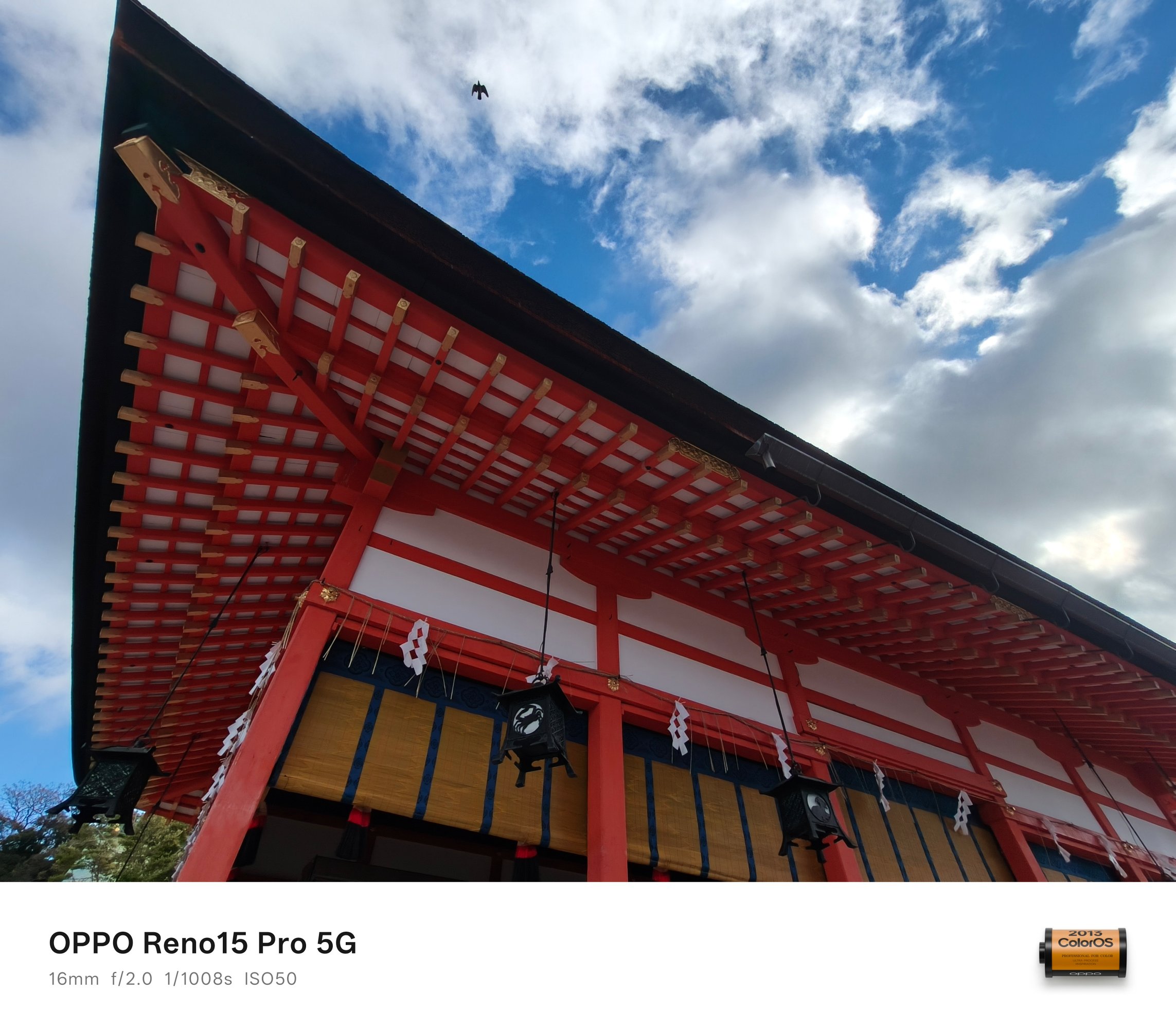
It even managed to snap that flying bird above like a fictional time freeze phenomenon.


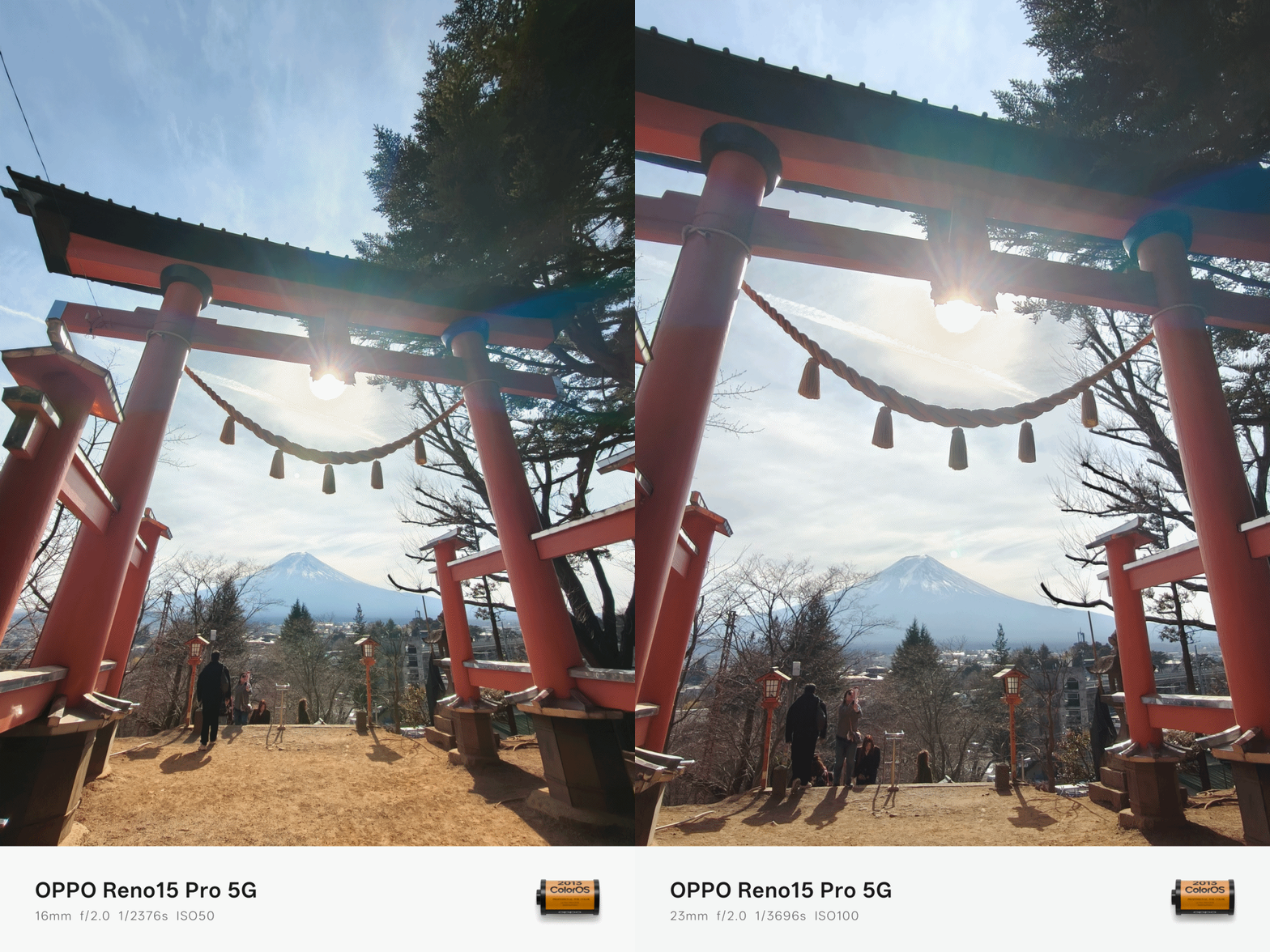
That 118-degree FoV squeezes in more details in the frame that cannot be captured by the regular 1x wide camera — unless you physically back off meters away from the subject.


In certain scenarios where cropping in is required, that larger megapixel count means it has gathered more image data — especially in restricting environments.


The Zoom Boom
If you’re coming from last year’s Reno, that 3.5x zoom shooter still remains.
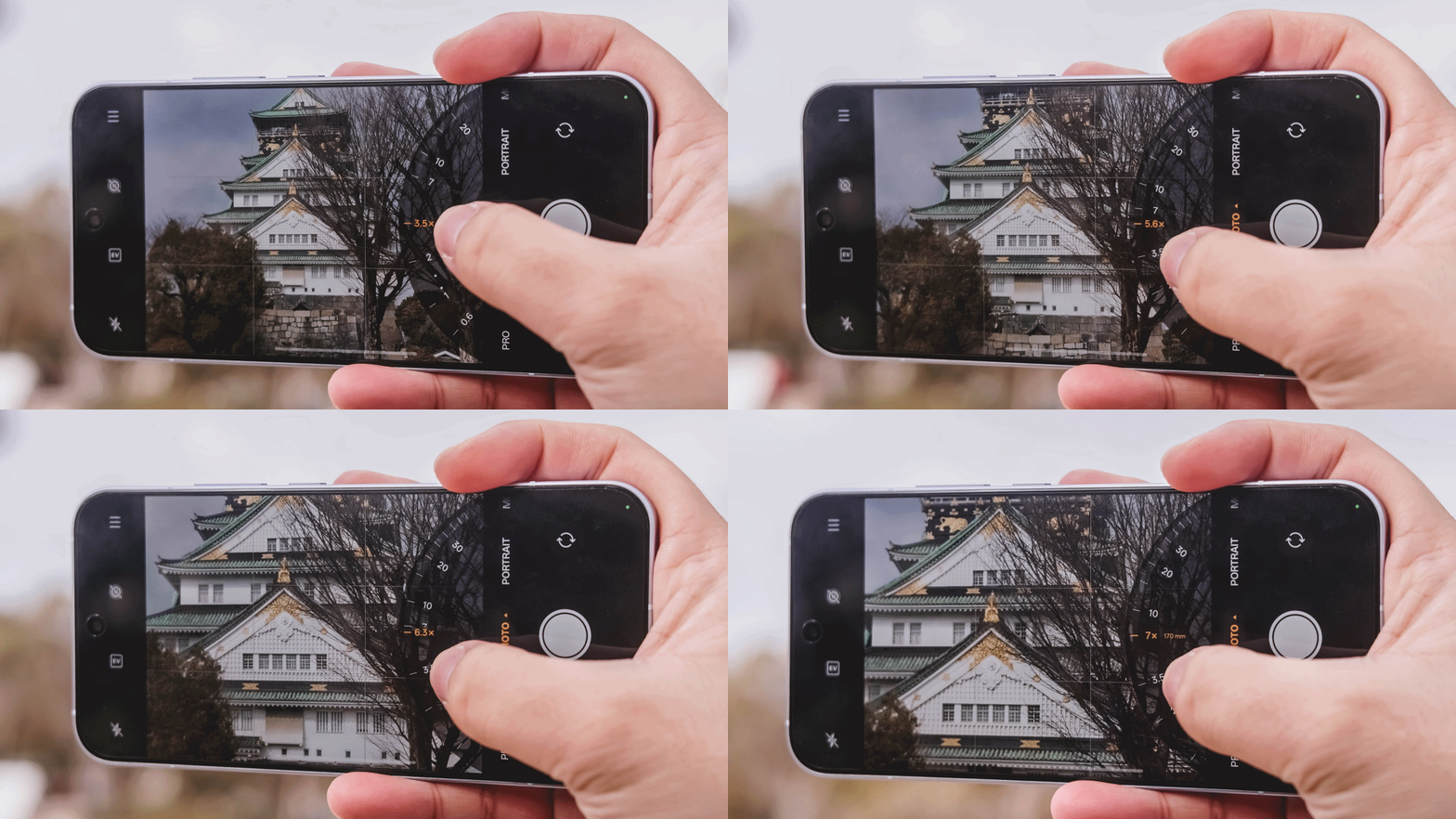
Albeit, from a periscope module, it was returned to a telephoto one (like what’s equipped in the Reno13 Pro). I’m quite unsure how massive or measly that change brings to the table.
And even if that 200MP can bring 2x zoom shots through in-sensor cropping, having a dedicated telephoto lens means clearer shots from afar.

And it’s not just limited to 3.5x telephoto zoom per se (85mm). The OPPO Reno15 Pro can even take as far as 7x with optical-quality zoom (or lossless / hybrid, whatever the best term is). That’s an equivalent of 170mm in camera lens’ focal length.
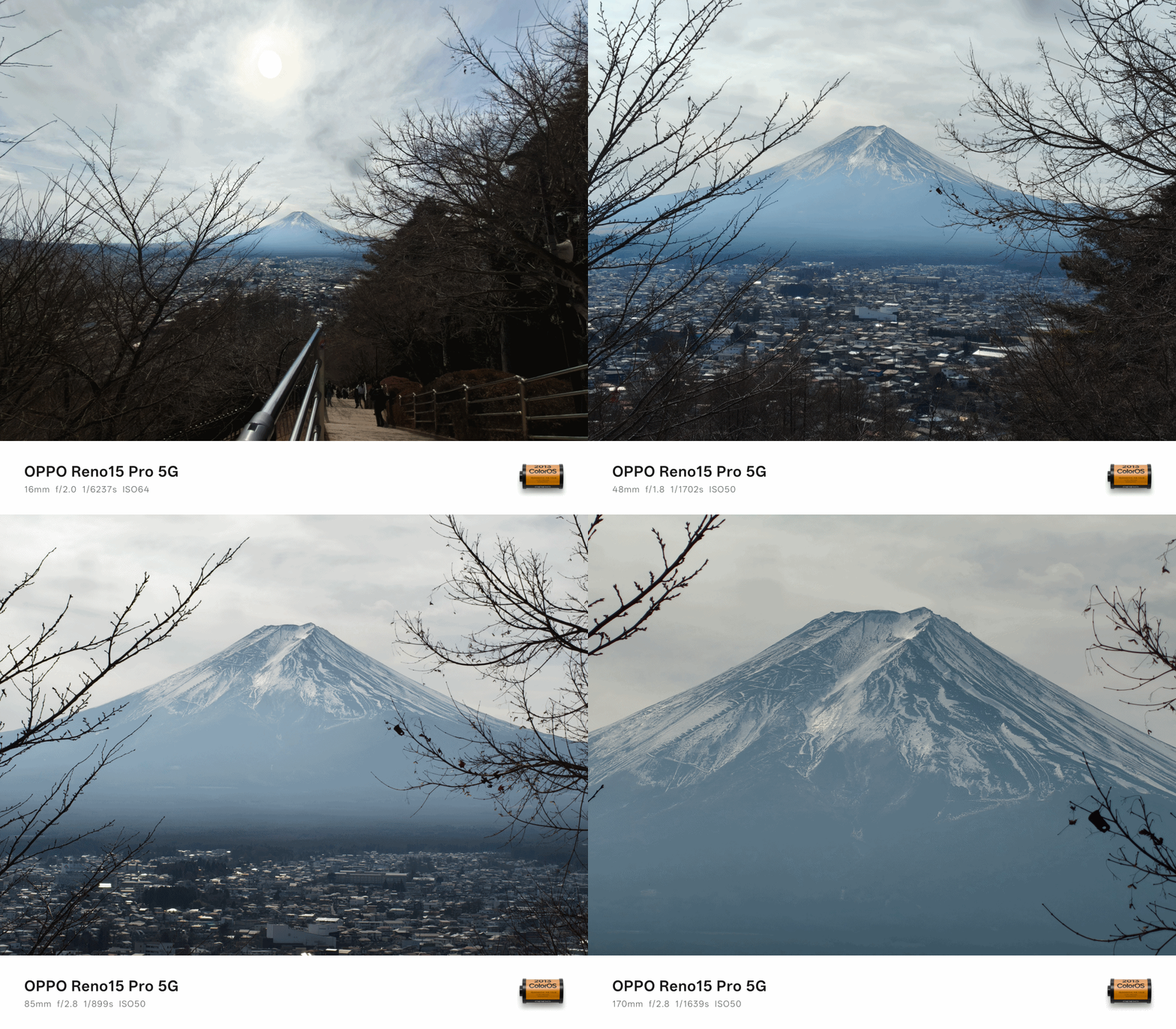
Good thing or not, it’s the same exact sensor found on the base Reno15 as well.




What matters the most is that I love how this zoom shooter performs.


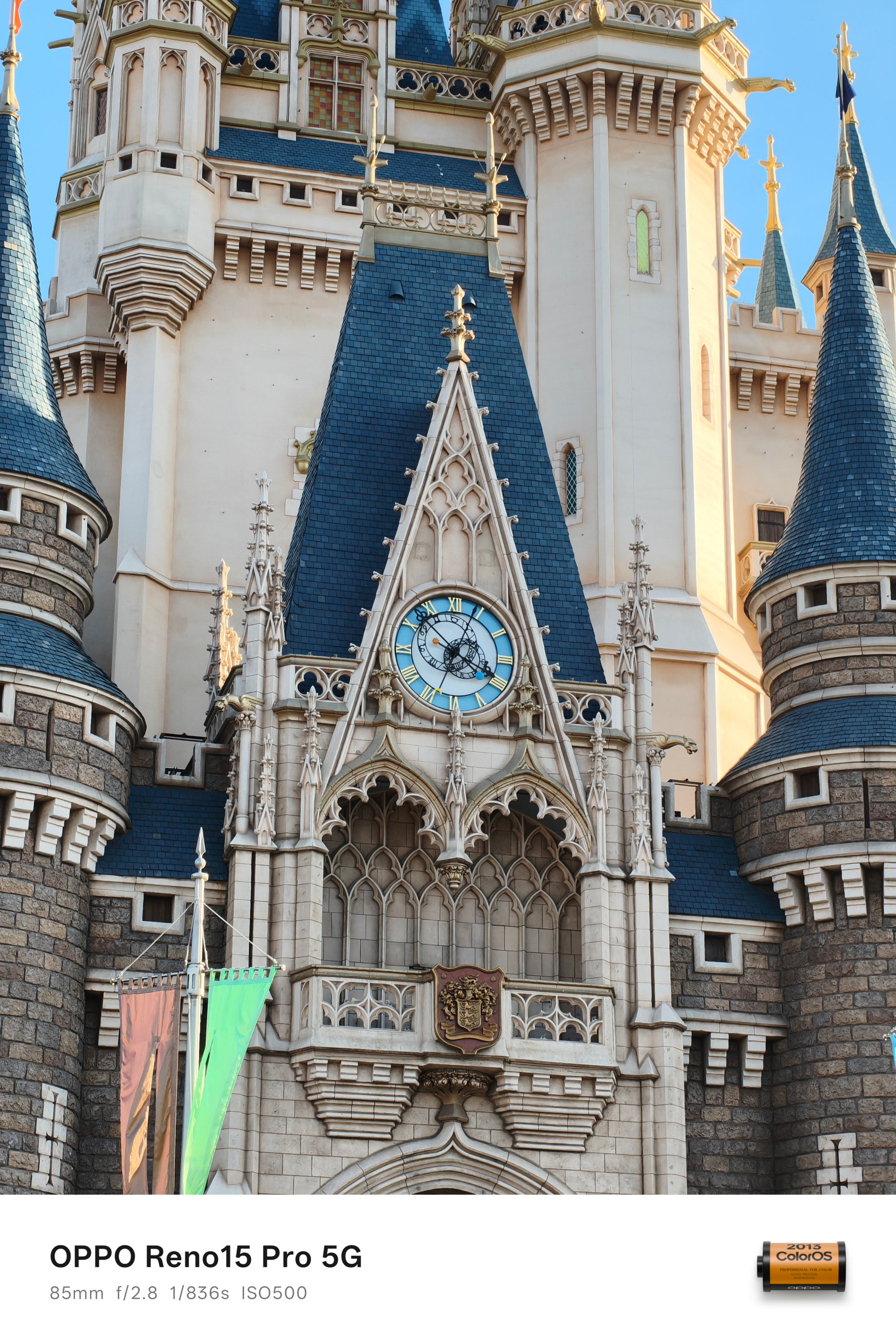




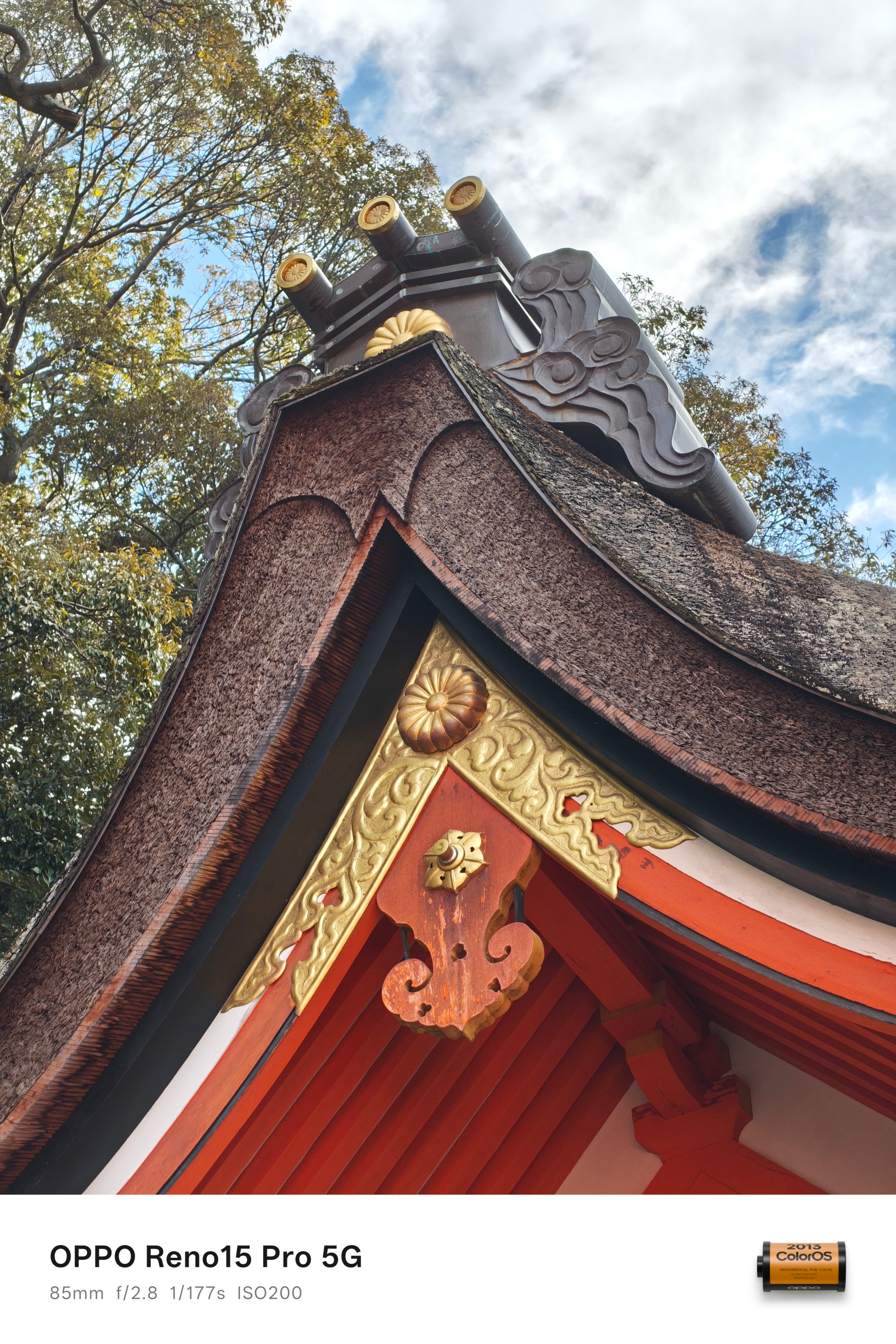
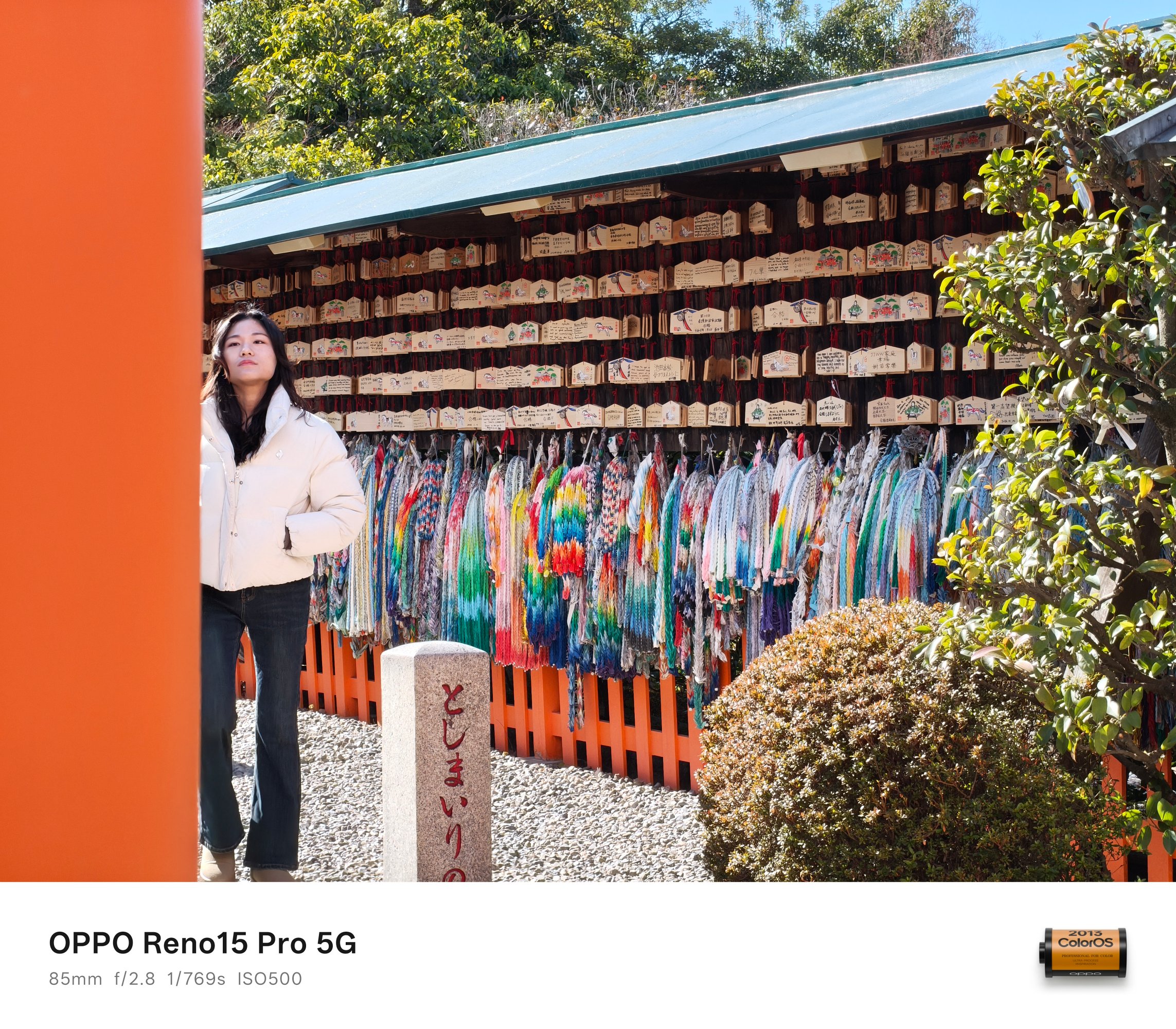
It even performs snappy when shooting moving subjects — like this deer and tux cat.


I am a firm believer of not taking food shots using the regular 1x view. Thankfully, the excellence of its 2x and 3.5x zoom modes made me capture these mouthwatering photos with enough segmentation.

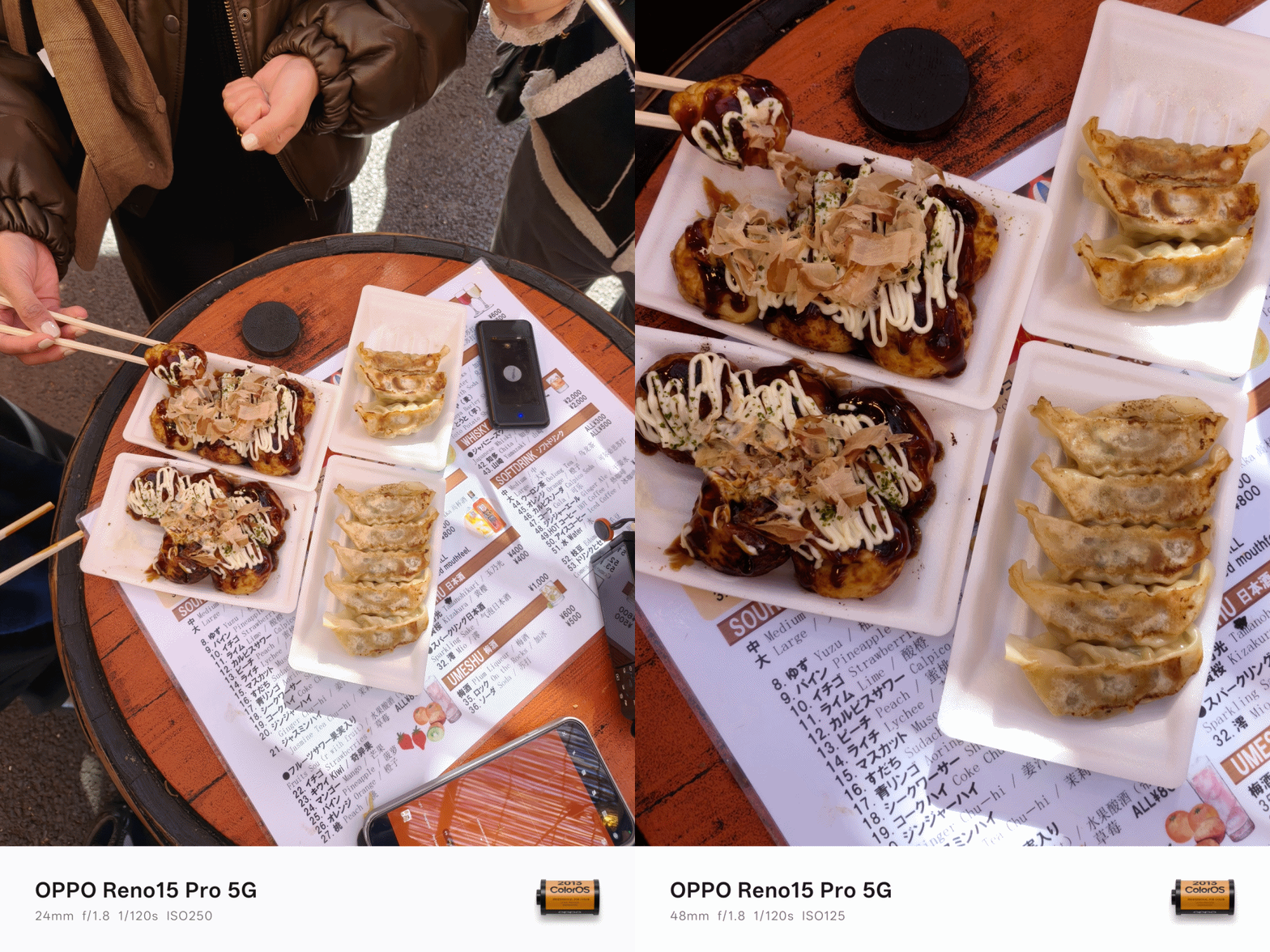







Also, my new obsession? Turning on the flash when capturing meals indoors for that ✨ 2000s digicam vibes 📸


Low-light that looks right
As I always say, shots taken with no presence of natural and artificial light is what makes or breaks a smartphone’s camera performance.
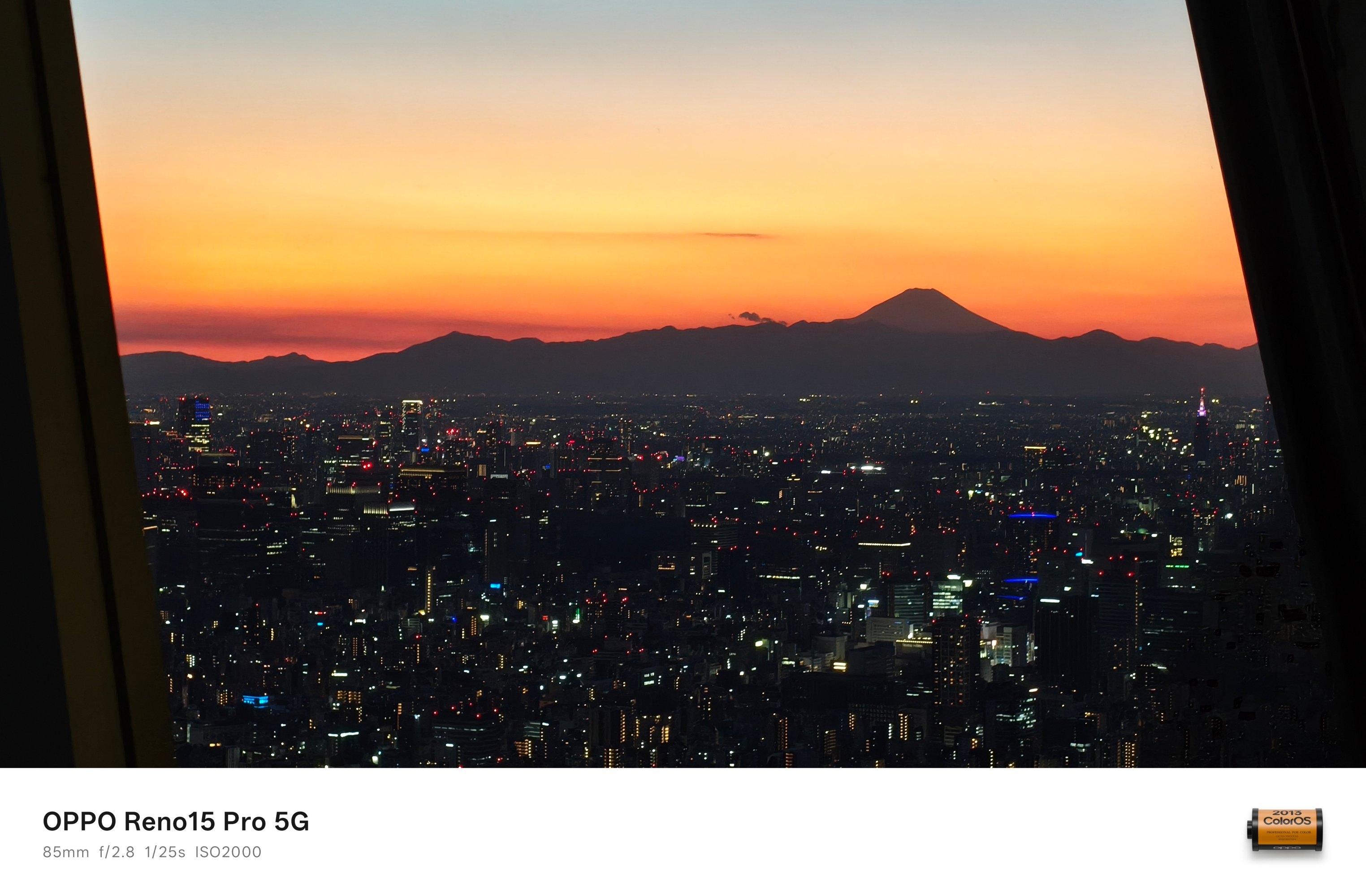
However, the OPPO Reno15 Pro dared. It was able to capture this Mt. Fuji scene at Tokyo Skytree even when the sun has already set.

With no surprise how it performs during the day, these evening photos provide more than satisfactory quality.


And just to be clear, I never actually switched to Night Mode.
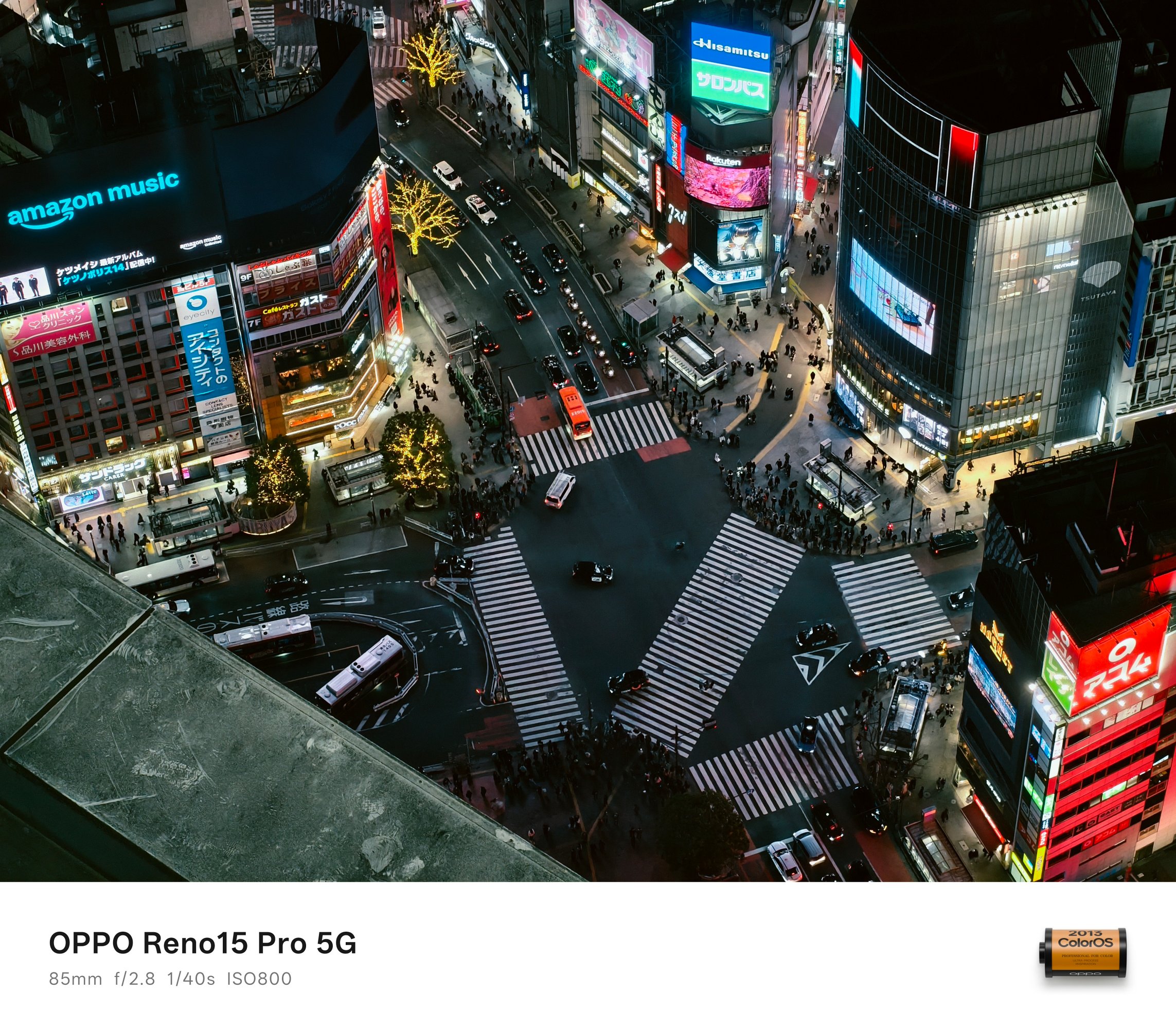
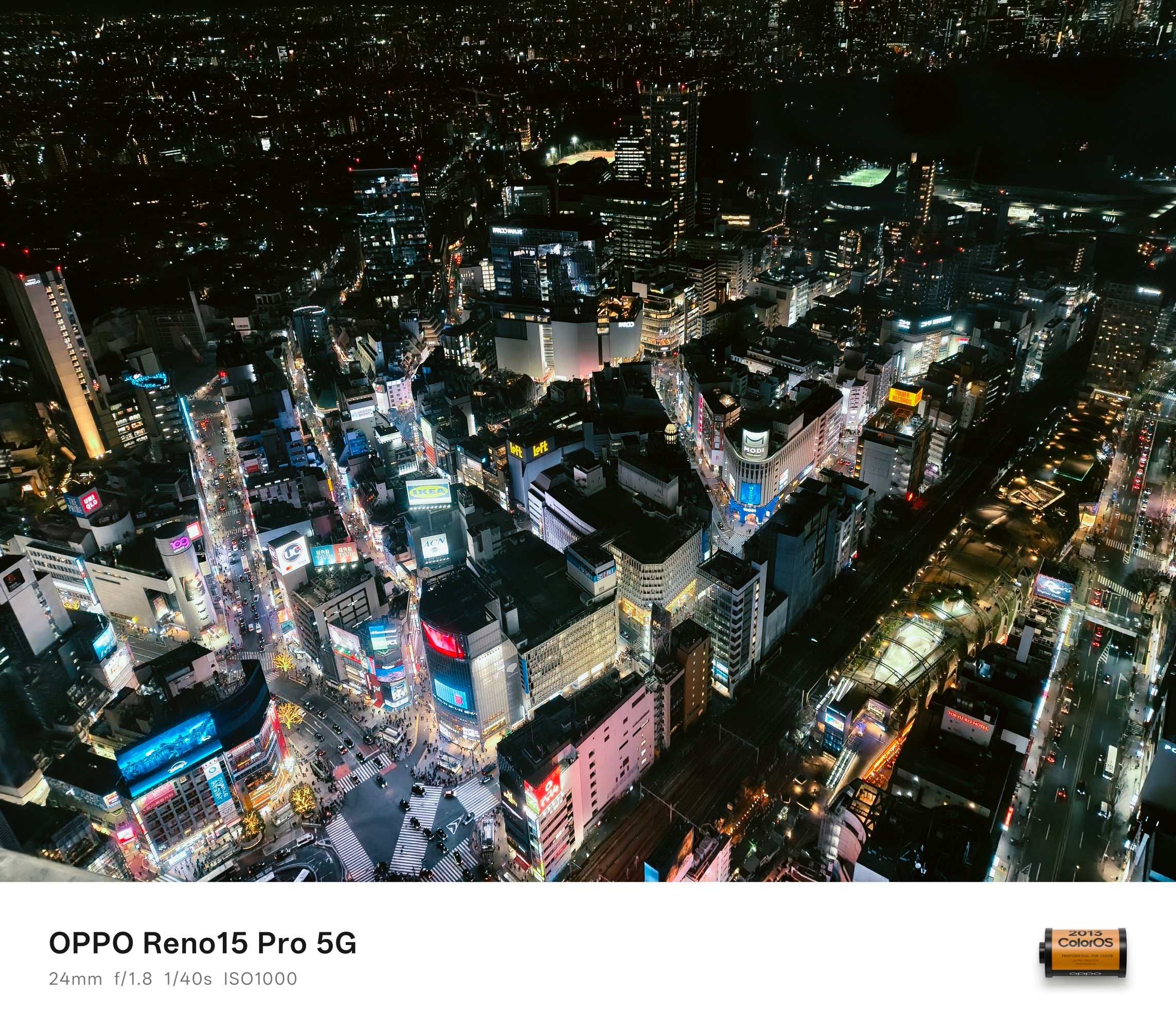


Regardless of the focal length you desire, the OPPO Reno15 Pro delivered well.

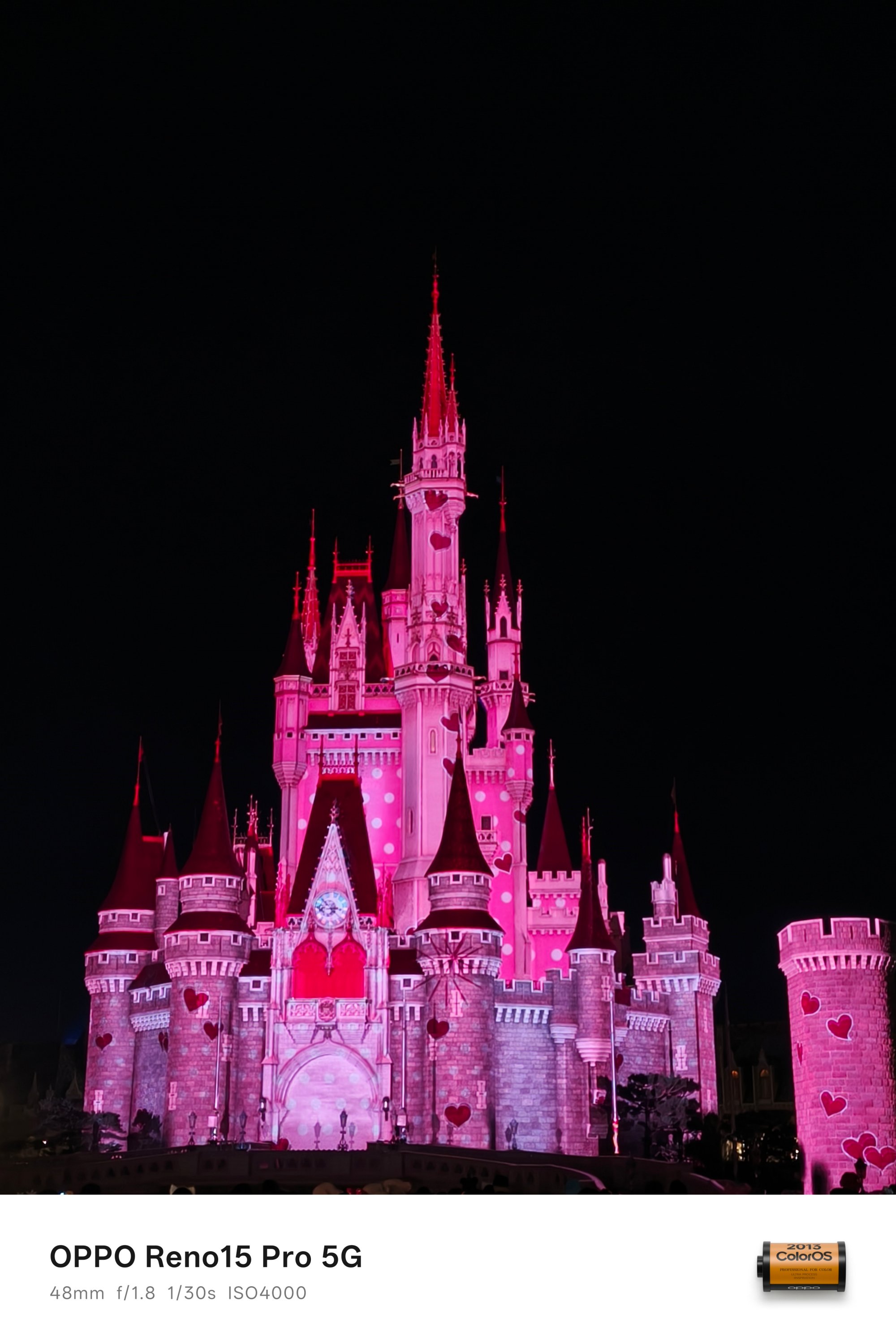


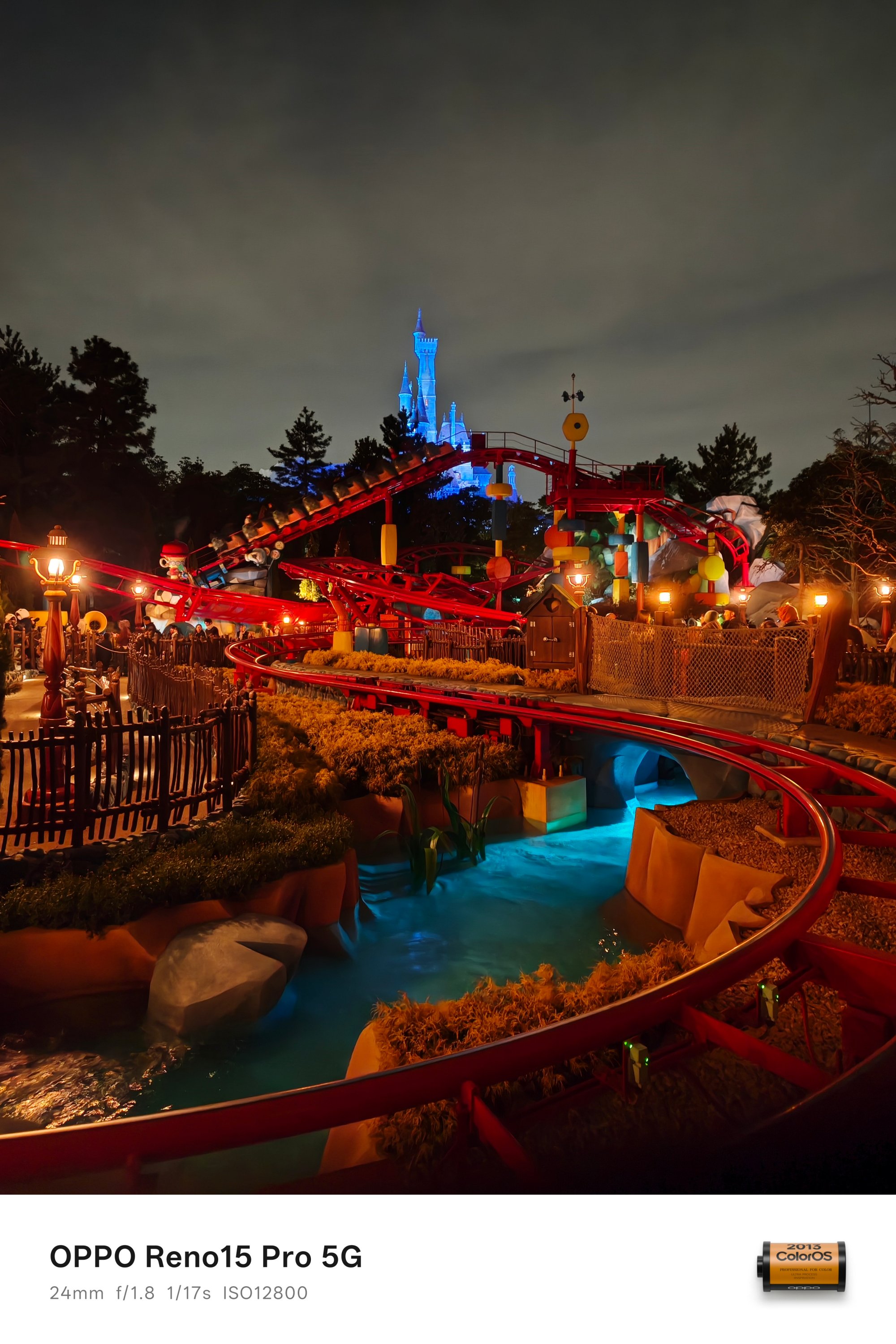


OPPO AI instantly detects the scene and kicks in that much-needed algorithm when capturing shots in the low-light. For instance, this part was so dark I didn’t even notice there’s a couple captured in the frame.

Indoor shots weren’t left out as well. Look at how clean these look despite capturing them while being in a ride full of twists and turns.


Speaking of, these two samples were also taken while the parade floats were in constant motion.


I didn’t fully intend to take as much low-light shots with the OPPO Reno15 Pro. Still, it would be a huge miss not to include these extras.





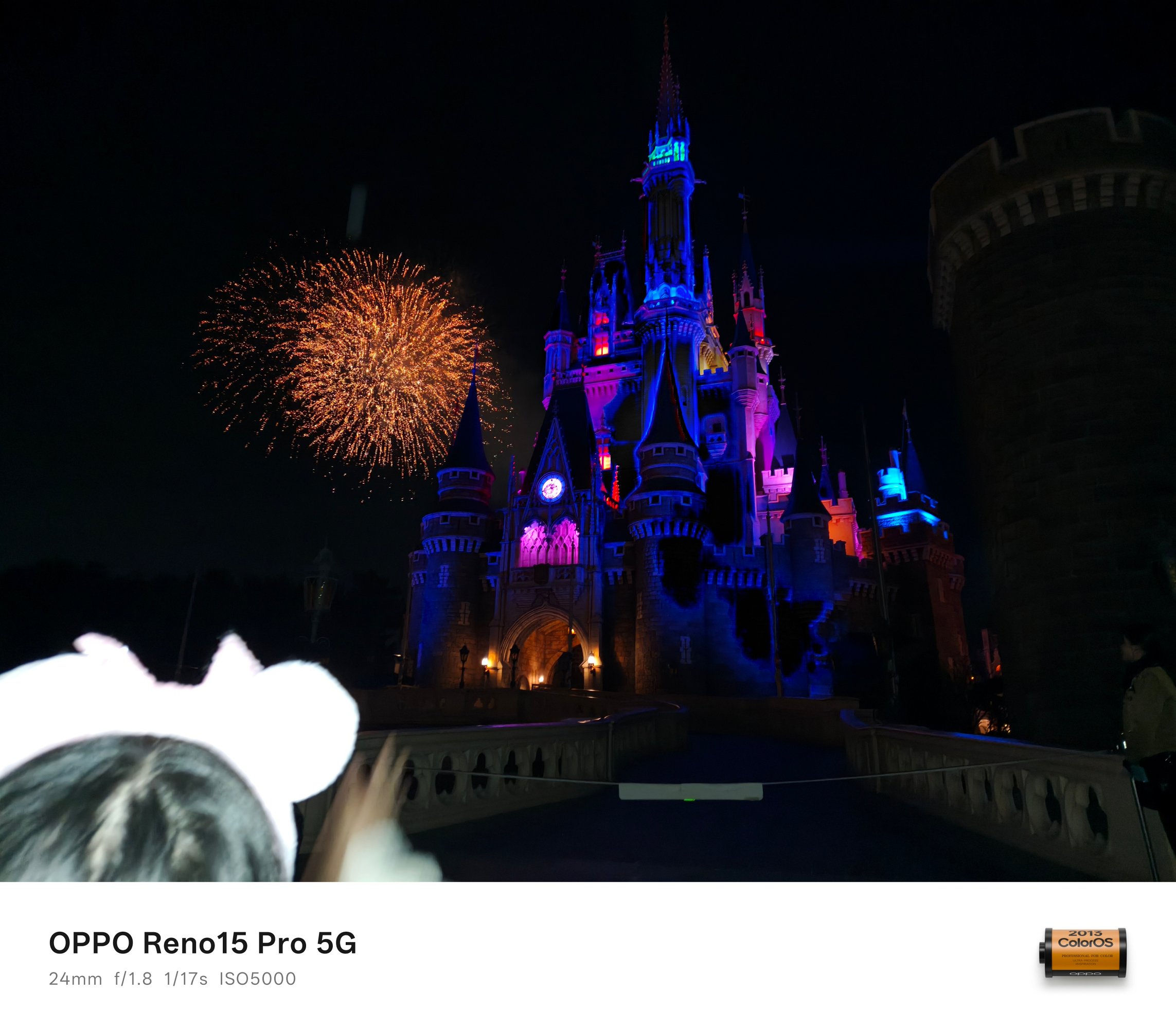
 BONUS #2: I accidentally took this with the flash enabled so it didn’t truly capture the split-second moment of that fireworks. However, IMHO, it still looked postworthy.
Pro-trait Expert
Having a telephoto shooter isn’t just for capturing subjects from afar, it also means better portraits through fixed focal lengths à la prime lenses for professional cameras.


While portrait mode works in both 1x or 2x modes, that 3.5x (or 85mm equivalent) gives the best possible output.


Not only is the Depth of Field (DoF) based on the phone’s distance away from the person, but it also provides a more natural bokeh — even if that means faking the aperture from f/16 to as shallow as f/1.4.





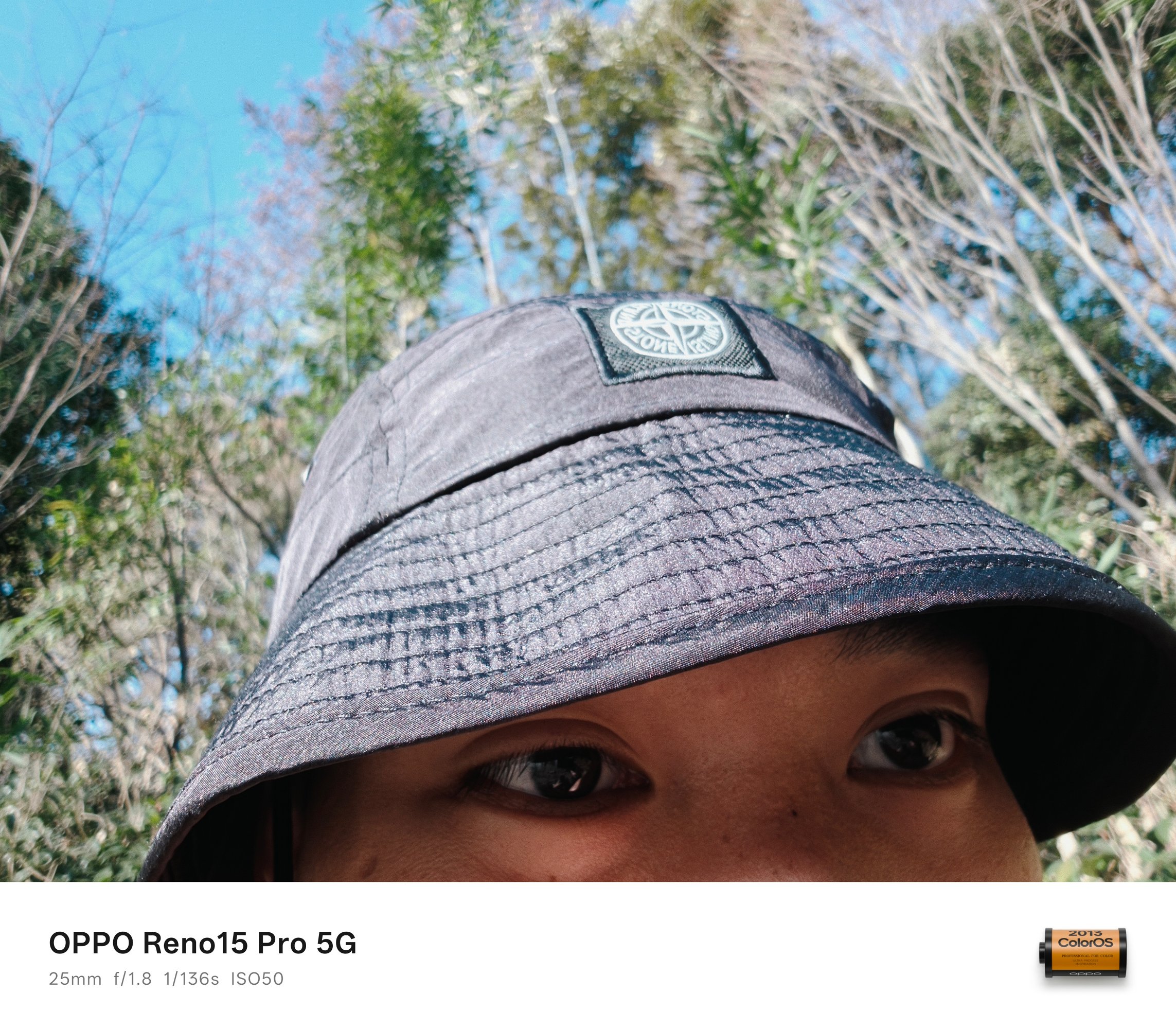
And this expertise isn’t just found on the rear cameras. With the front camera sharing the same sensor as the telephoto camera, quality is more than justified.




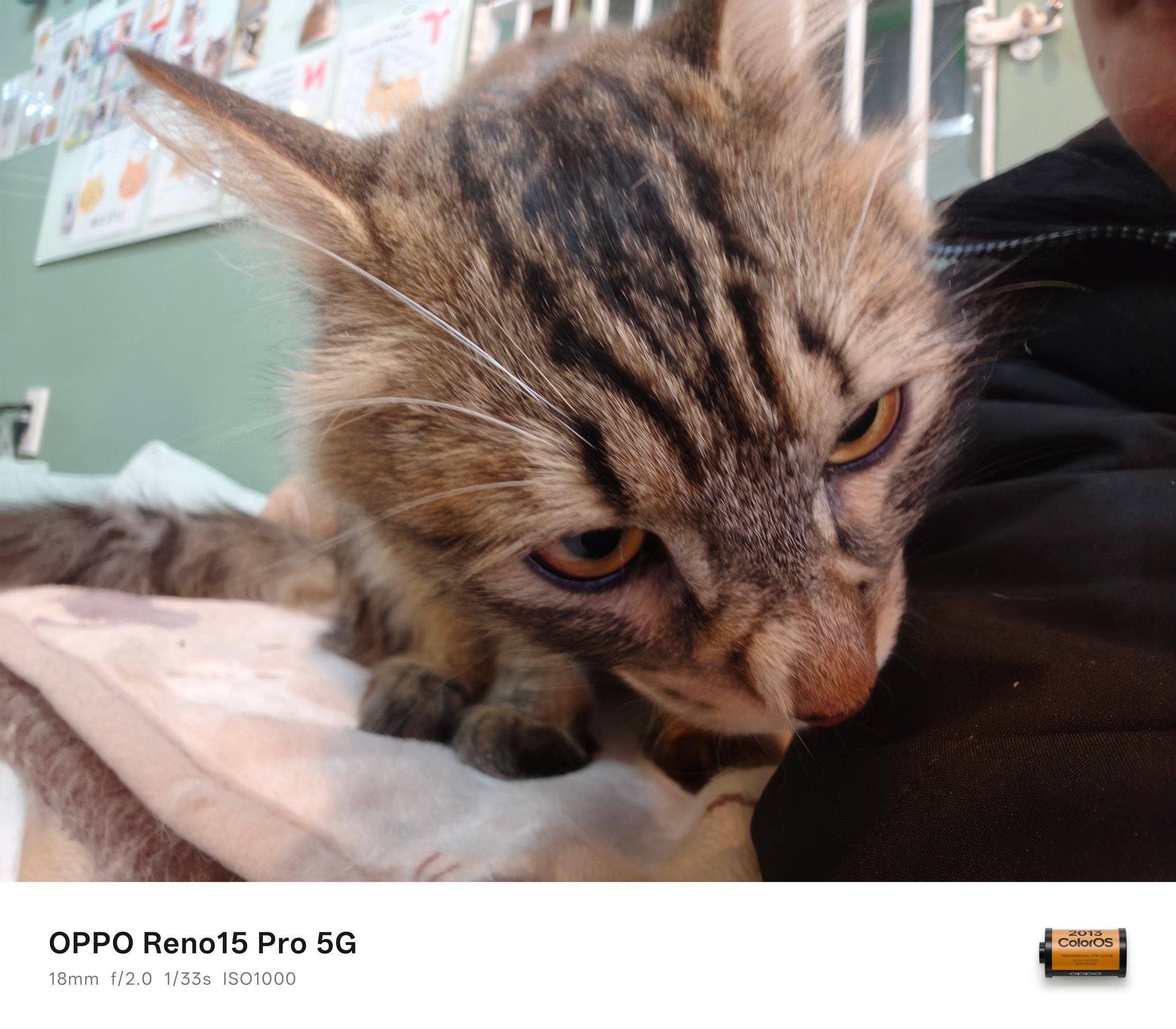
Same sensor found on the telephoto unit with a wider aperture clearly means the Depth of Field (DoF) is as natural as it can get.
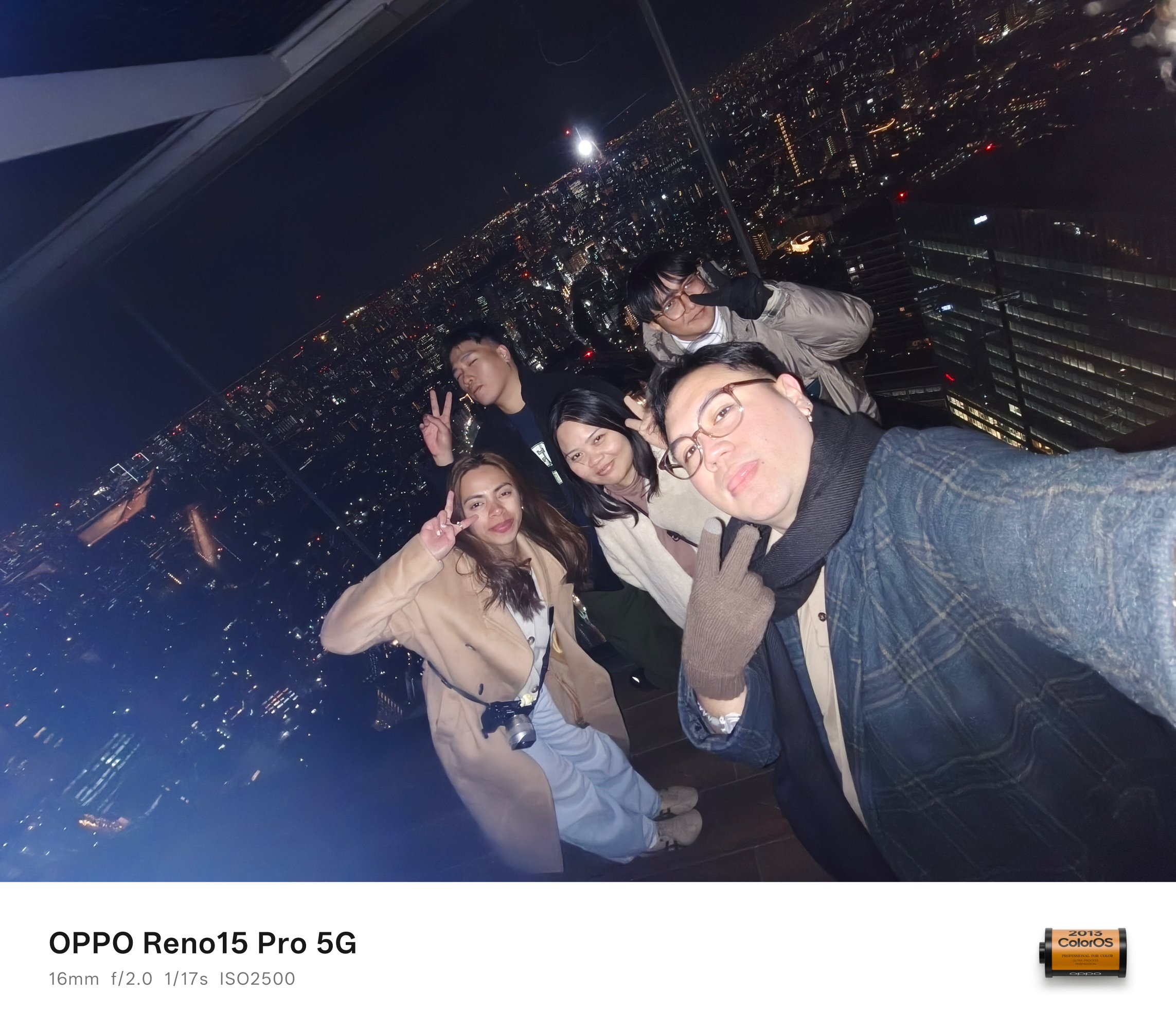
Selfies are for one, groufies are for another. The Reno15 Pro easily captures human subjects without frills.



Taking low-light groufies in this device weren’t a struggle at all.
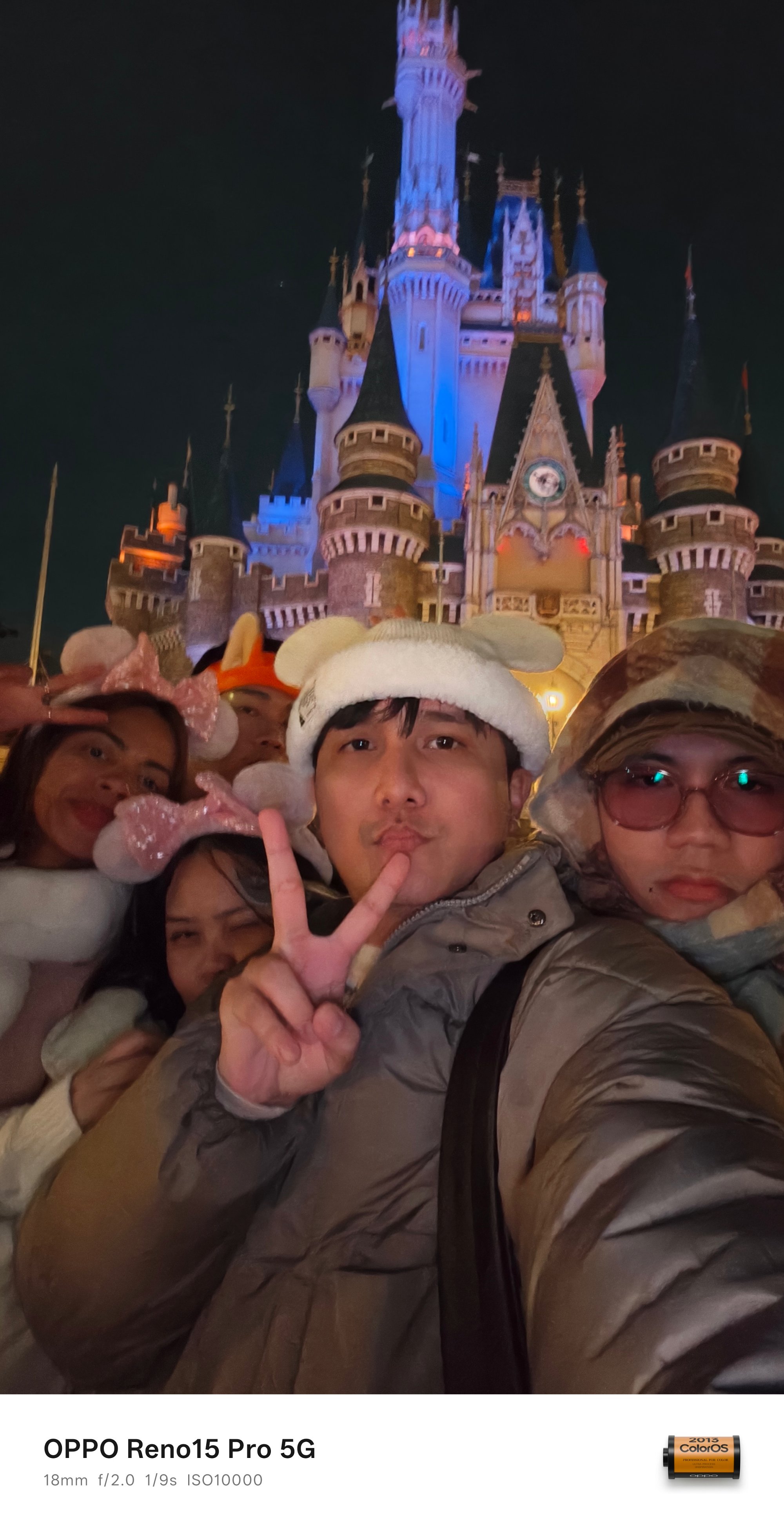



BONUS #3: Gen-Z selfie with the rear UWA camera!
#NoFilter shots aren’t bragging rights
What draws the fine line between the Find and Reno line are their camera partnerships (or lack thereof).
While the Find still rocks that Hasselblad partnership since the Find X5 Pro, the Reno class relies on OPPO’s own imaging algorithms.
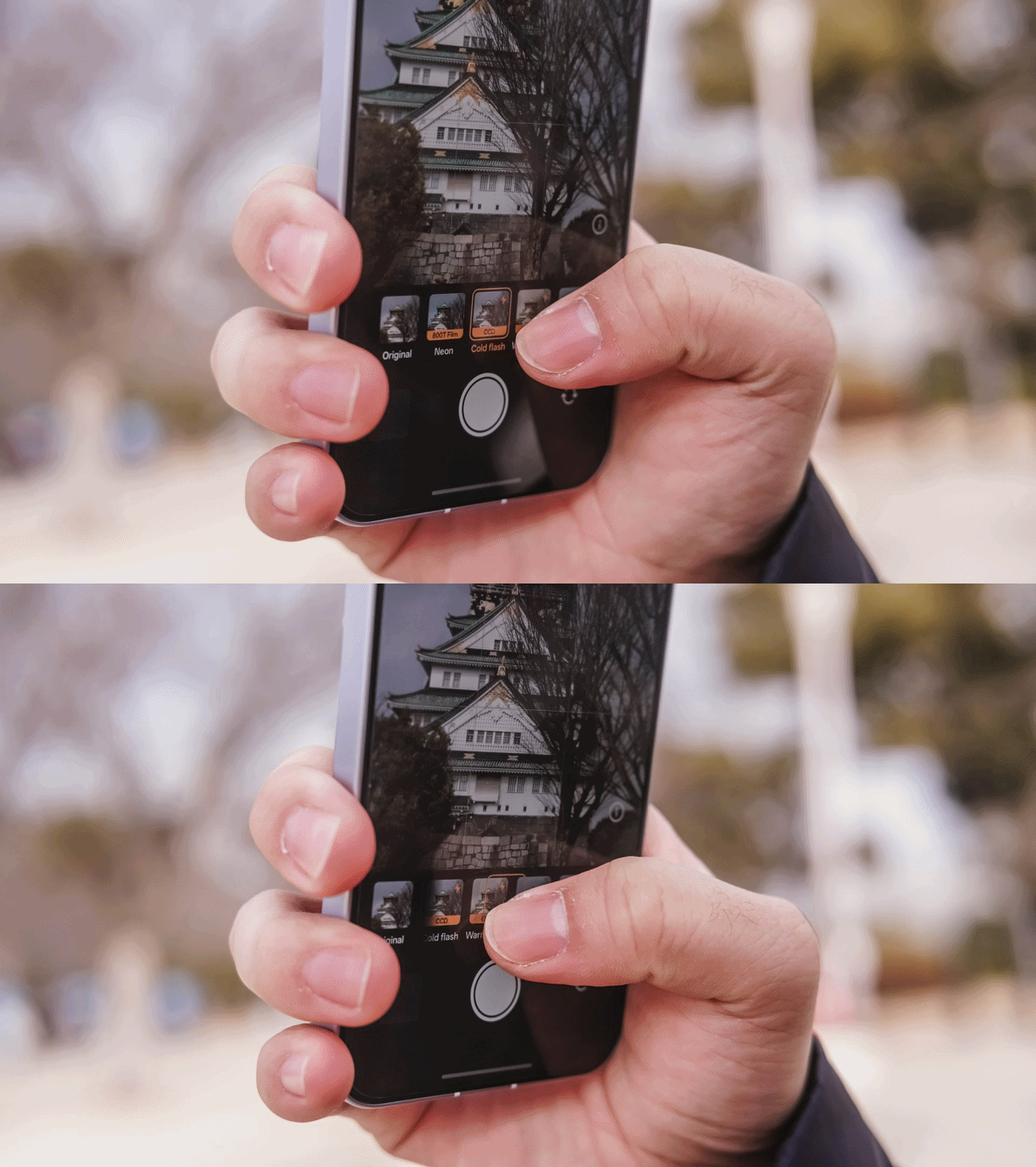
It’s honestly not the best. However, if you want your photos to look less “generic”, these filters truly give soul to your shots.
All in all, there are 18 filters you can choose from:
| Film-Simulated | Classic | Black and White |
| Neon (800T Film) | Vivid | B&W |
| Cold Flash (CCD) | Shine | Mono |
| Warm Flash (CCD) | Natural | |
| Fresh (Film CC) | Food | |
| Vintage (Film NC) | Cool | |
| Clear (Film NH) | Warm | |
| Vibrant | ||
| Faded |
-

- Film-Simulated Presets
-

- Classic + B/W Presets
Personally, my frequently used filter is Neon (or 800T Film).

Although it really depends on the subject you’re trying to capture, it performed well during my Japan trip. Either it’s the place, the camera, or both. You be the judge.
Love it or h(AI)te it
Given the unstoppable price hike in memory and other tech components, 2026 seems like a progressive year for AI.
Love it or hate it, AI Tools are getting more advanced — and the OPPO Reno15 Pro isn’t far from the race.
The precise AI Eraser is already given. However, there’s more than just that.

In times when the environment doesn’t fully expose each and everyone’s faces, the AI Portrait Glow feature comes in very handy.

With the right balance, it illuminates faces as if we each had our own fill light. Just be wary if your face gets tweaked and does not look the same way as it is.

Speaking of groufies, the AI Perfect Shot is the perfect companion in fixing those good shots ruined by your friend’s unprepared faces.

For bad photographers, AI Recompose reframes your bad-angled shots based on OPPO’s AI power.

More on the Reno15 Pro’s AI Editor list includes Enhance Clarity to 4K, Reflections Remover, and Unblur.

Pop-out collage is also there to make your Instagram Stories (or Facebook Stories) look more quirky.
Video Versatility
It wouldn’t be a complete camera review without testing out how the Reno15 Pro performs when shooting clips.
At first, I was really skeptical on its performance. But, after having a dead powerbank and flagship phone in my bag, my only recourse was to shoot with the Reno15 Pro during that festive electrical night parade in Tokyo Disneyland.
I’ve also used it to record the “Sky Full of Colors” ending fireworks show as the ending piece of our visit.
While it was cancelled last-minute during our Tokyo DisneySea journey, we were still lucky enough to see it from Disneyland a day after.
If the low-light performance was already commendable to begin with, how much more when it’s daytime?
For a phone in this segment, I was not expecting anything grand. Gladly, it delivered more than what I have imagined.
Zoom cruising, while not perfect, still provided a smoother transition between 1x to 3.5x (compared to phones in this league). Surprisingly, 4K/60fps with HDR is possible so I used it just like in the flagship phones I own.
That goes hand in hand with the Reno15 Pro’s tiny but mighty 6.32-inch AMOLED ProXDR display as it can actually display HDR content without any brute force.
Other Goodies
OPPO Reno15 Pro is more than just your typical midrange smartphone. Diving more into its camera app, there are several features I was not able to explore yet can still be very useful in times of need.
The usual ones are the Panorama, Time-lapse, and Slo-mo. For some fun, there are the Dual-View Video and Sticker modes. Need to scan documents? Document and Text Scanner both exist.
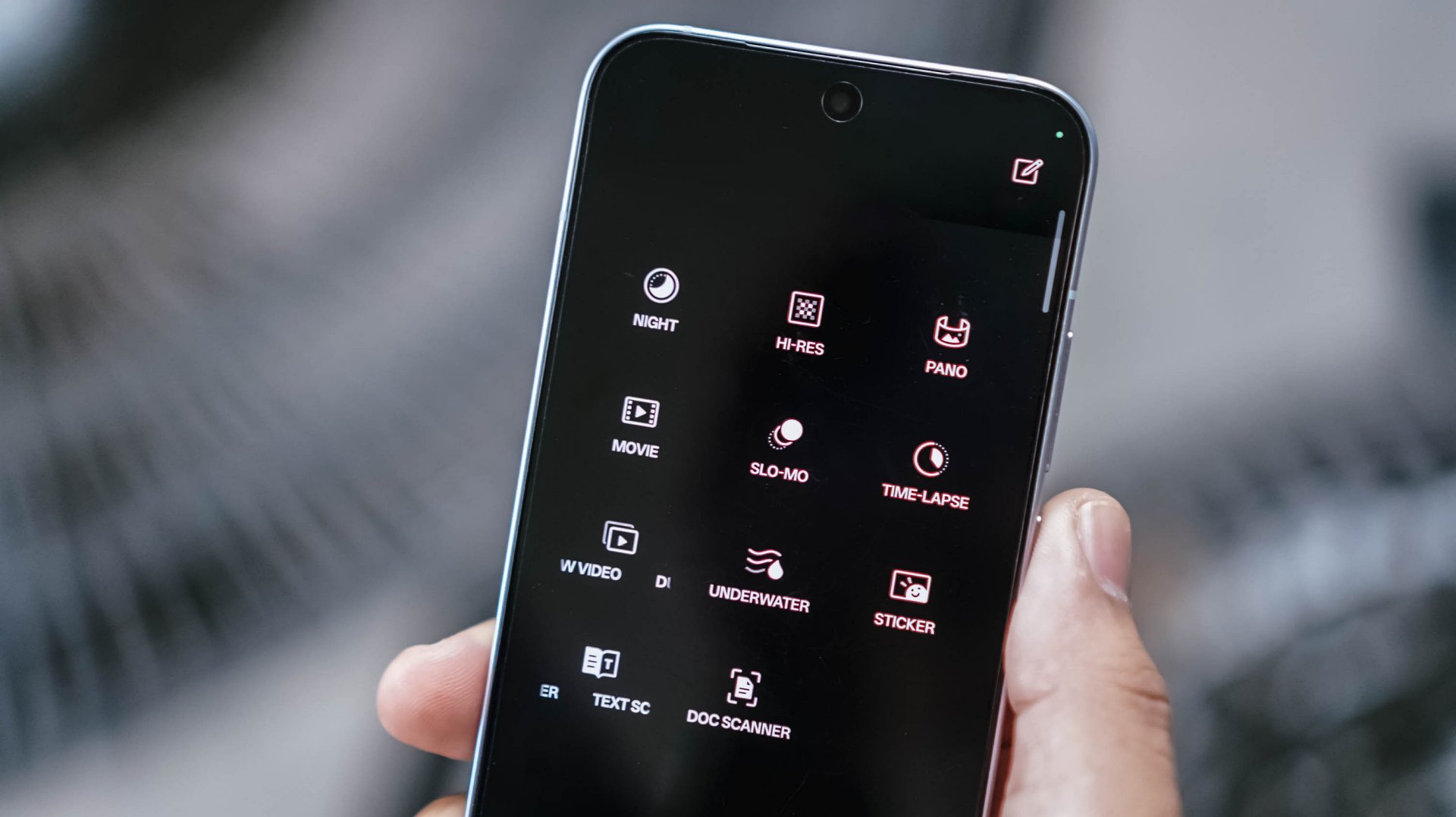
Professional-grade shooting? There’s the Pro mode for stills and Movie mode for, you guessed it, video recording.
Scene-strict modes? Night Mode and Underwater Mode both save the day and the night. After all, the Reno15 Pro is IP66/IP68/IP69-certified.
And, even in low-light shots, OPPO Reno15 Pro’s AI capabilities already does the job for you — even without switching to Night Mode that’s hidden in that vault anyway.
Is the OPPO Reno15 Pro your GadgetMatch?
With a staggering pricing of PhP 49,999, the OPPO Reno15 Pro isn’t a totally easy recommendation for users who want capable cameras in a phone for less.
However, looking at what the OPPO Reno15 Pro offers, it’s imaging prowess is more than justifiable. It’s more than just a “Portrait Expert.”

Now onto my bold excerpt:
Why is this even considered a “Reno”?
While it’s clearly still under OPPO’s midrange line, the Reno15 Pro already feels like a flagship. Honestly, it could have just been named as the “Find X9 mini” not just for its sheer size, but for all the flagship-grade qualities it possesses.
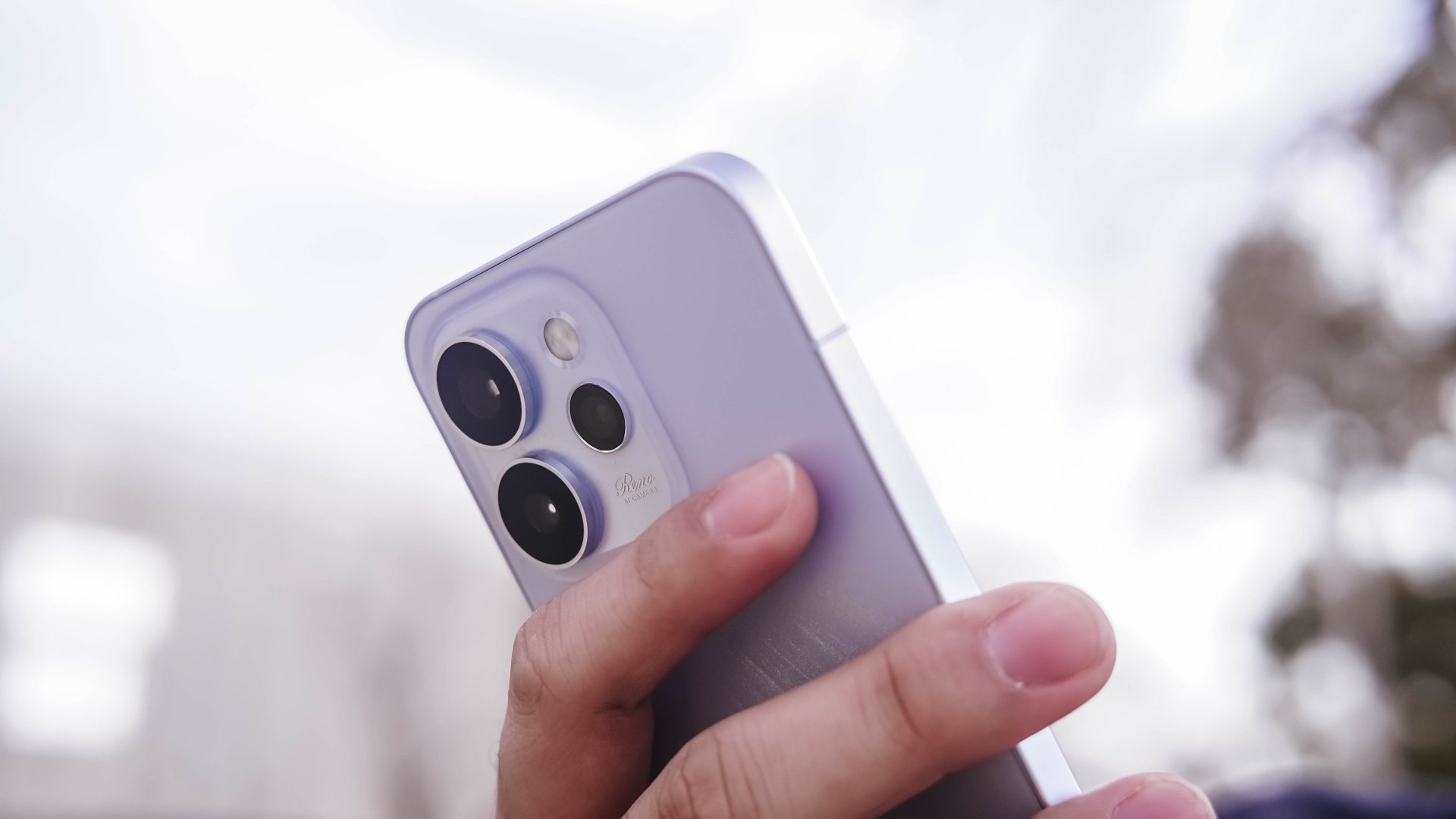
While I’m talking about its fast 4nm Dimensity 8450 SoC, 12GB memory, 6200mAh battery capacity, alongside the oh-so-fluid ColorOS 16, its superior cameras are for another — just without the Hasselblad branding and novelties on it.
(Re)volutionary and in(no)vative
While OPPO was vague with how they actually named “Reno” as their midrange line, I have thought of my own meaning: (Re)volutionary + in(no)vative.
If my memory serves me right, the first series of OPPO Reno that came out last 2019 had an unusual pop-up camera mechanism alongside that 10x hybrid zoom capability. Those two unique features embody what the Reno line is — or so I thought.
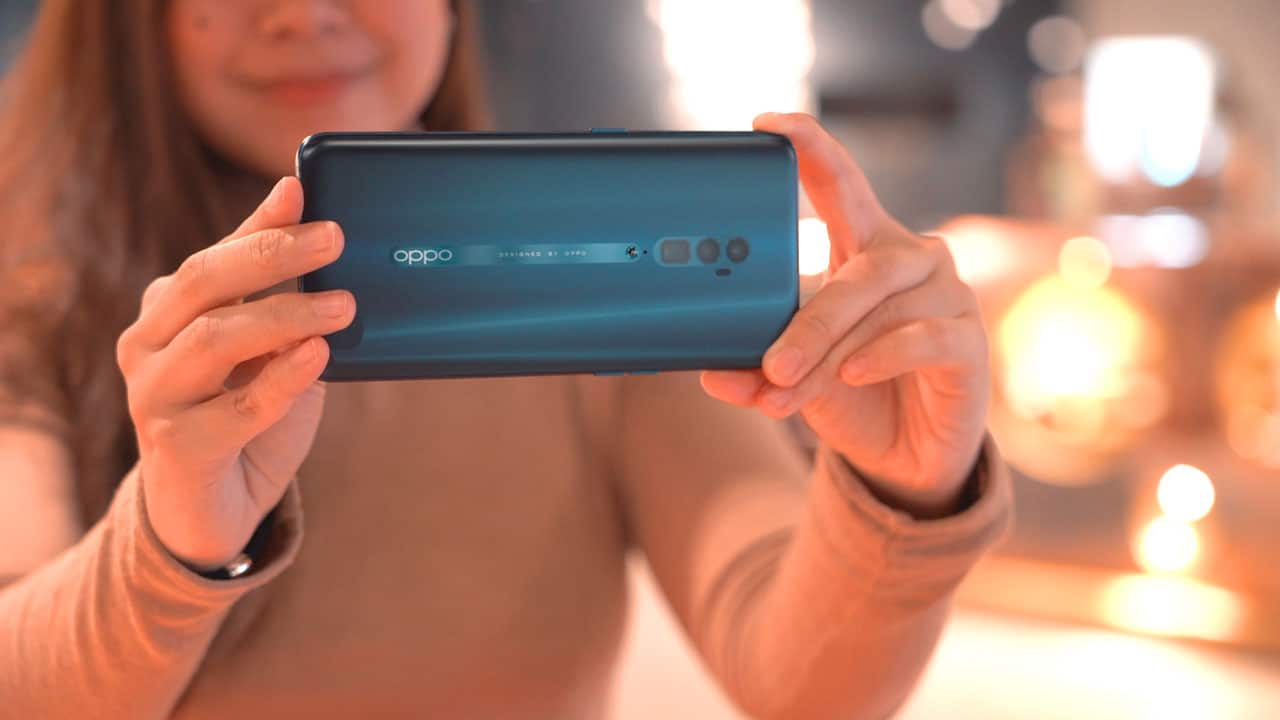
OPPO Reno 10x zoom | 2019
While I may not have experienced each and every Reno model ever released, my colleagues’ pieces are proof that the line isn’t totally consistent with what they wanted to deliver.
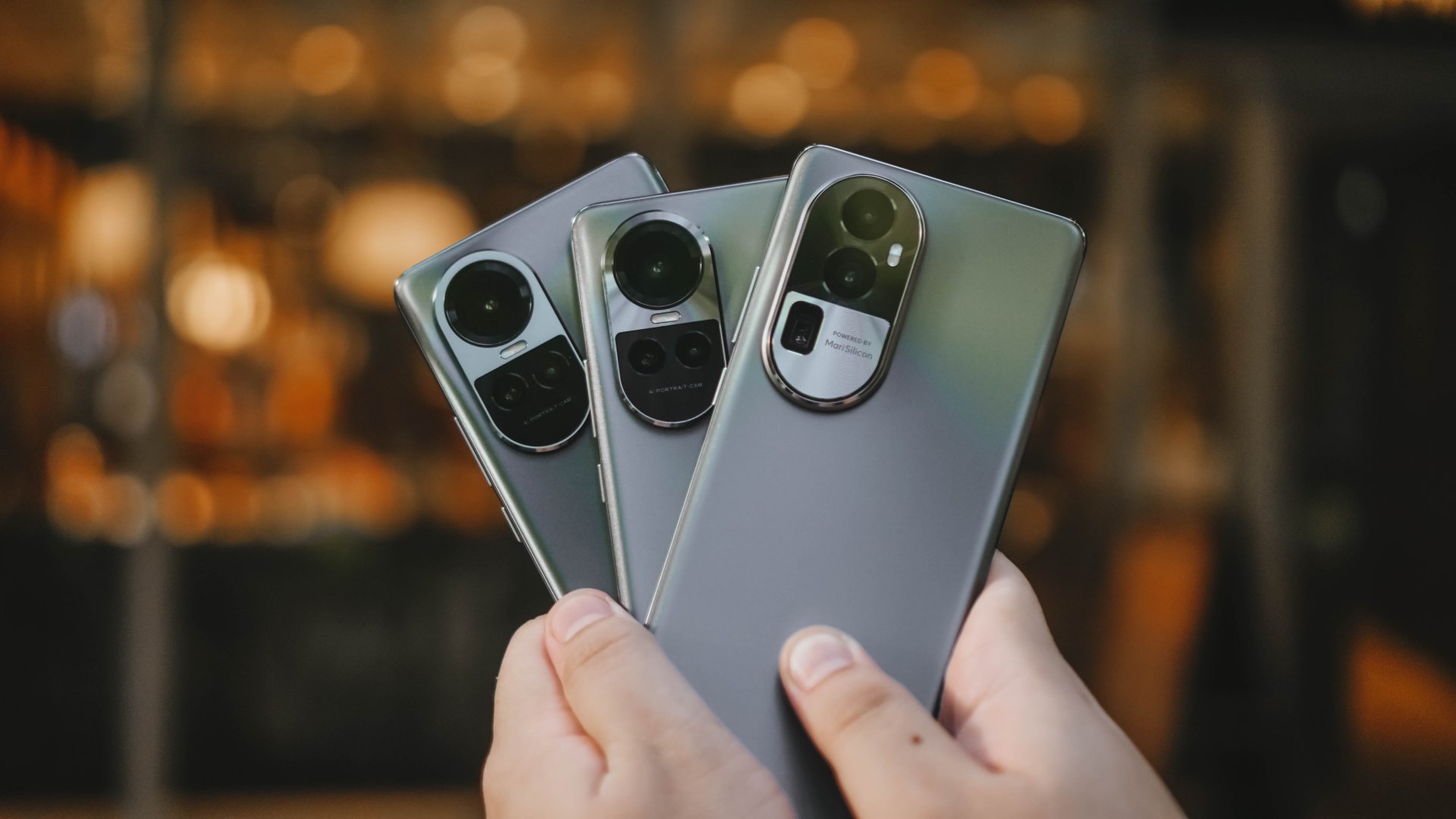
OPPO Reno10 Series | 2023
My memory with the Reno10 Pro back in 2023 is still vivid though. It felt like a midranger slapped with a mix of cameras that performed just right — much like any other mid phone in its prime. However, I cannot say the same for the Reno15 Pro. It was surprisingly delighting and more than satisfying.
Almost three years after, OPPO set the record straight. They finally delivered a midranger that doesn’t feel mid with its excellency in smartphone-tography. That’s minus the intimidating flagship price tag of its “Find” lineup.


Now Playing: Iron Lung
The premise will leave you wanting for more.


Infinix NOTE Edge: Stellar at street photography
Despite trailing in other specs, the Infinix NOTE Edge was built for point-and-shoot photography.


OPPO Reno15 Pro: Camera Review
Why is this even considered a "Reno"?

ITZY’s YUNA is Infinix’s first ever global brand ambassador

BYD’s high-end brand Denza launches in the Philippines

Smart opens pre-orders for Samsung Galaxy S26 series
Now Playing: Iron Lung

TECNO resurrects modular phones with this new concept

Breaking up with Adobe Photoshop after 20 years

TECNO will showcase the CAMON 50 and POVA 8 series at MWC 2026

PlayStation, LE SSERAFIM Chaewon team for the ‘Love of Play’ campaign

VinFast updates battery subscription policy for large upfront savings

The art of being in and behind the frame


-

 Accessories2 weeks ago
Apple AirTag 2 Review
-
 First Look1 week ago
Match Pulse: Infinix NOTE 60 Pro
-

 Cameras1 week ago
Osmo Pocket 4 makes a surprising appearance in public
-
Camera Walkthrough6 days ago
OPPO Reno15 Pro: Camera Review
-

 Gaming2 weeks ago
Star Wars: Galactic Racer shows off new gameplay at State of Play
-

 News1 week ago
iPhone 17 Pro Max is somehow the most traded-in phone today
-

 Gaming1 week ago
LG unveils UltraGear evo, redefines 5K gaming with AI Upscaling
-

 News1 week ago
HUAWEI launches Mate X7, MatePad 11.5 S 2026, FreeClip 2