



Most of the time, I find myself struggling to fall asleep even when I’m exhausted. This proves to be problematic especially when it interferes with my work, by being late in meetings and important presentations. Lack of a good night’s rest could also make an impact on the quality of your output.
Since I’ve been doing my research and tested them for weeks now, I can finally say I found a different way to shift my lifestyle so I can sleep better at night. I’m not going to say it will be 100% effective for everyone, but it’s worth a try.

Use a wearable with advanced sleep features
Wearables have come a long way from being just an accessory to a reliable health companion. Apple Watch has saved lives, Fitbit helps predict a flu outbreak and help you sleep better.

Photo by MJ Jucutan
Fitbit’s latest wearable — the Versa 2 — has advanced sleep features to help you sleep better at night. There are Sleep Stages to track your different sleep stages — light sleep, deep sleep, and REM; Sleep Score which provides insights and analysis on your sleep quality; and Sleep Mode which disables your screen display and keeps your notifications on silent to give you uninterrupted sleep.
Adjust your smartphone’s exposure
If you’re having trouble falling asleep at night, your smartphone might be the reason why. Smartphones emit blue light that made it difficult for our eyes to fall asleep. To combat this effect, we need to increase bright light exposure and reduce blue light exposure.

Photo by MJ Jucutan
This can be done through your smartphone’s display settings. Some smartphones let you adjust the white balance, color mode, and temperature. Others have specific modes to help you sleep by filtering out blue light.
Fix your bed and bedroom environment
Some people sleep better in hotels, mostly because of the comfortable experience when it comes to bed and the room’s temperature. Sleeping is difficult if it’s hot, adjust your temperatures accordingly. Additionally, improving your bed quality such as getting new bedding, a comfortable mattress, and fluffy pillows can enhance the quality of your sleep.

Photo by Christopher Jolly
On certain occasions, I’ve experienced lower-back pain due to my mattress and an extreme abundance of pillows. Of course, this is purely subjective, as everything will be based on your preference. But if you can upgrade your bed, then do it for the sake of a good night’s sleep.
Relax and clear your mind
Another thing that you can do is to try out a relaxation technique that works for you. Clear your mind by listening to relaxing music, reading a book (that’s not a thriller), meditating, or doing yoga.

Photo by Aaron Burden
If these don’t work for you at all, try taking a hot, relaxing bath or shower. I find it easier to fall asleep faster and deeper whenever I cleanse myself and my thoughts in the shower.
Use a sleeping app
I used to listen to music at night as I overthink my regrets, mistakes, wrong decisions and scenarios with my crushes until I fall asleep. However, that used to keep me up until 4 o’clock in the morning so I don’t recommend doing that. In my quest to sleeping better, I found an app that helps.

Photo by The Harmony Project
The Harmony Project is an app providing computer-generated music that you can rate if it helped you sleep better. Through artificial intelligence and user feedback, the app will determine which sound helped users sleep better, combining highly rated tracks to produce an even better track that will help us fall asleep faster.
The app recently launched last August after several beta testing and continues to be an evolving system. Take part in studying and developing the fastest way to better sleep. Download the app on the App Store and Play Store.
SEE MORE: SleepPhones lets you comfortably listen to music in bed



Apps
ChatGPT Go now available in the Philippines, more Asian countries
Access to more popular ChatGPT features for an affordable subscription plan


OpenAI has officially launched ChatGPT Go in 16 Asian countries, including the Philippines. This is the most cost-friendly subscription option yet at just PhP 300 (~ US$ 5.15).
This development gives users in the serviced regions greater access to ChatGPT’s advanced capabilities at a more affordable price.
To get started, simply visit chat.openai.com or download the ChatGPT mobile app, then create an account and select ChatGPT Go as your plan. The payment process is simple.
On the other hand, those who already have accounts may simply upgrade to Go.
The launch comes amid strong growth adoption of OpenAI’s tools in the Philippines. In fact, the country ranks among the top five countries for weekly ChatGPT users in Asia.
In addition, the top five use cases locally are tutoring, editing, personal writing, “how to” advice, and creative ideation.
At PhP 300 a month, ChatGPT Go subscribers will gain access to ChatGPT’s most popular features, including higher message limits, image generation, file uploads, and memory.
These are all powered by GPT-5, OpenAI’s most-advanced model.
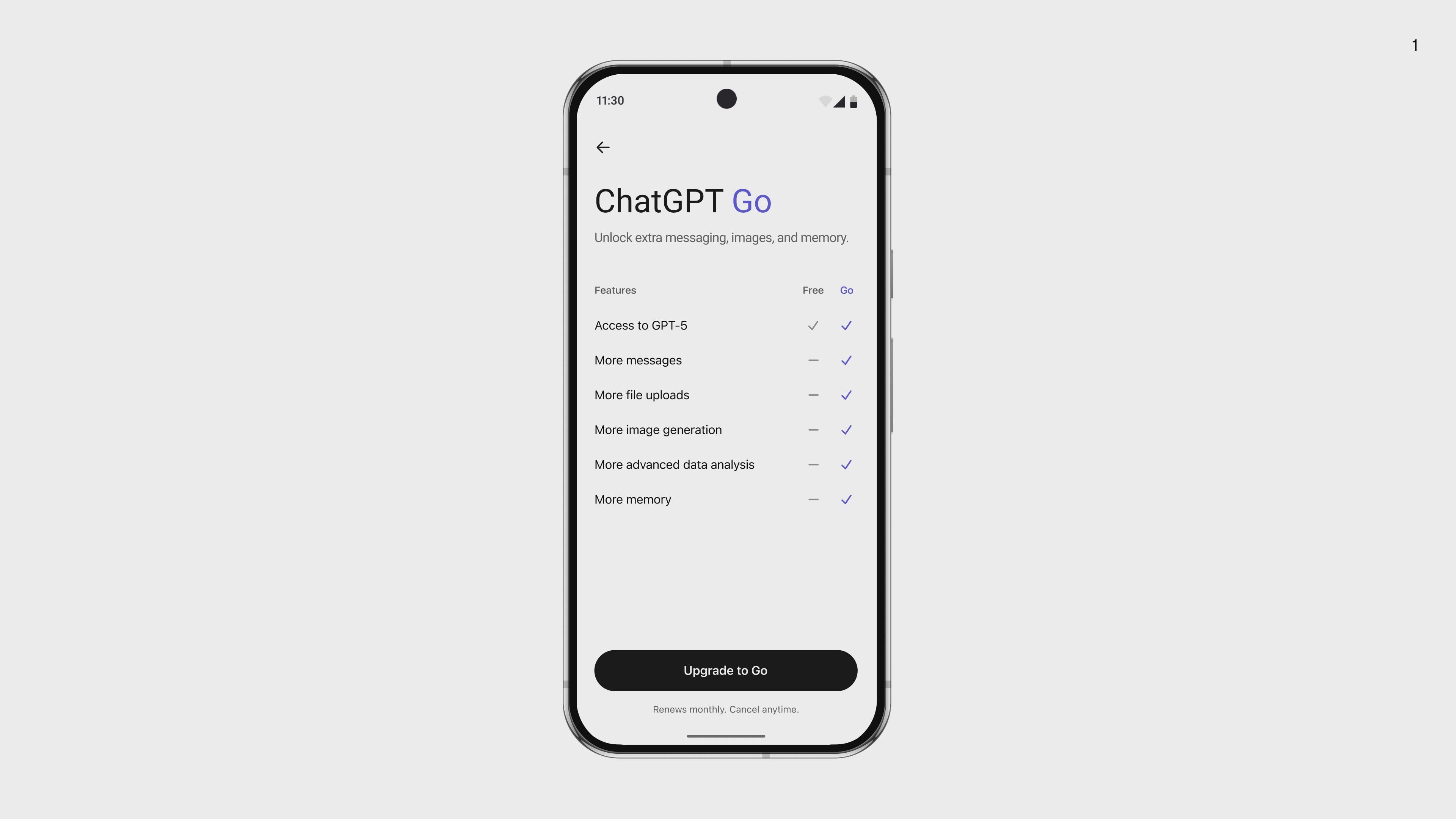
Specifically, here’s the perks for the Go plan compared to free:
- 10x higher message limits
- 10x more image generations per day
- 10x more file or image uploads per day
- 2x longer memory for personalized responses
ChatGPT Go will join existing subscription options Plus (PhP 1,100) and Pro (PhP 9,900).
Plus is for subscribers who need more advanced thinking models and features like deep research, agent mode, and Sora video creation.
Meanwhile, Pro is for professionals, researchers, or organizations who need enterprise-grade scale, pro-level reasoning, and the most advanced features.
16 countries in Asia get ChatGPT Go
The Go rollout builds on strong momentum for cost-friendly subscriptions in the region.
Since launching first in India, the number of paid subscribers has more than doubled in a month.
Other countries to get the Go tier subscription are:
- Afghanistan
- India
- Myanmar
- Sri Lanka
- Bangladesh
- Indonesia
- Nepal
- Thailand
- Bhutan
- Laos
- Pakistan
- Timor-Leste (East Timor)
- Brunei Darussalam
- Malaysia
- Vietnam
- Cambodia
- Maldives
Apps
You can now connect your Spotify account to ChatGPT
Seamless integration for personalized picks, more

Spotify is now available on ChatGPT, with users in 145 countries already able access the live feature. This gives listeners a new way to discover and enjoy music and podcasts.
With the integration, both Free and Premium users can bring Spotify into their ChatGPT chats to get personalized recommendations. That goes from playlists that match your mood to podcasts based on your interests.
To get started, simply mention Spotify in your ChatGPT prompt, connect your account, and start discovering.
From there, simply ask for songs, artists, playlists, or podcast episodes. ChatGPT will automatically bring up the Spotify app in your chat and use relevant context to accomplish the task.
Alternatively, ask for recommendations based on a mood, theme, or topic, and Spotify will surface personalized picks seamlessly within the flow of your conversation.
Tapping a track will open the Spotify app, allowing you to listen and watch directly from there.
Furthermore, you can also extend an existing ChatGPT conversation, like planning a weekend road trip, by asking Spotify to create the perfect soundtrack.
For best results, add details like genre, mood, or artist for music, or a topic, host, or guest for podcasts.
Save steps
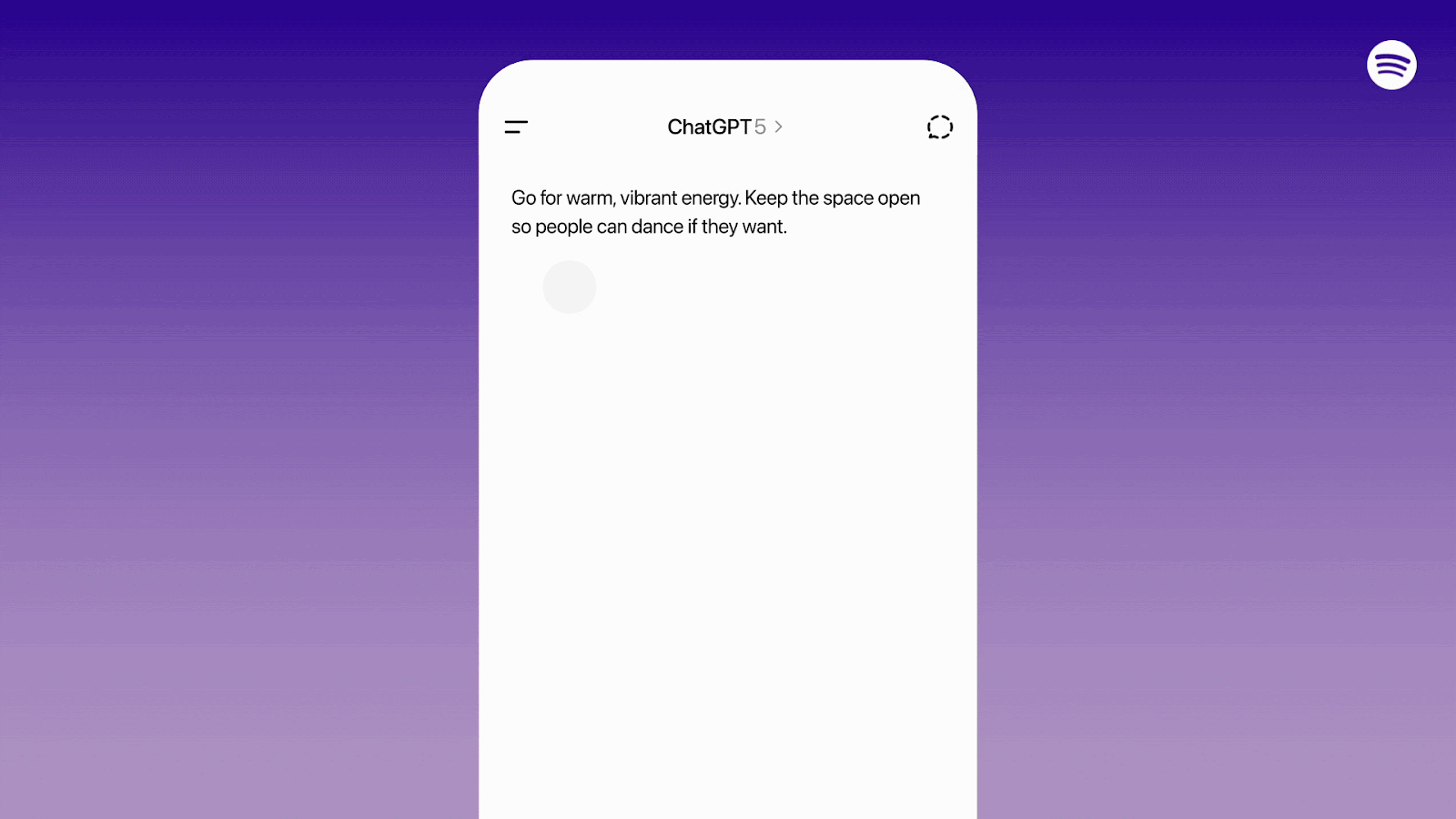
The way it all looks, the integration saves mobile users a few taps and switching from one app to the other. That’s if they’ve initially opened the ChatGPT app and decided to listen to music or podcasts via Spotify.
And like the aforementioned example, it saves users thinking about a curated playlist.
Or, when people are driving, they can just talk to ChatGPT for specific commands. It’s about the Spotify account access. You can start connecting by opting in; and you can disconnect at any time.
Throughout the experience, artists and creators’ work stays protected. Spotify will not share music, podcasts, or any other audio or video content for OpenAI training purposes.
The feature is now live for all ChatGPT Free, Plus, and Pro users on web and mobile.
It’s in early days, and both parties will continue to build, refine, and improve the experience over the coming weeks and months.
It’s intriguing if Gemini will come up with its own version for the music streaming app’s Google counterpart, YouTube Music.
Apps
Strava is suing Garmin over alleged patent infringements
They want Garmin to stop selling its watches.

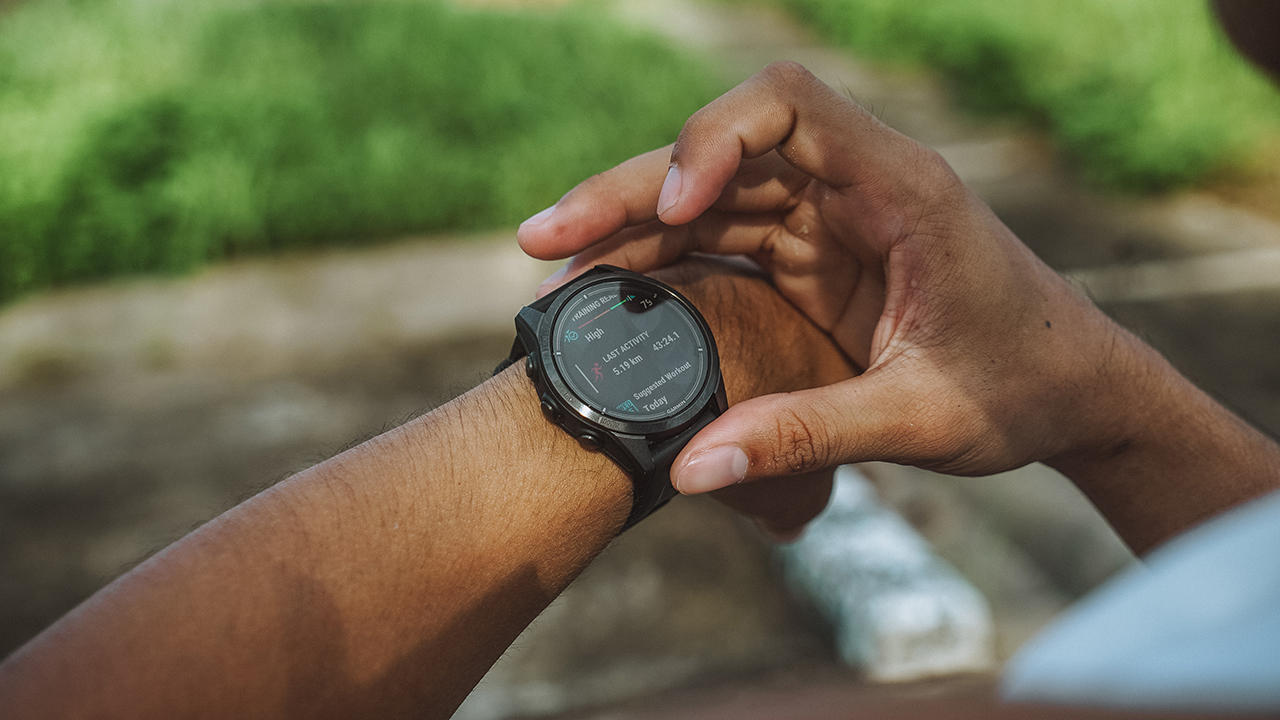
It’s always awkward when two of your close friends start to fight. For the fitness-minded, Strava and Garmin are what you might call close friends. And yes, they just got into a fight. In an odd change of heart, Strava is suing Garmin for alleged patent infringement.
The fitness segment in tech has one of the most tight-knit collections of companies. Despite how many of them there are, it’s highly likely that one will work with the other. Strava, for example, works well with Garmin’s smartwatches. The two giants were formerly adamant about working together.
Now, the situation has mysteriously changed. Strava is suing Garmin over patent infringements involving the latter’s segments and heatmaps features. The case also alleges that Garmin violated a Master Cooperation Agreement when the company developed its own heatmap technology.
For compensation, Strava is asking the courts to stop Garmin from selling any of its smartwatches which include the infringing features. That’s pretty concerning when most of Garmin’s devices have those features.
According to an official post on Reddit, the proverbial straw the broke the camel’s back is Garmin’s new policies. Partnered software must now include Garmin’s logo in activity posts. Otherwise, Garmin will reportedly revoke access to its API.
Curiously, as some commenters pointed out, Strava has done the same thing in the past. And, according to DC Rainmaker, who first spotted the case, Garmin doesn’t, in fact, require the logo.
It’s still up in the air whether the litigation will result into anything substantial. However, speculation says that Strava might eventually drop the case since Garmin can definitely retaliate.
SEE ALSO: Strava is getting AI, dark mode, and night heatmaps


The HONOR MagicPad 3 is an almost perfect premium pad partner
Ever-reliable for work, chill, and play BUT with some catch

DJI Osmo Nano review
Fits perfectly into a life that never stays still


TECNO Slim review: Smexy, Antifragile Slab
Being super slim doesn't mean it's super fragile

What to Expect at gamescom asia x Thailand Game Show 2025

Avatar: The Last Airbender is getting a fighting game
The HONOR MagicPad 3 is an almost perfect premium pad partner
DJI Osmo Nano review

Ultimate tag-team: Razer-2XKO Collection arrives

Xiaomi 17 Pro Max takes a jab at Apple’s iPhone 17 Pro Max

Redmi 15C review: Big features on a small budget

Logitech adds comfort and speed to 2025 keyboard, mice lineup

The Xiaomi Pad Mini is discounted until October 13

Xiaomi 15T Pro review: Big battery, clean shots, smooth performance

Unboxing: Ghost of Yotei Collector’s Edition

Unboxing the latest Apple Watch × Hermès

Lenovo Yoga 7i Aura Edition: Ten generations of foldable goodness

21-Day Battery, Pro Sports Tracking: HUAWEI WATCH GT 6 Series

The Glow That Changed Everything + Govee TV Backlight 3 Pro GIVEAWAY
-
 Tablets1 week ago
The Xiaomi Pad Mini is discounted until October 13
-

 Laptops1 week ago
The Lenovo Yoga 7i Aura Edition gets it right after ten generations
-

 Deals1 week ago
The new Lenovo Legion Tab comes with a free GameSir G8+ this month
-

 Reviews1 week ago
vivo X200 Pro review: 200+ Days After
-

 News1 week ago
realme 15T also releasing on October 8
-

 Gaming2 weeks ago
Digimon Story Time Stranger: Back to the digital past
-

 Gaming1 week ago
realme 15 Pro named official M7 World Championship gaming phone
-
 Gaming2 weeks ago
Unboxing: Ghost of Yotei Collector’s Edition