


In this crazy-busy world we live in, we often find ourselves in need of an escape. Travel provides that for me. Going away for a bit of a break is an absolute necessity. There’s nothing like coming back refreshed and ready to take on the stress brought by daily life — both the challenging and the mundane parts of it. Sometimes, however, the thing that’s supposed to help you de-stress can be the cause of it too. Planning and the actual journey just to get to your destination (and even coming home) can be pretty stressful.
Years of traveling has taught me a couple of things to make trips like this easier both on my wallet and my stress levels. In a previous article, we discussed how to save money while traveling. This time, we’ll be talking about apps that help keep the stress away. Being ready and planning ahead is half the battle for any journey. Having these six apps on your phone will make sure you’re more than ready for it.

PackPoint
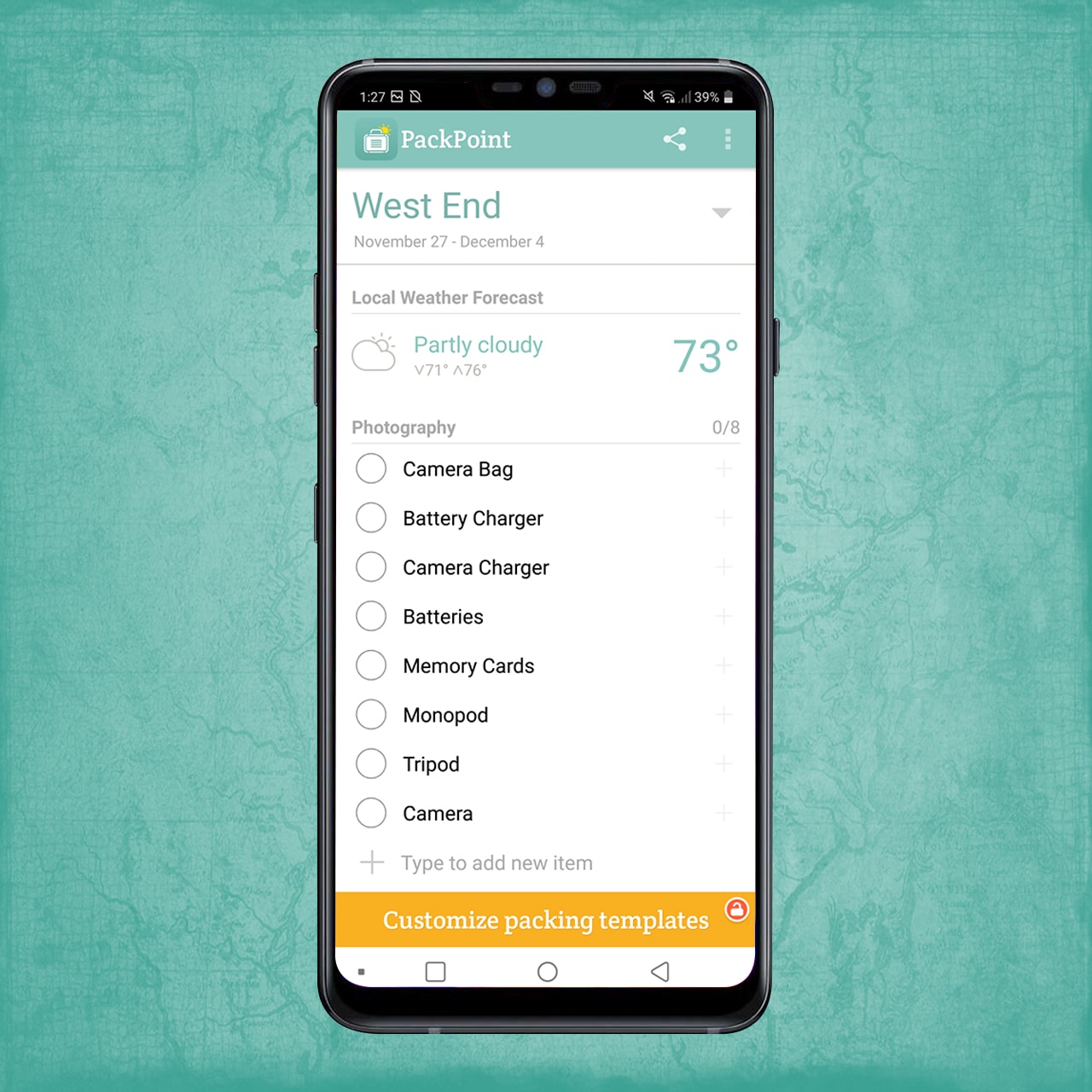
I’ve been using PackPoint since 2015. Back when we were still living in Kuala Lumpur, one of my friends who traveled often recommended it to me and it has been part of my life ever since. At that time, my husband and I were about to go visit my family in Amsterdam, Copenhagen, and Malmö with side trips to Paris, London, and Geneva. It was a three-week trip and I was going nuts with planning what to bring.
That friend saved me by introducing me to this app that comes up with a digital packing list that you can consult on the go. All you have to do is enter the place you’re going to along with the dates. It will then ask you what the trip is for (business or leisure?) and a few other basic questions. It will then give you your personalized packing list — from clothing to your electronics. Packpoint just figures everything out for you, making those days before a trip a little less stressful.
Spotted by Locals

When visiting a new place, we often make time to see the historical highlights. But what happens when you’re done with those? I always make sure I visit an interesting establishment, a café, or even a restaurant that’s local-approved. More authenticity, less overpriced. I often consult Spotted by Locals for this.
The app collates recommendations from locals in the city you’re visiting — from places to grab food in to interesting and alternative sites to see. Even though I live in Berlin, I make it to a point to look through this app for some recommendations here and it never disappoints. I often find something that piques my interest, like this GDR Cinema I plan to visit next week.
Google Maps
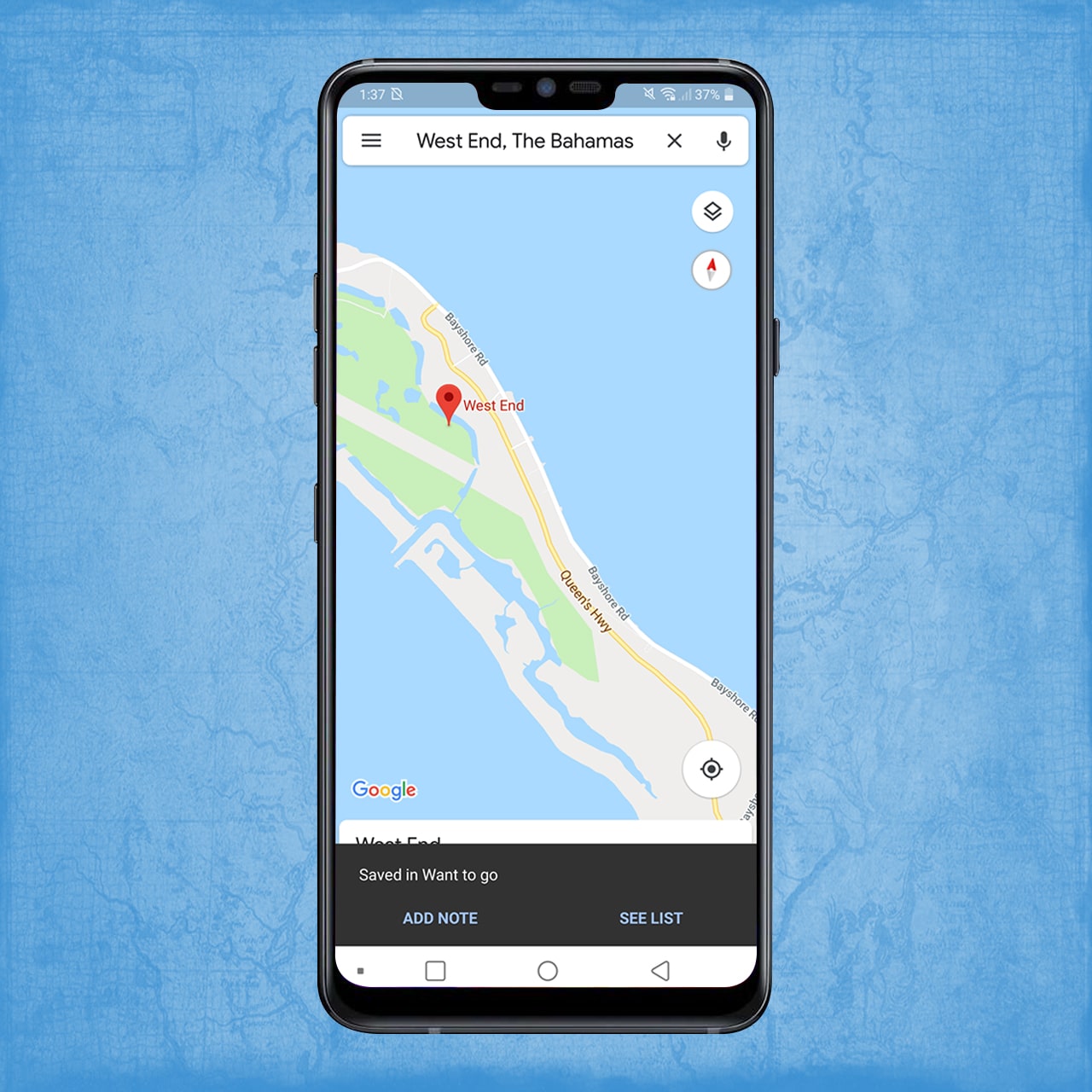
What I see on Spotted by Locals, I always save here on Google Maps. The option to save places on different lists such as “Favorites” or “Want to Go” is such a blessing for people like me who need to organize absolutely everything — even my thoughts and my eating plans. Whenever I feel hungry and I don’t know where to go, I just open it up and see the places that I’ve saved on my “Want to Go” list and pick the ones nearest to me. It solves the problem of having to keep going back and forth with your friends, deciding where to eat.
City Mapper
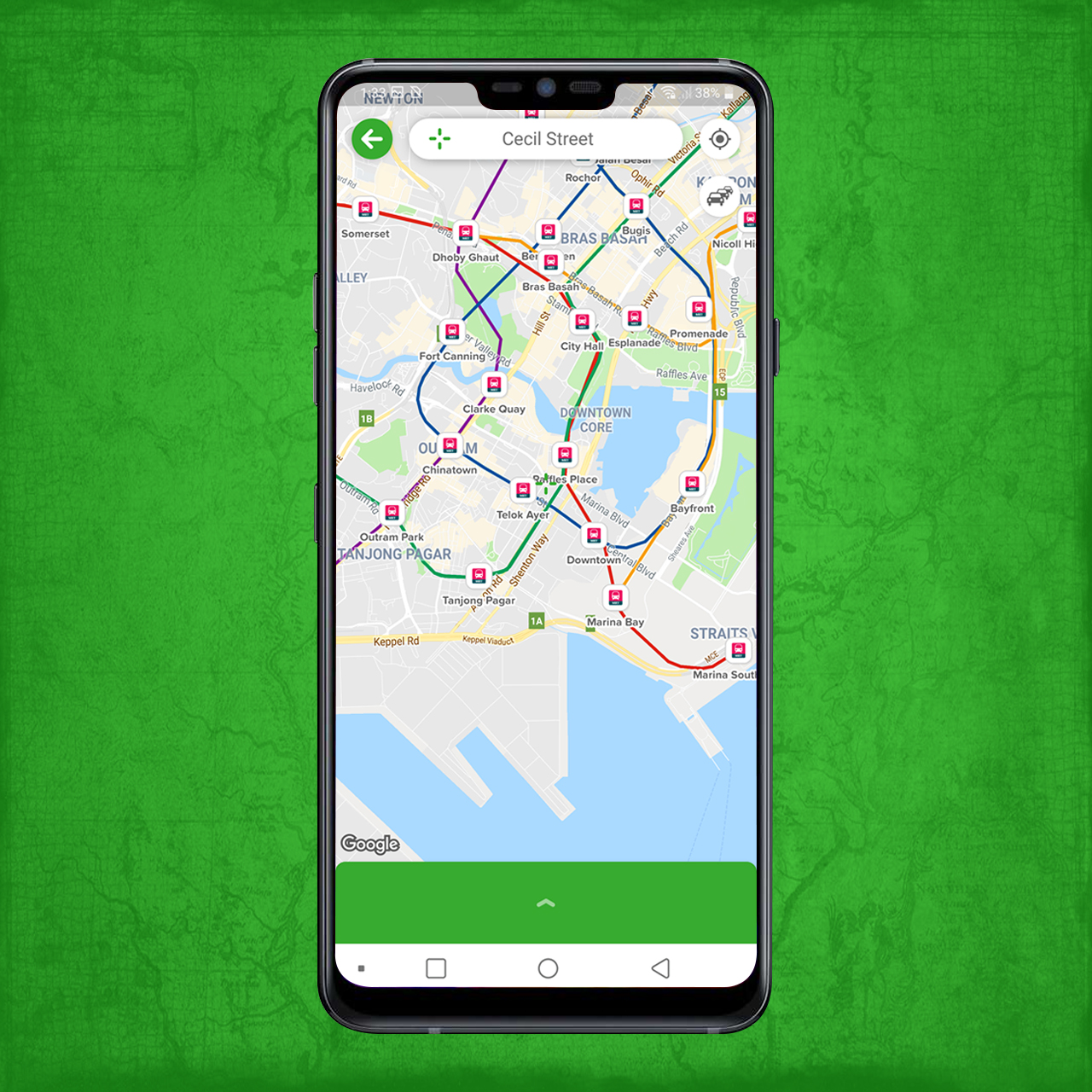
While Google Maps can already provide you with transportation options to get to where you want to go, City Mapper is an app I keep for more options. You get your usual routes via walking, taking the train and bus, or even driving there, but you also get ride-sharing options. It even tells you where the nearest Mobike (bike-sharing app) is so you can exercise a bit by cycling your way there.
Flio

I absolutely hate signing up for Wi-Fi in airports. The questionnaires just seem to go on forever, I end up wondering whether they will be asking me for my medical history next. Flio lets me sign in hassle-free. It also keeps my flight information, helping me keep track of my schedule and making sure I never miss a flight while browsing the Duty Free makeup aisle.
Flio also tells you which restaurants and shops are at the airport while giving you vouchers for them. We all know dining in airports can be pretty expensive so a discount is always welcome. Your phone’s battery running low? It also tells you where you can charge within the airport so you can keep posting stories on Instagram.
Google Translate

Save yourself the trouble of miming your way to get information. This app can translate a conversation as you go. Another fun feature is the camera which lets you snap a photo of signs and labels. It will then scan the photo for words and all you have to do is highlight the ones you need translated and press on the blue arrow. Et voila! You now know the flavor of jam you have inside that jar. This is such a lifesaver when grocery shopping abroad or looking at posters and announcements in a foreign language.
Got favorites of your own? Share them in the comments below! Would love to discover new apps that I can use in my next trips!






Apps
ChatGPT will soon allow NSFW conversations
The platform will start age-gating users in December.

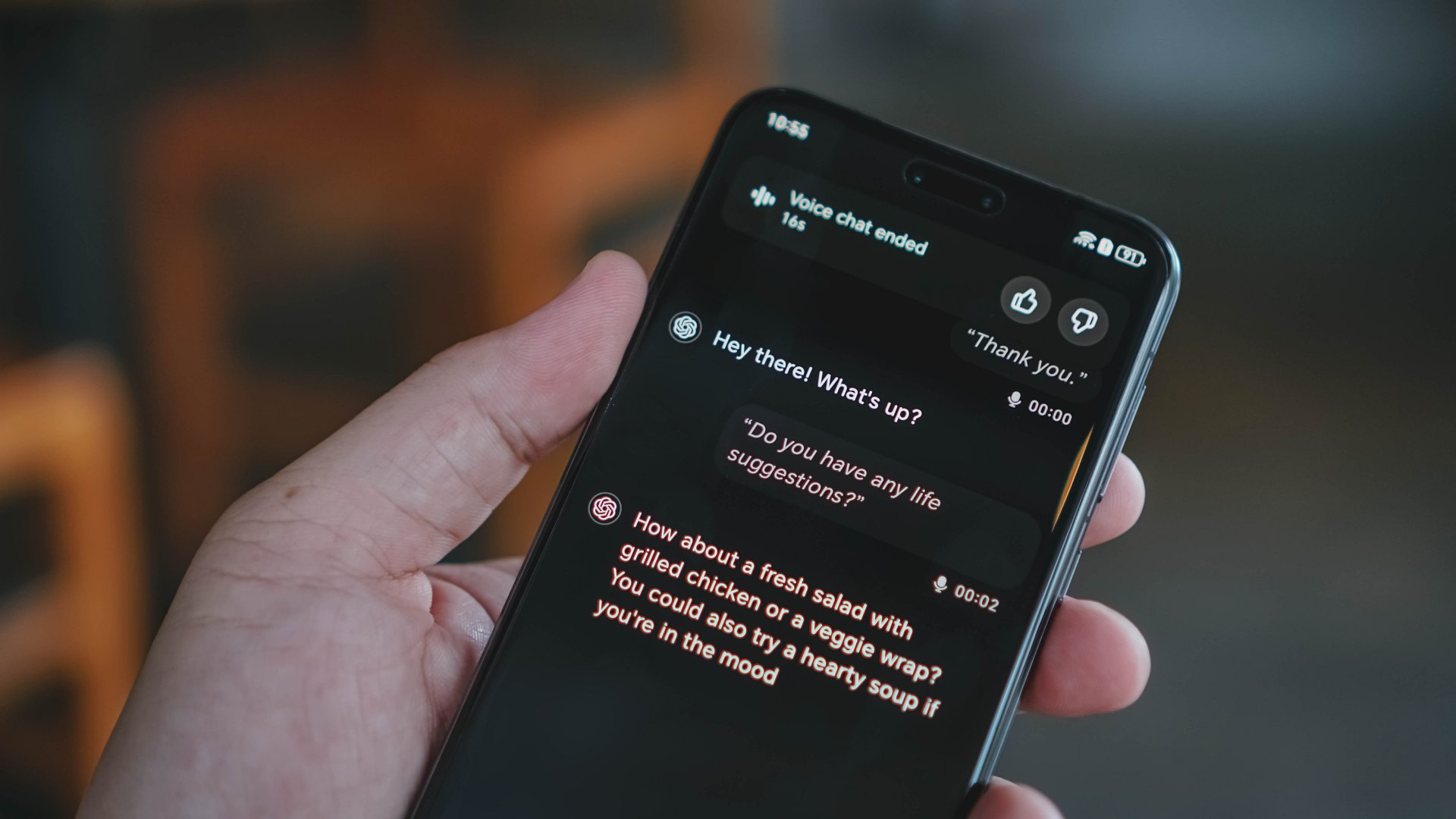
Every day, we inch closer and closer to the strange reality of Joaquin Phoenix’s Her. Today’s AI-powered chatbots have inevitably adapted to address our more carnal desires. Some, such as those offered by xAI, are even explicitly designed to only flirt with the user. Soon, ChatGPT will offer the same thing: a way for adult users to… well, be adults.
Through a post on X, OpenAI’s Sam Altman reiterated ChatGPT’s impending drive to introduce age-gating in December. Keeping younger users from the platform will open ChatGPT to more “mature” conversations. Altman specifically names “erotica” as one of the potential uses of a looser platform.
We made ChatGPT pretty restrictive to make sure we were being careful with mental health issues. We realize this made it less useful/enjoyable to many users who had no mental health problems, but given the seriousness of the issue we wanted to get this right.
Now that we have…
— Sam Altman (@sama) October 14, 2025
Additionally, ChatGPT is rolling out an update which will make the platform more personable and comparable to actual conversations. This includes using more emojis or talking like a friend.
The platform is also adding more safeguards when it comes to mental health issues, given that more people are using it as a makeshift therapist. Recently, Altman made sure that ChatGPT treated mental health with more delicateness. To some, especially those without such issues, the platform became more unusable. To bring back how it used to be, the platform will add better tools to detect whether the user is in “mental distress.”
Finally, OpenAI is implementing a backend solution to mental health by creating a new council of researchers and experts to accurately determine the impact of AI on mental health. Currently, it’s still unknown how much this new technology is helping (or harming) our wellbeing.
SEE ALSO: ChatGPT Go now available in the Philippines, more Asian countries

What’s your favorite YouTube design? I still hold a bit of nostalgia for the silver era, but the practicality of the current minimalist design is remarkable. Now, it’s time for a change. YouTube is refreshing its design starting this week.
Much like Apple with Liquid Glass, YouTube is going for a more transparent approach. The new design lets more content through the interface. It also features rounder buttons, in contrast to today’s blockier features.
The comments section is also getting a bit of an upgrade to allow for more structure between original posts and replies.
For engagement with actual videos, some videos will now have custom like animations. The update gives an example of a music video which puts out a musical note when liked. Adding a video to a custom playlist or the Watch Later list is also more natural.
YouTube is rolling out these updates starting this week. It will also be available for web, mobile, and TV users.
SEE ALSO: YouTube has become ‘new TV’ in the Philippines, drives better ROI for ads
Apps
ChatGPT Go now available in the Philippines, more Asian countries
Access to more popular ChatGPT features for an affordable subscription plan


OpenAI has officially launched ChatGPT Go in 16 Asian countries, including the Philippines. This is the most cost-friendly subscription option yet at just PhP 300 (~ US$ 5.15).
This development gives users in the serviced regions greater access to ChatGPT’s advanced capabilities at a more affordable price.
To get started, simply visit chat.openai.com or download the ChatGPT mobile app, then create an account and select ChatGPT Go as your plan. The payment process is simple.
On the other hand, those who already have accounts may simply upgrade to Go.
The launch comes amid strong growth adoption of OpenAI’s tools in the Philippines. In fact, the country ranks among the top five countries for weekly ChatGPT users in Asia.
In addition, the top five use cases locally are tutoring, editing, personal writing, “how to” advice, and creative ideation.
At PhP 300 a month, ChatGPT Go subscribers will gain access to ChatGPT’s most popular features, including higher message limits, image generation, file uploads, and memory.
These are all powered by GPT-5, OpenAI’s most-advanced model.
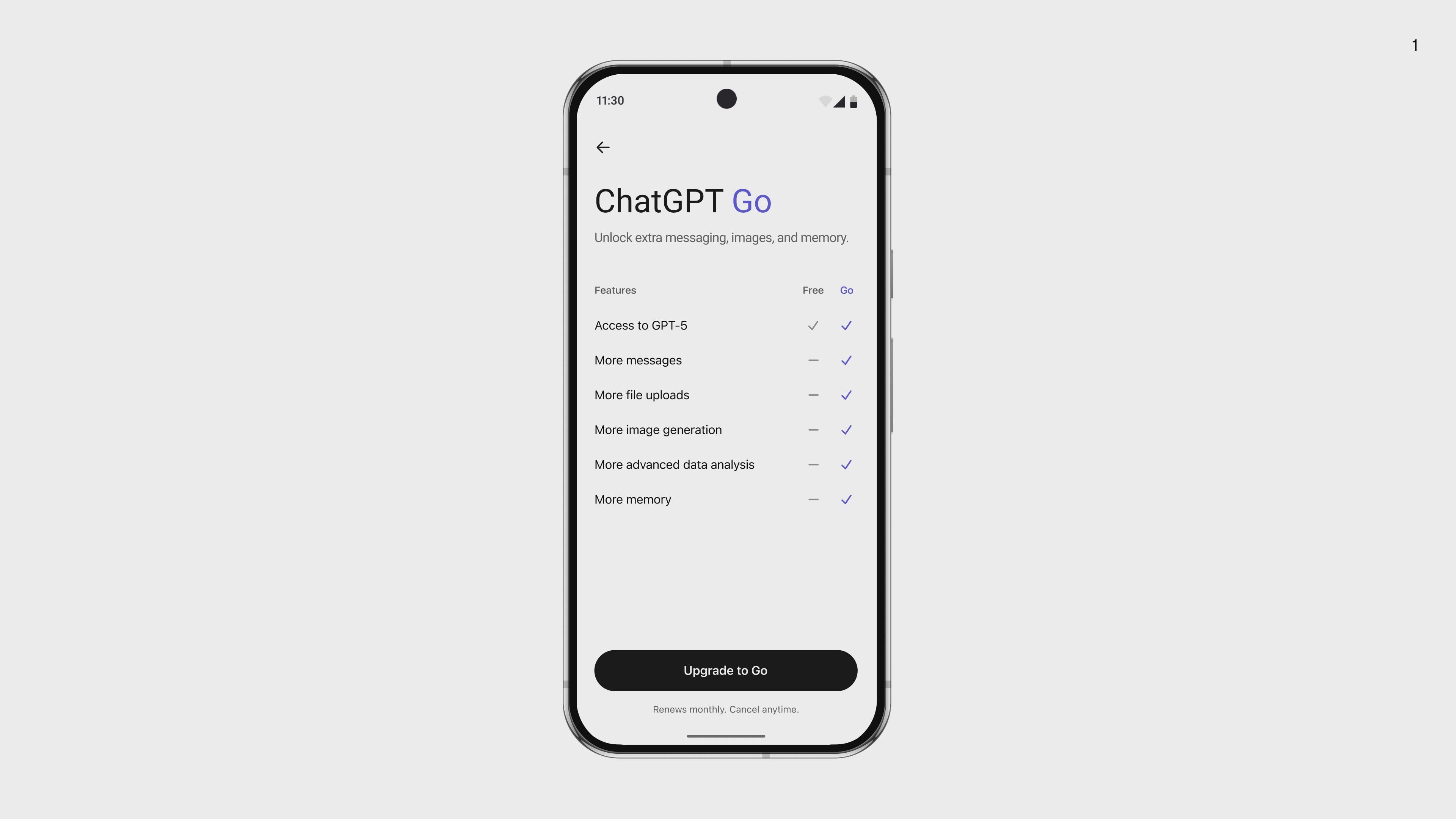
Specifically, here’s the perks for the Go plan compared to free:
- 10x higher message limits
- 10x more image generations per day
- 10x more file or image uploads per day
- 2x longer memory for personalized responses
ChatGPT Go will join existing subscription options Plus (PhP 1,100) and Pro (PhP 9,900).
Plus is for subscribers who need more advanced thinking models and features like deep research, agent mode, and Sora video creation.
Meanwhile, Pro is for professionals, researchers, or organizations who need enterprise-grade scale, pro-level reasoning, and the most advanced features.
16 countries in Asia get ChatGPT Go
The Go rollout builds on strong momentum for cost-friendly subscriptions in the region.
Since launching first in India, the number of paid subscribers has more than doubled in a month.
Other countries to get the Go tier subscription are:
- Afghanistan
- India
- Myanmar
- Sri Lanka
- Bangladesh
- Indonesia
- Nepal
- Thailand
- Bhutan
- Laos
- Pakistan
- Timor-Leste (East Timor)
- Brunei Darussalam
- Malaysia
- Vietnam
- Cambodia
- Maldives


‘Quezon’ muddies the president’s legacy to inspire true change
It's the movie that the country needs now.


Samsung Galaxy S25 FE review: Closer to flagship than ever
Thoughtfully refined


The HONOR MagicPad 3 is an almost perfect premium pad partner
Ever-reliable for work, chill, and play BUT with some catch
‘Quezon’ muddies the president’s legacy to inspire true change

OPPO Find X9 series are now live in China

Maya unveils Pink Glitter Visa Card, BLACKPINK concert promos

Samsung launched a charger that’s incompatible with all its phones

ChatGPT will soon allow NSFW conversations

Xiaomi 17 Pro Max takes a jab at Apple’s iPhone 17 Pro Max

Logitech adds comfort and speed to 2025 keyboard, mice lineup

The Xiaomi Pad Mini is discounted until October 13

Xiaomi 15T Pro review: Big battery, clean shots, smooth performance

Apple AirPods Pro 3 Review: Worth Every Penny!

This is the BRIGHTEST 4K Projector In Its Class!

Unboxing: Ghost of Yotei Collector’s Edition

Unboxing the latest Apple Watch × Hermès

Lenovo Yoga 7i Aura Edition: Ten generations of foldable goodness

21-Day Battery, Pro Sports Tracking: HUAWEI WATCH GT 6 Series
-
 Tablets2 weeks ago
The Xiaomi Pad Mini is discounted until October 13
-

 Cameras7 days ago
DJI Osmo Nano review
-
Reviews6 days ago
The HONOR MagicPad 3 is an almost perfect premium pad partner
-

 Deals2 weeks ago
The new Lenovo Legion Tab comes with a free GameSir G8+ this month
-

 Reviews1 week ago
TECNO Slim review: Smexy, Antifragile Slab
-
Reviews5 days ago
Samsung Galaxy S25 FE review: Closer to flagship than ever
-

 News5 days ago
vivo X300 Pro headlines Dimensity 9500 and Sony’s LYT-828 image sensor
-

 Reviews1 week ago
The Xiaomi OpenWear Stereo Pro is a midrange wearable in premium packaging