
Laptops
ASUS ZenBook 3 review


I’ve used lots of laptops in the past year — from the pleasant $150 Starmobile Engage Aura to the monstrous $9,000 Acer Predator 21 X — but none have impressed me as much as the ASUS ZenBook 3. Let me explain why.
It’s unbelievably thin and light!
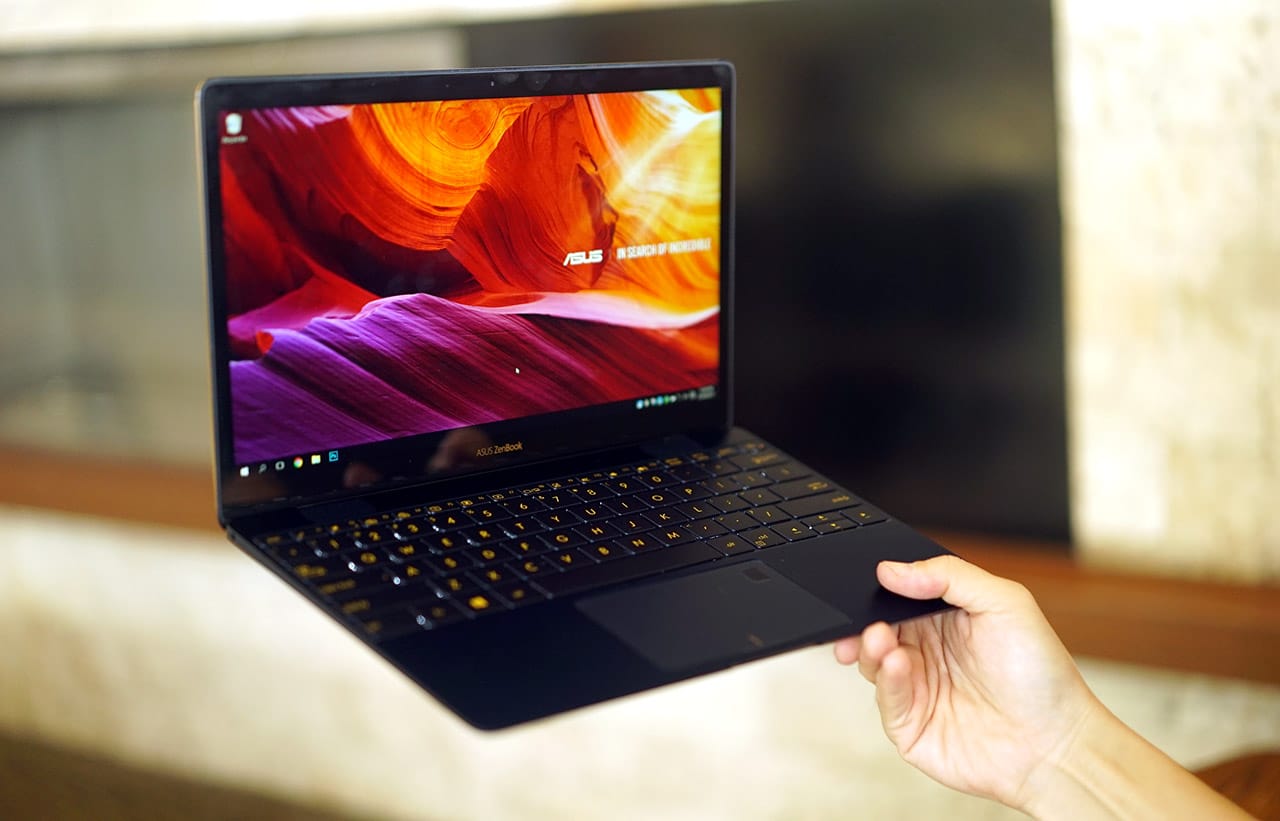
Weighs only 910g and has a thickness of just 11.9mm — more portable than the new MacBook!
And it comes with a sleek travel case
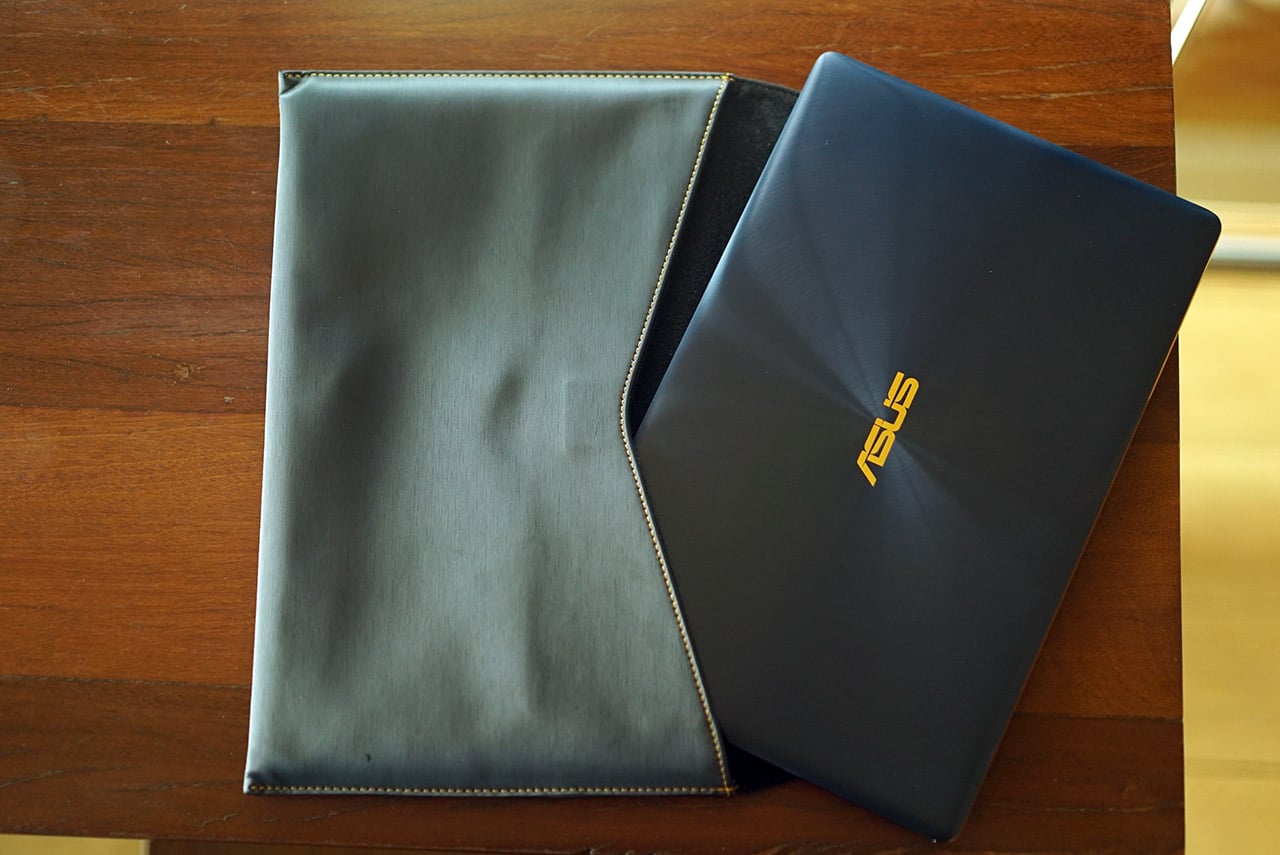
Made of soft, cushy leather
The keyboard is really shallow, but fun to type with
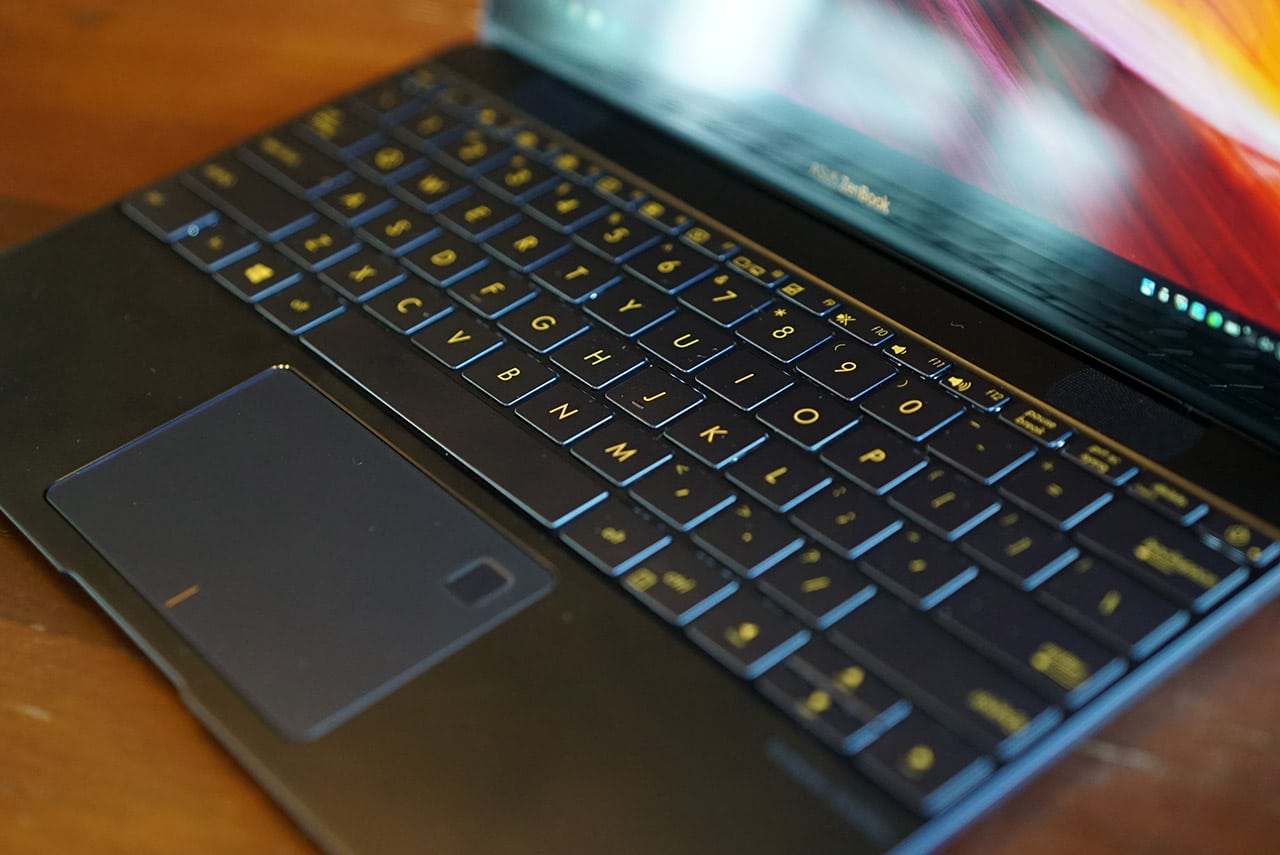
Comes with backlighting, too!
Its trackpad is one of the most accurate in its class
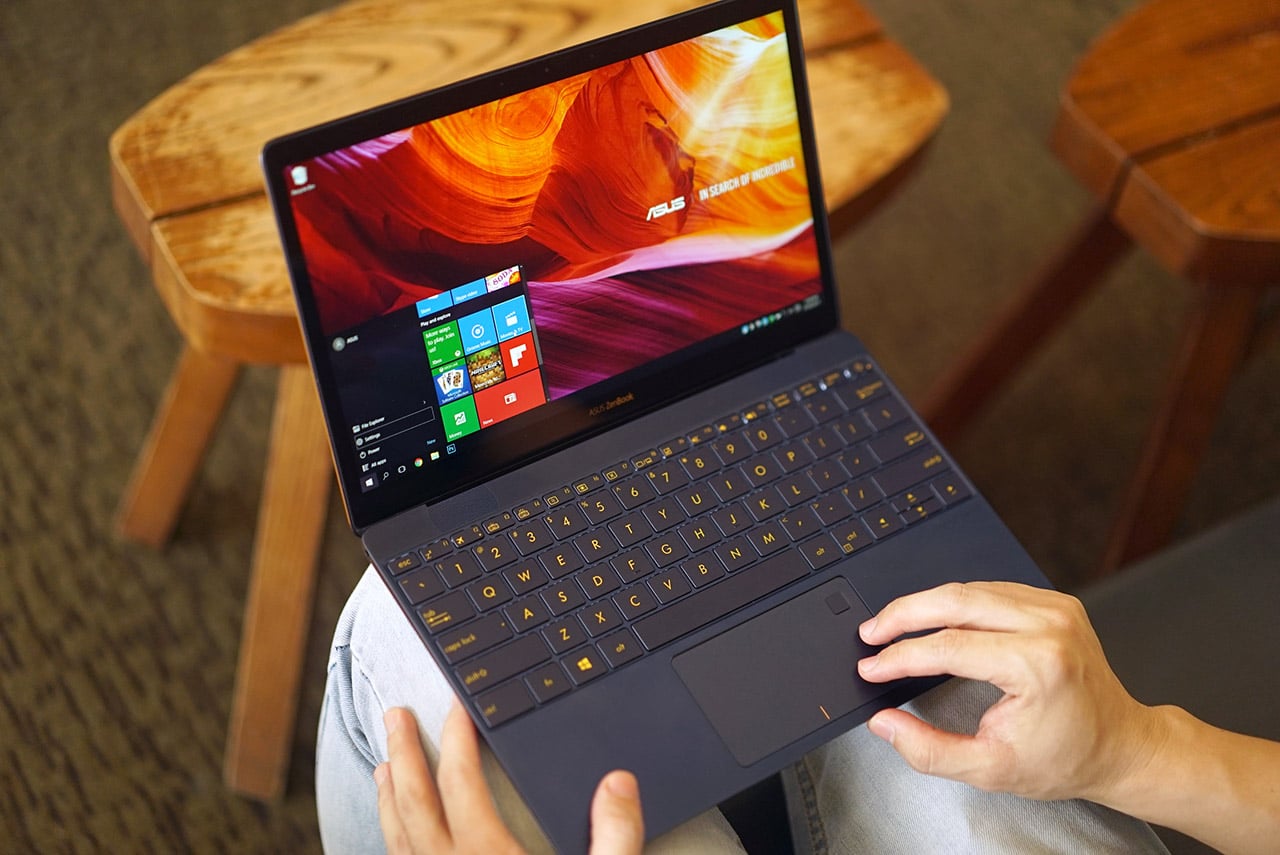
No more accidental clicks and annoying gesture control here
There’s also a lightning-fast fingerprint scanner for instant logins

Supports Windows Hello for logging in to other apps, as well
Charging and data transfers share one USB Type-C port, but…
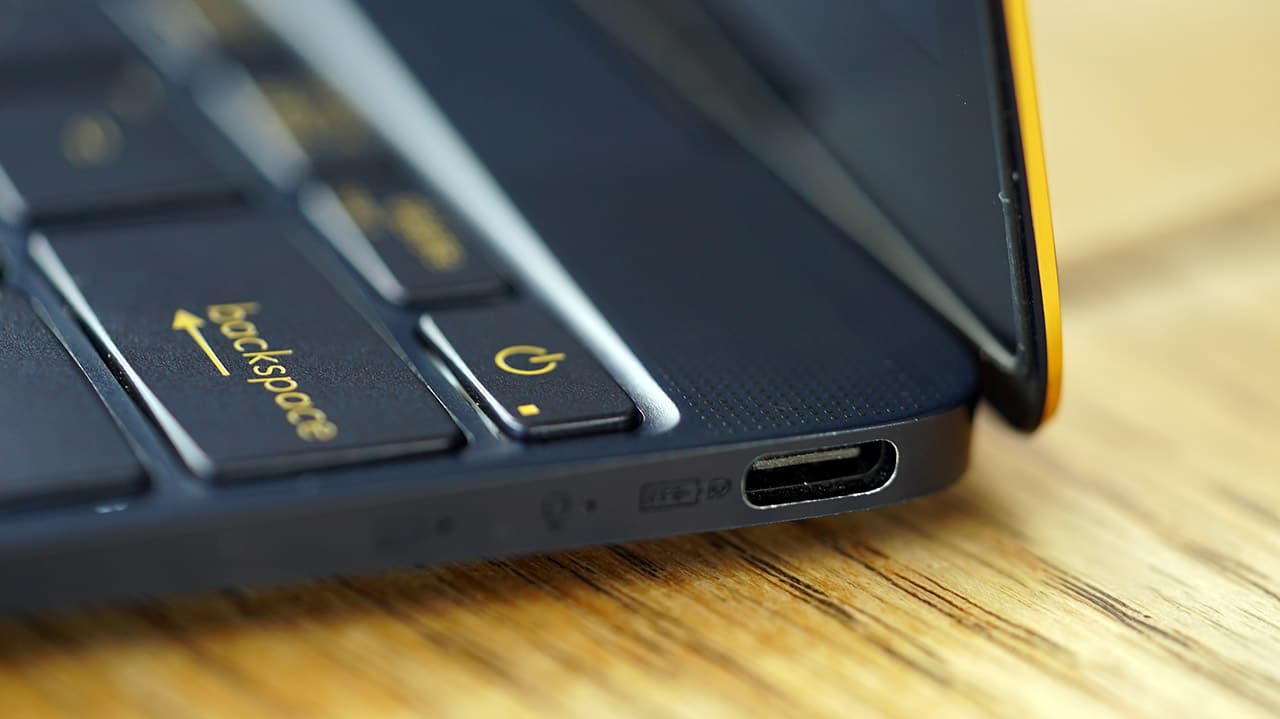
On the bright side, charging from zero to full completes within two hours
… ASUS adds a bundled dongle to ease the pain
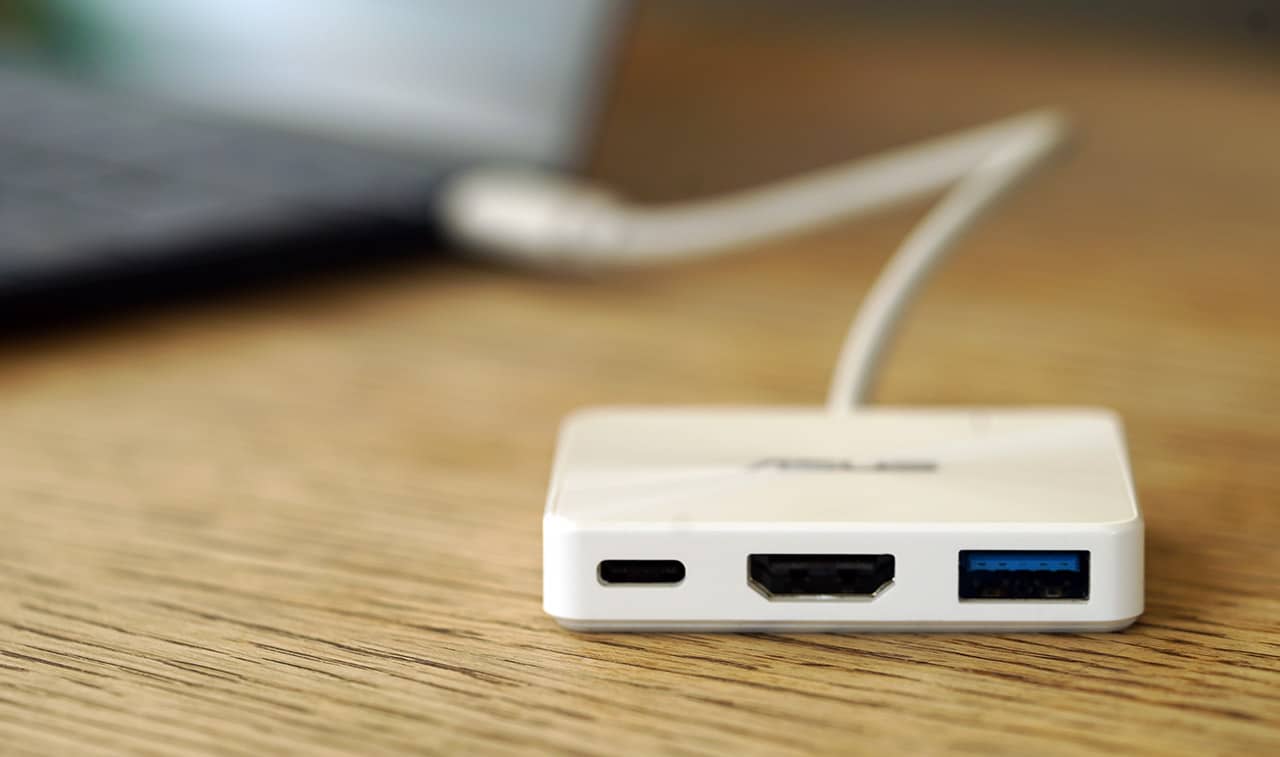
Provides another USB Type-C port, plus full-sized HDMI and USB ports
Don’t worry, the 3.5mm audio jack is still present
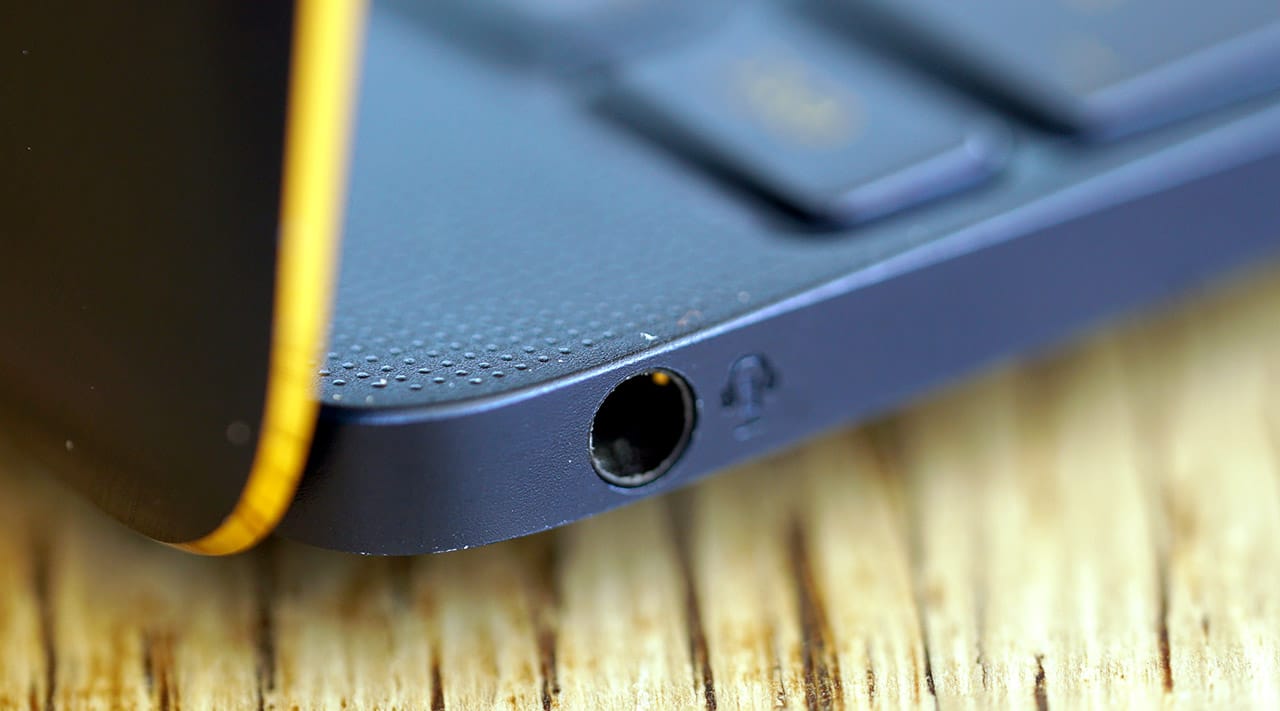
No need for wireless headphones just yet
Speaking of audio, the four-channel speakers are surprisingly loud!

The punchy sounds are courtesy of Harman Kardon. Thank you, Mr. Harman and Mr. Kardon!
Hold on, does it actually perform well?
When you see a laptop this portable, you’d normally expect a slow processor and laggy performance; that’s absolutely not the case here.
The ZenBook 3 feels like it’s on steroids thanks to its seventh-generation Intel Core i7 processor, which you’d normally find on laptops much bigger than this, as well as 16GB of memory and 512GB of fast SSD storage. There’s no separate graphics card for gaming, but all these components put together make for smooth multitasking and quick boot-ups.
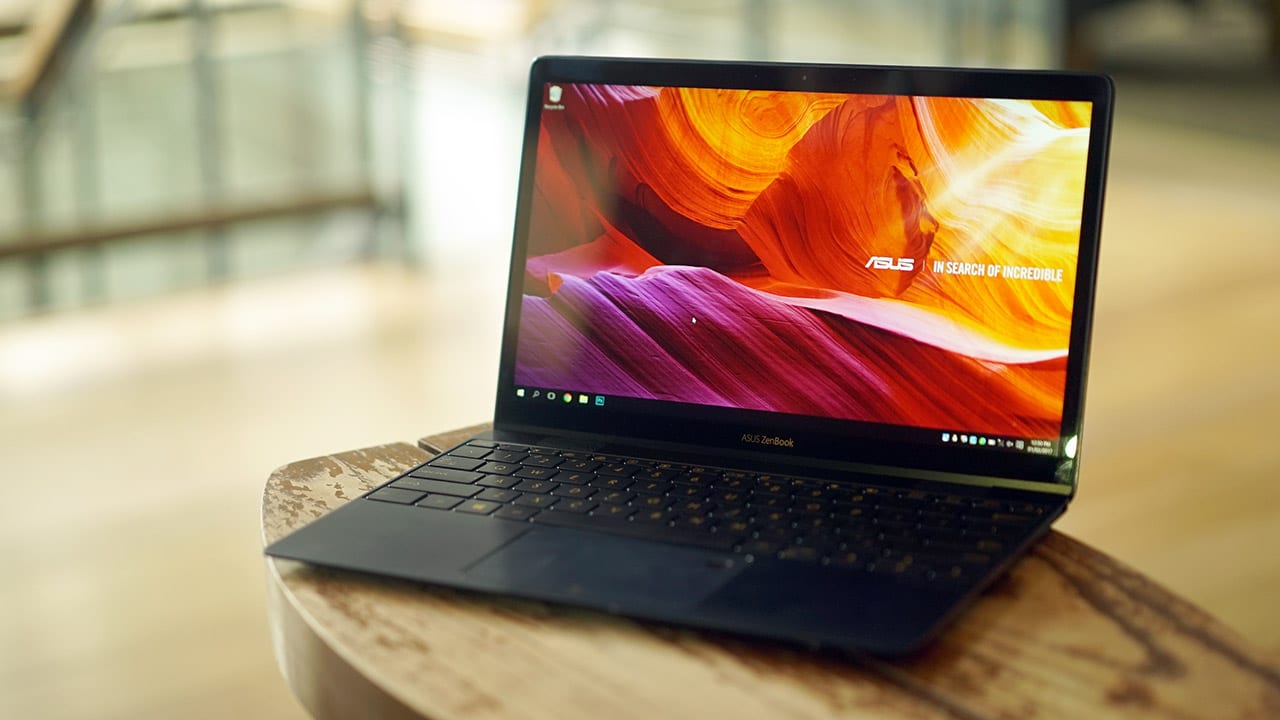
My only gripe is how hot it gets while under full load. It gets so warm, I have to take it off my lap and find a table to place it on — so much for the “lap” in laptop.
People might also complain about the run-of-the-mill Full HD 1080p resolution on the 12.5-inch display. It’s not as pretty to look at as the ASUS Transformer 3 Pro’s high-resolution screen, for example, and there’s also no touchscreen to speak of. It’s otherwise good enough for watching movies and getting work done.
Can it last a whole afternoon of work and play?
Another worry I had when first using the ZenBook 3 was the possibly poor battery life. My concerns were justified by the results, but I was still satisfied by what I got.
Because of the efficiency of the processor and not-so-dense pixel resolution of the display, I managed a little over four straight hours of mixed usage, involving image editing on Photoshop, writing articles on Google Docs, and playing YouTube videos in the background.
Even though that amount of battery life is nothing to brag about, it’s just right for one long work session, and it’s far better than the measly endurance of the Transformer 3 Pro convertible. I also shouldn’t complain much; I can get so much work done in that span of time on the ZenBook 3’s speed.
Is this your GadgetMatch?
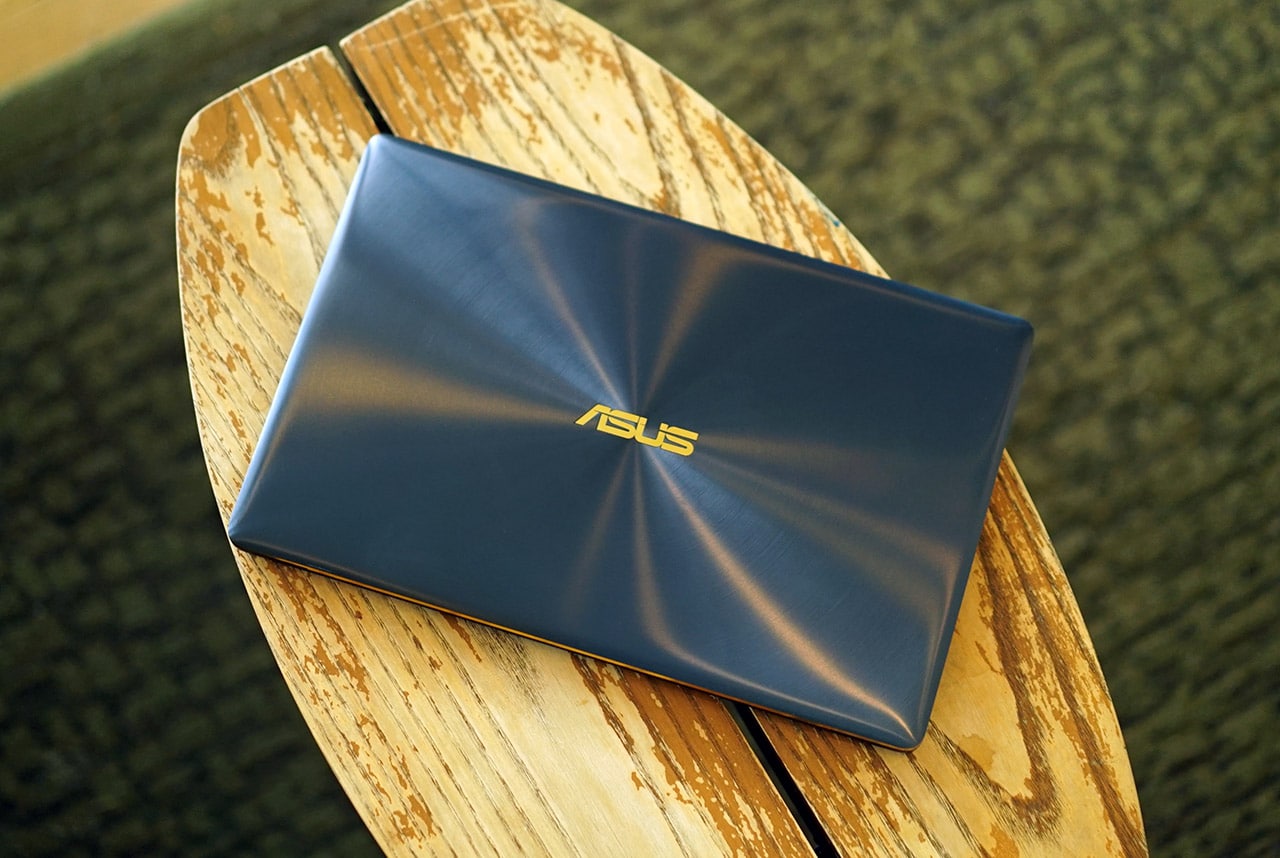
The look and feel of the ZenBook 3 are enough to justify a purchase. Our unit’s royal blue color together with the spun-metal finish make this such an eye-catching notebook. Add the consistent overall performance, and you have the best Windows alternative to the new MacBook yet.
Its only serious drawbacks are potential overheating and the port limitation. Oh, and let’s not forget the price. With a starting price of $1,000 for the weaker Intel Core i5 version, and PhP 79,995 ($1,600) for the Core i7-equipped variant we have here, this isn’t an affordable notebook.

For that price, you can get yourself the fancier Transformer 3 Pro convertible we mentioned earlier, which has a higher-resolution display, detachable keyboard, and bundled stylus pen. You can also afford one of ASUS’ midrange gaming laptops at this point and do more, but that would mean sacrificing more bag and desk space.
In addition, ASUS will be rolling out a more high-end ZenBook 3 Deluxe soon. It’ll have a larger 14-inch screen, more USB Type-C ports, and a webcam supporting Windows Hello. Of course, it’s going to cost more, but you should definitely consider it before committing to the regular ZenBook 3 right away.
SEE ALSO: ASUS Transformer 3 Pro review
[irp posts=”9031″ name=”ASUS Transformer 3 Pro review”]






Accessories
UGREEN Nexode Pro 160W review: One mighty brick with a powerful trick
All the speed you need in one charging brick

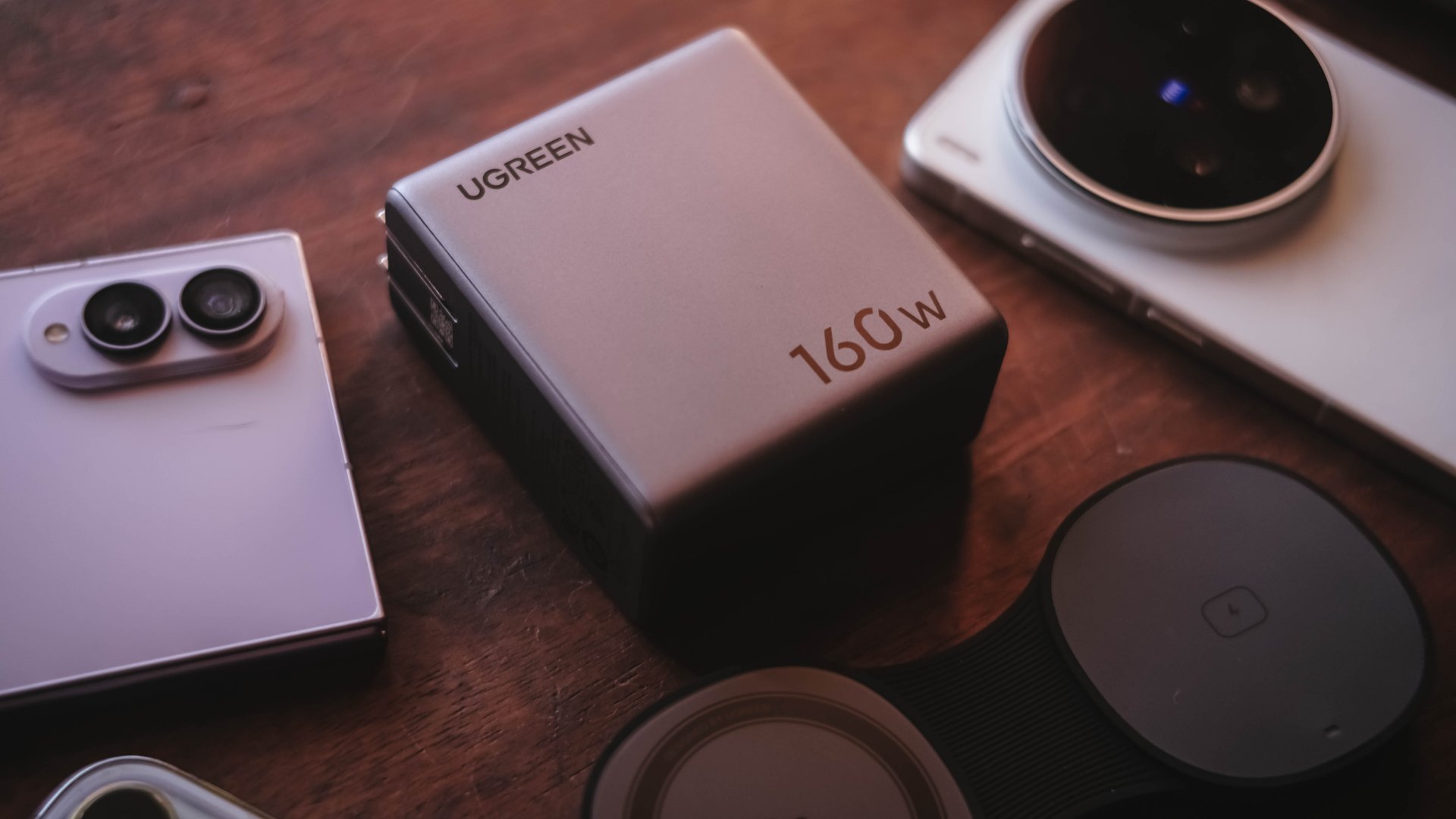
Chargers aren’t just tiny bricks we plug into the wall anymore.
As our everyday gadgets become hungrier in power, chargers have gotten mightier, too.
More wattage, more ports, and apparently, more brains. The UGREEN Nexode Pro 160W takes all of those in one thicc body.
A heavy charger with plenty of power
Let’s address the elephant in the room — literally and figuratively. The UGREEN Nexode Pro 160W is one CHONKY charger.
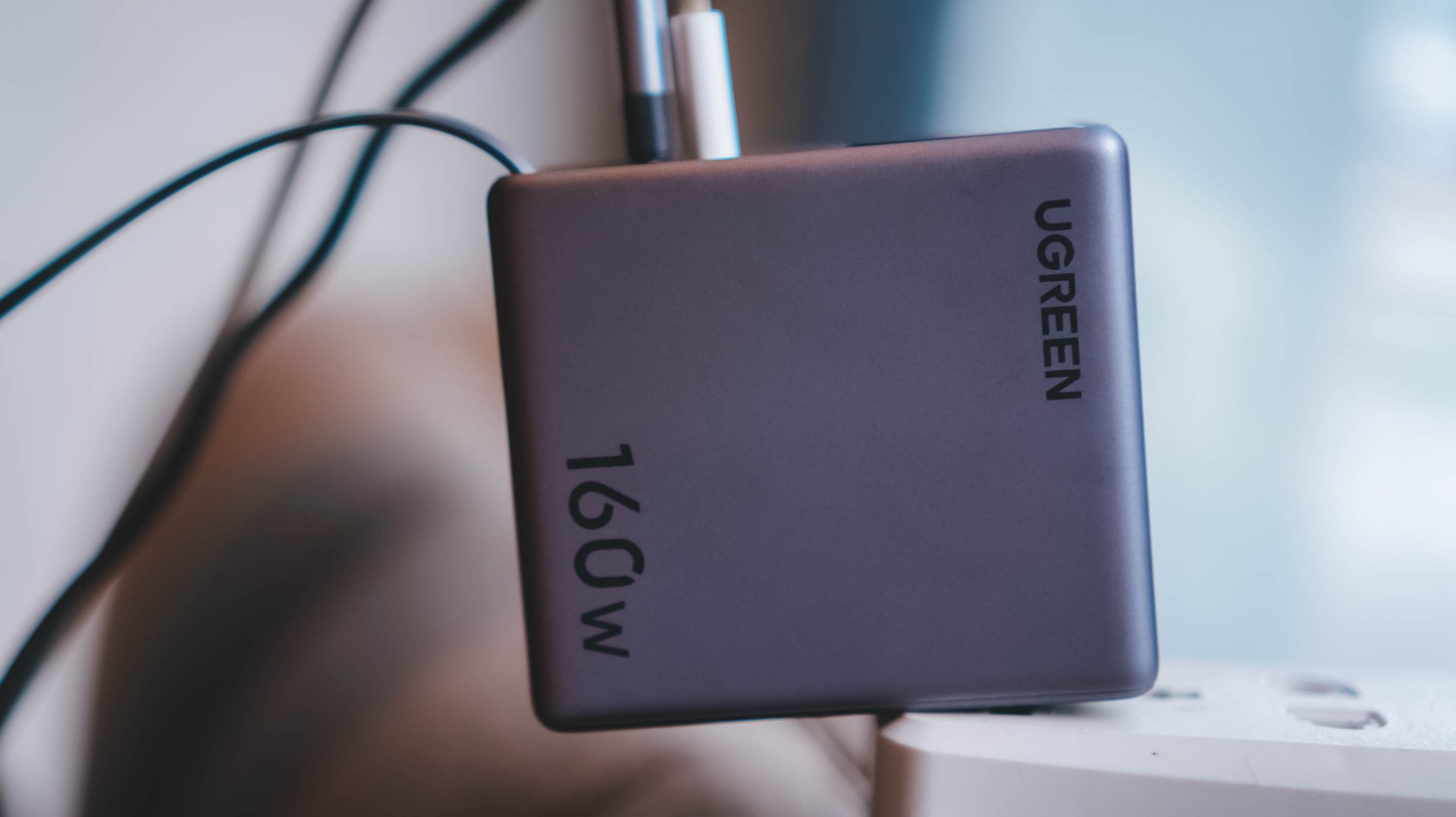
The US version weighs 310 grams, which is heavier than usual charging bricks you’d bring with you.
Visual comparison alone, this is how it tries to dwarf its 100W Uno cousin.


Then again, UGREEN’s Nexode Pro isn’t your conventional charger. And by that, it boasts a total output of 160W — though not saying every port gives a 160W output.
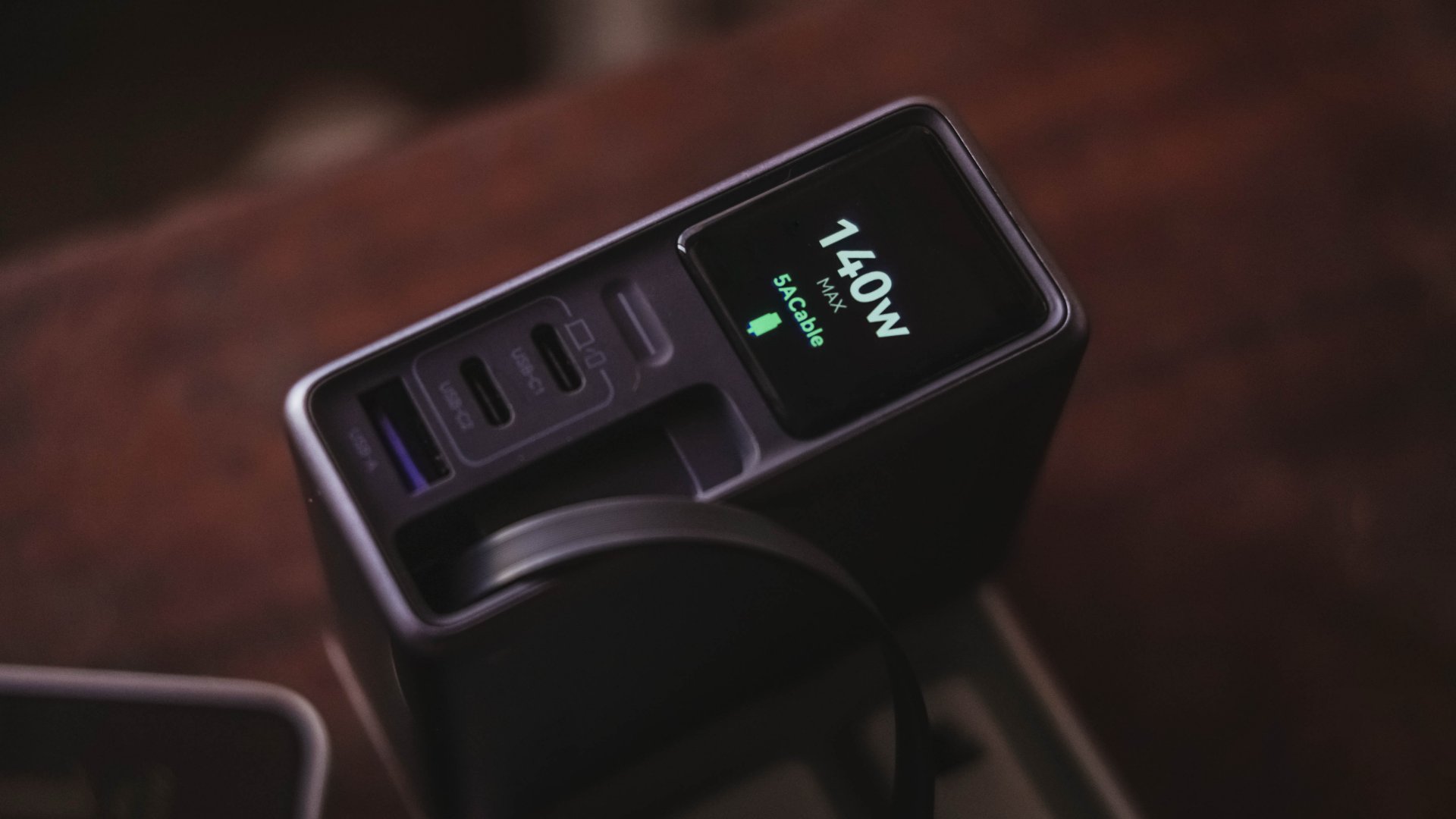
The first USB-C port (C1) is capable of delivering up to 140W. Meanwhile, USB-C2 supports up to 100W, while the lonesome USB-A port can supply up to 22.5W.
To make it even crazier, it also has a retractable USB-C cable — more on that later.
These all mean I can plug in my MacBook Pro, high-end Android flagship, iPhone, and other accessories without ever bringing separate charging bricks for each one.
And honestly, when there’s so much power inside one brick, I’ll generously accept that added heft.
Watt you see is watt you get
One trick up in Nexode Pro 160W’s sleeves is that, it has a front display.
With a touch capacitive button above the USB-C1 port, the display can show not just the general (or combined) charging wattage. It can also show real-time speeds in watts (W), voltage (V), and even ampere (A).
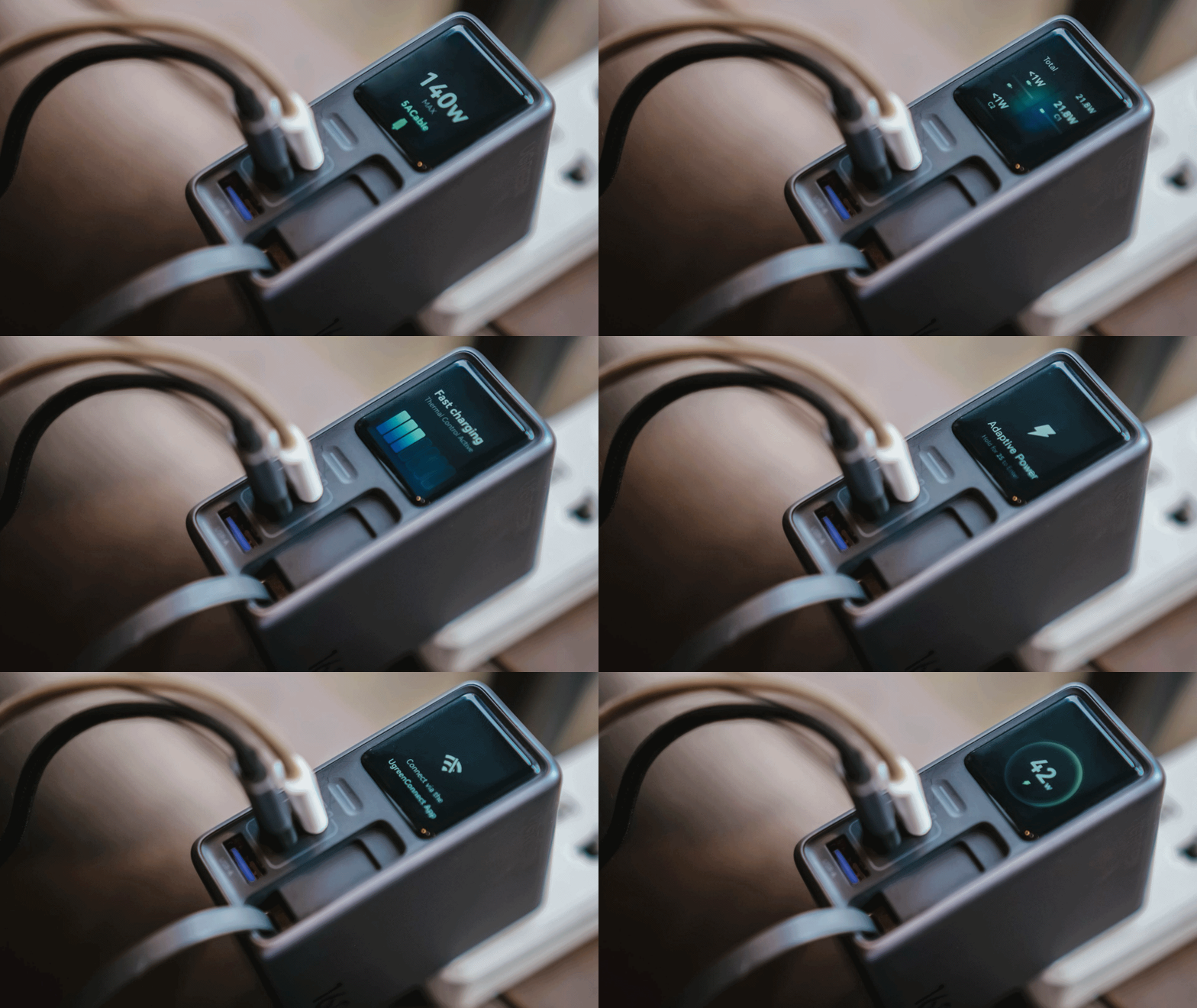
For regular users, it’s probably something you’ll glance at occasionally. For stats nerds? It’s eye candy. For a gadget reviewer like me? A charge test companion.
Seeing real-time charging data gives me a better idea if I have the best charging cable possible for each device. More so, if those devices actually get the charging speeds they require.
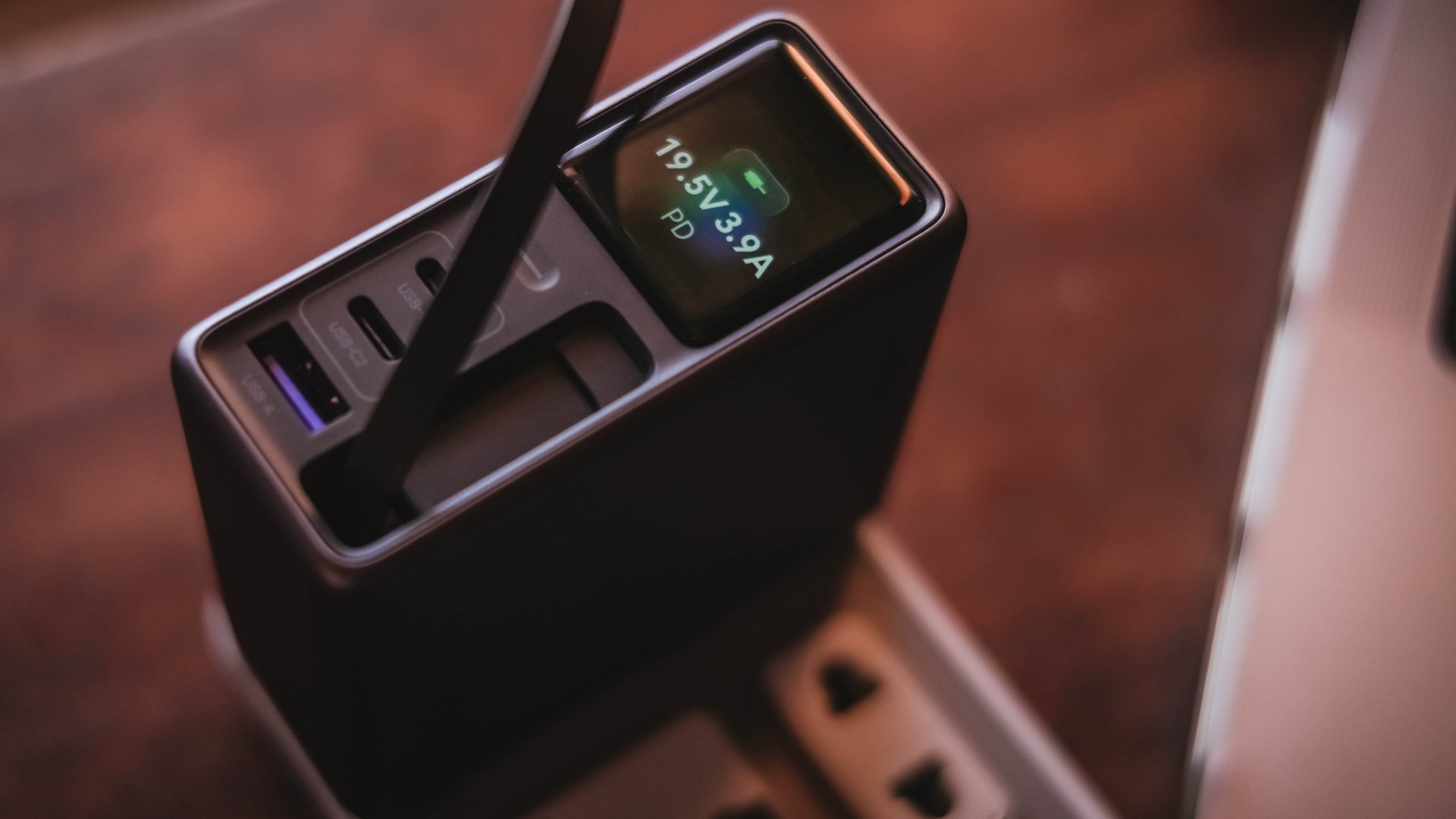
And, if something suddenly starts charging slower than usual, those numbers can help me determine whether the device, charger, or cable might be the culprit.
I can only have my sigh of relief when I see it’s pulling the amount of power I expect.
Even if I always say numbers aren’t everything, the real-time charging data I see with my two eyes is more believable than just relying on that “Fast Charging” indicator.
So, watt did I even get?
Of course, I couldn’t just take that 160W figure just at its face value.
In a not-so-typical GadgetMatch Charge Test, I tried and tested the charger by occupying all ports with the devices I regularly use and watched the numbers fly.
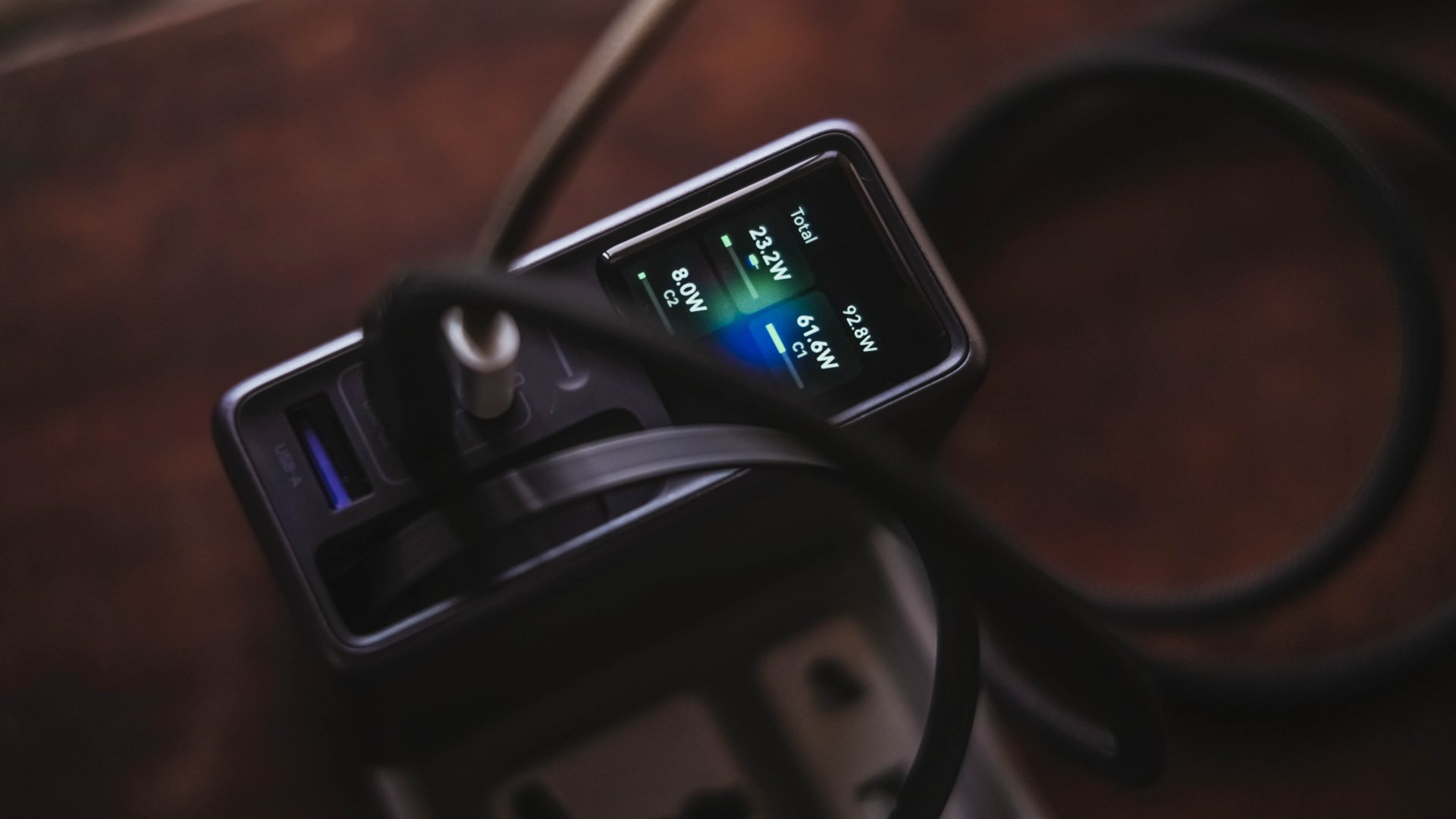
Mind you, I tried my best to make them as equal as possible by draining every device down to 0%. Just so the actual charge test starts at the very base.
From a lengthy documentations in my Notes app, I tried simplifying the results into these table instead:
| Port | Device | Cable Type | 10-minute charge | 30-minute charge | 1-hour charge |
| USB-C1 | 14” M2 Max MacBook Pro | Apple MagSafe 3 to USB-C | 15% | 45% | 84% |
| USB-C2 | Apple iPhone 13 Pro Max | USB-C to Lightning | 7% | 21% | 42% |
| Retractable USB-C | vivo X300 Ultra* *wireless charging |
USB-C to UGREEN MagFlow 2-in-1 Foldable Magnetic Wireless Charger | 2% | 3% | 7% |
| USB-A | HONOR Watch 5 Ultra | USB-A to wireless charging base | 18% | 58% | 76% |
Aside from the charger itself, there are more factors that contribute to a device’s charging output.
One is basically how many devices are connected. Another would be the type of cable used (standard 3A cable or faster yet thicker 5A or 6A cord).
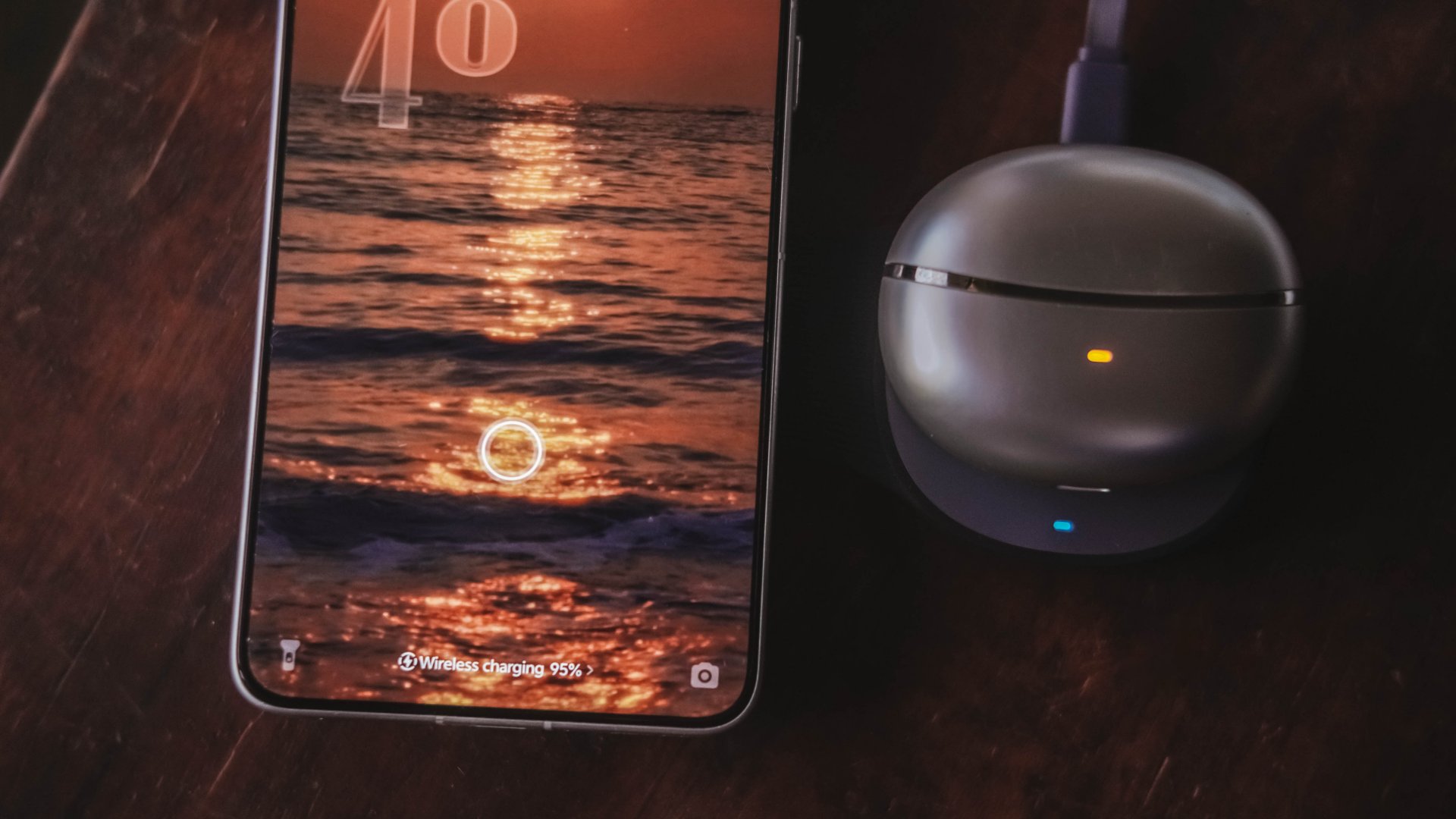
More so, if the best charging mode is used. Even actual room and device temperatures matter, too.
In easier words, a charger boasting 160W power doesn’t mean every device gets its maximum charging speeds simultaneously.
The charger still has to distribute its available power between everything connected.
Pull it, use it, and never lose it
Perhaps its most “secretive” trick is hidden within.
UGREEN has managed to fit a 70cm retractable USB-C cable in its squarish body. Pull it whenever you need it and retract it back inside once you’re done.
It’s incredibly handy when I don’t want to dig through my big and messy backpack.
Worst case scenario? Whenever I forget to bring a cable — which already happened numerous times as an aging young adult who keeps being unnecessarily forgetful.
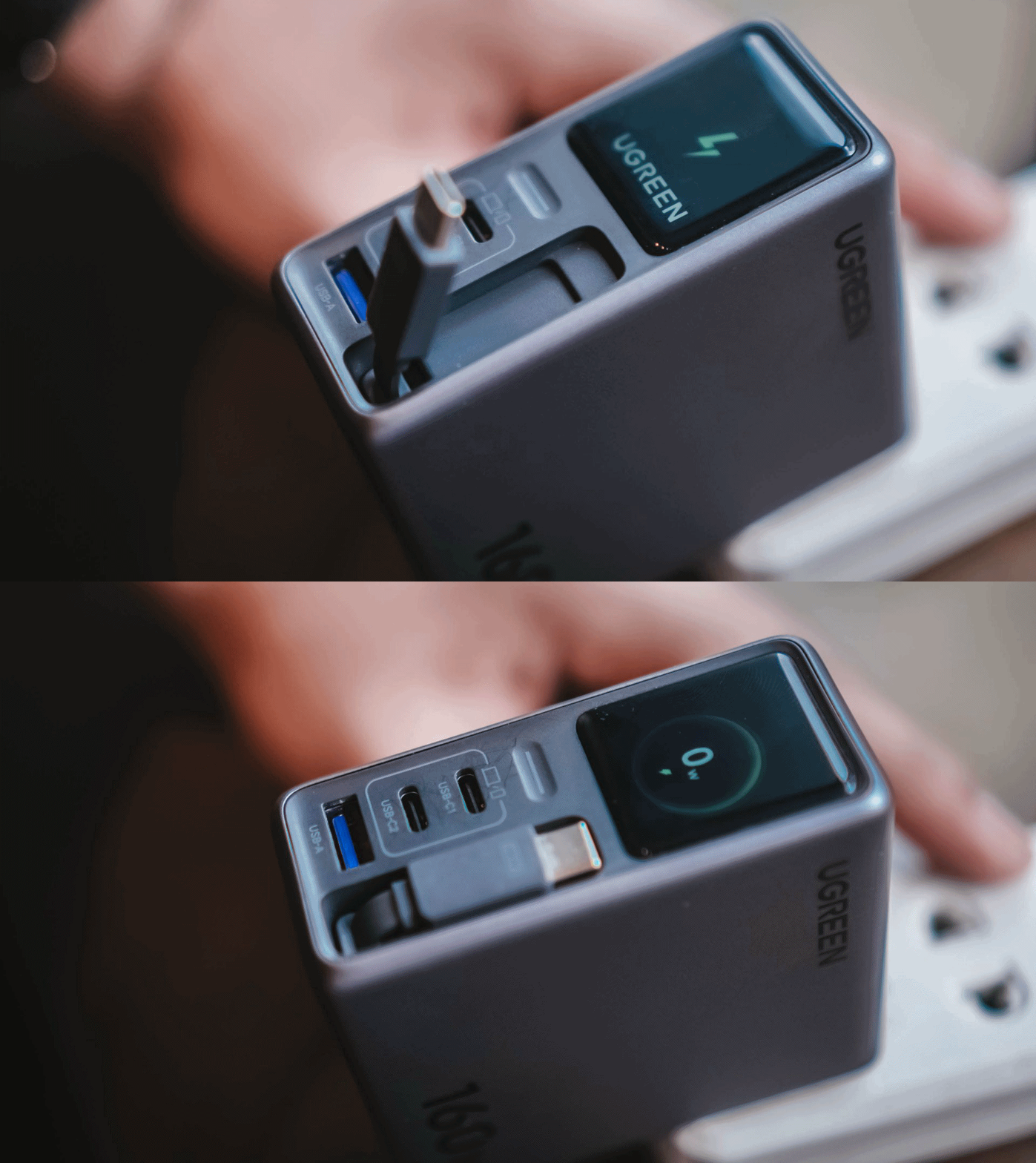
Vincenz’s two cents? He would NOT always rely on using it.
For one, there’s the matter of longevity.
A regular USB-C cable eventually breaks? Replace it. A retractable cable permanently attached to your charger? That’s a different story.
Another would be all about its actual charging speed output. Not every device behaves the same way with that built-in cable.
| Device | Max Charging | Observed Power | 30-minute charge | 1-hour charge |
| 14” M2 Max MacBook Pro | 96W | 68.6W | 53% | 87% |
| vivo X500 Pro Max | 90W | 20.2W~23.6W | 34% | 62% |
| vivo X300 Ultra | 100W | 9.6W~12.9W | 26% | 52% |
| HONOR 600 Pro | 80W | 16.5W | 35% | 64% |
| Samsung Galaxy Z Fold8 | 45W | 17.8W | 41% | 74% |
For instance, my vivo X300 Ultra supports 90W FlashCharge speeds. Yet, I observed only around below a 13W output during one test. Thus, only achieving 26% in thirty minutes.
Even the shiny new vivo X500 Pro Max wasn’t exempted in the list with only being able to achieve 34% in the same time frame.
For added context, using their bundled FlashCharge adapters would have already filled the phones way past the 60% mark.
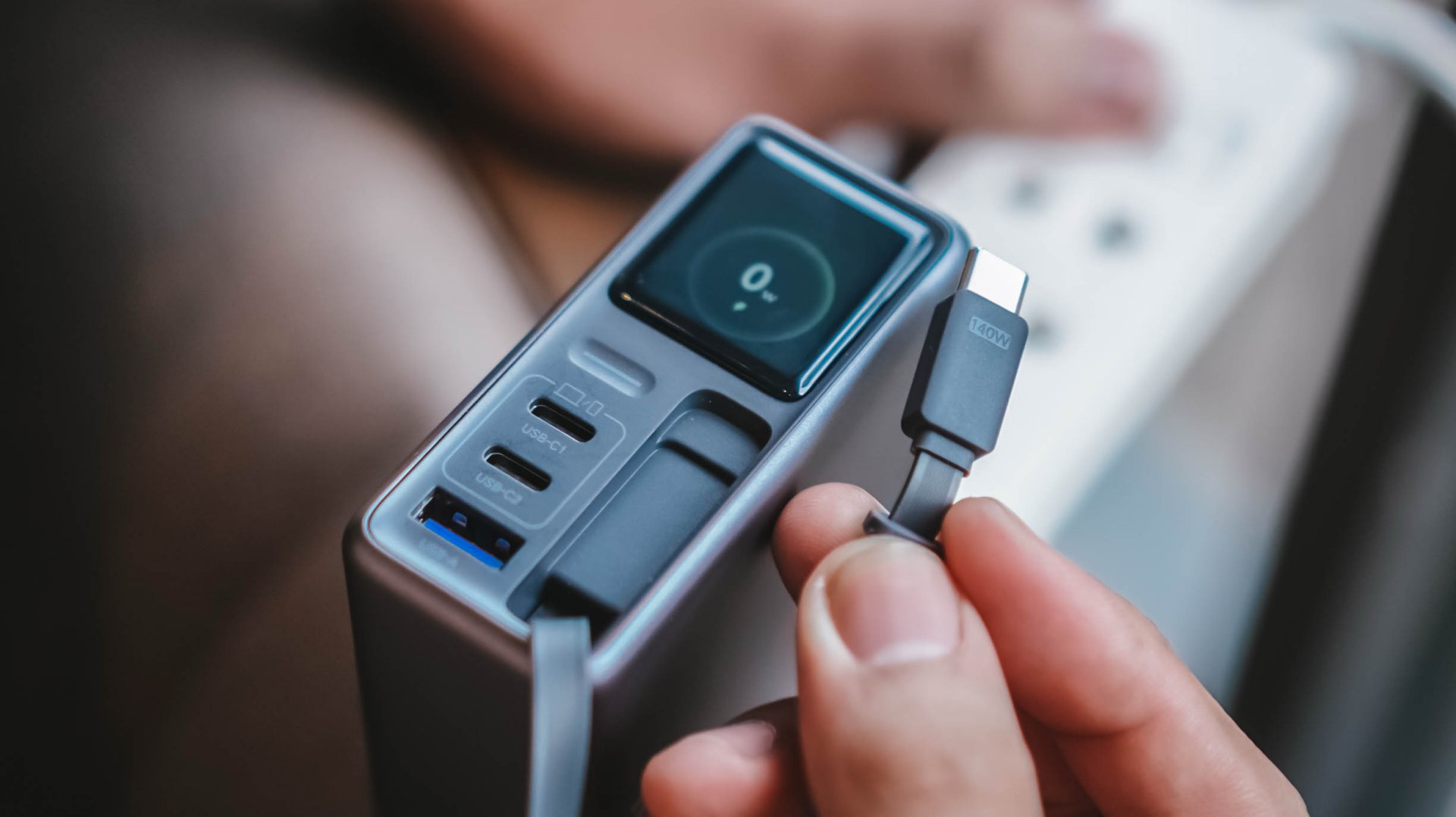
This doesn’t necessarily mean the built-in cable is bad. It just means you shouldn’t expect every proprietary charging standard to hit its advertised maximum just with the cable alone.
So while it’s one of my favorite conveniences here, I still see it as a handy backup rather than the only cable one would ever need.
Connect to inspect
I can’t believe I’m saying this. A charger can now be connected via an app.
Just like me, you’re probably scratching your head the moment you are reading this. Well, after much use, it actually made sense to me.
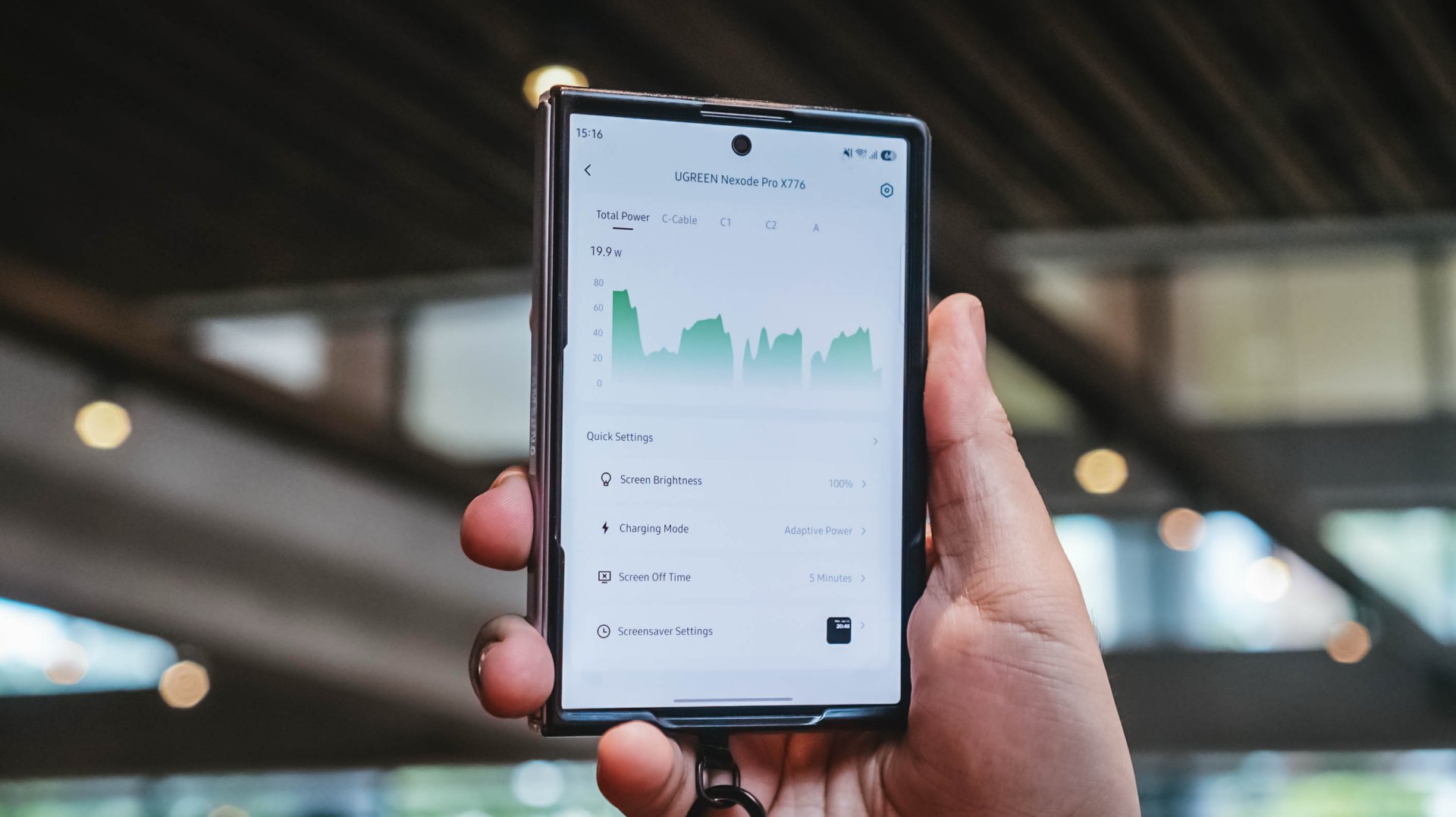
With their new and very own UgreenConnect app, not only you can see and capture charging stats, UGREEN lets you switch between charging modes as well depending on your charging needs.
Heck! You can even turn off ports individually without affecting other devices being charged.
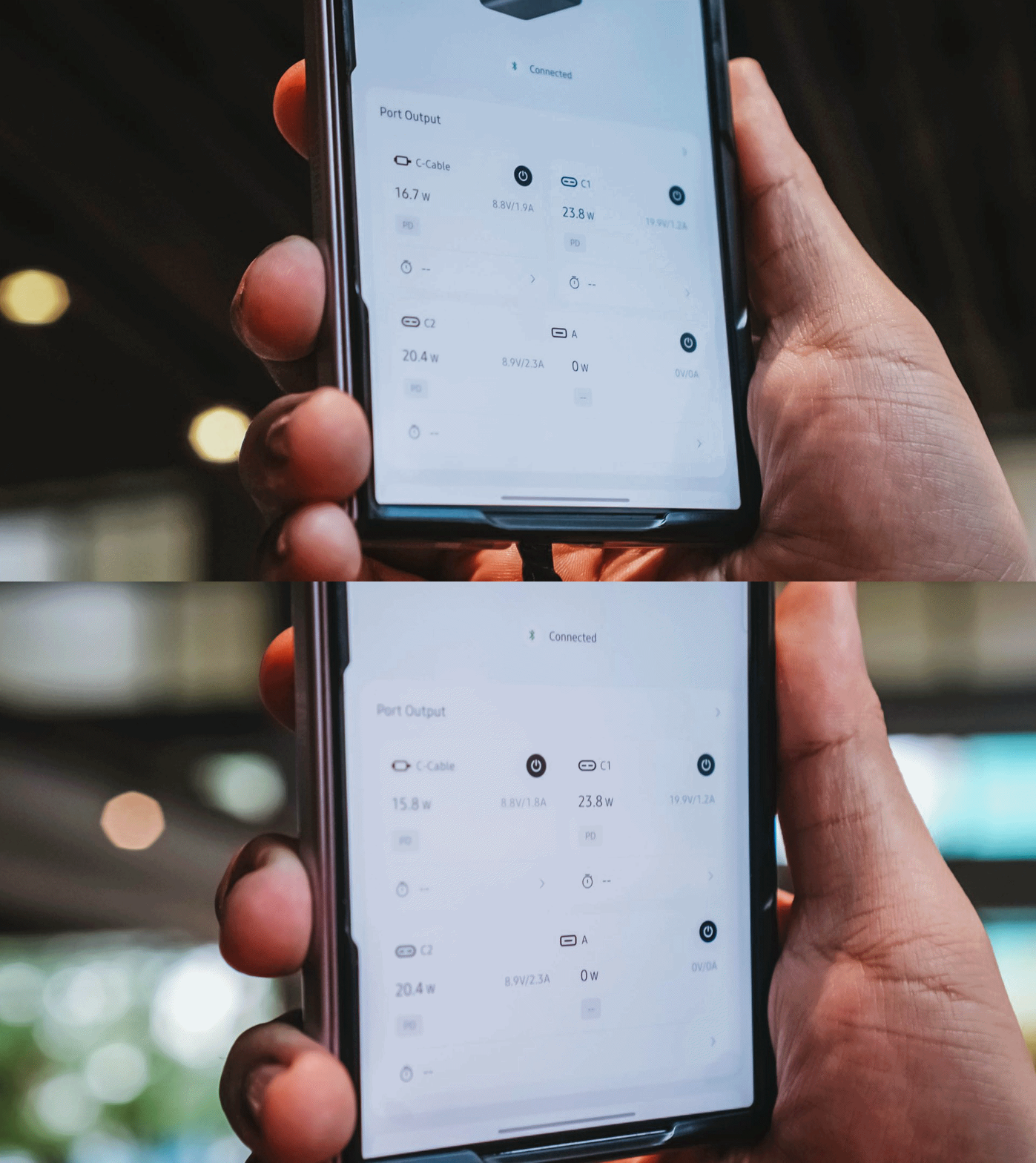
Furthermore, you can also change the display’s brightness and sleep time, customize wallpapers. The Nexode Pro 160W also supports OTA updates.
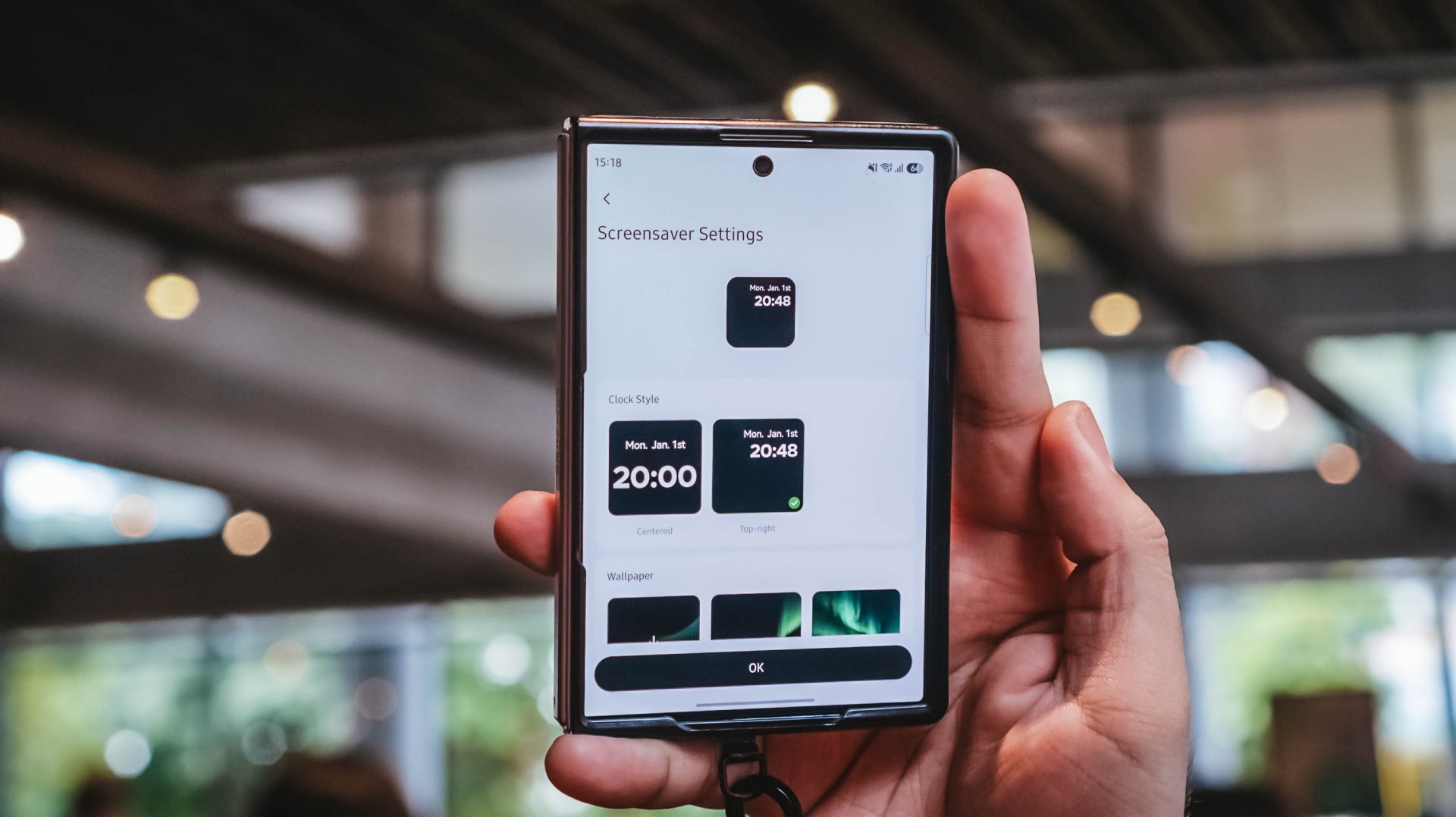
Again, it’s mostly nerdy. But that’s precisely why I like this charger more than what I already have and use.
Feel the heat, keep it neat
The Nexode Pro gets warm. Quite warm, actually.
But, with a charger this large and powerful, that’s hardly surprising given all the charging components packed inside.
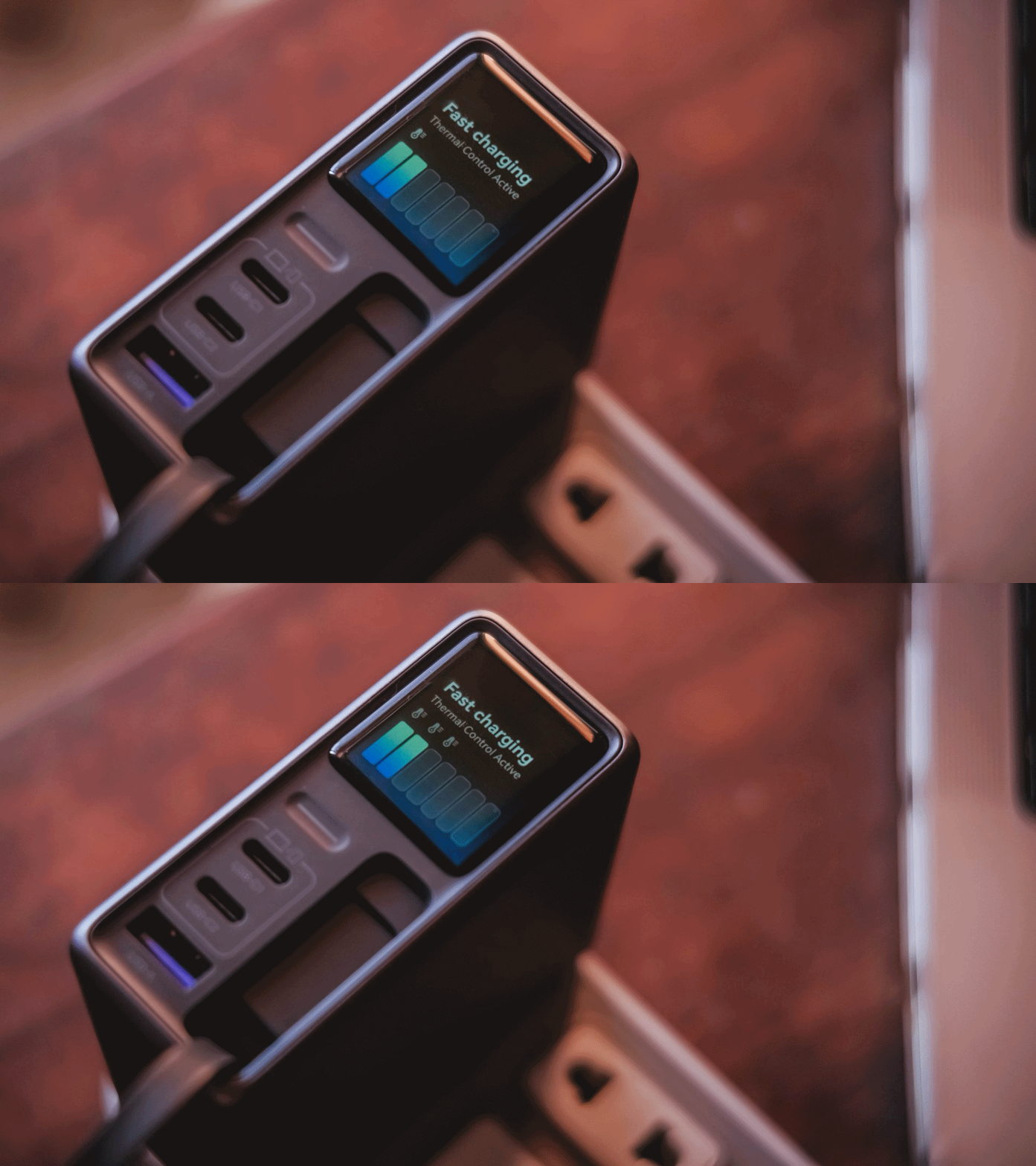
Thankfully, the temperature remained manageable throughout my use. UGREEN also lists Thermal Guard Temperature Control alongside GaN Infinity technology and SmartCharge power distribution.
The different charging modes can also help manage and lessen that heat further.
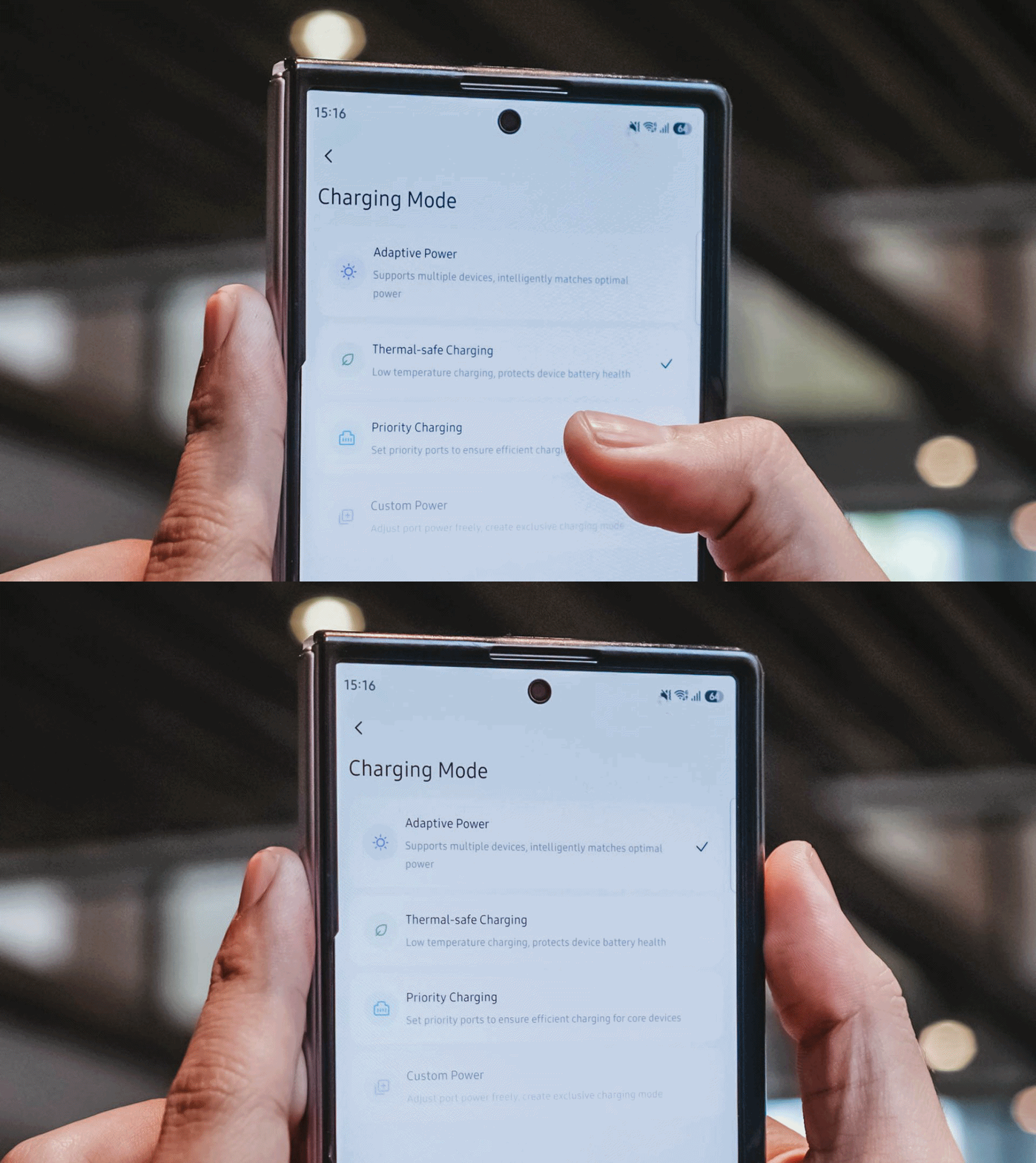
If I don’t need something charged immediately, I can opt for smarter or lower-temperature Thermal-safe charging instead of constantly pushing as much power as possible. Power when I need it. Less heat when I don’t.
Although for my day-to-day use-case, Priority Charging makes the most sense.
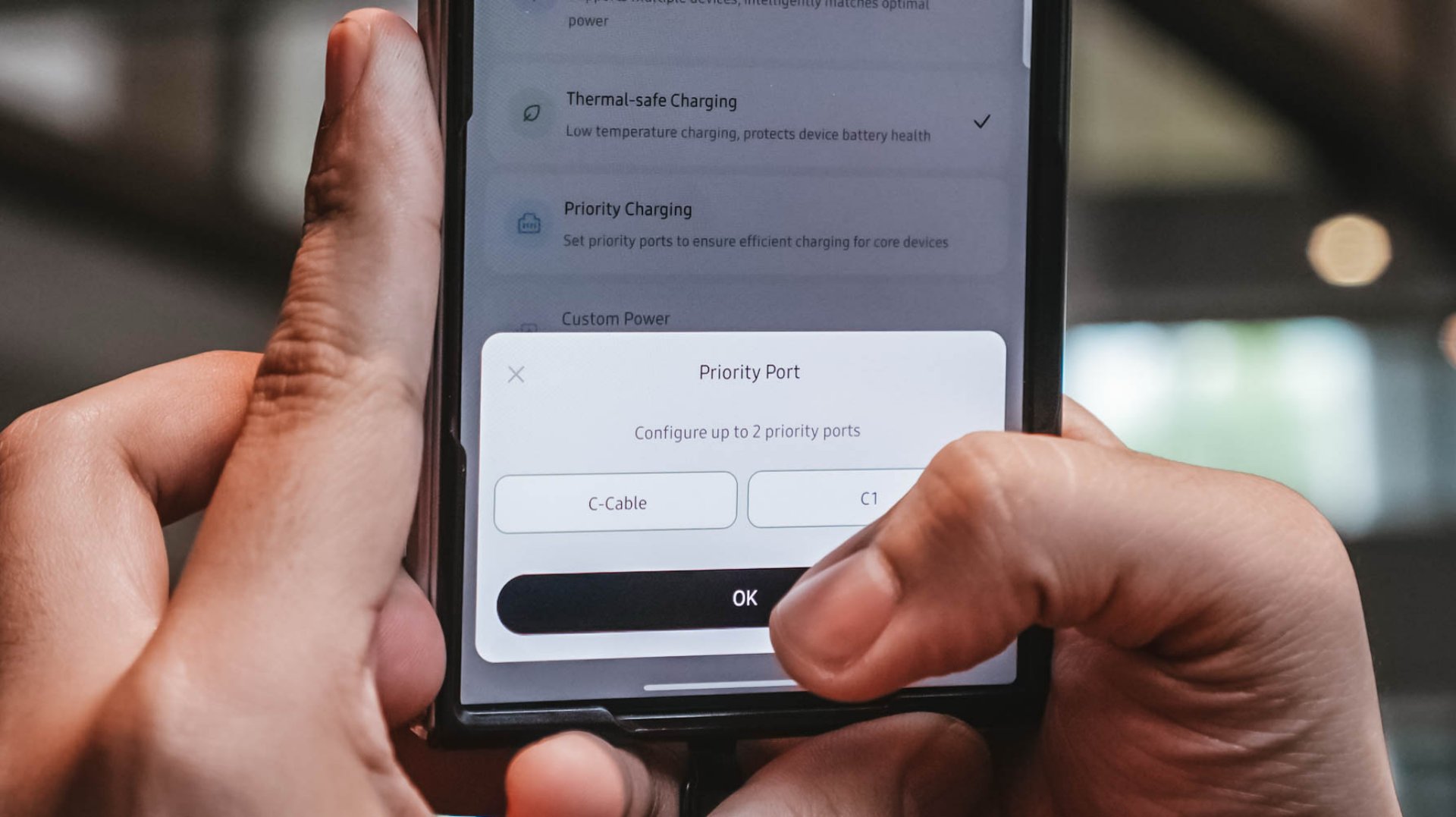
Case in point: I tested this with the vivo X300 Ultra I’m dilly dallying.
| vivo X300 Ultra | Adaptive Charging | Priority Charging |
| Charging Output | 9.6W ~ 12.9W 8.1V / 1.6A |
26.8W ~ 27.2W 7.9V / 3.5A |
| START TIME (from 0%) | 9:11PM | 12:31AM |
| 3 minutes | 4% | 6% |
| 5 minutes | 5% | 8% |
| 10 minutes | 9% | 16% |
| 15 minutes | 13% | 21% |
| 30 minutes | 26% | 42% |
| 45 minutes | 39% | 61% |
| 1 hour | 52% | 80% |
Adaptive Charging obviously charged it slower than ever. But when I enabled Priority Charging, it initially pulled around 30.8W to 31.2W for the first two minutes before settling around 26.8W to 27.2W. That’s still higher than the output through Adaptive Mode.
More so, it was able to reach 42% after 30 minutes and 80% after an hour in contrast to the 26% and 52% level of the former.
My MacBook Pro and flagship Android phones need significantly more power than smaller accessories. So, instead of letting everything fight equally for those watts, I can prioritize whichever device actually needs the extra juice.
Is the UGREEN Nexode Pro 160W your GadgetMatch?
At PhP 4999 / SG$ 140 / MYR 419, the UGREEN Nexode Pro 160W might sound like an overkill if all you need is something to charge your phone every night.
But, if you’re someone like me who owns lots of gadgets and constantly switches between a laptop, several smartphones, at least one tablet, a smartwatch, wireless headphones, and many other gadget ever imaginable, owning this charger quickly makes sense.
That’s most especially for the ultimate convenience it brings by only using one socket and fits right inside your bag’s tight pocket. I can fully rely on one brick instead of carrying multiple clunky chargers around.
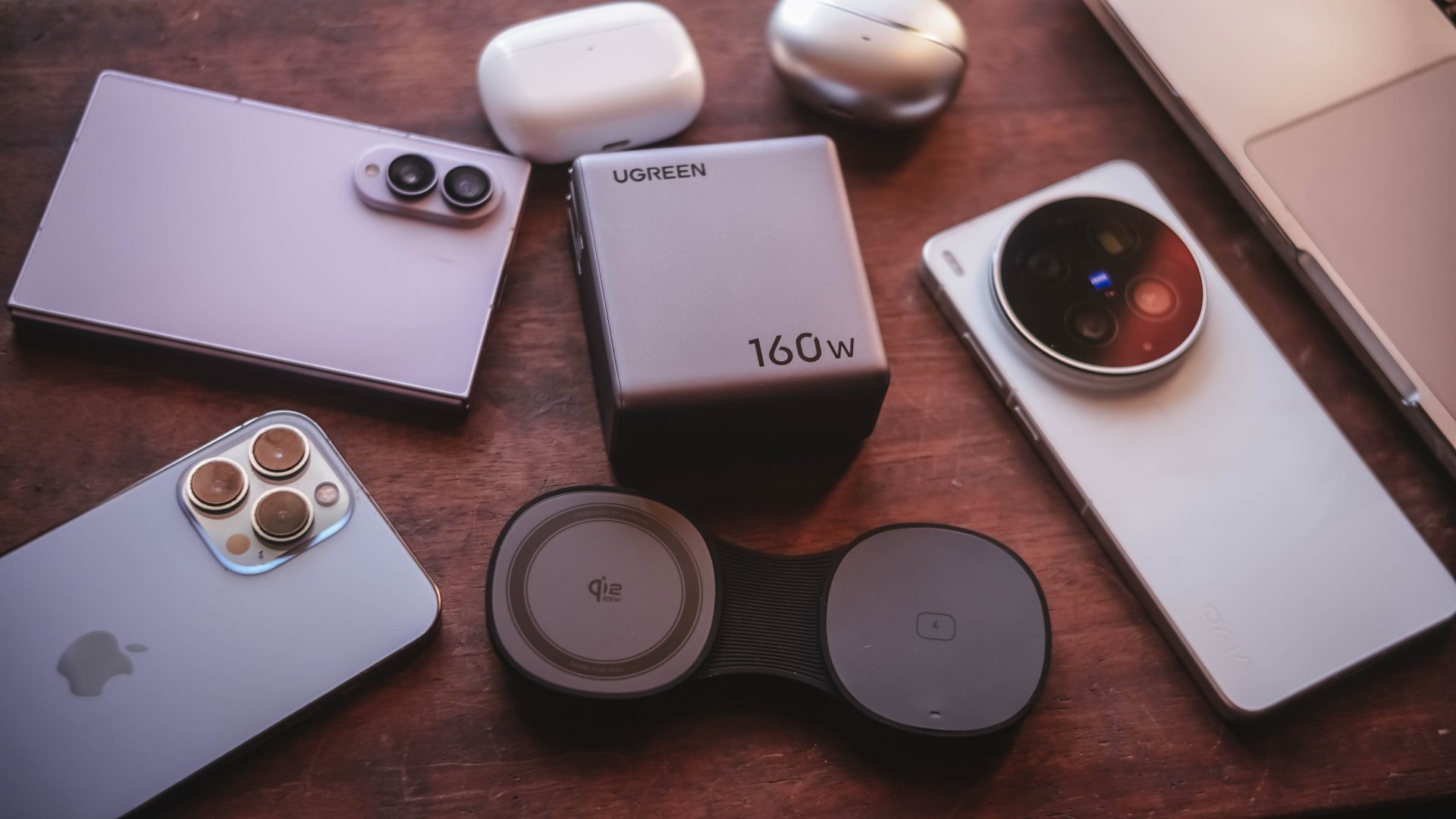
Additives include its display that lets me see stats while doubling as a useful review tool to legitimize the charge tests in the reviews I do.
Charging modes lets me decide which power-hungry device deserves more juice. Priority when I see one getting slow. Thermal-charging if I sense that it’s getting warmer than the usual.
That retractable cable? It’s a real wonder as it will truly save me whenever I forget one in another unintentional scenario.
The UGREEN Nexode Pro 160W now has a permanent spot in my charging arsenal. It is a Swipe Right, Super Swipe, and definitely a worthy recipient of the GadgetMatch Seal of Approval.
Laptops
Microsoft gives up on the Copilot+ PC
The company is quietly stepping away from the branding.


The Copilot+ PC is finally coming to an end. After a few years of advertising the lineup as the next big thing, Microsoft is stepping away from the branding.
Through a new interview with Windows Central, Microsoft has confirmed that the company is slowly stepping back from the Copilot+ branding. Despite launching a series of new Surface PCs that fit the bill of such a brand, the company has not affixed any of these devices with the usual branding of the AI-infused series.
“These are not called Copilot+ PCs. They do meet all the requirements of our previous bar for what Copilot+ devices are. We still lean into the narrative around AI on the edge and being able to have a hybrid solution out there,” Microsoft Surface CVP Brett Ostrum said.
Now, the Copilot+ PC programs hasn’t been a massive success for Microsoft. For all the time that it’s been out in the market, the series hasn’t really made much of an impact. TOPS is still a difficult metric to measure. The Copilot button is still one of the most unusable buttons on a modern keyboard. Even worse, Recall, the lineup’s most highly touted feature, crashed and burned practically the same moment it came out because of privacy concerns.
Microsoft had a lot of hopes for the Copilot+ lineup. Prior to today’s deteriorating perceptions about AI, the lineup imagined a string of devices united with a focus on AI-supported performance. However, we know better today. At best, AI PCs provide moderately boosted performance without the need for top-of-the-line hardware. At worse, they’re a privacy nightmare that places an unnecessary burden on the entire industry.
SEE ALSO: Microsoft continues to shove Copilot where it’s not wanted
Editors' Choice
GadgetMatch Awards: Best of IFA 2026
Xiaomi 18 Fold, Govee, XGIMI, ARZOPA, Cuktech and more!


We’re back at IFA 2026 in Berlin, checking out some of the coolest and most interesting tech on the show floor.
From smart home lighting and portable displays to projectors, power solutions, foldables, and more, these are some of the products and brands that caught our attention this year.
In this video, we take a look at:
- AI Lighting https://bit.ly/4xmY342
- Z3FC Portable Monitor https://bit.ly/4gRk7wD
- D14 Digital Photo Frame https://bit.ly/4qYlRJ6
- 30 Ultra Desktop Charging Station https://s.whaee.com/tXBornw
- 10 Ultra Charger https://s.whaee.com/UsWT4U2
** Use code CUKTECH09, valid until September 30
XGIMI
ASUS x NVIDIA RTX SPARK
- ProArt P16: https://asus.click/h7607_gm
- ProArt P14: https://asus.click/h7407_gm
- ProArt GR1X
Watch until the end for our favorite finds from IFA 2026!



Spotlight: Nori AI Family Hub

Ghost of Yōtei Complete Edition review: More of a great thing

TECNO CAMON Slim 5G: Price, availability in the Philippines

HONOR 600S review

HONOR 600S price, availability in the Philippines

HUAWEI Pura X View is 2026’s first WIDE slab-type smartphone

The CAMON Slim 5G is TECNO’s latest ultra-slim smartphone

iPhone 18 Pro series: Price, availability in the Philippines

DJI Osmo 360 II review: Going all-in on the ecosystem

iPhone 18 Pro series: Price, availability in Singapore


-

 News1 week ago
vivo X500 Series launches with major imaging upgrades
-

 News1 week ago
OPPO Find X10 Pro Max is the first phone with a triple 200MP camera system
-
 Automotive4 days ago
BYD says that way better EV batteries are coming next year
-

 Singapore2 weeks ago
Epson Lifestudio Grand Plus EH-LS970B with 4K projection, more launches
-

 News1 week ago
vivo introduces OriginOS 7 with smarter multitasking and AI features
-

 News3 days ago
HONOR Magic9 Pro Max launches in China with ARRI-powered imaging
-
 Smartphones5 days ago
When TECNO-logy meets Tonino Lamborghini legacy
-
 Accessories1 week ago
70mai launches the A900 series with 4K front, rear recording