



Lenovo’s never been shy to try new things on their notebooks and laptops. Their whole Yoga line is a testament to this. But they’re also applying that line of thought to their other notebooks. Specifically, the Lenovo ThinkBook Plus.
They don’t say it outright but that Plus, I’d wager, refers to the e-ink screen on the laptop’s hood. Dual screen laptops are slowly on the come up — most of which targeted towards the multimedia-heavy users. The ThinkBook Plus is more deliberate.
The ThinkBook Plus has a 10.8-inch e-ink screen. It’s meant for taking notes, reading e-documents and seeing notifications while the laptop is closed.
Yes, the ThinkBook Plus comes with a stylus out of the box.

It magnetically attaches to the sides of the notebook.
The e-ink screen is fun, except for someone like me who has terrible handwriting
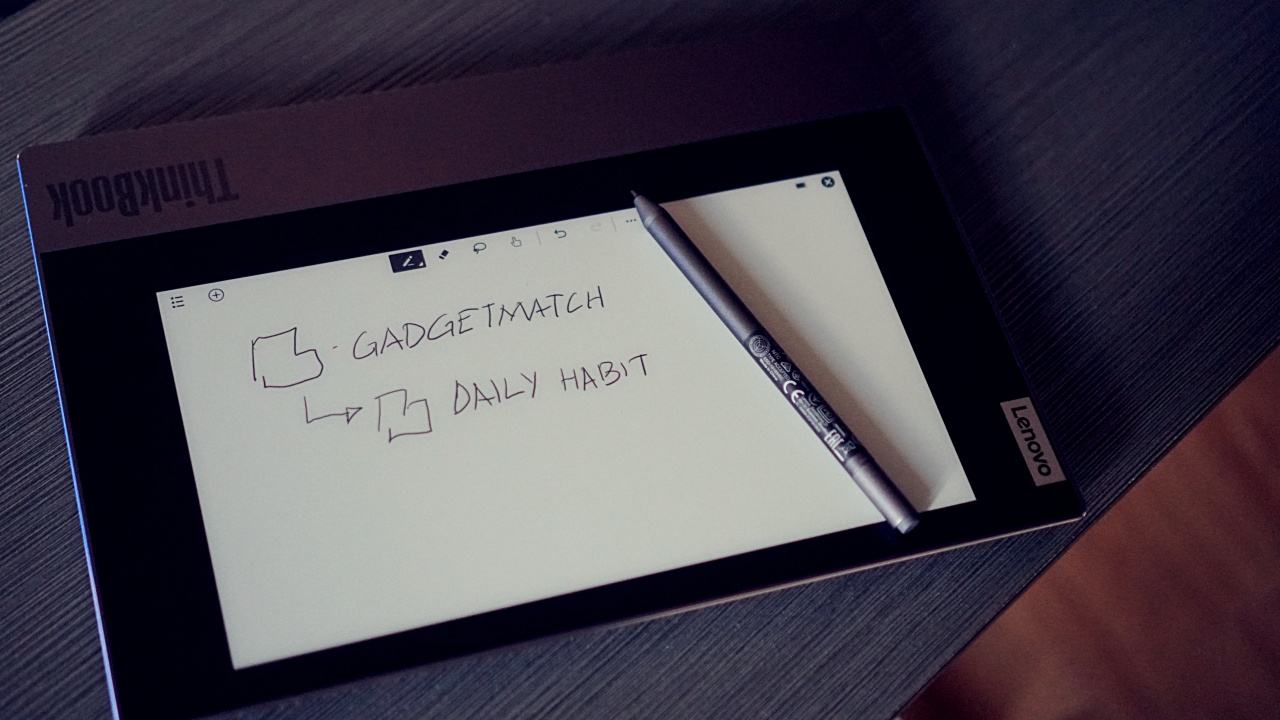
What happens when you’re not using the e-ink screen? You get this default screen.

Or you can customize it with any image saved on the laptop.

Now isn’t that so much better?
That image acts as a wallpaper when you’re using the ThinkBook plus, making it truly personalized.

I even tried a quick 10-minute sketch on the thing.

But after a while, the novelty of the e-ink screen really wears out. It doesn’t help that I’ve mostly been working at home so there aren’t any opportunities to be in physical meetings and really take down notes.
Using the e-ink screen is also a hit or miss. It’s not readily responsive when you want to use it. But it the stylus to screen experience drastically improves once you’ve launched the notepad app. It also has great palm rejection so you don’t have to worry about placing your palm on the display as your write.
I can imagine how this can be useful in certain situations for certain people. However, unless you’re the type who actually likes to take notes, the e-ink screen will feel like a pricey gimmick.
The ThinkBook is a performer
While the e-ink screen may be what gets you to turn your attention to the ThinkBook Plus, it’s not the only thing it has going for it.
It’s powered by an Intel Core i7 10th gen processor accompanied by Integrated Intel UHD Graphics, 16 GB DDR4 2666MHz RAM, and 512 GB PCIe SSD onboard storage.

That is to say, any productivity task you can think of, this thing can handle without breaking a sweat.
It’s been particularly useful in my daily tasks which include a lot of writing and copy-editing.
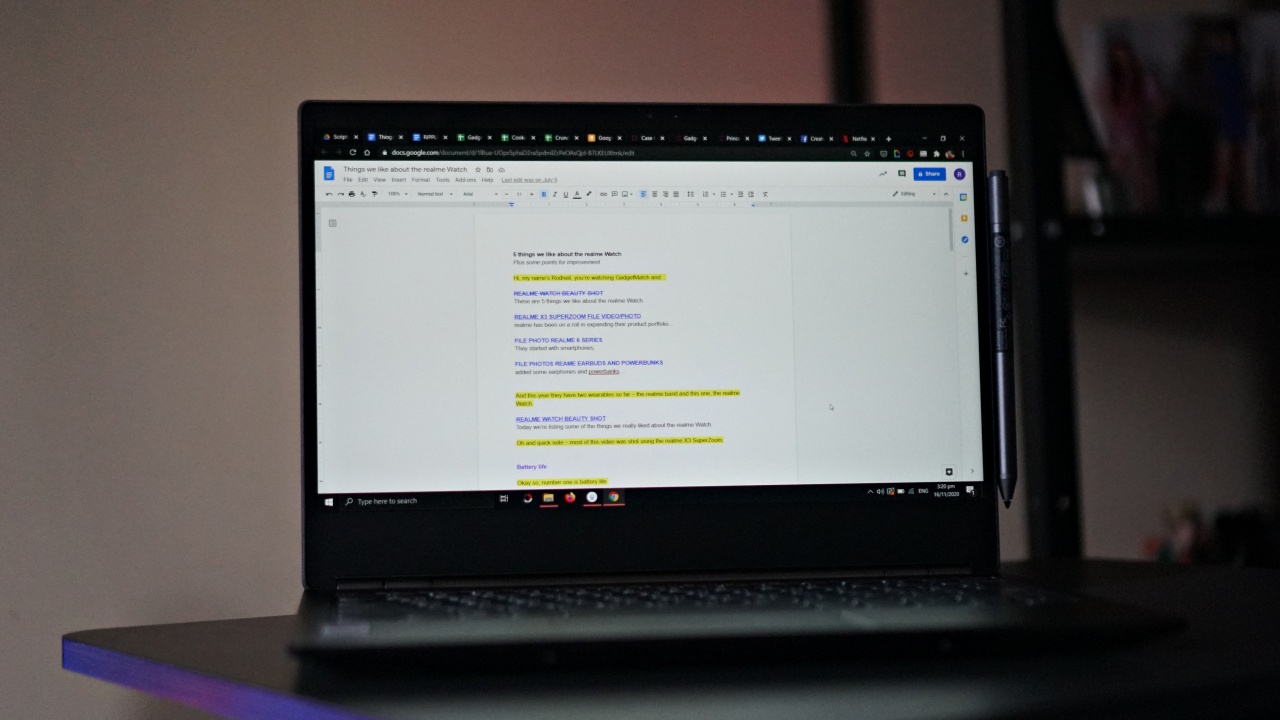
As well as basic image editing.

And of course, it’s useful when it’s time to put those words and images together on the website.

Quick side note: The more I go through my daily tasks, the more I realize how Core i7 laptops are completely overpowered for what I usually do. Especially since I still prefer to do my video editing on Final Cut Pro which only runs on Mac.
That said, working on the ThinkBook Plus has been as smooth an experience as can be. There was just a lot to love about it as a steady work machine.
The backlit keyboard was super easy to transition to.

The trackpad was also pretty darn good.
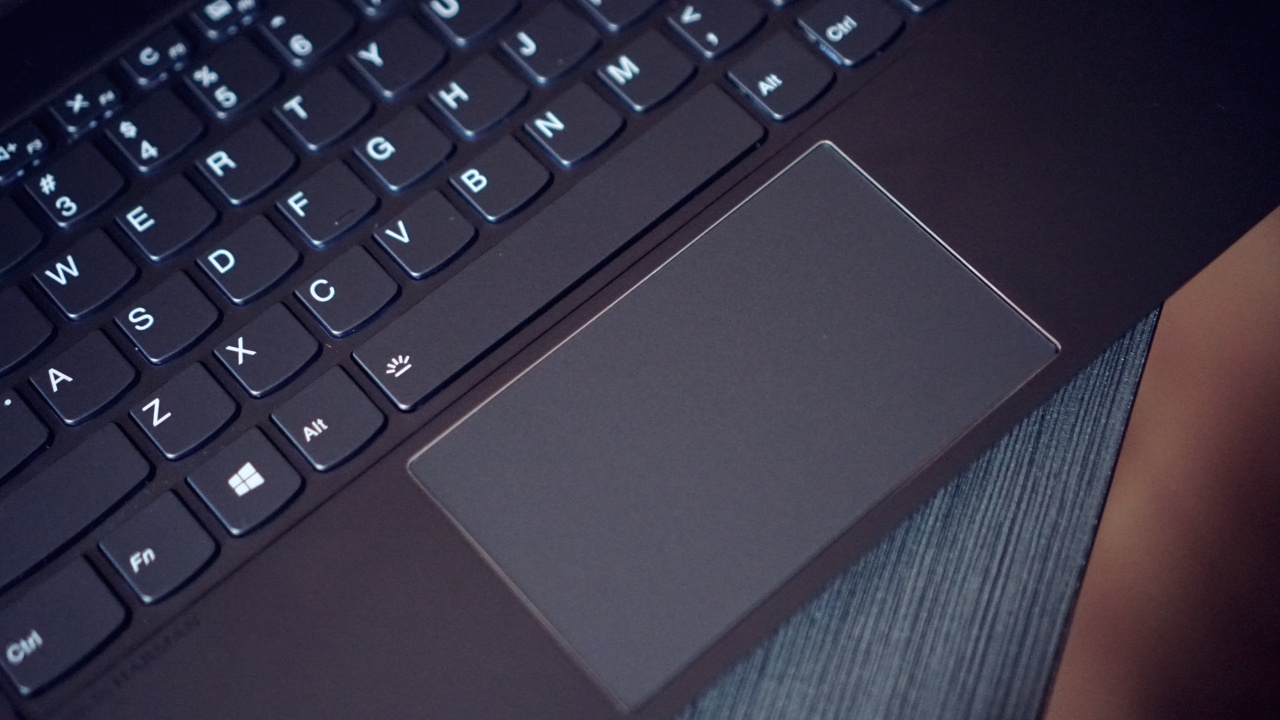
But as is the case with most trackpads on Windows machines, they still can’t hold a candle to MacBook trackpads. That’s just a crying shame but it is what it is.
After soldiering for a day to use only the trackpad, I gave in and turned to the comforts of a mouse.
The webcam is located on the top-bezel.
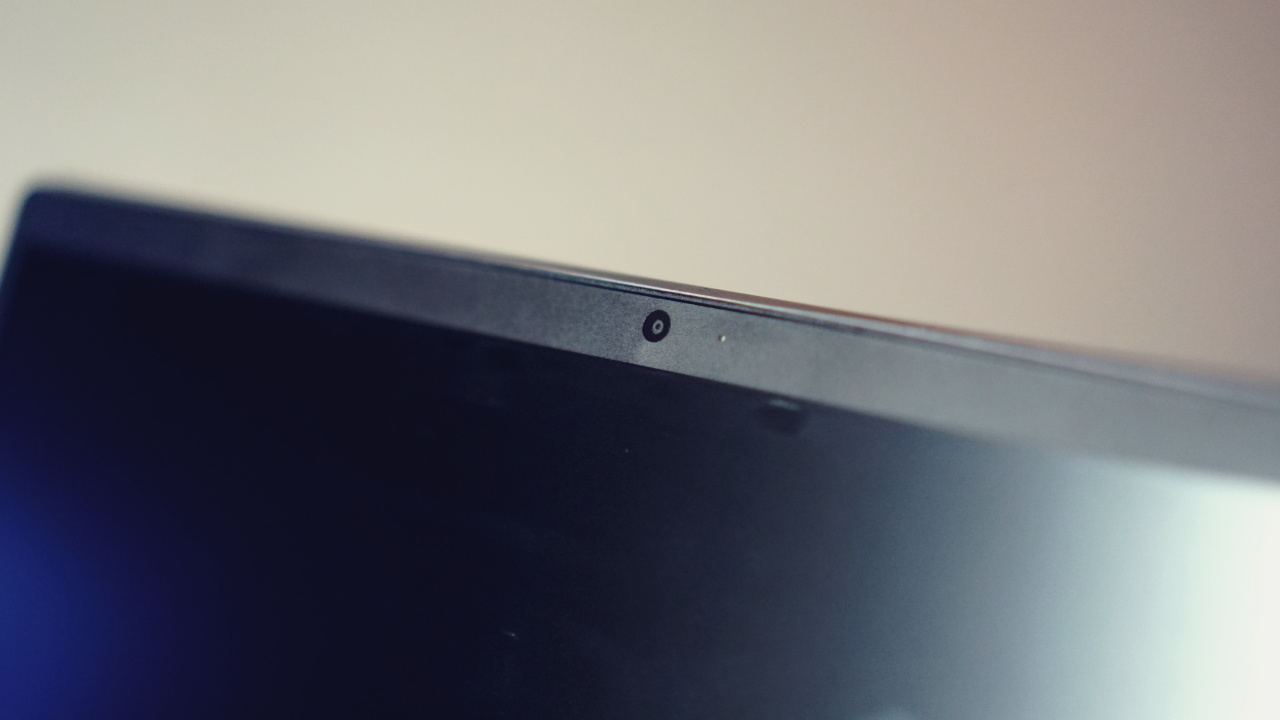
This actually feels like a throwback as it doesn’t have the shutter or a built-in way to cover the camera. One time, I had to put an electrical tape over it during a zoom call as I wanted to show only the virtual background, without me in the shot.
There’s also no shortage of ports. This isn’t the thinnest of laptops so you get a decent amount of physical connectivity.
On the left are the HDMI Port, a USB-C port, and the 3.5mm headphone jack.

Over to the other side you have two USB-A ports and the power button.

Also a leisure companion
In between work or while I have lunch I like to watch a few videos. The 13-inch FHD display is more than enough for these quick breaks.
I’m either watching a few K-Pop fancams…

Risky risky wiggy wiggy this is an emergency
Or indulging in a quick anime episode on Netflix.

Anime title: Ahiru no Sora
My room is pretty dark most of the time so the 300 nits of brightness is more than enough. You might encounter some glare and visibility issues, though, if you whip this out under broad daylight.
The audio by Harman sounds okay and works as expected during zoom calls. However, it does feel like it’s lacking in the overall volume department. It just doesn’t get loud enough in certain situations or for certain videos that already had a low volume to begin with. But it’s passable and the quality is generally okay.
It also comes with a carrying case inside the box.
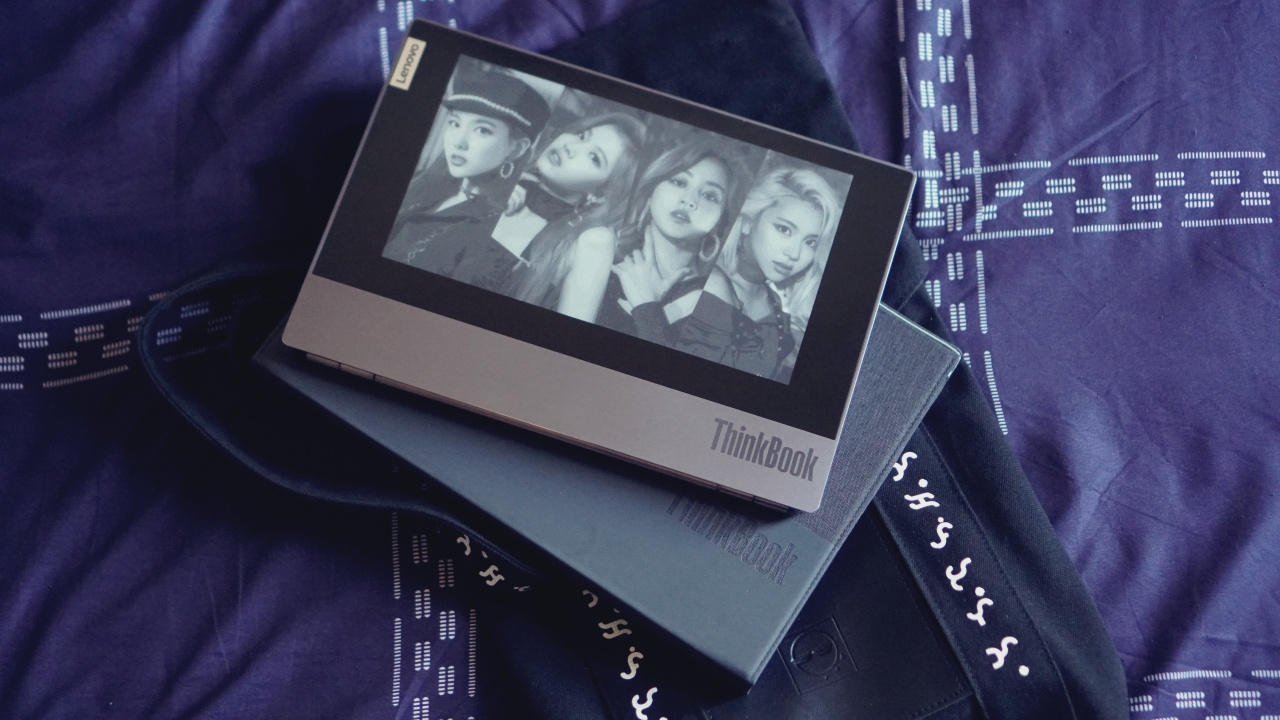
This is a low-key really good inclusion. It adds an extra layer of protection and makes you feel safe about carrying the ThinkBook Plus even if you’re only using a tote bag.
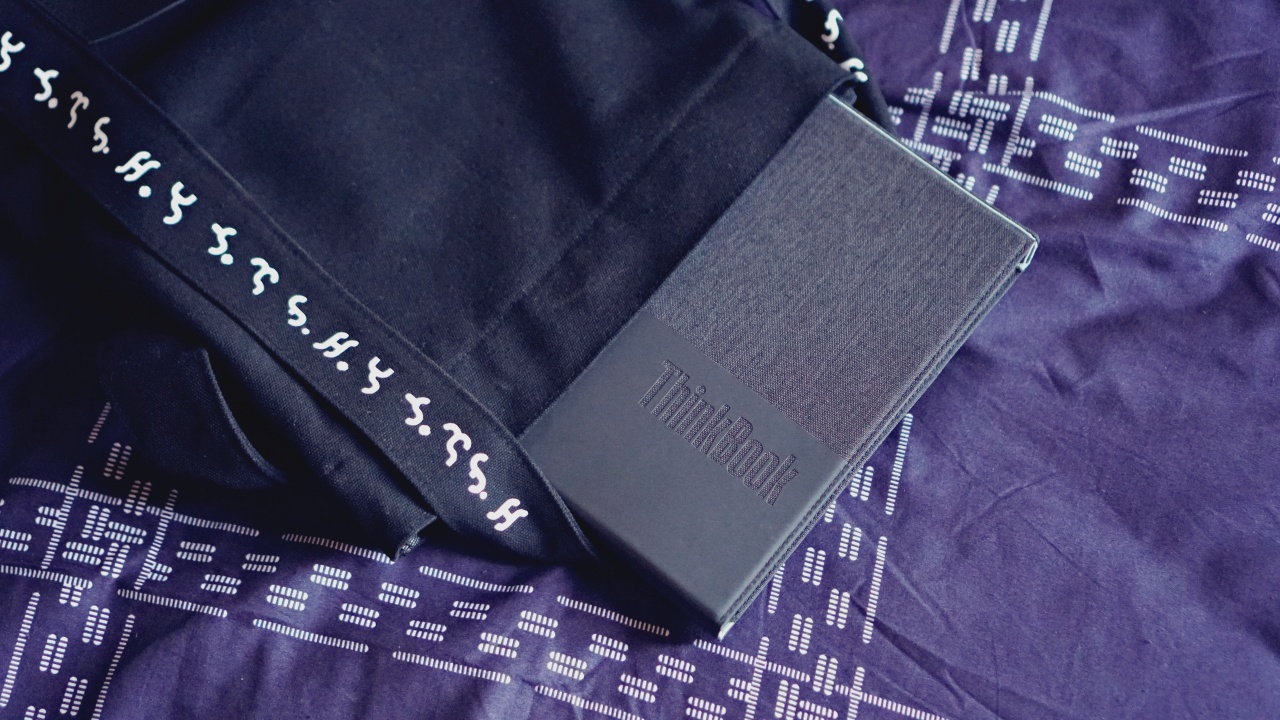
The carrying case itself feels pretty premium and matches the overall price tag of the product.
Is the ThinkBook Plus your GadgetMatch?
At PhP 104,950/ US$ 1,529, it might feel pricey. You’re paying extra for that 10.8-inch dual screen so unless you see yourself really taking advantage of that feature, it’s best to steer clear.

However, as I mentioned earlier, for anyone who does make it a habit to jot down notes, the e-ink screen on the Lenovo ThinkBook Plus can be a valuable tool. And it’s not like you’re only paying for that additional screen.
The ThinkBook Plus can be relied upon to handle your daily tasks without any sort of hiccup. It feels sturdy and can certainly be your work companion for years. It’s hard to recommend to everyone, but for the right person, this notebook is indeed a plus.







Editors' Choice
GadgetMatch Awards: Best of IFA 2026
Xiaomi 18 Fold, Govee, XGIMI, ARZOPA, Cuktech and more!


We’re back at IFA 2026 in Berlin, checking out some of the coolest and most interesting tech on the show floor.
From smart home lighting and portable displays to projectors, power solutions, foldables, and more, these are some of the products and brands that caught our attention this year.
In this video, we take a look at:
- AI Lighting https://bit.ly/4xmY342
- Z3FC Portable Monitor https://bit.ly/4gRk7wD
- D14 Digital Photo Frame https://bit.ly/4qYlRJ6
- 30 Ultra Desktop Charging Station https://s.whaee.com/tXBornw
- 10 Ultra Charger https://s.whaee.com/UsWT4U2
** Use code CUKTECH09, valid until September 30
XGIMI
ASUS x NVIDIA RTX SPARK
- ProArt P16: https://asus.click/h7607_gm
- ProArt P14: https://asus.click/h7407_gm
- ProArt GR1X
Watch until the end for our favorite finds from IFA 2026!
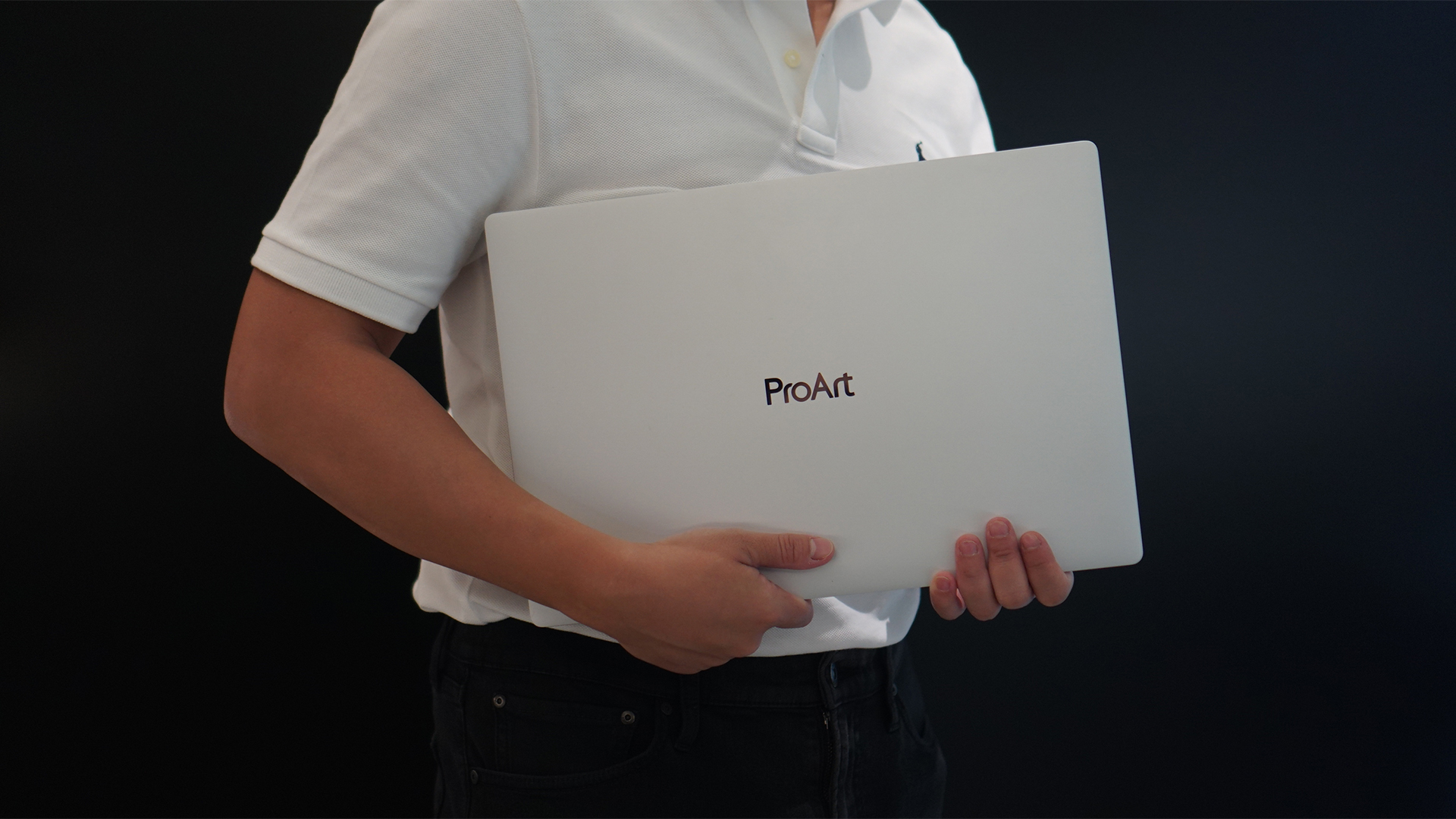
Select ASUS and ROG laptops now come with three months of Google AI Pro or Google AI Plus at no extra cost. The offer starts September 7 and covers eligible models from the 2025, 2026, and upcoming 2027 lineups.
Google AI Pro includes 5TB of cloud storage, while Google AI Plus comes with 400GB. Both plans also provide access to a range of Google’s AI-powered tools and features.
More Google AI on ASUS laptops
Eligible customers can use the Google Gemini app, Deep Research, Google Flow, Gemini in Google apps, and Gemini Notebook, among other features. Availability varies depending on the Google AI plan and supported features.
Google AI Pro offers higher usage limits and expanded access to Google’s more capable Gemini models. It also includes additional developer and agentic tools such as Google Antigravity, Jules, and AI Studio, subject to availability and plan terms.
Google AI Plus provides elevated access to Google’s AI tools alongside features for creative generation and productivity.
The offer covers more than just AI features. Google AI Pro’s 5TB of cloud storage and Google AI Plus’ 400GB give users additional space for documents, photos, videos, research, and other projects.
Available across select ASUS models
The one-year program starts September 7 and applies to selected ASUS and ROG laptops in supported markets. Eligible models span the ROG, TUF Gaming, ProArt, Zenbook, and Vivobook families, including select 2025 and 2026 models and upcoming 2027 devices.
Customers can redeem the offer exclusively through the MyASUS app. ASUS has published the full list of eligible models and the offer’s terms and conditions on its website.
Check the full list of eligible ASUS laptops
ASUS is also running its No. 1 Quality, School-Ready Deals promotion until September 15, 2026. The promo offers additional deals for students, gamers, and professionals buying select ASUS and ROG devices.
The company’s No. 1 Quality and Service package also includes up to three years of international and local warranty, service access across more than 90 countries, and over 100 ASUS Service Centers and Drop-Off Points in the Philippines. Eligible laptops also come with one year of Local Accidental Damage Protection and up to six free device cleaning claims.

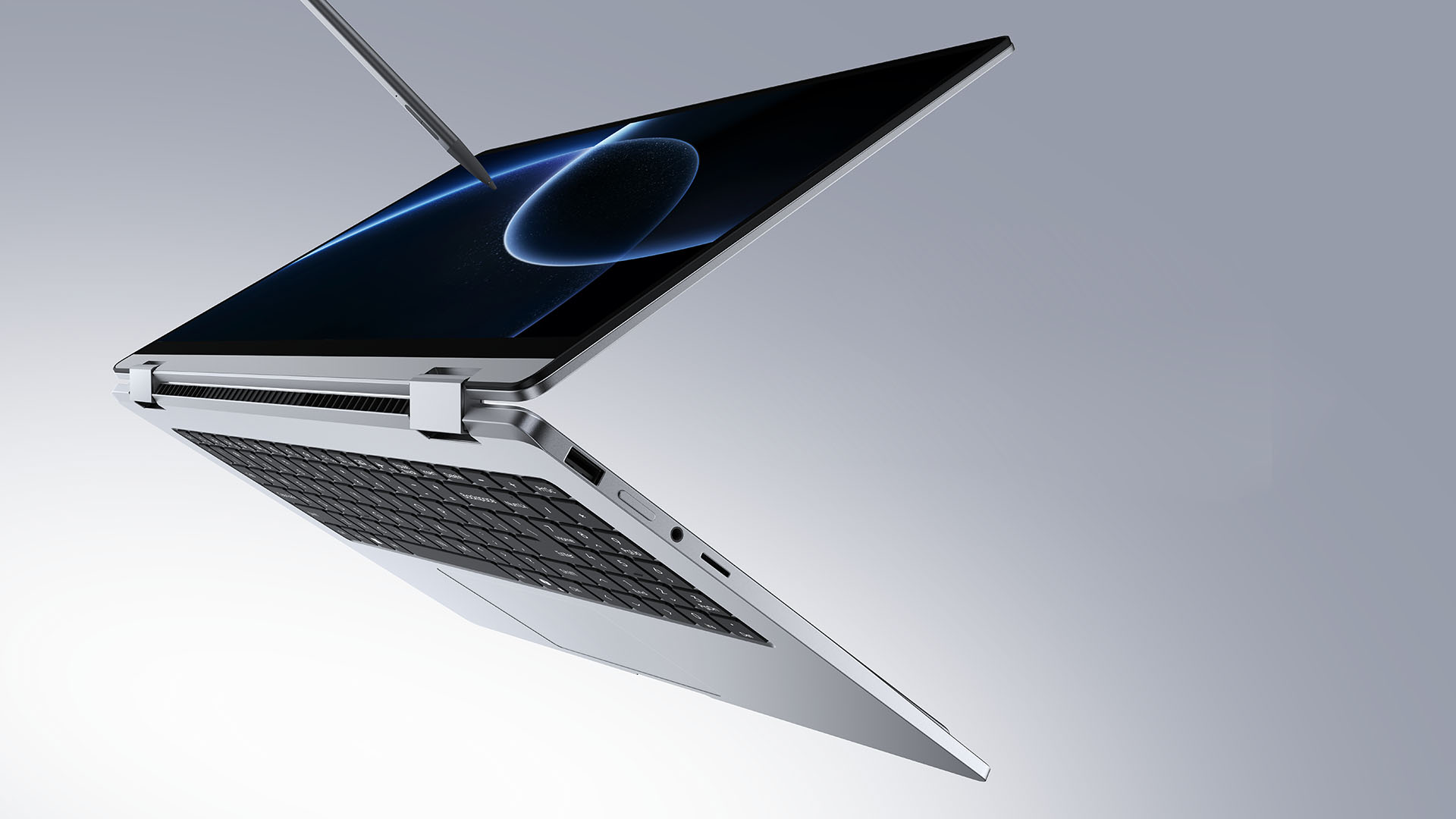
TECNO is making its MEGABOOK lineup a little more flexible.
At IFA ShowStoppers 2026, the uprising tech brand unveils the MEGABOOK T15 360 with two more laptops and three phones tagging along.
One laptop, four modes
The MEGABOOK T15 360 series is the brand’s first laptop lineup with a 360-degree hinge and touchscreen display.
By that, it’s more than just a conventional laptop. It can also be a tablet or a portable display via Tent mode or Stand mode. This added feat makes everything more versatile as TECNO’s existing laptops are only limited to the clamshell form factor.
Both models feature a 15.6-inch screen with the standard 16:9 aspect ratio. As alluded earlier, it’s a touchscreen laptop consisting of 10-point multitouch points. There’s also optional MPP 2.0 active pen support if you want to write or draw directly on the display.
So what’s the difference?
Well, the regular T15 360 gets a Full HD 60Hz panel with 320 nits brightness.
Meanwhile, the Pro version takes it up a notch with a faster 120Hz refresh rate, sharper 2.5K display resolution, full 100% sRGB coverage, and higher 350 nits brightness.
Both laptops come in an all-metal chassis made using CNC machining. The convertible design doesn’t come at the expense of a more conventional laptop build.
Performance uncompromised
TECNO isn’t treating the T15 360 as a lightweight convertible that has to compromise on performance.
You can get up to an Intel Core Ultra 9 185H processor, paired with an LPDDR5X RAM. The storage is based from PCIe M.2 2280 SSD — with select models having a secondary M.2 slot for utmost expansion.
There’s also a 70Wh battery plus support for a speedy 65W PD GaN charger. Connectivity includes up to Wi-Fi 6E and Bluetooth 5.4, alongside seven built-in ports.
Practical stuff were neither forgotten. There’s a backlit keyboard with a dedicated number pad, a fingerprint reader underneath its power button, dual speakers with DTS Ultra, a webcam, and dual digital microphones.
TECNO’s OneLeap feature also rounds things out by letting the MEGABOOK work with other TECNO’s smartphones, tablets, and other PCs for cross-device collaboration.
Two more MEGABOOKs
TECNO also brought two other MEGABOOKs to IFA.
The MEGABOOK K15S WCL is the more straightforward option. It uses Intel’s newer Wildcat Lake platform with a 16:10 display, a 70Wh battery, and 65W GaN charging — all in a premium, all-metal body.
Then there’s the MEGABOOK T17 Ultra. Ultra by its name, it goes big with a massive 17.3-inch 16:9 display. It can be configured with up to an Intel Core Ultra 9 processor and LPDDR5X memory. It also features a massive 99.99Wh battery and speedy 100W GaN PD fast charging.
Wait! There’s even more…
Beyond laptops, TECNO reveals the true form of its Next-Gen Bezelless Concept Phone at IFA 2026.
As announced more than a month ago, this concept uses a redesigned display architecture, internal stacking, structural engineering, and screen packaging to eliminate the physical black border around the display, resulting in what TECNO calls a true 0mm display border.

Beside a phone prototype, there are two consumer-ready products as well.
The POVA 8 Pro 5G Tonino Lamborghini Limited Edition combines the POVA series’ performance-focused approach with Tonino Lamborghini’s design language.
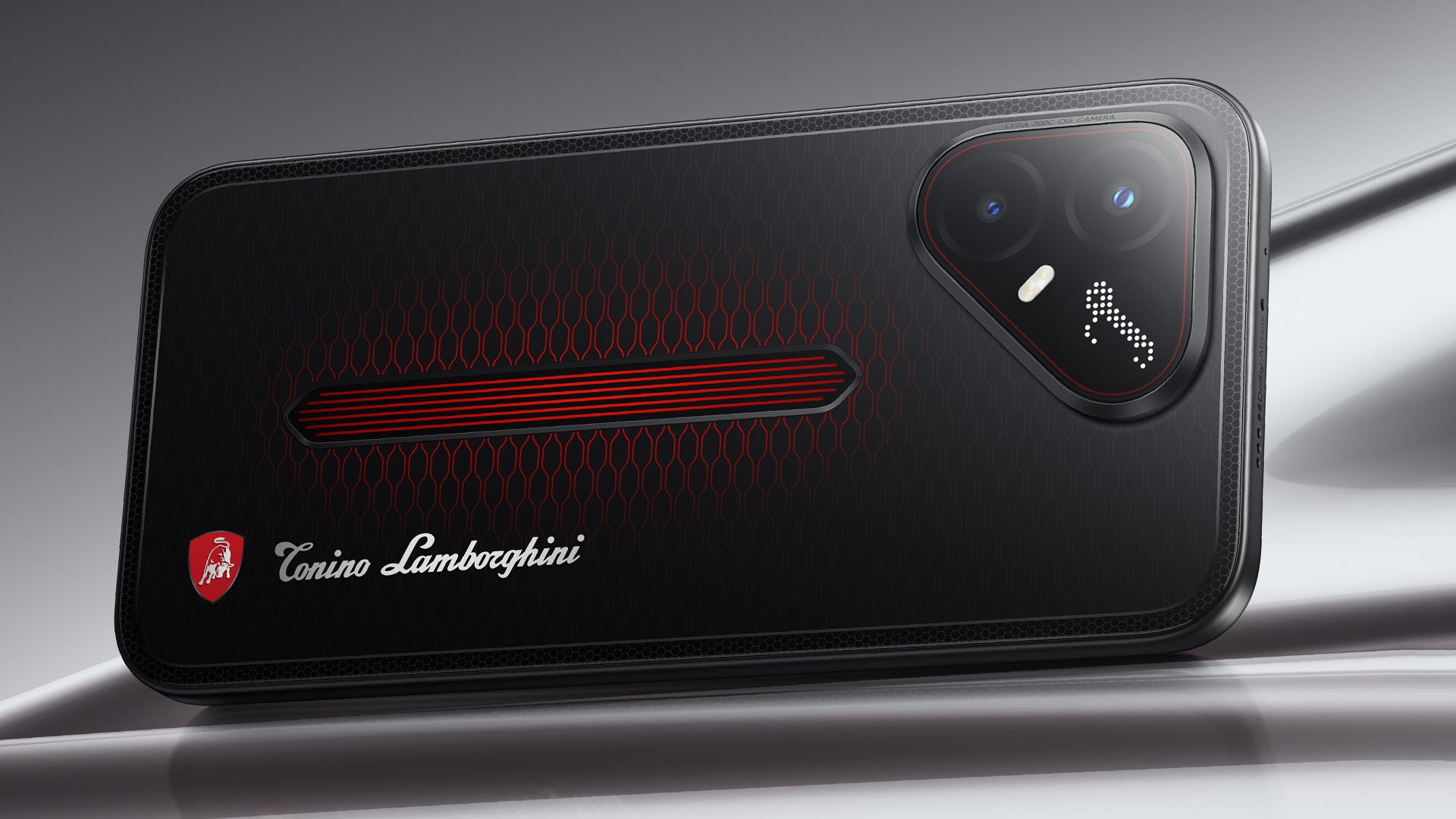
It uses a MediaTek Dimensity 7400 Ultimate 5G chipset alongside TECNO’s custom-made P1 Graphic Chip and a 5K IceShield vapor chamber cooling system. Specific details will be announced on September 4, 2026.
Meanwhile, the CAMON Slim 5G focuses on a thinner form factor, measuring just 6.39mm thick.
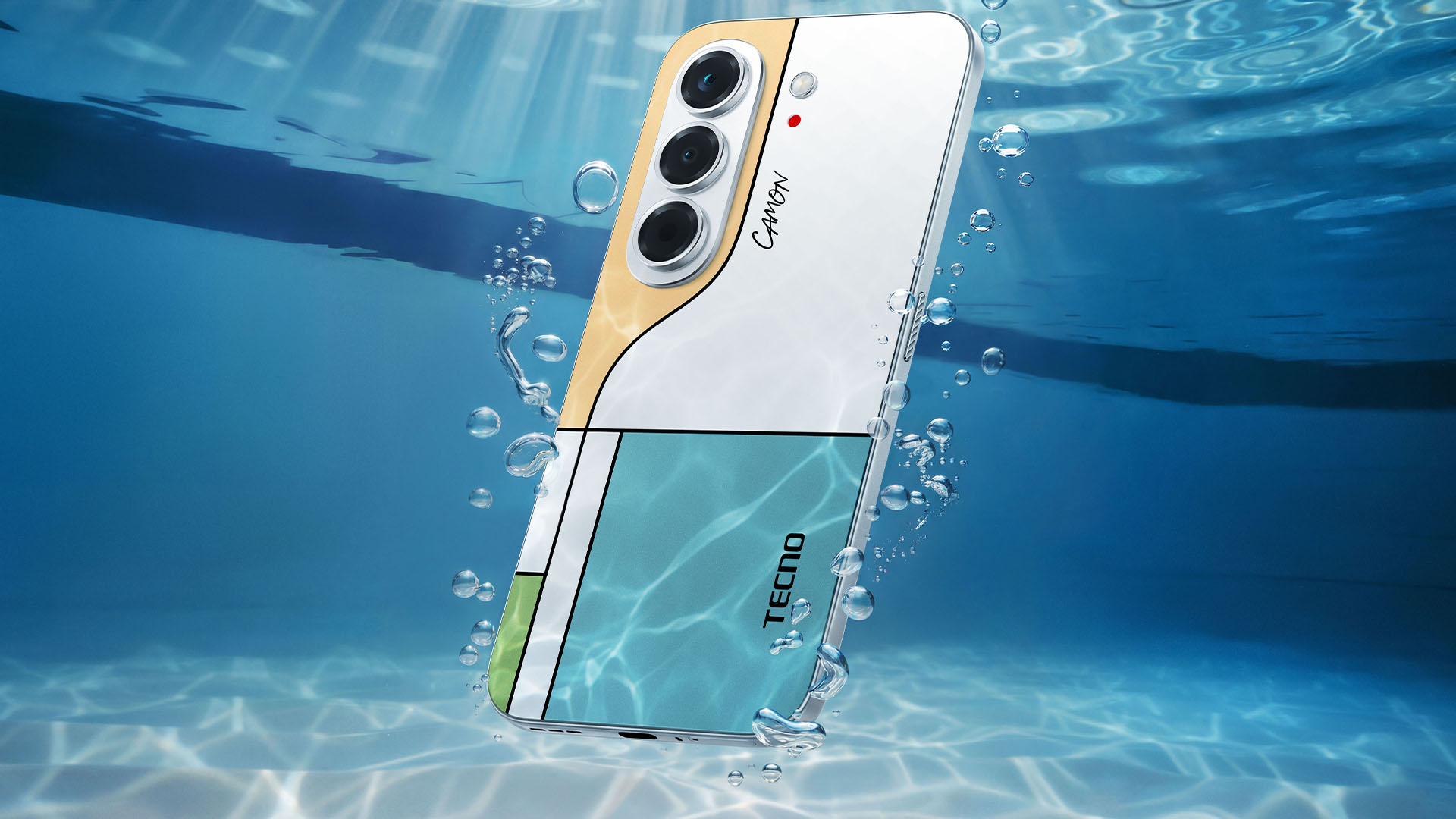
TECNO says it combines the CAMON line’s imaging features with AI capabilities and artistic colorways. More specifications will be revealed on September 7.
Pricing and Availability
The MEGABOOK T15 360 Series is expected to arrive in Europe by Q4 2026.
Depending on the configuration choice, the MEGABOOK T15 360 will start between EUR 899 ~ EUR 999. The MEGABOOK T15 360 Pro will cost as much as EUR 1099.
No pricing info were announced for the other MEGABOOKs and two phones as of writing.


REDMI Note 17 Pro Max review: A new breed born from AI greed
Welcome to the new normal


Marvel’s Wolverine review: When the claws come out
A brutal, cinematic superhero adventure


Setting your bedsheets ablaze with the Lovense Solace Pro
The closest proxy I could find where I'm guilty as sin

Now Playing: Resident Evil

HONOR, Fidesmo partner for contactless payments across Europe, Middle East

Ford revs up Truck Month with extended 5-star care offers
REDMI Note 17 Pro Max review: A new breed born from AI greed

REDMI NOTE 17 Series: Price, availability in the Philippines

TECNO MEGAPAD 2 review: Eyes on the size

realme 16T 5G with 8000mAh battery, IP69 Pro rating launches in PH

HUAWEI Pura X View is 2026’s first WIDE slab-type smartphone

REDMI reveals the refreshed Note 17 and Note 17 Pro series

REDMI Note 17 Series: Price, availability in Singapore


-
 News1 week ago
HUAWEI Pura X View is 2026’s first WIDE slab-type smartphone
-

 News1 week ago
The CAMON Slim 5G is TECNO’s latest ultra-slim smartphone
-

 IFA 20262 weeks ago
TECNO MEGABOOK T15 360 unveiled at IFA 2026
-

 Gaming2 weeks ago
NBA 2K27 review: A two-way All-Star
-

 News1 week ago
iPhone 18 Pro series: Price, availability in the Philippines
-

 IFA 20262 weeks ago
TECNO’s POVA 8 Pro gets a stealthy makeover
-

 Automotive2 weeks ago
Ford’s new Everest lineup brings V6 engine to the top, tech down the line
-

 Gaming2 weeks ago
Now Playing: Elden Ring Tarnished Edition