

Laptops
Lenovo ThinkPad X1 Carbon review: Power from a new generation
More business-focused than ever before

Young and established professionals go through a lot day in and day out. Even under work-from-home conditions, a lot of people require devices with great, long-lasting power to keep them going. Fortunately, a lot of companies tend to provide such business-centred devices to their employees unless you already have a powerful laptop to use.
For Lenovo, their ThinkPad lineup serves as that dedicated list of business-oriented products that offer long-lasting power. With every generation and iteration of this legacy sub-brand, there are more business-centered features added to enhance the work experience. This is how the Lenovo ThinkPad X1 Carbon Gen 8 shapes up to be, in my eyes.
So, does the new generation ThinkPad X1 Carbon stack up? Here’s what you’re getting with the ThinkPad X1 Carbon Gen 8:
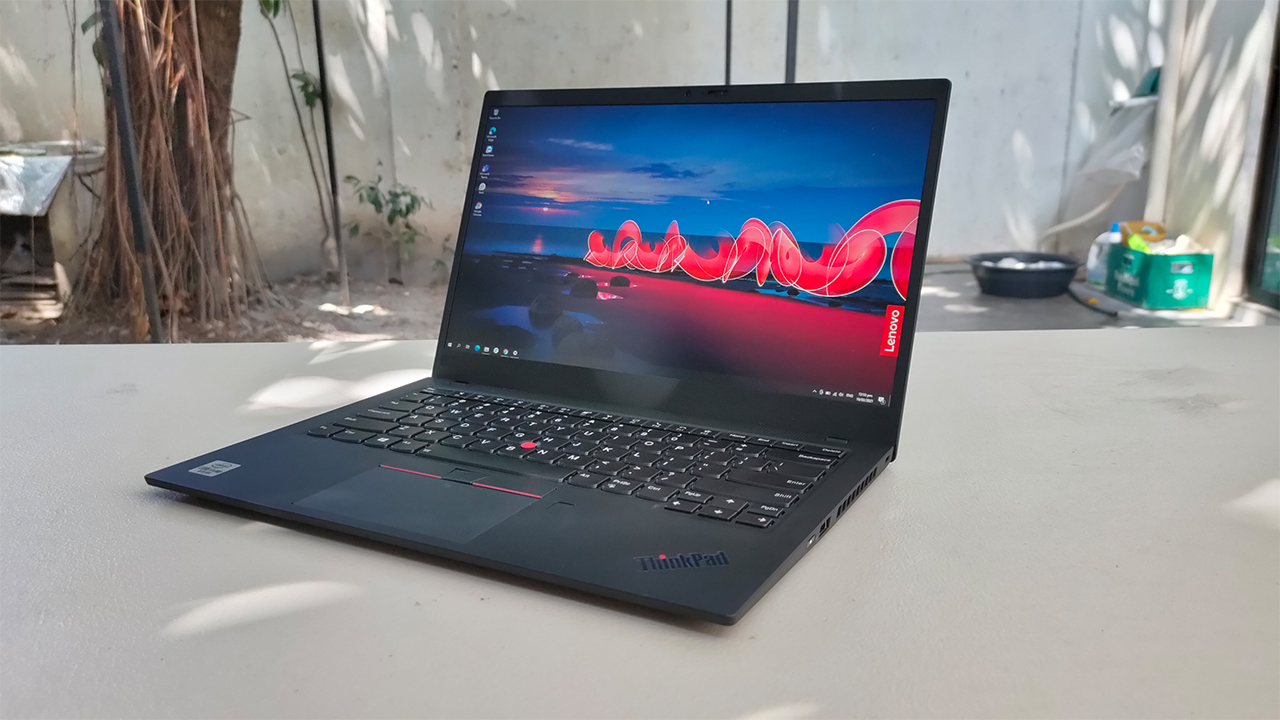
It has a 14-inch FHD, anti-glare display
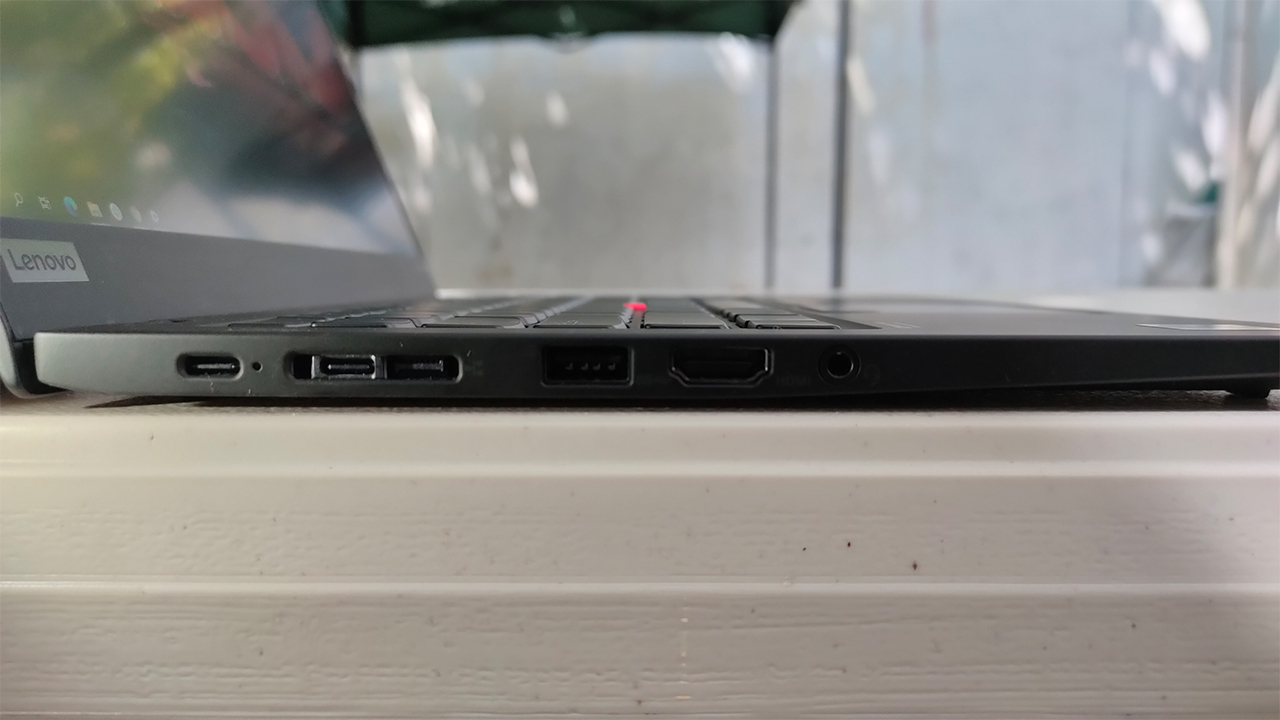
There are sets of USB-A, HDMI, and USB-C ports with the device
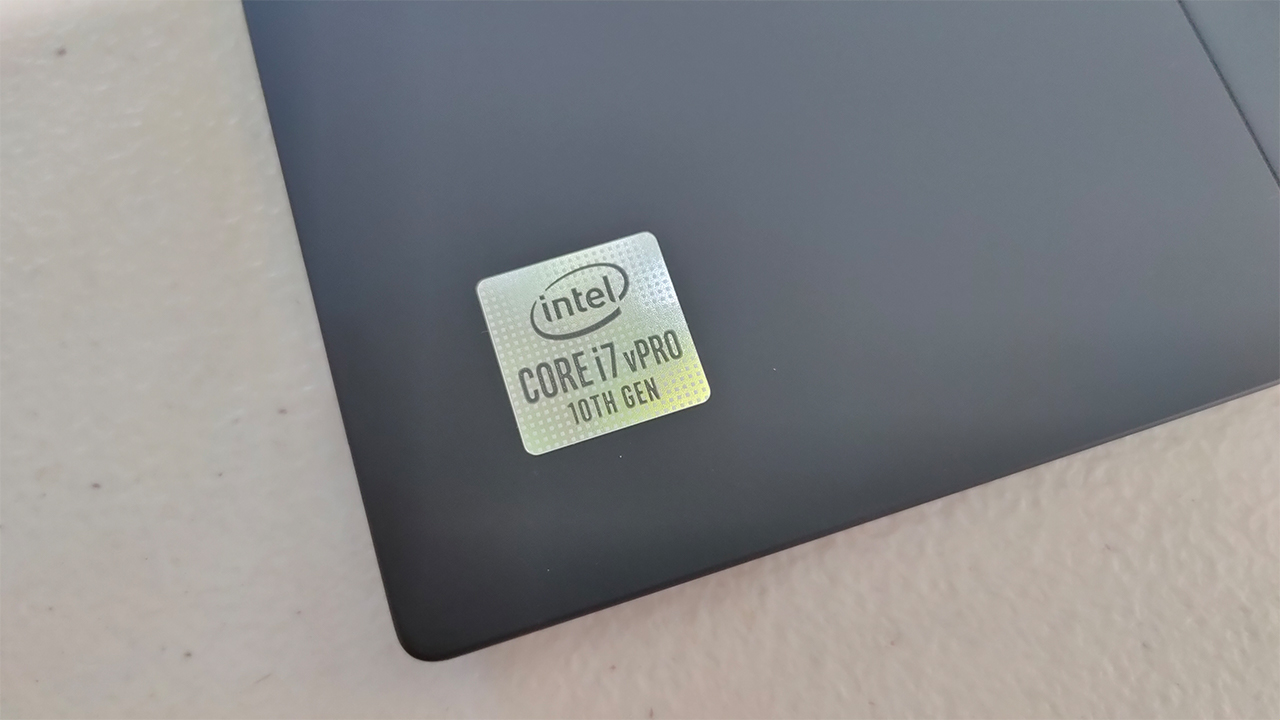
A 10th generation Intel Core i7 powers the device
It comes in a classic Black finish with a carbon fiber lid
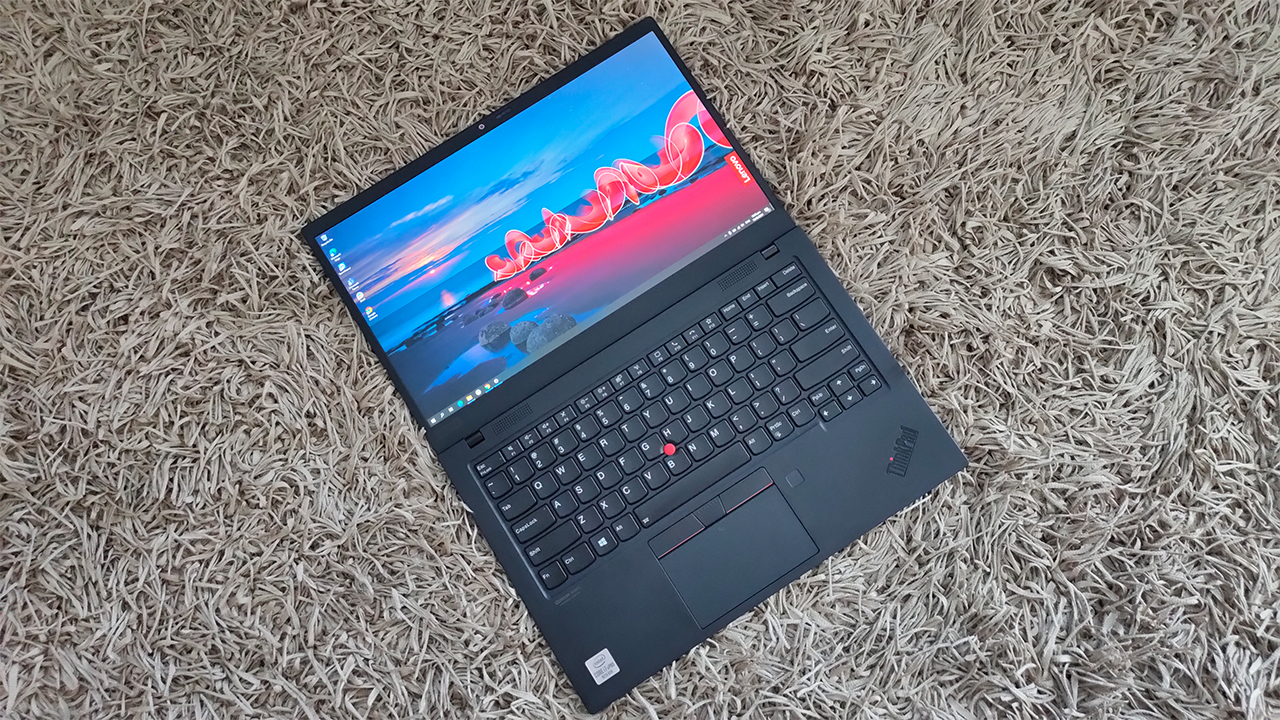
Excellent build quality, as expected
I have to admit that it’s been a while since I’ve looked at a ThinkPad device. I’ve seen other people rock the device in most coffee shops and work areas, but never experienced using one. Still, looking at the 8th generation of the ThinkPad X1 Carbon, I’ve seen how far this legacy has come while maintaining some key features.
For instance, the ThinkPad X1 Carbon Gen 8 is just a kilo in weight, which is pretty damn light. It was easy to carry around, and it’s sleek in its own right with the carbon fiber lid. Now, when I had oily hands, I did get some of my fingerprints on it — relatively visible to the naked eye. It’s kind of a fingerprint magnet, but it easily blends in every time.

Apart from these, another key feature of the overall build is its retention of the red-dot mouse and mouse buttons. While I wouldn’t necessarily use it more than the precision trackpad, I found it a nice touch to keep around. As someone with an affinity towards the past, something as classic as this small red dot took me back. But, enough nostalgia and let’s focus on the now.
Superb performance for business tasks and activities
The ThinkPad X1 Carbon comes with a quad-core, Intel Core i7-10610U processor inside that powers everything underneath the hood. Despite being a quad-core CPU, it provides great performance for business-related tasks, especially on the go. Of course, it also helps that this device also comes with 16GB of RAM to manage the load, as well.

I used this machine on occasion for some of my tasks for my day job, and it held up pretty well. From handling tons of data entries in Excel to conference calls on Microsoft Teams, it showed no signs of slowing down. Also, I was working at such an efficient rate (by my standards) with my files loading up quickly thanks to the SSD inside.
I felt that a lot of thought and work was given to a business-centered device like this. In essence, it’s a device designed to reduce bottlenecks from your workflow while also giving you more features to enhance the experience. Even if you’re using this device casually, I think it holds up well. But, more on those features later on.
One long-lasting battery fit for the long work hours
This device comes with a built-in 51Wh battery inside, and such battery made this device last long without charging. While I was working on all my data reports, presentations, and even some articles, it still had about 50 to 55 percent left. To exhaust one full charge, I took around 14 hours without reaching for the charger.
Within that 14-hour span, I managed to get some work done plus watch a few videos on YouTube and Netflix. For the most part, I didn’t have to put the battery in Power Saving Mode to supposedly extend my hours by a few tick marks. I felt that you can seriously go on a full work day, and then some.
If you manage to exhaust this long-lasting battery, the 65W USB-C charging brick charges the device almost instantly. I say almost since it took an average of an hour and 45 minutes to go from zero to 100 percent. When you think about it, this device brings you back into your work without any interruption. That is, if you count reaching for the charger an interruption to your workflow.
None of that excruciating heat in the way
At first, I thought that something this thin and light meant that cooling the device was difficult. As with most business laptops, these devices tend to feel some heat every time you run complicated data queries on Excel. At least, that’s how my work laptop went every single time I open an Excel file with a size greater than 200MB.
With the ThinkPad X1 Carbon, however, I didn’t feel any heat as much as I thought I would. To its credit, it doesn’t have any fancy dedicated GPU on board, so one possible source of heat is gone. Still, even under long and intense workloads, the laptop didn’t heat up as much.
On the times it did heat up, it wasn’t as excruciating as it would be on, let’s say a gaming laptop. Every time I use this on my lap for long workloads, it feels warm around the upper portions where the battery is housed. Still, I didn’t experience as much heat on the keyboard nor on my lap, which makes this device comfortable to use.
How about those business-oriented features?
I mentioned earlier that this laptop came packed with nifty business-oriented features, and there are some I applaud Lenovo for including. For instance, I loved the addition of dedicated function keys for voice and video calls integrated for Teams and/or Zoom. If you want to avoid the hassle of dragging your mouse to answer the call, now it’s possible to do so with a simple key press!
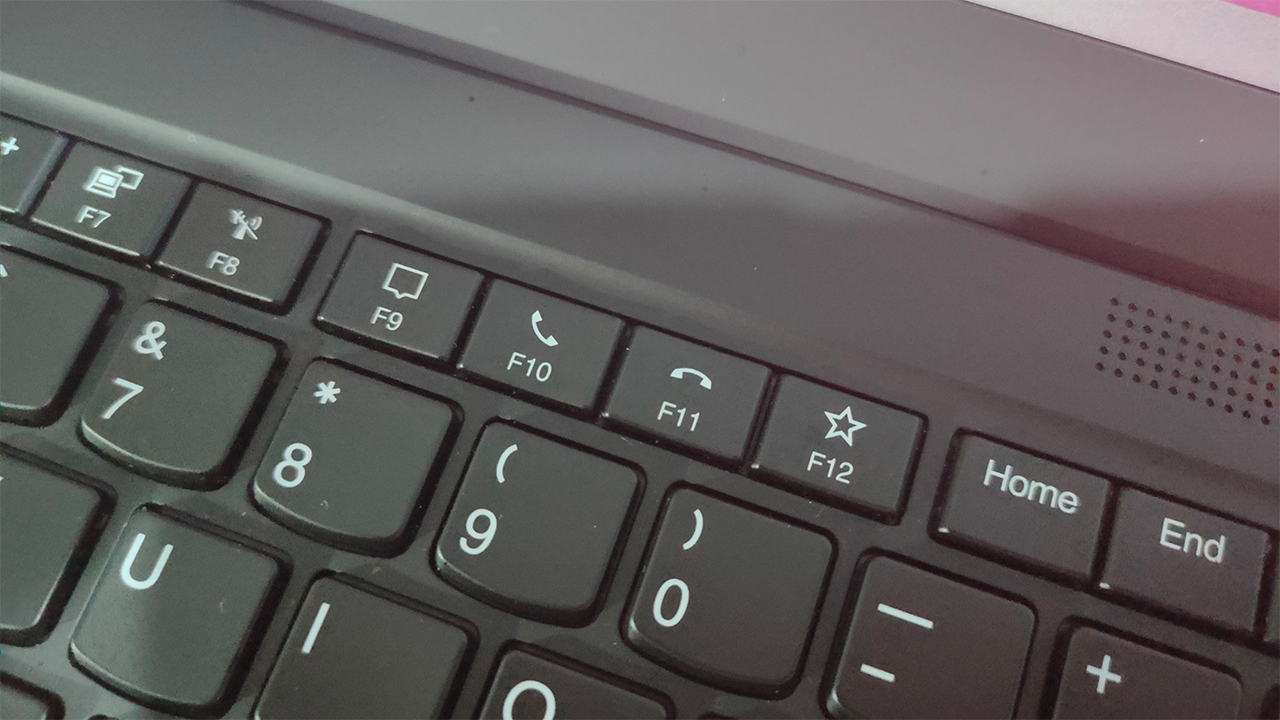
Also, the Dolby Atmos speakers at the bottom and top were a nice touch. Along with an active noise-cancelling microphone during calls, it made for a great sound system every time I had an online team meeting. For everything else like music and movies, it provided deep levels of sound.

As for the HD camera, it was decent when I was using it for video calls. It’s not particularly great, however, in image quality, especially if you’re just using it to take selfies while on call. At least, you still get the privacy shutter when you’re not using it, so I give it a pass.
Is this your GadgetMatch for WFH?

Starting at PhP 129,990, the Lenovo ThinkPad X1 Carbon Gen 8 provides the ease of a business experience. Apart from a well-built device, it comes with the hardware and the features dedicated to business professionals of all kinds. Also, it lasts long enough to get you through the entire work day, and even a little bit past that.
Sure, it’s not as versatile as ultrabooks or gaming laptops in terms of the tasks you can throw at it. It doesn’t have the flashiness of RGB, or capable graphics drivers for gaming and video rendering. For what it’s worth and for what it’s target consumer is asking, this device is more than enough.
At such a high price point, it’s not an easy investment for multiple employees in any given company (especially now while we’re still in pandemic mode). However, its power and longevity certainly make it a device worth considering for a WFH setup.





The ASUS Zenbook A16 is one of the most interesting Snapdragon-powered Windows laptops right now, but how does it actually perform?
After two weeks of traveling to Hong Kong, Shenzhen, Manila, Los Angeles and back to New York, here’s THE Michael Josh covering the Zenbook A16’s battery life, performance, OLED display, and real-world use.
This is the first Windows laptop that feels different.
Check further:
Laptops
MacBook Neo already “supply constrained” amid unexpected demand
New purchases are reportedly getting delayed.


It’s been a crazy month for Apple fans on a budget. The debuts of the iPhone 17e and the MacBook Neo have brought the classic Apple experience to a wider market. Though the former is a bright spot on its own, the new MacBook Neo is currently breaking the company’s expectations as new orders are already “supply constrained.”
Last week, Tim Cook held an earnings call (via Six Colors) which includes the latest additions to Apple’s lineup. For the affordable iPhone, Cook gave a special shoutout as “the newest addition to what is already the strongest iPhone lineup we’ve ever had.” However, he was much more appreciative for the MacBook Neo’s role in the company’s notebook lineup.
Responding to a query about the new notebook, Cook says that the company “undercalled the level of enthusiasm” generated by the MacBook Neo. He also cited “tremendous enthusiasm” for the device in his main presentation.
Though he didn’t have the numbers to bolster his claims, he did give anecdotal examples of public schools switching over to Apple from Chromebooks and Windows PCs.
Finally, he says that the MacBook Neo is currently “supply constrained,” meaning new purchases will likely come with a delay before delivery.
Outside of the corporate perspective, there has been a lot of excitement for the notebook. Even if it uses the A18 Pro chip, the MacBook Neo promises a powerful notebook experience as is typical of Apple’s more traditional MacBooks. And to top it all off, it starts at only US$ 599, creating one of the most tempting offers for users who want to dip their toes into the Apple ecosystem.
SEE ALSO: MacBook Neo officially arrives at Power Mac Center

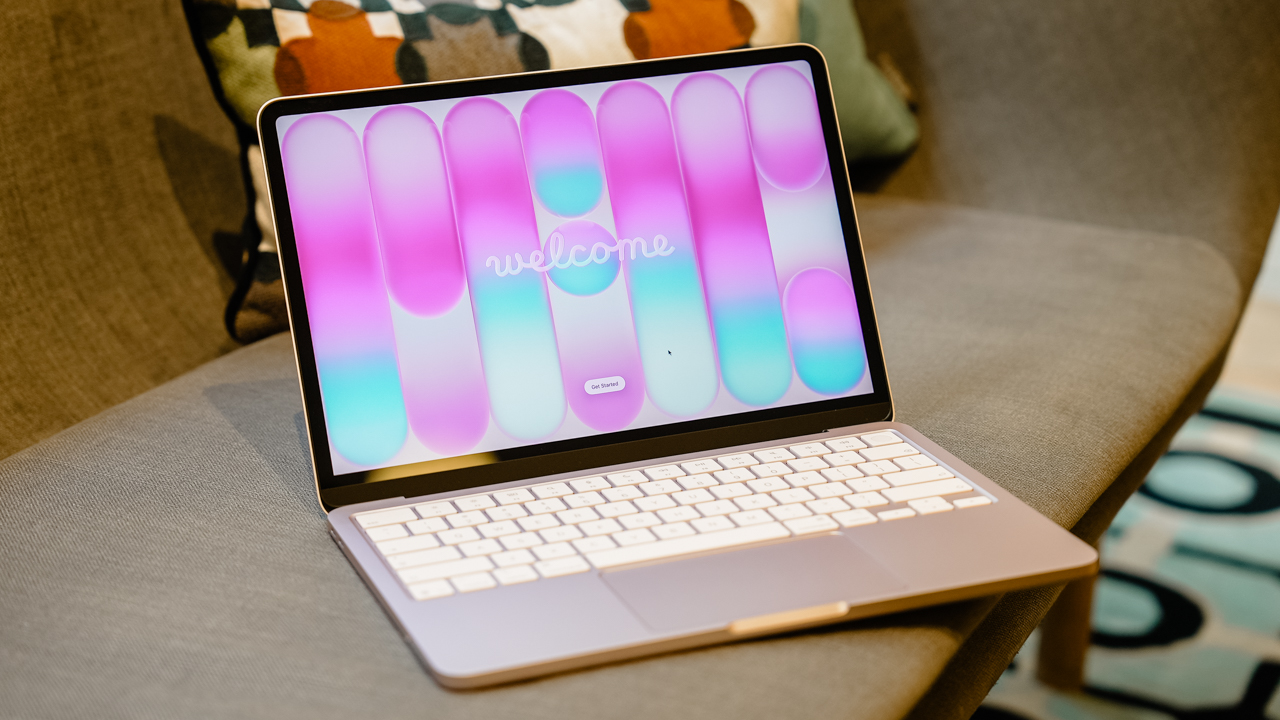
The all-new MacBook Neo has officially arrived in the Philippines through Power Mac Center. Simultaneous launch events were held at Greenbelt 3 and SM Megamall.
Customers who lined up for the launch received an event-exclusive bundle which includes an AirPods Pro 2 and AirTag 4-pack, as well as over PhP 12,000 worth of freebies for those with qualified pre-orders.
In addition, those in Greenbelt and SM Megamall who lined up until the evening got a chance to win up to PhP 600,000 worth of prizes (PhP 300,000 per location).
And great news even for those unable to attend: PMC is extending its opening promotions over the coming days.
Now available in Power Mac Center stores nationwide, the MacBook Neo comes with these exclusive offers:
- Up to 50% off on a wide selection of accessories until April 30 for sstraight payments
- Redeem up to Php 5,000 off (2,500 points) through the 1 Infinite program, no minimum spend, until April 26
- UpTrade: Score up to PhP 4,000 additional trade-in value with a MacBook Air (M2 or earlier) until May 10
- Complimentary 90-day software fix and free Basecamp training for purchases until April 30
For flexible financing, the MacBook Neo is also available through 0% interest installment plans of up to 36 months. This is through major banks and other financial institutions.


vivo X300 FE review: Don’t judge the camera by its cutout
A midrange-sized camera bar doesn't mean mid camera performance


PRAGMATA is not for the faint of heart
Already a Game of the Year contender for all the feels


5 games with the nubia Neo 5 GT 5G
Niche device, but is worth the price?

This Is the Way to the Theater: What to Know Before ‘The Mandalorian & Grogu’

HONOR Magic8 Pro gets Android 17 Beta 3 support early

When your fiber Internet connection is treated like a disposable slot

Why WIDE foldables genuinely excite me
vivo X300 FE review: Don’t judge the camera by its cutout


-

 Singapore1 week ago
vivo Y Series launches in Singapore with bigger battery, durability upgrades
-

 Automotive2 weeks ago
The VinFast VF6 is perfect for urban travelers
-

 Gaming2 weeks ago
The Blood of Dawnwalker launches September 3
-

 Gaming2 weeks ago
Final Fantasy VII Rebirth demo out now on Switch 2 and Xbox
-
Gaming1 week ago
PRAGMATA is not for the faint of heart
-

 Features2 weeks ago
A Galaxy summer to remember
-

 Laptops6 days ago
Spotlight: ASUS Zenbook A16
-

 Gaming1 week ago
Star Wars: Galactic Racer launches October 6