


Two gamers. One Gaming smartphone. We put the ROG Phone 5 on the hands of our two resident gamers Gab and Leez. Here, the two share their takes and overall experience using the latest and greatest in mobile gaming from ASUS ROG.

Thoughts on how the ROG Phone 5 looks and overall packaging
Gab: It’s sleek, and the interactive packaging was a nice touch. Essentially, you can create your own AR selfie from the little comic strip in the box. It’s pretty cool that they were able to incorporate something like this into the unboxing experience, plus the visual effects show off some of the camera’s capabilities to some extent.
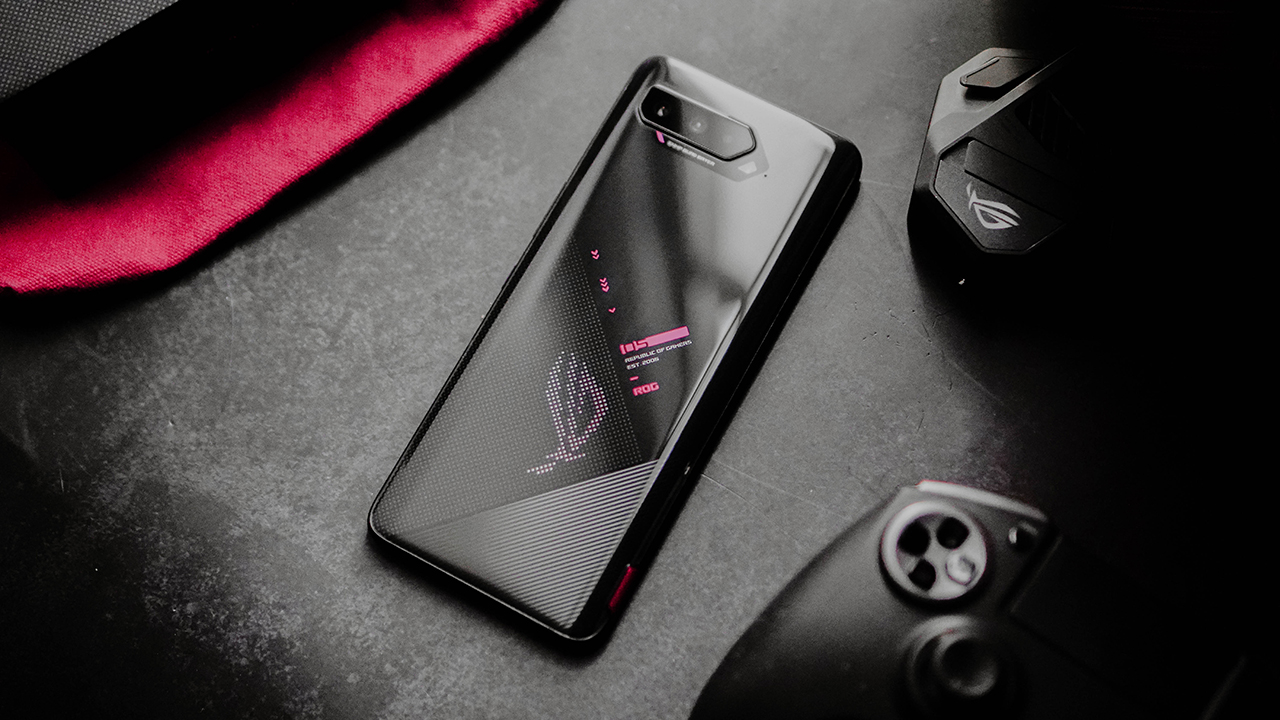
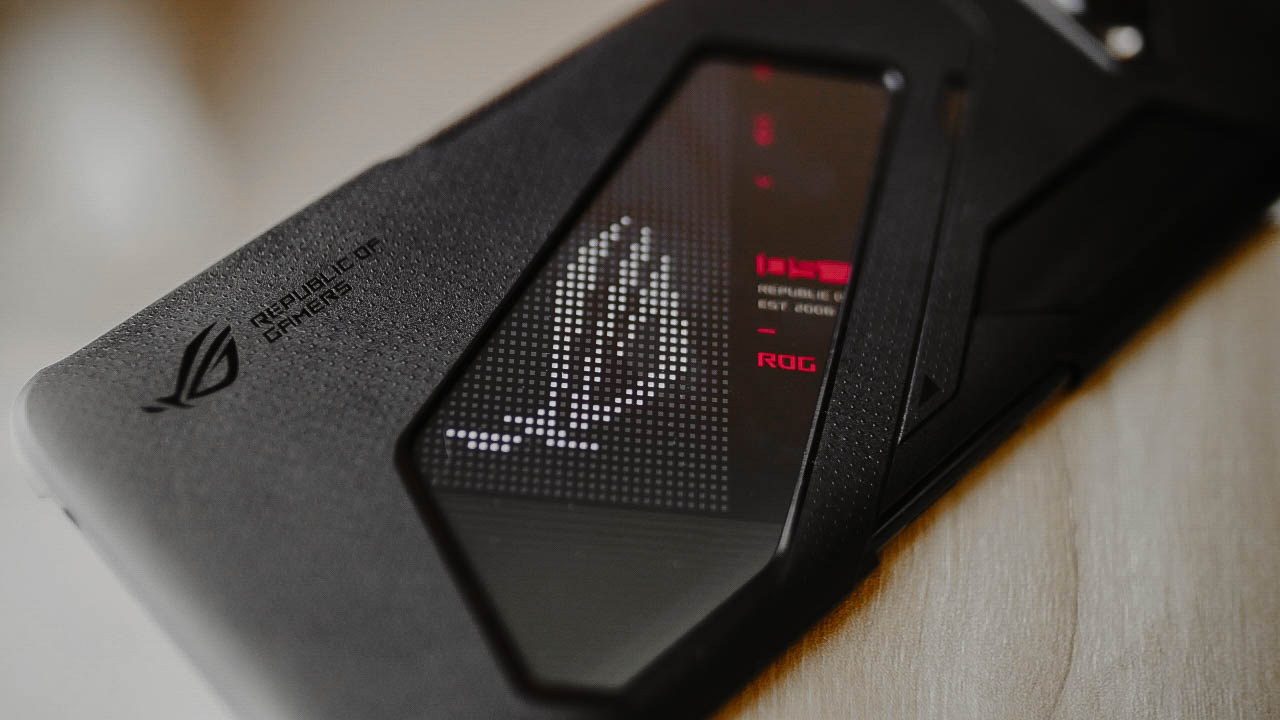
For the most part, this is a wide gaming phone and the screen covers most of the front space. The ROG logo at the back lights up, and it’s customizable too so it gives you that bit of personalization similar to their ROG laptops and desktops. They retained the headphone jack and placed it in a position that doesn’t get in the way of your hands when you’re playing, so that’s considerate of them.
Leez: The packaging screamed gaming phone without doubling down on being obscenely gimmicky. It was good, sleek, and simple with instant feature brags. This isn’t the first iteration of the ROG Phone (obviously from the name alone) but it stuck to the line-up’s fundamental design–just with a little bit more bells and whistles.

There’s a lot of thought in the phone’s design besides just showing off being part of the Republic of Gamers with its flashy customizable logo. From the headphone jack’s placement to it’s improved Aero Active Cooler, the ROG Phone 5 feels pragmatically designed. It does get rid of miniscule discomforts when playing on an average phone.
What mobile games do you usually play?
Gab: League of Legends: Wild Rift, Mobile Legends: Bang Bang, PUBG Mobile, Call of Duty Mobile, Fortnite BR Mobile, NBA Live Mobile, Superstar (JYP, SM)

Leez: I usually play League of Legends: Wild Rift, Mobile Legends: Bang Bang, DOTA Underlords, Call of Duty Mobile, Cat Bird, and whatever indie game is available on mobile. Very Little Nightmares is the newest addition to my list of mobile game installs and play.
What game were you most excited to play on the ROG Phone 5?
Gab: Fortnite BR Mobile (to see what the experience would be), Asphalt 9, NBA 2K21.
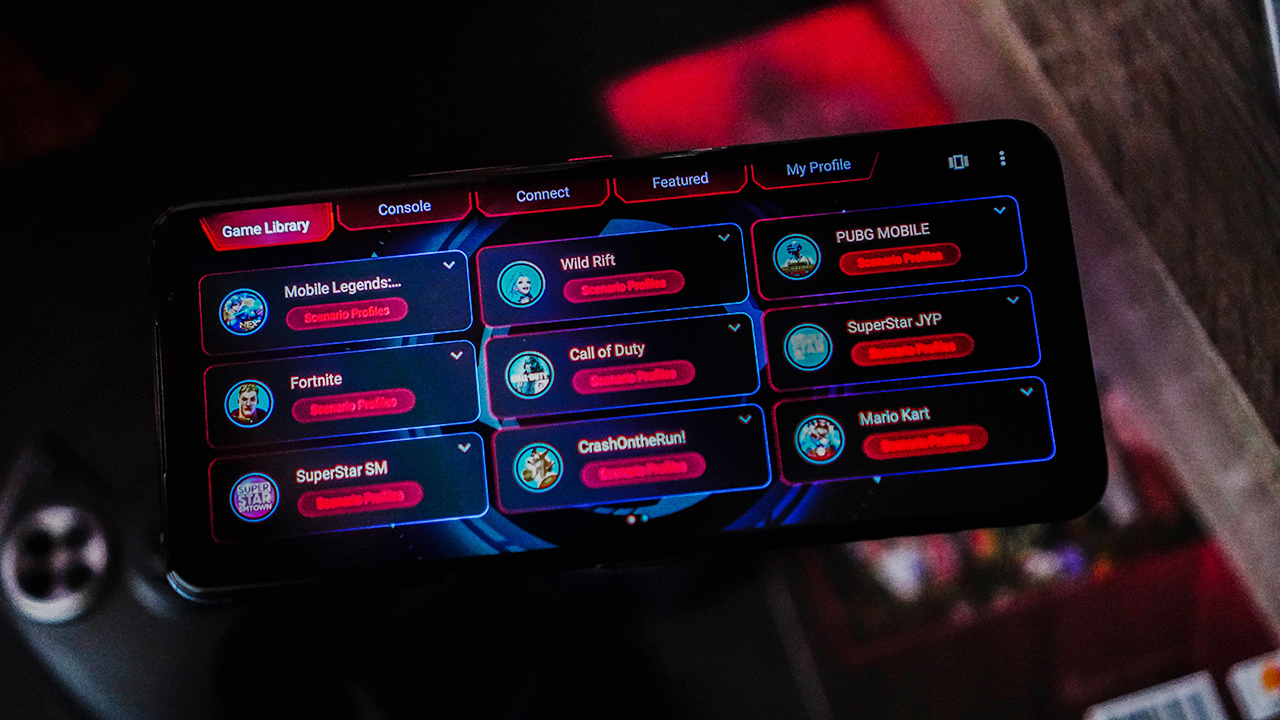
Leez: The Gardens Between, Black Desert Mobile, and Sky. As you can probably tell, I love plot-driven games and stunning graphics. I can handle the usual mobile moba but, I sometimes like sticking to gripping graphics from indie games instead of fostering toxic team blaming.
Did you play any game that you normally wouldn’t be able to play because of your current phone’s specs? If yes, did that game make you want to secure an ROG Phone 5 for yourself?
Gab: On some of my devices, I normally can’t play the Superstar games, Fortnite, NBA 2K, and even PUBG Mobile. For the Superstar ones, it’s mostly on the delayed responsiveness of my inputs, especially when hitting the notes properly. For Fortnite and even PUBG, graphics settings are low on my devices so I was hoping that using the ROG Phone 5 would improve the experience.

When I played these on the ROG Phone 5, with the Cooler attached because of how hot the phone gets when trying to play at the best quality, I see the improvement. Sure, some of the delays I had were just because of me (lol haha) but I’ve seen the improvements in graphic quality and responsiveness. Although, for Fortnite it still capped everything at 30 FPS despite running at a 144Hz refresh rate display but it didn’t feel as jittery as it does on my own phone. At the very least, it made me consider getting the ROG Phone 5.
Leez: When I got the phone, I already had a list of graphics-heavy mobile games I wanted to play on it. My everyday phone conks out alot when I try to play Sky or The Gardens Between so, I was looking forward to a whole new clarity and detail on the ROG Phone 5 when it came to gaming.
I think graphics-heavy games aside, another component that gives me a bit more breathing space is storage. In the series line-up, you get to pick from 128GB with 8GB RAM, 256GB with 12GB RAM, or 256GB with 16GB RAM. All of which is more than enough and way beyond the storage I have on my regular phone.

Does this make me want an ROG Phone 5 of my own? yes and no. Yes, because I’d end up having a bunch of games on my phone like a regular Steam account. And, no because homegirl doesn’t have that kind of expendable money. With everything going on in the world, I’m more than likely to stick to subpar phones playing at the lowest setting unless I decide to dedicate my life to competitive mobile gaming.
Do you think having the ROG Phone 5 gives you a competitive advantage for MOBAs and Shooters?
Gab: Personally, I felt that it does give me a little advantage for both MOBAs and shooters. Particularly for shooter games, increasing the detail to the maximum allowable quality settings allows you to see some enemy silhouettes from a mile away. It gives you that extra level of detail that will influence your decision to attack or avoid the fights. With MOBAs, there is just that added detail given to make the experience a bit better, plus less lag when the fights are intense in one lane of action.

Leez: Yes. Hands down; no cap; yes. The ROG Phone 5 delivers on details and specs that don’t necessarily improve your gaming capacity but gives you all the more leverage to play better.
This is going to be out of left field but hang tight. Gaming phones are like F1 cars. A better car gives you an advantage in a race but it doesn’t account for a bad driver. It’s like a balancing act. It’s the same for gaming phones. A gaming phone that delivers on no stutters, delays, and sharp smooth graphics won’t account for garbage gameplay. When you optimize non-human elements, it isolates and highlights both human skill and error. Basically, you have less excuse to blame the phone or your teammates with the ROG Phone 5–even if it won’t stop you from being toxic by finding other things to blame.
What do you think of the Air Triggers? Does it really elevate the mobile gaming experience?
Gab: The AirTriggers are pretty great and responsive, plus fairly easy to set up but I usually did it in game so I can map the controls out properly. I tried doing it across all the games I played — casually or competitively — and the AirTriggers elevate the shooter experience the best out of all of them. It actually frees your other fingers to either reload, jump, or crouch while you use the triggers to aim and shoot. Although, it takes a bit of a while to get used to the feel of using the triggers when you’re already used to touching the controls yourself.

With MOBAs, honestly it really depends on your play style and the champions you pick. I usually pick either ranged champions or those with blades, so the AirTriggers only really helped in me spamming the primary attacks. Same goes for some sports games that don’t have dedicated buttons for sprinting or dribble moves. You’re somewhat better off pressing and swiping.
Leez: Air Triggers are extremely useful for shooters but can be a bit of a strange feature to add to other mobile games. There’s not much use for it outside the first-person shooter (fps) genre since the air triggers are basically for quick and easy aim and shoot.
For mobile mobas, it’s a good second trigger for main attacks and gives you a quick view of the map. For League of Legends: Wild Rift specifically, the left trigger is your ultimate and the right, for your regular attacks. For mobile platformers like Dadish or Cat Bird, the Air Triggers are absolutely useless. They don’t work. Like, at all–which made me giggle in disappointment but, it is what it is.

The Air Triggers are built for competitive play but especially so for competitive mobile fps. I don’t see much use for it with a mobile moba since most people are used to having their index finger rest on that corner of the phone. It would just take a lot of getting used to. Whereas, for mobile fps, it mimics a console controller.
Did you experience any heating during your time with the device?
Gab: As with any gaming device, this also heats up. Sometimes, it heats up faster than the usual smartphone would when you’re playing games at such high quality. It mostly has something to do with the gaming profile you set in Armoury Crate when you’re playing games, and this is something you normally expect anyway.

Leez: Yes. But, it’s good to note that most phones heat up when you’re optimizing gameplay. And, while the ROG Phone 5 has separate peripherals dedicated for that, heating just comes with every gaming phone in existence.
Since the AeroActive Cooler 5 is now a separate purchase, would you consider it a must-buy to go along with the phone itself?
Gab: Given my sentiments on the previous question, I felt that the AeroActive Cooler 5 is indeed a must-buy to fully maximize your experience with the phone. Apart from the cooling it brings, it also comes with standard triggers at the bottom that you can also use in-game if you really want your thumbs to focus on other things. Plus, it comes with a headphone jack as well at the bottom, so nothing will get in the way of your hands at the side of the phone.
But obviously, you need this to keep the device relatively cooler and using up less battery power than usual. Without the cooler, the device uses up a ton of your battery power to keep games at the highest quality, so it depletes much faster. With the cooler, and based on my usage of it, the battery still depletes quite fast but doesn’t deplete at the same right without it. Like without the cooler, going from 80 to 20 percent while playing at the highest settings happened in a matter of an hour. With the cooler, 80 to 20 percent took an average of an hour and 45 minutes — still fast, but it still affords you another round before reaching for the charger.
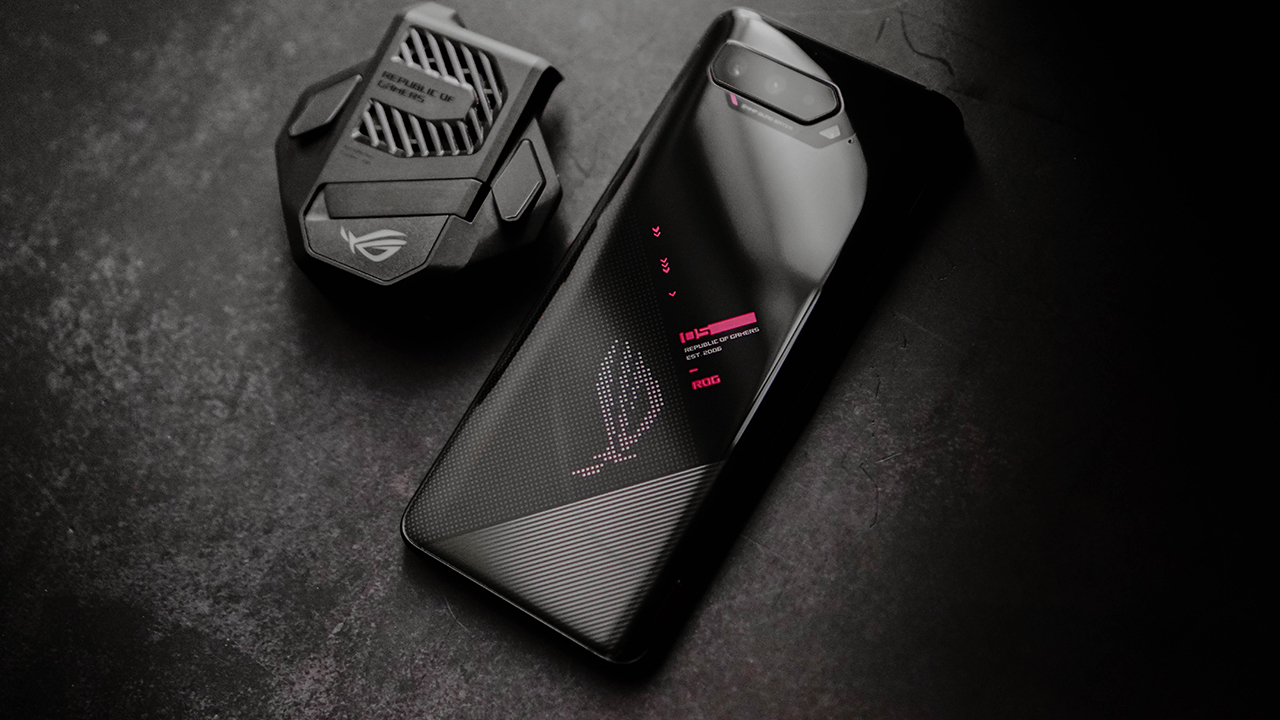
Leez: What Gab said. Also, unless you want to buy baking gloves that work while you play, the answer is an obvious yes. It’ll help keep your ROG Phone 5 from literally imploding and frying itself while keeping your gamer fingertips from chafing.
On days you weren’t playing, how did the ROG Phone handle other tasks you did on the phone?
Gab: Truth be told, I used this phone for 80 percent gaming, 5 percent social media, 5 percent Netflix, and 5 percent YouTube, 5 percent waiting for Wendy’s solo stuff to drop (hehe). On the times I wasn’t gaming, it handled all of those quite well and I made sure to use a different gaming profile in Armoury Crate to maximize battery life. I did this mostly because if you plan on using this as a more all-around device, treat it like a gaming laptop: only go full throttle when you’re playing. You don’t need to go full throttle on tasks like browsing social media or watching YouTube or Netflix, so you’re better off preserving your battery life.

Leez: The phone managed well with everyday use. But to be fair, everyday phone use for me is mostly playing games, watching Netflix, and keeping up with friends and family. Gaming aside, the ROG Phone 5 is a great phone to watch Netflix on and have podcasts on speaker. It delivers on stunning graphics and speaker quality, giving you the best immersive experience in-game and out.
Otherwise, there’s just really no point in overclocking the phone when you’re doing little to nothing that requires the phone’s full potential.

Cameras were largely unchanged, but do you think they’re good enough for quick snaps and daily use?
Gab: The cameras were pretty great in terms of producing high image quality without sacrificing details too much. Although, I don’t recommend this for macro images because for some reason, the images ended up completely grainy. But, for quick selfies or just images of your set ups, rooms, pets, or even the abundance of nature in the garden, it’s great!
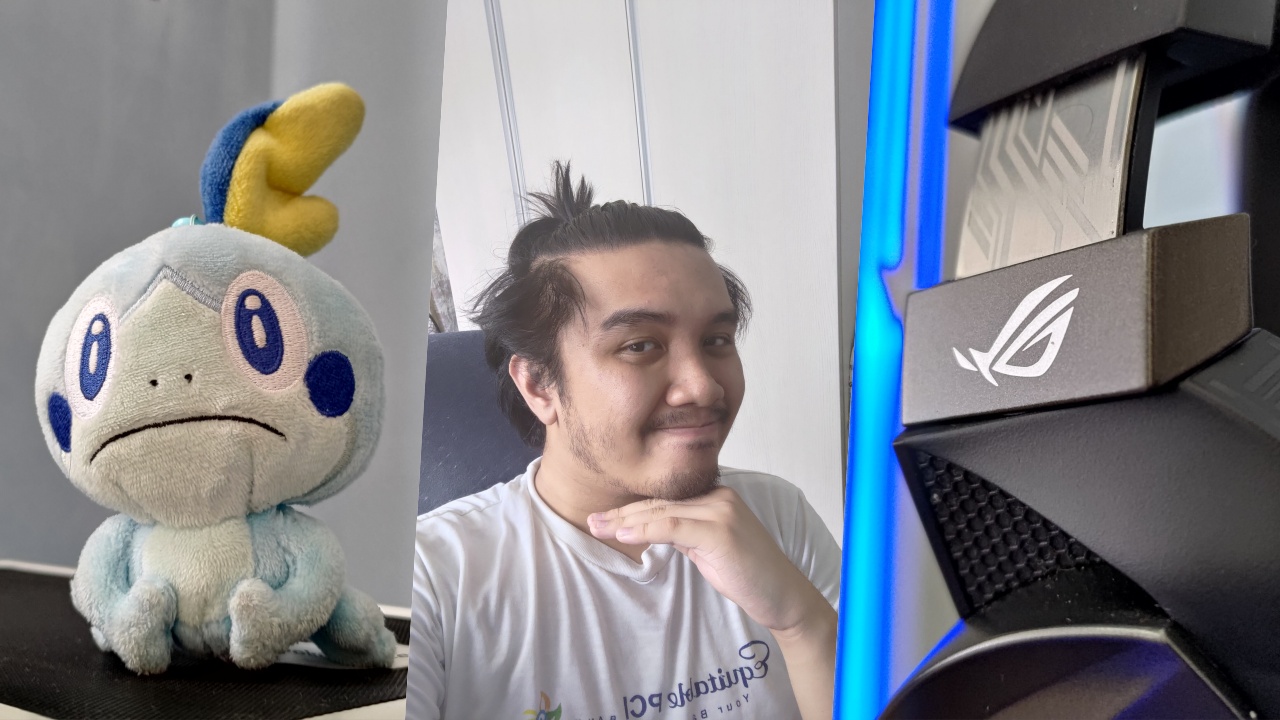
Leez: The triple rear camera set-up and 24MP selfie camera deliver on quality photos. It’s good to note that you will struggle to capture stunning shots if you don’t have consistent and quality lighting. But, that should go without saying for most mobile phone photography.
Seeing as camera quality isn’t one of the main features mobile gamers necessarily gravitate towards, this is a decent set of lenses.

Any other thoughts on the ROG Phone 5 you’d like to share?
Gab: Honestly, if you want to have this much gaming power for you to be at your very best in mobile games, this phone suits you. As a semi-casual player, I often asked myself “Why would I need this much power if I’m not going to try and compete in the games I want to play?” I feel like this is what the ROG Phone 5 is all about: giving you the kind of gaming power to compete at such a high level. You can game on any smartphone out there, even the one you currently own; but if you want the full competitive experience and power, this phone changes the way you play, for real.

Plus, it is a gaming phone so don’t expect it to have long-lasting battery power when you’re in full-gamer mode. But, whenever you charge it for 30 minutes from 0 percent, it does give you about 45-48 percent back. It isn’t much when you have the device on X/X+ Mode when you use it, but it is enough to keep you playing for just a little longer.
Also, quick side note: if you have any ROG peripherals (headsets mostly) that connect via USB-C and are Aura Sync compatible, you can pretty much sync the lighting on X/X+ Mode. It’s a neat aesthetic that they brought in from their gaming PCs and laptops that some of you will enjoy — especially the RGB enthusiasts hehe
Leez: The ROG Phone 5 won’t save you from feeding or being bad at a game. It’ll help you get better at games but, it can only optimize the game for you. You still need to put in the work for it. So if you’re a competitive gamer or one who’s pursuing taking on mobile esports, this is a must-buy for you. If you’re a casual gamer who dabbles into try-hard plays now and again or just has expendable cash for a gaming phone, this is definitely something to mull over buying.
The phone delivers on all fronts and is the best buddy to help you get good. But, if you want a phone that captures stunning photos in low-lighting on top of everything else the ROG Phone 5 hits the nail on, you’ll be looking elsewhere.






Gaming
Stage Tour is resurrecting your Rock Band childhood
You can rock the guitar, the drums, or vocals to your favorite songs.

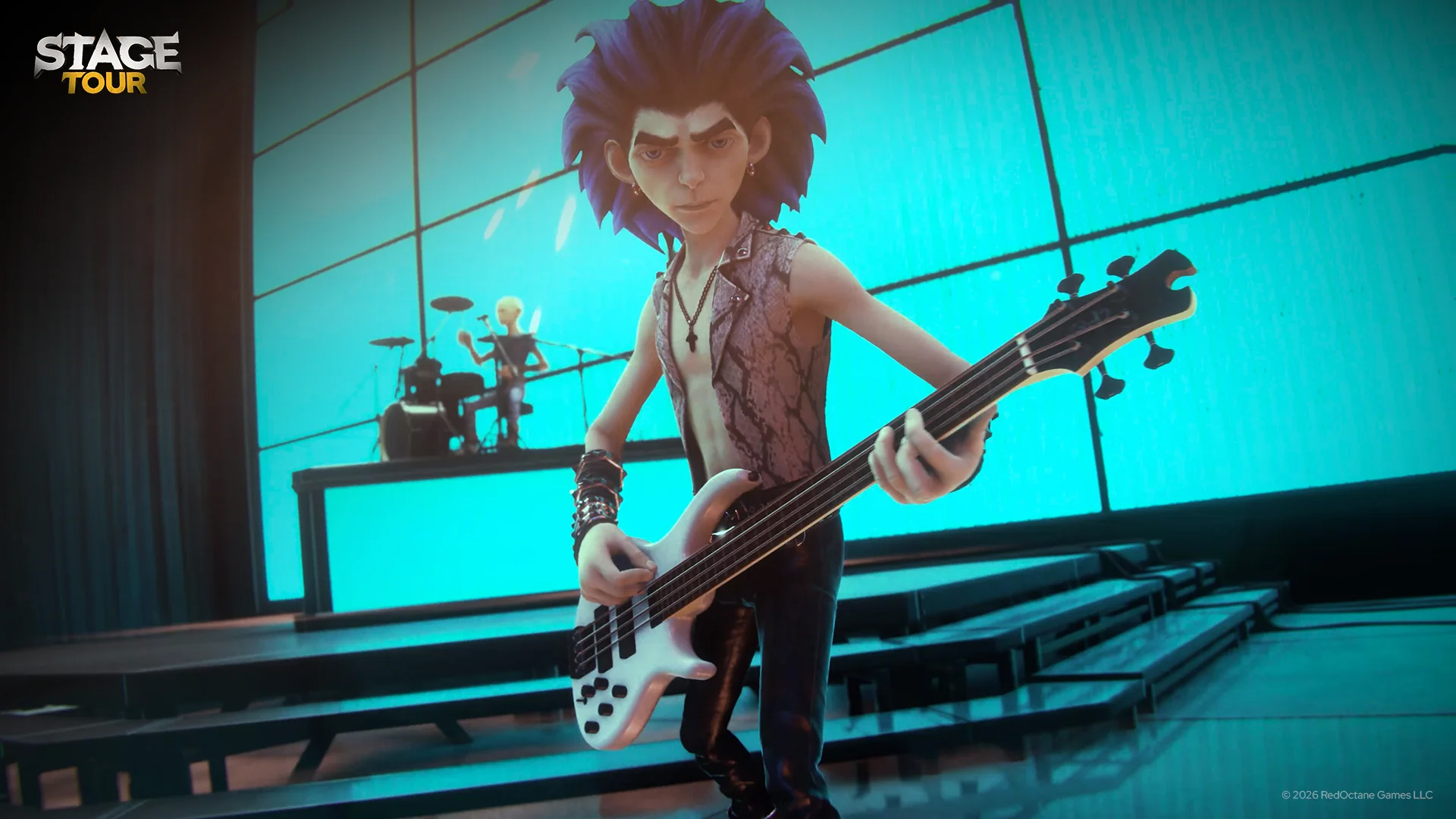
A new Witcher 3 DLC, a new Final Fantasy VII, Mega Man, Rayman, and Crazy Taxi. What year is it again? With games as nostalgic as these coming out, there’s one game that can complete the circle: Rock Band. Now, resurrecting an era of rhythm games, Stage Tour will have you playing the guitar, the drums, or vocals in a star-studded game with a lot of iconic tracks.
For those who played through the classic Guitar Hero or Rock Band, Stage Tour needs no introduction. However, if you’re new to the scene, the game simply puts you into the shoes of a rock band. You can wield a guitar, a set of drums, or a microphone. And yes, the game comes with a customized controller for each instrument.
As for the soundtrack, you can rock and jam to a lot of the catchiest songs from yesteryear to today including titles from BABYMETAL, Paramore, Slipknot, The Rolling Stones, Ed Sheeran, Black Eyed Peas, Blink-182, Fall Out Boy, Metallica, Walk the Moon, and Olivia Rodrigo.
Stage Tour launches on December 10 for all major platforms like PlayStation 5, Xbox Series X|S, PC, and Switch 2. You can also grab their official accessories through their site, but they do cost a pretty penny.
Gaming
HoYoverse’s Nodusfall looks like nothing they’ve ever made before
But it looks so similar to Elden Ring or Dark Souls.

There’s a certain aesthetic you’ll always expect whenever you see HoYoverse mentioned. Touting long-standing hits like Genshin Impact and Zenless Zone Zero, the publisher’s games often have bright and appealing aesthetics, bolstered by highly attractive characters to get you into the gacha groove. However, for the first time, HoYoverse is trying something completely different: Nodusfall, an action RPG that looks and feels like Elden Ring.
Revealed at today’s gamescom, Nodusfall teases a deeply fantastical setting focusing on Weavers taking on ferocious monsters and divine entities. Players will be able to take on these challenges with, based on the trailer, four players. Each player can wield an assortment of weapons including a greatsword, a regular sword, a bow, and magic. The trailer also teases spells that can transform the player into a divine being themselves.
As for the enemies, they have a strangely striking resemblance to other games you might have played before. One is a grizzled warrior who beheads a giant lion, something that’s shockingly identical to Hoarah Loux in Elden Ring. Another rides a dragon, similar to the Nameless King from Dark Souls 3.
Comparisons aside, Nodusfall is an impressive transformation for HoYoverse. Since forever, the publisher thrived on anime aesthetics, highlighted these days by the godly trilogy of Genshin Impact, Honkai: Star Rail, and Zenless Zone Zero.
HoYoverse hasn’t revealed the release date of Nodusfall just yet, but we’re excited to see it in action.
SEE ALSO: HoYoverse’s first life sim, Petit Planet, opens Stardrift Test sign-ups

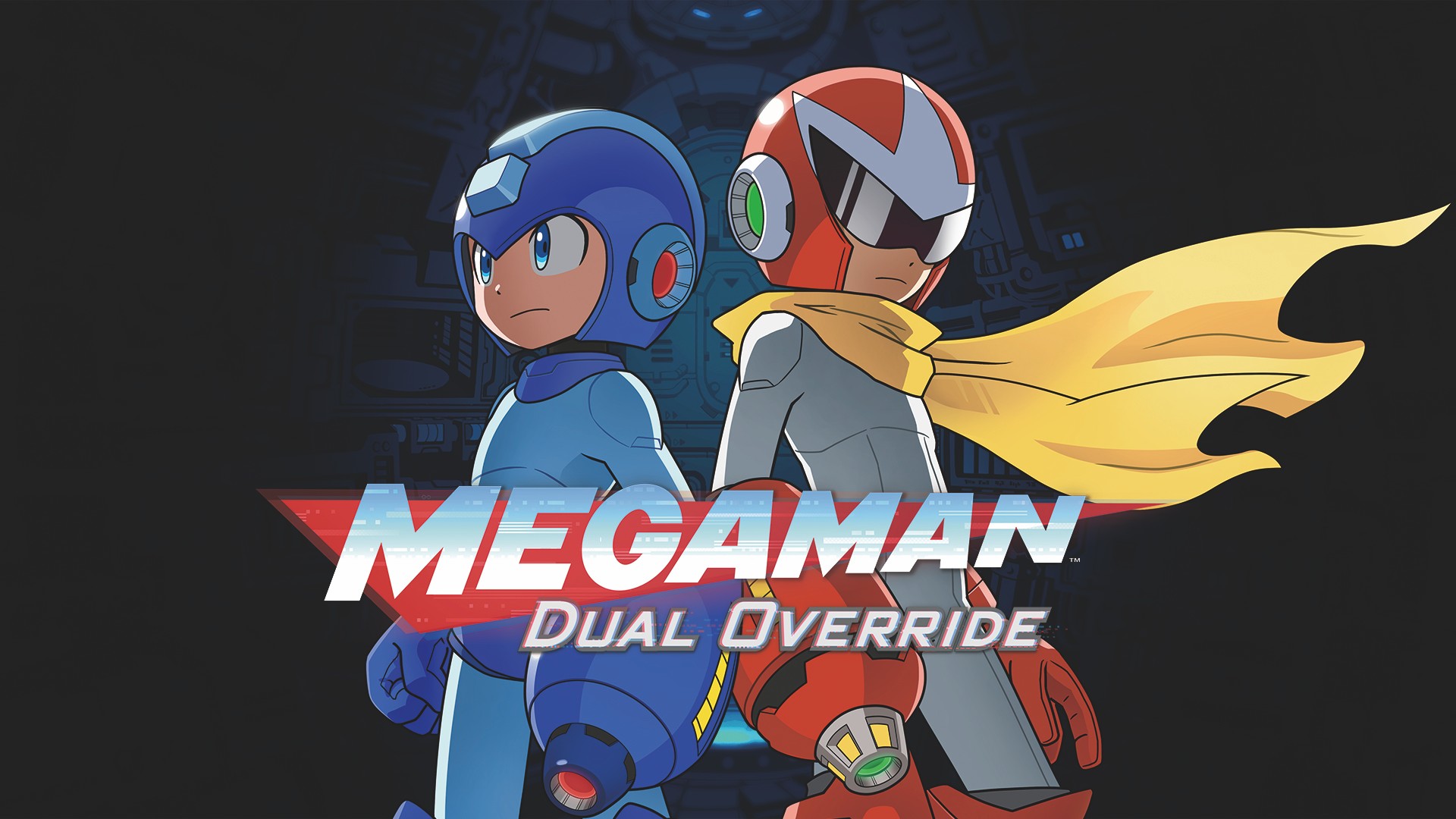
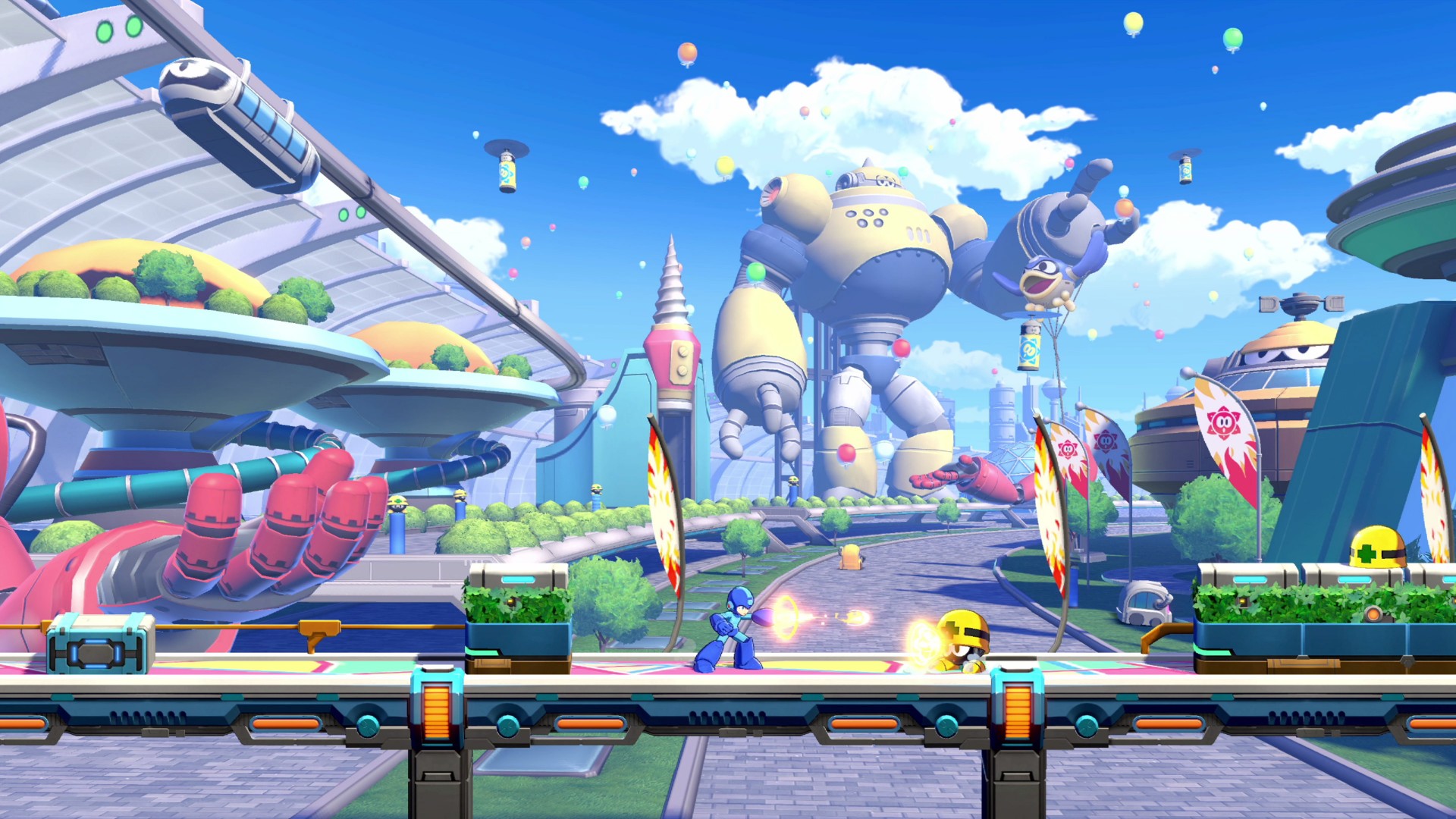
Capcom has unveiled the first gameplay trailer for Mega Man: Dual Override, giving fans an extended look at the next mainline entry in the classic action-platformer series.
Revealed during Gamescom Opening Night Live, the trailer showcases new gameplay mechanics, bosses, playable characters, and more. Mega Man: Dual Override is set to launch in 2027.
The game will be available on Nintendo Switch 2, Nintendo Switch, PlayStation 5, PlayStation 4, Xbox Series X|S, Xbox One, and PC via Steam, the Epic Games Store, and Microsoft Store.
Proto Man joins the fight
For the first time in a mainline Mega Man game, Proto Man returns as a playable character alongside the Blue Bomber.
Proto Man has his own abilities and playstyle. This gives players two distinct ways to approach the game’s challenges.
The trailer also introduces the new Override system. It lets robots temporarily push their abilities beyond their normal limits.
There is a catch, though. Once Override runs out, the player’s performance will temporarily drop. Players will need to choose when to activate the boost and manage its drawbacks.
Build your own playstyle
Mega Man: Dual Override also introduces a Custom Chip system.
Players can install Custom Chips to give Mega Man and Proto Man additional abilities. These include rapid-fire attacks, a protective shield bubble, hover capabilities, and more.
Players can mix and match different chips to create combinations that suit their preferred playstyle.
The trailer also introduces Twinkle Girl, one of eight new Robot Masters. She attacks with dazzling, firework-themed abilities.
As in previous games, defeating Robot Masters lets players acquire their abilities and turn them into special weapons.
New weapons and familiar faces
Special weapons remain an important part of Mega Man’s arsenal. However, they consume energy with every use, making resource management important.
The trailer shows off one new weapon that unleashes a powerful charge attack. It can also function as an aerial dash, giving players another mobility option.
Fans also spotted a familiar face in the trailer. Astro Man from Mega Man 8 briefly appears during the footage.
Capcom has not confirmed whether Astro Man will play a larger role in the game. It also teased the possibility of more classic Robot Masters returning.
Mega Man: Dual Override is now available to wishlist on the PlayStation Store, Microsoft Store, and Steam.
Mega Man games are also on sale
Several Mega Man games are currently discounted on Steam for a limited time.
Mega Man 11 is available for SGD 5.53, while the recently released Mega Man Star Force Legacy Collection is discounted to SGD 37.42.
Other Mega Man titles are also included in the sale.
-

 Reviews5 days ago
TECNO MEGAPAD 2 review: Eyes on the size
-

 Singapore1 week ago
REDMI Note 17 Series focuses on long-term reliability
-

 News1 week ago
realme 16T to come with 8,000mAh battery, 7-year battery health guarantee
-
 Accessories1 week ago
Jackery expands Explorer Series portable power stations
-

 Reviews2 weeks ago
Samsung Galaxy Z Fold8 Review
-

 News7 days ago
HUAWEI Pura X View is 2026’s first WIDE slab-type smartphone
-

 Entertainment2 weeks ago
Box office: Brand New Day set to surpass US$ 2 billion, drives Marvel’s Spider-Man 2 resurgence
-

 Gaming1 week ago
Now Playing: Assassin’s Creed Black Flag Resynced