
Apps
Apple’s iWork suite gets easier for mobile
Perfect for on-the-go work


Apple continues its work at bringing better productivity to its iWork suite. In a new update, Keynote, Pages, and Numbers are all getting new features and more optimization between desktop and on-the-go use.
Presenting yourself in Keynote
Keynote adds a new layer of interactivity to online presentations. With working from home still a staple today, face-to-face presentations are still difficult. Users can now add their live video (through the front-facing camera) to their presentations. Further, the new feature has support for multiple cameras outside of the main camera.

Users can now also pass control over a presentation to others. It comes especially useful for group presentations online.
Taking Pages on the go
While Keynote adds new features to ease its use for distant working or learning, Pages is getting a convenience feature for on-the-go use. The new Screen View feature makes text and images more readable on your phone. Both are enlarged and optimized for a phone screen. Though the interface is enlarged, users still have access to the standard array of editing tools. And if you’re more used to the original way of doing things, users can toggle the feature off.
Finally, some pivot tables
After all these years, Numbers gets a feature that has set it far behind its competitors, Microsoft Excel and Google Sheets. Users can now make pivot tables in Numbers to arrange their tables in more meaningful ways. They can even import and export their data to and from Microsoft Excel. Also, to catch up with lost time, Numbers is the first one among its rivals to get pivot tables for mobile.
All three updated iWork apps are now available for download through the App Store.


Accessories
TicNote AI recorder launches in the Philippines
AI-powered transcription, translation, insights, more


Mobvoi has officially launched TicNote, its AI-powered note-taking device in the Philippines for PhP 9,499. The thin and lightweight recorder is currently available offline and will soon roll out on Lazada and Shopee.
The pocket-friendly TicNote comes with 64GB of memory and offers up to 25 hours of continuous recording. Beyond these, it supports real-time translation in over 120 languages through the TicNote app.
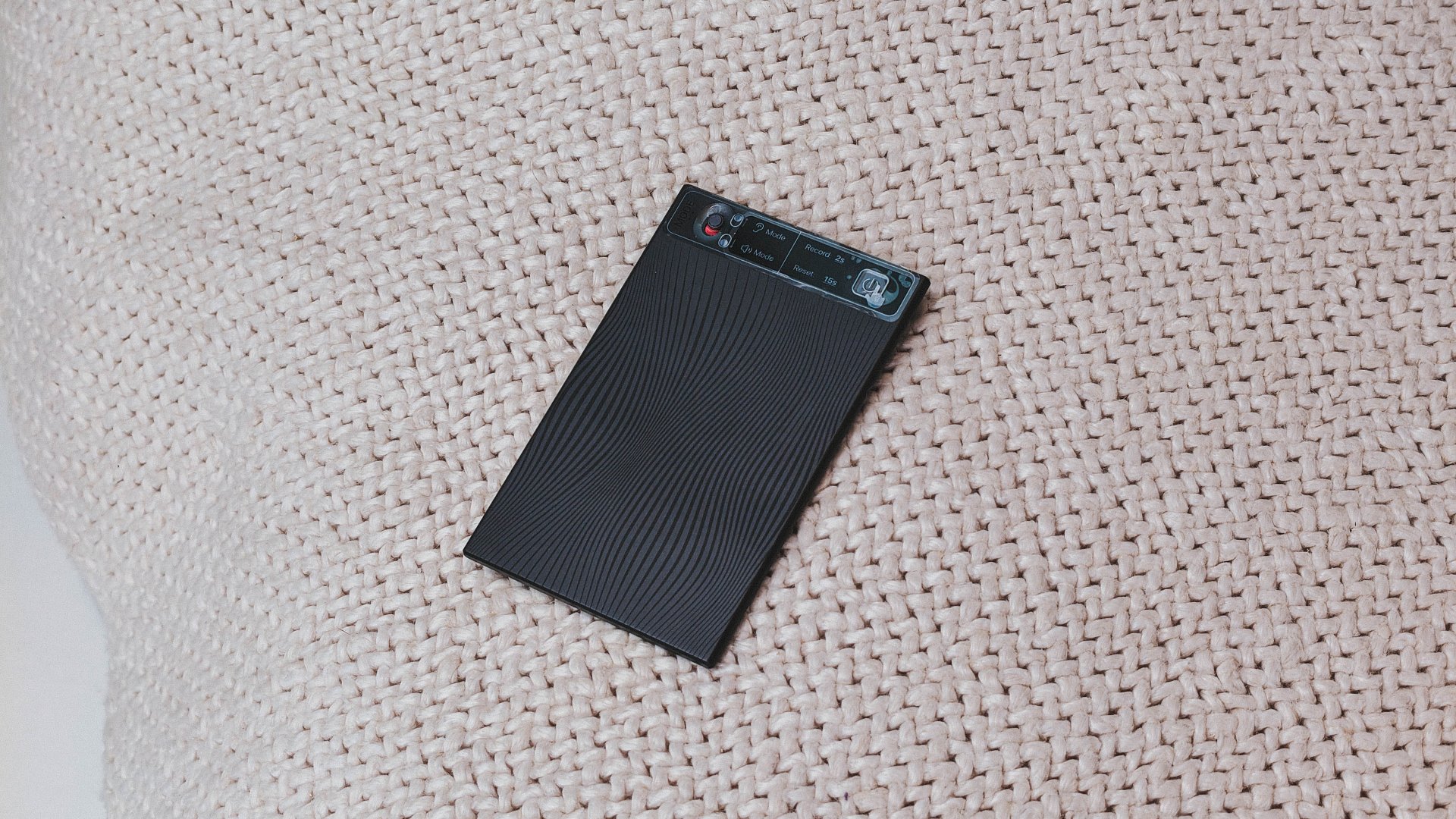
Moreover, powered by Shadow AI, the device goes further with advanced insights, including Smart Summary, Mind Map View, Deep Research Reports, Aha Moment, and even AI Podcast Generation.
To complement the device, Mobvoi offers unlimited TicNote cloud storage and 600 minutes of free monthly recording time.
On paper, the TicNote AI recorder has several professional applications. It can be used for meetings, legal and medical consultations, and more scenarios to record high-quality audio.
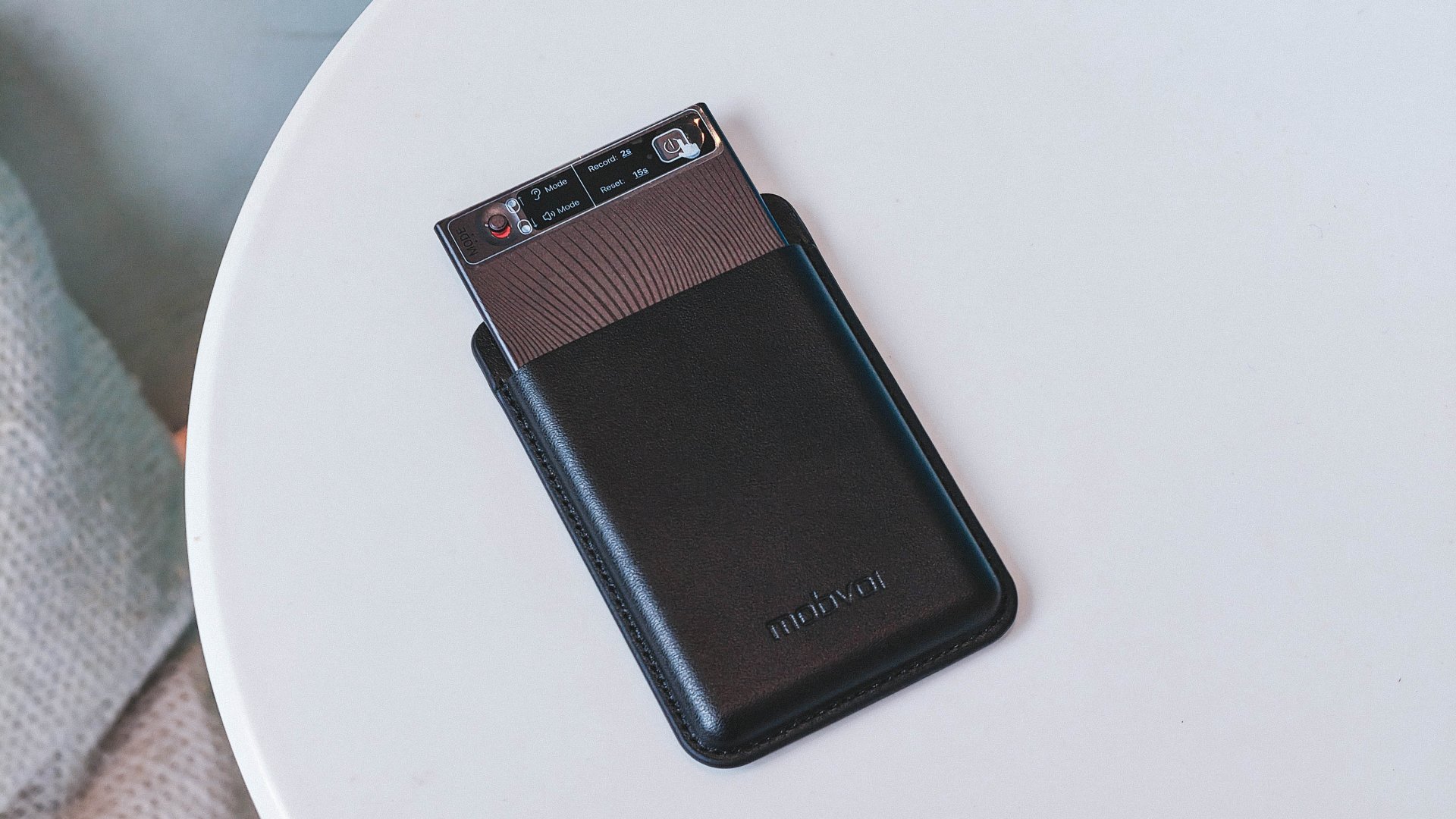
Meanwhile, journalists can leverage the tool for press conferences and media scrums. Even content creators can use the tool as a microphone as TicNote can process high bitrate audio and save it to .wav format.
Still, there’s a catch. Users will still need a smartphone, tablet, or laptop to make the most out of TicNote’s AI-powered features.
And that raises the dilemma: modern phones already offer AI translation, real-time transcription, and audio-to-text uploads through popular AI assistants.
For consumers, the question becomes whether TicNote offers enough beyond what their phones already do — or if it will just make having both devices redundant.
Apps
Disney Plus: NBA Christmas Day games to stream live
More sports content also available on the platform


Disney+ will stream the entire 2025 NBA Christmas Day games slate live on the platform for Philippine basketball fans to enjoy.
Fans can tune in to the anticipated matchups starting at 1:00 AM (Manila time) on December 26.
Here’s the full schedule:
- 1:00 AM: Cleveland Cavaliers vs. New York Knicks
- 3:30 AM: San Antonio Spurs vs. Oklahoma City Thunder
- 6:00 AM: Dallas Mavericks vs. Golden State Warriors
- 9:00 AM: Houston Rockets vs. Los Angeles Lakers
- 11:30 AM: Minnesota Timberwolves vs. Denver Nuggets
And in case viewers missed a tip-off, the full replays will also be available on the app. Worth noting is the second matchup, which is a rematch of the Emirates NBA Cup semifinals.
Meanwhile, the third pairing brings long-time former Golden State Warrior Klay Thompson back to the Bay Area in a compelling match.
Plus, the Rockets-Lakers showdown features two seasoned veterans and future Hall of Famers Kevin Durant and LeBron James in their latest meeting.
Beyond the NBA Christmas Day games on Disney+, fans can stay plugged in all day with ESPN’s NBA Tip-Off at 12:00 AM. Inside the NBA, on the other hand, airs at 8:30 AM.
In addition, for something totally different, check out NBA alt-cast, Dunk the Halls, the first real-time animated NBA game.
This playful showdown happening also on December 26 at 1:00 AM reimagines the Cavaliers-Knicks tiff on Main Street, U.S.A. in Magic Kingdom Park, with some help from Mickey Mouse and his friends.
In line with Disney+’s NBA Christmas Day games, the platform has also uploaded highlights of the 2025 League of Legends KeSPA Cup on the app. The tournament features top teams from Korea, Vietnam, Japan, and North America.
Disney+ continues to strengthen its sports offerings on the platform, with an all-new Sports Page for easier access.
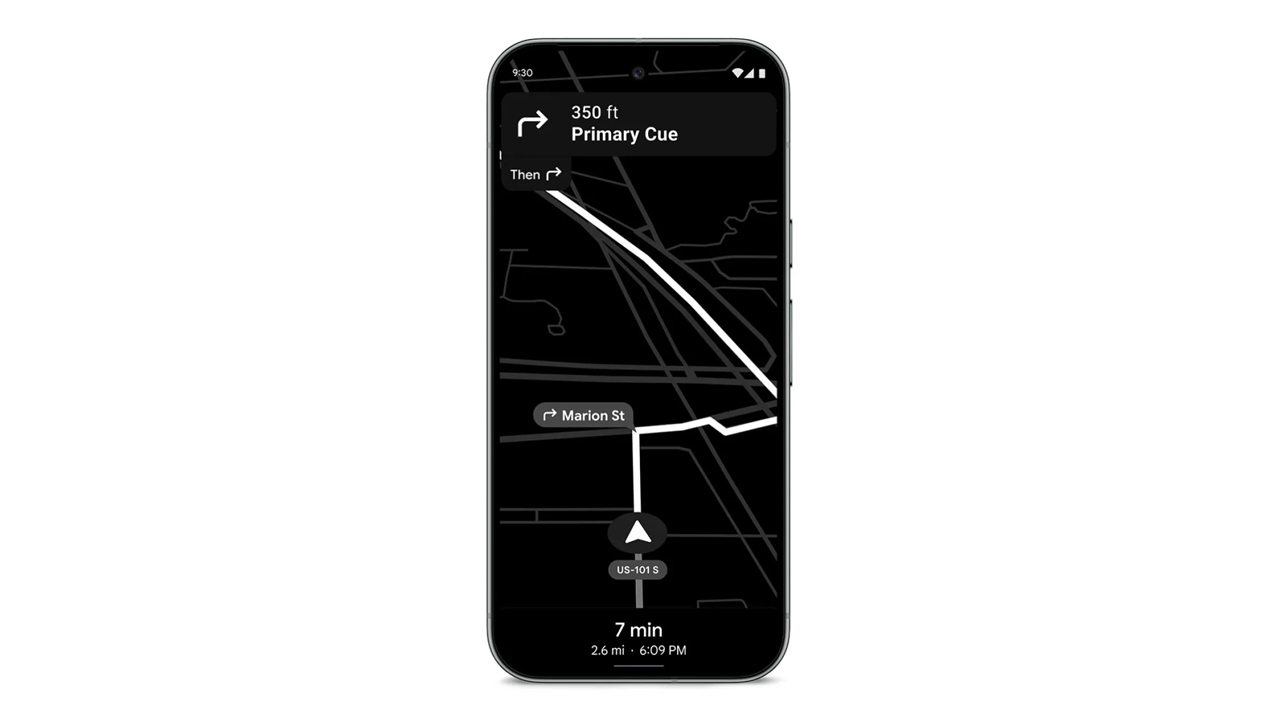
In a congested country like the Philippines, using navigation for shortcuts is a requirement. However, these apps can hog a lot of battery. If you forgot your car charger, it’s practically game over for your phone. Today, Google is shipping out a Maps update which can save your phone’s battery for those long drives.
Announced earlier this month, the update will include a Power Saving mode for Google Maps. The new mode will turn the normally colorful interface into monochrome with particular emphasis on black. The interface will reduce all interactable elements, so you can just focus on the display.
Presumably, it also reduces the power required by the app, while still prioritizing navigation. According to Google, smartphones will get up to four hours more juice when the mode is enabled.
Unfortunately, it’s not a widely released update yet. Google is limiting the update’s rollout to the Pixel 10 series for now. It’s also limited to driving mode; it won’t work if you’re just walking or cycling. The option is accessible through Driving options under Navigation in the settings.
In countries where Android Auto isn’t the norm just yet, a power saving mode for navigation is a godsend. Besides hoping that the update arrives on more devices, one can also hope that Google, who also owns the app, will introduce a similar mode to Waze. (To be fair, Waze did have a battery saver option, but it just dimmed the display for long straights.
SEE ALSO: Android now supports AirDrop!


Inside the Next-Gen Ford Ranger Wildtrak 4×4
A closer look at the cabin that makes this truck feel smarter and more comfortable than expected.

iQOO 15 review: Made for players who take performance seriously
For people with endless games in between

OPPO Find X9 review: Super Swipe material!
This is the flagship smartphone that's ready for anything, just like you~
Inside the Next-Gen Ford Ranger Wildtrak 4×4

Favorite Laptops of 2025

Unlocking the iPad Mini’s gaming potential with the GameSir G8+ MFi

Favorite Shows and Movies of 2025

Favorite Games of 2025


-

 Editors' Choice1 week ago
Best Budget Smartphones of 2025
-

 Editors' Choice1 week ago
Best Premium Smartphones of 2025
-
 Accessories2 weeks ago
Kingston launches Dual Portable SSD with up to 2TB storage
-

 Gaming2 weeks ago
Expedition 33 cleans house at The Game Awards: full list of winners
-

 Editors' Choice1 week ago
Best Midrange Smartphones of 2025
-
 Gaming1 week ago
The Razer DeathAdder V4 Pro made me believe in wireless mice
-

 Reviews2 weeks ago
How the Samsung Galaxy Z Flip7 fit the life I built from the ground up
-

 Features1 week ago
OPPO Find X9 Pro in Mexico