
Gaming
The Razer DeathAdder V4 Pro made me believe in wireless mice

I used to turn my nose up at ultra-light wireless mice. I preferred the heft of a traditional mouse. The tactile sensation of pushing a heavier mouse makes me feel that my efforts are mechanically moving the cursor on the screen. In contrast, a lighter mouse eradicates that connection, making itself invisible. You no longer feel connected to your PC via a mouse; your hand itself becomes the cursor. I needed that connection.
It wasn’t until the Razer DeathAdder V4 Pro that I realized how silly it is to keep that extra weight.

As if nothing was there
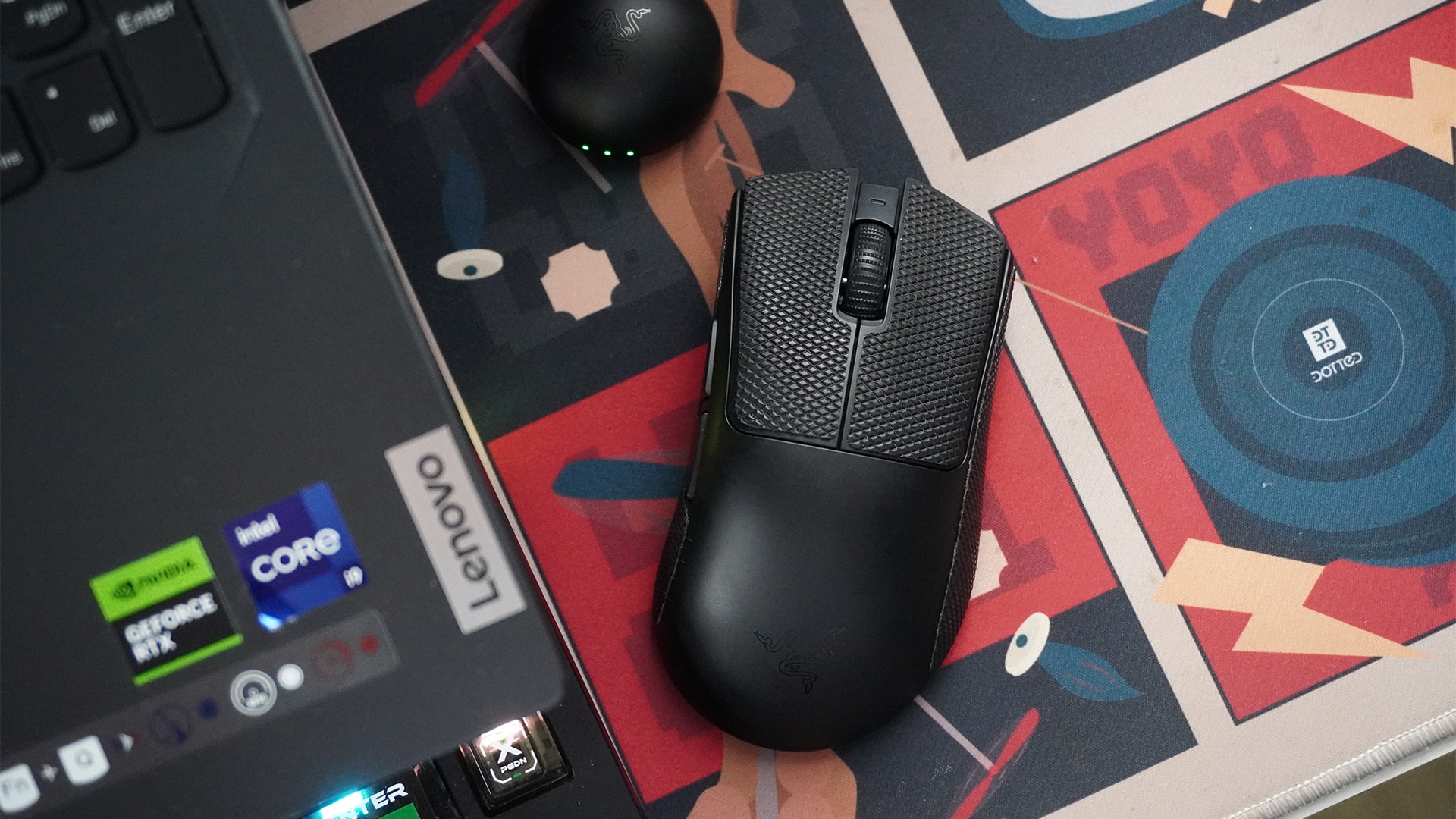
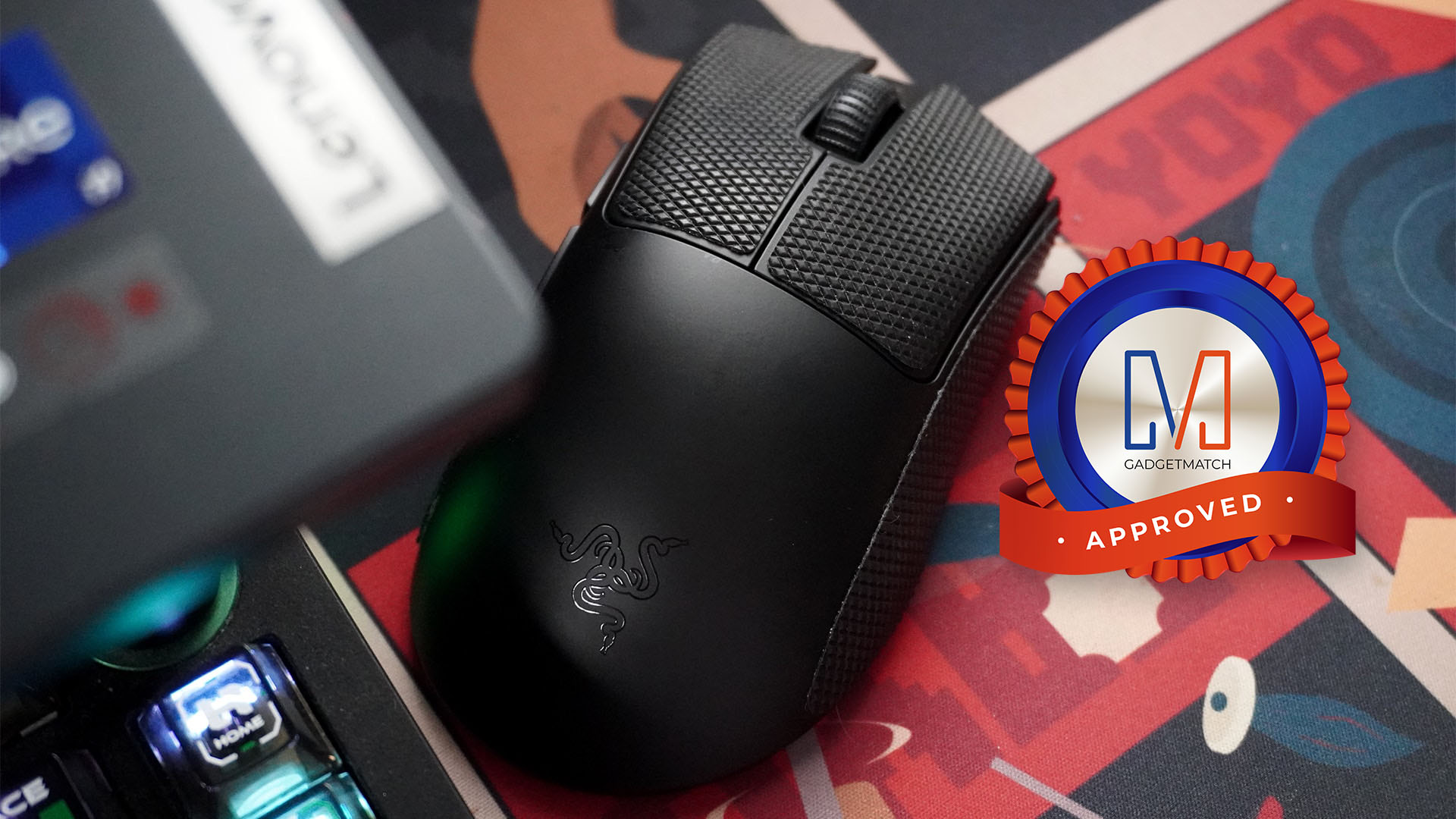
The Razer DeathAdder V4 Pro is built for pro gamers. It’s extremely lightweight and impressively fast through its wireless connection.
To be more accurate, the mouse itself, minus the wire and the dongle, weighs only 56 grams. Coming from a chunkier mouse, my hand just flies through my desk mat. It’s like taking off ankle weights and suddenly feeling the weightlessness of a run.
Despite the reduced resistance, I never felt disconnected from the cursor on the screen. The mouse has a maximum polling rate of 8,000Hz. Personally, I didn’t go beyond the default 1,000Hz much. It’s more than enough for casual to slightly more competitive gaming. And in any case, the higher settings are just there for those rare times I want to dabble in more intense games.
Immediately, the DeathAdder V4 Pro’s weight and polling rate were enough to melt my worries over ultra-light and wireless mice.
A simple, no-frills layout
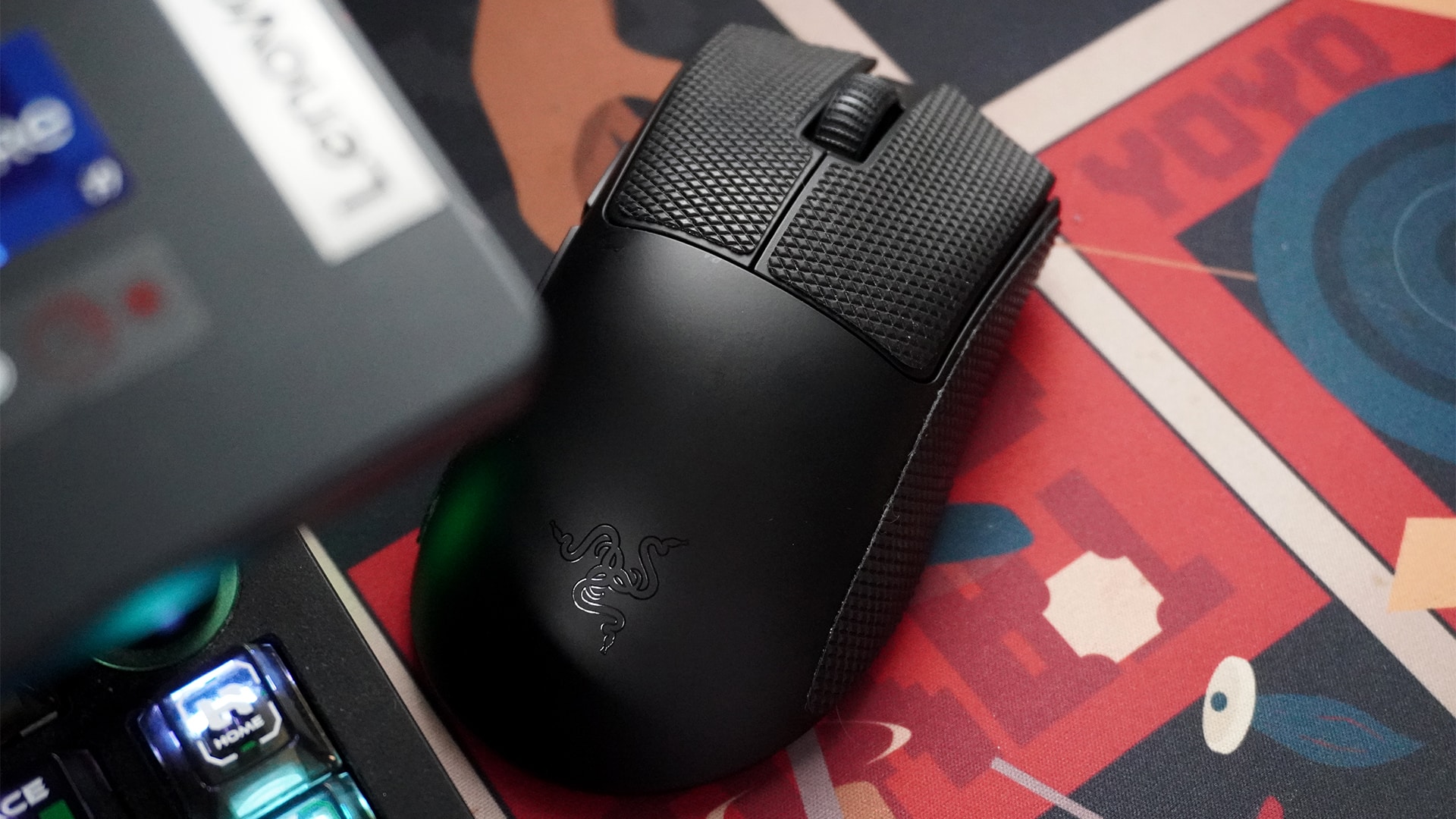
As a competitive mouse, the DeathAdder V4 Pro sheds off any extemporaneous buttons that some gaming mice have.
For input, the mouse has the two traditional left-and-right mouse buttons, a scroll wheel and middle mouse button, and two extra buttons near the thumb. For non-gaming purposes, the two extra buttons can act as the back and next buttons.
Right near the bottom’s optical sensor, you can find a button that doubles for turning the mouse off and changing the sensitivity. I adore this layout. My previous mouse had its DPI button near my grip, leading to a lot of accidental presses. Now, I understand that the layout might favor some types of games, but it just wasn’t it for me. The DeathAdder V4 Pro keeps it out of sight and out of mind.
A remarkably useful app
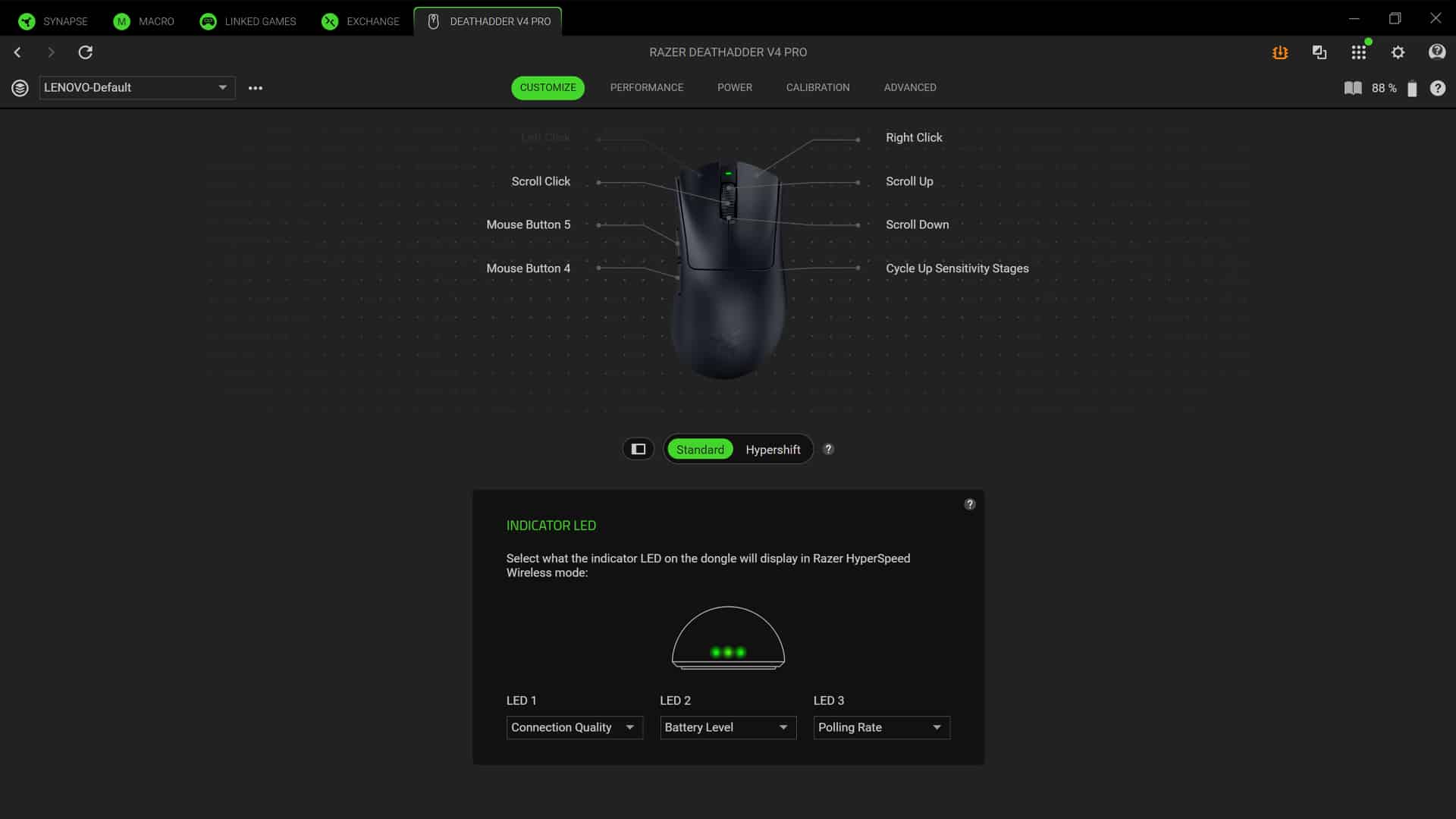
Initially, I bristled at needing another seemingly unnecessary for a new peripheral. However, the Razer Synapse app is surprisingly useful.
It’s remarkably good with fine-tuning. In the traditional DPI settings, you can adjust all the way down to the last digit. It’s all about making the experience as tailored to your tastes as is possible.
Besides the sensitivity, the app also has settings for mouse mat surface calibration for when you lift the mouse off the mat. It also has dynamic sensitivity and rotation calibration to tailor mouse movement based on what angle you hold the mouse with.
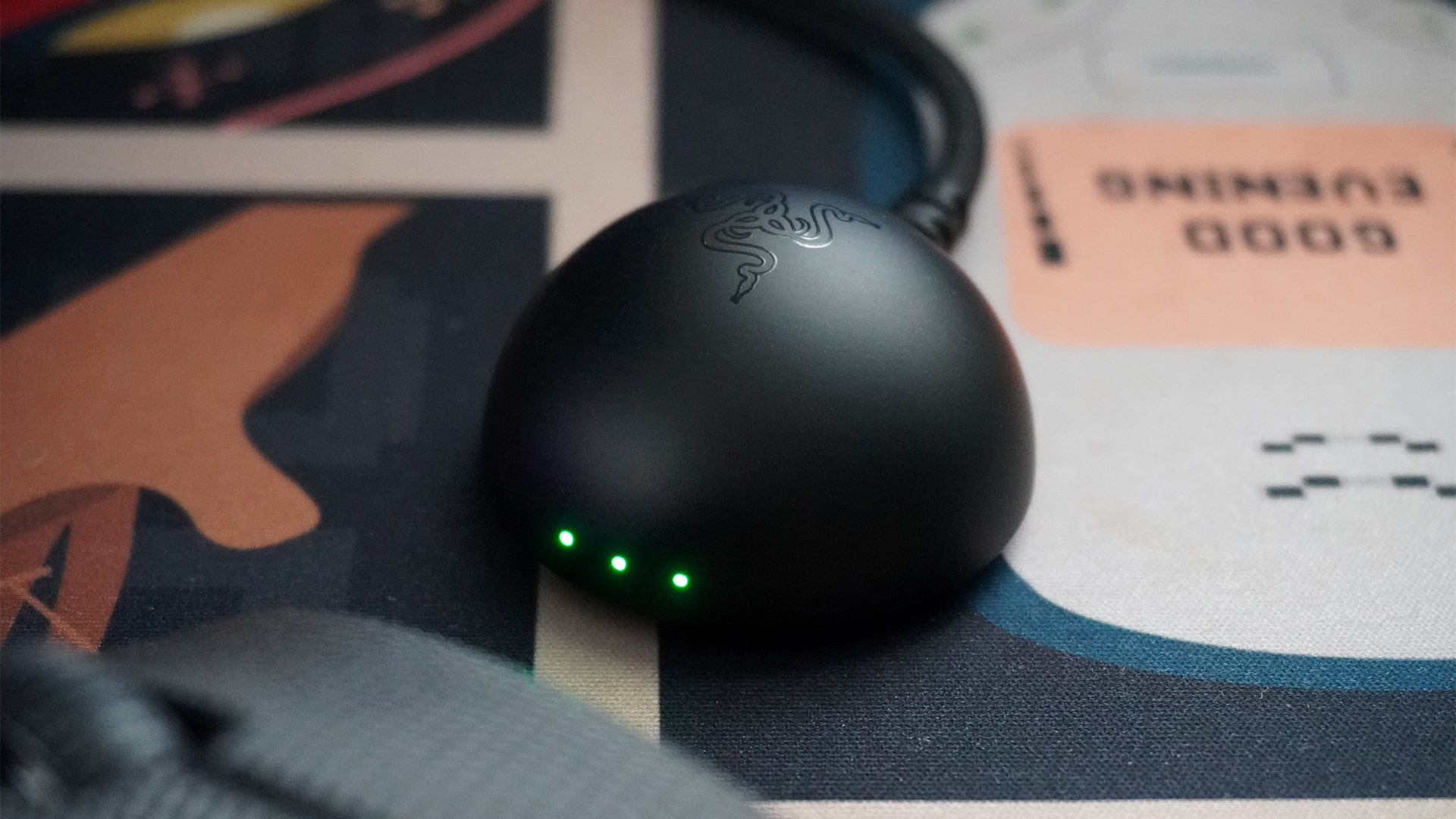
Even the dongle is useful
Traditionally, a mouse dongle is just to ensure that the mouse is well connected to the PC. The DeathAdder V4 Pro’s dongle is more useful. For one, it uses the same USB-A to USB-C wire to charge the mouse, so you don’t need to take off the wire every single time.
Secondly, it has three LED lights for three customizable displays. By default, it shows connection quality, battery level, and polling rate. You can rearrange these three, take out one to add DPI stage, or turn them off altogether. To me, these displays are very useful. They even use multiple colors and shades, so it’s not just red, orange, and green to show the battery, for example.
Most importantly, it’s small enough to keep out of the way. Since the wire is long, you can just hide the entire thing.
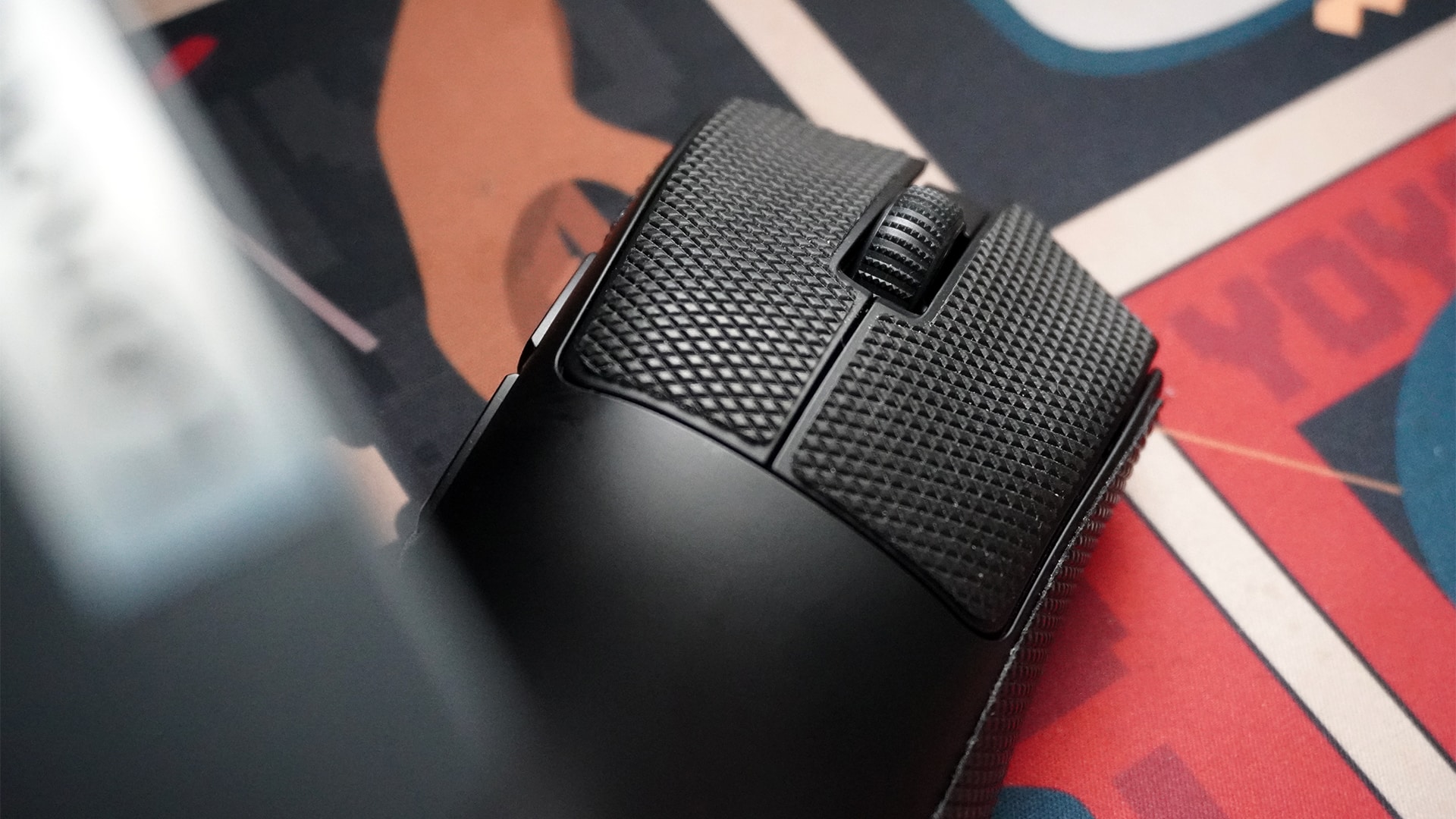
Optional grip tape
This is such a small thing to add, but I love it so much. The box includes grip tape for the left-and-right mouse buttons and both sides.
Besides adding grip, the tape also keeps the main body clean from the dirt on your hands over time.
The best part is that it’s replaceable. Some mice have the rubber built in. So, in those other mice, when your finger inevitably rub them smooth, you’re stuck with a slippery rubber piece until you replace the entire mouse. The replaceable grip tape is such a godsend against this problem.
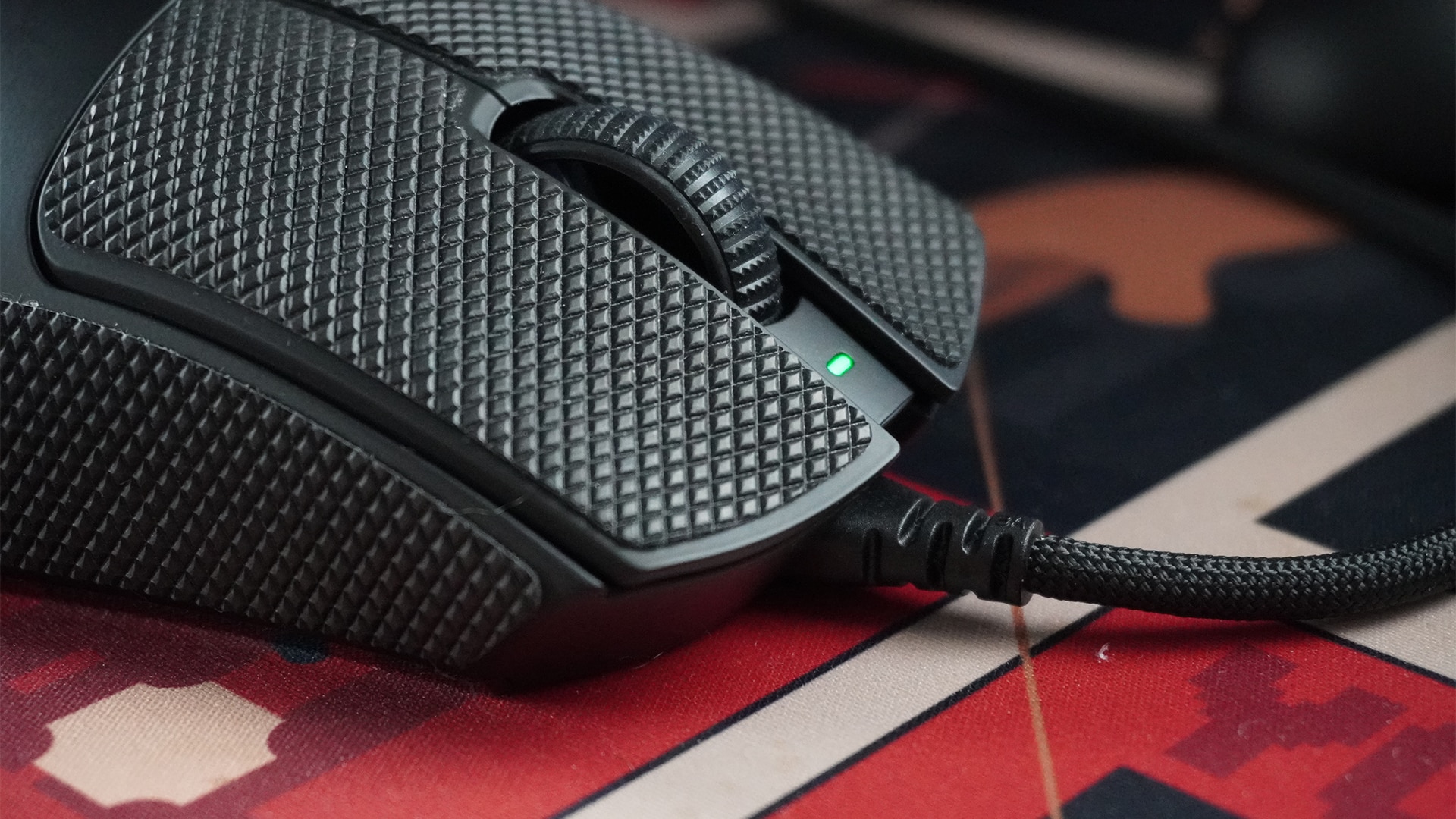
Battery for weeks
The DeathAdder V4 Pro lasts an absurdly long time. It took me two weeks before the dongle showed a color that hovered perilously closer to red. Even then, it still had juice to keep going on. For reference, I usually keep my PC on the entire day for five to six days a week. I also don’t turn the mouse off with the PC because it has a low-power state that preserves battery life.
If you keep the mouse at the default 1,000Hz, Razer promises that a full charge can last 150 hours. If you’re more diligent in turning the mouse off after every use, you can probably squeeze out a bit more, too. Alternatively, the lifespan at the maximum 8,000Hz is reportedly 22 hours, which isn’t too bad if you need the mode for long competitive sessions.
Regardless, it’s not too much of a big deal to charge the mouse. It can still work perfectly when connected to the included cable.
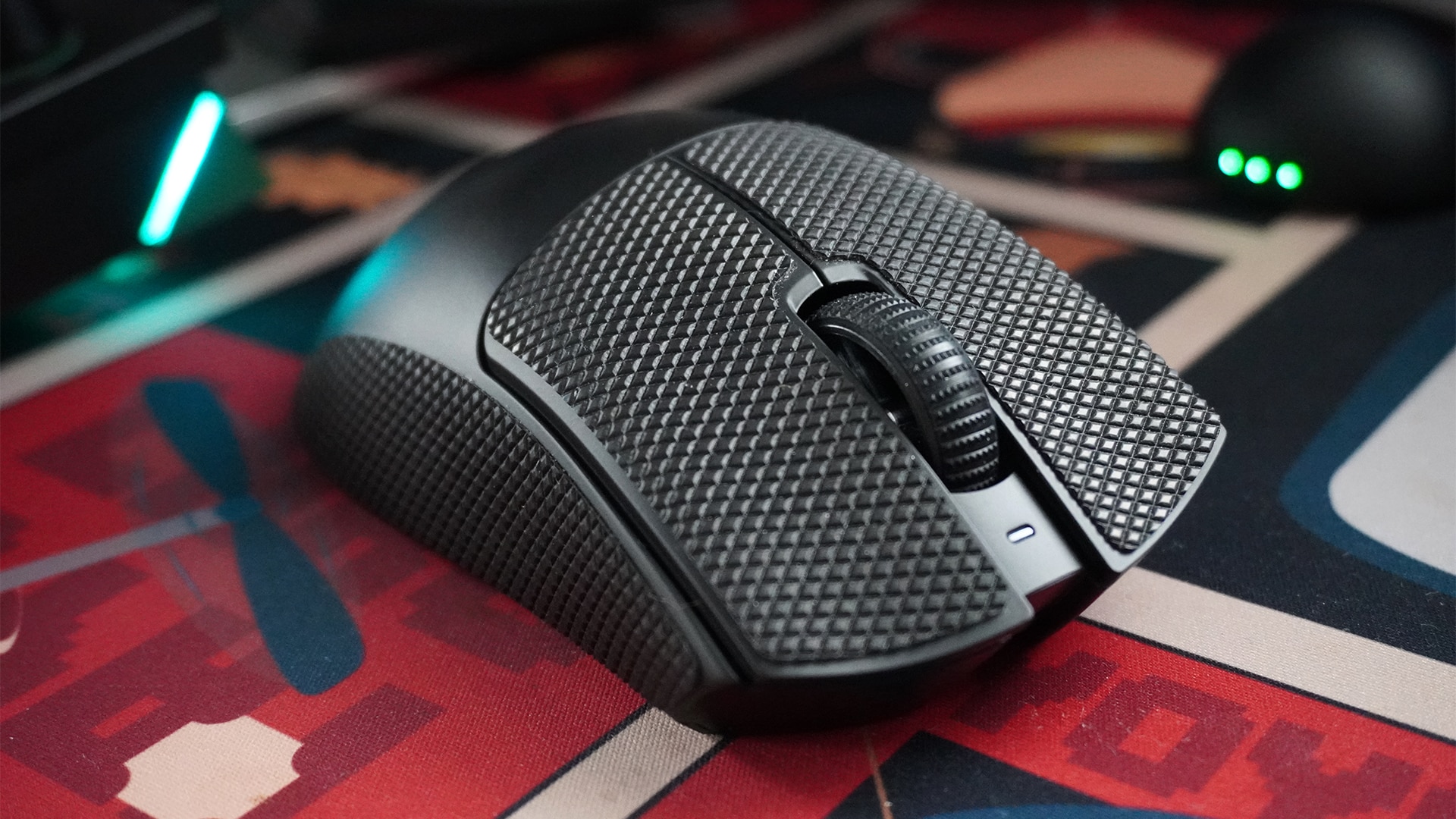
Is the Razer DeathAdder V4 Pro your GadgetMatch?
The Razer DeathAdder V4 Pro made me eat humble pie. After years of snobbery towards ultra-light wireless mice, Razer’s latest peripheral mended my ways and convinced me to drop the weightier mouse.
But that’s just me. If you’re already a fan of wireless mice, the DeathAdder V4 Pro is a no-frills gaming mouse that brilliantly prioritizes function over form. It’s simple, fast, and reliable as a plug-and-play peripheral. But when it needs to be better, it can tailor your entire experience to give you a competitive edge.
The only aspect that might make you think twice is its price. At US$ 169.99, the DeathAdder V4 Pro asks you to pay for a bit more than other alternatives. It’s still within the range of its contemporaries, but the price tag is a heavy ask.
It’s still a Super Swipe for me, though. Price aside, it’s a perfect mouse for all occasions.







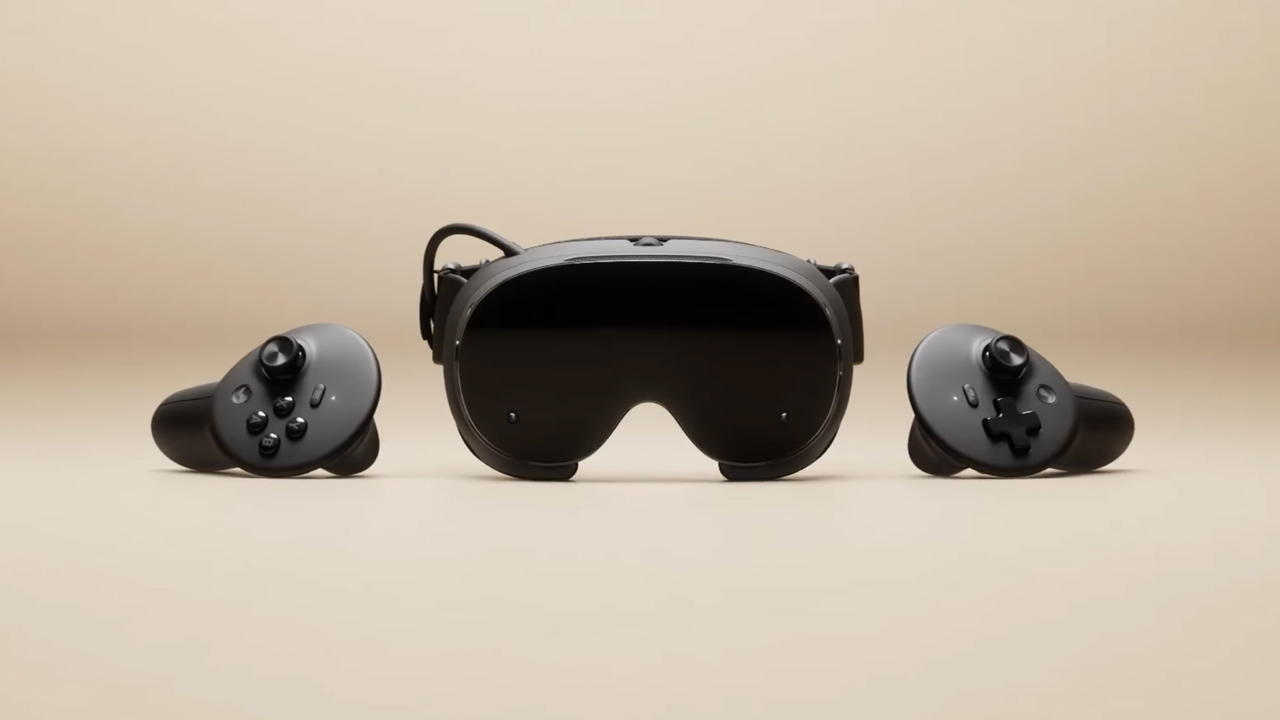
The trifecta is complete. Almost a year after announcing their new hardware, Valve has finally unveiled the price tag of the Steam Frame, complementing the Steam Machine and Steam Controller revealed a few months ago.
Whereas the Steam Machine is a console of its own, the Steam Frame is a traditional VR headset with a pair of controllers for both hands. Unfortunately, despite being in a different segment, the headset is not immune to the rising prices of technology. The Steam Frame will start at US$ 1,059 for a 256GB model and can go up to US$ 1,299 for the 1TB model. On the plus side, each box will come Half-Life: Alyx packaged along with the headset.
Here’s a more detailed rundown of what you’re getting. The Steam Frame will ship with the Snapdragon 8 Gen 3 chipset, paired with 16GB of RAM. Each eye comes with a 2160 x 2160 LCD screen, putting out images at up t0 a 144Hz experimental refresh rate. As mentioned above, the headset will start with 256GB of storage but can go up to 2TB. It will come packaged with SteamOS 3 and a rechargeable 21.6Wh battery.
This might be a hard buy for some. The industry currently has more affordable options, for one. Also, virtual reality isn’t the most thriving segment of gaming today.
If you’re still decided on buying one, however, Valve is using its lottery system. Interested customers can sign up from now until September 17. The company will then randomize the purchasing order. Those who draw the first ones in the lottery can get a purchase email as soon as September 18. Meanwhile, anyone who registers after September 17 will automatically be put at the back of the queue.
SEE ALSO: Valve announces its own console called the Steam Machine
Gaming
BlizzCon 2026 announces World of Warcraft: Forever and Diablo V
StarCraft, Overwatch, Hearthstone, and more also get news


Blizzard Entertainment kicked off BlizzCon 2026 with a packed Opening Ceremony featuring new games, major expansions, updates, and other announcements across its biggest franchises.
Blizzard Entertainment President Johanna Faries opened the event at the Anaheim Convention Center, celebrating the community behind the company’s games and the teams that bring its worlds to life.
World of Warcraft: Forever and Diablo V
The biggest announcement was World of Warcraft: Forever, a new World of Warcraft experience launching November 5 AEDT, with its beta beginning September 18 AEST. The new experience will feature three zones, more than 1,000 quests, nine dungeons, two raids, and a new Skyborne race.
Blizzard also officially announced Diablo V, marking the next era of the franchise. The game is set to launch in North America in Spring 2029, with Sanctuary having fallen and Diablo having won.
StarCraft is also returning with a new story-driven, open-world shooter. The game is currently planned for a Spring 2030 release in North America.
Beyond games, Blizzard revealed that an animated series set in the Diablo universe is in development with Netflix. The company says this is only the beginning of its plans to expand its universes beyond gaming.
For Warcraft III Reforged, the new Forsaken Kingdom campaign is available today. It marks the Warcraft RTS series’ first new storyline in more than 23 years and explores the fall of Lordaeron and the origins of the Undercity. The accompanying 3.0 update also brings graphical improvements and a revamped World Editor.
Heroes of the Storm is adding Xal’atath as its newest Hero. She arrives in the Nexus on September 29 AEST, with her PTR release scheduled for September 15 AEST.
Existing games updates
Meanwhile, Diablo IV is preparing for its next major content drop. Season of Hell’s Legacy begins September 16 AEST and celebrates the franchise’s 30-year history with the return of the Prime Evils and Deckard Cain, alongside themed rewards and gear.
The legendary Amazon class will also arrive in the first half of 2027 as part of Diablo IV’s first class pack. The Diablo IV: Age of Hatred Collection is additionally coming to Nintendo Switch 2 on September 16 AEST with cross-platform play and cross-progression.
For World of Warcraft, Blizzard teased the next major update for Midnight. Eclipse (12.2) will see Xal’atath move closer to her goal of claiming Azeroth’s Worldsoul. Blizzard also offered another look at The Last Titan, the next expansion in the Worldsoul Saga and a major culmination of more than two decades of Warcraft storytelling. More information is coming early next year.
Overwatch is getting a major update with Season 5. The season introduces new Support Hero Doctrine, reworks for Sombra and Roadhog, and the new Watchpoint: Grimsvötn map. It will also conclude The Reign of Talon, Overwatch’s first year-long narrative arc.
LE SSERAFIM & YOASABI
BlizzCon also featured performances from YOASOBI and LE SSERAFIM. YOASOBI will perform during the first-ever esports halftime show at BlizzCon, while LE SSERAFIM will return to the Main Stage to close the weekend. A new LE SSERAFIM in-game collaboration is available now, with another Overwatch Spotlight scheduled for February 2027.
Finally, Hearthstone is getting its first new class in more than six years. The Monk arrives in 2027, while the upcoming Reign of the Black Empire expansion takes players back to the earliest age of Azeroth. It introduces the Assemble keyword, which combines two cards into a new one. Battlegrounds is also adding Aberrations as a new minion type.
BlizzCon 2026 is now underway, with Blizzard promising more announcements and details throughout the weekend.
Gaming
Just Dance: Decades of Hits to launch on October 13
All-new Just Dance experience that brings every generation together

Just Dance: Decades of Hits will launch on modern consoles on October 13, Ubisoft has announced.
This will offer fans of the franchise a new experience across eras of music. The game will be available on PlayStation5 , Xbox Series X|S, and Nintendo Switch on the launch date.
Nintendo Switch 2 users, meanwhile, will be able to enjoy the title by November 10, 2026.
Just Dance: Decades of Hits brings together every generation to one dance floor with 25 iconic songs across six different decades:
- Mamma Mia by ABBA
- Uptown Girl by Billy Joel
- It’s Tricky by Run-DMC
- No Scrubs by TLC
- Wannabe by Spice Girls
- Bye Bye Bye by *NSYNC
- Feel Good Inc. by Gorillaz
- Turn Down for What by DJ Snake and Lil Jon
- Danza Kuduro by Don Omar feat. Lucenzo
- Manchild by Sabrina Carpenter
- NUEVAYoL by Bad Bunny
- And more!

Bringing every generation together
Songs, visuals, and an all-new Adventure Mode are all designed to immerse players in the spirit that made each decade unforgettable.
From the funky ’70s disco floors and the electrifying ’80s rock scene to the glossy 2000s pop and beyond, travel through time and share the joy of rediscovering iconic moments with friends and family.
In Adventure Mode, follow Lyra, Dr. Gigavolt’s daughter, in a playful journey through time to rescue her father.
Explore the decades through six themed worlds, enjoy fun mini activities, and unlock exclusive rewards.

For unpredictable, chaotic fun where the rules change every round, players can jump into Party Mode. Or they can get moving with the Workout Mode, which tracks calories burned with each dance.
Up to six players can dance locally in the game, with no extra accessories needed.
In addition those who own Just Dance: Decades of Hits as well as Just Dance 2023-2026 editions will be able access all their songs in one place on the same console without having to switch games or separate menus.
This also includes songs from purchased Music Packs and songs available through an active Just Dance+ subscription.


DJI Lito X1 review: Is this the best lightweight drone for creators?
Making a strong case as a travel companion and a capable B-cam!


REDMI Note 17 Pro Max review: A new breed born from AI greed
Welcome to the new normal


Marvel’s Wolverine review: When the claws come out
A brutal, cinematic superhero adventure

Epson Lifestudio Grand Plus EH-LS970B with 4K projection, more launches

Jackery Explorer 300D: Power and portability in one

Nike’s Alphafly 4 is built for the part of the marathon ~that actually hurts~

SEGA, Netflix announce Crazy Taxi film adaptation

Smart launches LiveSmart App for exclusive deals

TECNO MEGAPAD 2 review: Eyes on the size

realme 16T 5G with 8000mAh battery, IP69 Pro rating launches in PH

HUAWEI Pura X View is 2026’s first WIDE slab-type smartphone

REDMI reveals the refreshed Note 17 and Note 17 Pro series

REDMI Note 17 Series: Price, availability in Singapore


-
 News2 weeks ago
HUAWEI Pura X View is 2026’s first WIDE slab-type smartphone
-

 News2 weeks ago
The CAMON Slim 5G is TECNO’s latest ultra-slim smartphone
-

 News2 weeks ago
iPhone 18 Pro series: Price, availability in the Philippines
-

 Singapore2 weeks ago
iPhone 18 Pro series: Price, availability in Singapore
-

 News2 weeks ago
iPhone Duo: Price, availability in the Philippines
-
 News2 weeks ago
HUAWEI Mate XT 2 tri-fold launches with Kirin 9050 Pro
-

 News2 weeks ago
vivo introduces refurbished versions of X300 FE, X300 Ultra for less
-

 News2 weeks ago
iPhone Duo: Price, availability in Singapore