

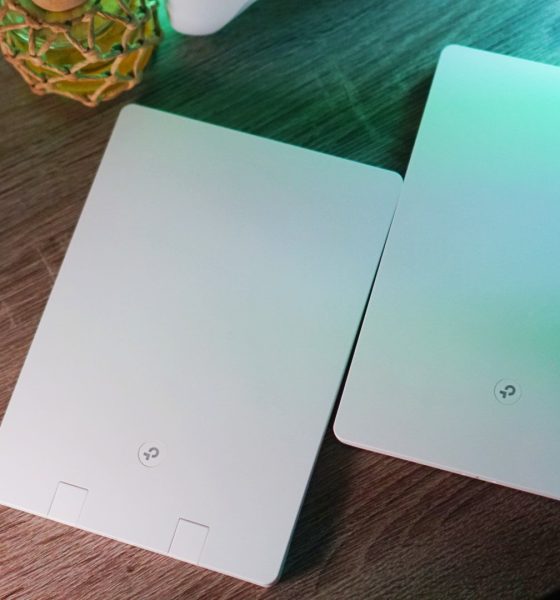

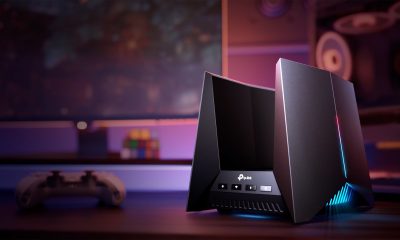
Don’t you just love it when certain tech around your home just blends in, not drawing any unnecessary attention to itself? That appears to be the primary design focus of the TP-Link Archer Air R5 and E5. It’s a Wi-Fi router and range extender combo.
Unboxing
We unboxed the TP-Link Archer Air R5 and E5 (or just R5 and E5). Other than the flat, white units, you’ll see some documentation, cables, power adapter, and adhesives inside the box.
@gadgetmatch Unboxing the TP-Link Archer Air R5 and E5! #router #rangeextender ♬ original sound – GadgetMatch
Understated and simple

Right off the bat, you’ll notice that there isn’t much to the R5 and E5, and that’s by the design. TP-Link specifically made this router and range extender combo to blend into your home. No antennas sticking out, just a couple of slabs that you can wall mount.
Set-up is also just as simple as the devices look. You simply plug the adapter, hook it up to your modem using the included ethernet cable. We were ready to use the router in less than 10 minutes.

One thing to note is that the cords of the power adapters are rather short. Same is true with the included ethernet cable which isn’t as much of an issue as the power adapters. This means you have to be a little creative with where you’ll place these. Depending on the power outlet situation in your home, you might have to buy a few new extension cords to achieve your preferred look.

The E5 was a little more troublesome to set-up at first. But this was because we plugged it a few paces away from the R5. To avoid the hiccups we went through, make sure you set the E5 up right next to the R5. After the set-up, you can move the E5 to maximize its range-extending capabilities. From there, it’s all about just following the prompts on the Tether app.
Tether app
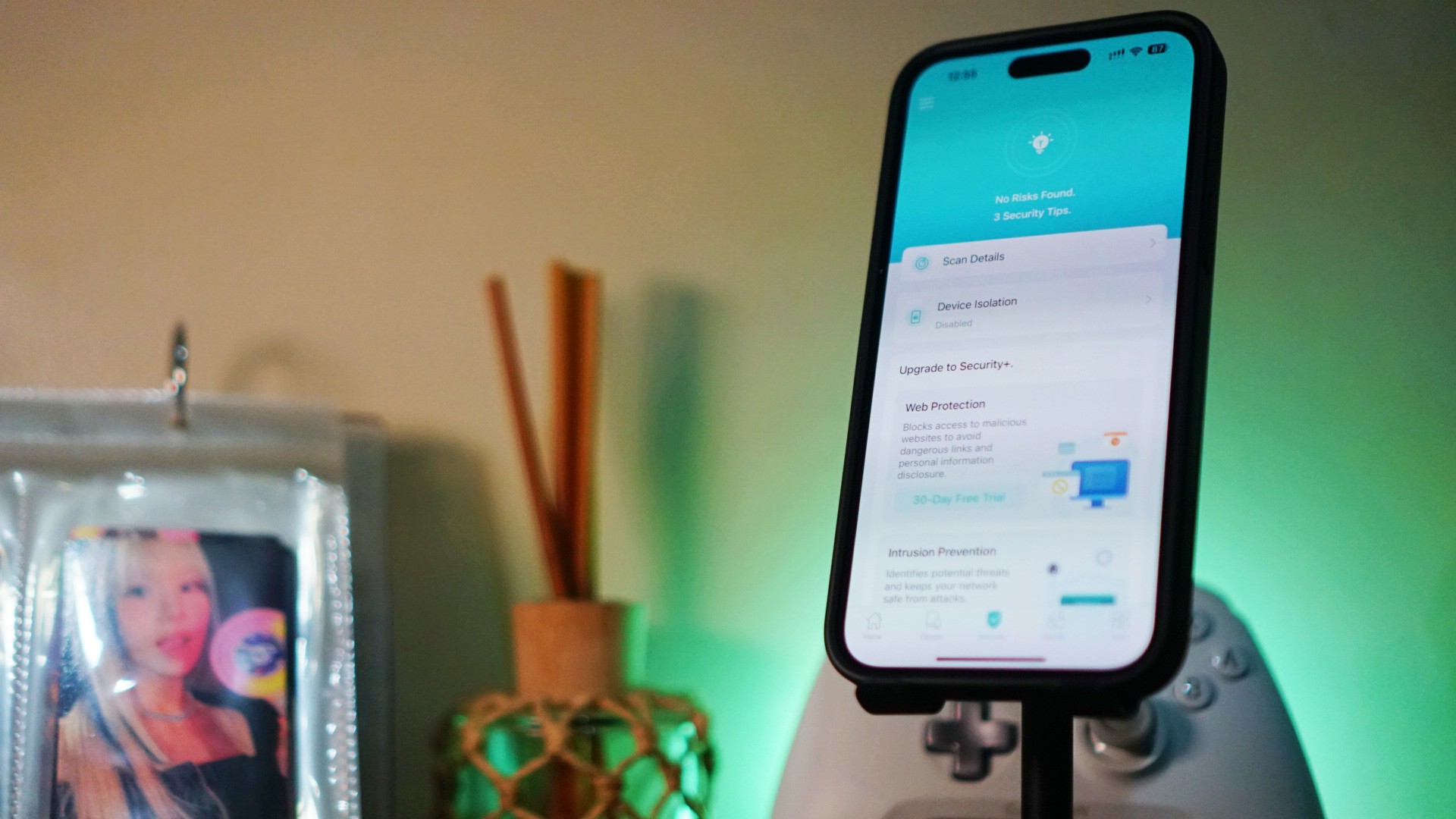
Yes, this router-range extender combo comes with an app. The Tether app is TP-Link’s own and is compatible with their devices. The app makes the set-up as breezy as possible. If you have any trouble setting things up, just simply follow the prompts and instructions on the app and you should be good to go.
You can consider the app as your main hub for making the most of your R5 and E5. Here, you can make sure that the devices’ firmware are updated. You can also monitor all the gadgets connected to them.
A neat feature is that you can create profiles in the app. Each profile assigns a role for traditional family members. This is a great tool for parents who want to limit the time and content that their children can access.
Performance

The R5 and E5 are WiFi 6 capable. It’s tech that’s been around for about half a decade now but there’s still plenty who are missing out on its capabilities. For instance, most modems issued by local Internet Service Providers (ISPs) are still a generation behind.
With WiF 6 capable routers, you’re bound to experience a boost in speeds. Take us for instance, the service plan we’re subscribed to is supposed to max out at around 250 mbps. And multiple speed tests, when connected only directly to the modem, returned results that hover around 210 mbps for download speeds and 201 mbps upload speeds.
After connecting to the R5, the speeds we were getting literally doubled. Tested multiple times in multiple days since setting up the router, we would average 413 mbps download speeds and 419 mbps upload speeds. We’re particularly happy about the upload speeds given that we do have to upload videos a lot these days.

We didn’t particularly need the E5 since we live in a tiny apartment. But the extended range came in handy when we wanted to step outside and get some fresh air from the common area balcony. It’s a few paces away from our unit and was previously completely out of reach by our Wi-Fi. That isn’t the case anymore with the E5.
The R5 and E5 have the OneMesh feature. What it does is seamlessly move the connection of your smartphone or laptop to the nearest Wi-Fi connection. This means uninterrupted browsing as you move around.
Additional services
The R5 is also compatible with the use of VPN or Virtual Private Networks. This helps shield your IP address and provides a generally more secure way to browse the Internet. Another benefit of VPN use is you can switch the location of your IP and gain access to streaming app content you otherwise would not have access to.
For its part, TP-Link offers security services on the Tether app. We didn’t see the need to subscribe but it’s there as an option if you feel you need to add extra layers of protection.
Is the TP-Link R5 and E5 your GadgetMatch?
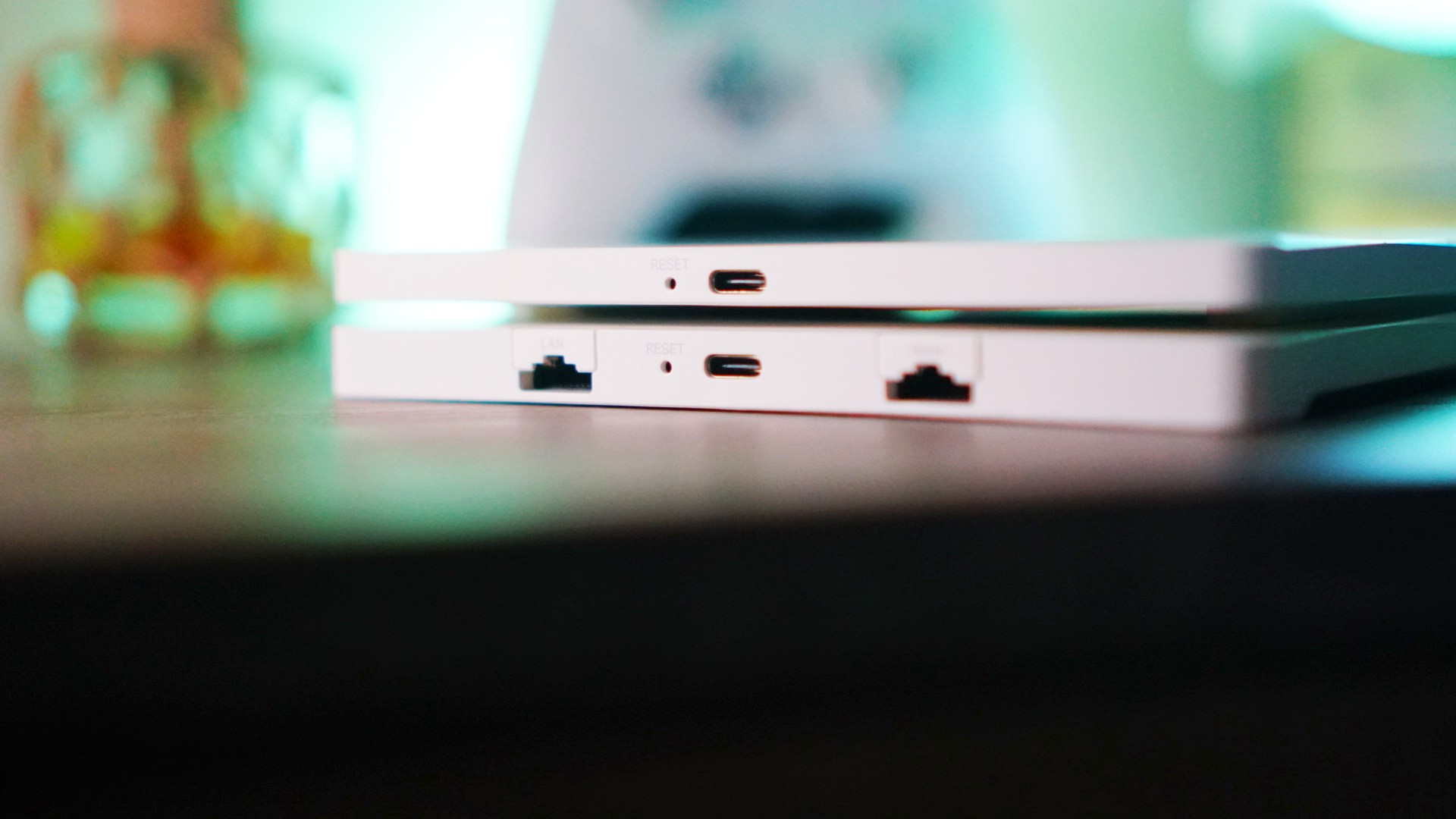
Truthfully, the TP-Link Archer Air R5 and E5 is easy to recommend. This Wi-Fi router and range extender combo is perfect for people who like their devices to be understated and simple. The size of this pair also means they’re easy to fit even in tiny living spaces.
The R5 and E5 perform as advertised with TP-Link offering additional security options for your peace of mind. This is a perfect addition for any household looking to improve their Internet Connection without having to upgrade their ISP plan.
The TP-Link R5 retails for PhP 6,590 while the TP-Link E5 retails for 5,590.




Accessories
Peak Design’s new City Line combines minimalism and color
Less padding, more personality


Known for its camera-friendly bags with generous padding to protect photography gear, Peak Design is taking a different approach with the City Line.
The new collection prioritizes lightweight construction and everyday functionality, stripping away unnecessary bulk while still delivering the thoughtful organization the brand is known for.
The new collection includes the City Backpack in 15L and 22L sizes, the 15L City Tote, the City Crescent in 6L and 12L options, and the compact 2L City Sling. While each bag serves a different purpose, they all share the same minimalist aesthetics and intuitive organization.
To achieve that lighter design is Peak Design’s new weather-resistant MonoShell material, along with a seam-reduced construction that cuts down on unnecessary bulk.

It also comes with Peak Design’s built-in BagLev hook, allowing you to hang your bag from a table instead of placing it on the floor.
Beyond the neutral and muted finishes we’ve seen in the past, Peak Design is also introducing brighter options that add more personality to the collection.
The vibrant Lapis blue, in particular, stands out as a fun alternative for anyone looking to move beyond the usual black everyday bag.
The City Line is now available through Peak Design and authorized retailers worldwide.

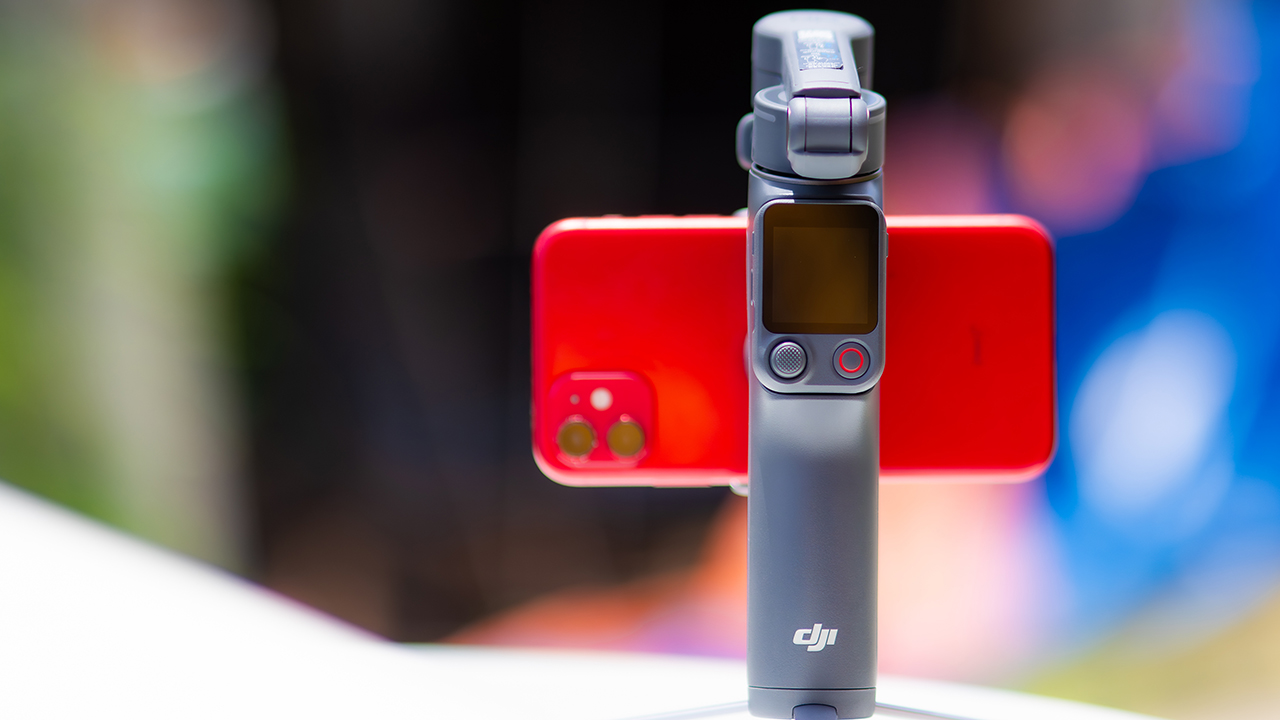
DJI’s smartphone gimbals have always chased one goal: delivering cinema-smooth footage without forcing you to carry a heavy rig.
The Osmo Mobile 8P (OM 8P) makes its priorities clear right out of the box. This is not a simple refresh. DJI rebuilt how you control the gimbal, and that decision shapes the entire shooting experience.
Freedom behind the lens
The biggest change is the FrameTap remote, and it’s the kind of upgrade that fixes a problem you didn’t realize was slowing you down until it’s gone.
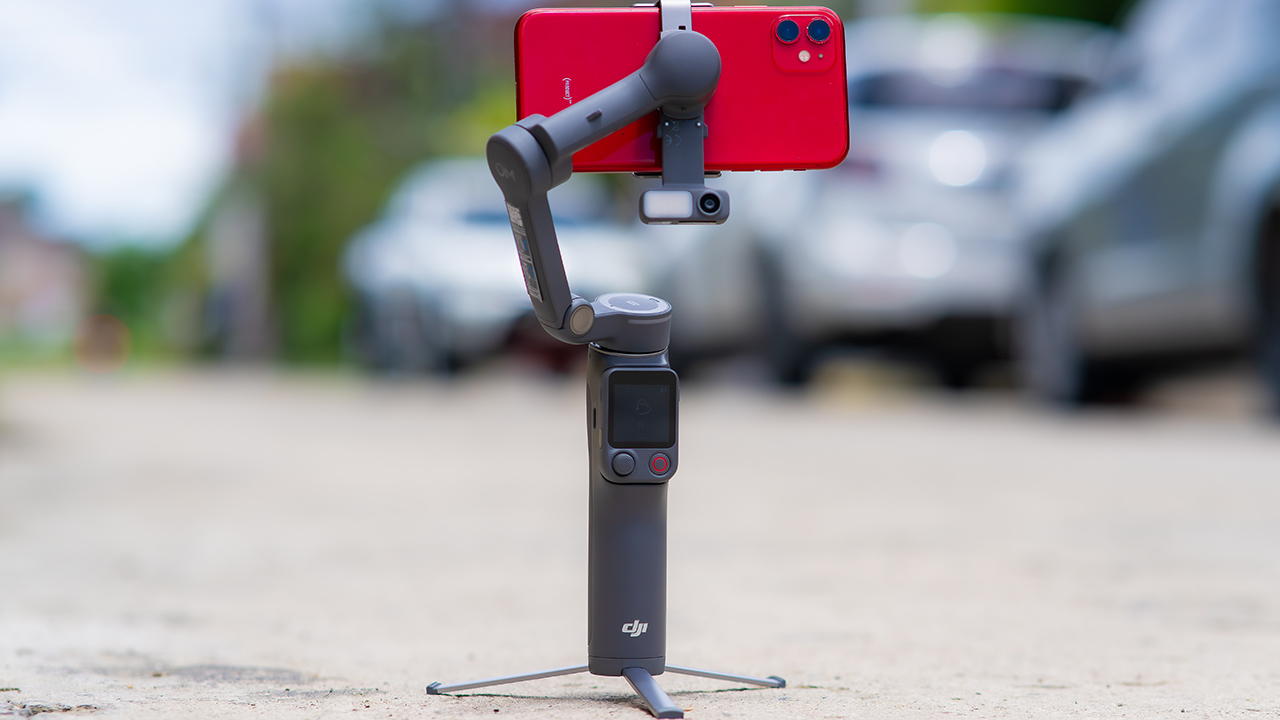
On the standard OM 8, adjusting your framing meant reaching for your phone every time, which broke the flow of shooting and pulled you out of the moment.
FrameTap puts that control back in your hand. You can reframe shots and manage the gimbal without touching your phone at all, and for anyone shooting solo, that alone changes how usable the whole setup feels. Tracking has taken a real step forward too.
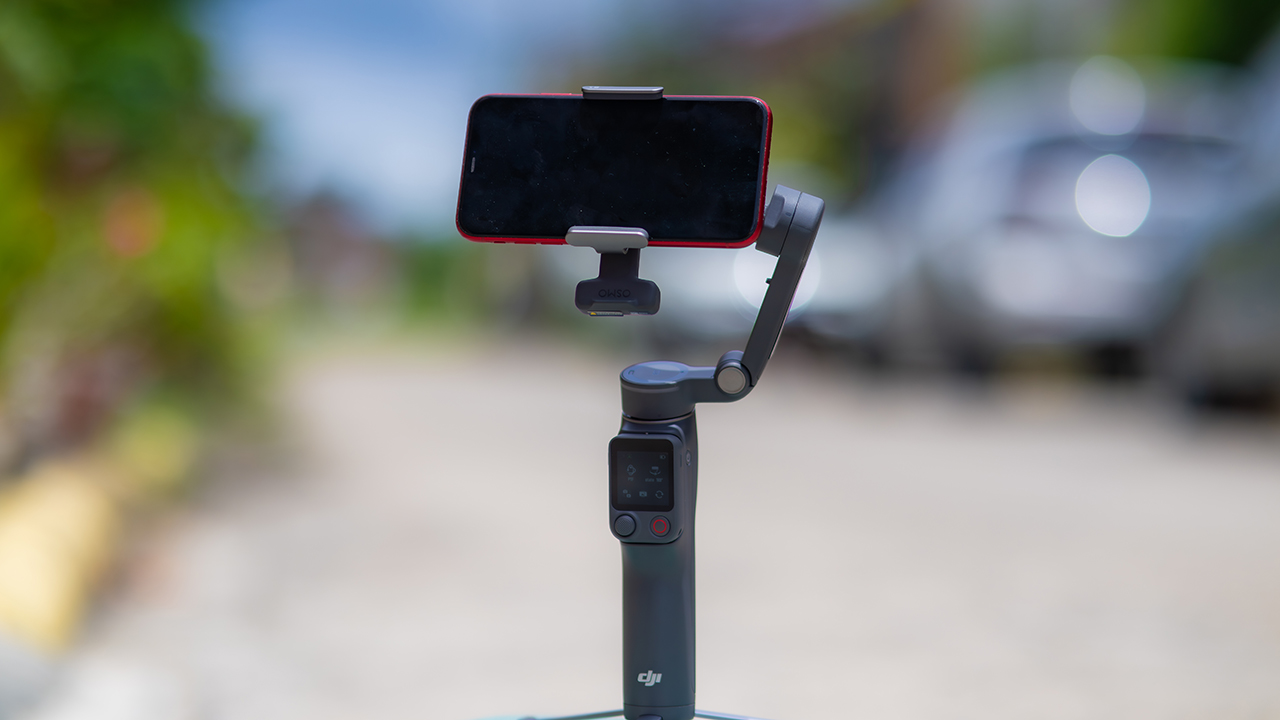
ActiveTrack 8.0, paired with Module 2, held onto its subject even after they stepped out of frame for a moment, then picked them back up without much fuss.
It also lets you sit off-center in the shot instead of forcing you into the middle every time, which gives you more room to compose something that doesn’t look like every other gimbal video.
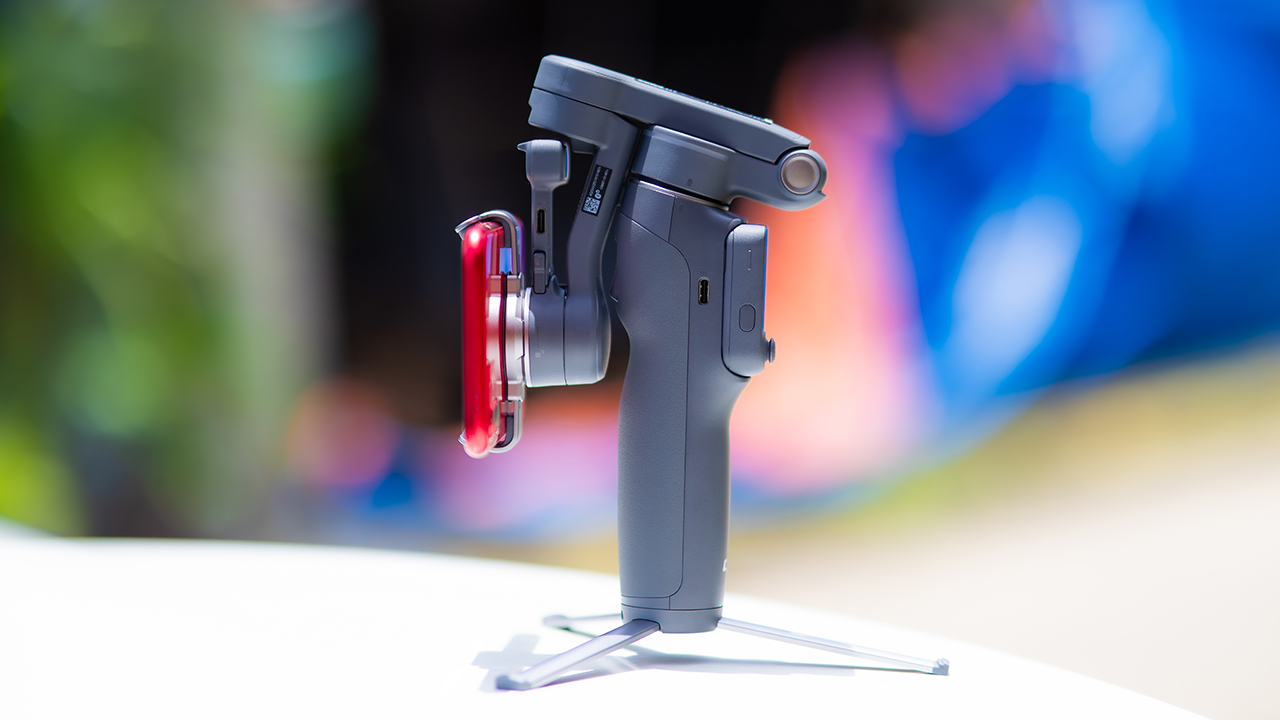
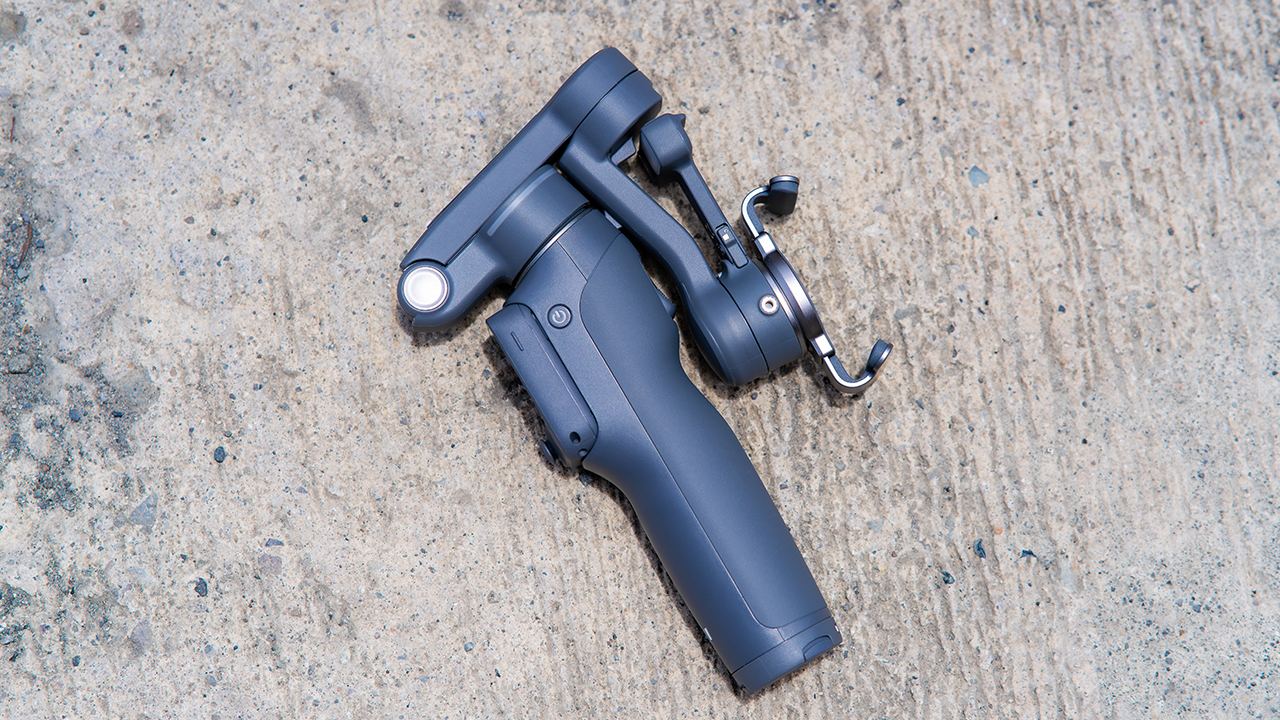
None of that would matter much if the gimbal itself wasn’t solid, and it still is. The OM 8P holds onto the same foldable design, magnetic phone clamp, and built-in tripod that made the OM 8 easy to live with.
And it remains one of the better compact options for stabilization, tracking, and portability in one package.
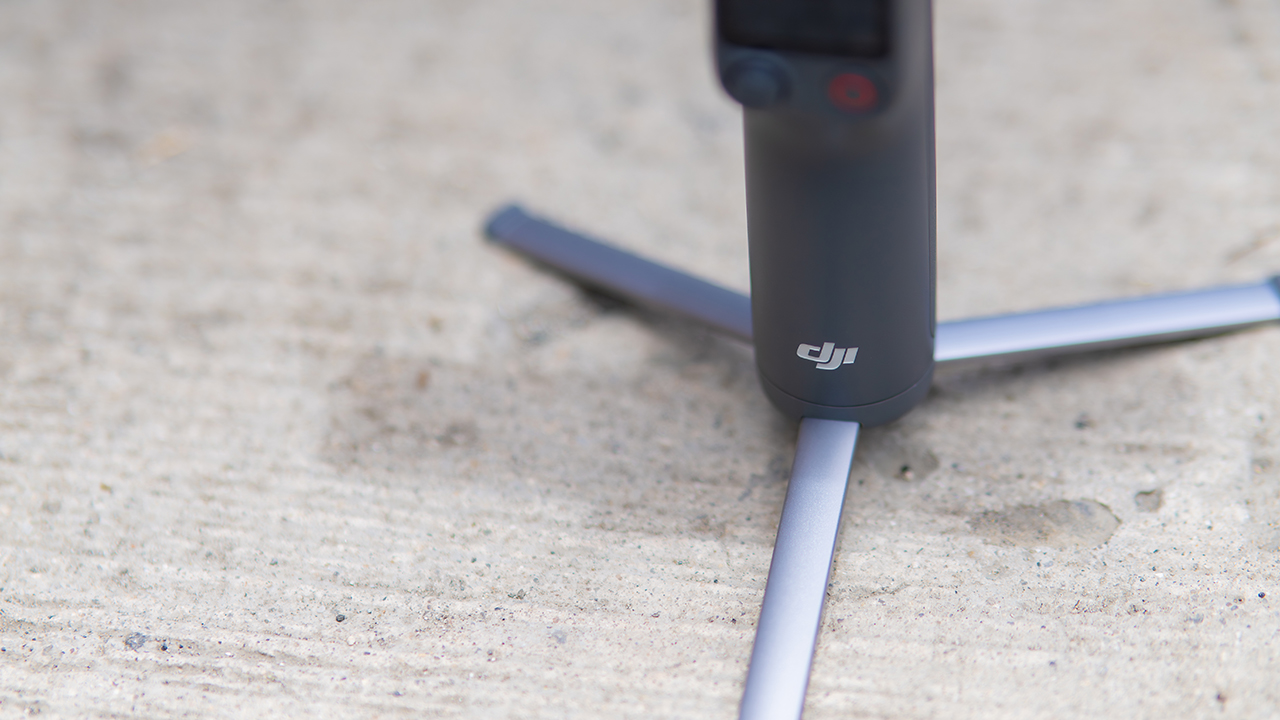
The tripod legs are a touch wider this time, and that extra width does make a noticeable difference on uneven ground.
The trade-offs in touch
The trade-off for all that new remote functionality is a control scheme that takes more getting used to. More of the gimbal’s functions now live on the FrameTap touchscreen, the joystick is smaller, and switching between shooting modes takes a few extra taps compared to the OM 8. It’s not a dealbreaker, but it’s a learning curve you’ll need to budget time for.
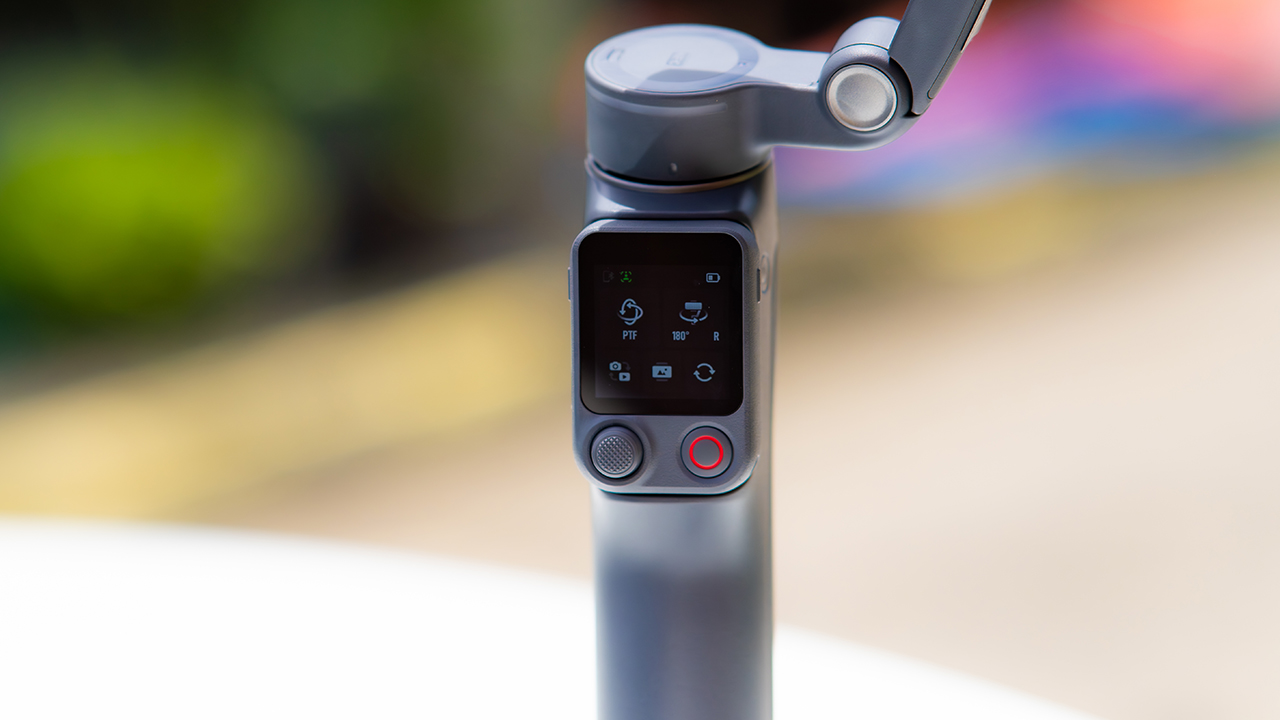
DJI also removed the zoom and focus wheel, so if you leaned on that dial for quick adjustments, you’ll feel its absence here. Module 2 no longer lets you plug a DJI wireless mic in directly either.
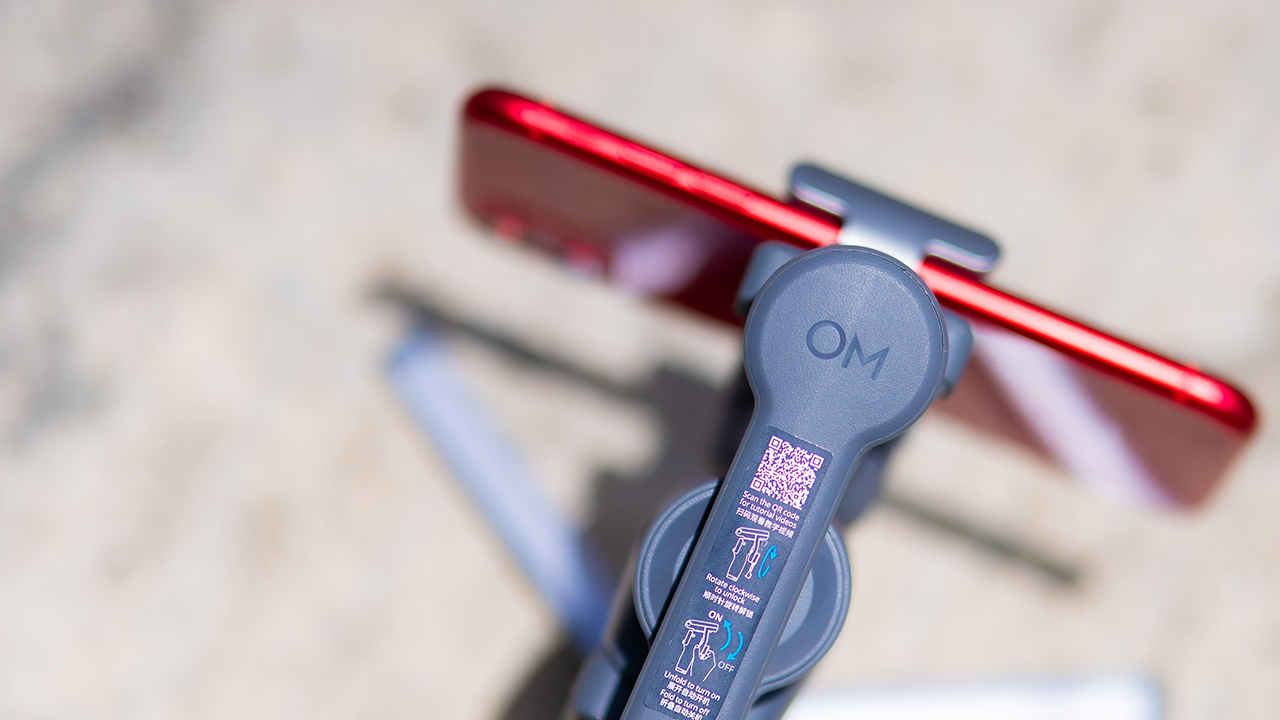
You’ll need to connect it to your phone instead, which adds a step to a setup that used to be simpler. Phone compatibility is still a limiting factor as well. DJI lists support for phones up to around 300g and 11mm thick, so bigger phones or ones in chunky cases may not clamp in properly.
Finding your ideal workflow
The OM 8P makes the most sense for solo creators who want dependable tracking and the freedom of remote framing without stepping up to a dedicated camera like the DJI Osmo Pocket.
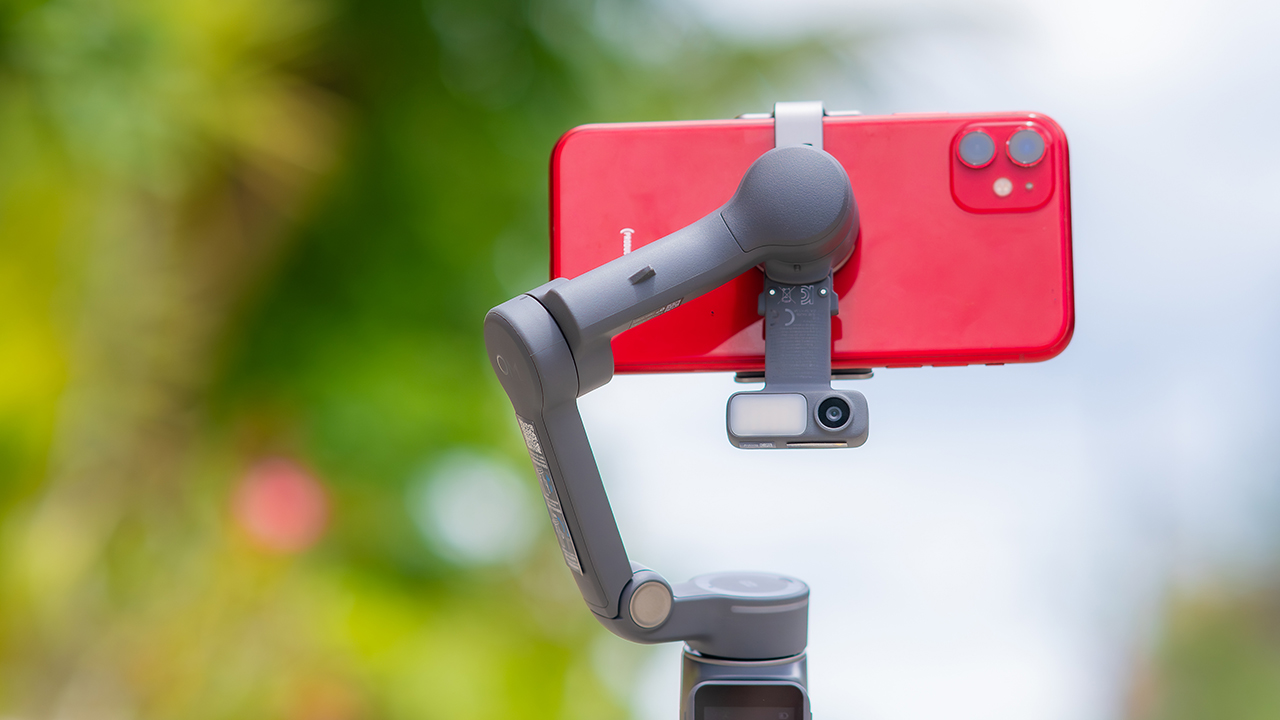
If you’re already shooting on a phone with a solid camera, this fills the gap nicely. It’s a tougher sell if you prefer physical buttons over touchscreen menus, or if your phone runs on the larger and heavier side, since fitting it onto the clamp might be a problem before you even get to shooting.
Price, availability
DJI is offering the OM 8P in three combos, so how much you pay depends on how much of the ecosystem you actually need.
- Standard Combo (PhP 7,499): the gimbal itself, with 8th-gen stabilization and the detachable FrameTap remote included.
- Advanced Tracking Combo (PhP 9,199): adds the Multifunctional Module 2 for the improved subject tracking we tested.
- Creator Combo (PhP 11,099): the full kit, built for creators who want everything DJI bundles in from the start.
Is the DJI Osmo Mobile 8P your GadgetMatch?
The DJI Osmo Mobile 8P asks you to relearn a few habits in exchange for a gimbal that finally lets go of your phone. If hands-free framing and steadier tracking matter more to you than a dedicated zoom dial, this is worth the adjustment.
If you’d rather keep things exactly as they were on the OM 8, that learning curve might be the deciding factor.
Swipe right if you shoot alone often and have been waiting for a gimbal remote that actually works. The FrameTap remote alone justifies the upgrade if reaching for your phone mid-shot has been slowing you down.
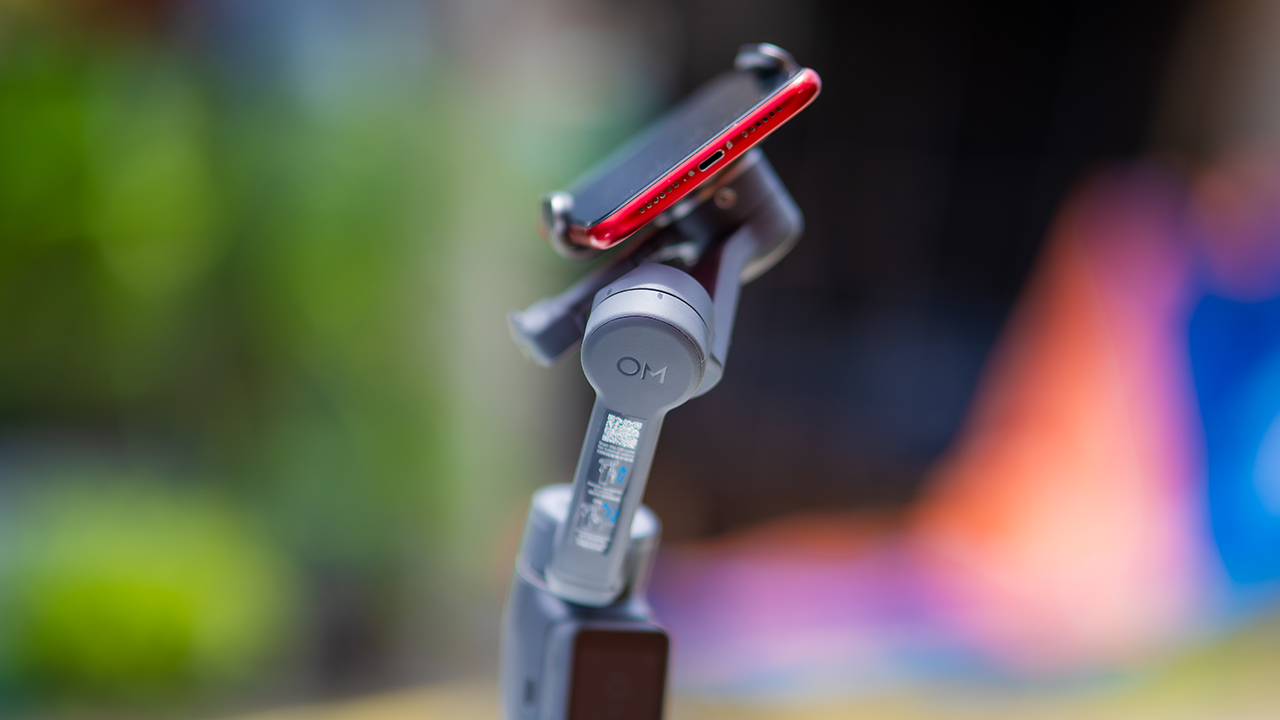
Consider this if reliable tracking matters to you, especially if you’ve had a subject wander out of frame and stay lost on older gimbals.
And of course, get this if you already own a capable phone under the weight and thickness limits, and you’d rather invest in a smartphone rig than jump to a dedicated camera like the Osmo Pocket.
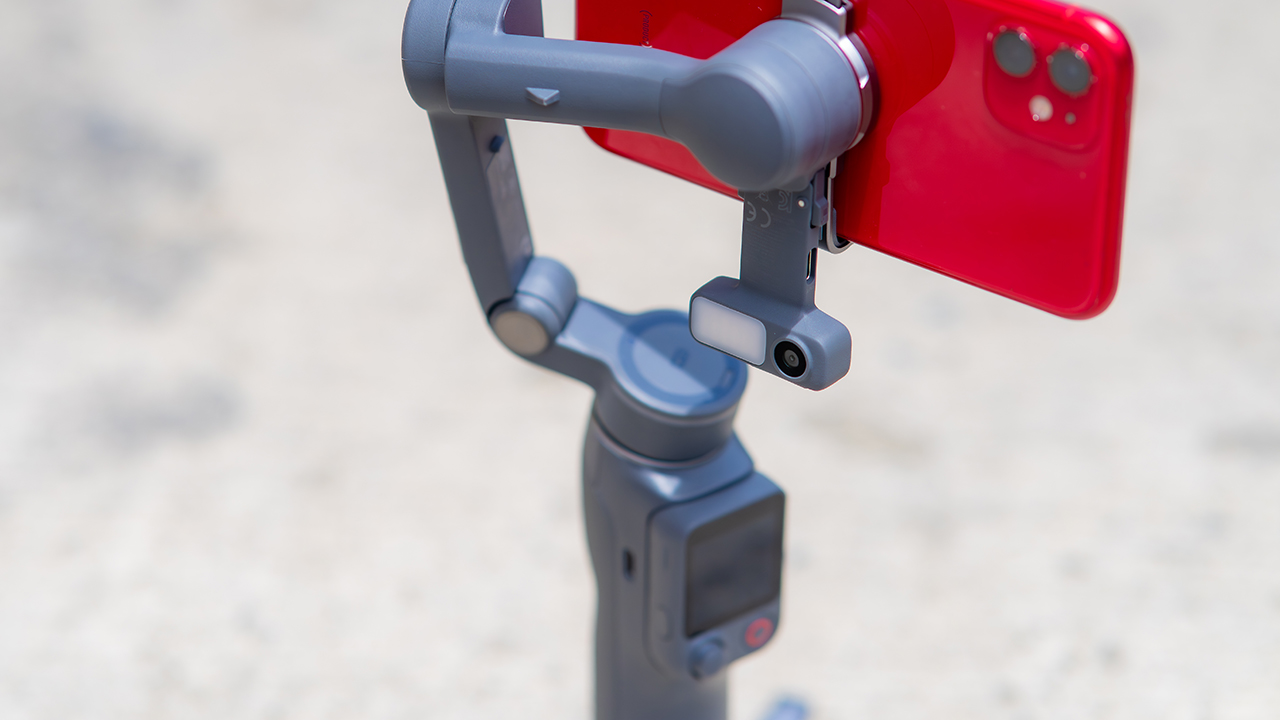
Swipe left if you lean on physical dials for zoom and focus, and moving those functions to a touchscreen sounds like a downgrade rather than an upgrade.
This is not for you if you use a DJI wireless mic and want it plugged directly into the module without routing through your phone first. Or, your phone runs heavier or bulkier than DJI’s limits allow, since no amount of enthusiasm fixes a clamp that won’t close.


Last year, the Sony WH-1000XM6 quickly became our favorite pair of noise-cancelling headphones. The audio quality pairs remarkably well with its ANC capabilities. Now, a year into the accessory’s life cycle, new colors are still coming out. Today, the acclaimed WH-1000XM6 is getting an Olive Gray variant.
A few months ago, Sony expanded the WH-1000XM6’s colorway options with a Sandstone version, launching alongside the Sony 1000X THE COLLEXION. At the time, the new color added a splash of life to an already blossoming lineup.
Now, much like the rest of the lineup, the new Olive Gray version is a subdued mashup between olive green and gray. Though it stands out on its own, the color is still cool enough to mix well with the contours of the user’s head.
Other than that, the new version is still identical to the inner workings of the original device. The Sony WH-1000XM6 comes with a new HD Noise Canceling Processor QN3, providing 12 microphones for effective noise cancellation. In terms of audio quality, the headphones support High-Resolution Audio and High-Resolution Audio Wireless, thanks to LDAC support.
Also, the accessory sits comfortable on the head with a high rigidity carbon fiber composite material dome, cushioned well with synthetic leather.
As always, the Olive Gray version, launching today, will sell for US$ 459.99.
In Singapore, the Sony WH-1000XM6 in Olive Gray is available starting today through Sony Stores, the Sony Store Online, and authorized dealers for S$649, matching the pricing of the existing color options.
SEE ALSO: Sony WH-1000XM6: Master of sound quality and noise cancellation


realme C100: Enduring and durable in spite of entry-level realities
Enough power but needs more agility


The ASUS ExpertBook Ultra wins you over
The laptop sneaks up on you


Nexal Watch Sport review: A rugged watch for small budgets
I couldn't believe that watches this good could come for this cheap.

Peak Design’s new City Line combines minimalism and color

Gangstar Mirage City launches on August 20 with SEA localization

OnePlus officially leaves the United States and Canada

How to set up Apple Pay on your iPhone

Mastercard brings Apple Pay to customers in the Philippines

New York becomes first state to ban smart glasses

Sony launches IER-M500 in-ear monitors

Microsoft dictates that a new Fallout game is coming

HoYo FEST 2026 details announced; tickets on sale from July 16
realme C100: Enduring and durable in spite of entry-level realities


-

 Hands-On2 weeks ago
Hands-on: Samsung Galaxy Z Fold8, Flip8, Ultra
-

 Gaming2 weeks ago
NBA 2K27 cover athletes unveiled: Wemby, Clark, DRose
-

 Cameras2 weeks ago
Sony announces new FX5 full-frame camera
-

 Accessories2 weeks ago
CASETiFY revives Spider-Man collection for Brand New Day
-

 Gaming2 weeks ago
FINAL FANTASY X | X-2 HD Remaster launches on Nintendo Switch 2
-

 Automotive2 days ago
VinFast debuts two-wheeler models, opens 21 e-motorcycle showrooms
-

 Computers2 weeks ago
AORUS MASTER 16 Gen 2 2026 AI gaming laptop launches
-
 Computers6 days ago
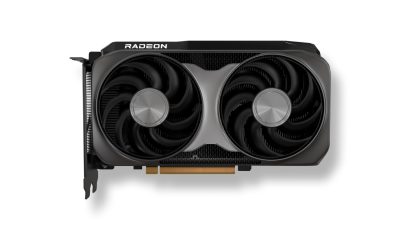
AMD launches Radeon RX 9050 graphics card