


Accessories
Why the SteelSeries Alias Pro is a steal
Perfect for streamers, voice actors and podcasters

I have to say, I am completely new to XLR microphones. I dabbled in podcasting, directed voice overs, and streamed games to friends… all while using USB microphones. Aside from the price range, USB microphones are easier to set-up. Plus, they are more portable.
One of my multi-hyphenated friends, who loves streaming on Twitch and recording voice overs for content, introduced me to XLR microphones. I was at his place one time for a content shoot when I used his gaming set-up.
I played Genshin Impact on his PC and streamed it for fun while catching up with some of my friends on Discord. My friends quickly noticed my improved audio compared to the usual.
I also tried doing audio samples for some of my projects using my friend’s microphone, and I loved the sound quality. He lured me into purchasing one, and he explained the benefits of investing in a high-end XLR microphone with the words: “when you experience it, there is no turning back.”
To be quite honest, I was unbelievably convinced to make the switch.
For a time, I was checking out XLR microphones in tech stores to check the perfect fit for me. I’ve seen some mics with such complicated set-ups, and I am not a fan of those. I just need a quality one.
Thankfully, I met the guys from SteelSeries at last year’s Electronic Sports and Gaming Summit, and they offered me their latest audio rig — the Alias Pro.
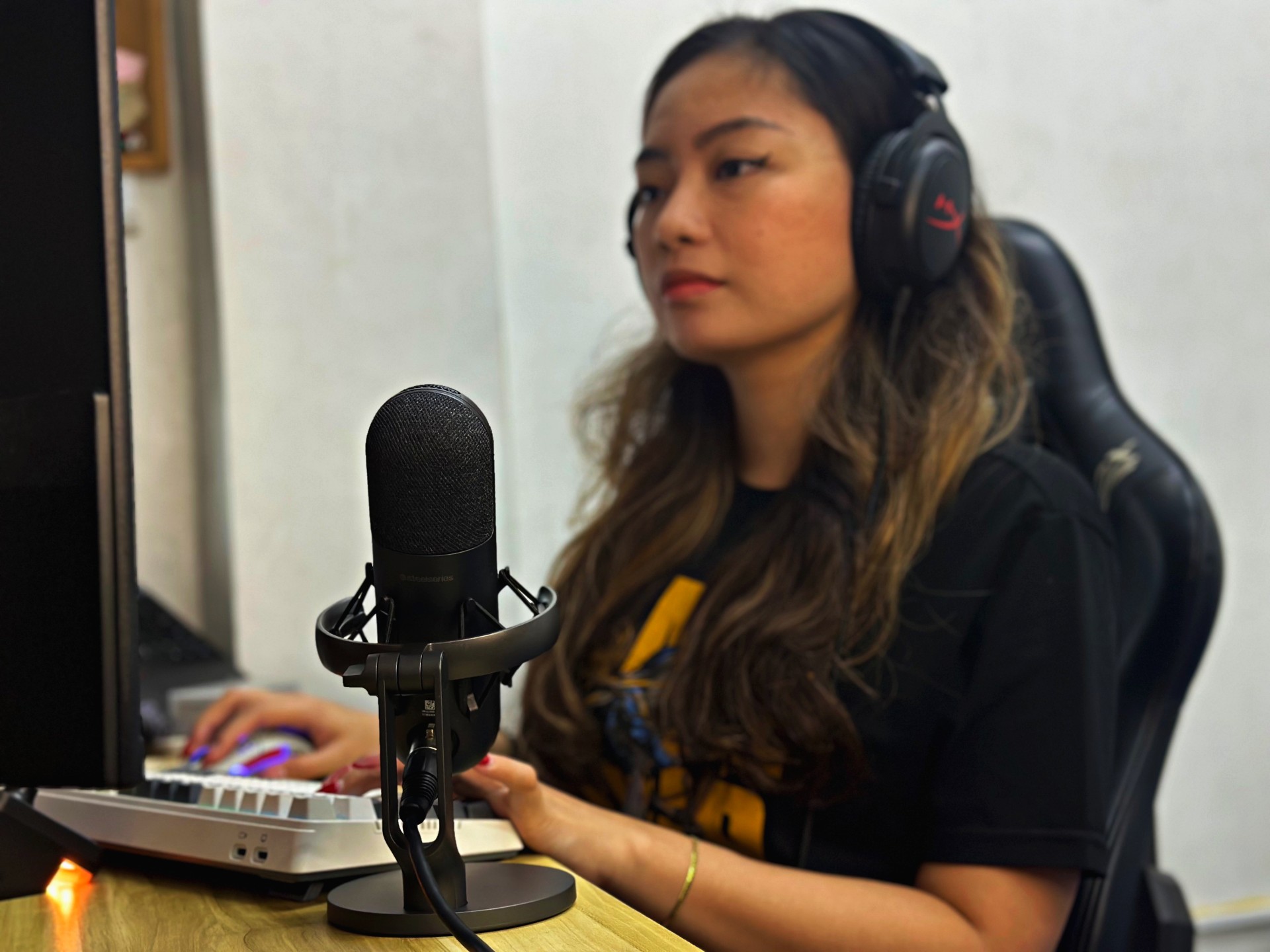
SteelSeries has a reputation in the gaming community so I was ecstatic to have my first-ever device from the brand. Most of my friends own Steelseries headsets and they’re pretty satisfied.
Their product prices are quite reasonable, although I think the Steelseries Alias Pro is really on the hefty side.
Classy and high quality design
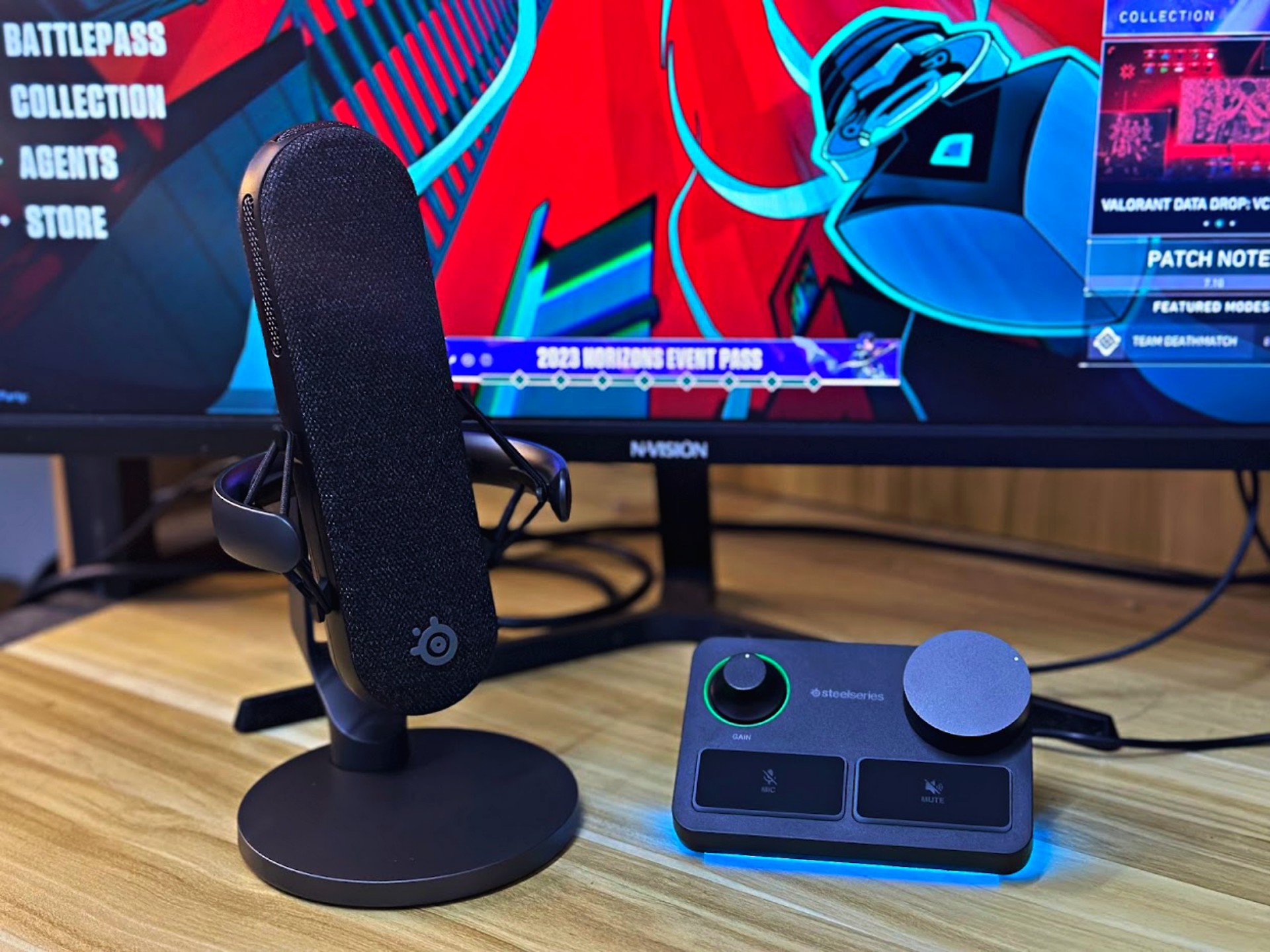
The thing about the Steelseries Alias Pro is that it’s not just any XLR microphone. Upon opening the big orange box, I immediately saw the two main components: the mixer and, of course, the mic with stand. It looks uncomplicated compared to the others I’ve seen, so it’s a plus for me as someone who lacks patience with setting-up my devices.
While unboxing the whole thing, it’s noticeable that the Steelseries Alias Pro is made of high quality material. The microphone itself looks premium and elegant with its black matte body which would neatly blend in a black PC set-up. I know a lot of friends who would dig this aesthetic.

However, I am a fan of mics with RGB lights, so this one looks quite boring to my liking. The mixer has RGB lights, though, so that may be a compromise.
Seamless set-up
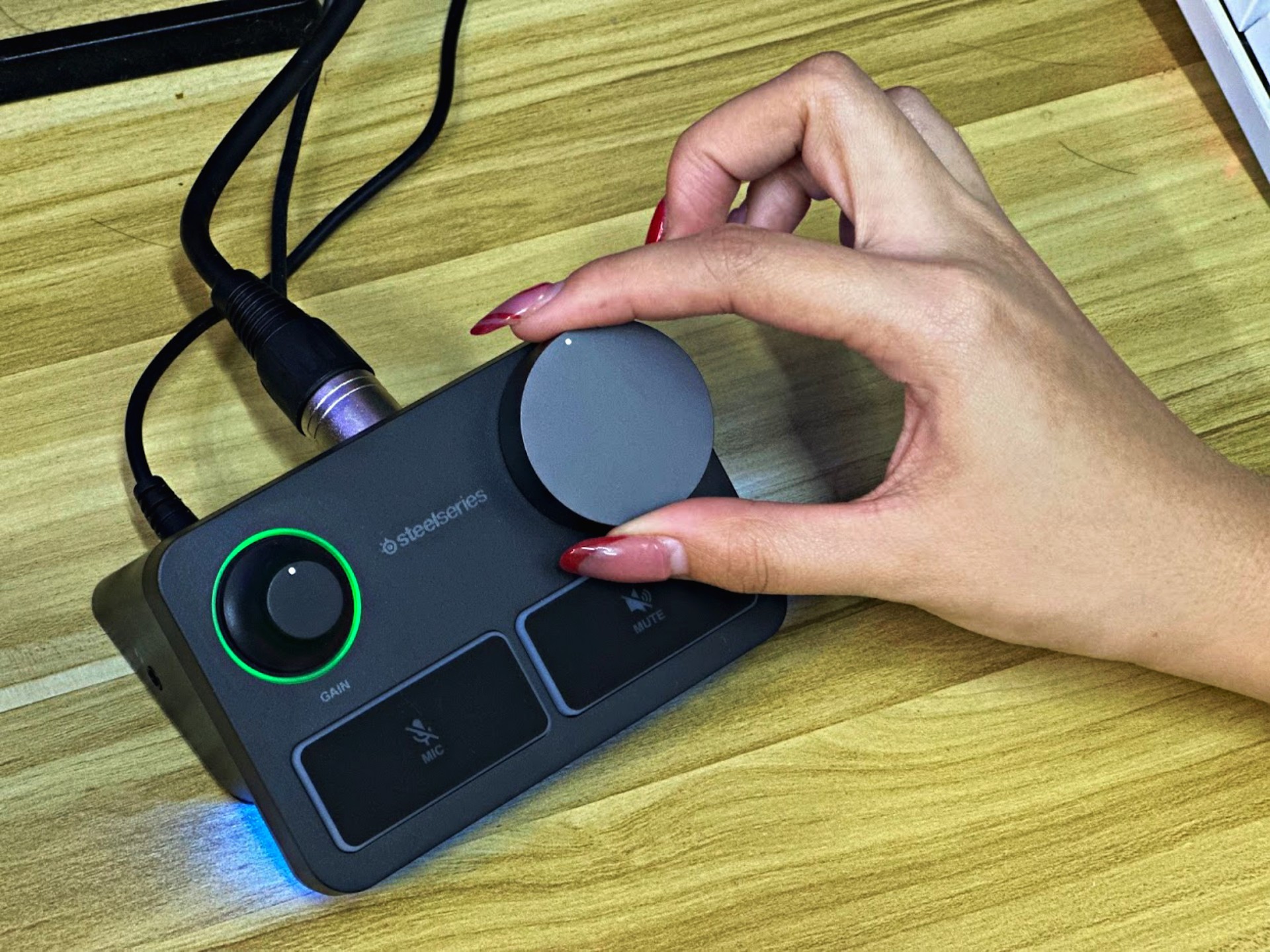
Since I am used to USB microphones, it took a while for me to figure out the set-up.
Thankfully, the instructions aren’t hard to follow and Steelseries has lots of resources –from the manual to online video guides.
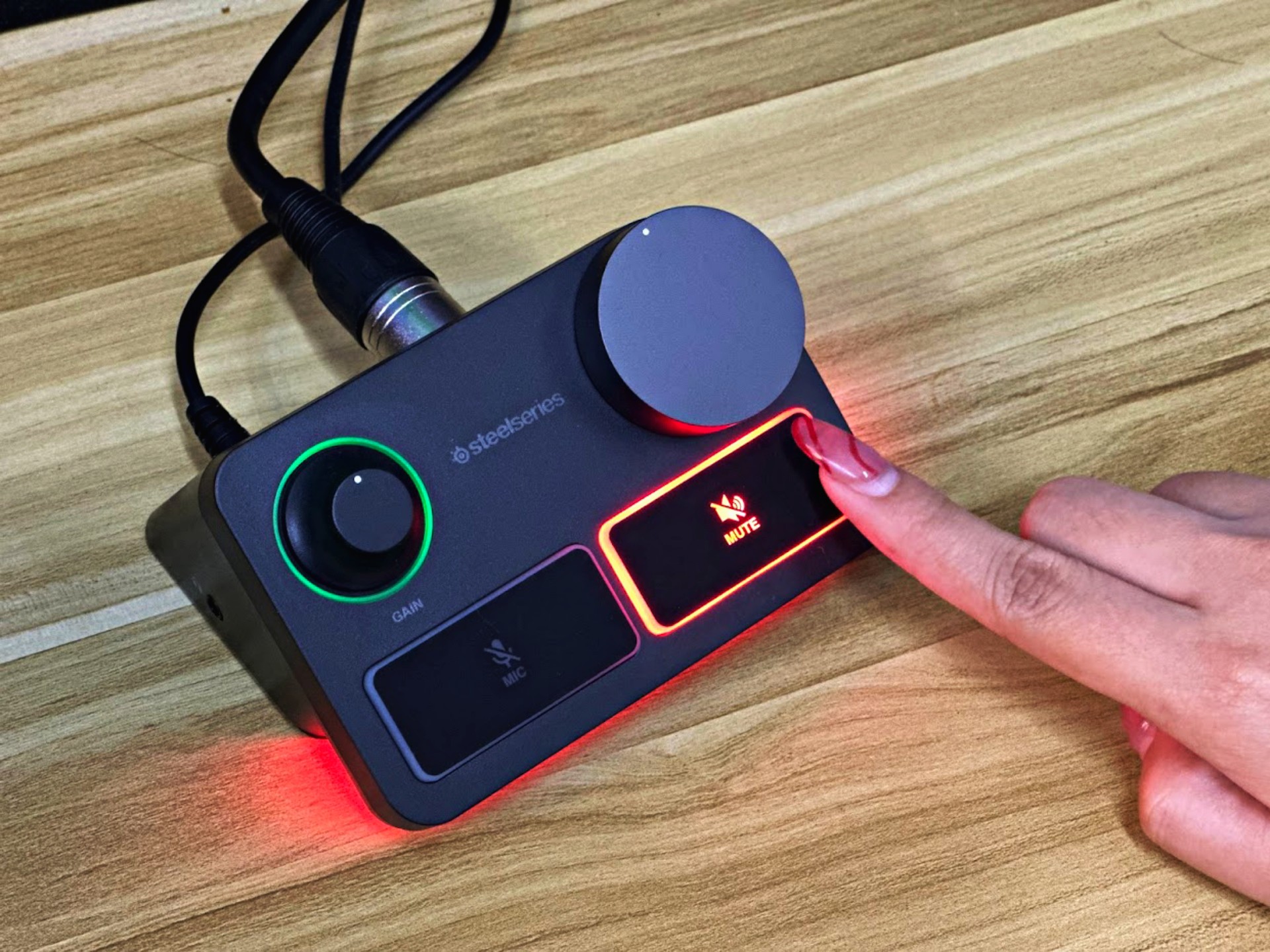
The mixer has no fuss and just easy to use. There’s a gain knob on the left which gives a green light signal when the pick-up audio is good, then it changes from to red when the pick-up is bad.
On the right is the volume knob. I liked that it has a bigger size than the gain knob because when I’m in-game, I know which is which even if my eyes are glued to the screen.
Below the knobs are two buttons: one for muting and unmuting the mic, and the other is for the speakers.
For the ports, the Steelseries Alias Pro has two USB-C ports at the back of the mixer for connecting to up to two PCs (helpful for those with a two PC set-up).
The main con with having XLR microphones – and probably the reason why most people hesitate to switch – is the complicated set-up. But honestly, the Steelseries Alias Pro is easy to install.
A streamer’s dream
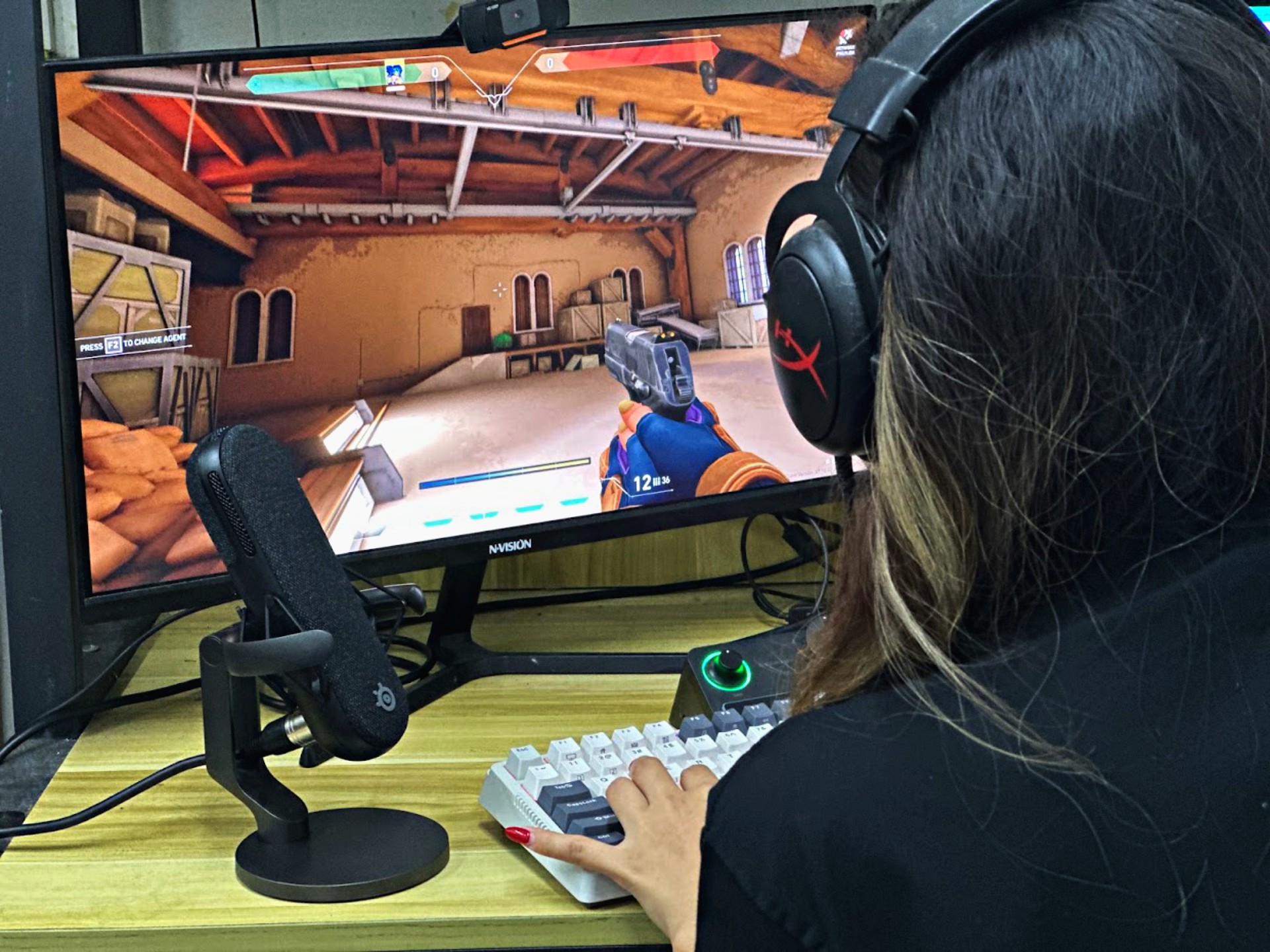
After a few weeks of using this device, I really feel that it’s a good steal for hardcore streamers and gamers.
The audio output is very crisp and clear, and the bass sounds are good. I am biased to devices that puts emphasis on bass sounds.
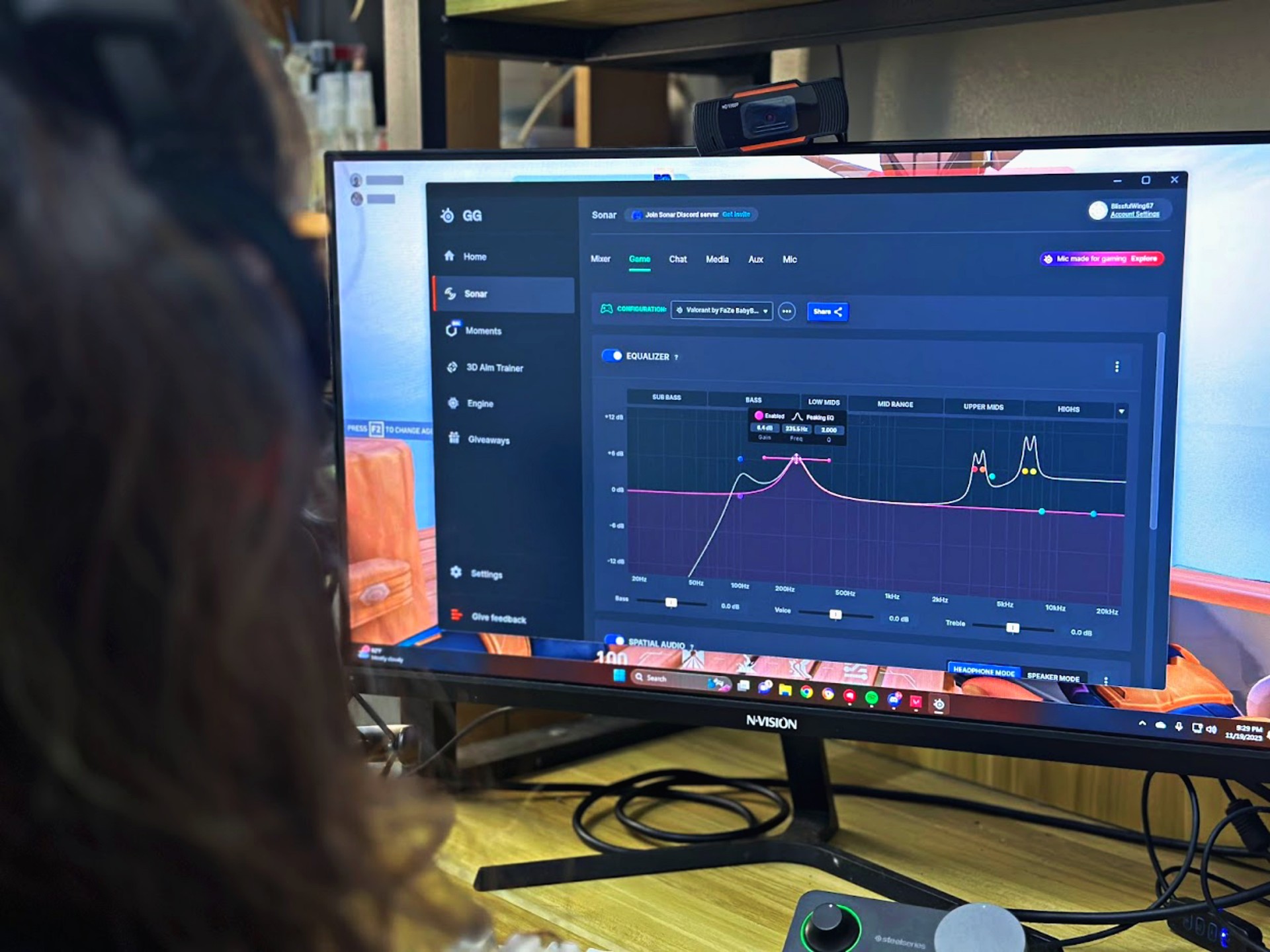
The Steelseries Alias Pro comes with Sonar, a free software which allows users to easily customize their audio experience with presets for the most popular games today.
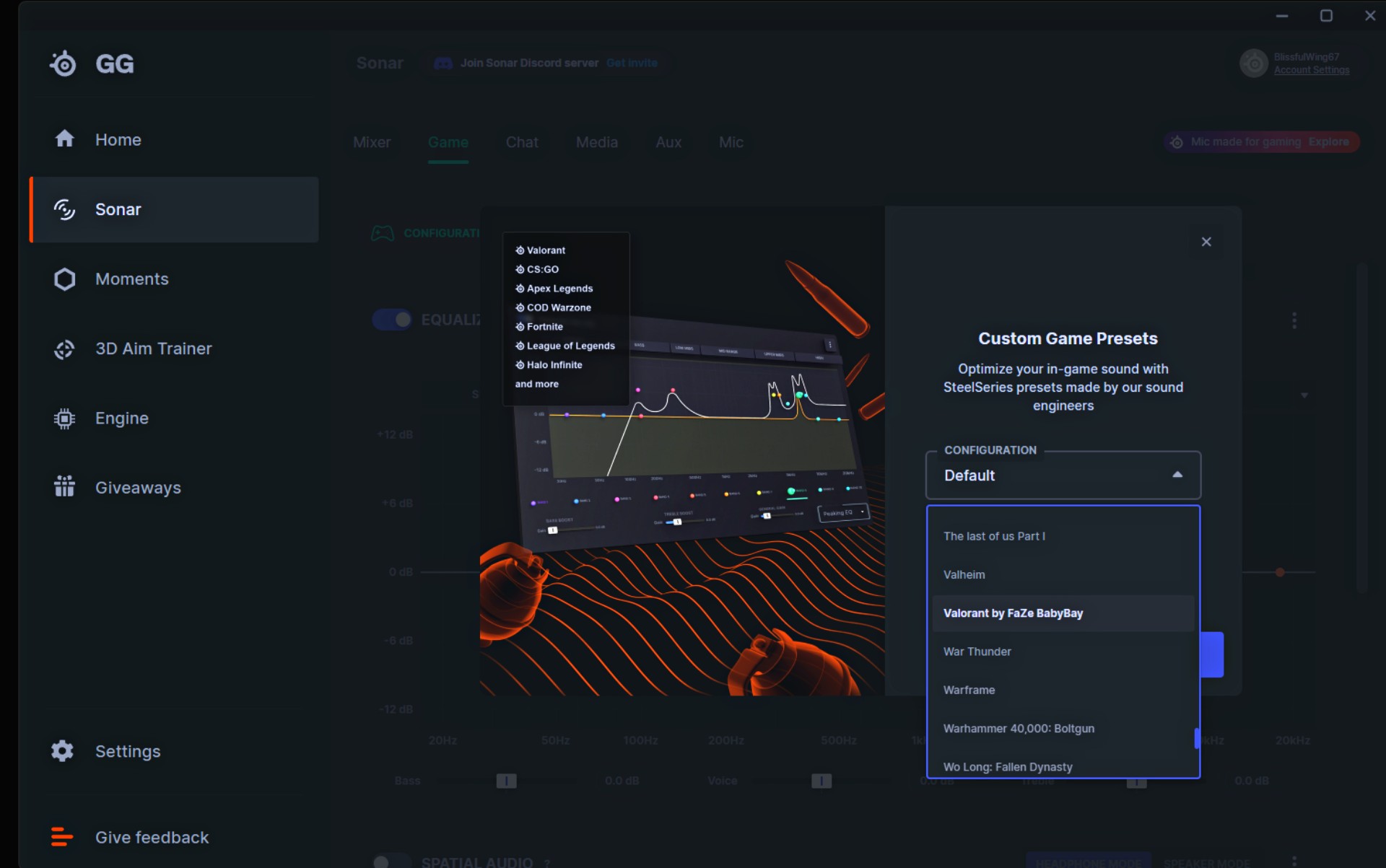
Whether you’re playing Valorant or League of Legends, Sonar has different presets tailored-fit to the requirements of each game. You can also create your own depending on your preferred settings.
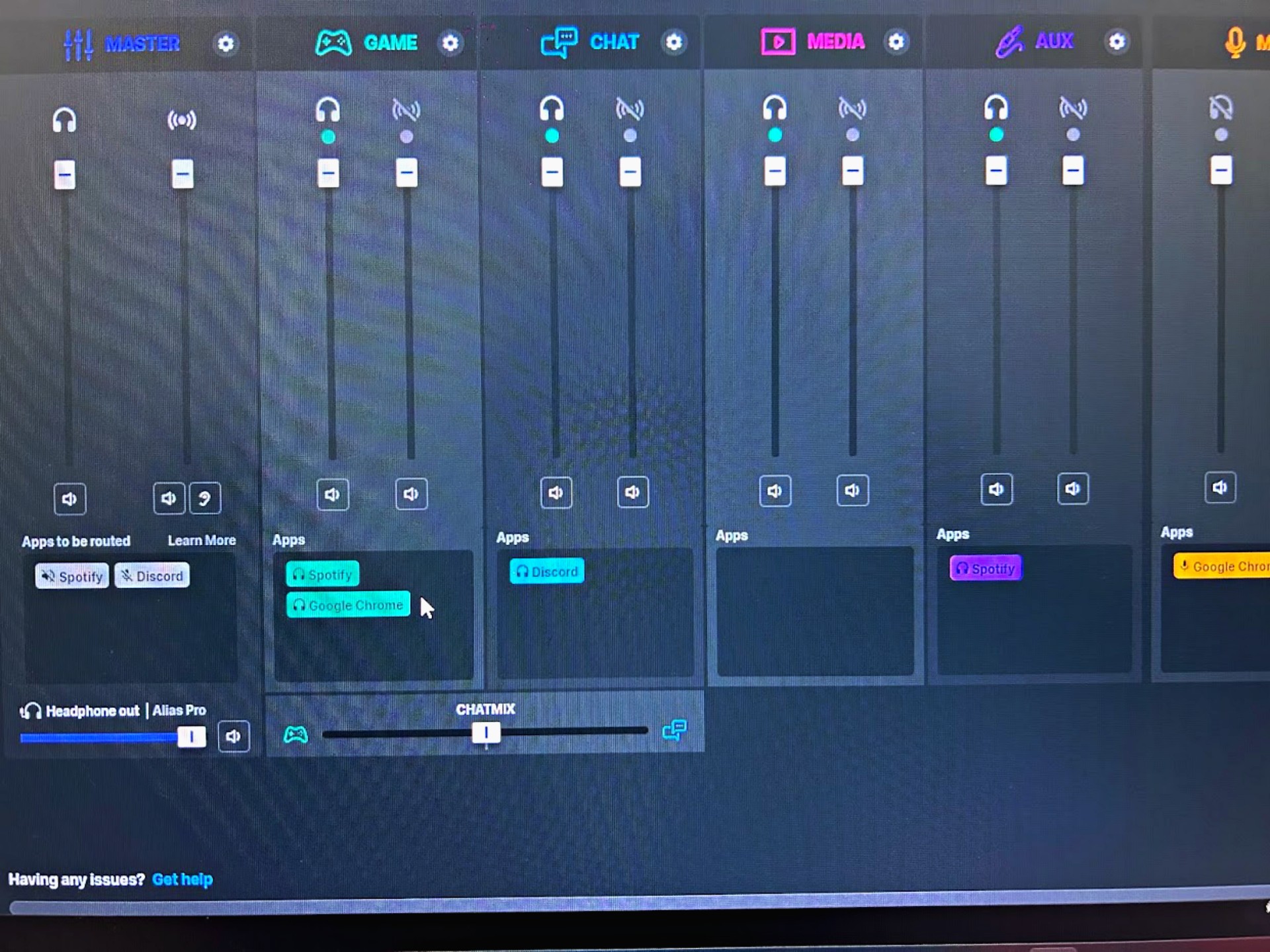
Streamers can easily adjust their game audio so the background music won’t overpower their voice. This is especially useful when you’re talking to co-players in-game. Of course, it would be a pleasant watch to your viewers as well.
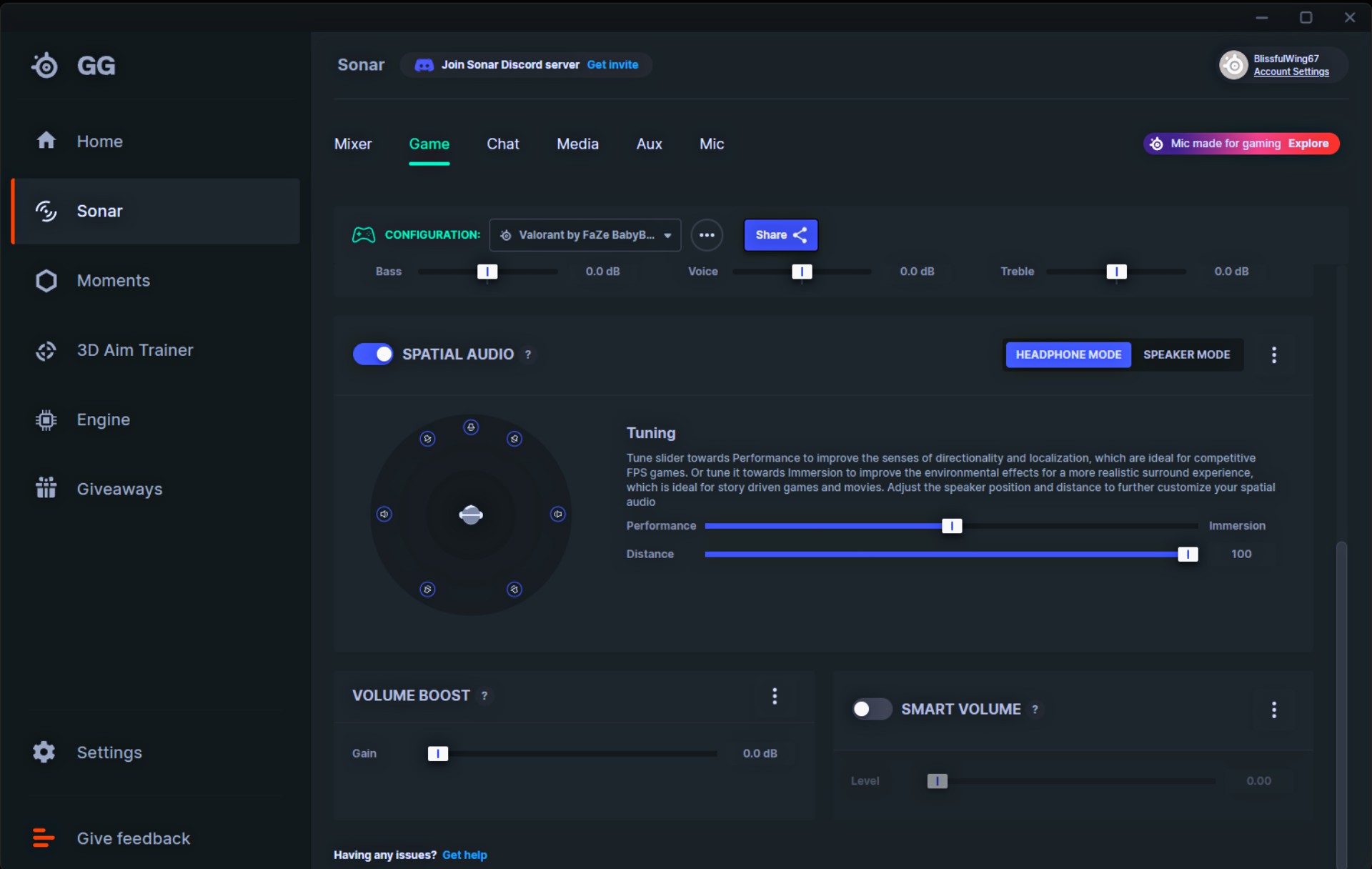
One of my favorite features is the spatial audio, which gives an effect that is similar to a surround sound. This is also customizable via Sonar, so you can control the distance or the loudness of sound depending to your liking for every game.
More customizations
Sonar also has tools for mixing sounds for several audio inputs and remixing them in one audio output. This is good because there is no need to run/install OBS — Sonar can do it for you.
I did a test stream on both Discord and Facebook, and it works well. My friend, who convinced me to switch to XLR, was very impressed with the audio output as well.
The Sonar software also features Clearcast AI noise cancellation, which brings more focus to the speaking voice. This is a very helpful feature in omitting extra unnecessary noises (e.g electric fan sounds, motorcycle riders from afar).
Below is a raw audio record with enabled Clearcast AI noise cancellation:
On the other hand, here is a sample audio when I disabled this feature:
I find this feature very useful for recording audios I need for my corporate work, since I don’t need to use another app to clean the background noise.
However, there are instances that I don’t quite like it, but of course this is subjective. For example, I still want to hear the sound of my keyboard while playing a game. The Clearcast AI somehow omits the sound of mechanical keyboards, so I turn this feature off sometimes.
Bonus feature: ASMR recording
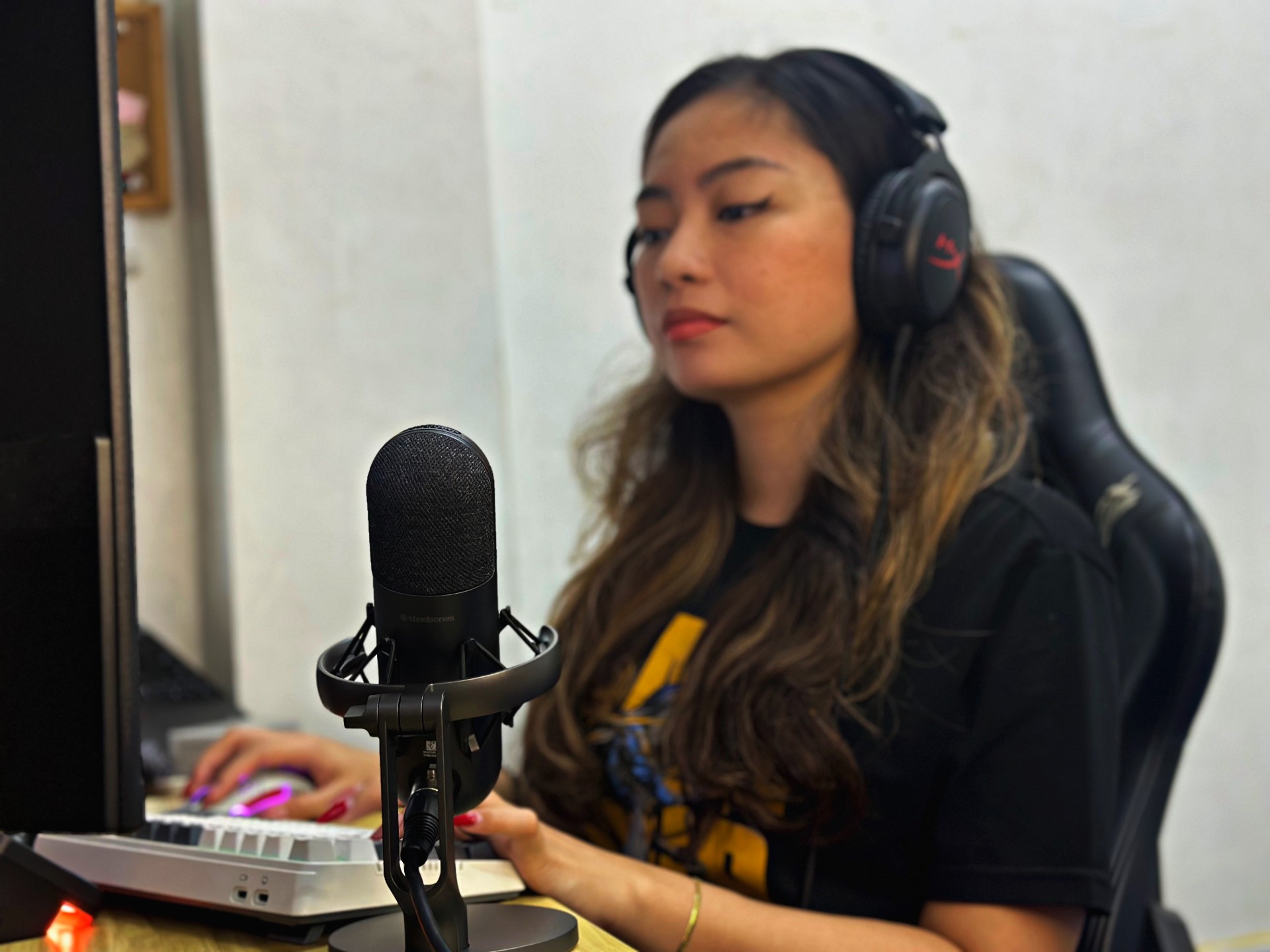
I love consuming ASMR content, so now that I’ve upgraded my microphone, I sometimes create some ASMR audios for fun. I do it when I’m bored, or when I’d just want to flex how good my new mic is to my friends.
The sound is rich and very detailed, so I figured Alias Pro is also something voice actors would want to use. However, remember to turn off the Clearcast AI noise cancellation when recording an ASMR, because it omits “whisper” sounds.
Is this your GadgetMatch?
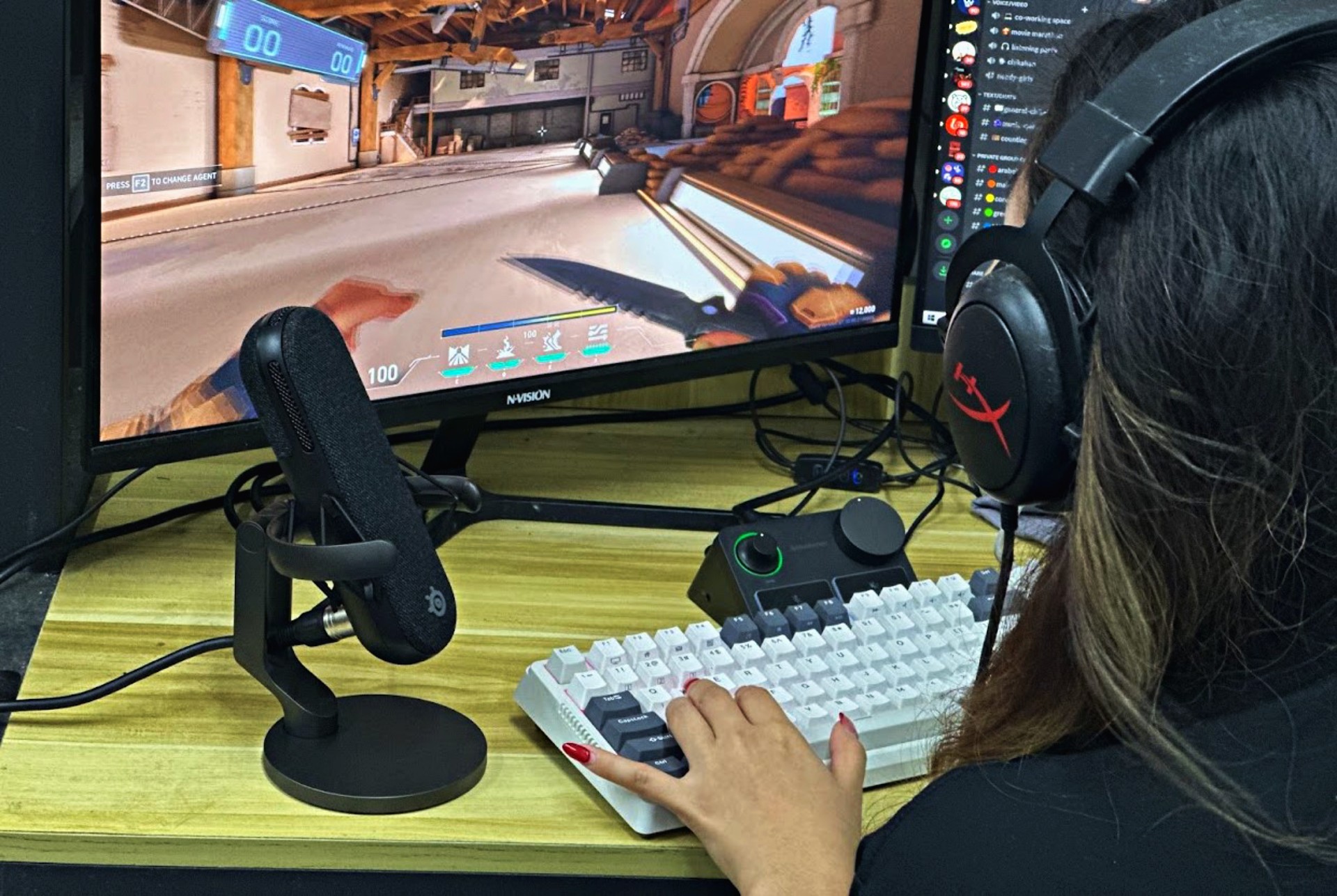
While the device is quite pricey, it’s a great investment for streamers, especially those with additional hobbies and careers that require high-definition audio.
For casual gamers and the general public, though, I honestly think the Alias USB microphone would suffice. But if you have more cash to shell out, then why not.
I also recommend the Alias Pro to professional voice actors, since the additional features (especially the noise cancellation and Sonar software) would help reduce editing time. The voice quality is topnotch,
The Steelseries Alias Pro XLR microphone retails for PhP 19,555, while the Alias USB microphone costs Php 11,000.





Accessories
Apple is reportedly working on its own gaming controllers
It might launch under the Beats brand.

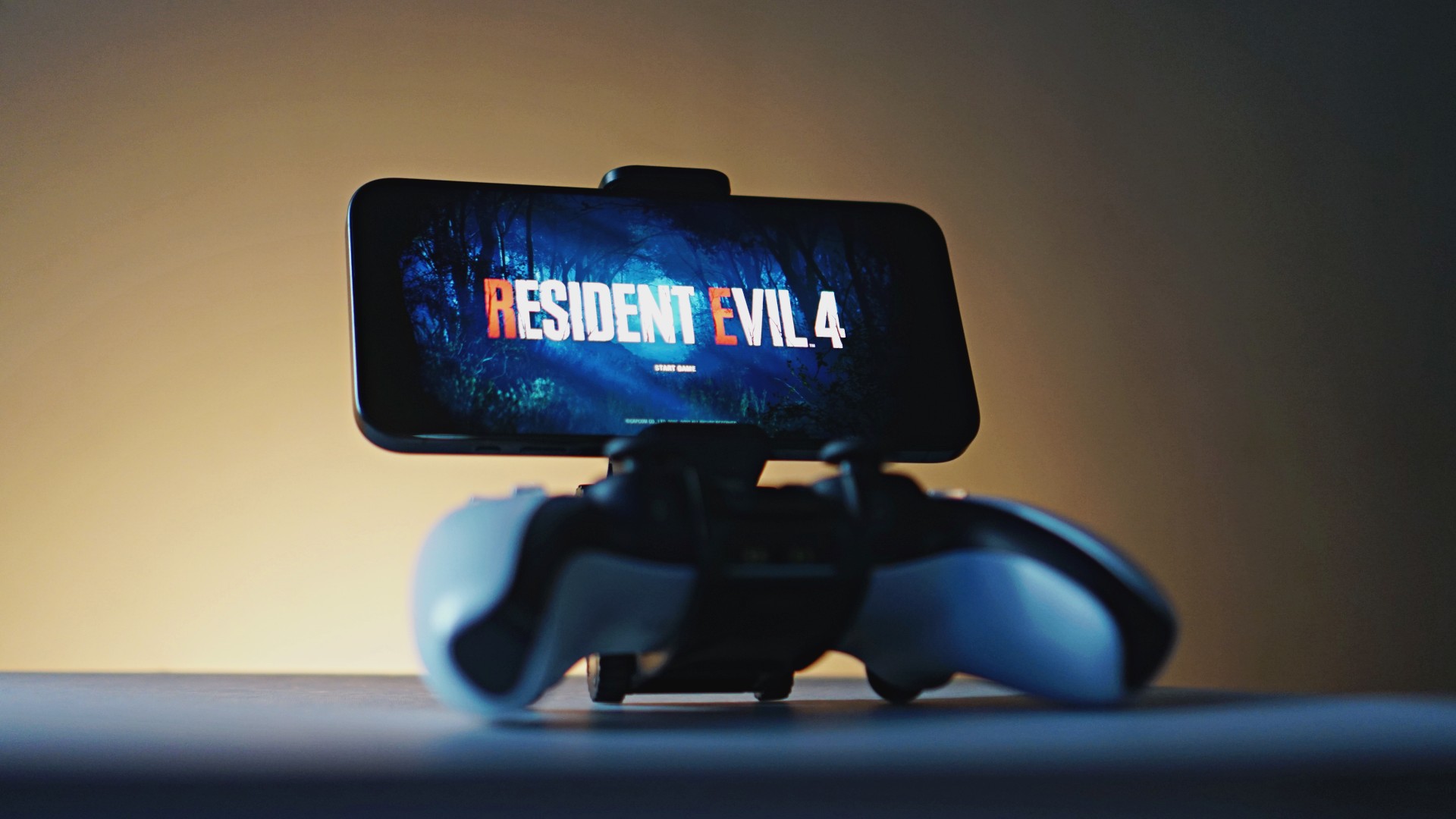
Last week, the iPhone Duo changed how you look at the ubiquitous smartphone. Foldables are in, and Apple is right there with it. But the company isn’t stopping with the foldable segment. Apple is reportedly working on its own branded game controllers.
According to Bloomberg, Apple has been working on a controller since last year. Further, a piece of code linked to macOS 27.4, spotted by MacRumors, includes references to two unknown gaming controllers.
Because Apple just concluded its huge event this month, it will likely be a while before we see confirmation of this controller. And it could be anything. Of course, because the Duo is fresh on our minds, the easiest answer is a mobile controller than can maximize the foldable’s ability to stand by itself. It could also use Apple’s larger screens like the iPad, the MacBook, or the Mac. Some even speculate that this could be Apple’s stronger push into the gaming market.
Outside of the actual hardware, the reports are also claiming that the controller will arrive by way of Beats, rather than from Apple itself. At first, the branding comes off as a surprise, but then again, Beats hasn’t really evolved past an audio brand in a long, long time. Is it time to revitalize Beats as something more than just a peddler of headphones?
SEE ALSO: First Look: Apple iPhone Duo
Accessories
New AGON gaming monitor features up to 1000Hz refresh rate
New level of speed, flexibility for competitive gaming


AGON by AOC has released the new AGON Pro AGP277QK dual-mode gaming monitor for the competitive segment.
This new offering features up to 1000Hz refresh rate at HD and 540Hz at QHD so gamers have the flexibility to prioritize either clarity or speed.
The 27-inch IPS gaming monitor comes with NVIDIA G-SYNC, synchronizing the monitor’s refresh rate with the GPU to help minimize screen tearing, stuttering, and input lag.
This is combined with 0.3ms MPRT and 1ms GtG response times for fast-moving action that is sharp and responsive, giving competitive players a clear visual advantage.
Moreover, the AGON Pro AGP277QK features VESA DisplayHDR 400 certification for enhanced contrast and more vivid, lifelike visuals.
Delta E < 1 color accuracy also provides precise color reproduction not just for gaming but even other scenarios like content creation.
For even smoother high frame-rate gameplay, MBR Sync combines motion blur reduction with variable refresh rate (VRR) technology. This helps maintain clarity during rapid movements.
The monitor also includes Low Input Lag, customizable Light FX ambient RGB lighting, Gaming Mode presets, and Shadow Control.
The display comes with HDMI 2.1 and DisplayPort 2.1 connectivity, along with a height-adjustable stand and G-Menu support.

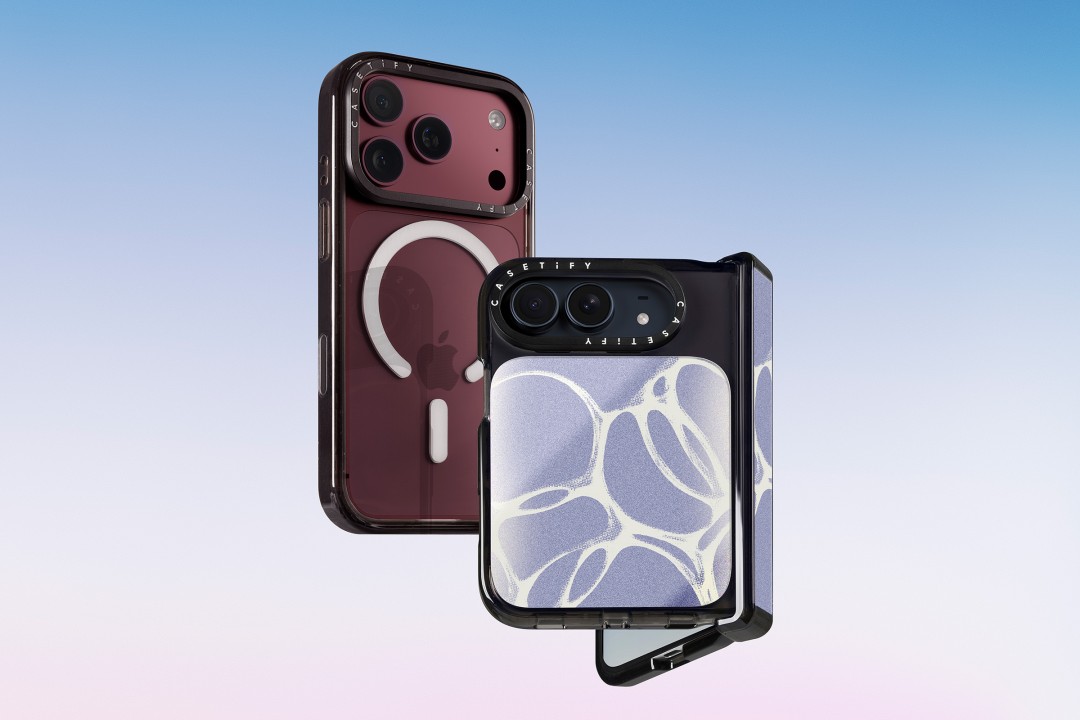
CASETiFY is launching a new collection of cases and accessories for the iPhone 18 series, updating some of its most popular designs with refined finishes, new protection features, and expanded customization options.
Impact Case
The collection is led by the Impact Case, CASETiFY’s best-selling case with more than 19 million units sold worldwide. It uses an internal EcoShock™ design and Duo-Lock by CASETiFY™ bonding for impact absorption and dispersion. The case is tested for drops of up to 8.2 feet and 4x Military Standard 810G. It also features a scratch-resistant Glaze finish, raised bezel, precision-engineered camera control button, and MagSafe and wireless charging compatibility.
The Ultra Impact Case builds on the same family with redesigned, more rounded corners and reinforced structures with internal air cells. It is tested for drops of up to 11.5 feet and 6x Military Standard 810G. It also has a slimmer profile, multiple design options, and MagSafe compatibility.
Both cases are available in Ring Stand variants. These feature a built-in metal camera ring stand that adjusts up to 150 degrees, with a screwless hinge designed for durability and stable hands-free viewing. Select models are also available with Glitter and Mirror finishes.
Ripple Case
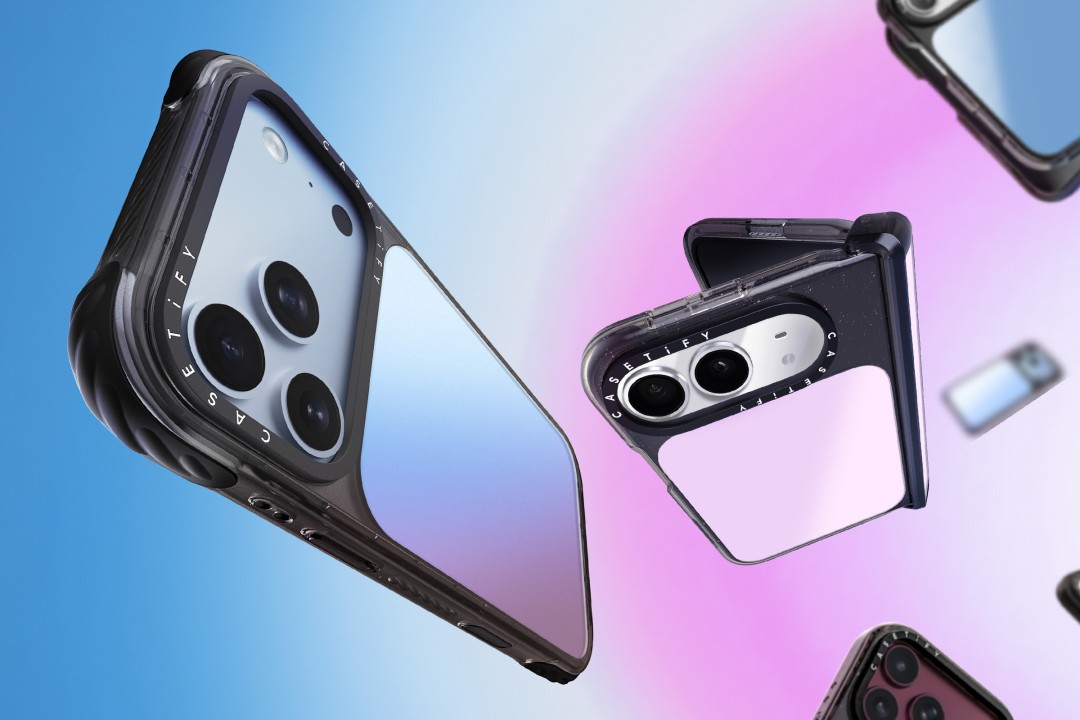
CASETiFY is also bringing its Ripple Case to the iPhone 18 lineup. The soft-touch silicone case features rippled edges and puffed corners, with protection tested for drops of up to 6.6 feet and 3x Military Standard 810G. New colorways include Banana, Dusty Blue, Blush Pink, and Fig, alongside Black and White.
For users who want more protection, the Bounce Case offers CASETiFY’s highest level of drop protection in the collection. Its Expanded Bounce Corners, TesseLock™ design, and enhanced Duo-Lock bonding support drop protection of up to 21.3 feet and 7x Military Standard 810G.
Alloy Ripple Case
The lineup also includes the Alloy Ripple Case, which reworks the Ripple’s sculptural design in aluminum with an EcoShock™ design and Duo-Lock bonding. It is tested for drops of up to 8.2 feet and 4x Military Standard 810G. The Cloud Case uses a quilted soft-touch design with pillowy bumpers and up to 6.6 feet of drop protection.
Beyond cases, CASETiFY is expanding its accessories with the Ripple Wallet, Grip Stands, Loop Grips, Jelly Wristlets, Bow Charm Wristlets, and other charm-compatible straps. The iPhone 18 cases range from USD 50 to USD 90 , while accessories range from USD 25 to $USD 45.
The collection is available beginning September 10 through CASETiFY. The company is also preparing a case lineup for the upcoming iPhone Duo, with its waitlist already live.


REDMI Note 17 Pro Max review: A new breed born from AI greed
Welcome to the new normal


Marvel’s Wolverine review: When the claws come out
A brutal, cinematic superhero adventure


Setting your bedsheets ablaze with the Lovense Solace Pro
The closest proxy I could find where I'm guilty as sin

HONOR, Fidesmo partner for contactless payments across Europe, Middle East

Ford revs up Truck Month with extended 5-star care offers
REDMI Note 17 Pro Max review: A new breed born from AI greed

REDMI NOTE 17 Series: Price, availability in the Philippines

Max vs 100 will feature Max Verstappen race against 100 go-karters

TECNO MEGAPAD 2 review: Eyes on the size

realme 16T 5G with 8000mAh battery, IP69 Pro rating launches in PH

HUAWEI Pura X View is 2026’s first WIDE slab-type smartphone

REDMI reveals the refreshed Note 17 and Note 17 Pro series

REDMI Note 17 Series: Price, availability in Singapore


-
 News1 week ago
HUAWEI Pura X View is 2026’s first WIDE slab-type smartphone
-

 News1 week ago
The CAMON Slim 5G is TECNO’s latest ultra-slim smartphone
-

 Cameras2 weeks ago
DJI Osmo 360 II review: Going all-in on the ecosystem
-

 IFA 20262 weeks ago
TECNO MEGABOOK T15 360 unveiled at IFA 2026
-

 Gaming2 weeks ago
NBA 2K27 review: A two-way All-Star
-

 News7 days ago
iPhone 18 Pro series: Price, availability in the Philippines
-

 IFA 20262 weeks ago
TECNO’s POVA 8 Pro gets a stealthy makeover
-

 Automotive2 weeks ago
Ford’s new Everest lineup brings V6 engine to the top, tech down the line