
Her GadgetMatch
Meizu Pro 7 Review: Twice the fun

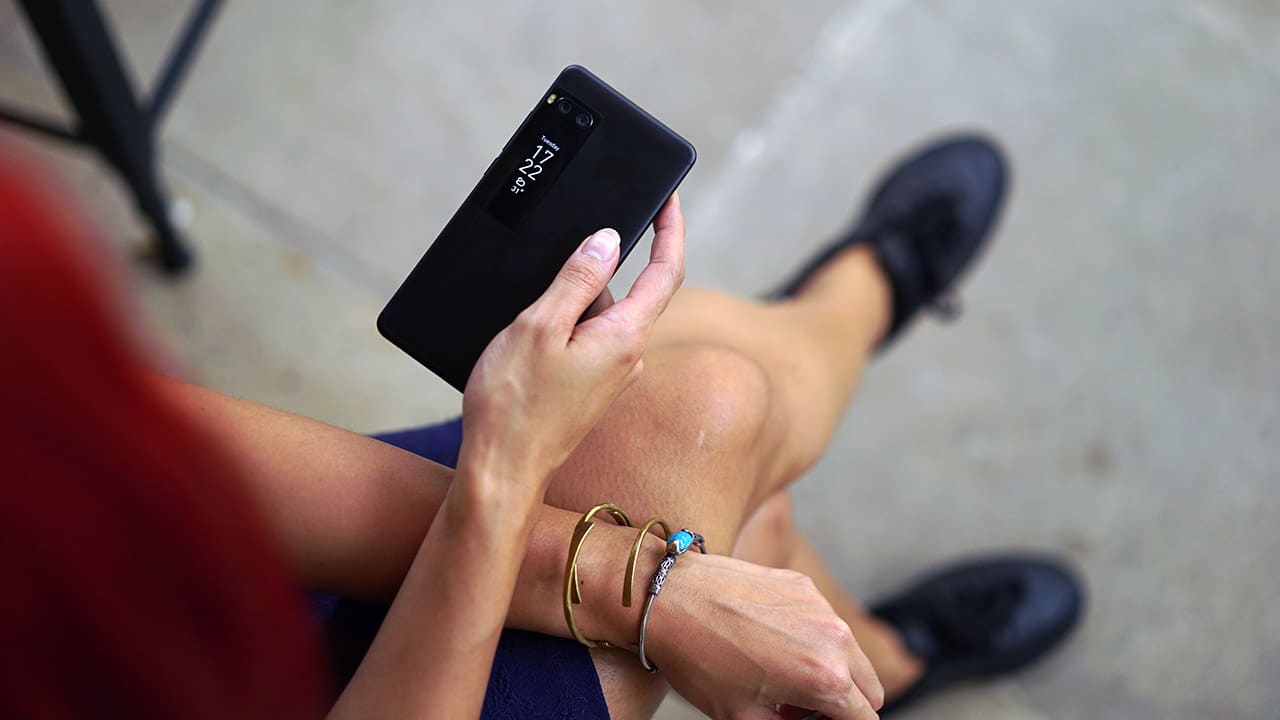
I took one look at the Meizu Pro 7 and I knew I wanted to try it out. You see, unlike other folks at GadgetMatch who look to specs and features as basis for wanting to try a phone, I look at form factor and novelty. A phone with a secondary AMOLED display was obviously right up my alley.

But, what good does a secondary display do? How does it work? Does one actually need a second display and if so, when will one ever need it? I spent a few days with the Pro 7 in an attempt to answer all these questions.
Secondary AMOLED screen
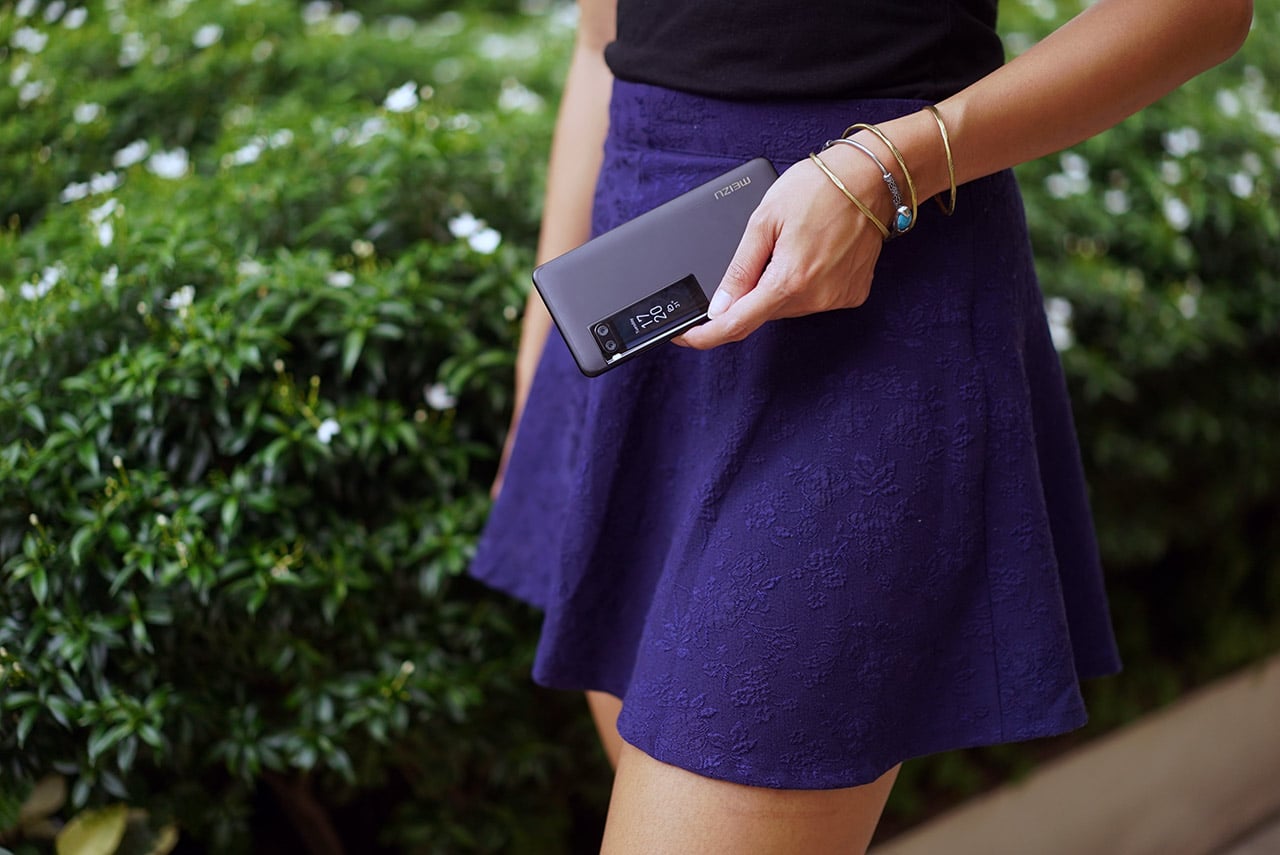
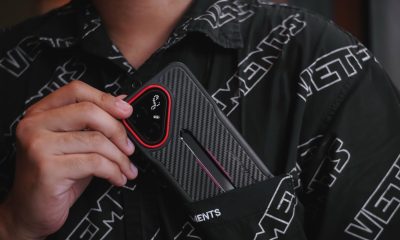
Meizu’s secondary display is a cute little panel on the back of the phone (which I will, from here on, call “cutie screen”). It’s around the size of a big person’s thumb or a lipstick tube — but just right for displaying time and phone notifications with a certain pizzaz.
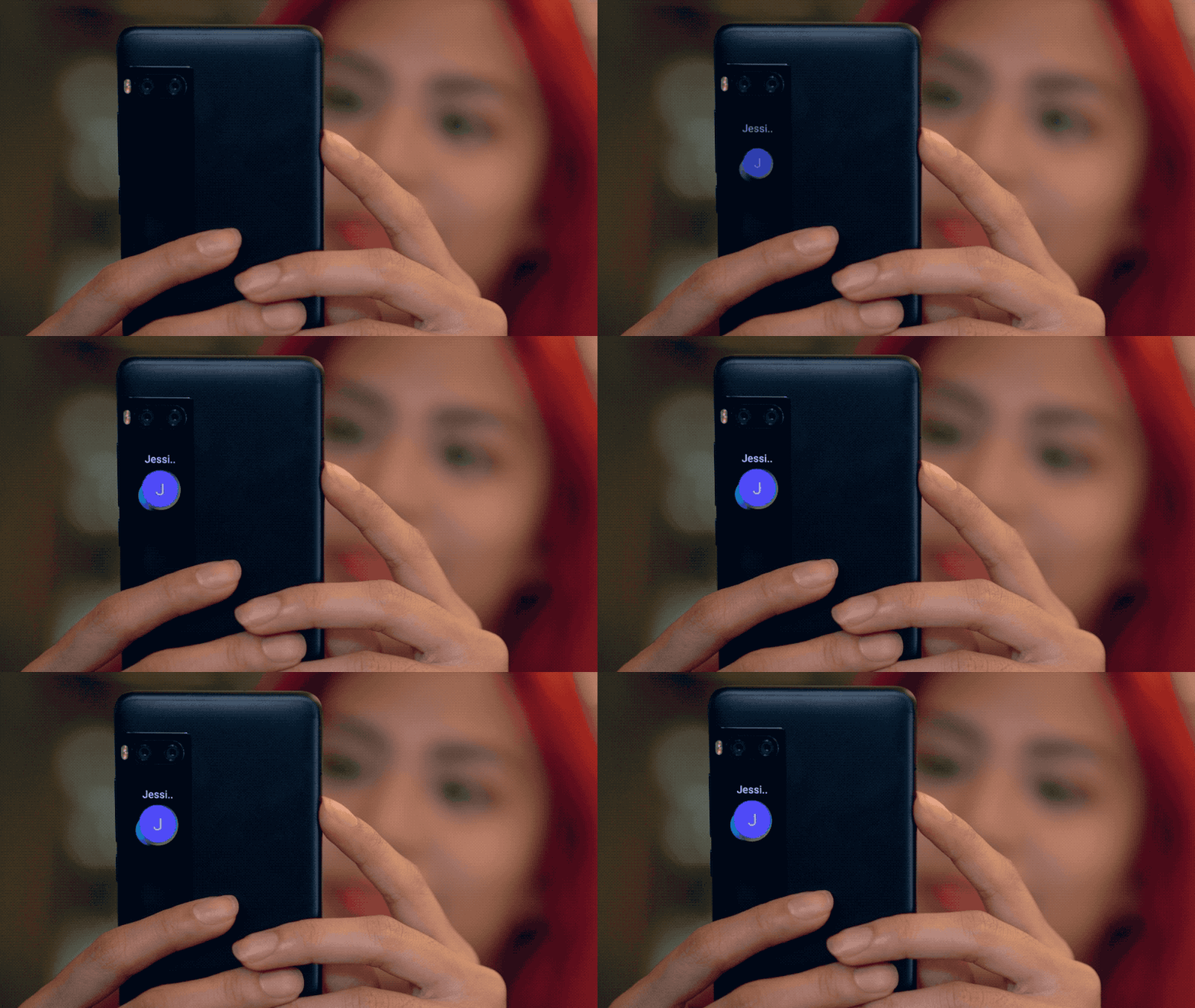
Yeah, this pizzaz
The screen isn’t always on; you can activate with a double-tap. Initially, the display will show you the time, but a swipe right will give you the temperature in your location and another swipe will display the pedometer. When turned on, phone actions like charging will also randomly show on the cutie screen with different animations.
My favorite function, when it comes to this display, would be its selfie capability. A swipe up will activate the rear camera and the cutie panel turns into a display! Swiping will switch through the three modes available: blur which is the bokeh mode, beauty mode, and original. A tap on the screen triggers the shutter after a countdown of three seconds. Think of all the selfie possibilities!

Unfortunately, the camera view on the cutie screen doesn’t support video — a shame since this was something I was looking forward to using; just think of all the vlog possibilities if this were doable! I also wanted to customize the standby screen animation or wallpaper, but the phone wouldn’t allow me to do that, so I was pretty much stuck with the serious-looking preset clock face and a blank screen on downtime.
As expected, I did enjoy the extra selfie screen — it helped with framing, and selfies were generally easier to take, though you can’t really see much detail on such a teeny screen. Size does matter at the end of the day, at least for selfie screens!
The cameras
The Pro 7 is equipped with a 16-megapixel front-facing camera plus a dual-cam setup at the back with two 12-megapixel shooters. These numbers are never really indicative of how good a camera is so you know what that means: shootout!
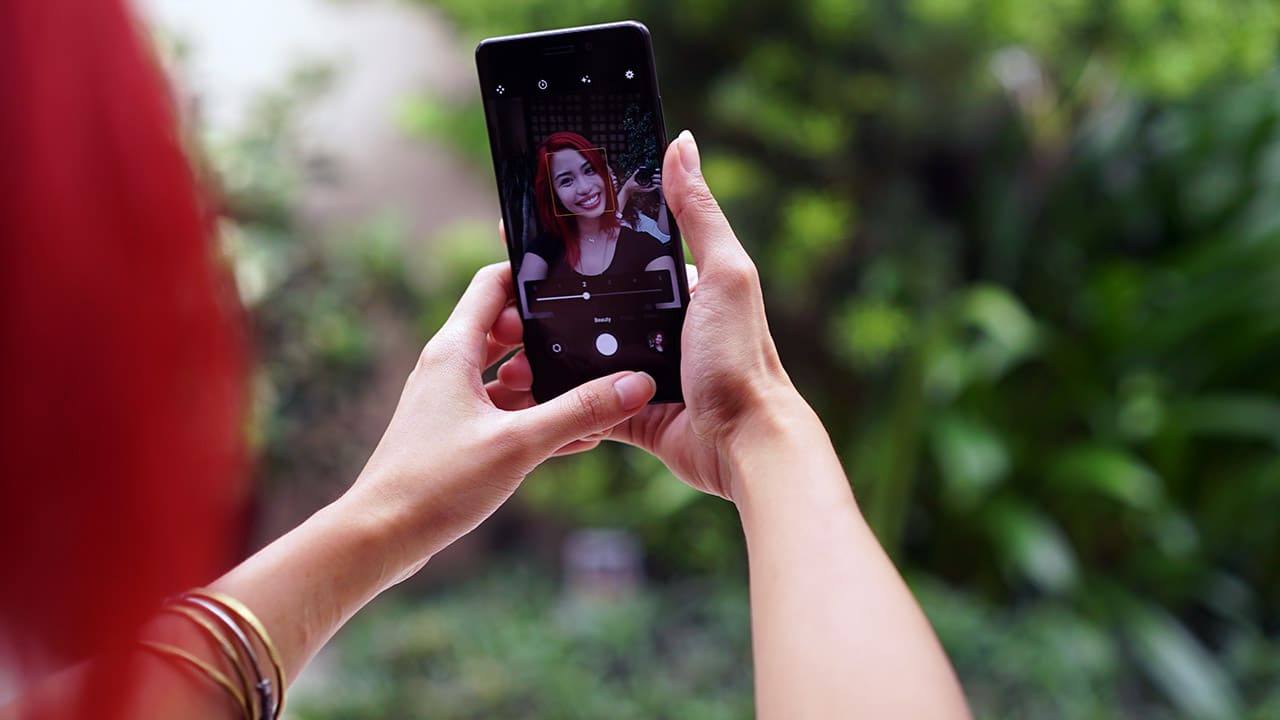
The selfie camera is, of course, equipped with a beauty filter that may be toggled according to your filter preference. Unlike other selfie smartphones, the Meizu Pro 7 only has one beauty mode setting that you’re stuck with — no separate toggles for skin smoothening, face thinning, or complexion. Not that I’m complaining; the filter does its job.
[sciba leftsrc=”http://www.gadgetmatch.com/wp-content/uploads/2017/08/GadgetMatch-Meizu-Pro-7-Review-Sample-Photo-20170811-06.jpg” leftlabel=”Front camera with filter” rightsrc=”http://www.gadgetmatch.com/wp-content/uploads/2017/08/GadgetMatch-Meizu-Pro-7-Review-Sample-Photo-20170811-05.jpg” rightlabel=”Front camera without filter” mode=”horizontal” width=””]
Of course, if that’s not enough for you, the phone also has a built-in beauty edit feature which allows you to make certain changes to your selfies — just make sure not to go overboard!

Don’t over do the editing, it can turn really bad, real quick

The rear dual-camera setup allows for monochrome photos and a bokeh mode. By experience, however, the front-facing camera does a better job with the beauty filters, as the rear camera filter is too subtle for my taste.
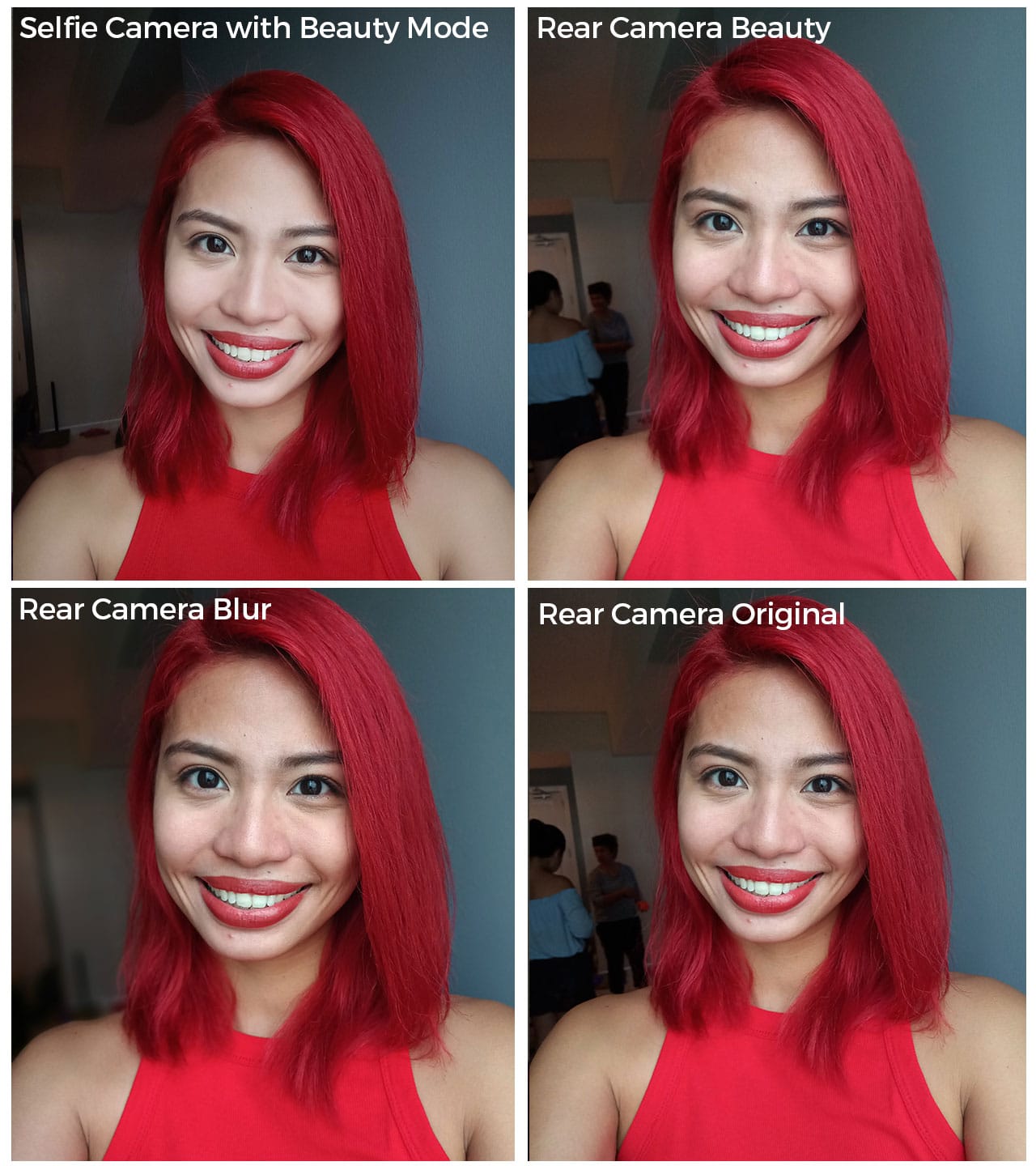 Though the Pro 7’s camera does well overall, it doesn’t seem to do too well with low-light shots.
Here are other sample shots of my fabulous life (ha ha ha!) taken with the Pro 7:
-

- Meet my doggies!
-

- Random night out
-

- More of my doggies!
-

- What’s for lunch?
-

- View from the GadgetMatch HQ
-

- My plant babies
-

- Black and white
-

- Another black and white photo
The Meizu Pro 7 boasts a monochrome function owing to the dual-cam setup, though I was not really impressed by it — especially after seeing other brands do it better.
Look and feel
I’m pretty particular about how a phone looks and feels in my hands. The Meizu Pro 7 has a sleek aluminum back and a good weight to it; this makes it feel pretty premium.
 Meizu phones run on the Flyme operating system on top of Android, and this particular one runs on Nougat, which means a distinct phone interface. But, the most peculiar thing about the Pro 7 — and Meizu phones in general — is the fact that there is only one home button on the phone’s front that’s used for most commands. This one physical button to rule them all, equipped with a fingerprint reader, is something that may need a little getting used to.


The Pro 7 also has a USB-C port and headphone jack. Of course, the second display screen is a beautiful, unique touch.
Performance
Unlike the Pro 7 Plus powered by a MediaTek Helio X30 processor, the Pro 7 is powered by a Helio P25. Now, my non-techie friends, stay with me: All you need to know is that this phone is comparable to most new midrange smartphones in the market today (Examples: OPPO R11, Moto Z2 Play, ASUS ZenFone 3 Zoom).
On the other hand, the Meizu Pro 7 Plus’ X30 processor puts it on the same range as most flagship smartphones now (Examples: Xiaomi Mi 6, OnePlus 5, HTC U11 which all run on a Snapdragon 835). Though there are Meizu Pro 7’s equipped with the X30, you’d be hard-pressed to find one, since they’re only available in China.
This shouldn’t be a problem at all because as it stands, the Meizu Pro 7 gives a pretty smooth user experience for my needs — I’m a fairly heavy smartphone user, though my apps aren’t that demanding. On this phone I could have 15 to 20 apps all open in the background without issue, although some of them refresh when I reload the app. Our specific Pro 7 has 4GB of memory and 64GB of storage, for reference.
With a capacity of 3000mAh, the battery on this thing is good, too. It goes from zero to 100 percent in around an hour and thirty minutes, and it lasted me a whole day’s use (8 to 14 hours depending on my needs). Turning the second AMOLED screen off does very little difference to battery time, but as I mentioned earlier, that cute second display only does so much at this point, so I wasn’t really expecting a significant difference.
Is this your GadgetMatch?
The Meizu Pro 7 is a definite show-stopper because of the extra screen. Though I did expect much from the cutie screen, I was a bit let down by its limited capabilities. But, that definitely doesn’t mean I was not impressed by it, nor am I giving up hope that the secondary features will be improved on in the future. *cough*second screen video selfie mode*cough*
Do I need the second cutie screen? My answer: Does it matter? Meizu played this well; there were no sacrifices made for this additional display, and that makes it a welcome feature whether you’d want it or not. And really, at the end of the day, you could always just turn it off.
For what it’s worth, the Pro 7, even without the cutie screen, is a pretty decent phone. As of writing, international pricing has not been released, but if priced the same way as in China at CNY 2,880 (US$ 425), it’s definitely a phone you should consider.
SEE ALSO: Meizu Pro 6 Plus Unboxing and Hands-On



Her GadgetMatch
What your smartphone color choice reveals about you
Eight colors, eight personalities. Here’s how to pick.

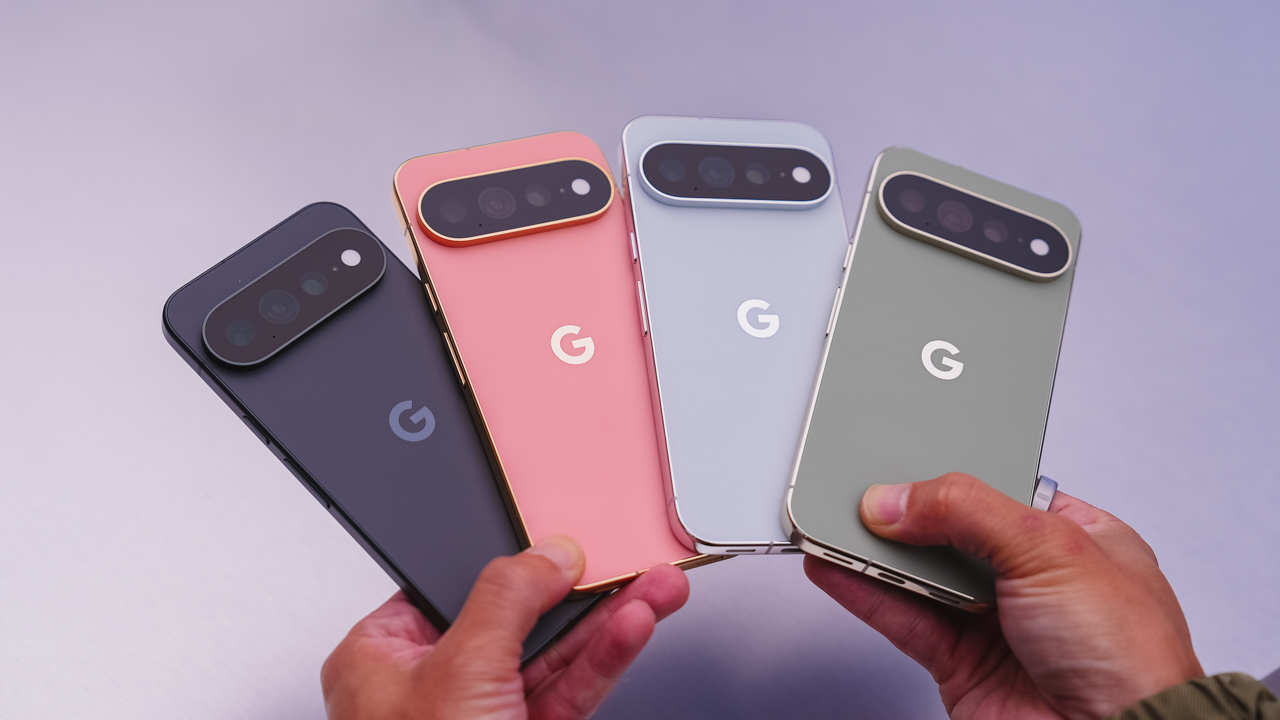
Your phone color says more than you think. With the Pixel 11 series, Google’s giving you eight ways to make that statement, and there’s genuinely one for every kind of person.
Hibiscus
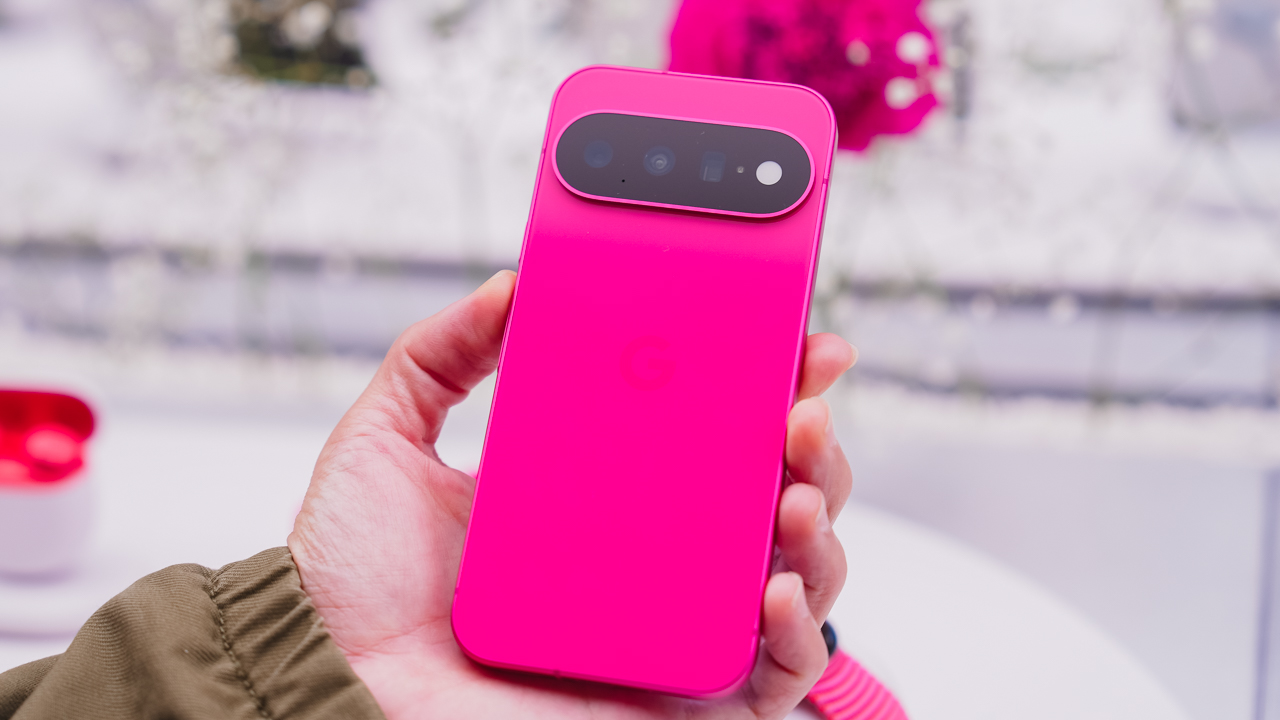
You’re never the quiet one in the room. Hibiscus doesn’t ask for attention; it just takes it, and if that sounds like you, you’re probably not planning to start hiding now. This is the pick for anyone who’d rather stand out than blend in.
Pistachio
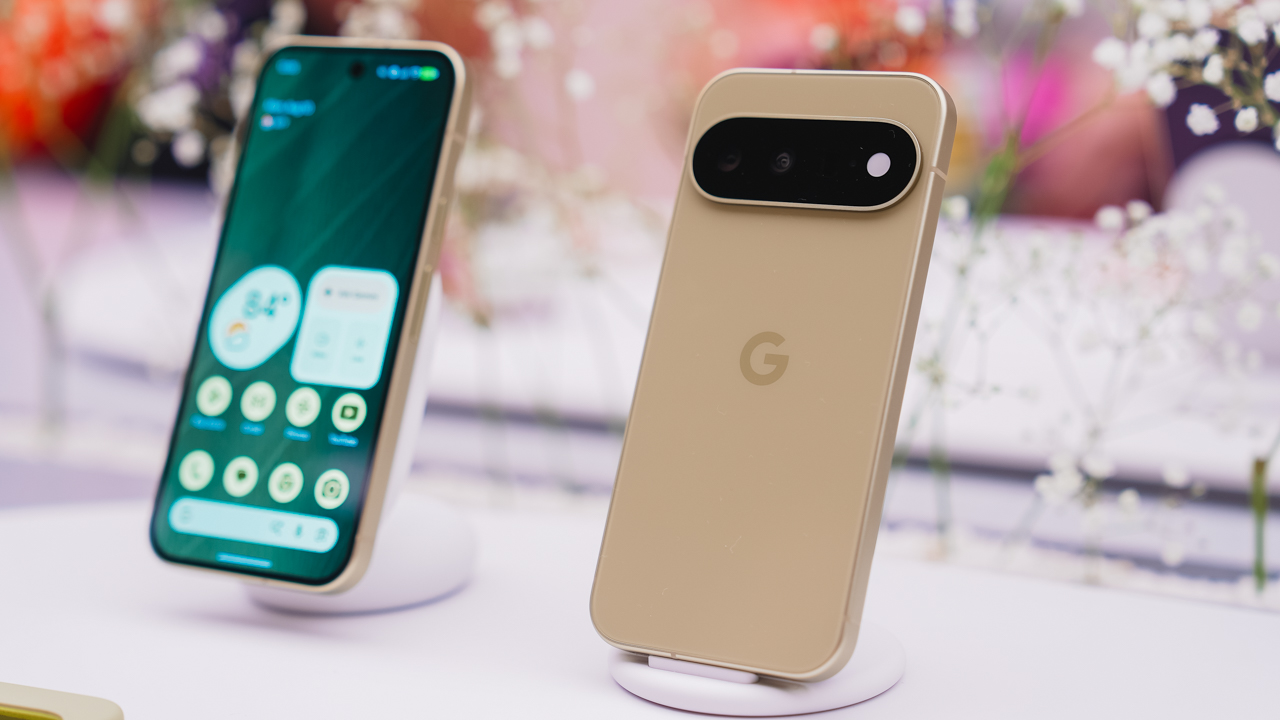
You’re the one who remembers everyone’s coffee order. Pistachio is soft and easy; the one whom people gravitate toward without quite knowing why. It doesn’t try hard to be liked. It just is.
Frost
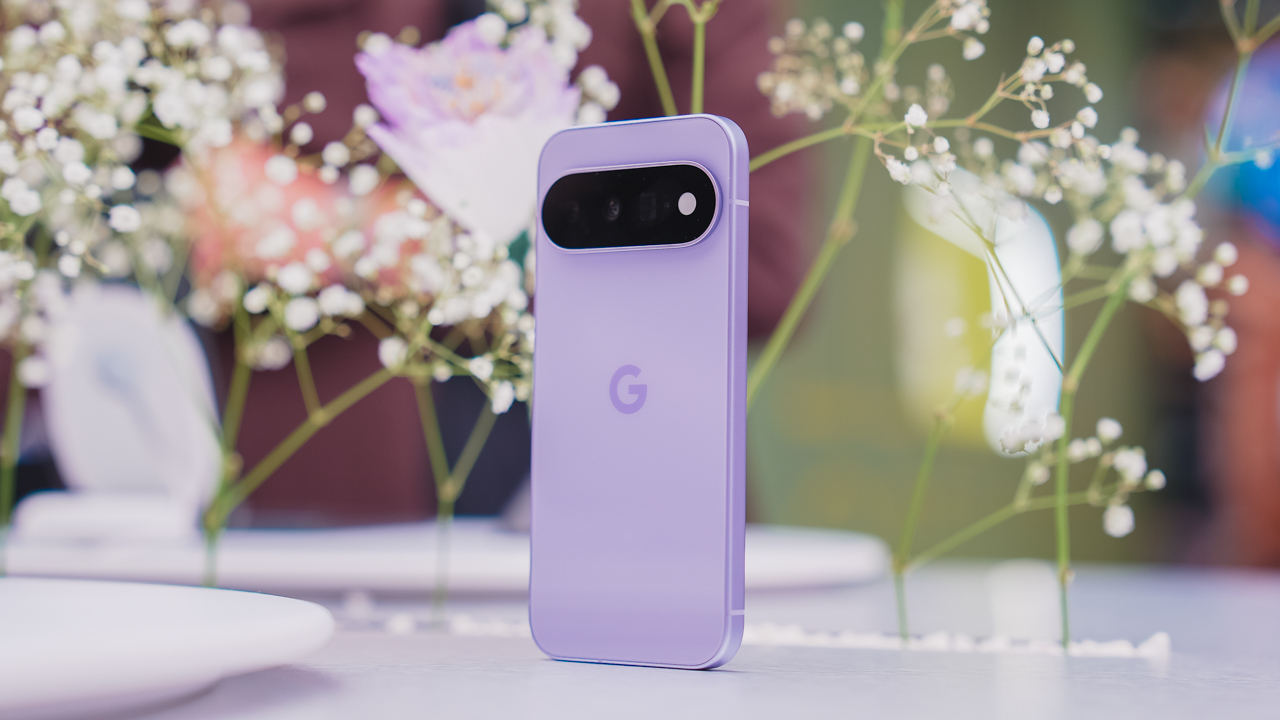
You like things a little too organized. Frost means clean lines and a clear head, the color equivalent of a camera roll with zero mess in it. If your notes app has color-coded folders, this one’s calling your name.
Obsidian
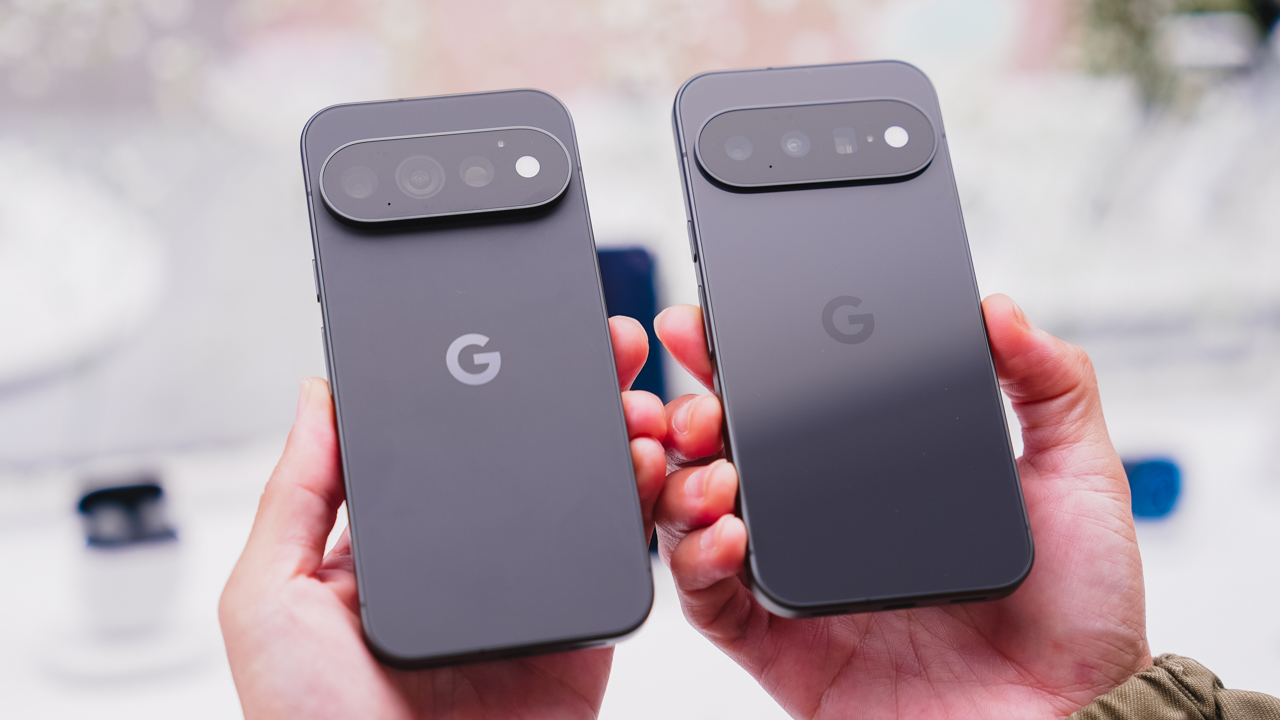
You let the work speak for itself. No flash needed, because when you show up, the room adjusts anyway. Obsidian is the classic choice, the one that’s never trying too hard because it doesn’t have to.
Canyon
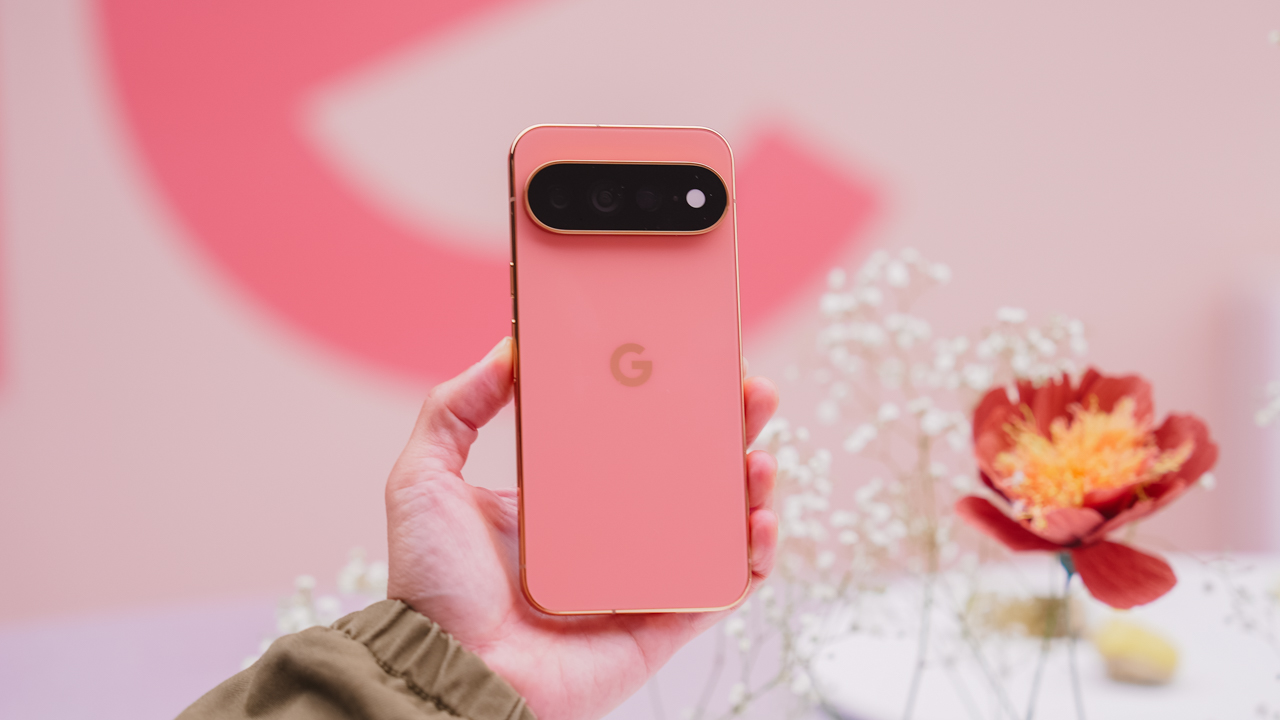
You’re the one who suggests the sunset drive. Canyon is warm and a little restless, always chasing golden hour whether or not anyone else is up for it. Available on the Pro and Pro XL, it’s built for people who treat every evening like it might be a good one.
Olive
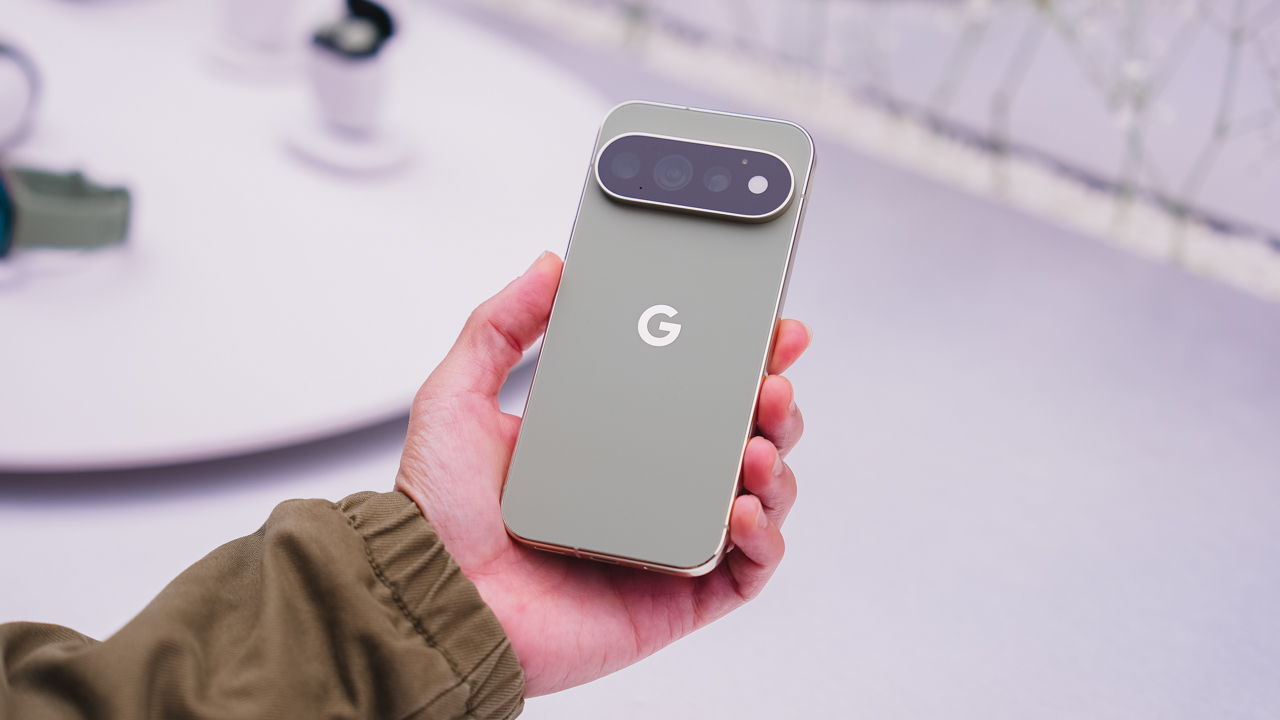
You’re outdoorsy, but you’ll still show up looking put together. Olive is low-key and grounded, the one who doesn’t try too hard because it’s already comfortable in its own skin. Another Pro and Pro XL exclusive.
Fog
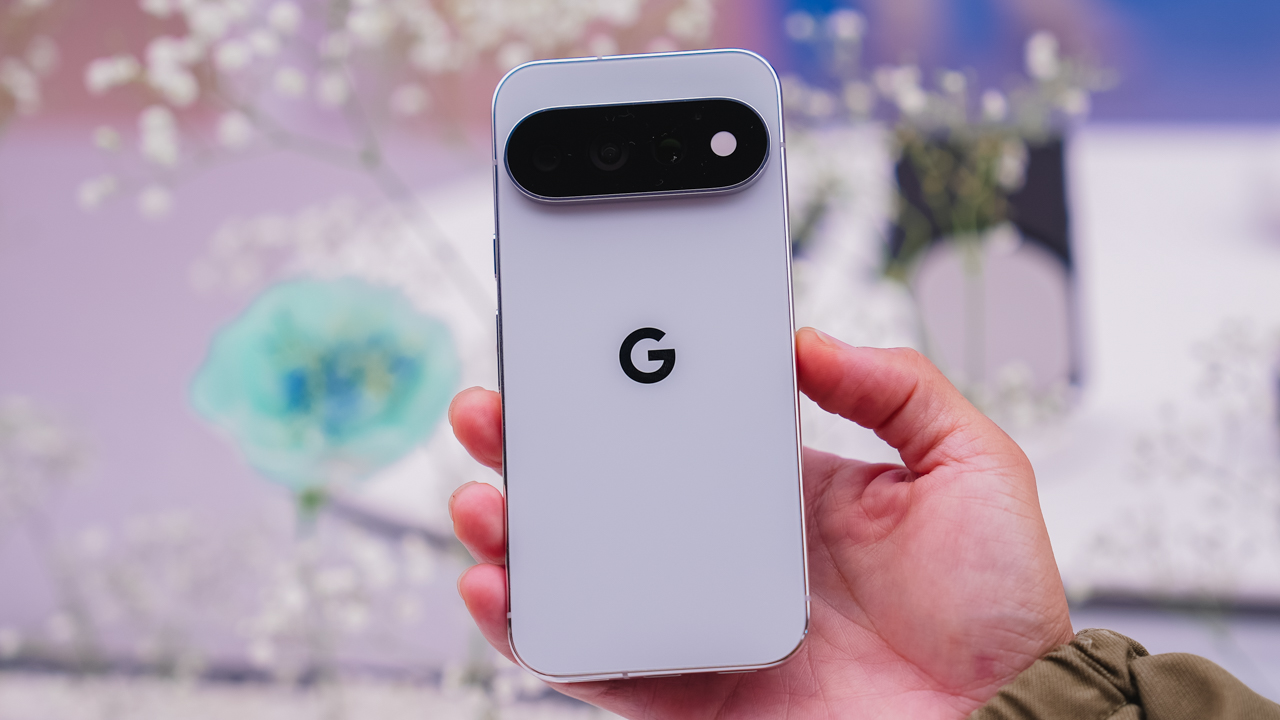
You’re hard to read, and you like it that way. Fog is understated on purpose, a Pro and Pro XL colorway for anyone who’d rather keep people guessing.
So, which one’s you?
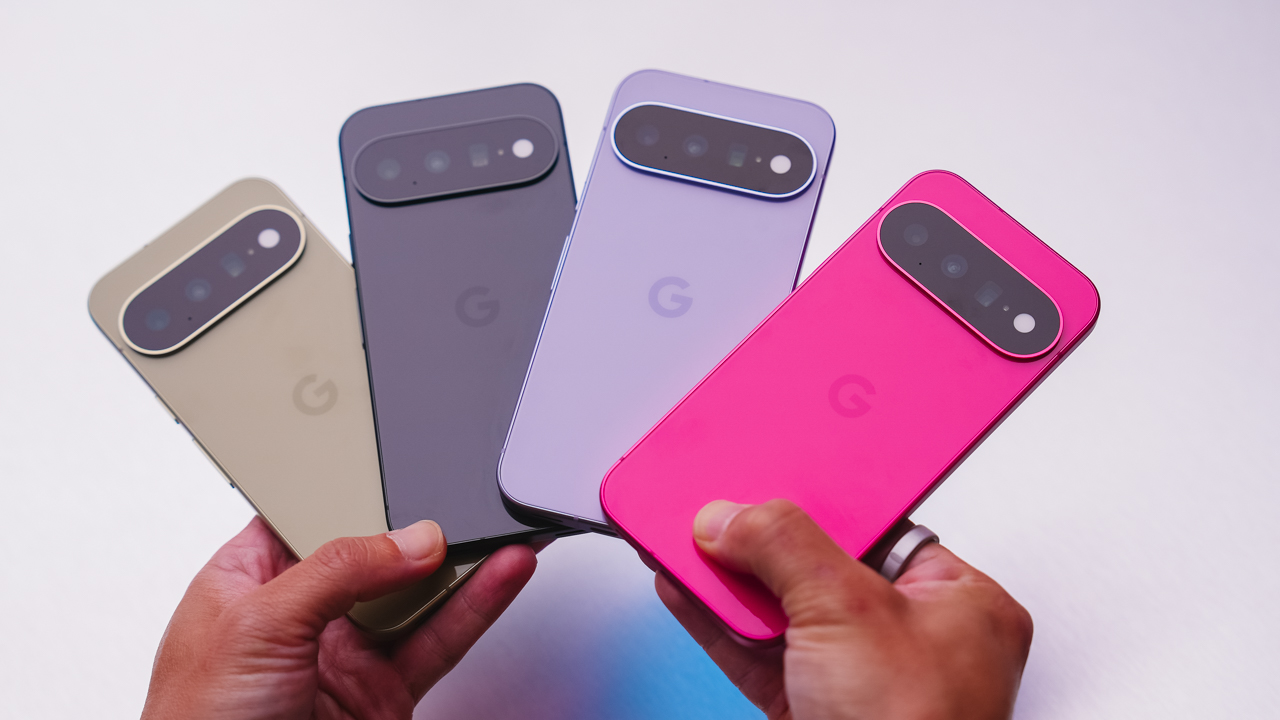
Eight colors, three phones, one very personal decision. Pixel 11, Pixel 11 Pro, and Pixel 11 Pro XL goes on sale starting August 20 — with Pistachio, Hibiscus, Frost, and Obsidian on the base model; and Canyon, Fog, Olive, and Obsidian on the Pro line.
Which one’s calling your name?
Her GadgetMatch
TECNO and Angélica Dass team up for a global portrait project
Dass aims to photograph 100 people across five countries using the TECNO CAMON 50 Ultra


TECNO has partnered with Brazilian photographer Angélica Dass in launching “100 Portraits of Becoming.”
It is a two-year global initiative that explores identity, representation, and how AI sees people.
The project officially kicked off in Nairobi, Kenya — where Dass began photographing participants using the latest TECNO CAMON 50 Ultra.
Who’s Angélica Dass?
Angélica Dass is best known for exploring identity and self-expression through portrait photography.
Her award-winning “Humanæ” project challenged conventional ideas of race and skin color by highlighting the diversity of human skin tones.

ICYMI, Dass and her project gained much recognition from:
- TED
- World Economic Forum
- UNESCO
- American Museum of Natural History
- Vogue
- National Geographic
Portraits beyond appearances
With this portrait project, Dass teams up with TECNO to photograph 100 people across five countries.
Rather than simply documenting faces, 100 Portraits of Becoming aims to tell the stories behind each participant. Every portrait is paired with a personal narrative about growth, identity, and life experiences. Creating what TECNO calls a “Living Archive.”

Participants are photographed in natural light, without filters, and while wearing clothing of their own choice to better reflect their authentic selves.
The collaboration also explores how AI can go beyond simply recognizing faces. Asking instead how technology can better reflect the complexity of human identity and give people more control over how they choose to be seen.
Powered by TECNO’s Universal Tone imaging
All portraits are shot using the TECNO CAMON 50 Ultra, which features the company’s Universal Tone imaging technology.
Introduced in 2023, Universal Tone is designed to improve how smartphone cameras capture different skin tones. According to TECNO, the system is built on a database covering hundreds of skin tone samples, allowing photos to produce more natural and accurate results across a wider range of complexions.

The company says the technology aligns with the project’s goal of promoting more authentic and inclusive representation in photography, especially as AI-powered imaging becomes increasingly common nowadays.
From Kenya to the world
As previously mentioned, Kenya serves as the project’s first stop. With TECNO citing the country’s growing technology ecosystem and young population as reasons for beginning there.
Over the next two years, the initiative will travel to the Philippines, Saudi Arabia, Türkiye, and Brazil. The first collection of portraits and stories expected to go live online in August.

As of writing, TECNO is currently accepting participants from the Philippines where Dass is expected to take part from August 16 until August 22, 2026.
Through 100 Portraits of Becoming, TECNO hopes to spark conversations around identity, diversity, and how technology can better reflect the people it captures—not just visually, but through their stories as well.

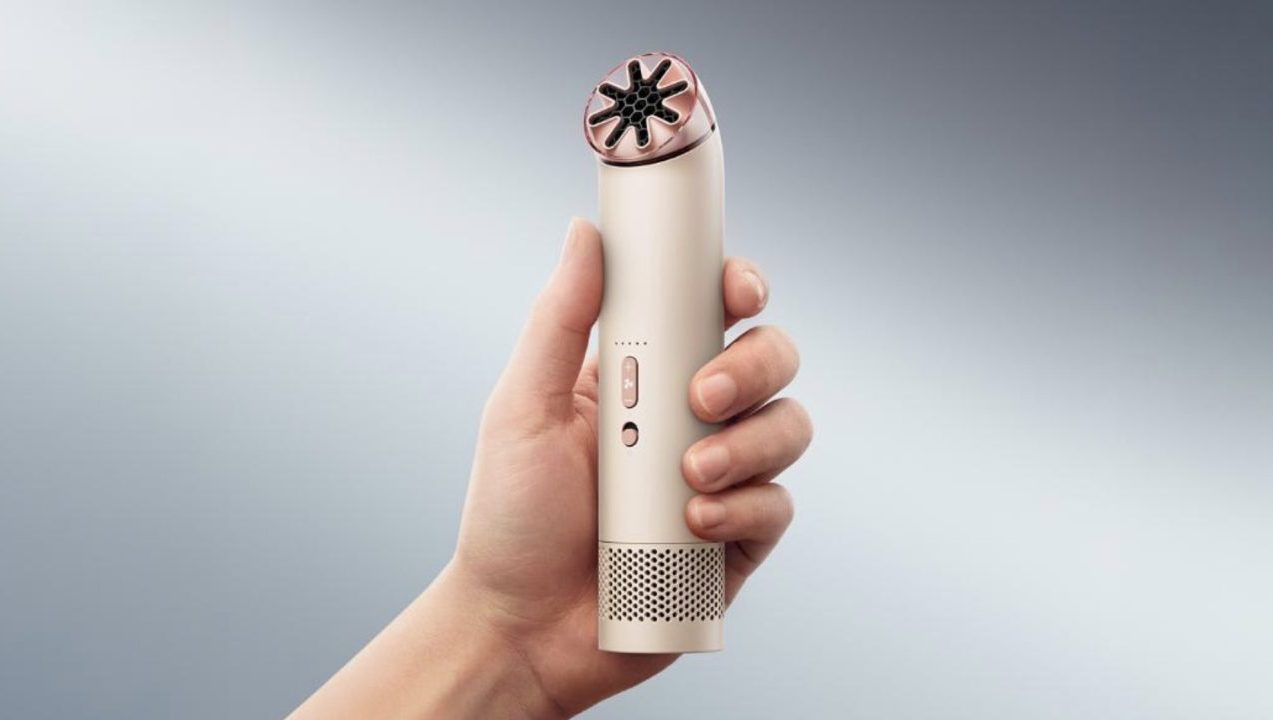
If there is one Dyson launch that has generated unusual levels of anticipation this year, it is the Dyson HushJet Mini Portable Fan.
The compact cooling device quickly gained a following after its international release, reportedly selling out within a day in several markets. Now, just in time for the hottest and most humid months of the year (no thanks to climate change), it is finally arriving in the Philippines.
With temperatures continuing to climb, the timing feels almost inevitable. Lightweight and designed for use on the move, the HushJet™ Mini brings Dyson’s airflow technology into a portable format that fits easily into everyday life—whether commuting through the city, attending outdoor events, traveling, or spending long days under the sun.
Its appeal extends beyond functionality. Finished in Dyson’s Stone/Blush colorway, the device combines cooling performance with a sleek aesthetic that feels at home alongside the accessories people already carry daily.

The new Dyson HushJet Mini is your new companion against heat and humidity.
The launch also marks one of the most accessible entry points into the Dyson ecosystem. Priced at PhP6,499, the HushJet Mini offers consumers a practical way to experience the brand’s engineering and design in a product built for everyday use.
Given the strong demand seen overseas, interest is expected to be high when the fan officially launches in the Philippines.
Where, when, and how to get your own Dyson HushJet
The Dyson HushJet Mini Portable Fan in Stone/Blush will be available beginning June 25, 2026 at 3 p.m. at participating Dyson stores, including Mall of Asia, Podium, Greenbelt 5, and One Bonifacio High Street.
For those hoping to get their hands on one, it may be worth keeping a close eye on Dyson Philippines’ official social media channels and Dyson.ph. If international demand is any indication, this could be one of the season’s most sought-after releases.

TECNO POVA 8 Pro Tonino Lamborghini review
Truly a rare gem in 2026


DJI Lito X1 review: Is this the best lightweight drone for creators?
Making a strong case as a travel companion and a capable B-cam!


REDMI Note 17 Pro Max review: A new breed born from AI greed
Welcome to the new normal
TECNO POVA 8 Pro Tonino Lamborghini review

When TECNO-logy meets Tonino Lamborghini legacy

Spotlight: Amazon Kindle Scribe Colorsoft

Chimelong’s newest attraction might be the robots themselves

Xiaomi 18 Pro series is launching globally, Xiaomi confirms

realme 16T 5G with 8000mAh battery, IP69 Pro rating launches in PH

HUAWEI Pura X View is 2026’s first WIDE slab-type smartphone

The CAMON Slim 5G is TECNO’s latest ultra-slim smartphone

iPhone 18 Pro series: Price, availability in the Philippines

DJI Osmo 360 II review: Going all-in on the ecosystem


-

 News5 days ago
vivo X500 Series launches with major imaging upgrades
-

 Hands-On2 weeks ago
Apple iPhone 18 Pro Series Hands-on
-

 News4 days ago
OPPO Find X10 Pro Max is the first phone with a triple 200MP camera system
-

 Gaming2 weeks ago
BlizzCon 2026 announces World of Warcraft: Forever and Diablo V
-
Reviews2 weeks ago
REDMI Note 17 Pro Max review: A new breed born from AI greed
-

 Singapore1 week ago
Epson Lifestudio Grand Plus EH-LS970B with 4K projection, more launches
-

 News5 days ago
vivo introduces OriginOS 7 with smarter multitasking and AI features
-

 Gaming2 weeks ago
Valve unveils price of the Steam Frame