

Living in a tropical country means heat is woven into my routine. I walk a few steps and instantly break into a sweat because my body thinks it’s funny. Being out of shape doesn’t help, but until I fix that, handheld fans are my lifeline.
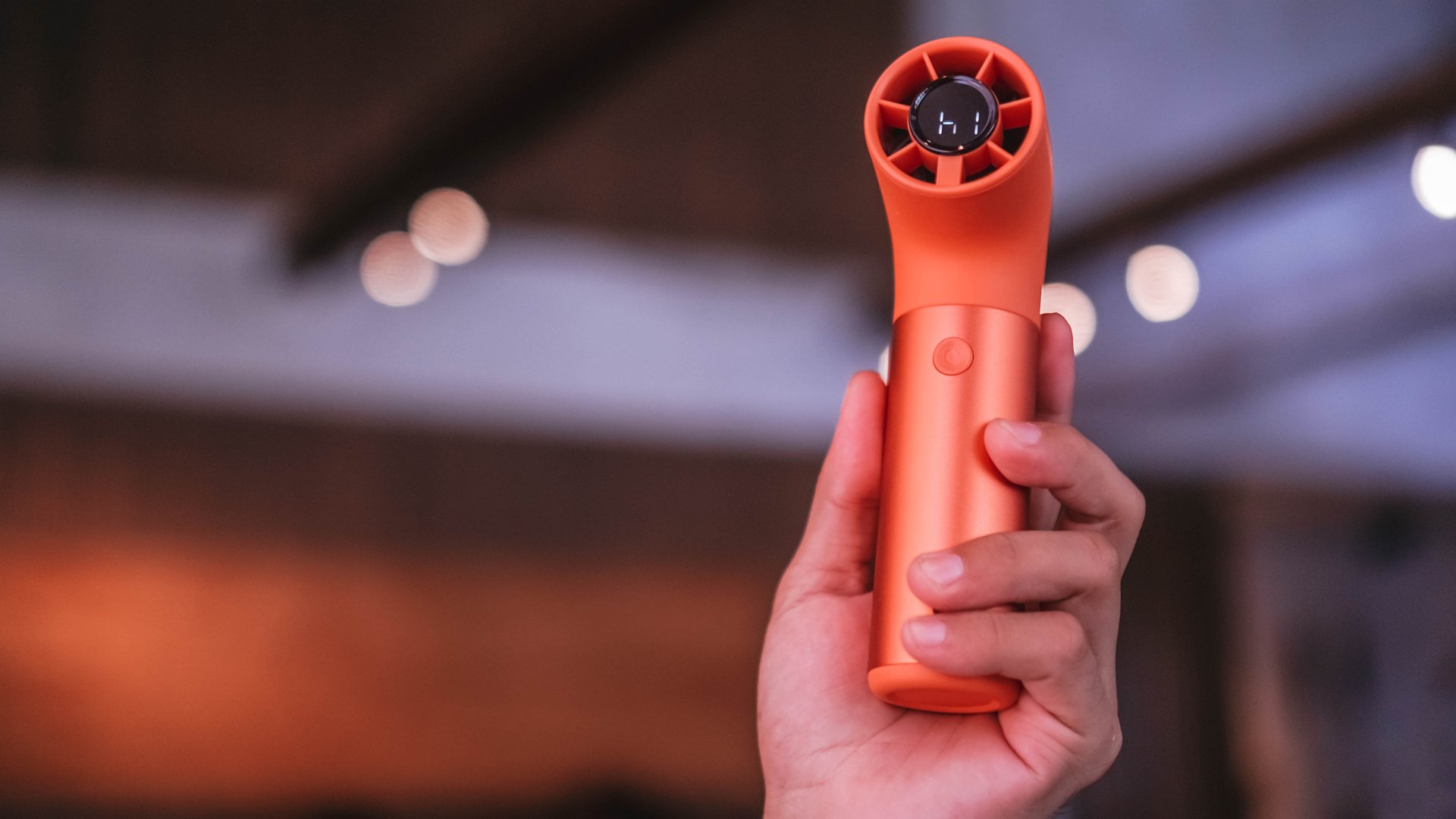
They’ve become essential in the Philippines, and I still can’t believe it took this long for them to evolve into actual daily-use gadgets. The Aecooly Aero Ultra stood out because it didn’t look like the typical fan you see everywhere. The half-pipe frame, the pop of orange, and the odd tube-like shape felt like gear from a game instead of a humid-day survival tool.
Design that turns heads
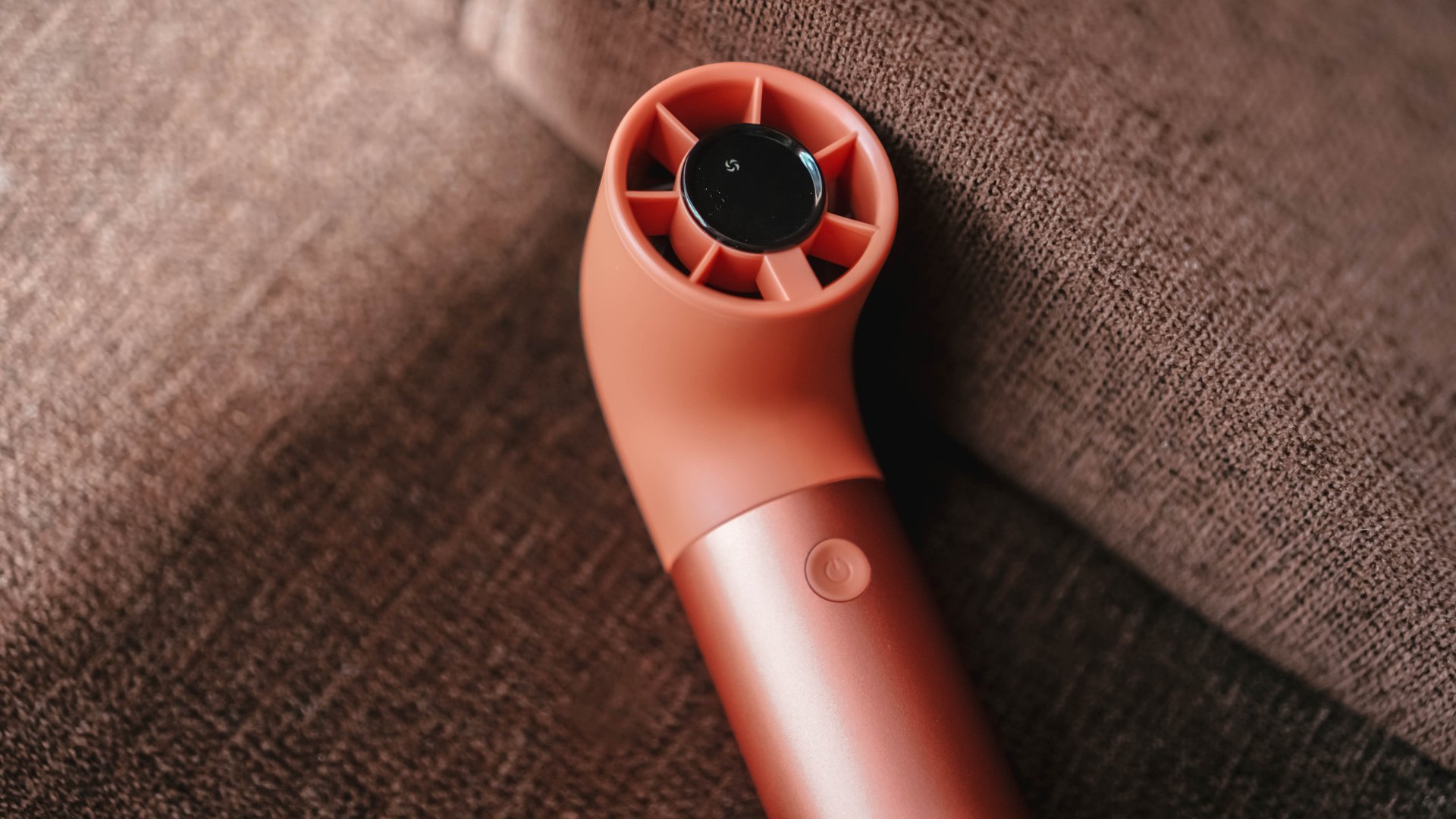
What surprised me first was how unique it looked. The r-style air tube design has this odd charm that sparks curiosity. Every time I pulled it out, people asked about it, held it, and tried to figure out how the air travels through that curved body.
The 170-gram weight feels almost nonexistent in hand or in a bag. I wouldn’t put it in a pocket since it sticks out awkwardly, but carrying it around never felt like a burden. The PC and AeroGrade aluminum blend also feels solid and durable, not cheap or hollow.
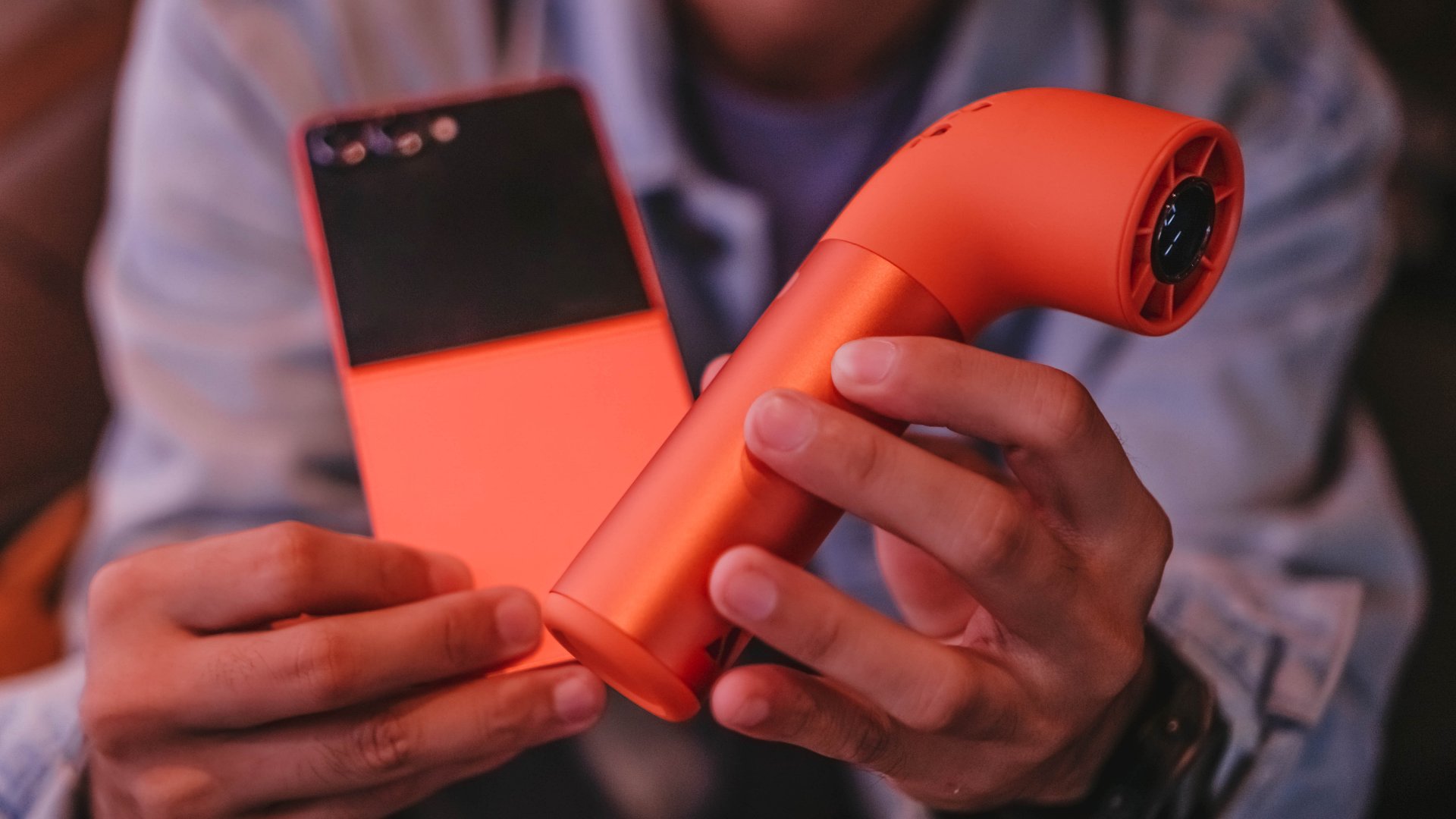
And that orange finish fits me perfectly. Sometimes a little color can make a hot day feel lighter, and this one does the job.
Performance that actually matches the design

On Standard speeds 1 to 4, the Ultra gives you a soft, steady breeze. Even at the highest standard setting, it still feels mellow, like a nudge of airflow rather than a blast.
Switch to the Turbo modes and it transforms. The power jump is real, strong enough that I’ve used it to dry my hair when I needed to rush out the door. The 11 m/s airflow hits a sweet balance where it cools you quickly but doesn’t overwhelm you whether you’re outdoors, walking through a mall, or sitting in a café.
Even at its top 15,000 RPM, the airflow still feels smooth. The honeycomb vents keep the direction tight without making the wind feel aggressive. Noise-wise, it’s noticeable in quiet rooms but blends into the background in noisier spaces.

The LED display is perfect for someone like me who panics when devices drop below fifty percent. Knowing the exact battery level shapes how I use it throughout the day. The seven speed levels make it easy to adapt in different environments, from blasting full Turbo at a concert to staying quiet in calmer settings.
Switching modes is intuitive, and the “r” form factor helps direct the airflow with minimal wrist movement. It’s comfortable, functional, and easy to pick up without overthinking how to hold it.
Battery Life, everyday use, and why I prefer the Ultra

Aecooly claims seventeen hours of battery life, but I never drained it to zero because I always top up before going out. Still, I never once felt like I had to conserve power. It usually refills after an hour-long podcast, and that alone makes it reliable for daily cycles.
The LED percentage indicator is another quality-of-life win. It helped me ration usage during events, long commutes, and casual walking days. I didn’t test the base Aero or Aero Pro, but looking at the numbers, I still tell people to get the Ultra if they can afford it. The stronger Turbo levels and larger battery make it feel like the complete package.

In real use, I bring it everywhere. I cool down after small activity bursts, I use it while walking, I’ve brought it to concerts, events, and even used it to dry my wavy hair. It never felt awkward to use in public.
My only complaint is not knowing how to attach the included wrist strap. I also wish it had a lanyard option so I could hang it around my chest and angle it upward hands-free.
Is the Aecooly Aero Ultra your GadgetMatch?

Our Associate Creative Director, MJ, enjoying the Aecooly Aero Ultra
Still, the Aecooly Aero Ultra feels premium, dependable, and built for the kind of heat I deal with daily. Definitely a Swipe Up.
If you need consistent cooling on the go, this is an easy recommendation. It has become a part of my everyday carry, and I don’t see myself leaving the house without it anytime soon.




Phones flip and fold. Now webcams do too.
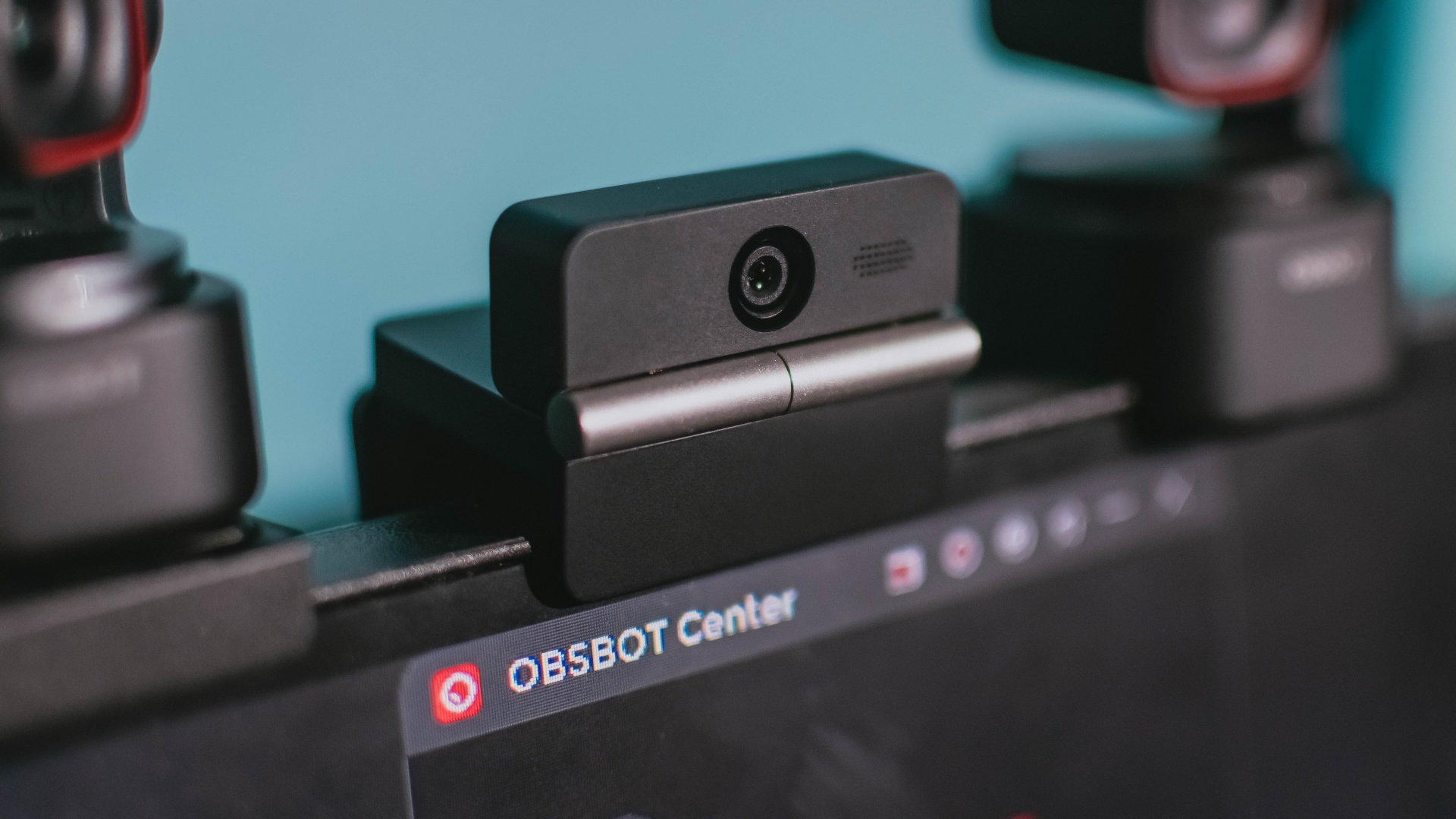
Foldable screens have found their way into phones, tablets, and laptops in recent years. Now, OBSBOT is taking that idea in a considerably smaller direction: the webcam.
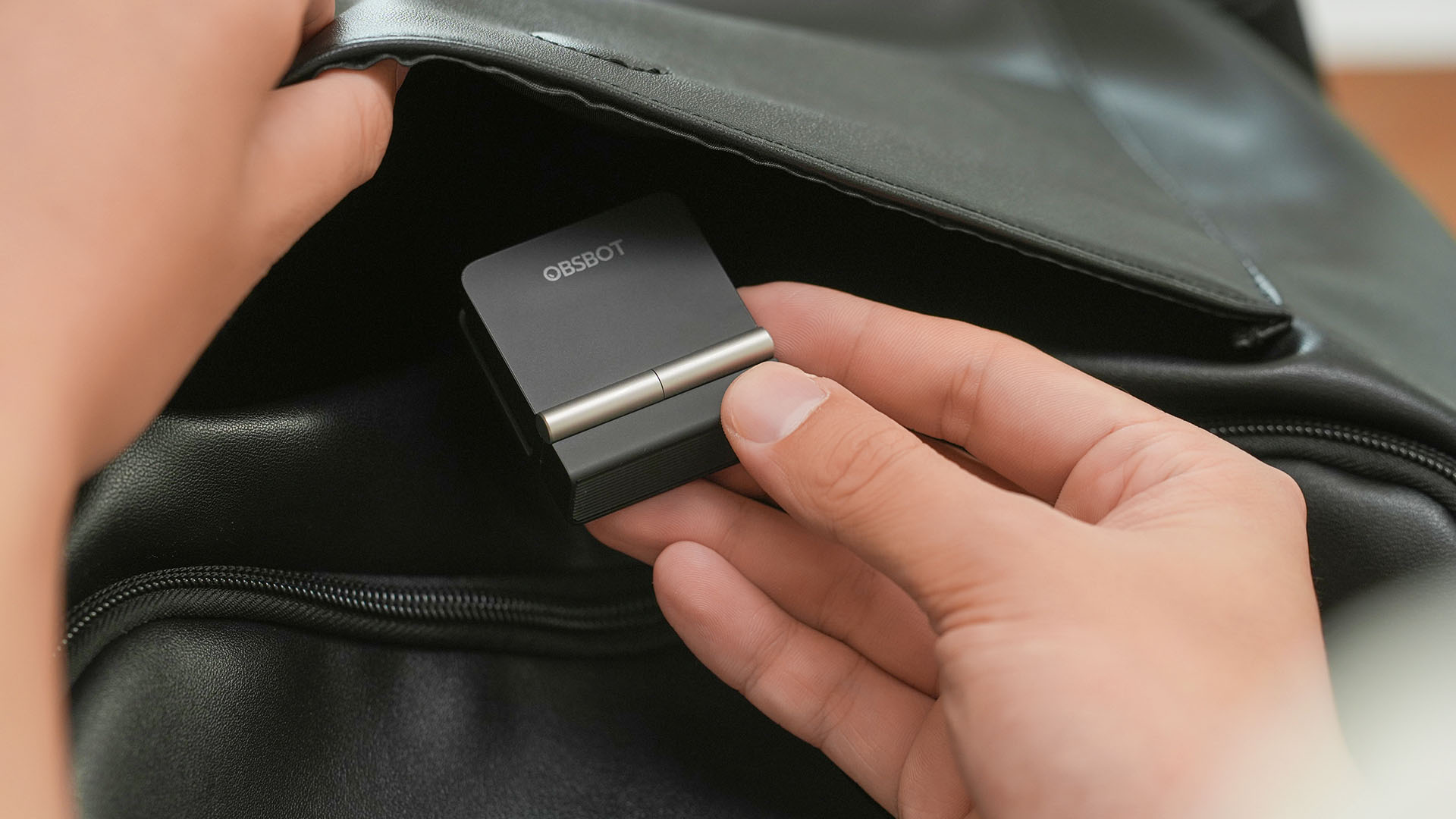
The OBSBOT Meet Flip is the company’s first foldable 4K webcam packing:
- 1/2-inch stacked CMOS sensor
- intelligent audio
- a collection of AI-powered meeting tools
All of these inside a body weighing just 37.7 grams.
A fold that does something, not just a gimmick
The OBSBOT Meet Flip isn’t foldable just to make it easier to throw into a bag.
Closing the webcam physically blocks the lens and puts the device into sleep mode. Open it when you want to be seen, flip it shut when you don’t.
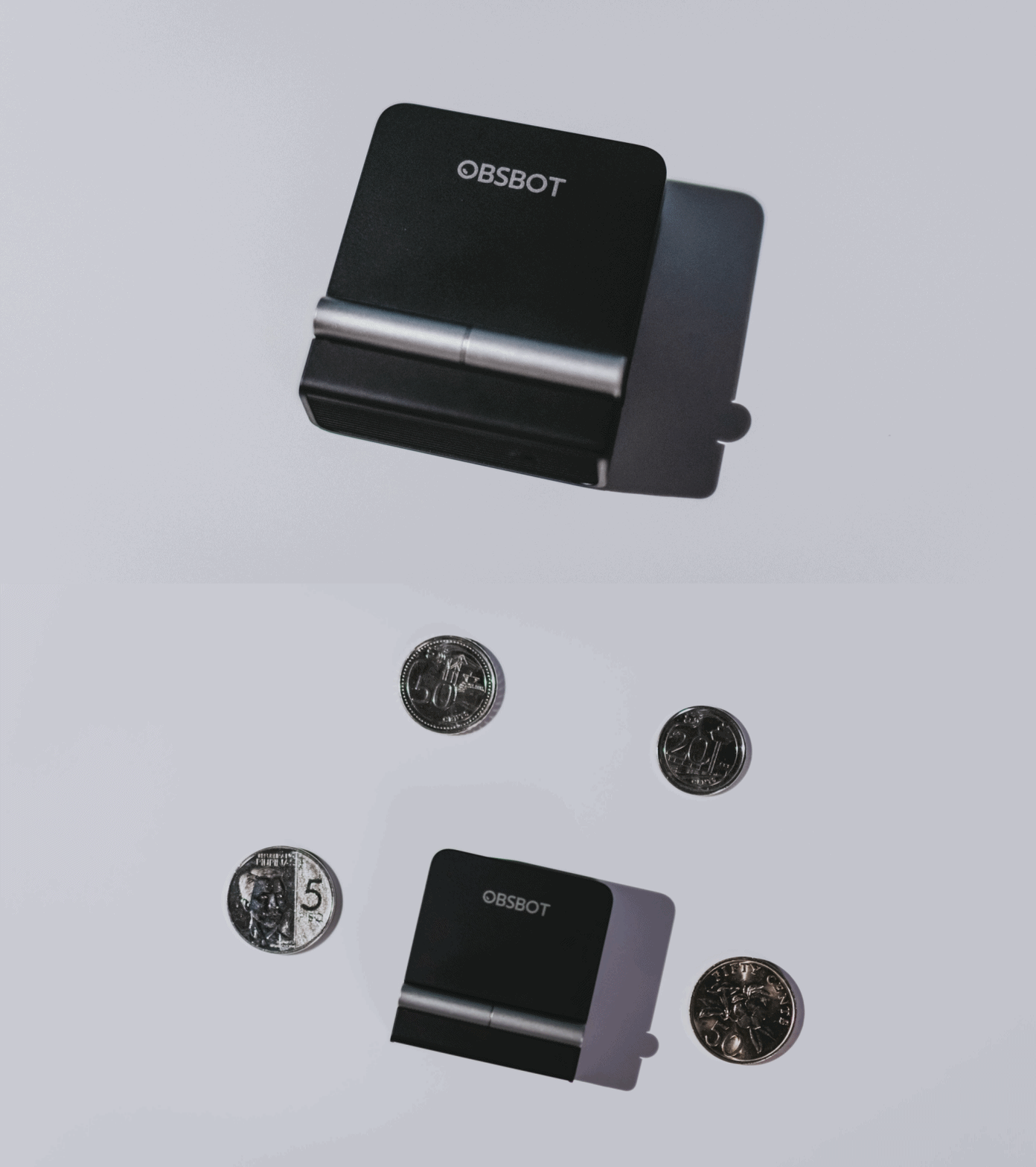
A physical privacy cover isn’t novel in itself. What’s clever here is how it’s part of the folding design.
As someone with a love-hate relationship with data privacy, I almost always keep some physical barrier over my laptop webcam. And if I can avoid having a webcam there entirely, even better.
Serious camera hardware in a pocket-sized webcam
Despite its size, OBSBOT hasn’t treated the Meet Flip like a basic laptop-camera replacement.
Inside is a 1/2-inch Exmor RS stacked CMOS sensor with Quad Bayer technology, capable of recording 4K UHD at 30 fps or 1080p at 60 fps. It also packs an f/1.8 aperture, HDR, PDAF autofocus, ISO 100–6400, and up to 4x digital zoom.
At its core is a 1/2-inch Exmor RS stacked CMOS sensor with Quad Bayer technology.
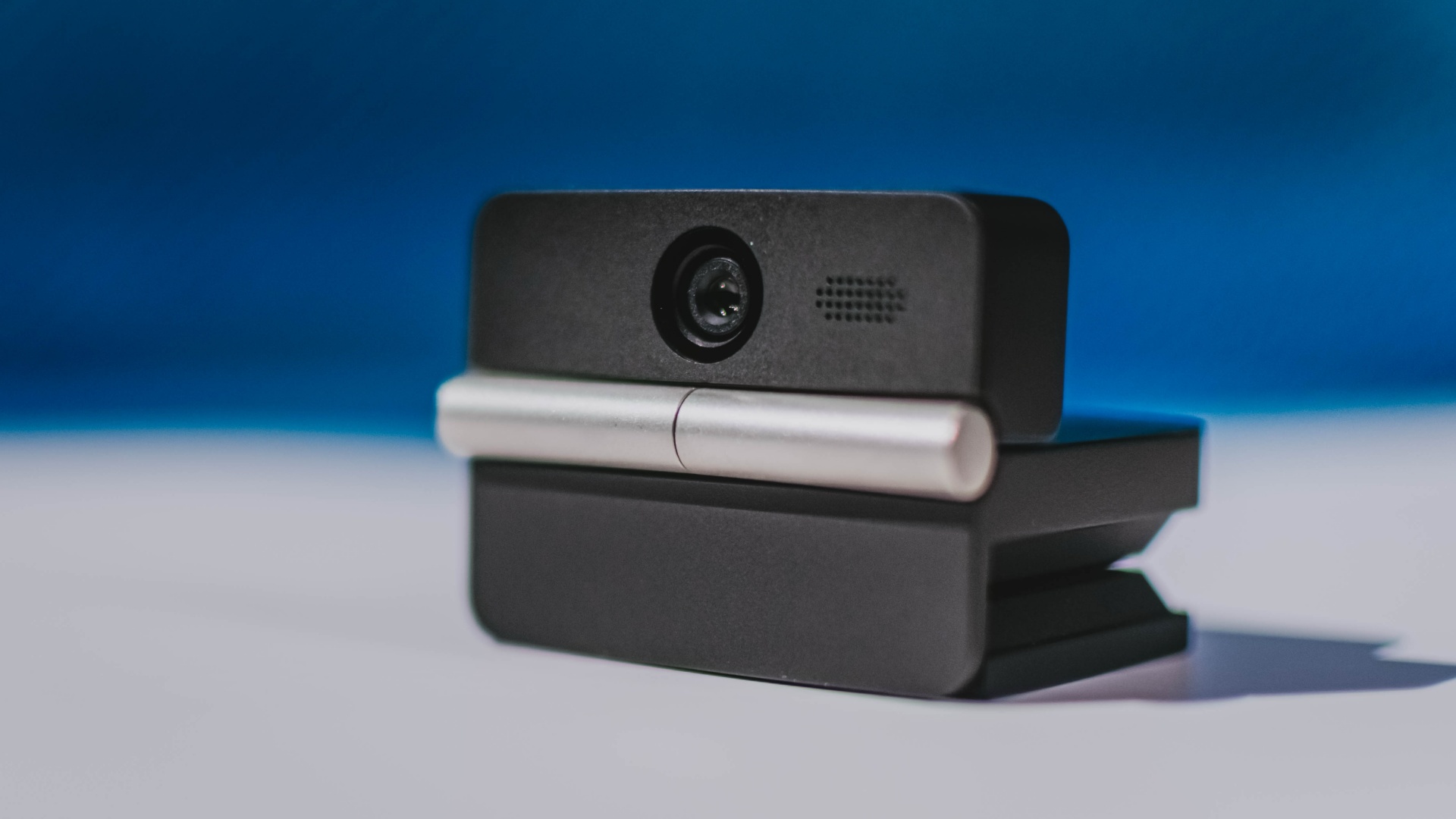
It can record:
- 4K UHD at 30fps
- 1080p at 60fps
You also get:
- f/1.8 aperture
- HDR
- PDAF autofocus
- ISO 100–6400
- up to 4x digital zoom
On paper, that gives the Meet Flip a better shot at handling the situations built-in laptop webcams often struggle with: dim rooms, harsh backlighting, changing lighting conditions, or simply moving around in front of the camera.
HDR helps keep faces visible against bright backgrounds, while PDAF autofocus continuously adjusts focus as you move closer to or farther from the lens.
The wider f/1.8 aperture should also help in less-than-ideal lighting.
The point is that once the Meet Flip is set up, you shouldn’t have to spend much time thinking about the camera itself.
It listens differently depending on the room setup
The Meet Flip also uses an intelligent dual-microphone system combining omnidirectional and directional microphones.
Instead of relying on one pickup pattern for every situation, it offers four audio modes for different setups:
Directional Mode focuses on sound coming from the front, making it the obvious choice for solo calls.
Dual-Directional Mode listens to both the front and rear of the webcam, which could be useful for interviews or conversations between two people sitting across from each other.

Smart Omni Mode is designed for group meetings, picking up voices from around the room.
And Pure Audio Mode provides unprocessed left and right stereo channels for users who would rather handle the audio themselves in post-production.
Auto Gain and AI Noise Reduction also work across the first three modes, helping clean up audio without requiring much manual adjustment.
It gives the Meet Flip more flexibility than a typical webcam microphone, especially if you regularly switch between solo calls, interviews, and group meetings.
AI that doesn’t intrude
AI has become an almost obligatory addition to new hardware in 2026, but several of the Meet Flip’s features put it to work on real-world meeting annoyances.
AI Auto Framing keeps you in frame, with options for:
- Group
- Single Close-up
- Upper Body
- Full Body
Gesture controls can also toggle Auto Framing or adjust the zoom without reaching for a keyboard or mouse.
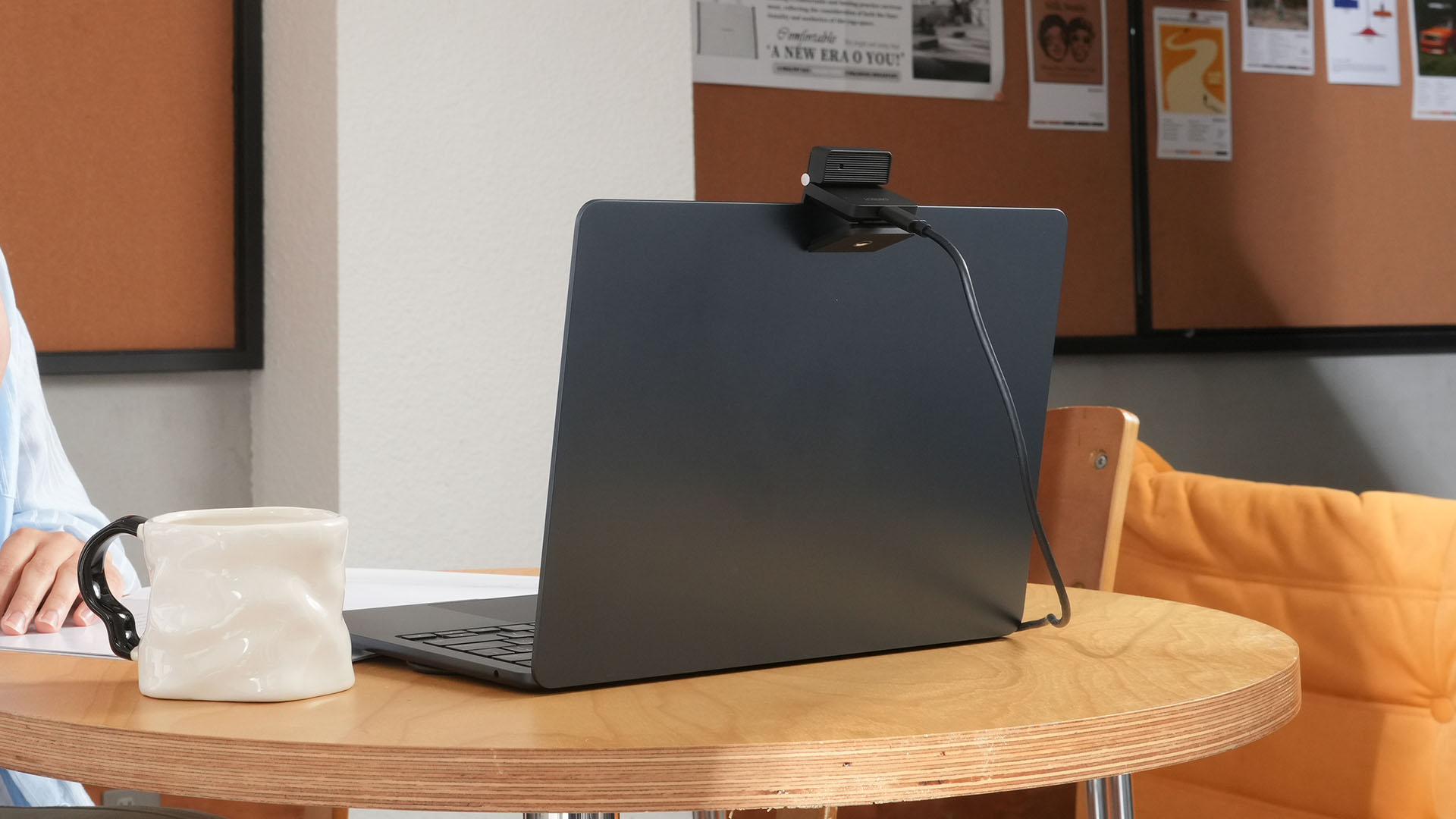
More interesting is AI Magic Notes.
Through OBSBOT Center, it provides real-time transcription and can automatically generate meeting summaries with key points, decisions, and action items. It works across Google Meet, Zoom, and Microsoft Teams.
Although AI Magic Notes is offered as a subscription service, every Meet Flip includes 120 complimentary minutes to get started.
MORE with OBSBOT Center & OBSBOT Live
There are plenty of other software features as well. OBSBOT Center includes:
- Background Blur and Background Replacement
- Real-Time Beauty Mode
- Picture-in-Picture overlays
- Smart Eye Tracking
- Teleprompter support
- Detailed image adjustments
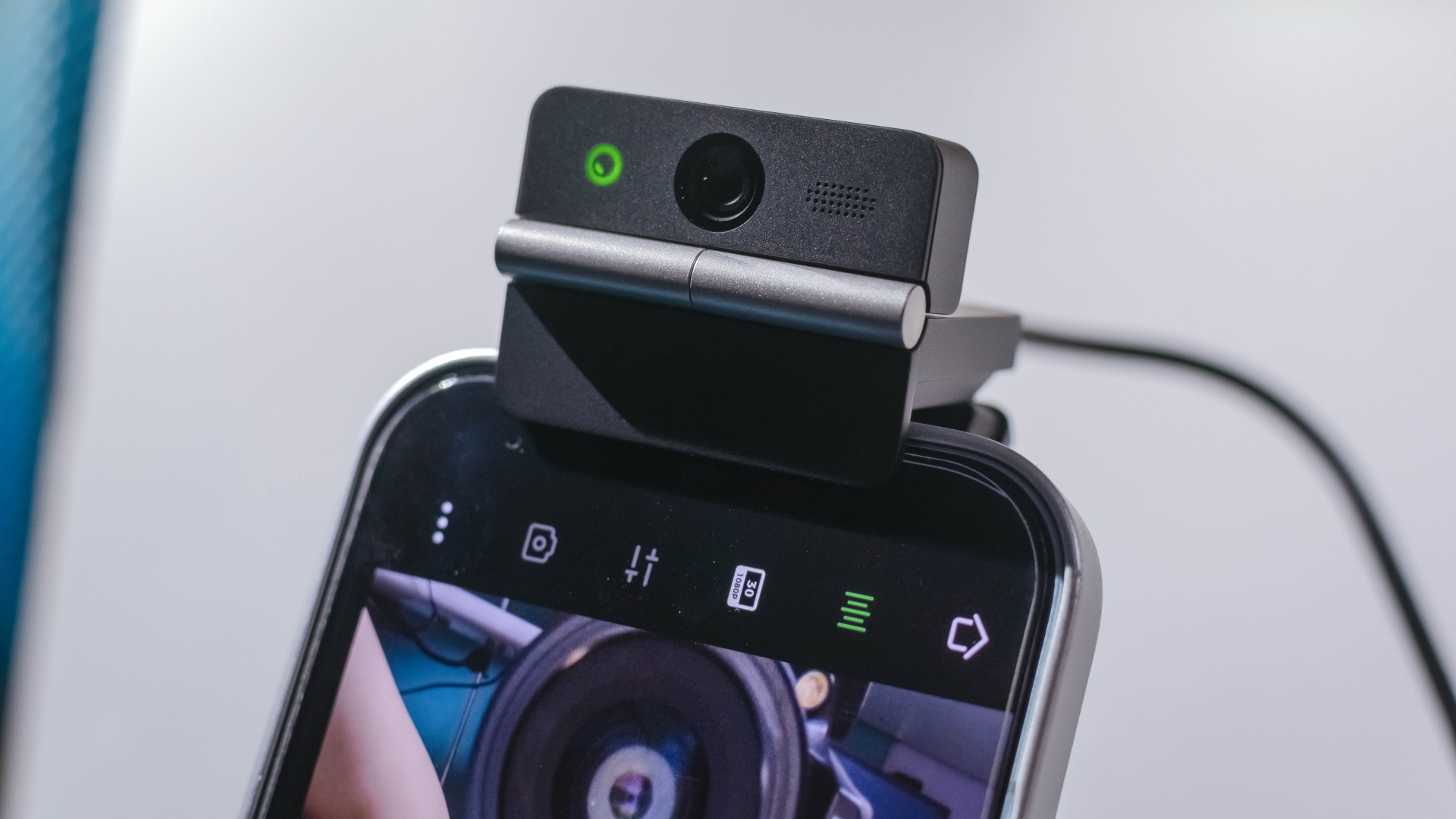
The Meet Flip isn’t limited to laptops or desktops either. Through OBSBOT Live, it can connect directly to smartphones and tablets over USB-C for mobile streaming and content creation.
Flip it open. Fold it away.
None of those features reinvent the webcam on their own.
Taken together, though, they make the Meet Flip a more thoughtful take on a piece of hardware whose basic design and features have barely changed.
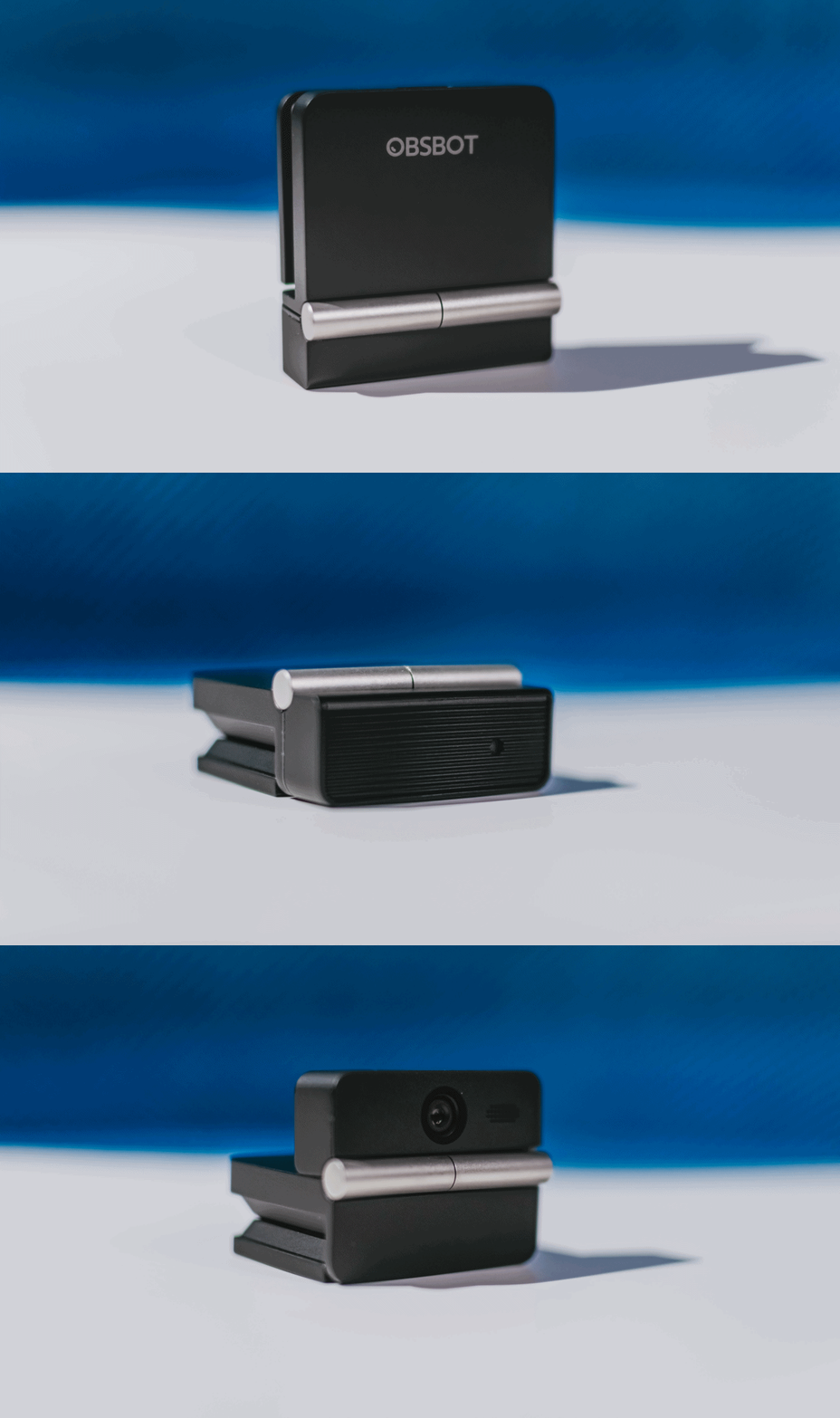
The flip may grab your attention first, but it’s how OBSBOT uses that design alongside its camera, audio, and software features that makes the Meet Flip interesting.
The OBSBOT Meet Flip is now available at US$ 119 and is currently available through OBSBOT’s official store, Amazon US, and select retailers.
Accessories
England, Wales start banning Meta Glasses
The smart glasses are now banned in courtrooms.


Earlier this year, New York became the first state to issue a blanket ban against smart glasses in courtrooms. The new regulation marks one of the first public spaces to prevent the contentious devices. Now, England and Wales are following suit in their courtrooms by banning Meta glasses inside.
As reported by The Guardian, courtrooms in both countries will confiscate Meta Glasses from those taking them into the building. Owners can retrieve them again upon exit.
Like the decision in New York, the English and Welsh bans are simple enough to follow. As it is everywhere, it’s forbidden to record video inside courtrooms in England and Wales. Because Meta Glasses have cameras (and are primarily used for their video capturing capabilities), they fall under prohibited items.
Notably, smartphones are not included on this list, despite having sizable cameras themselves. Although, to be fair, it’s much more difficult to discreetly record video using a smartphone. Smart glasses pride themselves with the ability to take videos seamlessly.
Meta Glasses are having such a moment today. Though some users, especially creators, are excited for them, a significant chunk of the population is concerned over their ability to take videos without subjects knowing they’re being recorded. Some users have even found ways to disable the built-in LED indicators which should, in theory, warn the public that the glasses are recording. It’s since turned into a privacy nightmare.


What if smart glasses could make you more present instead of recording everything around you? Check out MemoMind or back it up on Kickstarter.
After spending time with the MemoMind One around New York City, THE Michael Josh wanted to answer one question: Do smart glasses actually become more useful when they stop trying to be a camera?
In this video, we take a look at the MemoMind One — a new pair of AI-powered smart glasses that take a very different approach.


Samsung Galaxy Z Fold8 Review
8 Galaxy Folds later, Samsung finally nailed It!


30 days later with the ASUS ExpertBook Ultra: Like seeing an ex
Felt exactly as I remembered.

ROG STRIX G16 Review: Building for the moment
Setting it up however you want to make the most out of it

OBSBOT Meet Flip Hands-on
Samsung Galaxy Z Fold8 Review

Smart showcases cloud gaming platform in partnership with Blacknut

What your smartphone color choice reveals about you

New EV player XPENG to launch in the Philippines in September

Hands-on: Samsung Galaxy Z Fold8, Flip8, Ultra

VinFast debuts two-wheeler models, opens 21 e-motorcycle showrooms

Garmin launches its first screenless fitness band

Samsung releases teaser with Spider-Man: Brand New Day Easter eggs

Sony announces new FX5 full-frame camera


-
 Automotive2 weeks ago
VinFast debuts two-wheeler models, opens 21 e-motorcycle showrooms
-

 Automotive2 weeks ago
Xiaomi debuts SkyNomad Series featuring new Kunlun platform
-

 News1 week ago
OnePlus officially leaves the United States and Canada
-

 Gaming2 weeks ago
Call of Duty: Modern Warfare 4 clip shows Losing Ground 1st look
-

 Automotive2 weeks ago
GAC launches new trio of MPVs
-

 Gaming2 weeks ago
Genshin Impact opens Snezhnaya in Version 7.0 this August 12
-
 News1 week ago
Google will force Android users to use Gemini next month
-

 Gaming1 week ago
Tides of Annihilation opens first public demo at Gamescom 2026