
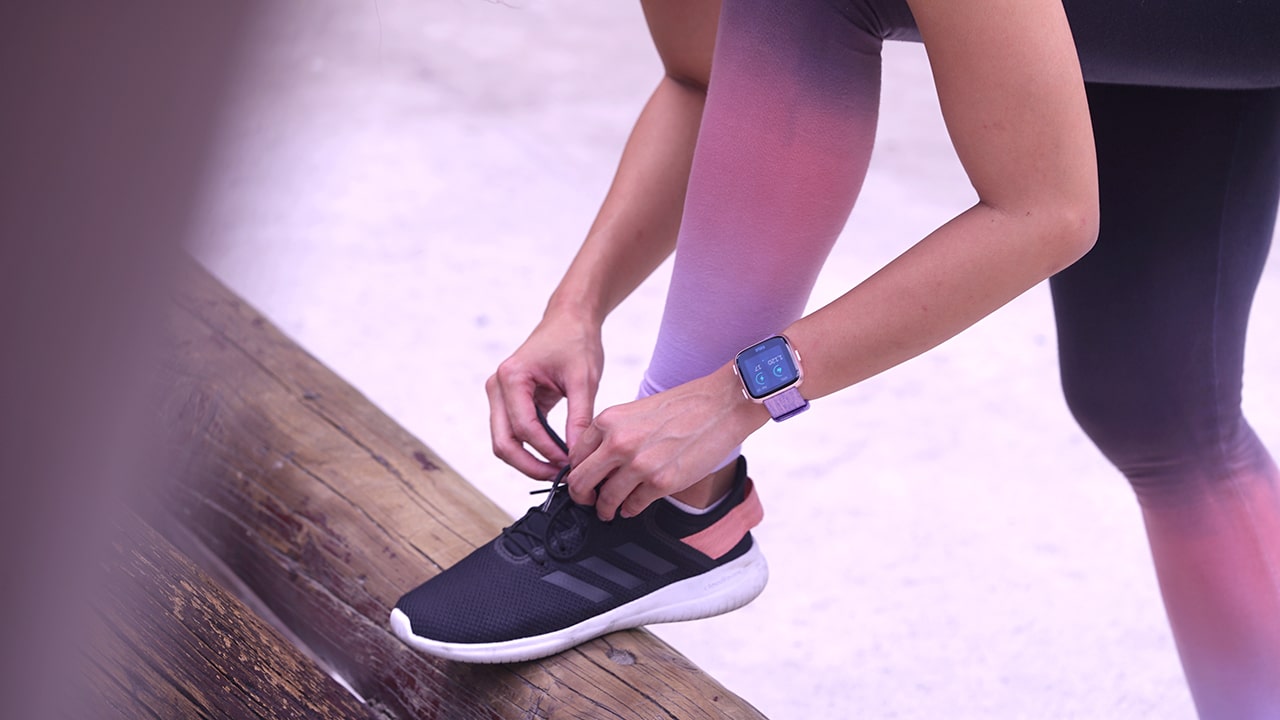

Fitbit’s second attempt at smartwatches is looking (and feeling) pretty good.
A sequel to the Fitbit Ionic, the Fitbit Versa is the company’s newest addition to its wearables roster. It has a more discreet look and the promise of an updated interface. Will this finally be Fitbit’s successful venture into the smartwatch space? I recently got hold of the device and here are initial reactions to the brand’s newest device.
The looks department
Let me cut to the chase: I love how the Versa looks.
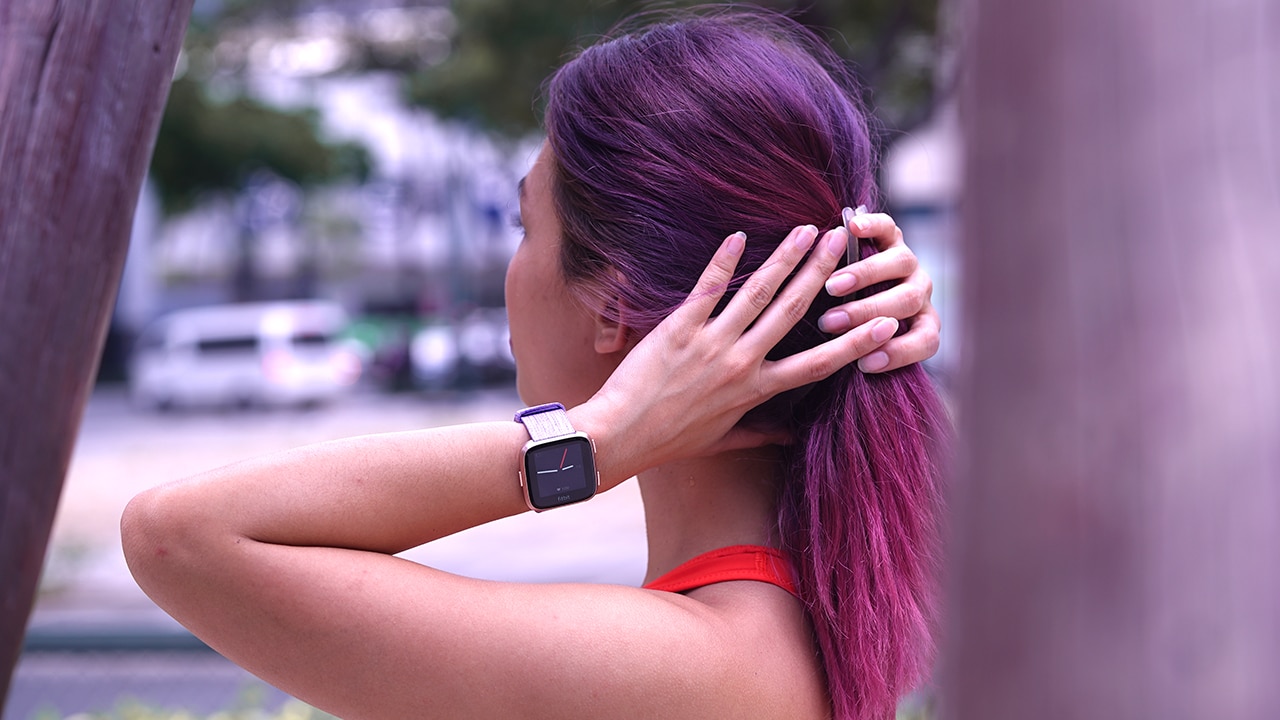
My main gripe with the Ionic is that I simply hated how it looked. The Versa doesn’t share that same sentiment — this beautiful tiny thing sits perfectly on my wrist and I enjoy wearing it as much as I enjoy looking at it to check the time, steps, notifications, you name it.
It’s simple and sleek; some would argue it’s reminiscent of the Apple Watch, but whatever, it looks good and it comes with a rose gold face.
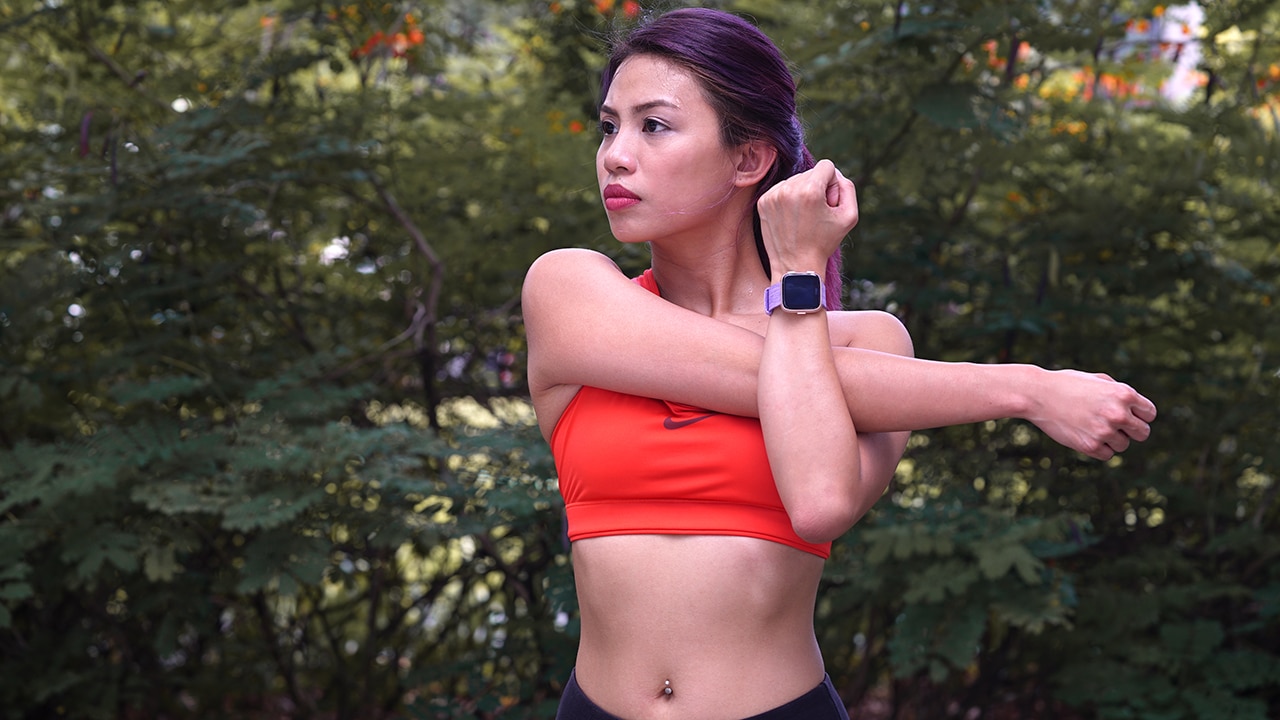
There’s also a black and gray face with matching serious-looking straps but, of course, I went for the more colorful option. This face usually comes with a pink silicone strap but the Limited Edition Versa comes with a lavender woven strap like this.
By the way, speaking of straps, there are so many strap options in different colors and materials! Unfortunately, not all regions have these straps in stores as of now.
Navigation
There are three buttons on the device: back button on the right and two shortcut buttons on the left.

Gestures are still a thing, but this has been tweaked from the previous device. A swipe down now brings you notifications, a swipe up gives you the day’s summaries, and a swipe right leads you to the menu where you can access different apps.
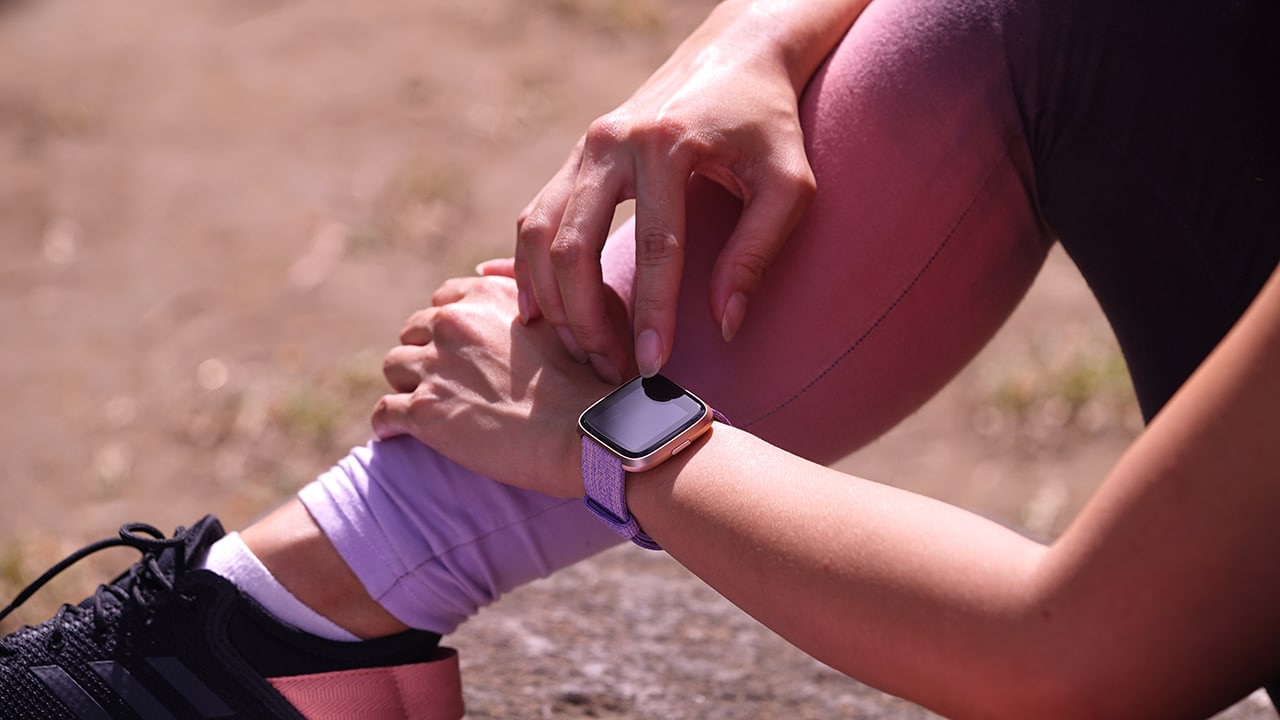
Everything is smooth, quick, and responsive. The screen has seamless transitions, colors are bright, and details are pretty crisp.
What can it do?
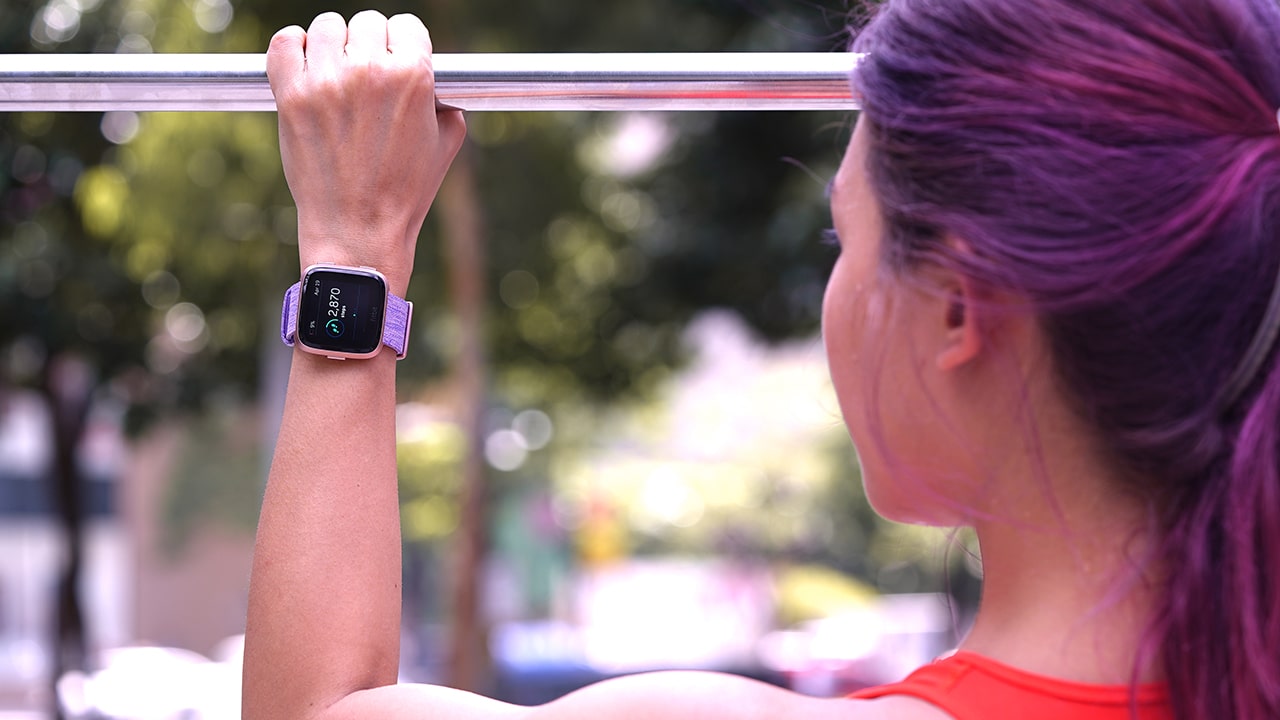
It still works the same way: Connect your Fitbit to the Fitbit app, set goals, and download apps to help you live that healthier lifestyle. The same Fitbit app functions are available — from here, track your sleep cycle, active minutes, steps, and even food intake. A health crowd favorite, the continuous heart rate monitor is another feature I love and battery time is estimated at a whopping three to four days, despite this running in the background.

Of course, the Versa allows for smartphone connectivity which also means you get alerts on your wrist, so long as the watch is paired with your phone. Also expect to be able to do quick replies with the Versa, a function that wasn’t previously available on the Ionic. This feature is coming as an update in May for both smartwatches.
What I’m pretty excited about is Fitbit’s newly announced Female Health Tracking. This feature supposedly ties in info specific to women (*ehem* like your monthly cycles *ehem*) to the info that the wearable gathers which will make for more accurate data and predictions health-wise. I cannot stress how long I’ve been waiting for a feature like this! Though this feature isn’t available yet as of writing, expect it to roll out in the coming months.
Unfortunately, not all of these devices are created equal as not all are equipped with NFC. In the US, only the Special Edition watches are NFC-enabled. Good news for the European and Asian markets, though: All versions are equipped with NFC.
Initial Thoughts
At a hundred dollars cheaper than the Ionic, are there any compromises to this device? Will the overall performance be as good, or even better than the Ionic’s? Who is this wearable designed for? I’d have to spend more time with this smartwatch to answer these questions.
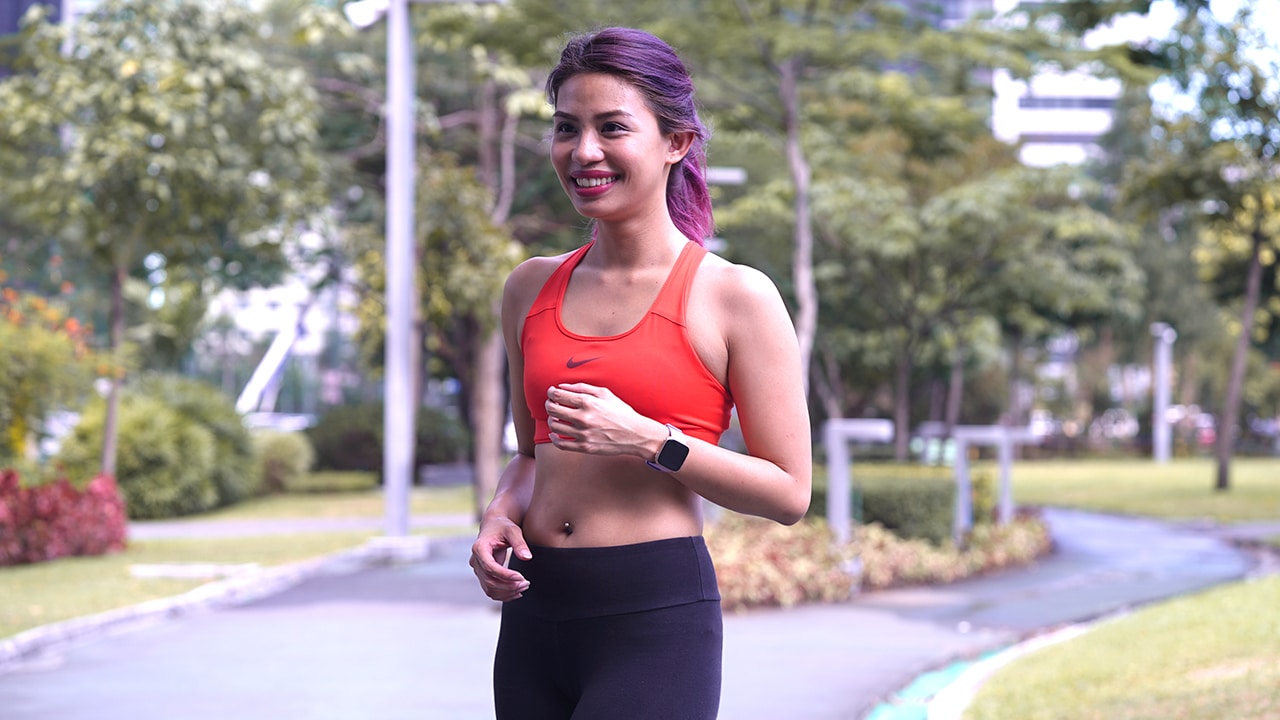
But, it’s been a few days with the Versa and I’m loving it so far. When you plan to wear something 24/7, looks matter and Fitbit finally seems to have caught on to this truth.
Of course, it’s not only looks that matter so I’d still have to do a full review on the Versa’s performance, but if you ask me right now, it’s looking pretty good — literally and figuratively.
The Fitbit Versa retails for US$ 199.95 in the US and PhP 13,890 in the Philippines. At that price point, this watch is looking even better.







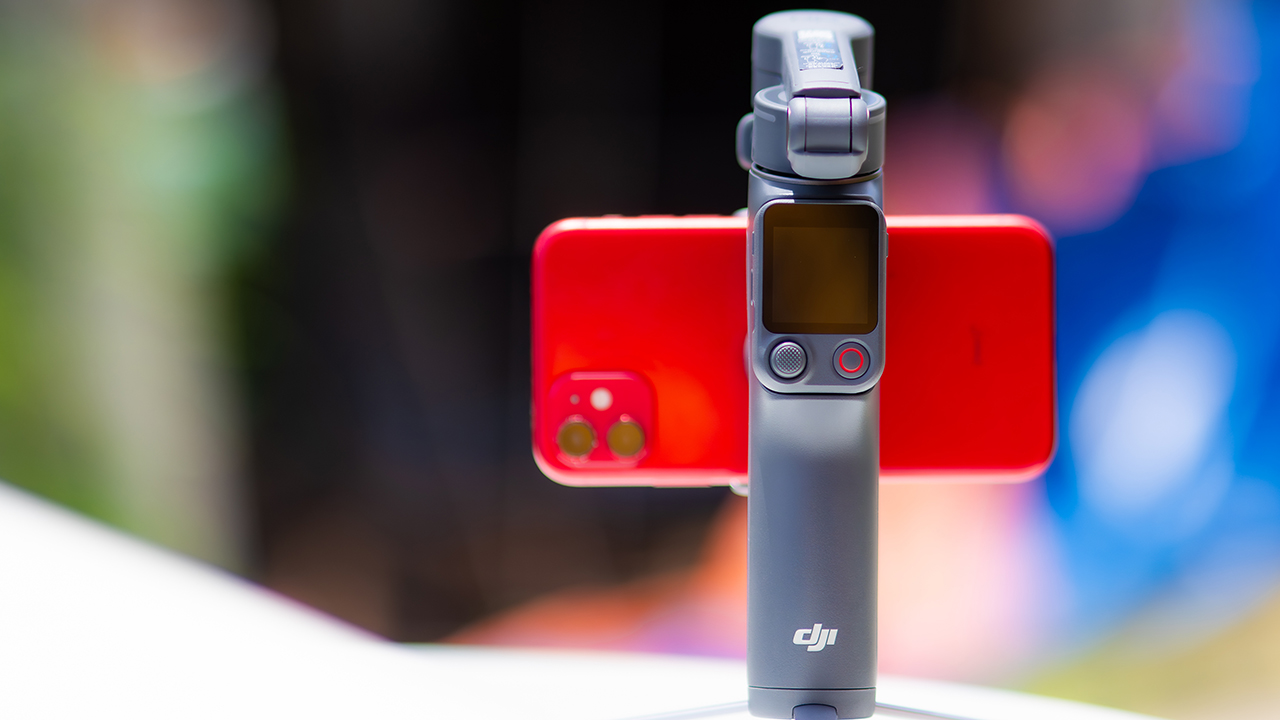
DJI’s smartphone gimbals have always chased one goal: delivering cinema-smooth footage without forcing you to carry a heavy rig.
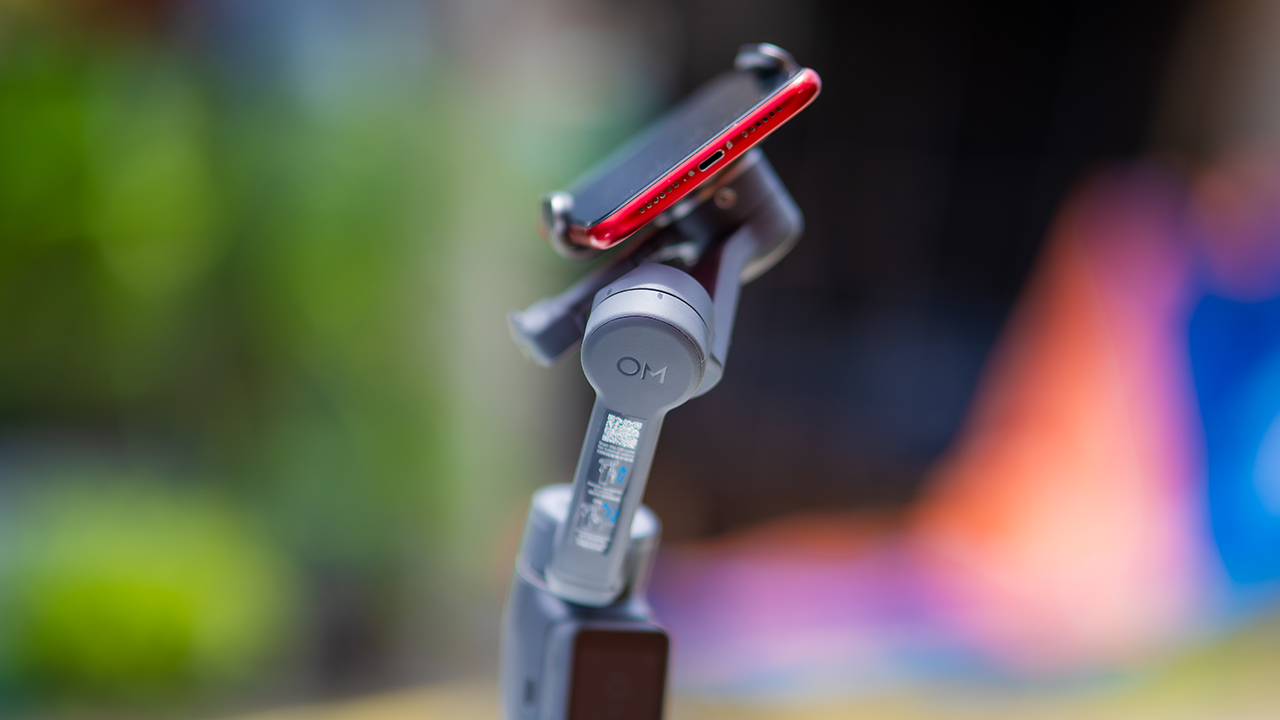
The Osmo Mobile 8P (OM 8P) makes its priorities clear right out of the box. This is not a simple refresh. DJI rebuilt how you control the gimbal, and that decision shapes the entire shooting experience.
Freedom behind the lens
The biggest change is the FrameTap remote, and it’s the kind of upgrade that fixes a problem you didn’t realize was slowing you down until it’s gone.
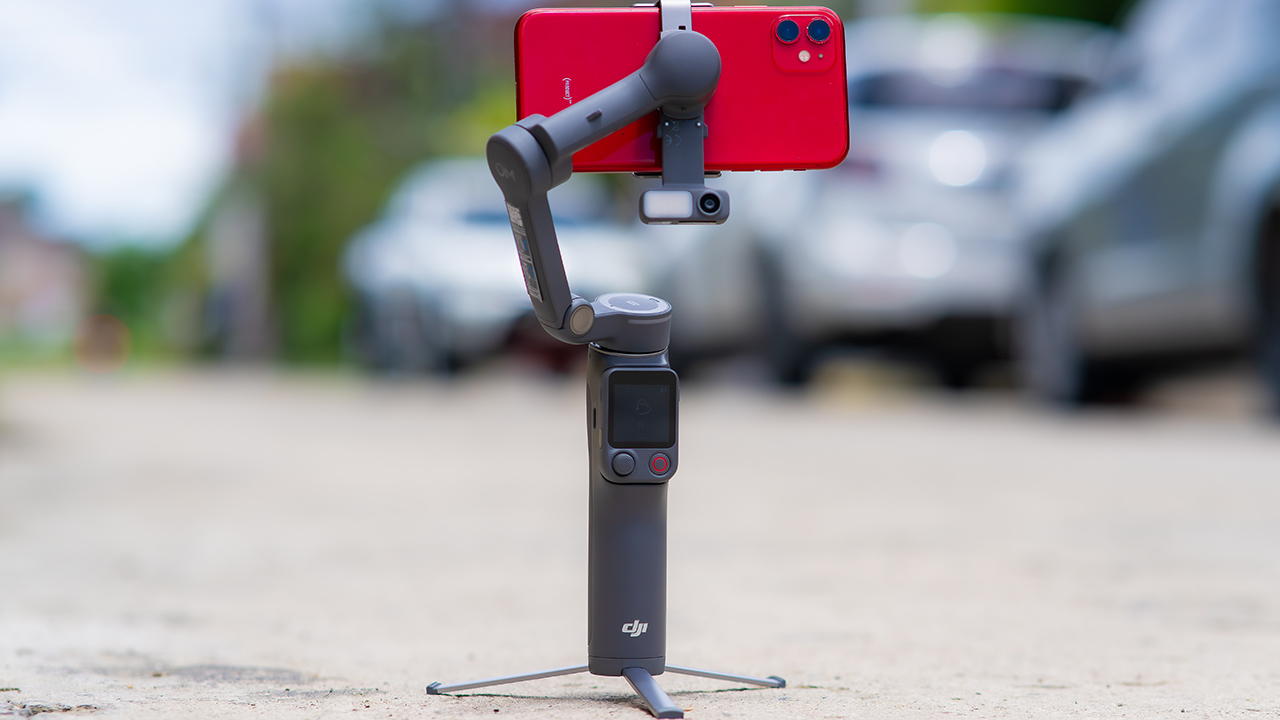
On the standard OM 8, adjusting your framing meant reaching for your phone every time, which broke the flow of shooting and pulled you out of the moment.
FrameTap puts that control back in your hand. You can reframe shots and manage the gimbal without touching your phone at all, and for anyone shooting solo, that alone changes how usable the whole setup feels. Tracking has taken a real step forward too.
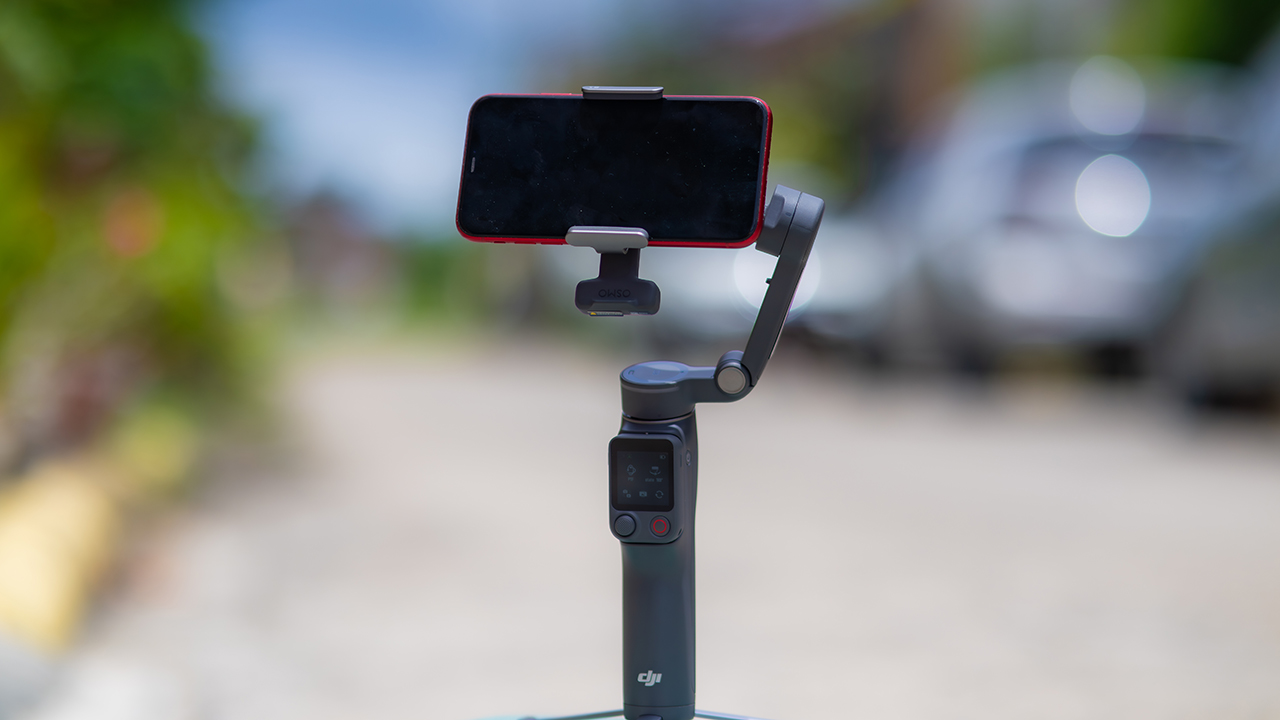
ActiveTrack 8.0, paired with Module 2, held onto its subject even after they stepped out of frame for a moment, then picked them back up without much fuss.
It also lets you sit off-center in the shot instead of forcing you into the middle every time, which gives you more room to compose something that doesn’t look like every other gimbal video.
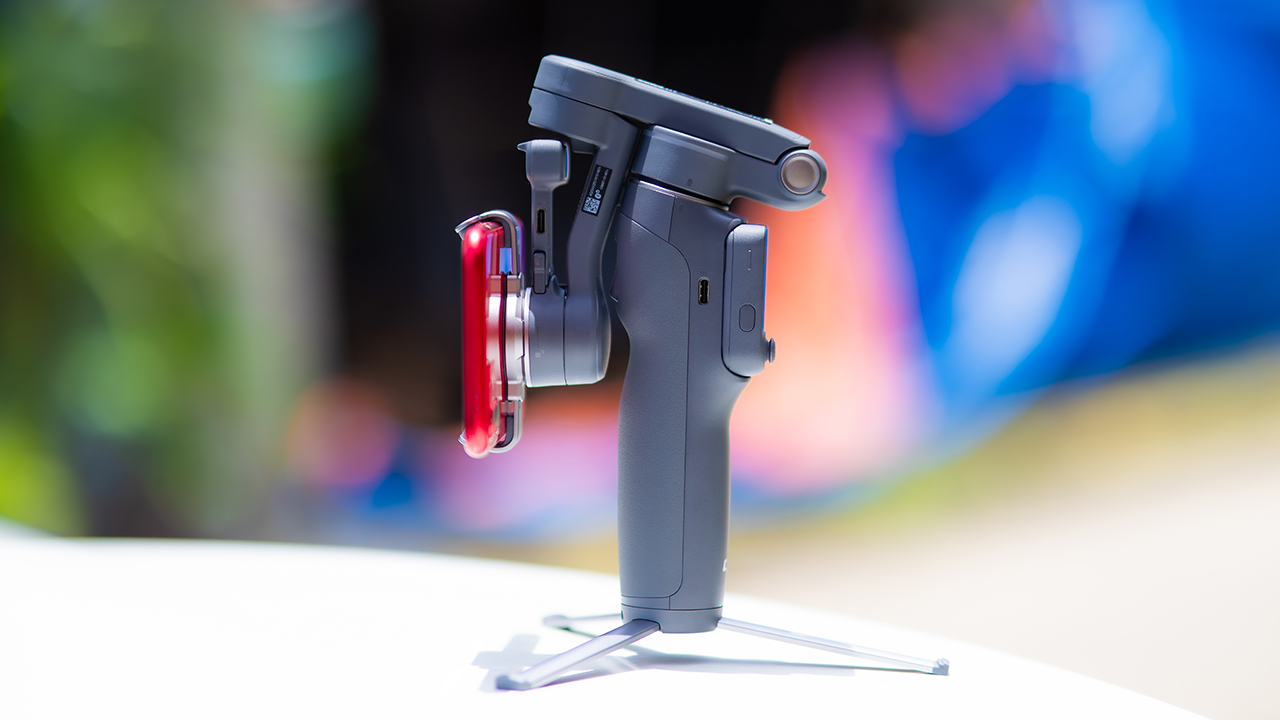
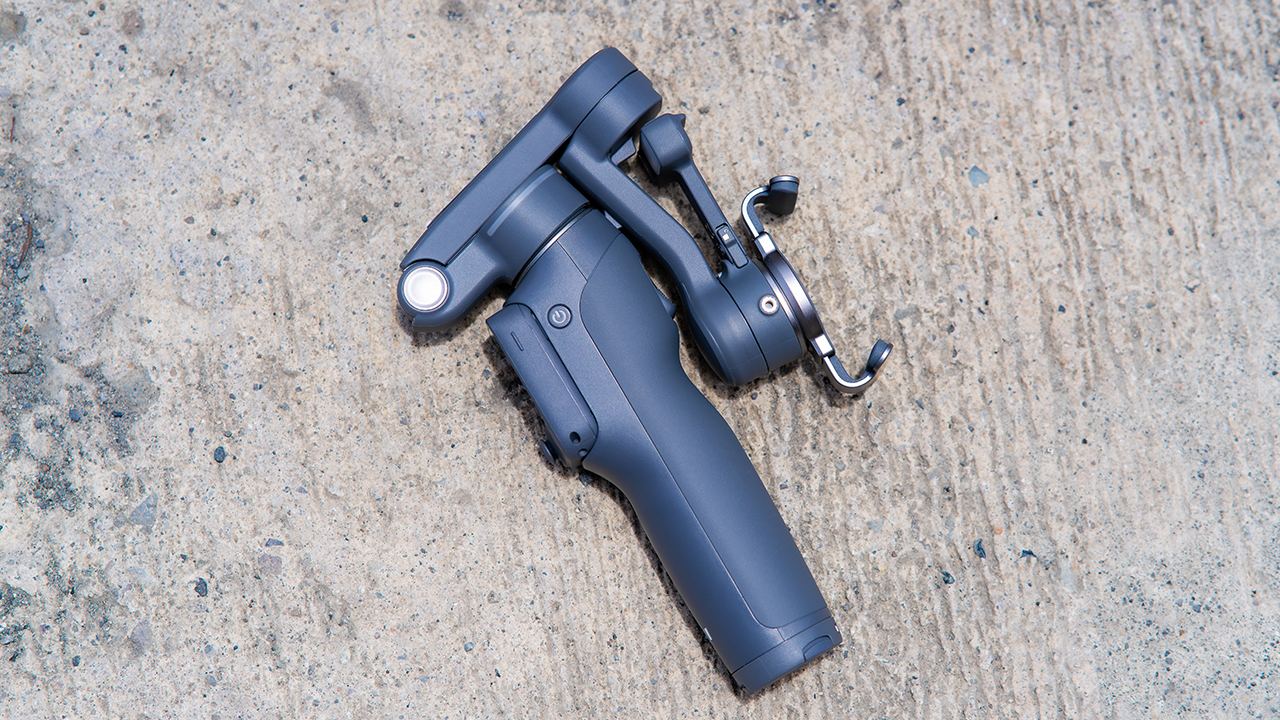
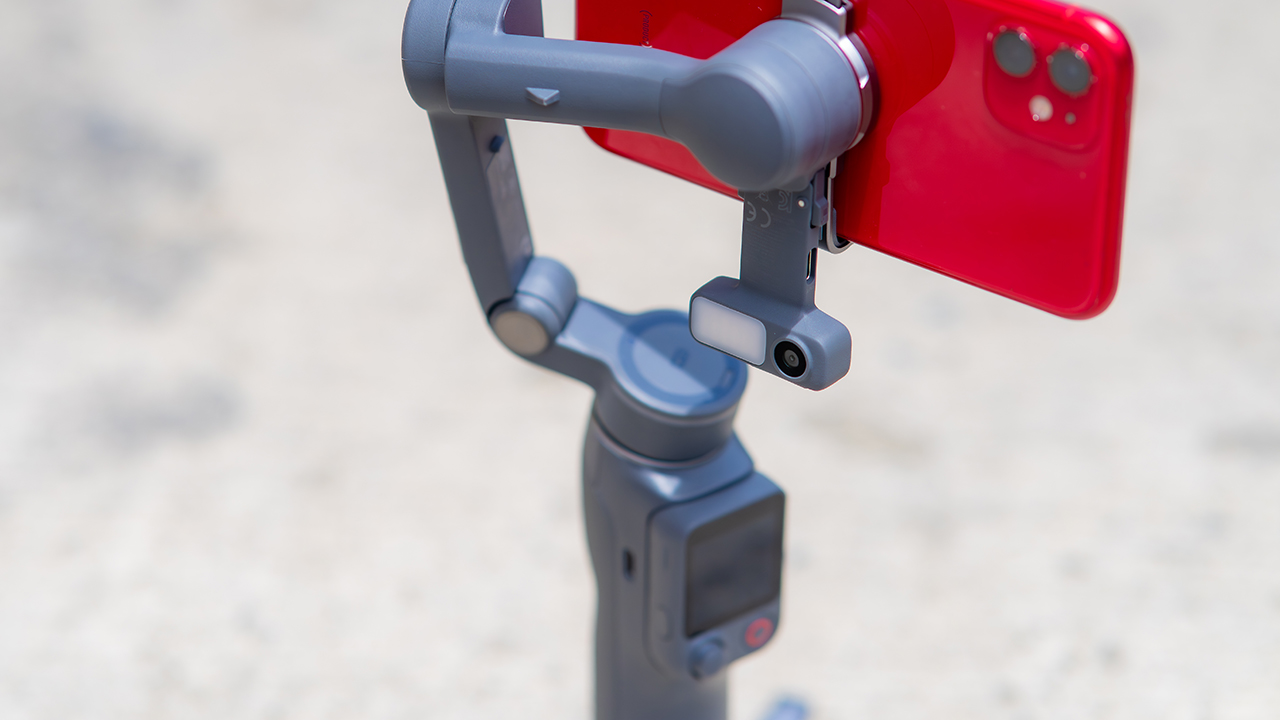
None of that would matter much if the gimbal itself wasn’t solid, and it still is. The OM 8P holds onto the same foldable design, magnetic phone clamp, and built-in tripod that made the OM 8 easy to live with.
And it remains one of the better compact options for stabilization, tracking, and portability in one package.
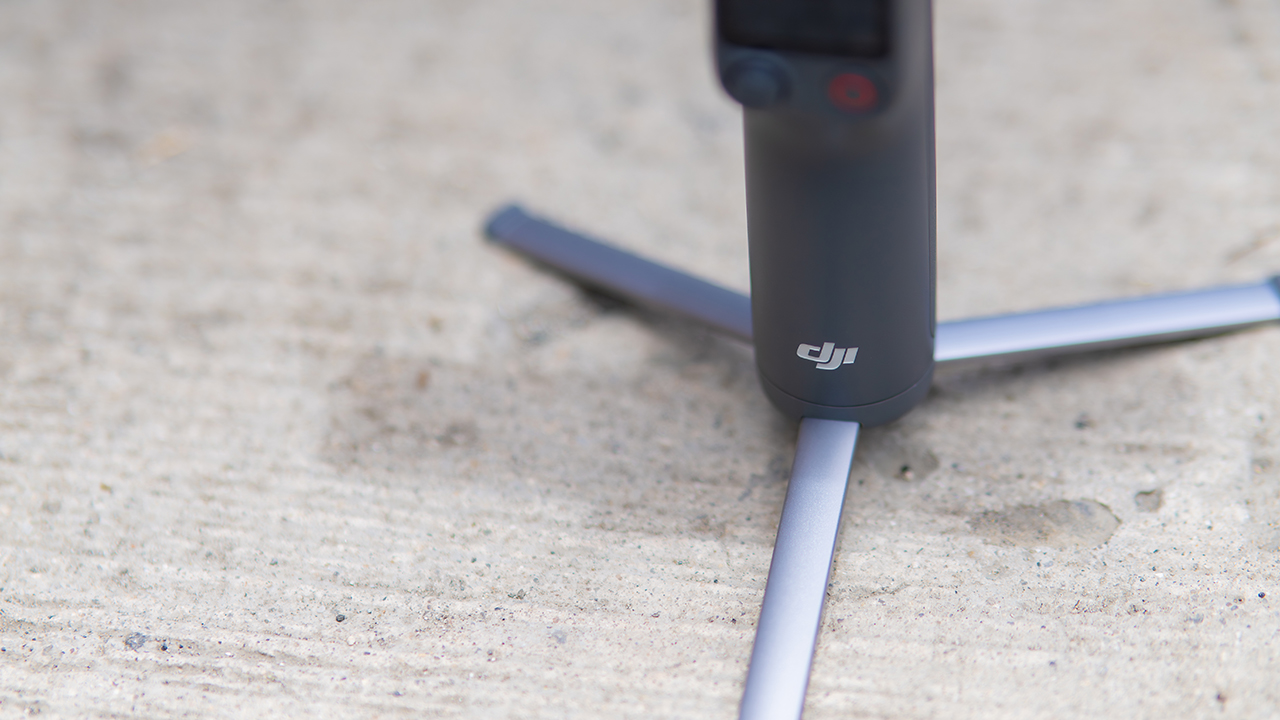
The tripod legs are a touch wider this time, and that extra width does make a noticeable difference on uneven ground.
The trade-offs in touch
The trade-off for all that new remote functionality is a control scheme that takes more getting used to. More of the gimbal’s functions now live on the FrameTap touchscreen, the joystick is smaller, and switching between shooting modes takes a few extra taps compared to the OM 8. It’s not a dealbreaker, but it’s a learning curve you’ll need to budget time for.
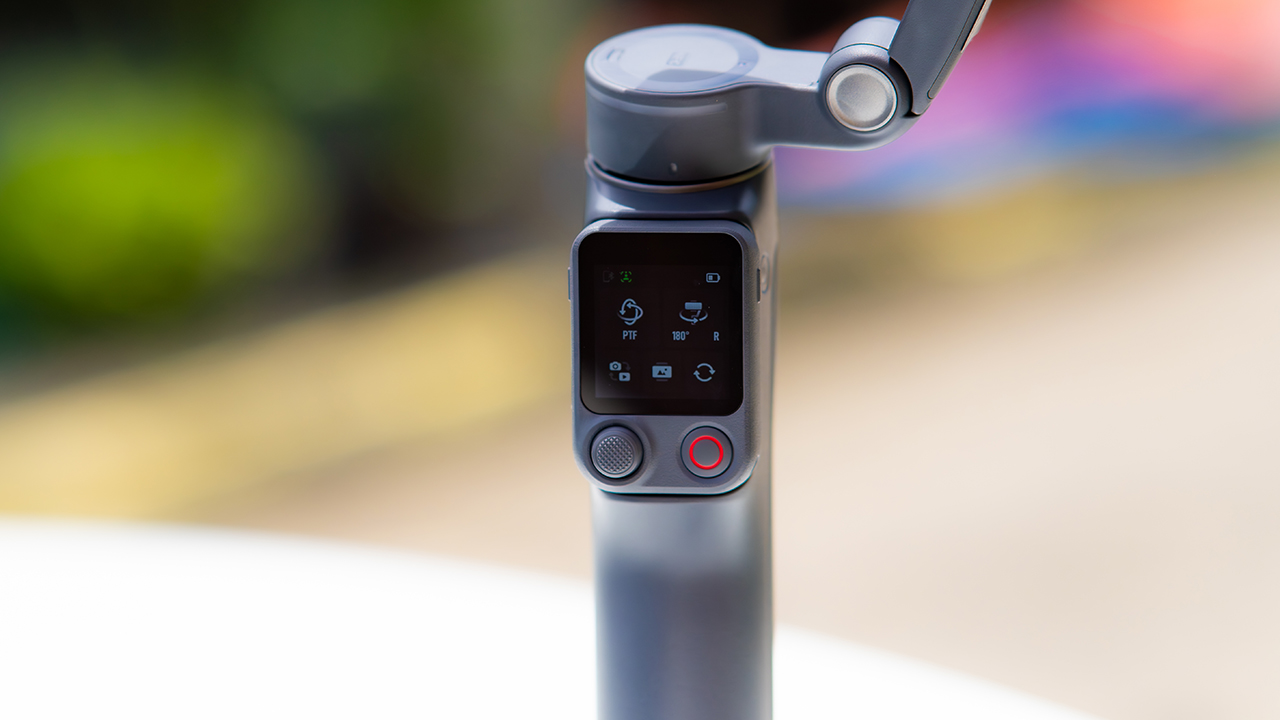
DJI also removed the zoom and focus wheel, so if you leaned on that dial for quick adjustments, you’ll feel its absence here. Module 2 no longer lets you plug a DJI wireless mic in directly either.
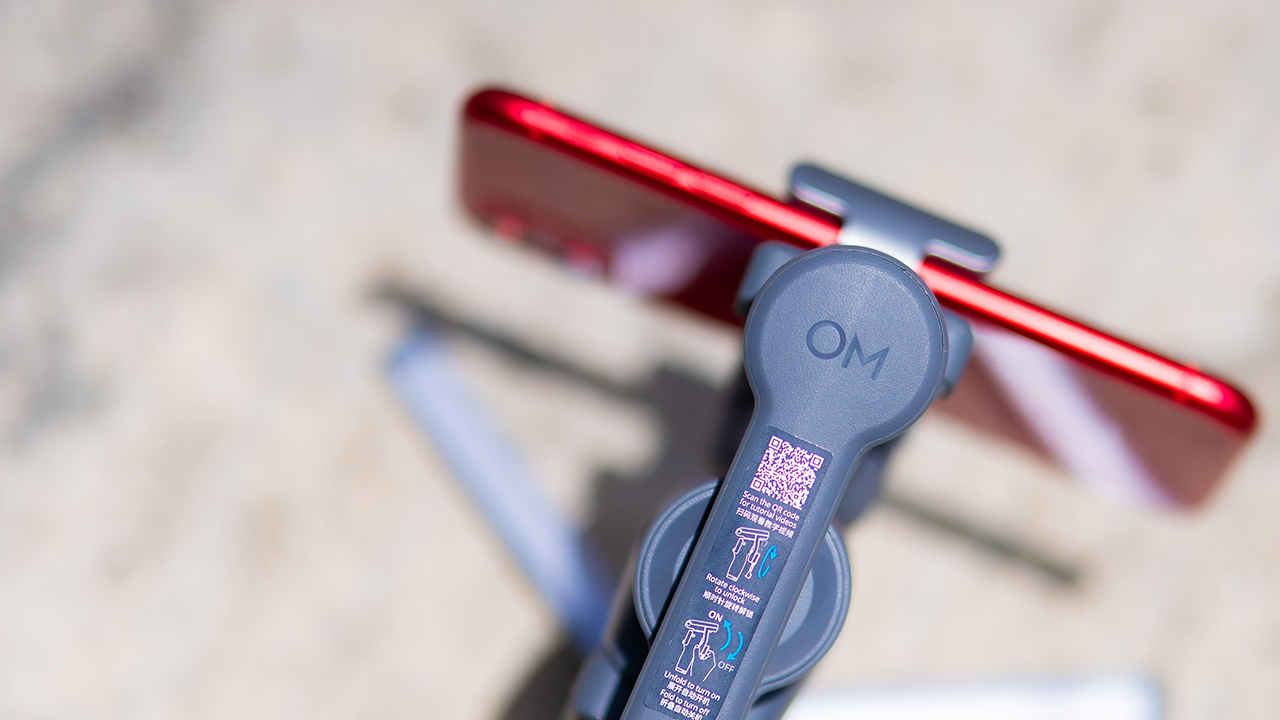
You’ll need to connect it to your phone instead, which adds a step to a setup that used to be simpler. Phone compatibility is still a limiting factor as well. DJI lists support for phones up to around 300g and 11mm thick, so bigger phones or ones in chunky cases may not clamp in properly.
Finding your ideal workflow
The OM 8P makes the most sense for solo creators who want dependable tracking and the freedom of remote framing without stepping up to a dedicated camera like the DJI Osmo Pocket.
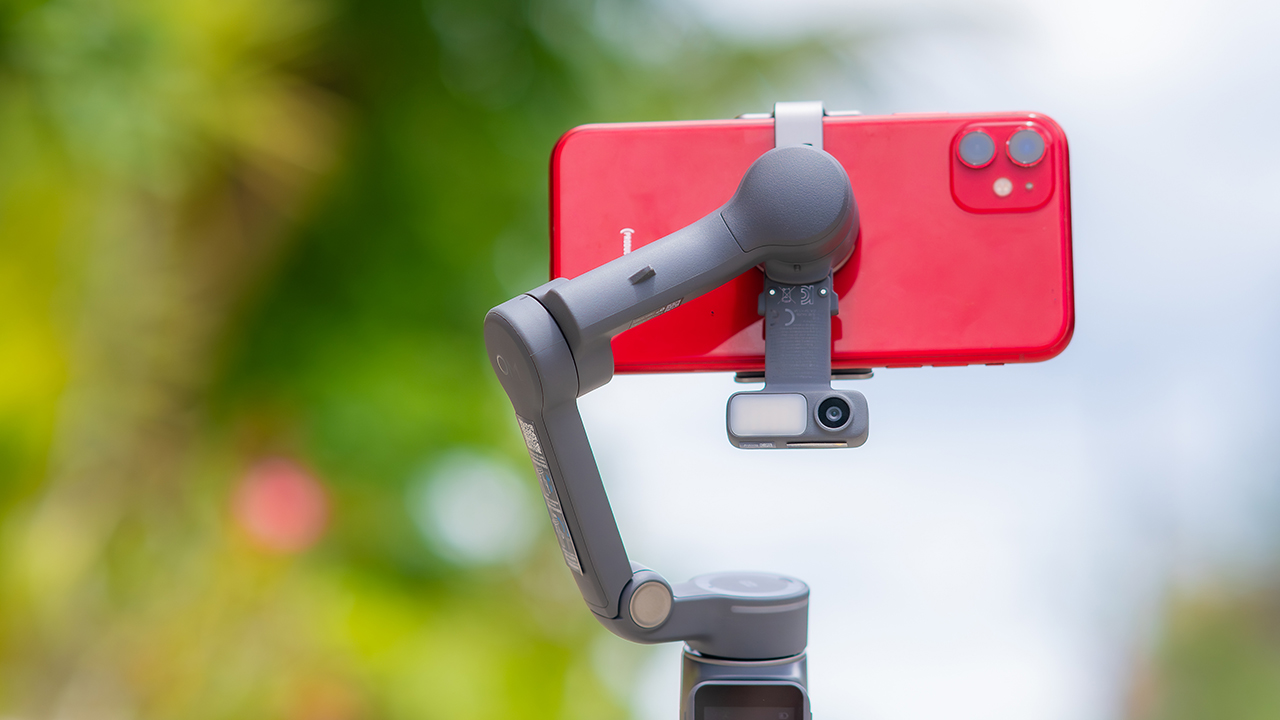
If you’re already shooting on a phone with a solid camera, this fills the gap nicely. It’s a tougher sell if you prefer physical buttons over touchscreen menus, or if your phone runs on the larger and heavier side, since fitting it onto the clamp might be a problem before you even get to shooting.
Price, availability
DJI is offering the OM 8P in three combos, so how much you pay depends on how much of the ecosystem you actually need.
- Standard Combo (PhP 7,499): the gimbal itself, with 8th-gen stabilization and the detachable FrameTap remote included.
- Advanced Tracking Combo (PhP 9,199): adds the Multifunctional Module 2 for the improved subject tracking we tested.
- Creator Combo (PhP 11,099): the full kit, built for creators who want everything DJI bundles in from the start.
Is the DJI Osmo Mobile 8P your GadgetMatch?
The DJI Osmo Mobile 8P asks you to relearn a few habits in exchange for a gimbal that finally lets go of your phone. If hands-free framing and steadier tracking matter more to you than a dedicated zoom dial, this is worth the adjustment.
If you’d rather keep things exactly as they were on the OM 8, that learning curve might be the deciding factor.
Swipe right if you shoot alone often and have been waiting for a gimbal remote that actually works. The FrameTap remote alone justifies the upgrade if reaching for your phone mid-shot has been slowing you down.
Consider this if reliable tracking matters to you, especially if you’ve had a subject wander out of frame and stay lost on older gimbals.
And of course, get this if you already own a capable phone under the weight and thickness limits, and you’d rather invest in a smartphone rig than jump to a dedicated camera like the Osmo Pocket.
Swipe left if you lean on physical dials for zoom and focus, and moving those functions to a touchscreen sounds like a downgrade rather than an upgrade.
This is not for you if you use a DJI wireless mic and want it plugged directly into the module without routing through your phone first. Or, your phone runs heavier or bulkier than DJI’s limits allow, since no amount of enthusiasm fixes a clamp that won’t close.
Hands-On
Hands-on: Samsung Galaxy Z Fold8, Flip8, Ultra
Samsung’s freshest foldables come out of the oven


Three foldables. Three very different people.
Samsung’s Galaxy Z Fold8 Ultra — the productivity maximizer. Heritage form factor, everything cranked to the max.
The Galaxy Z Flip8, pure style. The smallest, loudest, most you one of the bunch.
And finally, the Samsung Galaxy Z Fold8 — the new beginning.
Built for the way most of us actually use our phones: watching, reading, scrolling. The one I keep reaching for and have a feeling THE Michael Josh will be using a lot.
Same family. Three ways to experience it.
Head over to our hands-on video on the latest and greatest Galaxy Z8 family for you to know your best bet.
Hands-On
The Xiaomi Watch S5 proves you don’t have to take it off
Elegant enough for dinner. Tough enough for Spartan.

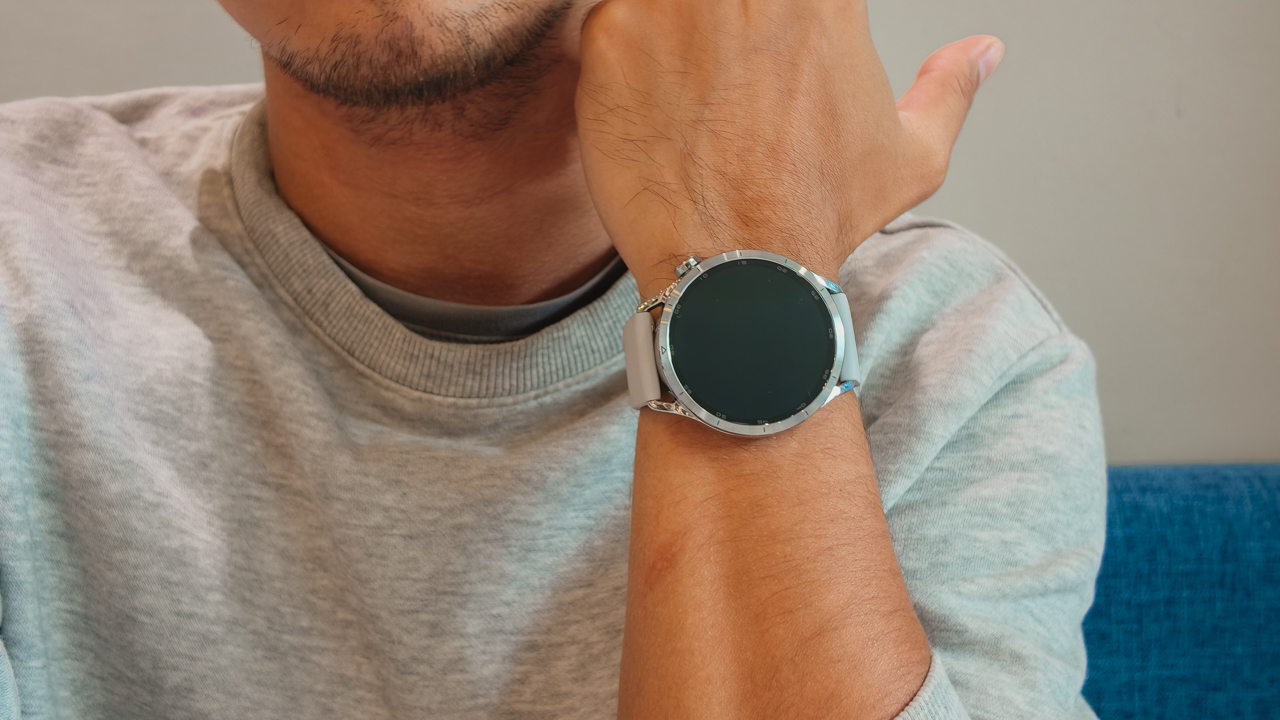
Picture this: one night, I’m dressed for a sophisticated gala in a carefully curated look. The following morning, less than twelve hours later, I’m standing at the starting line of a Spartan Trail 10K in Arden Botanical Estate with dirt on my shoes.
I’ve always struggled with smartwatches (or other timepieces) because they tend to ask you to choose a side. For instance, a classic timepiece looks right with tailoring, dinner jackets, and occasions where dress codes actually matter.
Meanwhile, a sports watch belongs in training kits, race bibs, and muddy obstacle courses. I’ve spent years switching between both, often leaving my smartwatch behind whenever the outfit called for something more refined.
Then, the Xiaomi Watch S5 arrived and challenged that whole routine. For once, I didn’t feel like I had to pick between looking polished and being athletic. I didn’t feel like I had to separate one part of my life from another.
A wardrobe investment
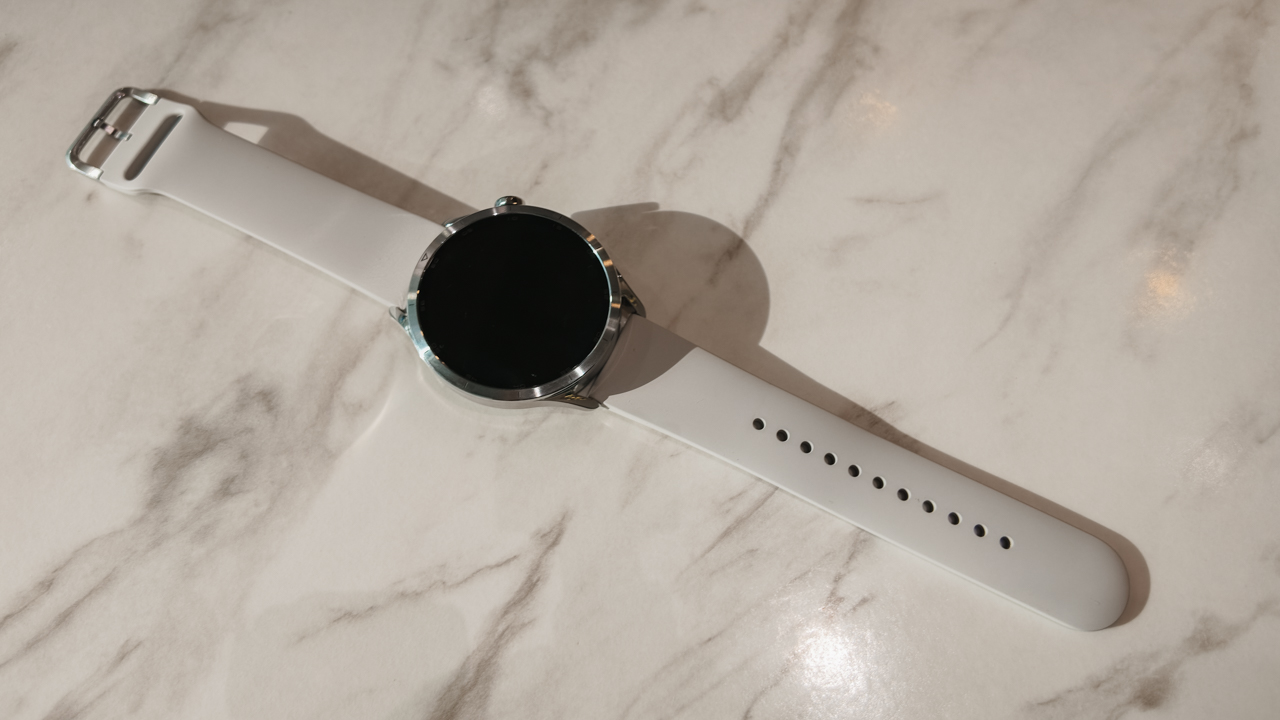
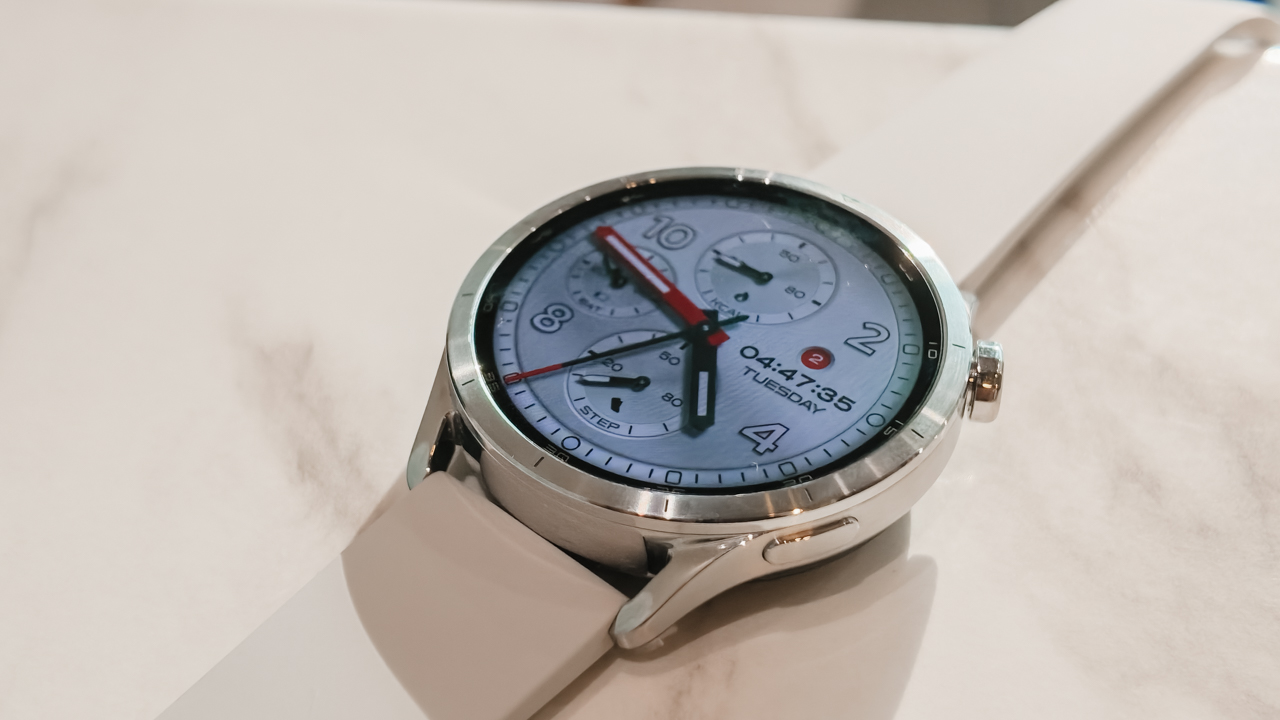
The Xiaomi Watch S5 immediately felt sleek. The upgraded stainless steel frame gives it the weight and polish of a traditional luxury watch. It looks expensive in the way a great accessory does.
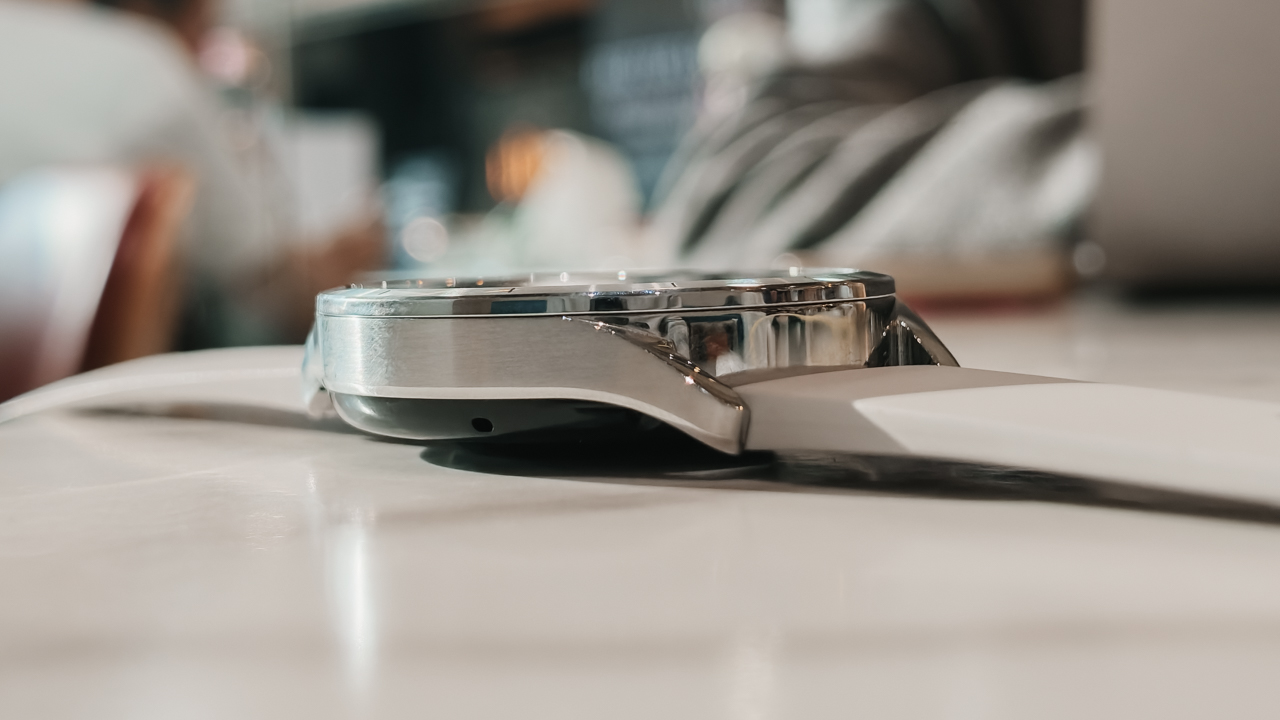
It slips easily under a cuff, works with tailoring, and doesn’t compete with the rest of what you’re wearing. That mattered to me because I wore it to an evening event, styled like any proper watch would be.
Then the next morning, I wore it at a Spartan Race — at 6:00 AM, I was running the Spartan Trail 10K during a sudden downpour. Heavy rain poured over the course. Mud thickened under every step.
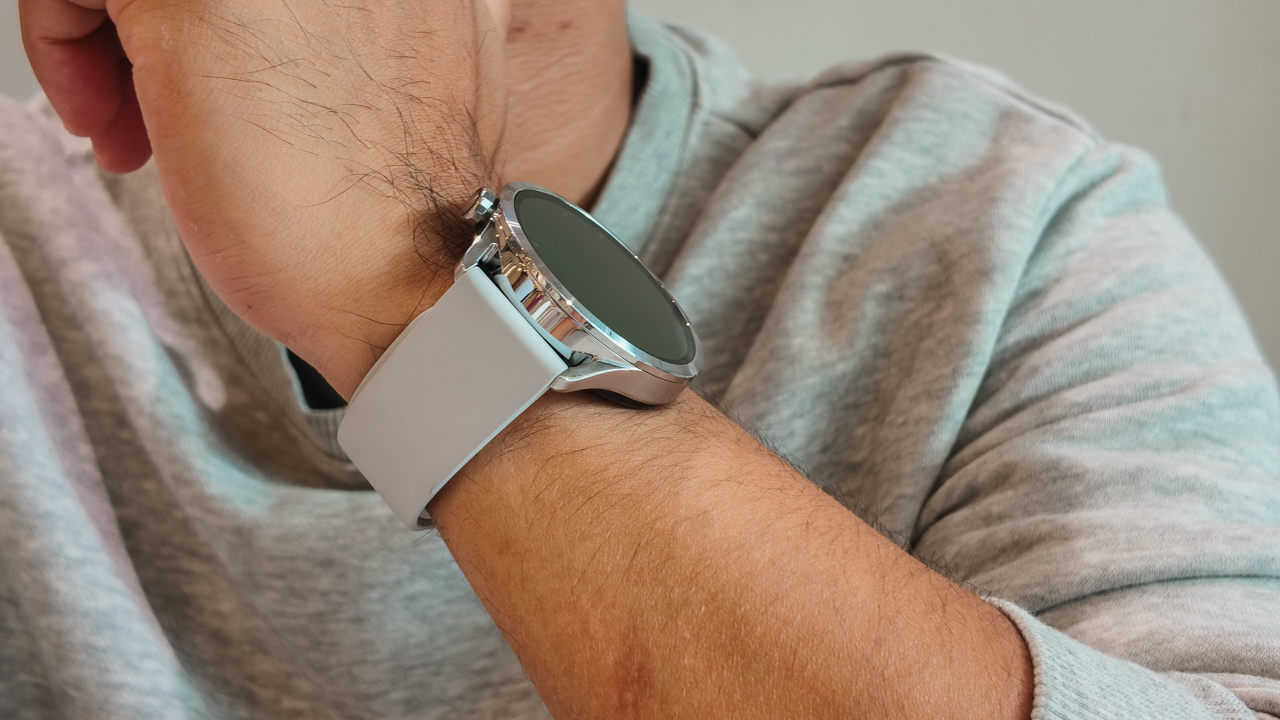
A few hours later at 9:30 AM, I was back on the course for the Spartan Sprint Open under the complete opposite conditions. Bright sun, harsh heat, and definitely no shade. By the time I crossed the finish line, I had visible sunburn.
I wore the Watch S5 across back-to-back races in completely different conditions. When it rained, the 5ATM water resistance handled it and allowed me to finish the Spartan Trail 10K with 350m elevation gain in 1 hour, 20 minutes.
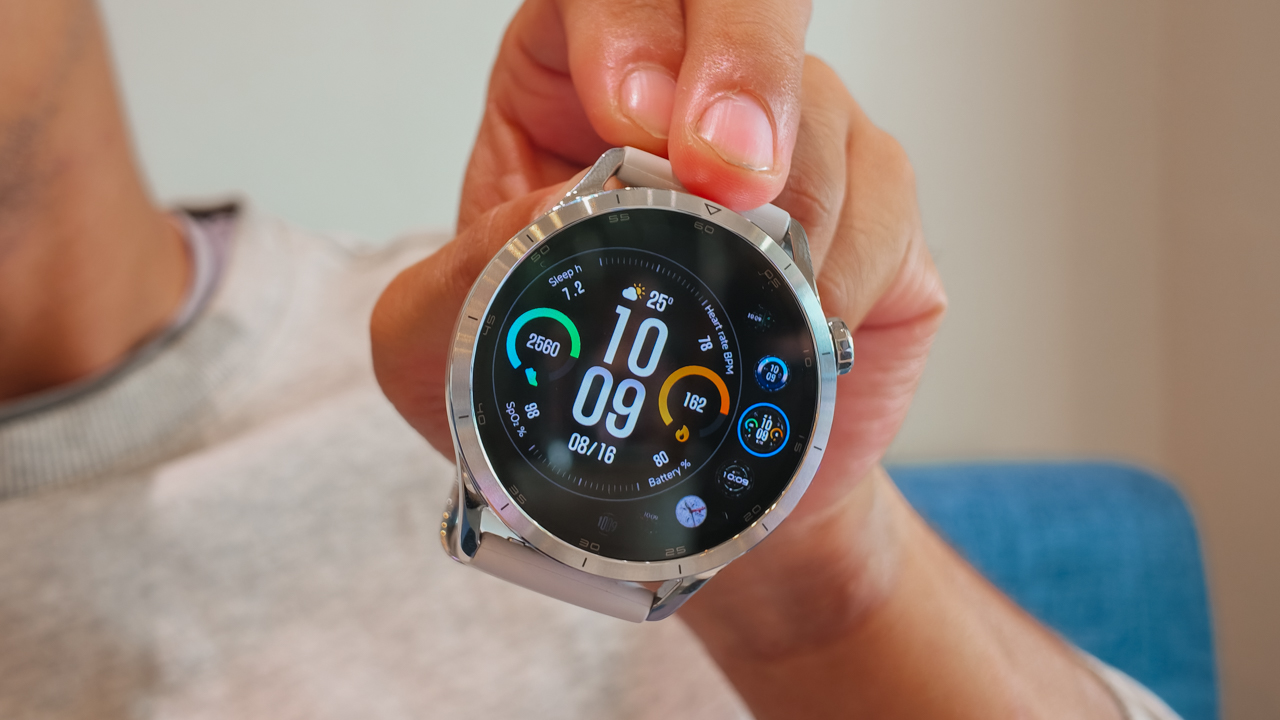
And even in full sun, the 2500-nit AMOLED display was bright enough for me to check my pace and metrics without squinting through sweat.
In a way, that is the whole point of versatility. You don’t have to look good in one setting. You just survive all of it.
High-fashion navigation on a sample sale budget
I love gear that performs. I love it even more when it doesn’t cost as much as a plane ticket.
My Garmin epix Pro (Gen 2) — which I had since 2023 — remains my benchmark for race-day navigation. It’s dependable and incredibly capable. It also costs enough to make me stare at my credit card statement in silence.
The Xiaomi Watch S5 gave me a surprisingly similar sense of confidence with built-in offline maps at a much more approachable price.
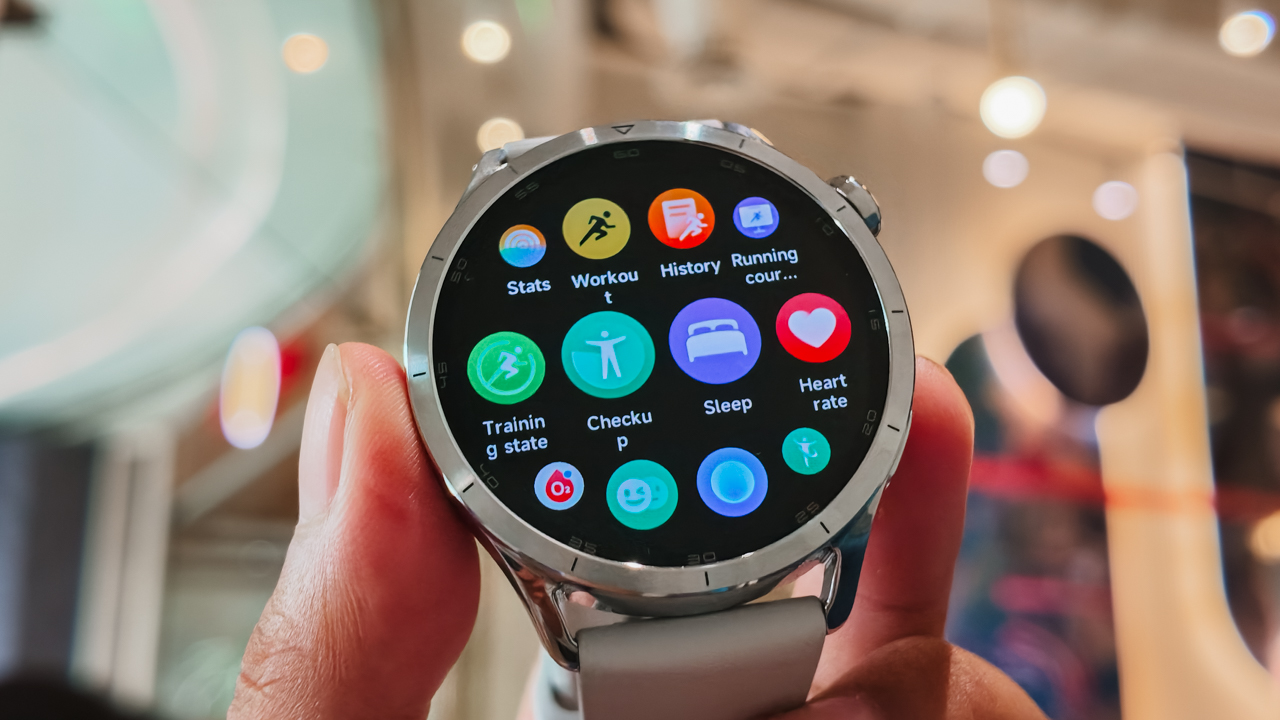
For trail races where routes are usually marked, that feature becomes less about finding your way and more about peace of mind.
Knowing you can navigate technical terrain without reaching for your phone feels reassuring, especially when weather conditions change fast — and on race day, mine certainly did.
One moment I was climbing through rain. A few hours later I was baking under direct sunlight wondering how my shoulders had already turned red.
The Watch S5 handled both like it was no big deal.
Keeping pace with a social butterfly’s calendar
A wearable becomes part of your wardrobe when you stop thinking about it. That’s where battery life matters.
The Xiaomi Watch S5 runs up to 14 days on normal use, which means I wore it across workdays, training sessions, events, recovery days, and race weekend without needing to obsess over charging it overnight.
It outlasted my phone, my laptop, and possibly my emotional stability somewhere between the last aid station and the fire jump.
Once I finally got home, showered off layers of mud and sunscreen, and collapsed into bed with sore legs and sunburn, the Watch S5 kept doing its job in the background.
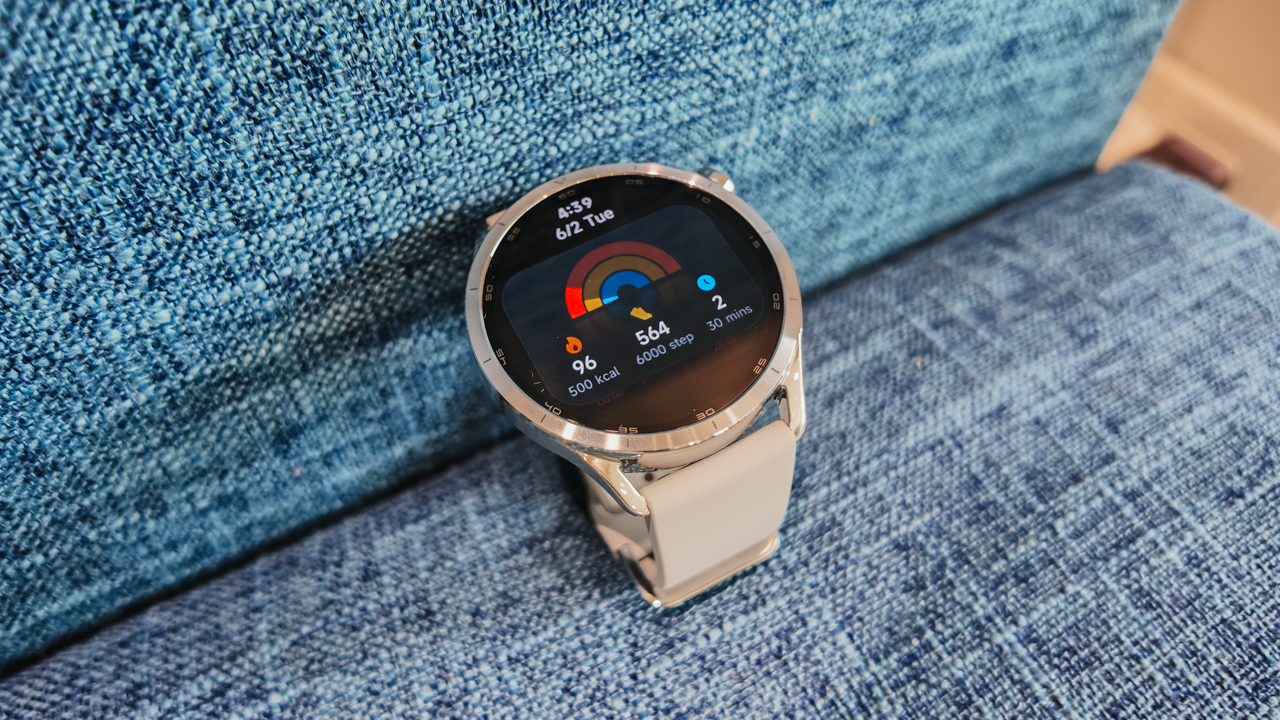
Sleep tracking, recovery insights, and wellness metrics all quietly continued while I did absolutely nothing.
Is the Xiaomi Watch S5 your GadgetMatch?
What I like most about the Xiaomi Watch S5 is that it doesn’t force a choice. It doesn’t ask you to pick between being sporty or polished. There’s no need to separate performance from style.
It looks elegant enough for formalwear, and tough enough for weathering the elements. For me, it went from chic events to an action-packed Spartan Race day without feeling out of place. And maybe, that’s the best way to describe it.
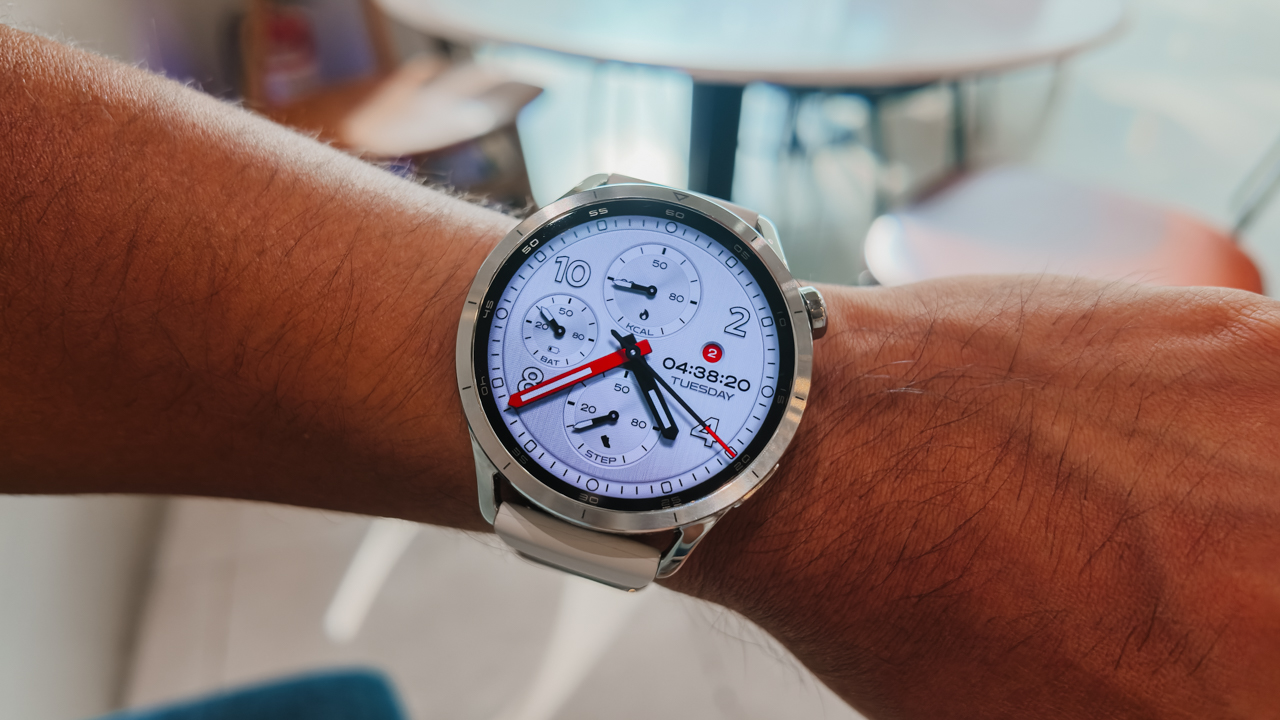
Swipe Right if you want a smartwatch that can keep up with both your calendar and your training schedule. The Xiaomi Watch S5 feels right at home with tailored looks, yet it’s durable enough for muddy race courses, sudden downpours, and long hours under the sun.
This is for the people who go from dinner reservations to race day without warning.
Swipe Left if you want highly advanced training analytics or a deeply specialized multi-sport watch for serious race preparations. Athletes who rely heavily on performance metrics may still prefer something more purpose-built.
For PhP 10,999, the Xiaomi Watch S5 46mm feels more like a wardrobe investment. One that happens to track your sleep, navigate a trail course and survive the elements, and still look good at dinner.
The Xiaomi Watch S5 46mm comes with an early-bird price of PhP 10,229 and a free strap. The Special Edition retails for PhP 11,999, with an early-bird price of PhP 11,159 and a free strap.

30 days later with the ASUS ExpertBook Ultra: Like seeing an ex
Felt exactly as I remembered.

ROG STRIX G16 Review: Building for the moment
Setting it up however you want to make the most out of it

realme C100: Enduring and durable in spite of entry-level realities
Enough power but needs more agility

HONOR Robot Phone’s camera can move on its own

HONOR Robot Phone officially launches after its MWC debut

Marvel Wolverine Limited Edition PS5 bundle SEA pricing

Galaxy Z8 series drives record-high foldable pre-orders in SEA, Oceania

England, Wales start banning Meta Glasses

Hands-on: Samsung Galaxy Z Fold8, Flip8, Ultra

Garmin launches its first screenless fitness band

VinFast debuts two-wheeler models, opens 21 e-motorcycle showrooms

Samsung releases teaser with Spider-Man: Brand New Day Easter eggs

Most of the world’s PlayStations will be officially useless by 2028


-
 Automotive1 week ago
VinFast debuts two-wheeler models, opens 21 e-motorcycle showrooms
-

 Automotive2 weeks ago
Xiaomi debuts SkyNomad Series featuring new Kunlun platform
-
 Computers2 weeks ago
AMD launches Radeon RX 9050 graphics card
-

 News1 week ago
OnePlus officially leaves the United States and Canada
-

 Gaming2 weeks ago
Call of Duty: Modern Warfare 4 clip shows Losing Ground 1st look
-

 Automotive2 weeks ago
GAC launches new trio of MPVs
-

 News2 weeks ago
TECNO unveils the world’s first 0mm bezel-less phone
-

 Gaming1 week ago
Genshin Impact opens Snezhnaya in Version 7.0 this August 12