

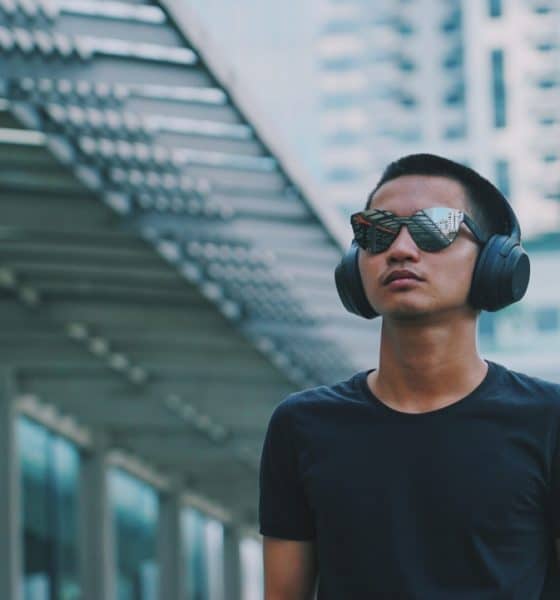

As far as updates go, the Sony WH-1000XM3 came pretty quickly following the hype surrounding its predecessor. The Sony WH-1000XM2 were already fantastic noise-cancelling over-ear headphones, and the little improvements here and there on the M3 definitely made it better.
Before we jump in any further, I’d like to clarify again that I am by no means an audio expert. Just sharing with you my time with the WH-1000XM3 just as I did with the WH-1000XM2.
The noise-cancelling hype is real
If you want headphones that will truly help shut out your surroundings, you can’t go wrong with the WH-1000XM3. We played it as a gag in this short video, but it truly works.
Putting these on really gives you a feeling of being isolated from your surroundings. That’s perfect for when you really want to zone in on whatever you’re working on or if you simply don’t want to be bothered.

The Sony WH-1000XM3 is the perfect companion for when you don’t want to be bothered
I have had several instances when my workmates had to tap my shoulder or wave like crazy in front me just to get my attention. That’s pretty intense noise-cancelling.
A nifty feature is that I don’t have to take off the headphones just to hear what they’re saying. Putting my hand over the right earcup turns off the noise-cancelling and lets me hear my surroundings. This can also be done using the ambient button located on the left earcup.

Pretending I’m laughing at someone’s jokes but I’m really just laughing at myself
Sound quality is clean AF
The WH-1000XM3 is perfect for all kinds of audio activities that involve precision. When video editing, it’s easier to detect any stray audio or tell if your music is too soft or loud.

It’s great for video editing, among other things
Playing games with these on offer an immersive experience. I couldn’t help but tear up again during the emotional parts of Marvel’s Spider-Man for PS4 especially when you hear everything that’s happening in the game so close to your ear.
I used it extensively for listening to music. I got hooked to K-Pop (okay, mostly just Twice) recently and while I’ve always admired the production value of the music videos, I found that their music is just as well-produced.

Just walking around looking fly while listening to Twice
There are several layers to each track and you definitely hear them better when listening with the WH-1000XM3. Sharing with you this playlist in case you want to give it a go.
It’s important to note that if you’re the type who likes to hear and feel a lot of bass from your headphones, you probably shouldn’t get this. The WH-1000XM3 offers a more balanced sound experience — that, sure, you can tweak a little — but it ultimately sounds smooth, clean, and is never too soft or too loud.
Touch controls and other features
Pausing, skipping tracks, and volume control are all pretty easy. Moving your finger clockwise or counterclockwise while going around the right earcup adjusts the volume.
To pause, you simply have to tap the middle of the right earcup. To skip tracks, just swipe from the center of the right earcup heading towards either edge.

Touch controls make things easy
The WH-1000XM3 also has a Google Assistant integration. This means you can send commands through the headphones among other things. There’s also an option to have Google Assistant read your most recent messages so you can listen instead of pulling your phone out to read them.
If I had any issue with the headphones, it’s probably the Bluetooth pairing. I had an easier time moving from phone to laptop and vice versa on the WH-1000XM2 over the WH-1000XM3. I’m not particularly sure if that’s my laptop acting up, but I have had to unpair and re-pair quite a few times which was a bit of a pain.
Comfort and durability
The longest I’ve had the headphones on is probably close to eight hours. That’s honestly too long. My recommendation has always been to keep it on for around four hours max and to take it off for a while after that.

It’s generally comfortable and can be worn for hours
The material used is much more flexible than the one on its predecessor. You can literally stretch and bend it and it would not break — perfect for someone like myself who has the tendency to break things.

It’s super flexible!
Final thoughts
I’m honestly dying to try other noise-cancelling headphones to know how the experience stacks up against the WH-1000XM3. As far as sound quality and noise-cancelling go, these Sony headphones are absolutely top-notch. All the hype this has generated is justified.

One last pose, just because
I also didn’t find myself charging the device too much. In a week with moderate to heavy use, I needed to juice up only during weekends. And it now comes with a USB-C port, so that’s a plus for future-proofing.
If you’re coming from the WH-1000XM2, it might be too much to jump to the WH-1000XM3. However, if you’re looking to splurge to upgrade your audio-consumption experience, go right ahead and grab these. It’s light, durable, and you get the kind of audio that Sony promises.
The Sony WH-1000XM3 headphones are available for US$ 350. It currently retails in Singapore for SG$ 549 and PhP 20,000 in the Philippines.






Accessories
70mai launches the A900 series with 4K front, rear recording
Two new 4K dual-channel dash cams, both with 4G

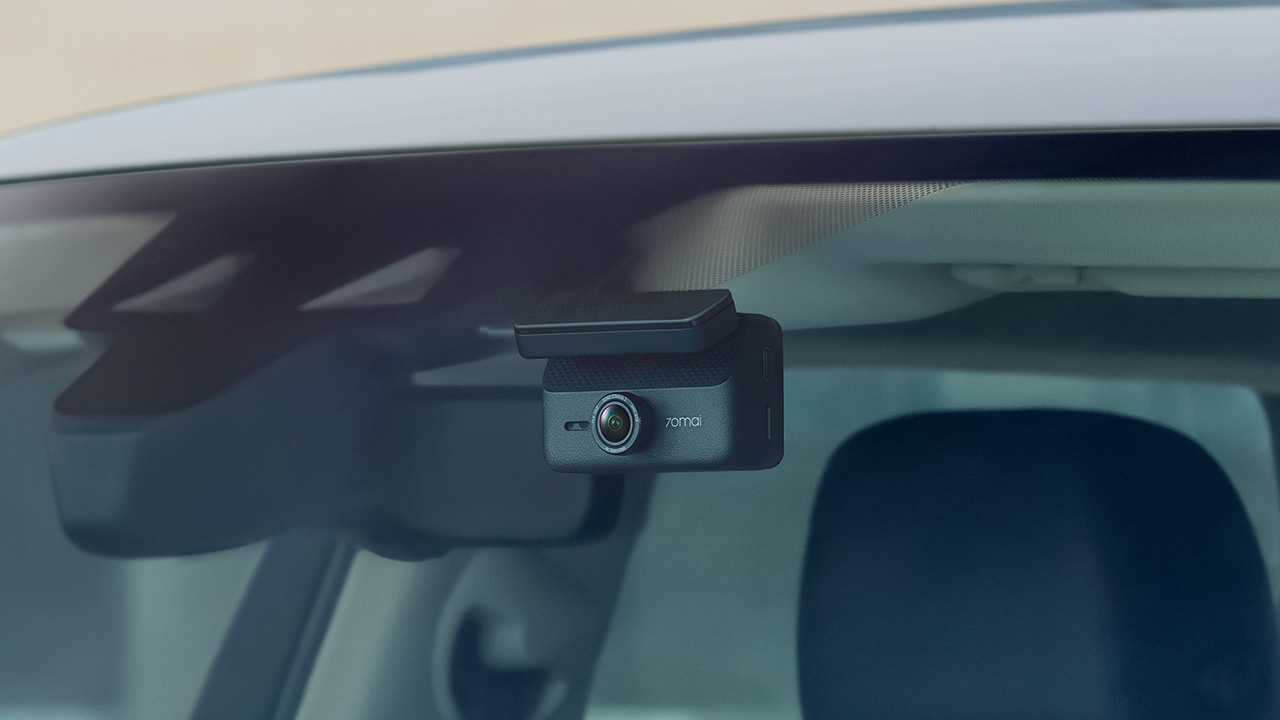
70mai has launched the A900 Series, led by the flagship 70mai Dash Cam 4K A900 Ultra, with the 70mai Dash Cam 4K A900 joining it in the lineup.
Both models record in 4K from the front and rear cameras, and both support 4G, so your footage stays reachable from your phone even when you’re away from the car.
4K recording from both cameras
The A900 Ultra uses dual Sony STARVIS 2 IMX678 sensors to capture clear 4K footage from both directions. As a result, details like license plates and road signs remain sharp.
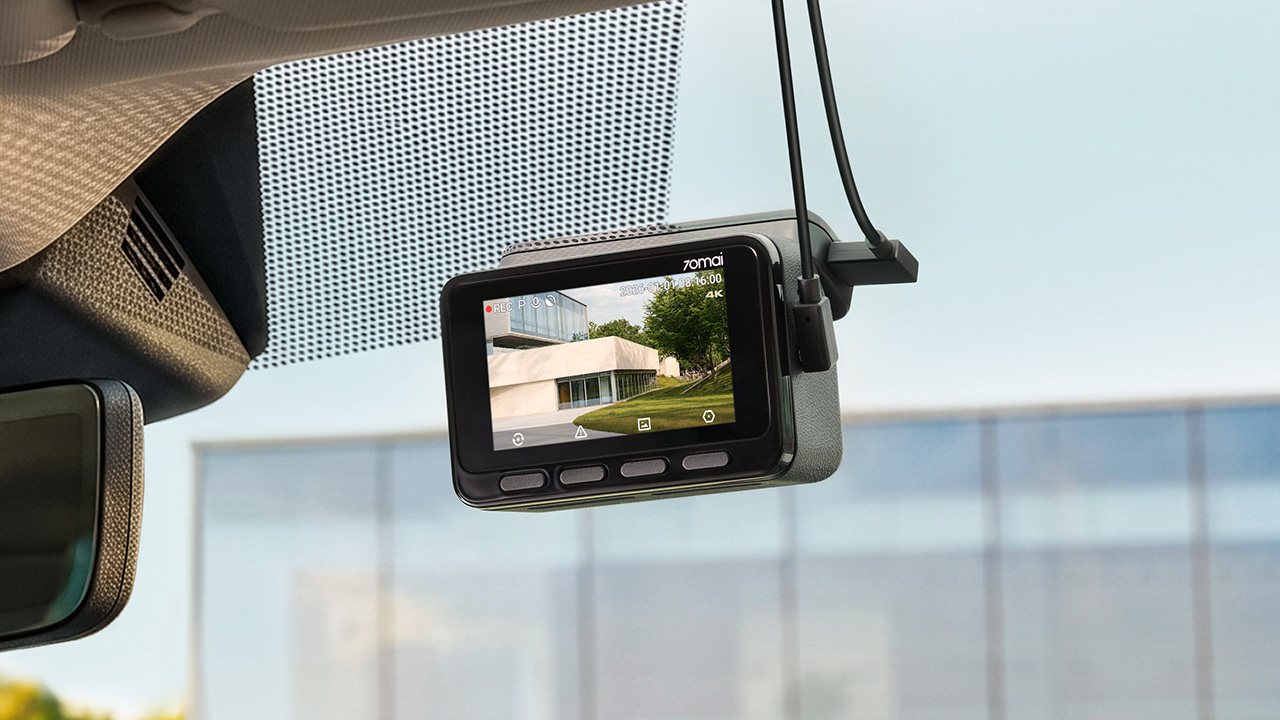
Smart HDR balances bright and dark areas under shifting light. Users can also adjust color tones and contrast. To keep feeds synced, the rear camera uses LVDS digital transmission. This tech sends a lossless 4K feed with just 20ms of latency.
Handling changing light
Driving into a tunnel or under the shadow of a tall building changes the lighting quickly, and 70mai built three imaging technologies into the A900 Ultra to deal with it.
MaiColor Vivid+ Solution 2.0 is meant to give more natural colors and finer detail, along with smarter scene adaptation. Night Owl Vision 2.0 reduces noise and glare to help with nighttime clarity.
Lumi Vision is made for parking surveillance in near-total darkness, where it automatically adjusts exposure and gain and applies noise reduction. 70mai says this produces clear, full-color footage in extremely low light.
Parking mode and remote access
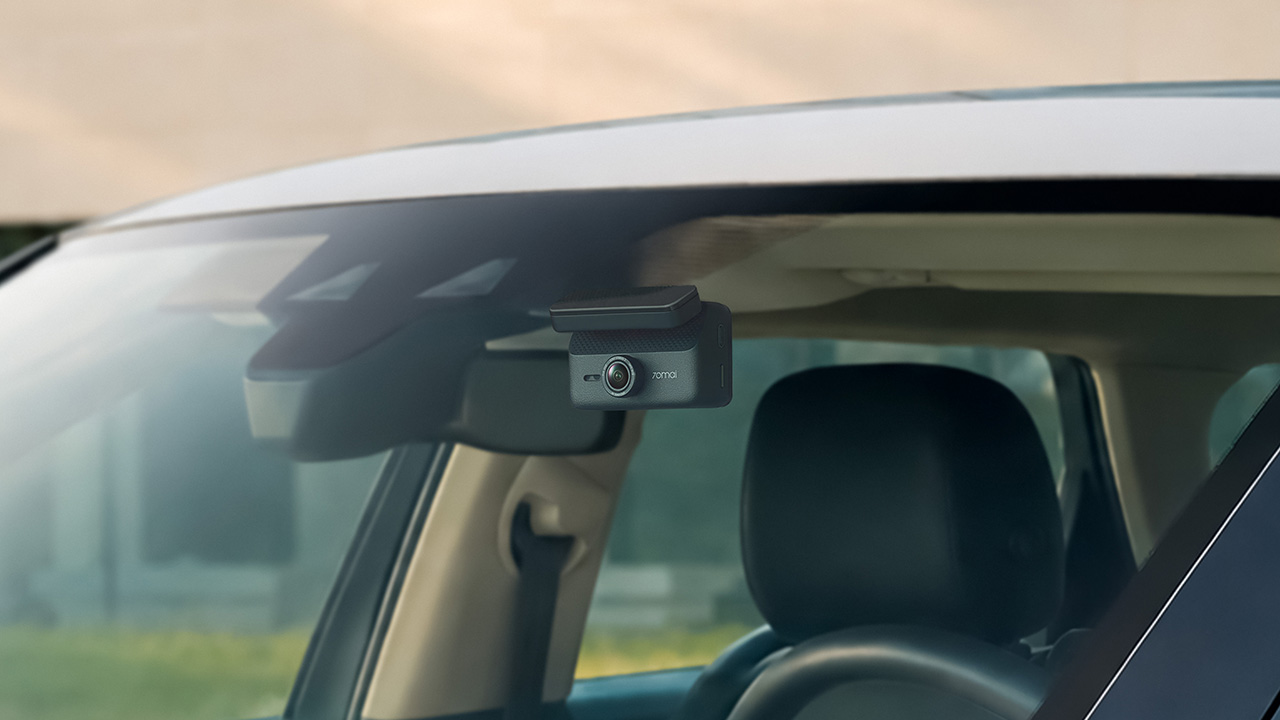
Smart Parking Guardian Mode 2.0 protects your vehicle while parked. It combines AI motion detection, dual-channel collision detection with pre-recording, and time-lapse options.
The system draws just 5mA on standby to prevent battery drain. For extended coverage, the optional 70mai Battery Pack Mini powers surveillance for up to 30 days.

In photo: A900
Pairing the camera with the 4G Hardwire Kit unlocks 70mai 4G Cloud+ 2.0 features on the app. Enhanced Buffered Emergency Recording saves up to 190 seconds before an incident and 30 seconds after.
It automatically uploads this footage to the cloud for immediate remote viewing.
The 70mai Dash Cam 4K A900
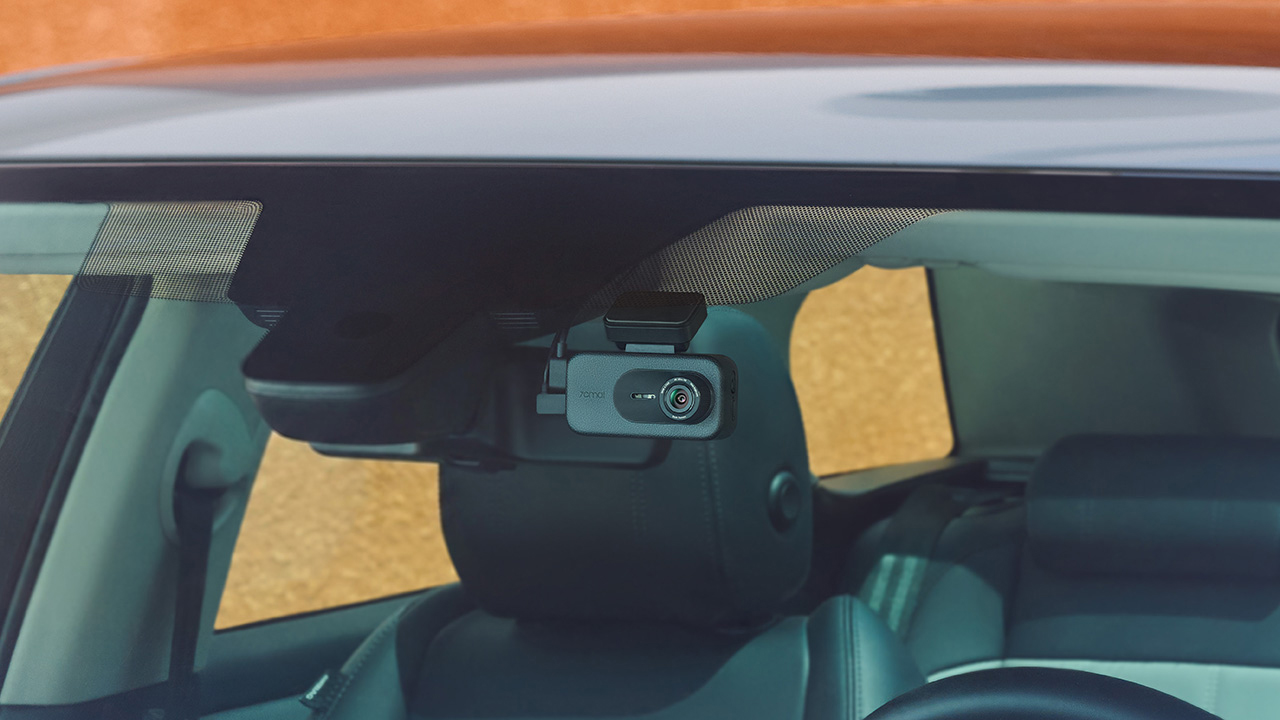
In photo: A900
The A900 sits alongside the Ultra as the more accessible option. It records True 4K HDR at 30FPS from both the front and rear cameras, and Smart HDR can be scheduled to turn on at set times.
Its f/1.55 aperture is meant to help in low light, and 4G Cloud+ 2.0 keeps the dash cam connected to the 70mai App. It’s the model for drivers who want dual-channel recording and 4G connectivity at a lower price.
The 70mai Dash Cam 4K A900 Ultra retails for US$ 300, available for pre-order at US$ 240. Meanwhile, the A900 is priced at US$ 200, currently 20% off at US$ 170.
Accessories
Manila turns up the volume at COVE
Sony Philippines launched its ULT TOWER lineup at Beyond the Beat, with SB19 joining the ULT Squad.

Sound and style shared the floor at COVE Manila in Okada Manila. Sony Philippines opened its doors for Beyond the Beat: The Next-Level ULT POWER SOUND Experience.
The event marked the company’s biggest ULT POWER SOUND launch in the country, and Sony paced the program like an exclusive night out.
Stacked ULT Towers filled the space. Guests styled themselves with designer pieces from Alser Lumawag, and SB19 closed the evening as the newest Sony ULT Squad members.

MySony members from every tier joined industry guests while the new ULT TOWER lineup set the tempo.
The towers take center stage
Shuhei Sugihara, Sony Philippines’ President and Managing Director, opened the program.

Product Marketing Specialist Keira Ambubuyog then introduced the newest additions to the lineup.

Arbie Bandiling of Personal Audio Systems unveiled the latest ULT Squad video. The clip introduced the artists and personalities fronting the campaign.
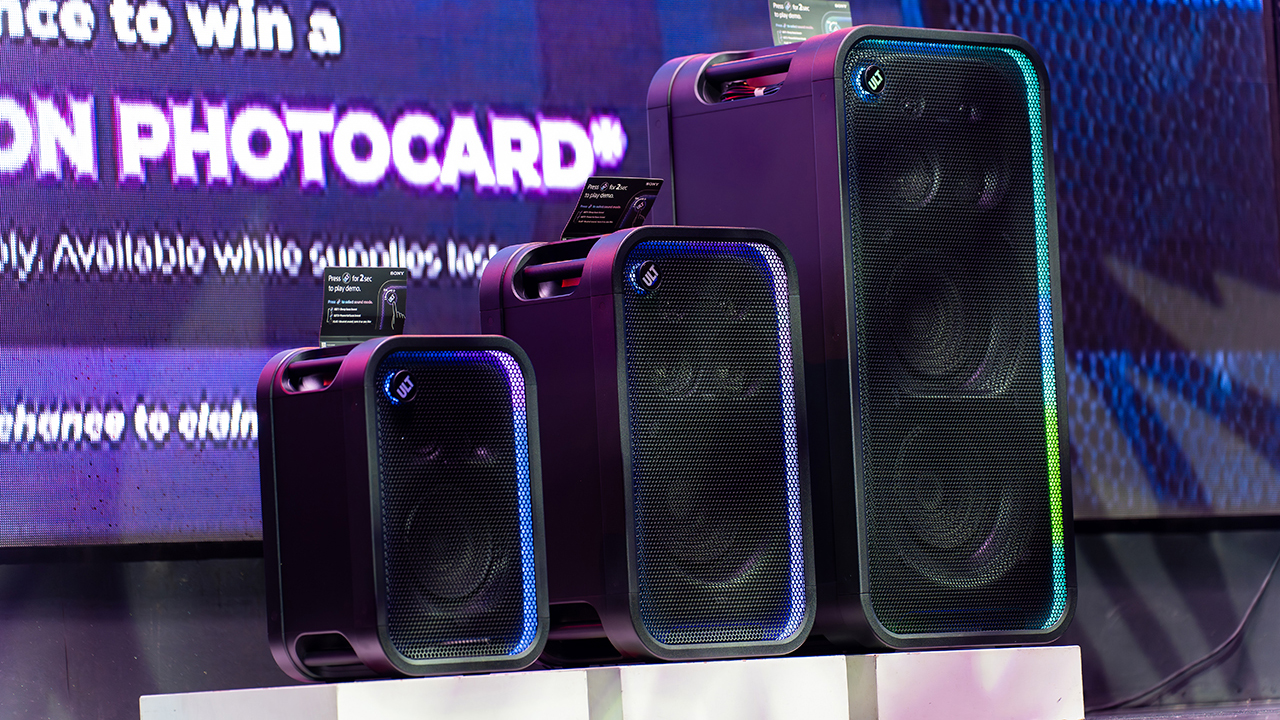
The lineup features the ULT TOWER 5, ULT TOWER 7, and ULT TOWER MAX. The new series pairs large circular woofers and high-capacity cabinets with ULT DUCT technology.
This design delivers stronger low-frequency bass than earlier models. The ULT TOWER MAX leads the series, described as Sony’s most powerful bass speaker yet.
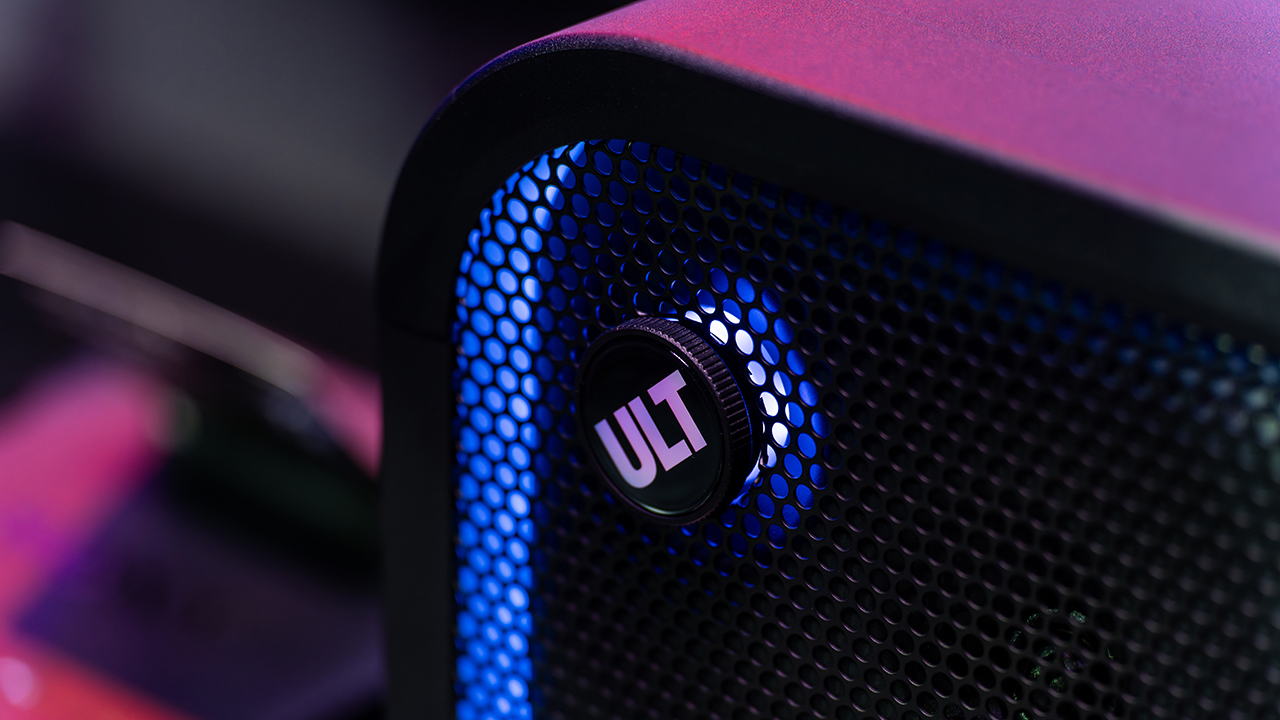
On another note, Sony pitches the ULT TOWER 7 as stage-worthy sound in a portable frame. Meanwhile, the compact ULT TOWER 5 targets smaller gatherings and features karaoke and DJ capabilities.
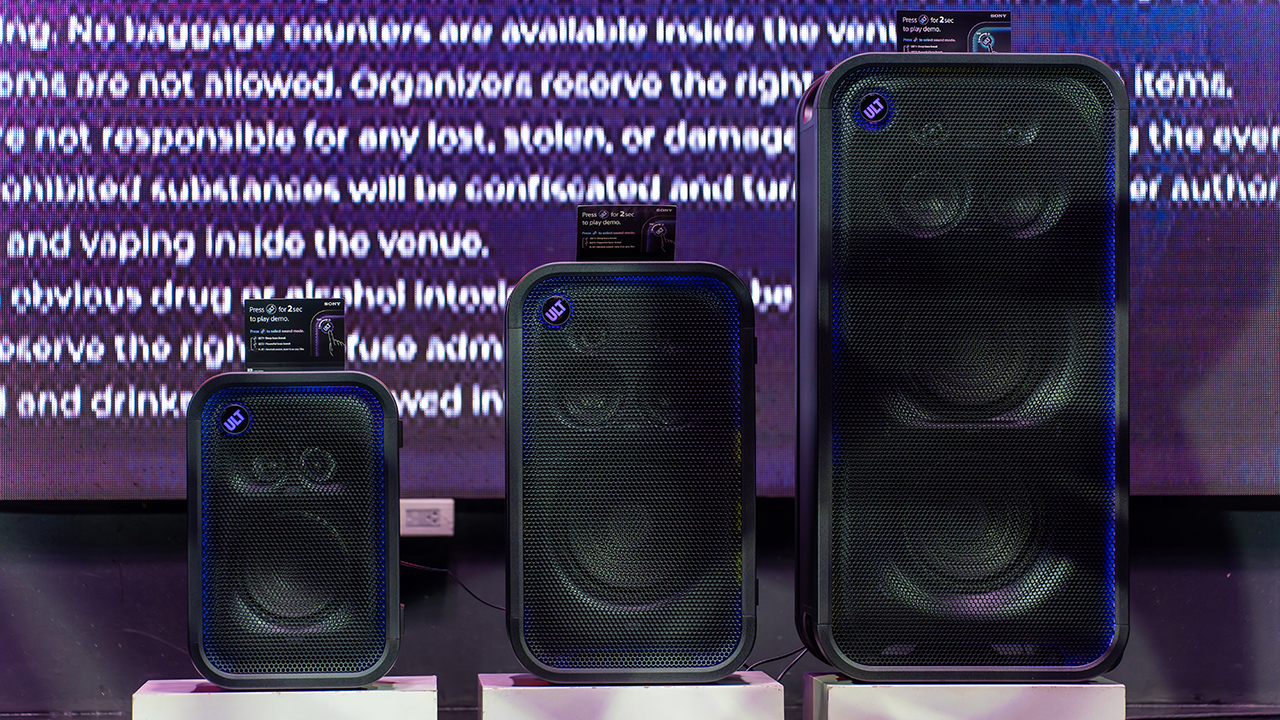
Experiential zones bring the sound to life
Guests explored the lineup across several interactive event zones. Step into the Beat paired an arcade-inspired setup with stacked ULT Towers and a dance pad. ULT Selfie Club handled photo ops.
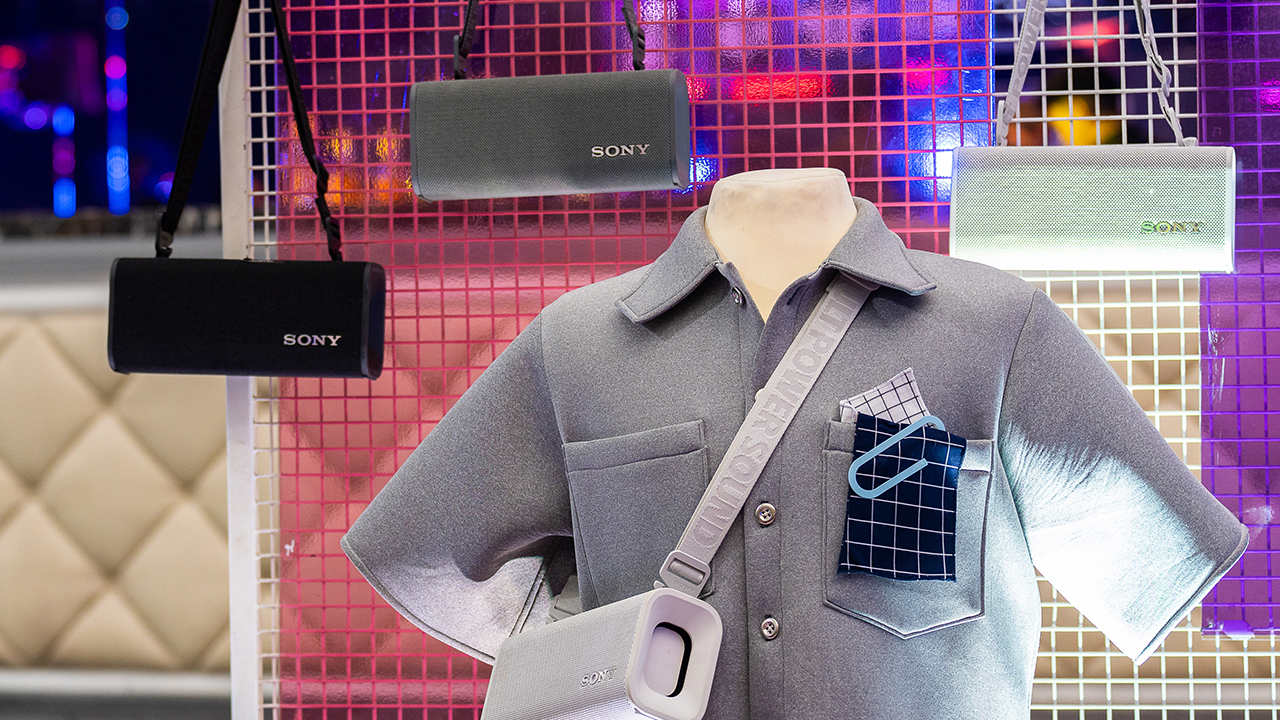
Nearby, ULT Cover Star let guests style ULT Field speakers alongside designer pieces from Alser Lumawag. Here, the speakers served as chic fashion accessories.

The Bass District gave VIPs and influencers a private, nightlife-inspired lounge. Karaoke Lounges invited everyone else to grab a mic and test the party-ready towers firsthand.
The ULT Squad shows up


Fashion influencer and ULT Squad member Angelique Manto-Guison hosted the night.
A-Team opened the show with a high-energy routine before Carlos Serrano III took the stage. David Guison and Jacqueline Jala walked the stage with ULT Models in elevated fashion, and Jeremy G followed with a dynamic musical performance.


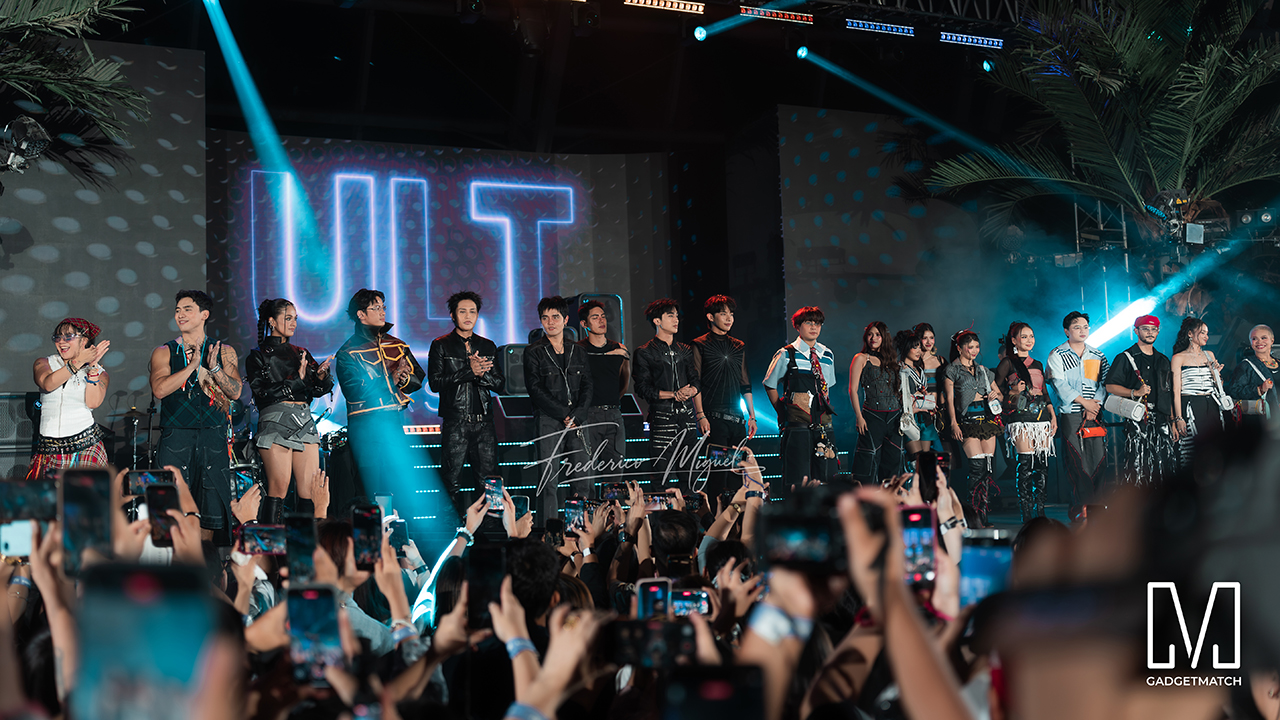
KAIA brought a youthful pop sound, while Maki delivered a set in his signature style.
SB19 closed the night, making their debut as the newest Sony ULT Squad members. Sony pairs its sound technology with the group’s influence in Filipino music. This collaboration positions the Squad as a platform for artists shaping contemporary music culture.
The ULT TOWER MAX, ULT TOWER 7, and ULT TOWER 5 are now available at Sony Centres and authorized dealers nationwide.
Accessories
Jackery Explorer 300D: Power and portability in one
Uninterrupted workflows for digital nomads, freelance creatives, more

For digital nomads, freelance creatives, and even work-from-home professionals, staying productive on the move means carrying around multiple gadgets, cords, adapters, and power banks to survive the day.
Having to carry such weight, quite literally, is vital for maintaining workflow continuity.
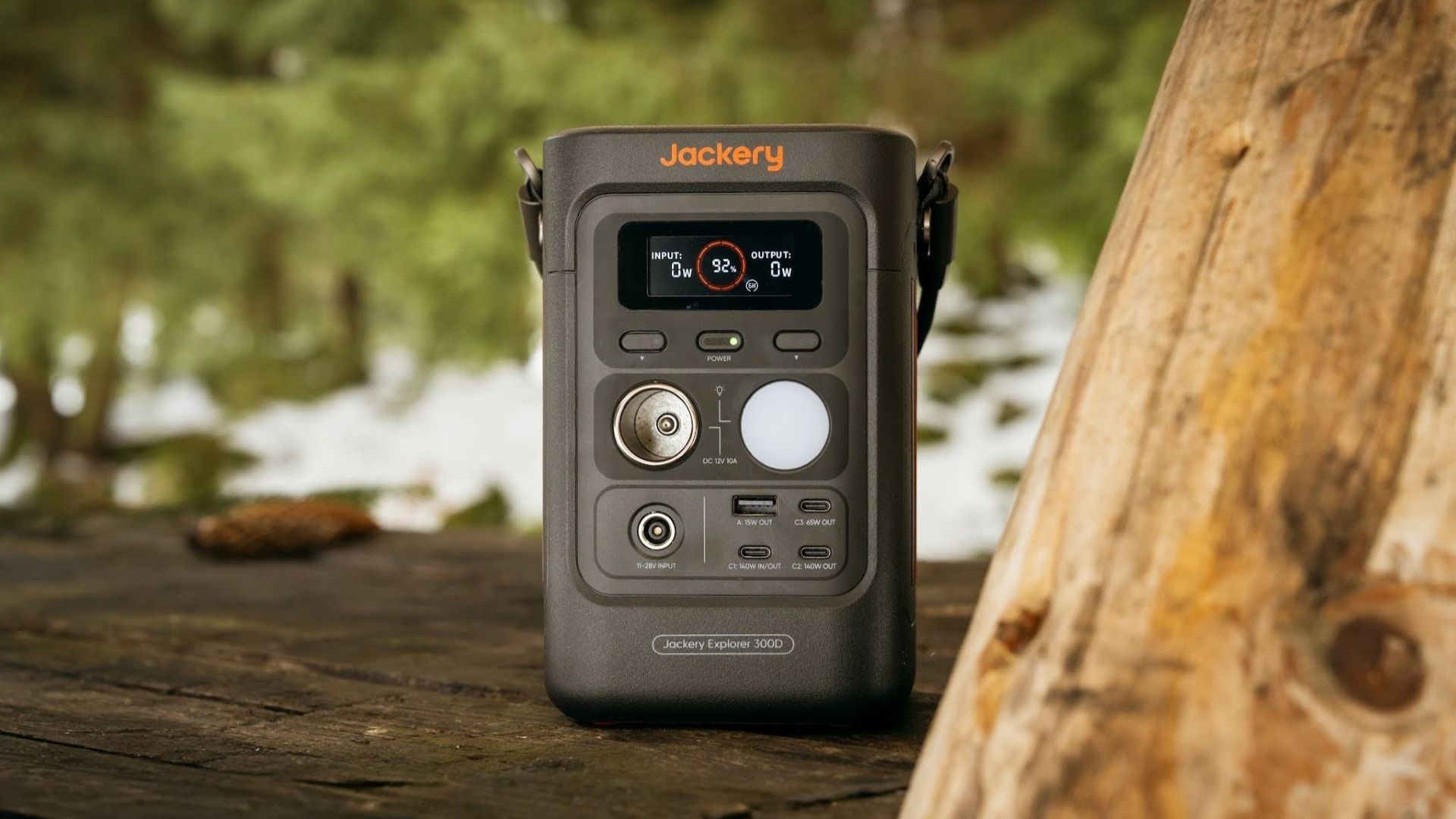
For a more seamless experience and to have just one extra portable device to power all working parts, there’s the Jackery Explorer 300D.
Launched just last month, this grab-and-go offering from Jackery is designed for the modern lifestyle.
It moves away from Jackery’s traditional aesthetic with a sleek, speaker-like form factor. It weighs just 2.5 kilograms and is 64% smaller than standard 300W units in the market.
This ultra-compact size was made possible by a smart engineering choice of swapping bulky traditional AC wall outlets for highly efficient DC-only and USB-C ports — which also helps eliminate idle power loss.
With a 288Wh capacity, the Jackery Explorer 300D holds enough juice for up to nine power banks.
It can keep a Type-C fast-charging laptop for up to three to four full cycles, a Wi-Fi router alive for hours, and recharge cameras or drone batteries up to five times for a lengthy production day.
For smaller gadgets like smartphones and portable fans, the power station can juice them up for up to 22 times.

It can even charge five devices simultaneously with a total of three USB-C ports, a USB-A port, and a DC 12V car charger port.
All these ensure users are never disconnected, wherever they may set up their mobile office.
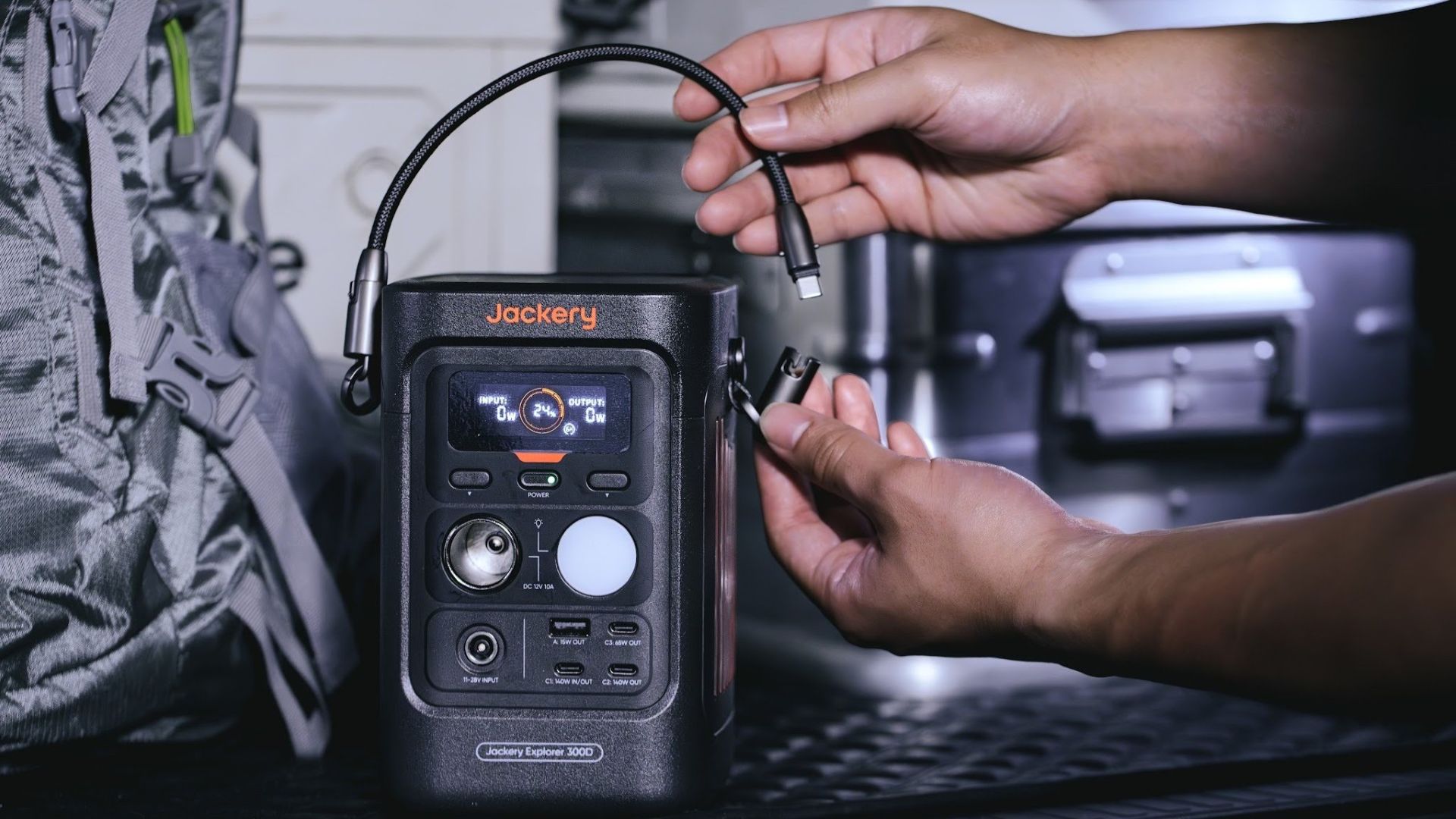
Another brilliant touch is the two-in-one shoulder strap that easily unclips to double as a heavy-duty 140W USB-C charging cable.
The everyday carry is available via Lazada and Shopee, and at the official Jackery kiosk in SM Fairview, as well as other partner stores.


DJI Lito X1 review: Is this the best lightweight drone for creators?
Making a strong case as a travel companion and a capable B-cam!


REDMI Note 17 Pro Max review: A new breed born from AI greed
Welcome to the new normal


Marvel’s Wolverine review: When the claws come out
A brutal, cinematic superhero adventure

Spotlight: Amazon Kindle Scribe Colorsoft

Chimelong’s newest attraction might be the robots themselves

Xiaomi 18 Pro series is launching globally, Xiaomi confirms

Google Photos can now censor your kid’s face better

CRISIS CORE -FINAL FANTASY VII- REUNION physical edition now available for Switch 2

realme 16T 5G with 8000mAh battery, IP69 Pro rating launches in PH

HUAWEI Pura X View is 2026’s first WIDE slab-type smartphone

REDMI reveals the refreshed Note 17 and Note 17 Pro series

REDMI Note 17 Series: Price, availability in Singapore

The CAMON Slim 5G is TECNO’s latest ultra-slim smartphone


-

 News5 days ago
vivo X500 Series launches with major imaging upgrades
-

 Hands-On2 weeks ago
Apple iPhone 18 Pro Series Hands-on
-

 Gaming2 weeks ago
BlizzCon 2026 announces World of Warcraft: Forever and Diablo V
-

 News4 days ago
OPPO Find X10 Pro Max is the first phone with a triple 200MP camera system
-
Reviews2 weeks ago
REDMI Note 17 Pro Max review: A new breed born from AI greed
-

 Singapore7 days ago
Epson Lifestudio Grand Plus EH-LS970B with 4K projection, more launches
-

 News5 days ago
vivo introduces OriginOS 7 with smarter multitasking and AI features
-

 Gaming2 weeks ago
Valve unveils price of the Steam Frame