

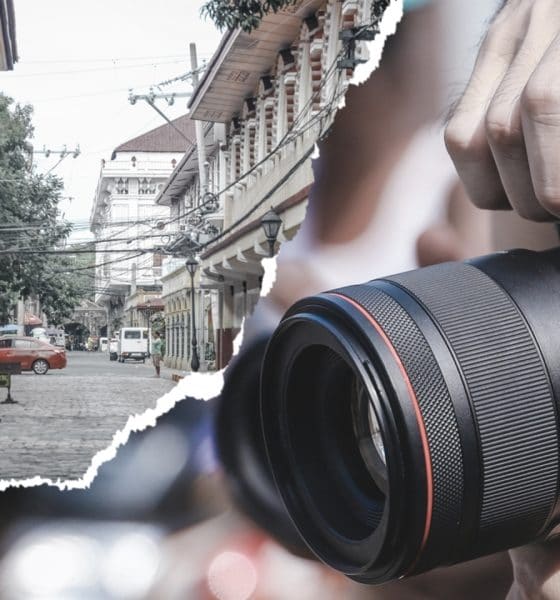
Cameras
Learning street photography with the Canon EOS RP
A picture is indeed worth a thousand words

Street photography has been around for decades — way back in the early years of World War, famine, hunger, and financial crisis. It even sparked several debates whether it’s legal or ethical to do so. Although these questions remain unanswered, a lot of people have been more invested in street photography lately.
It may have started that way but it didn’t stay for long. Today, it’s not just limited to photojournalists, it even hits casual and creative photographers alike. But the real essence of this photography genre is still intact: it is thrilling, challenging, and takes a lot of patience because it should be candid and in perfect timing, not staged.
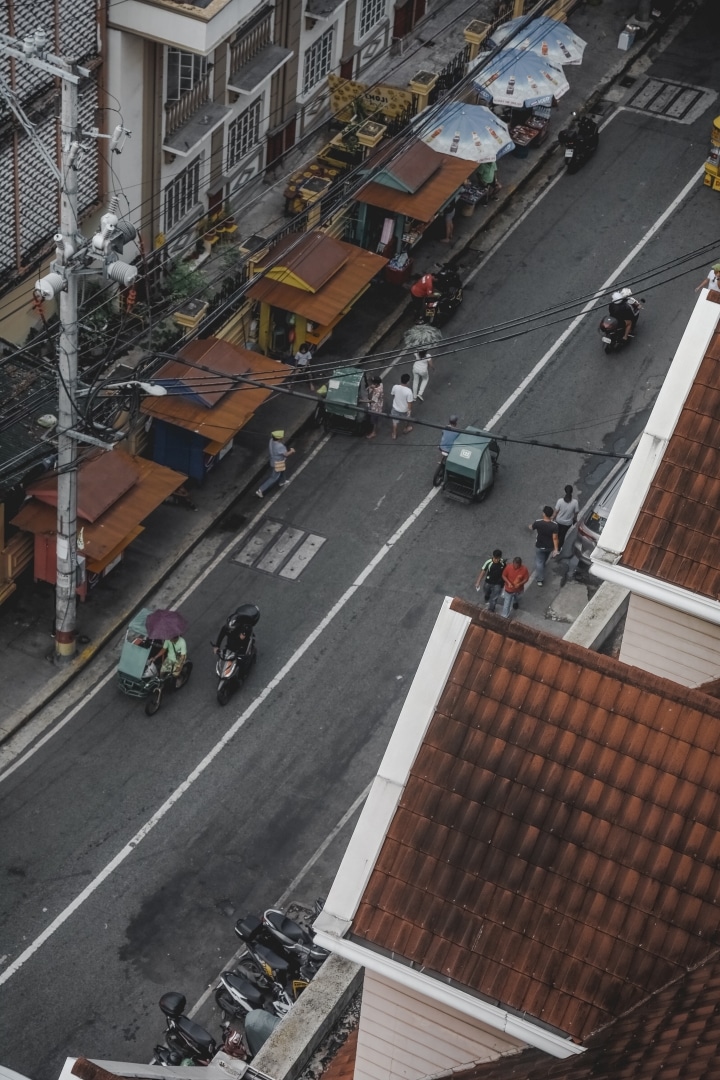

Canon Philippines gave us an opportunity to learn more about shooting in streets with the guide of popular photojournalist, Jilson Tiu. We roamed around the streets of Intramuros and got a glimpse of life inside the walls.
It hasn’t been long since Canon released the EOS RP in the Philippines. Just a refresher, it is the early successor of the EOS R, which is Canon’s first full-frame mirrorless camera. It is also their second mirrorless camera with a smaller body and introduced other cut-down features to make it (a little bit) cheaper.
Canon has come a long way in making and manufacturing cameras. My first camera is a 60D, which was a prosumer king during its time. My initial hands-on with their newest mirrorless camera felt familiar. They have managed to keep the design language in a smaller form factor.
Enough with the technicals. As someone who has been into photography since high school, I can tell that street photography is specifically not my forte. But this doesn’t mean I won’t challenge myself. I learned so many things during this photo walk — so I’m giving you eight tips when shooting around the streets, together with my EOS RP experience.
1. Learn the basics

They are called “basics” for a reason. You should not go to war without learning how to shoot a gun — the same principle applies in photography. Learning how shutter speed, ISO sensitivity, and aperture work before you shoot is essential because you will not (and should not) rely on Auto Mode, especially that you are going to use DSLR or mirrorless cameras when shooting, which is a lot more versatile than using point-and-shoot cameras.
Other photography jargons such as Depth of Field (DOF), focal length, white balance, exposure bracketing, should follow along the way. Composing shots is also part of the basics, including placing subjects within the frame, exercising Rule of Thirds and/or Golden Ratio, and more. With the existence and vastness of the internet, searching for tutorials shouldn’t be a problem for most.
More over, technicals should come along the way. Even the lens you pick affects the quality of shots you take. Prime, kit, telephoto lenses, you name them. Photography isn’t as easy as it seems, but trust me, knowing the basics will be one of your biggest achievements and advances as an aspiring photographer (or photojournalist).
2. Look for human elements

Imagine walking around the streets without any human element, do you think street photography would still make sense? Human element creates several stories in the shots you capture. Street photography isn’t literally talking about capturing the streets, it’s more about capturing the culture between people and the streets you pass by.
One misconception about street photography is when photographers take their posing models as subjects, and street as a background element — put simply, that’s not street photography.
3. Know one’s story
To whoever is reading this, I would admit that I’m socially awkward. A big chunk of me being an introvert holds me back from talking to people. If you are really focused on doing street photography, this tip is very important in establishing connections and making relationships as you shoot more individuals in the long run.
Once you find at least one (or several) human element/s you want to capture, it shouldn’t stop there. Talk to them. Ask them about life, how is their day going, other questions to follow. These questions may sound simple but it helps in creating a sense of belongingness, even if you are both strangers to each other. It would also feel authentic when you talk to them more, even when you are both focused on the different things you’re doing.

Taking the shot above as an example. Although he is busy with his job as a barber, he still entertained our group because we took the initiative to speak with him. Talking to people contributes to the candidness of the photograph. It did not disrupt the things we all did — he even enjoyed the small talk with our group. Let your single photograph say a thousand words to those who will see it.
4. Respect all things around you

Part of having moral ascendancy is respecting each and everything around you — not limited to life forms such as people, animals, and plants, even non-living things alike.
In this particular shot, an old man got mad at our group for suddenly capturing this dog. After trying to ask for permission, he then decided to let us shoot. There are times when people are not amused seeing cameras pointed at them nor at the things they own. If it happens to you, respect their privacy and decision. You should not argue and you definitely need to walk away before you get yourself in trouble.
5. Stop making poverty an aesthetic
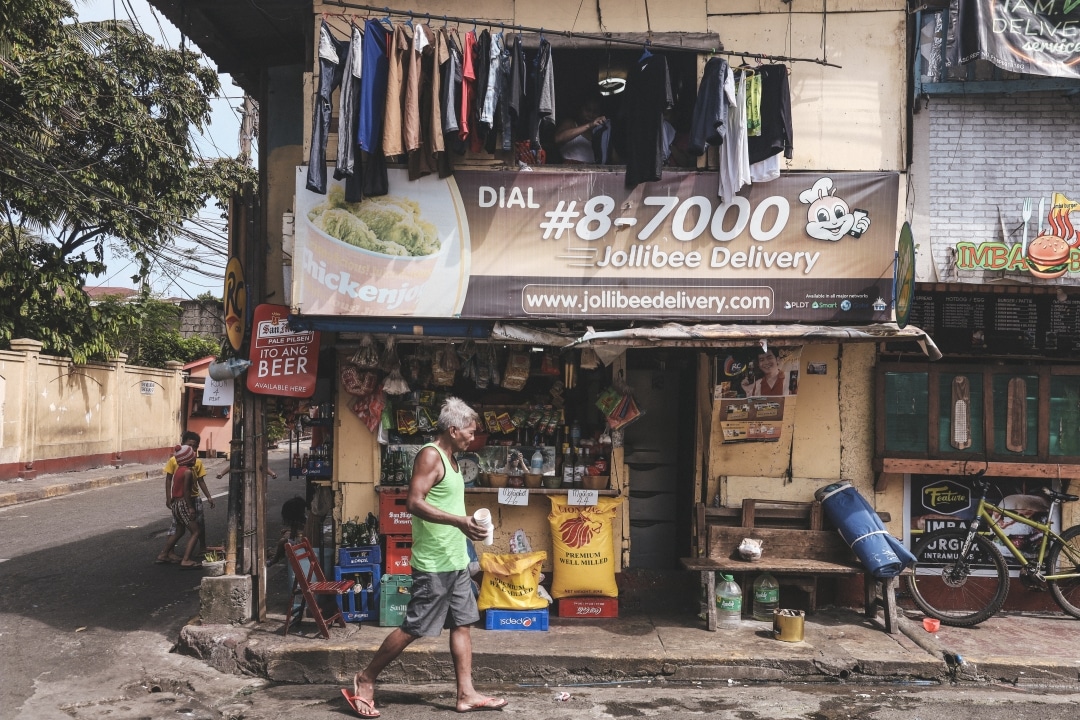
I have seen a lot of street photographers who are making poverty as an aesthetic. In connection to tips two and three, showing one’s respect is not imitating the way they live or how they interact with other people.
Exhibit A: You want to do a staged photoshoot with models pretending they are beggars.
Exhibit B: You were awed when you saw two siblings sleeping along the footbridge. You decided to take photos of them and shared it on Social Media without their consent.
Social Media exposure would raise awareness about their situation, but do you think it would make them happy if they knew they were photographed without consent? If no talk or story-telling happened in between, it is not street photography anymore. The essence of knowing their life nor story never even happened. It is unethical to make one’s living condition a part of your Instagram or Bēhance portfolio — so is exaggerating one’s situation as a staged shoot.
6. Post-processing is normal, #NoFilter shots are not bragging rights
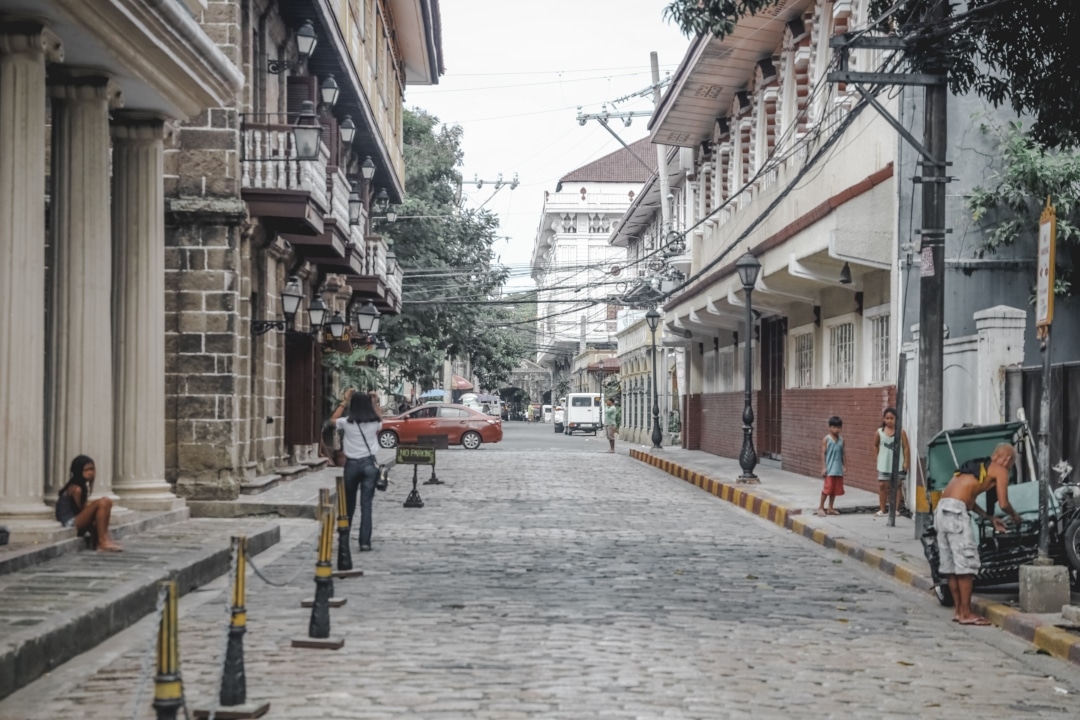
Cameras and lenses are not created equally. Although my experience with the Canon EOS RP is outstanding and its RF 28-70mm f/2L USM lens does the job well, there were times that the shot I took was not aligned to what I wanted the outcome to be.
Post-processing isn’t cheating. There’s nothing wrong with fixing your photography mistake (or worse, a hardware mistake). In fact, it already takes place the moment you press the shutter button on your camera — that is why people should not make #NoFilter shots a big deal. If you are one among the clumsiest users who forgot to set RAW shooting, you have no choice but to stick with your .jpg files.
Let’s say you forgot to adjust the Custom WB (White Balance) while shooting, post-processing apps can help you fix it. You can even do other processing techniques if you want to convey more feelings in your shots. It is a part of experimentation, and the values in each photo you edit are not something that’s always definite.

In this particular photo, I adjusted the curves that helped it achieve a faded look instead of deep shadows, making it feel softer with minimized shadows and contrast. I minimized the highlights because of the harsh sunlight hitting the tile bricks. I also moved the slider to the warmer side for it to look lively. Color science says that photos on the cool side feels melancholic and lifeless.
I suppose not everyone is computer-literate. There are mobile apps you can try when it comes to post-processing your shots — such as VSCO, Snapseed, and Lightroom Mobile, a toned-down version of the PC-based Adobe Lightroom. Take note that mobile apps may have limited functions, especially because they are free.
Reminder: Before all of you use (and abuse) the power of post-processing, you should have already understood the first tip. Not to sound like a broken record but it is about understanding the basics. Nowadays, a lot of people rely on post-processing without knowing the essentials — maybe it’s time to learn them properly.
7. Capture the scenery, too

Imagine you are trying to shoot on top of a building. You peeked at your camera’s viewfinder, adjusted the focal length, and tried fitting human elements within the camera’s frame. Suddenly, you realized that the scenery makes them stand out more — that’s what this tip is for.
Street photography should not be limited to street per se. As long as the background element does not overpower the human element or subject, you are good to go. The lush greenery along this golf course make the golfers stand out more. The differences in their movement make it feel dynamic, candid, and emphasizes their actions of playing golf.
8. Explore unusual elements to shoot
Last but definitely not the least is all about looking for odd elements that will make you and your composition different from others. Staged photographs can be imitated, but not the candid ones. That’s why learning the basics matter, so you can compose shots in a split second — every shot you take makes a lot of difference.

Use juxtaposition when possible in order to convey two contrasting elements in one frame. In the shot above, I was aiming to describe the situation of the Philippines (or other similar nations) today — the biker represents that Filipino citizens are freely moving around, while the window grilles represent that we are restricted to freely express ourselves due to government policies and sanctions (Threat to Press Freedom, anyone?).
I captured more than ten photographs in the same location just to get my desired composition. If you think this goes against the essence of shooting candid photos, it’s not. I do not personally know him nor directed him to pass by. Misconceptions like this can cause trouble among the photography community, and you should avoid that.
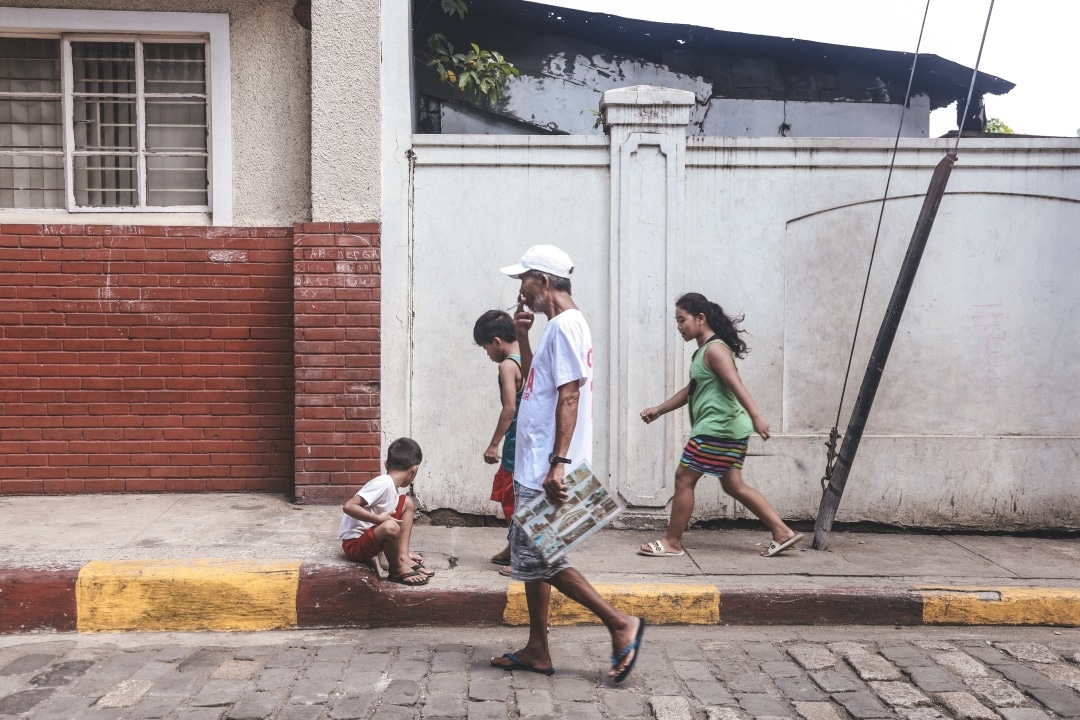
Another candid shot I took talks a lot about growing up and getting old. Having the same walking direction between the old man and the children tells us that time is constant. There is nothing that can stop us from accepting more responsibilities and having different kinds of interest as we grow up.
Photography throughout my years
I was born knowing what traditional film cameras look like and how they function. I was even there when VGA, 3-megapixel and 5-megapixel cameras in phones made headlines. Photography has come a long way, and they still keep improving. It’s not even limited to professional cameras anymore that newer smartphones with excellent mobile photography prowess can now be considered as contenders.
As I was saying, street photography is not my forte. But from my experience using the Canon EOS RP coupled with a new RF lens system (vs the old EF lens mount), capturing photos still felt like I was using my old 60D because of the familiar feel and function. After using different cameras throughout my creative journey, Canon still lives up to their name for creating a big name in the camera industry.








DJI has announced the global availability of the Osmo Pocket 4P Pearl White, a new color option for its dual-lens gimbal camera. The new edition retains the camera’s 1-inch CMOS sensor, 17 stops of dynamic range, 10-bit HDR video recording, and dual-lens system.
The Pearl White finish uses mica-infused pearlescent pigments and a multilayer spray coating that creates subtle changes in appearance under different lighting conditions. DJI designed the new colorway for creators who want a camera that complements lifestyle photography, travel vlogging, and everyday video production.
DJI Osmo Pocket 4P Pearl White features
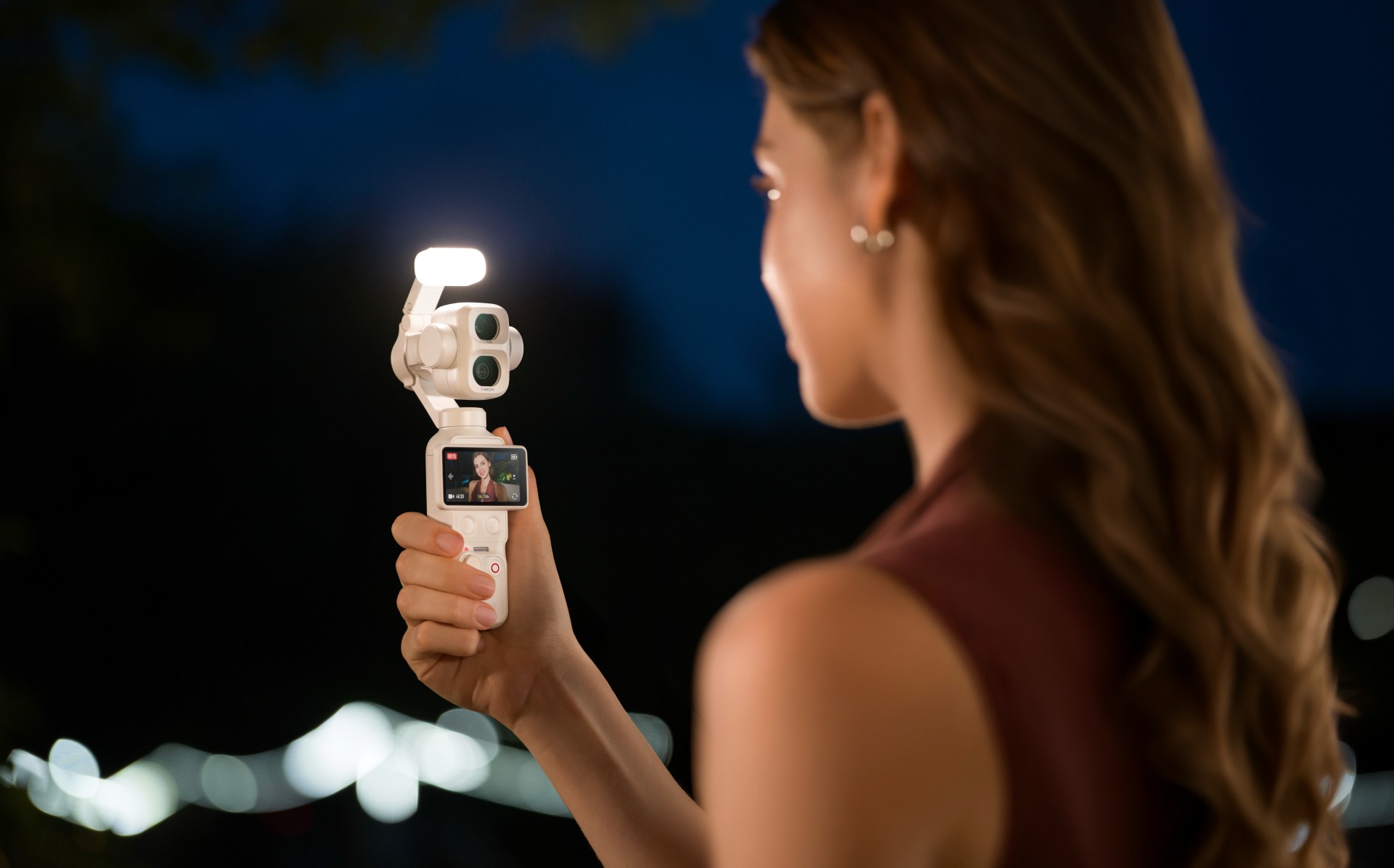
The Osmo Pocket 4P Pearl White features two lenses with different focal lengths. Its primary 20mm wide-angle lens has a 1-inch CMOS sensor and an f/2.0 aperture. It supports video recording at up to 4K at 240 frames per second, with LOFIC technology helping preserve highlight and shadow details in challenging lighting conditions.
The camera also supports up to 17 stops of dynamic range and a 10-bit D-Log 2 color profile. These features give creators greater flexibility when adjusting colors, exposure, and contrast during post-production.
For portraits and tighter compositions, the 60mm medium-telephoto lens has an f/1.8 aperture and supports 3x optical zoom and up to 12x zoom. The camera combines both lenses with gimbal stabilization in a compact body weighing approximately 230 grams.

Other creative features include:
- Slow-motion video: Record up to 4K at 240fps for slow-motion footage.
- High-resolution photos: Capture still images at up to 37 megapixels.
- 4K Live Photos: Record 1.5-second clips alongside photos.
- ActiveTrack 8.0: Track subjects such as people, vehicles, and pets.
- Fast file transfers: USB 3.1 support enables transfer speeds of up to 800MB/s.
- Extended battery life: Record for up to 210 minutes on a single charge.
- Fast charging: Reach 80% battery capacity in as little as 18 minutes.
- Automatic iOS transfers: Transfer newly captured footage to compatible iOS devices after powering off the camera.
Automatic media transfer works best with an iPhone 16 series device or later running iOS 26.4.1 or above, provided the camera battery is above 15%.
The camera also supports HDR 10-bit video recording for footage with a wider range of colors and greater flexibility during editing.
Compatible with DJI Osmo accessories
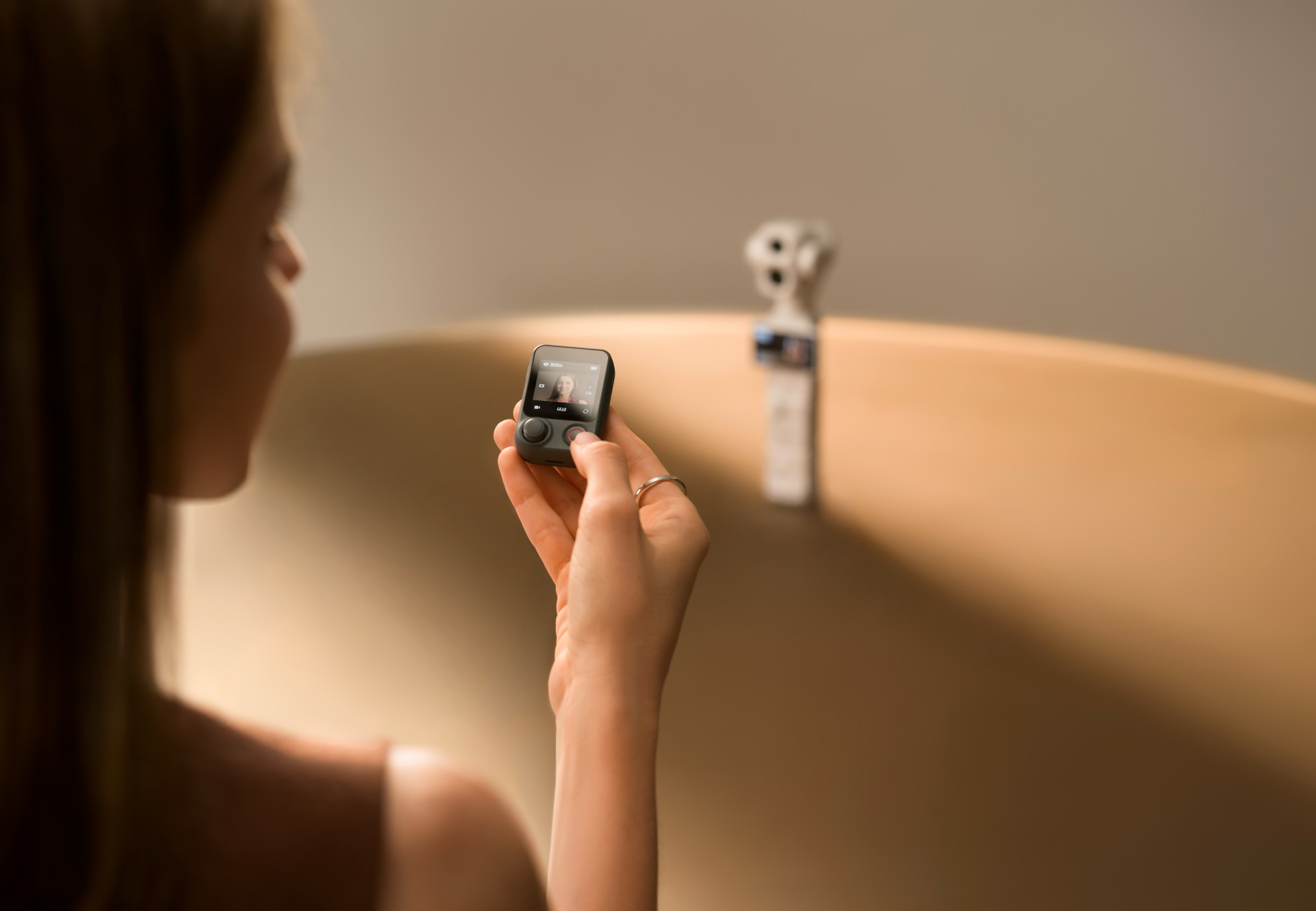
The Osmo Pocket 4P Pearl White works with DJI’s existing Osmo accessory ecosystem. Compatible accessories include the Osmo Pocket 4 Fill Light, ND and polarizing filters, wide-angle lens adapters, battery handle, and OsmoAudio microphones.
These accessories are sold separately, allowing creators to customize their setup for different shooting scenarios.
DJI Care Refresh coverage
DJI Care Refresh is available for the Osmo Pocket 4P Pearl White. The protection plan covers accidental damage, including collisions and water damage, through a replacement service for an additional fee.
The one-year plan includes up to two replacements, while the two-year plan includes up to four replacements. Other benefits include official warranty coverage, international warranty service, and free shipping, subject to DJI’s terms and conditions.
Pricing and availability
The DJI Osmo Pocket 4P Pearl White is now available globally. The Standard Combo is priced at £529 in the UK and €599 in Europe.
For more information, visit the official DJI Osmo Pocket 4P website.
Accessories
Fujifilm’s new instax Pal 2 and Link WIDE 2 make room for more creative memories
A new pocket camera and a collage-making printer join the instax family.

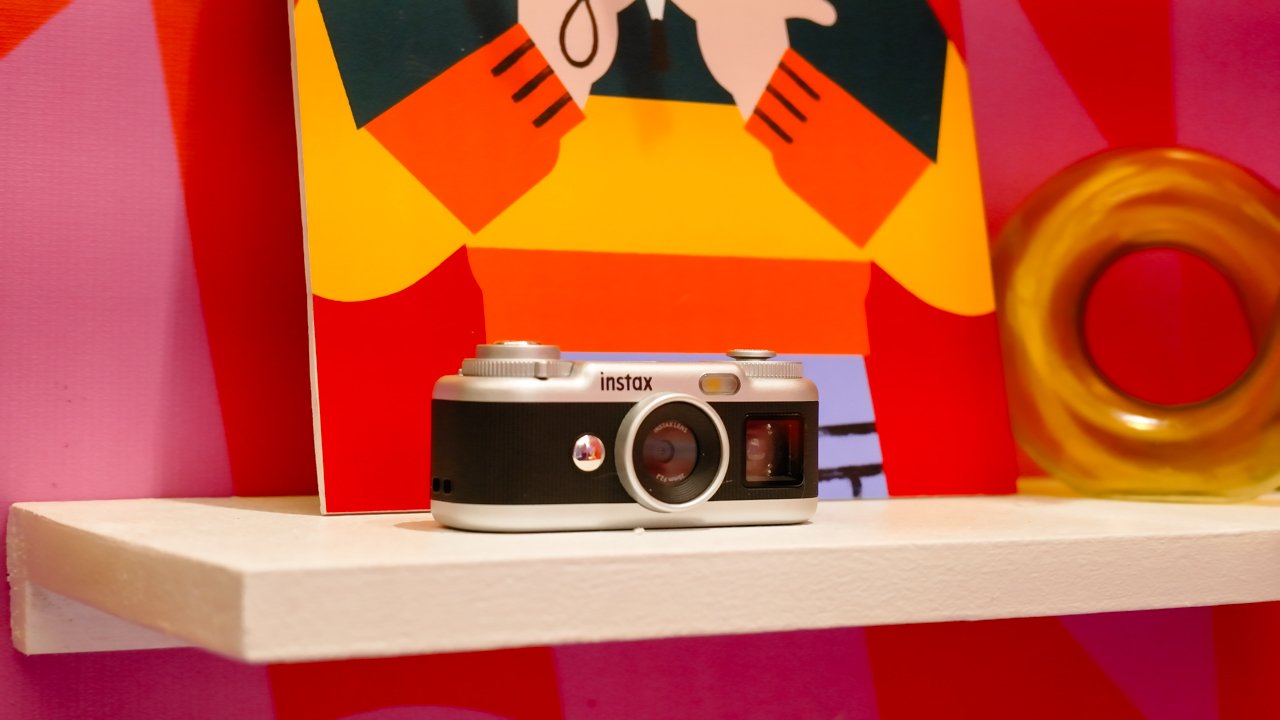
Seeing a memory take shape beyond your screen changes how it feels. A favorite photo becomes a print you can tuck into a journal or pin beside your desk, and the everyday moments you capture get a little more room to live.
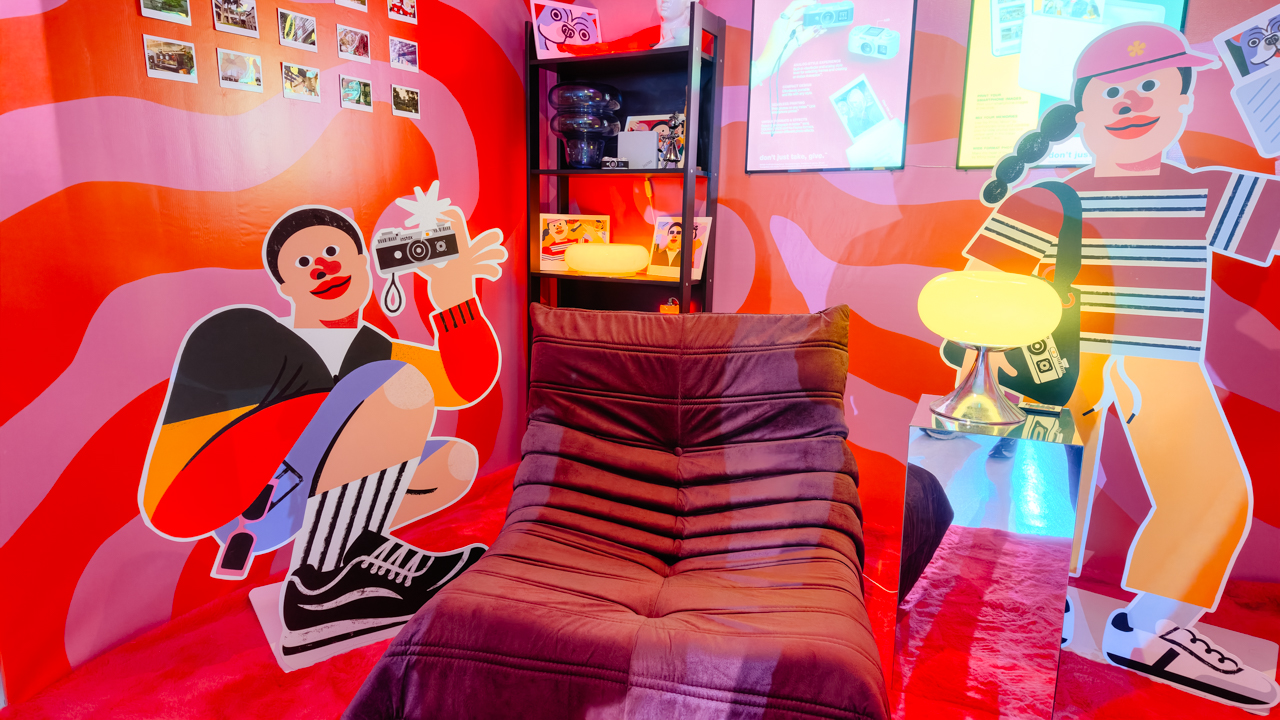
That was the spirit of Fujifilm’s instax Playhou2e launch in Makati, where visual artist Jill Arteche brought her signature illustrations into the event space.
Her artwork surrounded the latest additions to the instax family, the instax Pal 2 and instax Link WIDE 2. Both devices treat photography as a form of personal expression, from the snapshots you take throughout the day to the printed memories you want to keep close.

A pocket-sized camera that goes wherever you do
The original instax Pal made the case for carrying a camera without a full-sized setup. Its successor, the instax Pal 2, builds on that with a refreshed design and improved image quality.
The palm-sized camera is built for everyday adventures and can capture angles that are awkward to get with a smartphone. Its compact body also makes it easy to bring along if you like documenting your day as it happens.

Fujifilm gave the Pal 2 a semi-matte finish. A new monitor on top lets you review shots right after you take them, and the added viewfinder, control dial, and lever give it a more tactile feel to shoot with.
The specs have moved up, too. The Pal 2 captures 10-megapixel images, double the original’s five megapixels, and its internal storage holds up to 100 images compared with 50 before. A separately sold microSD card adds more room.
The creative options are where the Pal 2 gets playful. It offers 30 effects, so you can give images different moods without editing each one from scratch. Its instax Animation mode strings up to 10 consecutive shots into a flipbook-style animated video.

Transferring your photos is straightforward. The Pal 2 supports wireless Bluetooth transfers, and a USB Type-C connection offers faster transfers to compatible smartphones. From there, you can edit the images and post them to social media or keep them in your camera roll.
Because the Pal 2 is part of the instax ecosystem, its digital photos can also be printed on instant film through compatible instax printers. That means you can shoot first and decide later which moments deserve a physical copy.
Turning your camera roll into something worth keeping
Taking photos is only half the fun. The other half is deciding what to do with the hundreds of images that pile up on our phones.
The instax Link WIDE 2 is Fujifilm’s answer for anyone who collects travel photos or documents celebrations. As the brand’s WIDE-format smartphone printer, it prints at twice the image area of the instax mini format, which leaves more space for group photos and landscapes.
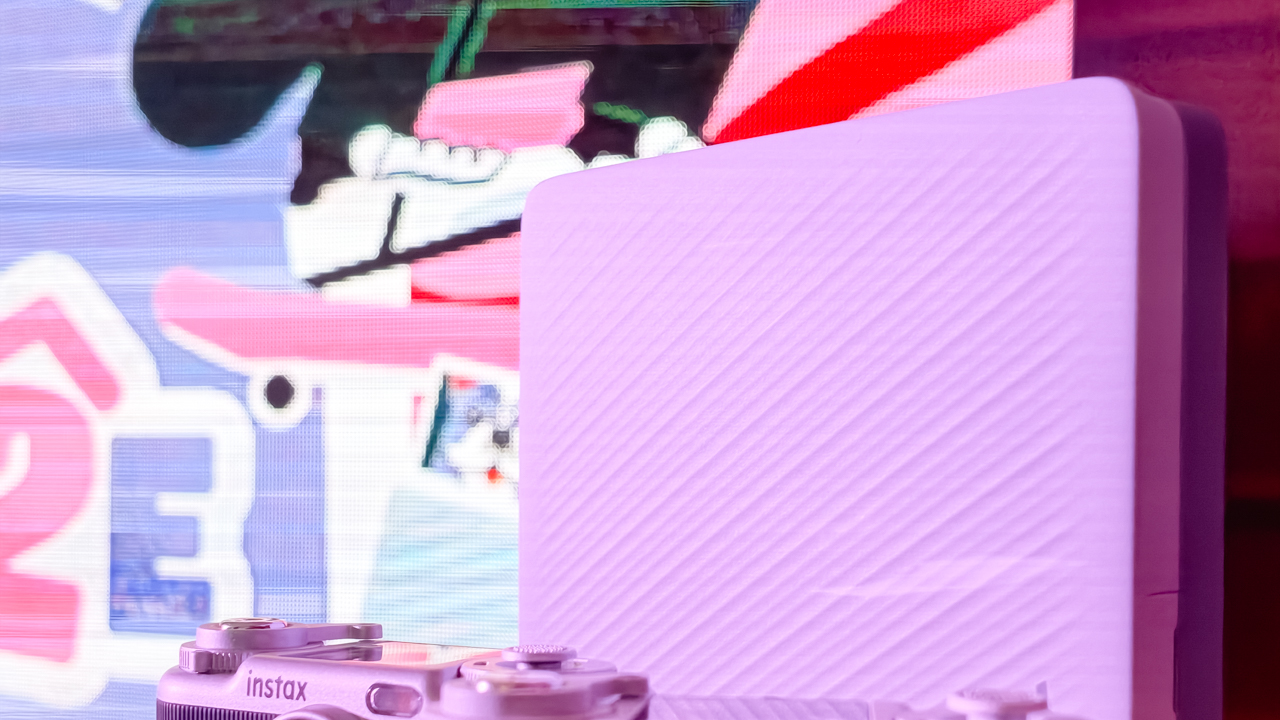
Its biggest new feature is Photo Mixer, which builds scrapbook-style collages from multiple images you pick in the dedicated app. Instead of printing a single photo, you can combine highlights from a trip or a gathering into one larger keepsake.
The app suggests layouts based on your chosen photos and adjusts image sizes, angles, text placement, and fonts to keep the design cohesive. You can then add your own text and stamps. A cutout function identifies people and objects in your photos so you can layer them into the collage.
With Photo Mixer, printing becomes part of the creative process, and your camera roll turns into material for building a visual record of an experience in a single print.
The Link WIDE 2 also gets a design refresh, with two-tone finishes in Duo Beige and Duo Blue. The light and dark surfaces give it a polished look on a shelf or desk, and an illuminated instax logo glows while it prints.
Connectivity has expanded, too. Beyond smartphones and tablets, the printer works with PCs, Fujifilm X Series cameras, and the instax Pal 2, so digital artwork and other compatible images can become physical prints.
A more personal way to keep your memories
The instax Pal 2 and Link WIDE 2 share the idea that photography is a way to express yourself. The Pal 2 makes it easy to capture moments as they happen, and the Link WIDE 2 gives those images a place in the physical world.

Jill Arteche’s artwork at the launch backed that idea up. Her illustrations filled the space with personality and showed how photos and art can make an environment feel more personal. The event also made a case for revisiting and reinterpreting the images we collect.

Taking a photo takes seconds, and printing one can make the memory feel more special. The instax Pal 2 and Link WIDE 2 bring that into everyday life and give your snapshots room for creativity, from the moment you press the shutter to the moment you find a place for the print.
In the Philippines, the Fujifilm instax Pal 2 retails for PhP 10,599, while the Fujifilm instax Link WIDE 2 is priced at PhP 10,999. Both devices are now available on Fujifilm’s authorized stores and retailers nationwide.
Cameras
Sony introduces its 1st Fisheye Zoom G Lens
Broad range for landscapes, architecture, sports, and video production

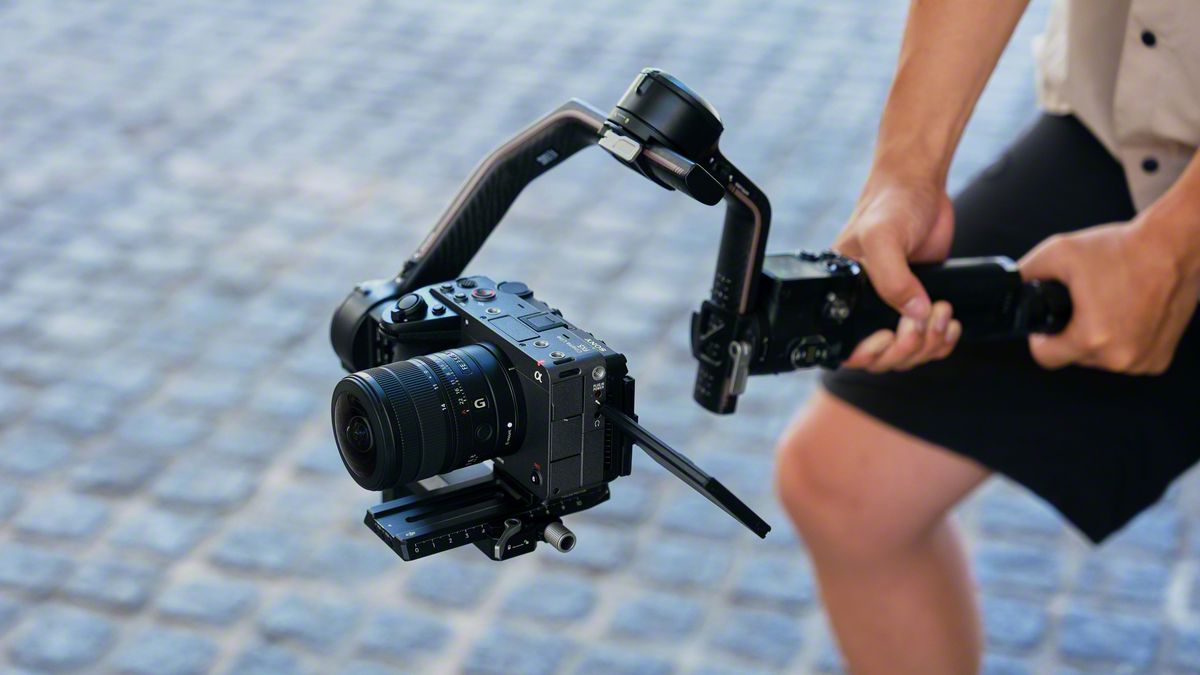
Sony has just launched its first fisheye zoom G Lens for full-frame Alpha E-mount cameras: the Sony FE 8-14mm F3.5 Fisheye G. It will be available from late September for an SRP of US$ 1,599.99 / SG$ 2,049.
The 8 mm to 14 mm zoom focal range covers a broad set of fisheye perspectives in one compact lens.
At 8 mm, the lens shoots circular fisheye with a 180-degree angle of view projected as a circular image on a full-frame sensor.
Meanwhile, at 14 mm, it shoots diagonal fisheye across the full frame with a 180-degree diagonal angle of view.
Users can match the angle of view and composition to the subject and creative intent, across various scenarios like landscapes, architecture, sports, and more.
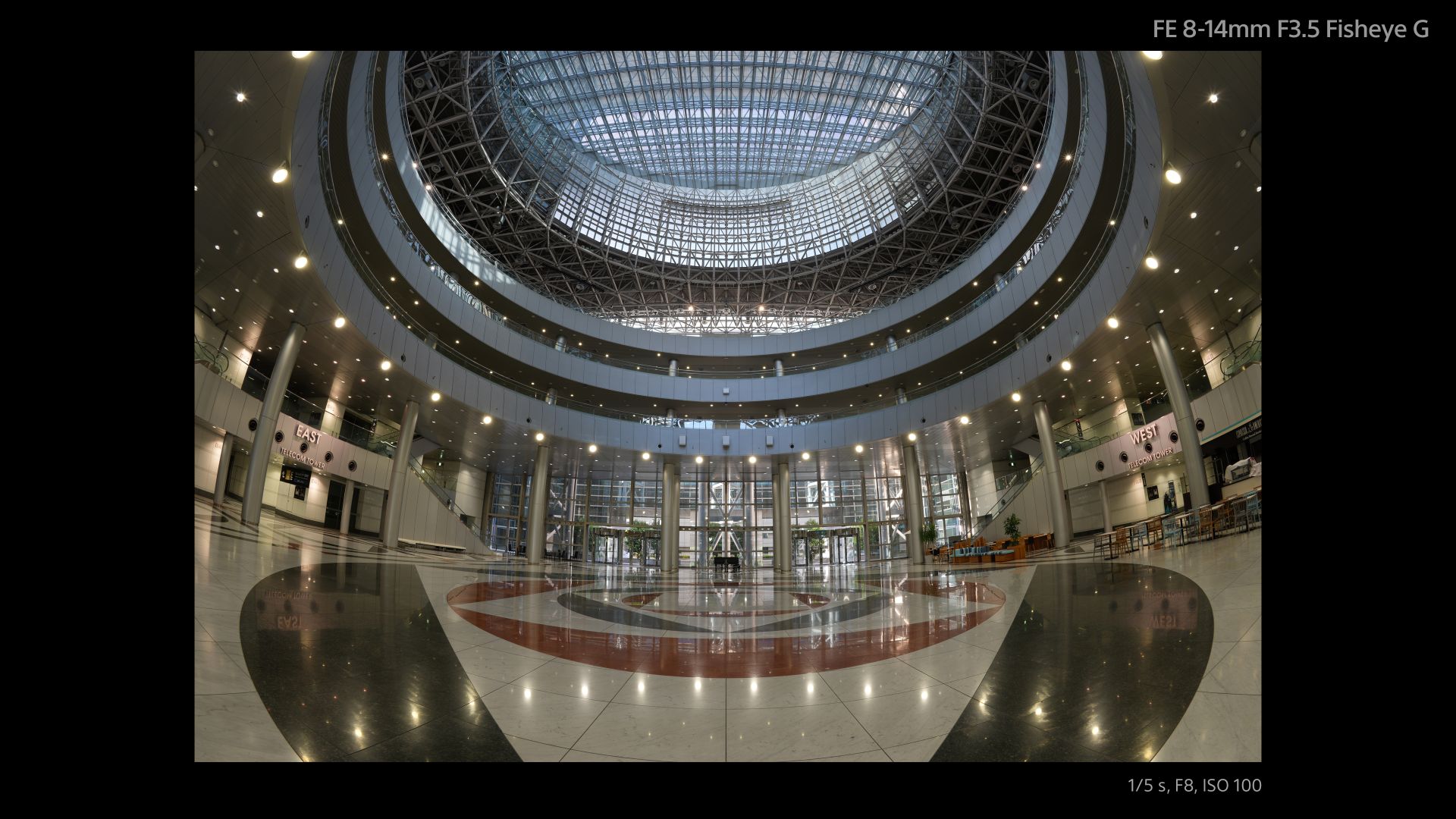
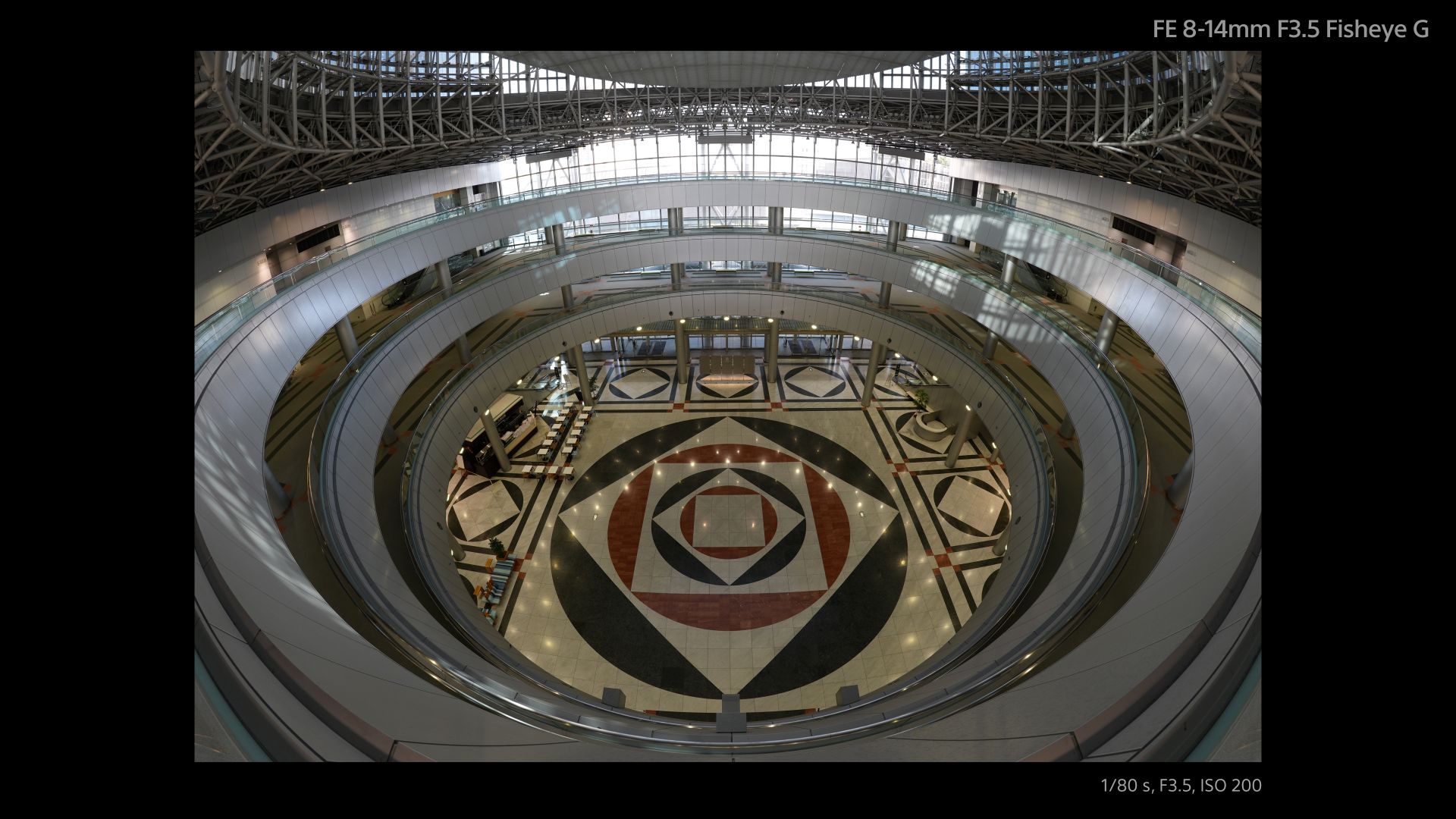
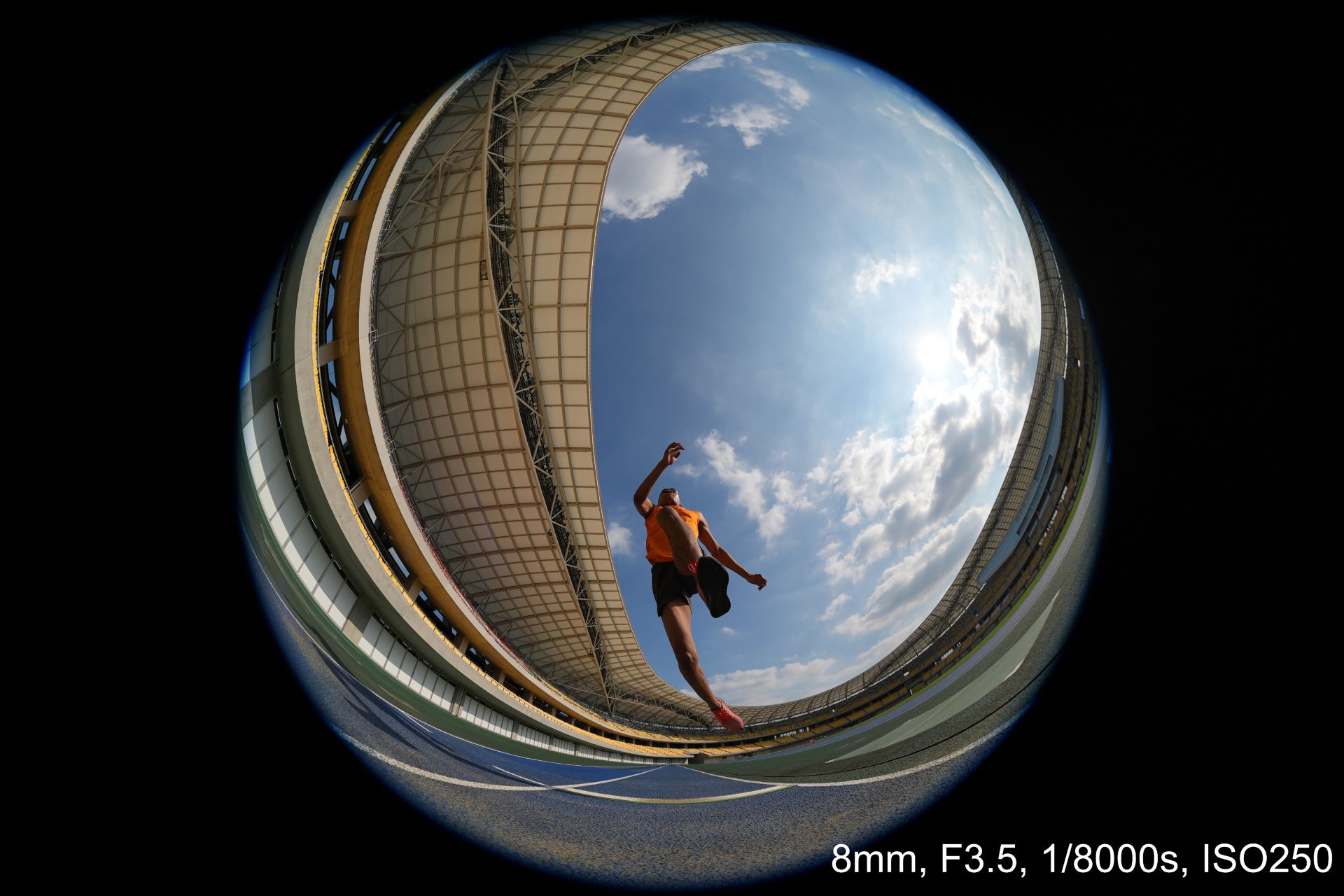
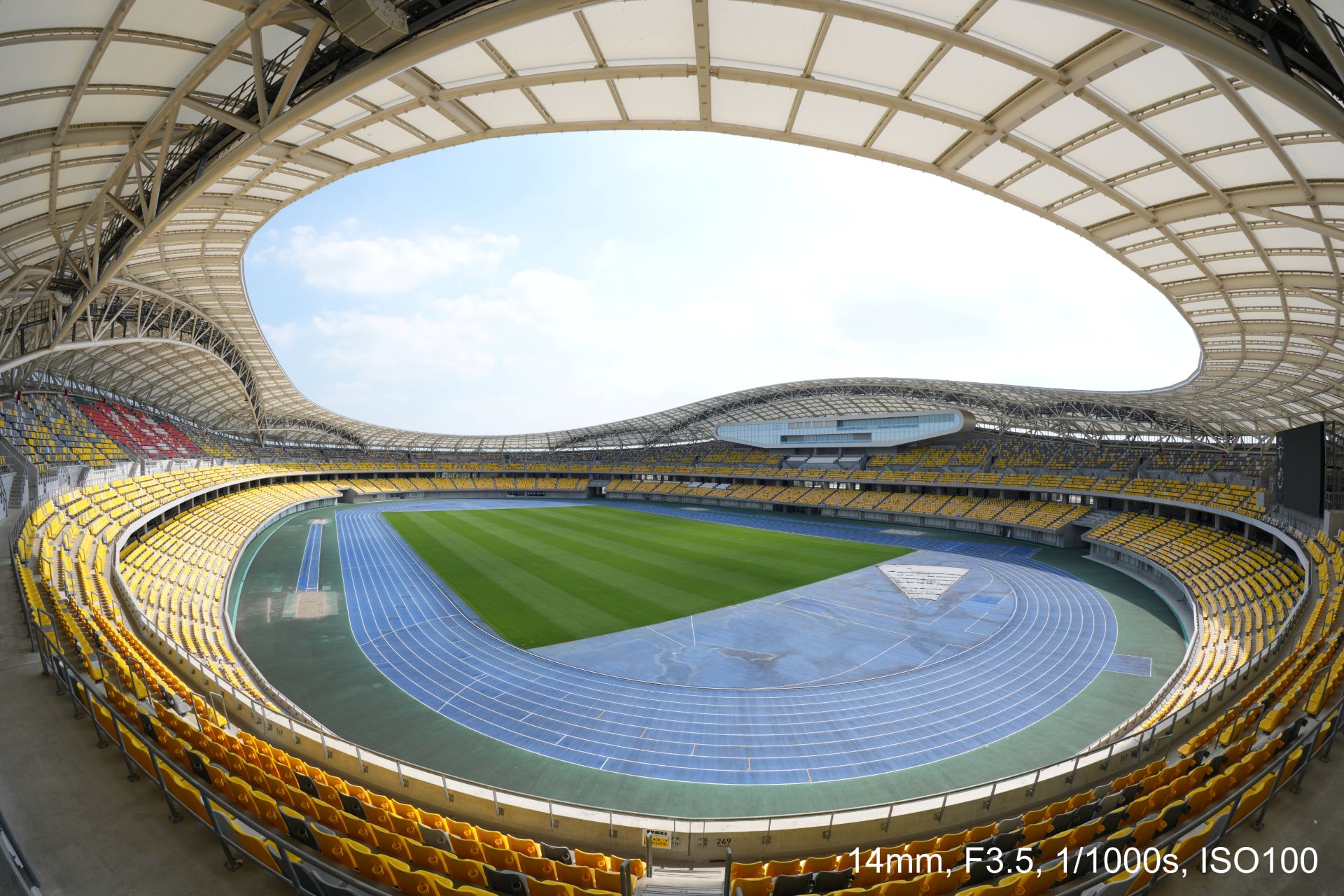


An optical design with ED (extra-low dispersion) glass and aspherical elements suppresses chromatic and other aberrations across the image area.
This enables high resolution throughout the zoom range with fast and precise autofocus and Linear Response MF. All these while suppressing focus breathing and operating quietly for movie production.
Controls include a focus mode switch, zoom lock switch, and an aperture ring with switchable click stops.
A minimum focusing distance of 0.15 meters and maximum magnification of 0.22x at the telephoto end also allow close-up fisheye perspectives both for stills and movies.
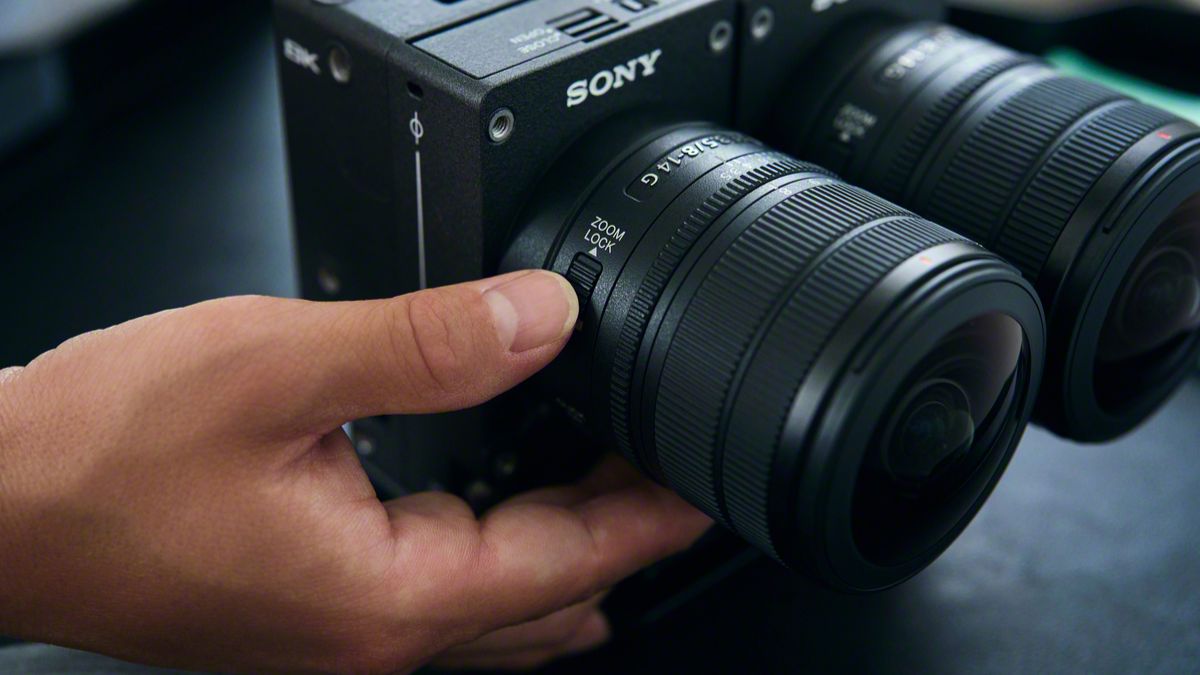
The Sony FE 8-14mm F3.5 Fisheye G measures about 63.1 mm in maximum diameter and 82.8 mm in length.
It weights about 314 grams, giving it mobility for handheld, gimbal, and rig-based shooting. It is also dust and moisture-resistant with a fluorine coating on the front.
In addition, users can opt for a dual-lens configuration with the VENCE Extension System Mini.


ROG G700 review: The best prebuilt PC you can get off the shelf
This PC will make you stop worrying about specs.


HP OMEN Max 16 review: Gamer-maxxing in deep black
Peripherals deemed necessary to max this out


vivo V80 review: Good phone, tough sell
A capable travel companion

Wild Rift Patch 7.3, celebrates K/DA comeback

LG showcases its latest AI TVs in the Philippines

Your coffee nook is getting a makeover with Starbucks’ holiday collections

Petit Planet launches December 4

This pop-up sauna brings the steam room experience into your home


-
Reviews2 weeks ago
vivo V80 review: Good phone, tough sell
-

 News2 weeks ago
OPPO Find X10 Series: Price, availability in the Philippines
-

 Cameras2 weeks ago
DJI Osmo Pocket 4P Pearl White now available globally
-

 News2 weeks ago
OPPO Find X10 Series: Price, availability
-

 Entertainment2 weeks ago
Cyberpunk: Edgerunners 2 now streaming, Cyberpunk 2077 update coming
-
Gaming1 week ago
HP OMEN Max 16 review: Gamer-maxxing in deep black
-

 Laptops2 weeks ago
Lenovo expands Yoga lineup with new AI PCs and tablets
-

 Laptops2 weeks ago
ASUS ProArt P14, P16 laptops with NVIDIA RTX Spark now available