
Computers
Armaggeddon Pixxel+ Pro PF24HD Super Monitor review: Cheap yet superb
A Singaporean brand that deserves more attention

Admit it, the pandemic is making us buy things we don’t need. At the same time, we also bought essentials to boost our productivity when working inside our rooms. In the past few months, a lot of us went under a WFH (work from home) setup — which also meant greater demands for consumer tech products such as laptops, PC rigs, keyboards, mouse, and even monitors.
As GadgetMatch’s Associate Creative Producer, I needed a large monitor that’s not too pricey yet delivers the top three features that I need: color accuracy, viewing angles, fast refresh rate.
After lending some of my time for thorough online shopping, comparing, and research, I went with Armaggeddon’s Pixxel+ Pro PF24HD monitor.
Armaggeddon may not be familiar to most of you. They’re a Singaporean brand that offers a wide array of computing products and gaming peripherals.
Ultra slim and bezel-less
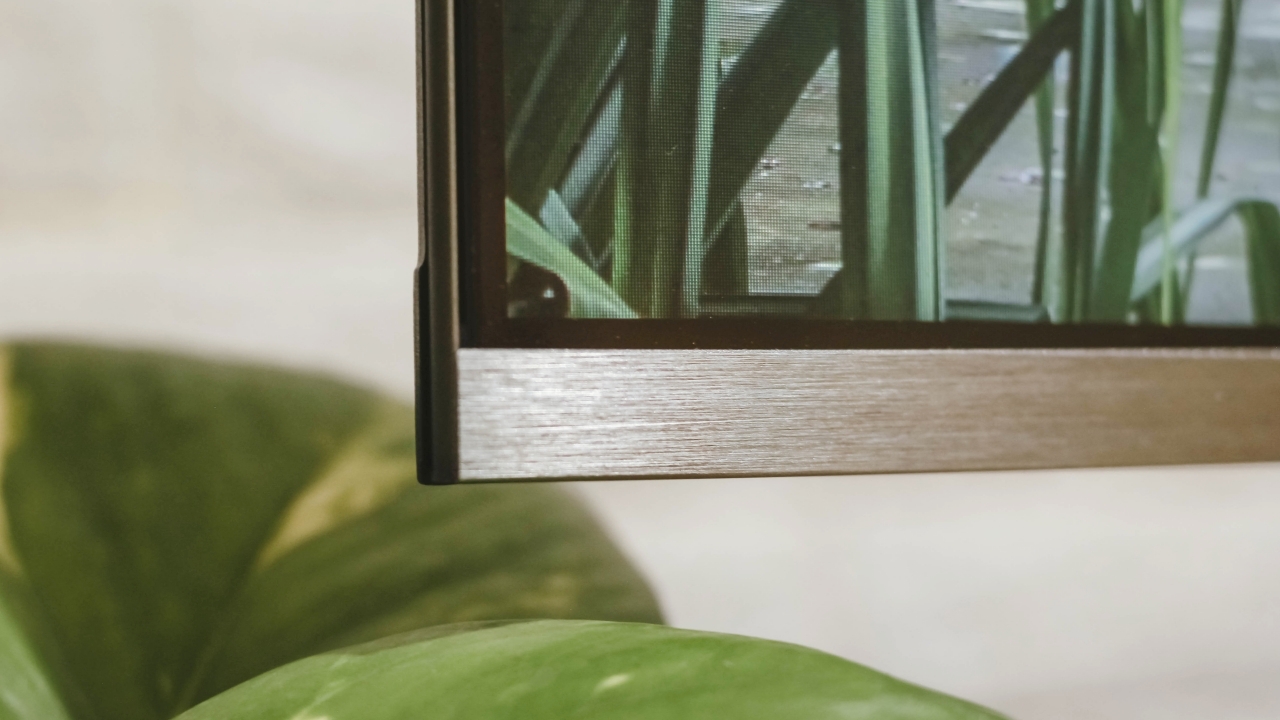
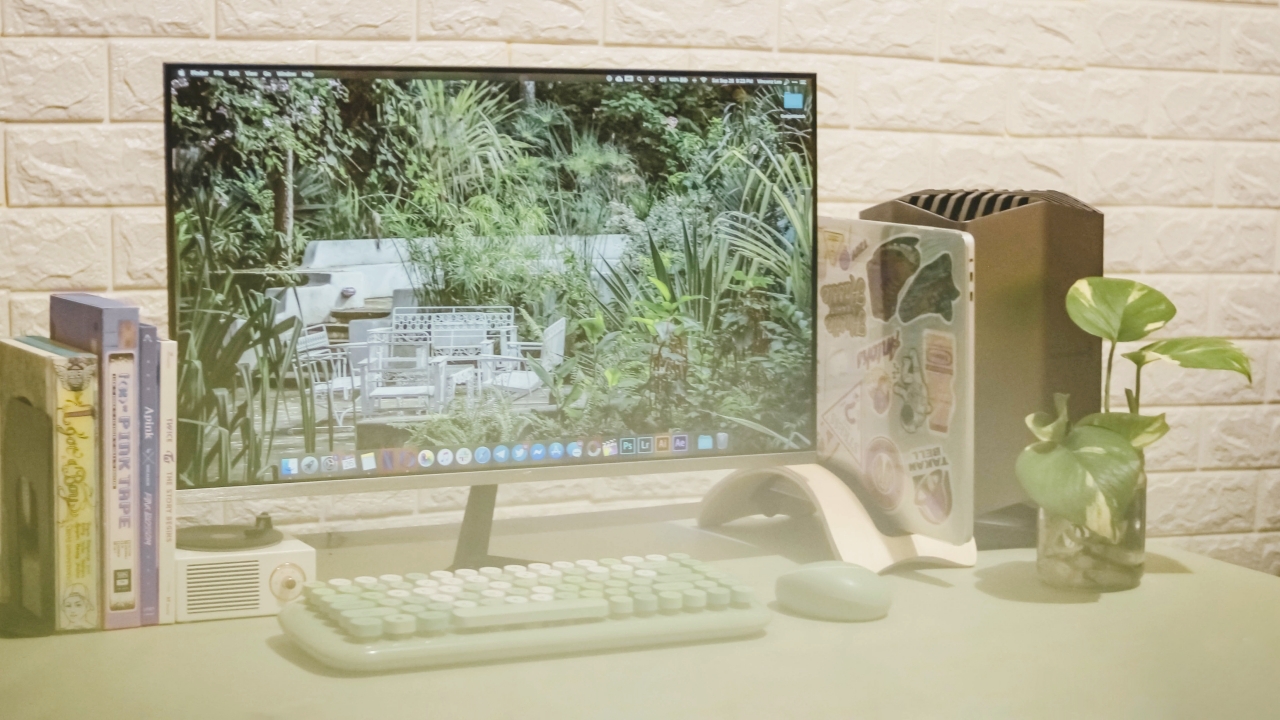
What I first liked about Armaggeddon’s Pixxel+ Pro PF24HD is its design. The massive 23.8-inch display almost feels like it’s floating because of the zero bezel design or what they call the “Infinity Frame”. Other monitors of the same price look bland with their plastic black frame and stand.
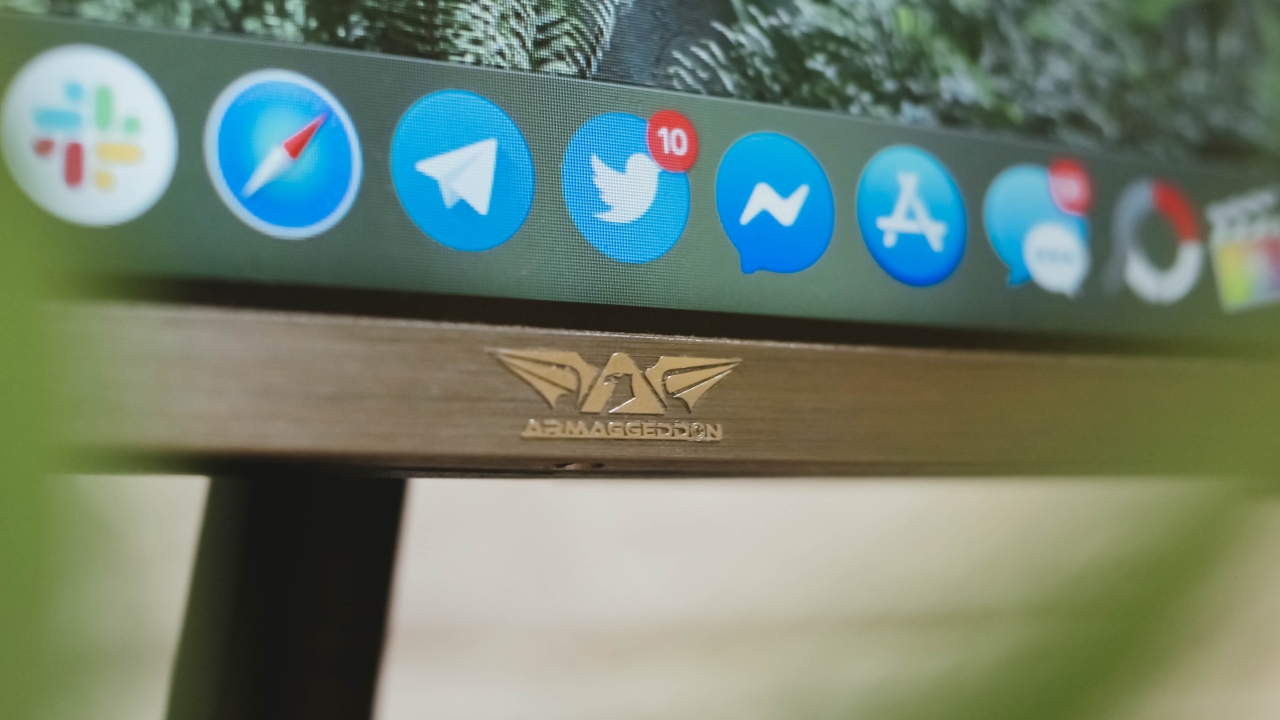
Armaggeddon’s logo may not be as distinct from afar but the silver emblem is a nice complement to the monitor’s brushed metal bottom bezel.
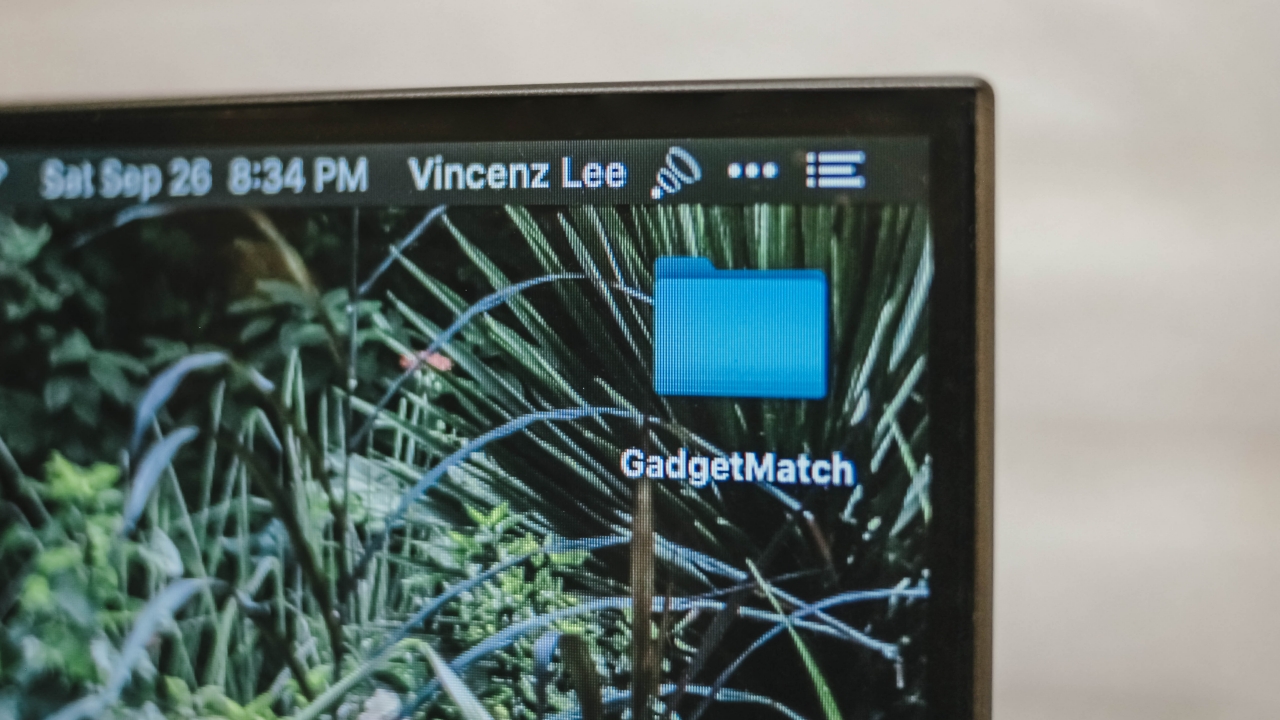
Its sides are truly ultra thin. The only thick part is at the bottom, which houses the monitor’s internals and holds the hefty metal monitor stand in place. Side-tilting isn’t supported but it can be tilted upwards or downwards at around +15/-5-degrees.
To make it more reliable, this monitor also supports a 75×75 VESA mount for better desk setups.
Ports and cables
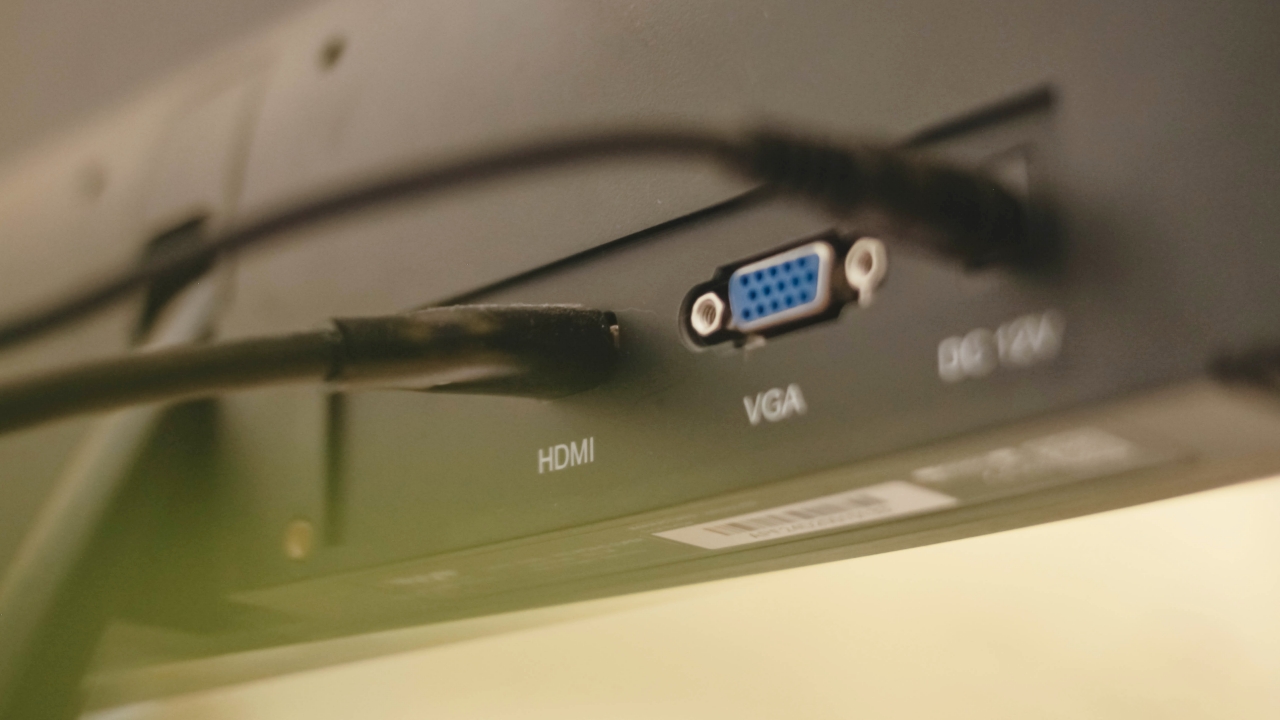
You get the usual port selections here. Out of the box, there’s an included 12V cable that powers the monitor through the DC port.
There’s also a bundled HDMI cable that you can connect via the HDMI port. This port is used for PC rigs, Playstation or Xbox consoles, and laptops that support it. There’s even an extra VGA port for older PC and laptops configurations with less fancy resolution output.
What you don’t get is a DisplayPort (DP) and an Optical Audio Output — which might be a dealbreaker for some of you. There’s also no room for USB-C port since having one would add more to its cost. For my part, I just use a Bluetooth speaker for loud music sessions or a pair of wireless earbuds when I’m editing.
Cable management is a little tricky though as it doesn’t include clips for fixing those cluttered cables behind the monitor.
Real IPS panel

There are different types of monitors out there that are being sold around the same price. You may have heard of them before: TN and VA panels are the most common in the list. They’re cost-efficient especially because they feature less bright and desaturated panels. But what made me choose the Armaggeddon PF24HD is the inclusion of a real IPS panel.
Just like in your smartphones, IPS displays offer excellent colors, contrast, and viewing angles. These are display features I’ve said from the very beginning that I need for the type of work I do.
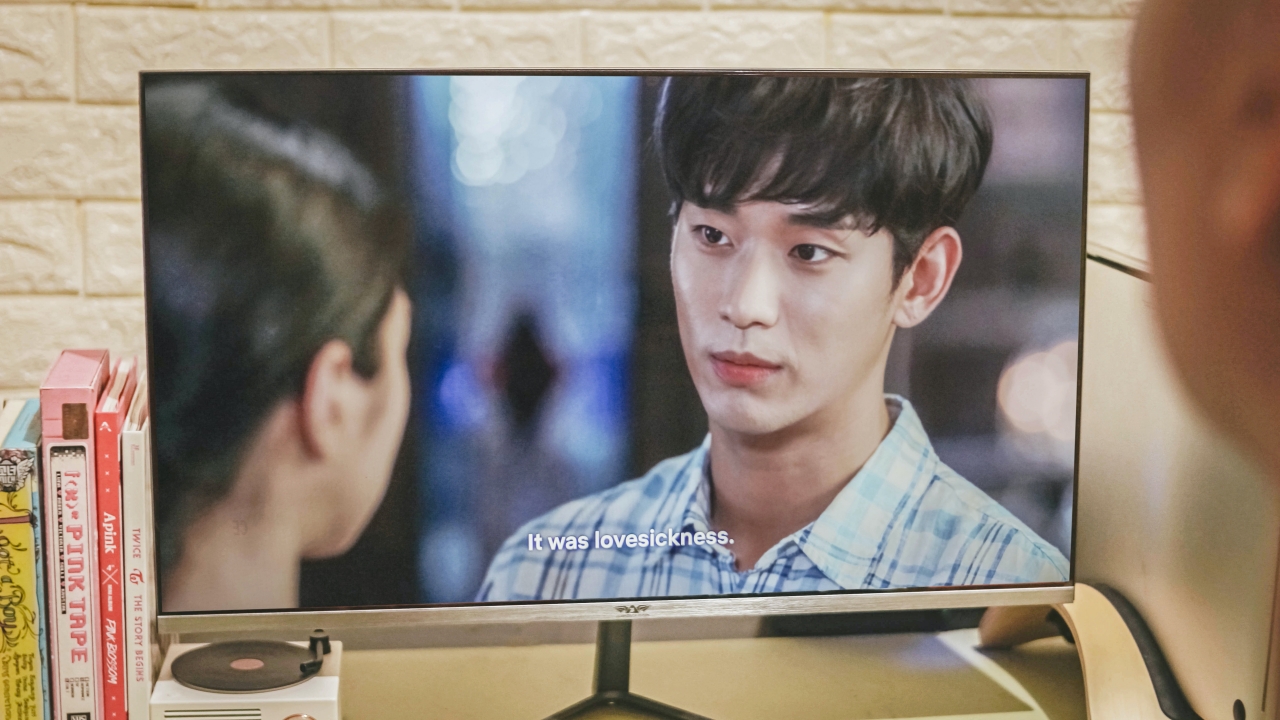
Yes. I’m still not over Ko Mun Yeong and Moon Gang Tae
For what its worth, the display is excellent. Colors pop while there’s little to no degradation when you look at the monitor even at the narrowest viewing angle. Other advertised “IPS” monitors I found online were just re-configured TN/VA panels with poor viewing angles and color accuracy. It’s not a good thing to fool customers with product misinformation.
With my desk setup facing parallel to the window, screen glare is unavoidable. But with PF24HD’s bright panel, it wasn’t that big of a deal for me. I even adjusted the monitor’s brightness from 70 down to just 40 because it’s just too bright for me.
In my case, my IPS panel doesn’t suffer from severe “backlight bleeding” that shows brighter areas near the edges among most IPS panels. A built-in Anti blue-light filter also comes handy to protect your eyes when using it.
True 75Hz refresh rate
During my time of comparing, I noticed that other popularly-branded IPS panels of the same price only feature a modest 60Hz refresh rate. Meanwhile, faster refresh rates of 75Hz and 144Hz are available but they feature TN or VA panels — which is a deal breaker for me (and if you were paying attention earlier, you already know why they’re not advisable for creative tasks).
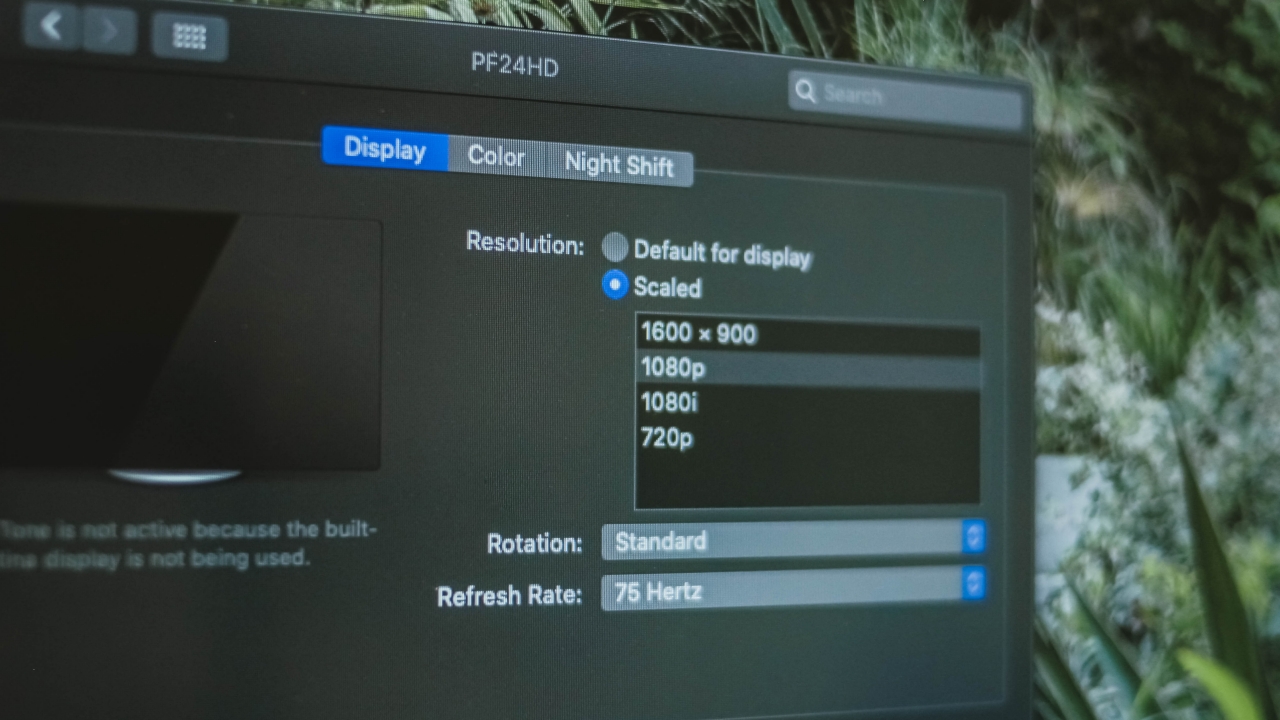
Having Armaggeddon’s 75Hz IPS panel is a true feat. I first tried it on macOS Catalina and I haven’t experienced any hassle after connecting my MacBook through the HDMI port. It’s automatically set to the highest refresh rate available.
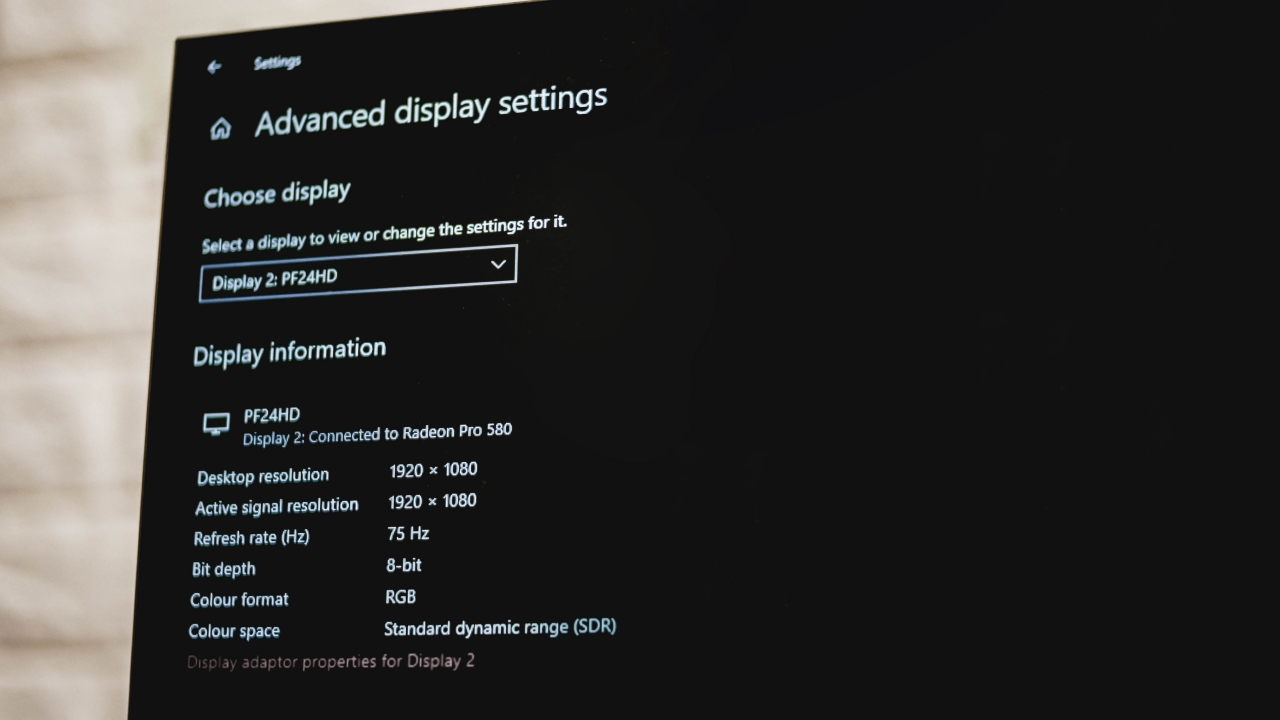
I was also able to run both of my MacBook Pro and eGPU through Windows 10 Bootcamp. Although this one is more of a complicated process before it actually detects and runs the external GPUs, the monitor detection together with its higher refresh rate setting worked for my case.
If you have a PC setup or a Windows laptop, I think you shouldn’t worry as your device will automatically detect the monitor through HDMI port.
Photo and video editing
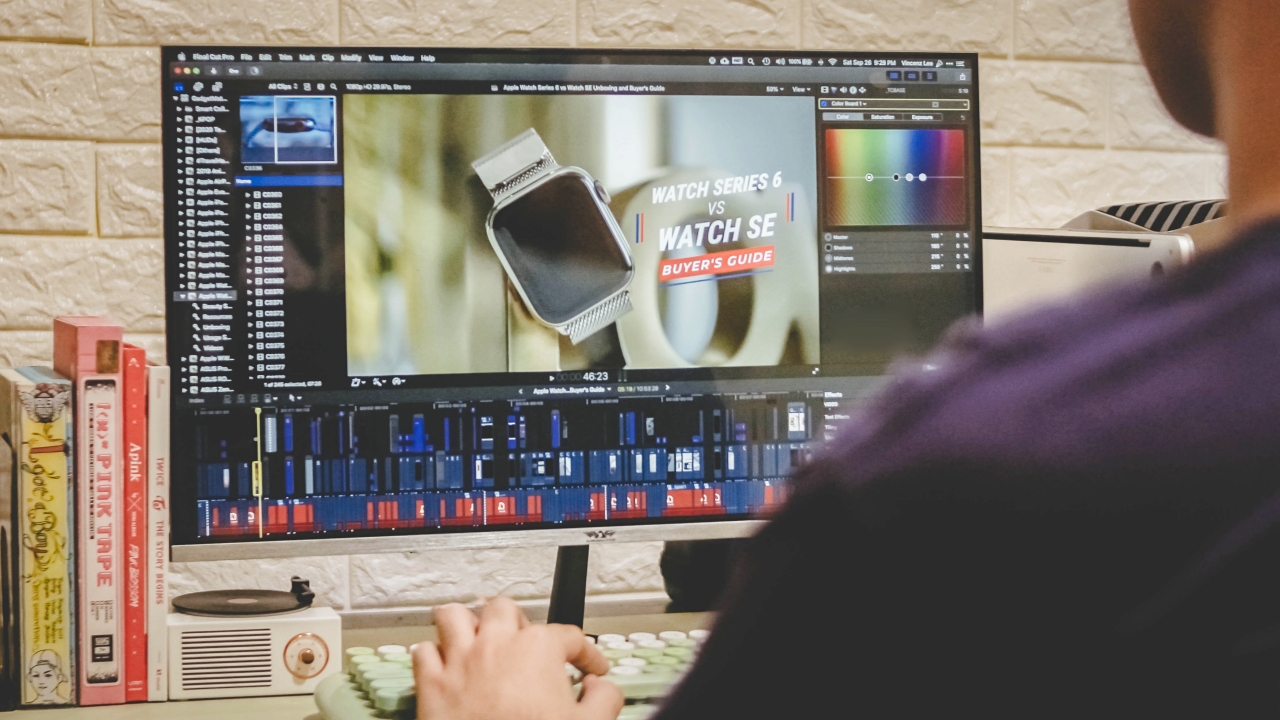
The main reason why I bought an external monitor is to maximize my screen workspace. Even if my 15-inch MacBook Pro displays a higher resolution while this 24-inch monitor only supports 1080p Full HD, it significantly improved my workflow when editing our YouTube videos through the latest update of Final Cut Pro. That added space for color correction, transition, and effects tab as well as the inspector and nearby windows really helped me work faster.
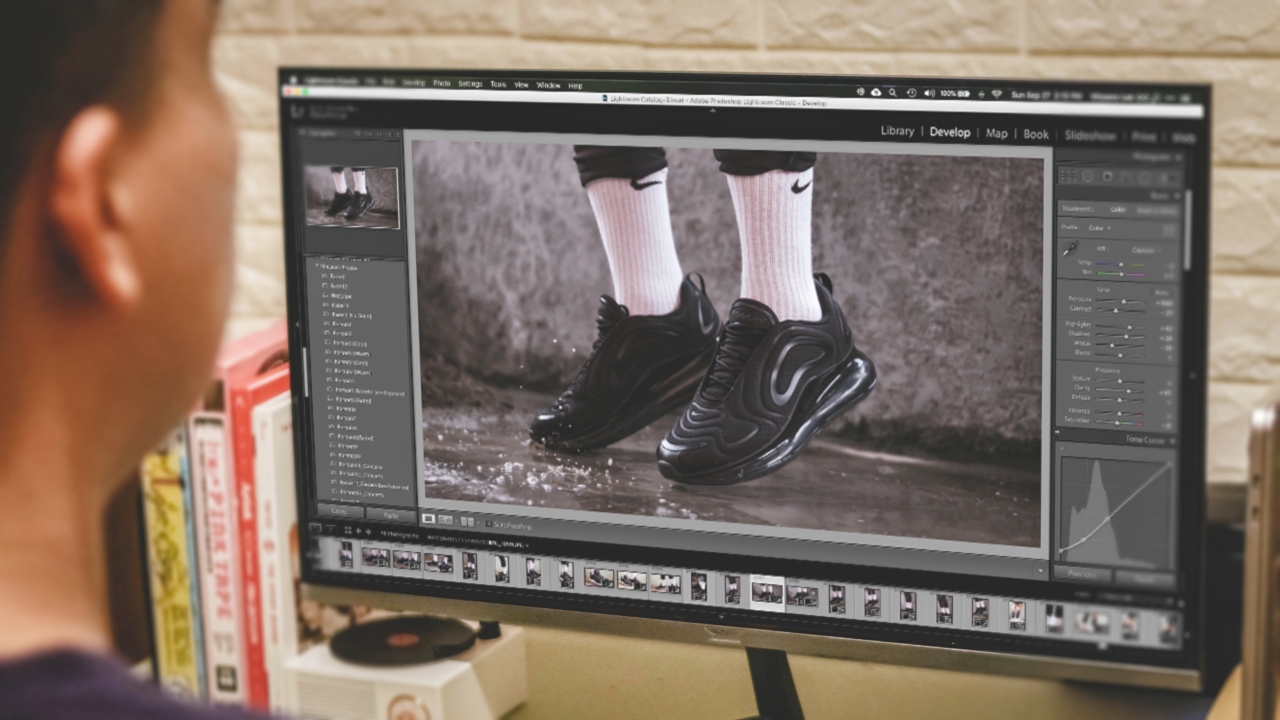
Other than that, I was able to post-process these shots for my Nike Air Max 720 review with ease. This is where color accuracy comes into play. Armaggeddon PF24HD’s IPS panel together with its 100% sRGB support helped in displaying the shot’s correct color information.
To maximize the monitor’s contrast ratio, I then changed the screen calibration. On macOS, I adjusted it through System Preferences > Displays > Color and set it to Apple RGB profile to show deeper grays and blacks and better red hues as well.
If that’s not enough, there’s also a contrast adjustment setting through the monitor’s native menu accessible via its joystick at the back.
Gaming

Gaming on a Mac was possible thanks to this fast 75Hz monitor. As said a while ago, I was able to run the MacBook Pro and eGPU configuration through Windows 10 Bootcamp drive. That gave me the ability to play GTA V (Grand Theft Auto V) at high graphics settings without any stutters and lags.
The monitor’s 75Hz monitor also worked like a charm. Having an AMD Radeon graphics card helped a lot especially because the monitor features AMD Freesync without the need for a DisplayPort.
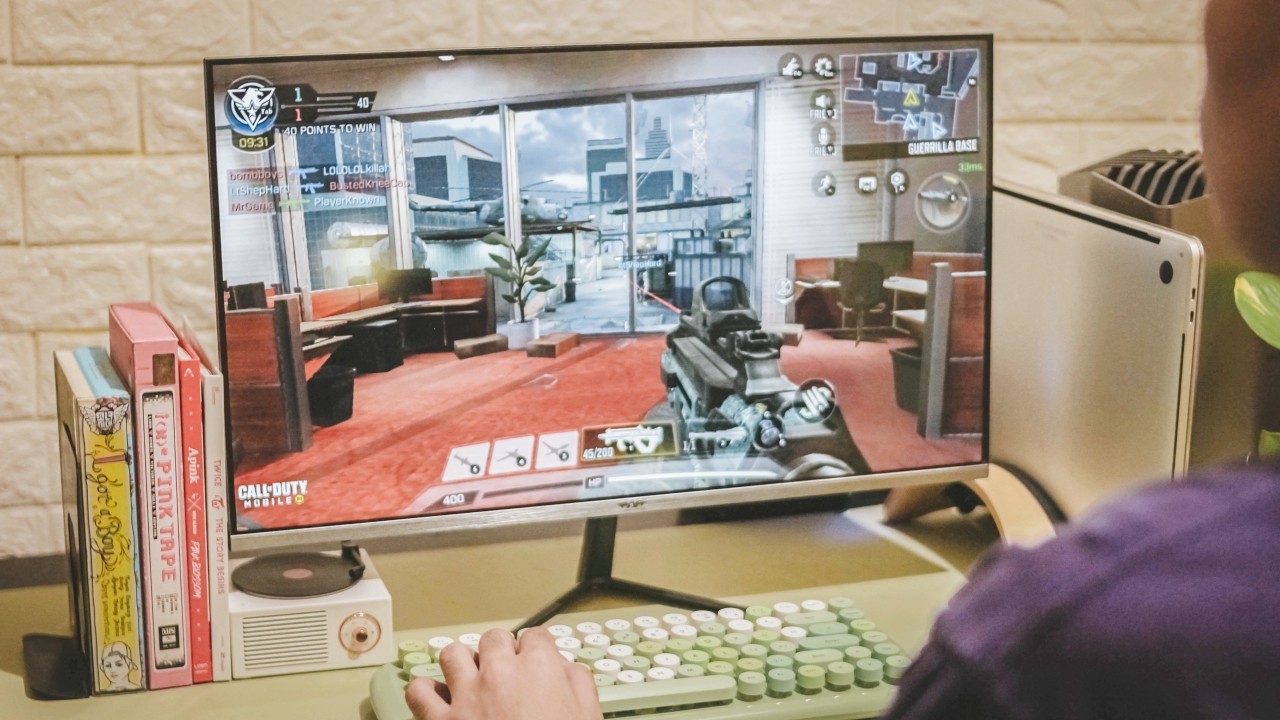
“Why is he playing Call of Duty: Mobile with such gaming setup?” — well, I know what you’re thinking. By installing GameLoop, I was able to test out CoDM with max graphics settings available. I know it’s a smartphone game but trust me, running it on a large 75Hz monitor is a feast for the eyes.
Its 5ms response time might not be as responsive as other 1/2ms-rated monitors but it’s ultra responsive especially when aiming and hitting opponents in the game.
A lot of users are hyping up curved monitors for a “greater” playing experience, but I oppose. The flat display with a 178-degree viewing angle still does the job of keeping you immersed when playing.
Is this your GadgetMatch?
In a sea full of well-known monitor brands, it’s hard to tell which relatively unknown brand delivers a better display quality at a reasonable price. Armaggeddon, being Singapore-based, gave me a huge assurance and relief. Not that I don’t support Chinese products but it’s hard to rely on products with negative reviews about false advertisements.

I’ve been using this monitor for more than a month now and it’s definitely worth your hard-earned money. If you’re like me who’s a creative that needs a reliable 75Hz IPS monitor on a budget, this is definitely one of, if not the, best options out there.
If you’re someone who’s planning to build a gaming setup with a limited budget on peripherals, this is also a great purchase especially with its fast refresh rate and response time.
In Singapore, you can buy the Armaggeddon Pixxel+ Pro PF24HD with a discounted price of just SG$ 169 that comes with a free BT150 soundbar. If you live in the Philippines, it’s being sold for just PhP 5,990 through a local distributor‘s Shopee page. You can click the hyperlinks to find out more.

Computers
CIPTA debuts AI GPU server, edge workstation at CloudFest 2026
Malaysia-made AI infrastructure

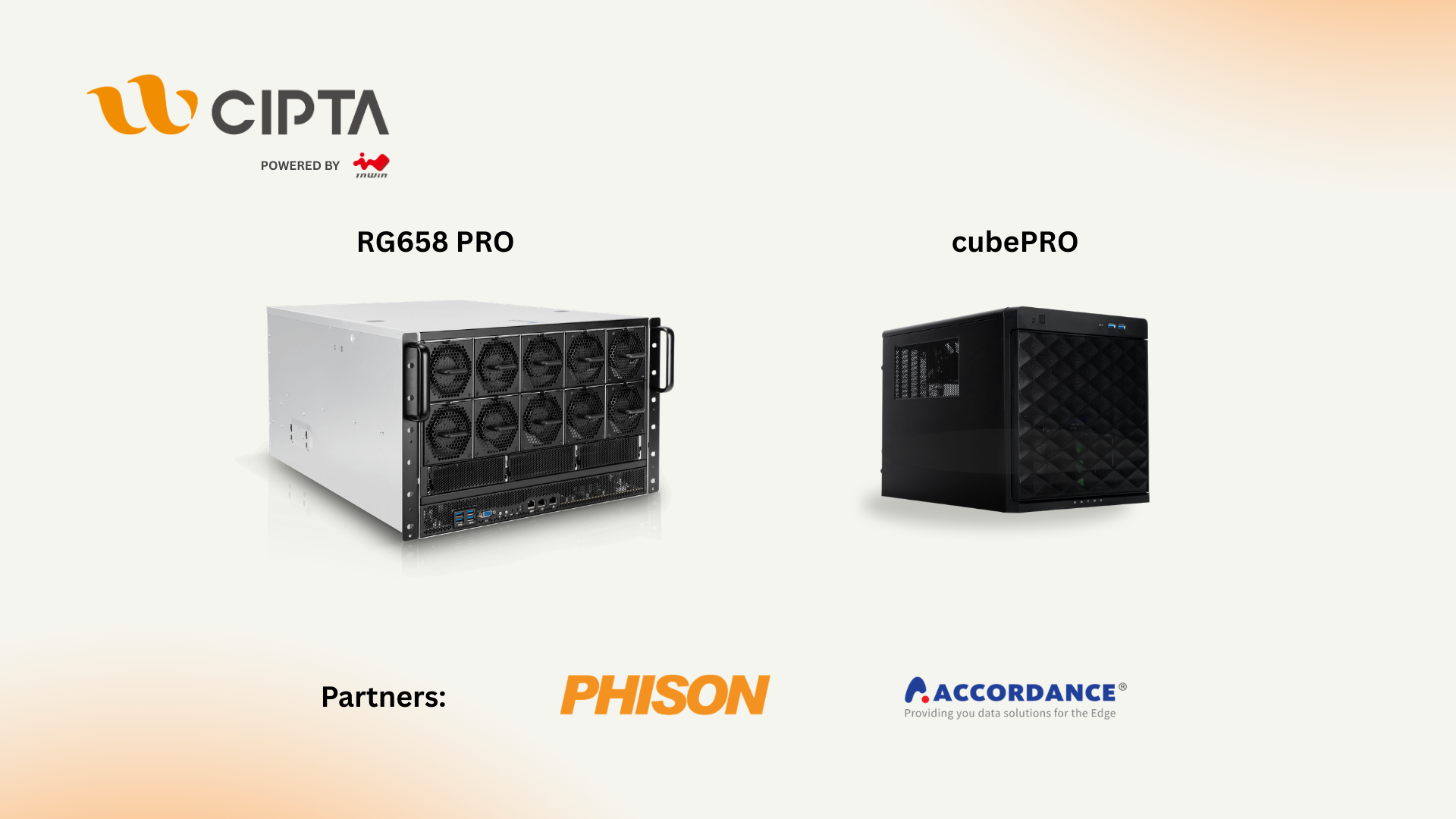
CIPTA Industrial Sdn Bhd steps onto the global stage with its European debut at CloudFest 2026. They introduced high-density AI infrastructure and edge-ready systems built for modern enterprise workloads.
Held at Europa-Park in Rust, Germany from March 23 to 26, the event marks the company’s first major international showcase under its own brand. Backed by InWin Development Inc., CIPTA positions itself as a new-generation EMS provider focused on AI, cloud, and enterprise systems.
At Booth R41, the company is highlighting two key platforms: the RG658 PRO GPU server developed with Phison, and the cubePRO edge workstation created in collaboration with Accordance.
Built for scalable AI workloads
Leading the showcase is the RG658 PRO, a high-density GPU server designed to handle large-scale AI training and inference without pushing costs out of reach for enterprises.
The system supports up to eight high-performance GPUs and integrates Phison’s Pascari aiDAPTIV alongside its PASCARI enterprise SSD lineup. This combination aims to improve data throughput, reduce latency, and streamline AI pipelines.
Thermal performance is a key focus. The RG658 PRO uses a dual-chamber design to separate heat zones, paired with up to 14 high-speed PWM fans for sustained cooling under heavy workloads. Power delivery is handled by a 3+1 redundant configuration of 80PLUS Titanium PSUs, scaling up to 9600W.
The result is a platform built to scale AI deployments on-site while maintaining efficiency and reliability.
Edge computing without downtime
Alongside its GPU server, CIPTA is introducing the cubePRO, a compact edge workstation designed for environments where uptime and data integrity are critical.
The system supports up to four PCIe slots for GPU configurations, making it suitable for AI workloads at the edge. It also features high-capacity multi-SSD setups and optimized airflow for continuous 24/7 operation.
Through its partnership with Accordance, the cubePRO integrates the Disk Array ARAID M500 solution, enabling high-availability storage and data protection. This ensures uninterrupted performance for use cases such as industrial systems, remote nodes, and enterprise branch deployments.
The focus here is clear: bring AI processing closer to where data is generated, without sacrificing reliability.
Strengthening Malaysia’s role in AI infrastructure
CIPTA’s debut also reflects a broader shift in global supply chains. Operating from Malaysia, the company offers end-to-end services—from concept to production—along with flexible manufacturing cycles and cost-efficient operations tailored for Southeast Asia and international markets.
With access to InWin’s server chassis ecosystem and infrastructure solutions, CIPTA combines global platform capabilities with localized integration. The goal is to help enterprises deploy AI and cloud infrastructure faster while diversifying their supply chain footprint.
As demand for AI systems continues to grow, CIPTA is positioning Malaysia as a key hub for scalable, production-ready infrastructure.
Visitors can find CIPTA at Booth R41 during CloudFest 2026 in Europa-Park, Rust, Germany.
Computers
AMD expands Ryzen AI Embedded P100 series lineup
Scalable, efficient AI compute for industrial, edge solutions
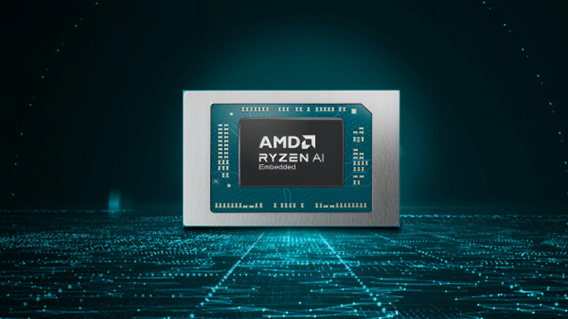
AMD has recently announced the expansion of its AMD Ryzen AI Embedded P100 Series processor lineup.
This enables scalable and power-efficient AI compute tailor-built for industrial and AI edge systems. Scenarios include factory automation, physical AI in mobile robotics, and other AI-driven edge applications.
With eight to 12 high-performance Zen 5 cores, AMD ROCm support, and up to 80 total system TOPS, the new x86 embedded APUs deliver up to:
- 2x more CPU core counts
- 8x higher GPU compute
- 36% higher system TOPS
This way, developers and system designers get an expanded and scalable portfolio of power-efficient edge computing solutions. These processors support real-time AI from vision to control and reasoning, as well as offer advanced graphics capabilities.
On a single chip, clients get up to 80 TOPS physical AI acceleration, AMD RDNA 3.5 graphics for real-time visualization, and an NPU based on the AMD XDNA 2 architecture.
Moreover, the processors can withstand industrial temperature ranges (-40° C to 105° C) and can support continuous 24/7 operations for up to 10-year life cycles. That’s along with low-latency and power-efficient AI inference.
Real-life applications include intelligent factories, autonomous robots, and medical imaging devices. For instance, the processors can deliver CPU performance required for real-time inspection and process optimization.
For mobile robots, meanwhile, processors can manage navigation, motion, control, and route planning while the GPU processes multi-camera feeds for spatial awareness.
Furthermore, for 3D health imaging, the processors can enable the powering of 3D imaging for ultrasounds, endoscopes, tissue classification, and tumor detection at the edge. This is done with models like U-Net, nnU-Net, and MONAI.
The processors then accelerate image-to-report workflows with MedSigLIP and support clinical reasoning and Q&A with Med-PaLM 2.

GIGABYTE and Capcom have collaborated for a limited time Resident Evil Requiem-inspired custom PC giveaway.
The setup is inspired by the title, which recently released, and includes an exclusive monitor game bundle to bring players closer to the experience.
Headlining the collaboration is the Umbrella Corporation — Level 3 Access custom rig giveaway. It is one of a kind, fully-built desktop featuring a Z890M AORUS ELITE WIFI7 ICE motherboard and RTX 5080 AERO OC SFF graphics.
Of course, it draws inspiration from the visual identity and atmosphere of Resident Evil Requiem. It also features a GIGABYTE C102 GLASS ICE chassis design and custom GIGABYTE MO27Q28G gaming monitor to complete the setup.

The giveaway runs from March 2 to March 31 via the official campaign website. Fans can enter for a chance to win the custom rig, with no purchase necessary. The only caveat is that they have to be a United States or Canada resident.
Such experience is designed to invite players and PC enthusiasts alike to engage with the collaboration while highlighting GIGABYTE’s premium hardware craftmanship and attention to detail.
In addition to the giveaway, GIGABYTE is also offering a Resident Evil Requiem game bundle with select gaming monitors. Included are AORUS brand monitors, ranging from 27 to 55 inches in size.
This bundle is available until March 31. Customers who purchase eligible models can redeem a digital game code through GIGABYTE’s official redemption platform.
The featured monitor is the MO27Q28G, which has fourth generation WOLED panel with 280Hz refresh rate and 0.03ms response time. It is an ideal monitor to experience the spine-chilling terror and death-defying action of the title.


Galaxy Buds4 Pro review: I thought I was done with in-ears
This Buds4 you


WWE 2K26 lets you live out all the fantasy matches you could want
But you have to play for hours and hours to unlock everyone.


The HONOR X8d is serviceable
Steady but slow?

Samsung Galaxy A57, A37 bring Galaxy AI closer to more users

ASUS launches Zenbook DUO and S14 in the Philippines

Logitech G debuts PRO X2 SUPERSTRIKE with faster click tech

More iPhone switchers this year than Android switchers, report says

Marvel’s Wonder Man greenlit for a rare second season


-

 Reviews1 week ago
POCO X8 Pro Max review: A new beast from the far east
-

 News1 week ago
POCO X8 Pro Series: Price, availability in the Philippines
-

 Laptops2 weeks ago
Apple MacBook Neo Review
-

 Features2 weeks ago
Galaxy AI on the Samsung Galaxy S26 Ultra
-

 Apps2 weeks ago
Google Maps is finally getting a 3D mode
-

 Entertainment2 weeks ago
The internet is thirsting over the One Piece Season 2 cast
-

 Reviews1 week ago
POCO X8 Pro Iron Man Edition review: Midrange phone in superhero armor
-

 Reviews1 week ago
Samsung Galaxy S26 Ultra review: A phone you live with