



With the holidays around the corner and gift giving on everyone’s minds, I figured it’s time for another Buyer’s Guide video, for those of you looking to splurge on a Windows laptop for yourselves or your loved ones.
If you follow me on social media, you have probably noticed that I miss Taiwan. Usually my trips there have been to visit ASUS.
Since I can’t be there in person this year, I’ve partnered with them to feature some of their best laptops from the 2020-2021 release cycle.
ExpertBook
For the business savvy user, ASUS has its ExpertBook line, which comes with enterprise security features that are required by most big companies for office-issued devices.

The new ExpertBook B9450 is the world’s lightest business laptop weighing in at just 880 grams, or 1.9 pounds.
This is largely because it’s built with magnesium-lithium alloy instead of aluminum. If you’re a business traveler this alone is reason enough to consider it.
Despite its weighing next to nothing it’s packed with plenty of performance power and battery life, including the latest Intel 11th generation processors, up to 32GB of memory, and up to 2 terabytes of storage space. Its 66 watt hour Battery is also rated to last up to 24 hours of use, which is insane.
It’s got the same Ergo Lift Hinge and Number Pad found on the ZenBook.
Charging is quick too. With the bundled charger you can get from 0 to 60% in just 45 minutes. Worth mentioning is a cool design feature where the charging indicator is located in front of the device.

It’s got a generous amount of ports as well: two Thunderbolt 4 USB-C ports, one USB Type 8 port, a full-sized HDMI port, a mini ethernet port via micro HDMI, a Kensington lock slot, and a headphone jack.
Enterprise users will also appreciate its host of security features: biometric unlock using either your fingers or an IR camera. There’s also a WebCam Shield for even added privacy and an optional Trusted Platform Module (TPM) chip for storing passwords and encryption keys.
The ExpertBook B9450 is built for this new world where everyone is teleconferencing. It’s got four 360 degree far-field microphones, and a feature called ClearVoice mic that uses Artificial Intelligence that can filter out unwanted noise so you sound great during Zoom calls.
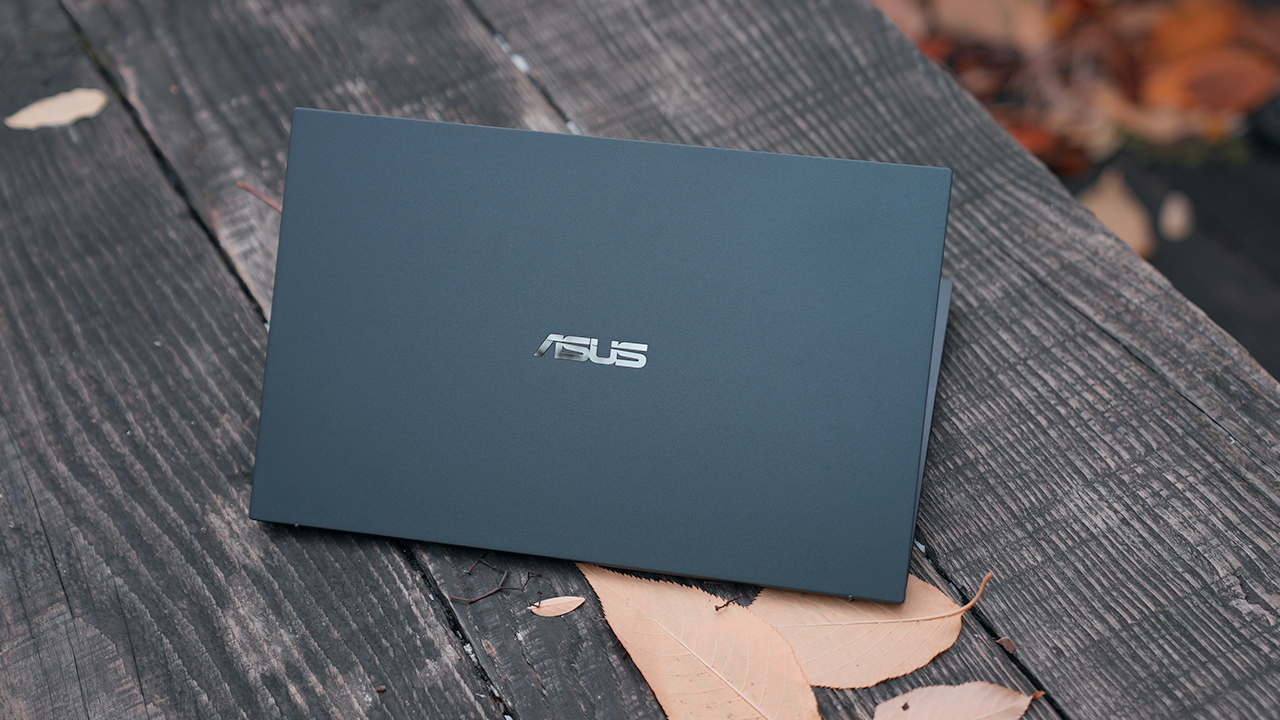
Finally, what’s incredible about this machine is that despite how light it is, it also boasts of military grade toughness.
ASUS says it’s been tested to the extremes: heat, cold, vibrations, and dust; the lid can endure up to 30kg of force; its keyboard is spill-proof; and it’s rugged enough to withstand drops.
For the enterprise user on the go, I recommend the ExpertBook B9450. Models start at US$ 1,299 and goes all the way up to US$ 1,999.
Check out the ExpertBook B9 series here.
VivoBook
For those who don’t want to spend a lot of money, ASUS’s VivoBook line is a good place to start. If you’re looking for the best bang for your buck, I recommend the US$ 699 VivoBook Flip.

Powered by a Ryzen 7 system on a chip and packed with 16GB of RAM and a 512GB solid state drive, it’s got more than enough performance power.
Whether you need a machine for school work or an affordable option for starting a small business, that AMD Ryzen chip is a 7 nanometer CPU, which means it’s also incredibly power efficient.
Like all of the laptops featured in this video this one is slim and light, thanks to the aluminum alloy that’s used on both its chassis and lid. The top cover has a matte finish that contrasts nicely against its glossy hinges.
The design feature I like the most about ASUS laptops is something called an ErgoLift Hinge. This gives these laptops a more ergonomic lift when opened — hence its name.
This means you’re typing at an angle. It also creates an air pocket for better cooling.

True to its name the VivoBook Flip can open up all the way and flip around. This 360 degree hinge mechanism means you can prop it up in tent mode for watching movies or like a tablet for taking notes.
ASUS ships the VivoBook Flip with a stylus; it’s got a touch screen too.
Let’s talk about ports because there are a lot of them: a full sized HDMI port, two USB-A ports, one USB-C port, and a microSD card reader.
The VivoBook Flip comes with a full sized keyboard that’s spill-resistant. This is perfect for folks like me who always has a drink when working.

It’s got a dedicated Function Lock Key so you can easily switch between Function and Hot Keys. Notice too, the enter key has a yellow outline around it. ASUS calls this design element the Gen Z key, which reflects this generation’s questioning of old systems and striving for positive change.
ASUS promises almost 12 hours of battery life on a single charge and it comes with a fast charger that can get you from 0 to 60% in 50 minutes.
This is the ASUS VivoBook, my value for money pick that starts at US$ 699. Look out for some online deals as I’ve seen it retailing for just around 500 bucks.
Check out the VivoBook 14 M413 here.
Check out the VivoBook Flip 14 TM420 here.
ZenBook
If you’re looking to get real fancy, this next laptop has got all the coolest features one can find on a laptop today.
The ZenBook is ASUS’s most premium laptop and that’s pretty clear from the way it looks. Machined out of aluminum, its jade black finish is accented by red copper accents and diamond cut chamfers.

Etched on its lid is a circular pattern that’s become a design signature on ASUS’s products for years now.
The ZenBook Flip S is only 14mm at its thickest point and weighs in at 1.3kg.
Like the VivoBook, the entire ZenBook line also has the ErgoLift hinge designed for better ergonomics when typing, as well as increasing space ventilation and heat dissipation.
Because this is the Flip variant, that means the screen opens up all the way so you can use it like you would a tablet. Our unit came bundled with the Asus Pen 2.0 stylus that comes with 4096 levels of pressure sensitivity. It’s perfect for both note taking or engaging the creative side of your brain.
Despite its compact form factor it’s got a full sized backlit keyboard that’s almost flushed against the edges of the device. There’s an extra column of keys for Home, Page up, and Page Down that you don’t usually find on laptops.
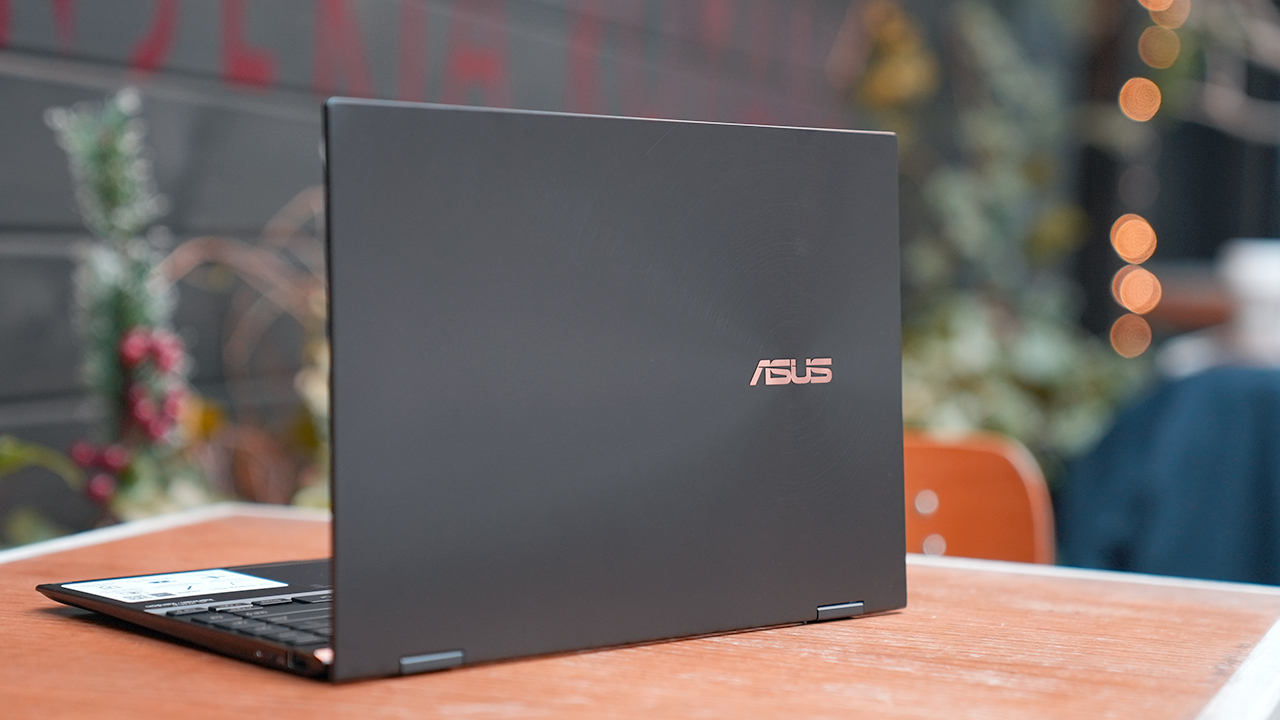
If you’re missing dedicated number keys, just press and hold on the top right corner of the trackpad. It will light up revealing the Number Pad. You can also swipe on the top left corner to bring up the calculator. This dedicated Number Pad is such a great feature for those who on programs like Excel or Google Sheets.
The headline feature of the ZenBook Flip has got to be its 4K OLED display. It’s not something you see on everyday laptops, and the same kind of tech that’s on the most desired TVs today.
This display makes it the best kind of laptop for watching movies on, with excellent contrast and rich vibrant colors.
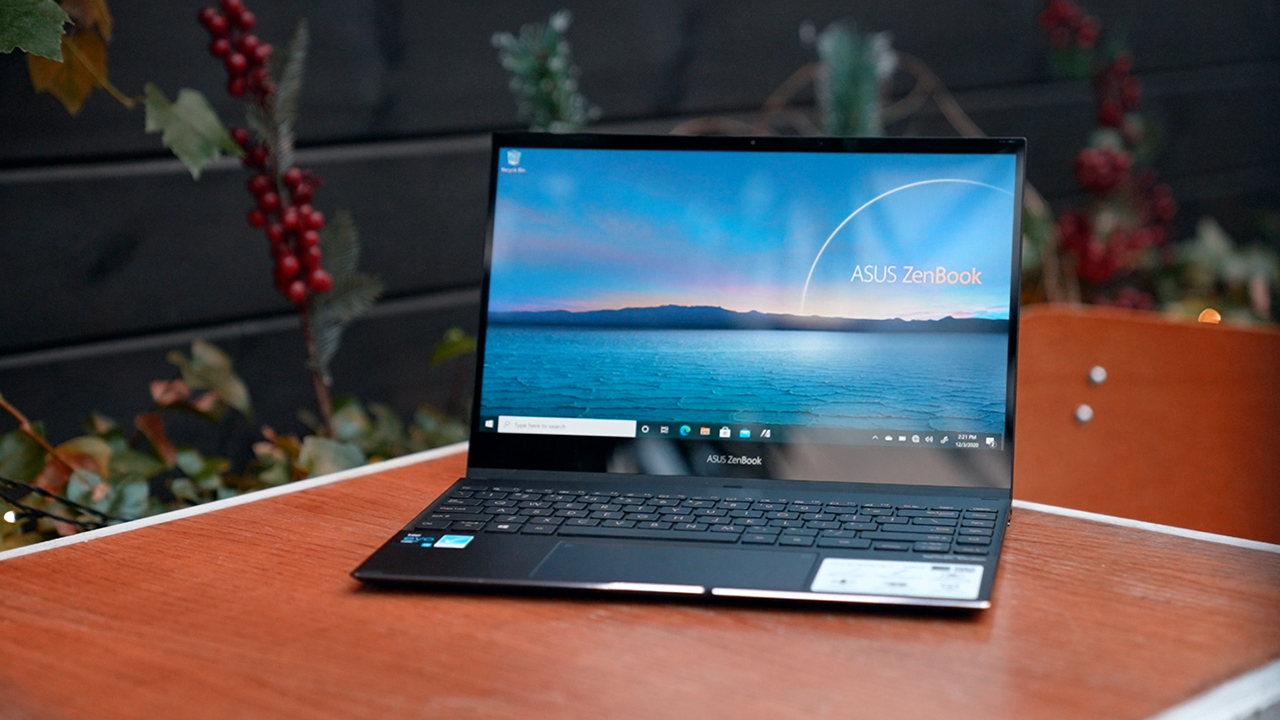
It’s an excellent display for content creators, too, whether you’re editing videos or photos. The color accuracy on this machine is top notch.
This maxed out ZenBook Flip S comes with all the good stuff: an Intel i7 processor, 16GB of memory, and 1TB of storage. Its 67 watt hour battery is rated to last up to 15 hours on a single charge.
If you’re looking to splurge on a premium laptop that looks and plays the part, I recommend the ASUS ZenBook Flip S. This 4K OLED model retails for over US$ 1,600, but you can also get the non-OLED FullHD model for almost half the price: US$ 899.
For even more savings get a Ryzen-based ZenBook for as low as US$ 839.
Check out the ZenBook Flip S here.
Which ASUS laptop is your GadgetMatch?
If you need a durable, thin, light, and secure laptop, get the US$ 1,299 ExpertBook.
The best Asus laptop for school or those on a budget is the US$ 699 VivoBook.
If you’re looking to splurge on the more premium and fully-specced out laptop ASUS has on offer, get the 4K OLED ZenBook for US$ 1,600.








NBA 2K26 is more than just a roster update. With sweeping changes across gameplay, player creation, and even how MyTEAM works, this year’s release is shaping up to be one of the most ambitious in the series. Here’s a breakdown of what’s new before you buy in.
Gameplay gets a serious upgrade
At the center of NBA 2K26 is ProPLAY™, a motion system powered by real NBA footage. The result: footwork looks sharper, players move more naturally, and that old “ice skating” feel has been cut down.
Shooting, post moves, and layups have been refined, with added customization options. The AI also plays smarter on both ends of the floor, and even rebounding now comes with timing feedback.
The MyPLAYER Builder is more detailed than ever
Creating your player isn’t guesswork anymore. The new Animation Glossary lets you preview signature moves and check requirements before committing. You can now build by badges—choosing abilities first and letting the game shape your stats around them.
Build Templates based on NBA stars, pro builds, and even community submissions offer a starting point, while the new Scouting Report clearly lays out your strengths and weaknesses.
Add to that new Badge Perks, reworked Takeover mechanics, and questlines that let builds specialize, and the mode feels deeper than before.
MyNBA and MyGM lean into story
For franchise mode fans, 30 new storylines aim to keep long seasons from getting repetitive. Dynamic Banners spotlight key achievements, the simulation system has been refined, and there’s more support for online playoffs.
MyTEAM finally mixes things up
The biggest change in MyTEAM is the ability to run NBA and WNBA players on the same squad. That means all-time legends from both leagues can share the floor, creating new fantasy matchups that haven’t been possible in past games.
The W gets a stronger push
A closer look at these W superstars in #NBA2K26 💫 pic.twitter.com/ICi9FtQaj3
— NBA 2K (@NBA2K) August 15, 2025
Women’s basketball continues to expand in 2K26. The W mode keeps its focus on progression and going up against WNBA stars, but the integration into MyTEAM suggests a more central role for the league this year.
Presentation feels closer to the real thing
A new voice is joining the commentary team! 🎙️@legsESPN is ready to bring his extensive hoops knowledge and excitement to #NBA2K26 🔥 pic.twitter.com/B090p3zbEZ
— NBA 2K (@NBA2K) August 26, 2025
Arenas, crowd reactions, and broadcast packages have been updated again. The focus is on making each game feel like a proper event, not just a match you play through.
Worth an early purchase?
We can’t really say for sure as we haven’t played the game. But these early presentations suggest that NBA 2K26 brings upgrades that go beyond cosmetic changes. The new motion system makes gameplay more realistic, the player builder has added depth, and MyTEAM finally gets a shake-up with WNBA integration. If you’ve been waiting for something fresh in the series, this might be the year worth jumping back in.
NBA 2K26 preorder
Players can now preorder NBA 2K26, which is available in four editions. Here’s what they’ll be getting when they preorder via the PlayStation Store.
Standard Edition
- 2x MyTEAM Promo Packs
- MyPLAYER Gamerplate
- 10,000 VC
Superstar Edition
- Everything from Standard Edition
- 100,000 VC
- Up to 7-Day Early Access
- Full Series 1 Team Selection
- Triple Threat Park Free Agent Pack
- 5x Series 1 Packs
- 2-Hour 2XP Coin
- 25x 6 Types of Skill Boosts
- 25x 3 Types of Gatorade Boosts
- 2-Hour 2XP Coin
- Shai Gilgeous-Alexander Cover Jersey
Leave No Doubt Edition
- Everything from Superstar Edition, but with 135,000 VC
- Puffer Jacket on top of MyCAREER Content inclusions
- Leave No Doubt Promo Pack on top of MyTEAM inclusions (1x Galaxy Opal Player Card in December 2025; 1x Invincible Player Card in May 2026)
- Season 1 Pro Pass
- Summer Pass (Season 7-9 Pro Passes)
Buyer's Guide
Which new Samsung monitor is your GadgetMatch?
Samsung releases latest Smart, ViewFinity, and Odyssey monitors

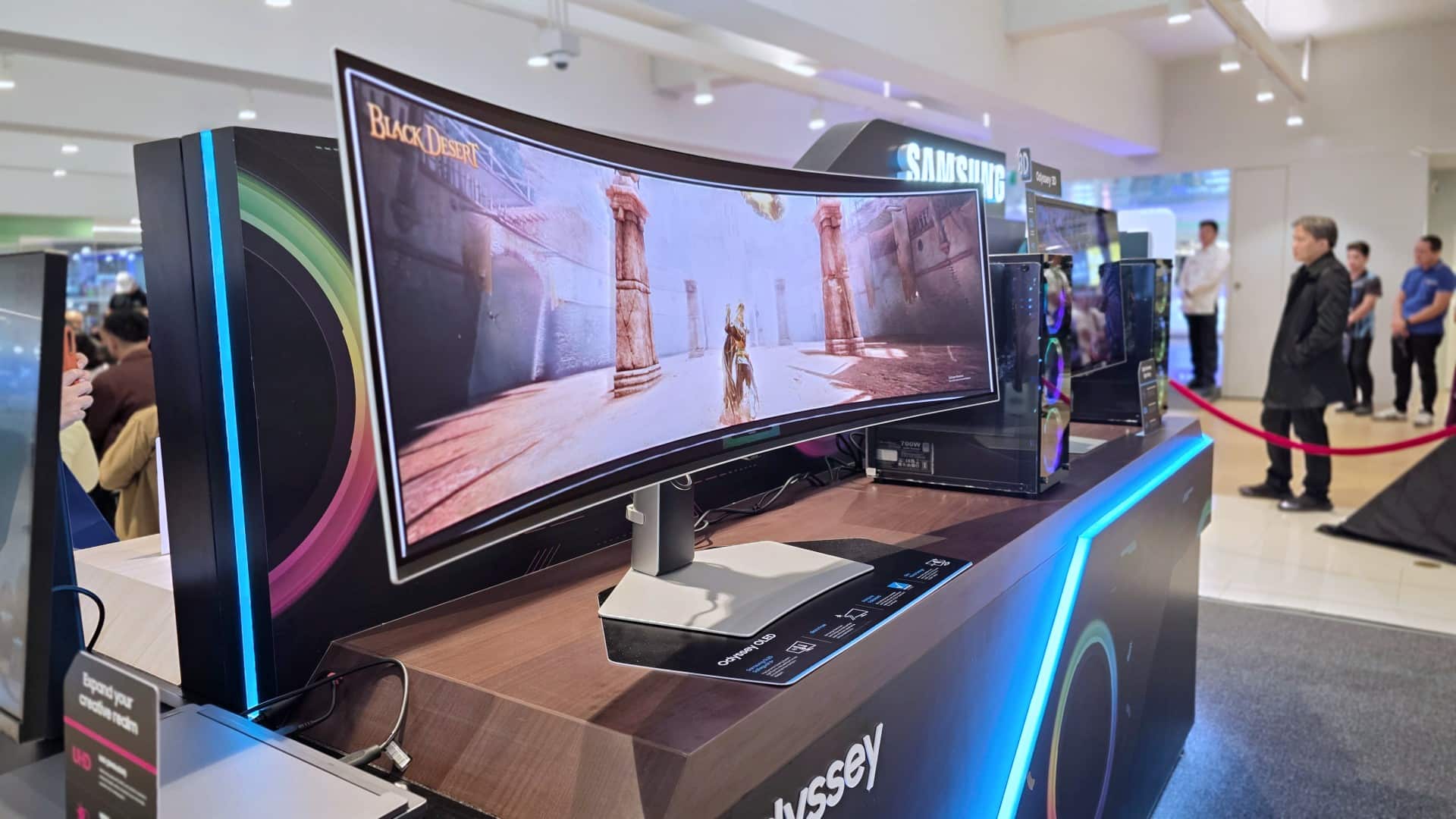
As far as monitors go, there are plenty of options coming in different sizes, features, and materials. If you’re planning on upgrading or simply getting started for your endeavors, Samsung has just released its latest monitors.
They come with impressive gaming features, Knox Security, and other nifty additions like Samsung OLED Safeguard+ for burn-in protection. In case you don’t know where to look and how to get going, here’s a quick buyer’s guide.
For those looking for lifelike visuals on a larger scale: 37″ ViewFinity S7

The 37-inch ViewFinity S7 displays unmatched color accuracy on Samsung’s largest 16:9 4K monitor yet.
It features 99% sRGB color gamut, 1.07 billion colors, and HDR10 for true-to-life visuals. Faithfully representing colors as seen by the naked eye makes this model ideal for creatives.
This monitor also has a built-in LAN port for seamless Ethernet connectivity, and a DisplayPort.
And for those having to work tirelessly for projects, the ViewFinity S8 is also TÜV-certified Intelligent Eye Care. It is also Flicker-Free and has an Eye Saver Mode.
Regardless of content, be it exhilarating live sports or gut-wrenching movies and series, as well as the popping colors of your favorite girl group’s music videos, the ViewFinity S8 delivers an unmatched spectrum of shades.
It’s a good step up from inferior monitors, and one that still has an accessible asking price of just below US$ 600.
For those looking for a smart and powerful 4K display: Smart Monitor M9
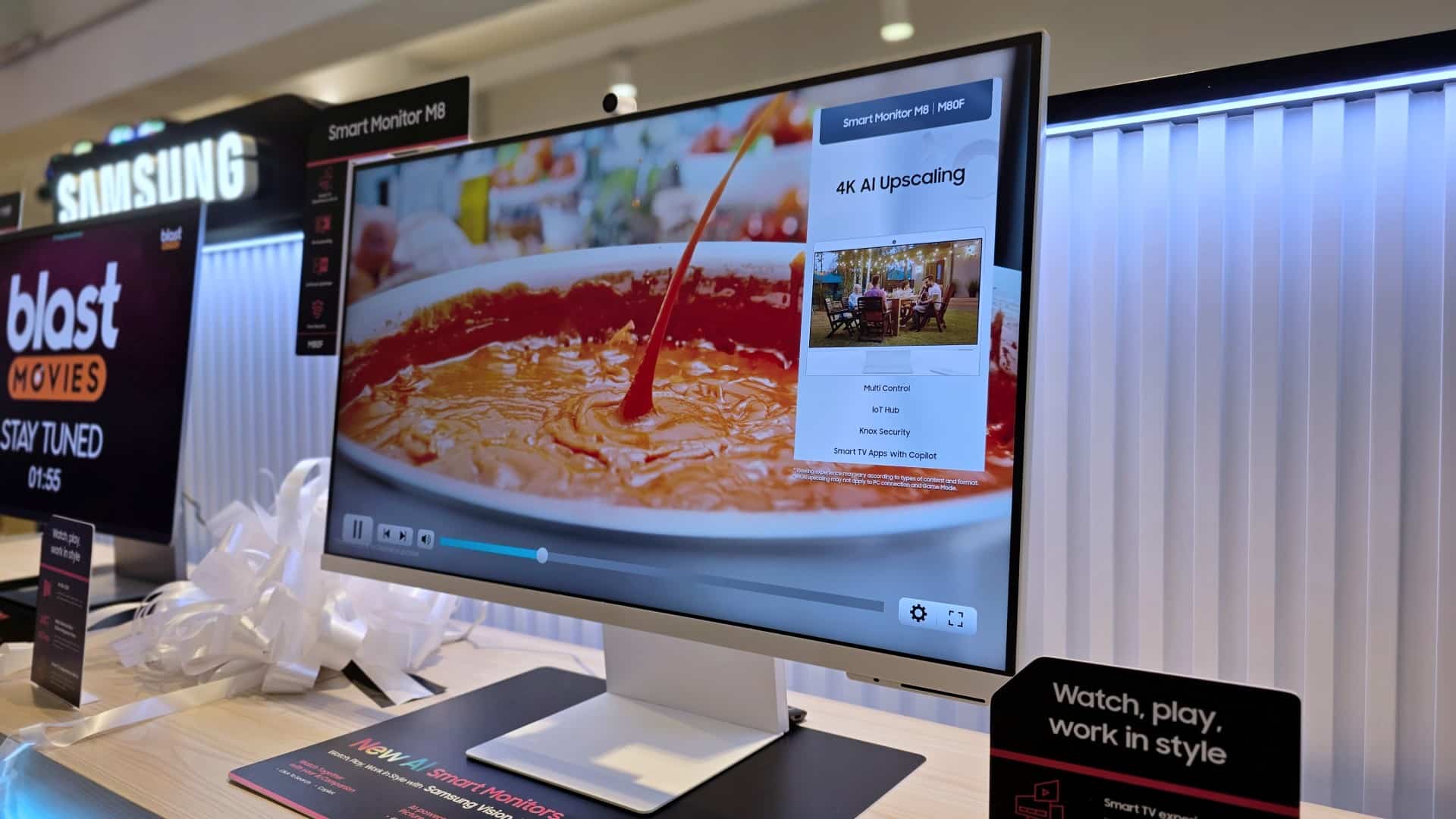
Price: PhP 80,100
Meanwhile, if you want to jump further from your current display to one that can carry its own weight exceptionally well, the Smart Monitor M9 is the ideal offering.
The Vision AI-powered monitor uses 4K AI Upscaling Pro technology to enhance lower-resolution content to 4K quality on a QD-OLED display.
It is one of the first Samsung monitors to incorporate OLED technology in the screens, providing viewers with deep blacks, rich color contrast, and a Glare-Free experience.
Gamers can also take advantage of the 165Hz refresh rate and low 0.03ms response time. Furthermore, the monitor easily recognizes the genre of the game being played using AI Picture Optimizer, subsequently fine-tuning the picture settings.
Talk about a smart monitor that delivers an optimal and immersive gaming experience suited to your liking.
Elsewhere, this monitor even has Click to Search and Copilot, for whatever scenarios you might need them.
For gamers who want the best picture quality and performance: 32″ Odyssey OLED G8
Price: PhP 73,099
Furthermore, the 32″ Odyssey OLED G8 takes detail and picture quality to the next level. It packs a 166 pixels-per-inch pixel density in a QD-OLED screen.
The Glare-Free monitor is VESA Display HDR TrueBlack 400 certified for true and rich blacks. But quality is just half of the equation.
This monitor also delivers on performance with an impressive 240Hz refresh rate and a response time of as low as just 0.03ms.
Pair this screen with an equally-capable system and you’ll prevent screen tearing, ghosting, and other gaming-related graphics problems.
It also comes with Samsung OLED Safeguard+ to protect the display from burn-ins, ensuring the display lasts long even when it is pushed to the limit each time.
For those wanting a new dimension of immersion: Odyssey 3D 27″ monitor

Price: PhP 130,999
If you want an entirely new level of immersion, there’s the Odyssey 3D 27″ monitor. It uses advanced eye-tracking technology and a proprietary lenticular lens to deliver a natural-looking, high-definition 3D image.
There’s no need for specialized glasses. The visuals will just pull you in as the action jumps out of the 4K screen.
This monitor can even unlock possibilities with a 3D AI Video Conversion feature that adds depth and realism to your content.
Of course, as it also caters to gaming, players can leverage its 165Hz refresh rate, 1ms GtG response time, and support for advanced graphics features with the proper accompanying systems.
For the ultimate gamer wanting to be transported: 49″ Odyssey OLED G9
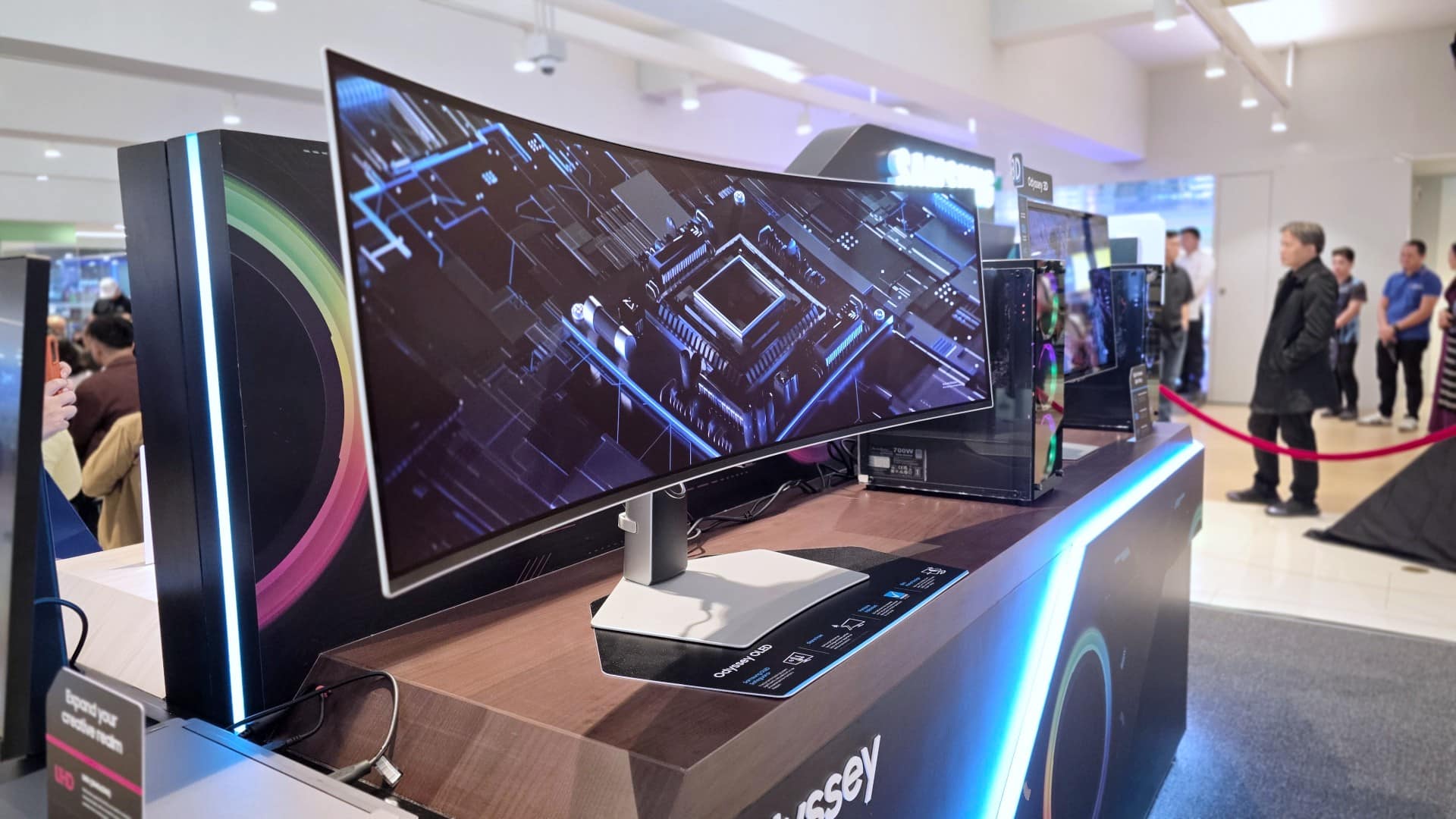
Price: PhP 111,399
Lastly, if your space permits and you want to take the immersion further up a notch, nothing beats the Odyssey OLED G9.
With a 32:9 aspect ratio and a 1800R curvature, this 49-inch behemoth will transport you from your seat to what’s in front of you.
The screen provides wide QHD visuals with excellent contrast, color gamut, and dynamic range. It supports 240Hz refresh rate, 0.03ms response time, and HDR10+ Gaming.
And like the other Samsung offerings above, the Odyssey OLED G9 has advanced features for eye care and protection, in case you’re going to be in front of it for countless hours.
These latest Samsung monitors are now available for purchase at www.samsung.com/ph or at any of Samsung’s authorized dealers nationwide.


Have you ever dreamed of watching a movie under the stars, gaming on a massive screen, or maybe turning your ceiling into a private cinema?
What if I told you that there’s a gadget, or a family of gadgets that’ll help you do that and more?
Whether you’re a casual movie night fan or a hardcore gamer, there’s a Hisense C2 Projector for you.
The C2 Series is part of a lineup of laser projectors from Hisense – a company known for bringing great display solutions to homes without breaking the bank.
Across the three projectors we’re featuring you’re getting triple-laser technology which means the light source uses three separate lasers — red, green, and blue – instead of just one.
You also get 4K resolution with Dolby Vision and HDR10 support, projection size of up to 300 inches, VIDAA Smart OS TV which includes your favorite streaming apps Netflix, YouTube, Disney+ and more.
All three have autofocus and auto keystone correction, a gimbal stand for 360 degree horizontal or 135-degree vertical viewing, and up to 25,000 hours of viewing. This means any of these projectors will last you for a really long time.
SHOP NOW!


Now Playing: Iron Lung
The premise will leave you wanting for more.


Infinix NOTE Edge: Stellar at street photography
Despite trailing in other specs, the Infinix NOTE Edge was built for point-and-shoot photography.


OPPO Reno15 Pro: Camera Review
Why is this even considered a "Reno"?

Smart opens pre-orders for Samsung Galaxy S26 series
Now Playing: Iron Lung

TECNO resurrects modular phones with this new concept

Privacy Display | Galaxy S26 Ultra

Audio Eraser now works on third-party apps | Galaxy S26 Ultra

Breaking up with Adobe Photoshop after 20 years

TECNO will showcase the CAMON 50 and POVA 8 series at MWC 2026

PlayStation, LE SSERAFIM Chaewon team for the ‘Love of Play’ campaign

VinFast updates battery subscription policy for large upfront savings

Xiaomi SU7 Ultra makes Gran Turismo 7 debut


-

 Reviews2 weeks ago
The art of being in and behind the frame
-

 Gaming2 weeks ago
New Resident Evil Requiem trailer teases a return to the RPD
-

 Accessories2 weeks ago
Apple AirTag 2 Review
-

 Cameras1 week ago
Osmo Pocket 4 makes a surprising appearance in public
-
 First Look1 week ago
Match Pulse: Infinix NOTE 60 Pro
-

 Entertainment2 weeks ago
Jason Momoa will star in upcoming Helldivers film adaptation
-
Camera Walkthrough6 days ago
OPPO Reno15 Pro: Camera Review
-

 Gaming2 weeks ago
Star Wars: Galactic Racer shows off new gameplay at State of Play