
Computers
ASUS ROG GR8 II Review


When you think of gaming PCs, large immobile machines come to mind. ASUS has other plans with its ROG-branded GR8 II, which is smaller than Sony’s PS4 Pro but with the might to take on the latest AAA titles.
And it’s not an ugly sight either; in fact, I’d say it’s the most attractive gaming PC in the market right now.
See for yourself:
This is as compact as a gaming PC can get
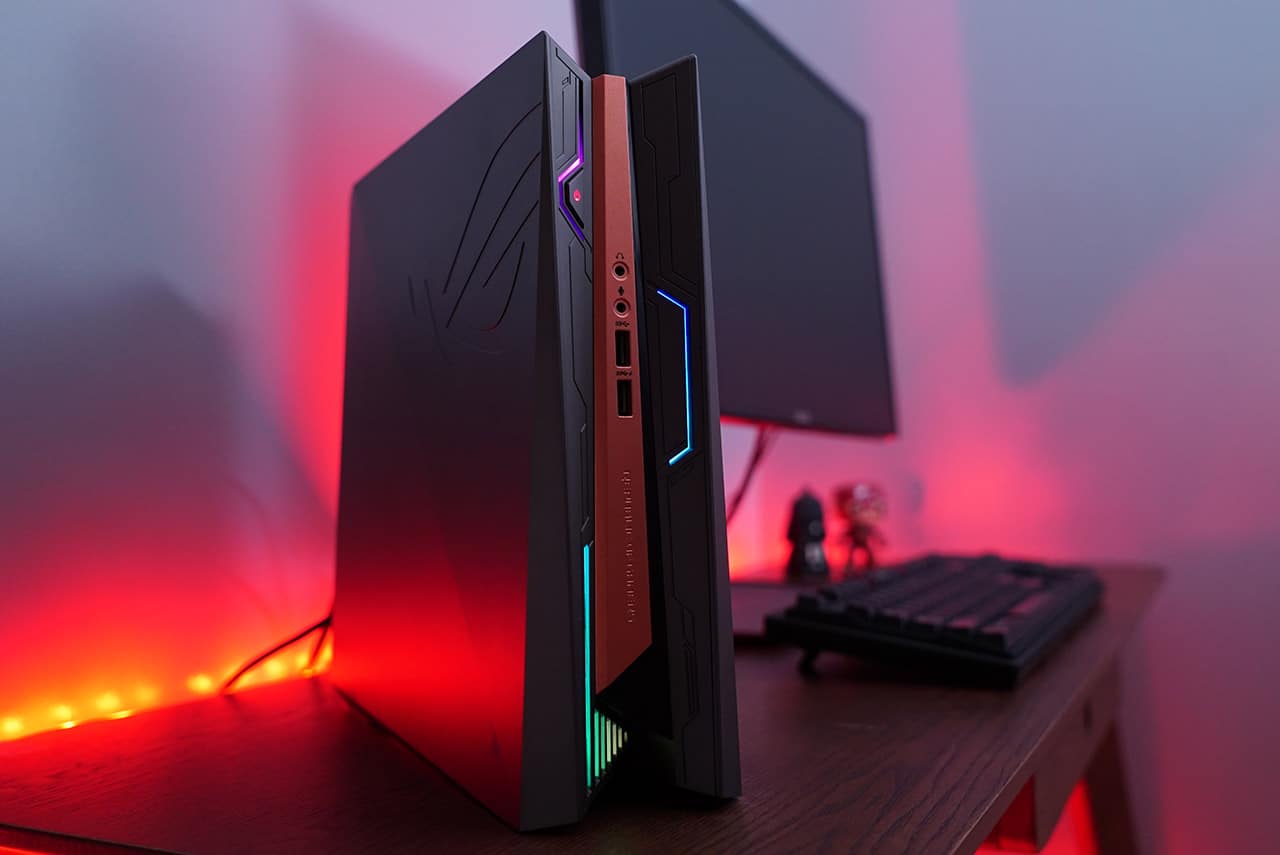
Dimensions: 88 x 299 x 281.3mm; weight: 4kg
And is slim enough to fit into cramped spaces
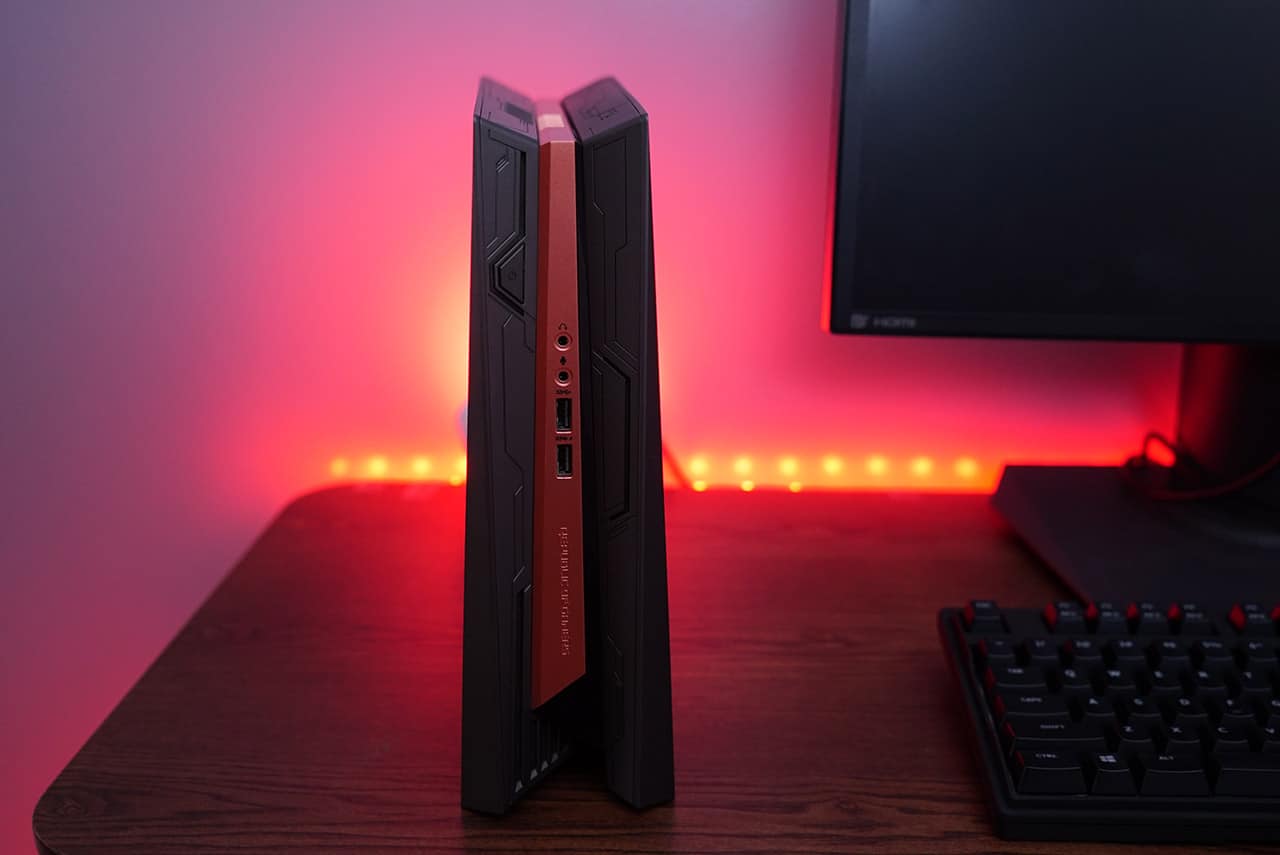
Standing it up is the only practical position, though
You get basic ports in front
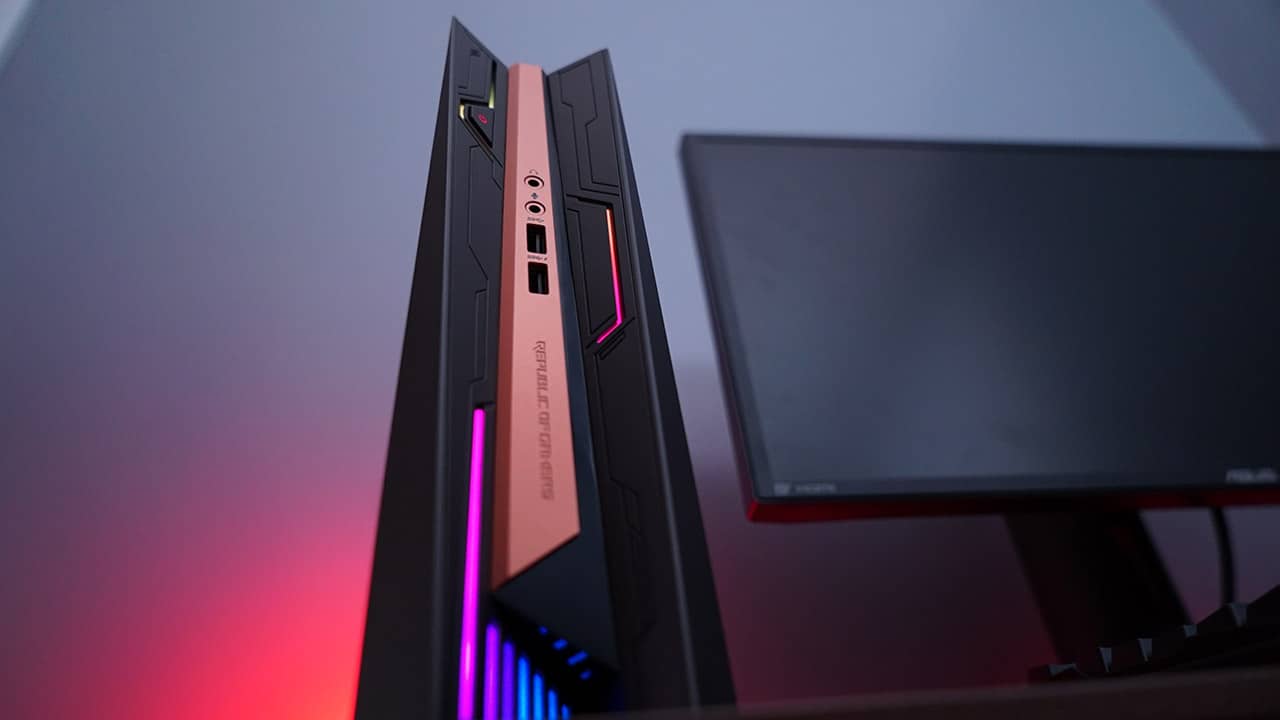
Two USB 3.0 ports and audio outputs, plus gorgeous RGB lighting
And all the rest at the back
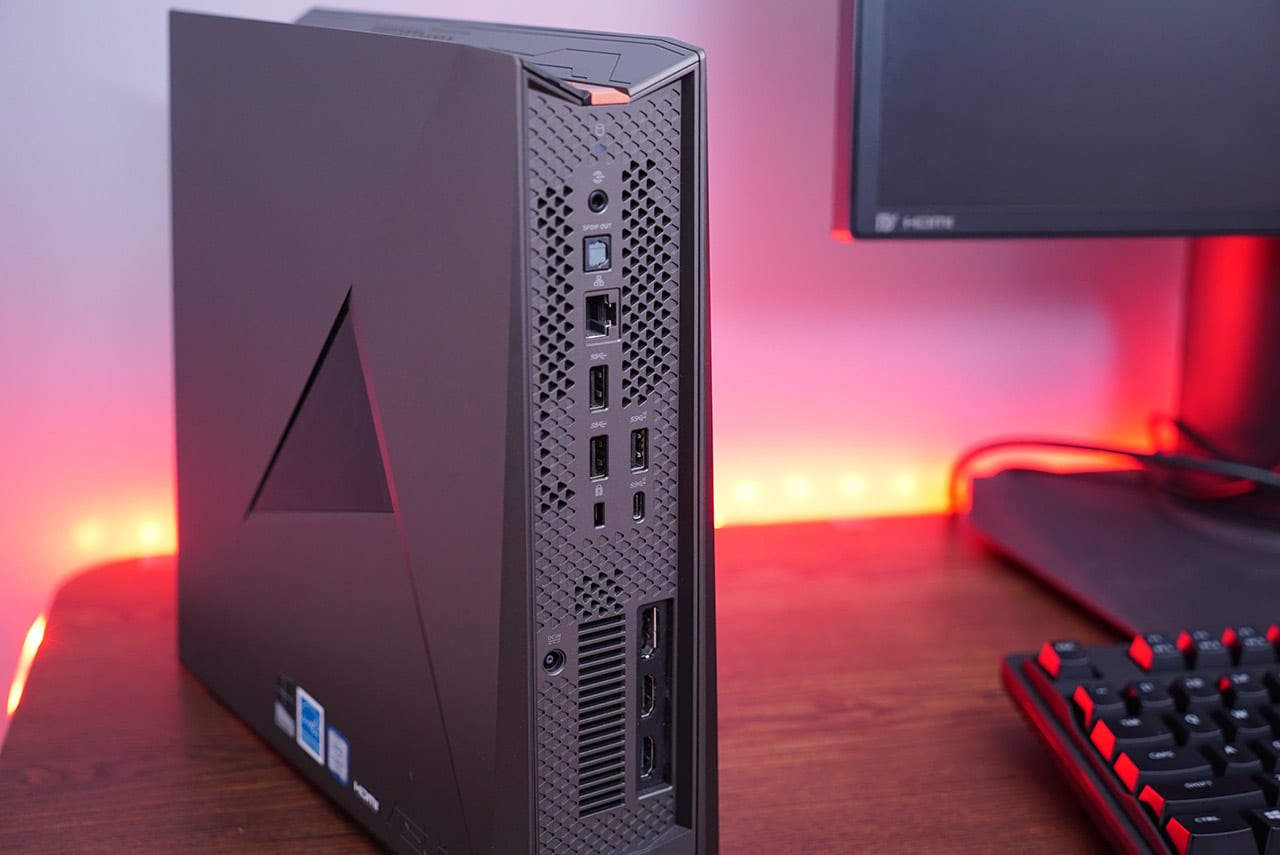
1x USB 3.1 Type-A, 1x USB 3.1 Type-C, 2x USB 3.0, 2x HDMI, 1x DisplayPort, Ethernet, Optical S/PDIF out
Most of the heat comes out from the top vent
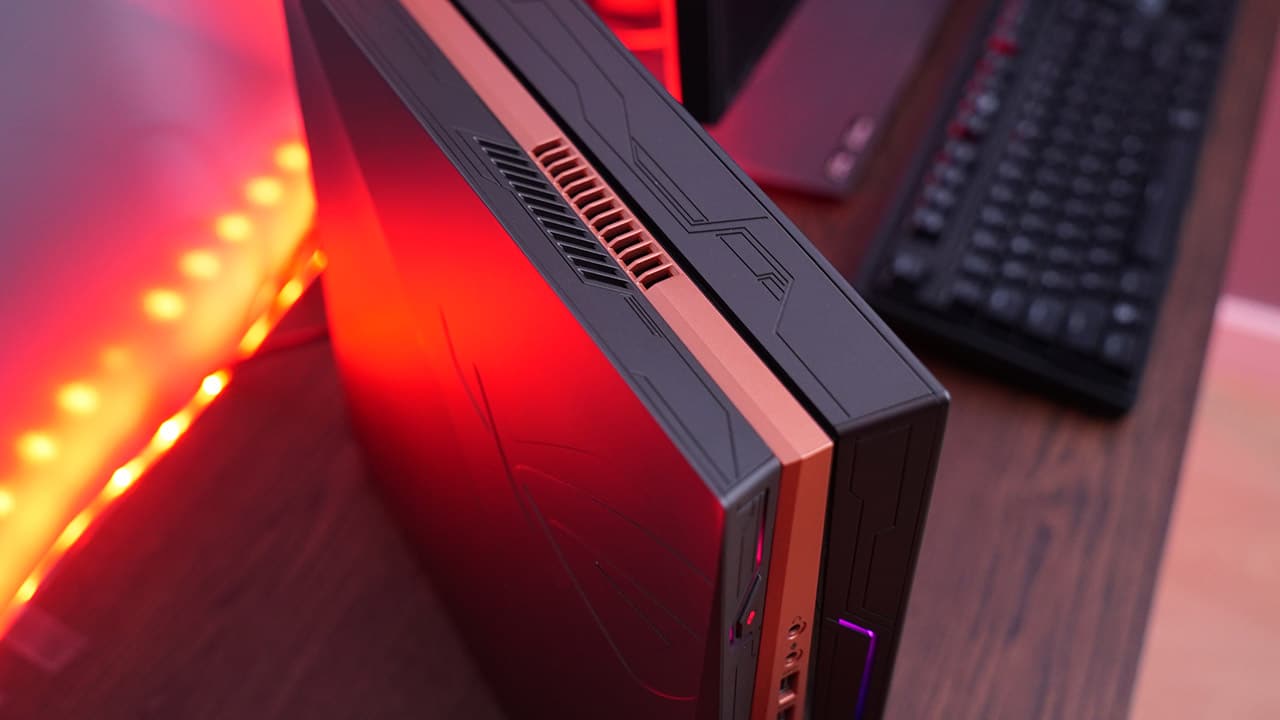
Be sure not to place anything like headphones on top
You need a single Philips screwdriver to open it up

Only four screws need to be removed to remove the side panel for upgrades
Once set up, it looks especially nice with matching ROG equipment
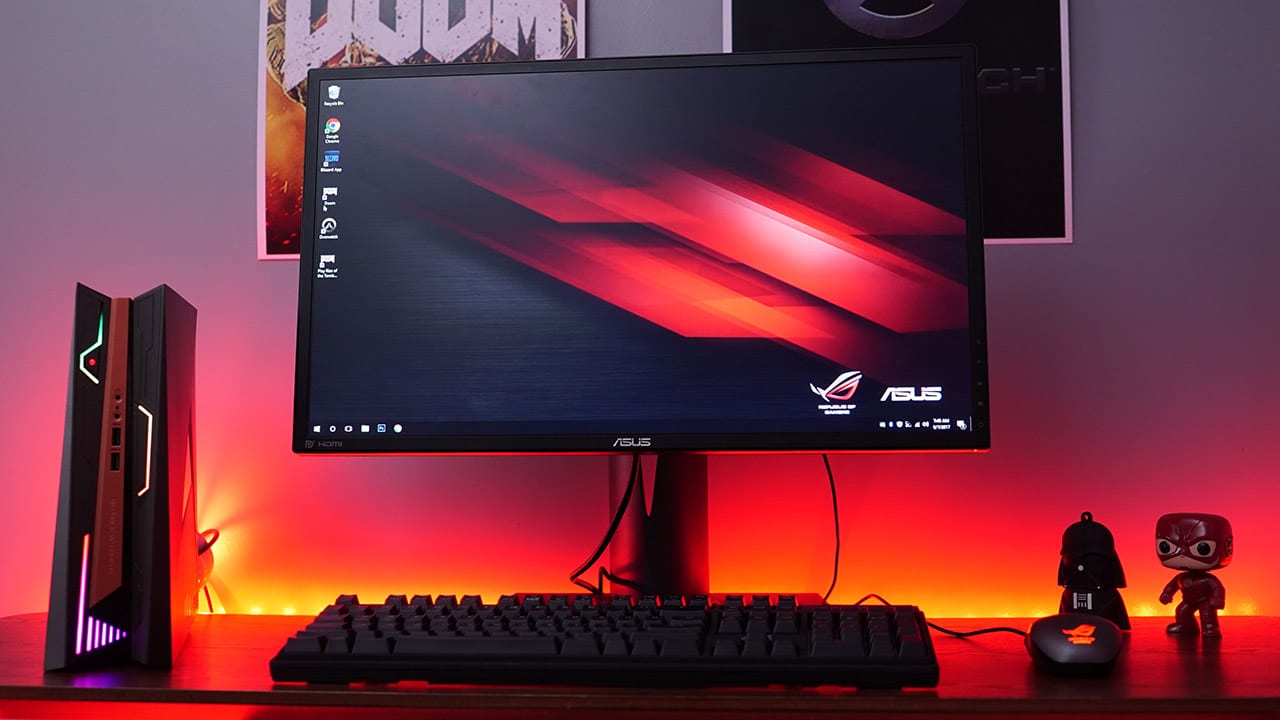
The 24-inch Full HD ROG Swift PG248Q with its 180Hz refresh rate is perfect for high-speed games
How well does it perform?
What’s a good-looking gaming PC without fitting specs to back it up? The GR8 II isn’t going to impress you with Zephyrus-like numbers, but it’s definitely good enough for gaming on high settings at 1080p.
We have an Intel Core i7-7700 processor, a single stick of 8GB DDR4 RAM, 1TB HDD, and NVIDIA’s midrange GeForce GTX 1060 graphics card. These all connect to a custom H110 motherboard.
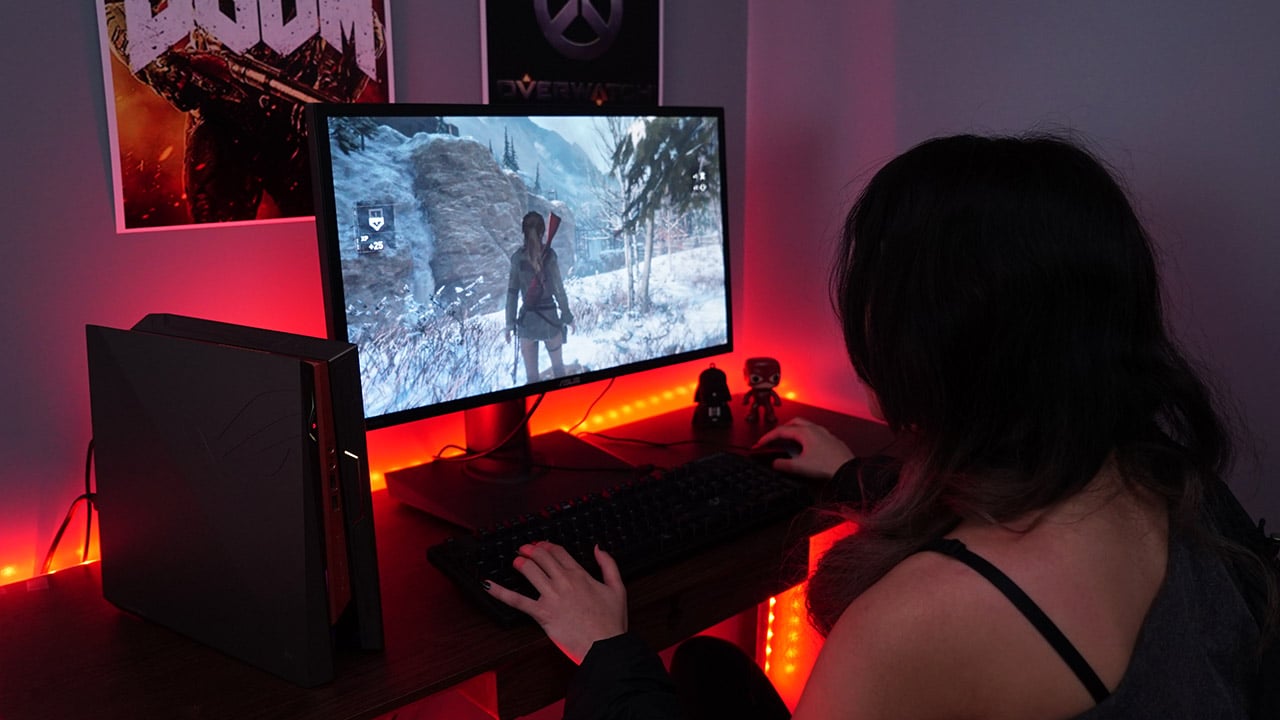
Playing DOOM on Ultra graphics settings consistently gave us over 90fps on our 1080p monitor; and as expected, Overwatch was an absolute cinch, providing us with over 150fps on optimized graphics settings to maximize the same monitor’s G-Sync-enabled 180Hz refresh rate.
The only game that pushed the GR8 II during our tests was Rise of the Tomb Raider. Although it got 68fps according to the built-in benchmark on the highest settings, actual gameplay wasn’t as smooth. It was only when we lowered some of the more intensive settings like hair effects and texture rendering that the game became playable on high settings.
What else is there to know?
A common concern with cramming so much power into a tiny frame is noise and heat build-up. We were expecting the GR8 II to get loud and warm under heavy load because of its lack of ventilation and relatively small fans, but the results were still pleasant.
Thanks to some strategic chopping up of the motherboard, vents and fans are placed where they need to be. It was only while playing games in an absolutely quiet room when we’d hear the roaring of the fans. Definitely nothing that would wake up a sleeping baby, so you can game with peace of mind.

Speaking of the custom motherboard design, it sadly holds back the upgradability of the GR8 II. You can only swap the RAM and HDD, and add an SSD to the lone M.2 slot. The CPU, GPU, and motherboard would need assistance from an ASUS service center for replacements.
The other drawback is the separate 230W power adapter that acts as the unit’s power supply. This is ASUS’ trick to lowering the weight and size of the GR8 II, but this just means more things to carry with you when you transfer battle stations for LAN parties.
Why choose this over a gaming laptop?
This is the question that went through our minds as we used the GR8 II: Doesn’t an equally priced gaming notebook offer a more complete experience with added mobility?
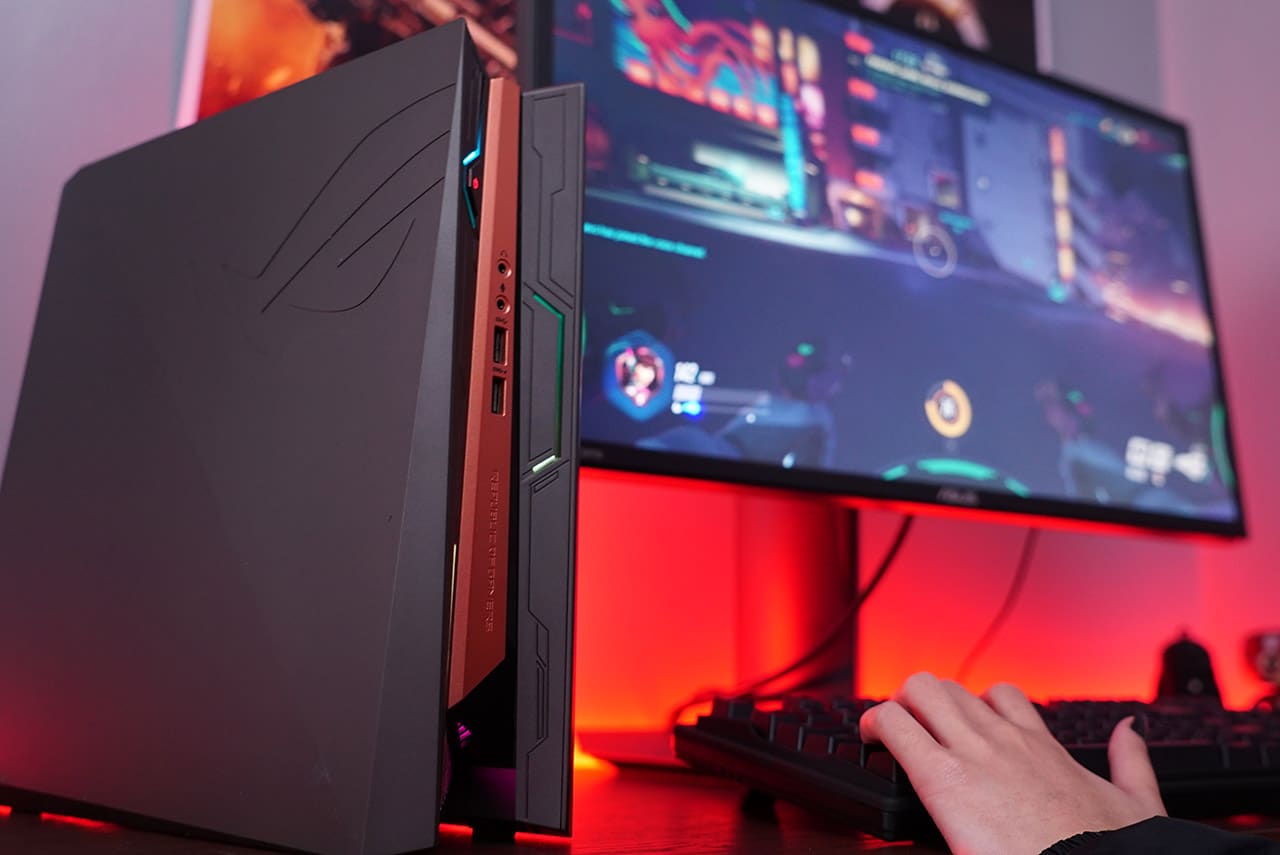
It’s definitely something to ponder over. A gaming laptop owns the same expandability (user-replaceable storage and memory components), wireless connectivity (Wi-Fi and Bluetooth), and an external power supply, but comes with a built-in monitor, keyboard, and battery for short trips. However, what the GR8 II does better is port selection and saving space on a tight desk.
Is this your GadgetMatch?
It all boils down to your gaming needs. While there’s no doubt the GR8 II is more than enough for 1080p gaming at high frame rates, the previous question establishes the compact PC’s position in the market.
The GR8 II feels like a gaming laptop in the body of desktop PC, with the limited upgradeability of the former and immobility of the latter. At the same time, it also doesn’t have the mobility of a notebook nor the sheer possibilities of a true PC tower.

Considering all those factors, it’s clear the GR8 II is somewhere in between the two segments. You’re buying into the idea of a sleek gaming machine that’s designed to look good and deliver respectable performance beyond the minimal physical space it consumes.
Price relies heavily on what configuration you choose; the setup we reviewed costs PhP 69,990 (US$ 1,375) in the Philippines, but you can find a cheaper setup with a Core i5 processor and less storage for around US$ 1,000.
SEE ALSO: ASUS ROG Strix GL702VM Review: Portable gaming powerhouse




Computers
Lenovo accelerates production-ready enterprise AI with NVIDIA
From AI inferencing to gigawatt-scale AI factories


Lenovo has unveiled new Lenovo Hybrid AI Advantage with NVIDIA solutions designed to accelerate AI adoption, reduce time-to-first-token (TTFT), and deliver measurable business results across personal, enterprise, and cloud environments.
Building on the inferencing acceleration introduced at Lenovo Tech World, this next phase of Hybrid AI execution expands the solutions with device to data center to gigawatt-scale AI cloud deployments.
This enables real-time decision-making, operational efficiency, and intelligent automation across industries at global scale. The solutions boost productivity, agility, and innovation by enabling faster AI deployment.
The development comes as AI is seen moving from training models powering real-time decisions. Lenovo is prepared to address the demand for validated hybrid AI platforms built for production-scale inferencing, as organizations will need infrastructure to support such.
In fact, Lenovo’s Hybrid AI Advantage with NVIDIA are now delivering ROI in less than six months. The new inferencing-optimized ThinkSystem and ThinkEdge servers are being utilized for real-time inferencing across retail, manufacturing, healthcare, sports, and smart city scenarios.
The expanded portfolio includes:
- two Lenovo Hybrid AI platforms, featuring NVIDIA RTX PRO 6000 Blackwell Server Edition and Blackwell Ultra
- Hybrid AI inferencing starter platform with RTX PRO 4500 Blackwell Server Edition
- Lenovo ThinkAgile HX650a with Nutanix Enterprise AI and Nutanix Kubernetes Platform
- Lenovo Hybrid AI platforms with Cloudian
Bringing inferencing directly to professionals
Lenovo and NVIDIA are bringing AI from development environments to real-world production at a global scale. This is thanks to new Lenovo AI inferencing platforms with NVIDIA Dynamo and NVIDIA NIM.
Meanwhile, Lenovo AI Cloud gigafactory platforms are powered by NVIDIA Vera Rubin NVL72. Industry-specific agentic AI solutions are also built with NVIDIA Blueprints and software.
For consumers, there’s next-generation NVIDIA RTX Pro Blackwell-powered mobile and desktop workstations. These will be rolled out across the ThinkPad P14s Gen 7, ThinkPad P16s Gen 5, and ThinkPad P1 Gen 1 lineups.
ThinkStation P5 Gen 2 desktops, meanwhile, will get up to two RTX PRO 6000 Blackwell Max-Q GPUs. They will also have support for NVIDIA OpenShell.
For gigawatt-scale scenarios, the next-gen Vera Rubin platform accelerates deployment for hyperscale and sovereign AI cloud providers.
These fully liquid-cooled, rack-scale AI systems are engineered for faster deployment and dramatically improved token economics. They can achieve up to 10x higher throughput and up to 10x lower cost per token.
Computers
CIPTA debuts AI GPU server, edge workstation at CloudFest 2026
Malaysia-made AI infrastructure
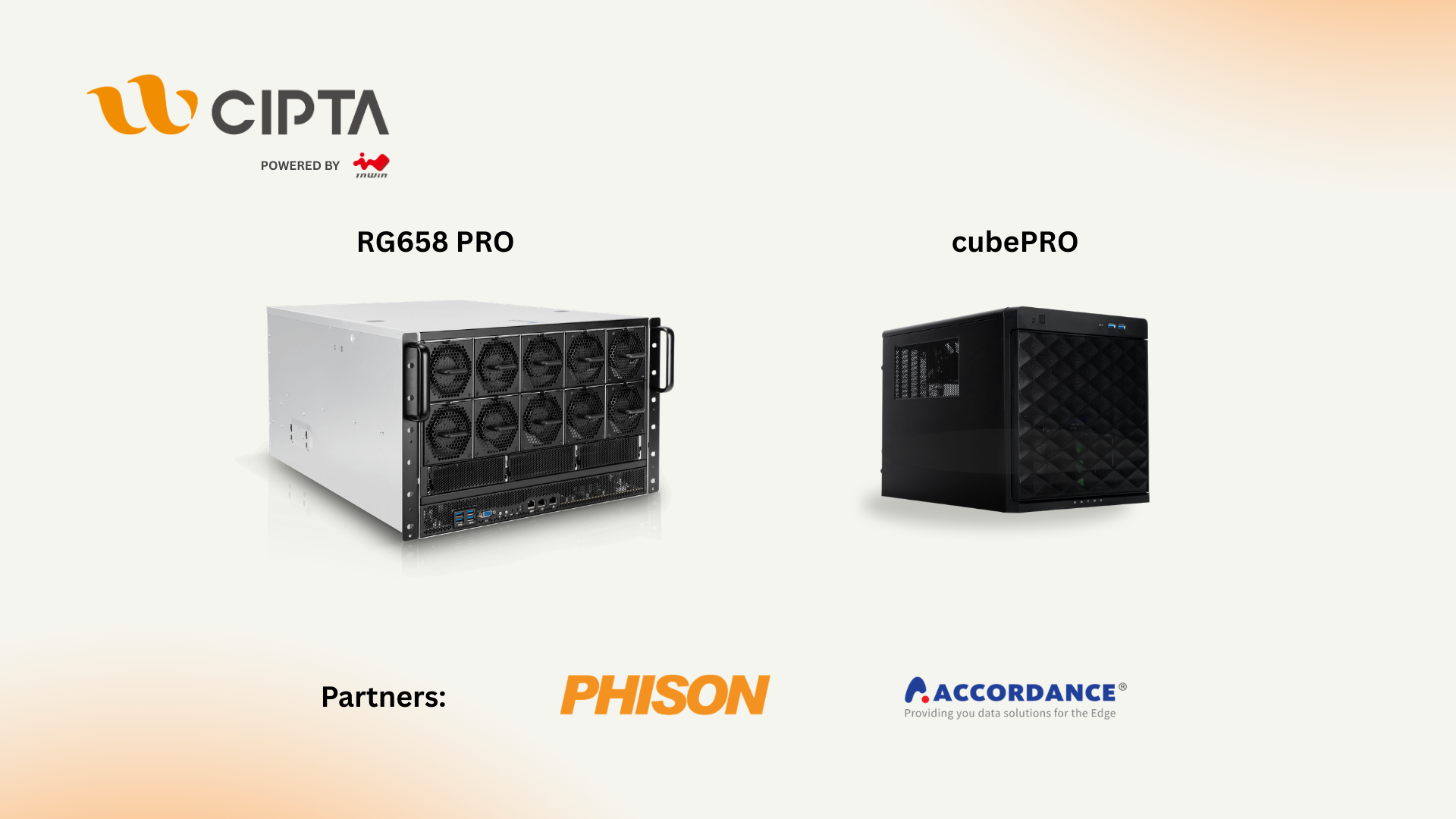
CIPTA Industrial Sdn Bhd steps onto the global stage with its European debut at CloudFest 2026. They introduced high-density AI infrastructure and edge-ready systems built for modern enterprise workloads.
Held at Europa-Park in Rust, Germany from March 23 to 26, the event marks the company’s first major international showcase under its own brand. Backed by InWin Development Inc., CIPTA positions itself as a new-generation EMS provider focused on AI, cloud, and enterprise systems.
At Booth R41, the company is highlighting two key platforms: the RG658 PRO GPU server developed with Phison, and the cubePRO edge workstation created in collaboration with Accordance.
Built for scalable AI workloads
Leading the showcase is the RG658 PRO, a high-density GPU server designed to handle large-scale AI training and inference without pushing costs out of reach for enterprises.
The system supports up to eight high-performance GPUs and integrates Phison’s Pascari aiDAPTIV alongside its PASCARI enterprise SSD lineup. This combination aims to improve data throughput, reduce latency, and streamline AI pipelines.
Thermal performance is a key focus. The RG658 PRO uses a dual-chamber design to separate heat zones, paired with up to 14 high-speed PWM fans for sustained cooling under heavy workloads. Power delivery is handled by a 3+1 redundant configuration of 80PLUS Titanium PSUs, scaling up to 9600W.
The result is a platform built to scale AI deployments on-site while maintaining efficiency and reliability.
Edge computing without downtime
Alongside its GPU server, CIPTA is introducing the cubePRO, a compact edge workstation designed for environments where uptime and data integrity are critical.
The system supports up to four PCIe slots for GPU configurations, making it suitable for AI workloads at the edge. It also features high-capacity multi-SSD setups and optimized airflow for continuous 24/7 operation.
Through its partnership with Accordance, the cubePRO integrates the Disk Array ARAID M500 solution, enabling high-availability storage and data protection. This ensures uninterrupted performance for use cases such as industrial systems, remote nodes, and enterprise branch deployments.
The focus here is clear: bring AI processing closer to where data is generated, without sacrificing reliability.
Strengthening Malaysia’s role in AI infrastructure
CIPTA’s debut also reflects a broader shift in global supply chains. Operating from Malaysia, the company offers end-to-end services—from concept to production—along with flexible manufacturing cycles and cost-efficient operations tailored for Southeast Asia and international markets.
With access to InWin’s server chassis ecosystem and infrastructure solutions, CIPTA combines global platform capabilities with localized integration. The goal is to help enterprises deploy AI and cloud infrastructure faster while diversifying their supply chain footprint.
As demand for AI systems continues to grow, CIPTA is positioning Malaysia as a key hub for scalable, production-ready infrastructure.
Visitors can find CIPTA at Booth R41 during CloudFest 2026 in Europa-Park, Rust, Germany.
Computers
AMD expands Ryzen AI Embedded P100 series lineup
Scalable, efficient AI compute for industrial, edge solutions
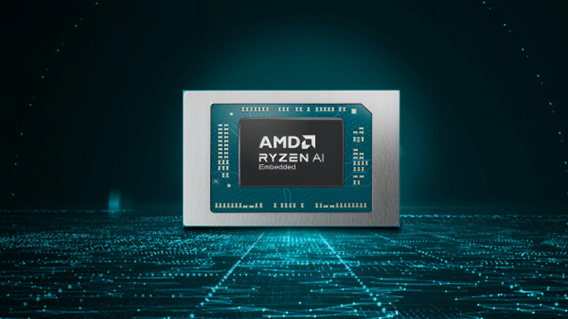
AMD has recently announced the expansion of its AMD Ryzen AI Embedded P100 Series processor lineup.
This enables scalable and power-efficient AI compute tailor-built for industrial and AI edge systems. Scenarios include factory automation, physical AI in mobile robotics, and other AI-driven edge applications.
With eight to 12 high-performance Zen 5 cores, AMD ROCm support, and up to 80 total system TOPS, the new x86 embedded APUs deliver up to:
- 2x more CPU core counts
- 8x higher GPU compute
- 36% higher system TOPS
This way, developers and system designers get an expanded and scalable portfolio of power-efficient edge computing solutions. These processors support real-time AI from vision to control and reasoning, as well as offer advanced graphics capabilities.
On a single chip, clients get up to 80 TOPS physical AI acceleration, AMD RDNA 3.5 graphics for real-time visualization, and an NPU based on the AMD XDNA 2 architecture.
Moreover, the processors can withstand industrial temperature ranges (-40° C to 105° C) and can support continuous 24/7 operations for up to 10-year life cycles. That’s along with low-latency and power-efficient AI inference.
Real-life applications include intelligent factories, autonomous robots, and medical imaging devices. For instance, the processors can deliver CPU performance required for real-time inspection and process optimization.
For mobile robots, meanwhile, processors can manage navigation, motion, control, and route planning while the GPU processes multi-camera feeds for spatial awareness.
Furthermore, for 3D health imaging, the processors can enable the powering of 3D imaging for ultrasounds, endoscopes, tissue classification, and tumor detection at the edge. This is done with models like U-Net, nnU-Net, and MONAI.
The processors then accelerate image-to-report workflows with MedSigLIP and support clinical reasoning and Q&A with Med-PaLM 2.


Infinix NOTE 60 Ultra: Not bad for a flagship push
It's definitely got the looks, though.


JBL Sense Pro review
My daily driver met a loud and capable rival in this quest for a superior training companion.

Shokz OpenFit Pro: Somewhere between awareness and focus
Find your balance

Homture Magic Frame: Reliving wedding moments you didn’t get to see

Dunk City Dynasty update adds new NBA stars, cosmetics

Acerpure Chill: Air conditioners for the summer

Match Pulse: TECNO SPARK 50 5G
Infinix NOTE 60 Ultra: Not bad for a flagship push


-

 Gaming2 weeks ago
WWE 2K26 lets you live out all the fantasy matches you could want
-

 Smartphones2 weeks ago
Spotlight: OPPO Find N6
-

 Reviews2 weeks ago
Galaxy Buds4 Pro review: I thought I was done with in-ears
-

 Automotive2 weeks ago
How the Ford Ranger is powering community resilience
-

 News7 days ago
nubia Neo 5 series launches in the PH, starts below PhP 12K
-
 Gaming1 week ago
Razer Blade 16 (2026) packs more cores, faster memory
-

 News2 weeks ago
nubia to launch new Neo 5 series gaming phones on March 28
-
 Accessories1 week ago
Razer sharpens its competitive edge with Viper V4 Pro and Gigantus V2 Pro