
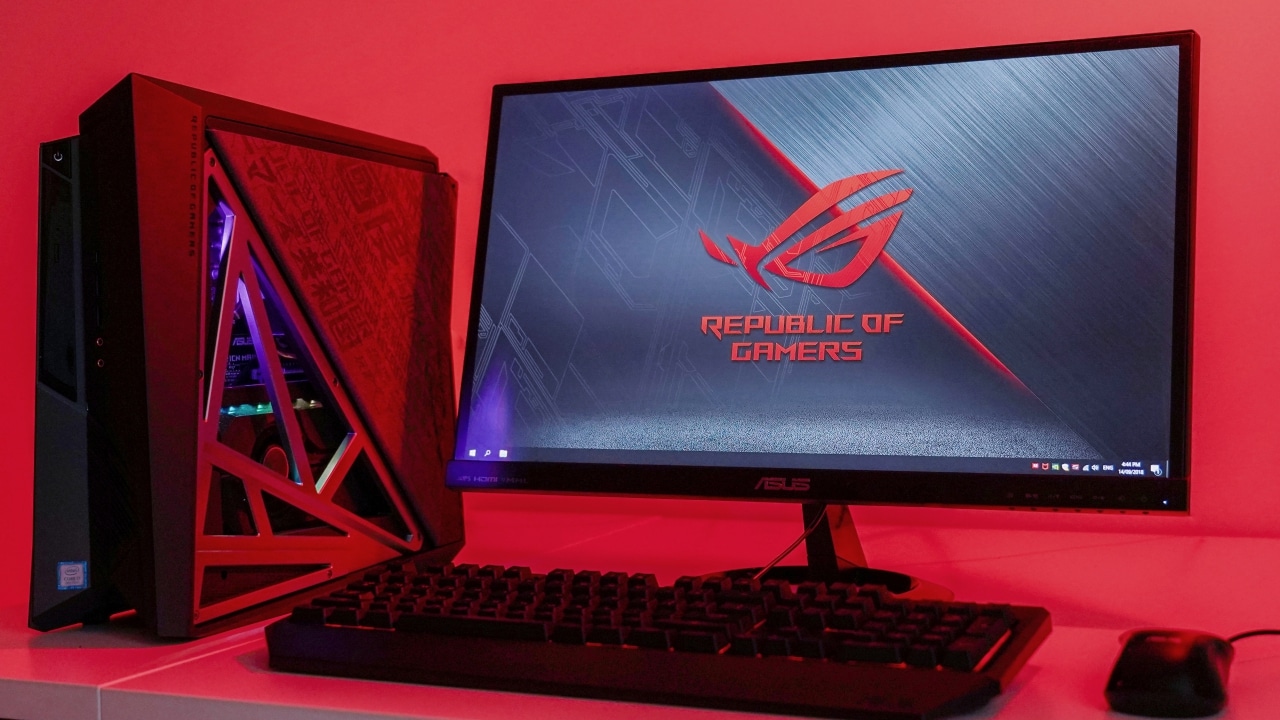

While building your own desktop PC is both easy and cost-saving, going for a pre-built machine can provide you with some premium additions.
That’s the case with the ROG Huracan (G21), which is a standard gaming rig on the inside, but with one of the most unique and functional enclosures we’ve seen in a while.

I’m already familiar with ASUS’ slim gaming desktops — having played around with the ROG GR8 in the past — but this one takes the form factor to another level.
It may look like an unassuming gaming PC at first…
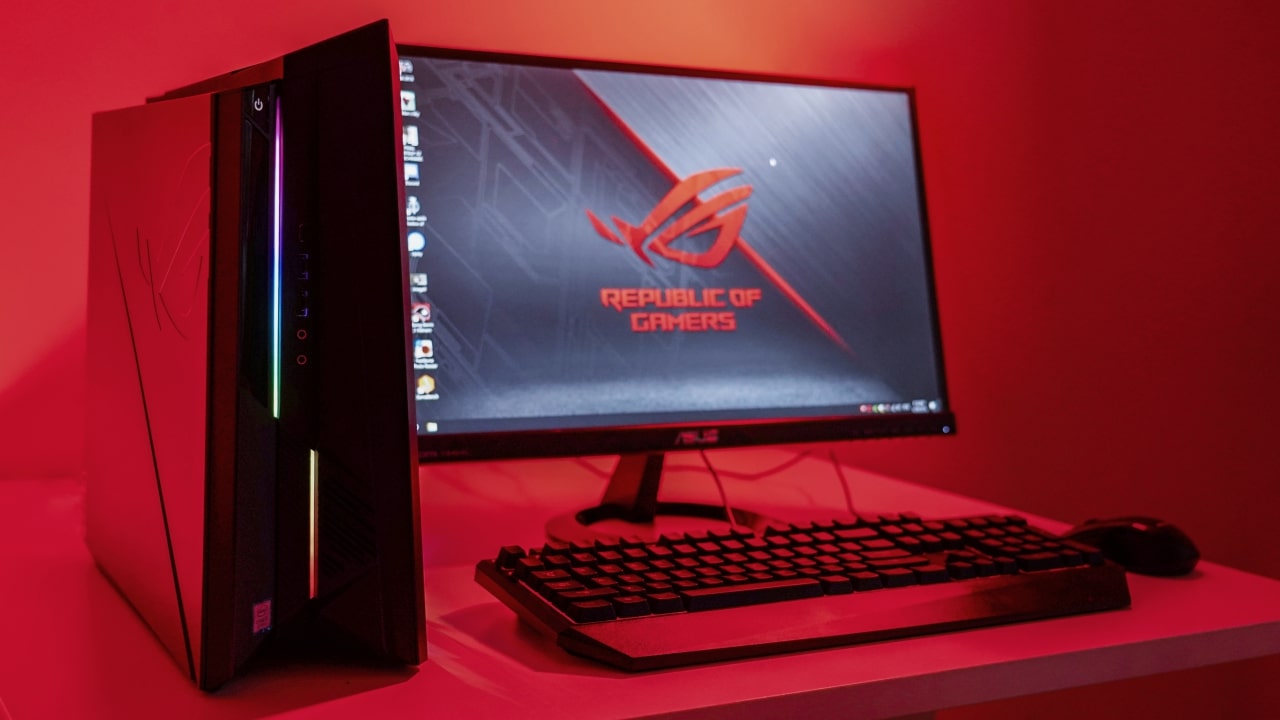
… but raise the flap on the side…

… and it activates Turbo Gear!
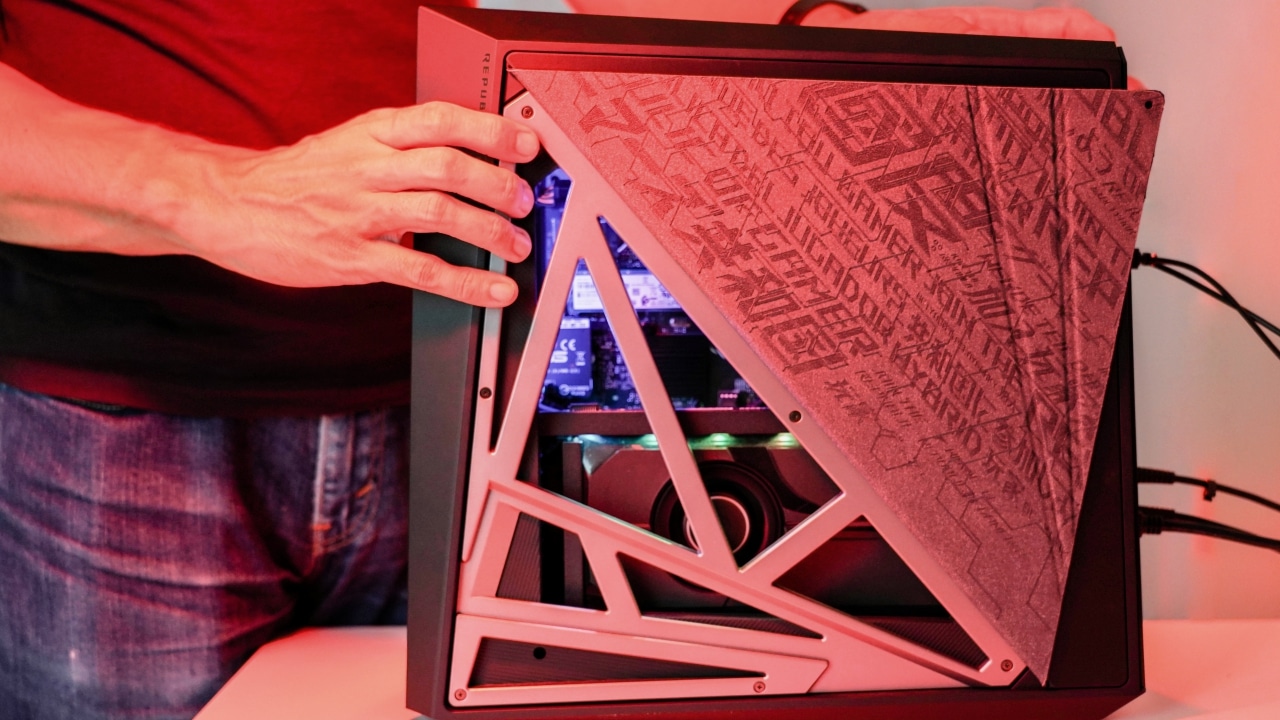
Yes, that means better cooling and faster performance

If that’s not enough, you may easily swap components for better ones

Add more RAM
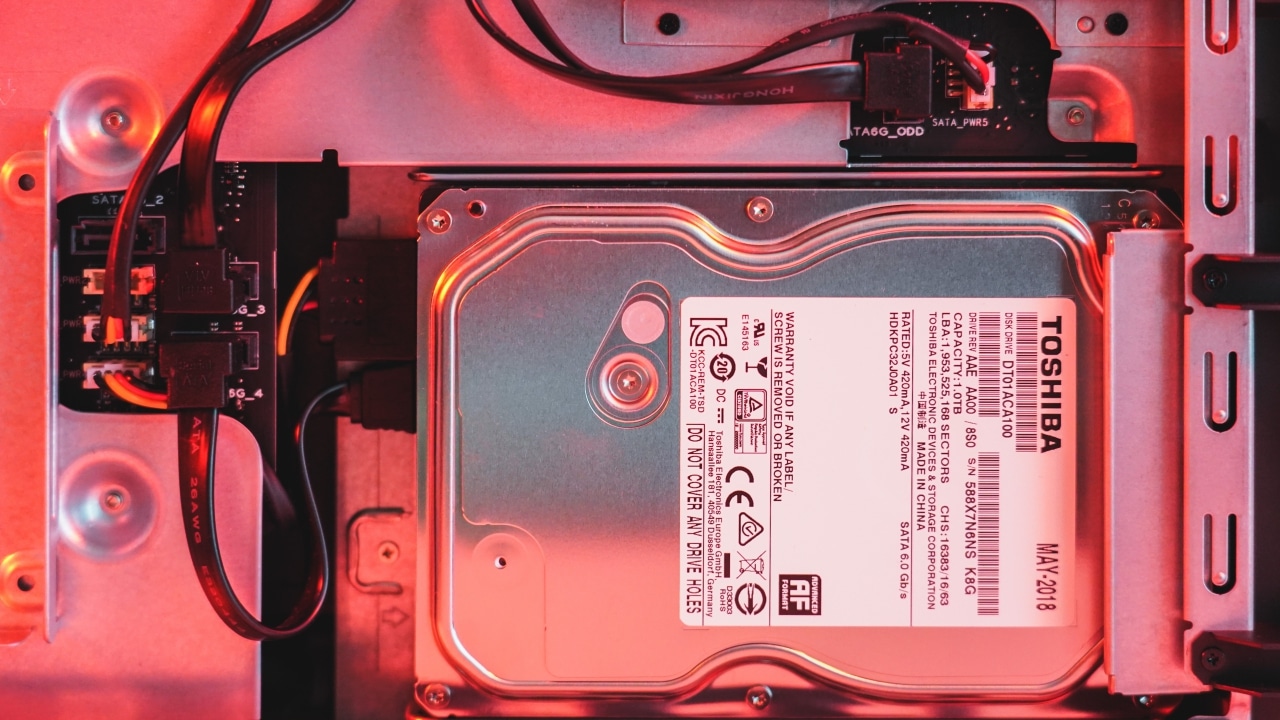
Replace the HDD

Boost the SSD storage

Install a newer graphics card

Update to a more modern CPU and cooler if you’re brave enough
Its port selection is complete, too

USB-C, USB-A, and audio ports in front

Ethernet, S/PDIF, and loads more USB-A ports at the back
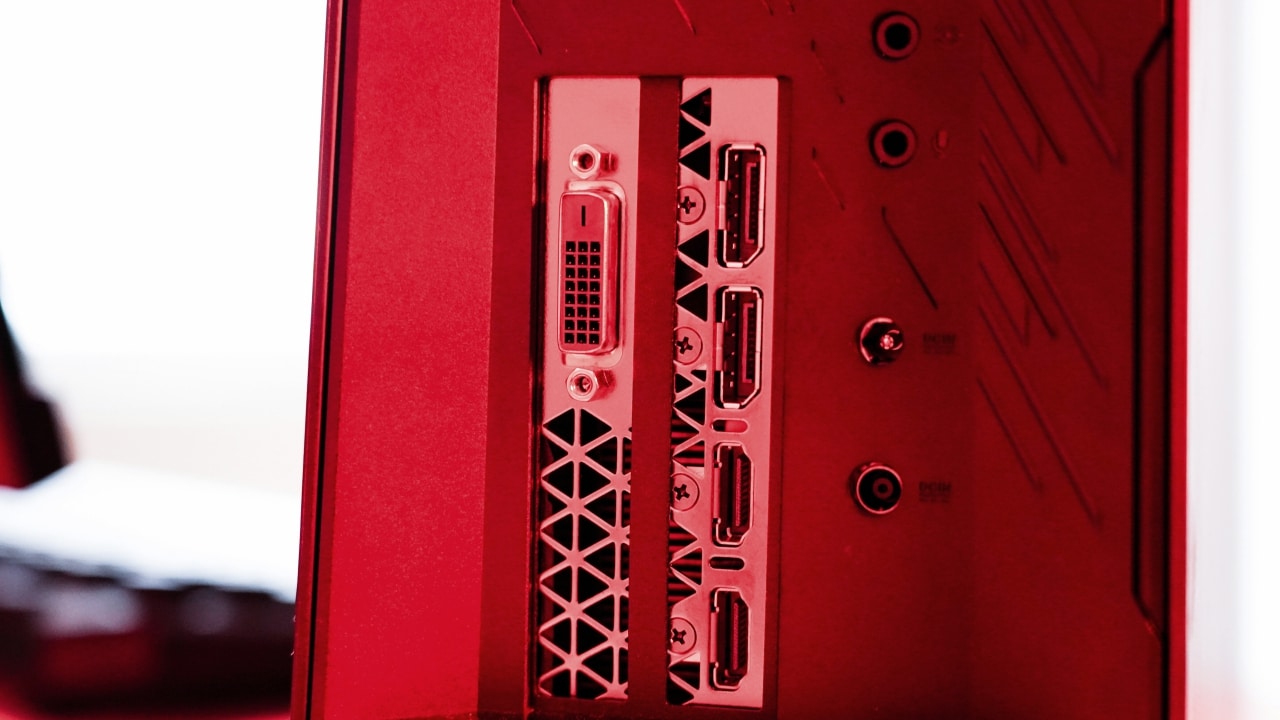
DVI, DisplayPort, and HDMI through the GTX 1080 graphics card
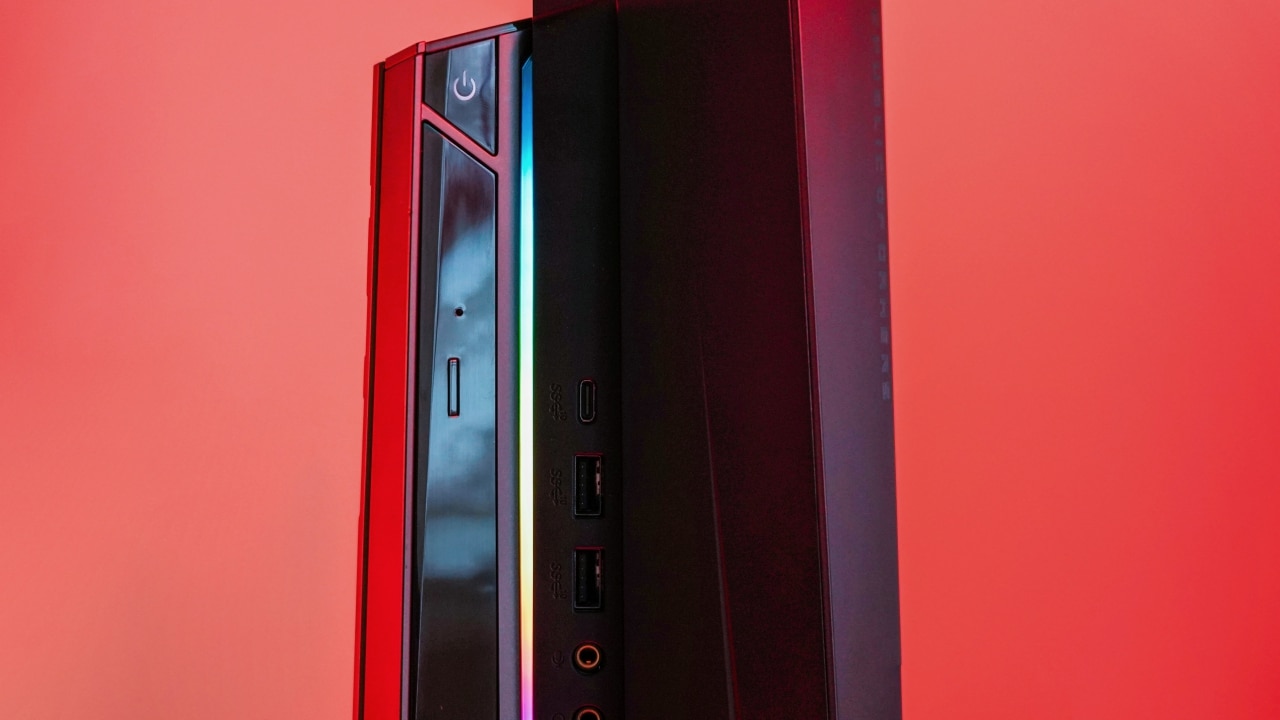
And even an optical disk drive!
But is it all just for show?
It’s easy to dismiss the ROG Huracan as an overpriced, extravagant piece of gaming machinery, but there are some legit components inside that justify the high price tag.
For one, it has Intel’s eighth-generation Core i7-8700 processor which provides six cores with a total of 12 threads; that’s more than enough to handle the latest AAA games, plus it’s one of the best mainstream chips you can get for video editing and other heavy tasks.
Coming along for the ride are 16GB of memory, a 1TB HDD, and 512GB SSD, all of which can easily be replaced or expanded as mentioned earlier. Even the graphics card it comes with — a more than capable NVIDIA GeForce GTX 1080 — may be swapped for one of those yummy RTX cards launched recently.
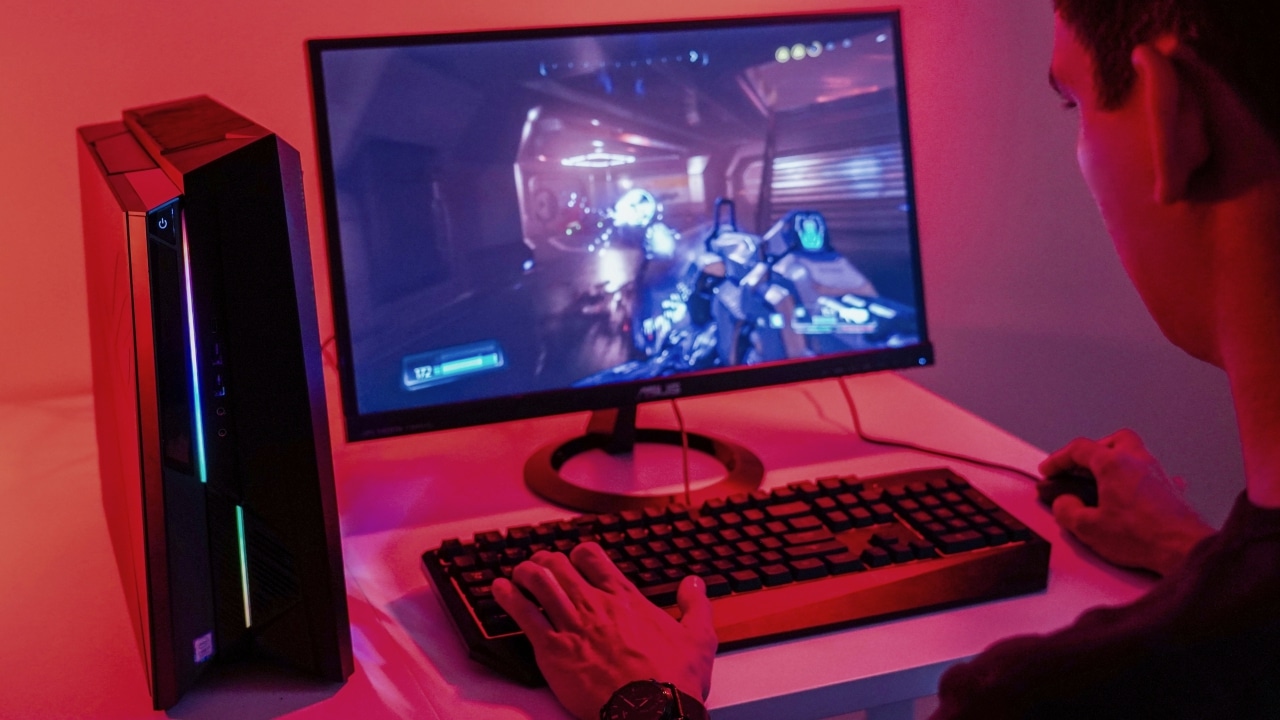
It’s also important to mention that the ROG Huracan is equipped with 802.11ac 2×2 Wi-Fi and Bluetooth 5.0, so bringing this machine from one spot to another won’t mean dealing with cumbersome cables during each setup.
In addition, you can add a 2.5-inch SATA SSD from the top (without the need to open up the entire side panel) if the built-in storage isn’t enough for you. Considering how resource-hungry the newest games have been getting, this is certainly a welcome sight.
Do the numbers speak for themselves?
This wouldn’t be a proper review without benchmark scores to show off. Since Turbo Gear is a thing on the ROG Huracan, it’s vital to include numbers with and without the flap on.
In ASUS’ own words, opening the magnetic side cover improves airflow and, in effect, enables a boost in both CPU and GPU performance. The whole process is pretty much a fancy way to overclock the gaming rig, and it shows whenever the RGB lighting begins dancing once the flap is raised.
While that seems like a straightforward way to kick things into overdrive, the output was quite mixed depending on where it’s applied. See the data for yourself:
Unigine Superposition
Turbo Gear on, 1080p Extreme, DirectX: 4002, 29.93fps
Turbo Gear off, 1080p Extreme, DirectX: 3961, 29.63fps
Cinebench R15
Turbo Gear on: 1391 (CPU), 128.33fps (OpenGL)
Turbo Gear off: 1374 (CPU), 131.76fps (OpenGL)
Final Fantasy XV benchmark
Turbo Gear on, High Quality, 1080p: 8011
Turbo Gear off, High Quality, 1080p: 7628
Deus Ex: Mankind Divided benchmark
Turbo Gear on, Ultra settings, 1080p: 66.4fps
Turbo Gear off, Ultra settings, 1080p: 66fps
GPU temperature under full load
Turbo Gear on: 73 degrees Celsius
Turbo Gear off: 83 degrees Celsius
For pure benchmarking apps, the difference in scores are either so minuscule or backwards that we can’t give a proper analysis. The boost in actual gaming performance is equally minor, though more significant in comparison.
Where the Huracan’s Turbo Gear feature does excel at is in keeping the system cool. By allowing more air to enter the side, you get a dip in temperature by as much as 10 degrees Celsius for the GPU. That’s seriously good for something that feels like a gimmick at first.
In short, it’s safe to say that leaving the side flap open at all times would theoretically lengthen the PC’s lifespan, at the expense of letting lots more dust come in. The performance boost isn’t anything to write home about, so it’s up to you if you prefer a cool system or a clean one.
Any drawbacks?
Of course, grand performance comes at a grand cost. Not only do you have to spend a pretty penny to own one, but you also have to plug in two power adapters — one 180W and one 230W — to give this beast its juice. That means your electric bill will experience its own shock every month.
On top of that, taking the slim rig around isn’t as seamless as it may seem at first. Carrying the 8.3kg system is already a challenge; bringing two heavy power bricks along only adds to the overall weight. I haven’t even mentioned the monitor, keyboard, and mouse, which aren’t integrated like what a gaming laptop offers.
Is this your GadgetMatch?
For the price, it’s tempting to simply go for a high-powered gaming notebook that can do as much with less effort to carry around. ASUS has a fine line of Zephyrus laptops that can match the performance of the ROG Huracan — pricier, yes, but then you wouldn’t have to spend for a monitor anymore.
The value of the ROG Huracan depends solely on how long its novelty would last. How badly do you want to go into overdrive with the flip of a magnetic flap and lots of RGB lighting? Truth be told, any other gaming PC can do the same, if not better, with a few clicks of the mouse through software.
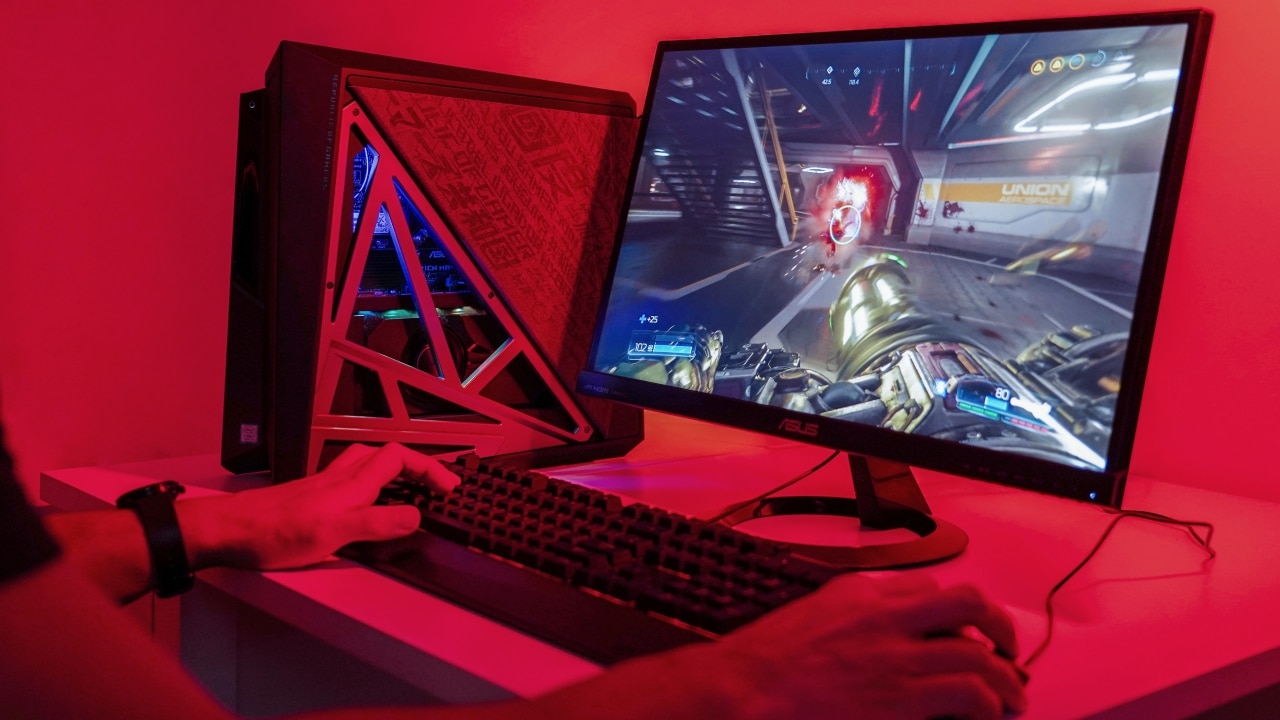
Don’t get me wrong; it’s certainly a cool-looking desktop and is built to be future-proof. This is the gaming rig you want if design, upgradeability, and raw starting power matter to you. Yes, building a custom PC would be far cheaper, but it likely wouldn’t look as sharp as this.
The ROG Huracan retails for at least US$ 2,000, depending on which configuration you choose. For the same price, you could afford a high-end gaming laptop like the aforementioned Zephyrus line. Which style you prefer ultimately hinges on how mobile you are as a hardcore gamer — and how deep your pockets go for added accessories.







Computers
3D printing made accessible: Bambu Lab moves closer to everyday consumers
Empowering consumers to create tangible objects

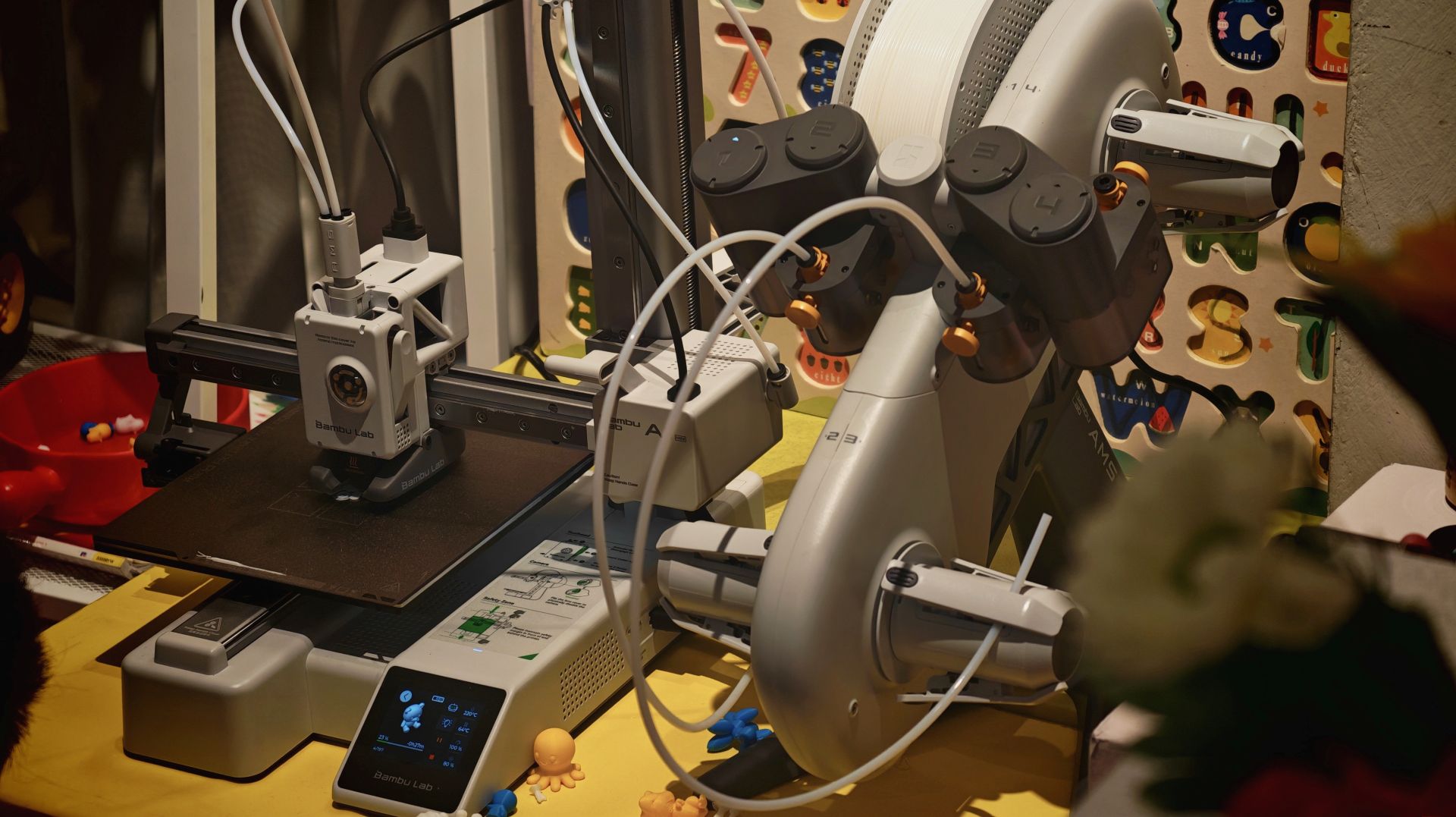
China-based brand Bambu Lab makes an effort to move closer to everyday consumers in the Philippines with a new retail partner by holding a media and creators roundtable in the Philippines. This was a bid to reshape how consumers perceive and use 3D printing technology.
Established in Shenzhen, China in 2020, Bambu Lab aims to make 3D printing more accessible, practical, and relevant to daily life through printers and other supplies.
The goal is to support practical home use, creative hobbies, product design, and even specialized tools, while putting emphasis on ease of use.
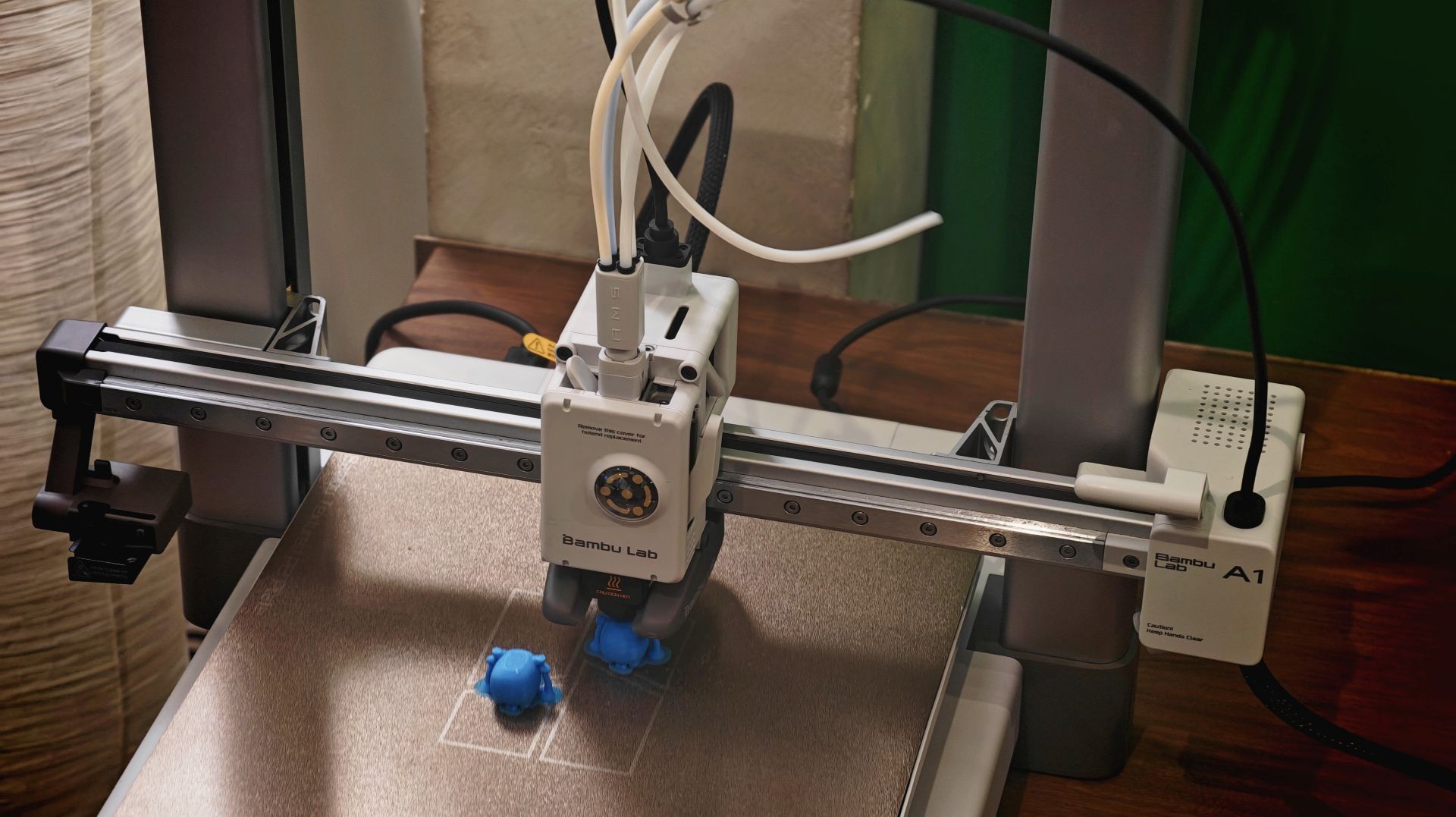
With such optics, Bambu Lab is trying to make consumers feel that there is less deep technical knowledge required and that they can actually create physical objects with 3D printing.
One of their products is the entry-level Bambu Lab A1 mini, which is compact enough to fit on a small desk.
The brand also has more advanced models which are capable of printing multiple colors and materials on a single run.

To complement the hardware ecosystem, Bambu Lab’s open platform MakerWorld lets users browse, select, and print from an extensive library of shared 3D designs directly from their own desktops.
The platform features a wide variety of objects across multiple categories. There’s household items, DIY tools, children’s toys, props, and educational materials.

In the Philippines, Bambu Lab will open its first concept store at One Ayala, Makati City. The concept corner will give mallgoers the opportunity to see the range of 3D printers and consumables firsthand.
Computers
Next-gen AMD Ryzen 7 9850X3D desktop processor out soon
Built for the most demanding titles
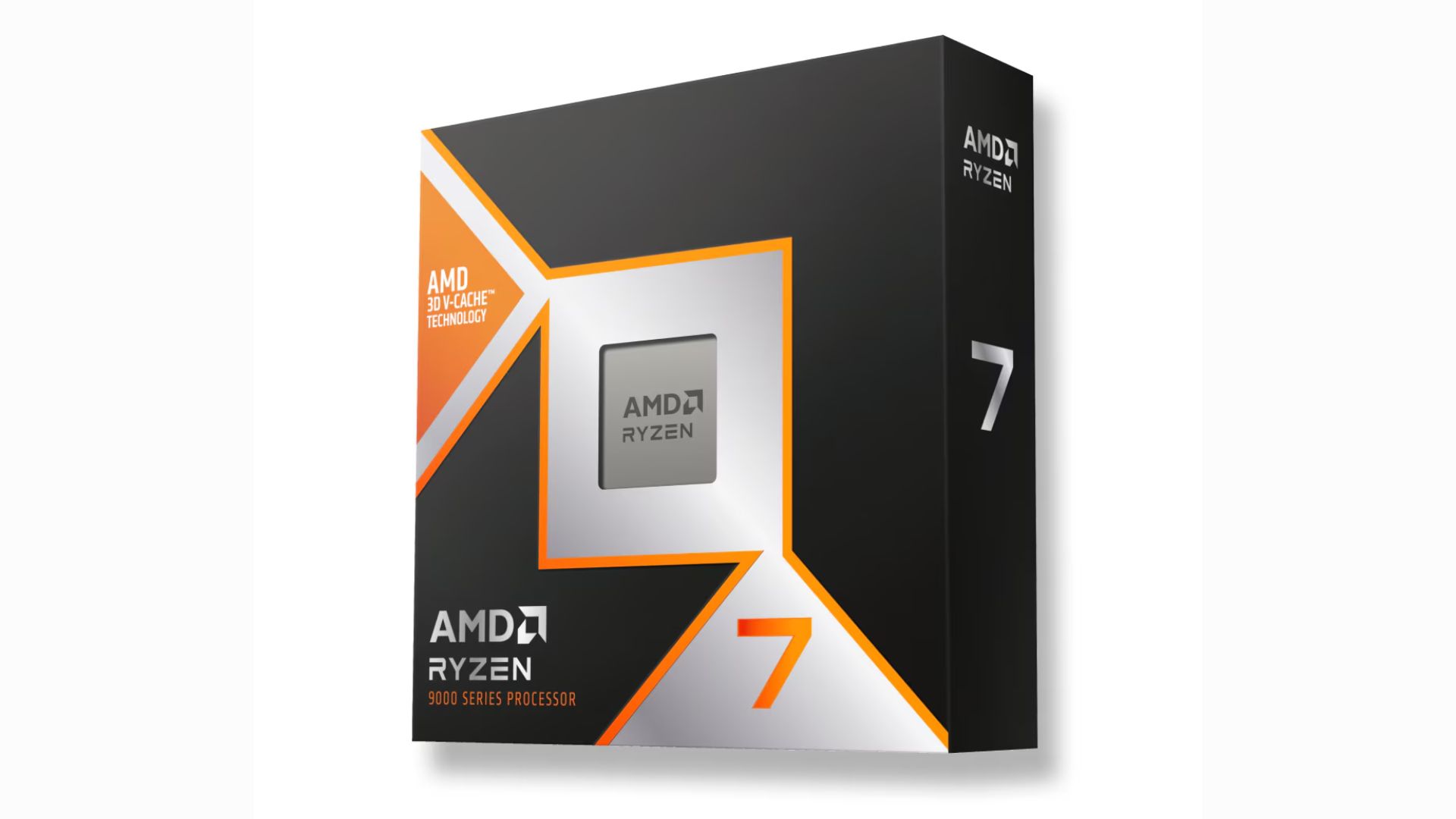
The next-generation AMD Ryzen 7 9850X3D desktop processor will be available for sale starting January 29. It has a standard pricing of US$ 499.
Built for enthusiasts, the latest AMD Ryzen 9000 series processor features a +400MHz improvement to the boost clock, building on the legacy of the 9800X3D.
This makes the “world’s fastest gaming processor” even faster. AMD says their offering boasts of an average 27% gaming performance improvement over the Intel Core Ultra 9 285k.
On paper, the Ryzen 7 9850X3D has a maximum boost clock speed of up to 5.6GHz, and a base clock speed of 4.7GHz.
The new 8-core, 16-thread processor is aided by 2nd Gen 3D V-Cache technology, so a high-frequency memory is not required.
Across an average of more than 30 games played, the FPS difference between a DDR5-4800 and a DDR5-6000 was below 1%.
The AMD Ryzen 7 9850X3D is ideal for running demanding titles, i.e. AAA games, at maximum FPS. Initial checks also suggest the processor stays efficient in spite of higher speeds.
For connectivity, the processor has two memory channels for a maximum 192GB of DDR5 memory. It can also support four USB 3.2 Gen 2s and a USB 2.0.
Computers
Acer introduces Ryzen AI Max-powered Veriton mini workstation
Built to support the heaviest workloads
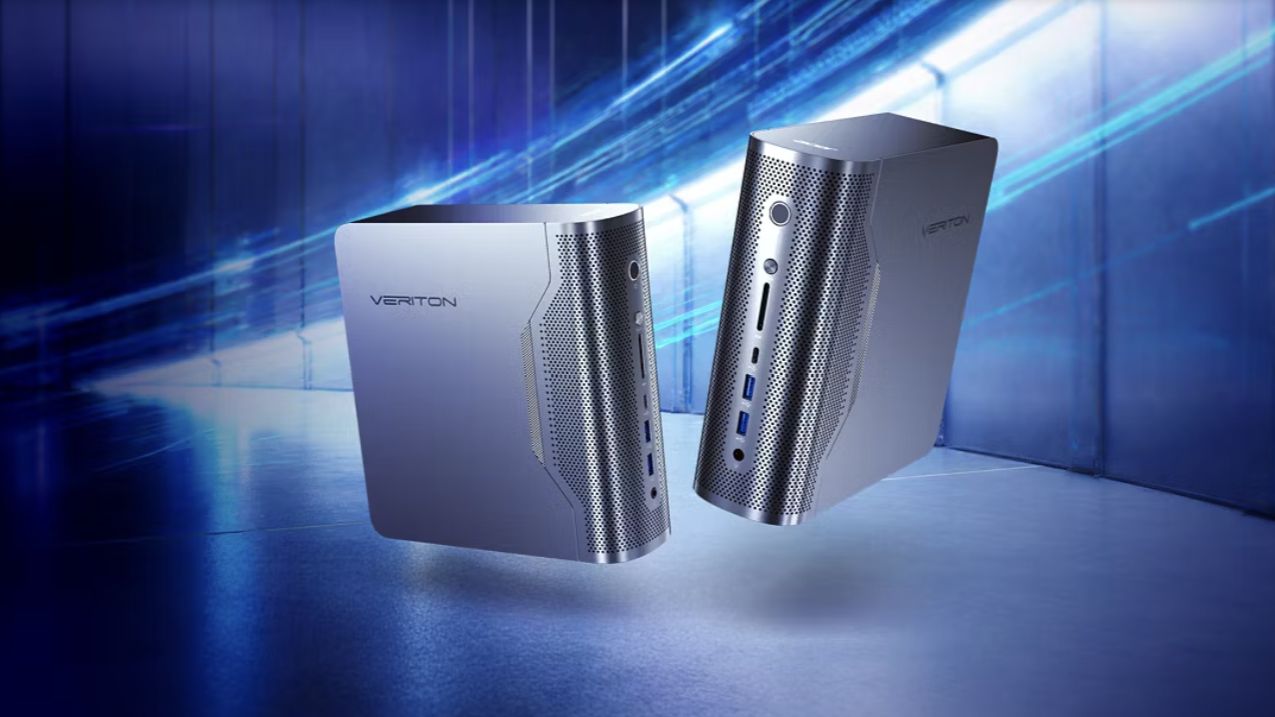
Acer has officially expanded its lineup of Veriton desktop computers with the release of the Acer Veriton RA100 AI mini workstation.
This Copilot+ PC is powered by AMD Ryzen AI Max+ 395 processors to support even the heaviest of workloads for gamers, creators, and other professionals.
Armed with AMD Radeon 8060S graphics, 50 TOPS NPU, and 60 TFLOPS, the Veriton RA100 delivers up to 120 billion parameters for demanding workloads.
These include running AI models, developing and deploying generative AI applications, 3D design, and content creation at high resolutions.
The RA100 accelerates such tasks, and optimizes design, coding, and even gaming with the help of AI.
In addition, the RA100 also supports ultra-fast and high storage capacity. It has a four channel memory of up to 128GB DDR5 and up to 4TB SSD storage.
The workstation comes with adaptive performance modes to allow users to adjust the power. There’s Silent Mode for general tasks, balanced Mode for lightweight multitasking, and Performance Mode for the extra juice for AI computing and AAA gaming.
For connectivity, the RA100 comes with Wi-Fi 7 and Bluetooth 5.4, plus an RJ45 port and Kensington lock slot.

Acer Veriton desktops also launched
Acer has also launched new Acer Veriton AIO desktops — the Vero 4000 and Vero 6000 — alongside the RA100.
These all-in-one desktops blend strong AI performance with robust security in a sleek design for modern workplaces.
They are powered by Intel Core Ultra 9 Series 2 processors, with up to 64GB memory and up to 2TB storage.
The Veriton Vero 4000 sports Intel Graphics, while the Vero 6000 comes with Intel vPro for enhanced capabilities.
Both AIOs feature a 23.8-inch 144Hz FHD touch display. The ergo stand and VESA mount support flexible workspace setups as well.
Additional features include Wi-Fi 7, Bluetooth 5.4, RJ45, and a 5MP infrared webcam.
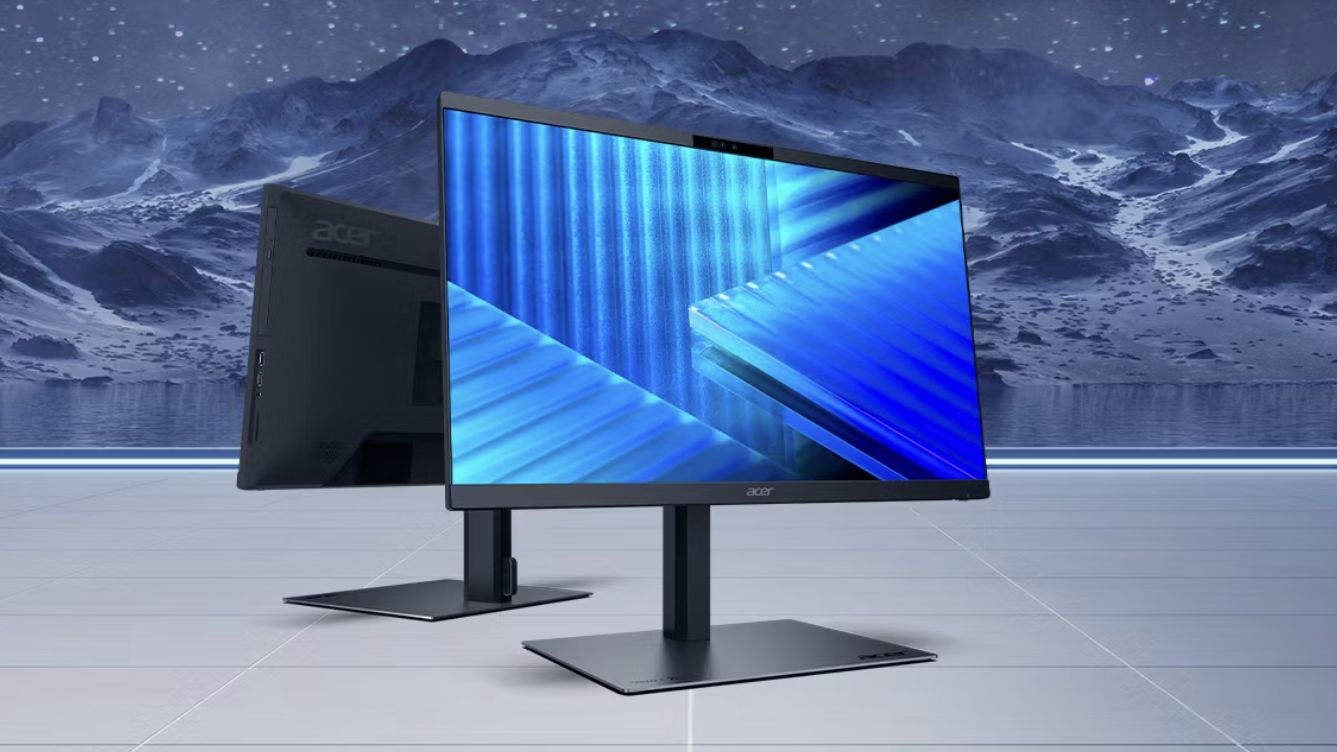
Acer Veriton 2000 large tower, AIO
Lastly, Acer has also introduced the Veriton 2000 Large Tower and Veriton 2000 All-In-One for further options.
The large tower likewise comes with Intel Core Ultra 9 Series processors and NVIDIA GeForce RTX 5080 graphics, making it a high-performance desktop PC.
It is designed to streamline AI-assisted content creation and other everyday productivity tasks. With NVIDIA Blackwell, the GeForce RTX 50 series GPUs bring game-changing capabilities to gamers and creators.
Meanwhile, the Veriton 2000 AIO has Intel Core Ultra 7 Series 2 processors, Intel Graphics, and ample memory and storage.
It has a 23.8-inch FHD display as well, with a 16:9 aspect ratio and 250 nits brightness.


Now playing: Final Fantasy VII Remake INTERGRADE on Switch 2
Final Fantasy VII Remake, handheld again


HONOR X9d 5G review: Tougher, more long-lasting and optimized
Beyond all the marketing, it's a compelling all-around smartphone that actually works well


Redmi Note 15 Pro+ 5G review: The midrange fashion piece
Work-ready and style-friendly!

Esports Nations Cup 2026 secures US$ 45M funding

CODE VEIN II now available for consoles, PC

Samsung is teasing smart glasses again

Nothing will not release a Phone (4) this year

VinFast updates battery subscription policy for large upfront savings

HONOR X9d 5G launches in the Philippines: Price, preorder, availability

POCO M8 Pro review: Goin’ loco over this POCO

OPPO A6 Pro: Adequate tool, no definitive punch

Infinix NOTE Edge debuts: High-end features for accessible pricing

HONOR Magic8 Pro review: What sorcery is this?


-
 News2 weeks ago
Infinix NOTE Edge debuts: High-end features for accessible pricing
-
Reviews1 week ago
HONOR X9d 5G review: Tougher, more long-lasting and optimized
-

 Automotive2 weeks ago
BYD expands PH presence with entry of DENZA luxury EVs
-

 News2 weeks ago
HONOR slaps the iPhone Air with the all-new Magic8 Pro Air
-
Gaming1 week ago
Now playing: Final Fantasy VII Remake INTERGRADE on Switch 2
-

 News2 weeks ago
Beyond the Box, Digital Walker turn over Tesla Model Y to iPhone 17 raffle winner
-

 Accessories1 week ago
Razer fully unwraps these limited BLACKPINK Edition gaming gear
-

 Accessories1 week ago
G-DRAGON is CASETiFY’s first ever Global Brand Ambassador