


Features
ASUS Vivobook Slate 13 OLED: Stay on top of your game
Efficient and entertaining experience!

Believe it or not: We’re already living in the age of technology we’ve all envisioned when we were younger.
Gone are the days when these trinkets and electronics appear as mere distractions. Nowadays, they’re tools to help you become more efficient so you can live your life the way you want it to.
At a time when there is so much happening at once, it’s best to use a machine that will help you stay on top of your everyday activities. Par exemple, the ASUS Vivobook 13 Slate OLED.
Versatility at its core
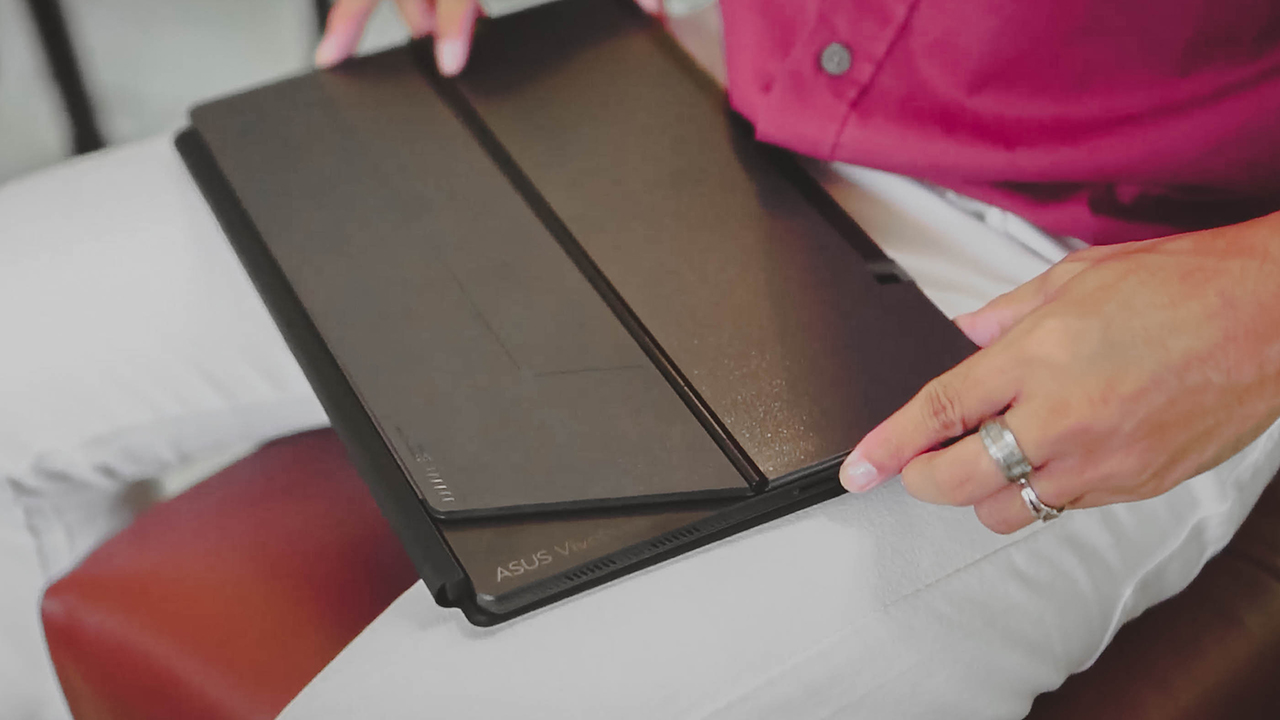
There’s still bearing in using a 2-in-1 laptop, especially when it comes in different modes to help you work and play. For instance, the Vivobook 13 Slate OLED can be used horizontally, with our without its keyboard attachment, or vertically like a tablet.

It comes with a magnetic cover that snaps easily yet sticks strongly, along with an attachable keyboard. This makes the Vivobook 13 Slate OLED ideal for work or school activities, and suitable for those who prefer doing their work on the go.
Productive, agile, and efficient
Whether you’re still a student or a fresh face in the workforce, being efficient is a skill you need to learn. It’s something that you can use for the rest of your life. Of course, your gear must keep up with you if that’s the path you’ll be taking.

The Vivobook 13 Slate OLED sports a quad-core 3.3 GHz Intel processor, augmented by a 128GB M.2 NVMe PCIe 3.0 SSD and an 8GB RAM. It also has Microsoft Office pre-installed so, in a nutshell, the laptop can help you finish and submit your essays, reports, and other papers. By the way, that’s a lifetime license for Microsoft Office Home & Student 2021 out of the box.
It takes care of your eyes too. Not only does it have a low harmful blue light, it also produces clearer images at lower brightness to suit your environment. That means your eyes won’t strain too much, if at all.
Having it on laptop mode boosts your productivity, too. You gain instant and secure access to the Slate through the fingerprint sensor integrated on the power button. When using the attachable magnetic keyboard, typing can be as comfortable as the regular laptops you’re familiar with. Thanks to its keys spaced 19.05mm apart, and its 1.4mm key travel.
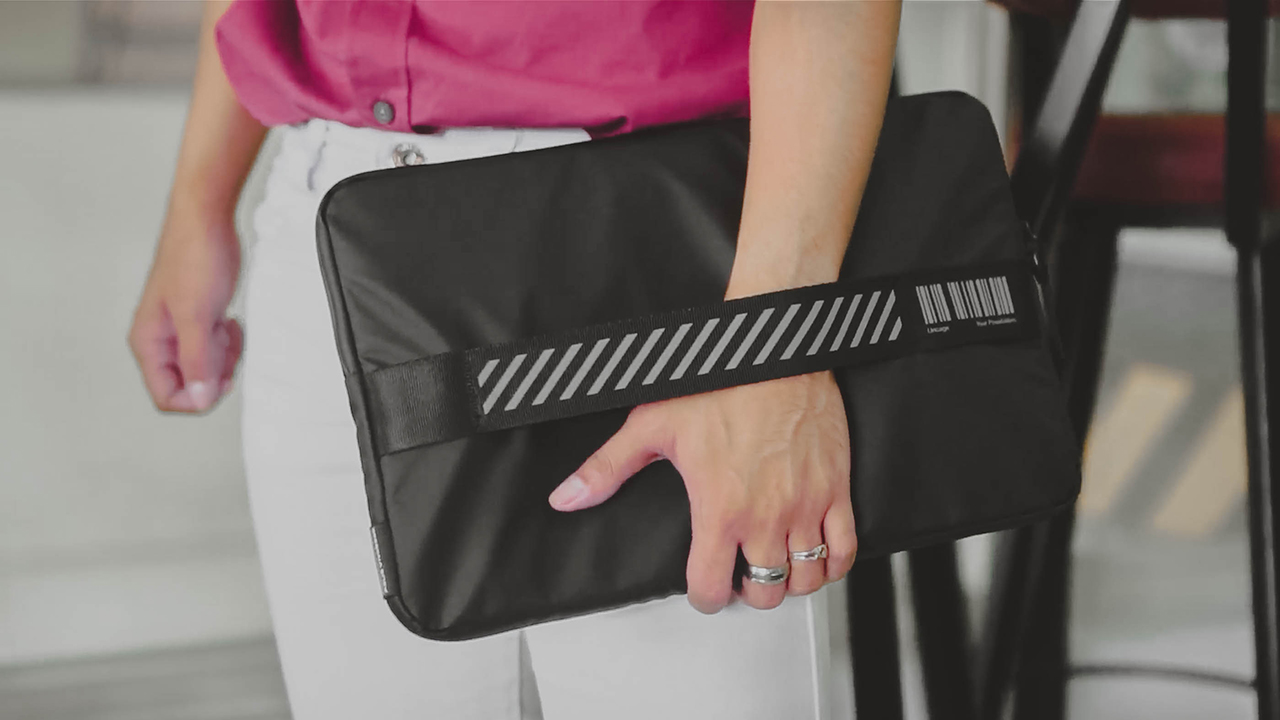
Further, it’s lightweight enough to carry wherever you want — even with its accessories on. The slate also comes in a secure pouch to safeguard the device and your other essentials.
Never forget to play
Even if you’re busy catching up with deadlines, you mustn’t forget to play — music or videos. The Vivobook 13 Slate OLED packs a powerful quad-speaker Dolby Atmos sound system complementing the laptop’s 13.3-inch OLED Dolby Vision touchscreen.

In addition, DisplayHDR True Black 500 and 100 percent DCI-P3 cinema-grade color ensures you’ll be getting extreme details and vivid, realistic colors. Combined with the 16:9 aspect ratio and PANTONE Validated screen, it’ll be like having a movie theatre at your fingertips.
When you’re swamped with work, take a break and stream your favorite tunes on Spotify or watch Samantha and Rachel on Business Proposal. Or any Netflix series that will give your mind a reset.
Staying connected
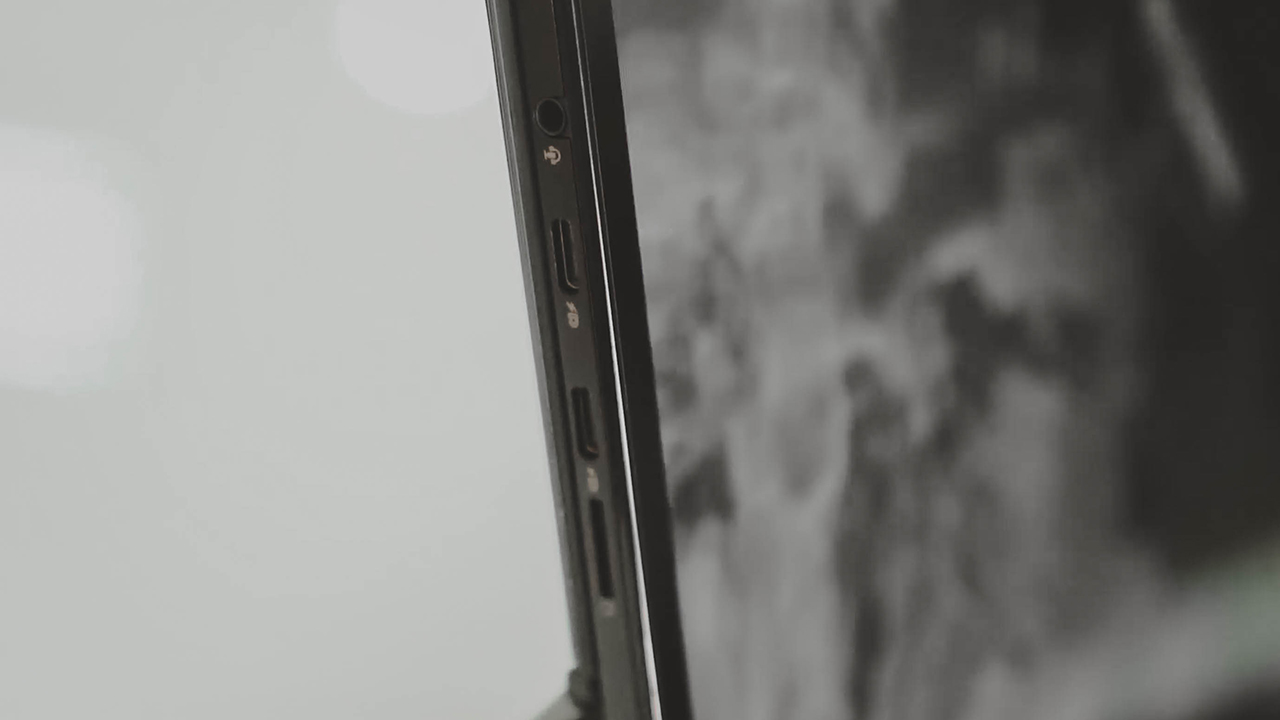
On hardware, the laptop is equipped with two USB-C ports, an audio jack, and a microSD card reader. It’s complete with the necessary ports you’ll need for your activities.
You can also charge its long-lasting 50Wh battery through a USB-C Easy Charge. Meaning, it can be charged from a power bank or any USB-C charger!

You can also partake in quick Zoom meetings. Hard at work here is the 5MP front facing camera. You’ll still be seen and heard loud and clear. Communication is quite smooth, thanks to its four wide-range speakers.
And if you ever feel like it, there’s a 13MP rear camera for you to use however you please.
Play with a pen
Perhaps, what we like the most is how it has support for ASUS Pen 2.0, solidifying that laptop-tablet appeal. The stylus comes with interchangeable tips, too, and writes intuitively as if the pen is like a regular pencil.

Aside from using the pen for writing and scrolling, it can also be used for taking screenshots or navigating your presentations. For an accessory this small, there’s so much you can do with it.
Price and availability
The ASUS Vivobook 13 Slate OLED is now available in ASUS Concept Stores with a starting price of only PhP 39,995. For more information, visit this link.
This feature is a collaboration between GadgetMatch and ASUS Philippines.






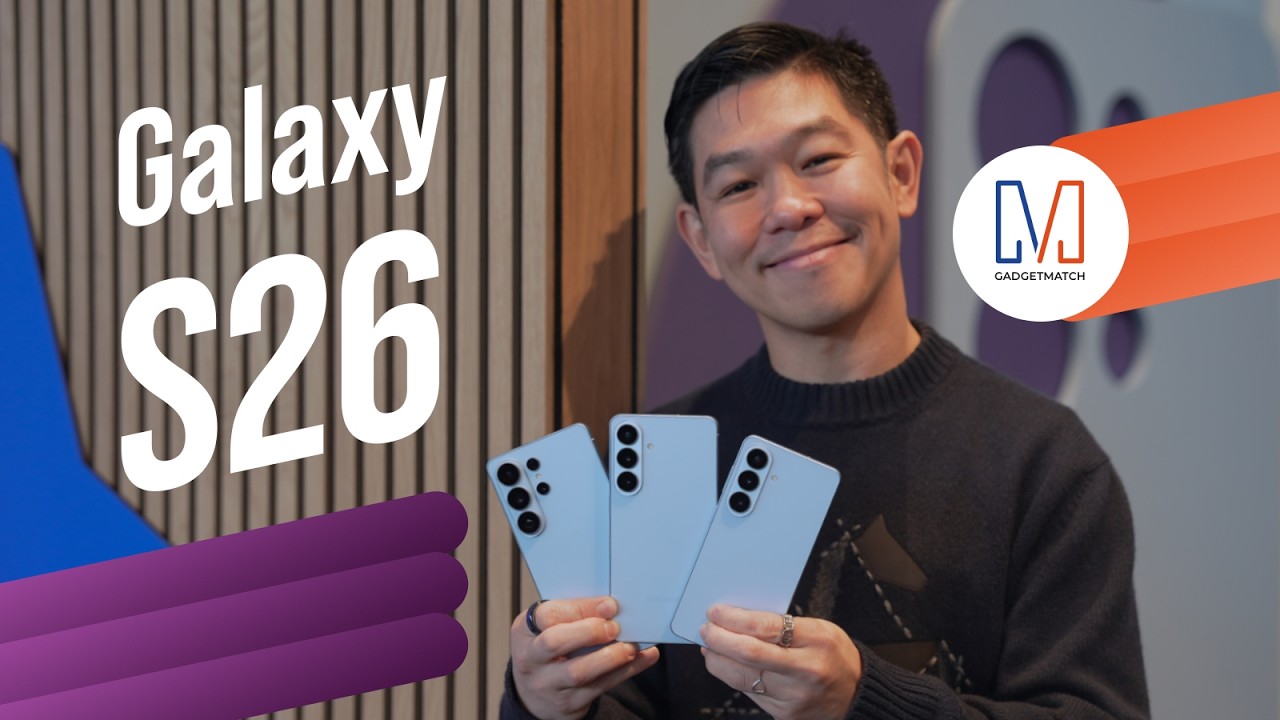
Did Samsung push forward or play it safe with the Samsung Galaxy S26 Series? Well, it’s a little bit of both.
Here’s our Hands-on with the new Samsung Galaxy S26 series to find out.
PRE-ORDER and SAVE up to $900 with enhanced trade-in credit:

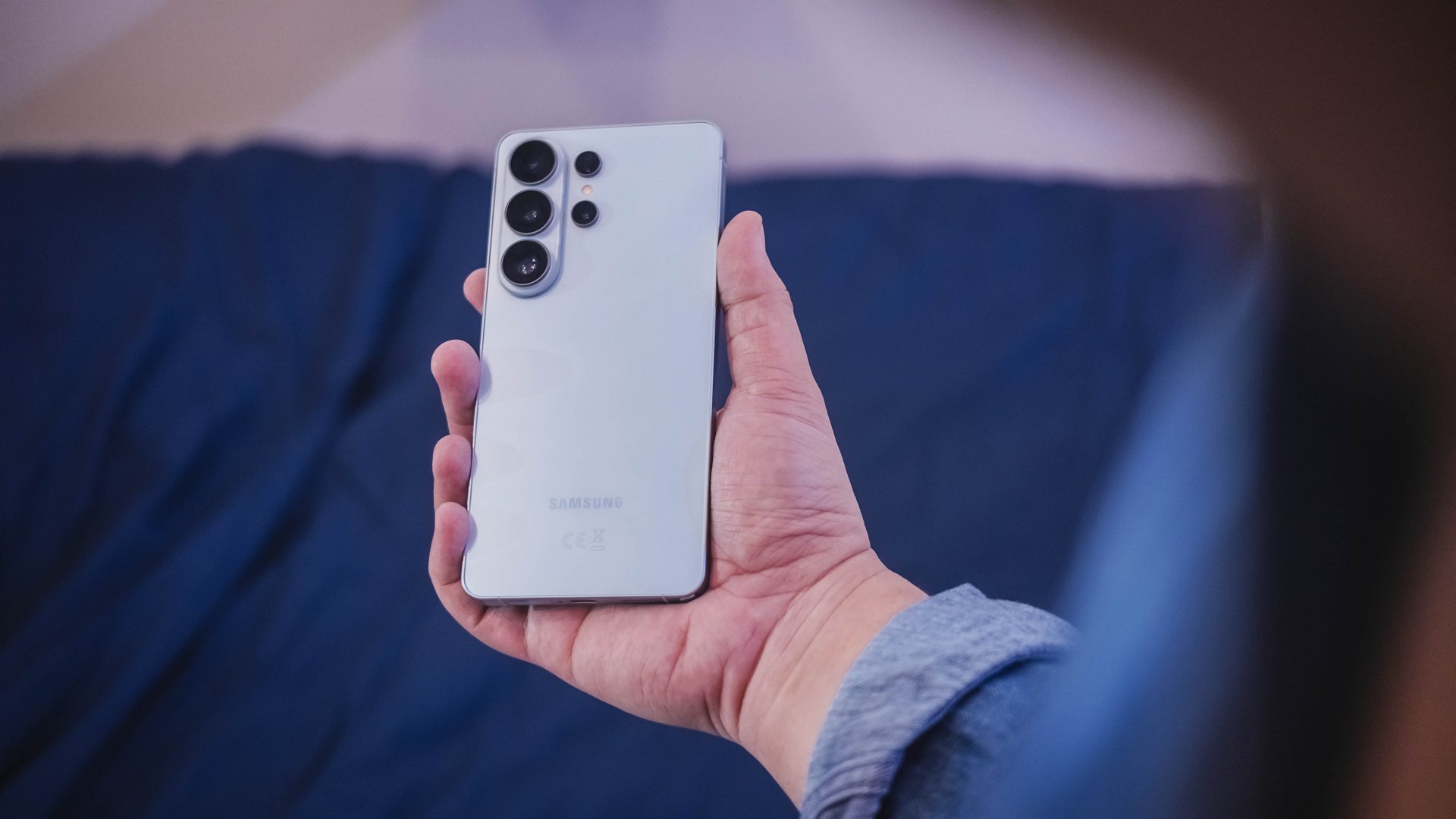
“Our philosophy has never been about chasing specs.”
That line from Samsung’s presentation captures the Galaxy S26 Series better than any spec table.
This isn’t a year of radical hardware shifts. Battery capacities remain unchanged. Megapixel counts are familiar. The design language evolves rather than transforms.
But incremental doesn’t automatically mean irrelevant.
The S26 Ultra feels like Samsung refining its priorities — usability, privacy, and AI integration — instead of pursuing headline-grabbing numbers.
Hardware refinement, not reinvention
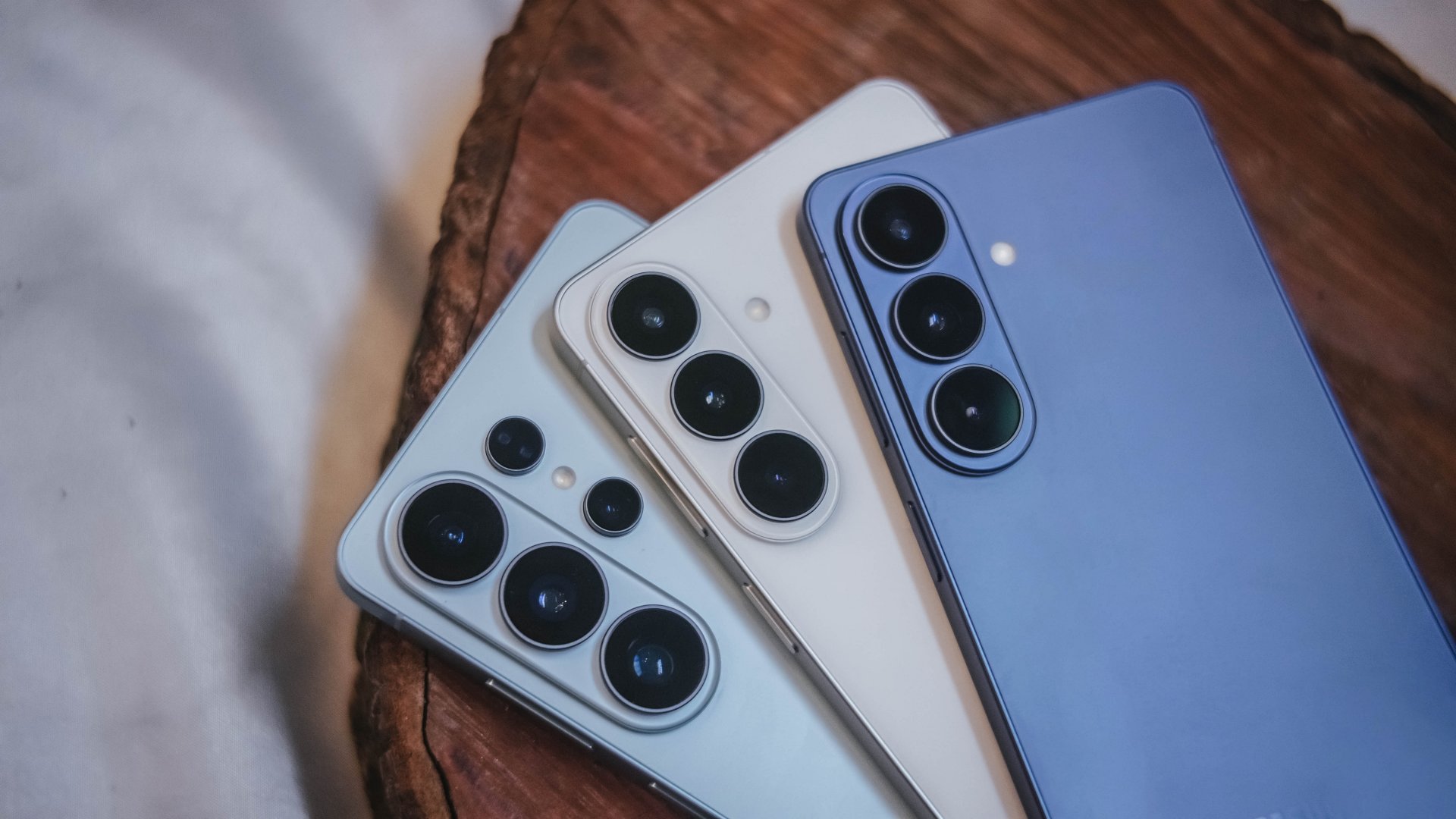
The Galaxy S26 series looks more unified. All three models now share the same corner radius, creating a consistent visual identity. The Ultra no longer stands apart with sharper edges. It’s a small change, but it makes the lineup feel cohesive.
The camera module sits on a more defined island rather than blending into the rear panel. It’s subtle, but noticeable in person.
Samsung also trimmed weight and thickness on the Ultra. At 7.9mm and 214 grams, it handles slightly better than last year’s model. The company switched to Light Armor Aluminum, which it claims improves heat dissipation and weight. The difference in hand isn’t dramatic, but it’s appreciated during extended use.
Charging finally moves forward. The Ultra supports 60W wired charging, up from 45W. Samsung says you can reach 75 percent in around 30 minutes. That’s a meaningful improvement for quick top-ups.
However, 60W isn’t industry-leading in 2026. Competing brands have offered similar or faster speeds for years. This feels less like Samsung setting a new benchmark and more like closing a gap.
Battery capacity remains 5,000mAh. That’s consistent with previous models. While fast charging helps daily convenience, endurance gains will depend on software optimization and real-world usage.
AI and software remain the headline
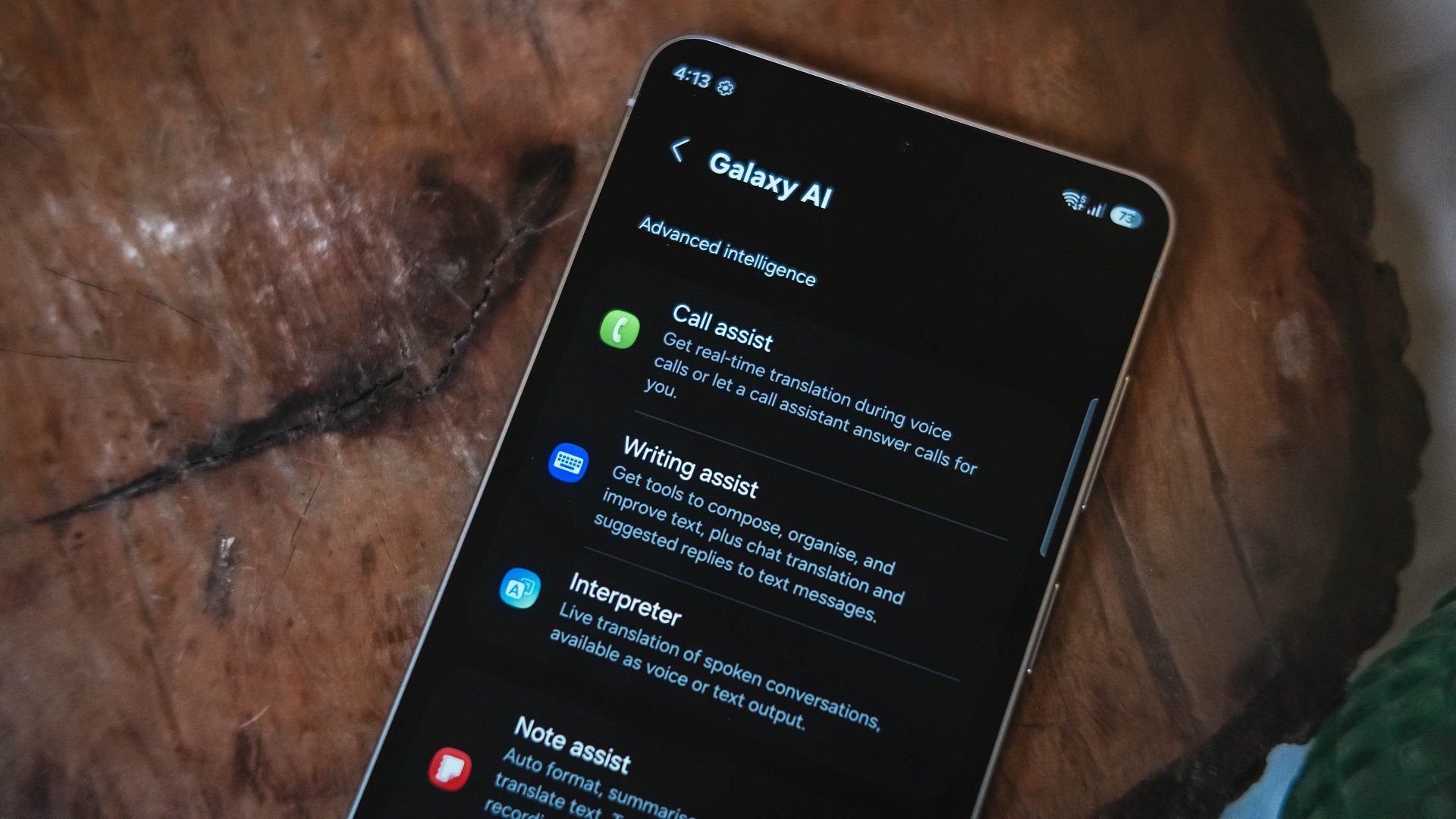
Like recent Galaxy generations, the S26 Series leans heavily on software features.
Privacy Display is one of the more practical additions. It restricts viewing angles at the pixel level, functioning like a built-in privacy filter. If you’re using your phone in public spaces, people nearby will struggle to see what’s on screen.
You can toggle the feature or enable it only for specific apps. That flexibility matters. It allows privacy protection for sensitive apps while keeping general use unaffected.
This addresses a real-world problem. Public screens are inherently visible. Privacy Display doesn’t eliminate that risk, but it reduces casual glances and unwanted observation.
Audio Eraser also gets an upgrade. It now works across third-party apps. We tested it on a noisy K-pop fancam from YouTube, and the background noise reduction was noticeable without destroying audio quality.
It’s not perfect. Overprocessing can occur in extreme cases. But for cleaning up shared videos or reducing ambient noise, it proves useful.
AI Photo Assist introduces text-prompt editing directly inside the Gallery app. Users can describe edits in natural language — remove objects, expand backgrounds, or modify elements — without exporting images to external tools.
This isn’t groundbreaking technology. Similar generative edits exist in other AI platforms. The difference is integration.
By embedding generative tools inside the Gallery, Samsung turns them into part of the default workflow. Photo editing becomes more accessible rather than requiring specialized knowledge or separate apps.
That shift is meaningful. It signals that generative AI editing is becoming a standard smartphone feature rather than an experimental add-on.
Cameras: computational evolution
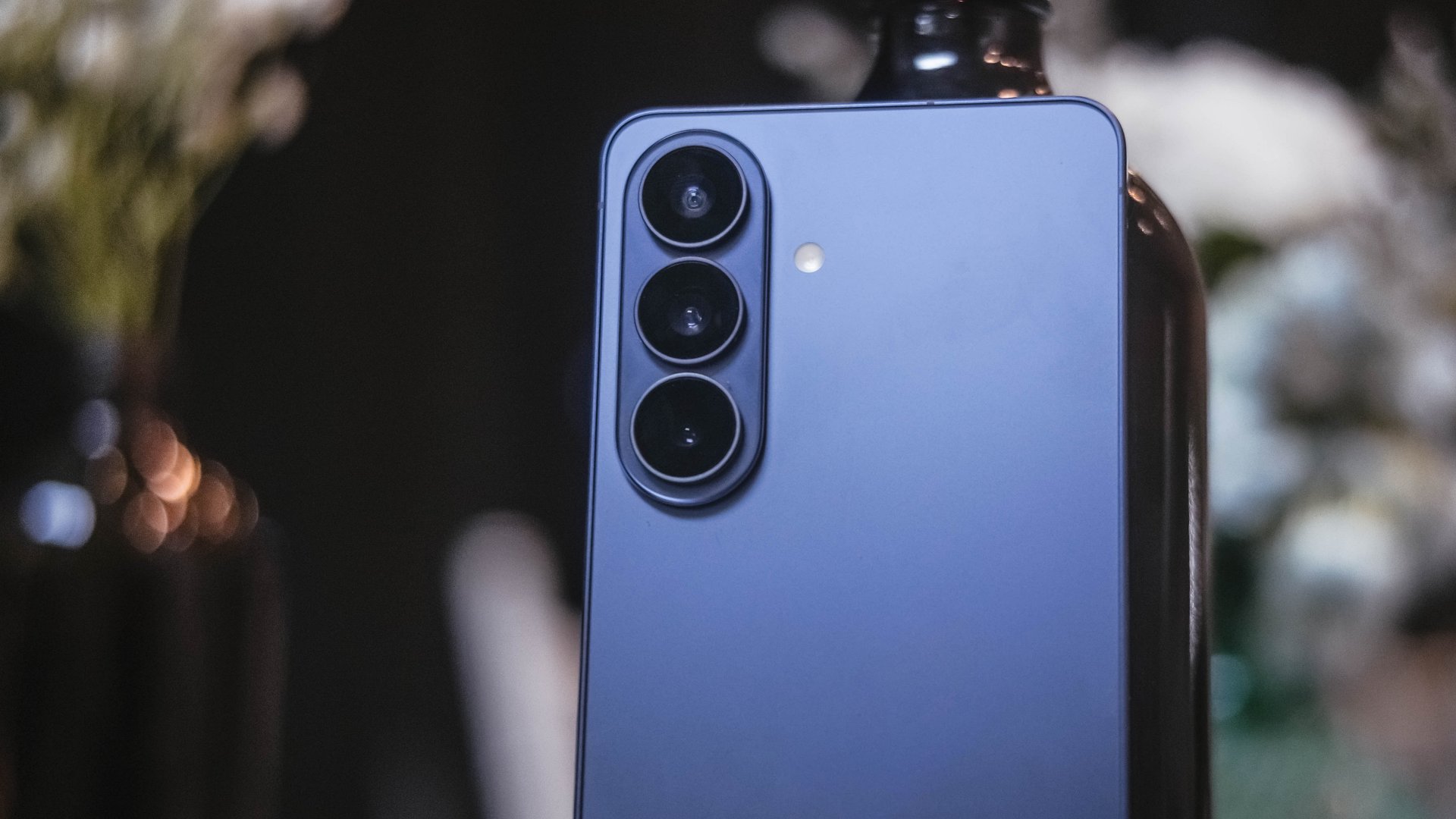
The camera hardware remains familiar. The Ultra continues with a 200MP main sensor and telephoto configurations similar to last year.
Improvements focus on computational photography.
Samsung widened apertures to allow more light. Stabilization has been refined. AI sharpening and Nightography processing aim to produce cleaner images with reduced noise.
From samples shown during the presentation, low-light shots appear brighter and cleaner. However, the processing can feel aggressive. Details sometimes look overly smoothed, and textures can appear artificial.
This reflects Samsung’s long-standing approach — prioritize computational enhancements over megapixel increases. The S26 continues that philosophy.
For video creators, APV (Advanced Professional Video) enables 8K recording with minimal quality degradation during edits. Super Steady Video also improves handheld stabilization.
These features cater to content creation workflows rather than casual snapshots.
Incremental but intentional

The Galaxy S26 Ultra doesn’t try to shock. It doesn’t reinvent Samsung’s design language or introduce dramatic hardware leaps.
Instead, it refines existing ideas.
Privacy Display addresses public visibility concerns. Audio Eraser improves real-world video cleanup. AI Photo Assist integrates generative editing into everyday photo workflows. Charging speeds improve without industry-leading ambitions.
Even the design changes — unified corner radii, a defined camera island, lighter materials — emphasize cohesion.
This strategy resembles the broader shift in the smartphone industry. Hardware innovation has slowed. Software and usability improvements drive differentiation.
Samsung appears comfortable with that reality.
Of course, first impressions only tell part of the story. We still need extended testing for battery life, thermal performance, camera consistency, and AI reliability.
The S26 Ultra may not represent a revolution. But refinement can matter — especially when it targets usability and practical features.
Samsung will have to make significant hardware upgrades eventually. But for now, it feels like the company is doubling down on incremental progress. Not flashy. Not radical. But purposeful.
Whether that strategy resonates will depend on real-world performance.
Samsung Galaxy S26 Series – Specs
| Feature | Galaxy S26 Ultra | Galaxy S26+ | Galaxy S26 |
| Display | 6.9″ Dynamic AMOLED 2X
|
6.7″ Dynamic AMOLED 2X
|
6.3″ Dynamic AMOLED 2X
|
| Rear Camera: Ultra Wide | 50MP, F1.9, 0.7 µm | 12MP, F2.2, 1.4 µm | 12MP, F2.2, 1.4 µm |
| Rear Camera: Wide | 200MP, F1.4, 0.6 µm | 50MP, F1.8, 1.0 µm | 50MP, F1.8, 1.0 µm |
| Optical Quality 2x | |||
| Rear Camera: Telephoto 1 | 10MP, F2.4, 1.12 µm | 10MP, F2.4, 1.0 µm | 10MP, F2.4, 1.0 µm |
| 3x optical zoom | |||
| Rear Camera: Telephoto 2 | 50MP, F2.9, 0.7 µm
|
— | — |
| Front Camera | 12MP, F2.2, 1.12 µm | 12MP, F2.2, 1.12 µm | 12MP, F2.2, 1.12 µm |
| Processor | Snapdragon® 8 Elite Gen 5 for Galaxy (3 nm) | Exynos 2600 (2 nm)* | Exynos 2600 (2 nm)* |
| Memory (RAM) | 12GB / 16GB | 12GB | 12GB |
| Storage | 256GB / 512GB / 1TB | 256GB / 512GB | 128GB / 256GB / 512GB |
| (Micro SD: N/A) | |||
| Battery | 5,000 mAh | 4,900 mAh | 4,300 mAh |
|
|||
| Dimensions | 78.1 x 163.6 x 7.9 mm
214 g (Sub6/mmWave) |
75.8 x 158.4 x 7.3 mm
190 g (Sub6/mmWave) |
71.7 x 149.6 x 7.2 mm
167 g (Sub6) |
| Colors | Standard: Cobalt Violet (Hero), Sky Blue, Black, White
Online: Silver Shadow, Pink Gold |
Standard: Cobalt Violet (Hero), Sky Blue, Black, White
Online: Silver Shadow, Pink Gold |
Standard: Cobalt Violet (Hero), Sky Blue, Black, White
Online: Silver Shadow, Pink Gold |






Apple unveils Studio Display and all-new Studio Display XDR

Apple unveils MacBook Pro with M5 Pro and M5 Max

Apple debuts M5 Pro, M5 Max to supercharge pro workflows

Apple introduces MacBook Air with M5

TECNO CAMON 50 Ultra review: End of an era?

Xiaomi 17 Ultra is now available outside China

TECNO will showcase the CAMON 50 and POVA 8 series at MWC 2026

PlayStation, LE SSERAFIM Chaewon team for the ‘Love of Play’ campaign

The art of being in and behind the frame

HUAWEI MatePad 11.5 S 2026: The better-than-ever 4-in-1 productivity tablet


-
 News4 days ago
Xiaomi 17 Ultra is now available outside China
-

 Camera Walkthrough2 weeks ago
OPPO Reno15 Pro: Camera Review
-
 First Look2 weeks ago
Match Pulse: Infinix NOTE 60 Pro
-

 Cameras2 weeks ago
Osmo Pocket 4 makes a surprising appearance in public
-

 Gaming2 weeks ago
LG unveils UltraGear evo, redefines 5K gaming with AI Upscaling
-
 Gaming2 weeks ago
PlayStation 6 reportedly delayed to 2029 because of RAM shortage
-

 News2 weeks ago
iPhone 17 Pro Max is somehow the most traded-in phone today
-

 News2 weeks ago
HUAWEI launches Mate X7, MatePad 11.5 S 2026, FreeClip 2