
Accessories
Why the instax mini Link is the best accessory for any occasion
Who knew a printer can be beautiful and smart?

Collecting memories seemed easy in the social media age; photos are preserved through our smartphones. Unlike other people who are constantly dumping their photos to a Facebook album, I preserve my memories on my camera roll. Most of these are snaps of everyday life, selfies, wacky photos with my friends, and sights and experiences I captured throughout my adventures.
There were times when I look back and have them printed in imaging stores — just so I can have something tangible. Thanks to my sentimental nature, I cling to every memory; from souvenirs, receipts from my dinners, boarding pass, or a ticket to a theme park. Printed photos included.

This is why I’m in love with novelties such as film and instant cameras. They capture intangible moments and give you something you can hold on to. But these gadgets, oftentimes than not, are difficult to bring in your travels and events. I’ve turned to photo printers before, but none of them make my heart flutter like a film coming out of an Instax camera.
Classic, but beautiful
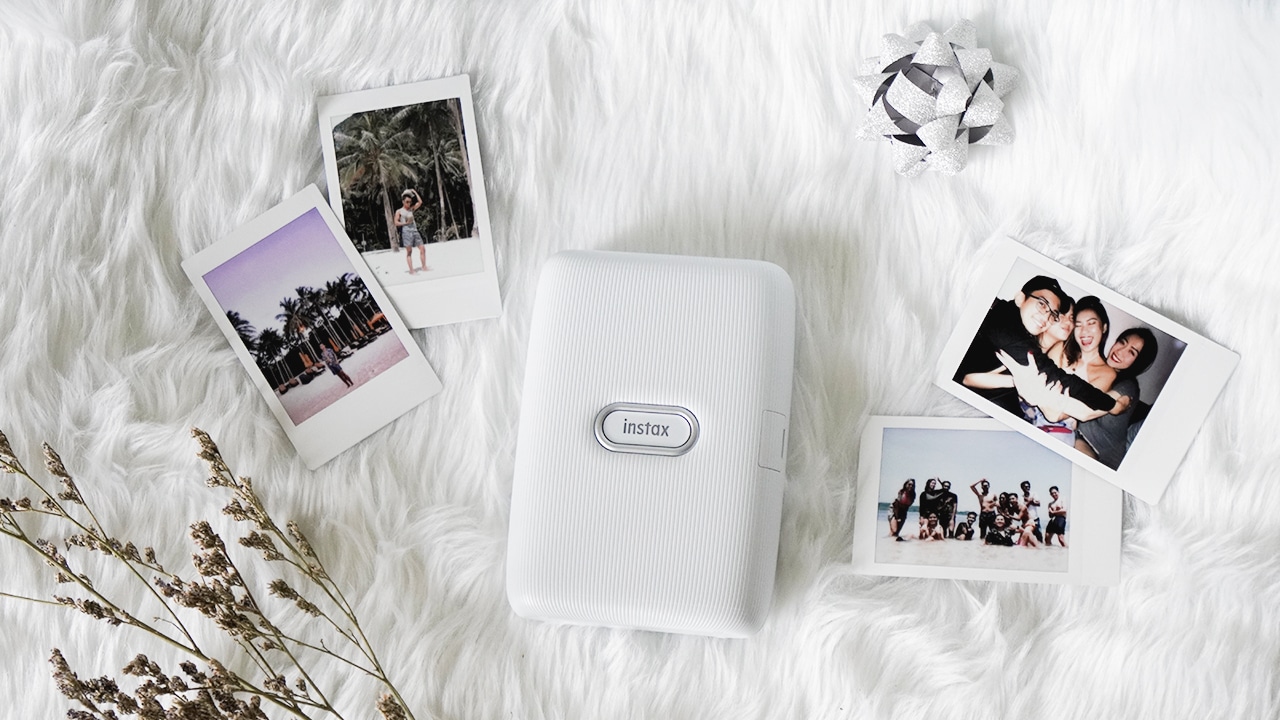
When Fujifilm unveiled the instax mini Link, I knew right away it was my GadgetMatch. The thought reinforces the moment I had my hands on the smartphone printer in my favorite shade: Ash White. It looks timeless — just like my memories.
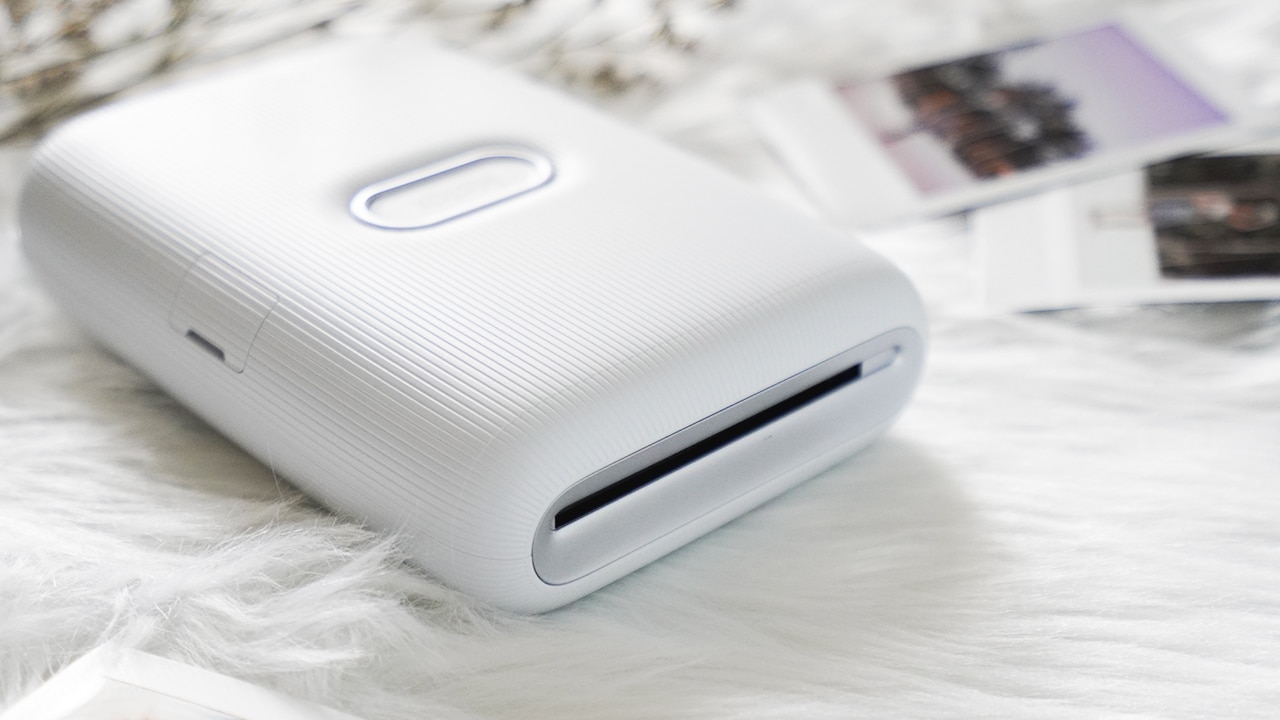
Designed with a minimalist approach, the instax mini Link is pleasing to look at. It has a light striped-pattern on its exterior, with instax’s logo on the front serving as the on and off button. On the side is an inconspicuous covered USB port for charging purposes.
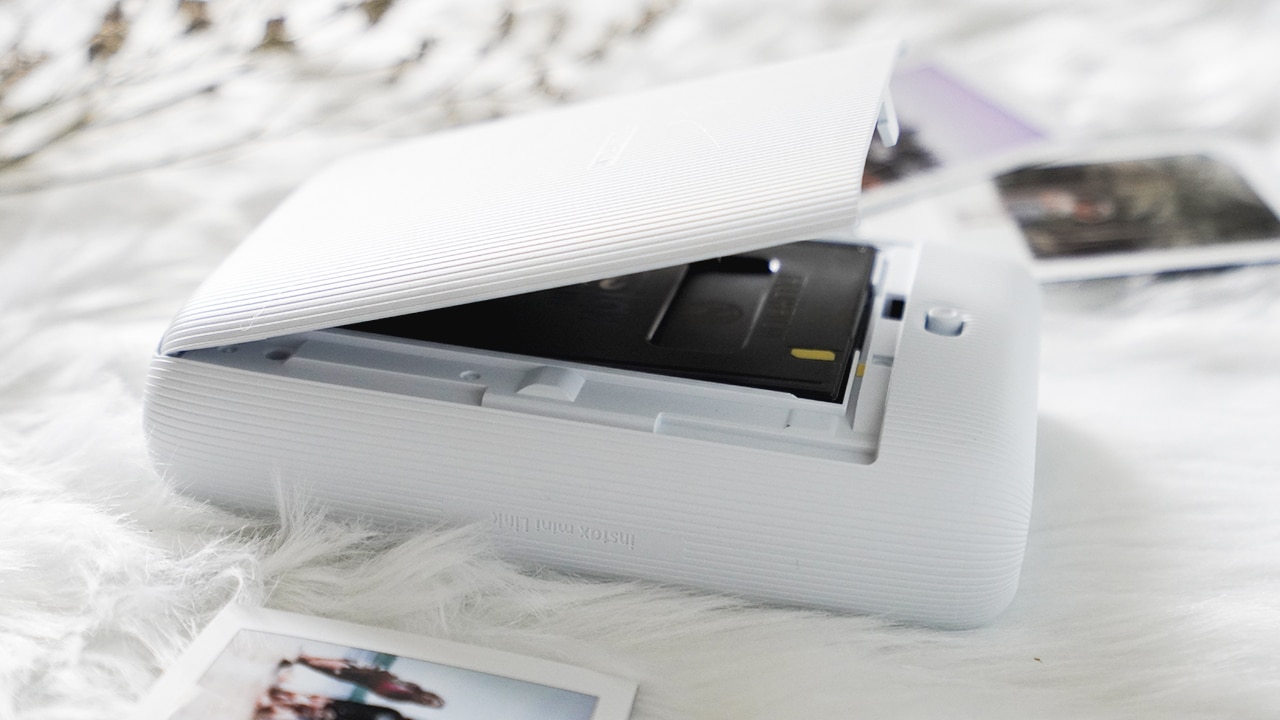
Found on its back is the film door, which spits out the cover upon switching the lock button. Be careful though, since the printer takes out the excess film whenever you shut the film door — just like on any instax camera. Make sure that you don’t open and close the door since it’ll consume one of your films. Do it only when you ran out and you need to change your film pack.
Who knew printing could be this fun?
The mini Link is just like the mini LiPlay sans the camera. It’s a device dedicated to printing your favorite photos from your smartphones. All you need to do is to connect both your smartphone and the printer via BlueTooth — without leaving the app.
Compared to mini LiPlay’s app, connecting your smartphone and the printer is easier and faster. Fujifilm made sure it’s a hassle-free experience for both beginners and instax lovers alike.

Navigating the app is smooth and seamless, too. It doesn’t hang nor force shut down itself, and it’s easy to switch modes. Currently, different modes fit different user’s preferences. For instance, I love using Simple Print since I just want to have my beautiful and aesthetically-pleasing Instagram photos printed. Those who love taking videos can print their favorite frames and stills, especially a candid scene through the Video Print mode.

To make it even better, instax has fun modes for you and your friends to play around like Party Print, Collage Print, Frame Print, and Match Test. Party Print lets you and your friends connect to the printer simultaneously. It has a Surprise Mode where you can select the photos secretly. This can fill the room with tension, not knowing what’s the final image coming out of the printer.
If you want a basic group photo, there’s a Collage Print and choose from 14 styles. For the ever-creative, there’s a Frame Print that lets you add stylish and fun frame designs to your photos. Honestly, I don’t like using frames and other designs splashed on my photos. I have a habit of capturing picture-perfect moments and I believe that unnecessary designs would ruin the memory.

But what I loved the most is the intriguing Match Test. This mode can do a quick diagnosis of your compatibility with a friend, a significant other, or even your crush! For a more accurate diagnosis, there’s a precision diagnosis mode where you and a friend (or someone you adore) need to answer a few questions to test your compatibility.

Fujifilm made sure the instax mini Link packs with so many features for fun and even convenience. This beaut prints fast and let you handle printing seamlessly. For example, swiping up a photo on the app can send the image directly to the printer. Some of Fujifilm’s cameras can also be connected so you can print your photographs right away! Moreover, pushing the instax button lets you reprint the last photo printed.
It won’t give up on you, unlike your ex
The instax mini Link can last longer, just like how instax films live for years. No, it won’t last for years on a single charge but you can definitely rely on its battery. One time, I brought the mini Link to a party and I forgot to charge it. With a worrisome 23%, I carefully used the printer throughout the night, printing only when needed. From eight in the evening to almost midnight, the instax mini Link’s battery only dropped to ten percent.

Seeing how most of my devices nowadays have better and long-lasting batteries, it’s awesome to see Fujifilm keeping up with the times — especially with a novelty focused on nostalgia. Surely, making your memories tangible would be a lot easier now. As much as technology has been evolving for photo sharing, nothing can really beat a photo immortalized through a film.
Is this your GadgetMatch?
If you’re looking for a film printer to collect your memories or gift them to your loved ones, the instax mini Link is a great choice. It’s a great accessory to bring in different occasions! Imagine handing out films as a souvenir on whatever joyous occasion you’re celebrating.
It only costs PhP 6,999 (US$ 135), which is pretty much expensive to most people not interested in novelties, but a price we’re willing to pay for the sake of our sentimental nature. It’s currently available in three beautiful colors: Ash White, Dusky Pink, and Dark Denim.
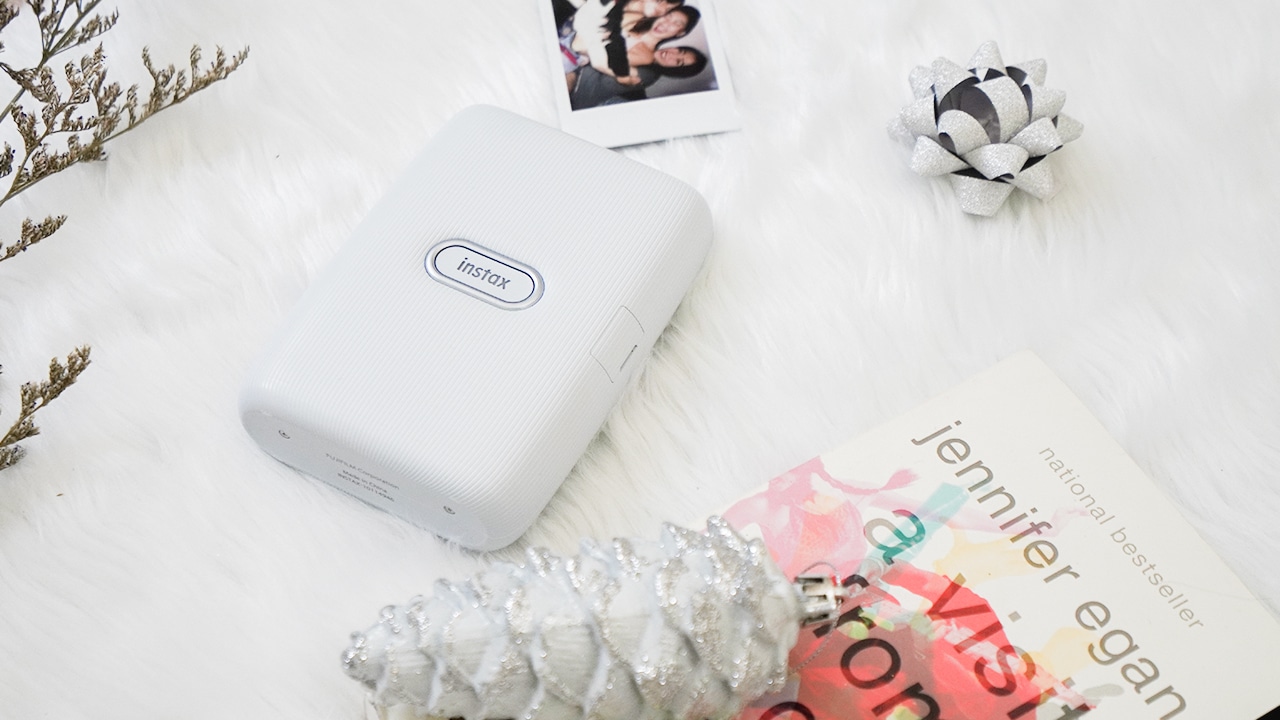
This printer isn’t for the tech-obsessed, who thinks the future is only comprised of avant-garde designs and cutting-edge technology. Not everyone wants to live in a futuristic, sci-fi world (which looks like it was built out of someone else’s dreams). Sometimes, what we need are the same, existing objects we find in our lifetime, only made smarter without overbearing, like this one.





Acer is expanding its storage lineup with the PA100 Portable SSD. It’s a compact external drive designed for users who need faster storage across multiple devices.
The PA100 uses USB 3.2 Gen 1 connectivity. It reaches sequential read speeds of up to 560MB/s and write speeds of up to 430MB/s. This makes it suited for everyday tasks such as transferring large files, backing up content, managing documents, and moving media between devices.
Up to 2TB of portable storage
The PA100 comes in three capacities: 500GB, 1TB, and 2TB. This gives users options depending on whether they need extra space for documents and schoolwork or larger collections of photos, videos, and project files.
Acer also designed the drive with mobility in mind. The PA100 has a slim 9mm profile and a lightweight build, while its reinforced construction is designed to withstand everyday travel and handling.
The drive comes with a 2-in-1 USB-C to USB-C and USB-A cable. This allows it to connect to compatible PCs, tablets, smartphones, and other devices without requiring a separate adapter. It also supports major operating systems and USB-C mobile platforms.
Designed for everyday use
Power efficiency is another focus. Acer says the PA100 uses less than 3W during operation, while idle power consumption can drop to as low as 0.62W.
The drive also features an optimized thermal design to help maintain stable performance during extended transfers and daily workloads.
The Acer PA100 Portable SSD is backed by a three-year limited warranty. Pricing and availability may vary by market.
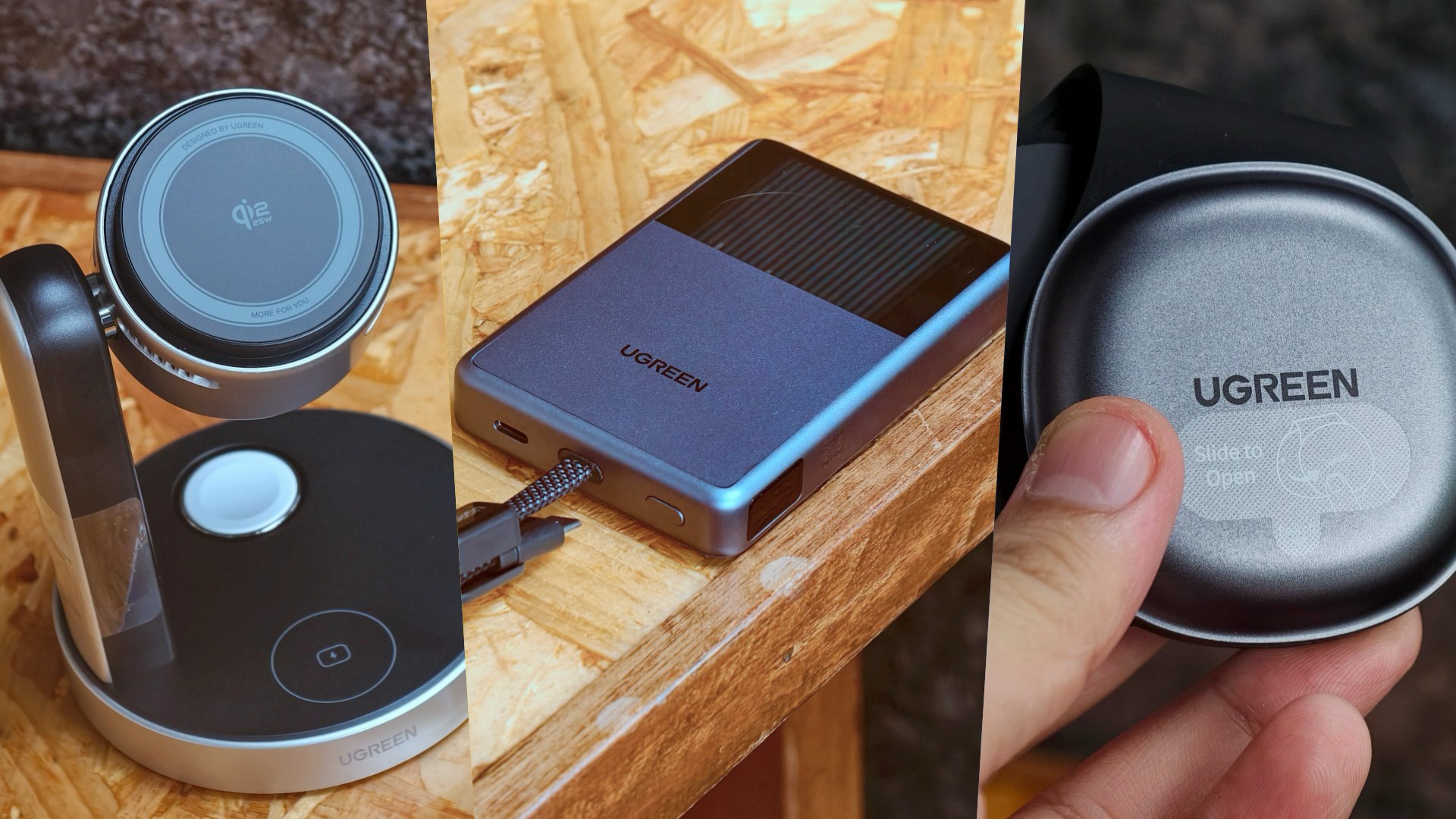
UGREEN has expanded its MagFlow lineup with three new wireless charging products. The range now covers portable power, desktop charging, and travel.
All three support Qi2 25W charging. UGREEN also focuses on thermal management to keep charging cooler and more consistent.
A cooler power bank
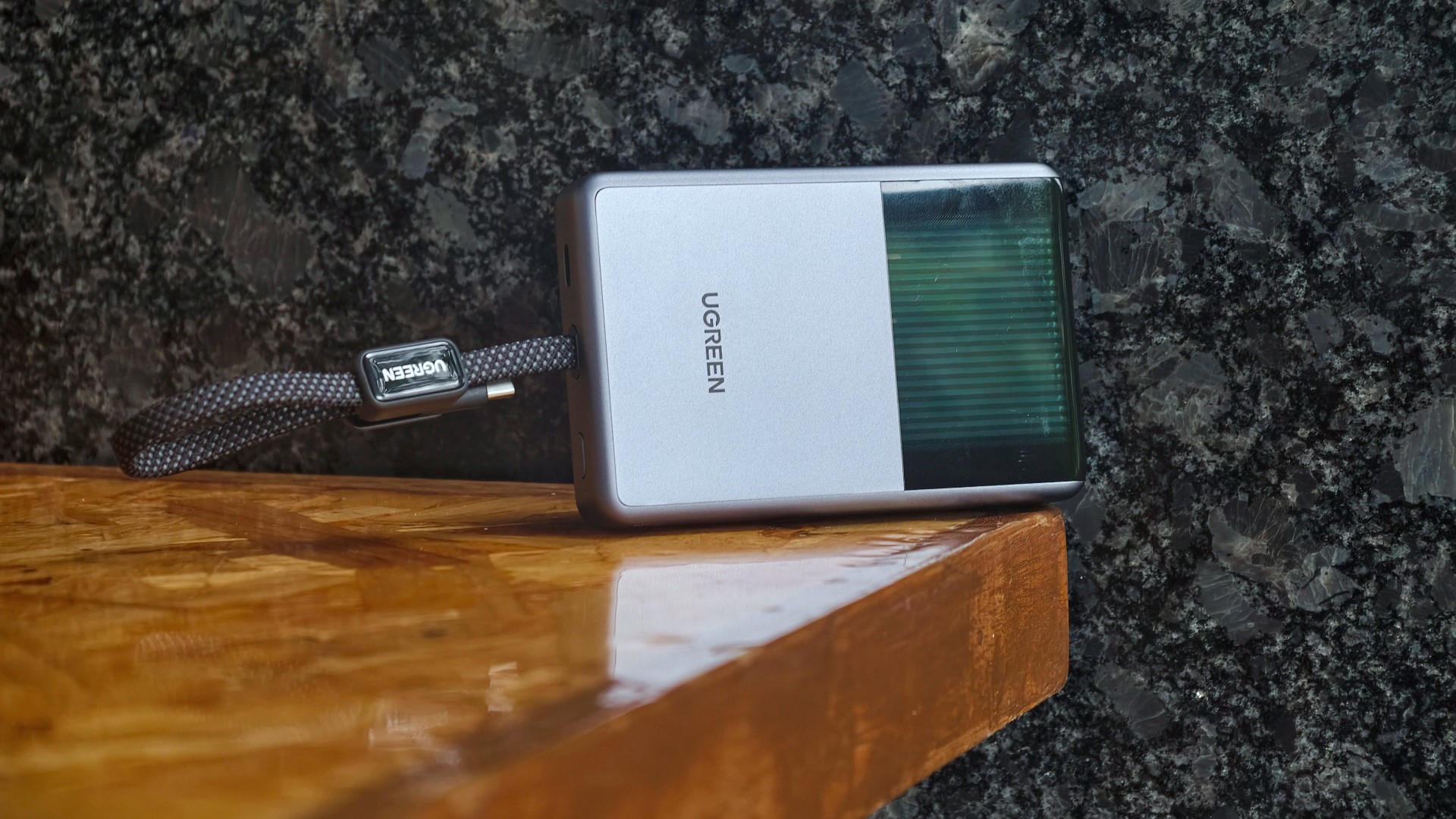
The highlight is the UGREEN MagFlow Pro Magnetic Power Bank 10000mAh 25W. UGREEN calls it the world’s first liquid-cooled Qi2 25W magnetic power bank.
It uses UGREEN’s CryoPulse technology. A micro-pump circulates coolant around key components to draw away heat. A Cyber Window also lets users see the cooling process in real time.
UGREEN says the system can keep peak temperatures up to 18°F below the industry benchmark. The power bank also uses Dymondcell 2.0 high-density ATL cells.
A built-in smart display shows charging power, battery level, cycle count, and cooling status. UGREEN says the power bank can charge an iPhone 17 Pro Max to 50 percent in 40 minutes.
Charging three devices at once
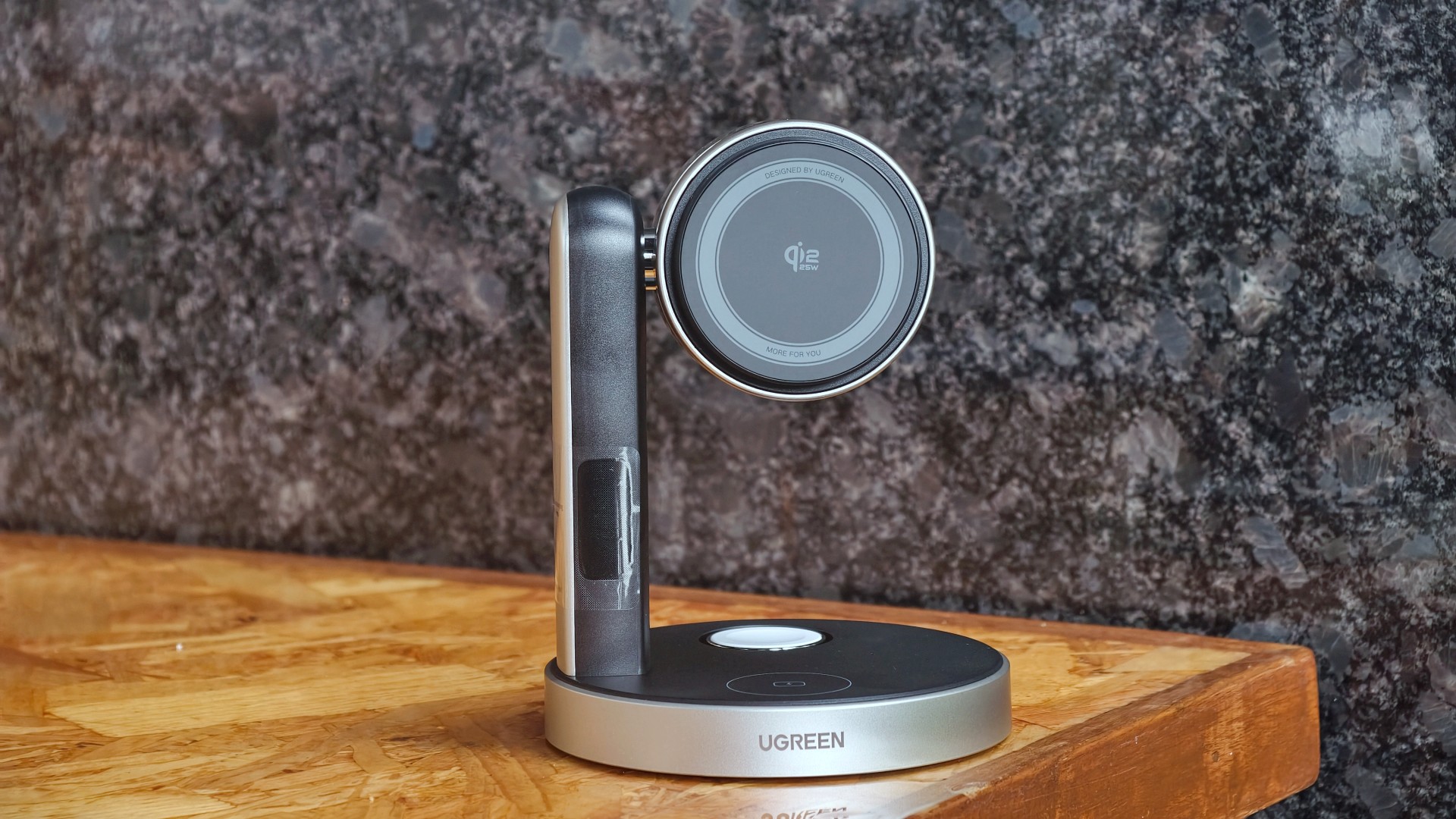
The UGREEN MagFlow Pro 3-in-1 Magnetic Wireless Charging Stand 25W targets desktop setups. It can charge an iPhone, Apple Watch, and AirPods at the same time.
The stand uses CryoPulse TEC active cooling and an ultra-quiet 15dB fan. Its thermoelectric cooling system draws heat away from the charging surface.
UGREEN says the center of the charging surface can reach temperatures as low as 51.8°F. It can also charge an iPhone 17 Pro Max to 50 percent in 26 minutes under its internal testing conditions.
The stand has an adjustable design for easier viewing. A smart display shows charging power and temperature.
A foldable charger for travel

The UGREEN MagFlow 2-in-1 Foldable Magnetic Wireless Charger 25W offers dual-device charging in a compact design.
It can also work as a magnetic phone stand. Users can set it up on a desk or bedside table, or bring it along while traveling.
When folded, the charger takes on a palm-sized clamshell design that fits into a pocket or bag.
All three MagFlow products are available now.
- The MagFlow Pro Magnetic Power Bank 10000mAh 25W costs USD 149.99.
- The MagFlow Pro 3-in-1 Magnetic Wireless Charging Stand 25W costs USD 159.99.
- The MagFlow 2-in-1 Foldable Magnetic Wireless Charger 25W is priced at USD 59.99.
UGREEN sells all three through its official store and Amazon.
Accessories
Acer announces 1st FHD 1000Hz gaming monitor: Predator XB253Q U1
Acer unveils new lineup of monitors across Predator, Acer Nitro, and Acer ProDesigner brands


Acer has announced a full lineup of monitors for high-powered gaming and content creation, headlined by the first FHD 1000Hz gaming monitor Predator XB253Q U1.
This offering leads various releases across the Predator, Acer Nitro, and Acer ProDesigner portfolios.
The Predator XB253Q U1 monitor is a premium gaming display designed for top-tier responsiveness for fast-paced titles and esports competitions.
It comes in an optimal 24.5-inch display size for esports environments and delivers ultrafast visual response, motion clarity, and consistent performance.
It features a 1000Hz refresh rate with FHD resolution, along with Acer’s Visual Response Boost (VRB) Pro technology to reduce motion blur and ghosting for fast-moving objects.
The monitor is VESA DisplayHDR400 certified and includes Circular Polarizer technology to reduce glare and eye strain during longer gaming sessions.
Furthermore, it also offers AMD FreeSync Premium and NVIDIA G-SYNC Compatible for tear-free gaming visuals.
Acer unveils new monitors
Acer also released the Predator X23 V3, which comes with a 31.5-inch QD-OLED Penta Tandem display. It has a UHD resolution with 180Hz refresh rate, VESA DisplayHDR True Black 400 certification, and 99% DCI-P3 color gamut.
For a versatile option for both gaming and creative work, there’s the 27-inch Predator XB273K V7. It comes with up to a 500Hz refresh rate, and a baseline UHD resolution at 160Hz.
Users can switch on up to FHD resolution at 500Hz for fast-paced gameplay. This option also offers AMD FreeSync Premium and NVIDIA G-SYNC compatibility. An Acer Smart Dial is also built-in for remote adjustments.
Moreover, Acer has launched the 27-inch Acer Nitro XV275X P, which offers 5K resolution, 2304-zone Mini LED backlighting, and a 0.5ms GTG response time.
This variant is also ideal for creative work with 99% Adobe RGB, 99% sRGB, 99% DCI-P3 color gamuts and Delta E<2 color accuracy.
Speaking of creatives, the Acer ProDesigner PE270X P monitor is built for professional creative work.
It delivers exceptional 5K clarity at a 5120 x 2880 resolution, alongside factory calibration Delta E<1 factory calibration.
More options
For curved display enthusiasts, there’s the Acer Nitro XZ340CKR P monitor. This curved 34-inch display offers up to a 5120 x 2160 resolution at 180Hz, and up to a 360Hz refresh rate at WFHD resolution.
Features include: 0.5ms GTG response time, AMD FreeSync Premium, HDR10 certification, and 90% DCI-P3 color gamut.
Rounding out the lineup are the Acer Nitro XV275U Z2 and Nitro XV270U Z3 monitors. These 27-inch displays are designed as a single display that caters to multiple needs of modern gamers.
They can handle AAA titles and competitive esports, while providing a balance between image quality and ultra-high refresh rates.
They also both support tri-mode DFR technology, allowing users to choose among three optimized visual experiences with one click.
Pricing availability
Predator XB253Q U1
- North America (Q1 2027): Starts at US$ 1,099.99
- EMEA (Q1 2027): Starts at EUR 1,099
- China (Q1 2027): Starts at RMB 7,999
Predator X32 V3
- North America (Q1 2027): Starts at US$ 899.99
- EMEA (Q1 2027): Starts at EUR 899
- Australia (Q2 2027): Starts at AUD 1,999
- China (Q1 2027): Starts at RMB 5,999
Predator XB273K V7
- North America (Q4 2026): Starts at US$ 449.99
- EMEA (Q4 2026): Starts at EUR 449
- Australia (Q2 2027): Starts at AUD 899
- China (Q4 2026): Starts at RMB 2,999
Acer Nitro XV275X P
- North America (Q1 2027): Starts at US$ 1,199.99
- EMEA (Q1 2027): Starts at EUR 1,199
- China (Q1 2027): Starts at RMB 9,999
Acer Nitro XZ340CKR P
- North America (Q4 2026): Starts at US$ 699.99
- EMEA (Q4 2026): Starts at EUR 699
- China (Q4 2026): Starts at RMB 4,999
Acer Nitro XV275U Z2
- North America (Q4 2026): Starts at US$ 329.99
- EMEA (Q4 2026): Starts at EUR 329
Acer Nitro XV270U Z3
- North America (Q1 2027): Starts at US$ 299.99
- EMEA (Q1 2027): Starts at EUR 299
- China (Q1 2027): Starts at RMB 1,999
Acer ProDesigner PE270X P
- North America (Q1 2027): Starts at US$ 1,299.99
- EMEA (Q1 2027): Starts at EUR 1,299







LG’s AI Home vision comes to life at IFA 2026 with innovative showcase

Ford’s new Everest lineup brings V6 engine to the top, tech down the line

Xiaomi makes IFA debut, showcasing ‘Human x Car x Home’ ecosystem

TCL showcases expanding AI technologies at IFA 2026

XGIMI announces AURA 3 Series 4K 120Hz UST projectors

TECNO MEGAPAD 2 review: Eyes on the size

realme 16T 5G with 8000mAh battery, IP69 Pro rating launches in PH

REDMI Note 17 Series focuses on long-term reliability

realme 16T to come with 8,000mAh battery, 7-year battery health guarantee

HUAWEI Pura X View is 2026’s first WIDE slab-type smartphone


-
 News1 week ago
realme 16T 5G with 8000mAh battery, IP69 Pro rating launches in PH
-

 Singapore1 week ago
REDMI Note 17 Series: Price, availability in Singapore
-
 News1 week ago
REDMI reveals the refreshed Note 17 and Note 17 Pro series
-

 Cameras1 week ago
Insta360 Luna Ultra review: My new solo coverage camera
-

 Reviews1 week ago
REDMI Note 17 Pro review: What a rollercoaster ride!
-

 News2 weeks ago
HONOR Magic V6: Price, availability in the Philippines
-

 Features7 days ago
The designated photographer’s new favorite phone: OPPO Reno16 Series 5G
-

 Automotive2 weeks ago
Tesla involved in recalling over 4 million electric cars