

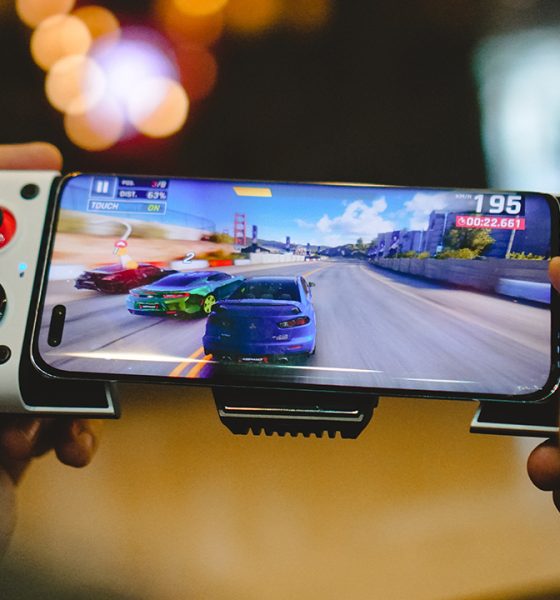

The last couple of months may have been the most time I spent playing mobile games. That’s because I got my hands on a couple of controllers/gamepads. First was the Razer Kishi V2. Next, and what I’ll talk about here, is the GameSir X3.
I know, the direct comparison between the two is inevitable since I’ve had the chance to use both. But that’s coming at a later time. For now, let’s dig through what the GameSir X3 has to offer.
Built-in cooler
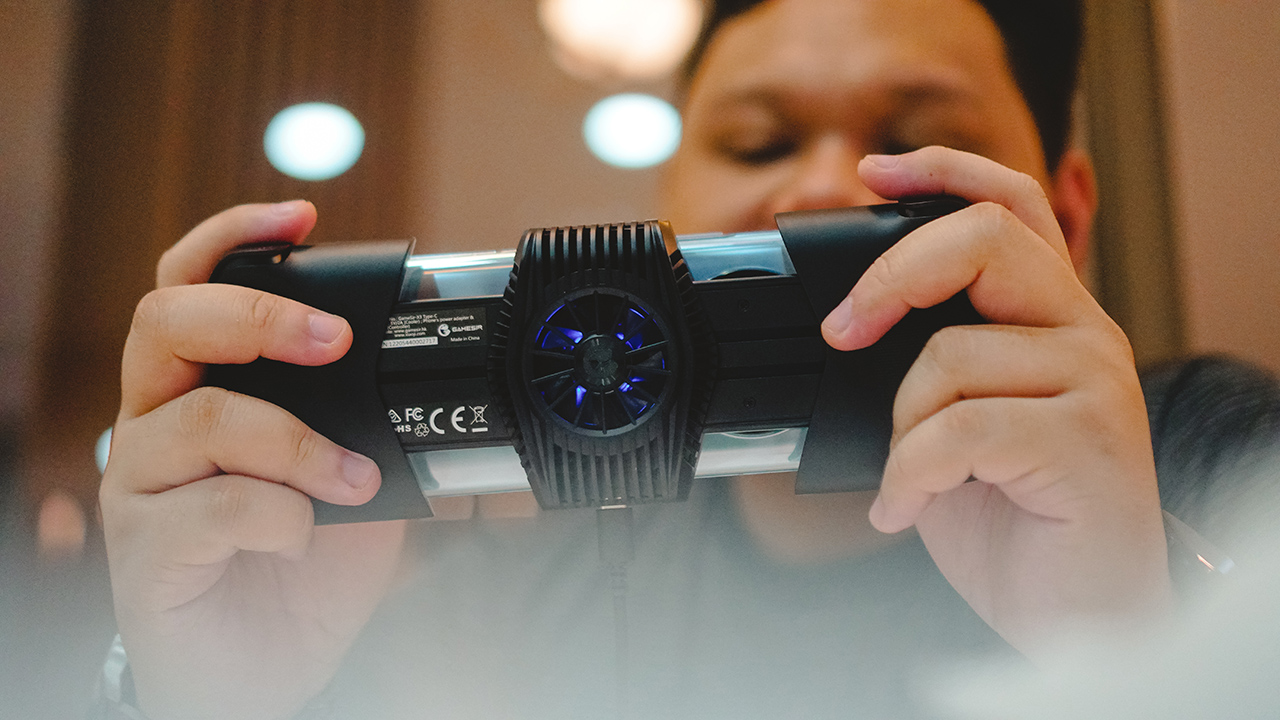 Let’s start with the one that sticks out the most — the built-in cooler. It’s easily the most noticeable addition to this gamepad from its predecessor, the GameSir X2.
What it’s for is pretty straightforward. Smartphones heat up when you game, and heating affects performance. To keep things cool and running smoothly, you need a way to cool the phone. This is why the ROG Phone is always accompanied by the company’s own AeroActive cooler.
GameSir built this using the concept of the Peltier cooling effect. It’s basically the transfer of heat energy between materials when an electric current passes through. The information on their website says there’s a surface temperature drop of up to 24°C.

In practice, it does help extend your play session by keeping your device cool. I typically don’t play longer than an hour on mobile. Which seems to already be an extended play session for mobile gaming standards.
Honestly, I can stop here. This takes the cake in terms of value-add on gamepads. If you’re an avid mobile gamer, just the cooling alone should have you excited. But of course, there’s more to the GameSir X3 than just that.
Ports and connectors
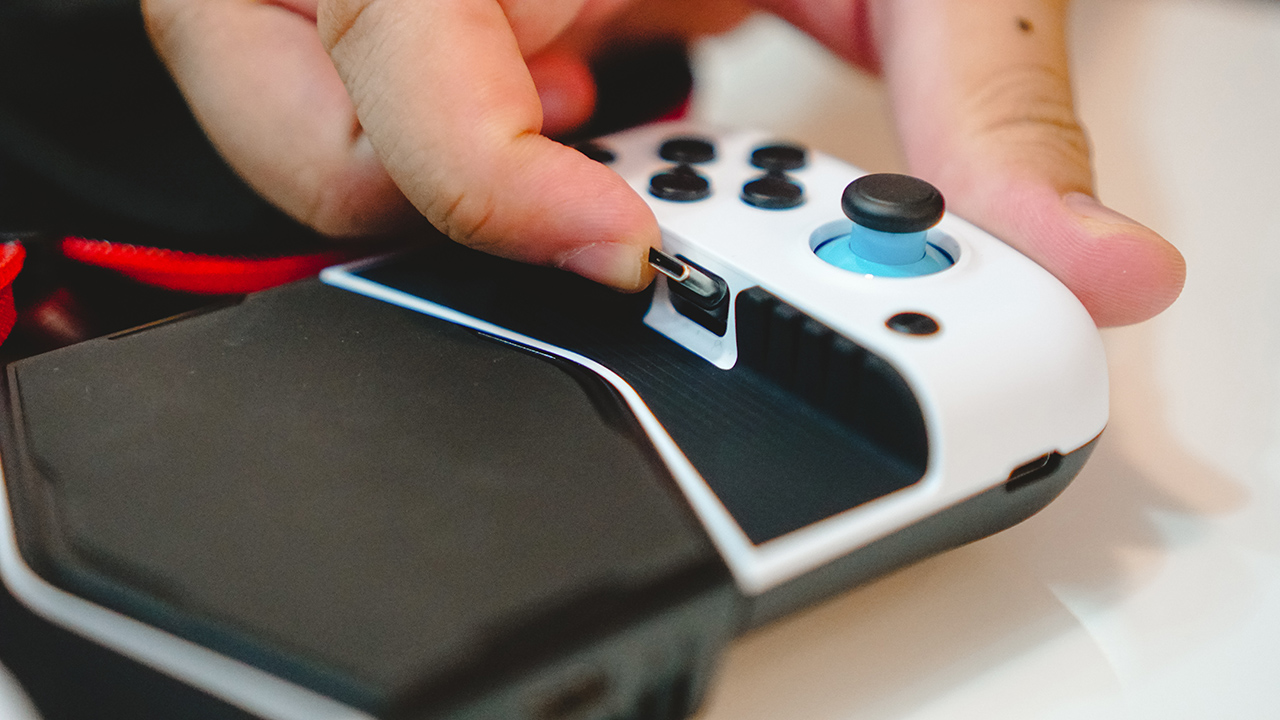
This version is made specifically for Android smartphones with a USB-C port. The USB-C connector, like its predecessor, is able to tilt. This allows you to easily connect the phone at an angle.
While the phone is connected to the gamepad, you can charge it via the USB-C port on the right-hand side of the device. Meanwhile, to activate the fan, and its RGB lighting, you can connect a USB-C cable in the lower middle area of the gamepad.
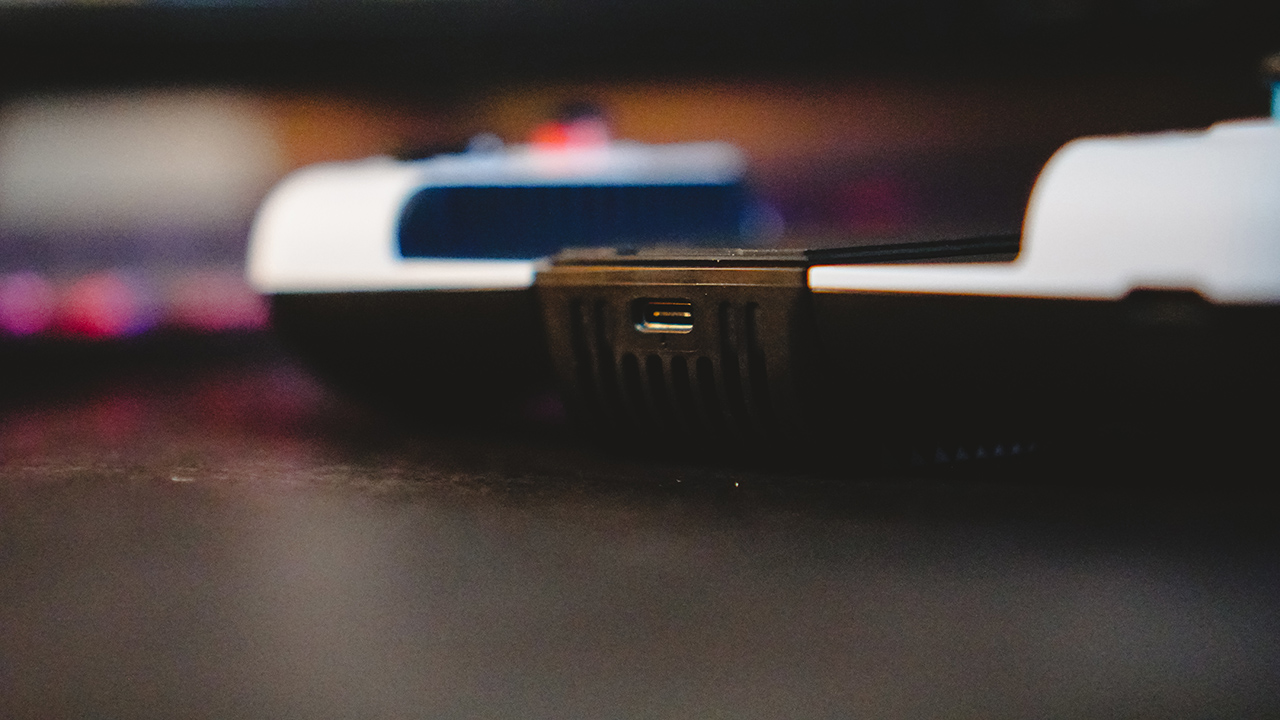
It’s worth noting that the USB-C port on the right is meant only for charging. If you wish to use headphones, it’s advised to use wireless ones.
The bridge extends to comfortably fit even some of the largest smartphones out there. But if you want to know if your phone is a match, the compatible length is between 110mm to 179mm.
Buttons, thumbsticks, and d-pads
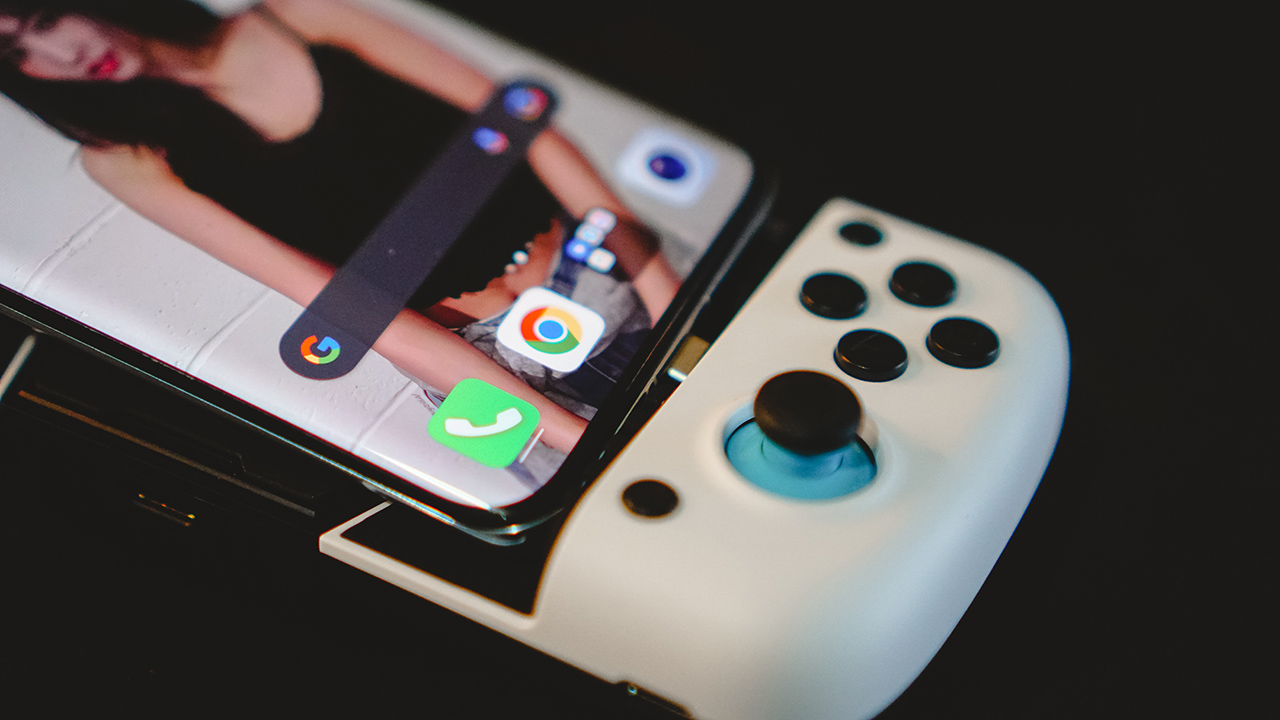
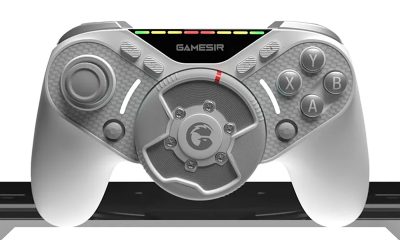
GameSir continues to be generous with options. Upon purchase, you’ll get two sets of d-pads, two sets of thumbsticks and their caps, along with two button layouts. One is for Xbox and another is for Switch.
You also get a USB-C to USB cable and a nice and sturdy carrying case. Great, great value.
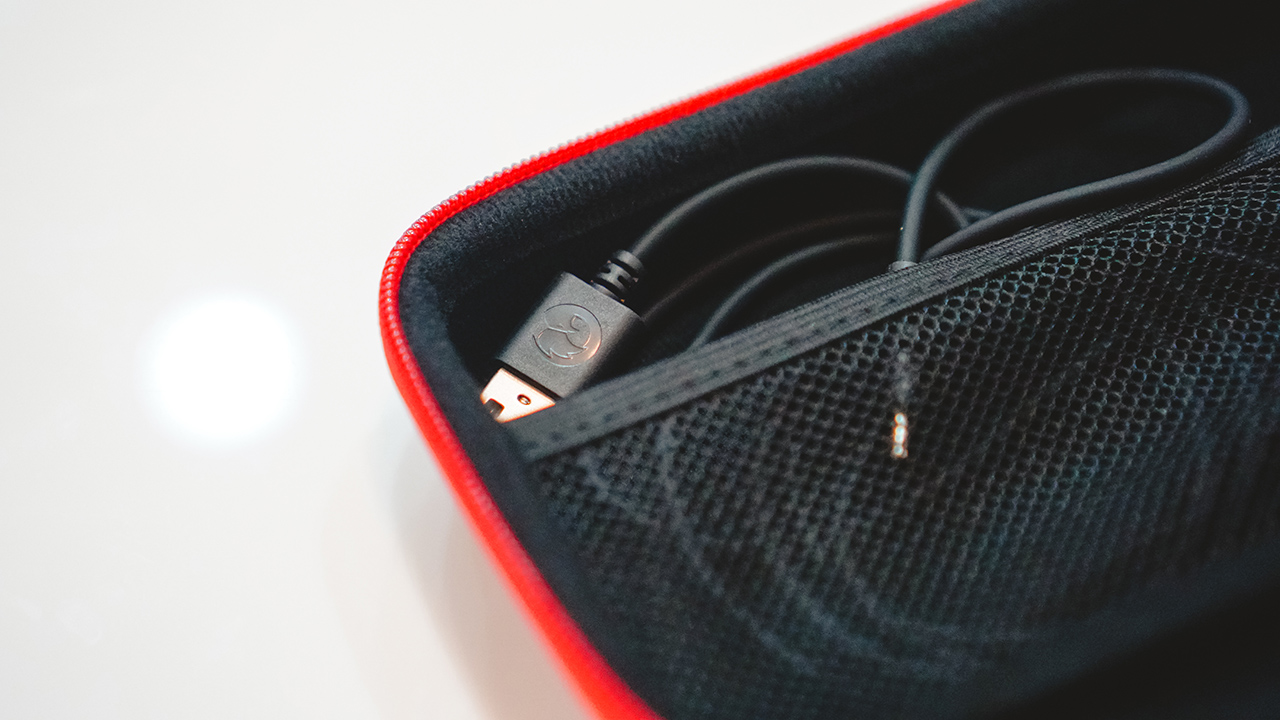
I’m not one to tinker too much with devices, especially since I barely have the time to do so. That’s why I decided to stick to the setup right out of the box. That is the more traditional sticks and buttons. As for the layout, I went with the Xbox one.

I more regularly game on a PlayStation 5 so that’s my baseline comparison for how tactile buttons are. For what it is, the face buttons on the GameSir X3 feel alright. They’re smaller and don’t press as deep as what I’m used to. I’d say even the Razer Kishi V2 felt deeper but not by much. Regardless, I think it’s still a better experience than tapping a flat screen.

The thumbsticks feel great and appear to be durable. I can’t count the number of times I just suddenly space out while mindlessly playing with the thumbsticks. It never felt like they would break and there’s no drifting whatsoever.
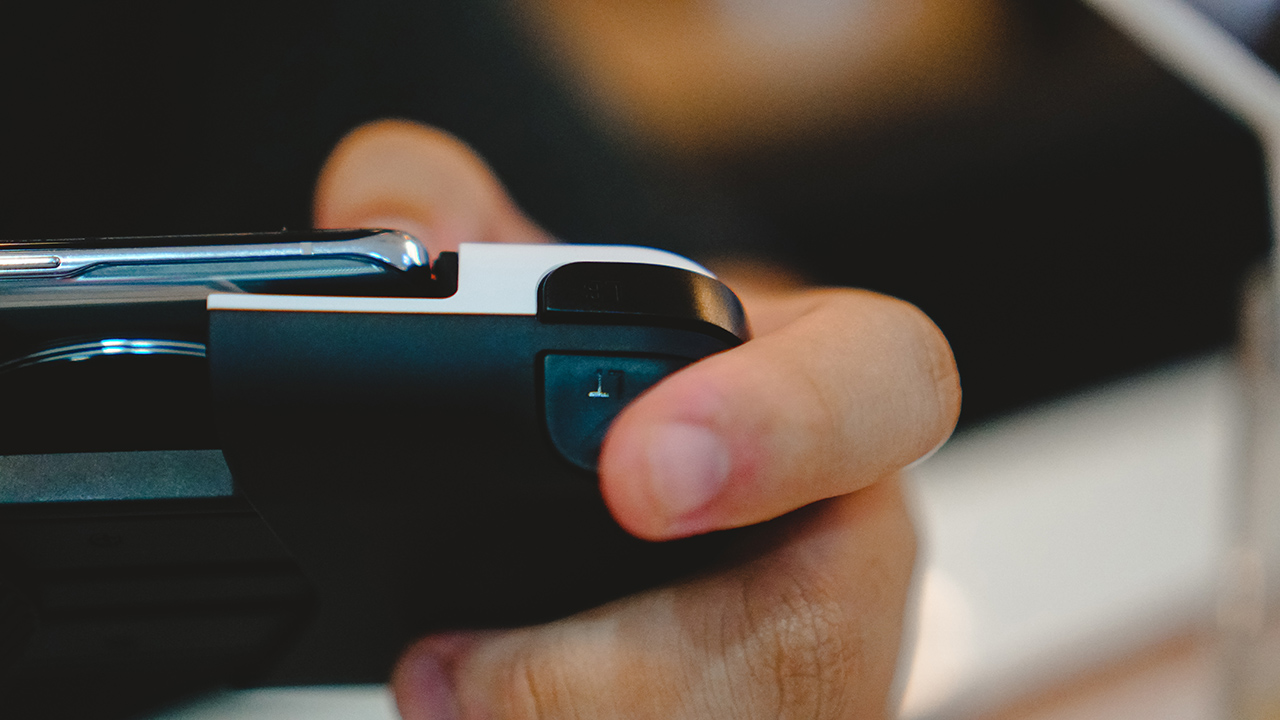
The shoulder and trigger buttons have a more consistent feel to them. What I mean is that they feel similar when you press them which differs from most other gamepads. Usually, the shoulder buttons feel deeper than the triggers. It still feels nice to use and is something one can easily get used to.
App support
There are two key software you’ll want to check out and use alongside the GameSir X3.
GameSir World
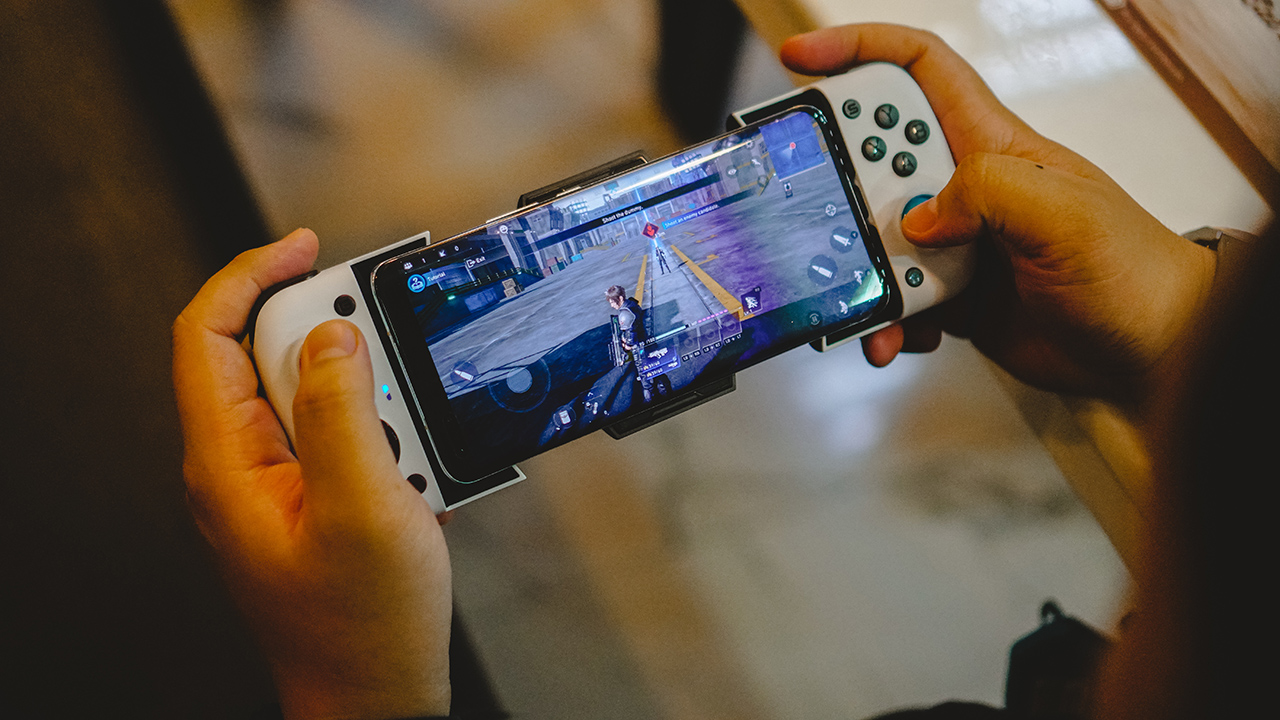
First is the GameSir World app. Here, you can switch modes and force the button mapping configuration. With it, you can play games that typically don’t have controller support. The app will prompt you to press the G and Home buttons at the same time to Switch. The LED indicator on the left will change from Blue to Indicate to indicate the change in modes.
Personally, I used it to play Genshin Impact and Call of Duty: Mobile. I had a tough time playing the first person shooter, but on an open-world RPG like Genshin Impact, having a gamepad is a godsend. It felt like I’m actually playing on a hand-held console.
By default, with the LED indicator color in Blue, the GameSir X3 will work with any controller supported game. Some notable titles are: Asphalt 9, Final Fantasy VII: First Soldier, Life is Strange, and many more.
TapTap

If you’re down to explore more games, that’s where the second app comes in. It’s called TapTap. There’s a voucher inside the packaging that gives you a brief look at it. It also contains the QR Code you need to scan so you can download the app. You can either do that or download it here.
With the TapTap app, you’ll be shown a few feeds. The main one is a sort of hub for news on popular mobile games. Swipe right and you’ll see game recommendations by genre. There’s RPG, Action, Puzzle, Casual, and many more.
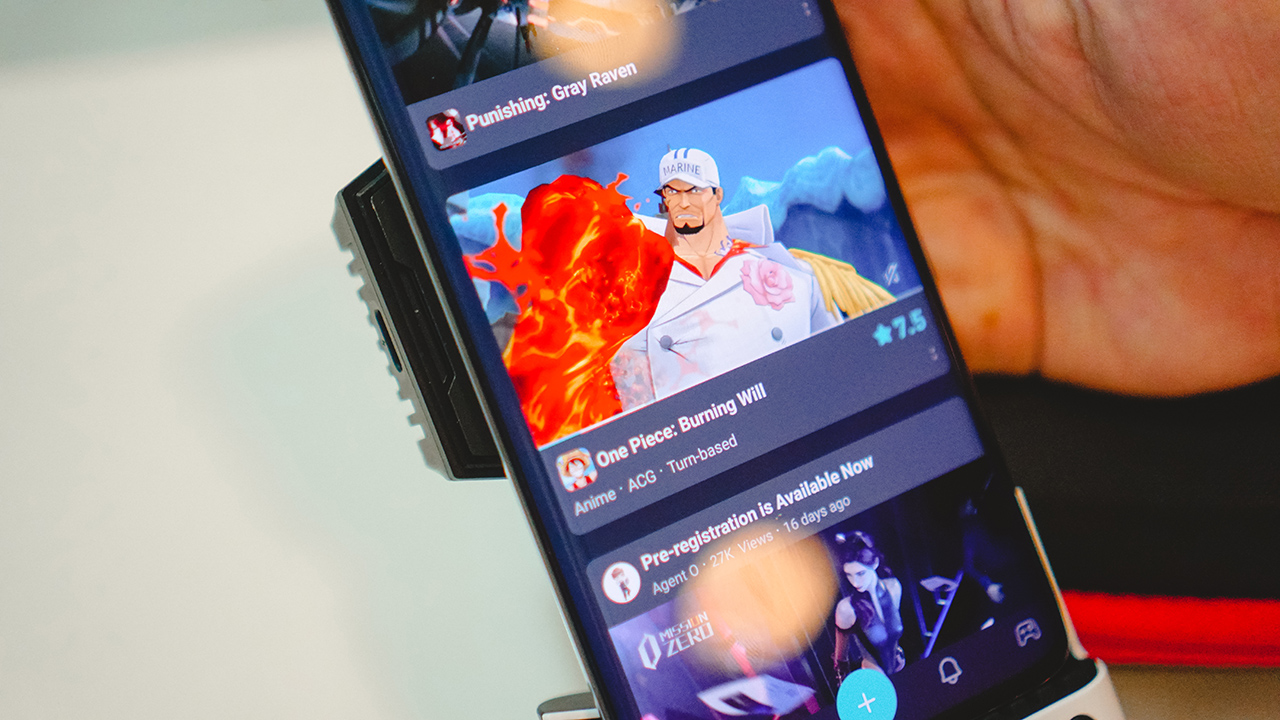
I had already forgotten some of the titles we tried but some of our favorites are a One Piece game and a side-scrolling beat’em up. With TapTap, it’s easier to find games that are controller-ready, so you don’t have to go through the trouble of mapping buttons before you play.
Is the GameSir X3 your GadgetMatch?

The GameSir X3 is one of the easiest gamepads to recommend. It builds on everything that was already good with its predecessor while adding a killer, or rather cooler feature.
Not only that, you get fantastic value with the assortment of buttons included along with the pretty sleek-looking carrying case.
GameSir went above and beyond in delivering a gamepad for mobile gamers that are desperate for physical buttons. With the GameSir X3, you get a complete package, and then some. This one easily gets the GadgetMatch seal of approval.
The GameSir X3 retails for US$ 99. Buy here.





Accessories
Jackery SolarSaga series: Free power for small devices
Portable solar panels can charge small gadgets directly

As fuel prices continue to surge as of late, one of the ways to make up for the additional expenses is to turn to alternative power sources. That’s including solar power.
And Jackery is here to help Philippine consumers, with the availability of their portable SolarSaga panels.
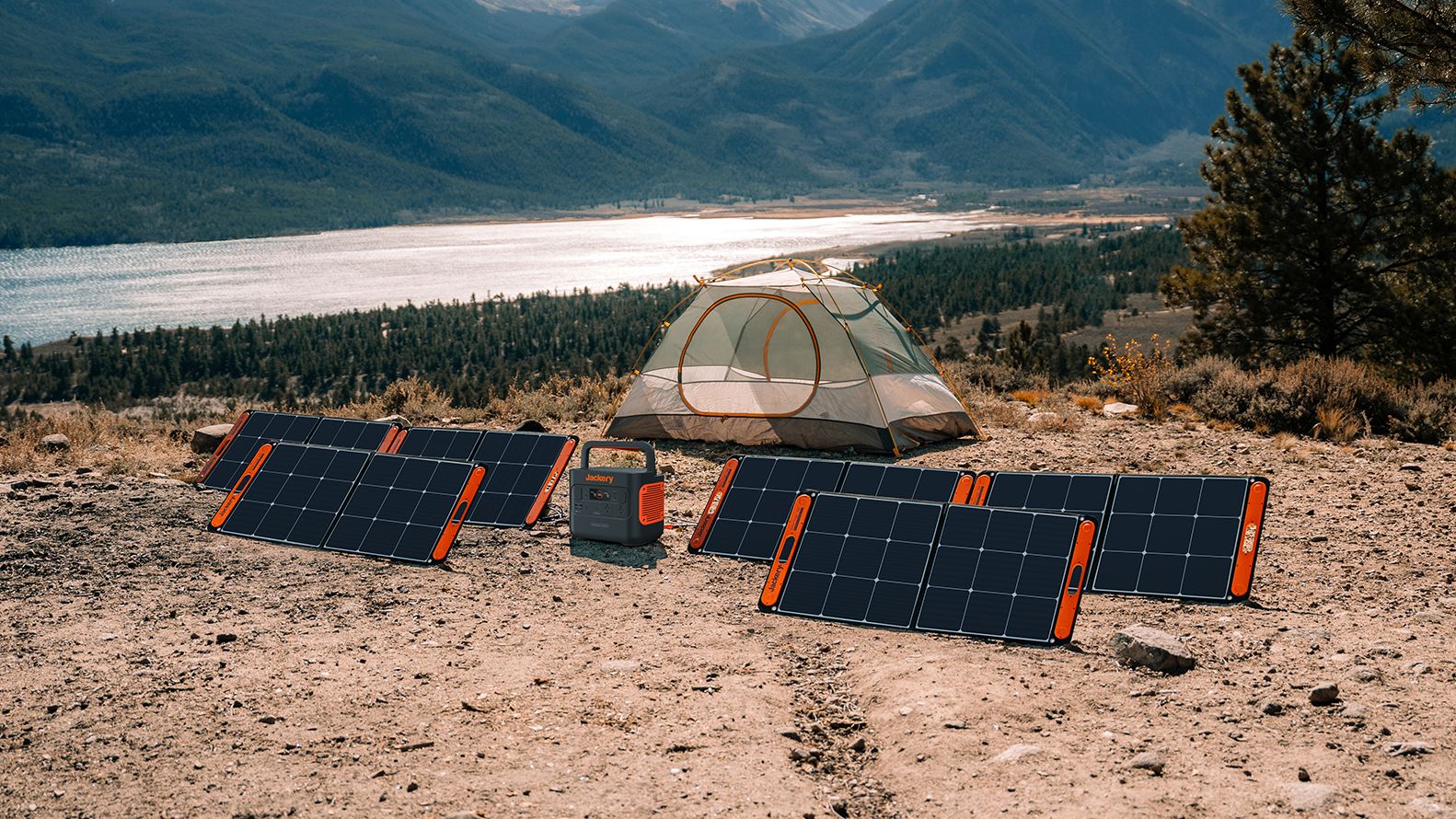
These solar panels are an alternative to traditional and permanently installed rooftop solar panels. They are engineered for modern and mobile life with portable, lightweight, and sleek designs. They are built primarily to be set up and put away easily, and charge small devices directly.
Simply put the Jackery SolarSaga panels where sunlight is available, and it will convert up to 25% of sunlight into usable energy.
To charge small gadgets like phones and portable fans, or even smartwatches, the SolarSaga panels come with a USB-C and USB-A port.
Another way is connecting the SolarSaga to Jackery’s Explorer power stations like the Explorer 300 Plus or 1000 Plus.
From there, users can power up devices, essentially for free. On its own, the Jackery SolarSaga panels are available in 100W and 200W variants.
The panels are also IP68 rated for water and dust resistance. This makes them usable outdoors when brought to adventures like camping, picnics, or beach trips.
The panels are already available through Jackery’s Lazada and Shopee platforms, as well as Techroom’s Lazada and Shopee accounts.
Accessories
UGREEN adds new Nexode Pro power bank, charger to lineup
Intelligent displays, fast-charging, user-focused design
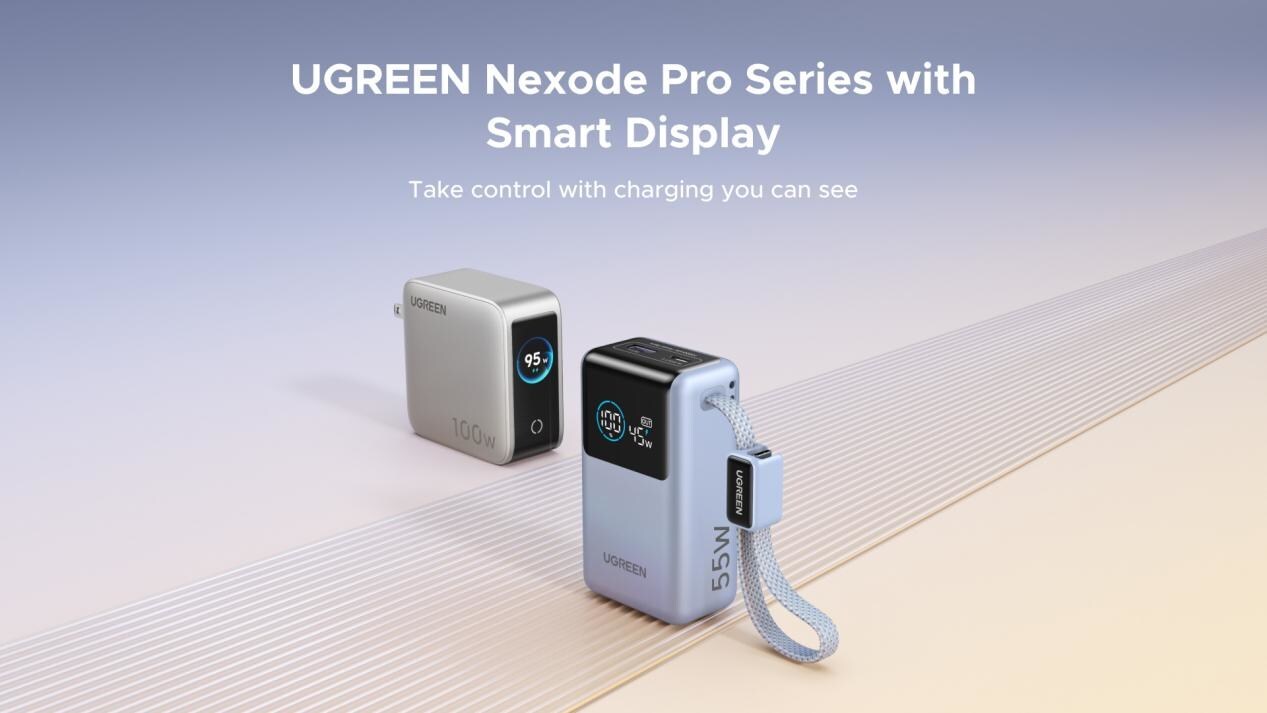
UGREEN has expanded its Nexode Pro charging lineup with two new devices designed for the modern user. They are the Nexode Pro 10000mAh 55W Power Bank and Nexode Pro 100W 5-Port Charger.
These new offerings combine intelligent digital displays, fast-charging capabilities, and user-focused designs for reliable power — whether at the desk or on the move.
The Nexode Pro 10000mAh Power Bank is the ultimate travel companion, delivering strong charging performance in a compact and travel-friendly form.
It supports up to 45W single-port fast charge, meeting the industry standard for high-speed portable charging. It can reach up to 55W as well when charging compatible Xiaomi devices.
The accessory is equipped with two USB-C ports, one USB-A port, and a built-in retractable USB-C cable. As such, it can power up to three small devices simultaneously without requiring extra cables.
With a rated capacity of 36Wh, the power bank also meets airline carry-on requirements.
Meanwhile, the UGREEN Nexode Pro 10W 5-Port Charger supports workstations. It has four USB-C ports, a USB-A port, and up to a 100W output.
It also has a built-in smart TFT display for easy power distribution monitoring.

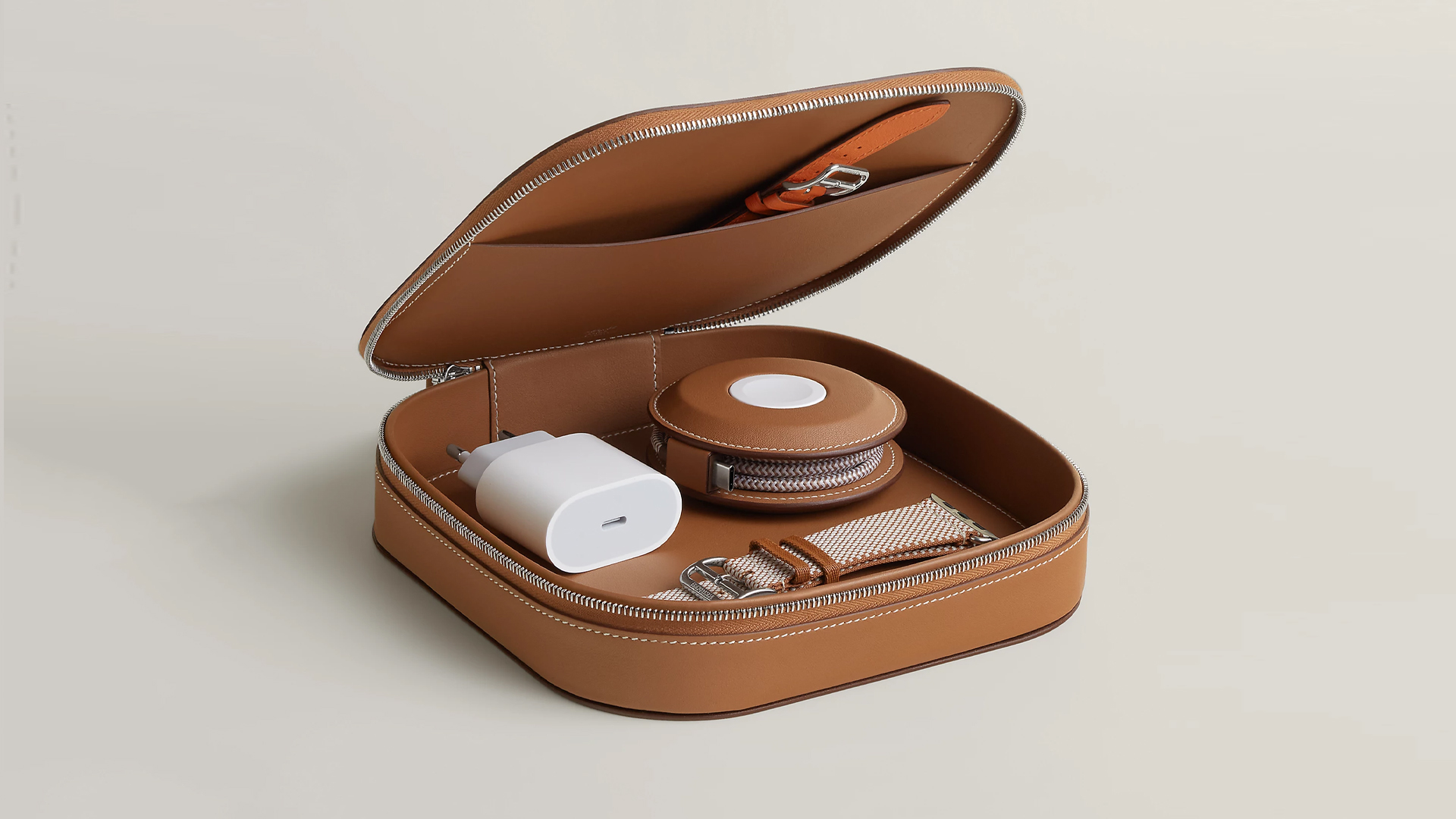
How extra are you as an Apple fan? No matter what you say, you’ll probably never be as extra as someone who buys a US$ 5,000 MagSafe charging case for their iPhone and Apple Watch. Hermès has just launched a series of leather chargers and cases specifically made for Apple fans.
Available now, Hermès has three types of MagSafe chargers for iPhone users. The cheapest one, the Paddock Solo, is a simple leather-bound puck that can charge a single device. The charger also has a braided 3.3ft USB cable. It costs an eye-watering US$ 1,250.
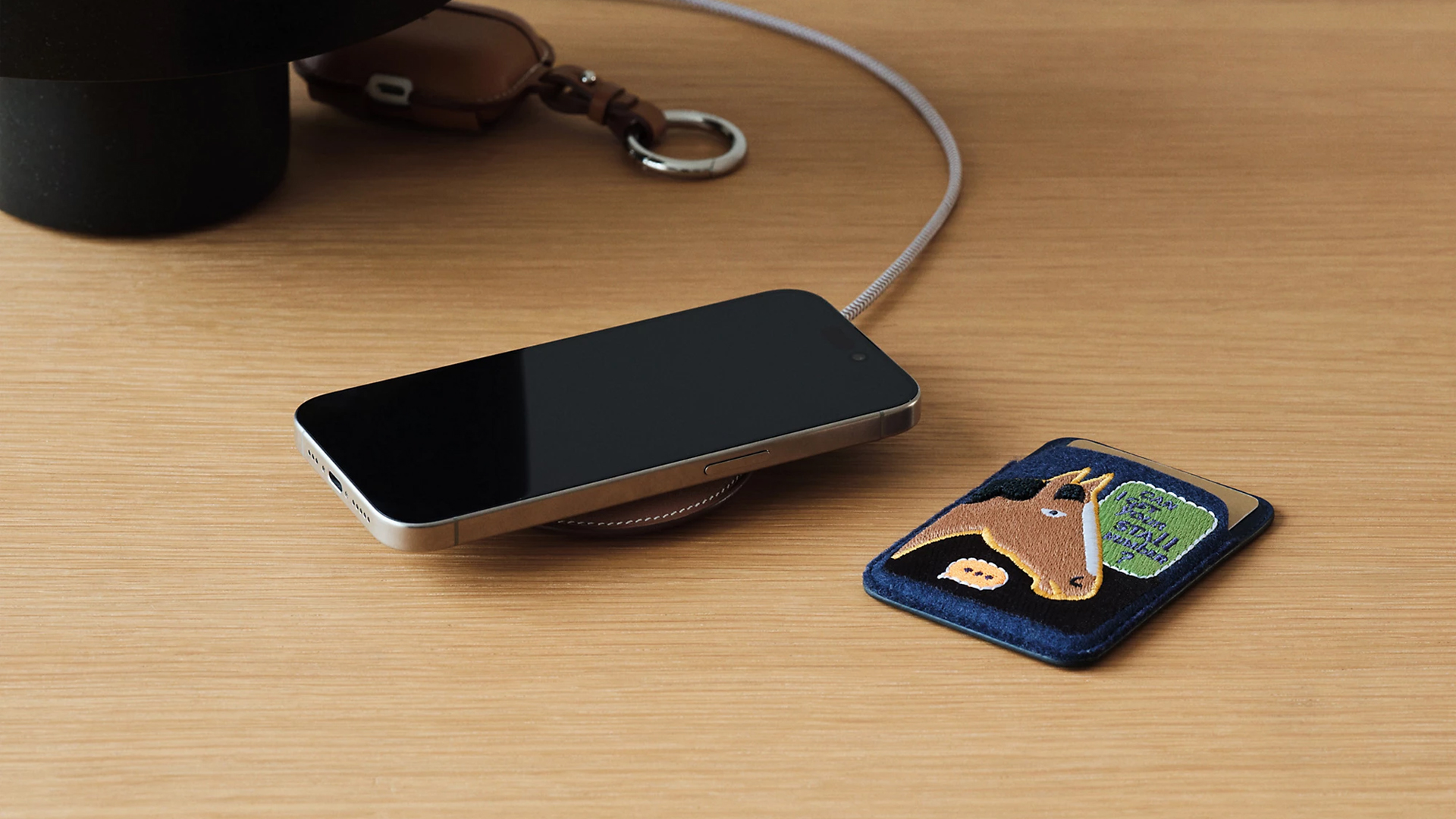
Paddock Solo charger
On the other hand, the Paddock Yoyo charger offers two charging zones for two devices simultaneously. Shaped like a yoyo (hence, the name), it allows users to roll the cable into a convenient stack. It costs US$ 1,750.
Finally, the Paddock Duo is a charging pad that allows for two devices simultaneously. It just doesn’t have a pocket for the cable. It likewise costs US$ 1,750.
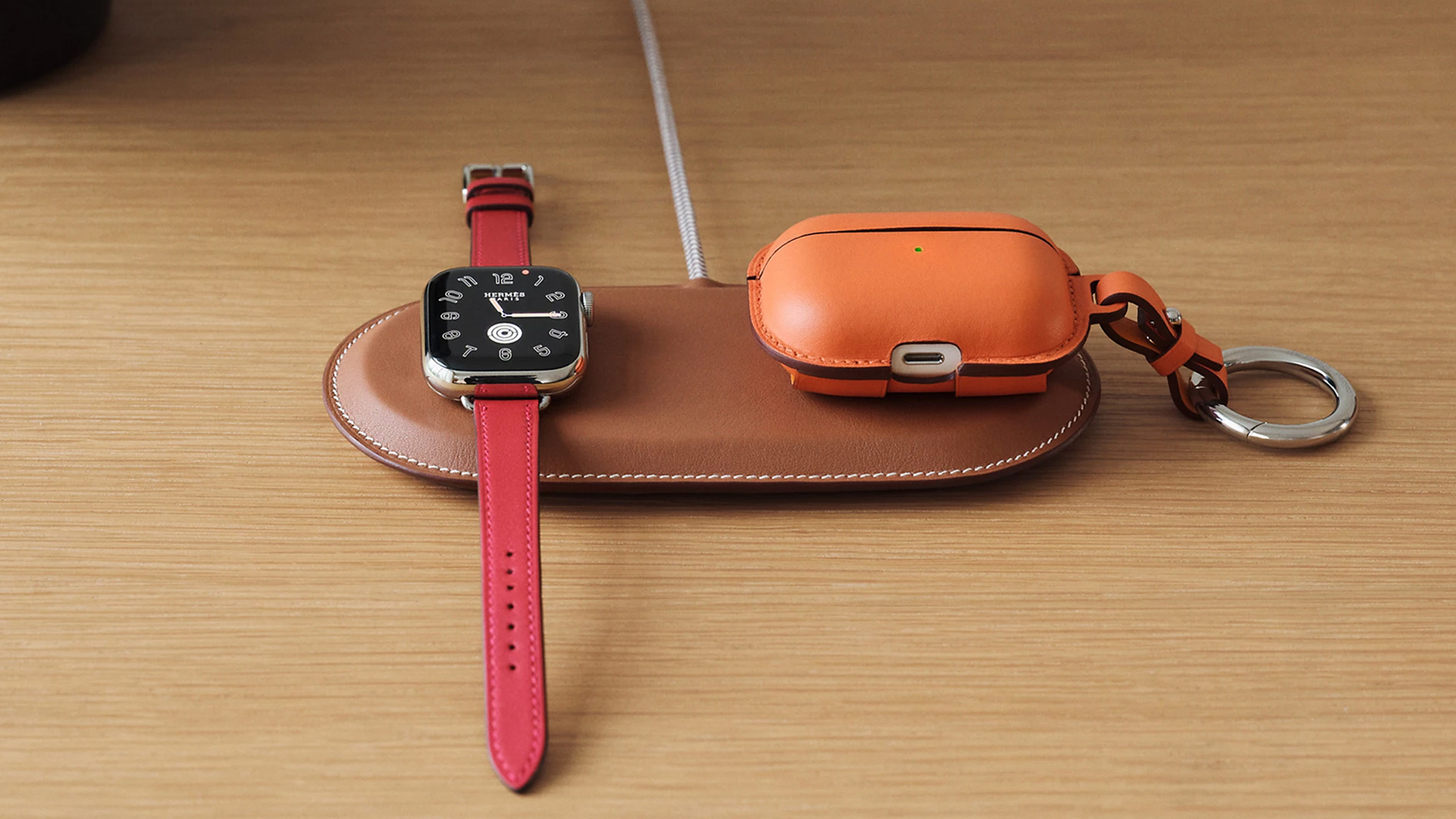
Paddock Duo charger
Now, if you want to upgrade your pricey charging kit even further, Hermès has two cases for them: the Petit Paddock case and the Grand Paddock case.
The Petit Paddock case, as the name suggest, is a snug leather case that fits only the charger (and a brick, if bundled with the Yoyo). The charger and case combo will set you back by US$ 3,725 for the Solo, and US$ 4,225 for either the Duo or the Yoyo.
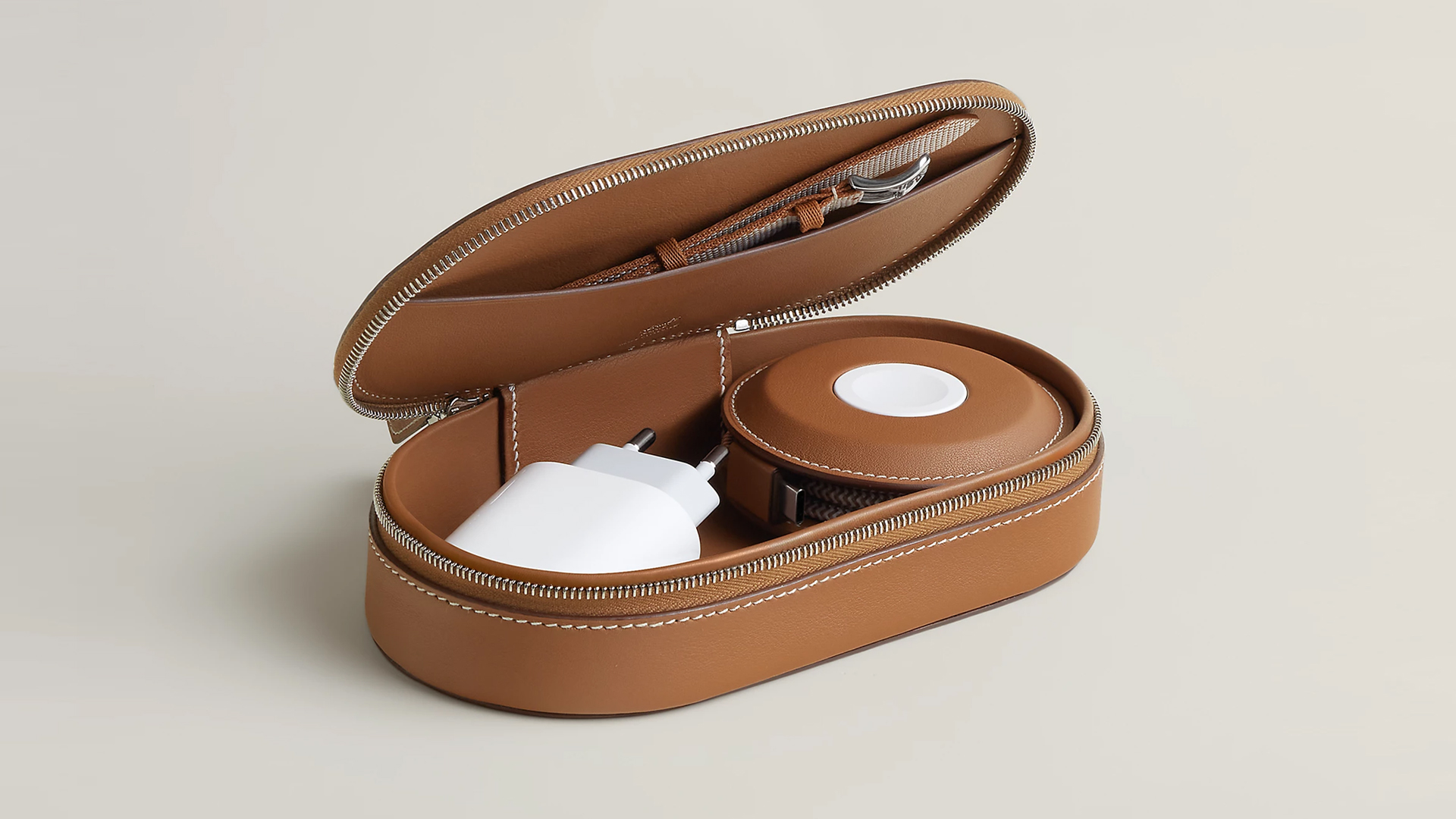
Paddock Yoyo + Petit Paddock
Alternatively, the Grand Paddock can fit much more but also costs a lot more. It costs US$ 4,650 for the Solo, and US$ 5,150 for the Duo or the Yoyo.
Of note, none of these come with a charging brick, so you’ll have to shell out a bit more to maximize the kit.
SEE ALSO: Apple unveils the iPhone 17e





How the Ford Ranger is powering community resilience

God of War: Sons of Sparta takes a more contained approach to Kratos

Samsung brings AirDrop support to Quick Share with Galaxy S26 series

Now Playing: Hoppers

Jackery SolarSaga series: Free power for small devices


-

 Reviews6 days ago
POCO X8 Pro Max review: A new beast from the far east
-

 News6 days ago
POCO X8 Pro Series: Price, availability in the Philippines
-

 Laptops2 weeks ago
Apple MacBook Neo Review
-

 Computers2 weeks ago
GIGABYTE collaborates with Capcom for RE Requiem custom PC
-

 Apps1 week ago
Google Maps is finally getting a 3D mode
-

 Entertainment2 weeks ago
The internet is thirsting over the One Piece Season 2 cast
-

 Features1 week ago
Galaxy AI on the Samsung Galaxy S26 Ultra
-

 Automotive2 weeks ago
BYD is reportedly considering an F1 team