
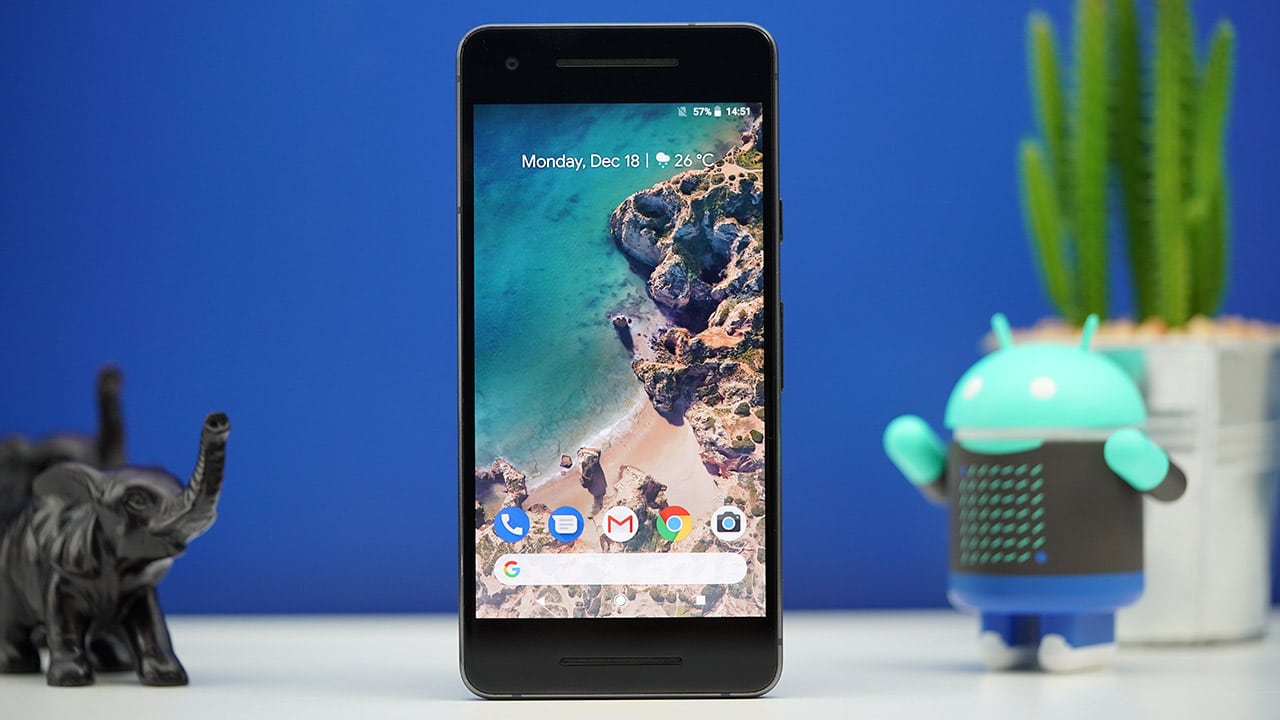


The Pixel 2 is all about refinement, refinement, refinement.
Having used the original Pixel on and off for a year, transitioning to the Pixel 2 felt seamless. It’s practically the same phone with — you know it — much-needed improvements.

You could read my review of the first Pixel, see what my complaints were, and realize that the successor nearly remedied them all: The bezels are put to better use with front-facing stereo speakers, waterproofing is rightfully in place, and the price isn’t as tough to swallow this time (despite being exactly the same as last year’s — blame the competition).
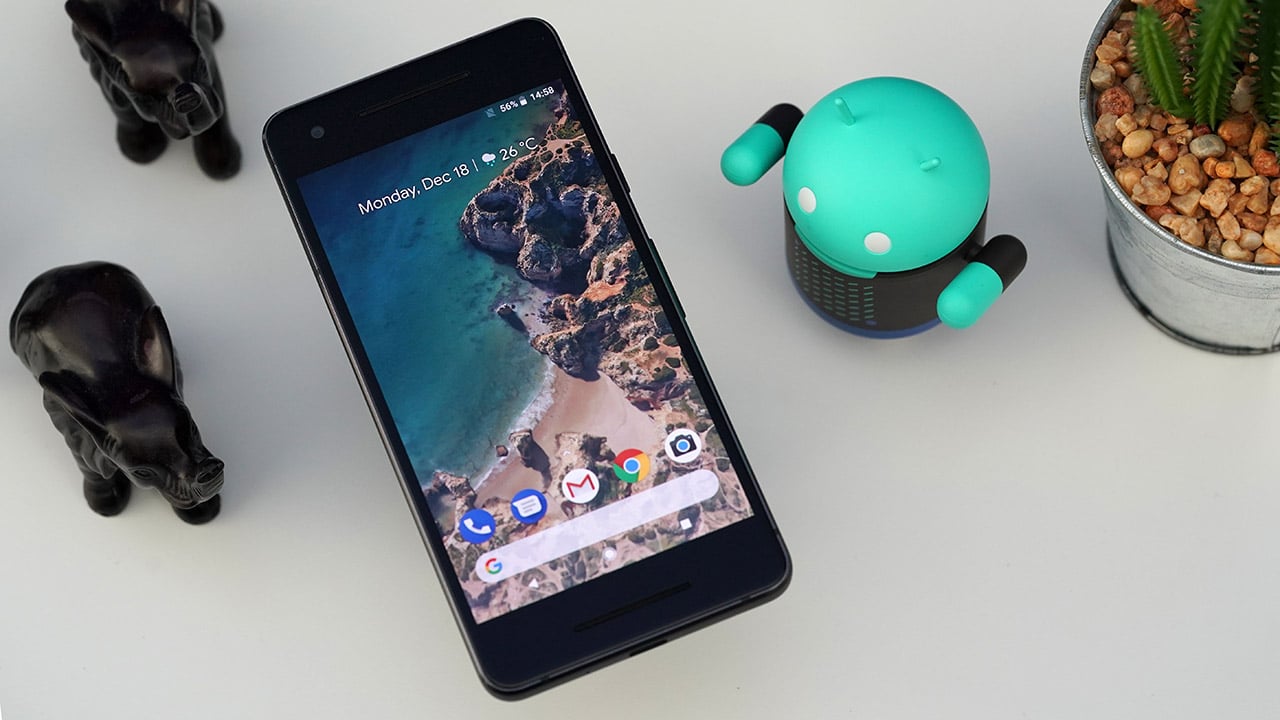
In addition, the already-fantastic camera was made even better without the need for an additional lens, and Google Assistant integration has been made more accessible thanks to Active Edge, which is the same squeezing gesture found on the HTC U11.
That pretty much summarizes the essence of the Pixel 2. It still embodies Google’s software-over-hardware mantra, which explains why the audio port was excluded in favor of internal optimization and greater AI integration.
But is the Pixel 2 simply version 1.5, or does it deserve to be a successor to the original? There are multiple ways to answer that.
Disclaimer: I won’t be touching the Pixel 2 XL and its myriad of issues. All focus will be on my pure experience with the bezel-loving (and much tinier) Pixel 2.
Let’s talk about that… design
I made the original Pixel my daily driver before beginning this review, just to remind myself how plain it is compared to recently released premium handsets. I must say, migrating to the Pixel 2 didn’t feel like much of an upgrade.
In fact, the edgier design isn’t nearly as easy to hold as the Pixel’s. Google made the correct decision this time to roughen up the metal back and surround the fingerprint with this material. The reduced glass area is still a smudge magnet, but it’s now part of a signature look, and signal strength does seem stronger on this handset than on other phones.
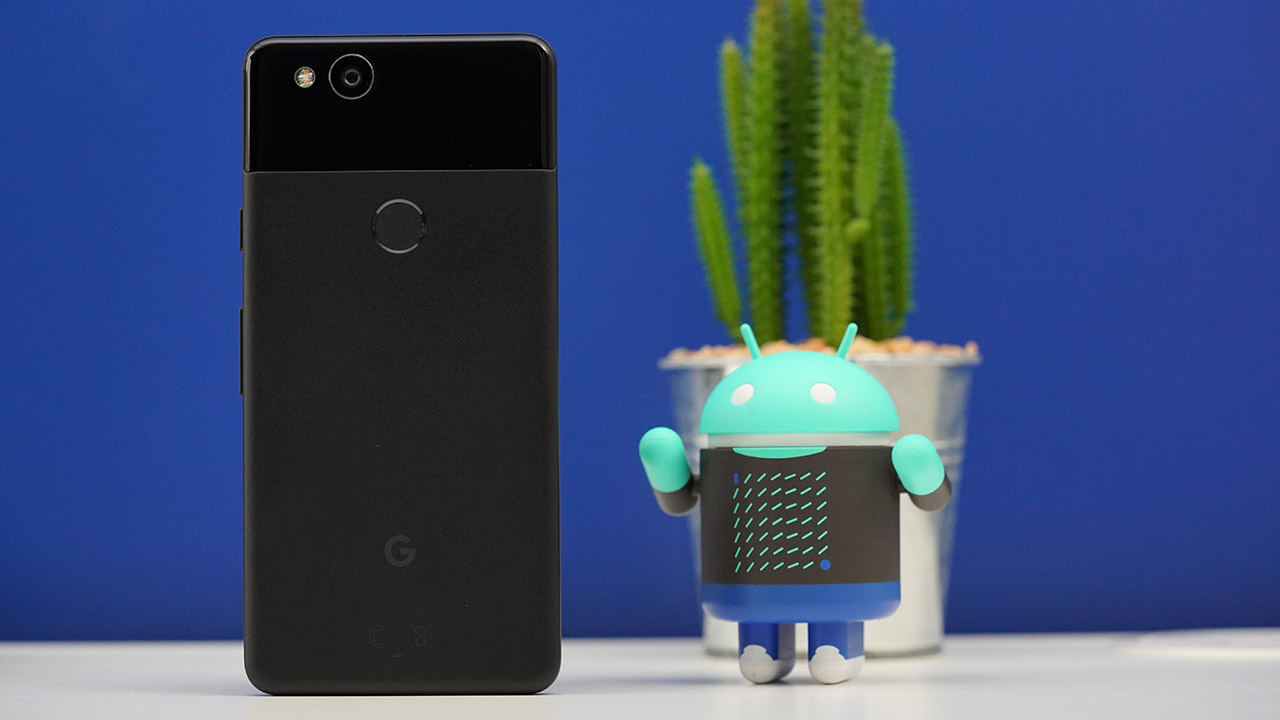
Our initial hands-on video covered the basics, from the 5-inch 1080p display to the three color options: Just Black, Clearly White, and Kinda Blue.
Even with the inclusion of front-firing dual speakers, it’s easy to fault the Pixel 2 for having such thick bezels. But after using some of the most border-free devices in the market, going back to this old-school design feels refreshing; no longer do I have to stretch to reach the top or bottom of the display, and the stereo speakers are the loudest I’ve ever experienced on a phone in recent memory.
Being an AMOLED panel, the screen’s colors are rich and nicely saturated, but not as overbearing as those found on Samsung’s phones. If you’re underwhelmed by the overall tone, you may choose between “boosted” and “saturated” for stronger colors, although I personally left it on normal to get a better feel for my photos.
As long as you don’t mind an aesthetic from yesteryear, there’s nothing wrong with the basic design of the Pixel 2 — except for the loss of the audio port, of course. Google bundles a USB-C to 3.5mm adapter in the box, but this is something you’d have to take with you wherever you go for wired connections. I can’t count how many times I’ve accidentally left this at home and ended up using the loudspeakers instead.
Performance as pure as the interface
This being a Google phone from start to finish, it has the purest and latest version of Android, which is currently 8.1 Oreo. That’s great for several reasons: There’s no absurd interface or features to get in the way of your usage, software updates come quicker than on other phones, and the latest security patches ensure you won’t be as easily affected by newly discovered vulnerabilities and hacks.
On top of that, we have the typical hardware you’d find on a flagship smartphone launched in 2017: a high-end Snapdragon 835 processor, 4GB of memory, at least 64GB of storage, and IP67-rated water and dust resistance. The only weak spot is the rather small 2700mAh battery, but that’s something Google managed to work around.
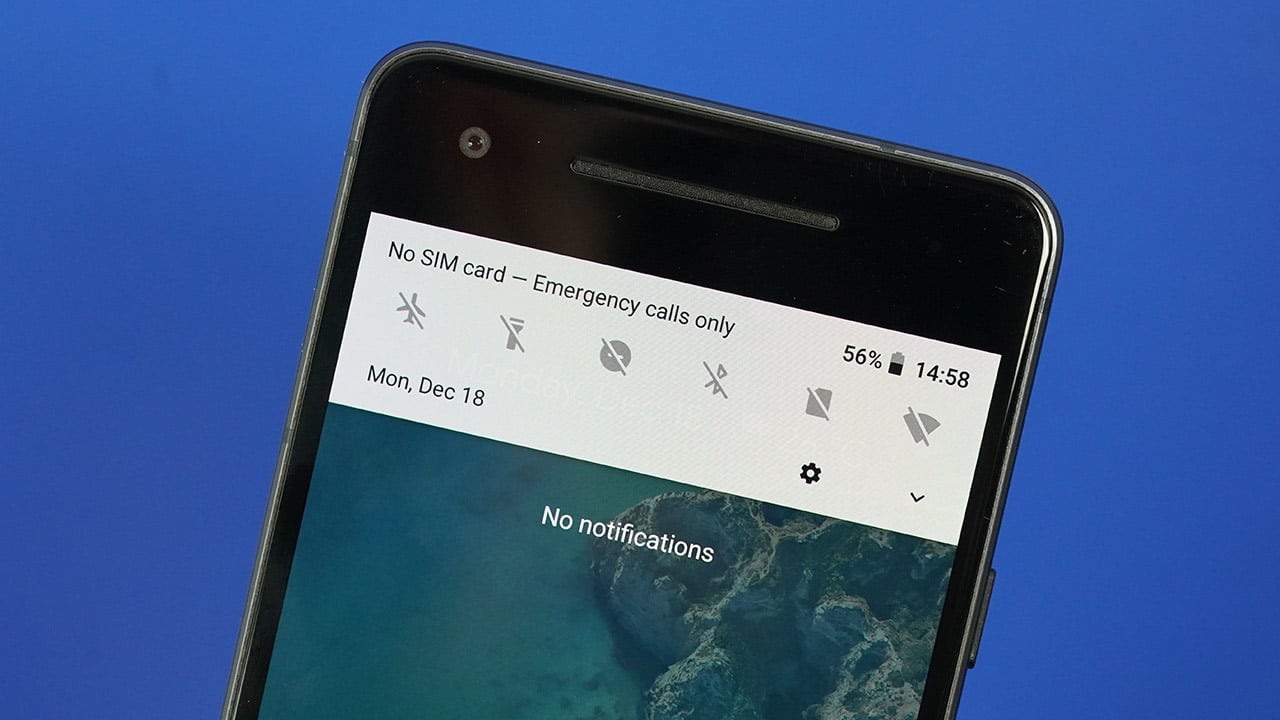
To my surprise, the battery life has been quite excellent in the weeks I’ve been using this handset. Even with the ambient display feature turned on — which lights up only the needed pixels when a notification comes in — I could easily get over five hours of screen-on time over the course of a day. Phones with larger batteries (albeit with larger screens, as well) perform just as well, if not slightly worse. We can credit this to Google optimizing the software for the given chipset.
As for day-to-day performance, it has been a mixed bag. When my Pixel 2 is feeling good, I can only think of a few Android phones that can keep up — the world-beating OnePlus 5T and Xiaomi Mi Mix 2, off the top of my head. Unfortunately, I’ve experienced numerous app crashes, hang-ups, and unresponsiveness after updating to Android 8.1 Oreo. It’s natural to have incompatibilities and bugs on new software, but it’s more difficult to accept when the operating system’s owner and phone’s designer are one and the same.
It’s all about the cameras
Let’s be real: You buy a Pixel for its cameras. The Pixel 2 continues the series’ tradition of offering the highest-rated shooters of its generation. Again, there’s no need for an additional lens or special setup; single image sensors on both sides are more than enough to produce some of the best pictures we’ve ever seen out of a smartphone.
We already took the Pixel 2 around the world and pit it against three other flagship handsets, and there’s no doubt it excels in nearly every aspect, including portraits, selfies, low-light, and even videos. I personally can’t get enough of the overall image quality, and have made it my primary camera for travel and events.
The portraits below are all with Google’s Portrait mode turned on. This creates an artificial background to provide extra depth behind the subject, making the person stand out more. While I normally stay away from such modes, preferring my photos to look as natural as possible, I appreciated the feature through time and turned it on for every portrait.








As you can probably tell, the Pixel 2’s artificial intelligence has a difficult time figuring out where hair strands end. That doesn’t matter much for people with short hair, but anyone with longer, messy hair won’t get a clean cut from the background. Google claims that the AI gets smarter the more you use it, although I haven’t seen any difference since I began using the phone.
There’s also no way of adjusting the level of background blur, but the camera app saves two photos by default — one with Portrait mode on and the other without. While this consumes more space on your phone’s non-expandable storage, the unlimited cloud storage on Google Photos is never going to let you down and desert you.
Another Pixel specialty is low-light performance, no matter how tricky the lighting gets. This is something the original Pixel excelled at, too, with its use of HDR (high dynamic range) settings to improve contrast and bring out the best colors of any scene.








If you really must, you can double tap for a quick software-based zoon. Even though it isn’t lossless in quality like optical zoom, it’s quick and the photos are usable in case you really can’t move any closer to your subject, especially while shooting videos. Since everything happens within the app, the zooming transition is smooth and natural during recordings.
Finally, we have the front-facing camera. Google doesn’t promote their selfie shooters as much as OPPO or Vivo, but when you activate both Portrait mode and the face retouch feature, the Pixel 2 is surprisingly competitive. Again, the background blurring is hit or miss, so do some pixel peeping around the edges of your face and hair before choosing which shot to upload.




Is this your GadgetMatch?
For whatever new feature you get from the Pixel 2, you have to give up something in exchange. Want the stereo speakers and waterproofing? Lose the audio port and the idea of a borderless design. Want the best camera on any smartphone today? Expect some bugs and glitches along the way.
Our unit wasn’t spared of defects. While nowhere near as deal-breaking as the Pixel 2 XL’s issues, the unresponsive edges of the Pixel 2’s screen and beta-like inconsistencies of the interface left me wondering if I’m getting my money’s worth.
On the other hand, the Pixel 2 doesn’t cost that much for a flagship of today. At US$ 650, it’s at least US$ 200 cheaper than the majority of high-end handsets currently available; only the OnePlus 5T and Xiaomi Mi Mix 2 can be considered better deals for the feature set.
It’s funny how we thought US$ 650 was way too much for the Pixel of 2016. Back then, anything above US$ 600 felt like too much. Now, US$ 900 seems normal for a premium device, and the Pixel 2 is suddenly fairly priced.
Then again, this Pixel is in a peculiar position. The OnePlus 5T and Mi Mix 2 look a lot better without a doubt and cost less; the Mate 10 Pro, Galaxy Note 8, and iPhone X actually behave like top-shelf phones you’d show off to friends, if you can afford them.
Like its predecessor, the Pixel 2 is for Android purists who value camera quality and not much else. Call me old school, but I appreciate its simplicity after dealing with the hard-to-grip infinity displays and overly convoluted camera setups of every other 2017 flagship.
This is a throwback of a throwback, but don’t expect any nostalgia. The Pixel 2 is as basic as it gets at this level.
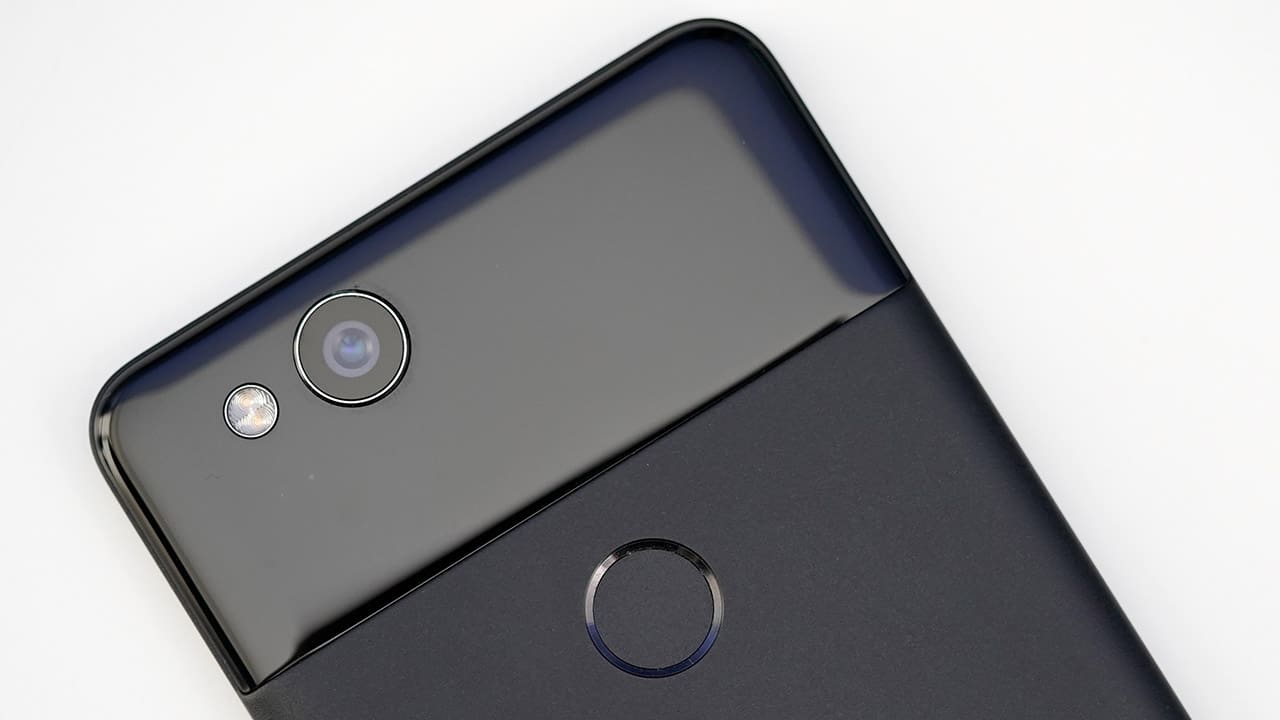








When a drone removes the pressure of framing your shot, something shifts. Instead of thinking like a cameraman in mid-air, you start feeling like a passenger—gliding, peeking, drifting wherever curiosity points. That’s the Antigravity A1’s biggest trick. It frees you from the usual anxiety of lining up subjects and horizons, and instead hands you a 360° canvas where everything is the shot.
You’re not just flying a drone here. You’re capturing possibilities.
A learning curve that feels worth it
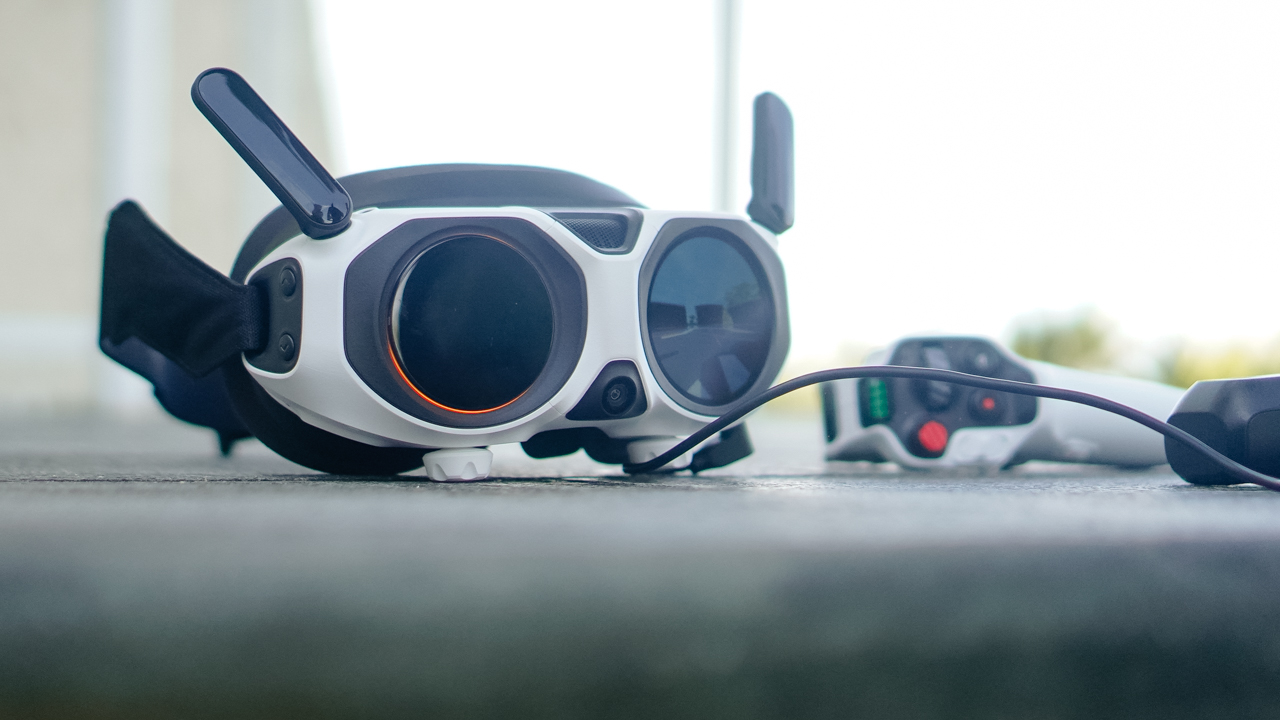
Our first encounter with the A1 wasn’t graceful. The whole kit—the drone, the motion controller, the goggles—looked like more gear than we’d ever want to carry. And honestly, it’s not light. The carrying case helps, but if you’re a creator who travels with limited space, you’ll feel the bulk.
But something changes after you watch Antigravity’s tutorial videos. The setup starts making sense. The workflow becomes clearer. And suddenly this intimidating kit clicks into a system that feels thoughtfully built.
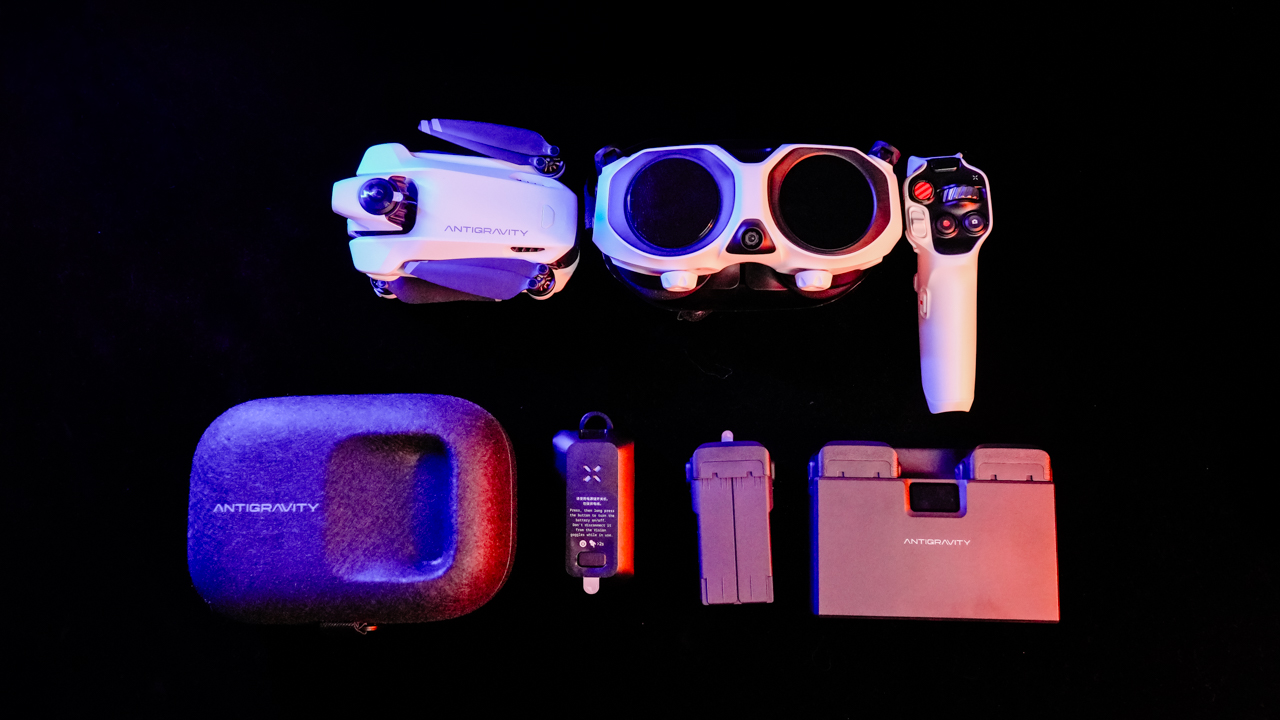
Yes, the A1 demands more commitment than a typical foldable drone. But once everything is running, it also rewards you in ways those drones simply can’t.
Because the moment you let go of traditional framing, the experience opens up.
Flying feels different — and surprisingly freeing

The first few minutes gave us honest-to-goodness vertigo. The goggles trick your brain for a moment, and we had to remind ourselves that we weren’t the ones flying… only the drone was. But after that initial adjustment, the A1 became one of the easiest drones we’ve flown.
This is coming from a team used to a standard RC controller.
The motion controller does have a tiny millisecond delay, but nothing deal-breaking. Once you start moving with it, the A1 responds fast enough to match your intent. The result: a strange but enjoyable combination of freedom and precision.
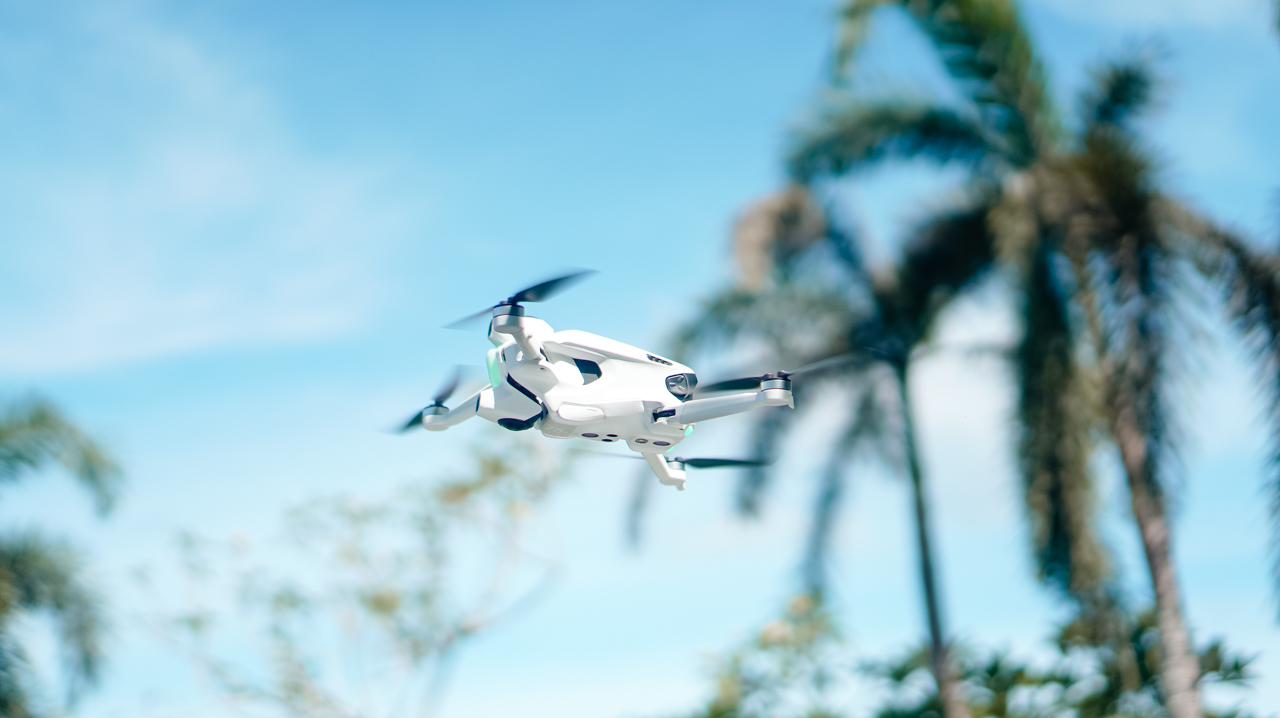
Range is a bit trickier. The spec sheet promises up to 5km, but real-world conditions paint a very different picture. In our subdivision, we managed only about 500–800 meters before warnings popped up.
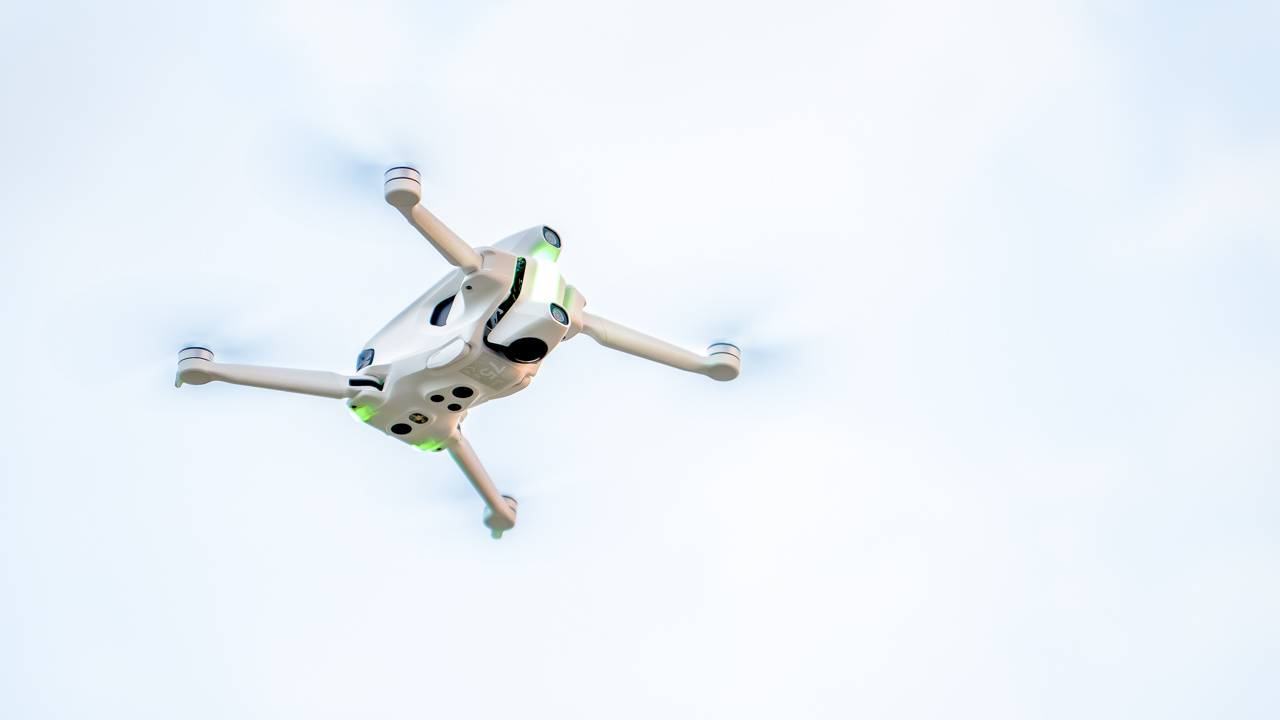
In a more open field, we pushed farther—around 1.5km—before the connection dropped again. We’re guessing interference, but it’s a reminder that real-world flight always has variables.
Still, when it’s in the air, the A1 feels smooth, confident, and ready for creativity.
A camera that encourages imagination
This is where the A1 shines the most.
The 8K 360° camera is excellent in well-lit environments. Stitching between lenses is clean, and the lack of blind spots means you can essentially treat the entire sky as a playground. Missed your subject? Reframe later. Didn’t tilt fast enough? Fix it in post.
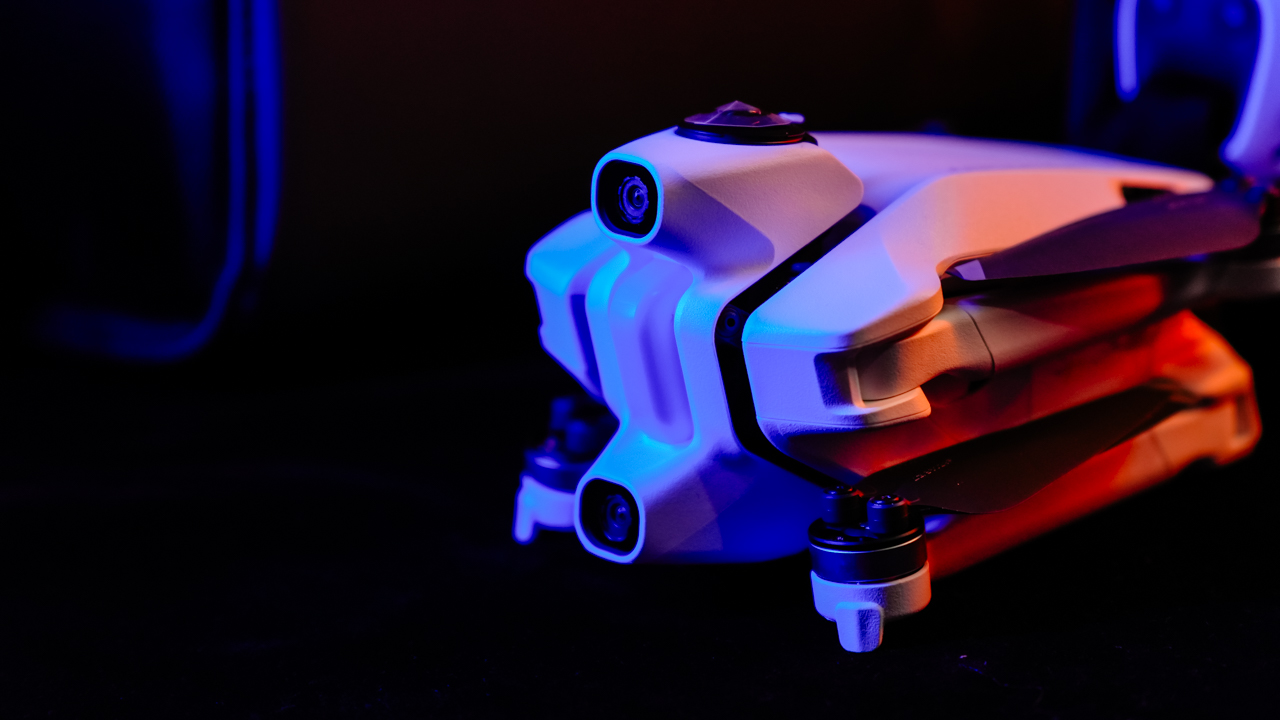
The camera encourages experimentation because it removes punishment. It lets you fly for fun—and edit with intention later.
Obstacle avoidance also works well, at least in proper lighting. The goggles flash colors and beep based on distance: yellow at around 2.5–5 meters, red when you’re close—around 1–1.5 meters. Just remember: this system does not work in the dark. If visibility is low, the sensors won’t save you.

Return-to-Home, on the other hand, is rock solid. We unplugged the goggles by accident and the drone immediately started flying back. Same thing happened when the signal dropped. It’s reassuring, especially for a drone that encourages bold flights.
The workflow is both smooth… and frustrating
Antigravity’s card reader is great. Plug it into your phone and the app picks it up right away. It reads, writes, and lets you edit without transferring files into internal storage. It’s efficient, and it saves so much time and space.
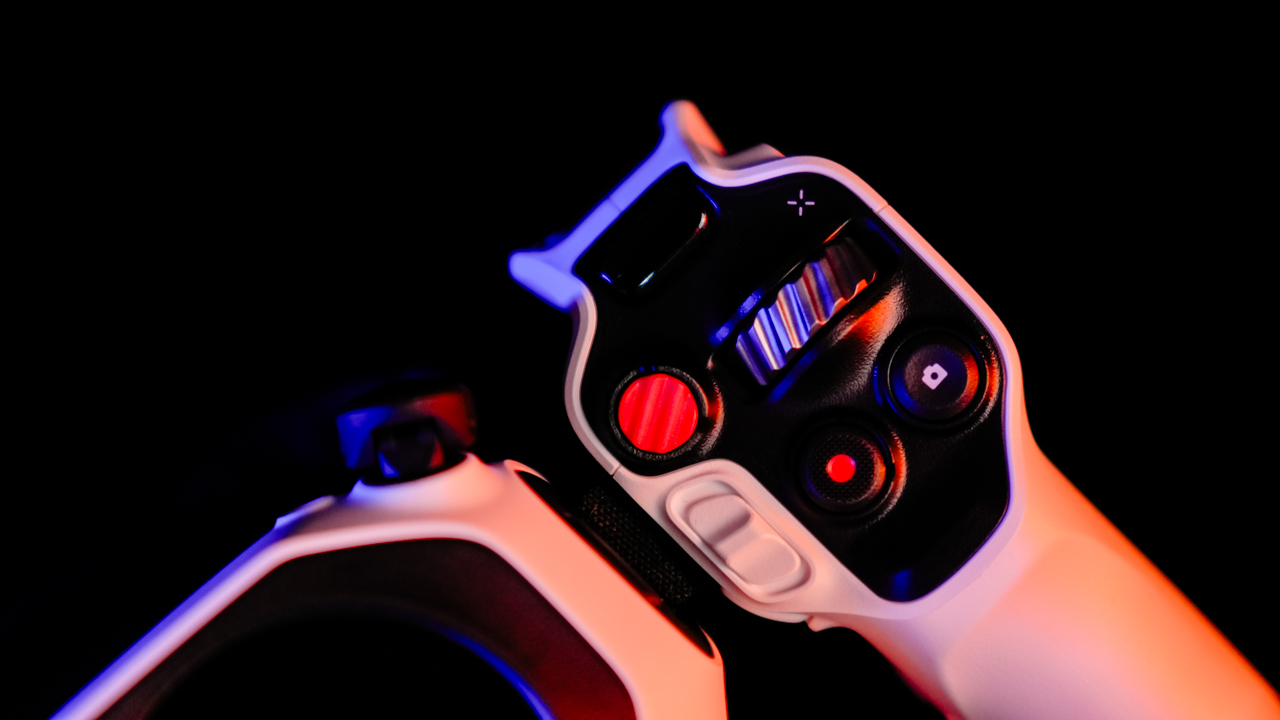
Wireless transfer, however, needs work. Our phone refused to connect to the drone directly. No wireless transfers, no visibility, just repeated errors. For a product aimed at fast social-ready workflows, this is a weak spot.
Antigravity Studio—the brand’s own editing app—feels familiar if you’ve used CapCut or similar tools. Layout is intuitive, and even if it has its own style, newcomers won’t get lost. You can start editing almost immediately.
Is the Antigravity A1 your GadgetMatch?
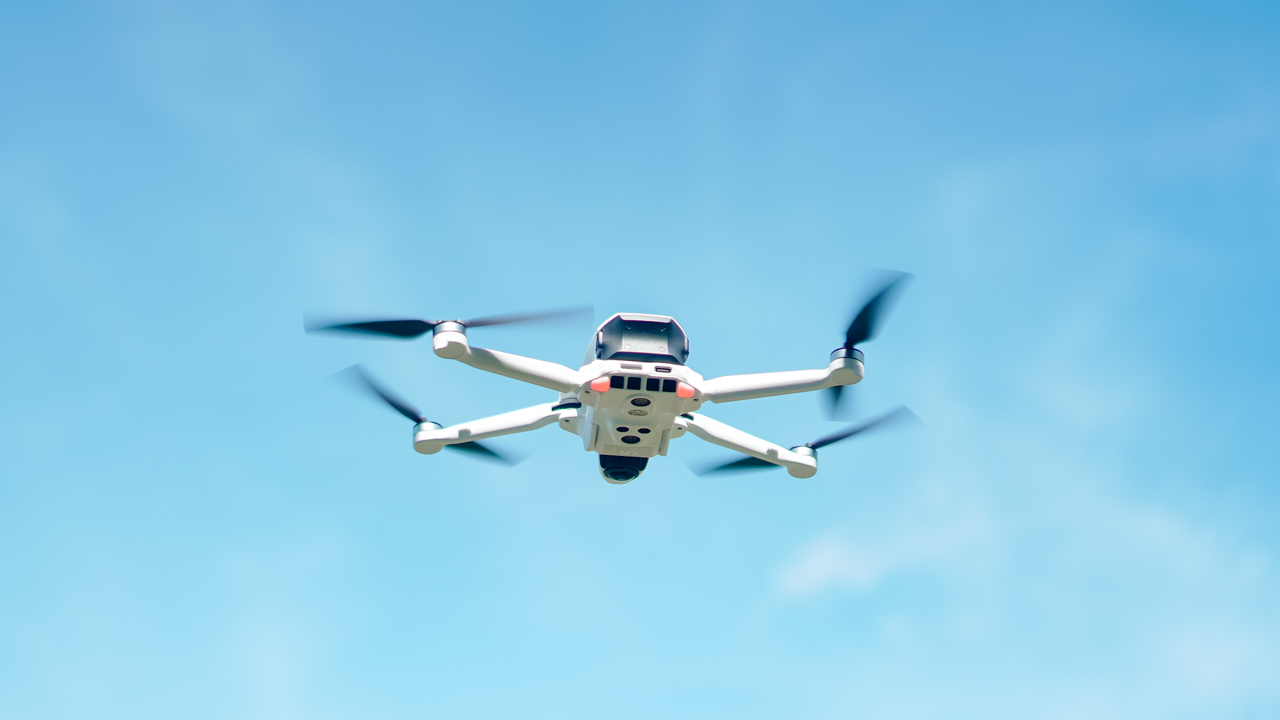
The Antigravity A1 isn’t trying to compete with traditional drones. It’s trying to change the way we capture the world from above. And in many ways, it succeeds.
It’s not the smallest setup. It’s not the easiest to pack. And its wireless transfer issues are frustrating.

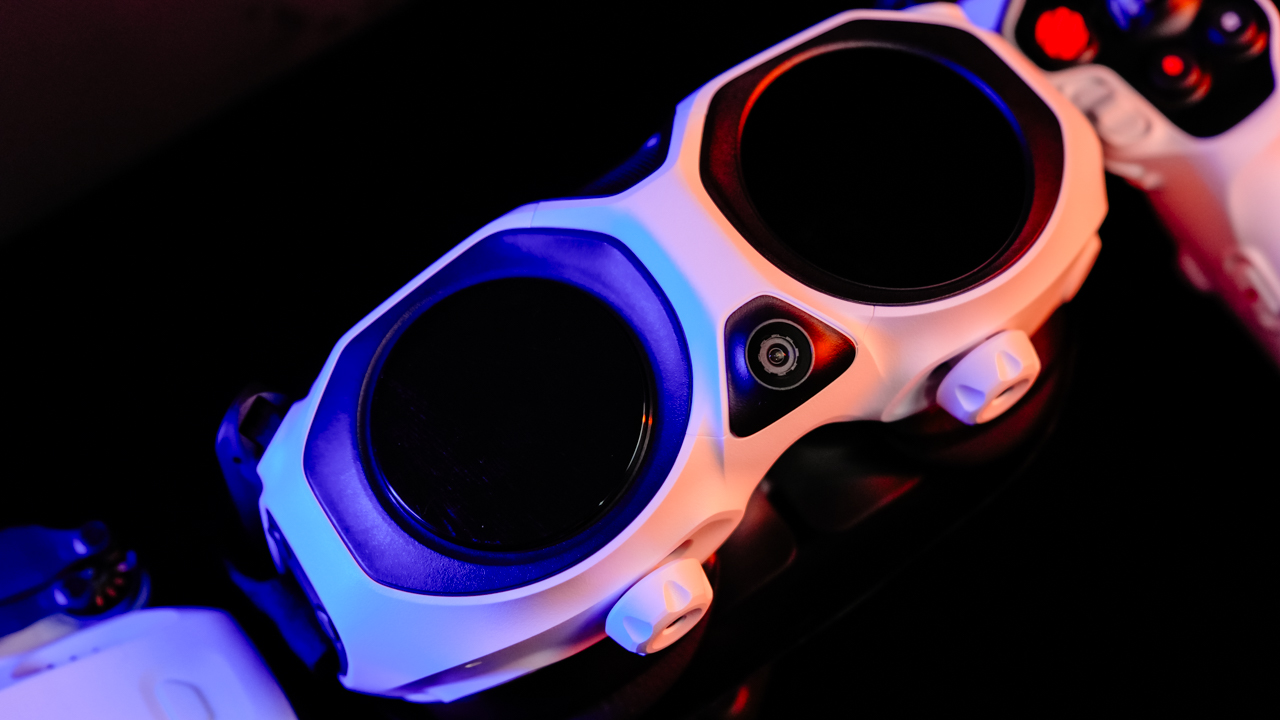
But once you’re in the air, flying through its goggles, seeing a spherical 8K world you can reframe later—it becomes an entirely different creative experience. The kind that makes the weight worth carrying. The kind that makes you want to go out and try something new.
If you’re a creator who’s tired of shooting the same angles and the same predictable drone footage, the Antigravity A1 opens up a new lane.
One that feels a little wild, a little experimental, and a lot of fun.


When I first unboxed the Razer Raiju V3 Pro, my brain immediately went: okay, this is exciting. It had that wow factor — that feeling of holding a piece of tech that’s meant to do something special. It’s the kind of controller that makes you want to jump straight into a game just to see what all the fuss is about.
Build and feel — familiar, but also very not
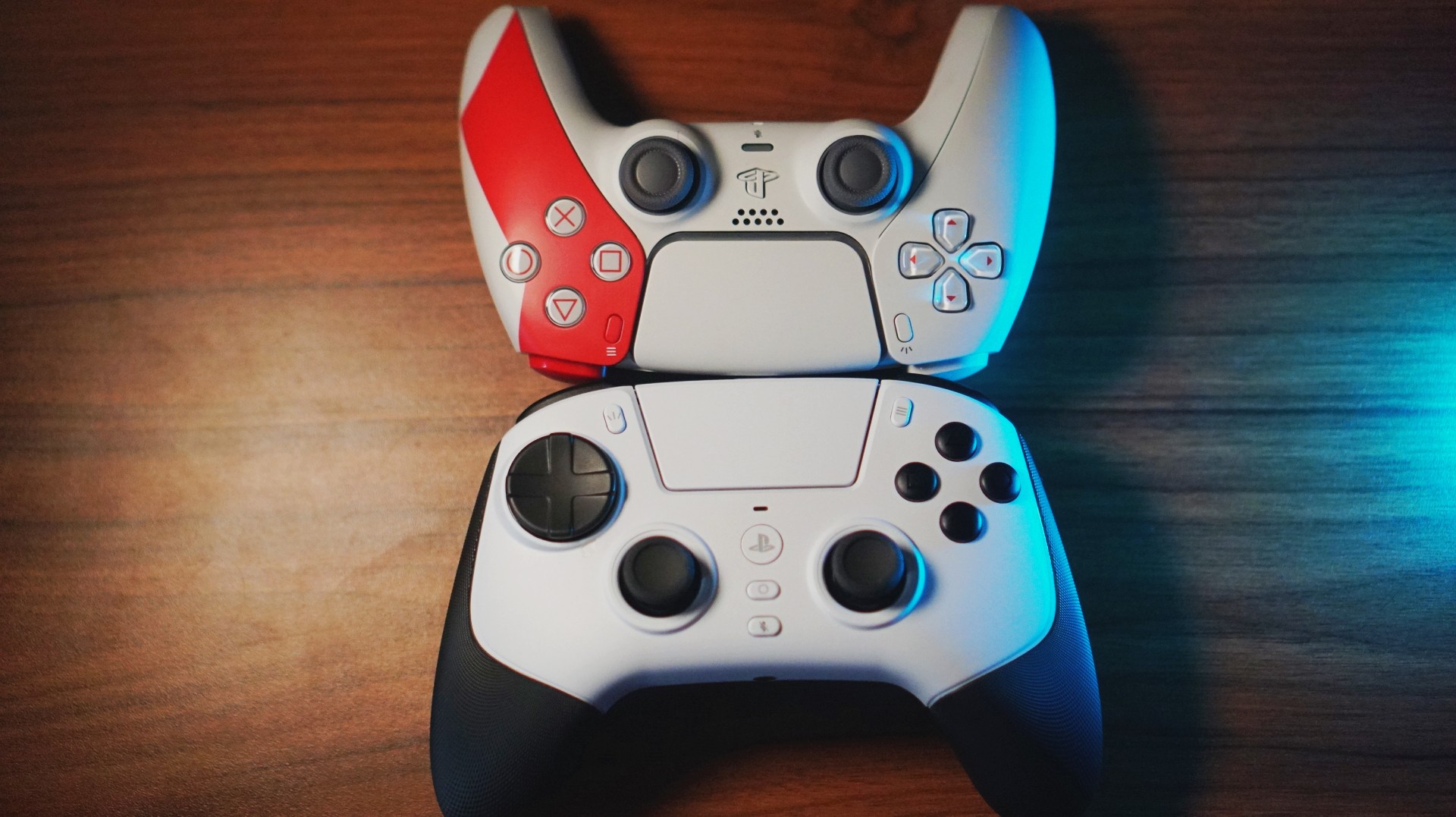
Coming from the DualSense, the first surprise is the weight. The Raiju V3 Pro is definitely lighter, but not in a cheap way. Holding it felt different, wider even, and my hands were a little more relaxed because of that added space.
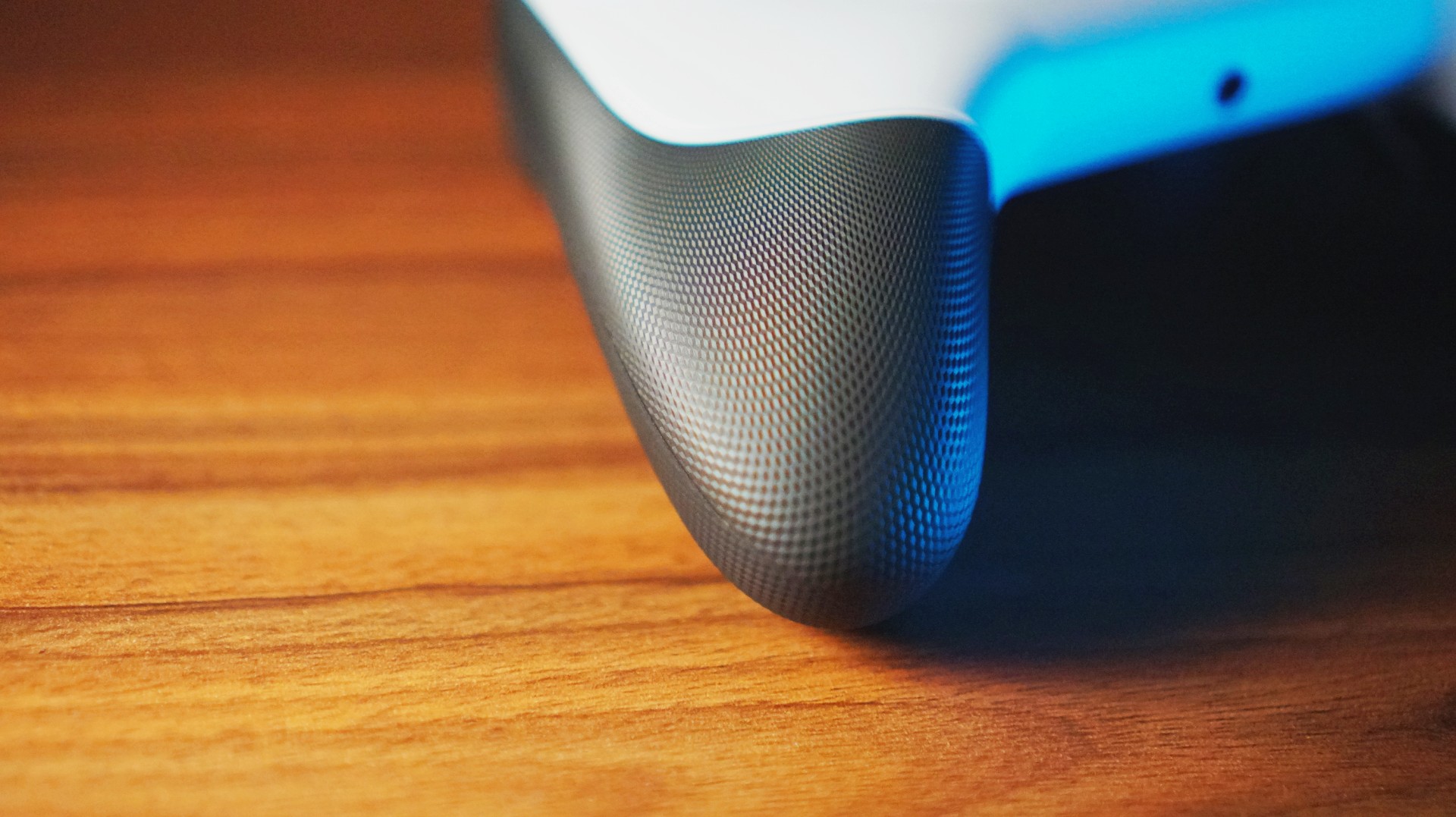
The grip texture is great — no fear of slipping, and it feels particularly good on the bottom of your palm.
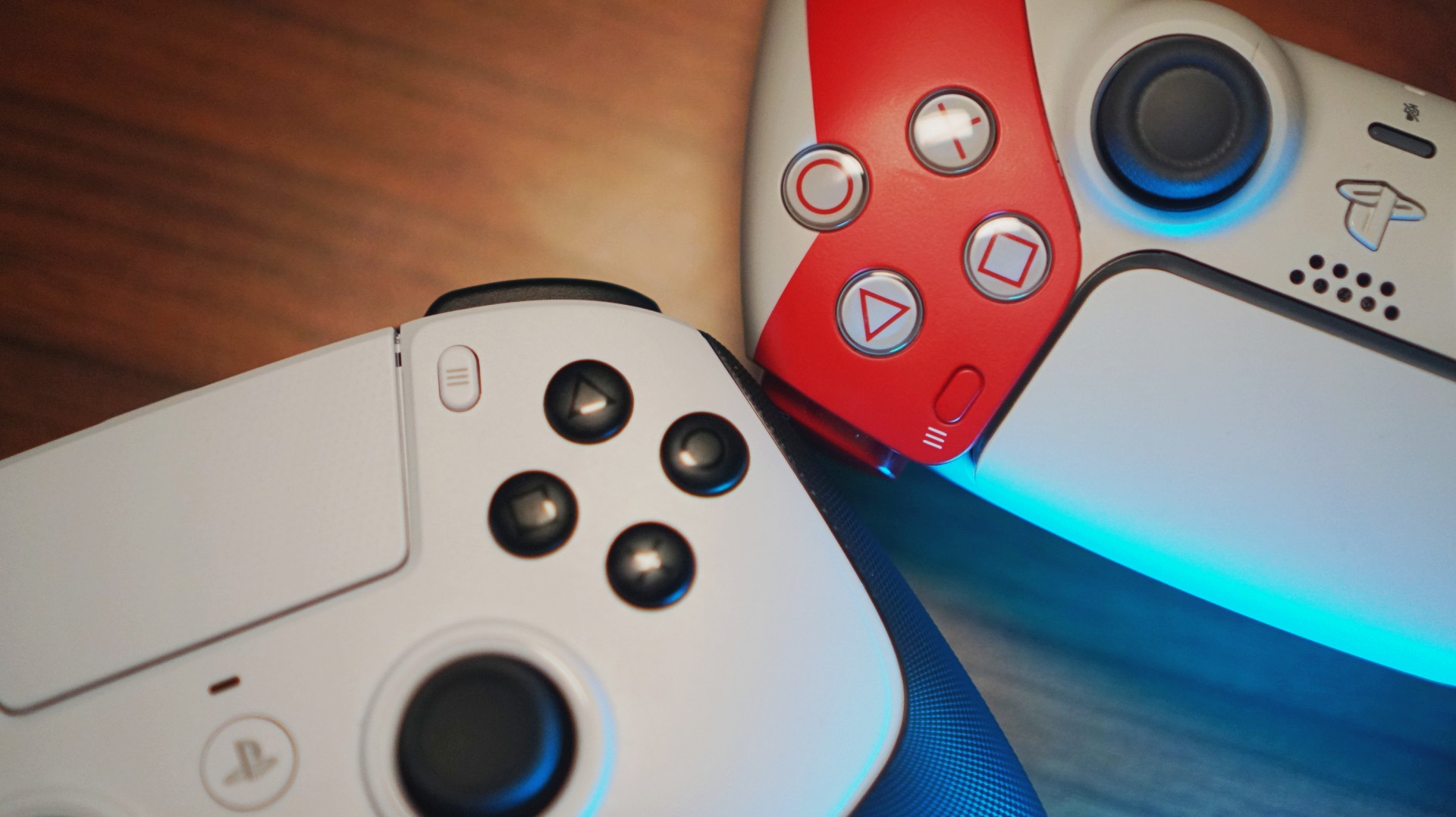
The face buttons? Smaller surface area, longer travel. Premium-feeling overall, though I’ll be honest: I’m not entirely convinced the Raiju V3 Pro’s feel matches its price tag. That’s mostly because I’ve tried some GameSir controllers that felt surprisingly similar for a fraction of the price. But still — this feels like a product built with intent.
Gameplay experience — where it actually comes alive
Most of my testing happened on NBA 2K26 because… well… that’s the game I always end up playing. And this was the moment the TMR thumbsticks flexed. I found myself doing more dribble combos and experimenting with shot styles using the right stick simply because I had zero fear of drift.
I also jumped into a few fighting games — TEKKEN 8 and My Hero One’s Justice 2 — then humbled myself in several Death Match sessions on Call of Duty Black Ops 7. I even swung through Spider-Man Remastered for a bit. Across all of these, the controller felt responsive, fast, and ready for whatever chaos I threw at it.
HyperTriggers and extra inputs — surprisingly useful

The triggers were most noticeable during my Call of Duty matches. I still sucked at it — let’s be real — but I can totally see how better players would squeeze more value out of the locked fast-trigger mode. The surprise twist was how useful the triggers were for fighting games. Having minimal travel made reaction-based inputs feel snappier and more controlled.
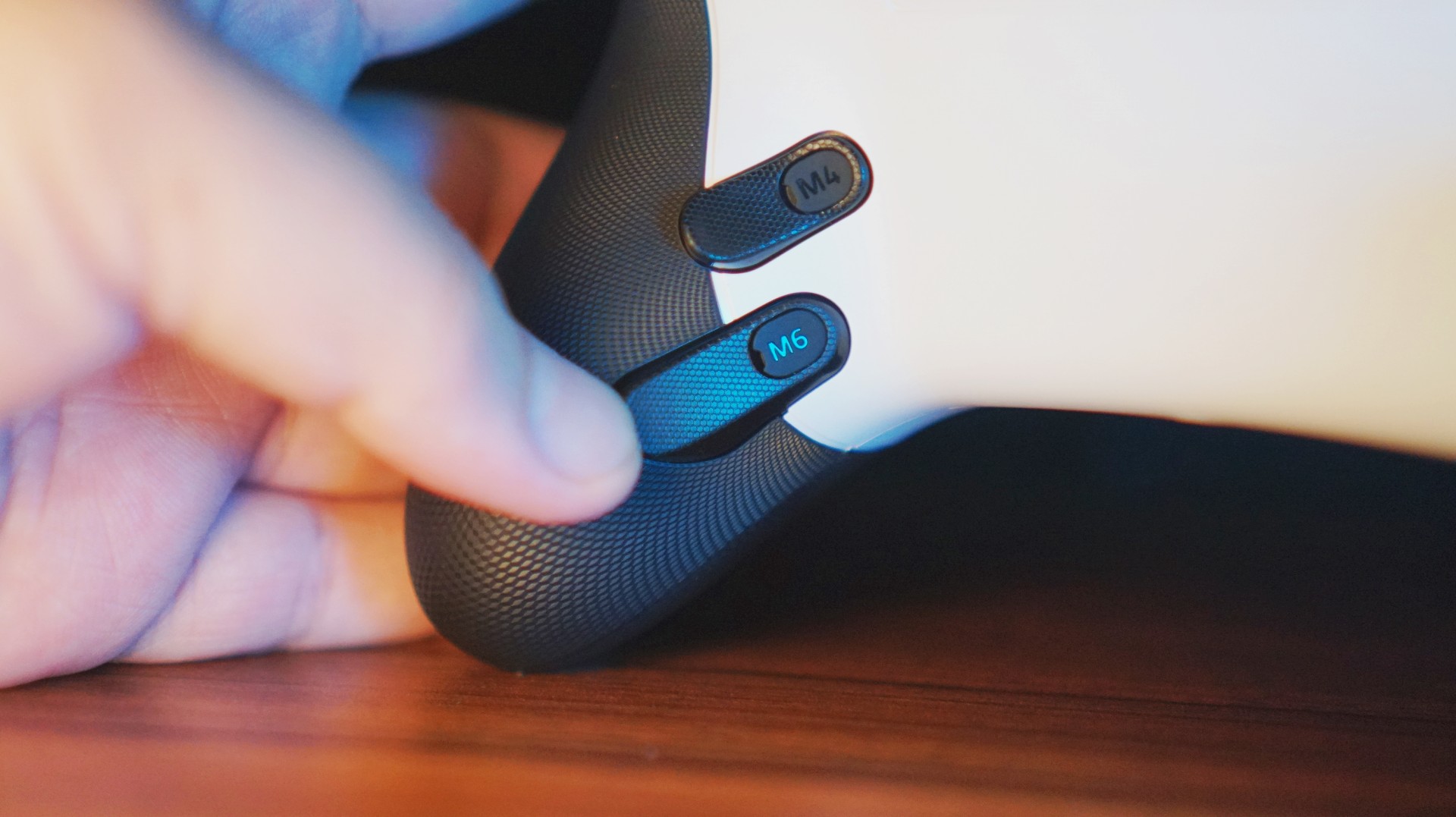
As for the back paddles and claw bumpers: I thought about taking some of them out, but ended up keeping everything on. Eventually, they became little fidget points that didn’t interfere with gameplay.
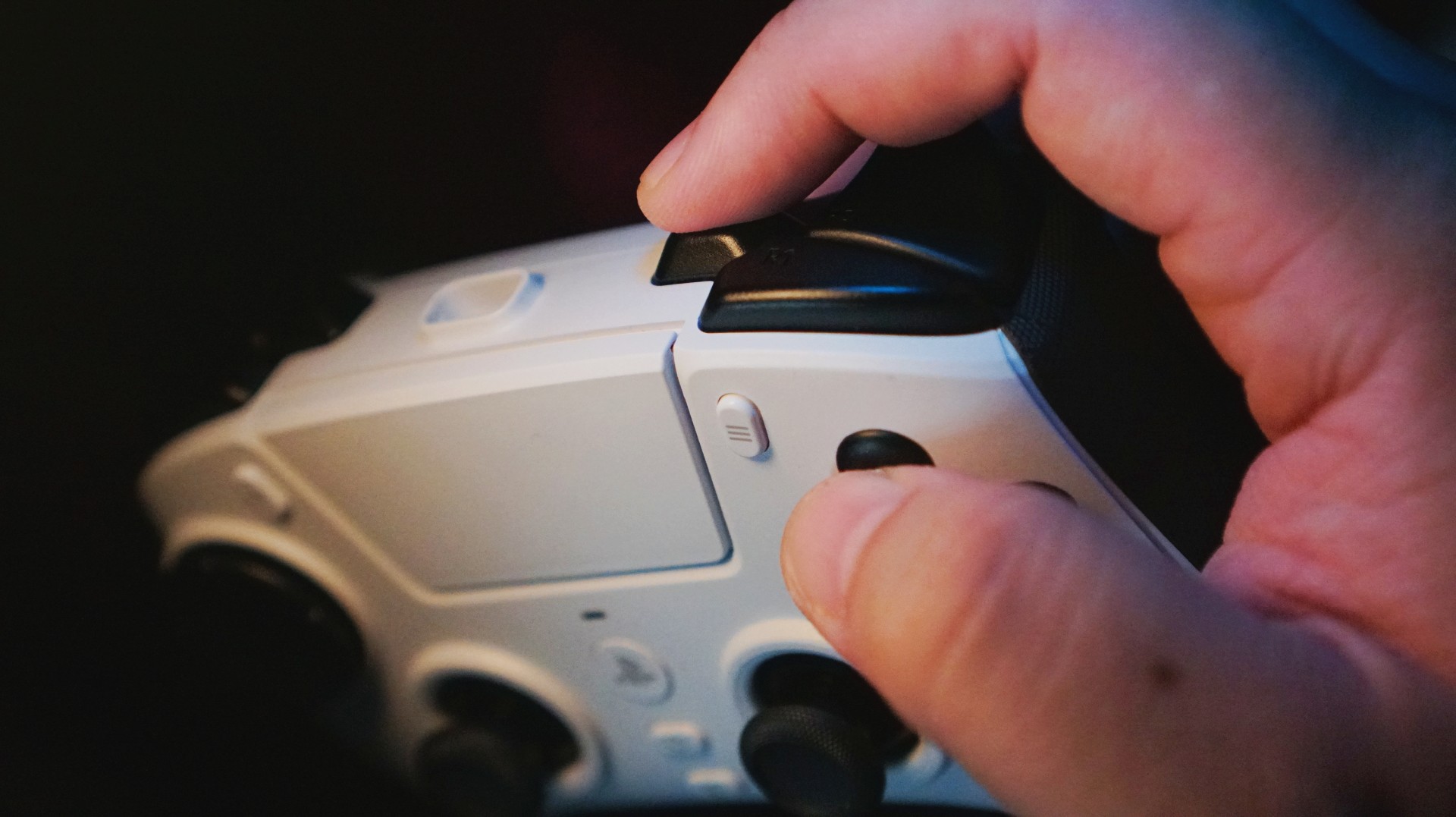
Mapped the extra trigger to Square to make it easier to hit the Triangle + Square combo for self alley-oops.
In practice, I rarely used them because I’m such a muscle-memory player… except in NBA 2K26. I mapped self alley-oops and flashy passing to the extra triggers, which helped because 2K moved those combos around this year.
Thumbsticks — the star of the show
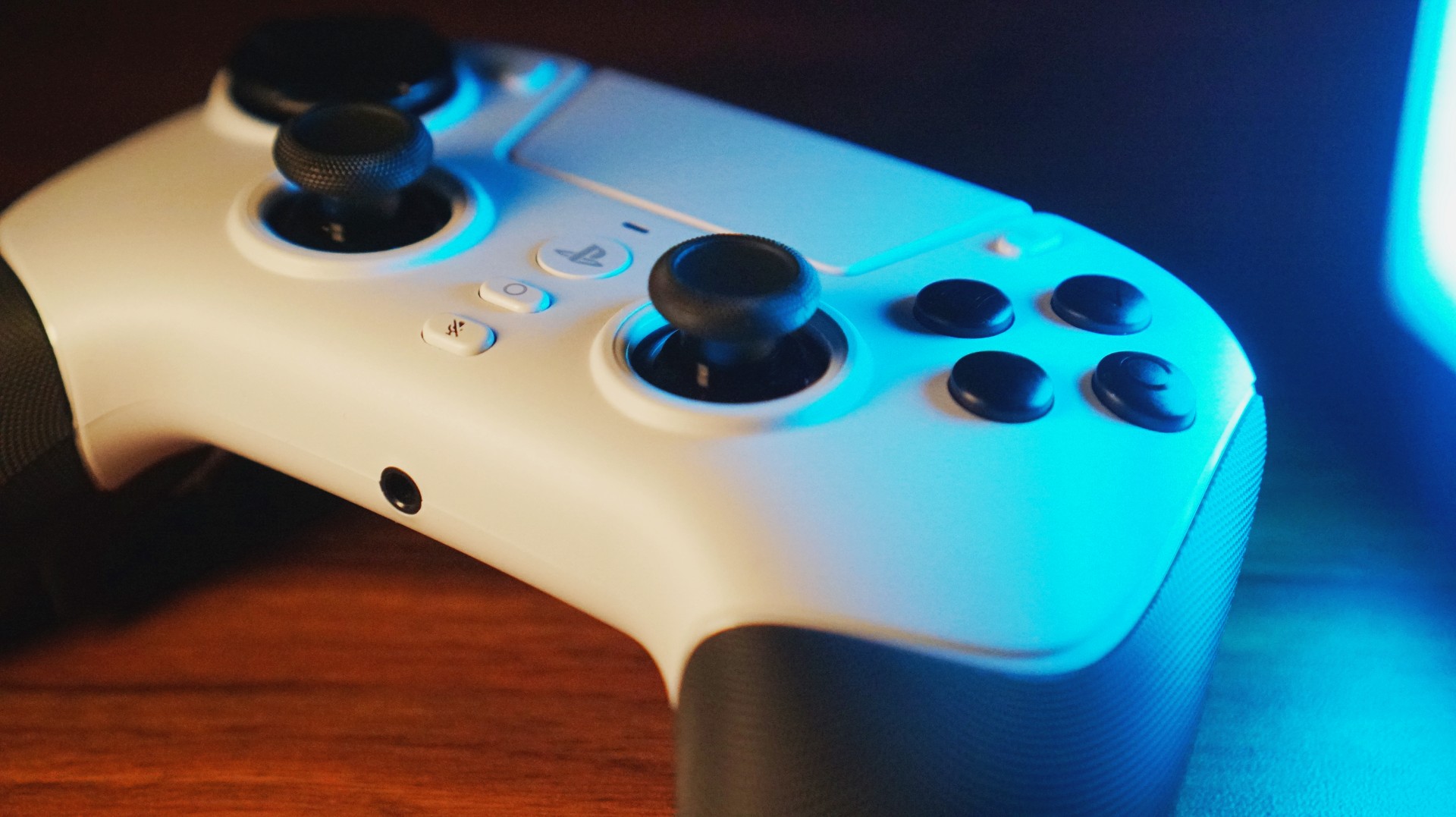
The TMR sticks? Excellent. Smooth, accurate, fluid — all of it. I had fun abusing them without worrying about drift, and NBA 2K26 really let me push them to their limit. COD: Black Ops 7 was harder, but I think that’s more on me than the controller. Maybe a sensitivity tweak or two will fix that over time.
Customization — only what I needed
I’m not the type who loves deep tweaking, so I mostly skipped Synapse. I only used the mobile Razer Controller app to remap the extra triggers. And honestly? That was enough. The controller already felt good out of the box.
Wireless performance — HyperSpeed does its job

No lag. No hiccups. No difference between wired and wireless — seriously. HyperSpeed Wireless worked wonders and felt as reliable as any cable-connected controller I’ve used.
Pain points — minor, but noticeable
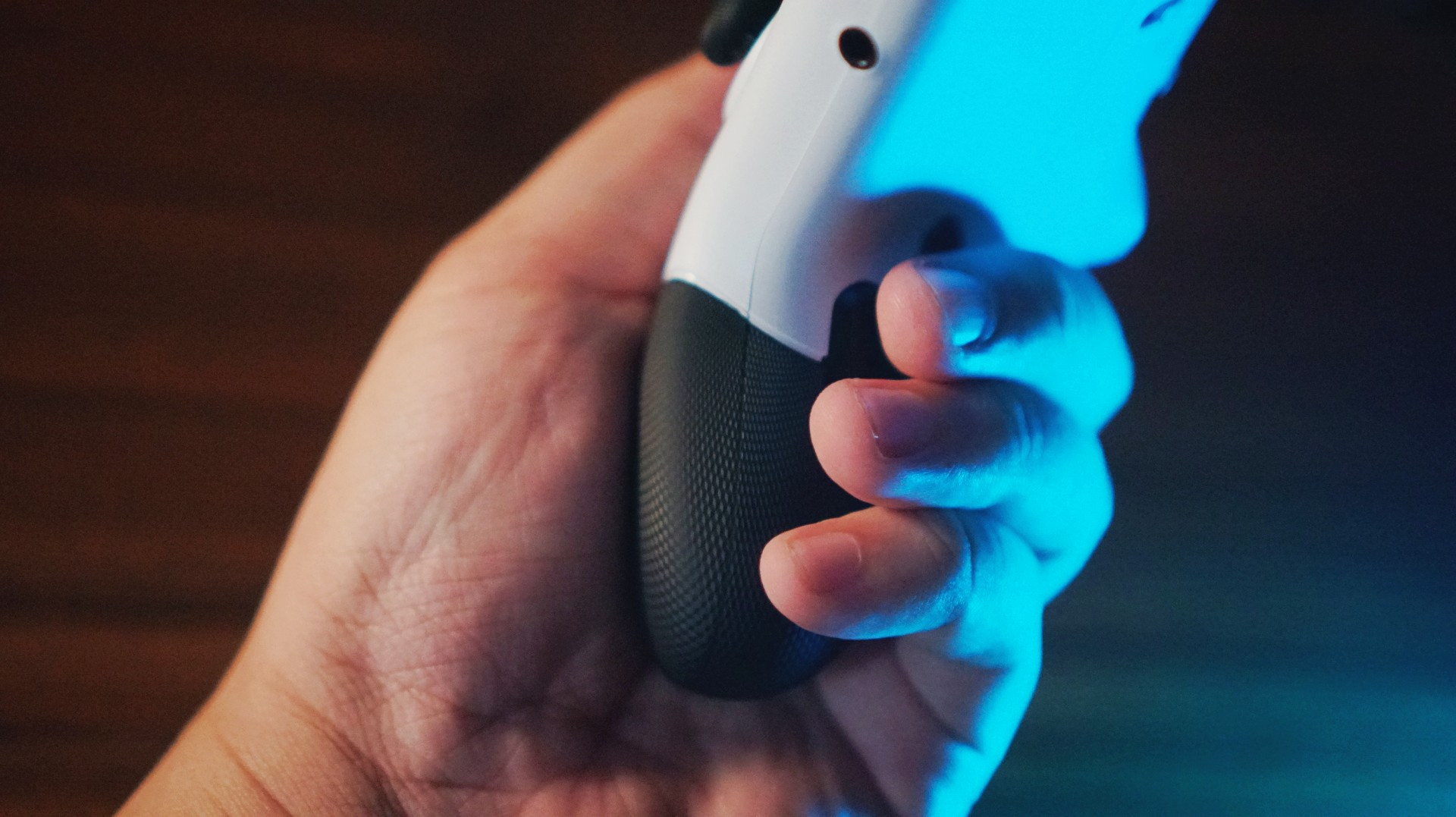
There are a couple of things worth noting.
The big one: no haptic feedback. The DualSense’s signature feature simply doesn’t exist here. Razer says this controller was designed with real pro players, and removing rumble seems to be one of those “it’s not needed in esports” decisions.
Honestly? After a while — especially during fast-paced games — I didn’t miss it. Haptics matter more in story-driven titles, and this controller isn’t really meant for those anyway.

One more thing: I couldn’t turn on the PlayStation with the Raiju V3 Pro. I still needed a DualSense for that.
Who is this for?

This controller is for people who play fast-paced, competitive games. Plain and simple.
But it’s also for players who want a controller built to take a beating — the kind that survives long sessions, intense button-mashing, and weekend-long gaming marathons. Its battery life is impressive, too, making it a great backup for when your DualSense suddenly taps out mid-game.
If you want a premium esports controller designed specifically for PS5, this is one of the best — if not the best — option right now.
If you want rumble, adaptive triggers, or a cinematic gaming experience? This isn’t it.
Is the Razer Raiju V3 Pro your GamingMatch?

If I had to describe the whole experience in one line: I’m swiping right because the Razer Raiju V3 Pro is an excellent piece of tech.
But it’s not for everyone, especially not for its asking price (EUR 209.99 / PHP 12,990). You can argue there are cheaper options — absolutely — but most of those lean heavily toward PC.
In the PS5 space, especially for competitive players, this is probably the strongest contender you can buy today.
Lifestyle
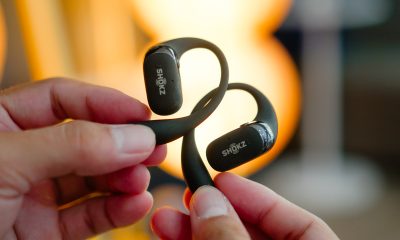
Shokz OpenFit 2+ review: A love letter to an ultramarathoner
What open-ear freedom feels like when you are chasing a comeback

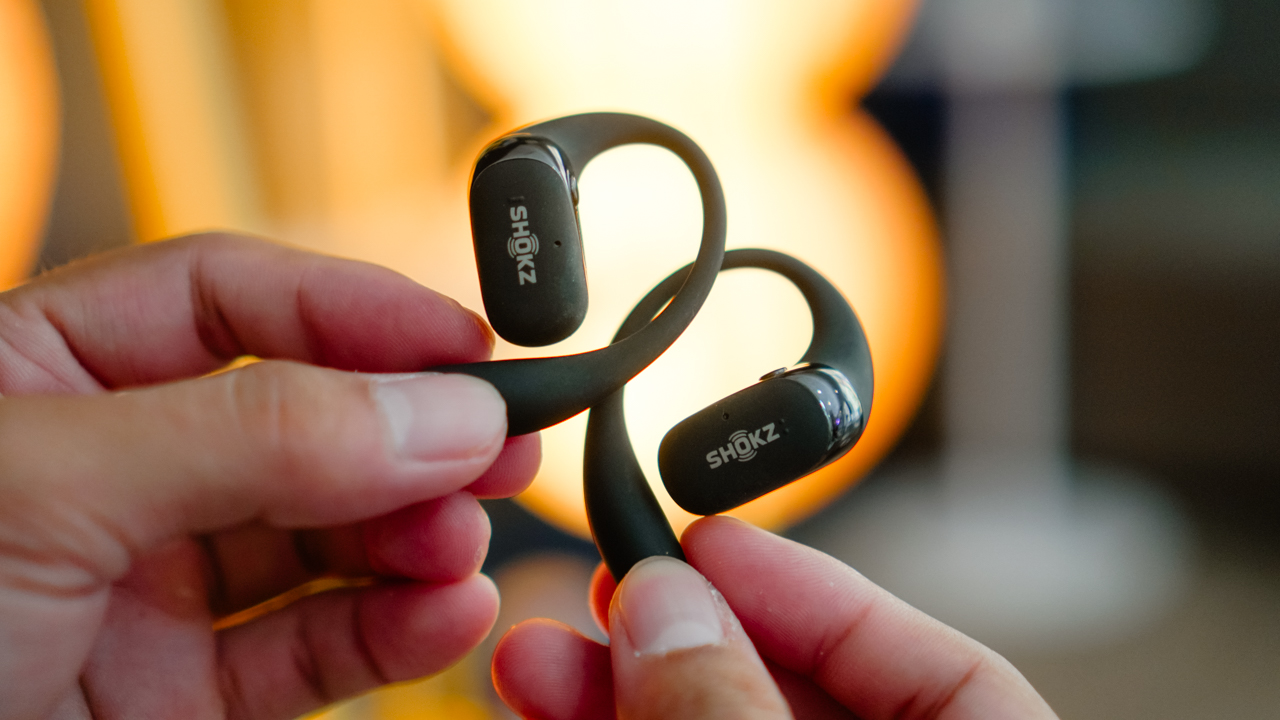
There is always a moment in every athlete’s life when the universe nudges you in a direction you swore you were not ready to face again.
Mine arrived softly, almost shyly, in the form of a date circled on my calendar: Spartan Trail 50K. The last piece of my so-called “Trailfecta.” It stared back at me like an old friend I loved deeply and feared at the same time.
I had conquered the 10K and the 21K earlier in the year. They felt like small victories; reminders of who I used to be. Yet beneath them lingered a shadow from a different mountain range. A memory from the Cordilleras that still pricked at my ribs.
The kind of memory where you fight for your life. You survive, but a part of you walks away shaken. And for a long while, I thought that version of me was gone.
Then one day, on an ordinary afternoon, a package arrived at my doorstep: the Shokz OpenFit 2+. They rested inside the box like a whisper from the universe saying, “You want a comeback. Take the first step.” And so I did.
Resting gently on your ears
I grew up in the world of open-ear audio. Not literally, of course, but you know what I mean.
After four years of living an endurance athlete’s life, open-ear earbuds became less of a gadget and more of a ritual. They were the pre-run talisman I reached for before lacing my shoes. The companion waiting for me beside my hydration pack.
It’s the one constant that never complained whenever I trained in places that didn’t always feel safe.

Most tech journalists don’t understand these ear-shaped talismans. They look at the Shokz OpenFit 2+ and frown like it is abstract art they didn’t sign up to interpret.
“It’s strange,” they say. “It’s odd.” And maybe it is. But it only seems odd when you do not spend your hours running through cities and trails, weaving through traffic, or lifting in gyms where someone is always dropping a dumbbell somewhere near your foot.
For me, the OpenFit 2+ felt natural. Familiar. Like another part of my training routine that never asked for attention yet always showed up for the work.
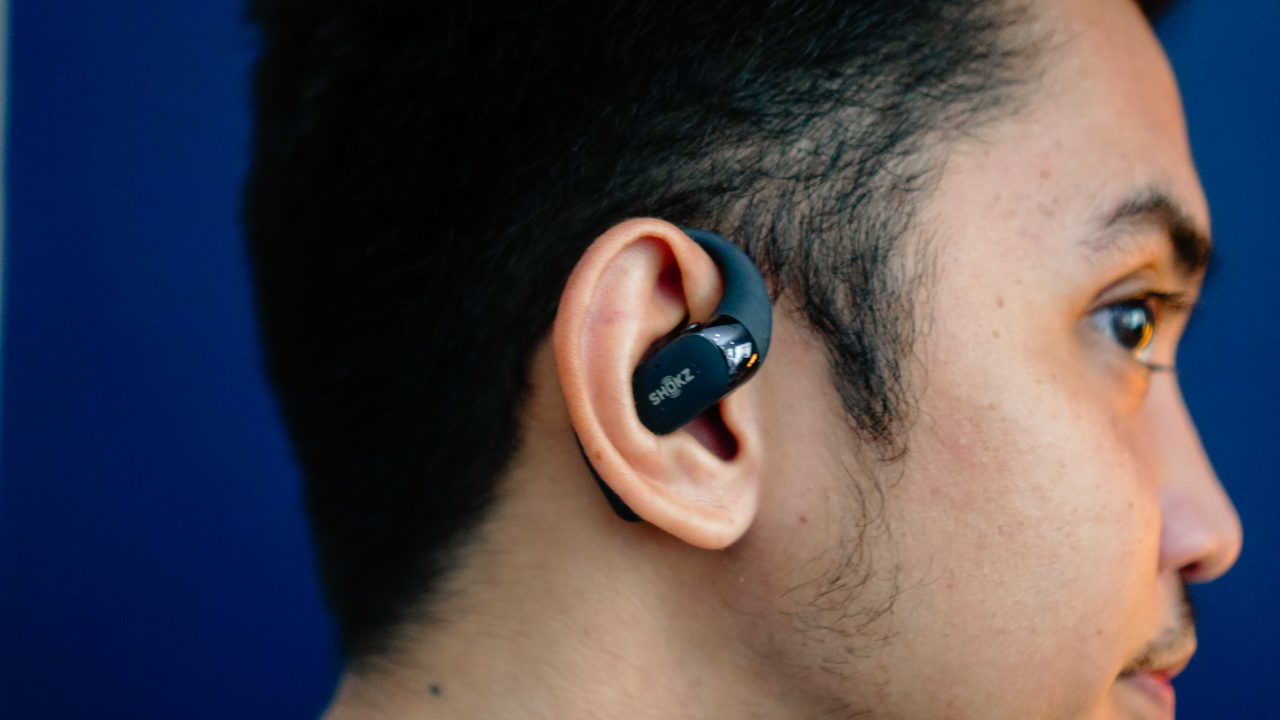
They sit on your ears the same way confidence sits on you after a successful training block: quietly, but securely.
There was no pinching or awkward reshuffling mid-run. No pressing against your skin when sweat turns your face into a waterfall.
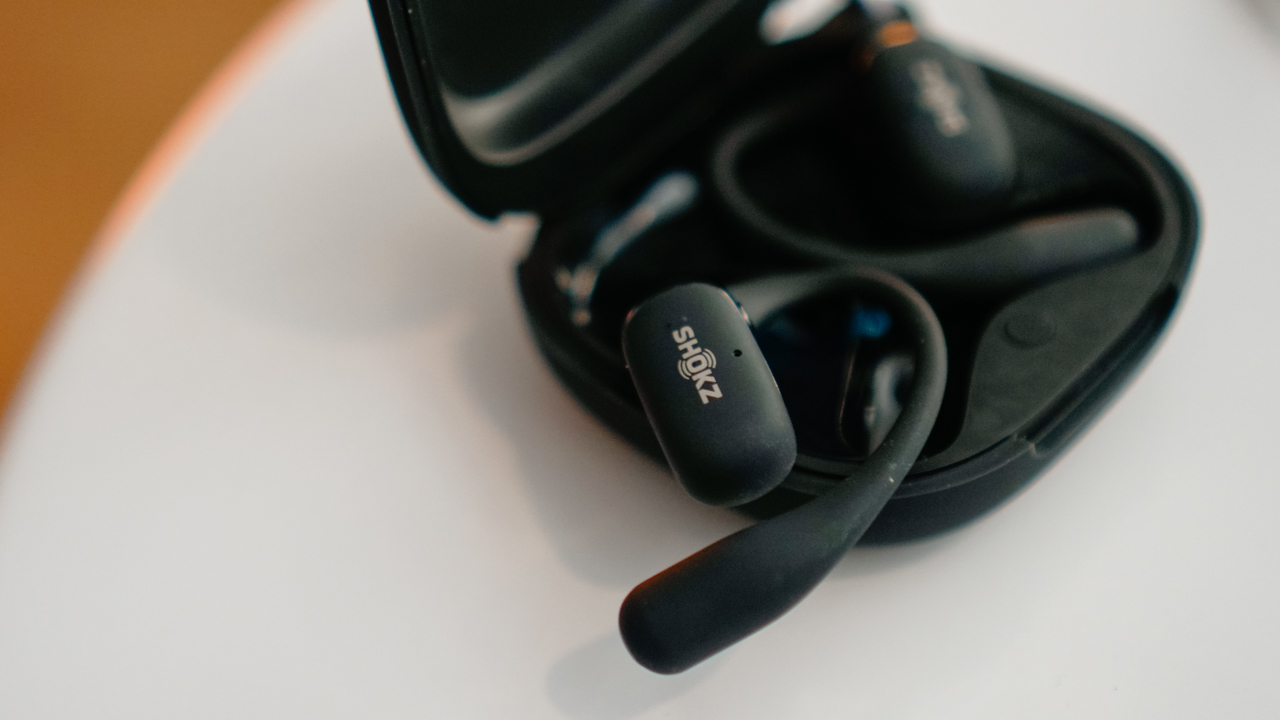
With open-ear earbuds, awareness becomes part of the soundtrack. You hear your playlist, and you hear the city. You hear your breath, and you hear the wind. In my experience, I have become more connected to my run, not less. That is why athletes like me gravitate toward them.
They do not isolate you from the world. They teach you how to move through it mindfully.
Weightless enough to forget
Compared to the other open-ear companions I have worn — JBL Soundgear Sense and Xiaomi OpenWear Stereo — the OpenFit 2+ felt almost unreal. So light it made me question physics.
They disappeared on my ears in the same magical way race-day nerves disappear once your feet start moving. One step, two steps, breathe, and suddenly your mind remembers what your body is built for.
The comfort surprised me. When training gets intense, everything on your body begins to irritate you. Your shirt scratches. Your watch strap sticks to your skin.
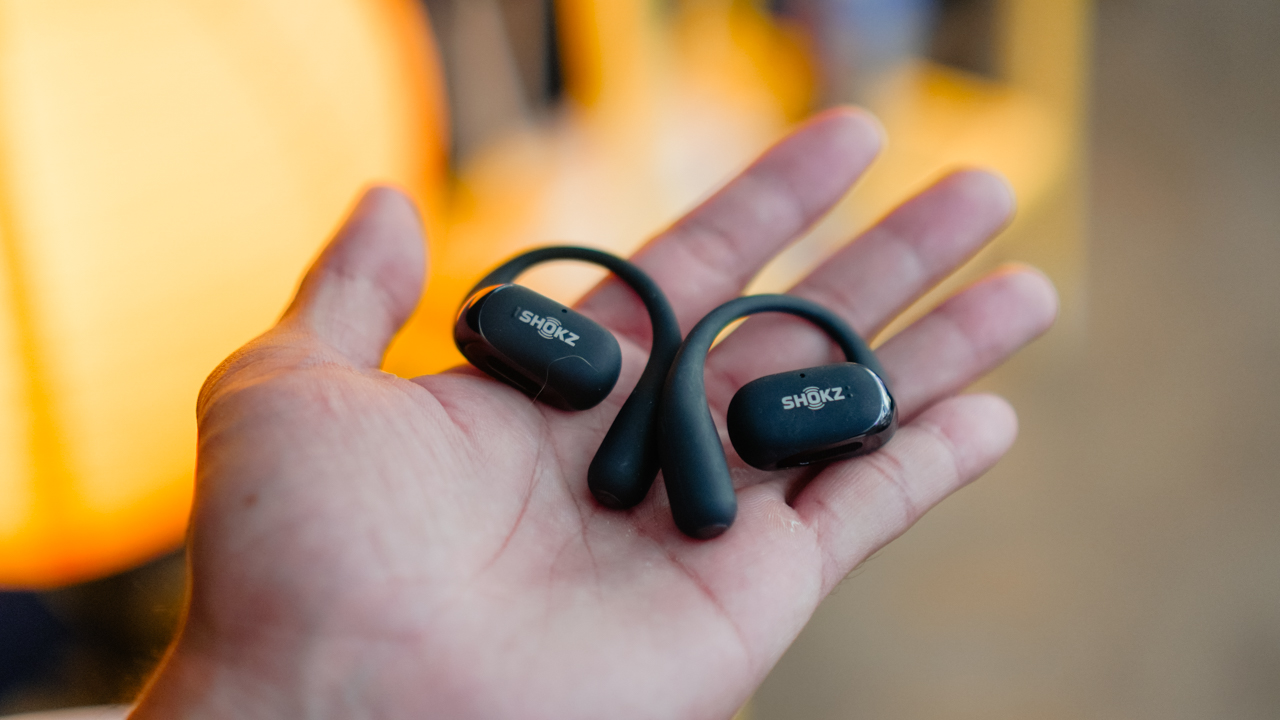
Even your hydration vest becomes a test of patience. Yet the OpenFit 2+ stayed soft, even during the sweatiest sessions. Their ultra-soft silicone 2.0 material feels like it was designed by someone who has actually suffered through humid outdoor runs.
The nickel-titanium hooks mold themselves to your ears like muscle memory. They adapt to you without asking you to adapt to them.
During my long solo runs — and these truly are solo because I can’t stand running with a group — the OpenFit 2+ stayed with me. They stayed in place through deadlifts at Anytime Fitness during peak hours in the evening.
They stayed with me through slow, frustrating MotoTaxi rides, where your only job is to survive the traffic and not lose your patience. And then one day, they didn’t.
The heartbreak of losing one half of a perfect pair
I had finished a long ride on a MotoTaxi. I removed my helmet and felt a strange lightness on my right ear. Not the peaceful kind. The “something-is-missing” kind.
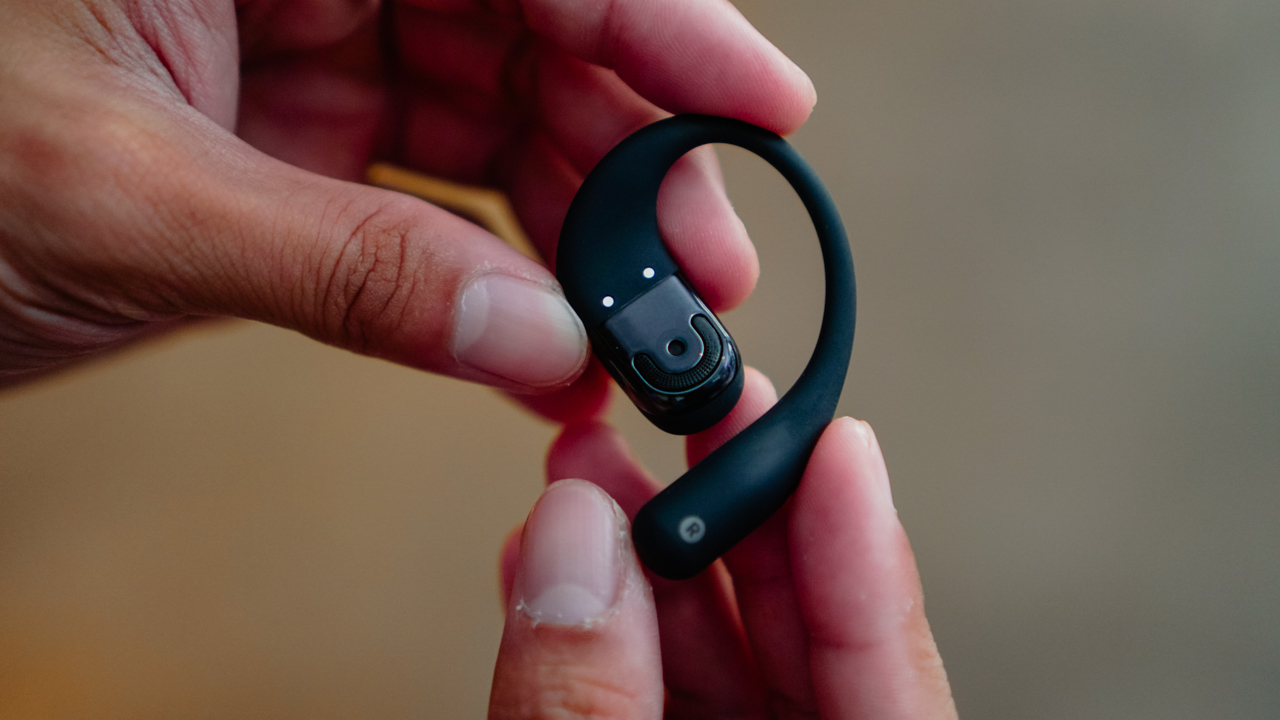
My right OpenFit 2+ had fallen somewhere along the way. I retraced my steps like a detective in running shorts. I scanned the pavement, checked the corners, and prayed it had simply slipped somewhere. But… nothing.
And to make things worse, the battery had already died. The app could not reconnect. My tracking option was gone. The trail had gone cold.
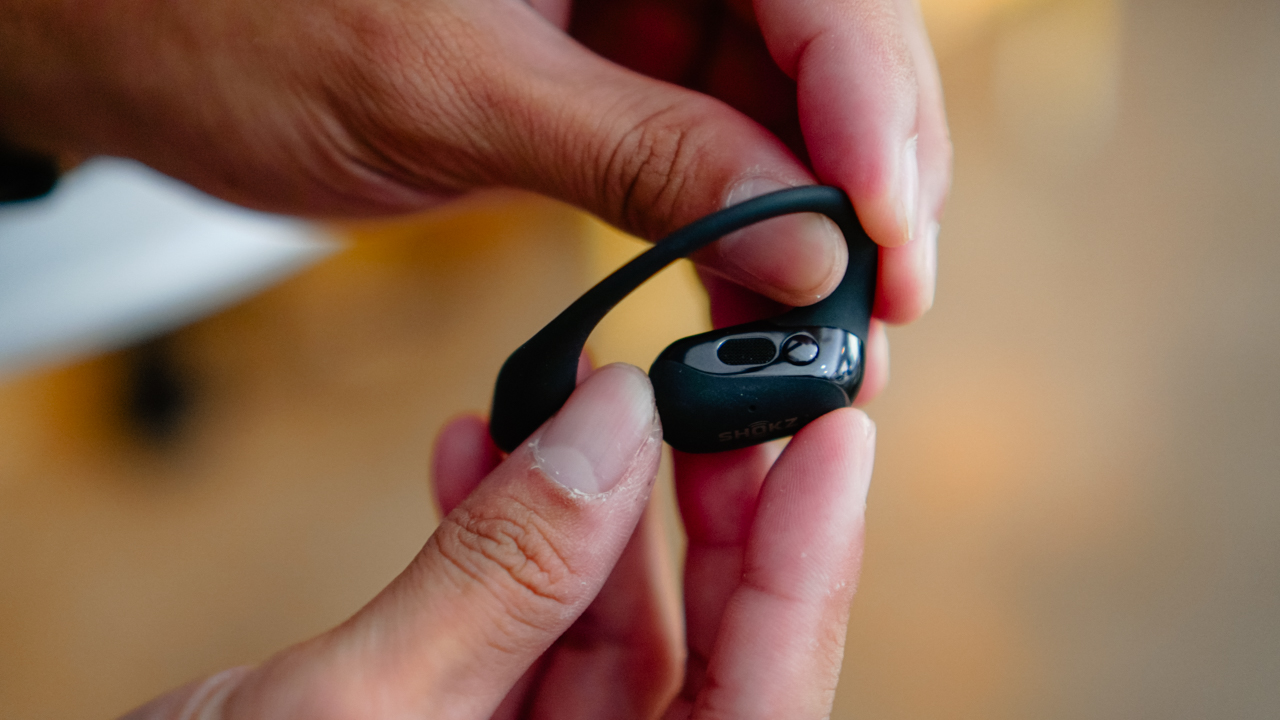
The loss felt strange. Not dramatic, but emotionally inconvenient. Like when you lose a water bottle on a long run and pretend you don’t care until you realize you’ll think about it for days.
I tried other earbuds the next morning. It felt wrong and empty, so I got a new pair. Sometimes, we do not choose our attachments. They choose us.
Long runs and long hours
People imagine endurance athletes as superhumans, but the truth is we spend half our lives managing energy. Training teaches you that effort is currency. You cannot spend it carelessly.
Which is why I appreciated the OpenFit 2+ battery life more than I expected. My usage pattern is predictable. I run, work out, commute, and move between meetings. And still, it takes me a full week before the earbuds reach zero and ask for mercy.
Each pair lasts up to 11 hours of playtime. With the case, you get around two days, sometimes more. It reminded me of how endurance athletes stretch every calorie on race day.
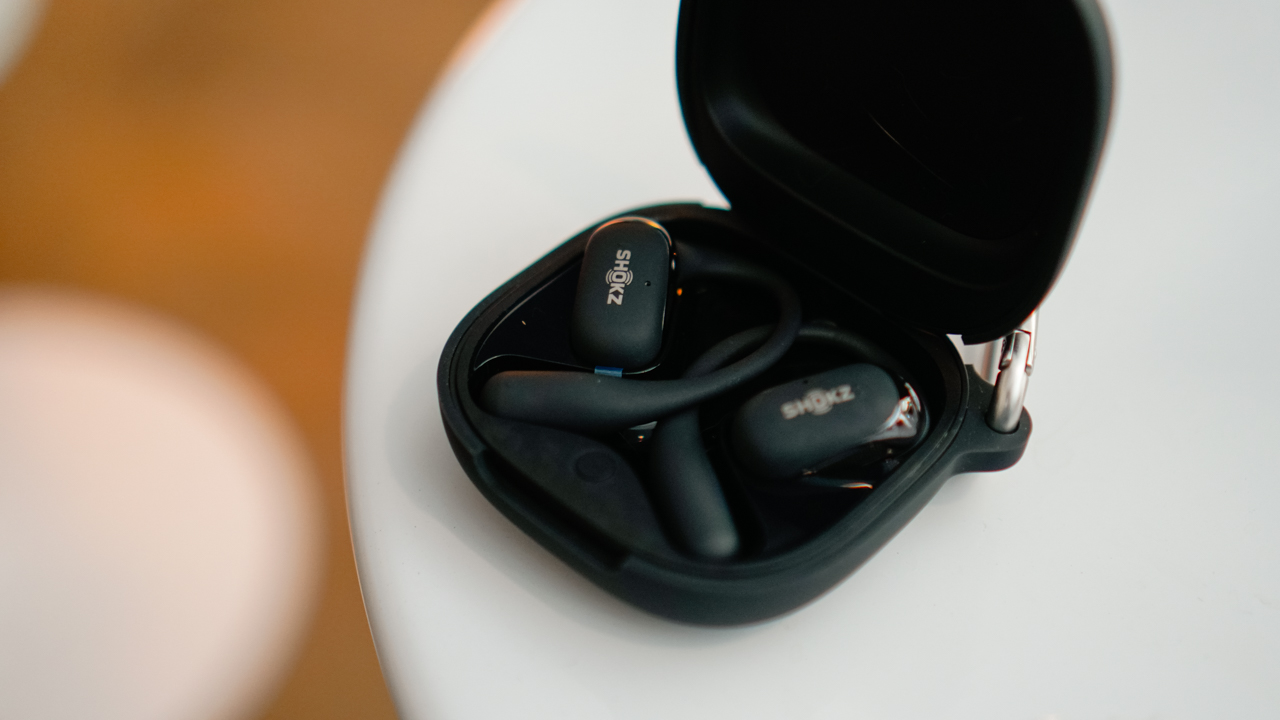
Efficiency becomes instinct. You learn to conserve and push only when needed. The OpenFit 2+ works the same way. They’re generous with energy when you ask for it, and thoughtful when you don’t.
My only real gripe is a funny one. When the earbuds are inside the closed case, my iPhone sometimes decides it is still connected.
Imagine scrolling through TikTok and hearing nothing, only to realize your earbuds are quietly vibing inside the case. Not ideal, but manageable.
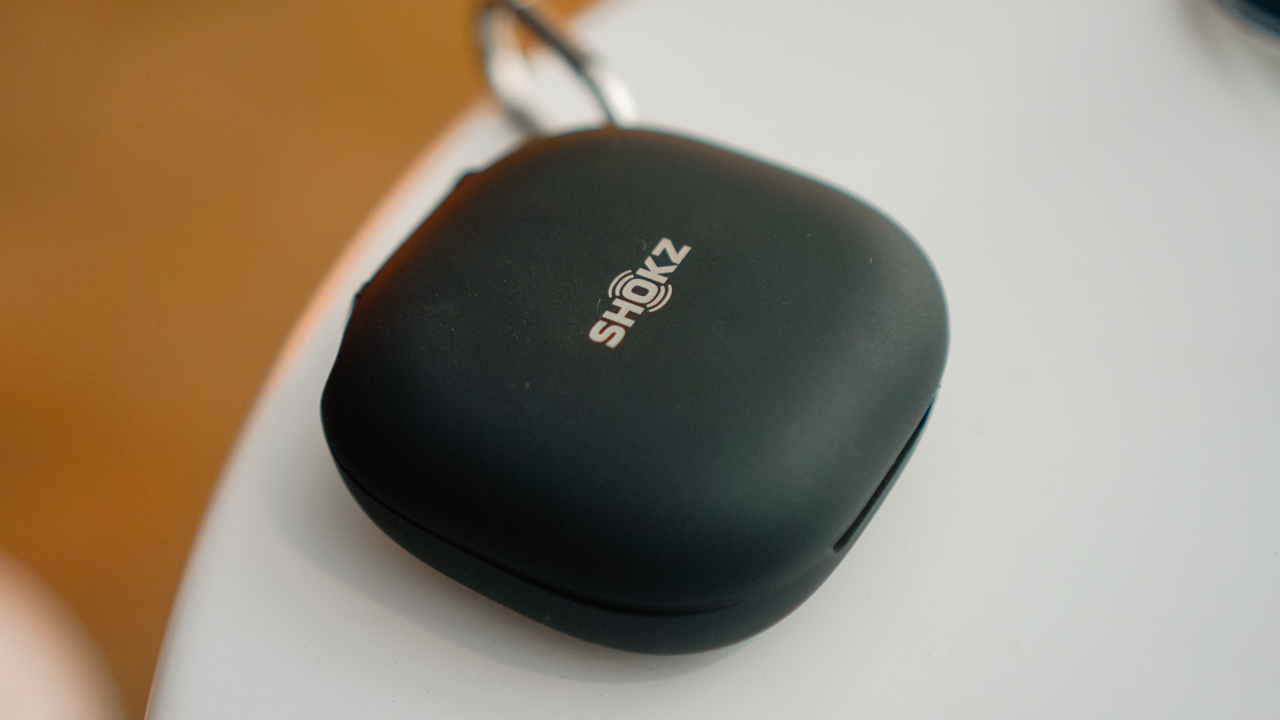
But every morning, they connect quickly. I leave the house, play “Maneater” by Nelly Furtado, and let myself strut down the hallway like it’s a runway disguised as daily life.
A soundtrack that made the miles feel lighter
The best thing about the OpenFit 2+ is not the volume, or the clarity, or the surprisingly balanced bass. It is the feeling it gives you.
At moderate volume, the audio wraps itself around your day like a soundtrack in a coming-of-age movie about an endurance athlete with questionable life choices and a stubborn heart.
My Spotify algorithm is as messy as my mind. Show tunes. Rock. Lofi beats. Taylor Swift. Ariana Grande. Olivia Rodrigo. Olivia Dean. Sabrina Carpenter.
It is a circus, and yet the OpenFit 2+ handles everything like a concert.
Running with them feels like training inside a music video. The world stays audible, but your flow becomes heightened. You can hear the cars, the dogs, the wind, your breath, and still lose yourself in the melody because it frames the run without overwhelming it.
Turning the volume too high can sound cranky, but this is not the device for noise cancellation addicts. This is for runners. Lifters. Commuters. People who need to stay present.

And when it comes to calls, the OpenFit 2+ performs better than many in-ears. I once attended a meeting while running — yes, running — and no one noticed the traffic, the footsteps, or my heavy breathing.
My colleagues said the audio was clean. Maybe they were not paying attention. Maybe the noise-cancelling mics are that good. Either way, I survived both the meeting and the run.
Tools that stay out of your way
The Shokz app is simple enough to complement your routine without distracting you.
You can adjust EQ, customize button controls, switch between Bass Boost or Vocal mode, or toggle Dolby Audio when you want your life to feel cinematic.

Multipoint pairing is smooth, especially when switching between a smartphone and a smartwatch. But the true beauty of the app is that it never feels like homework.
With the OpenFit 2+, life always comes first, music second. It becomes the soundtrack of grocery runs, slow walks, errands, and morning routines.
You start to feel like the protagonist of a charming 90’s romcom wandering through cobblestone streets even when you are just crossing the street to buy electrolytes.
Is the Shokz OpenFit 2+ your GadgetMatch?
The Shokz OpenFit 2+ is not for everyone.
Open-ear earbuds require a lifestyle that benefits from awareness and movement. If you stay indoors or prefer complete isolation, you will not enjoy them. You may even find them strange, like many do at first glance.
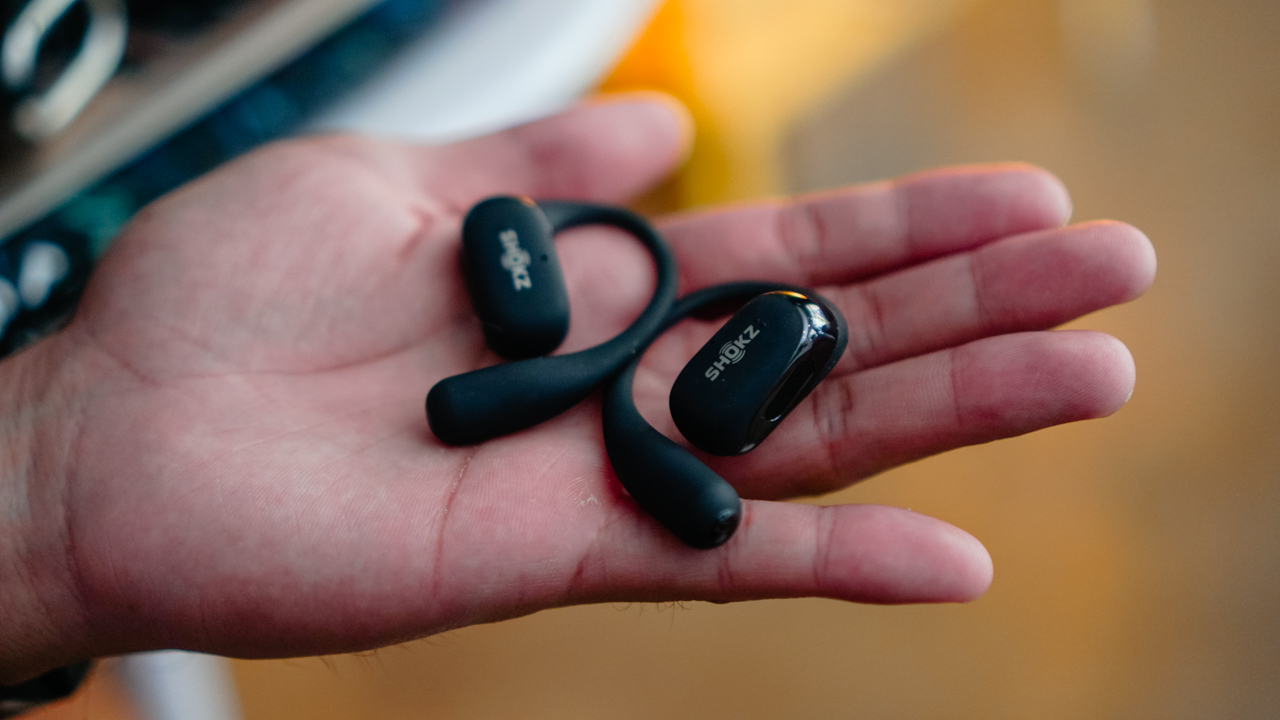
If you want awareness but in a different form, the Shokz OpenDots One might suit you. It clips onto your ear like jewelry and offers a similar open-ear experience. If that is the vibe you are leaning toward, it is time to Swipe Left.
The OpenFit 2+ is for people like me. The ones who train and the ones who move. The ones who sweat through sessions and still have a full day ahead of them.
It is for people who want comfort, durability, awareness, and audio that levels up their way of life. Sounds like you? Then it’s a Swipe Right.
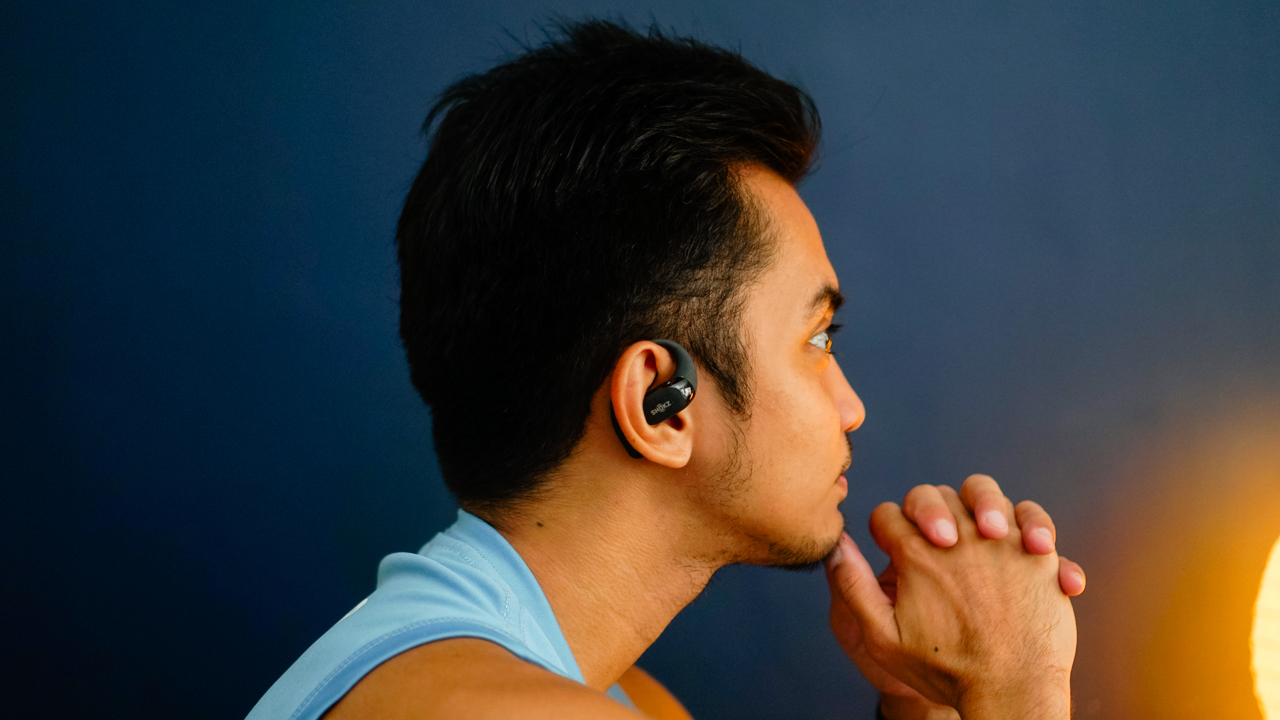
At PhP 11,990, it feels like a steal when you consider how much higher other open-ear wearables cost for similar quality. For me, it is a Super Swipe. It earns the GadgetMatch Seal of Approval.
More importantly, it has earned a place in my life longer than any other open-ear earbuds I have owned. Long enough that when I lost one pair, I got another. That alone tells the full story. You know it: This is my GadgetMatch of the year.

Antigravity A1 review: A new way to fly
Effortless cinematic flight made simple

Razer Raiju V3 Pro review
Competitive controller that knows exactly who it’s built for

Shokz OpenFit 2+ review: A love letter to an ultramarathoner
What open-ear freedom feels like when you are chasing a comeback

OPPO Find X9 now available through Smart Postpaid, Infinity

Google Year in Search 2025: NBA Finals, Halalan, Dionela, Alex Eala, more

Canon EOS C50 cinema camera price in the Philippines

The future inside your next hotel, cafe, or classroom visit

Netflix officially announces bid to acquire HBO, Warner Bros.


-

 Reviews1 week ago
POCO F8 Pro review: Lightweight, heavy hitter
-
 Reviews1 week ago
vivo X300 review: The point-and-shoot I’ll always carry
-

 News1 week ago
POCO F8 Series: Price, availability in PH
-
 Reviews1 week ago
POCO Pad X1 review: A tablet that keeps up with your day
-
 Reviews7 days ago
vivo X300 Pro review: Going the X-tra Mile
-

 Drones2 weeks ago
DJI Neo 2 review: Fly without fear
-
 Reviews1 week ago
POCO F8 Ultra review: An Achievable aspirational all-rounder
-
 Accessories2 weeks ago
2025 Black Friday Sale Gift Guide