
Tutorials
How to get Windows 10


Windows 10, the latest version of Microsoft’s Windows operating system (OS) is available starting July 29, 2015. The update brings with an improved user interface, virtual assistant Cortana, and a new web browser called Edge. The new OS is available as a free upgrade for Windows 7, 8, and 8.1 users and is available as a 3GB download. In this video we’ll show you how to get it.






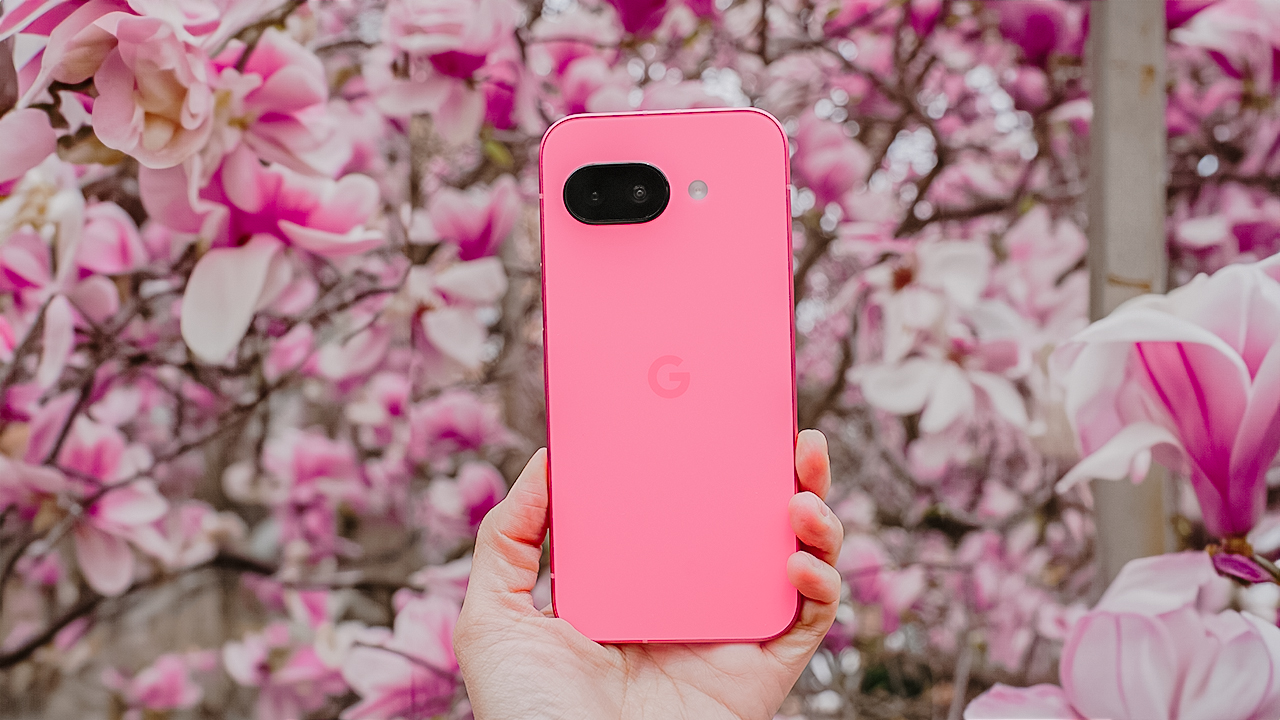
Spring is a fleeting masterpiece. Petals burst into bloom, golden sunlight paints the landscape, and the air hums with renewal.
It’s a spectacle that demands to be captured, and with the Google Pixel 9a, you have the perfect tool to freeze these vibrant moments in time.
Make the most of this smartphone and capture the essence of spring in all its glory. Here’s a guide on getting the best out of your smartphone and this season.
Get up close with Macro Focus
For the first time on a Pixel A-series, the Google Pixel 9a comes with Macro Focus for extreme close ups. This feature lets you explore the tiny wonders of spring, like flowers in full bloom.
You can also use the zoom lens to capture the intricate textures, colors, and patterns in petals and leaves. This way, you have stunning close-up shots with exceptional detail.

Pro Tip: Shoot during the golden hour (sunrise or sunset) for a warm, natural glow. Midday sun can be harsh, washing out details and colors.
The 13-megapixel ultra-wide camera is everything
Spring landscapes deserve to be seen in full view, and the Google Pixel 9a’s ultra-wide lens ensures you capture the vastness of blooming fields, tree-lined paths, and endless blue skies in one stunning frame.

Pro Tip: Use leading lines — like roads, fences, or flower beds — to guide the viewer’s eye and add depth to your shot.
2x zoom is your friend
Sometimes, getting closer doesn’t mean physically moving forward. It means using the right zoom.
The 2x zoom on the Google Pixel 9a lets you frame sharp, undistorted compositions while adding a natural foreground element to give your shot more dimension.

Pro Tip: Frame your scene with tree branches or flowers in the foreground for extra depth and an immersive effect.
Utilize that Portrait Mode for softer, dreamier backgrounds
Spring is the season of soft light, blooming backdrops, and golden-hour portraits.
Use the Google Pixel 9a’s Portrait Mode to ensure your subject stays sharp while the background melts into a beautiful blur whether it’s a candid shot of a loved one or a moment of stillness in nature.

Pro Tip: Overcast days are your best friend. Clouds act as a natural softbox, creating even lighting that brings out true-to-life colors in your portraits.
Shoot in HDR
Spring photography often means bright skies and deep shadows. High Dynamic Range (HDR) ensures your shots capture the best of both worlds: rich colors, crisp details, and perfect exposure.

Pro Tip: Clean your lens before shooting! Spring means pollen, dust, and mist. Even the best camera settings won’t work if your lens is dirty.
Let AI do some heavy lifting
The Google Pixel 9a’s AI-powered tools help take your shots from good to breathtaking.
Whether you need to erase distractions (hello, Magic Eraser!) or subtly enhance details, these smart tools make it effortless.

Pro Tip: Don’t overdo it! Keep edits natural so your photos stay vibrant and authentic.
Make colors pop
Spring is a festival of color, and the Google Pixel 9a gives you the tools to enhance it effortlessly.
Use “Vivid” or “Boosted” in Camera Settings to bring out natural hues, or slightly underexpose bright scenes to preserve highlights and retain depth.

Pro Tip: Learn to contrast warm and cool colors. For example, a yellow flower against a blue sky creates a striking and balanced composition.
Spring won’t last forever
The beauty of spring is in its impermanence. Blossoms fade, the golden hues shift, and the season quietly gives way to summer.

But with the Google Pixel 9a in your hands, you can make these fleeting moments last forever.
So, go outside. Chase the light. Frame the beauty. Capture the color. Spring is waiting.


From smartphones to laptops, AI has pervaded everything we know about technology these days. Even our search engines aren’t safe. Naturally, there are times when we can do without the extra helping of AI. If you’re tired of seeing AI-filtered results on the search engine, Google has a secret tip for you.
A few days ago, Google launched a way for users to rewind time and access the engine without AI or any of the new features introduced over the years. Naturally, because it disregards Google’s additions, it’s not an easy mode to enable.
Currently, the search engine says that you can access it by selecting Web in the toolbar after every search. It’s also hidden under More, the option beside News. If you don’t know that it’s there, you won’t even know that it exists.
How to access a cleaner version of Google
Thankfully, there’s an easier way to access this no-frills mode. Shared by Ernie Smith on Tedium, the method does take a bit of know-how, but it’s not too difficult to set up.
The simpler (but more tedious) way is to add “&udm=14” after the search URL. For example, if you’re searching for boats, the URL should look like “https://www.google.com/search?q=boats”.
To access the mode, delete everything after “boats” and add “&udm=14.” It should look like ““https://www.google.com/search?q=boats&udm=14”.
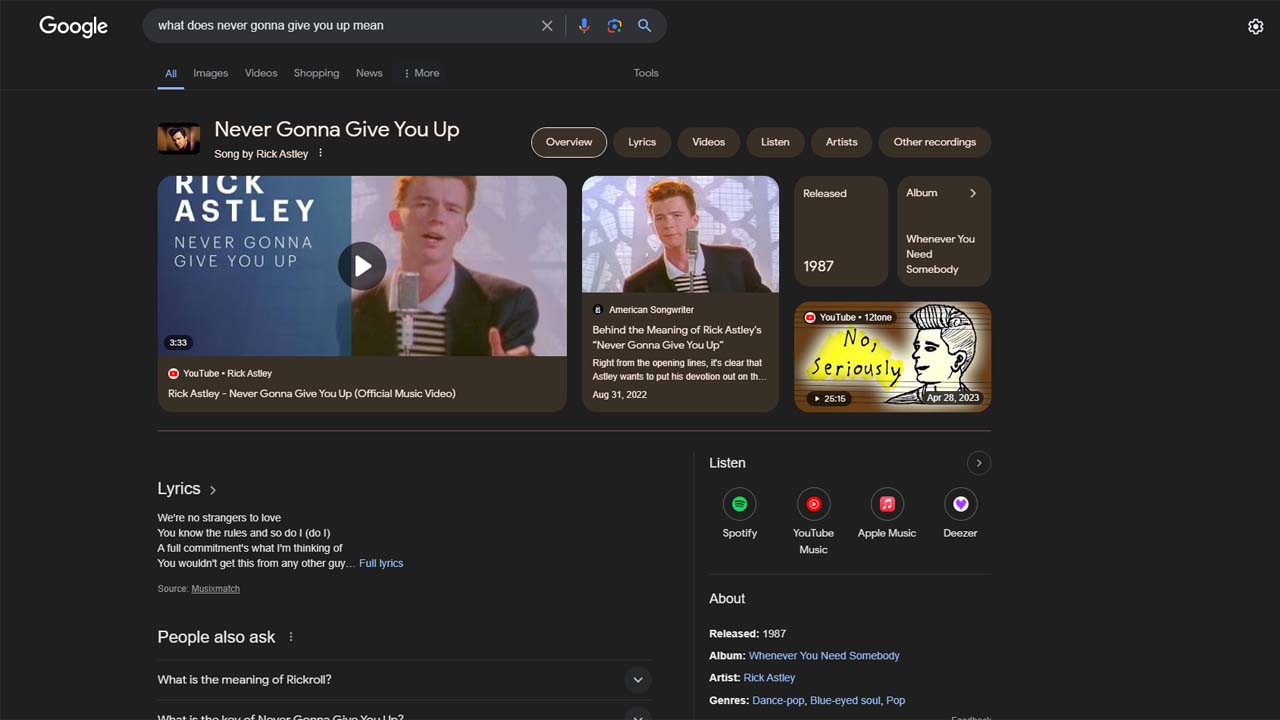
Google with AI enabled
Now, to do this more efficiently, go into your browser’s settings, specifically the search engine used for the address bar. This will vary depending on the browser. Edge, for example, has it under Address bar and search.

Google without AI enabled
Once there, add a new search engine. Name it “Google Web Only” and add “gw” as a shortcut. For the URL, put in “https://www.google.com/search?q=%s&udm=14” (without quotation marks). Finally, make it default. Each search done with the search bar should default to the basic version of the search engine.


The FIBA Basketball World Cup 2023 tips off on August 25. It offers hoops fans the ultimate experience to see the sport’s best global stars.
No less than Gilas Pilipinas will do its best to represent the Philippines proudly at home. Hundreds of thousands are expected to watch the prestigious event in-person from August 25 to September 10.
For those who do not have the luxury of attending live, there are still various ways to watch the World Cup. You can use whatever device from wherever location you’re from.
Here’s a quick rundown:
TV
For Cignal TV prepaid and postpaid subscribers, a one-time Pay-Per-View fee of PhP 650 entitles viewers to all 92 games of the FIBA World Cup in both SD (Ch. 198 and 199) and HD (Ch. 298 and 299).
They will come commercial-free and with access to exclusive FIBA content such as documentaries and highlights of previous tournaments.
For people mainly interested in Gilas Pilipinas games, TV5 is the surefire way to catch the action. The channel is accessible for free via CignalPlay and via any way you access free TV, like digiboxes.
Smartphones, tablets

For smartphone and tablet users, there are a handful of streaming apps that will show the World Cup games live and on demand.
Cignal’s novel streaming platform, Pilipinas Live will show all 92 games for a PhP 99 a month subscription.
Unlike cable subscriptions, this rate does not have a lock-in period. A month would be enough since the World Cup runs from August 25 to September 10. You can cancel afterwards.
Games will also be shown on the Smart Livestream app for FREE. To watch all 92 games, Smart subscribers simply have to connect to a Smart mobile data, TNT or PLDT WiFi while using the Smart LiveStream App. The app is downloadable on the App Store and Google Play Store.
Speaking of Gilas, Smart has a prepaid Gilas Power subscription promo which is inclusive of 78GB of total data, including a fixed allocation for the Livestream app and open access data good for a month.
PC and laptops
For PC and laptop users, the best workaround is availing of CignalPlay Premium, which starts at just PhP 75 monthly, inclusive of most channels you’re used to seeing on cable TV from movies to sports to news channels and more.


Now Playing: Iron Lung
The premise will leave you wanting for more.


Infinix NOTE Edge: Stellar at street photography
Despite trailing in other specs, the Infinix NOTE Edge was built for point-and-shoot photography.


OPPO Reno15 Pro: Camera Review
Why is this even considered a "Reno"?

Smart opens pre-orders for Samsung Galaxy S26 series
Now Playing: Iron Lung

TECNO resurrects modular phones with this new concept

Privacy Display | Galaxy S26 Ultra

Audio Eraser now works on third-party apps | Galaxy S26 Ultra

Breaking up with Adobe Photoshop after 20 years

TECNO will showcase the CAMON 50 and POVA 8 series at MWC 2026

PlayStation, LE SSERAFIM Chaewon team for the ‘Love of Play’ campaign

VinFast updates battery subscription policy for large upfront savings

Xiaomi SU7 Ultra makes Gran Turismo 7 debut


-

 Reviews2 weeks ago
The art of being in and behind the frame
-

 Gaming2 weeks ago
New Resident Evil Requiem trailer teases a return to the RPD
-

 Accessories2 weeks ago
Apple AirTag 2 Review
-

 Cameras1 week ago
Osmo Pocket 4 makes a surprising appearance in public
-

 First Look1 week ago
Match Pulse: Infinix NOTE 60 Pro
-

 Entertainment2 weeks ago
Jason Momoa will star in upcoming Helldivers film adaptation
-
Camera Walkthrough6 days ago
OPPO Reno15 Pro: Camera Review
-

 Gaming2 weeks ago
Star Wars: Galactic Racer shows off new gameplay at State of Play