


The announcement of the Huawei P20 got me excited over something seemingly trivial when it comes to smartphones: color. The phones that were launched in the heart of Paris looked stunning and I couldn’t wait to get my hands on them.
Of course, I’ve been repping the Pink Gold gradient P20 for the past few weeks and here are my thoughts on Huawei’s newest flagship device.
Look and feel
Obviously, I adore this phone’s color. A quick look at my everyday stuff will show just how well this phone fits into my life and matches everything I own.
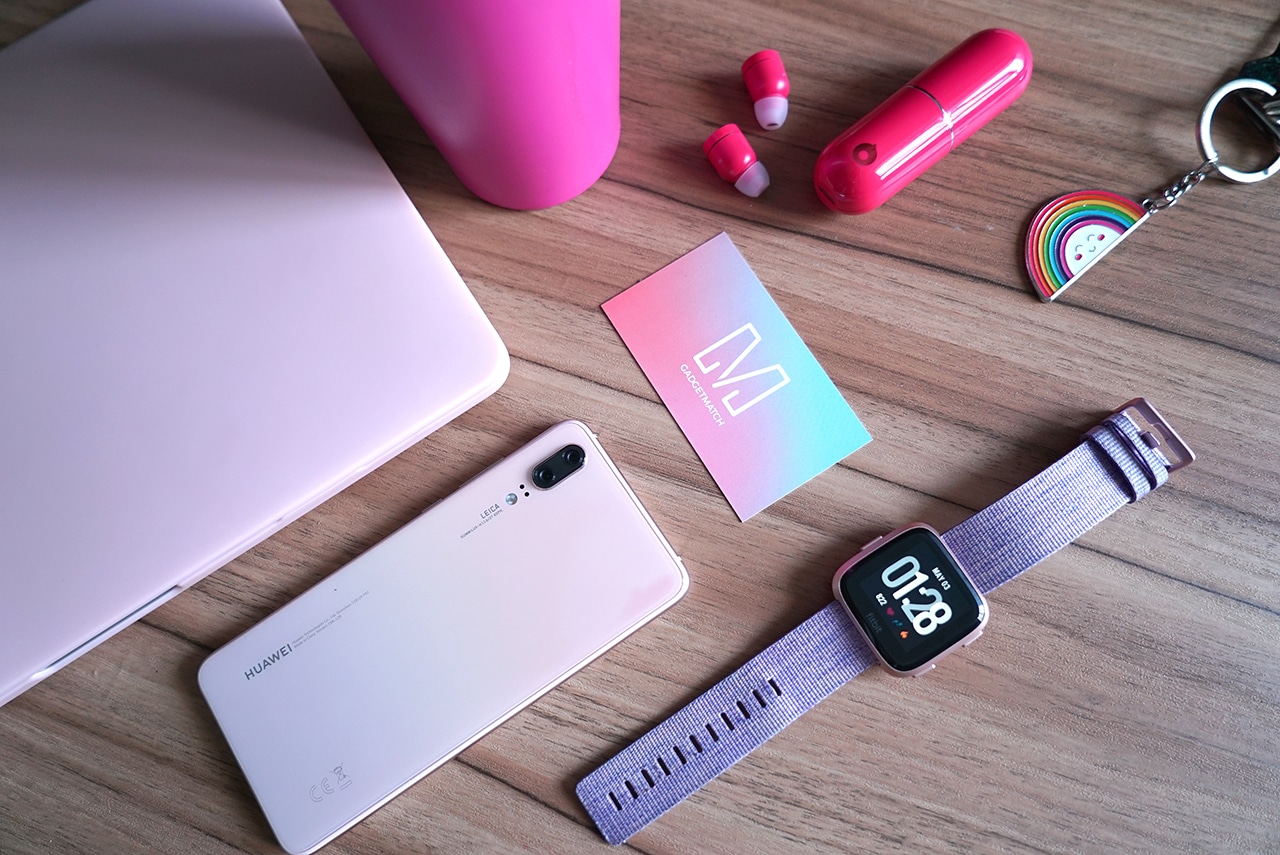
It’s not the easiest phone to photograph and depending on the light it may look less pink than I’d like. But, I love how subdued the color is and I’m continually amazed at how nice it is. I have, on more than one occasion, stopped mid-task to shoot flat lays with it just because I feel compelled to capture how pretty it is in photos.

I would go as far as saying that this, to me, is the prettiest phone out there right now. Sure, the popular Twilight gradient is pretty too, but this subtle blush is just so perfect.
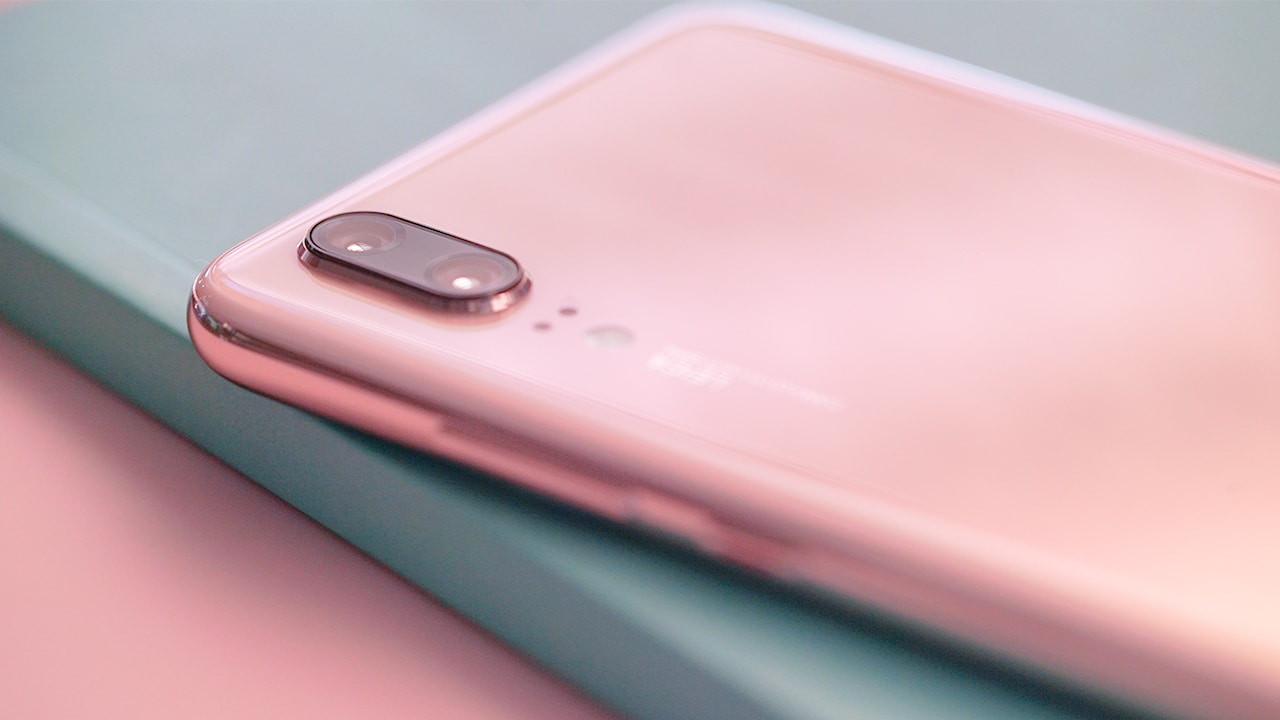
I always say that if you’re going to hold on to something for the most part of your day, it might as well be something that’s in a color you love — and I love pink. I sincerely, from the bottom of my heart, thank Huawei for releasing a flagship in this hue and I hope more brands would follow suit.
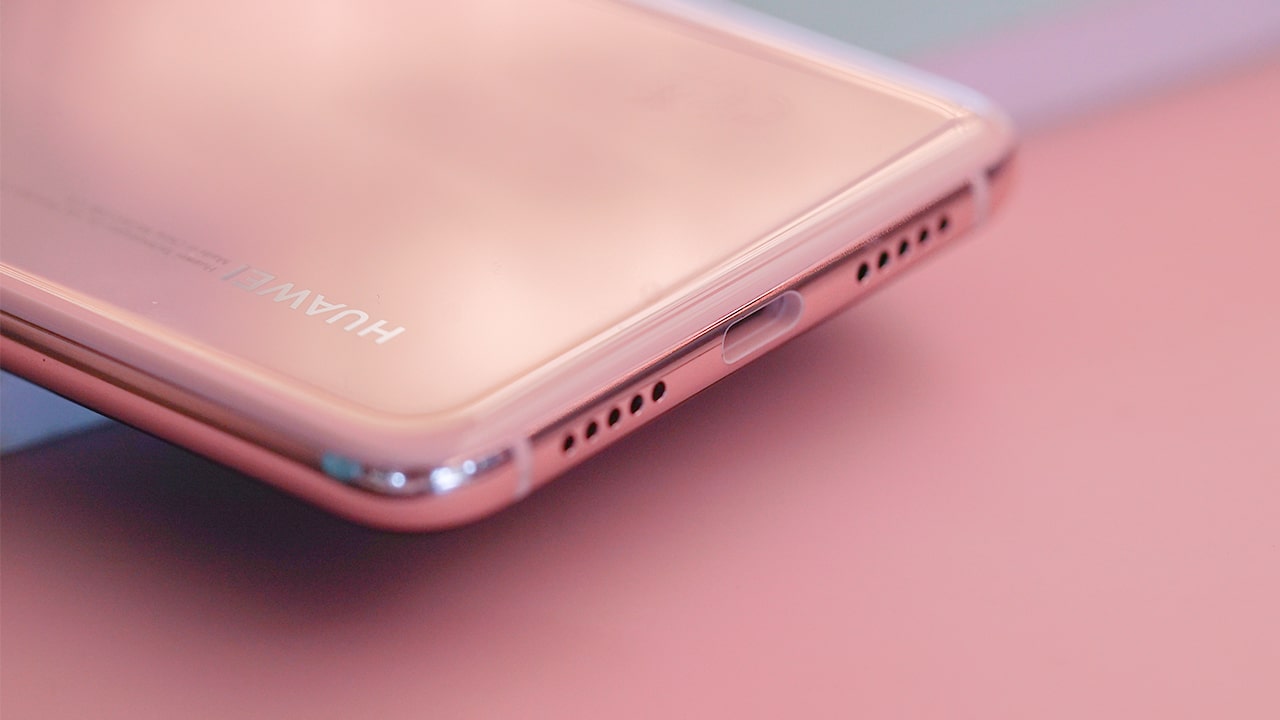
The gradient back is made of glass — so you still have to be careful — and the phone’s edges are made of aluminum. The handset feels as premium as it looks, but it’s a little slippery to hold. For butterfingers like me, make sure you get a case for this beaut.
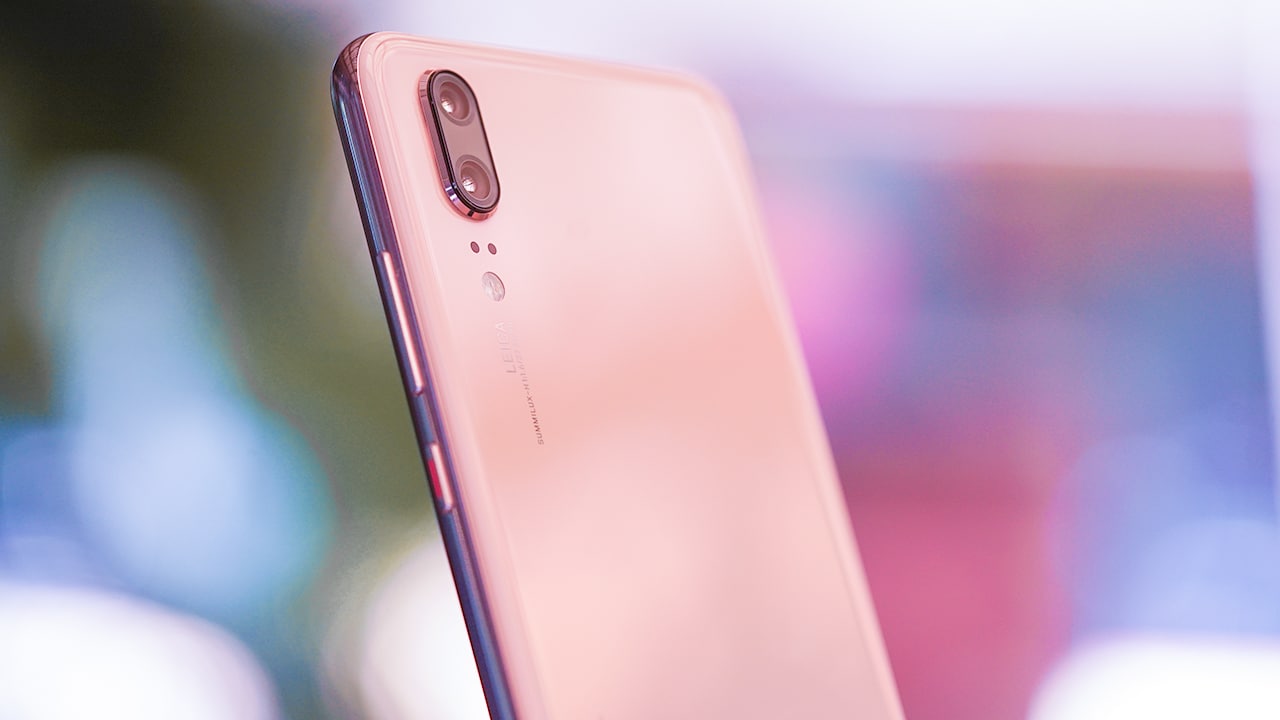
Unlike the Pro version, this device has only two cameras on its back. There’s also no audio port, unfortunately, but the phone comes bundled with an adapter for its USB-C port, so problem solved.
Notch my cup of tea
Like most 2018 flagships, one thing that it does have is a notch.

Well, unless you don’t want it there (which I totally didn’t). In a feat of tech genius, there is now a switch to hide the distracting notch. One tap in the settings menu and it goes away.
What I do love, however, is even when I turn that blasted notch off, the area beside the notch is still used for notification icons. It’s a great use of space, to be honest.

Unfortunately, while the notch does go away, there are still a few screen optimizations that could be done. Instagram Stories, for example, get cut out up top on the P20’s 5.8-inch display. But, this is nothing an update can’t cure; I just hope it comes soon.
Speaking of displays, the P20’s LCD display is bright and crisp, even if it isn’t OLED (which is what most flagships like the P20 Pro have). Oh, and this phone has a built-in “Eye comfort” setting which blocks out the blues on your screen so your eyes are less strained, which isn’t a new feature but is one I really appreciate nonetheless.
The P20 also has a fingerprint sensor in front, which is totally a Huawei thing — only they put fingerprint scanners below the display on near-bezel-less devices nowadays. Some people complain that the sensor is too low on the phone for a comfortable thumb scan, but I certainly don’t mind. At the end of the day, I still enjoy this placement more than when the scanner is on the phone’s rear — that, or I just have very agile thumbs. Either way, the P20 has face scanning for the non-believers, so that should solve all the thumb problems. It also works pretty well; I’ve honestly forgotten I have a lock code on my phone on most days.
Performance
This phone runs on Huawei’s most powerful processor (Kirin 970) and this means all app run smoothly on this phone — from Instagram to Snapchat, Google Maps, and even The Sims Mobile.

Battery time lasts me almost a day, which is a feat for most phones I touch as my day involves heavy social media use, photo- and selfie-taking sessions, plus video calling on a daily basis. Despite having a glass back, there is still no wireless charging on this thing but that’s something I can forgive as the device has fast charging. It takes around an hour and a half from zero to 100 percent on Huawei’s SuperCharge, which is fairly quick.
Unfortunately, this handset is only splash proof so yes, you shouldn’t be going swimming or showering with the phone which is a shame, because pool selfies are definitely a thing.
The phone runs on EMUI 8.1 on Android 8.1 Oreo which is the latest Android operating system out since the phone was announced. Everything is quick, snappy, and smooth — just the way I like it.
Rear cameras
Now, on to the phone’s highlight: the cameras!

There are two rear shooters on this device: 12- and 20-megapixel cameras, one of which is a monochrome sensor. The third lens is reserved only for the P20 Pro.
The real magic happens with artificial intelligence. Literally, you can just point and shoot on this thing and the camera does everything. E-V-E-R-Y-T-H-I-N-G.
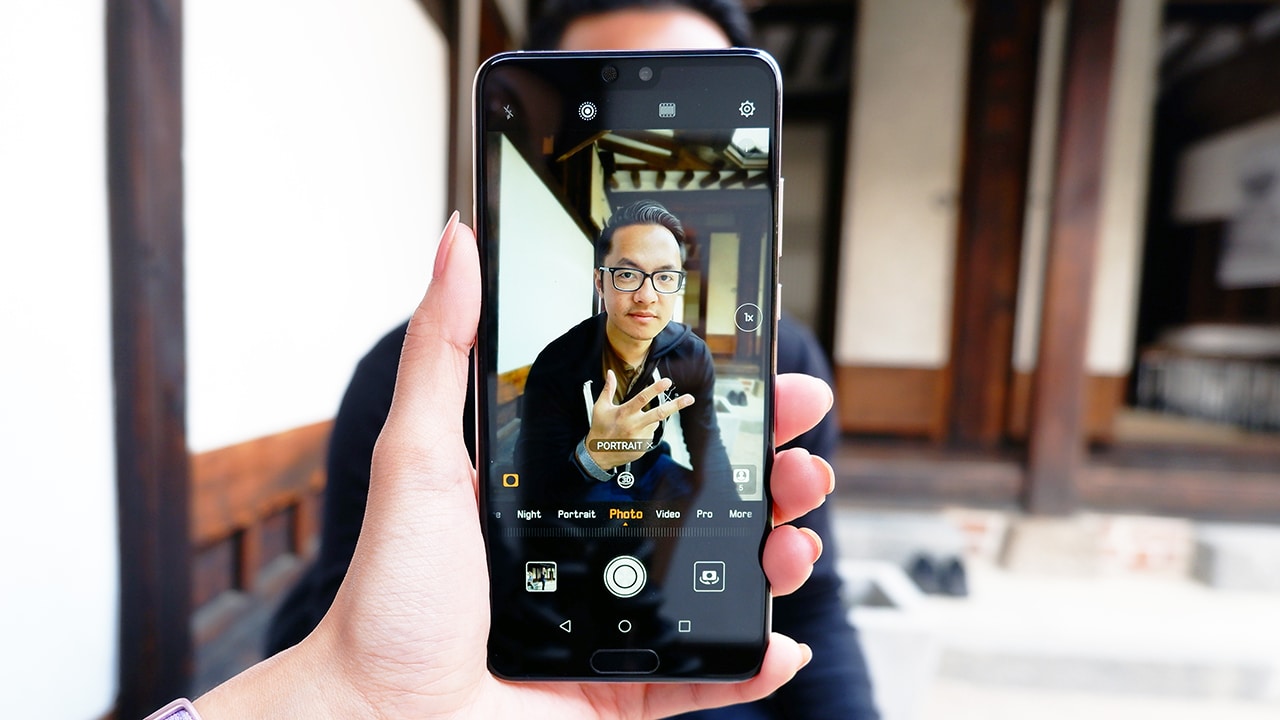
Point it at a person and it automatically turns on portrait mode. Point it at food and food mode is activated. It even identifies documents and automatically converts into a document scanner!
Now, I know what you’re thinking: What if I don’t want the phone deciding for me? Well, that’s so 2017, and also, tapping “x” at the bottom of the screen as the phone identifies the subject reverts back to normal mode on the camera.
Here are a few sample shots from my camera roll:


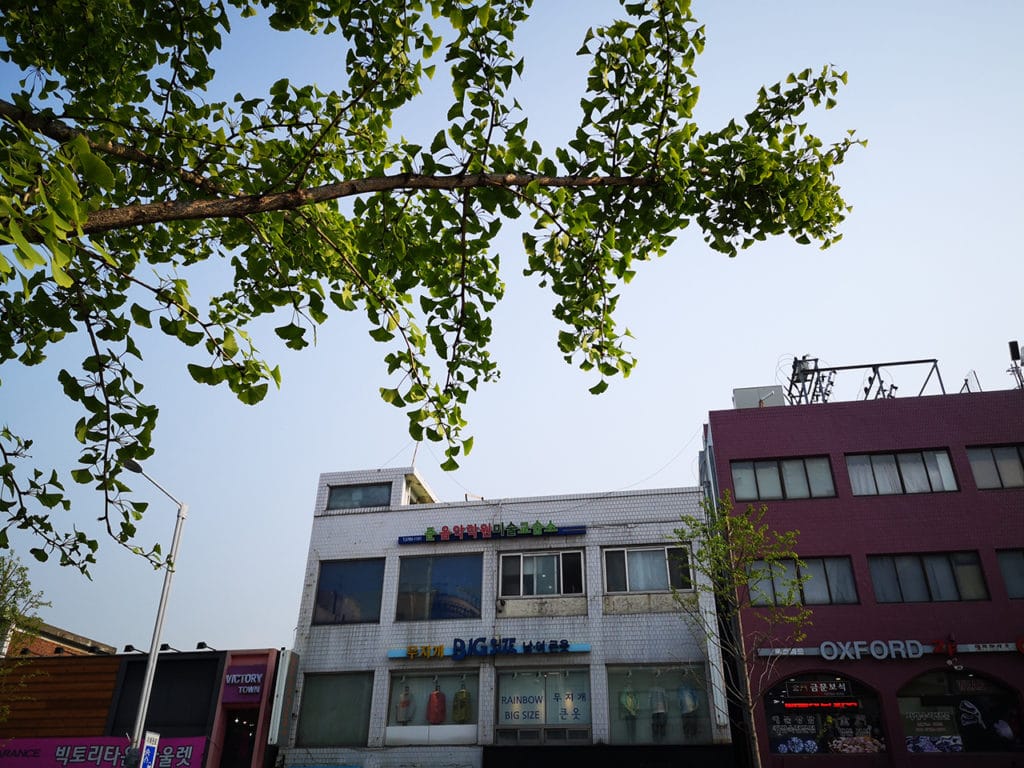



What’s more amazing is the P20’s low-light capabilities. On night mode, it can take four-second handheld shots that don’t even look like four-second low-light handheld shots. You have to see it to believe it:
-

- Look at those details!
-

- Food from a very dimly lit restaurant
-

- Yes, it looks like this wasn’t shot in lowlight. Camera is that good.
-
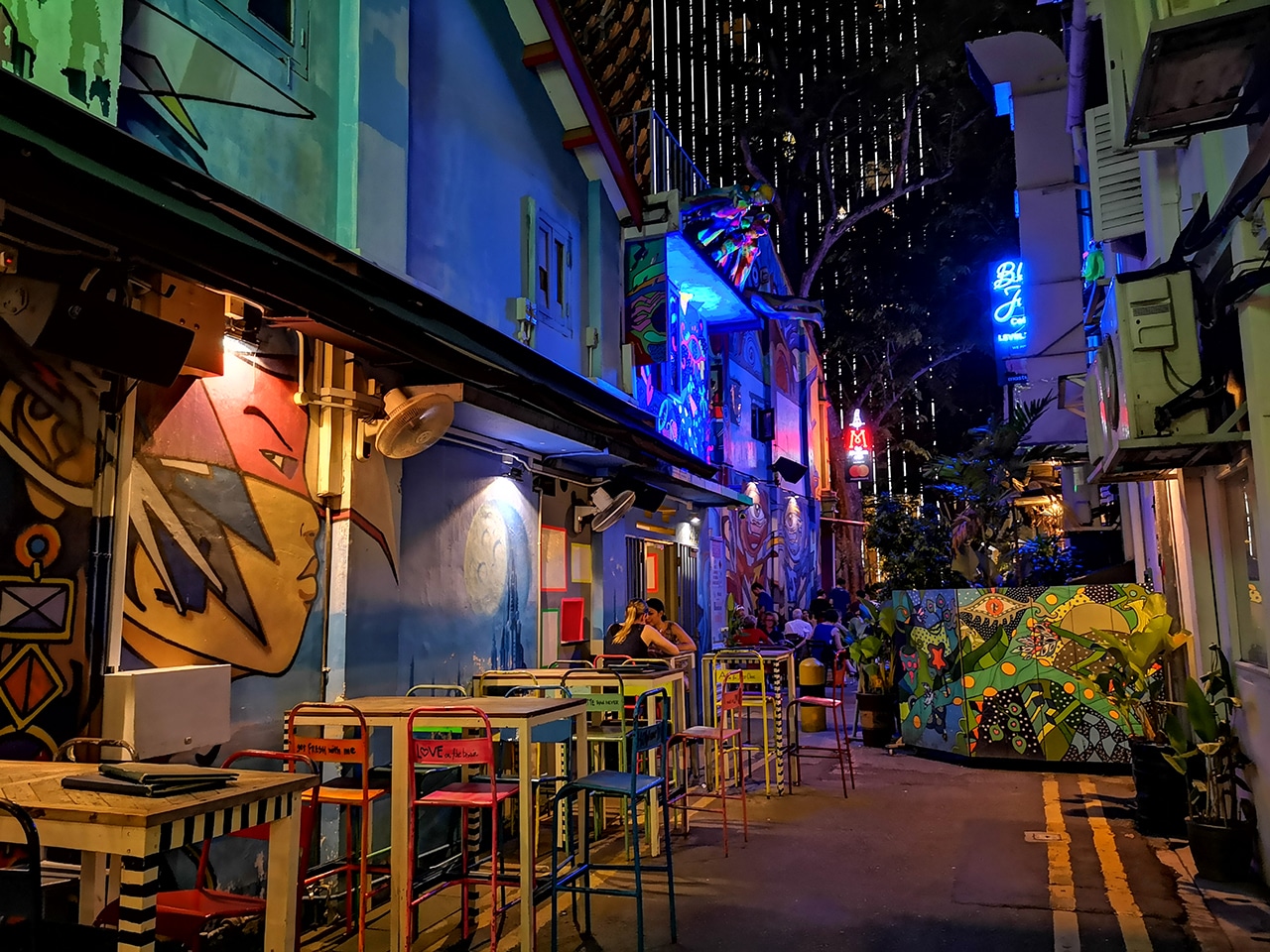
- The color on this one 👌🏽
-
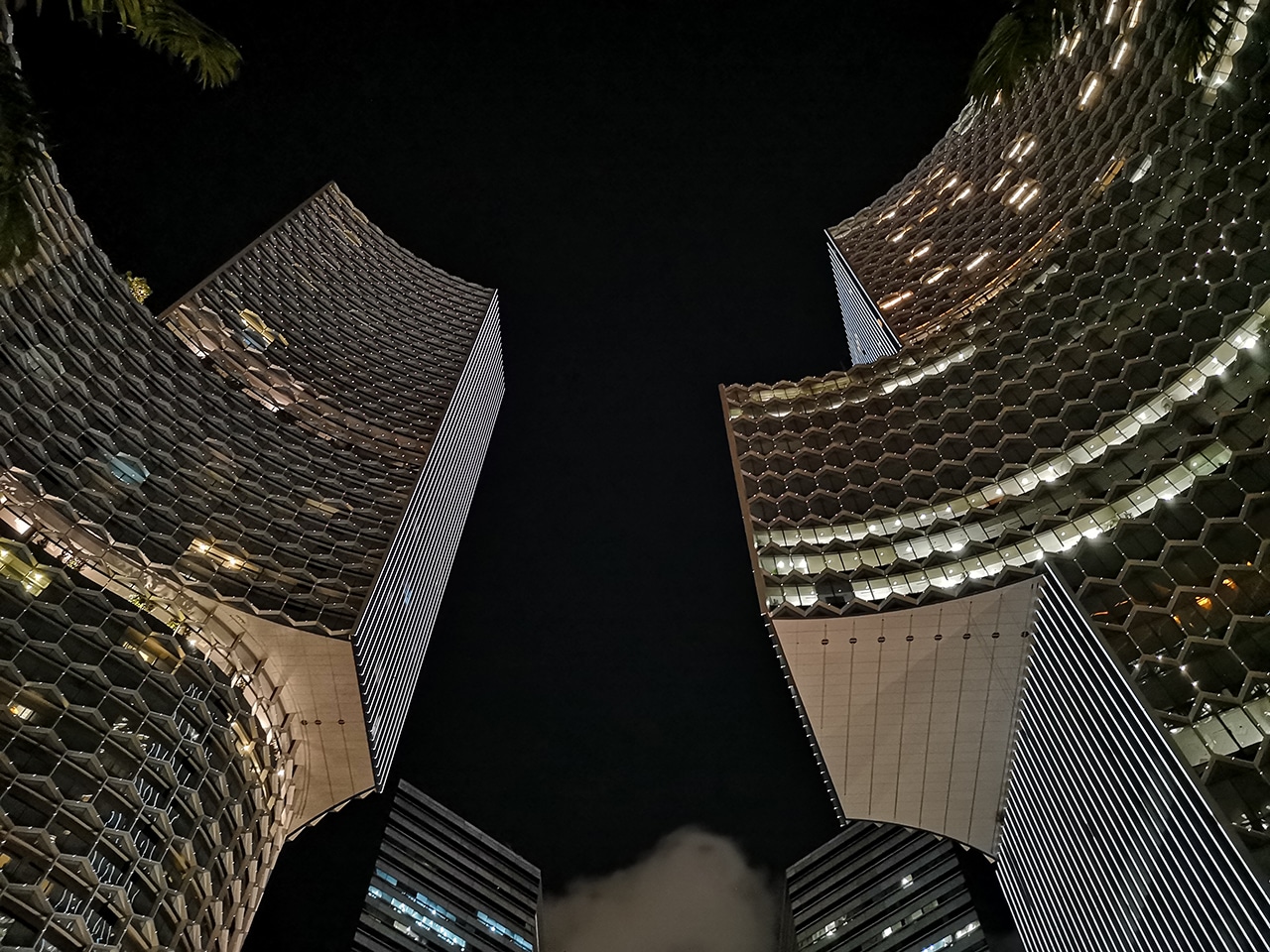
- Need I say more?

You know what a good smartphone camera means, right? Better Instagrammable photos! And that is precisely what I posed for here:

Candid shot on portrait mode. This went straight to my IG.
And here:

Bokeh cutouts aren’t perfect but they do a great job at it, even with challenging lighting. This made it to mg IG, too.
And even here:

Totally shot with very low light. Don’t worry, this will be on my IG soon.
Selfie Camera
For your selfie needs, a 24-megapixel camera can be found in front. There’s the normal photo mode and a dedicated portrait mode that enables the bokeh effect, 3D lighting effects, and a beauty mode with levels zero to ten. I didn’t even bother with the 3D lighting effects (yes, it’s Portrait Lighting all over again) because I didn’t really see much use for this on the iPhone so why bother on this phone. The beauty mode, on the other hand, is a different story.
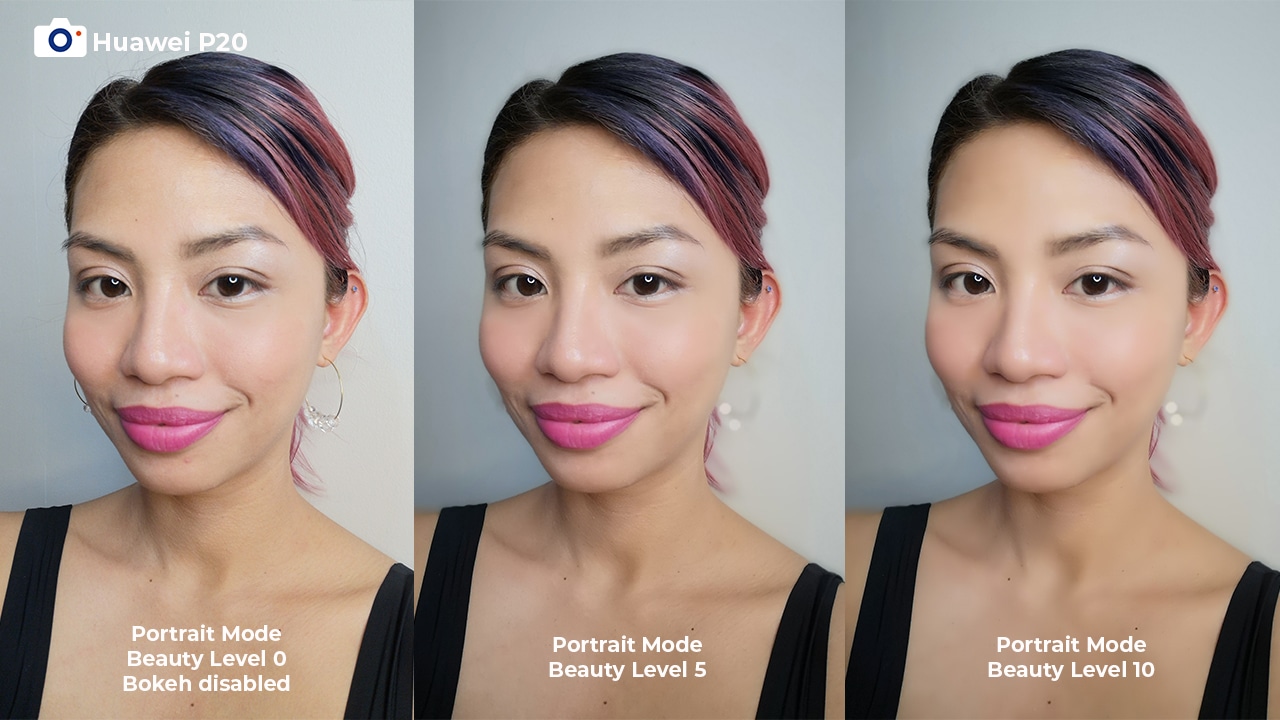
Yas, slay 🔥
Although settings past five can sometimes make you look like a wax figure, the secret is knowing when to stop. With the perfect beauty mode level, this phone can make you look fresh no matter the circumstance.
-

- Even straight from the shower…
-

- Even after a whole day tour…
-

- Even after a long shoot…
Unfortunately, the rear cameras’ low-light capabilities don’t extend to the front-facing camera as dark selfies aren’t the most detailed and are sometimes pretty hazy. Group selfies also aren’t the best on this camera, especially with the bokeh on. One too many times, a friend’s face was blurred out which is totally not good for the squad. You’re definitely better off getting someone else to take your group photo.
Is the Huawei P20 your GadgetMatch?
If you read up until this point of this particularly long review, you must really like the Huawei P20. And honestly, so do I.
How a phone looks and feels in my hands is something that’s very important to me, and the P20 ticked that particular box and even more. I’ve held on to this phone since the moment I got it and I still enjoy using it. Admittedly, there are still improvements that can be made on this device, but it’s nothing I can’t forgive for what I get: a solid rear camera, capable overall phone that’s pretty and with a premium build, and good beauty mode.
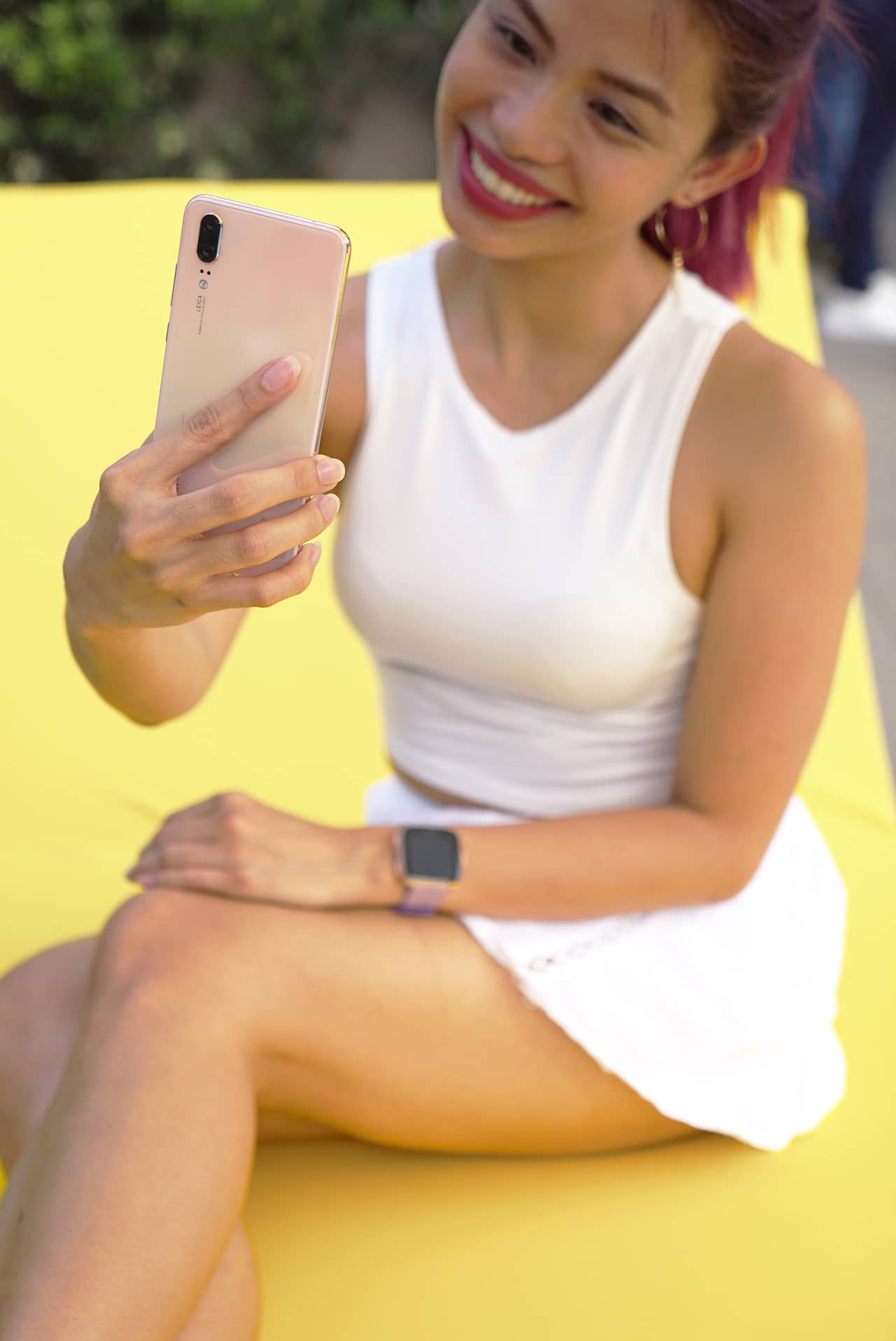
If your priorities are in the same place, you may want to consider getting this phone. In the meantime, I’m going to get a case for mine. I feel like I’ll be using this for a while.






Moving into a new space comes with a long list of things to figure out, and lately, I’ve been paying more attention to something that’s easy to overlook: air quality.
After using the LG AeroMini for about a month, it has become a subtle but welcome addition to my space. It helps make the room feel fresher, while its compact and stylish design fits naturally into my setup. Here are the things that stood out to me most after living with it for a month.
360° purification for a fresher space
One of the things I appreciate about the AeroMini is its 360° air purification, designed to bring purified air in every direction.
For me, this is particularly useful in a new space where I’m spending a lot of time working, relaxing, and just settling in.

Combined with its True HEPA filter, which is designed to remove 99.999% of 0.01μm fine dust and allergens, it gives me added peace of mind about the air I’m breathing every day.
After a month, I can genuinely say that the space feels fresher with it running.

Surprisingly quiet
This is probably my favorite feature.
The LG AeroMini operates at just 26dB, and after using it for a month, what stands out is how easy it is to forget that it’s even running.

I can have it running while I’m working or sleeping without the noise becoming a distraction. For an appliance that’s designed to continuously improve the air around you, I think that’s a big deal.
Sometimes, the best feature is the one you barely notice.
Design that fits my space
Since I recently moved, I’ve been pretty conscious about what I bring into the space. I want things to be functional, but I also don’t want appliances that feel like they’re taking over the room.

The AeroMini’s slim and compact design makes it easy to incorporate into my setup. It doesn’t feel bulky or industrial, and I like that I can leave it out without feeling like I need to hide it away.
For me, that balance between functionality and aesthetics makes it feel more like part of the space rather than just another appliance.
Air quality at a glance
Another feature I’ve found convenient is its Smart Control. Through the app, I can monitor and control the AeroMini while getting real-time updates on the indoor air quality.
It’s a small convenience, but being able to check the air quality without having to interact with the purifier directly makes it easier to keep track of what’s happening in the room.

Easy to maintain
I also appreciate that the AeroMini is designed with an all-in-one dust and deodorization filter that makes replacement and maintenance easier.
That matters to me because the best home gadgets are the ones that don’t create another complicated chore. I want something I can set up, use regularly, and maintain without too much fuss.

After a month, would I keep it?
Yes, and mainly because it quietly fits into my everyday routine.
The LG AeroMini has helped make my new space feel fresher and more comfortable, while its compact design means it doesn’t compromise the look of the room. But if I had to pick just one thing I appreciate most, it’s still how incredibly quiet it is.

It’s one of those upgrades that doesn’t demand your attention. It simply works in the background.
If you’re also looking to make your home a fresher and more comfortable space for yourself and your family, visit https://www.lg.com/ph/ to learn more about the LG AeroMini and how it can fit into your everyday life.
Her GadgetMatch
TECNO and Angélica Dass visit the Philippines next for its grand portrait project
100 Faces, 100 Stories


A portrait can show what someone looks like, but what about the story behind the face?
TECNO and visual artist Angélica Dass are exploring that question through “100 Portraits of Becoming,” a two-year global portrait project featuring 100 people across Kenya, the Philippines, Saudi Arabia, Türkiye, and Brazil.
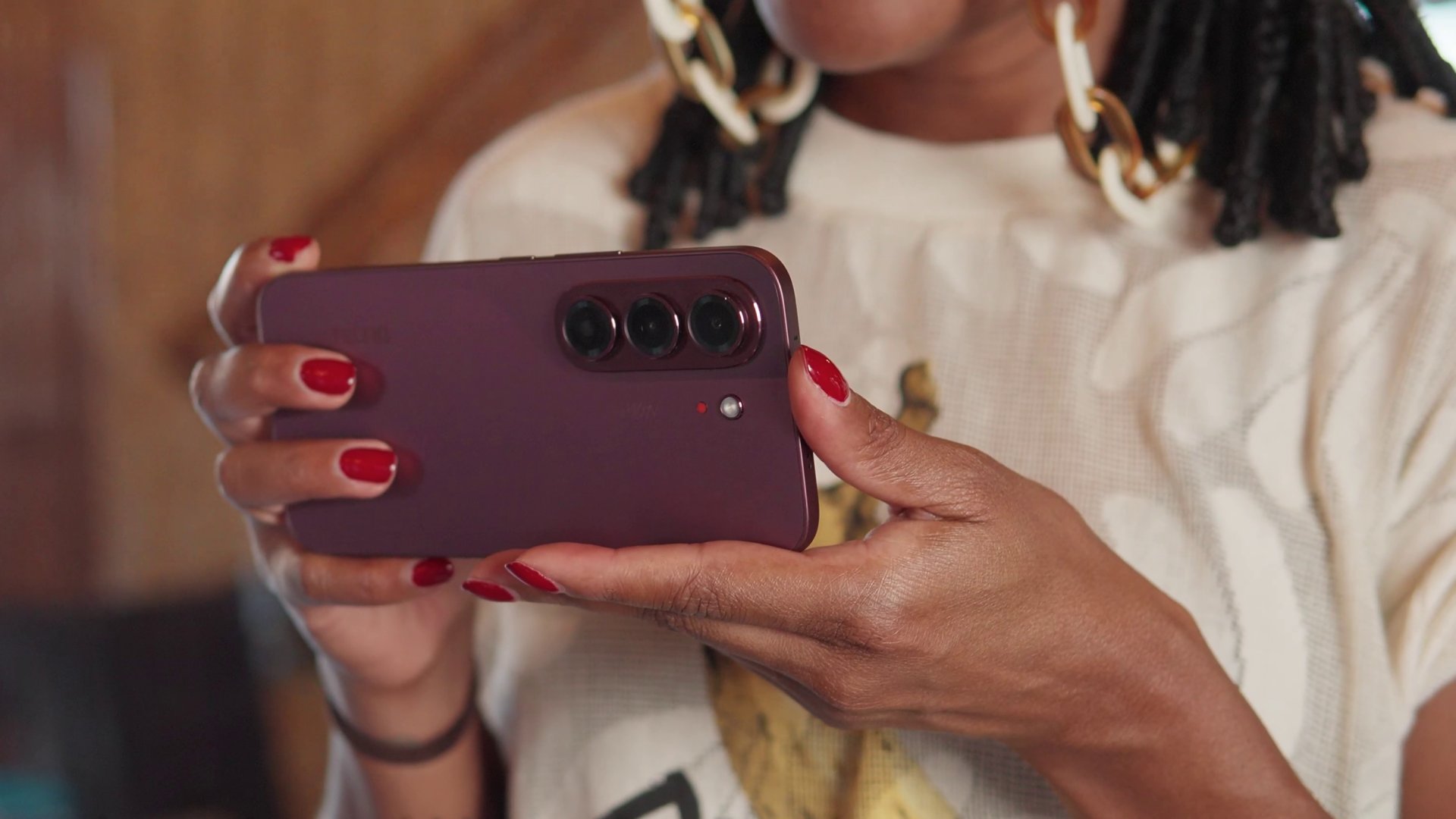
The project begins with 20 portraits from Kenya, each paired with a personal story about identity, choices, change, and growth. Rather than having participants represent an entire culture or generation, the project focuses on their individual experiences.
Beyond inclusive imaging
The project builds on TECNO’s work with Universal Tone, its imaging technology designed to represent diverse skin tones more naturally and accurately.

But “100 Portraits of Becoming” takes that idea further. With AI increasingly involved in capturing, recognizing, and generating images of people, TECNO and Dass want to explore how technology can better represent the individual behind the image.
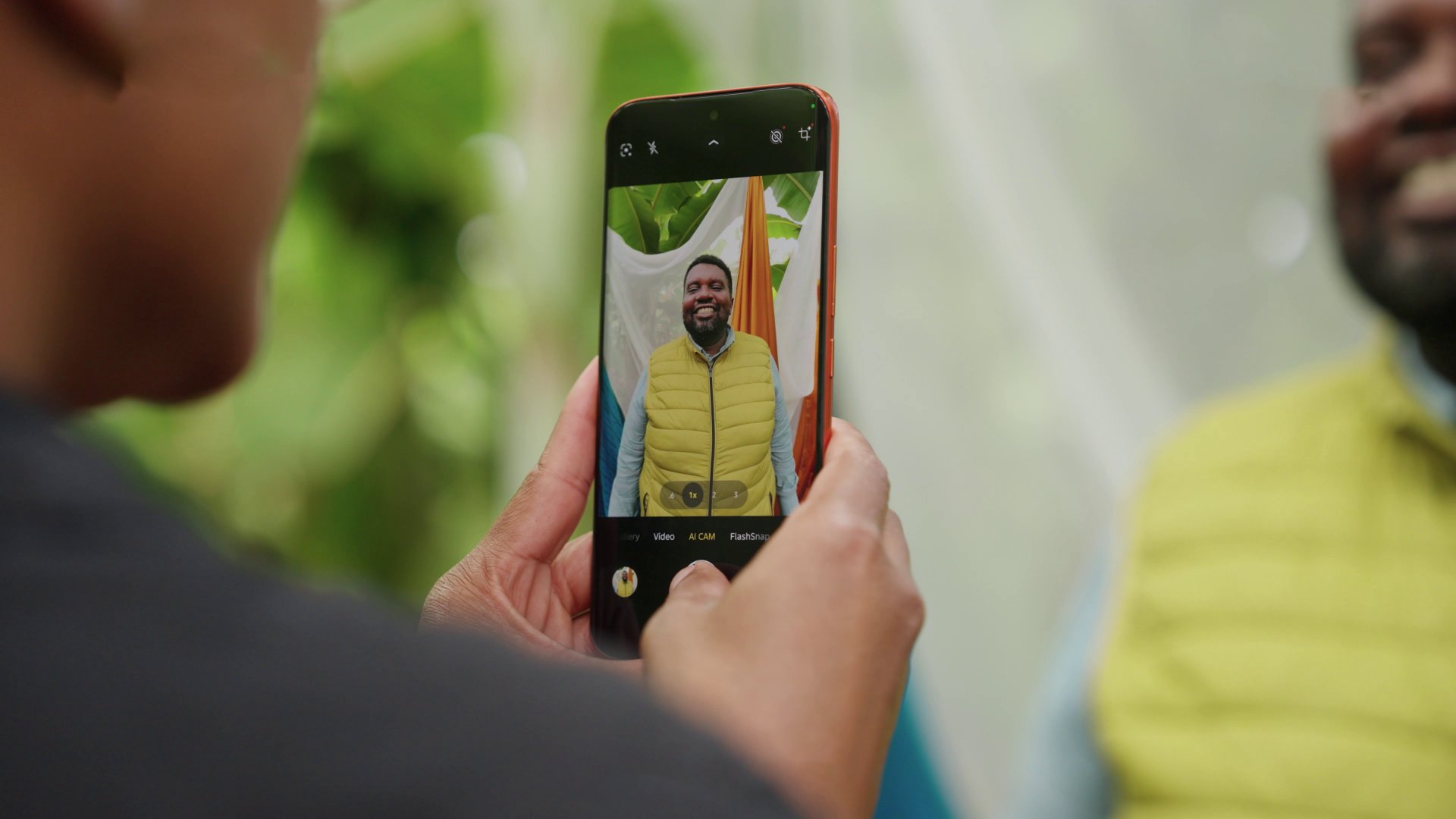
For Dass, meaningful portraiture starts with human connection.
“Meaningful portraits are never created by technology alone.”
She says her experience in Kenya reinforced the importance of trust, listening, and the willingness of people to share their stories.
The Philippines is next
Following Kenya, the project heads to the Philippines for a chapter called “Beyond Many Labels.”
It will feature 20 individuals, including working solo mothers and people whose lives are closely connected to solo parenthood.
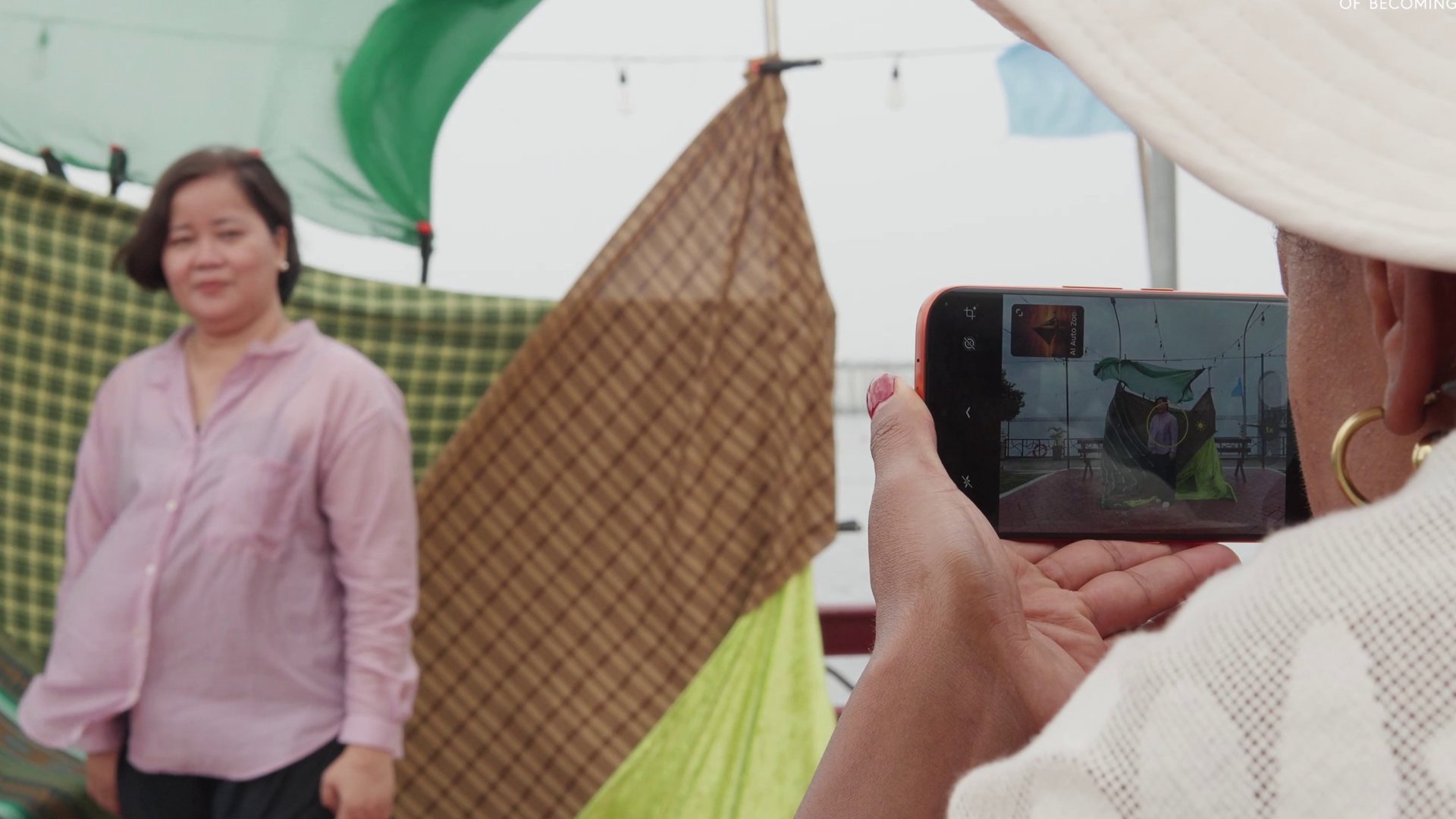
Their stories will look beyond labels such as “single mother,” “breadwinner,” and “strong woman,” while exploring their ambitions, relationships, and personal growth.
The chapter will also explore “diskarte” — the ways Filipinos adapt, make choices, and find practical ways forward in everyday life.
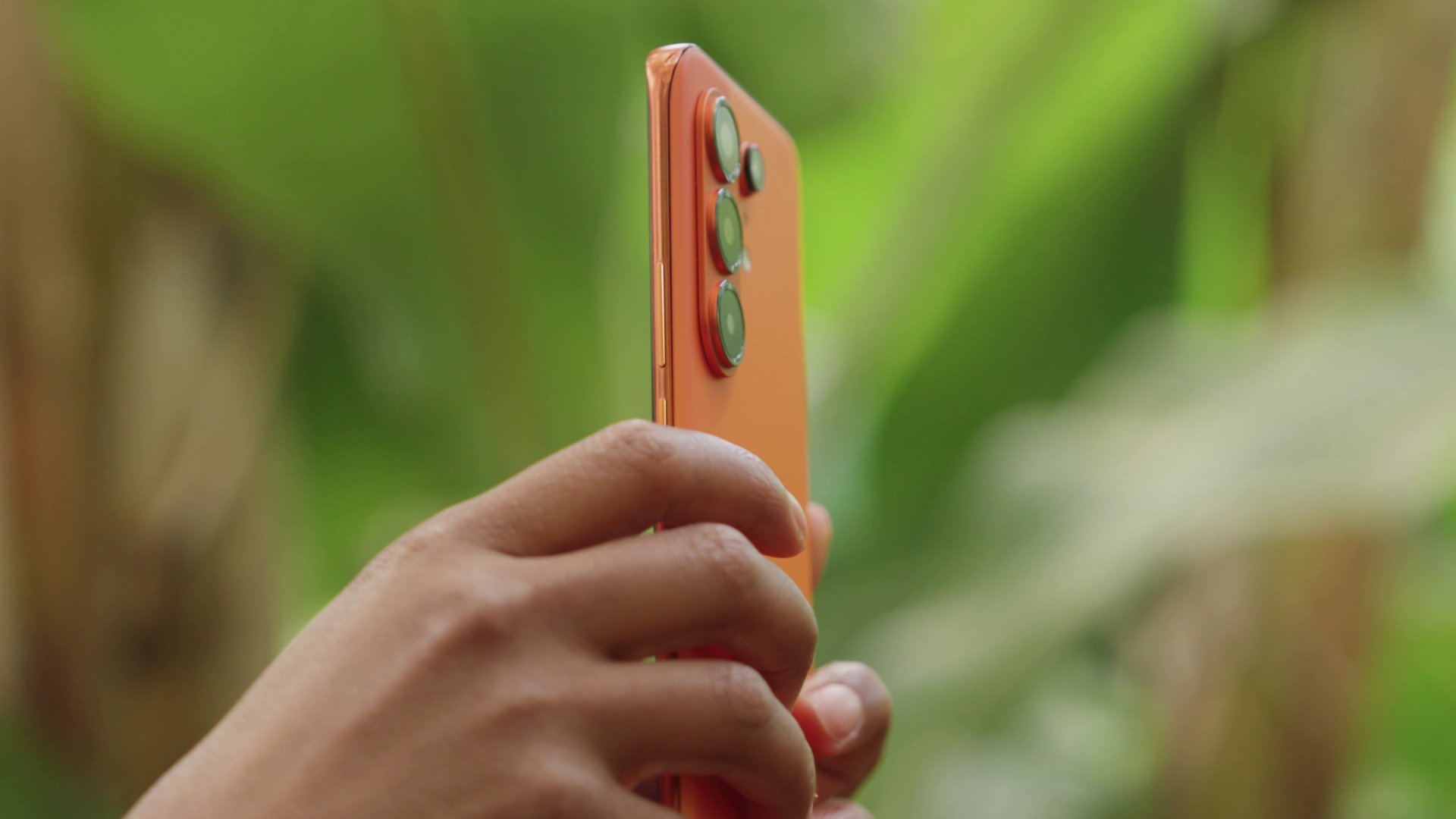
After the Philippines, “100 Portraits of Becoming” will continue to Saudi Arabia, Türkiye, and Brazil.
By the end of the project, TECNO and Dass hope the 100 portraits will offer exactly what the title suggests: 100 different ways of seeing humanity.
Her GadgetMatch
What your smartphone color choice reveals about you
Eight colors, eight personalities. Here’s how to pick.

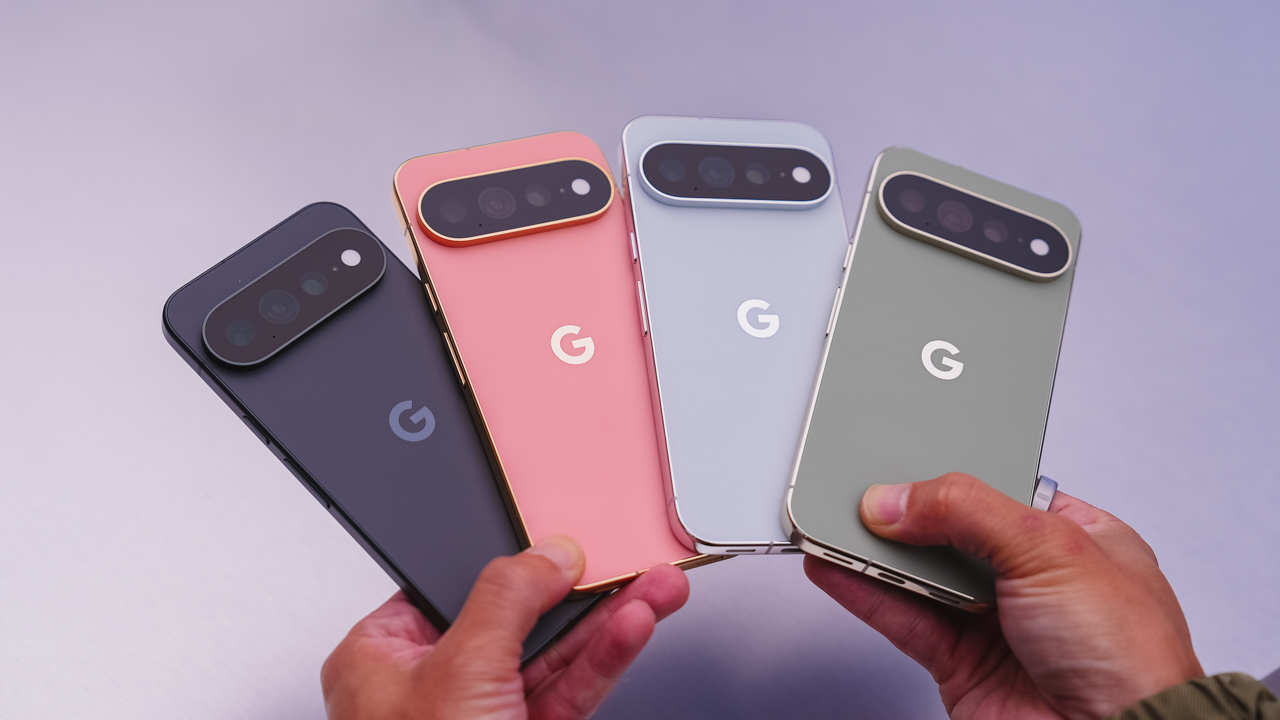
Your phone color says more than you think. With the Pixel 11 series, Google’s giving you eight ways to make that statement, and there’s genuinely one for every kind of person.
Hibiscus
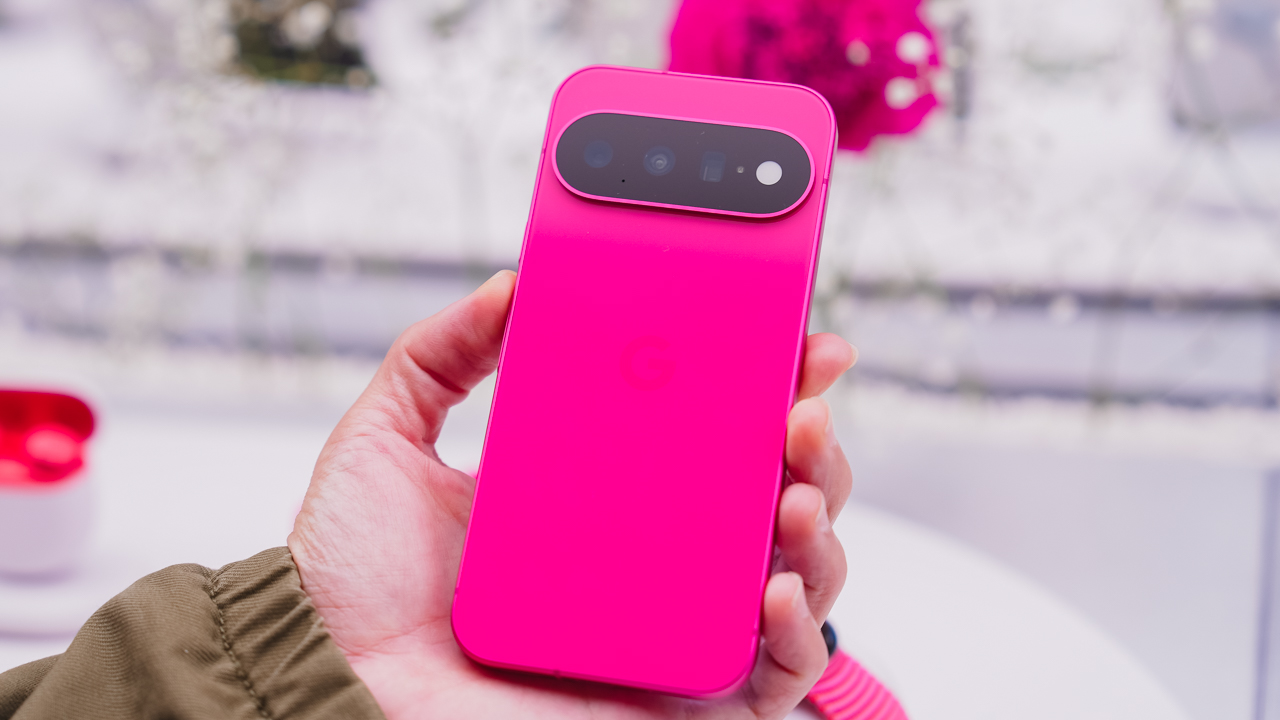
You’re never the quiet one in the room. Hibiscus doesn’t ask for attention; it just takes it, and if that sounds like you, you’re probably not planning to start hiding now. This is the pick for anyone who’d rather stand out than blend in.
Pistachio
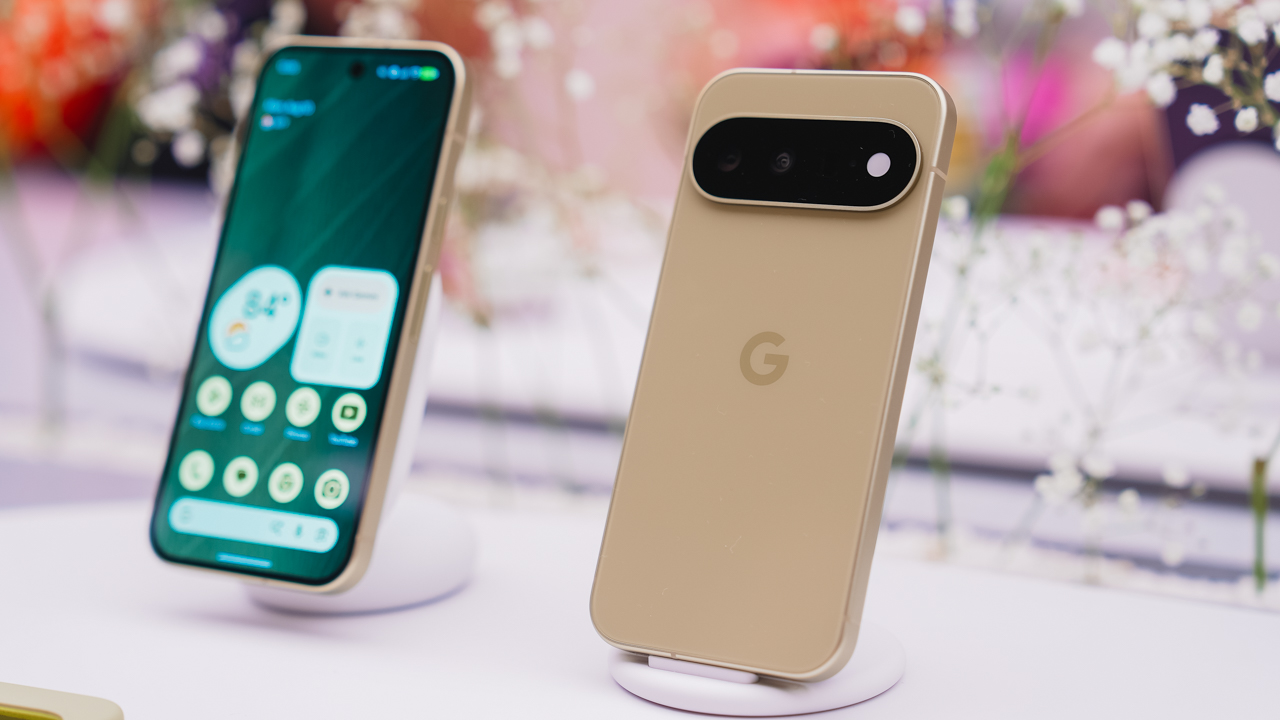
You’re the one who remembers everyone’s coffee order. Pistachio is soft and easy; the one whom people gravitate toward without quite knowing why. It doesn’t try hard to be liked. It just is.
Frost
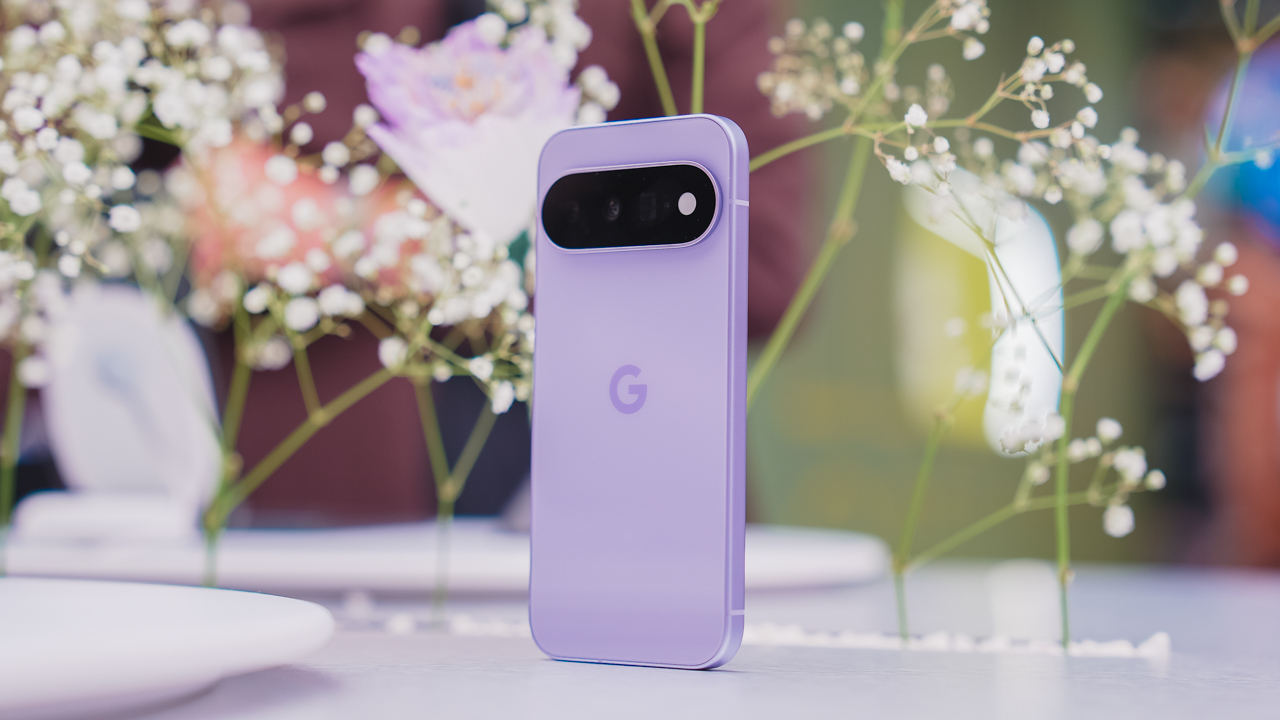
You like things a little too organized. Frost means clean lines and a clear head, the color equivalent of a camera roll with zero mess in it. If your notes app has color-coded folders, this one’s calling your name.
Obsidian
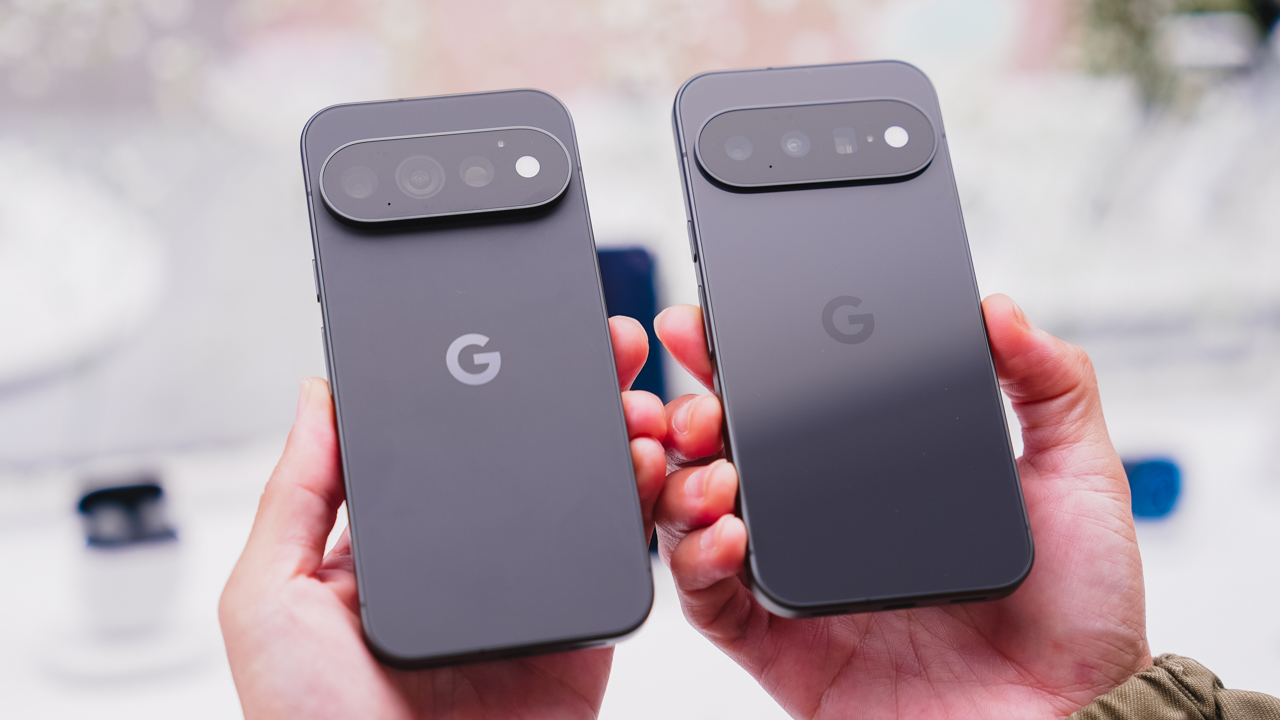
You let the work speak for itself. No flash needed, because when you show up, the room adjusts anyway. Obsidian is the classic choice, the one that’s never trying too hard because it doesn’t have to.
Canyon
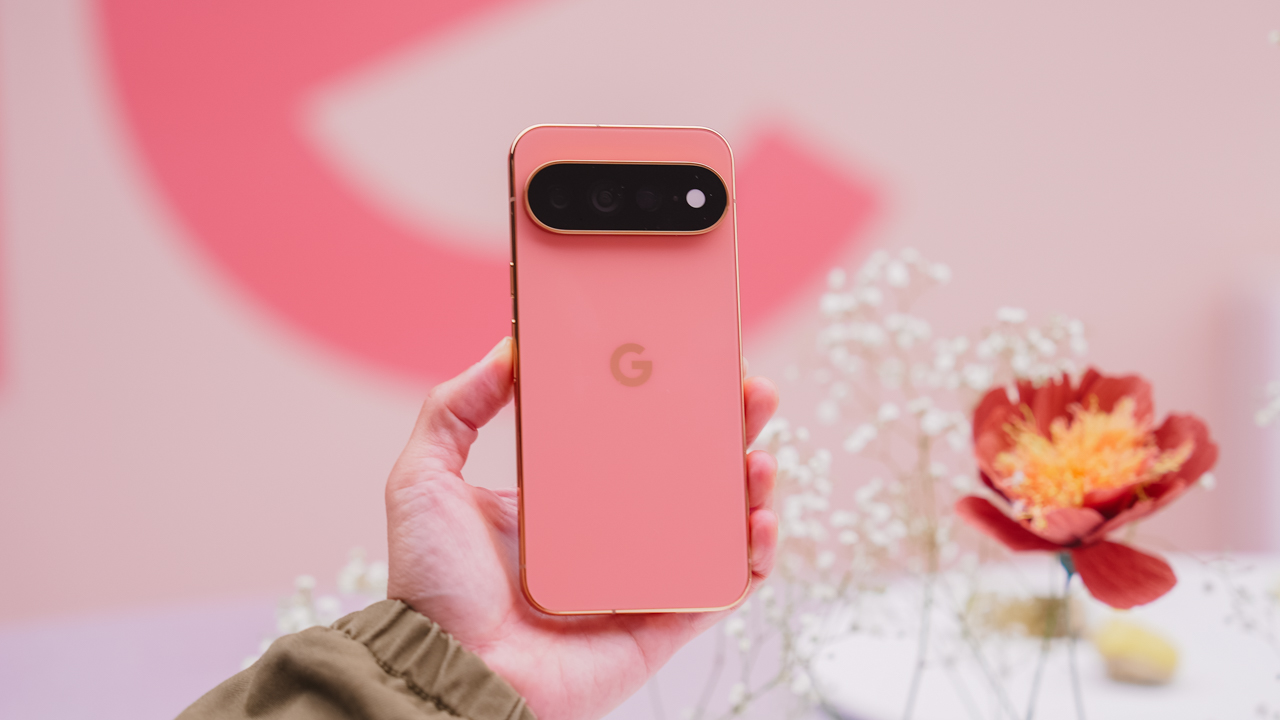
You’re the one who suggests the sunset drive. Canyon is warm and a little restless, always chasing golden hour whether or not anyone else is up for it. Available on the Pro and Pro XL, it’s built for people who treat every evening like it might be a good one.
Olive
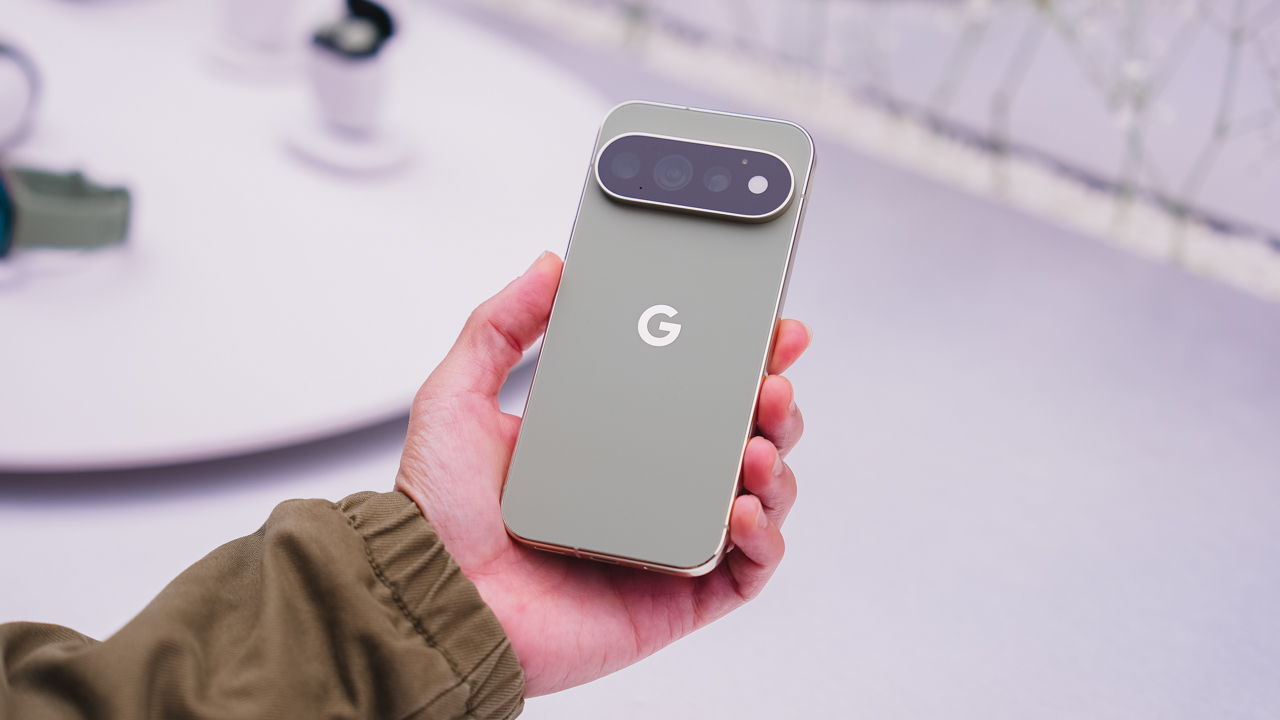
You’re outdoorsy, but you’ll still show up looking put together. Olive is low-key and grounded, the one who doesn’t try too hard because it’s already comfortable in its own skin. Another Pro and Pro XL exclusive.
Fog
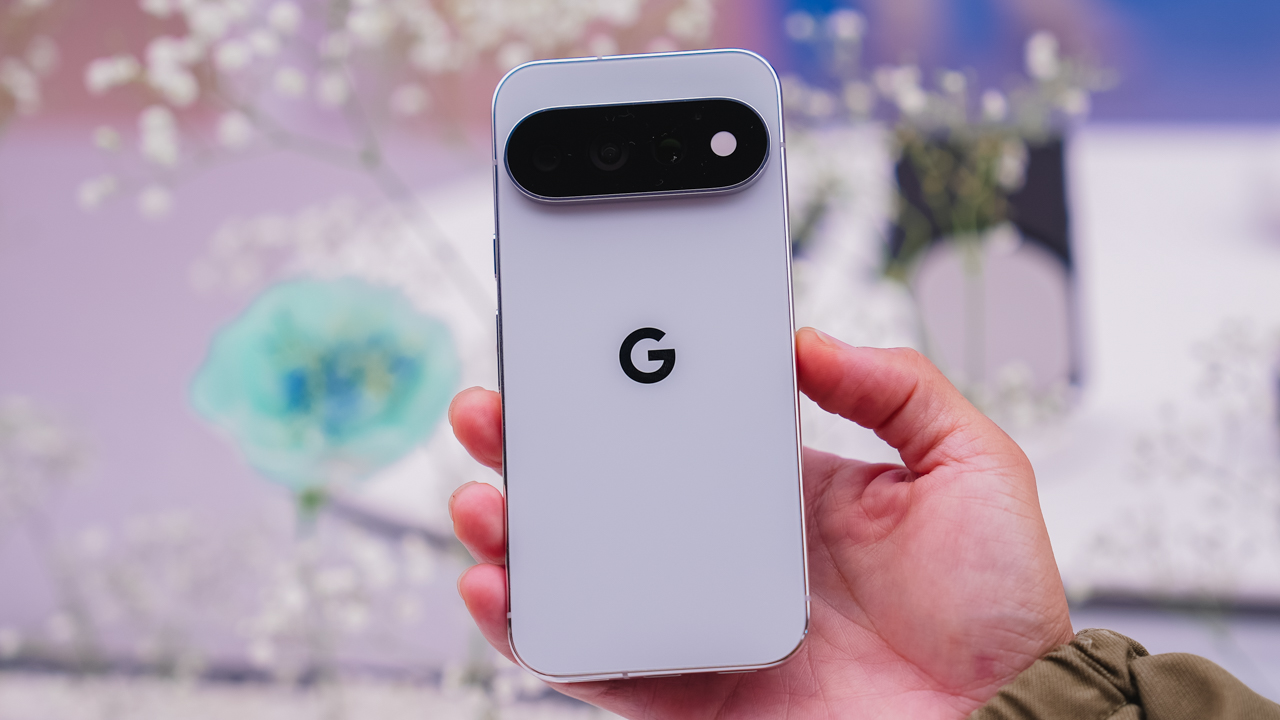
You’re hard to read, and you like it that way. Fog is understated on purpose, a Pro and Pro XL colorway for anyone who’d rather keep people guessing.
So, which one’s you?
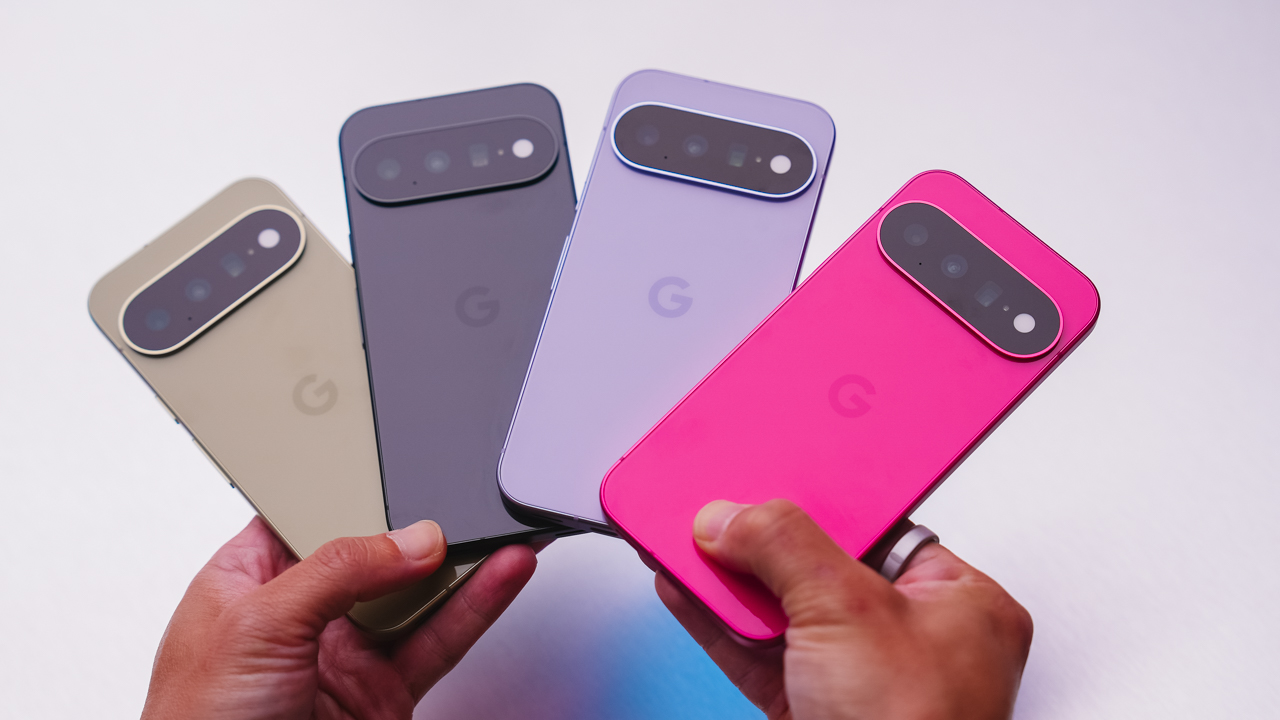
Eight colors, three phones, one very personal decision. Pixel 11, Pixel 11 Pro, and Pixel 11 Pro XL goes on sale starting August 20 — with Pistachio, Hibiscus, Frost, and Obsidian on the base model; and Canyon, Fog, Olive, and Obsidian on the Pro line.
Which one’s calling your name?


ROG G700 review: The best prebuilt PC you can get off the shelf
This PC will make you stop worrying about specs.


HP OMEN Max 16 review: Gamer-maxxing in deep black
Peripherals deemed necessary to max this out


vivo V80 review: Good phone, tough sell
A capable travel companion

Amazon updates its Echo lineup for 2026
ROG G700 review: The best prebuilt PC you can get off the shelf

Apple unveils new iMac with M6 chip

Apple introduces 14-inch MacBook Pro with M6 chip

Anker soundcore AeroClip 2 brings open-ear audio to everyday life

TECNO CAMON Slim 5G review: Slim on size, big on surprise

TECNO CAMON Slim 5G: Price, availability in the Philippines

HONOR 600S review

Ghost of Yōtei Complete Edition review: More of a great thing

vivo X Fold6 makes global debut with 200MP camera and 6900mAh battery


-

 News2 weeks ago
vivo V80 debuts with ZEISS cameras
-

 Philippines2 weeks ago
TECNO CAMON Slim 5G gets launch discounts, free MagBadge
-

 News2 weeks ago
Samsung: Galaxy Z Fold8 demand rose because of iPhone Duo
-
Reviews1 week ago
vivo V80 review: Good phone, tough sell
-
 Features2 weeks ago
I don’t want a phone that unfolds — the Galaxy Z Fold8 gets why
-
![KINGDOM HEARTS Collection [I-III]](https://www.gadgetmatch.com/wp-content/uploads/2026/10/kingdom-hearts-colletion-I-III-202610-400x240.png)
![KINGDOM HEARTS Collection [I-III]](https://www.gadgetmatch.com/wp-content/uploads/2026/10/kingdom-hearts-colletion-I-III-202610-80x80.png) Gaming2 weeks ago
Gaming2 weeks agoKINGDOM HEARTS Collection [I–III] now available on PS5, Switch 2
-

 News1 week ago
OPPO Find X10 Series: Price, availability in the Philippines
-

 Cameras1 week ago
DJI Osmo Pocket 4P Pearl White now available globally