



Lenovo has a fairly rich selection of IdeaPad laptops, from large powerhouses to more compact travel companions. The naming scheme can get confusing, however, and each model has its own strengths and weaknesses.
For this review, we’re looking at three of Lenovo’s newest models: the IdeaPad 530S, 330S, and 330. To get more diverse opinions, we employed three different users: content creator Dan, visual producer MJ, and editor Marvin, respectively.
Which IdeaPad is your GadgetMatch? Let’s see what our three subjects have to say.
Lenovo IdeaPad 530S — Dan

The IdeaPad 530S is well-specced and has the best build among the bunch. The laptop’s body has a polished aluminum finish, and I’m loving Lenovo’s new approach to design. The lid of the laptop is understated with just the Lenovo logo on the side.
That’s not the only premium aspect of the laptop’s design. It also has an IPS display that measures 14 inches diagonally with a Full HD resolution and a 16:9 aspect ratio. Nothing sounds fancy about the screen’s specs, but it’s got thin bezels. It’s not as edge-to-edge as Dell’s XPS, but at least Lenovo placed the webcam where it should be. Although, this laptop’s webcam quality isn’t that great either.

I used the IdeaPad 530S primarily for writing and working on the go. So, I appreciated the laptop’s smaller dimensions compared to other 14-inch laptops in the market. It’s portable enough to fit inside most backpacks, plus it doesn’t take up so much space on a coffee table. The typing experience is generally okay, but I find the key travel a bit shorter than my old IdeaPad notebook. The trackpad, on the other hand, works great.
The configuration I have has an 8th-generation Intel Core i5 processor paired with 4GB of memory and 256GB of SSD storage. It even has NVIDIA GeForce MX150 dedicated graphics. This specs combination is more than enough for everyday tasks and light gaming. The notebook’s memory should be upgraded to at least 8GB, though, to avoid hiccups.

Another good aspect of midrange notebooks is the selection of ports. The I/O on the IdeaPad 530S includes an HDMI port, two USB-A, USB-C, audio jack, and an SD card reader.
I usually get around six to seven hours of battery life with this one, depending on what I’m working on. A full charge using the included 65W charging brick takes about two hours and a half. Not the best battery life and charging time around, but they’re not that bad either.
The IdeaPad 530S is an easy choice for those looking for a well-balanced notebook that doesn’t cost much. Just be sure to upgrade the memory immediately to avoid any lag.
Lenovo IdeaPad 330S — MJ

As an artist, the most important thing for me when looking for a laptop is its style and how it handles multimedia work. So when the Lenovo IdeaPad 330S arrived, I was a bit excited.
The IdeaPad 330S comes in platinum gray and a smooth, polished aluminum cover that made me feel like I’m using a premium laptop. It has a responsive touchpad and soft keyboard so I didn’t have to rely on a mouse to get work done. It also has thinner bezels, and therefore, a bigger screen to enjoy.

The IdeaPad 330S has a 15.6-inch FHD IPS panel, which means it has better color accuracy and wider viewing angles, perfect for all my multimedia work. It also has built-in Dolby Audio, which provides clear sound while watching videos online.
Speaking of portability, this laptop weighs 2.6kg — a bit heavy for a tiny build like mine. Its bigger size means it needs a backpack that can carry a 15-inch laptop. Since I used to own a 15-inch laptop back in college, a laptop this big is no problem. What I’m more concerned about is getting my work done.

Because I handle lots of creative tasks, my laptop consumed battery faster than with more average users. Surprisingly, the IdeaPad 330S didn’t disappoint, lasting at least four to five hours with constant use of Adobe Photoshop and other creative software.
The only thing I didn’t like about this laptop was its ridiculously slow load times. It’s packed with Intel’s 8th-generation Core i7-8550U, but runs on 4GB of memory and 2TB of HDD storage. Boot up was slow, and I could count up to eight seconds before my browser loaded. Most of the time, it couldn’t handle multiple tabs at once and the browser ended up not responding.
The IdeaPad 330S could’ve become a complete powerhouse if not for the sluggish user experience. It has the premium look that everyone wants, and its screen and audio are made specifically for entertainment. This laptop is ideal for those who need it for leisure and entertainment, because that is where it’s great at.
Lenovo IdeaPad 330 — Marvin

This model is clearly the least attractive of the three with its all-plastic body and unsightly bezels. And even though the port selection is mostly complete — two USB-A, USB-C, HDMI, SD card reader, Ethernet — the body’s thickness (22.9mm) and heft (2.2kg) mean I need a larger backpack to carry it in.
On paper, the specs are alright: Intel’s 8th-generation Core i5-8300H, 4GB of RAM, 1TB HDD storage, and dedicated GeForce GTX 1050 graphics chip. While the CPU and GPU combo can handle demanding tasks, the low amount of memory and slow hard disk mean startup can be slow for both the machine and apps.

I’d say the best part of this laptop is its keyboard, which is vital for any full-time editor. Like most Lenovo notebooks, the keys are well-spaced and have a bottom curve to make them easier to hit. It also has evenly distributed backlighting and a decent trackpad to complement it. I just wish the power button wasn’t placed so close to the keyboard itself, resulting in accidental presses.
The worst aspect has to be the display quality. Even though the screen is 15.6 inches in size and 1080p in resolution, its TN panel offers poor color reproduction and even worse viewing angles. This isn’t the type of laptop I’d use for watching online shows or presenting to a group of people surrounding the display.

On the brighter side, the speakers can get loud, albeit with a little distortion while at max power. I also found the battery life above-average with over six hours of balanced usage on a single charge, and the unit reaches a hundred percent quickly using the bundled charger.
The IdeaPad 330 is definitely the weakest of the three notebooks reviewed here, and is best suited for those who want less flare and more traditional features, such as the older ports, top-mounted webcam, and reliable battery life.






Laptops
Alienware celebrates 30th anniversary with new Area-51 laptops
The series features Alienware 30, an all-new design language.

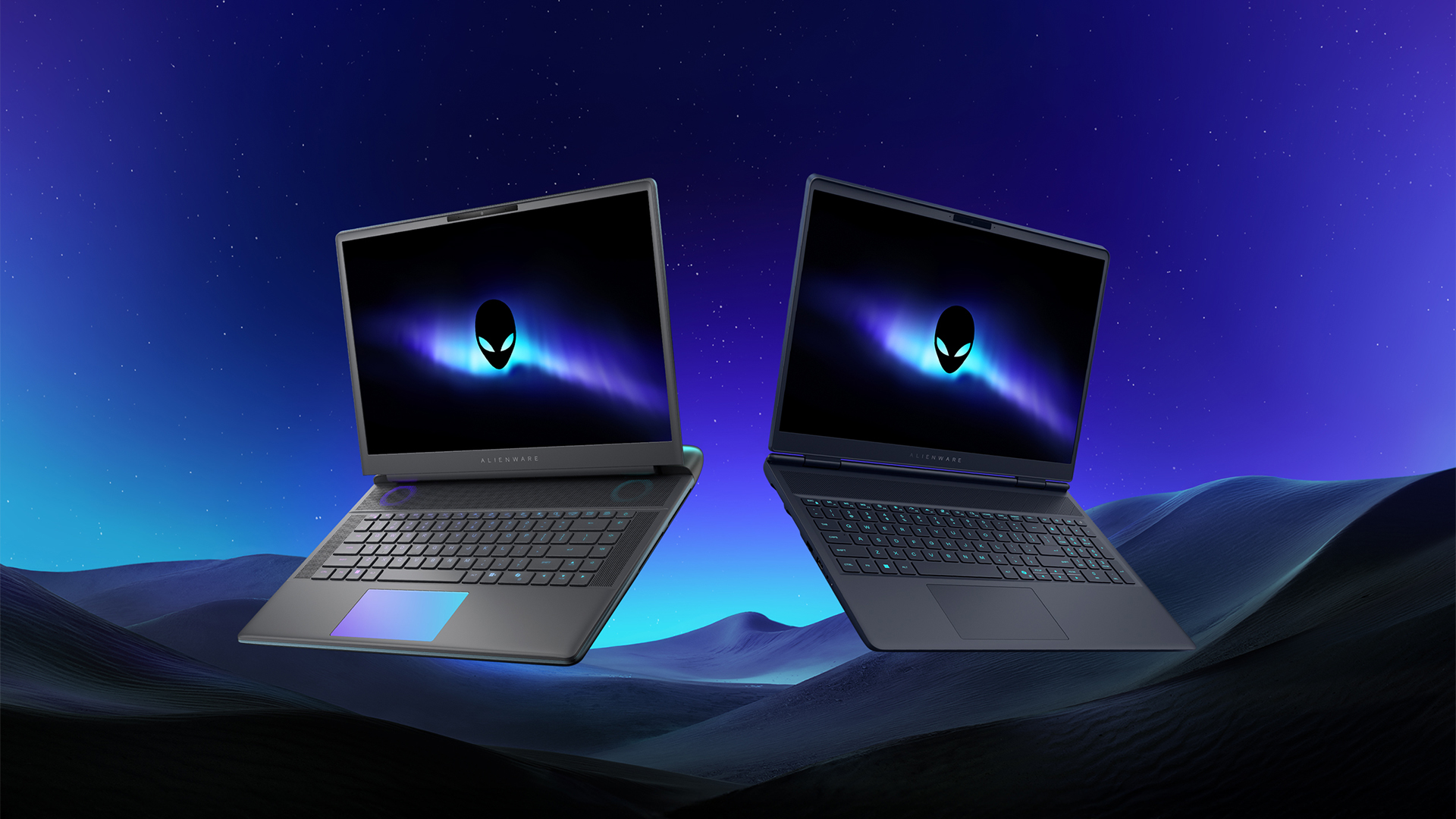
Despite the rise of more gaming brands, Alienware is still one of the most recognizable names for gamers who want dedicated hardware. This year, the brand is celebrating its 30th anniversary. To commemorate the milestone, Alienware has launched the new Area-51 and Aurora notebooks.
Alienware Area-51
Alienware’s Area-51 lineup is the brand’s flagship line of notebooks, packing in the best of the best from the industry. This time is no different.
First of all, the new series will rock Alienware 30, a new design philosophy made especially for the 30th anniversary. On the outside, the laptops have fluid contours, emphasizing curves opposed to the industry’s more angular contemporaries. It also has a Zero Hinge, which hides the laptop’s hinge from view. Finally, it has pillowed palm rests to make usage easy for long gaming sessions.
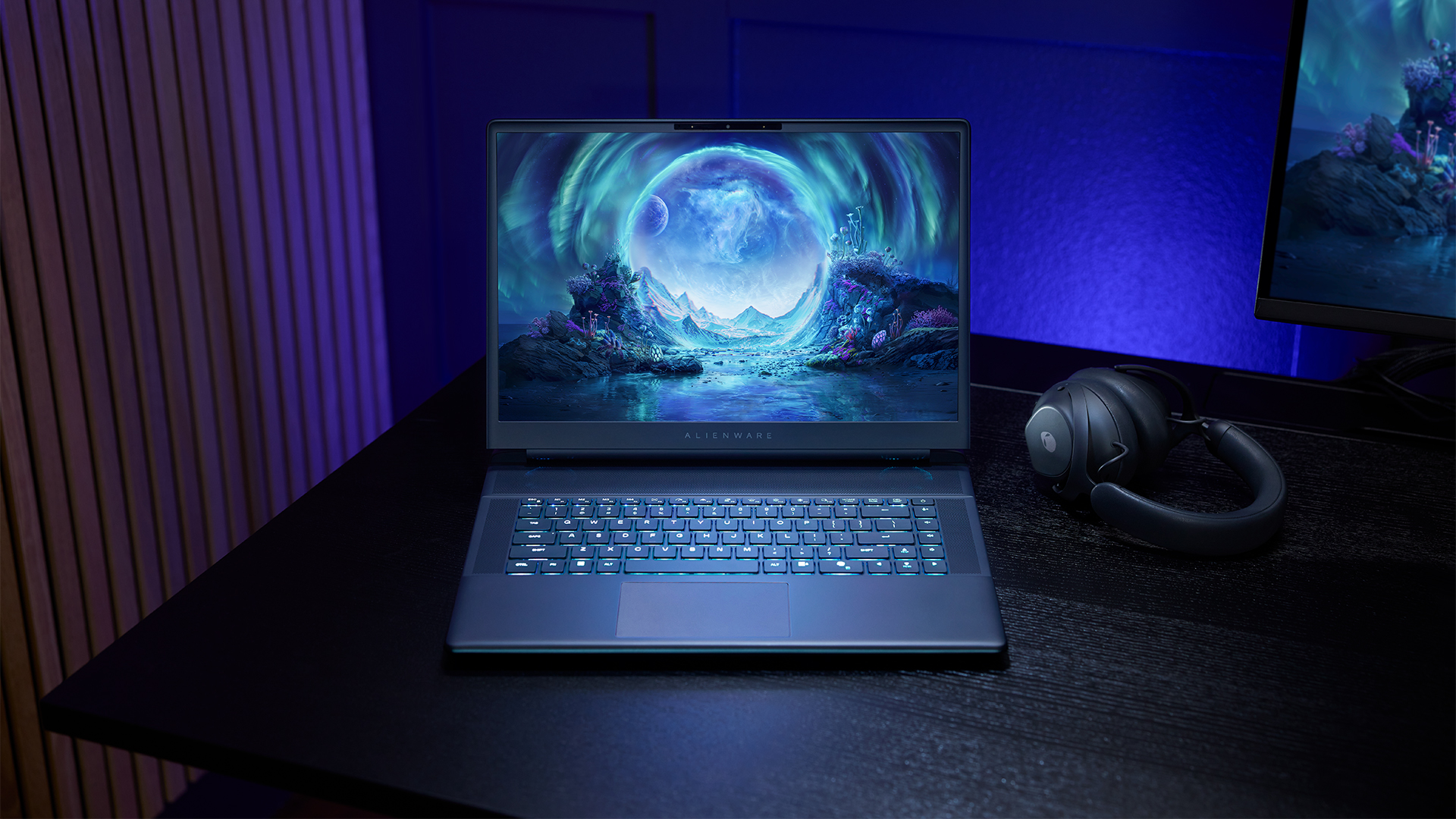
The 16-inch model can rock up to a WQXGA Anti-Glare OLED screen, featuring 240Hz refresh rate and 620 peak HDR nits. It will also have an LCD option. Alternatively, the 18-inch model has a WQXGA screen, featuring 300Hz refresh rate and 500 nits of brightness.
Inside, the Alienware Area-51 boasts up to an Intel Core Ultra 9 290HX processor and up to an NVIDIA GeForce RTX 5090 24GB GPU. For memory, gamers can enjoy up to 64GB Dual-Channel DDR5. Finally, for storage, the series can rock up to 2TB SSD natively but can support up to 3 slots, allowing for up to 12TB of internal storage.
The series will have a sizable 96Whr battery. This is complemented by a 280W adapter and the brand’s largest fans by volume to keep things cool.
Alienware 16X Aurora
For those who portability over raw power, the new Alienware 16X Aurora fits inside any day-to-day kit. For example, it ditches the thermal shelf typical of most gaming notebooks today to increase portability. It has rounded edges to make it easier to grasp and to create a slightly pillowed palm rest, similar to its flagship counterpart.
The 16-inch WQXGA OLED panel touts 240Hz refresh rate, 0.2ms response time, and 620 nits HDR peak brightness.
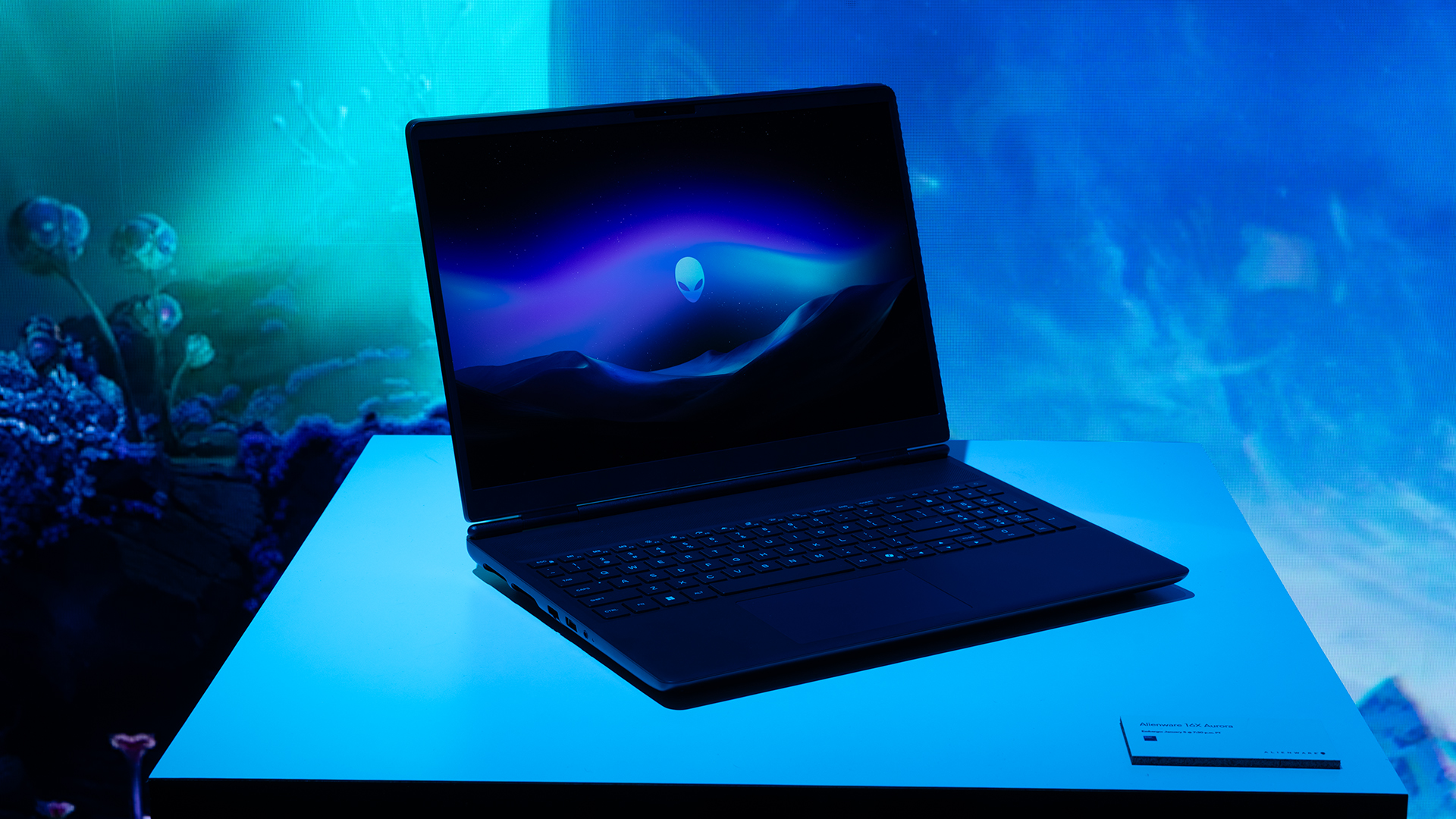
Inside, the notebook has up to an Intel Core Ultra 9 275HX processor and up to an NVIDIA GeForce RTX 5070 Ti GPU. These specs are paired with up to 64GB Dual-Channel DDR5 memory and up to 2TB SSD.
Finally, the Alienware 16X Aurora will have a 90Whr battery. This is supported by up to a 280W charger (for the RTX 5070 variant).
Price, availability
Both series are available starting today, March 17.

Apple disrupts the industry with their latest MacBook — an affordable to say the very least.
If you’re a student, a first-time Mac owner, someone who’s been priced out of this ecosystem their whole life, someone who just needs a laptop for basic tasks but one that looks great, without slowing them down, this is it!
Or maybe you’re torn choosing between the MacBook Neo and the more powerful M5 MacBook Air?
Well, that’s what we’re here for. Here’s our review with the all-new MacBook Neo.
Laptops
Hands-on: NEW iPhone 17e, iPad Air, MacBooks, Studio Displays
What Apple has announced other than the MacBook Neo

The MacBook Neo was the star of yesterday’s Apple event, and it has every right to be but it’s been a big week for Apple.
So as promised, we also went hands-on with every other device announced this week: iPhone 17e, M4 iPad Air, M5 MacBook Air, MacBook Pro with M5 Pro and M5 Max chips, and the new Studio Displays.


Galaxy Buds4 Pro review: I thought I was done with in-ears
This Buds4 you


WWE 2K26 lets you live out all the fantasy matches you could want
But you have to play for hours and hours to unlock everyone.


The HONOR X8d is serviceable
Steady but slow?

More iPhone switchers this year than Android switchers, report says

Marvel’s Wonder Man greenlit for a rare second season

Apple’s WWDC 2026 will be from June 8 to 12
Galaxy Buds4 Pro review: I thought I was done with in-ears
WWE 2K26 lets you live out all the fantasy matches you could want


-

 Reviews1 week ago
POCO X8 Pro Max review: A new beast from the far east
-

 News1 week ago
POCO X8 Pro Series: Price, availability in the Philippines
-

 Laptops2 weeks ago
Apple MacBook Neo Review
-

 Apps2 weeks ago
Google Maps is finally getting a 3D mode
-

 Features2 weeks ago
Galaxy AI on the Samsung Galaxy S26 Ultra
-

 Entertainment2 weeks ago
The internet is thirsting over the One Piece Season 2 cast
-

 Automotive2 weeks ago
BYD is reportedly considering an F1 team
-

 Gaming2 weeks ago
Resident Evil Requiem will get a story expansion