
Laptops
Lenovo launches latest AI-ready ThinkPad, ThinkBook models
Price, availability in the Philippines


Lenovo is ramping up its AI business PC lineup for the last quarter of the year, announcing the latest ThinkPad E14, ThinkPad P14s, and ThinkBook 14 laptops.
The latest Think family laptops are fitted with Intel Core Ultra processors that are suitable for today’s era of AI computing.
All deliver enhanced functionality, speed, and immersive experiences, transforming workflows and creative processes.
More solutions like the new ThinkCentre M70s Gen 5 and ThinkVision 27 3D monitor have also been released.
Price, availability
Save for the ThinkVision 27 3D, which is expected to arrive in November 2024, all new products announced are already available for the following prices:
- Lenovo ThinkPad E14 Gen 6: Starts at PhP 71,495
- Lenovo ThinkBook 14 Gen 7: Starts at PhP 64,495
- Lenovo ThinkCentre M70s Gen 5: Starts at PhP 56,595
- Lenovo ThinkPad P14s Gen 5: Starts at PhP 113,895
The ThinkVision 27 3D, meanwhile, is expected to have a starting asking price of PhP 189,990.
ThinkPad E14 Gen 6: Value for money
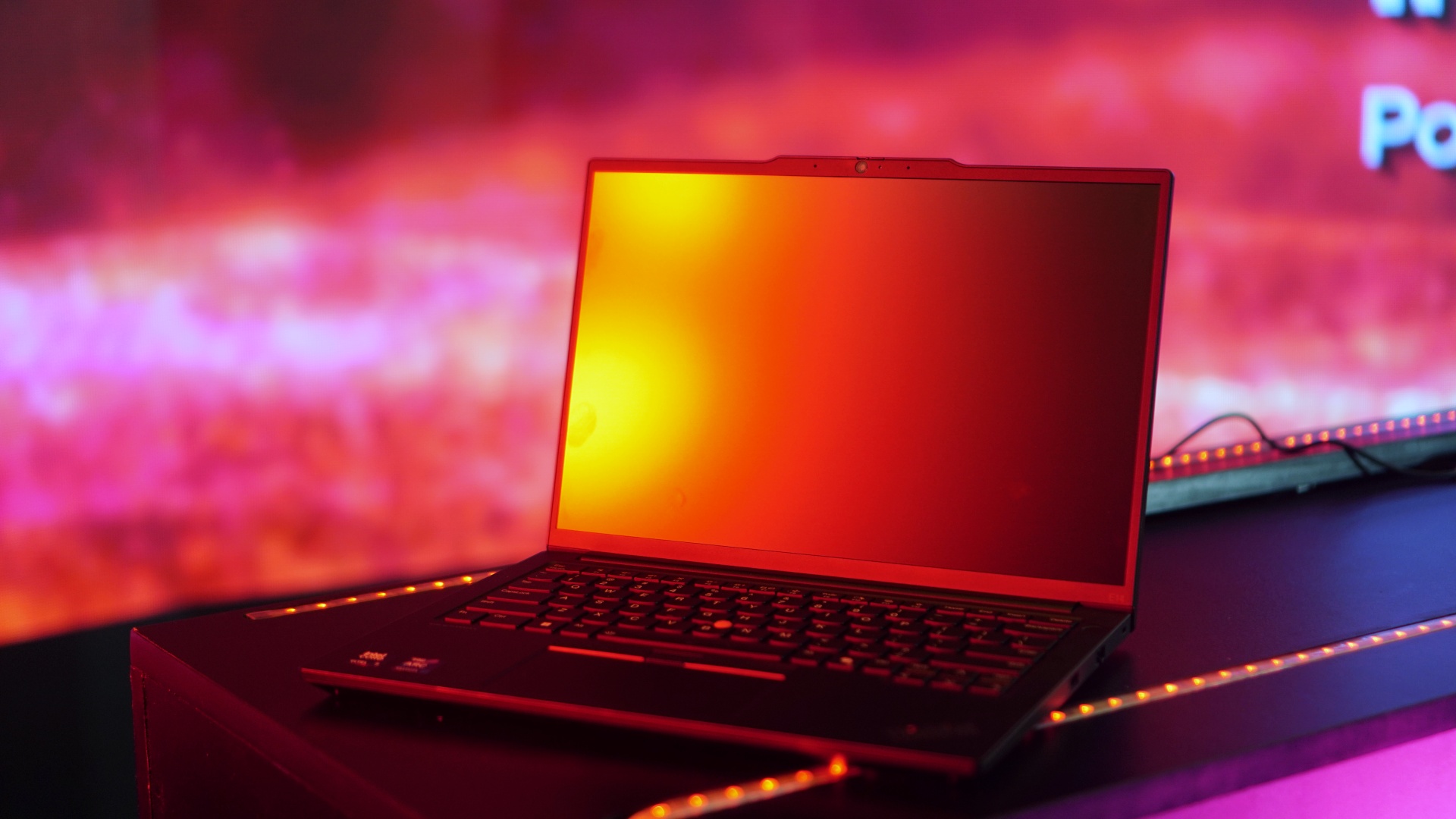
The latest generation ThinkPad E14 weighs just 1.42 kilograms (plastic) and 1.44 kilograms (aluminum), respectively, making them an ideal portable choice for professionals on the go.
The laptop’s Intel Core Ultra processors come with dedicated AI engines, including a low-power NPU for optimized battery consumption. With such improvements, users can multitask on the device even when it is unplugged.
This iteration of the ThinkPad E14 also offers up to 64GB of DDR5 memory. It has 2 x 2W stereo speakers by Harman with Dolby Atmos for one’s audiovisual needs.
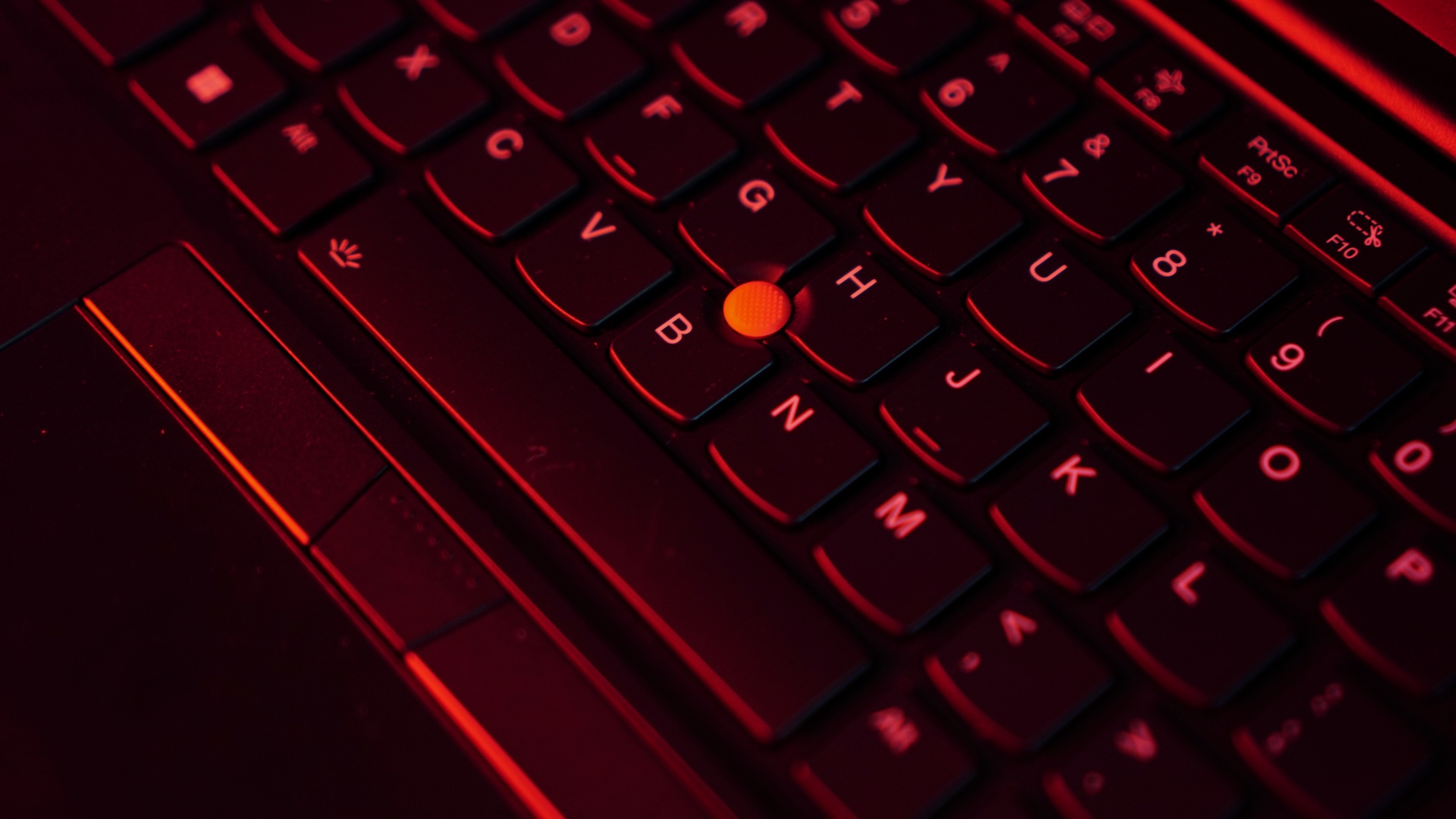
Moreover, the notebook debuts an improved keyboard with TrackPoint Quick Menu, where users can easily access camera and microphone settings, Microsoft Dictation, and noise supression functions.
Lastly, its FHD RGB webcam is also equipped with AI, being able to detect the lighting condition of users and trigger vHDR automatically to show more details on the background during video calls.
ThinkBook 14 Gen 7: For heavier tasks
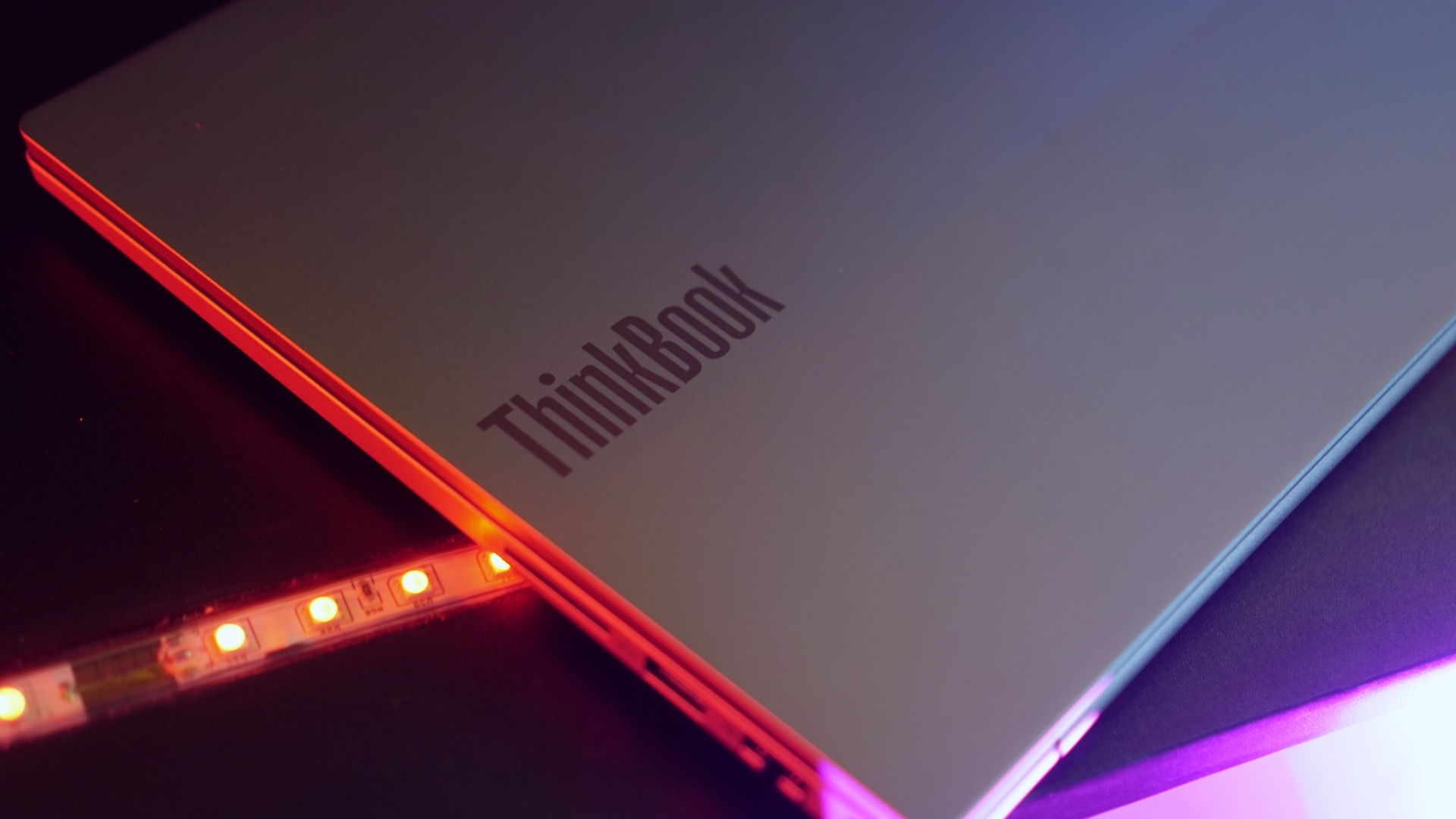
For even more demanding tasks like data analysis, financial modeling, and content creation, there’s the Lenovo ThinkBook 14 Gen 7.
The laptop also taps into AI-accelerated Intel Core Ultra processors to be able to do more.
The latest ThinkBook 14 comes preloaded with Lenovo Smart Meeting. This software allows users to adjust various settings during video conference calls.
Moreover, the Intel Evo Edition variant is fortified with fast charging, long battery life, and remarkable responsiveness for those who demand more.
And as a bonus, the ThinkBook 14’s keyboard has protection against liquid spills.
ThinkPad P14s Gen 5: Thinnest, lightest yet

Furthermore, the ThinkPad P14s Gen 5 is for professionals who need an AI-ready mobile companion without the extra bulk.
This light and thin laptop has a 14.5-inch chassis, an optimized 16:10 display, and is built with Intel vPro.
The models also come with an NVIDIA RTX 500 Professional Ada Generation mobile GPU. This easily supports complex workflows and intensive apps like AutoCAD, Revit, and SOLIDWORKS.
Architect, engineers, video editors, animators, and graphic designers are just some of those who can benefit from this ISV certified workstation.
ThinkCentre M70s Gen 5: Secure, reliable

For enterprises, the ThinkCentre M70s Gen 5 is a fast and powerful small form factor PC. Like the Lenovo ThinkPad and ThinkBook laptops mentioned above, this PC also boasts of AI-accelerated features on up to 14th Gen Intel Core i7 processors with Intel vPro Enterprise.
Along with Intel Arc graphics, various industries can effortlessly work with large datasets or render graphics-intensive applications.
The ThinkCentre M70s is also equipped with ThinkShield security to complement its powerful performance.
ThinkVision 27 3D

Rounding out the new releases is the ThinkVision 27 3D monitor. This offers users the ability to immerse into 3D content, without the need for glasses.
With real-time eye tracking and 2D/3D compatibility, as well as 99% DCI-P3 and Adobe sRGB color space coverage, the monitor is perfect for creating color-accurate 3D content.
It serves various applications, such as creation, design, education, entertainment, healthcare, and more.







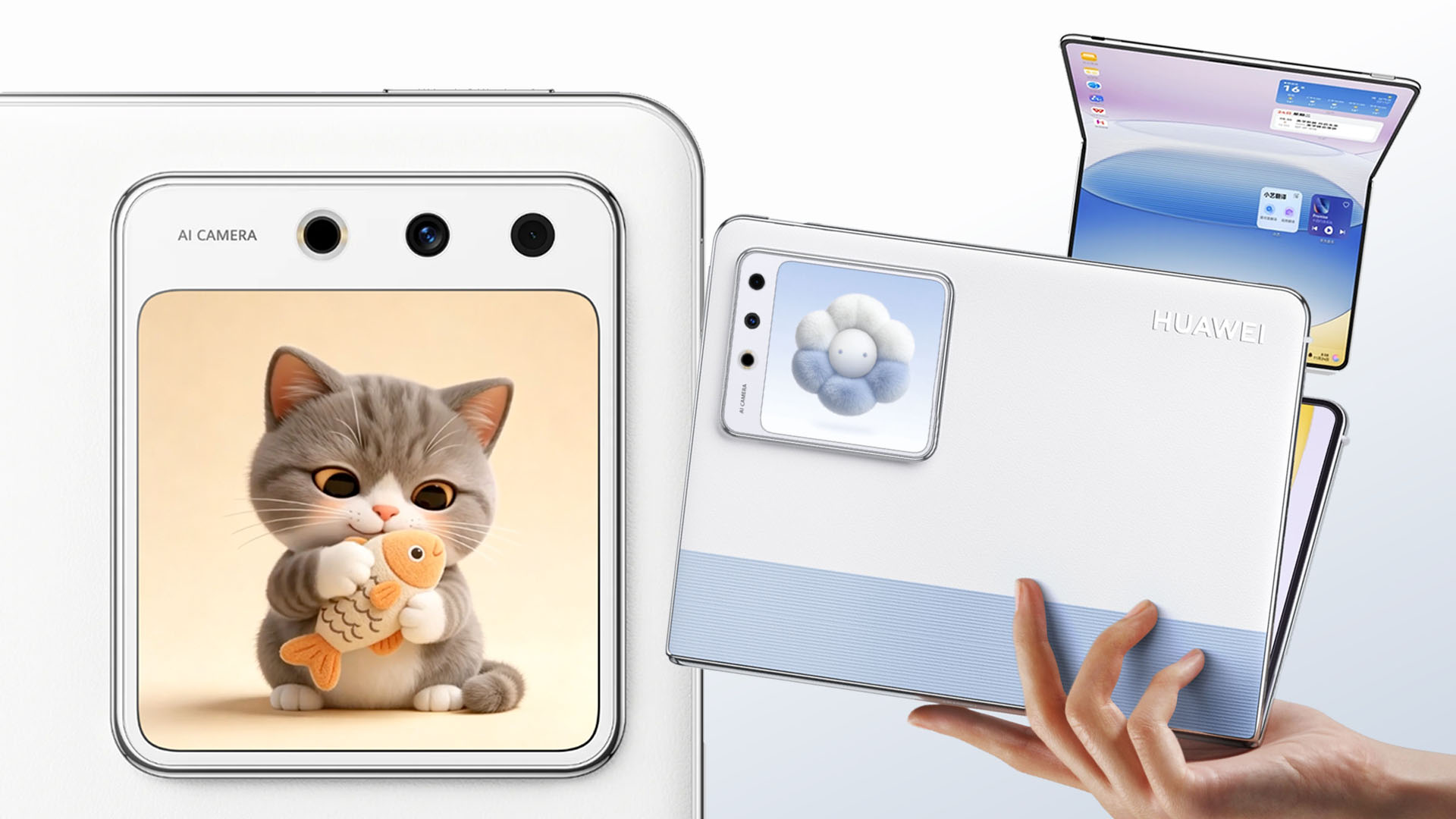
HUAWEI introduced the MateBook Fold as their first foldable laptop slash tablet hybrid last May 2025. After 1.5 years, they’re back with the HUAWEI MateBook Fold S.
Keen for that dual screen
Compared to the original MateBook Fold, the MateBook Fold S is equipped with a slightly smaller screen.
Unfolding it gives users an expansive 14.7-inch 3:2 flexible OLED display (versus 18 inches). When folded in half, it still has a manageable workspace of 10.2-inch 4:3 screen size (in contrast to 13 inches). The other half is app-dependent but it also serves as a virtual keyboard and trackpad combo in one (or just choose one, whichever you like).
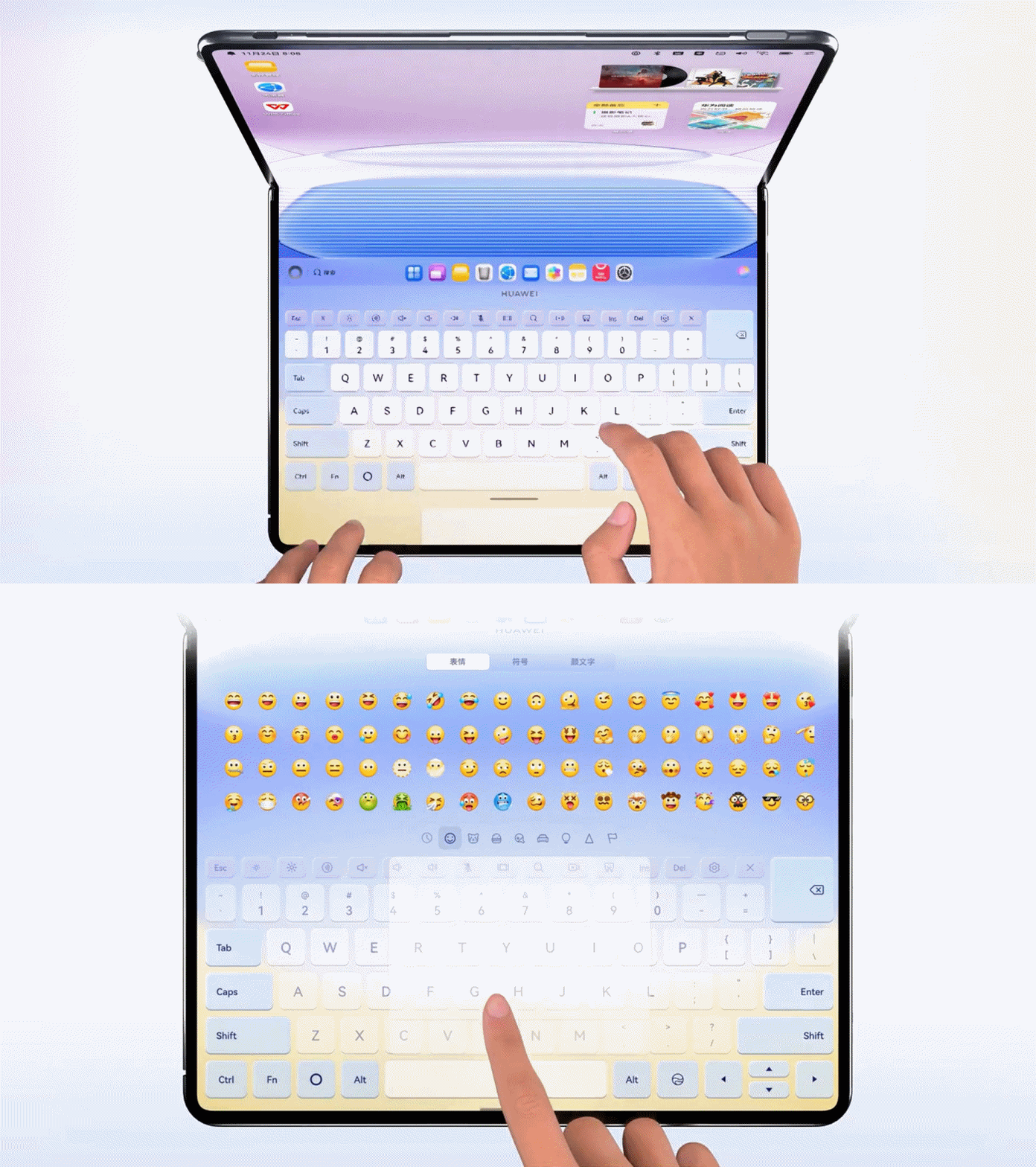
GIF by Vincenz Lee | GadgetMatch
For specifics, it’s an LTPO 2.0 display capable of switching from 120Hz refresh rate all the way down to 1Hz. This screen can also reach up to 1600 nits of peak brightness with a 2,000,000:1 contrast ratio plus DCI-P3 and HDR Vivid support.
On top of that is where the 12MP front camera plus 1MP IR face recognition sensor both sit.
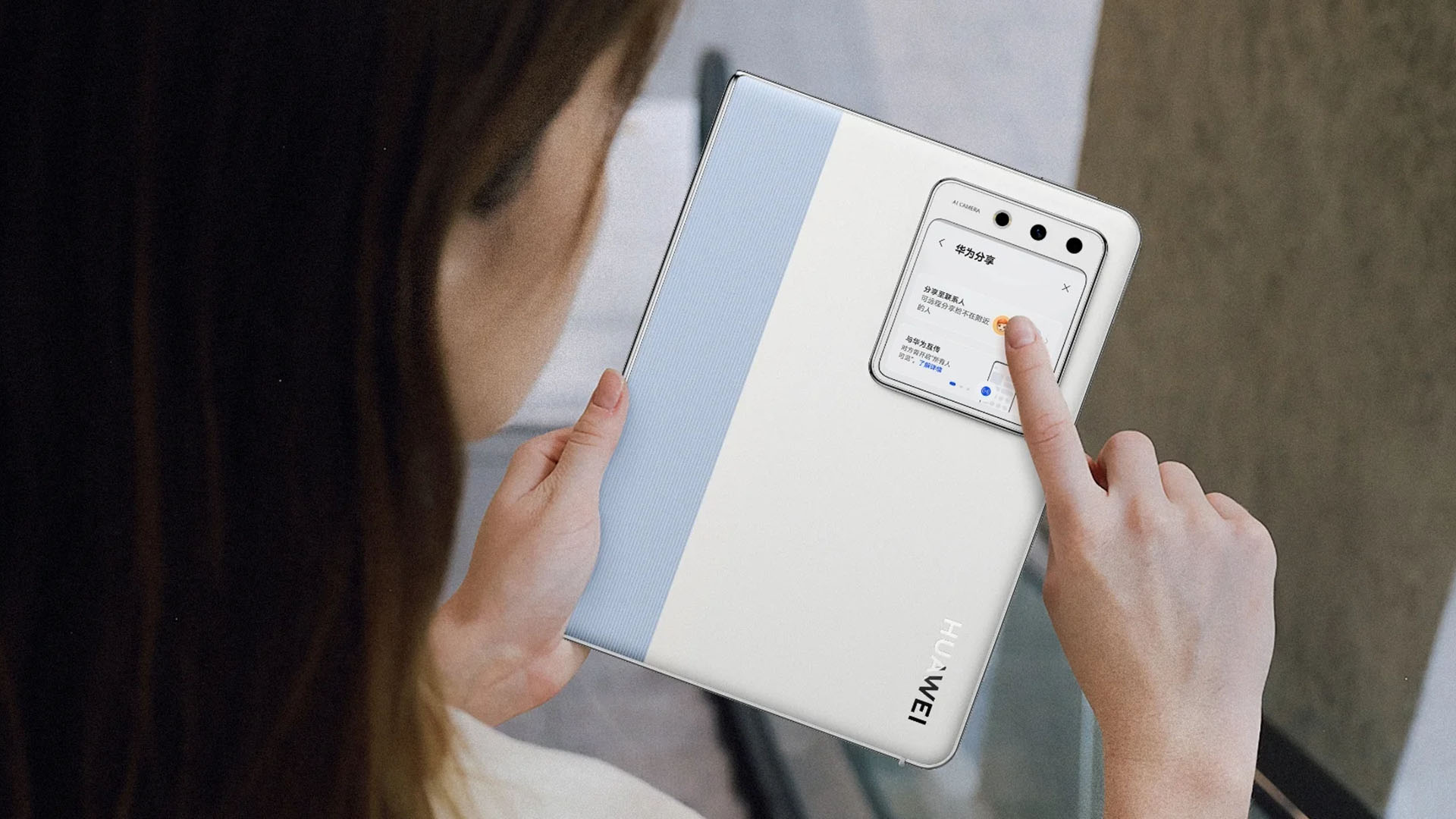
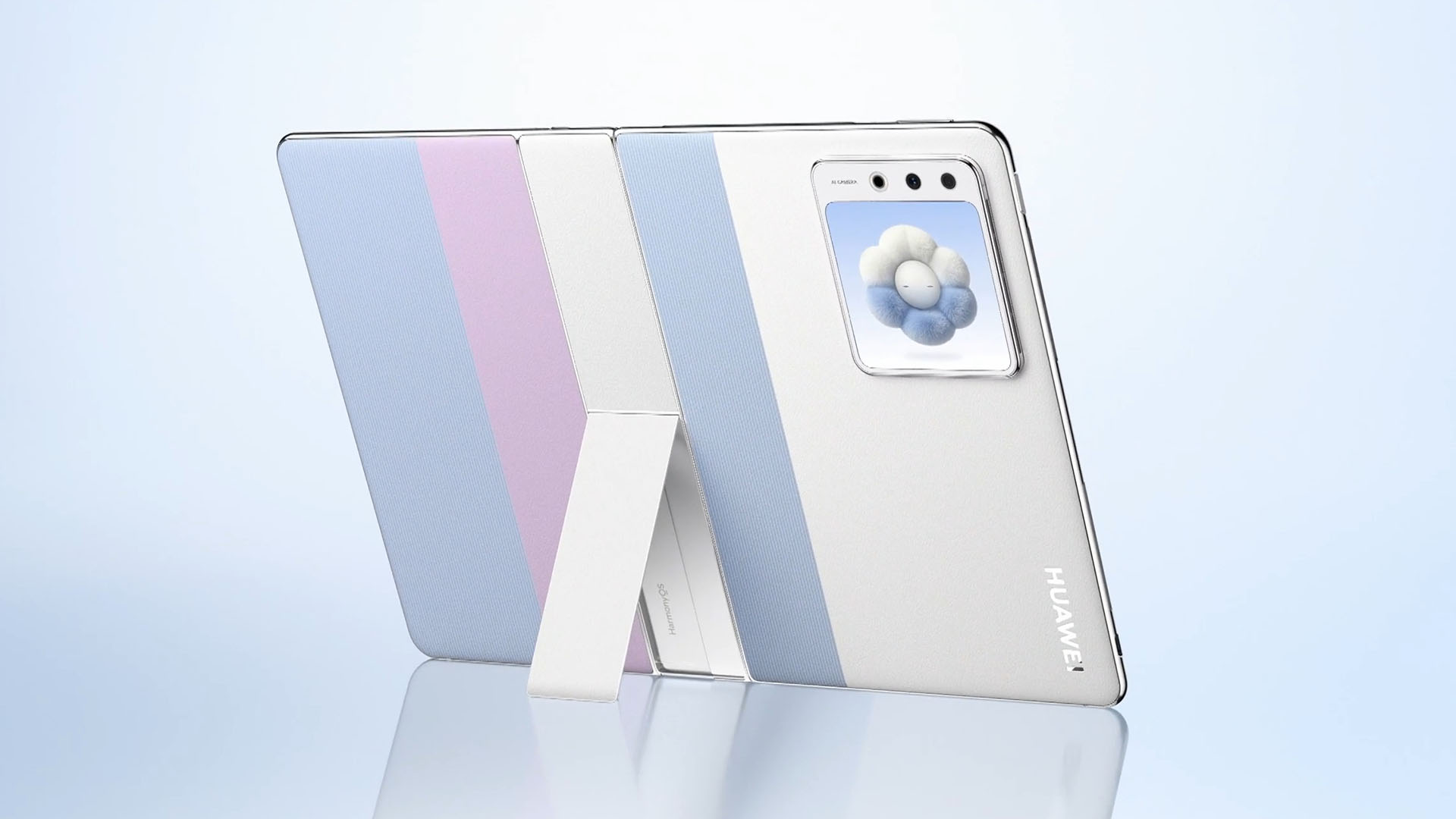
But, the showstopper of the MateBook Fold S has got to be that teeny-tiny outer screen on its back.
It’s a 3.5-inch 1:1 OLED display that’s capable of displaying not just custom avatars. It serves as a handy-dandy notepad when needed with its M-Pencil compatibility (which also works on the inner display).
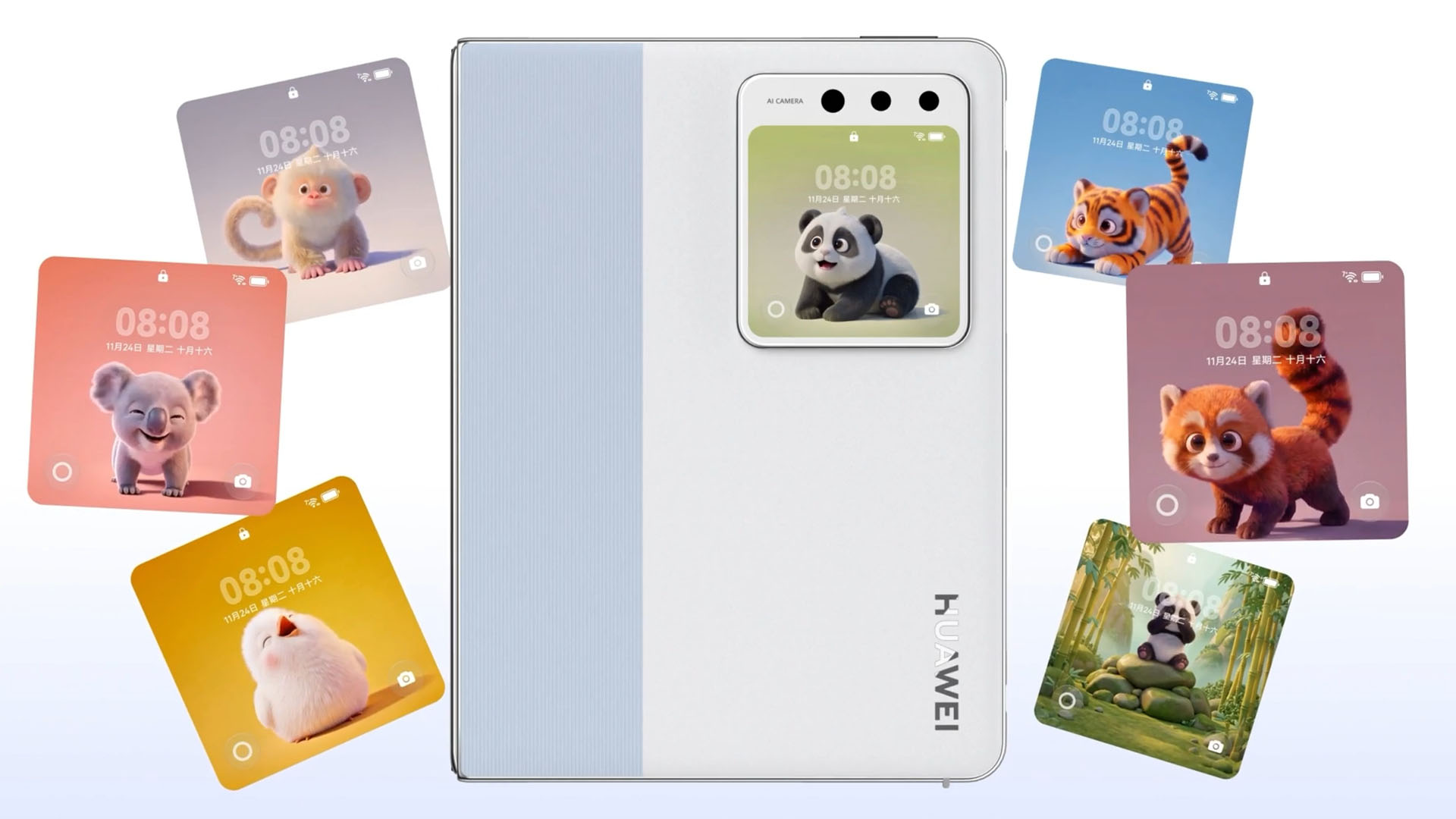
It can also be helpful in opening apps or viewing and sharing files — all without ever opening the foldable tablet slash laptop hybrid itself.
There’s even a 50MP RedMaple camera on it either for answering urgent calls or taking photos like a tablet’s rear camera when the device is unfolded.
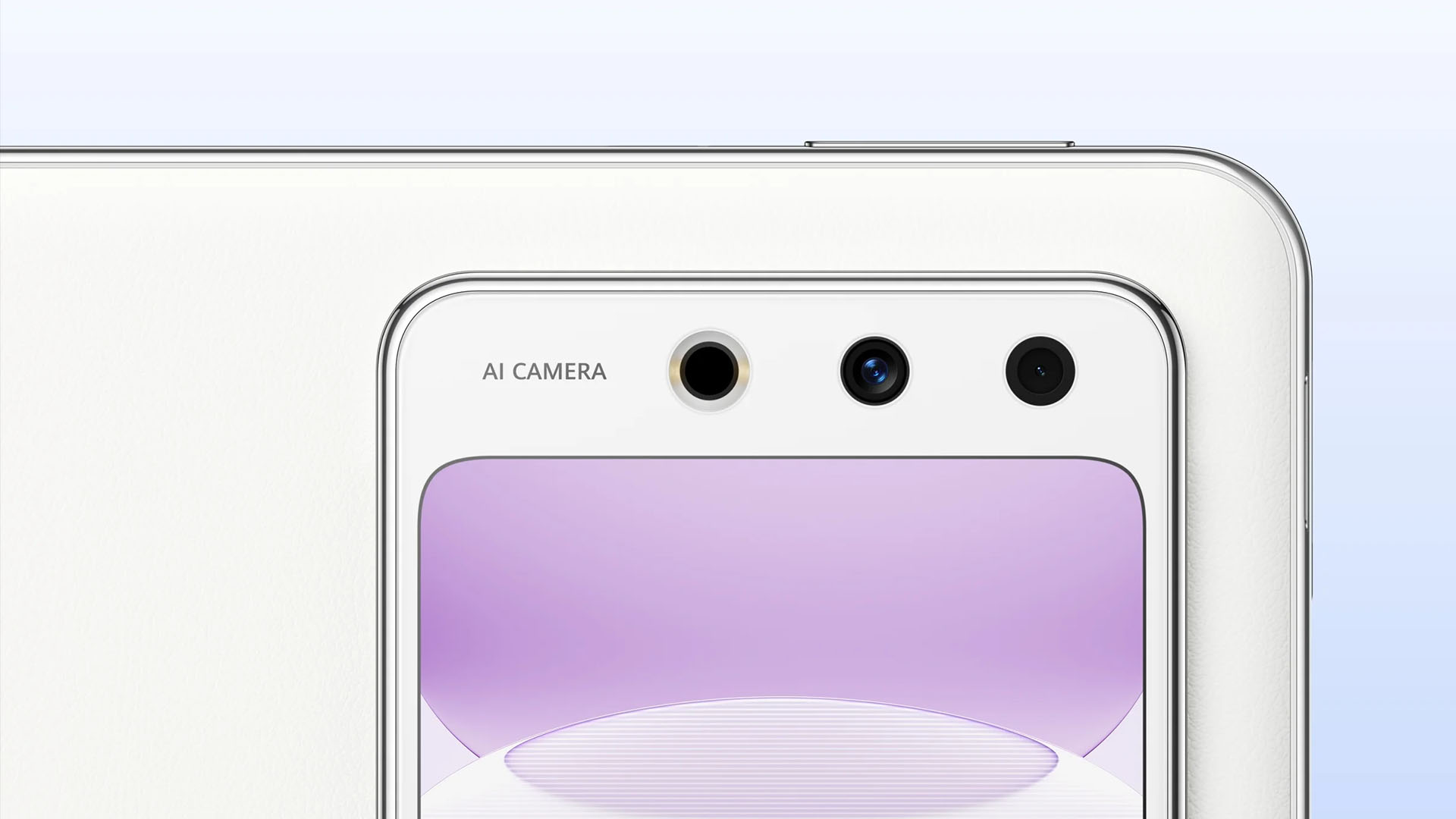
Unfortunately though, that screen is stationary and cannot be detached despite being shaped that way.
Stacked and power-packed
The MateBook Fold S is built with durability in mind. That flexible display is composed of UTG (ultra-thin glass) with a three-layer composite structure. Paired with HUAWEI’s Cloud Falcon architecture and Tiangong hinges, the MateBook Fold S is as durable as it can get.
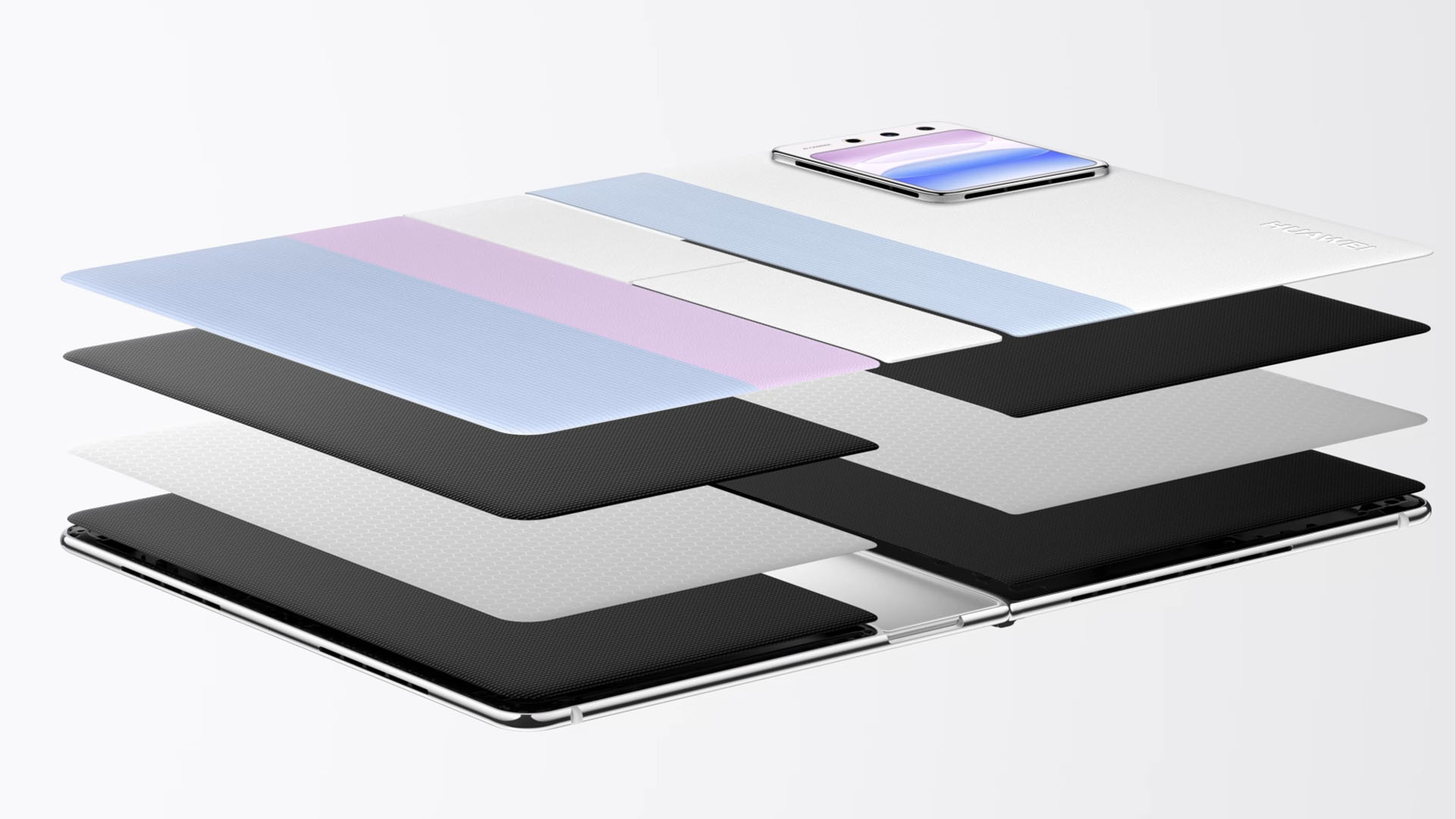
This meant aviation-grade and lightweight composite materials. As well as laser-printed titanium alloy spindle alongside a one-piece carbon fiber door panels for that silky smooth folding and unfolding.
Speaking of, it’s very slim at just 6.49mm when unfolded, or 12.89mm when closed. It’s lightweight too at only 639 grams.
Poweting the MateBook Fold S is HUAWEI’s very own Kirin X90E chip.
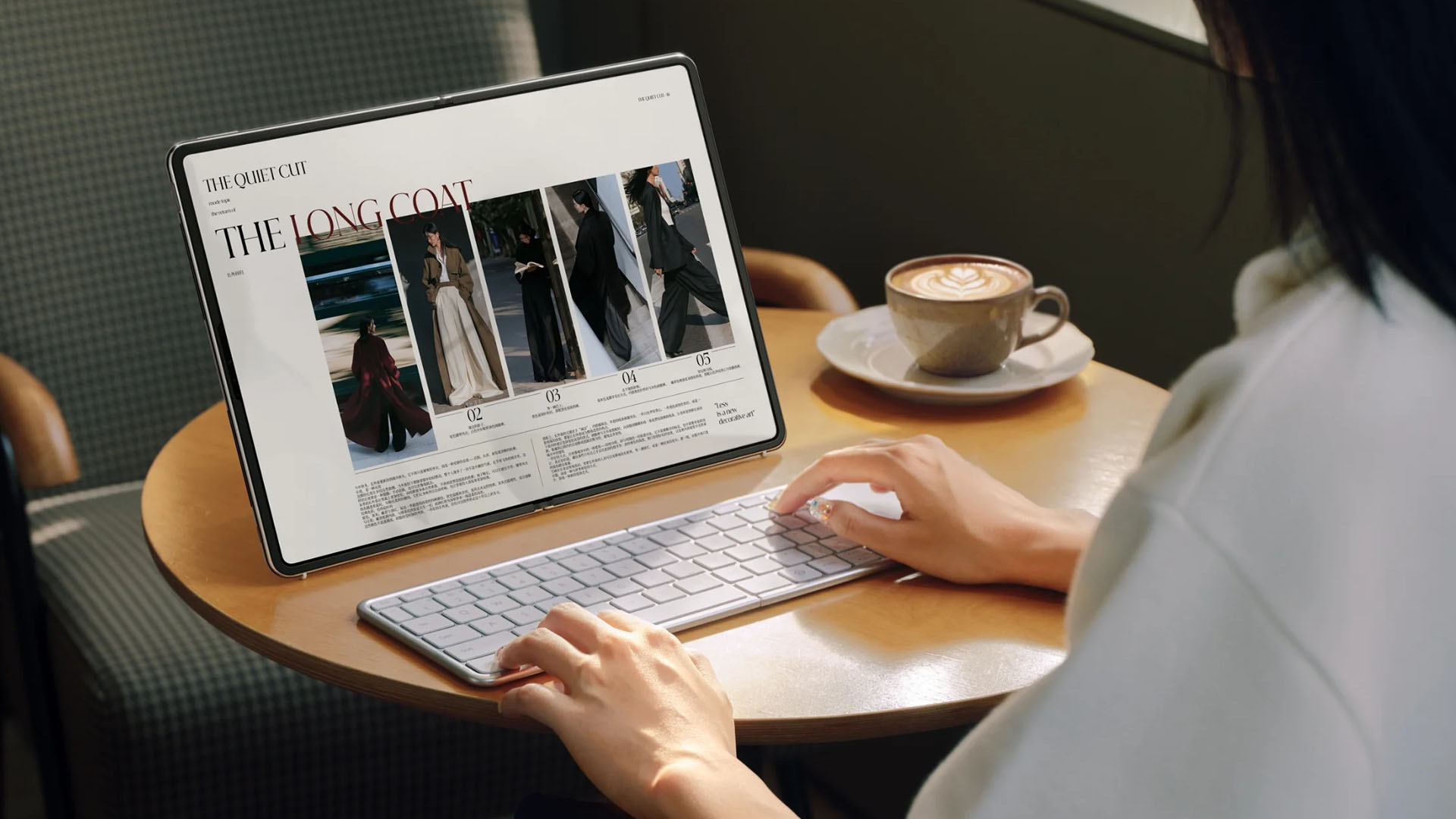
This new core promises 23% boost in single-core performance, 25% energy efficiency improvement, and a 40% upgrade in NPU. Together with Ark engine, decompressing a 2GB file or calculating 200,000 rows of data on WPS only takes three seconds to accomplish.
For heat dissipation, it has a 360-degree annular shunt Vapor Chamber with dual evaporation channels. And now that we’re here, it also features four antennas that further strengthens its internet speeds — especially with its Wi-Fi 7 support.
Living in Harmony
As expected, the MateBook Fold S runs HUAWEI’s proprietary HarmonyOS 7 instead of Windows 11.
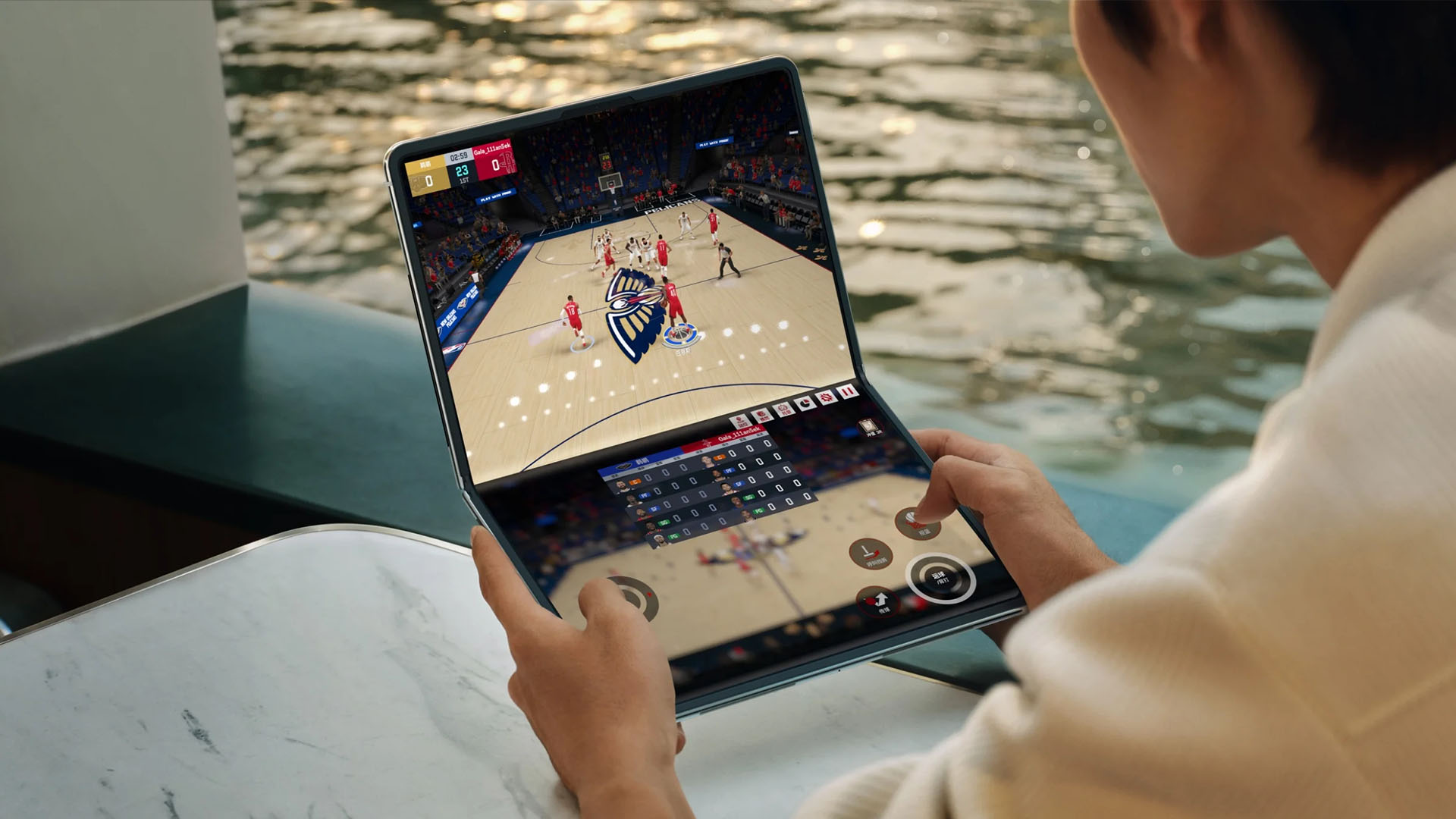
This means that users from the mainland will get to enjoy this foldable tablet (or laptop) with plethora of China-only apps compatible with HUAWEI’s existing OS such as Zhongwang CAD, Qianwen Office, Qoder, WorkBuddy, Kugou Music, and even NBA Summit Showdown.
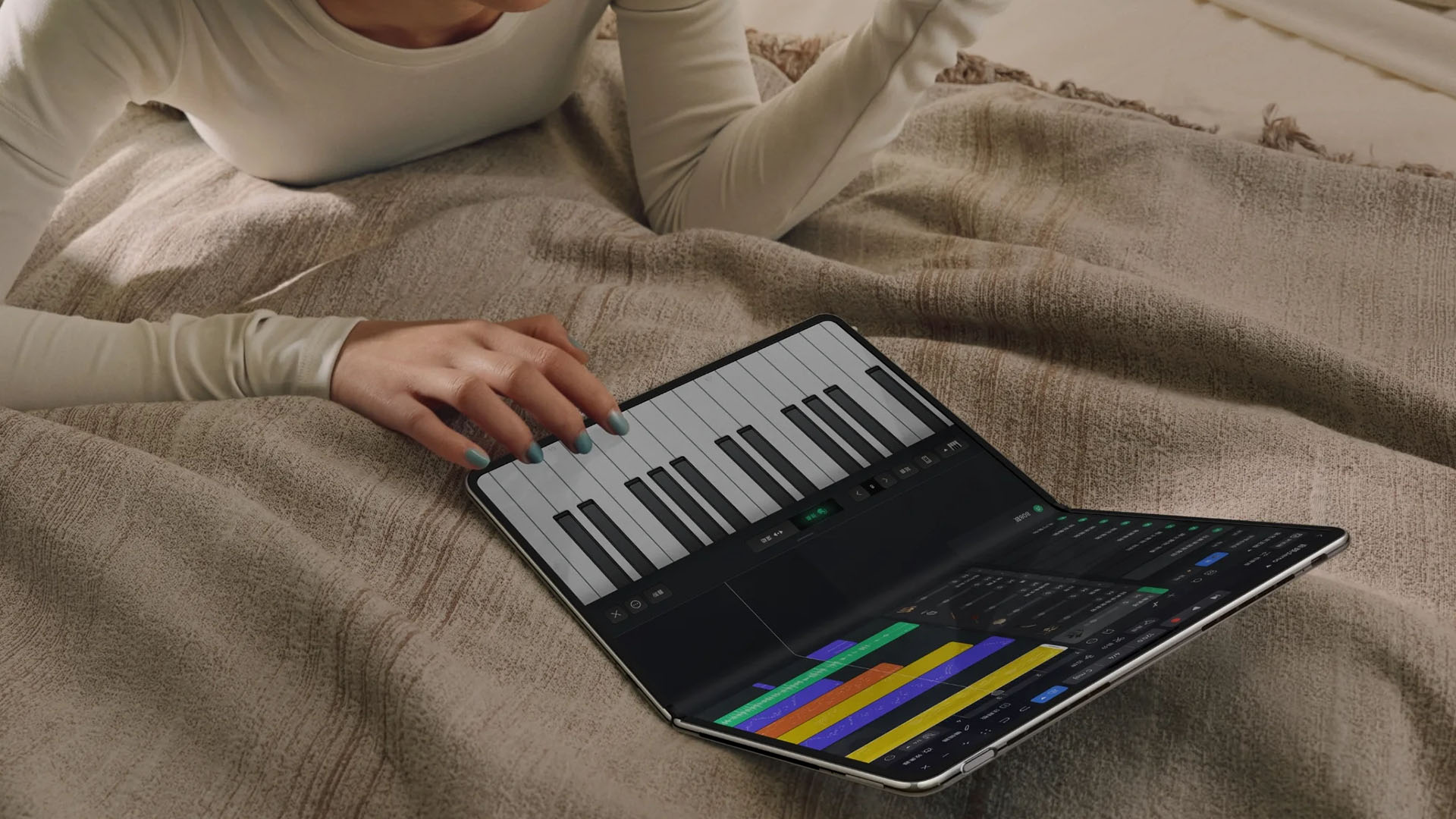
HUAWEI’s built-in Yinyuejia app also serves as a complete companion for musicians. Half-folded, you get the control track layers on top while piano keys are at the bottom. Play it however you want it.
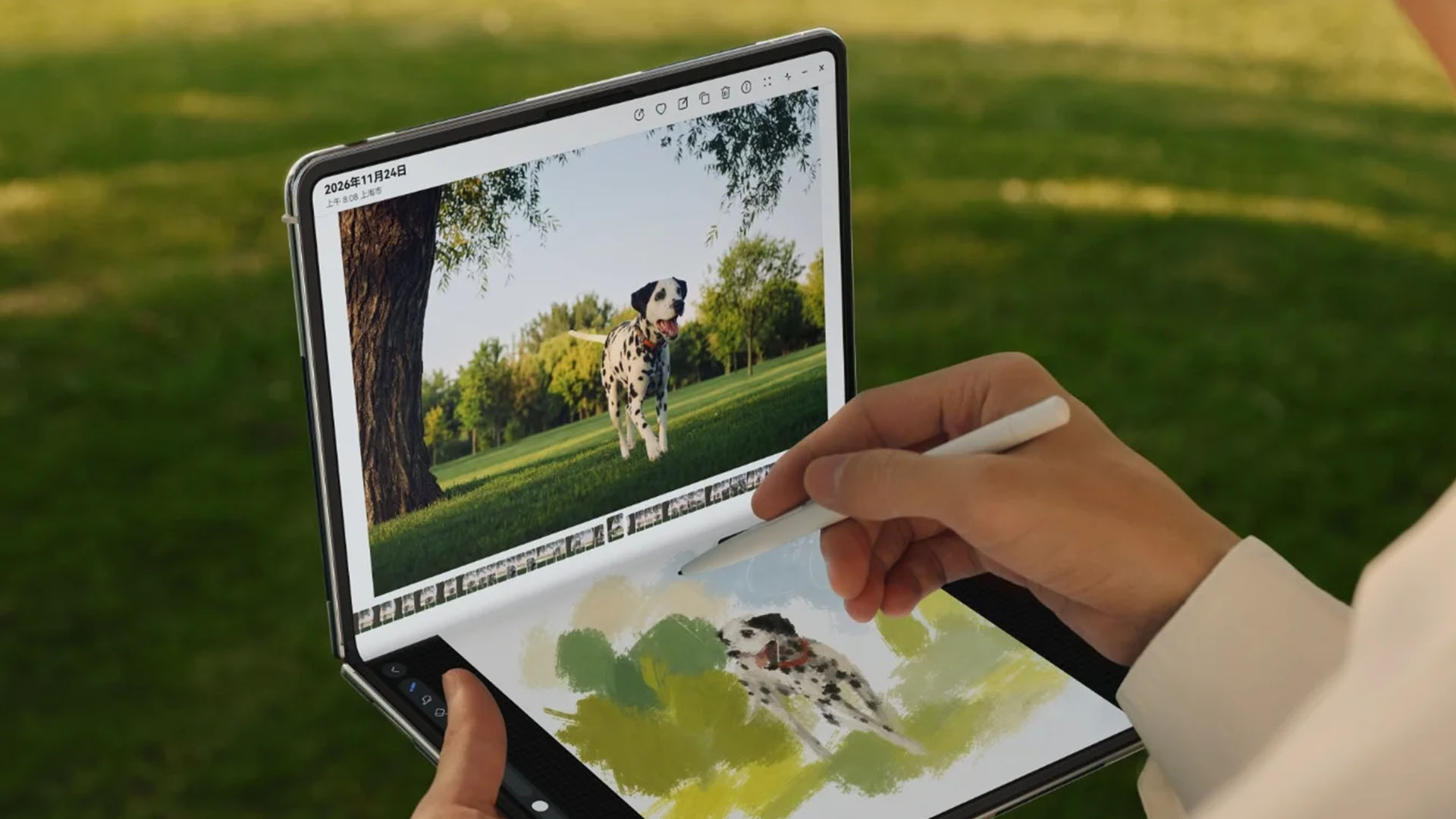
Upgraded with ultra-thin four-wheel drive bass module and equipped with HUAWEI Yuezhang multi-channel near-ear spatial sound field algorithm, the MateBook Fold S is a true multimedia powerhouse.
Lastly, HUAWEI did not forget about the MateBook Fold S’ AI capabilities as it’s powered by their in-house Xiaoyi smart AI assistant.
Pricing and availability
The HUAWEI MateBook Fold S is available in three colorways: Nightfall, Sky White, and Cloud Ocean Blue.
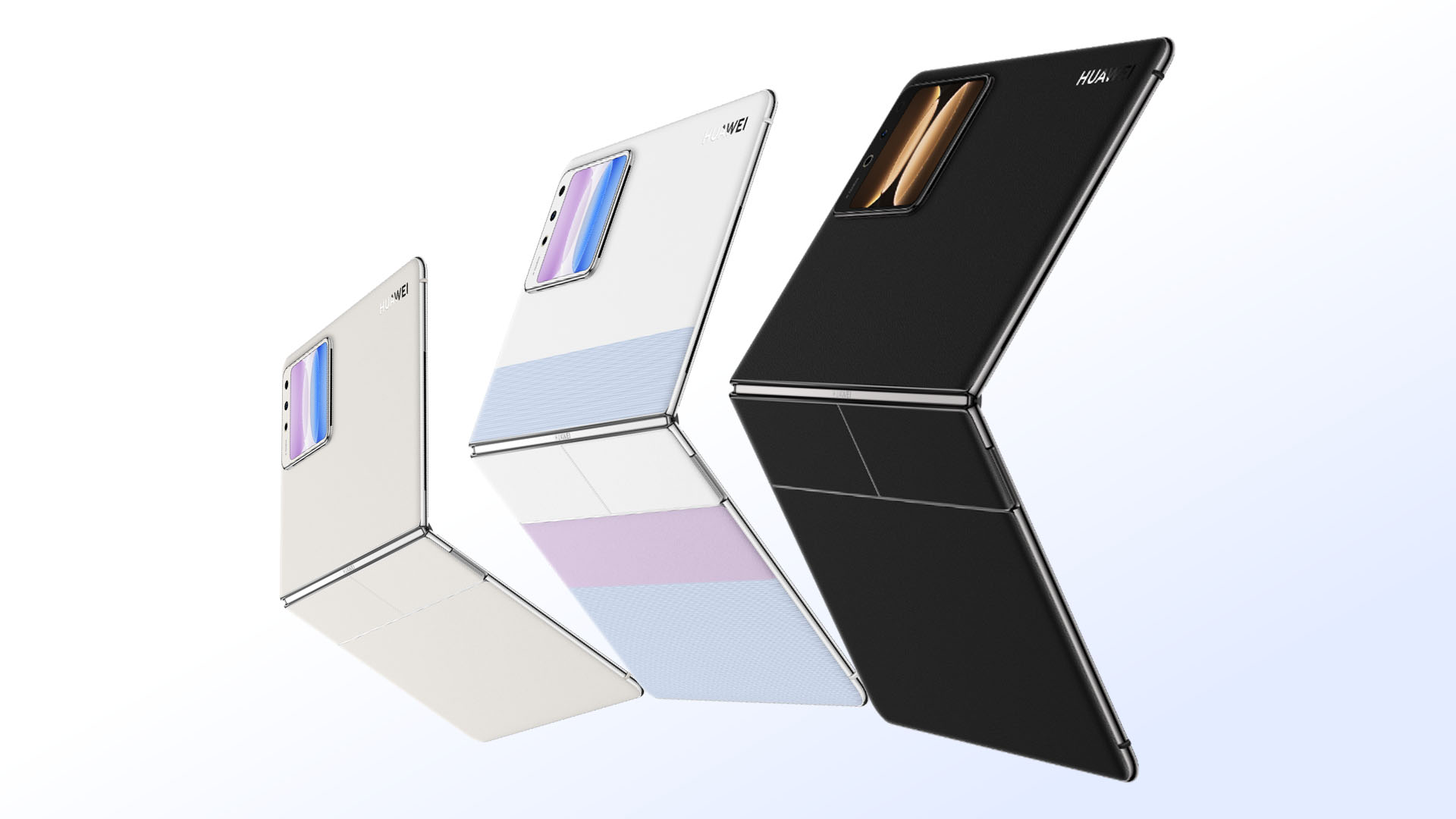
Graphics by Vincenz Lee | GadgetMatch
It’s being sold in China alongside these configurations (and rough pricing conversions):
- 16+256GB = CNY 14,999 (US$ 2235 / EUR 1925 / GBP 1650 / SG$ 2830 / MYR 9045 / PhP 140,000 / INR 211,195)
- 16+512GB = CNY 16,999 (US$ 2535 / EUR 2180 / GBP 1875 / SG$ 3210 / MYR 10,250 / PhP 158,670 / INR 239,355)
- 24+512GB = CNY 18,999 (US$ 2830 / EUR 2435 / GBP 2095 / SG$ 3585 / MYR 11,455 / PhP 177,340 / INR 267,515)
- 32+1TB = CNY 22,999 (US$ 3430 / EUR 2950 / GBP 2535 / SG$ 4340 / MYR 13,870 / PhP 214,680 / INR 323,840)
- 32+1TB Shangxia Limited Edition = CNY 24,999 (US$ 3725 / EUR 3205 / GBP 2755 / SG$ 4720 / MYR 15,075 / PhP 233,345 / INR 352,000)
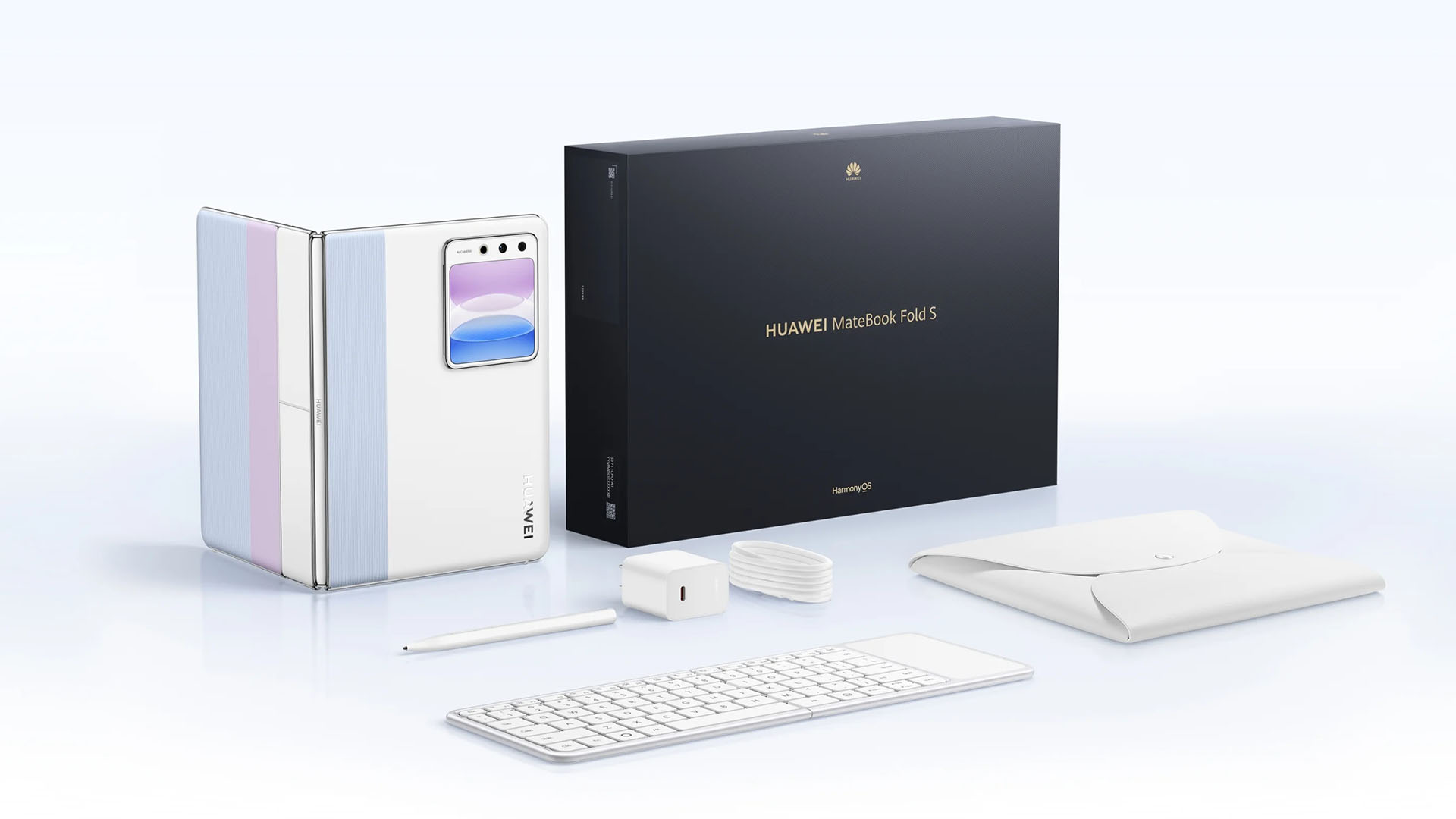
* Shangxia Limited Edition refers to the complete set featuring the StarLeap folding keyboard, storage bag, and M-Pen 3.
HUAWEI even sells this special “Up and Down” bag with a designated cutout for the outer screen itself.

GIF by Vincenz Lee | GadgetMatch
As usual, HUAWEI did not say anything about global availability.


The launch of the new MacBook Pro is a polarizing one, to say the least. The notebook introduces a new touchscreen feature that isn’t really an automatic hit for fans. Some have even pointed out how Steve Jobs once said that touchscreen MacBooks were a bad idea. If you’re a part of this group, a new discovery might alleviate your worries a little bit. Apparently, you can turn off the new MacBook Pro’s touchscreen functionalities.
According to MacStories’s Federico Viticci, the new MacBook Pro with Touch includes accessibility features that can turn off the touchscreen entirely. Other early testers have also corroborated this option.
A touchscreen notebook isn’t the most popular type of laptop. Though this particular display has been available for quite a while, it hasn’t really taken off. Case in point, Apple’s announcement hasn’t been met with the warmest of fanfare.
It’s also telling that Apple baked in a way to turn this setting off. At the very least, we didn’t have to wait a while. The hullabaloo is reminiscent of the reception to Liquid Glass, another polarizing feature that Apple eventually made configurable for detractors.
Also, this isn’t the first time that Apple tried experimenting with the MacBook. Do you remember the short-lived Touch Bar?
Strangely, it’s such a strong contrast to the MacBook Neo launched earlier this year. Whereas that particular model debuted to applause, the new MacBook Pro attracted more raised eyebrows.
SEE ALSO: What the MacBook should touch on instead

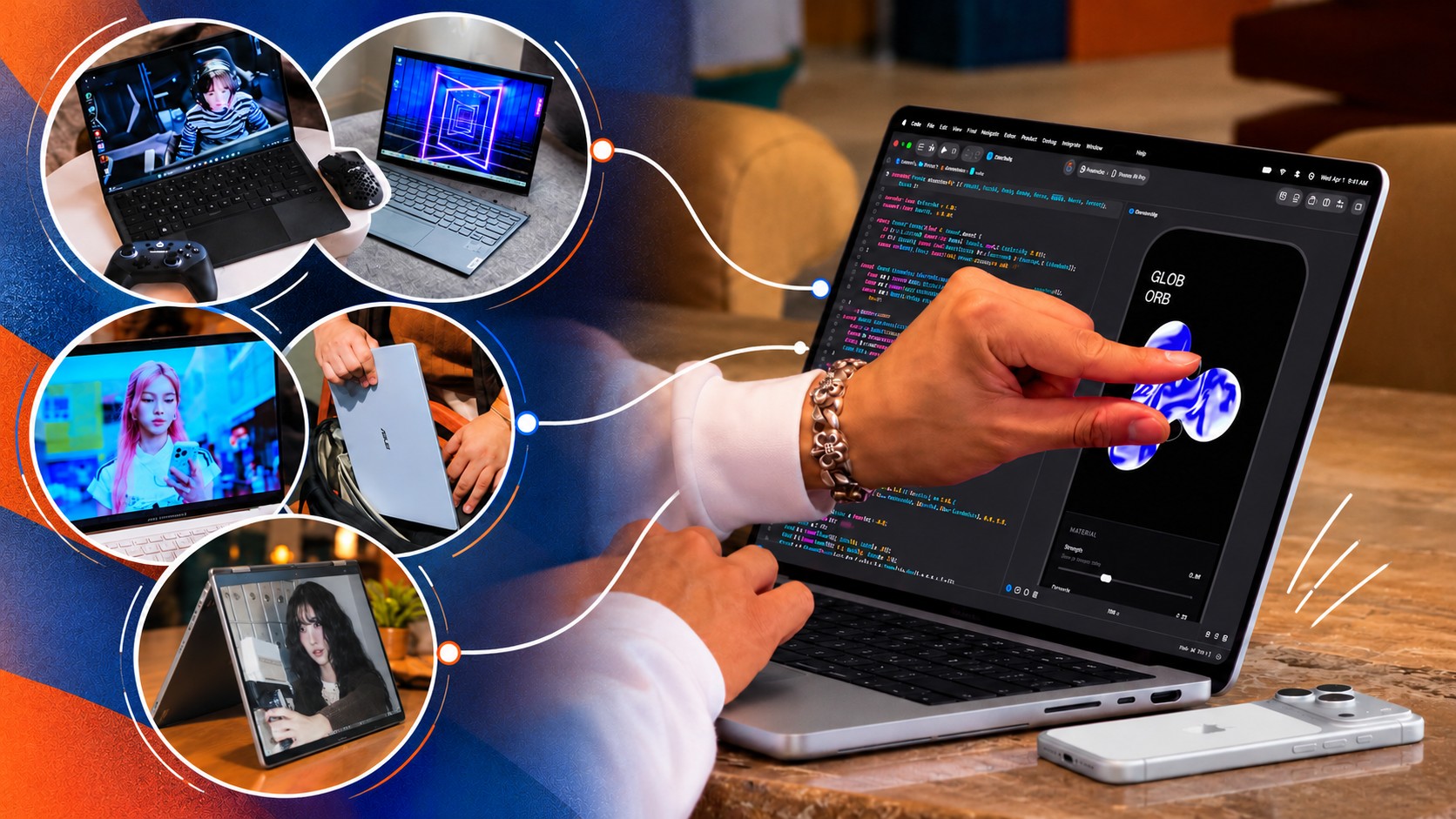
Apple just unveiled their brand spanking new MacBook Pro, now with a touchscreen. That’s fine and all, but something about it lacks… imagination.
Apple broke tech and cultural barriers with the iPhone and the iPad. The MacBook, meanwhile, has been a standard-bearer of personal computing for years. Yet Apple’s latest attempt at innovation doesn’t inspire the same sense of possibility.
Tech creators and publications present at the event have shared their thoughts. While they didn’t necessarily say it verbatim, there’s a “Who asked for this?” or “Who needs this?” energy going around.
The argument for the company in Cupertino has always been that while it might join the party late, it arrives with something refined and ready for the spotlight. That feels less certain in 2026.
I digress.
That’s a whole other topic to unpack, so before I go any further, let me shift back to what I wanted to write about in the first place: the innovations I want to see from Apple. Ones that capture the imagination and inspire possibilities.
MacPad or MacPad Pro
Yes, I’m starting with a haymaker.
For years, users have been asking Apple to make the iPad run some hybrid of iPadOS and macOS.
The MacBook Neo and iPad Pro are proof that this isn’t too farfetched. The former runs macOS on an iPhone/iPad chip (A-series) while the latter runs iPadOS on a MacBook chip (M-series). Computing power doesn’t seem to be the issue. Apple is just likely afraid that one device category will cannibalize the other. That’s pure speculation on my part so let’s just continue with the thought exercise.
Assuming we get that macOS and iPadOS hybrid, what will the hardware look like?
Some disclaimer before the fun part. This whole article is a thought exercise and I am inviting all of you to imagine with me. But to make things feel a little more grounded, I will name models from other brands that Apple can take some inspiration from. Just, you know, Apple-fy it.
For the MacPad or MacPad Pro, I’m thinking something like a 2-in-1. The main body is a slab with a display and kickstand. Think Nintendo Switch 2. But instead of provisions for Joycons on the side, you get some form of cooling and the ports.
Let it have an M-series chip for maximum computing power. But to differentiate it from the iPad, have it come with a foldable keyboard and trackpad folio of some sort.
The ROG Flow Z13 but Apple-fied
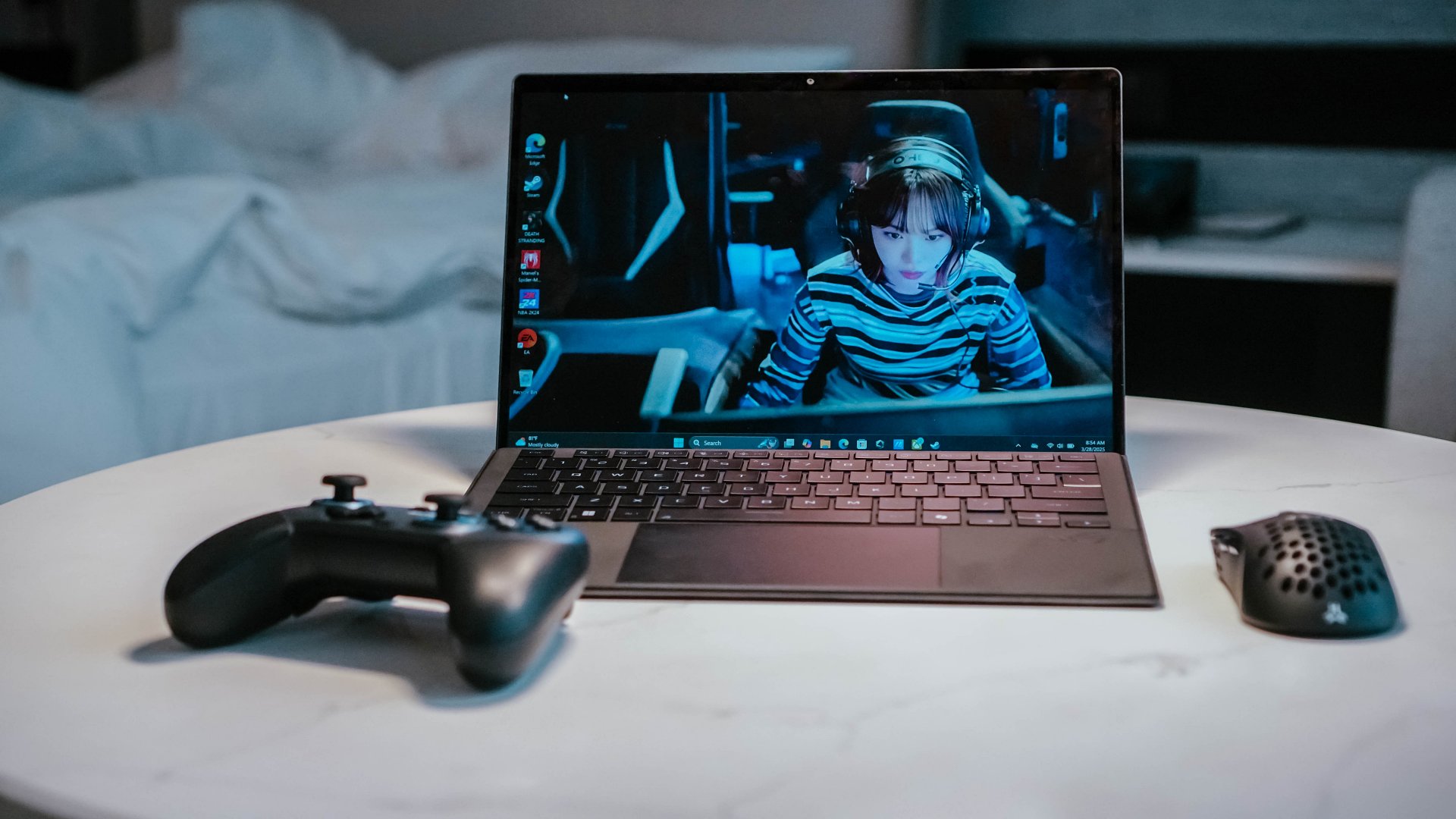
Now that I think about it, what I’m describing is likely closer to the ROG Flow Z13. But instead of a gaming aesthetic, make it closer to how sleek and streamlined the look of MacBooks and iPads.
Having spent time with the ROG Flow Z13 (2025), I know there’s something genuinely compelling about this form factor. It’s a tablet with the brains of a full-fledged PC, with the keyboard becoming an accessory rather than a permanent fixture.
I traveled with the Flow Z13 and loved how it could serve as my work machine, gaming console, and entertainment device. Detach the keyboard and you have a screen for watching videos. Prop it up and you have a surprisingly capable gaming machine. Connect it to a TV and you have another way to play. It simplified my travel loadout in ways I didn’t expect.
Now imagine that same flexibility with macOS. A MacPad Pro could be a tablet when you want to browse, read, or watch something, then become a proper Mac when it’s time to get serious about work. You wouldn’t need to choose between carrying a MacBook and an iPad because one device could cover both roles.
A detachable design, done right
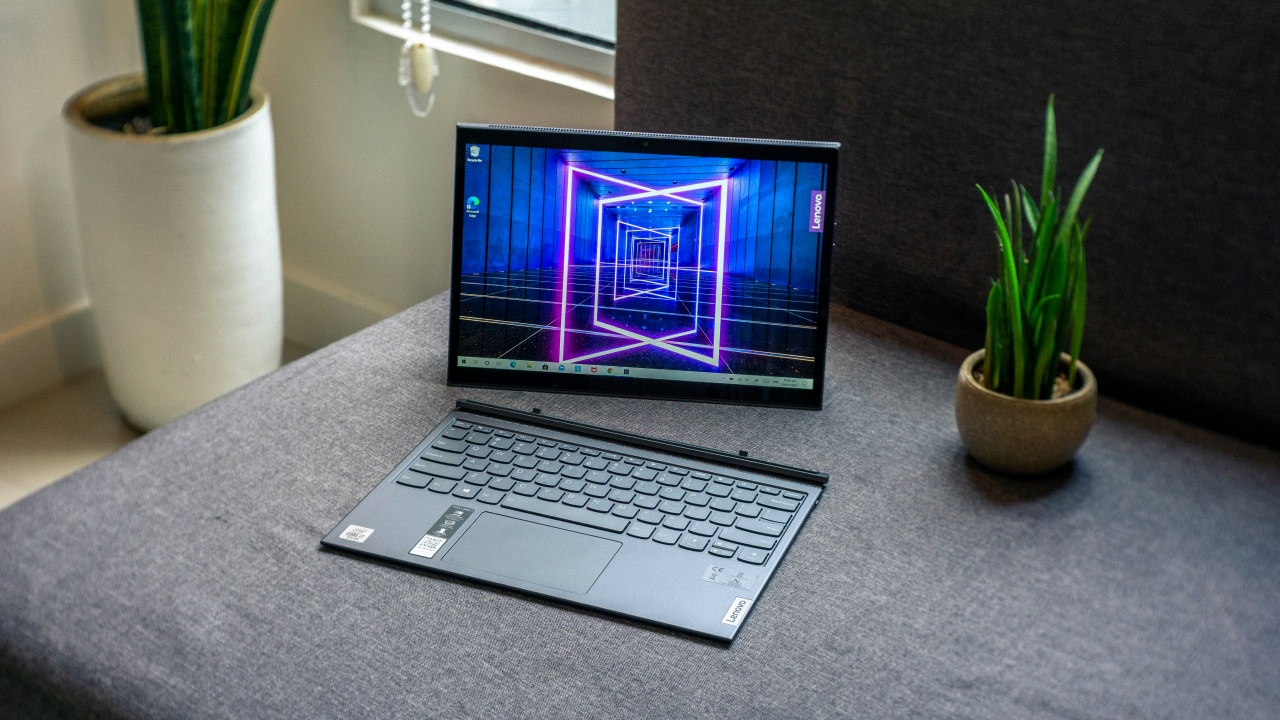
There’s already a precedent for this, too. The Lenovo Yoga Duet 7i showed how a detachable tablet and keyboard could work together without either feeling like an afterthought. Its Bluetooth keyboard meant you weren’t necessarily tied to the tablet in the same way you would be with a conventional laptop.
That’s the part I’d want Apple to get right. Give the MacPad Pro a proper kickstand, a keyboard that doesn’t feel like a compromise, and enough ports to make it useful beyond the desk. Let people use it as a tablet, a laptop, or a makeshift desktop without having to fight the hardware.
And because this is Apple, I’d expect the accessories to be ridiculously good. If the company can make the Magic Keyboard for iPad feel like a convincing laptop keyboard, imagine what it could do if it built the entire experience around macOS from the start.
Heck, they can even go full Apple and do away with the kickstand and just include a flimsy folio in the original packaging. And then sell a Magic Keyboard and Trackpad folio separately for maximum profit. Now that’s truly the Apple way.
Refined MacBook Pro
Look, I love the MacBook Pro. And I’ll take macOS over Windows any day. But every now and again I come upon a Windows machine that has immaculate hardware.
This year, to me, that’s the ASUS ExpertBook Ultra. In terms of overall build, materials, display, and size it’s my favorite work machine that I personally spent significant time with.
Premium finish

It already has that sleek MacBook look. But on top of that, the Nano Ceramic finish elevates it in a way that only experiencing it firsthand can make you understand.
I wrote about this in my original review, but it’s worth repeating: the Nano Ceramic finish is one of those things that sounds like marketing fluff until you actually touch it. It gives the laptop a distinct texture that makes picking it up feel like an experience in itself.
What’s more surprising is that the feeling doesn’t wear off. I got the ExpertBook Ultra back for another stretch of use after ASUS had already collected it, and I still found myself running my hand across the lid before opening it. Thirty days later, I hadn’t outgrown the novelty.
That might sound trivial, but I don’t think it is. We interact with our laptops for hours every day. The materials, textures, weight, and little physical details all contribute to how much we enjoy using them. If a manufacturer can make something as ordinary as opening a laptop feel special, that’s a kind of refinement worth pursuing.
OLED all day

It doesn’t hurt to have STAYC Isa on screen.
The OLED display with matte coating is a feast for the eyes. I regularly worked in cafés beside large windows, and the matte coating helped keep the OLED panel looking magnificent even with all that ambient light.
Deep blacks, crisp colors, and fewer distracting reflections made it a pleasure to work on and an even bigger pleasure to take breaks with.
Tantalizing typing
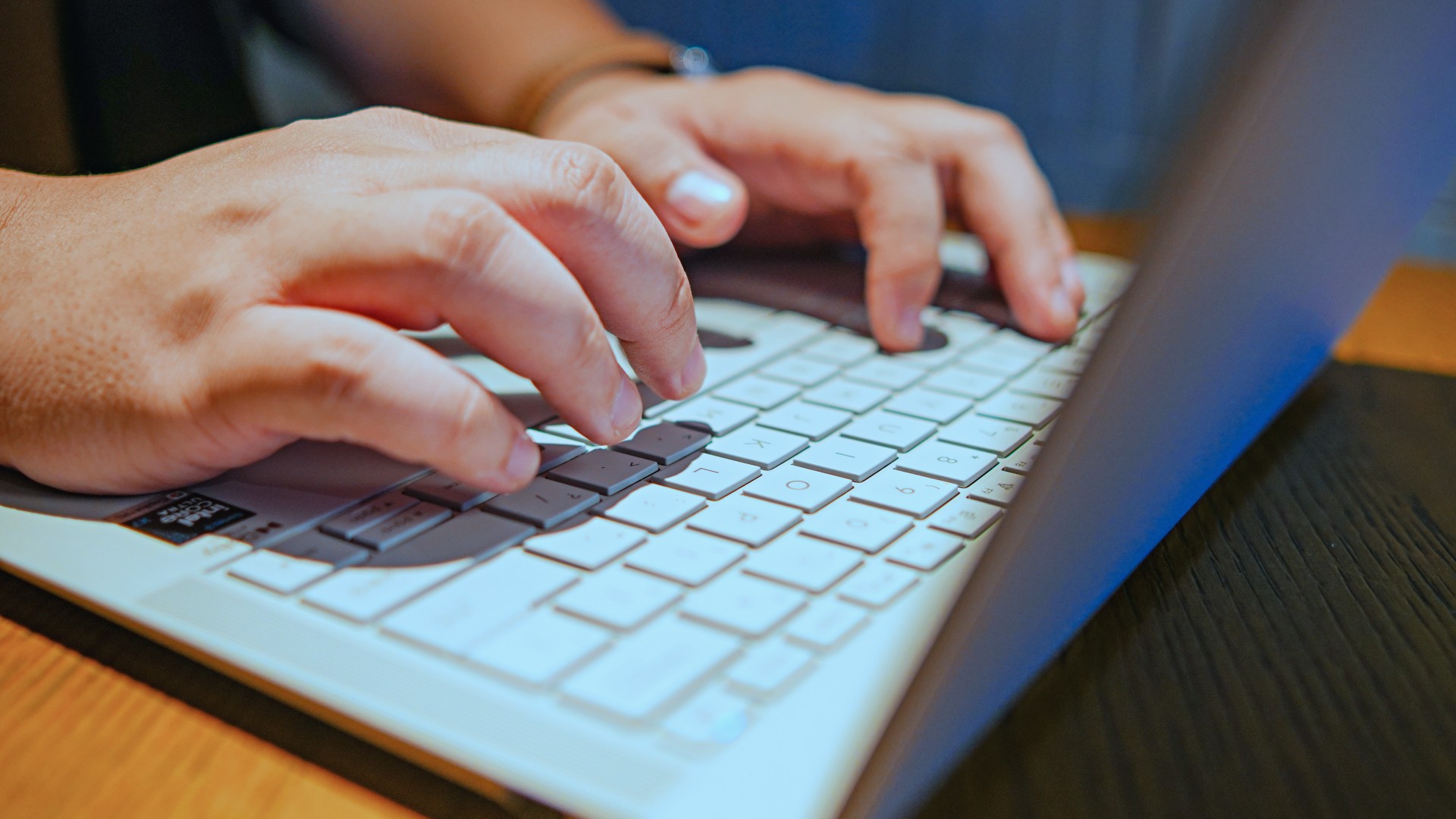
And the chiclet-style feeling keyboard will have you waxing poetic about an intimate connection found and faded. The spacing is excellent, the travel feels satisfying, and I found myself typing without that awkward adjustment period you sometimes get with a new machine.
Neither feature is revolutionary on its own. That’s precisely the point. The ExpertBook Ultra brings together a collection of thoughtful hardware decisions that make the whole experience feel a little more special. I want that same attention to detail from Apple, even if the MacBook Pro is already one of my favorite laptops.
Imagine that hardware running macOS. One can dream.
Yoga MacBook
I don’t know how Apple will do this without Lenovo suing but for the love of the game, please indulge me.
Imagine the aforementioned macOS and iPadOS hybrid running on a machine that morphs from a regular laptop to one that’s display-facing. That’d make a touchscreen MacBook more compelling to more users.
They’re definitely gonna have to call it something else, but a flexible MacBook is more appealing than the same old clamshell but now with a touchscreen. It has more practical uses that extend beyond developers and heavy-duty multimedia professionals and creatives.
Bend it like Lenovo
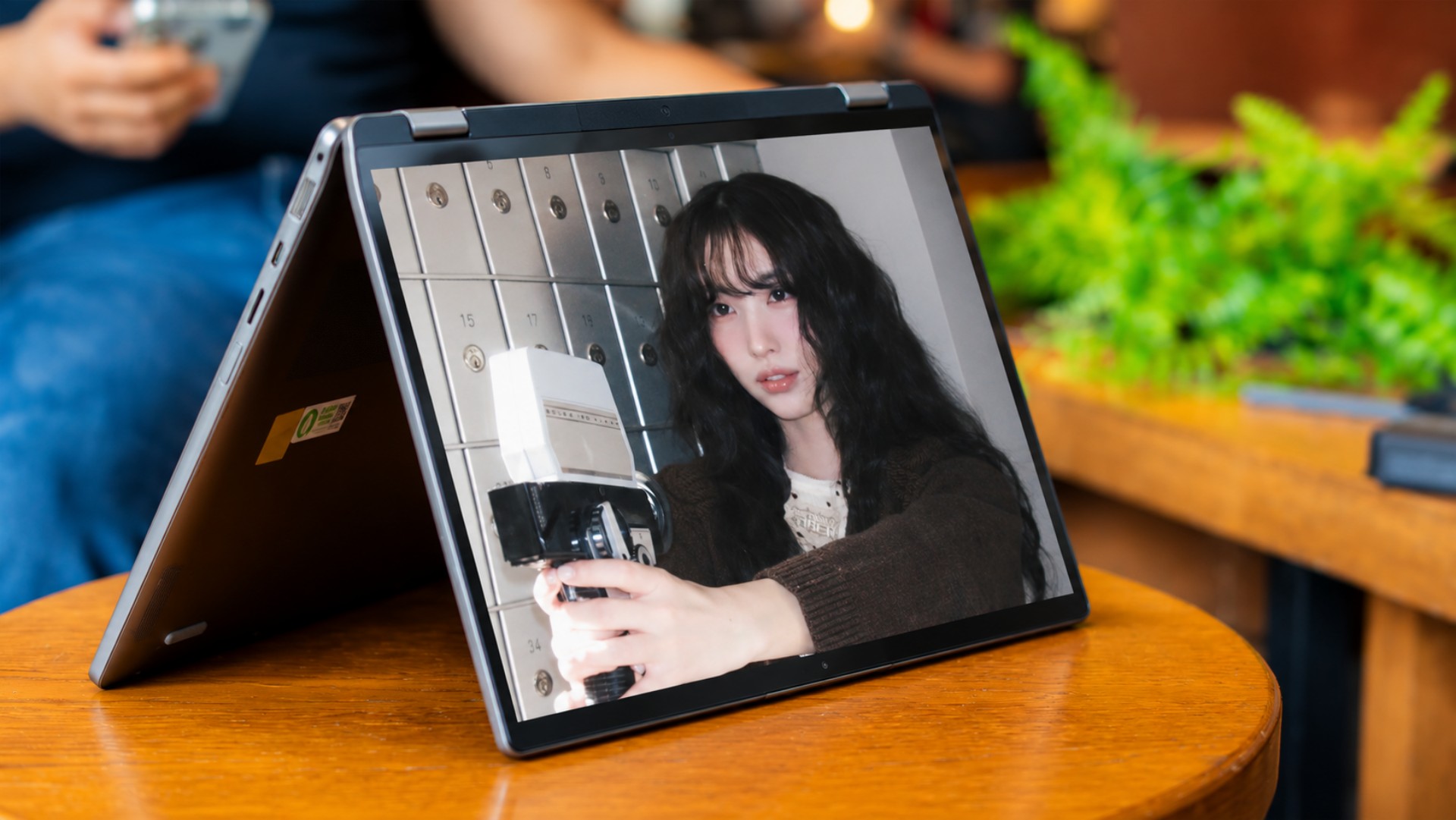
Lenovo has been doing this for years with its Yoga series, and there’s a reason it has stuck around for ten generations. A good convertible isn’t just a laptop with a screen that folds backward. It’s a device that can adapt to what you’re doing without requiring you to change devices.
In laptop mode, you have a proper keyboard for writing and getting work done. Fold the display into tent mode and you have a convenient screen for watching videos or following a presentation. Flip it into stand mode and you can use it for video calls or put it in front of you while working with someone else. Fold it all the way back and you have a tablet for reading, browsing, or sketching.
I’ve seen how useful these different configurations can be in practice. They’re not just party tricks for product demonstrations. They offer different ways to use the same machine throughout the day, depending on what you’re doing and where you’re doing it.
Software that adapts
Of course, the hardware is only half the equation. macOS would need to adapt to these different configurations, too. Touch targets should be easier to hit when the laptop is folded into tablet mode, while creative applications should make better use of direct interaction with the display. The interface shouldn’t feel like a desktop operating system that reluctantly tolerates fingers.
This is where a hybrid of macOS and iPadOS could become particularly interesting. Apple wouldn’t have to abandon what makes the Mac good at getting work done. It would simply need to make that experience more adaptable when the keyboard and trackpad aren’t the most convenient ways to interact with the machine.
That’s the kind of touchscreen MacBook I’d get excited about. Not just a MacBook that lets me poke at the screen, but one that gives me a reason to use it differently.
Dream bigger, refine better
To be clear, I’m not asking Apple to reinvent every product in its lineup every year. That would be ridiculous, and not every new idea needs to become a commercial product. But I’d love to see the company take more chances on what its products could become, rather than simply adding another feature to what already exists.
I just miss the Apple that truly turns heads when it enters a room. Right now, it feels to me like the company is banking on the cultural cachet it earned decades ago.
The iPhone Duo and touchscreen MacBook show that Apple is still willing to experiment. Now I’d love to see it push those experiments further. It might as well go all in and Think Different.


Now Playing: The Legend of Zelda: Ocarina of Time (2026)
It's a true labor of love.

My latest fashion accessory happens to play music
The JBL Soundgear Clips are the finishing touch my outfits needed!


Fujifilm instax Pal 2 review
A tiny digital camera that’s all about the keepsakes.

Secretlab for Automobili Lamborghini Deluxe Collection now in the Philippines

Xiaomi 18 Pro Series: Price, availability in the Philippines

Samsung explores creative workflows with Galaxy Tab S12 Series

HUAWEI WATCH Air debuts as the world’s slimmest smartwatch

HUAWEI’s new foldable laptop comes with a tiny screen on its back

Your coffee nook is getting a makeover with Starbucks’ holiday collections

Sticker season is back, and so is the planner your ~friends~ might fill in for you

Wild Rift Patch 7.3, celebrates K/DA comeback

ROG G700 review: The best prebuilt PC you can get off the shelf

vivo X500 Pro Max review: 500+ hours later


-
 Reviews1 week ago
vivo X500 Pro Max review: 500+ hours later
-

 Gaming1 week ago
Five new (and better) games you can play instead of GTA VI
-
Cameras5 days ago
Fujifilm instax Pal 2 review
-

 Smartphones1 week ago
Spotlight: OPPO Find X10 Pro Max
-

 Entertainment3 days ago
Spider-Man: Brand New Day returns to cinemas with new scenes
-
 Smartphones1 week ago
The iPhone Duo is replacing my Kindle
-
 Tablets2 weeks ago
Infinix XPAD 30 launches, comes with AI features and expansive display
-

 Buyer's Guide1 week ago
Buyer’s Guide: 2026 Amazon Kindle