



In this season of my life, I believe I somehow achieved the balance and flexibility I have been aiming to achieve for a long time. I am able to juggle my full-time work, side hustles, exercise, leisure, and social life — all that while still having my personal alone time.
A literally flexible gadget to suit my needs

I was planning to purchase a new laptop that would be more flexible to accommodate my needs. The Lenovo Yoga 7i came in at the perfect time.
It would be my first time reviewing a 2-in-1 notebook so I was excited to try it even before it arrived at my doorstep.
Upon reading the fine print, I was amazed by the premium features packed in the device. Not to mention, I find the “Yoga” product name very clever, as someone who occasionally does yoga exercises at home.
After days of using the Lenovo Yoga 7i, here are some of my favorite things about one of the latest offerings of Lenovo:
Bright Display
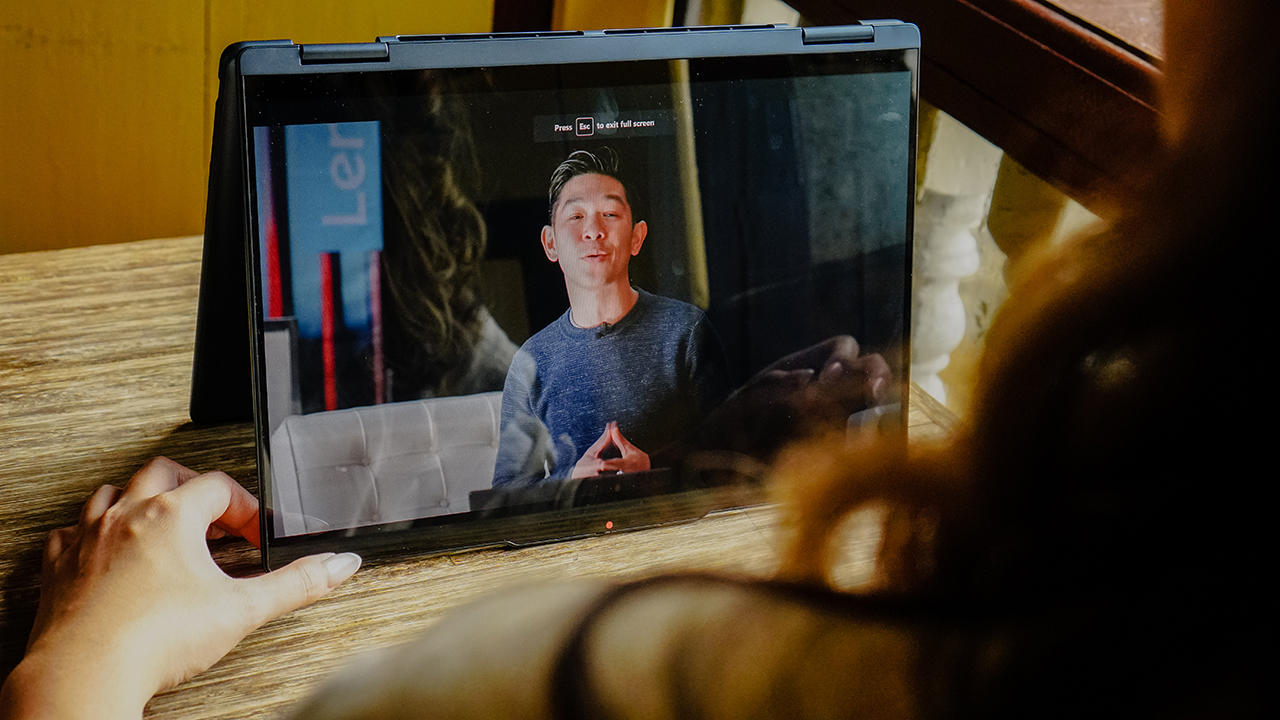
The first thing I noticed when I unpacked the device was the laptop’s display. I loved how vibrant the colors are! The Lenovo Yoga 7i boasts a stunning 2.8K OLED, 100% DCI-P3 display with 16:10 ratio. It’s very evident when I’m watching videos.
As a multidisciplinary creative, I can say that the Lenovo Yoga 7i is also a good choice for photo editing. The colors pop and you can instantly get your desired color right.
Personally, I found the default setting was too bright for my eyes to stand for long hours so I eventually decided to adjust the brightness.
The different modes

I tried all the different modes right away! At first, I was a little scared and hesitant when switching modes. I once broke my laptop hinge many years ago, and it was such a hassle.
When I was having my photos taken with the device, our editor actually laughed about how cautious I was while switching to different modes. The Lenovo Yoga 7i proved it can withstand any adjustment with its sturdy and flexible hinges.
Aside from the default laptop mode, Lenovo Yoga 7i has three other modes: tent mode, stand mode, and tablet mode.
Tent mode

Tent mode is like having your laptop in an upside-down position. This one is actually pretty fun to use, especially when you’re working in a cafe. I remember catching a glimpse of the person in front of me,visibly nervous when he saw me “overextending” my laptop hinge as I went into tent mode for a movie binge.
Speaking of videos, I noticed the sound from the laptop was very crisp and clear, courtesy of its Dolby Atmos Vision Speakers. The sound quality is top-notch and there’s no need for an external speaker unless you’re watching with friends.
Stand mode

The Lenovo Yoga 7i laptop on stand mode reminds me of the Bhujangasana or cobra pose in yoga practice, with its back-bending position. This position is convenient for one-on-one client presentations, video catch-up calls with friends, or even as a monitor for early morning online yoga workouts.
Tablet mode

Finally, my favorite is the tablet mode. I use this to edit quick graphic layouts on Canva, and I was impressed with how the touchscreen function made my life so much easier. I wish it had the tablet pen to maximize this function, though!
A certified workhorse
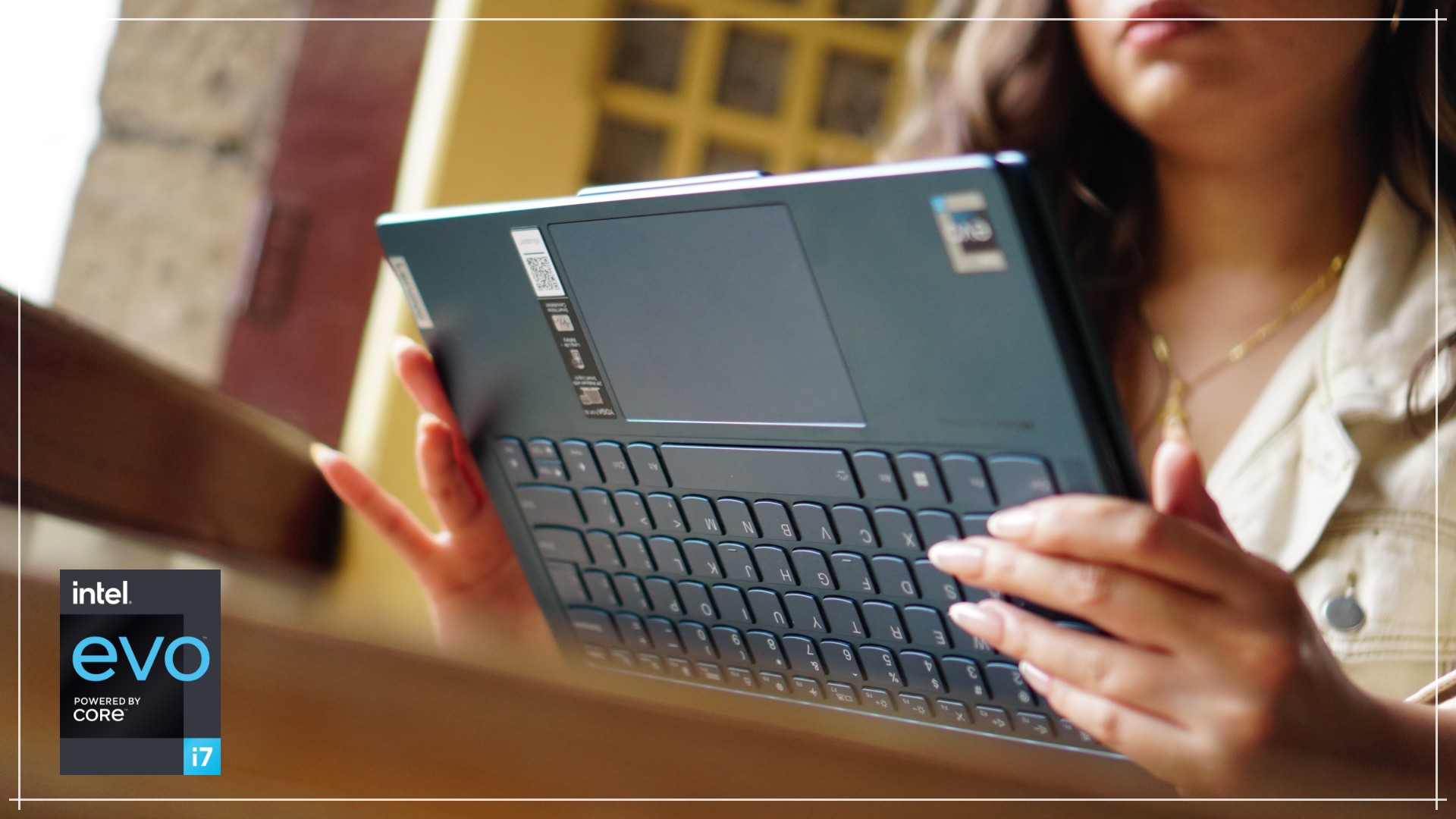
The Lenovo Yoga 7i will bend over backwards for you in more ways than one. Being an Intel Evo machine, the laptop kept up with everything I needed to do in every mode possible. Typing away to finish a write-up in laptop mode, then shifting over to tent mode for a quick YouTube break, then folding completely to tablet mode to review a deck. All that and more, handled, efficiently. That’s the power of the 13th Gen Intel Core processor.
Speaking of efficiency, that’s exactly what Intel Evo enables when it comes to battery management. You can count on it to last about nine hours on regular daily use. You can even fast charge for 30 minutes to get up to four hours of use.

Another cool feature is how it lets you connect your phone to your PC. Access all smartphone files, messages, photos, and more directly on the PC. That one’s called Intel Unison and might just be a must-have in all laptops I use.
Ports galore!

Unlike other laptops, the Lenovo Yoga 7i has a total of 7 ports. That includes a micro SD card reader. How cool is that?

There’s also an HDMI port so there’s no need to buy an adaptor for presentations.
Webcam cover
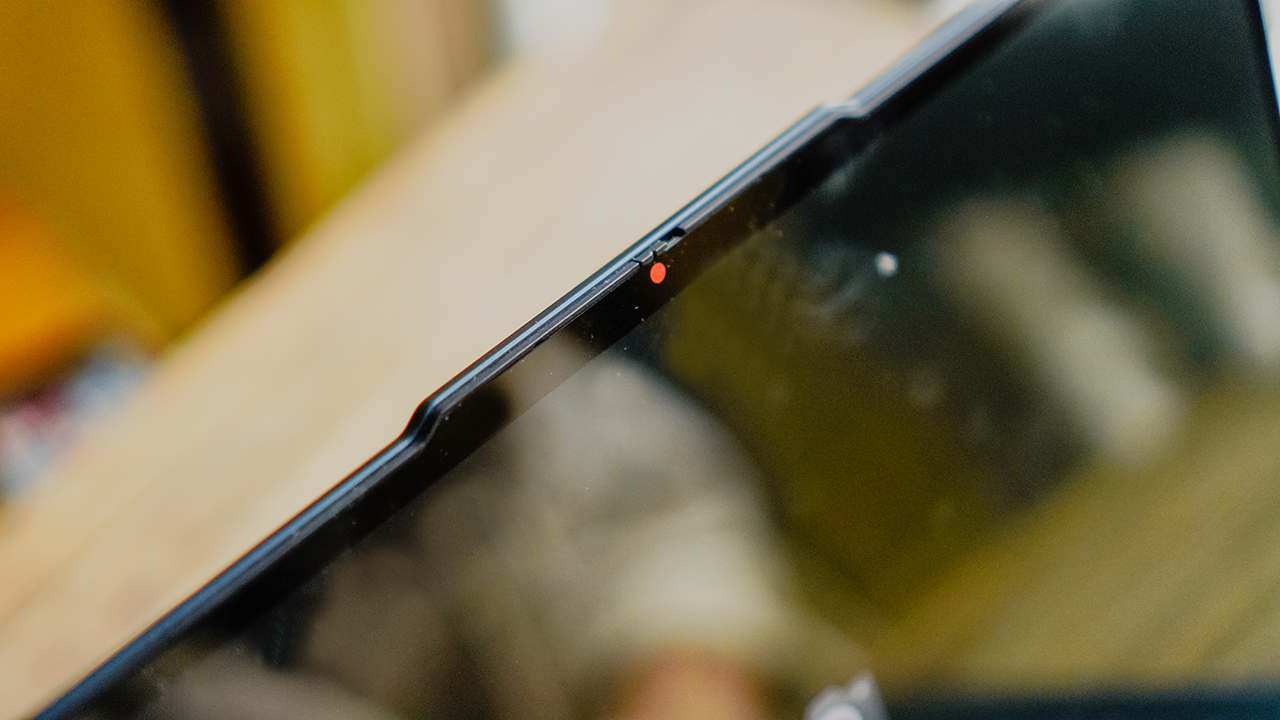
I previously owned a Lenovo laptop years ago, and having that as a comparison, I am impressed with the brand’s upgrades over the years. A notable upgrade is finally having a webcam cover. No need to buy a separate gadget accessory online; Lenovo Yoga 7i’s cover is built-in and easy to use.

The webcam camera is decent for Zoom calls, especially in an area with ample light. However, it can get grainy in low-light conditions.
Accidental Damage Protection
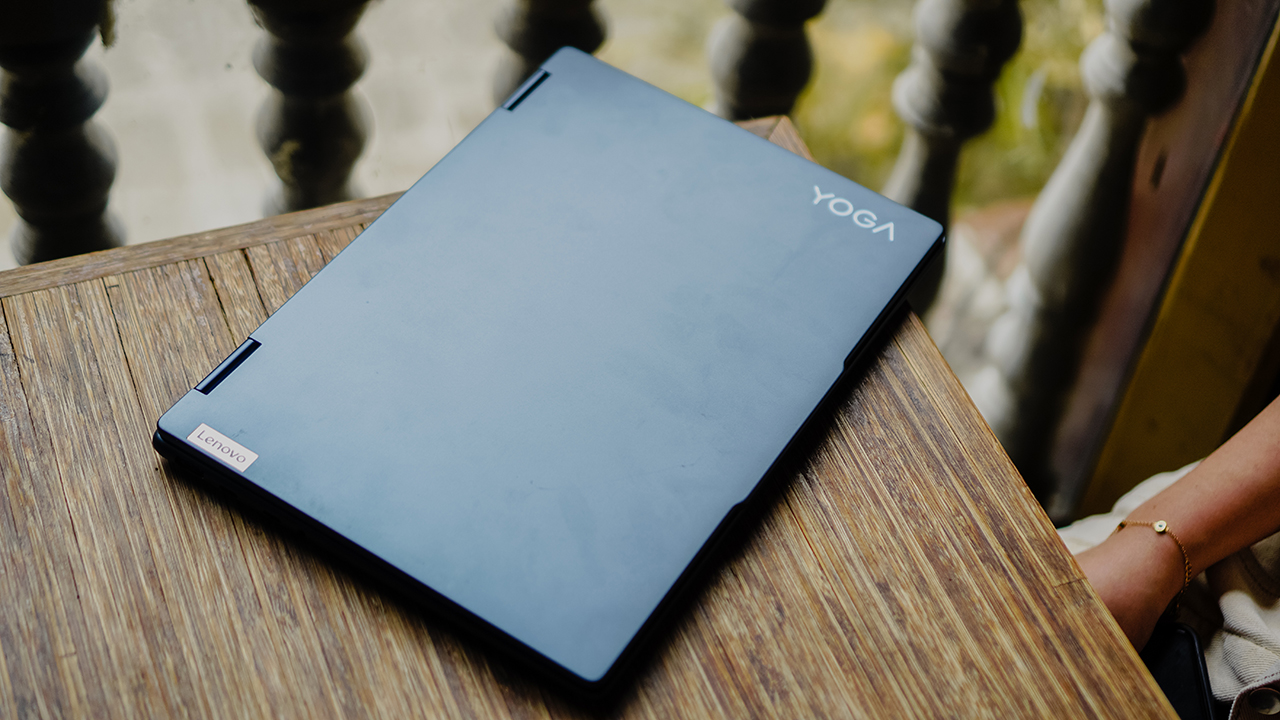
As a clumsy person, Lenovo’s Accidental Damage Protection is a helpful addition. From accidental drops, spills, and bumps to structural failures including electrical surges, Lenovo’s Accidental Damage Protection offers in-person assistance.
Trained technicians can perform comprehensive diagnostic tests on-site and make quick fixes using Lenovo-Qualified parts to reduce the need for more intensive repairs.
With Accidental Damage Protection, if the laptop is not damaged beyond repair, the end user’s own laptop is returned. If repair is not possible, the entire system will be replaced at no additional charge.
Easy Data Migration
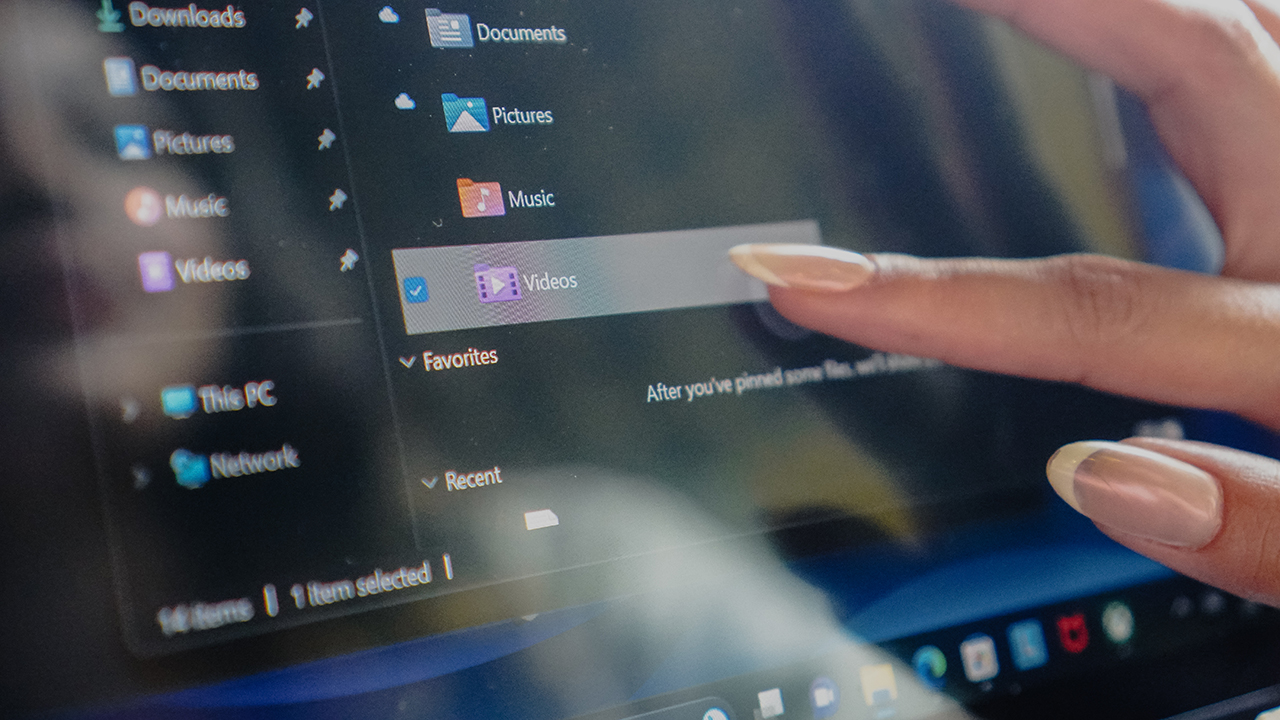
Migrating old files to a new laptop can be pretty overwhelming, especially if you’re a creative with tons of project files. The Lenovo Migration Assistant promises easier data migration which takes away the need for bulky external hard drives.
This three-year warranty policy offers direct and easy connections to Lenovo technicians who can provide peace of mind and faster solutions for laptop issues and holistic comprehensive support.
With its 24/7 chat support via phone, e-mail, and WhatsApp, users are instantly guided on how to solve the problem with their device anytime and anywhere.

If the issue can’t be solved with remote troubleshooting, users can easily schedule appointments for on-site support. This skips the hassle of traveling to a service center and waiting in line.
You can instead have the technician come to your doorstep for a quick check-up of your devices. Beginner tech enthusiasts or those simply experiencing roadblocks in connecting external devices can also get in touch with Lenovo technicians and ask for advice.
Apart from the high-level support on hardware, technicians can also answer questions on software applications.
To top it all off, Lenovo also offers an annual PC Health Check that allows the experts to spot issues before you, quickly resolve them, and help avoid PC problems.
Truly for the flexible

With its premium features, functional flexibility, and guaranteed customer support, the Lenovo Yoga 7i is an all-around notebook for people seeking balance with all of their endeavors.
Just like its hinge, this laptop can easily adjust to all your lifestyle needs. Priced at Php 79,996, you get your money’s worth with all those features.
Lenovo Yoga 7i is available in two premium, sleek colors: Storm Grey and Tidal Teal.
This feature is a collaboration between GadgetMatch and Lenovo Philippines.







Apple disrupts the industry with their latest MacBook — an affordable to say the very least.
If you’re a student, a first-time Mac owner, someone who’s been priced out of this ecosystem their whole life, someone who just needs a laptop for basic tasks but one that looks great, without slowing them down, this is it!
Or maybe you’re torn choosing between the MacBook Neo and the more powerful M5 MacBook Air?
Well, that’s what we’re here for. Here’s our review with the all-new MacBook Neo.
Laptops
Hands-on: NEW iPhone 17e, iPad Air, MacBooks, Studio Displays
What Apple has announced other than the MacBook Neo


The MacBook Neo was the star of yesterday’s Apple event, and it has every right to be but it’s been a big week for Apple.
So as promised, we also went hands-on with every other device announced this week: iPhone 17e, M4 iPad Air, M5 MacBook Air, MacBook Pro with M5 Pro and M5 Max chips, and the new Studio Displays.

Apple finally has a MacBook for the budget-conscious!
In this video, we take a look at the latest MacBook Neo — Apple’s most affordable laptop at $599.
It’s the perfect first computer for students, families, and anyone who’s always wanted a Mac but couldn’t justify the price.
Here’s our exclusive hands-on with the all-new MacBook Neo for you to check out.



Disney+ launches a TikTok-coded vertical feed called Verts

Google Maps is finally getting a 3D mode

KPop Demon Hunters is officially getting a sequel

Bringing Care-a-Lot to my daily carry

Galaxy AI on the Samsung Galaxy S26 Ultra


-

 Reviews2 weeks ago
TECNO CAMON 50 Ultra review: End of an era?
-

 MWC 20262 weeks ago
Infinix NOTE 60 Ultra makes a motorsport-inspired debut
-

 MWC 20262 weeks ago
TECNO launches the all-new CAMON 50 series
-

 MWC 20262 weeks ago
TECNO showcases cool concepts at MWC 2026
-

 MWC 20262 weeks ago
TECNO unleashes Tonino Lamborghini collection
-

 Computers2 weeks ago
AMD announces Ryzen AI 400, AI 400 PRO series at MWC 2026
-
 MWC 20262 weeks ago
TECNO debuts latest devices, HiOS 16, upgraded Ella at MWC 2026
-

 Automotive2 weeks ago
Xiaomi Vision Gran Turismo makes global debut at MWC 2026