


We absolutely love it when tech doesn’t require you to think too much. That’s the case with the Maono PD300X microphone. It’s a USB/XLR Dynamic Microphone with Upgraded 192kHz/24-bit Sampling Rate that sounds like it’s a lot to take but is actually pretty easy and straightforward to use.
In a nutshell, it’s a stay-at-home mic that can be connected via USB-C, USB-A, and XLR. This makes it a truly flexible desk mic for multiple uses. It’s ideal as a podcast recording equipment as well home and/or basic studio setups.
Quick Set up

The mic comes in either a desktop stand or boom arm package. Maono generously sent us the boom arm package and it’s certainly a desk-space saver.
Setting up was fairly straightforward.

The PD300X came in a separate box. Inside it were the mic itself along with a cable. The cable is USB-C end-to-end. But one end comes with a USB-A adapter. This lets you connect the mic to a USB-A port.
Next is the boom arm. This looks like it can be tough to set up at first, but it’s also very straightforward. Just follow the included manual to make sure things go where they should and the arm should be clamped on your desk in no time.
Out-of-the-box audio
Maono has a software that lets you adjust the audio of the mic based on what you’re doing. There are presets for broadcast, livestream, podcast, and voice over.
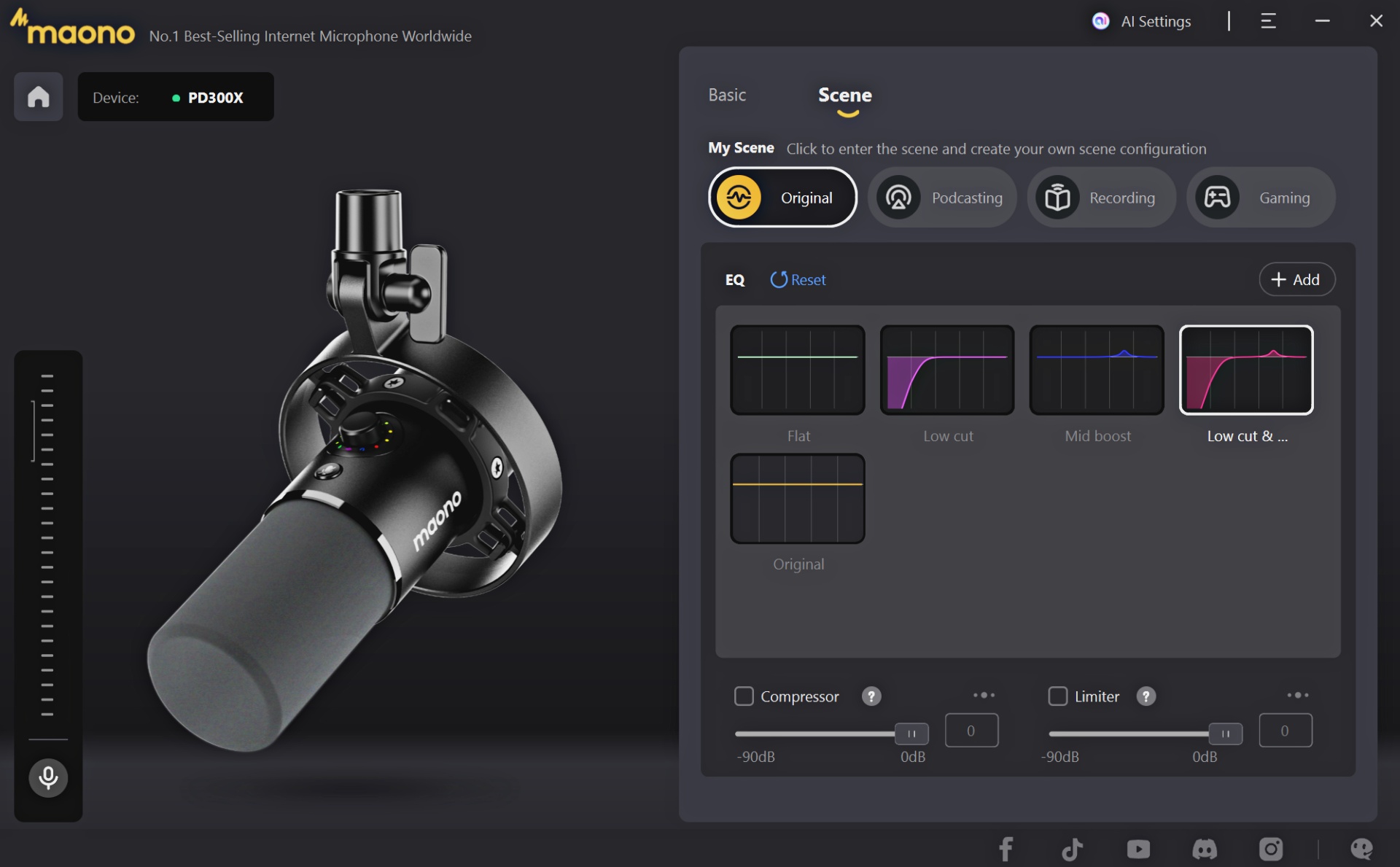
The differences are pretty clear, but I’m not entirely sure if the presets match their intended use.
For our part, we just stuck to default because the audio out-of-the-box already sounds phenomenal. Naturally, don’t just take our word for it.
Here are a couple of our published works using the mic to record the voiceover.
@gadgetmatch Its performance is just what the doctor ordered for an all-rounder tablet. 😉 #XiaomiPad7Pro ♬ original sound – GadgetMatch
The mic delivers a full, round sound by default. You can tweak it to feel warmer or colder depending on your needs. For most casual uses, we found the tweaking to be mostly unnecessary. That can be left to people who truly enjoy tinkering with their machines.
That means the PD300X is not only a great off-the-shelf mic. It’s theoretically pretty good too for those starting out and want to play around with sound.
Sound better in video conferences

Outside of these couple of instances, we’ve heavily used the mic during video call meetings. It really does help you sound immaculate. The amplification is great so we’re able to tap into our lower register making it easier to sound better than we actually do in real life.
It’s best used with wired headphones connected directly to the mic. If you’re the type who enjoys hearing their own voice, you’ll love how this works. Outside of vanity, it’s also very good for monitoring if others in the call can still hear you.
Is the Maono PD300X the mic for you?

All told, the Maono PD300X is a pretty straightforward mic. You buy it, unbox, set up, and then you’re immediately good to go. The original or default sound is already so good that you wouldn’t really want to mess with it too much.
The presets available on the Maono Link accompanying app are nice but we found them to be more soft suggestions than actual go-to presets.
If this is the mic you’re looking at, just make sure that it’s what you need. It’s a stationary mic mostly meant to be used indoors – in a room or home studio type of setting. It’s a good choice and one that provides quality sound from a brand that may not be a household name yet, but one that many of its users will vouch for.
Price and availability
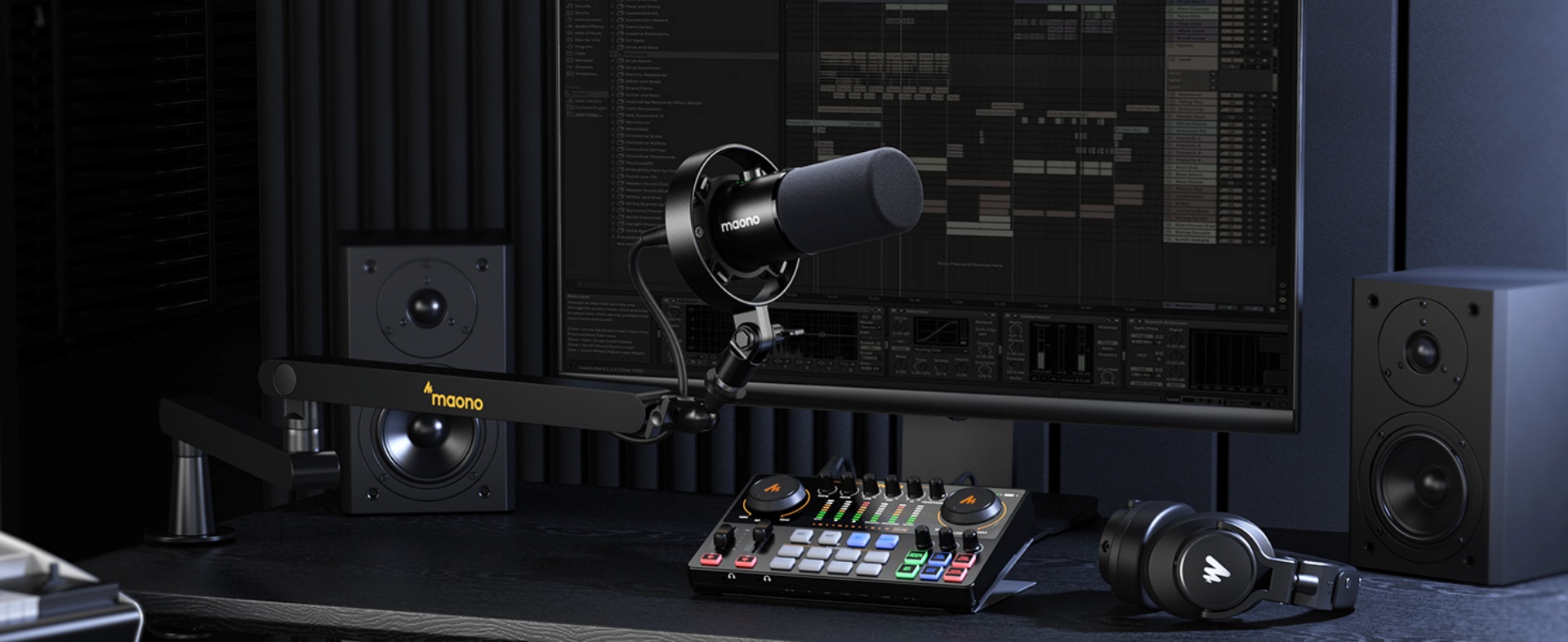
The Maono PD300X starts at US$ 99.99 for the mic only. There are other package options like the ones the company provided us for this article which is the one with the boom arm – that one costs US$ 159.99.




Accessories
Jackery Explorer 300D: Power and portability in one
Uninterrupted workflows for digital nomads, freelance creatives, more

For digital nomads, freelance creatives, and even work-from-home professionals, staying productive on the move means carrying around multiple gadgets, cords, adapters, and power banks to survive the day.
Having to carry such weight, quite literally, is vital for maintaining workflow continuity.
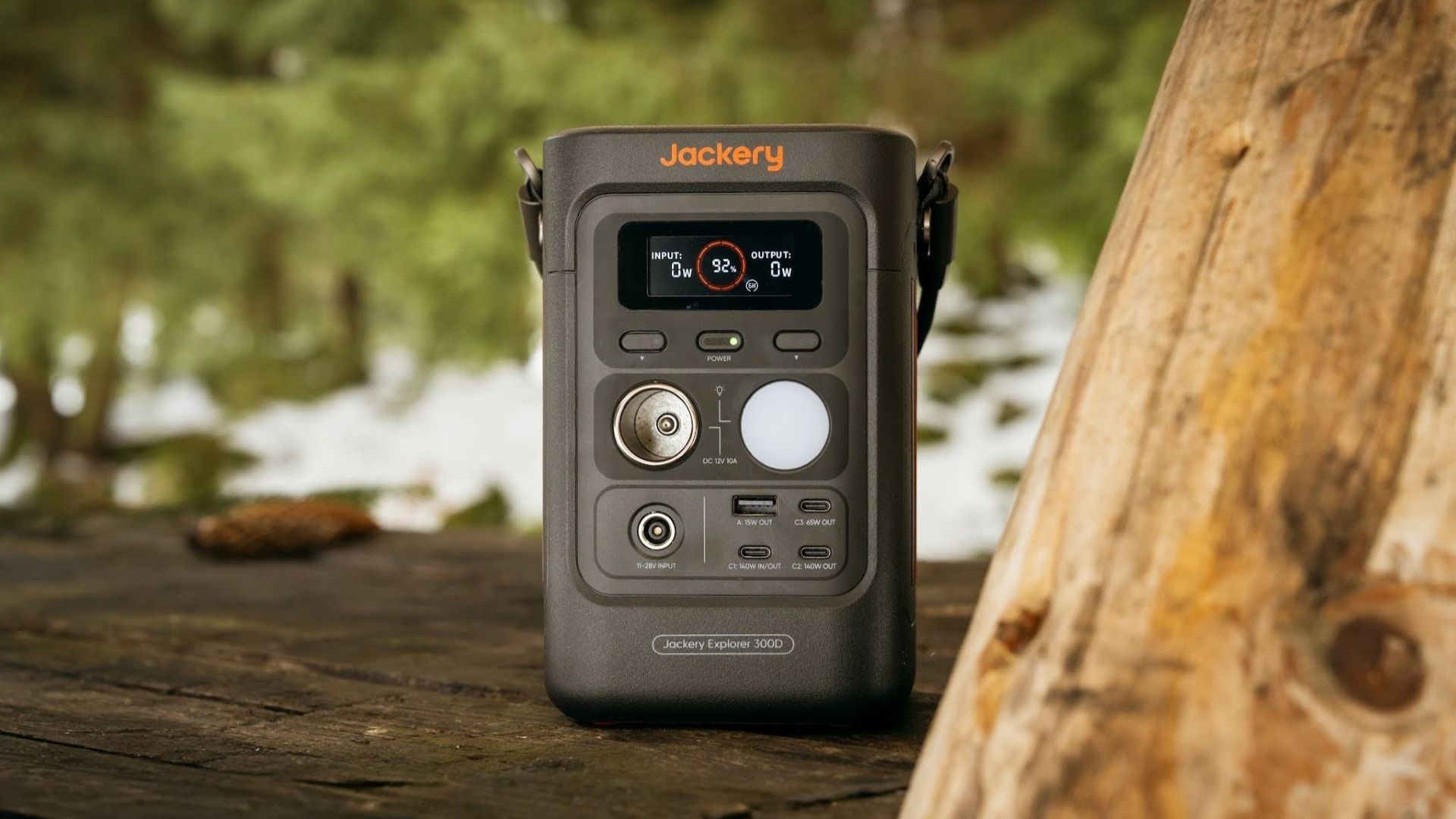
For a more seamless experience and to have just one extra portable device to power all working parts, there’s the Jackery Explorer 300D.
Launched just last month, this grab-and-go offering from Jackery is designed for the modern lifestyle.
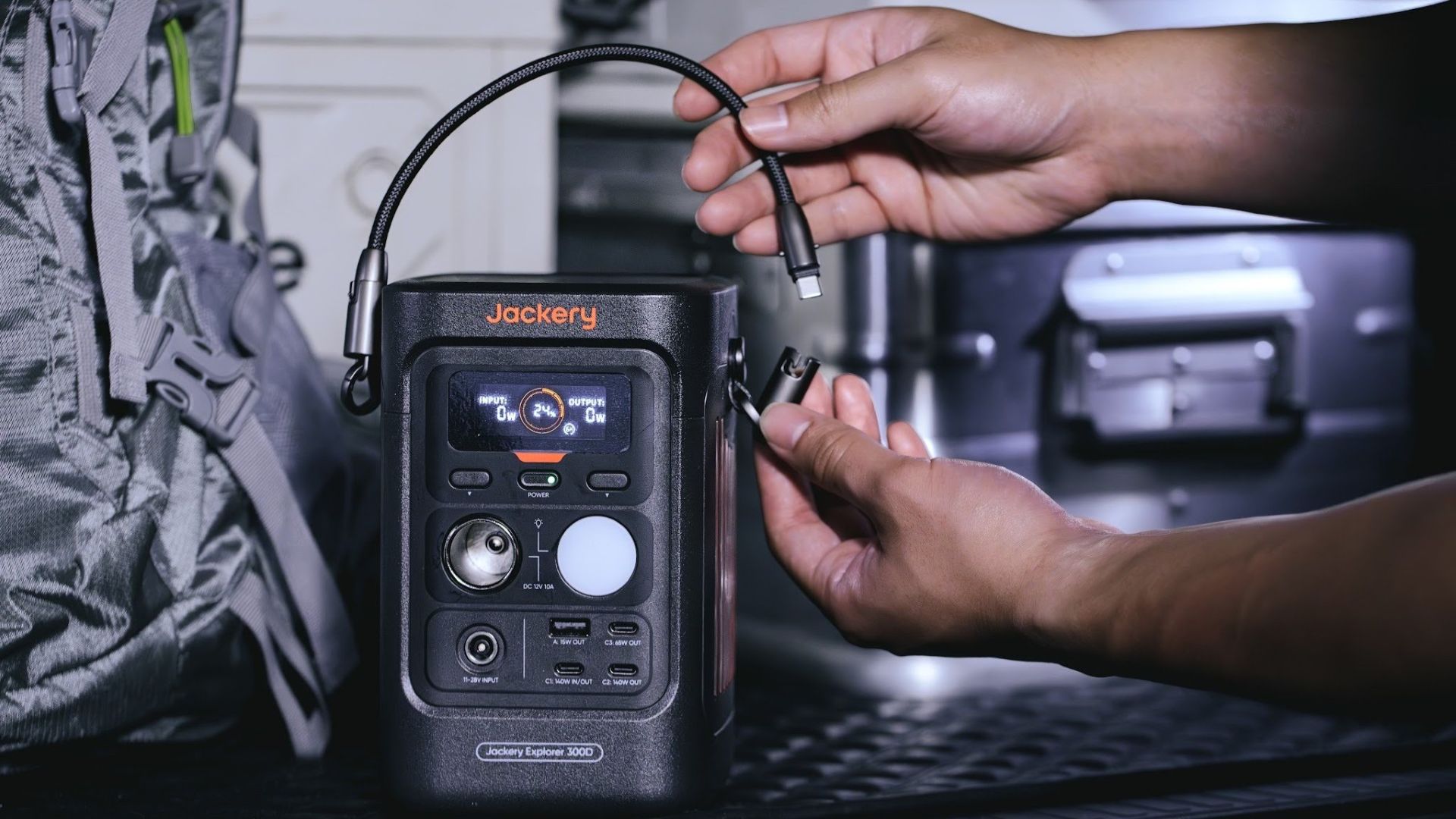
It moves away from Jackery’s traditional aesthetic with a sleek, speaker-like form factor. It weighs just 2.5 kilograms and is 64% smaller than standard 300W units in the market.
This ultra-compact size was made possible by a smart engineering choice of swapping bulky traditional AC wall outlets for highly efficient DC-only and USB-C ports — which also helps eliminate idle power loss.
With a 288Wh capacity, the Jackery Explorer 300D holds enough juice for up to nine power banks.
It can keep a Type-C fast-charging laptop for up to three to four full cycles, a Wi-Fi router alive for hours, and recharge cameras or drone batteries up to five times for a lengthy production day.
For smaller gadgets like smartphones and portable fans, the power station can juice them up for up to 22 times.

It can even charge five devices simultaneously with a total of three USB-C ports, a USB-A port, and a DC 12V car charger port.
All these ensure users are never disconnected, wherever they may set up their mobile office.
Another brilliant touch is the two-in-one shoulder strap that easily unclips to double as a heavy-duty 140W USB-C charging cable.
The everyday carry is available via Lazada and Shopee, and at the official Jackery kiosk in SM Fairview, as well as other partner stores.
Accessories
Apple is reportedly working on its own gaming controllers
It might launch under the Beats brand.


Last week, the iPhone Duo changed how you look at the ubiquitous smartphone. Foldables are in, and Apple is right there with it. But the company isn’t stopping with the foldable segment. Apple is reportedly working on its own branded game controllers.
According to Bloomberg, Apple has been working on a controller since last year. Further, a piece of code linked to macOS 27.4, spotted by MacRumors, includes references to two unknown gaming controllers.
Because Apple just concluded its huge event this month, it will likely be a while before we see confirmation of this controller. And it could be anything. Of course, because the Duo is fresh on our minds, the easiest answer is a mobile controller than can maximize the foldable’s ability to stand by itself. It could also use Apple’s larger screens like the iPad, the MacBook, or the Mac. Some even speculate that this could be Apple’s stronger push into the gaming market.
Outside of the actual hardware, the reports are also claiming that the controller will arrive by way of Beats, rather than from Apple itself. At first, the branding comes off as a surprise, but then again, Beats hasn’t really evolved past an audio brand in a long, long time. Is it time to revitalize Beats as something more than just a peddler of headphones?
SEE ALSO: First Look: Apple iPhone Duo
Accessories
New AGON gaming monitor features up to 1000Hz refresh rate
New level of speed, flexibility for competitive gaming

AGON by AOC has released the new AGON Pro AGP277QK dual-mode gaming monitor for the competitive segment.
This new offering features up to 1000Hz refresh rate at HD and 540Hz at QHD so gamers have the flexibility to prioritize either clarity or speed.
The 27-inch IPS gaming monitor comes with NVIDIA G-SYNC, synchronizing the monitor’s refresh rate with the GPU to help minimize screen tearing, stuttering, and input lag.
This is combined with 0.3ms MPRT and 1ms GtG response times for fast-moving action that is sharp and responsive, giving competitive players a clear visual advantage.
Moreover, the AGON Pro AGP277QK features VESA DisplayHDR 400 certification for enhanced contrast and more vivid, lifelike visuals.
Delta E < 1 color accuracy also provides precise color reproduction not just for gaming but even other scenarios like content creation.
For even smoother high frame-rate gameplay, MBR Sync combines motion blur reduction with variable refresh rate (VRR) technology. This helps maintain clarity during rapid movements.
The monitor also includes Low Input Lag, customizable Light FX ambient RGB lighting, Gaming Mode presets, and Shadow Control.
The display comes with HDMI 2.1 and DisplayPort 2.1 connectivity, along with a height-adjustable stand and G-Menu support.


DJI Lito X1 review: Is this the best lightweight drone for creators?
Making a strong case as a travel companion and a capable B-cam!


REDMI Note 17 Pro Max review: A new breed born from AI greed
Welcome to the new normal


Marvel’s Wolverine review: When the claws come out
A brutal, cinematic superhero adventure

Epson Lifestudio Grand Plus EH-LS970B with 4K projection, more launches

Jackery Explorer 300D: Power and portability in one

Nike’s Alphafly 4 is built for the part of the marathon ~that actually hurts~

SEGA, Netflix announce Crazy Taxi film adaptation

Smart launches LiveSmart App for exclusive deals

TECNO MEGAPAD 2 review: Eyes on the size

realme 16T 5G with 8000mAh battery, IP69 Pro rating launches in PH

HUAWEI Pura X View is 2026’s first WIDE slab-type smartphone

REDMI reveals the refreshed Note 17 and Note 17 Pro series

REDMI Note 17 Series: Price, availability in Singapore


-
 News2 weeks ago
HUAWEI Pura X View is 2026’s first WIDE slab-type smartphone
-

 News2 weeks ago
The CAMON Slim 5G is TECNO’s latest ultra-slim smartphone
-

 News2 weeks ago
iPhone 18 Pro series: Price, availability in the Philippines
-
 Singapore2 weeks ago
iPhone 18 Pro series: Price, availability in Singapore
-

 News2 weeks ago
iPhone Duo: Price, availability in the Philippines
-

 News2 weeks ago
HUAWEI Mate XT 2 tri-fold launches with Kirin 9050 Pro
-
 News2 weeks ago
vivo introduces refurbished versions of X300 FE, X300 Ultra for less
-

 News2 weeks ago
iPhone Duo: Price, availability in Singapore