
Hands-On
OPPO A74 Hands-On: The 7 things I love about you
A budget smartphone that doesn’t feel like one

The OPPO A74 was announced not too long ago. While the OPPO A94 is just around the corner, the A74 comes with a lesser price tag — but that doesn’t mean they scrapped a lot of features.
Frankly speaking, I’ve enjoyed using it for about a week now. For the record, this is actually my first time trying an OPPO phone. I’d say, it’s not a total slouch because (in Miley Cyrus’ voice), “there are 7 things I love about you”.
1. Premium-like design and feel

First thing’s first, the phone’s back is made entirely out of polycarbonate plastic. While it’s not prone to cracks and shatters, the phone simply scratches too easily — regardless if you safely put it on tables. Fortunate for clumsy users, there’s an included clear case inside the box.
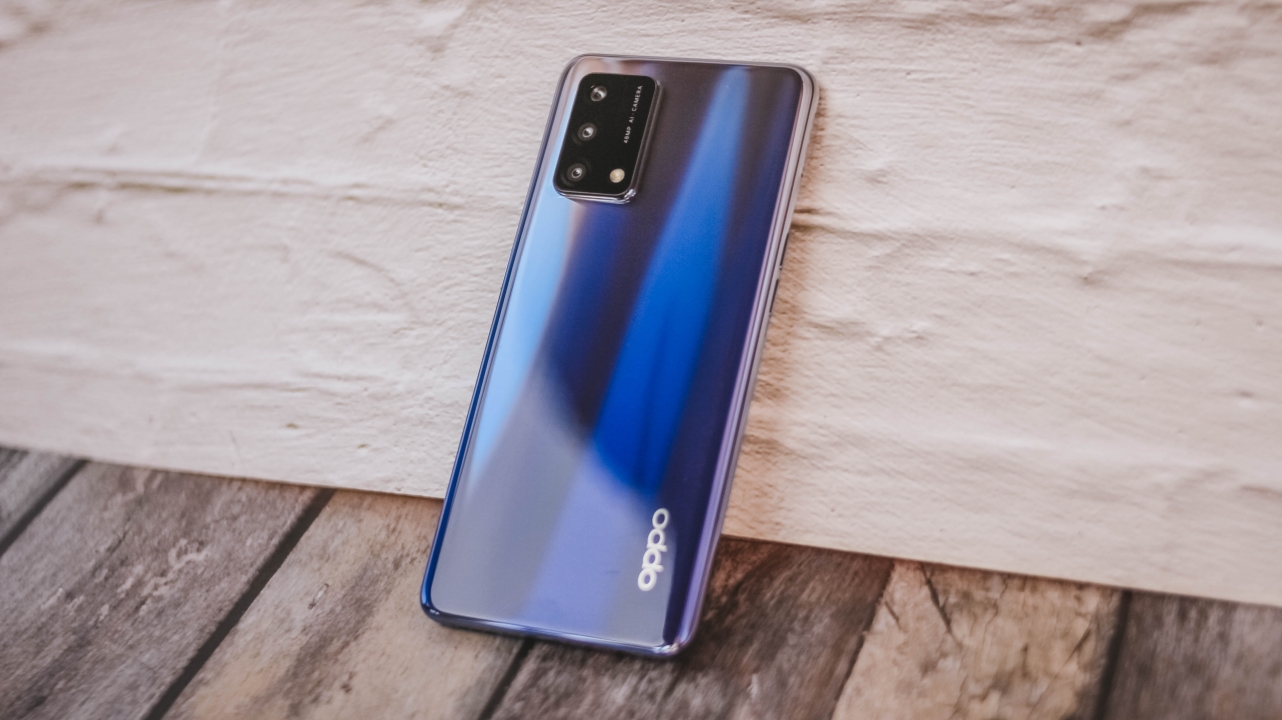
That said, I still like its premium-like look. As I always say, I’m not the biggest fan of flashy, gradient smartphones but this Midnight Blue colorway looks elegant on its own. I’d pick it over the blander-looking Prism Black option (even if black is one of my favorite shades).

On hand, it feels slim and lightweight. I barely felt the heft when holding the phone with my one hand despite that large display. The curves flow well with your hands, too. Most smartphones these days have a slightly uncomfortable feeling due to sharper phone corners.
2. Crisp and vibrant display
As we’re already on the topic, the A74 packs a 6.43-inch AMOLED display — the same display found on the A94.
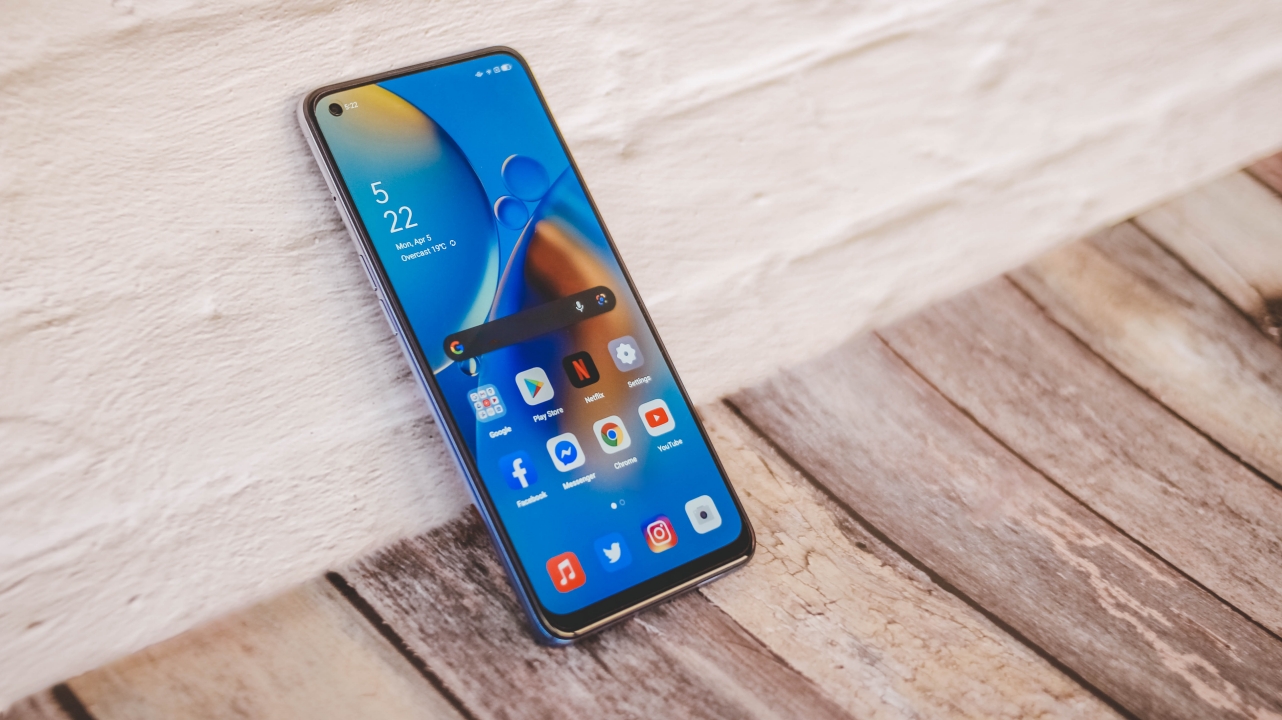
The display is vibrant enough even under the harsh sunlight. While it only has a Full HD+ resolution, it still looks crisp. The only downside of this one is the lack of faster refresh rate. I know what you’re thinking. Some affordable smartphones offer faster 90 to 144Hz displays. In return, you get a less bright and vibrant IPS-LCD display.
I’m not complaining with the A74’s conventional 60Hz refresh rate. For one, it saves battery power, and two is because I value a more color accurate display than the latter. But hey, take my opinion with a grain of salt as it’s just my preference in smartphone displays.
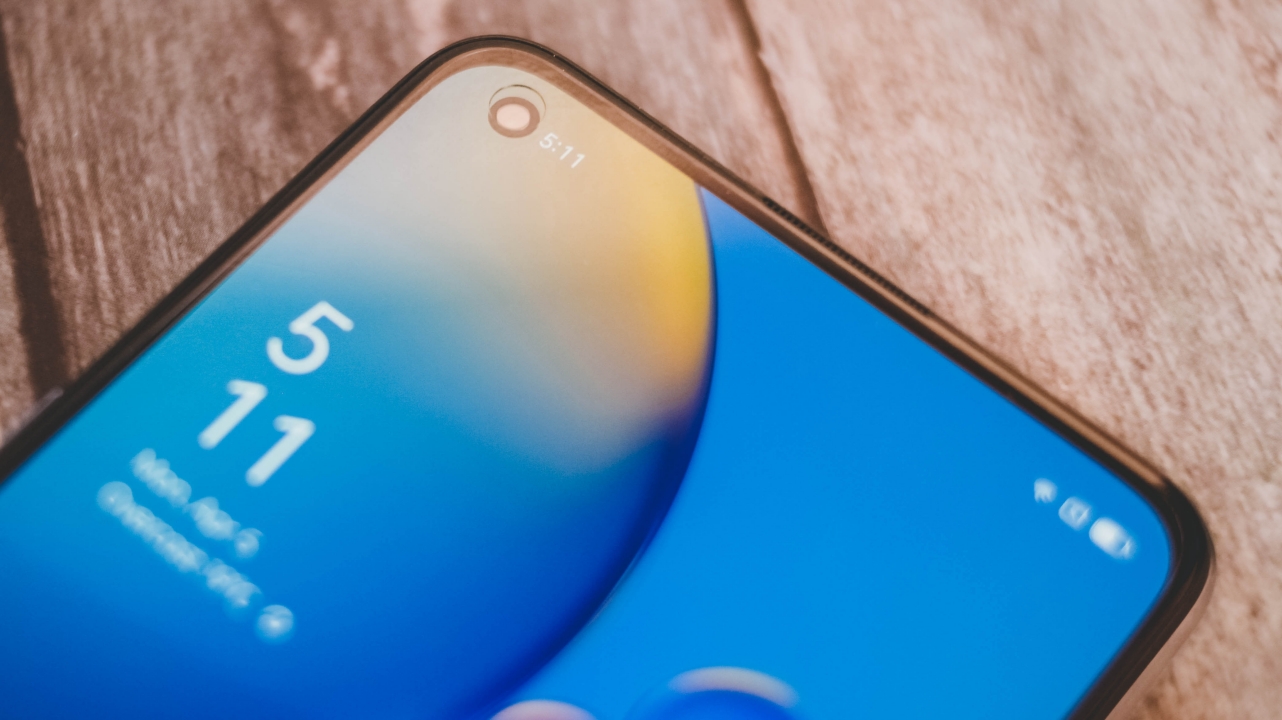
Another thing that makes it look “premium” is the inclusion of its punch-hole camera. That simply looks better versus a dewdrop notch.

There’s always an in-display fingerprint scanner which might not be the fastest, but it still gets the job done and is more reliable than a Face Unlock especially in this particular time.
3. Great for multimedia consumption

“Love resembles misty dream” – IU (2021)
This is already a given since it has an AMOLED display. But other than that, despite having just mono speakers, it’s surprisingly loud with a full sound that doesn’t sound tinny and distorted.
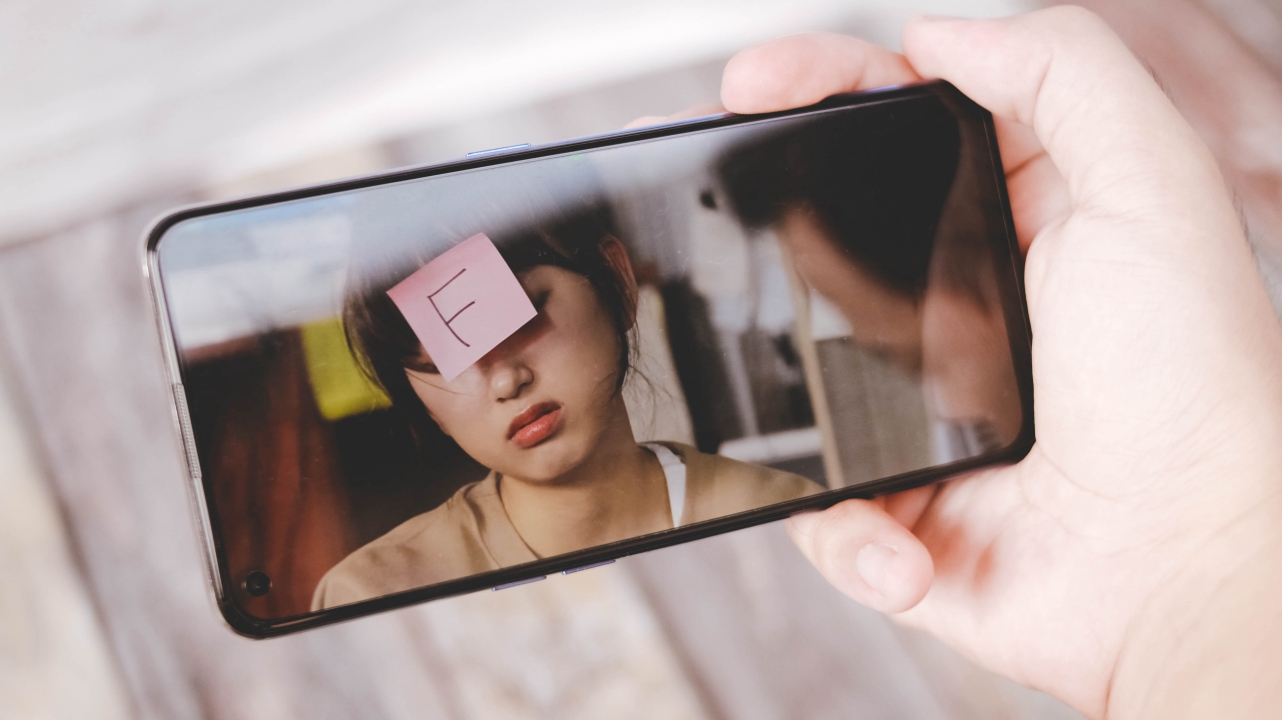
Watch Law School on Netflix if you want your mind to F(ail or function)
While it doesn’t feature any HDR10 capabilities, it’s still a viewing pleasure when watching YouTube videos (especially K-Pop music videos) and Netflix series and films.
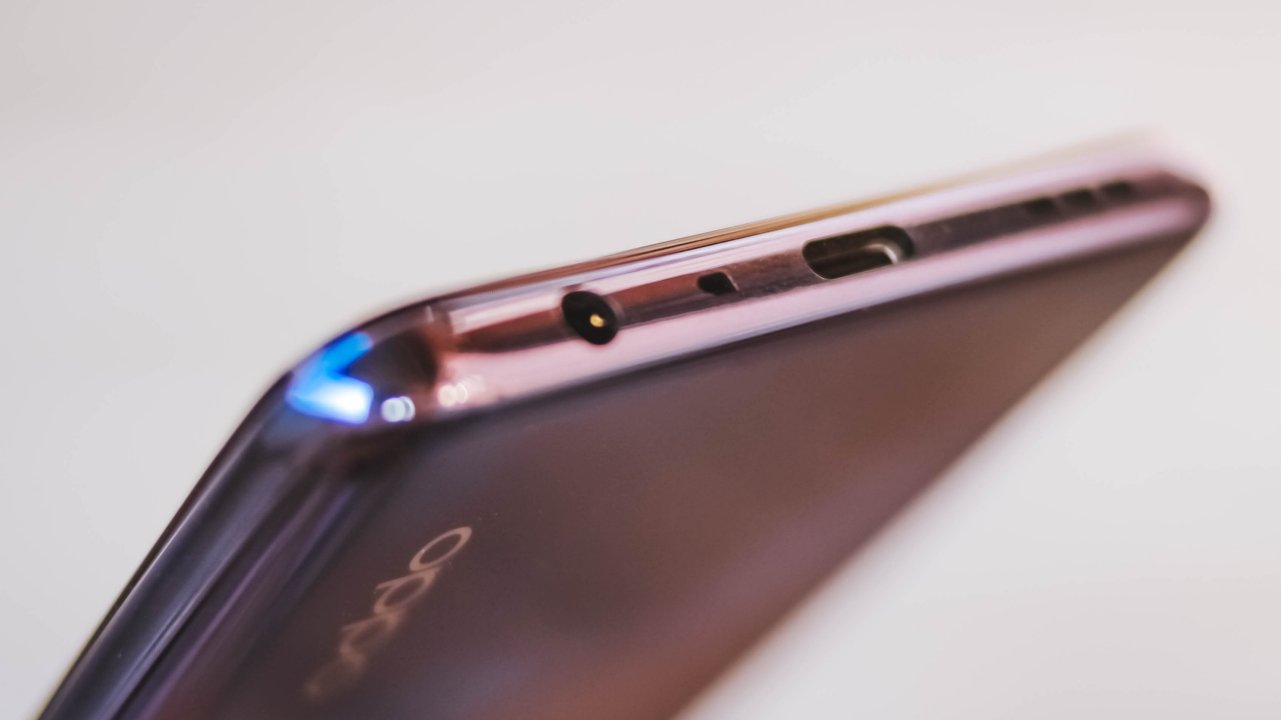
OPPO was also able to put a 3.5mm audio jack in such a slim form factor. There’s a set of earphones inside the box. This is great for users who already have an existing pair and also don’t want to spend fortune for another wireless earbuds.
4. Less-confusing Android User Interface
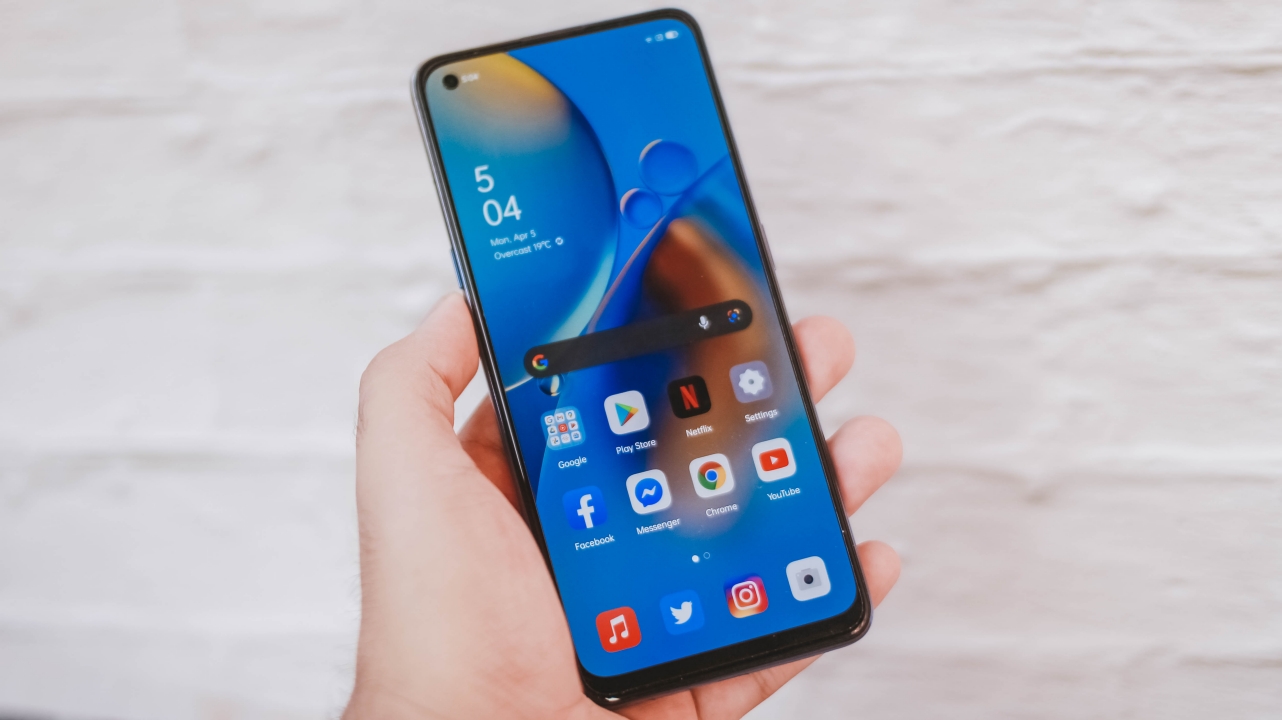
Out of the box, it already runs Android 11 with the ColorOS 11.1 skin. Over the years, I got used to Xiaomi’s MIUI and Samsung’s One UI but as I get to use their interface for long, the more it gets confusing.
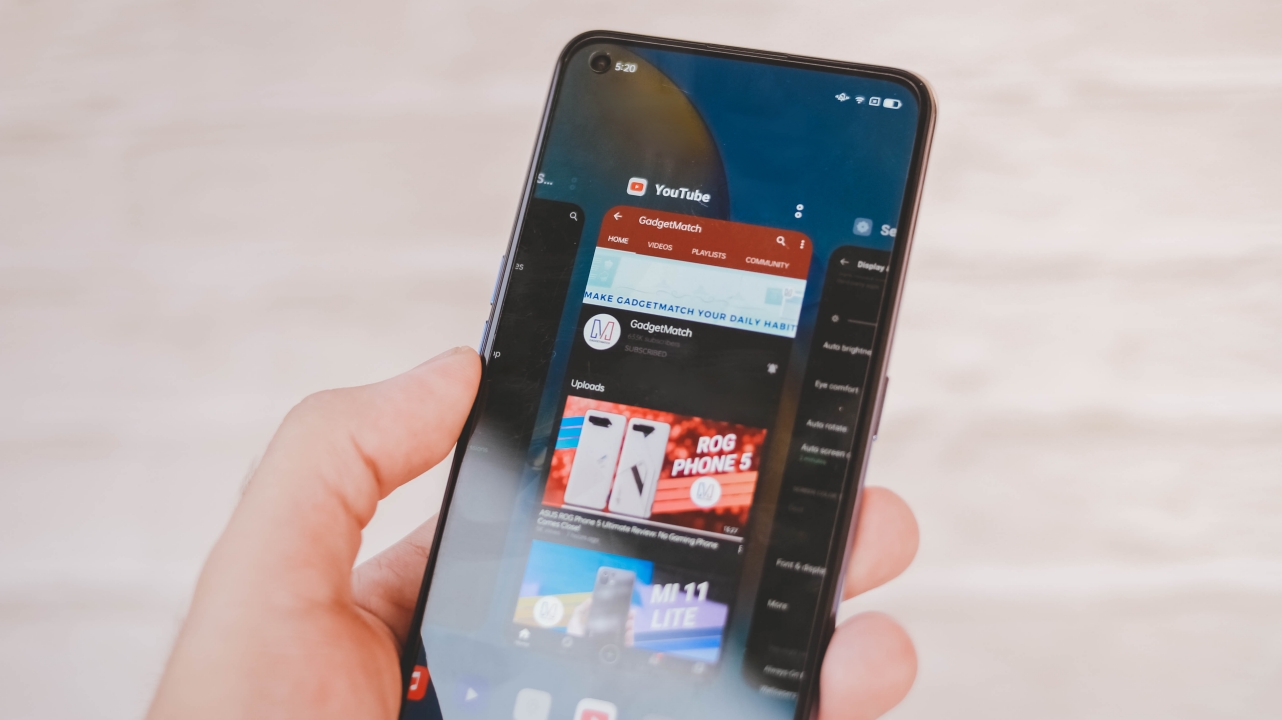
To my surprise, the ColorOS looks clean and tidy. It’s not bombarded with unwanted UI elements and at the same time, I love the overall look and feel of the icons and the interface. I also commend how organized the settings are that aren’t as cluttered as other Android skins.
5. Optimum performance
On paper, the A74 is packed with a Snapdragon 662 chipset, 6GB of memory, and 128GB of onboard storage with an option to expand with a microSD slot through its Hybrid SIM tray. Opening basic apps such as Facebook, Twitter, Instagram, and more are quick. Even switching between apps is snappy fast as long as you don’t get too hard on it.
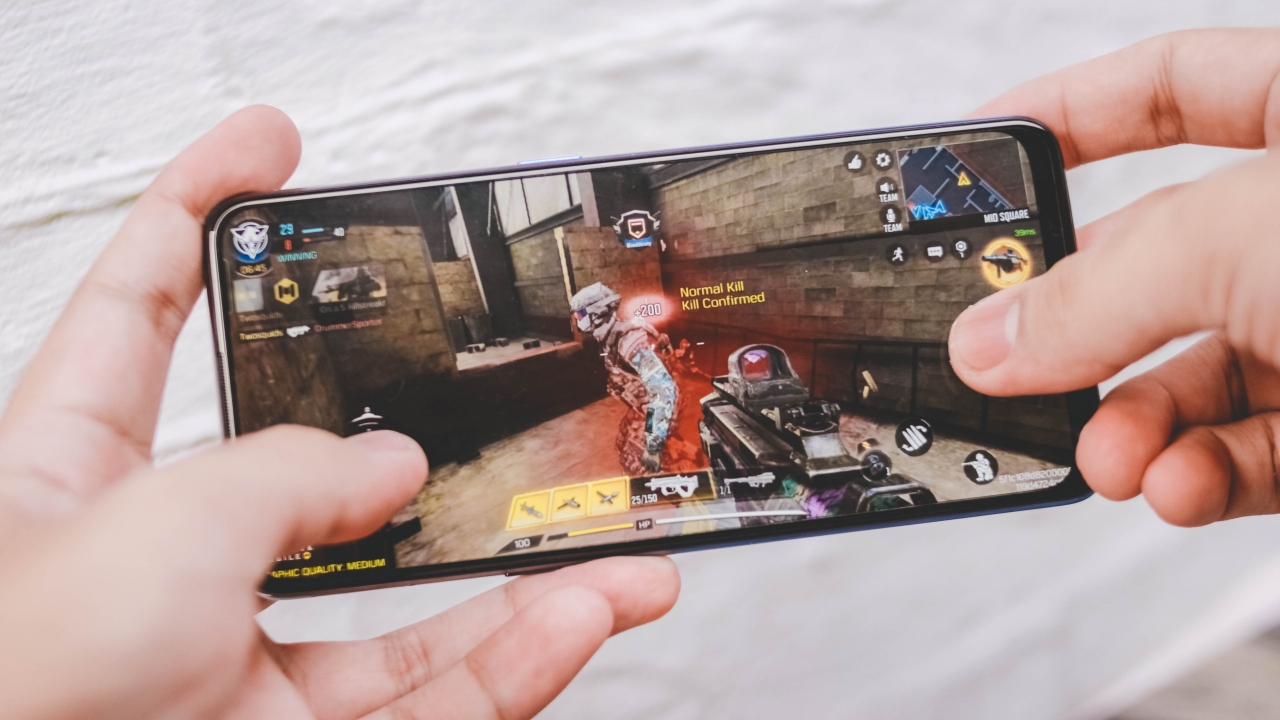
While it may not sound like a lot, it still is a smartphone capable of running popular titles such as PUBG, Mobile Legends, Genshin Impact, and Asphalt 9.
It also has this handy Game Focus Mode which basically is a game sidebar tool when playing games that turns off unwanted notifications and boosts performance so you can enjoy the game you’re playing.
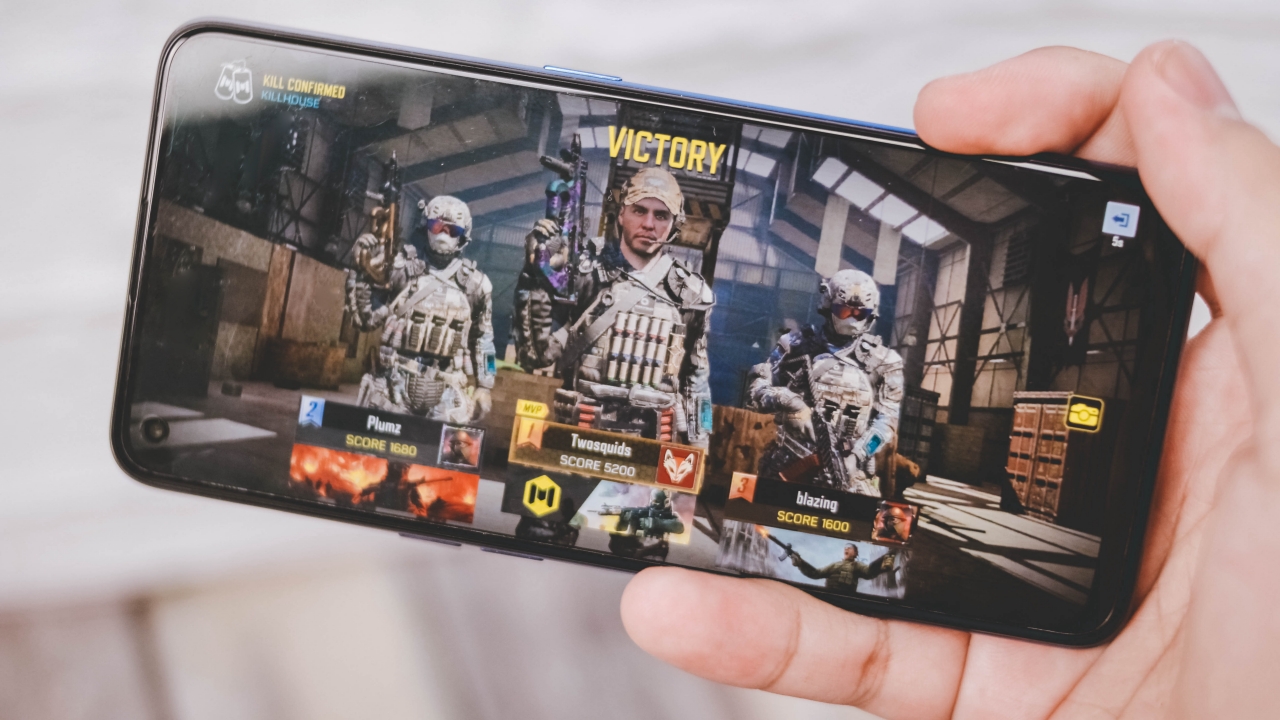
When I played Call of Duty: Mobile, I was able to play with no stutters or lags. While the graphics setting isn’t maxed out to high, medium seems fine already especially that you can see game artifacts and farther enemies in this setting anyway.
6. Large battery capacity and fast charging support
To makes this a lot better, it packs a bountiful 5,000mAh battery — which is very surprising for me considering it has a slim and lightweight form factor.
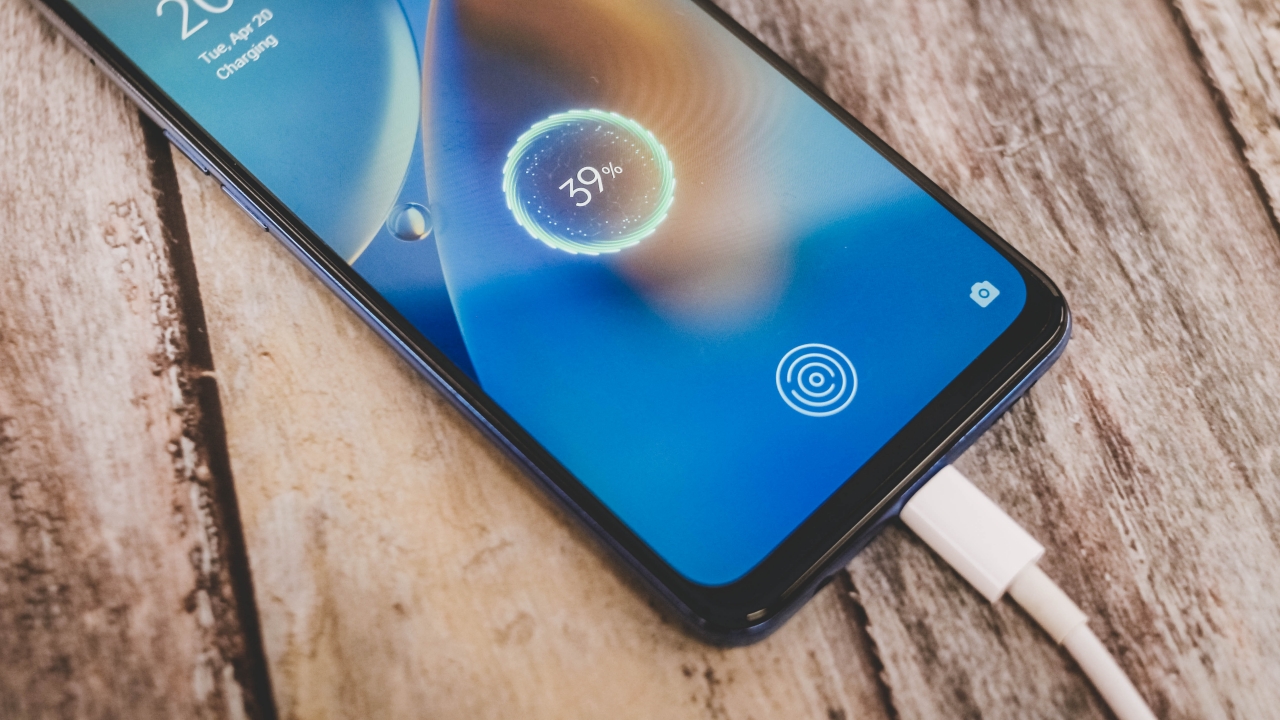
If your phone already ran out of juice, there’s a bundled 33W fast charger out of the box. OPPO is true to its words as it’s capable of filling it up for around 54 minutes — same as advertised. And for everyone’s convenience, it’s equipped with a USB-C port.
7. Decent main camera

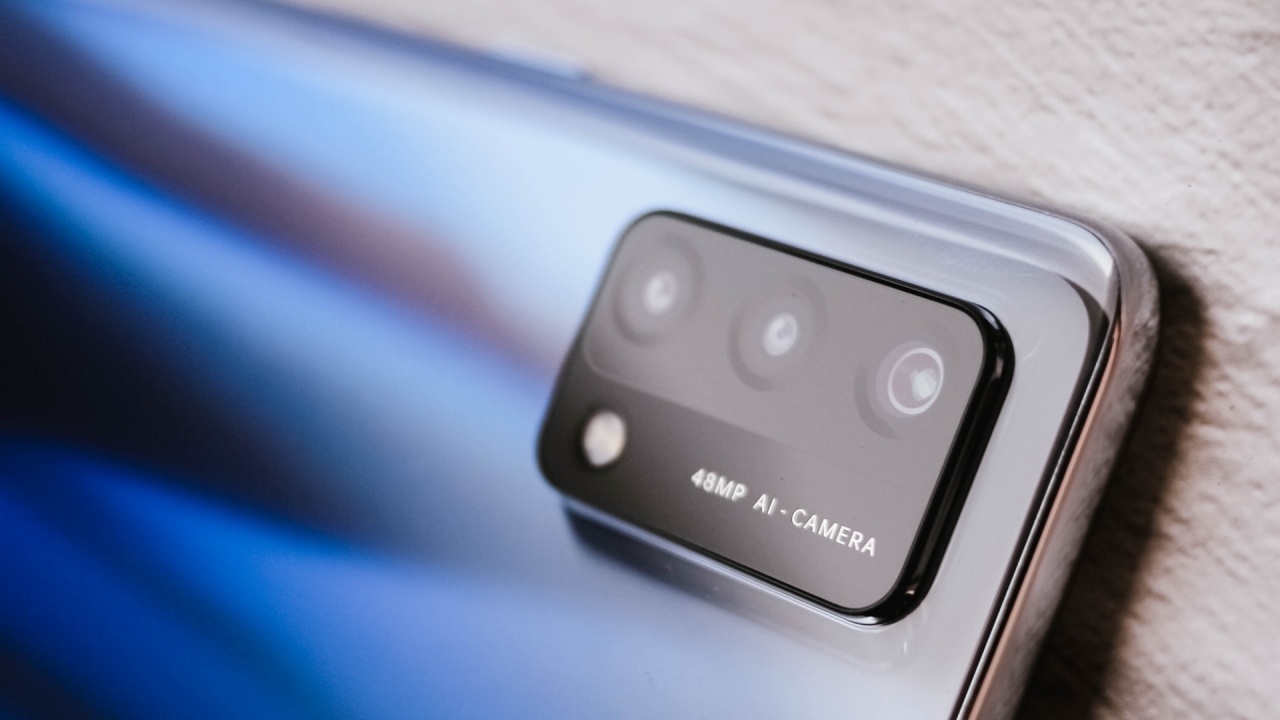
The OPPO A74 packs a trio set of cameras: a 48-megapixel f/1.7 wide (main) camera, and two 2-megapixel f/2.4 depth and macro sensors. I would’ve wished for an ultra-wide camera instead but they decided to put one on the A94.
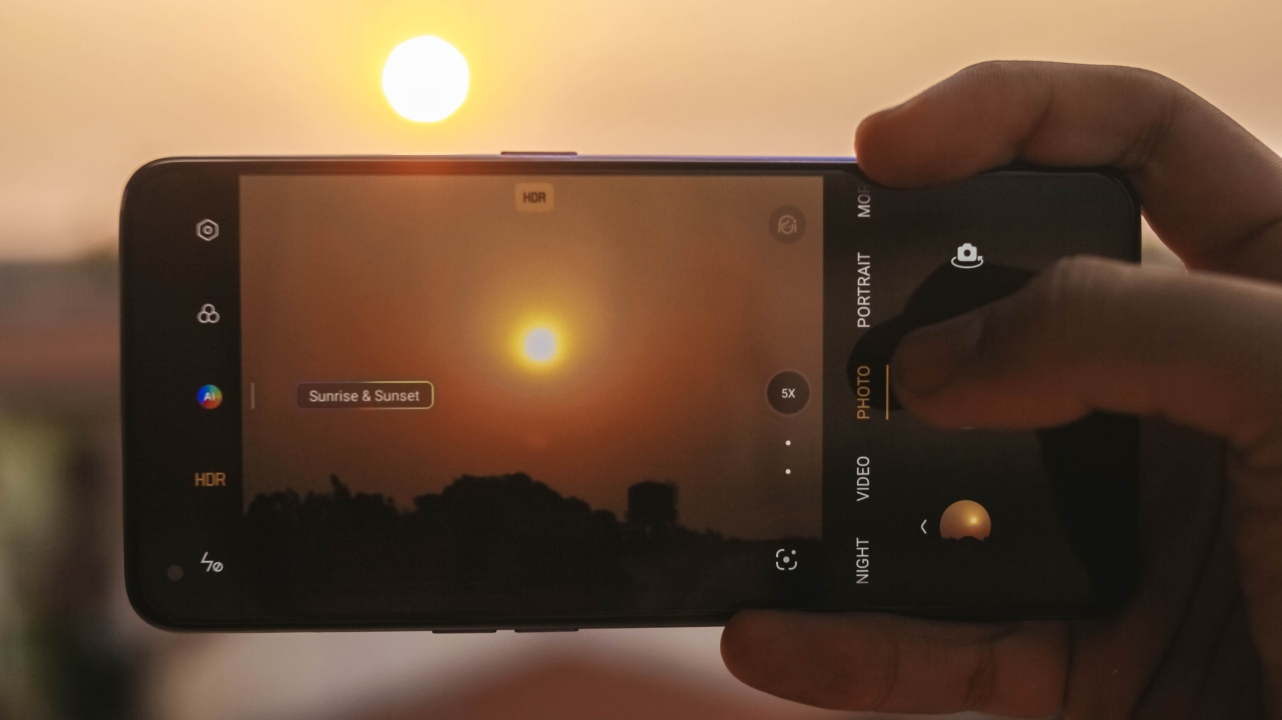
While video recording is limited to just 1080p Full HD, its HDR and AI work wonders when shooting photos indoors.

Samples look better when they’re shot outside in broad daylight. If you’re always into posting your photos in social media, the A74 won’t disappoint.

Zooming in on the subject with 2x zoom is still doable but sometimes, it has a hard time focusing. This is already given because it doesn’t have a dedicated telephoto lens. Nevertheless, images still look great even if it’s an accidental bokeh shot.

Just don’t use the 5x digital zoom as it’s not helpful at all. It’s either grainy or blurred with a too healthy helping of HDR processing.

Wide | 5x zoom

Wide | 5x zoom
For night mode, don’t get your hopes up as it’s barely usable in low-light conditions. At first, I thought it was just the blurry camera lens, but after taking two more night shots at around three seconds in wide (1x) mode, nothing has changed.

Is this your GadgetMatch?
If you’re a long-time OPPO user and you just want to upgrade your OPPO experience without sacrificing too much on money, the A74 is simply a great smartphone to get. With a price tag of PhP 11,990, it’s simply not the cheapest budget smartphone you can buy right now.
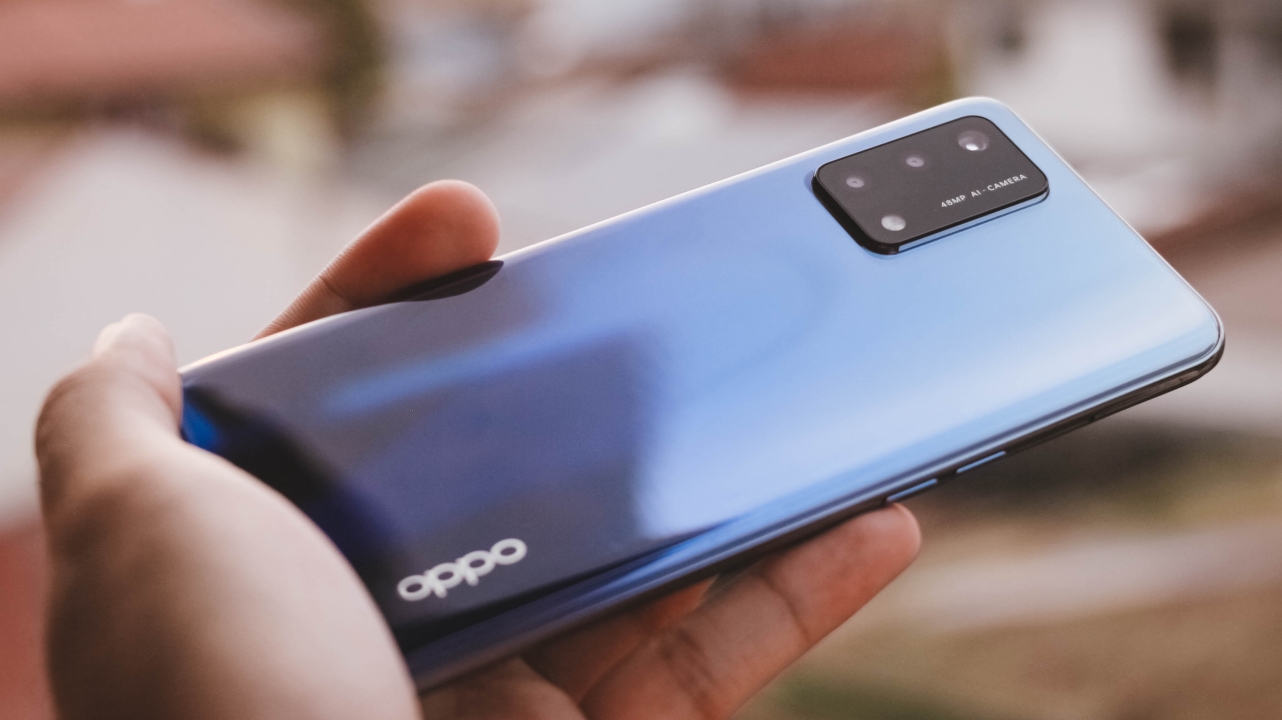
Get the OPPO A94 if you can shell out an additional PhP 2,000 — only if you want a Mediatek chipset, an additional 2GB of memory, and the inclusion of an ultra-wide camera. But if we’re talking about better features, you can’t go wrong with the A74 simply because it has a competitive Snapdragon chipset, bigger battery with faster charging, and most of all, a cheaper price tag.

If you’re keen on trying another smartphone brand, there’s the Redmi Note 10 that has a cheaper retail price of just PhP 9,990 (6GB/128GB variant) with an upgraded Snapdragon 76 minus the ColorOS experience.
If you don’t care about design and just want a smartphone of the same kind, there’s the POCO M3 with identical hardware, but with an IPS-LCD display, a slightly larger battery capacity minus the fast charging — all for a pocket-friendly price of PhP 7,990.
Singapore pricing
The OPPO A74 6GB+ 128GB is available at a retail price of SG$ 299 in two colorways — Prism Black and Midnight Blue. It will be available for purchase at OPPO’s online Lazada and Shopee Flagship stores, M1 stores, as well as authorised resellers island wide.




Hands-On
Apple iPhone Duo Unboxing and Hands-on
Supported apps, crease, cameras, and MagSafe all tested


Apple’s iPhone Duo is finally here!
Aside from unboxing the all-new iPhone-dable in Night Sky, we take a closer look at the display crease, check out the under-display camera quality, see which MagSafe accessories work with it.
Most of all, which apps support it (or not).
But how well does the dual-screen experience on an iPhone actually work? Watch our Apple iPhone Duo unboxing and hands-on to know more!


Moving into a new space comes with a long list of things to figure out, and lately, I’ve been paying more attention to something that’s easy to overlook: air quality.
After using the LG AeroMini for about a month, it has become a subtle but welcome addition to my space. It helps make the room feel fresher, while its compact and stylish design fits naturally into my setup. Here are the things that stood out to me most after living with it for a month.
360° purification for a fresher space
One of the things I appreciate about the AeroMini is its 360° air purification, designed to bring purified air in every direction.
For me, this is particularly useful in a new space where I’m spending a lot of time working, relaxing, and just settling in.

Combined with its True HEPA filter, which is designed to remove 99.999% of 0.01μm fine dust and allergens, it gives me added peace of mind about the air I’m breathing every day.
After a month, I can genuinely say that the space feels fresher with it running.

Surprisingly quiet
This is probably my favorite feature.
The LG AeroMini operates at just 26dB, and after using it for a month, what stands out is how easy it is to forget that it’s even running.

I can have it running while I’m working or sleeping without the noise becoming a distraction. For an appliance that’s designed to continuously improve the air around you, I think that’s a big deal.
Sometimes, the best feature is the one you barely notice.
Design that fits my space
Since I recently moved, I’ve been pretty conscious about what I bring into the space. I want things to be functional, but I also don’t want appliances that feel like they’re taking over the room.

The AeroMini’s slim and compact design makes it easy to incorporate into my setup. It doesn’t feel bulky or industrial, and I like that I can leave it out without feeling like I need to hide it away.
For me, that balance between functionality and aesthetics makes it feel more like part of the space rather than just another appliance.
Air quality at a glance
Another feature I’ve found convenient is its Smart Control. Through the app, I can monitor and control the AeroMini while getting real-time updates on the indoor air quality.
It’s a small convenience, but being able to check the air quality without having to interact with the purifier directly makes it easier to keep track of what’s happening in the room.

Easy to maintain
I also appreciate that the AeroMini is designed with an all-in-one dust and deodorization filter that makes replacement and maintenance easier.
That matters to me because the best home gadgets are the ones that don’t create another complicated chore. I want something I can set up, use regularly, and maintain without too much fuss.

After a month, would I keep it?
Yes, and mainly because it quietly fits into my everyday routine.
The LG AeroMini has helped make my new space feel fresher and more comfortable, while its compact design means it doesn’t compromise the look of the room. But if I had to pick just one thing I appreciate most, it’s still how incredibly quiet it is.

It’s one of those upgrades that doesn’t demand your attention. It simply works in the background.
If you’re also looking to make your home a fresher and more comfortable space for yourself and your family, visit https://www.lg.com/ph/ to learn more about the LG AeroMini and how it can fit into your everyday life.
Hands-On
Apple iPhone 18 Pro Series Hands-on
And everything announced during Apple’s September 2026 Event

The latest Apple event isn’t just about the shiny new Apple Duo. There’s a lot to talk about!
In this video, we break down everything Apple has announced during their September 2026 keynote.
First, there’s the updated iPhone 18 Pro and 18 Pro Max. That’s alongside their design and color changes, battery and performance improvements. Even that massive camera upgrade.
There’s even the ANC-infused AirPods 5 alongside the newer Apple Watch Series 12 and Apple Watch Ultra 4. Plus, the latest software updates coming to both these wearables.
So, are these worth the upgrade?


ROG G700 review: The best prebuilt PC you can get off the shelf
This PC will make you stop worrying about specs.


HP OMEN Max 16 review: Gamer-maxxing in deep black
Peripherals deemed necessary to max this out


vivo V80 review: Good phone, tough sell
A capable travel companion

Smart boosts 5G network in Siargao for World Surf League event

The next Elder Scrolls game is called Sentinel

4 new nutribullet kitchen essentials to make holiday hosting easier

Inside Infinix’s first global concept store in Bali

Wild Rift Patch 7.3, celebrates K/DA comeback

OPPO Find X10 Series launches globally October 21

Sony teams up with Hello Kitty for exclusive limited-edition collection

vivo V80 debuts with ZEISS cameras

Garmin Enduro 4 promises up to 320 hours of battery life

Dragon’s Dogma 2: Dark Arisen launches with new Official Pawns


-

 Lifestyle3 days ago
Your coffee nook is getting a makeover with Starbucks’ holiday collections
-

 News2 weeks ago
OPPO Find X10 Series: Price, availability
-
Gaming2 weeks ago
HP OMEN Max 16 review: Gamer-maxxing in deep black
-

 Lifestyle5 days ago
Sticker season is back, and so is the planner your ~friends~ might fill in for you
-

 Apps2 weeks ago
Apple Music is getting a Liquid Glass makeover
-
 Hands-On2 weeks ago
Apple iPhone Duo Unboxing and Hands-on
-

 Gaming2 weeks ago
FINAL FANTASY RESONANCE now available across major platforms
-
Gaming1 week ago
ROG G700 review: The best prebuilt PC you can get off the shelf