


Philippines
OPPO Find X3 Pro review: Third time’s the charm?
Has OPPO finally found the flagship formula?

Over the past three or so years, OPPO has been trying to rise above the reputation it built for itself — a smartphone brand for the masses. With the Find X3 Pro, the goal is clearer than ever: to be mentioned in the same breath as Apple and Samsung. And perhaps, fill the void that’s steadily growing as Huawei fights to keep its international relevance alive.
They can say otherwise, but it’s pretty evident with how rapidly their series of phones have shifted.
From the roots built upon the somewhat confusing F-Series and R-Series lines rose the best-selling budget and lower midrange phones in the A-Series. Then, there was the awkward crossroads between the Find X and the OPPO Reno 10X Zoom.
For a while, it looked like Reno was going to be the flagbearer with the aptly named Find X being the experimental premium line. Things quickly pivoted when the company launched a confusing set of Reno2s barely six months since the introduction of the Reno line.

OPPO Reno5
Fast forward to today and Reno is already on its fifth iteration in just three years. Meanwhile, Find X is in its third, four years after the first one was showcased in Paris.
Reno has since settled in the midrange and upper midrange arena, while Find X has taken the wheel as OPPO maneuvers to relevance in the upper echelon of smartphones.
Finding an identity
The first Find X and the Find X2 Pro share very little in overall characteristics. The only thing they had in common was being tagged as the best OPPO had to offer at the respective time of their releases.
The time in-between is pretty significant. One year and eight months to be precise. OPPO used that time to refine what it wanted to offer as its best. To a certain extent, it succeeded. The Find X2 Pro was a culmination of all the research and development it had poured into smartphones.
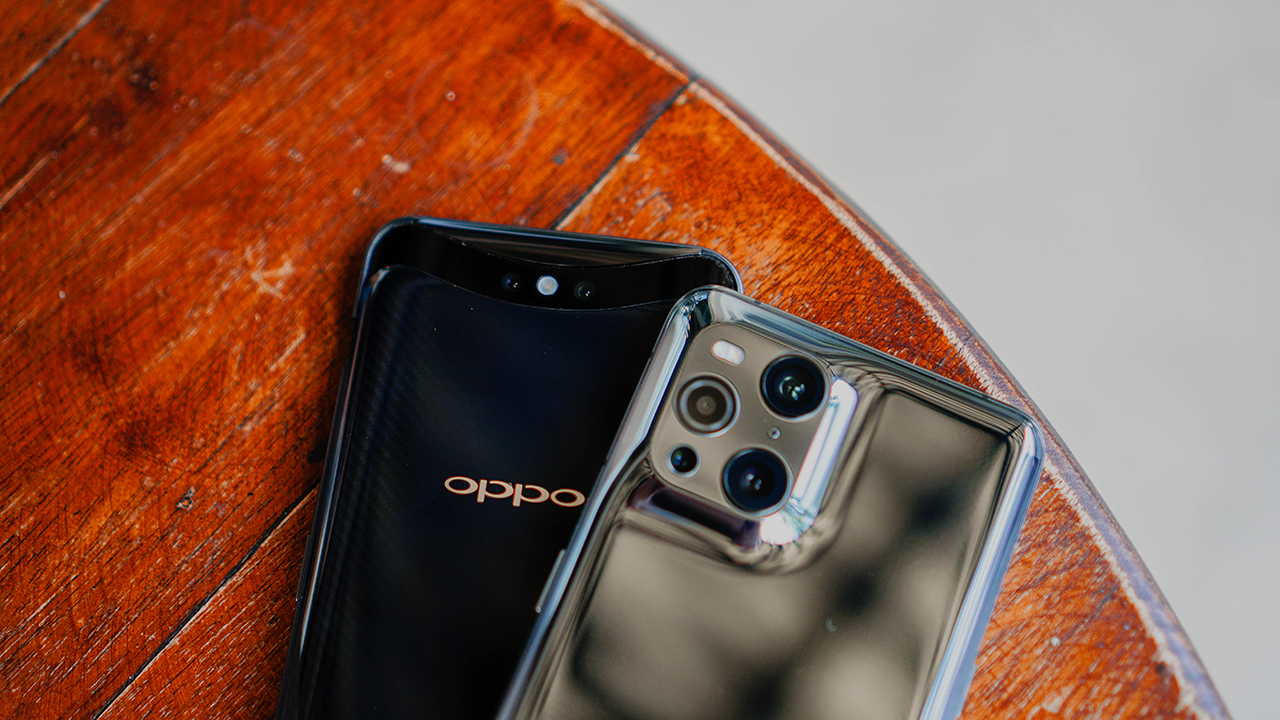
OPPO Find X and Find X3 Pro
Was it perfect? Not at all. The company may have overshot the pricing, and opted to not include wireless charging — a feature that had been present with its contemporaries for around two years at the time. Still, it was a step in the right direction.
The makeover wasn’t just in the hardware. ColorOS, the user interface (UI) that OPPO puts on top of Android also underwent a change. Things shifted software-wise when OPPO stopped trying to take a bite out of Apple and started breathing Oxygen.

It’s now less concerned about feeling like a weird amalgamation of Android and iOS. With its latest iteration, ColorOS 11.2 has, instead, embraced it being an Android and took lessons from sister brand OnePlus to deliver a smoother, cleaner UI.
Of course, there’s still the iPhone-looking camera module, but you know… baby steps.
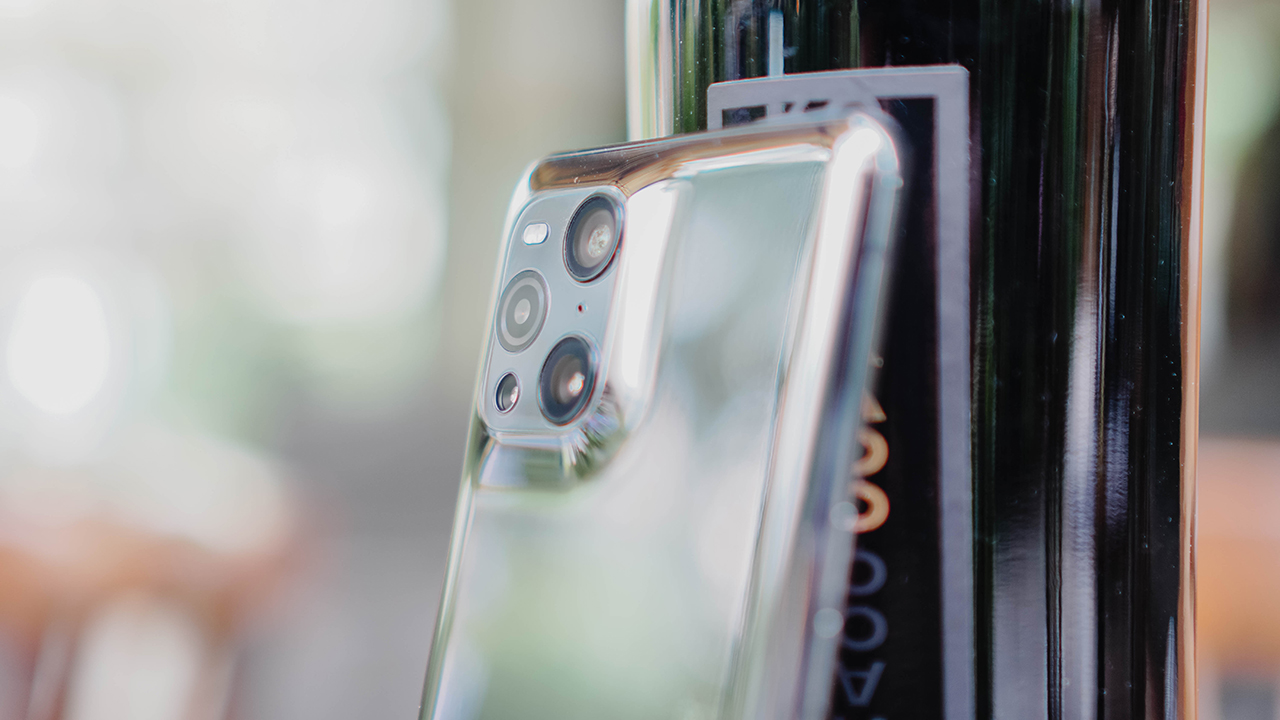
Awakening Colour
Now that I’ve gotten that word vomit of a backgrounder out of the way, let’s dive straight into what a lot of people care about with these flagship smartphones — the image production.
Every phone maker has said this in all of their device announcements, but this time with OPPO, they truly meant it when they said they took extra care in how the hardware and software of the Find X3 Pro work together in producing quality images.

Here’s the quad-camera setup on the rear: 50MPSony IMX 766 sensor with optical image stabilization, 50MP ultra wide-angle lens, 13-megapixel telephoto camera, and 3-megapixel macro sensor. The setup is capable of 5x hybrid-digital zoom and 20x digital zoom. For selfies, there’s a 32MP camera.
Microscopic lens
But first, let me get the microscopic lens out of the way. Do I think it’s a gimmick? Yes. Should they have not included it on the phone? Not necessarily.

Features like this exist so there’s something new and different that can be talked about on the phone. And don’t get me wrong, IT IS pretty darn cool, just not practical. But if you’re the type who can fork out cash for a premium device then it’s nice for that device to be able to show-off something unusual.

Night mode
The Find X3 Pro’s night mode is one of my favorite night modes on any smartphone. Most of the time it’ll give you an evenly lit scene with plenty of details retained. It captures an image that actually still looks like night time instead of a scene that looks like there’s a massive spotlight pointed at the photo you took.

Don’t get me wrong, it still does commit the sin of making a night time shot look almost like it’s day time. Take for instance the example below. The area was nearly pitch black and the software overcompensates by adding too much brightness to the scene.


However, this isn’t always a bad thing. Used on the right kind of scenery, it will produce an image that can draw some type of emotion or reaction from anyone who sees it.

Ultra wide
There weren’t many opportunities to use the ultra-wide angle lens seeing as travel is still pretty restricted and I’m not about to show you how messy my room is. But the few times I got to use it produced some pretty looking pictures that I certainly wouldn’t mind sharing.

AI mode was turned on when these were taken for both the wide and ultra-wide shots. One of the key things to takeaway is how the Find X3 Pro delivers in its promise to give you similar (if not same) quality images for both lenses with the only difference being the wider field of view.

Wide

Ultra-Wide
Food
If foodtography is your thing, you’ll have a blast using the Find X3 Pro. The shots we took really make the food look appetizing without it resorting to shooting up the saturation too much.



Even a shot like this that I didn’t put too much thought into looks pretty mouthwatering. I kid you not, I had people sliding in my DMs when I posted this as an IG and FB story asking how it tastes and where they can order. In case you’re curious too, you can message the Burger Garage FB page to order.

Indoor and lowlight
Here’s an area where the Find X3 Pro also performed admirably. I’m just going to let the images speak for themselves.



Portraits and selfies
The OPPO Find X3’s portrait mode shined the most, I think, when it was able to retain so much detail in the background in the sample below despite the other sample totally botching the HDR.

The thing about taking photos of people is how accurate it gets skin tones, and this smartphone does pretty well for the most part. In terms of color accurate capture, the Find X3 Pro is probably the Android smartphone that gets as close to natural as possible.

I’ve been particularly shy showing myself in front of the camera after all the pandemic weight I gained, so I left the selfies part for our Associate Creative Director MJ to scrutinize. Other than retaining detail and producing an all-around pretty good image, what caught his attention the most is how the beauty mode isn’t as aggressive anymore.

It’s still a hit or miss, especially with the beautify mode on, but it’s still able to produce favorable results especially when taken under good lighting. It doesn’t completely erase the imperfections on your face but does enough that you won’t want to retouch it and just upload right away on social media with the caption “Felt cute, won’t delete.”

This is an encouraging development from OPPO who’s a self-proclaimed selfie expert. To quote our MJ, “They made me embrace my scars more because it didn’t feel like I have to be shy about it.”
Other shots for your appreciation
If it isn’t obvious by now, we’re absolutely huge fans of how OPPO approached imaging for the Find X3 Pro. It’s absolutely one of the best smartphone cameras today. Here are a few more shots for your appreciation.




If you want side by side comparisons, we did a camera shootout of the Find X3 Pro versus the Samsung Galaxy S21 Ultra here, and versus the Mi 11 here.
Enjoyable mobile gaming
The last time I gamed on a smartphone as much as I have on the Find X3 Pro is when I was using the ROG Phone 2. That’s saying a lot since the latter is more geared for gaming while the former is more a do-it-all flagship.

I spent an entire Saturday afternoon levelling up on Call of Duty: Mobile simply because it was so fun to play on the OPPO Find X3 Pro. The combination of its performance specs — Snapdragon 888, 12GB RAM, 240Hz touch sampling rate — and the 6.7” AMOLED display made for a truly rewarding experience.

Aiming felt fast and fluid, my game NEVER lagged, and I was only held back by my own stupid gameplay mistakes. It is prudent to note that it does heat up significantly if you’re using 5G while you play. It also had a case on it while I played and that may have contributed to the heating but it wasn’t to the point where I couldn’t hold the phone anymore.
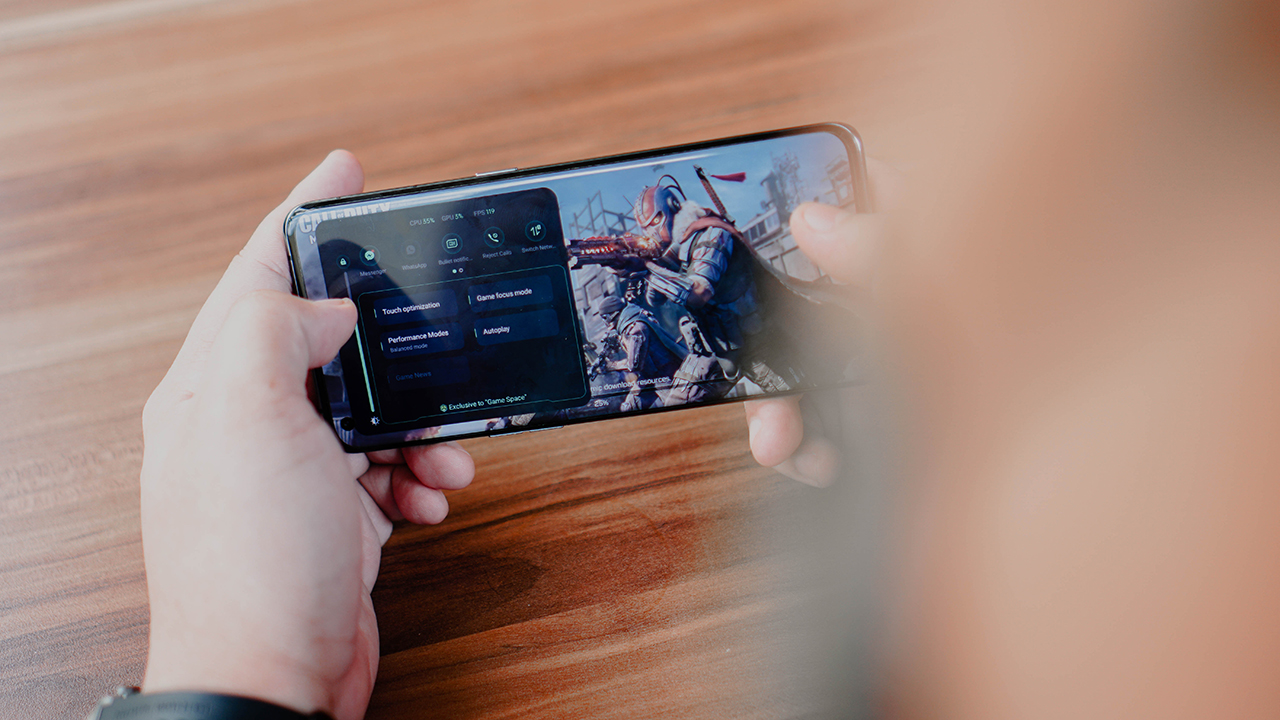
OPPO’s Game Assistant is also pretty darn helpful and easy on the eyes. I’m a huge fan of how it looks and how it delivers notifications. Instead of showing up as banners interrupting your game, notifications show up as tiny ticker-like text on your screen. It makes you notice it without demanding too much attention.
Media consumption
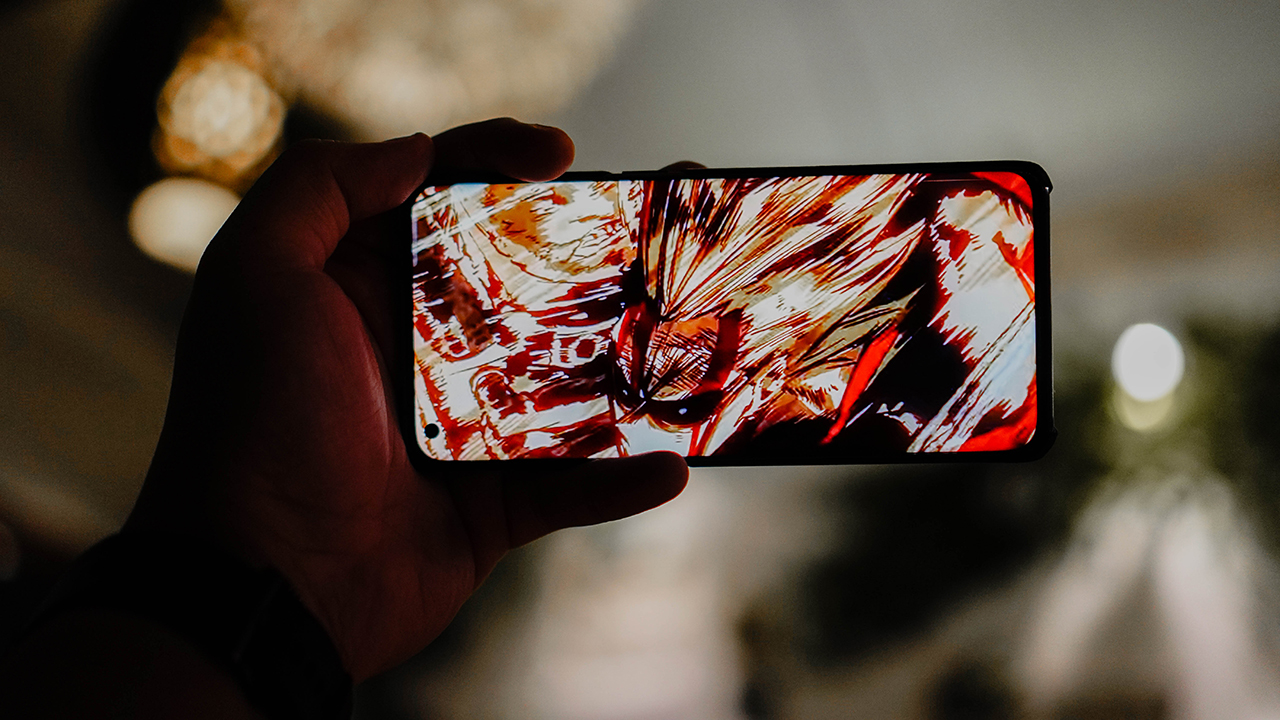
I may have not said this enough up to this point but the display on the Find X3 Pro is absolutely gorgeous to look at without straining your eyes. The 120Hz refresh rate, contrast ratio, and peak brightness all contribute to a screen you wouldn’t mind being stuck with.

My jaw absolutely dropped watching TWICE Momo’s first solo Performance Project video on this screen. It only has a speaker grille at the bottom but it gets significantly loud without distorting the audio.

Even when you hold it and accidentally cover the speaker, the sound doesn’t get too muffled that it becomes incomprehensible. Re-watching the United States of Smash moment by My Hero Academia’s All Might was just as impactful as when I first watched it on a TV screen.
Is the OPPO Find X3 Pro your GadgetMatch?
Prized at SG$ 1,599 (which is around US$ 1,200), it’s actually a tad more affordable than the Samsung Galaxy S21 Ultra (SG$ 1798) and the iPhone 12 Pro Max (SG$ 1969). But is it a worthy alternative against those two? The answer is a resounding YES.
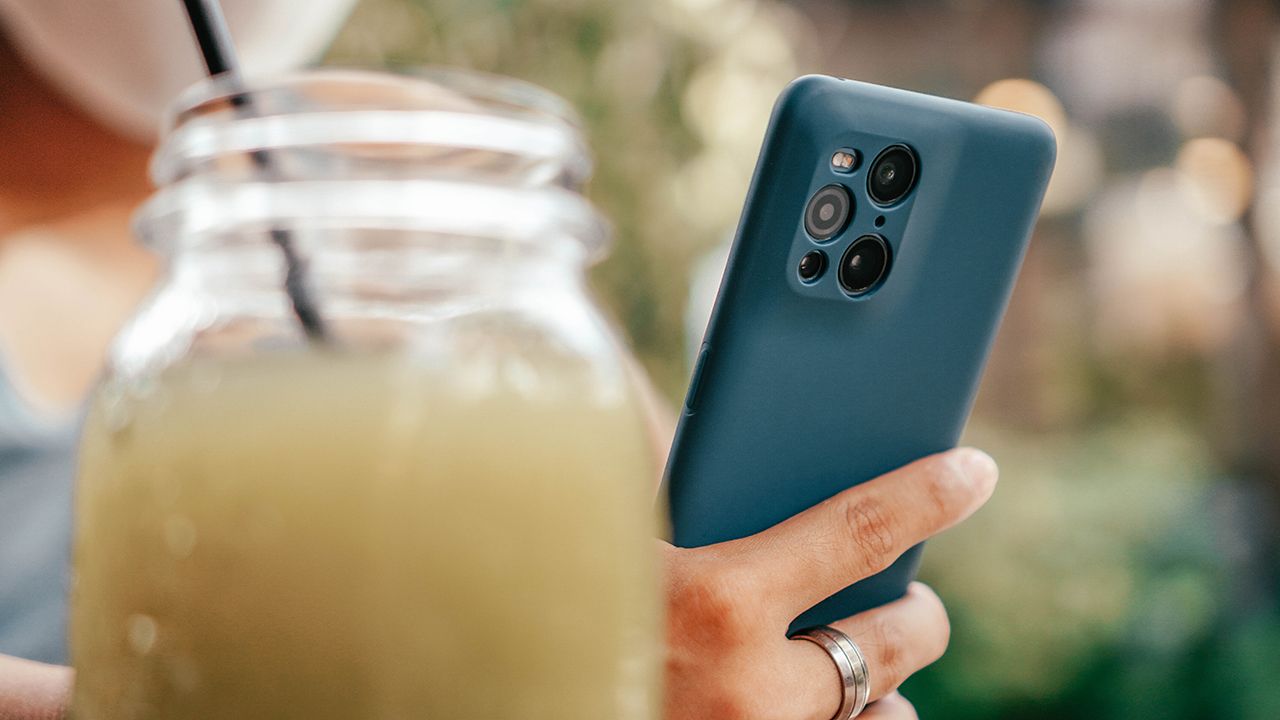
Third time is indeed the charm for OPPO as they absolutely nailed everything about the Find X3 Pro. Notice how we didn’t hesitate to mention it in the same sentence as Samsung and Apple? That’s where OPPO is at now with this smartphone. They deserve a seat in the premium flagship table.
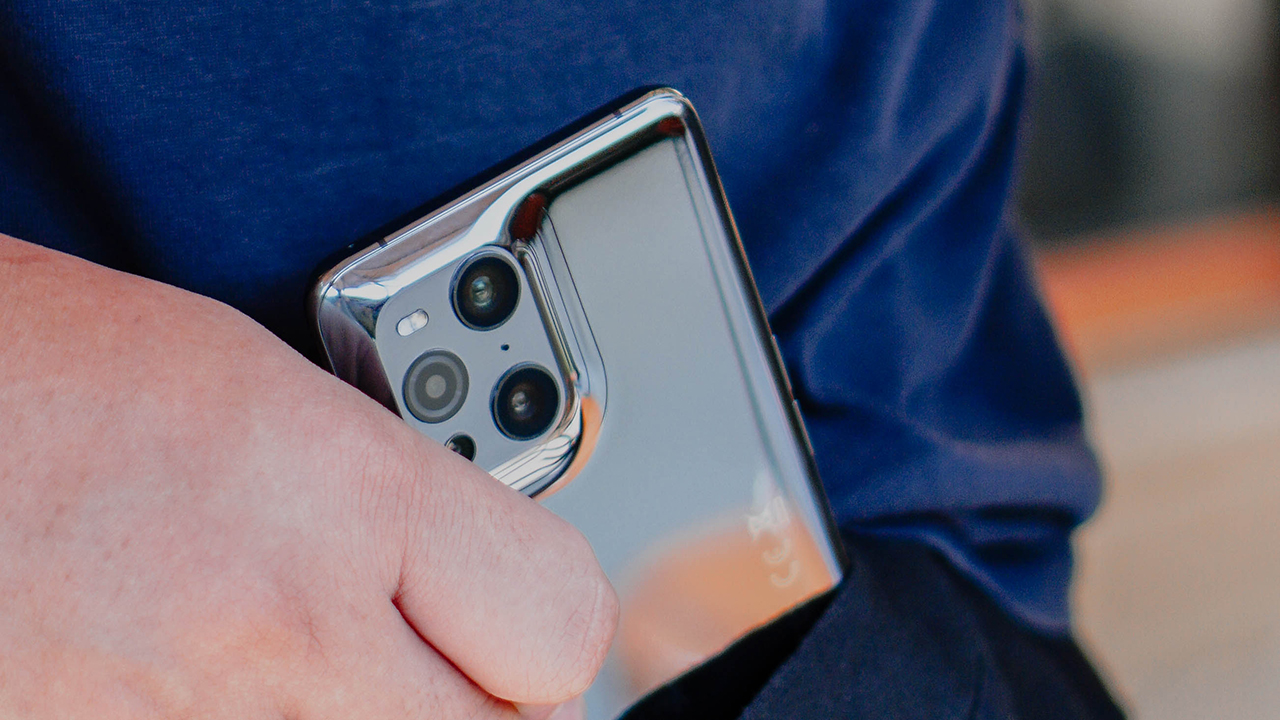
There’s always room for improvement. But the Find X3 Pro is as solid a foundation as any. OPPO only needs to stay the course now to completely overtake Huawei and claim its spot among the titans of the industry.



Apps
Smart launches LiveSmart App for exclusive deals
Exclusive deals, cashback, and bill payments in one app.


Smart Communications, Inc. (Smart) and TNT have launched the LiveSmart App, a new platform that combines loading, bill payments, exclusive offers, and other everyday transactions in one app.
The app is available on the Google Play Store and Apple App Store. It is open to Smart, TNT, and subscribers of other mobile networks.
The LiveSmart App gives users access to exclusive deals and savings. These include cashback offers, discounted Smart and TNT data packages, and limited-time access to AI.Smart.
“Filipinos are becoming more deliberate about where they spend and how they can get more value from every peso,” said Lloyd R. Manaloto, FVP and OIC for Smart. “The LiveSmart App is designed to help make those everyday decisions a little smarter, by giving users convenient ways to load, pay bills, and access exclusive savings and offers in one place.”
Exclusive deals and perks
Smart and TNT are rolling out several offers on the LiveSmart App starting September 18.
Smart and TNT subscribers can get 5% cashback when they purchase load or pay their Smart Postpaid bill through the app.
The app also offers data packages at exclusive prices. Smart Prepaid subscribers can get Power All 109 for PHP 105, while TNT subscribers can get Saya All 109 for PHP 105.
Users who download the LiveSmart App may also receive limited-time free access to AI.Smart.
AI.Smart combines multiple AI models, including AWS Nova, ChatGPT, Claude, Google Gemini, and Thinking Machines, in one workspace. Users can use it to generate images, create presentations, draft documents and spreadsheets, and get help with schoolwork, content creation, and other projects.
To claim the free AI.Smart credits, users need to tap the AI.Smart banner in the LiveSmart App. They then need to create an AI.Smart account using their Smart or TNT number.
Smart says users can also expect more exclusive deals and perks from lifestyle partners as it expands the LiveSmart App.
Powered by Smart 5G
The LiveSmart App runs on Smart’s network. Smart 5G supports activities such as video streaming, gaming, and real-time social media sharing.
The company said Ookla recently recognized its network for the Best Mobile Video Experience in the Philippines for the first half of 2026. Smart recorded a Video Score of 72.82, which it said was the highest among mobile operators in the country.
The LiveSmart App is now available on the Google Play Store and Apple App Store. Users can learn more about the app through Smart’s website.
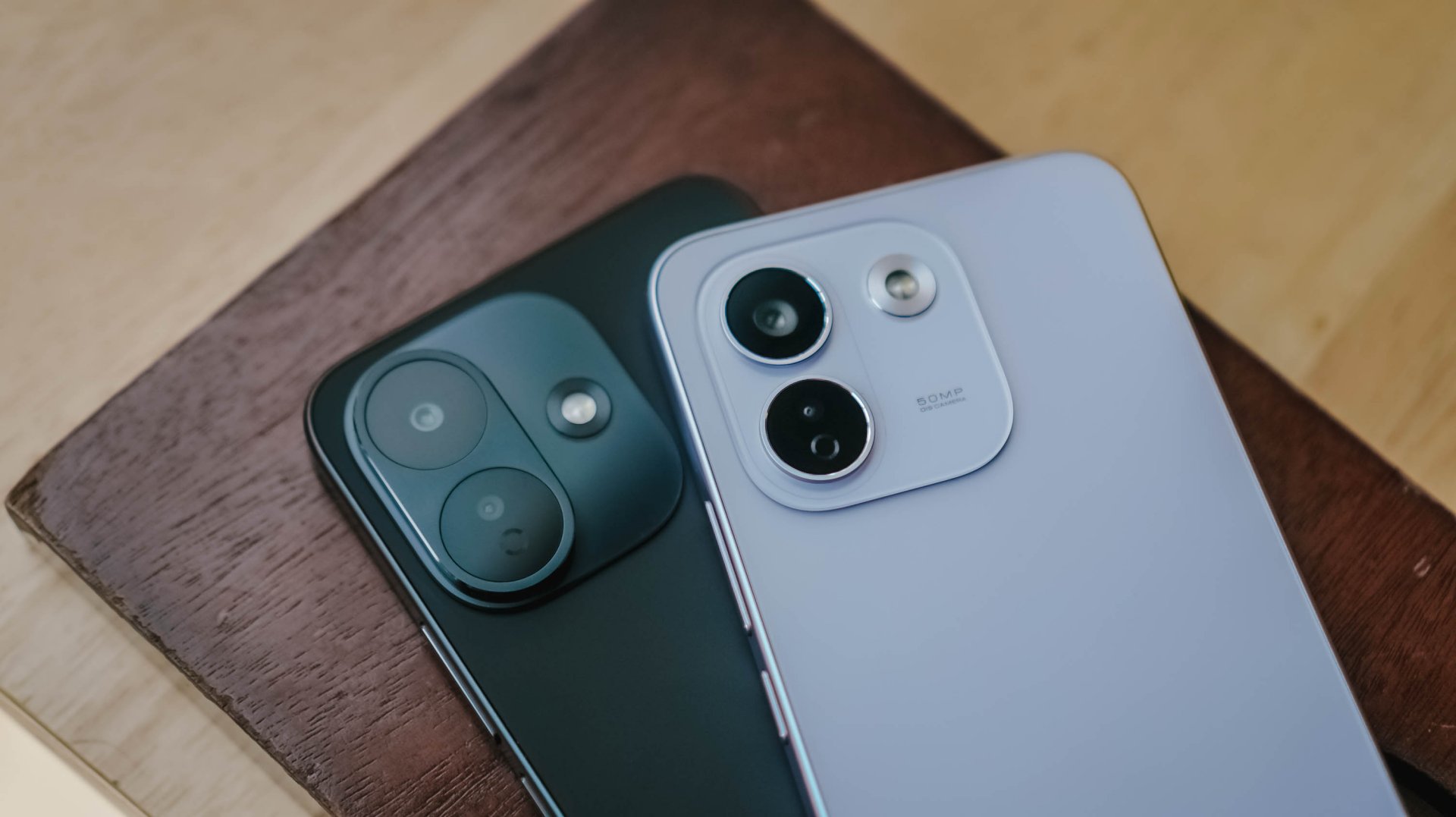
Xiaomi has officially launched the REDMI Note 17 Series in the Philippines, introducing four smartphones led by the new REDMI Note 17 Pro Max 5G. The lineup focuses on durability, battery life, and long-term performance.
Battery beasts
The REDMI Note 17 Pro Max 5G features Xiaomi’s largest-ever smartphone battery at 10,000mAh. It supports 100W HyperCharge and 27W reverse charging. The REDMI Note 17 Pro 5G has an 8,340mAh battery with 67W HyperCharge. Meanwhile, the REDMI Note 17 5G and REDMI Note 17 pack 7,700mAh batteries with 45W charging.
All four models use Xiaomi’s REDMI Titan Battery System with silicon-carbon battery technology. Xiaomi says the batteries can retain at least 80 percent of their original capacity after 1,600 charge cycles. That is equivalent to around six years of typical use.
The lineup also receives up to six years of security updates. The Pro Max gets a six-year like-new software experience.
Durability is another major focus. The REDMI Note 17 Pro Max 5G and REDMI Note 17 Pro 5G are the first smartphones to receive TÜV SÜD 5-star Titan Durability Certification. The certification covers drop resistance, water resistance, and battery performance.
Both Pro models feature IP66, IP68, IP69, and IP69K ratings. They also passed a 2-meter, 72-hour water-resistance test and support Underwater Mode. The phones have been tested for drops of up to three meters onto granite surfaces. Corning Gorilla Glass Victus 2 provides additional protection.
Refreshed design
The series also gets a refreshed design. Xiaomi redesigned the camera module and gave the phones flat displays, rounded corners, and dual-finish back panels.
The REDMI Note 17 Pro Max 5G comes in Cloud Blush, Purple, and Black. The Cloud Blush variant features a photochromic back that changes from white to a pink-orange tone under UV light.
For displays, the Pro models have 6.83-inch panels with 1.5K resolution and up to 3,500 nits peak brightness. They also support a 3200Hz instantaneous touch sampling rate.
The REDMI Note 17 5G and REDMI Note 17 have larger 6.99-inch displays.
The REDMI Note 17 Pro Max 5G runs on the Snapdragon 6 Gen 5 Mobile Platform. It supports up to 24GB of RAM through Memory Extension.
The Pro Max and Pro 5G also get additional AI features. The entire series supports Google Gemini and Circle to Search with Google.
For photography, the Pro Max offers enhanced portrait processing, dual-video recording, and 4K 30fps video.
Both Pro models also get Professional Video mode, Live Moment, AI Glare Removal, AI Erase Pro, and AI Beautify.
Price and availability
The REDMI Note 17 Pro Max 5G starts at PHP 28,999 for the 8GB+256GB configuration. The 12GB+256GB Shopee-exclusive variant costs PHP 30,999. The 16GB+512GB model costs PHP 32,999.
The REDMI Note 17 Pro 5G starts at PHP 20,999 for 6GB+128GB. The REDMI Note 17 5G starts at PHP 15,999, while the standard REDMI Note 17 starts at PHP 13,999.
These prices are part of an early-bird promotion running from September 15 to October 1, 2026. Buyers can also receive a REDMI Watch 6 Active or REDMI Buds 8 Lite as a freebie.
Xiaomi is also offering trials for Google One, YouTube Premium, and Spotify Premium, subject to eligibility.
The REDMI Note 17 Series officially launches in the Philippines on September 15 through participating Xiaomi channels. These include Lazada, Shopee, and the Official Xiaomi Store.
Entertainment
PH to celebrate 1st ever National Cinema Day; movies start at less than $2
Watch a movie on September 12 for a fraction of the cost

The Philippines will be celebrating its first ever National Cinema Day on September 12. On this day, movie tickets will go for as low as PhP 100 (US$ 1.60) at regular 2D cinemas.
The campaign aims to make moviegoing more accessible to audiences. This includes families, friends, students, and cinephiles in general.
Such initiative has been a staple in other countries, like the United States, United Kingdom, Spain, Germany, Australia, New Zealand, and more. The same concept applies, with movie tickets going on sale for a lot less.
What’s great about the celebration is that all movies scheduled for exhibition on September 12, whether local or international, shall get the special admission price.
Advanced tickets sales have already begun. Customers can purchase through participating box offices, official websites, mobile apps, and authorized platforms.
Tickets will be sold on a first-come, first-served basis and remain subject to theater capacity. Prices vary for other viewing formats like Director’s Club or IMAX, for instance.
The campaign is organized by the Cinema Exhibitors Association of the Philippines (CEAP), along with industry and government partners.
The initiative is supported by the Film Academy of the Philippines (FAP), Film Development Council of the Philippines (FDCP), Movie and Television Review and Classification Board (MTRCB), and the Metro Manila Film Festival through the MMDA.
Participating cinemas include Ayala Malls Cinemas, SM Cinemas, Robinsons Movieworld, CityMall Cinema, Megaworld Cinemas, and more.


DJI Lito X1 review: Is this the best lightweight drone for creators?
Making a strong case as a travel companion and a capable B-cam!


REDMI Note 17 Pro Max review: A new breed born from AI greed
Welcome to the new normal


Marvel’s Wolverine review: When the claws come out
A brutal, cinematic superhero adventure

Jackery Explorer 300D: Power and portability in one

Nike’s Alphafly 4 is built for the part of the marathon ~that actually hurts~

SEGA, Netflix announce Crazy Taxi film adaptation

Smart launches LiveSmart App for exclusive deals
DJI Lito X1 review: Is this the best lightweight drone for creators?

TECNO MEGAPAD 2 review: Eyes on the size

realme 16T 5G with 8000mAh battery, IP69 Pro rating launches in PH

HUAWEI Pura X View is 2026’s first WIDE slab-type smartphone

REDMI reveals the refreshed Note 17 and Note 17 Pro series

REDMI Note 17 Series: Price, availability in Singapore


-
 News2 weeks ago
HUAWEI Pura X View is 2026’s first WIDE slab-type smartphone
-

 News2 weeks ago
The CAMON Slim 5G is TECNO’s latest ultra-slim smartphone
-

 News1 week ago
iPhone 18 Pro series: Price, availability in the Philippines
-

 Singapore1 week ago
iPhone 18 Pro series: Price, availability in Singapore
-

 Automotive2 weeks ago
Ford’s new Everest lineup brings V6 engine to the top, tech down the line
-

 News1 week ago
iPhone Duo: Price, availability in the Philippines
-

 News2 weeks ago
HUAWEI Mate XT 2 tri-fold launches with Kirin 9050 Pro
-

 News1 week ago
vivo introduces refurbished versions of X300 FE, X300 Ultra for less