
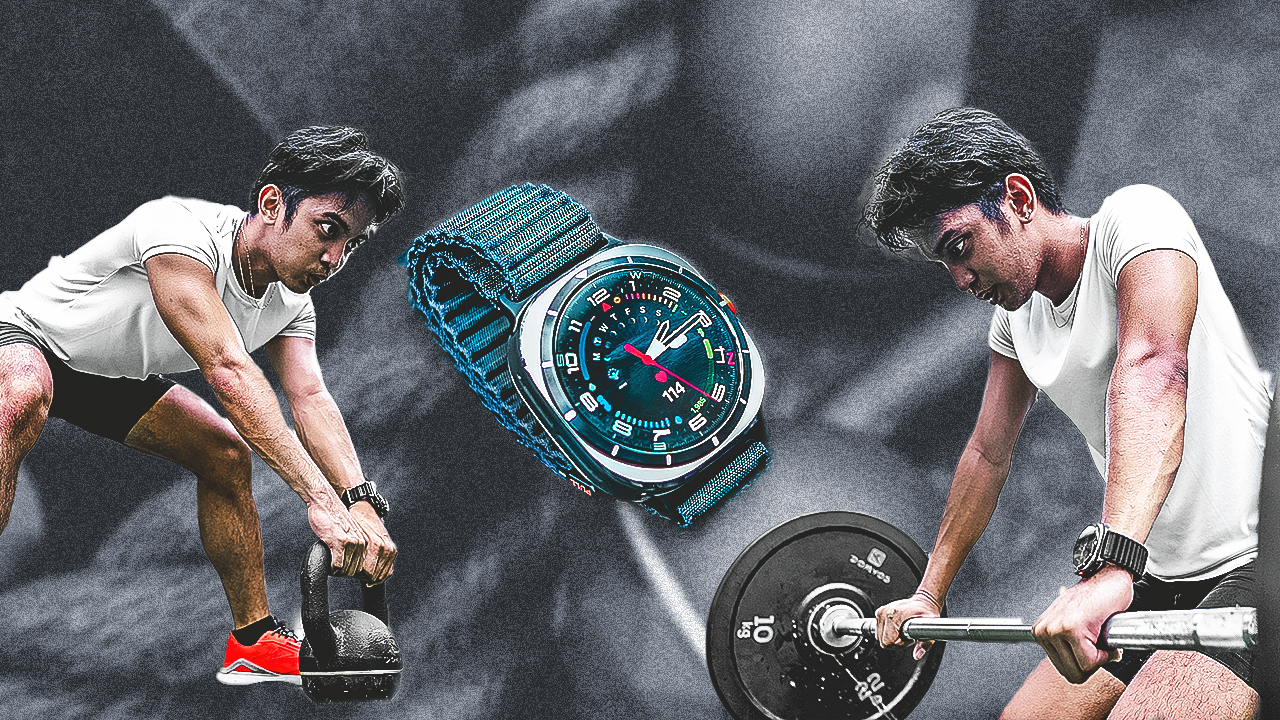

I’ve always believed in the art of continuous improvement. Small, consistent gains—just one percent better each day—can lead to significant changes.
I didn’t build strength by forcing myself to lift weights double my size. Instead, it was the consistent effort to move every day, no matter how small or light the activity, that made the difference.
For me, each day is an opportunity to redefine your limits. It’s about discovering new movements, finding techniques that work for your body, and embracing routines that keep you motivated to continue.
Fitness is a deeply personal journey, something that belongs entirely to you. Like a smartwatch tailored to your needs, your fitness journey is uniquely yours.
Once you’ve taken ownership of your journey, the next step is to elevate it—with a device that supports you as you push your boundaries and surpass your best.
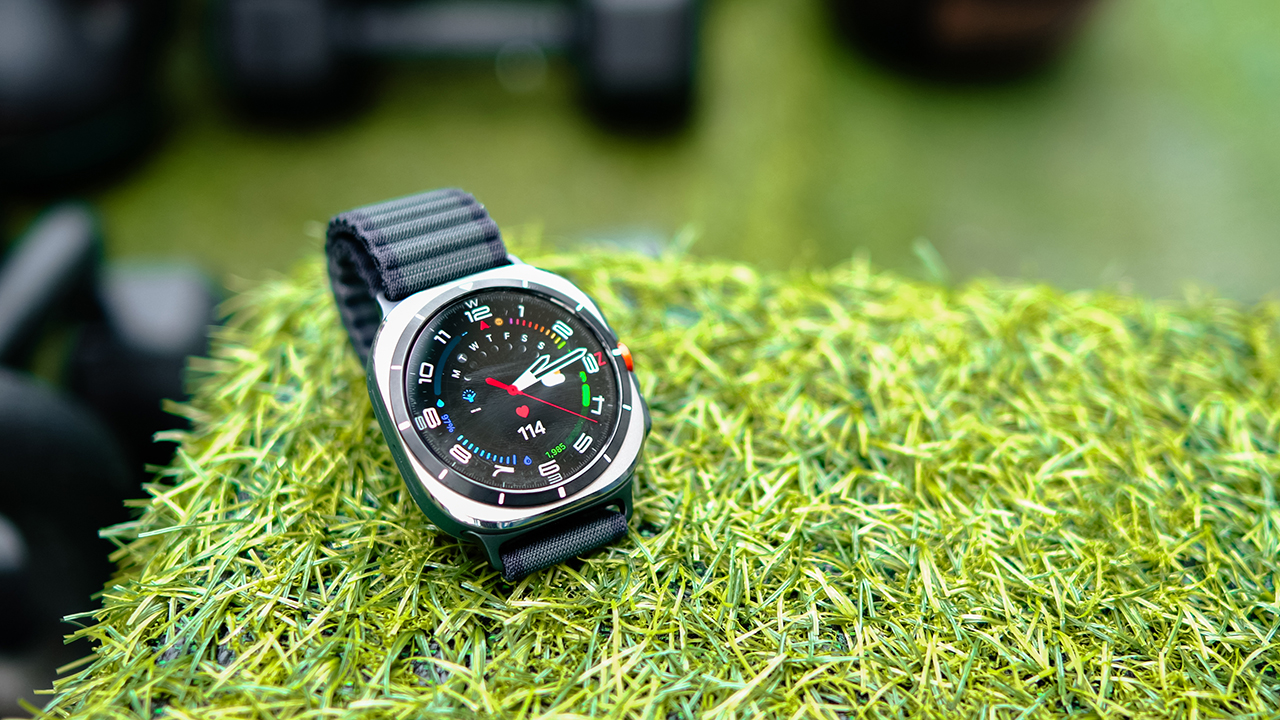
That’s where the Samsung Galaxy Watch Ultra comes in. It’s not just a performance smartwatch; it’s your companion in the pursuit of strength, power, and endurance.
Time to bring your game
I began my training journey five years ago, inspired by my love for a multi-sport athlete. Starting with bodyweight exercises in the privacy of my own room, I avoided the gym due to insecurities about my thin, frail body.
I struggled with basic lifts because I lacked a solid foundation of strength. The journey was challenging, so I enlisted the help of Coach Genaro Sabile, who also serves as the S&C Coach for the UP Men’s and Women’s Football Teams.
Under his guidance, I gained the knowledge, proper form, techniques, and strength needed to participate in the sports I’ve come to love over the years—Boxing, Muay Thai, Road and Trail Running, Obstacle Course Racing, and Fencing.
Now that I’m active in the multi-sport scene, the Samsung Galaxy Watch Ultra has become the perfect tool, helping me elevate my game and push beyond what I once thought possible.

With over 100 workout modes, the watch tracks my sports and other fitness activities with precision. I love the multi-sport tile, where I can choose my three preferred exercises.
While I don’t do triathlons, I know how physically, emotionally, mentally, and financially demanding they can be. If you’re just starting out, the Galaxy Watch Ultra can act as your personal coach, guiding you through those challenging initial stages.
Recovery goes a long way
On days when my muscles are sore and fatigue sets in, it’s tempting to slow down. But this watch is more than just a tracker—it’s a reminder that true progress comes when you embrace the grind.

The new Energy Score feature has become my go-to guide for knowing whether my body is ready for another workout.
After wearing the watch for 24 hours, it calculates a score based on my daily activity, weekly sleep patterns, average sleeping heart rate, and heart rate variability. It even takes into account my age and gender, making the assessment uniquely tailored to me.
Galaxy AI processes all this data and delivers a comprehensive report right in the Samsung Health app. Along with the Energy Score, I also rely on detailed insights like Sleep Stages and Sleep Scores to gauge how prepared I am for the day ahead.
These reports have become essential tools in understanding my body’s readiness and ensuring I’m on track to meet my goals.
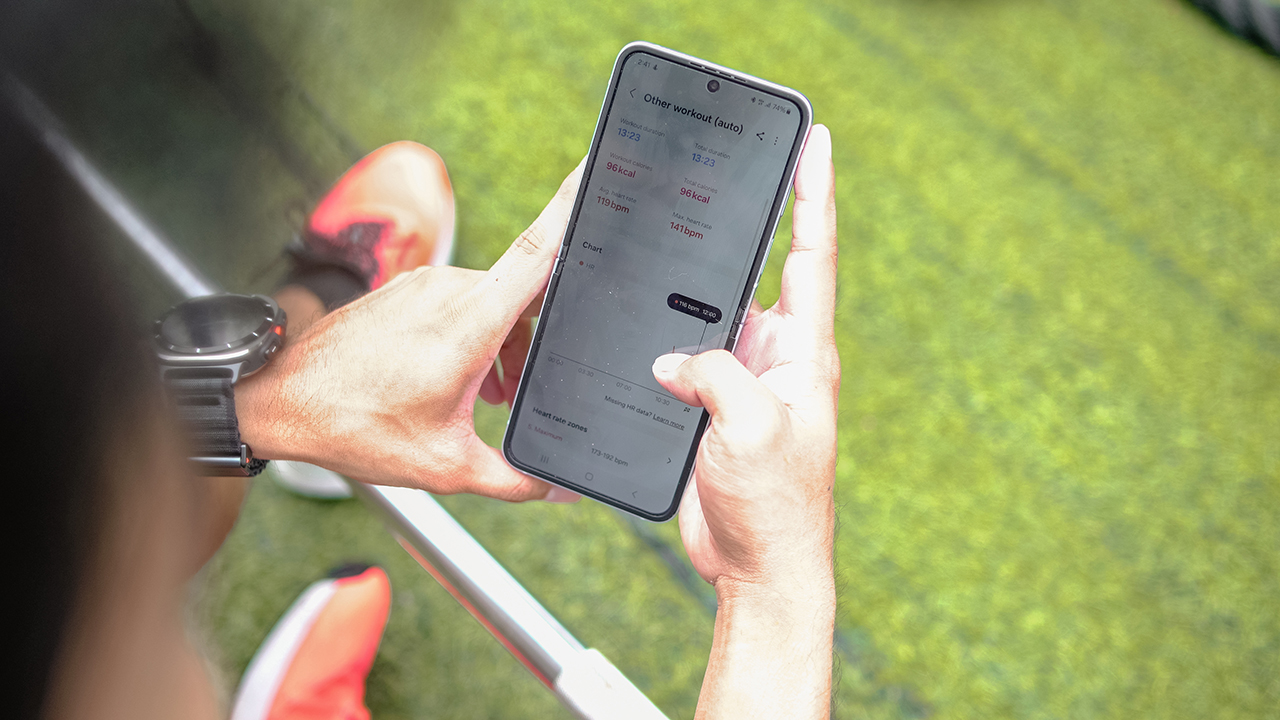
I’ve learned firsthand that sleep quality has a profound impact on my performance, which is why I rely on Galaxy AI to analyze my data and provide insights for improvement.
It’s easy to overlook, but sleep truly is the number one factor in helping me reach my best. When I prioritize recovery and take it seriously, I see the difference it makes in how I feel and perform each day.
On the path to improvement
From pull-ups and push-ups to weighted squats and deadlifts, every rep matters. The Galaxy Watch Ultra tracks each movement, pushing me to perfect my form, lift heavier, and move with purpose.

It’s designed to start counting reps only when you’re in the correct position, though you can manually input counts if needed. The watch also auto-detects workouts like walking and running, so I never miss a session—even if I forget to start tracking because I’m too eager to get moving. It helps me stay focused on getting stronger.
Strength isn’t just about lifting weights, contrary to popular belief. It’s about mastering your body. The Galaxy Watch Ultra adapts to your routine, ensuring that you’re always on the path to improvement.

It provides real-time performance feedback, comparing your current session with previous ones. With Race Mode, it tracks key metrics like pace, speed, distance, and heart rate, letting you see how you stack up against past performances on the same route or activity.
This helps me understand if I’m improving or if I need to adjust my approach. However, it’s important to remember that goals can evolve. Strength isn’t solely about beating your best; sometimes, injuries or setbacks mean progress takes time.
The watch helps me adapt, learn from challenges, and come back stronger, armed with lessons from my journey.
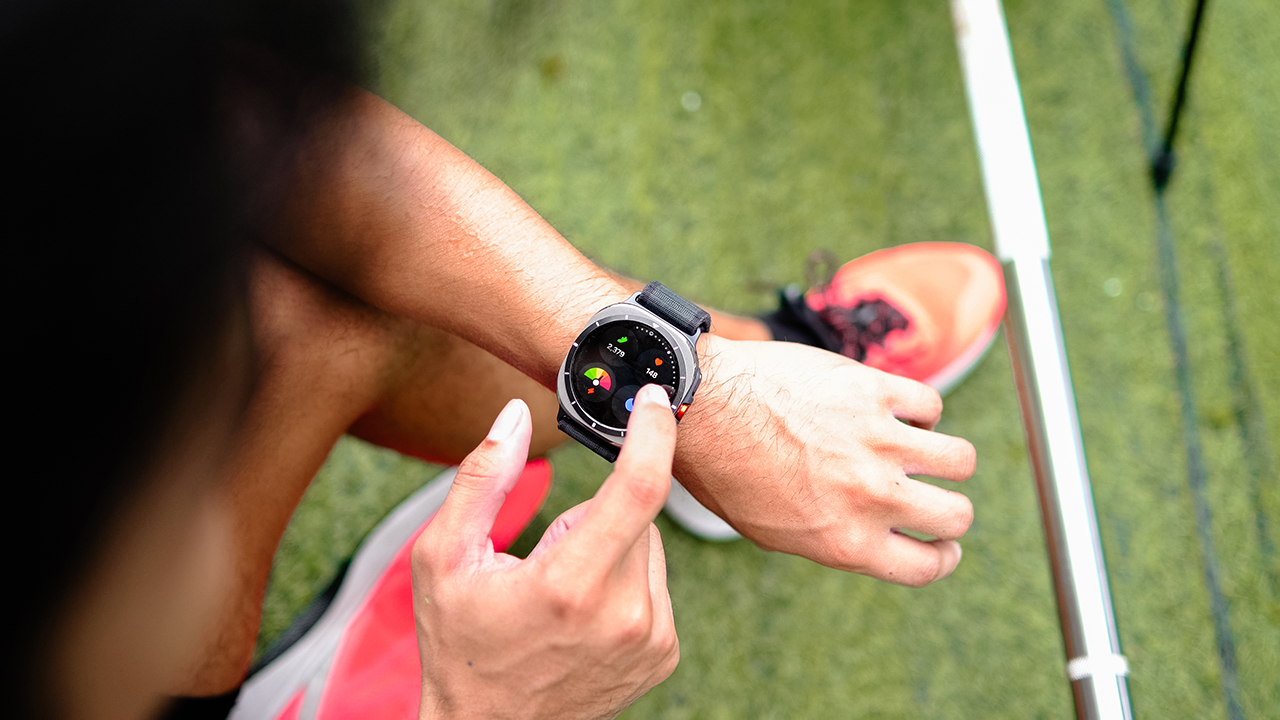
Over time, the integration with Samsung Health gives me a comprehensive view of my fitness level, allowing me to monitor my progress and adjust my training plans as needed.
The test of strength and endurance
It’s easy to stay within your comfort zone, sticking to what you’re good at. But with the Galaxy Watch Ultra, I’m always pushing myself to seek new challenges and ways to build muscle, stamina, and resilience.

Often, pushing past your limits is a mental battle. The advanced BioActive Sensor in the Galaxy Watch Ultra enhances heart rate monitoring accuracy, which is incredibly useful during intense workouts.
Even when I think I can’t push any further, the watch keeps reminding me that I can do better. Sometimes, our biggest obstacle is our own mindset.

I used to have conversations with coaches who saw me as someone hesitant to fully unleash my potential. I’d often slip into fight-or-flight mode, clinging to my comfort zone.
But with the Galaxy Watch Ultra, I’ve been able to break through those barriers.

Even when the barbell feels too heavy or the pull-up bar seems unreachable, I know the smartwatch is tracking every effort and struggle. It’s not just about the numbers; it’s evidence of my progress, rep by rep.
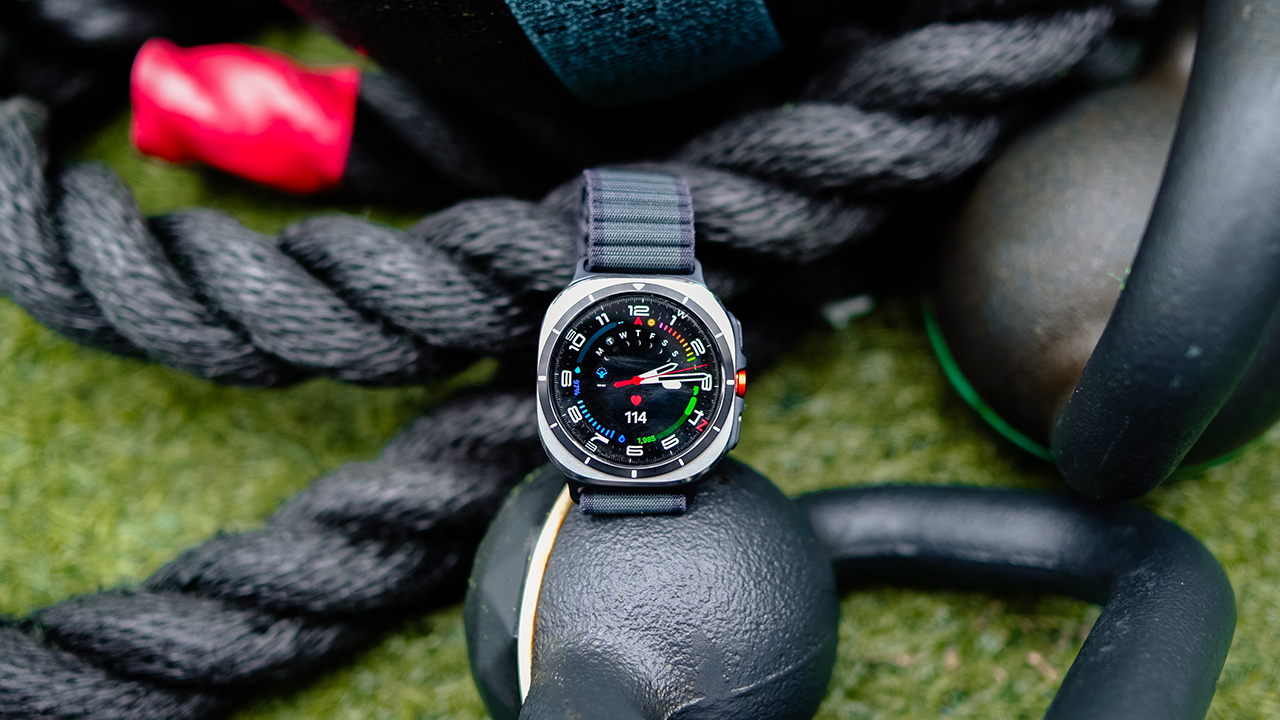
Just as the smartwatch is built with Grade 4 Titanium to withstand extreme conditions, it inspires me to handle the rigorous tests of my own strength and endurance.
A symbol of commitment
This journey isn’t just about gaining muscle—it’s about mastering control and building a foundation that supports me in every aspect of life.
Whether I’m navigating everyday tasks or diving into the sports I love, each session with the Samsung Galaxy Watch Ultra helps me refine my strength and resilience.

From lifting weights to perfecting new moves, the watch is there every step of the way, pushing me to surpass my previous performances.
Training isn’t just for competitions; it’s a lifelong commitment to becoming the strongest, most powerful version of myself. With the Samsung Galaxy Watch Ultra by my side, I’m confident that no matter the challenge, I’ll rise to meet it.

The Samsung Galaxy Watch Ultra retails for PhP 40,990. It is available in Samsung’s official stores nationwide.
This feature is a collaboration between GadgetMatch and Samsung Philippines.




Accessories
CASETiFY Match: Finding the right case for your Galaxy Z8 Series phone
Cases that match your personality

A phone case can be more than protection. It can also be a way to show off your interests, personality, and the little things that make you, well, you.
For our CASETiFY Match for the Galaxy Z8 Series, we asked the team one question: Why was this CASETiFY design your Match?
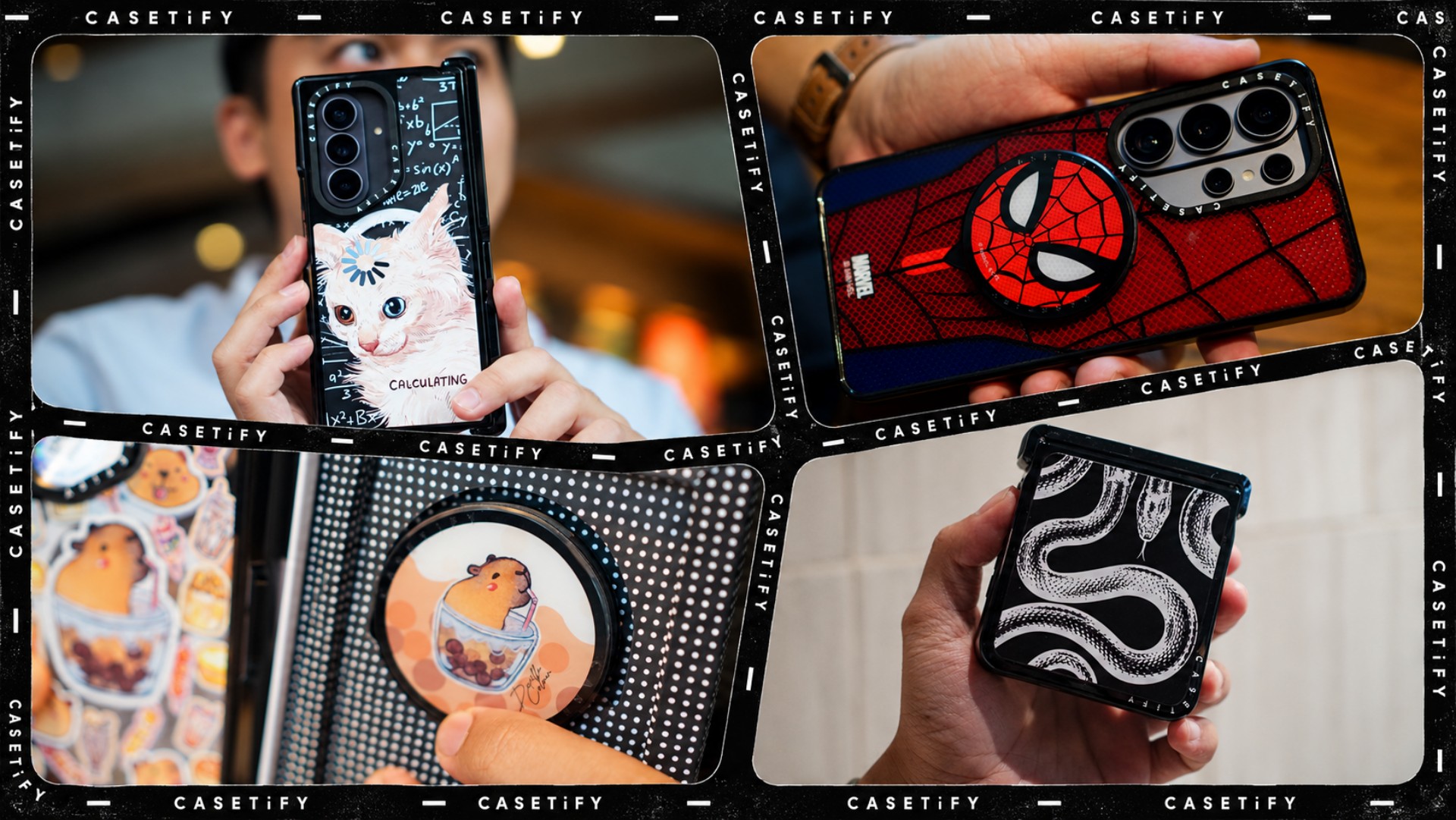
From Spider-Man fandom and capybara obsession to feline-inspired art and snake motifs, here are the designs that found their way into our team’s everyday carry, plus a couple of bonus picks worth checking out.
Rodneil: A little New York energy for a certified web-head
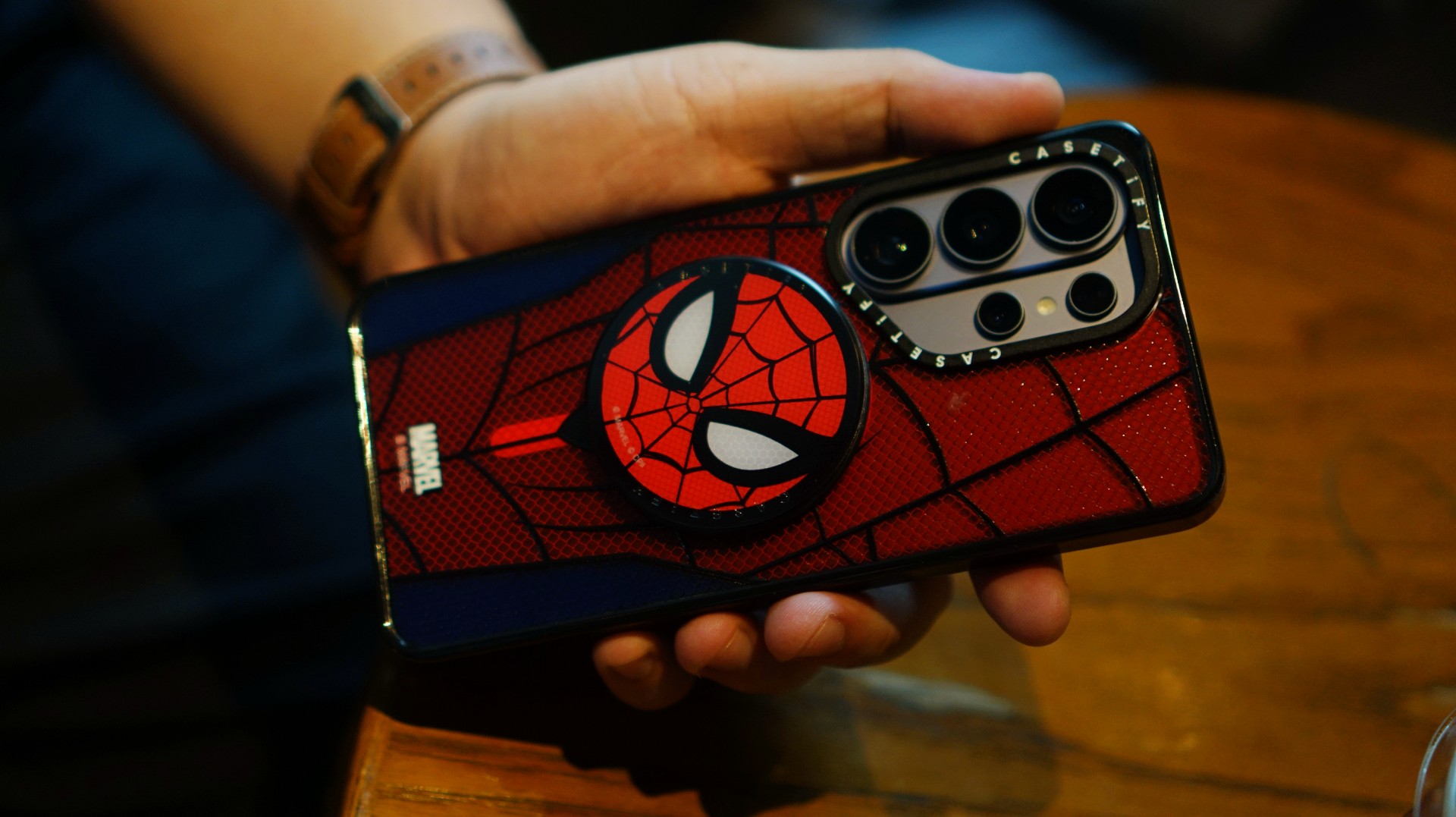
If it wasn’t obvious enough, I’m a certified web-head. I love anything and everything Spider-Man, especially the iconic red-and-blue motif. Though, if we’re being honest, I’m more partial to the red.

I had my eyes on the Spider-Man suit design for the Galaxy Z Fold8 Ultra and the Spider-Man Mask Snappy Grip Stand. Unfortunately, those designs aren’t available for the Galaxy Z Fold8.
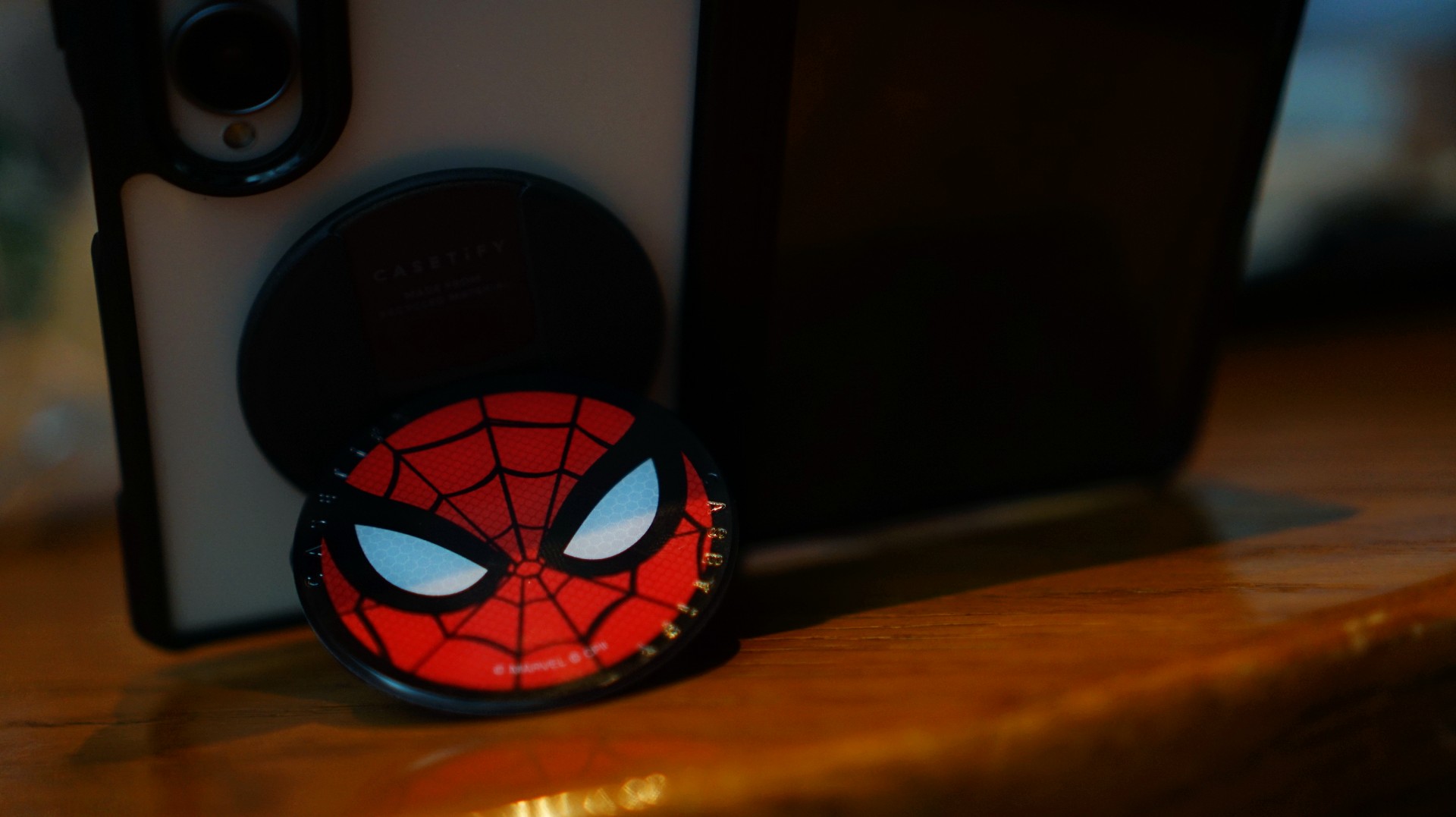
So, I went with a design that gives off a bit of New York energy instead. It still pairs nicely with the Spidey Snappy Grip Stand, letting me bring a little of that Spider-Man vibe to my everyday setup.
V: Keeping it cool with capybaras
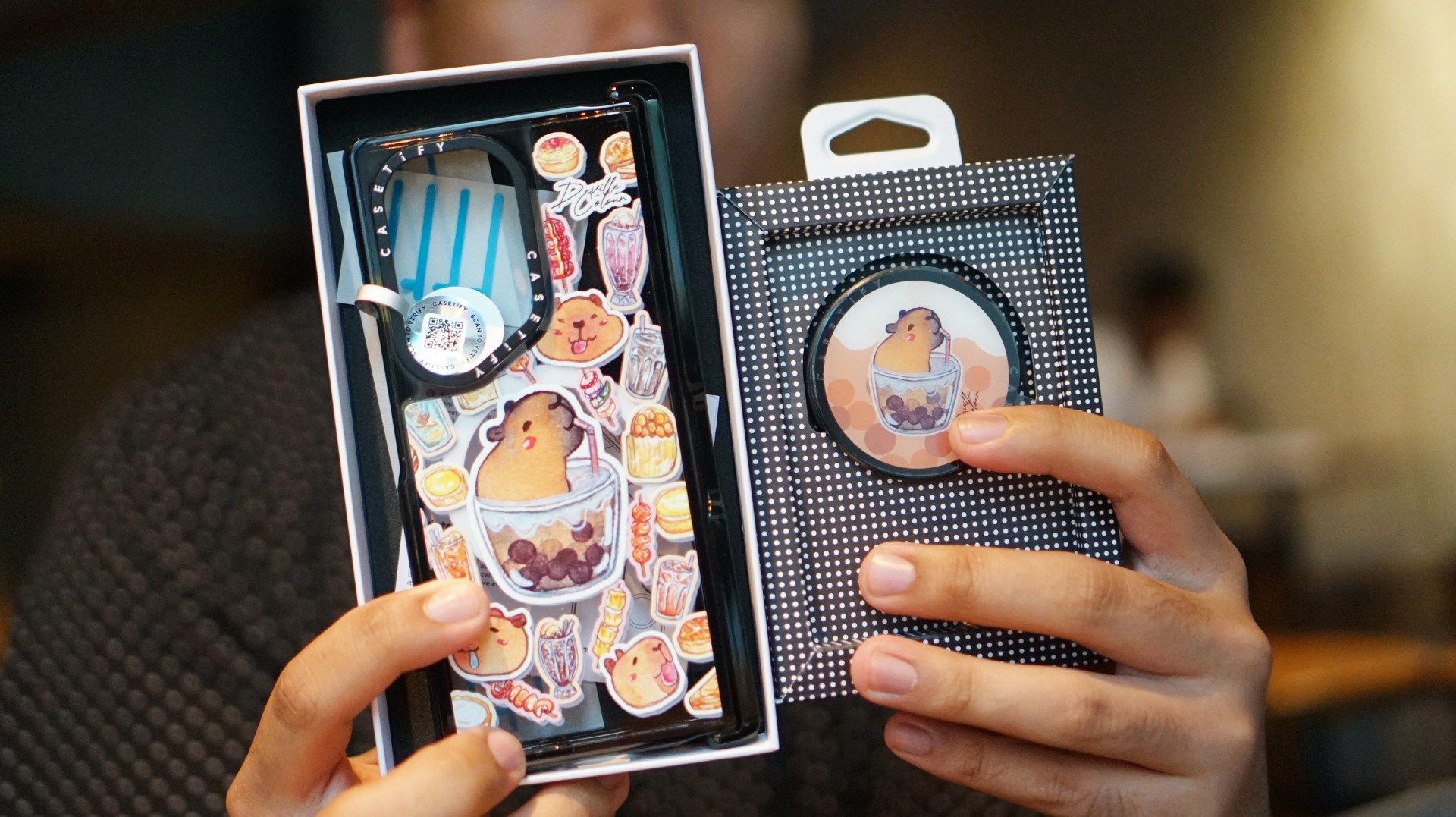
I’ve been a capybara stan since 2020, long before the world finally caught up with just how cute and chill these animals are. Seeing them get the recognition they deserve has been a source of much excitement.
Finding cool and cute capybara cases and accessories for the phones I use every day, however, hasn’t always been easy.
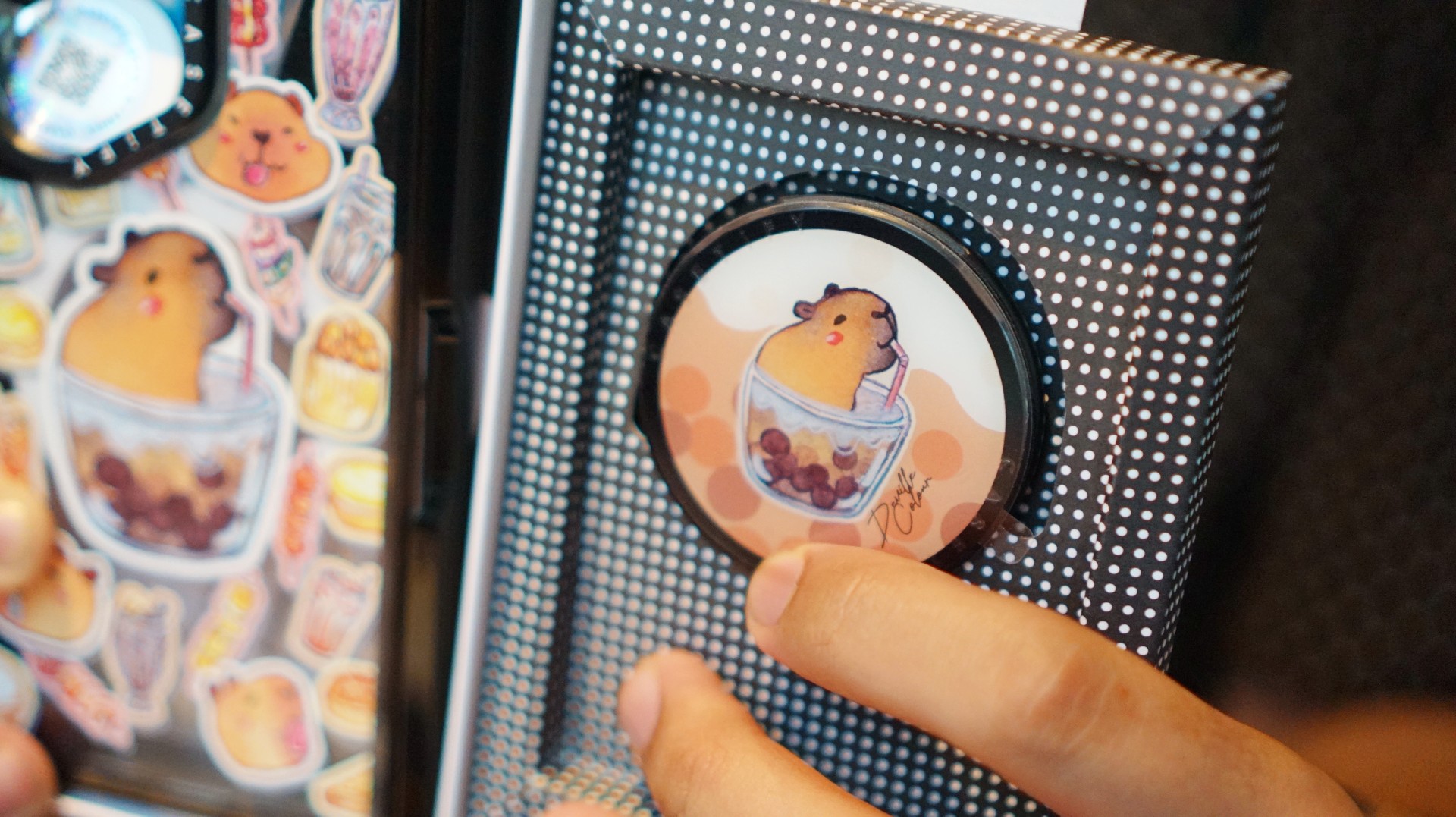
That’s where Deville Dewil’s capybara collection comes in. It fills that gap while making my Galaxy Z Fold8 feel like an even more personal accessory.
At this point, I’d like to identify as a capy/bara.
Luigi: A cat design that’s playful without being too loud
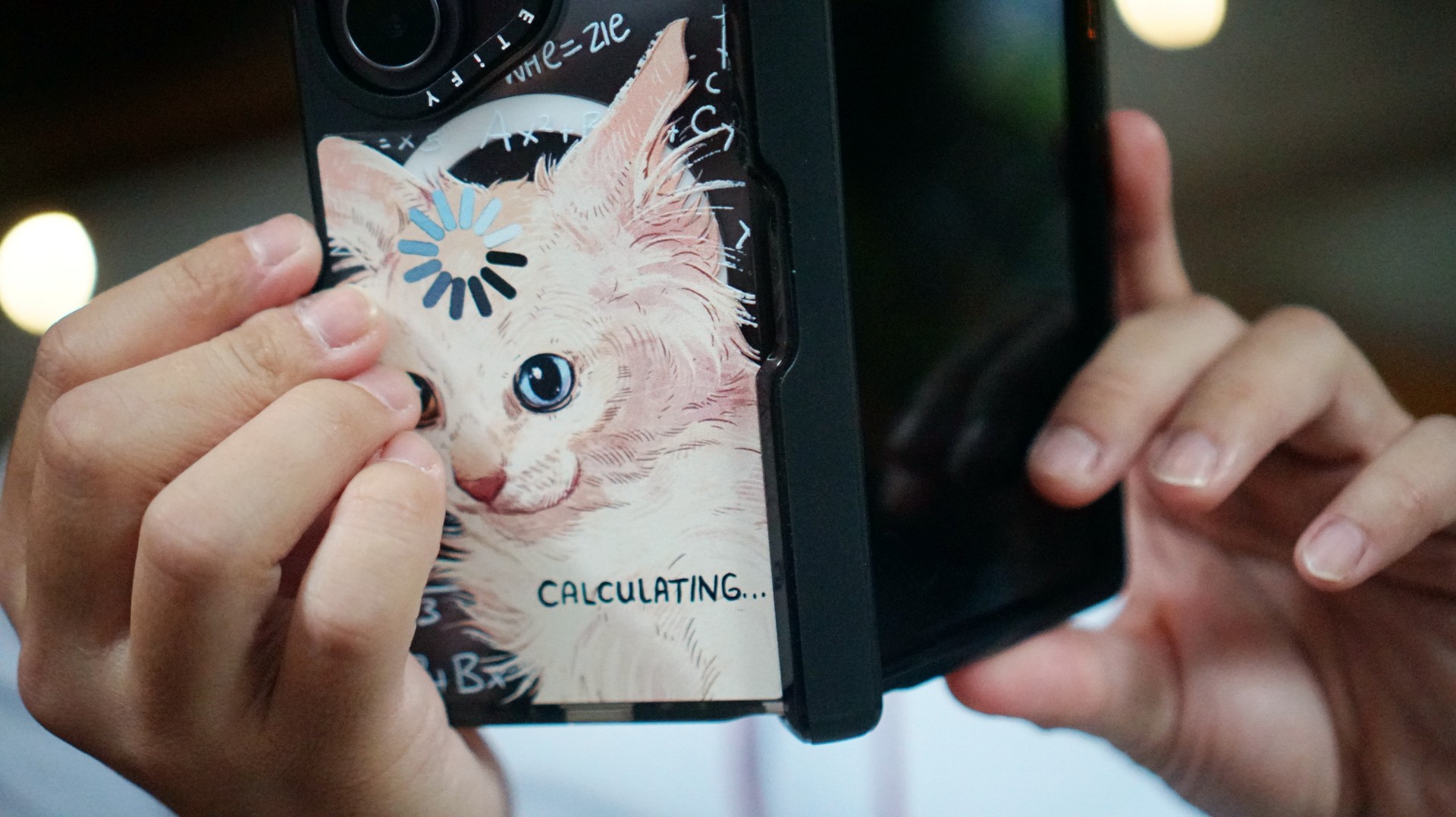
There’s no shortage of cat-themed cases out there. If you’re a cat lover like me, chances are you’ve considered one at some point.
The tricky part is finding a design that isn’t too whimsical or loud. I love the little furballs, but I still want something sleek and clean.
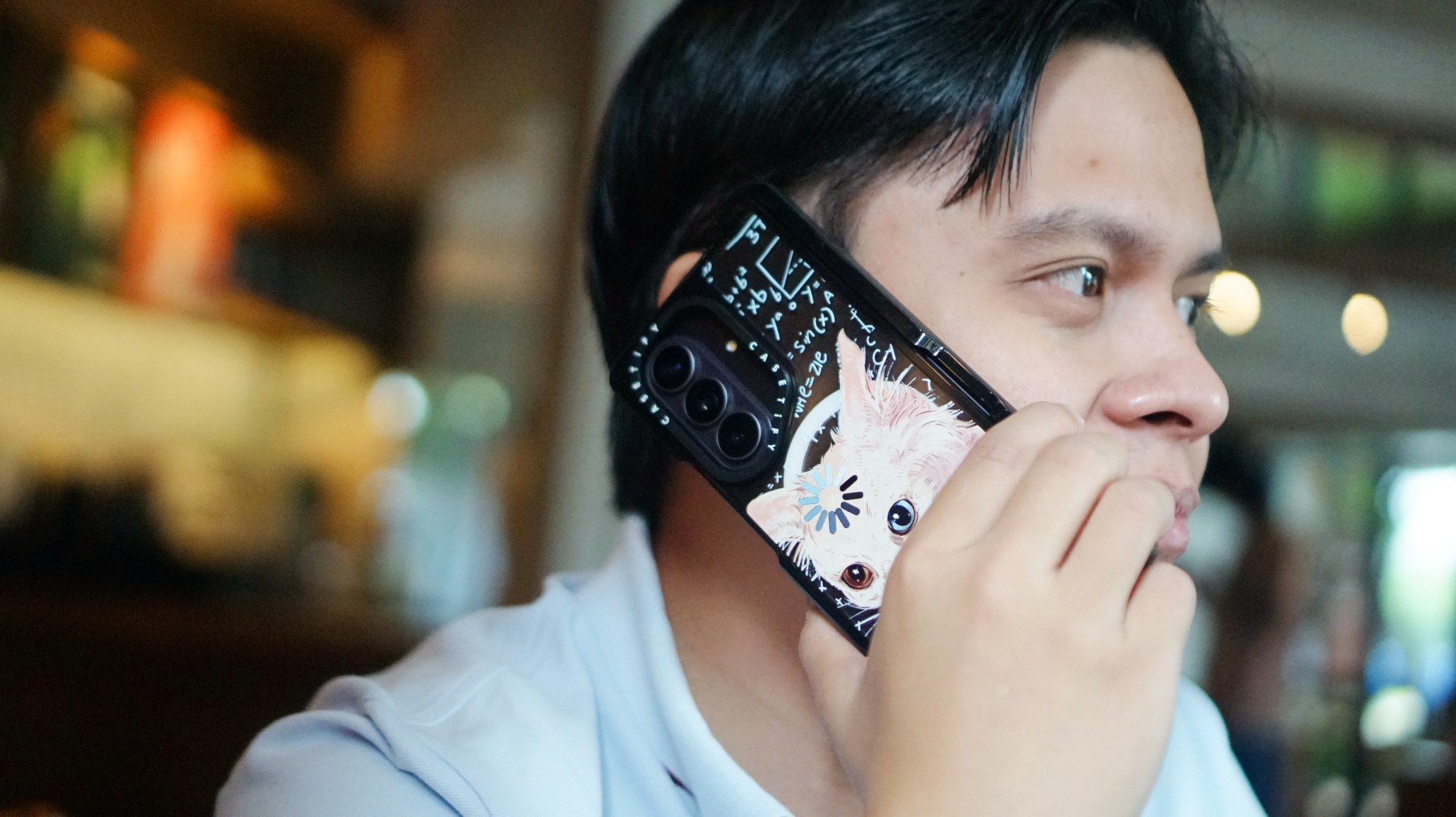
CASETiFY’s cat collection speaks to that balance. In particular, this design by Catwheezie blends artistry with a touch of whimsy. It lets me show off my personality without being too flashy.
MJ: A little reputation energy
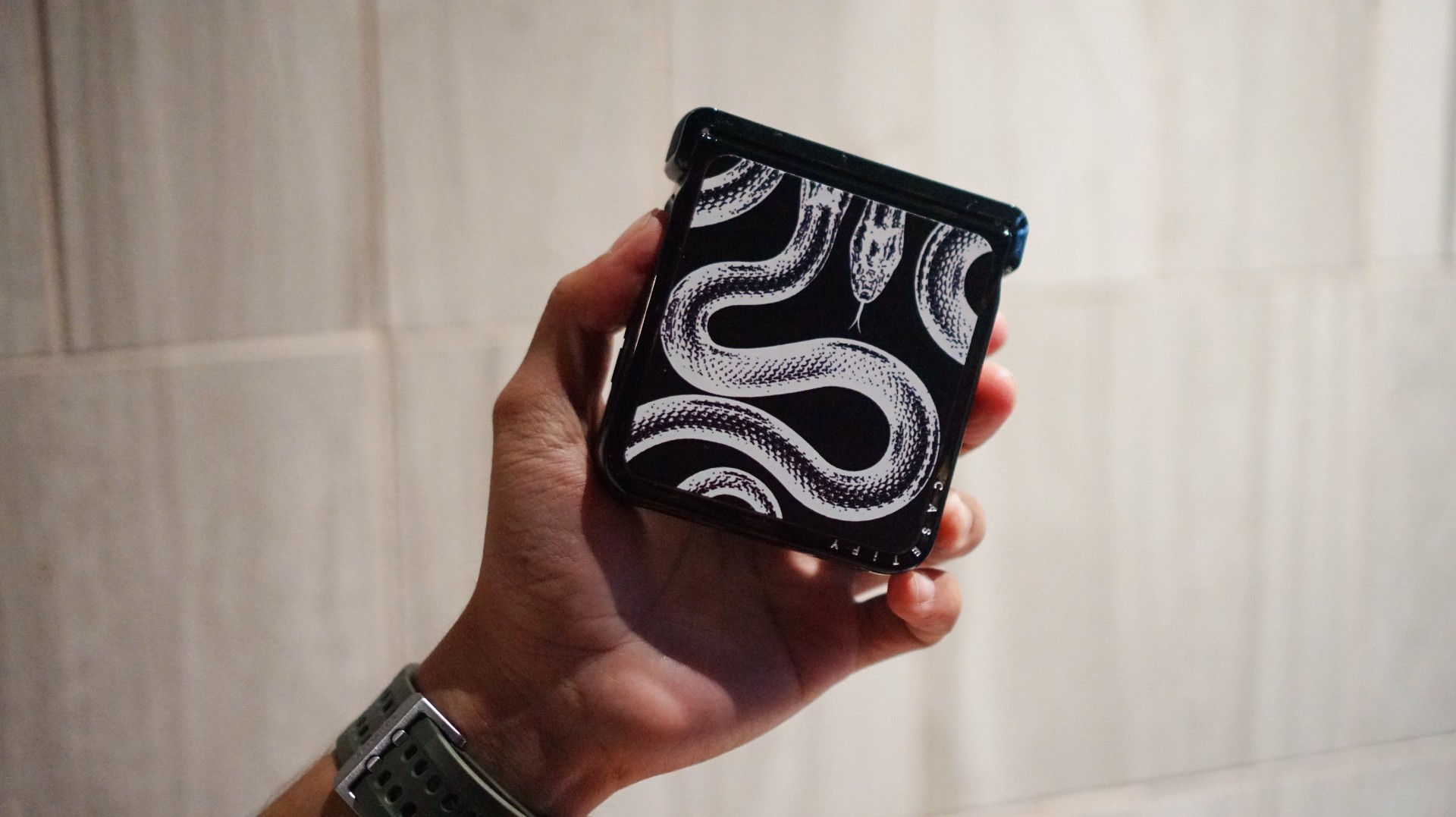
I’ve always had a soft spot for snake motifs, and CASETiFY’s Transparent Kingsnake case gives me Taylor Swift’s reputation era energy.
I love how snakes symbolize transformation. As someone who’s always evolving and never afraid to reinvent himself, that meaning feels personal.
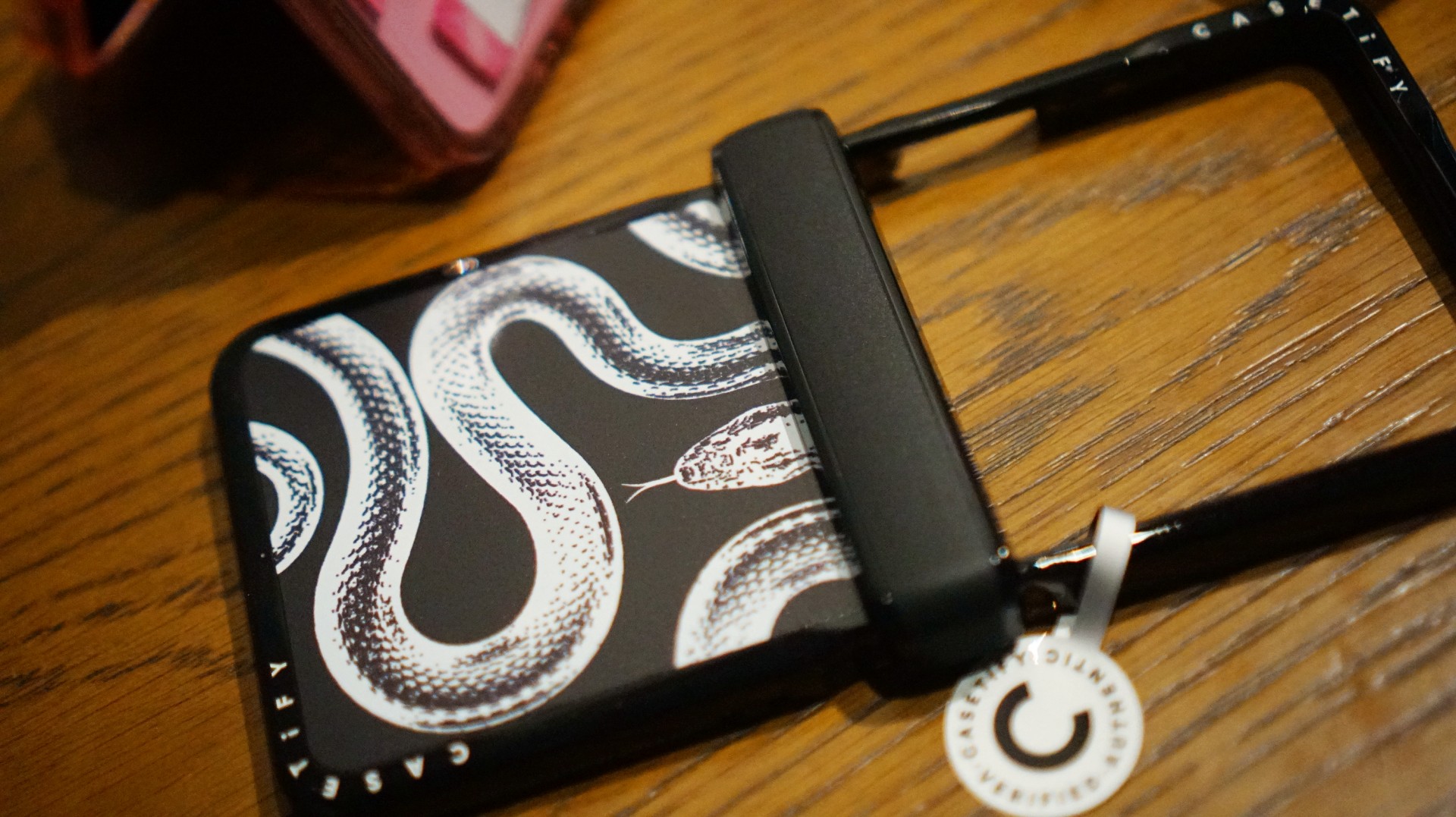
The black-and-white design also brings a sleek, rebellious edge. Paired with my Galaxy Z Flip8, it’s giving statement accessory with a little bite.
Bonus Match: Sunglasses at Night

Sometimes, keeping it simple is the way to go. The Sunglasses at Night design is tasteful and understated, letting me show off the actual color of my phone without competing with it.
Bonus Match: Pink Weekly Planner
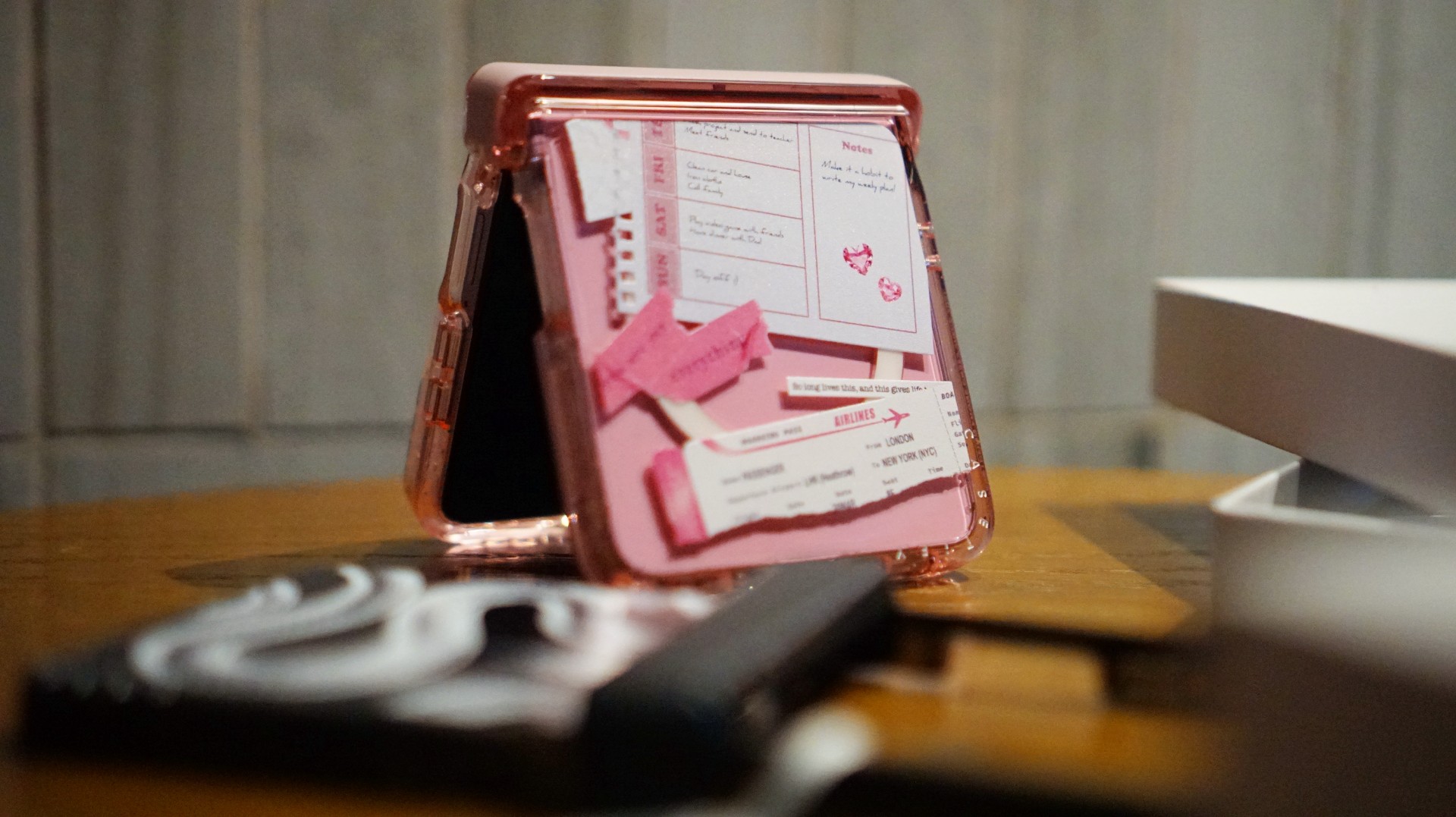
For the girls (and gaes) who plan their days–and life–ahead. And of course, for when they need to keep their Wednesdays pink.
Find your Match
There’s no single way to find a phone case that feels right. It might be a favorite character, an animal you’ve loved for years, a piece of art, or a symbol that means something to you.
For our team, the right CASETiFY design is the one that brings a little more personality to a device we carry every day.
So, which design would be your Match?
Hands-On
Apple iPhone Duo Unboxing and Hands-on
Supported apps, crease, cameras, and MagSafe all tested

Apple’s iPhone Duo is finally here!
Aside from unboxing the all-new iPhone-dable in Night Sky, we take a closer look at the display crease, check out the under-display camera quality, see which MagSafe accessories work with it.
Most of all, which apps support it (or not).
But how well does the dual-screen experience on an iPhone actually work? Watch our Apple iPhone Duo unboxing and hands-on to know more!
Buyer's Guide
iPhone Duo Philippines: Prices, installments, and where to buy
Compare prices and payment options

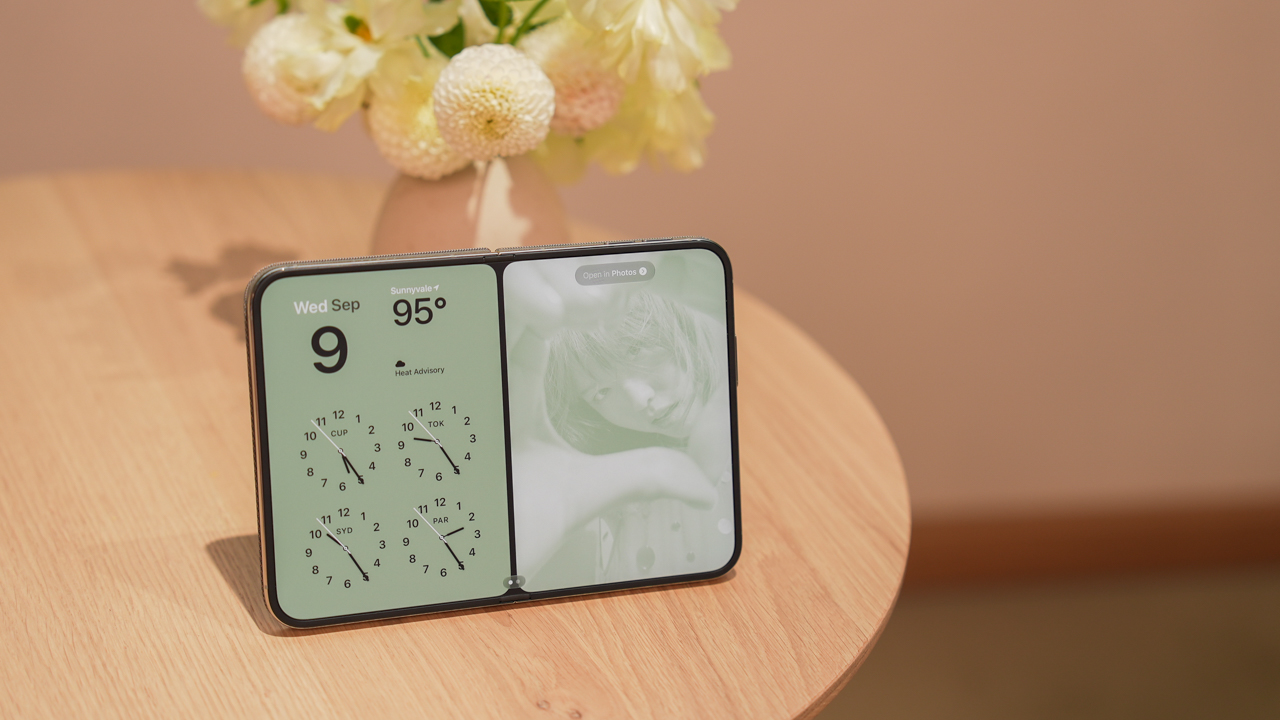
The iPhone Duo is now available for pre-order in the Philippines. Apple’s first foldable iPhone comes in four storage configurations, with promotional prices ranging from PhP 159,990 to PhP 254,990.
But which model should you buy, and where should you get it?
Several authorized retailers offer discounted launch prices, 0% credit card installments, and pre-order bundles. Eligible bank promotions can also reduce the price by thousands of pesos.
Here’s what you need to know before ordering.
iPhone Duo Philippines price list
| Storage | Regular SRP | Promotional price |
|---|---|---|
| 256GB | PhP 170,990 | PhP 159,990 |
| 512GB | PhP 187,990 | PhP 175,990 |
| 1TB | PhP 221,990 | PhP 207,990 |
| 2TB | PhP 271,990 | PhP 254,990 |
The promotional prices are based on Power Mac Center’s published exclusive launch offer. Other retailers may have different payment requirements or participating bank promotions.
Prices reflect Power Mac Center’s published exclusive launch offer and may differ across retailers. We’ll update this guide as we verify each store’s latest offers.
Pre-orders run from October 16 to 29, 2026, ahead of the October 30 launch.
Which storage should you buy? Get the 512GB
Our recommendation is simple: skip the 256GB and get the 512GB iPhone Duo.
At PhP 159,990, the 256GB version is already an expensive purchase. While it offers enough storage for everyday tasks, it could become restrictive as your photo library, videos, games, and downloaded files grow.
The 512GB model costs PhP 16,000 more under the promotional pricing. That buys twice the storage capacity without the significantly larger price jump to 1TB.
Spread across 24 months, the difference is approximately PhP 667 per month.
For a phone this expensive, we’d rather pay that difference than constantly manage storage or rely on cloud subscriptions.
The 1TB and 2TB configurations remain options for people who regularly shoot large amounts of video or need substantial offline storage. However, most buyers won’t need to spend that much.
The 512GB iPhone Duo offers the best balance of storage and price.
Where to buy the iPhone Duo in the Philippines
Power Mac Center
Power Mac Center offers the iPhone Duo 512GB at an exclusive launch price of PhP 175,990.
Its published installment options include:
| Term | Monthly payment |
|---|---|
| 24 months at 0% | PhP 7,332.92 |
| 36 months at 0% | PhP 4,888.61 |
The 24-month option is available with credit cards and Home Credit under the published offer. The 36-month option is subject to eligible bank cards and promotional periods.
Installment amounts are based on Power Mac Center’s published promotional pricing and applicable 0% installment terms. Actual payments depend on the eligible card and transaction. We’ll update this section as we verify the latest terms.
Power Mac Center also operates UpTrade, which lets customers trade in eligible devices toward a new purchase.
Beyond the Box
Beyond the Box offers iPhone Duo pre-orders with installment options of 3, 6, 12, 24, and 36 months at participating physical stores. Online payment options differ.
Using the PhP 175,990 promotional price as a comparison, a 0% installment would cost:
| Term | Monthly payment |
|---|---|
| 12 months | PhP 14,665.83 |
| 24 months | PhP 7,332.92 |
| 36 months | PhP 4,888.61 |
Monthly payments are illustrative calculations based on the PhP 175,990 promotional price, assuming 0% interest and no additional fees. Confirm the final price and available installment terms with Beyond the Box before purchasing. We’ll update this section once the retailer confirms its current offers.
Beyond the Box also advertises a pre-order accessory bundle worth over PhP 22,000 at listed retail prices. It includes a Speck case, Urbanista speaker, Function101 charger, Momax speaker flask, Bellroy tech kit, and other accessories.
The retailer says qualifying pre-orders receive the gift bundle, subject to availability. Buyers can also explore its BoxTrade program.
Digital Walker
Digital Walker participates in iPhone Duo pre-orders and selected bank promotions.
Using the PhP 175,990 promotional price as a comparison, the illustrative monthly payments would be:
| Term | Monthly payment |
|---|---|
| 12 months at 0% | PhP 14,665.83 |
| 24 months at 0% | PhP 7,332.92 |
These are calculated examples, not confirmed Digital Walker quotations. Actual pricing depends on the final transaction, participating bank, and installment terms. We’ll update this section when the retailer confirms its current offers.
Digital Walker also participates in the Live Beyond Grand Raffle, which gives qualifying iPhone Duo purchases a chance to win an exclusive dinner for two at Toyo Eatery. The raffle is a chance to win, not a guaranteed purchase benefit.
Digimap
Digimap offers the iPhone Duo through its retail channels, with participating bank promotions and its DigiTrade program.
Metrobank lists Digimap among its participating retailers offering special iPhone Duo cash pricing.
For the 512GB model, the reference promotional price is PhP 175,990. At 0% interest, that would equal PhP 14,665.83 monthly over 12 months or PhP 7,332.92 over 24 months.
These amounts are illustrative calculations, not verified Digimap installment quotations. Digimap’s exact installment amounts and applicable terms have not yet been independently verified. We’ll update this section once the retailer confirms its current offers.
Buyers should compare the final cash price against available credit card installment offers. Trade-in credits may also reduce the amount payable, depending on the assessed value of the device.
The Loop
The Loop participates in several iPhone Duo bank promotions, including an offer from Security Bank.
The retailer’s reference promotional price for the 512GB model is PhP 175,990. At 0% interest, the illustrative payments would be:
| Term | Monthly payment |
|---|---|
| 12 months | PhP 14,665.83 |
| 24 months | PhP 7,332.92 |
These are calculated examples based on the reference promotional price, not confirmed quotations from The Loop. Actual payments depend on eligible bank cards and transaction terms. We’ll update this section as we verify the latest offers.
The Loop also participates in bank-specific discounts. Buyers should check whether their card qualifies and whether the discount can be combined with other retailer offers.
Bank discounts can make a difference
Security Bank currently advertises a PhP 5,000 discount on qualifying iPhone Duo purchases at participating retailers, including Power Mac Center, Beyond the Box, Digital Walker, and The Loop.
For the 512GB model, that brings the promotional reference price from PhP 175,990 to PhP 170,990.
| Installment term | Monthly payment |
|---|---|
| 12 months at 0% | PhP 14,249.17 |
| 24 months at 0% | PhP 7,124.58 |
| 36 months at 0% | PhP 4,749.72 |
Monthly payments are calculated from the PhP 170,990 discounted price, assuming an eligible 0% installment transaction with no additional fees. The discount is subject to the bank’s promotional terms and participating merchant conditions. We’ll update this section if the offer changes.
EastWest also advertises savings of up to PhP 17,000 on qualifying iPhone Duo purchases at Power Mac Center and The Loop. Its promotion includes 0% installment options for 12 or 24 months, with the final discount depending on the applicable terms.
Metrobank separately lists iPhone Duo offers at Power Mac Center, The Loop, Beyond the Box, Digital Walker, and Digimap. Benefits differ by merchant and transaction.
Before choosing a payment method, check the final amount payable. Some bank offers cannot be combined with other promotions.
Postpaid options: Smart and Globe
Smart Communications
Smart offers the iPhone Duo through Postpaid Plans+ 1999, with advertised monthly payments starting at PhP 6,304.
The offer includes an open-line device, a choice of Unli App bundle, 12 months of UNLI 5G, and high-priority network access.
Customers who qualify for the pre-order promotion can also receive 18GB of additional Open Access Data valid for three months, a PhP 5,000 voucher for select Smart accessories, and 18% off select Digimap accessories.
Online pre-orders also qualify for a complimentary AirTag, subject to the offer’s conditions.
Smart supports zero-interest credit card installments over 24 months with select banks. Renewing subscribers may qualify for 36-month device payments charged to their postpaid bill.
Advertised monthly payments and promotional benefits are subject to Smart’s eligibility requirements and offer conditions. The total cost depends on the selected device configuration and plan. We’ll update this section as we verify the complete cost breakdown.
Globe Telecom
Globe also offers Apple devices through its postpaid channels.
However, we have not independently verified a complete iPhone Duo price and installment breakdown for its current GPlan offers.
Buyers considering Globe should compare the device cashout, monthly plan fee, contract duration, and total payable amount against the outright retail price.
Globe’s current iPhone Duo device pricing and installment terms have not yet been independently verified. We’ll update this section when the relevant details are available.
Should you trade in your old phone?
Trading in an existing device can reduce the cost of upgrading.
Power Mac Center, Beyond the Box, and Digimap operate trade-in programs. However, final valuations depend on the device’s condition, storage, and assessment results.
Before committing, compare the assessed trade-in value against potential private-sale prices. Also check whether a trade-in bonus can be combined with the promotional price and bank discounts.
What should you check before buying?
Before placing an order, keep these points in mind:
- Final price: Confirm the amount you’ll actually pay after eligible discounts.
- Installments: Compare total cost, monthly payments, and any additional fees.
- Freebies: Check which gifts are guaranteed and whether they’re subject to availability.
- Stock: Confirm the availability of your preferred storage configuration and color.
- Trade-ins: Ask for the final assessed value and any promotional bonus.
- Warranty: Understand the standard warranty and any optional protection plan.
- Network compatibility: Confirm eSIM support if you’re keeping your existing number.
- Delivery: Ask when your order is expected to arrive, particularly if the model is on back order.
Is the iPhone Duo worth buying?
The iPhone Duo starts at PhP 159,990, putting it firmly in premium flagship territory. Its foldable design offers a larger screen for viewing content, gaming, and multitasking while retaining a compact outer display when closed.
For most buyers, we’d recommend the 512GB model at PhP 175,990. It offers twice the base storage for PhP 16,000 more, without the much larger price jump to 1TB.
Power Mac Center currently provides one of the clearest published installment schedules, while Beyond the Box offers a substantial pre-order accessory bundle.
Security Bank cardholders should pay particular attention to the PhP 5,000 discount available at participating retailers. Smart is another option for buyers who already want a postpaid subscription, although its total contract cost deserves closer examination.
Ultimately, compare the final amount payable, not just the advertised monthly payment. The right offer should give you the storage you need without unnecessary charges or restrictions.
Last updated: October 17, 2026. We are verifying retailer-specific prices, installment terms, trade-in offers, and freebies. This guide will be updated as additional details are confirmed.


HP OMEN Max 16 review: Gamer-maxxing in deep black
Peripherals deemed necessary to max this out


vivo V80 review: Good phone, tough sell
A capable travel companion


Ghost of Yōtei Complete Edition review: More of a great thing
Picking up where Atsu left off

Apple unveils new iMac with M6 chip

Apple introduces 14-inch MacBook Pro with M6 chip

Anker soundcore AeroClip 2 brings open-ear audio to everyday life

adidas debuts ENERGYRIM carbon tech in the Adizero Adios Pro 5

Firefox ad reunites all your favorite memes from decades ago

TECNO CAMON Slim 5G review: Slim on size, big on surprise

TECNO CAMON Slim 5G: Price, availability in the Philippines

HONOR Magic9 Pro Max launches in China with ARRI-powered imaging

HONOR 600S review
Ghost of Yōtei Complete Edition review: More of a great thing


-

 News2 weeks ago
vivo V80 debuts with ZEISS cameras
-

 Philippines2 weeks ago
TECNO CAMON Slim 5G gets launch discounts, free MagBadge
-

 News2 weeks ago
Samsung: Galaxy Z Fold8 demand rose because of iPhone Duo
-
Reviews1 week ago
vivo V80 review: Good phone, tough sell
-
 Features2 weeks ago
I don’t want a phone that unfolds — the Galaxy Z Fold8 gets why
-
![KINGDOM HEARTS Collection [I-III]](https://www.gadgetmatch.com/wp-content/uploads/2026/10/kingdom-hearts-colletion-I-III-202610-400x240.png)
![KINGDOM HEARTS Collection [I-III]](https://www.gadgetmatch.com/wp-content/uploads/2026/10/kingdom-hearts-colletion-I-III-202610-80x80.png) Gaming2 weeks ago
Gaming2 weeks agoKINGDOM HEARTS Collection [I–III] now available on PS5, Switch 2
-

 News7 days ago
OPPO Find X10 Series: Price, availability in the Philippines
-

 Cameras1 week ago
DJI Osmo Pocket 4P Pearl White now available globally