
Accessories
Seagate Ultra Touch SSD: 5 reasons why you need this external SSD
Seagate’s new portable SSD is truly a worthy investment


If you’ve been fond of reading our posts, we already did an article that discusses the differences of SSDs (Solid State Drives) against regular HDDs (Hard Disk Drives). I even made a full article on how upgrading to an SSD vastly improved the performance of an old and sluggish laptop.
In this article, it’s all about this new storage device that caters not only to me as a creative, but also to every other professional who always relies on large external drives for work on-the-go. Wrote five reasons why I find the Seagate Ultra Touch SSD one of the best (if not the best) external storage device you can use for work and play.
1. Chic and stylish
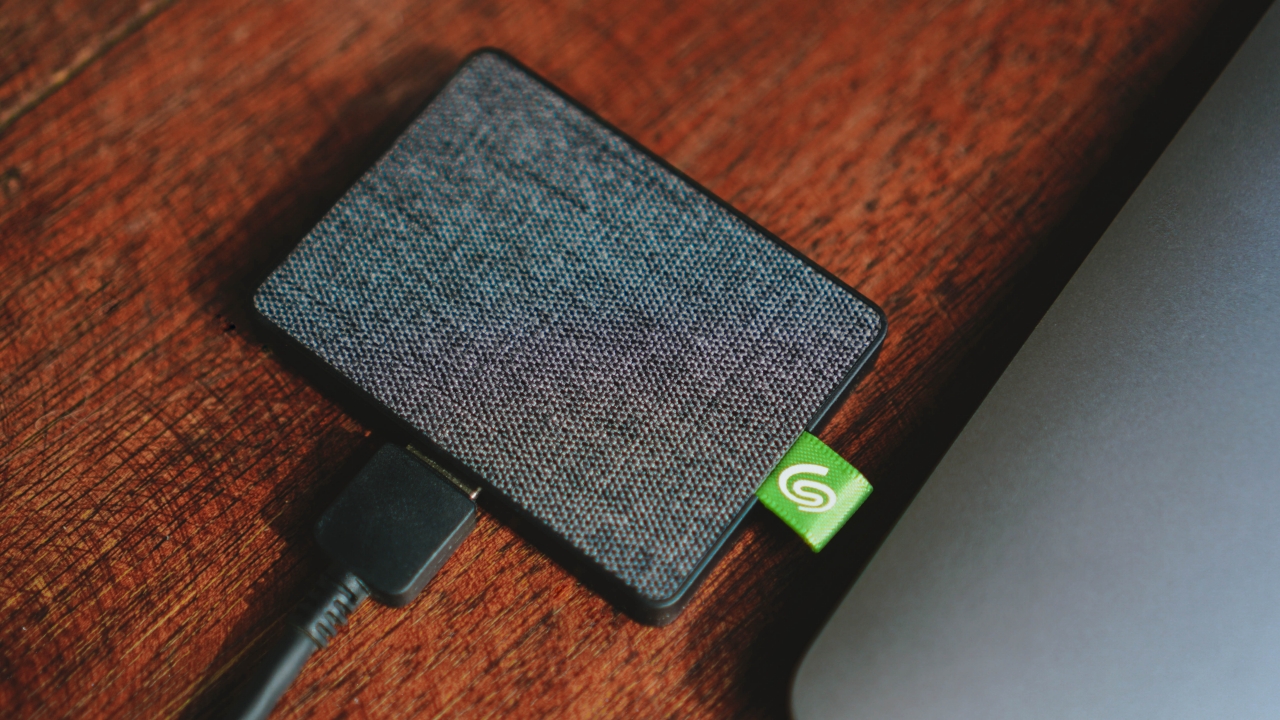
Unlike other external HDDs that are mostly made up of plastic, Seagate’s Ultra Touch SSD is made from textile that resembles a woven fabric, making it look and feel sleek.
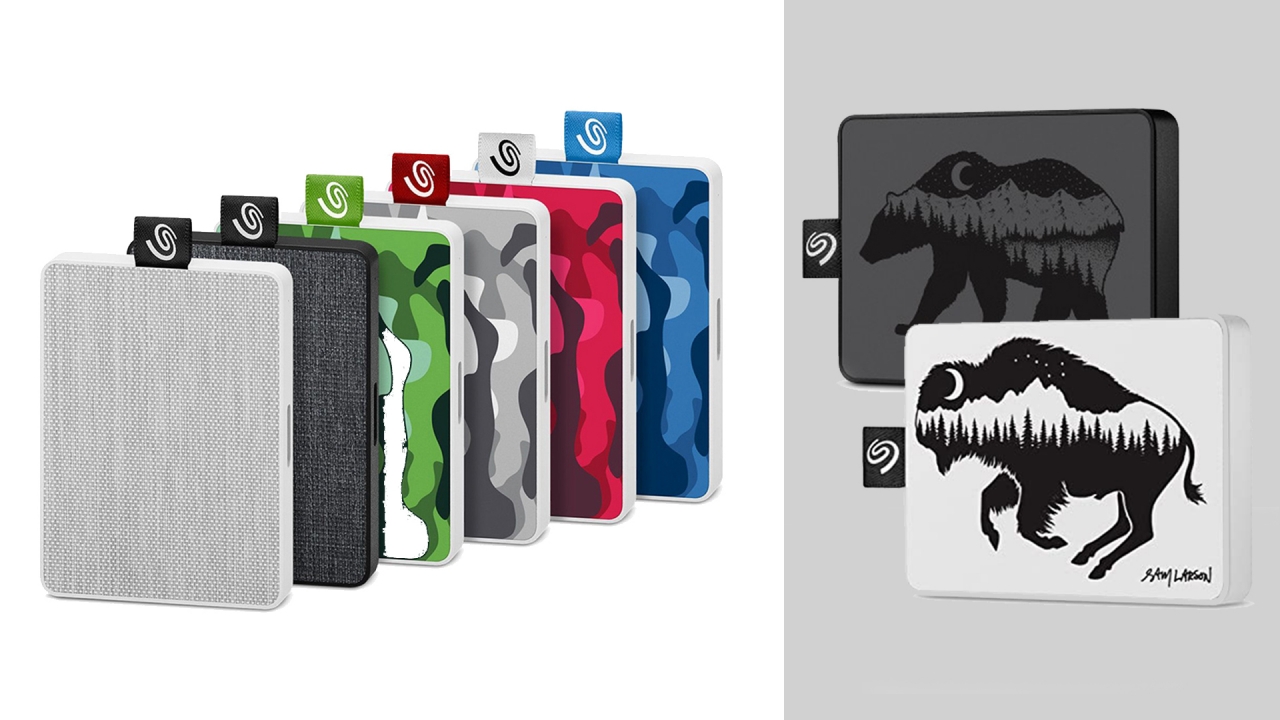
It comes in two basic colors: White and Black. Obviously, I got the black one. But if neither is your cup of tea, there are special Camo and Sam Larson editions for the One Touch version — especially if you prefer louder designs over the minimal-looking. Regardless of what color you choose, they all look modern and barely looks like a typical external storage device.
2. Compact and pocketable
Seagate’s Ultra Touch SSD thinnest point is just at 10mm. That’s slimmer than most smartphones today. When held, you’ll barely notice it’s there because it weighs exactly at 0.065 kilograms or just 65 grams! If you come to think of it, conventional hard disk drives weigh around 170 to 220 grams. It may not sound a lot, but you’ll definitely feel the heft if you hold them with your hands.
Due to the lack of mechanical parts such as large spinning disks, this makes Seagate’s Ultra Touch SSD ultra lightweight and compact — especially that it has immovable parts (chips) inside it. While I don’t recommend to just put this storage device inside your jeans’ pockets as it’s not totally built for butt pressure, this external SSD is greatly pocketable.
For real-world comparison, I’ve managed to place it side-by-side with my old laptop’s 500GB 2.5-inch SATA HDD (Hard Disk Drive)…

…and also compared its thin form factor against my extra thicc 4TB External HDD.
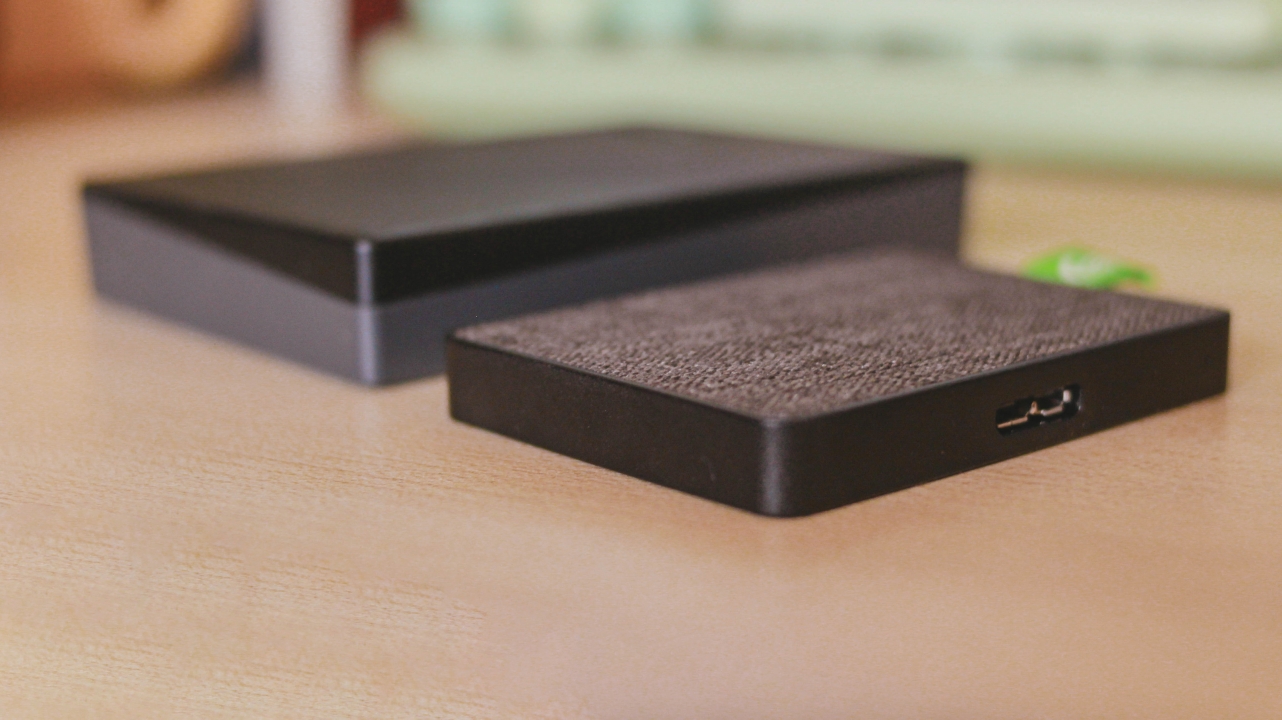
For another comparison, I also have another 2TB external HDD that’s as thicc as the previously mentioned hard drive.
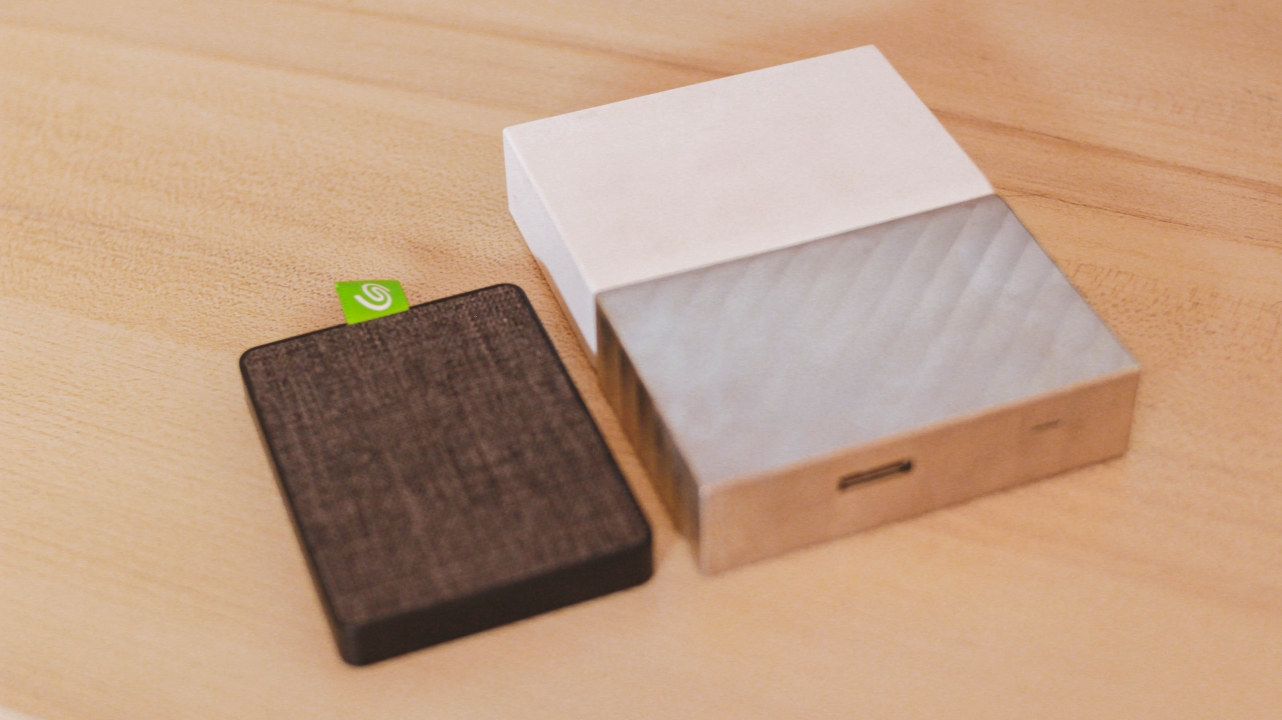
Its size is quite close to my 65W USB-C PD power brick…
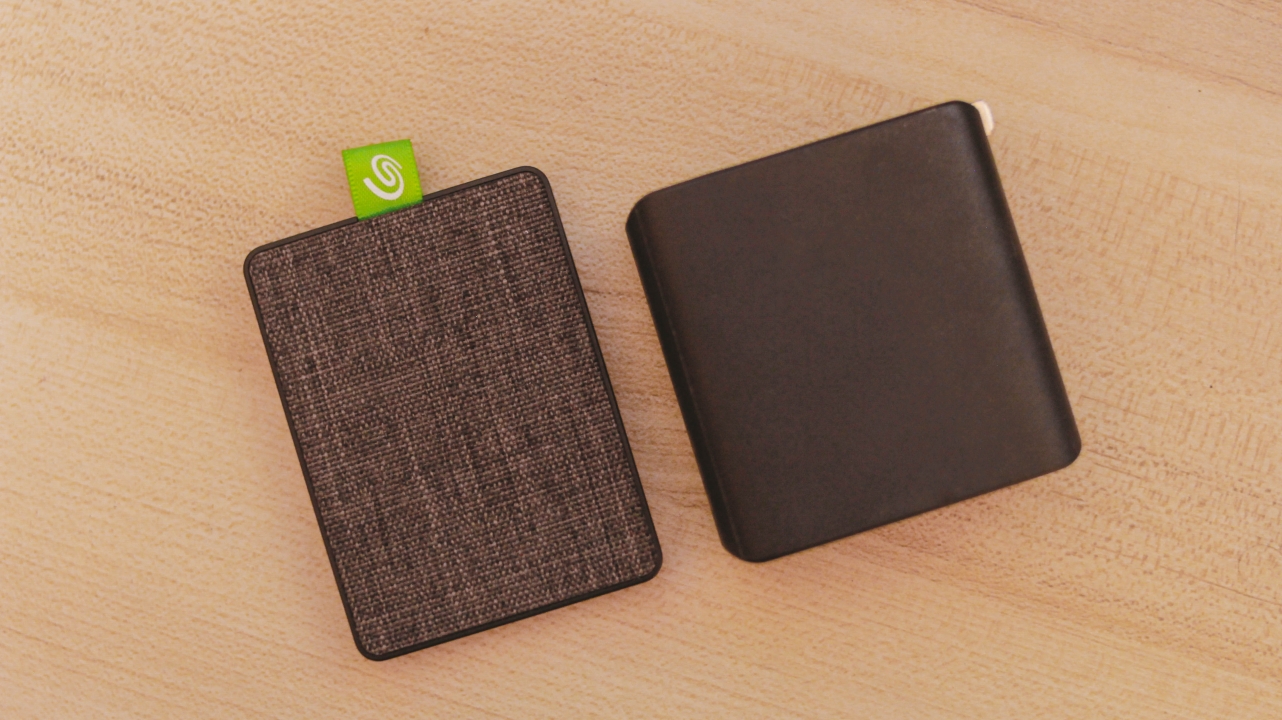
and quite smaller than my debit card.
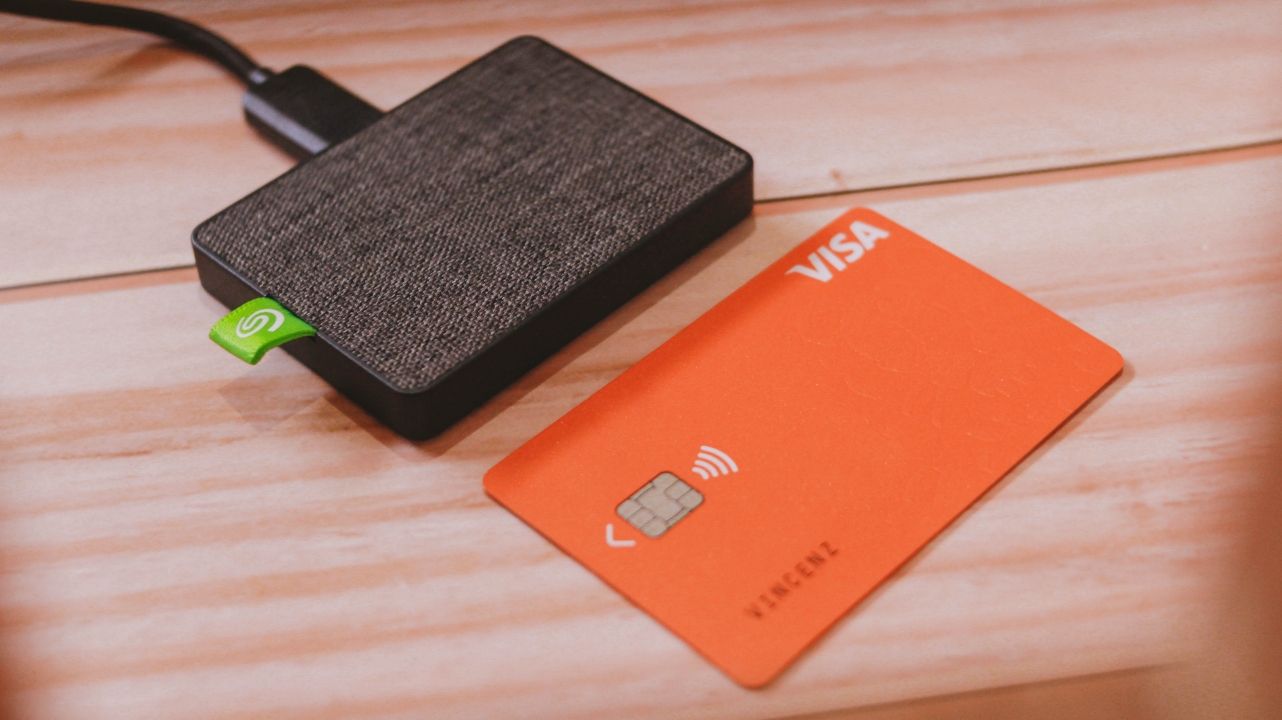
Finally, here’s how it looks like versus three different coins from Singapore, Taiwan, and the Philippines.
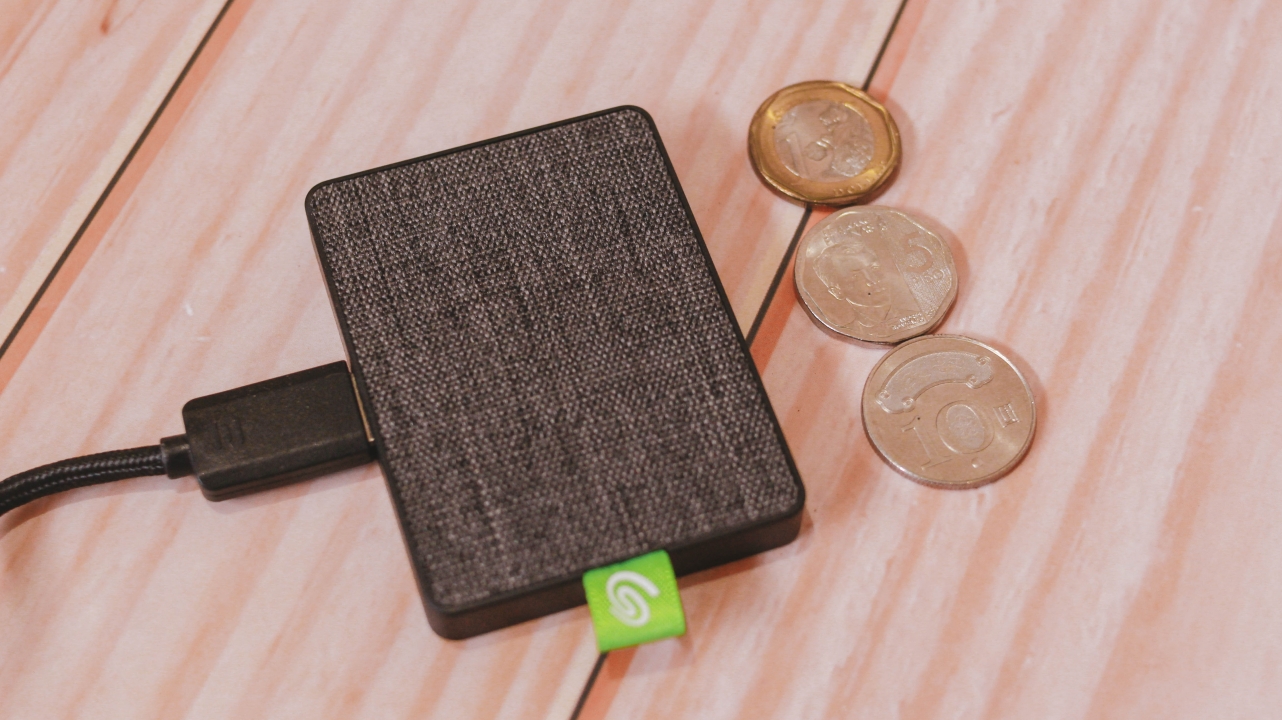
3. Speedy and reliable performance
On paper, Seagate is confident that the Ultra Touch SSD will reach up to 400MB/s of write speed. True to its words, it’s able to give me more than 300MB/s under a huge stress test. Others might say it doesn’t stick to its promise but devices like this don’t really reach the maximum limit — just like how it works in cars, other devices, and even human beings with utmost limits.

The image above shows a huge speed gap between my external HDD compared to Seagate’s SSD. It may not matter to most users, but for video editors and gamers, fast read and write speeds are everything.
4K videos are harder to read on slower disk drives. No wonder why a video editor app is sluggish even if your laptop/rig has all the best chipset and memory on board. Investing on a fast SSD like the Ultra Touch SSD is a great solution for that.
Even gamers need fast drivers since most games run on 2K/4K resolution with maximum settings possible. The external SSD will not only load games faster, it can also be opened in other laptops as long as you figured out how to correctly install games in external drives.
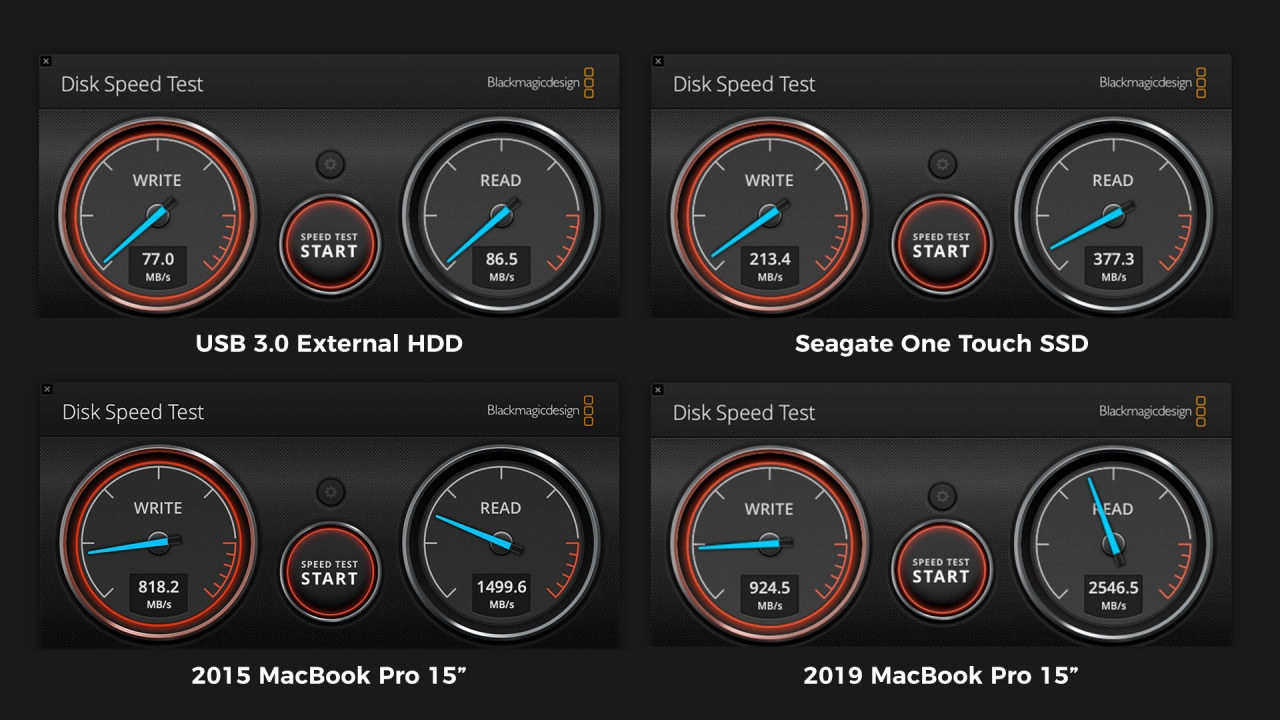
I also tried comparing disk speeds versus two MacBook Pros with an internal, non-removable SSD. While they’re pretty far from what Seagate can offer, it’s still a huge feat considering an external SSD can achieve great feats of read and write speeds that regular disk drives can’t even do.
4. Utmost compatibility
Out of the box, the Seagate Ultra Touch SSD is already formatted to exFAT. This means you don’t have to worry about storage platform incompatibilities. Usually, external disk drives come in NTFS format — which is limited to Windows systems. Other drives are specified for Mac. Thus, the Mac OS Extended format.
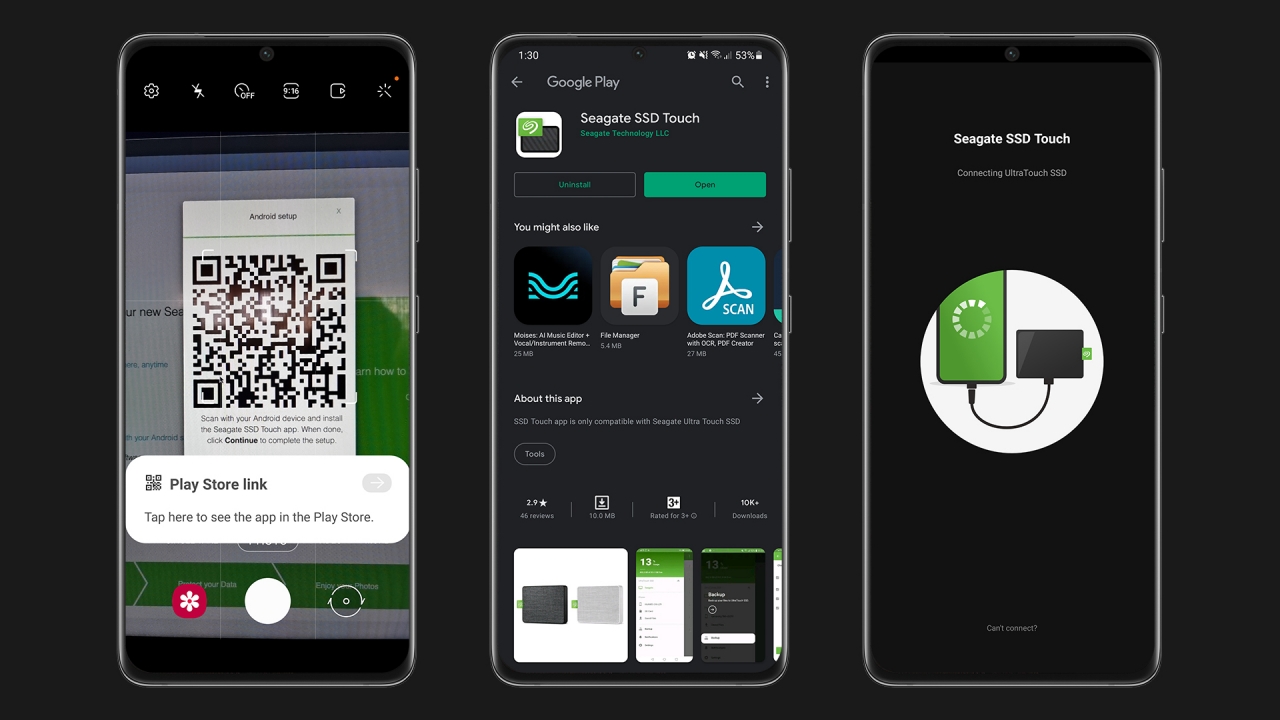
Whether that may be Windows, macOS, Linux, a smart/Android TV, or even an Android smartphone, the Seagate Ultra Touch SSD will work wonders since exFAT can be read by most devices. Such file format is the most accessible across all platforms whether that is for reading or writing files.
Upon my usage, I tested it with the Galaxy S21 Ultra as it successfully detected the drive and was able to show its contents through Seagate’s SSD Touch app. File Manager works as well for copying and pasting several data. As long as your device supports USB On-The-Go, the portable drive would actually work.
5. Future-ready
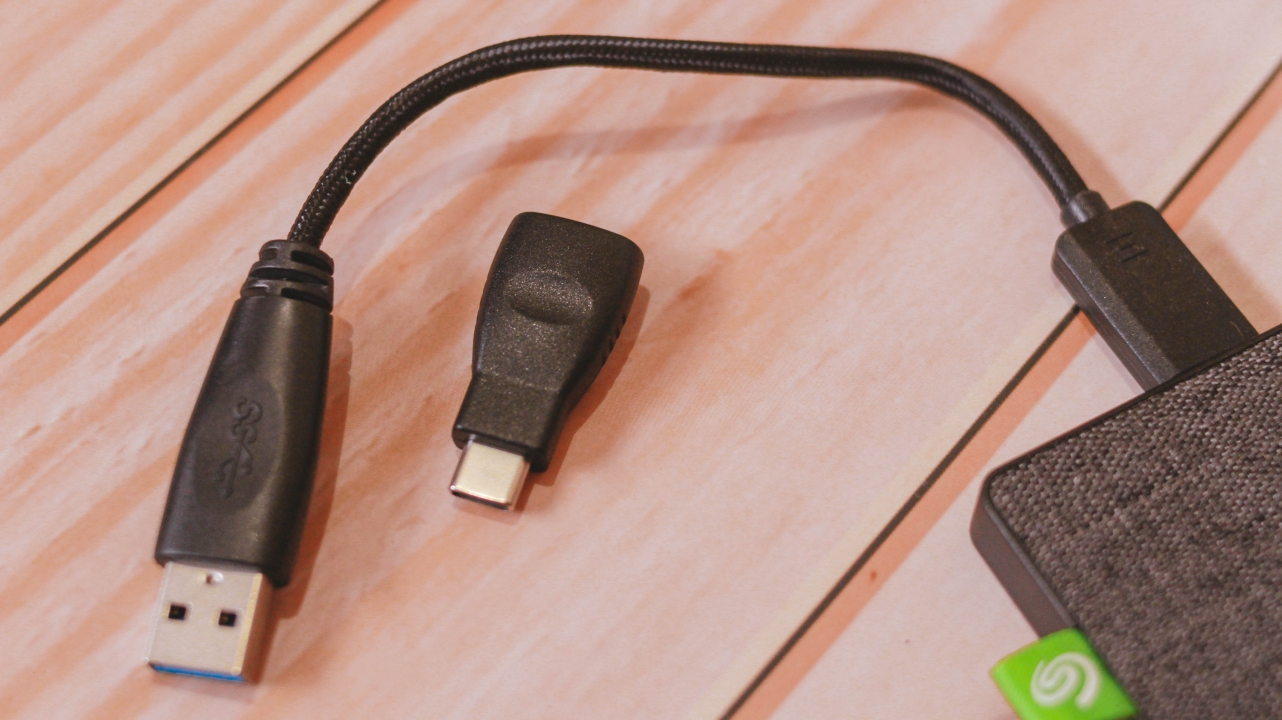
Other than being available to almost every device, Seagate made sure that it’s safe for future use with the inclusion of a braided USB-A cable plus a USB-A to USB-C adapter. It’s “future-proof” in a sense that most upcoming devices will be shipped with USB-C anyway. While there’s still the USB-A plug for backwards compatibility with older machines.
BONUS: Free subscriptions
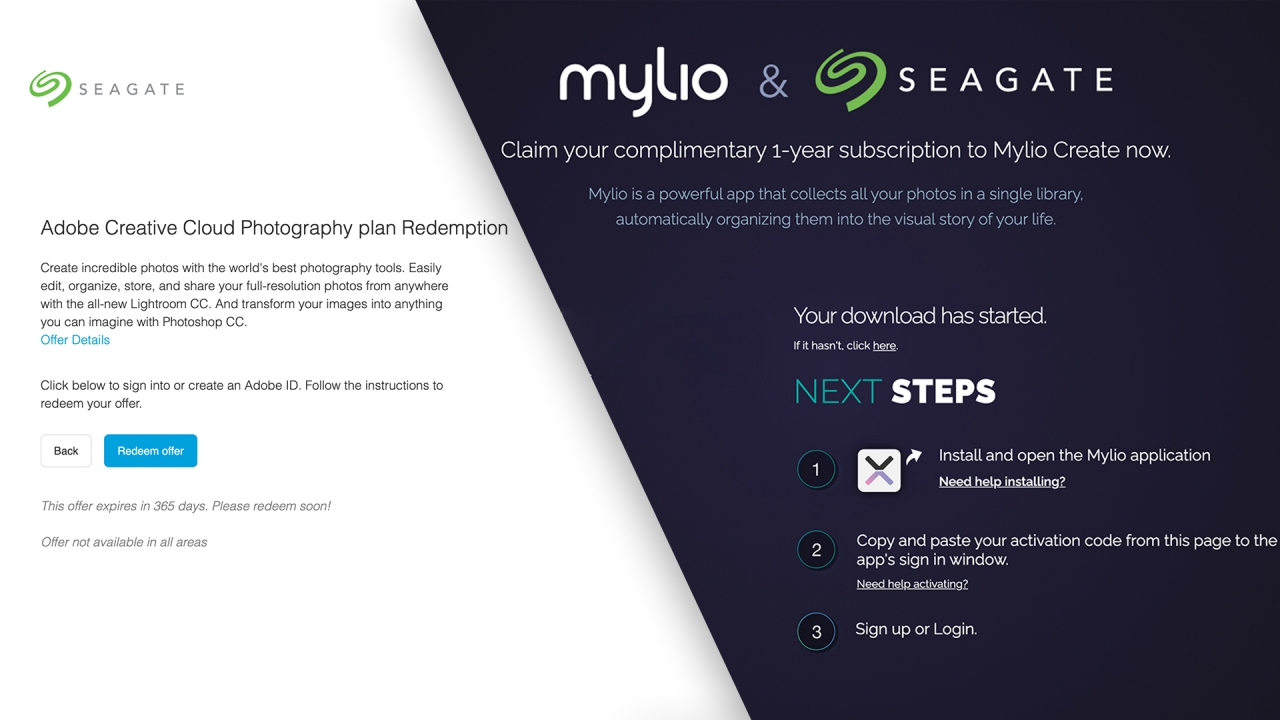
Upon any purchase of Seagate’s Ultra Touch SSD (or even HDD), you’ll get free limited subscriptions with Mylio Create for one year. Mylio Create is an app that stores all your photos in one online library. Their system also organizes your photos depending on their visual story.
There’s even the free Adobe Creative Cloud Photography plan (Photoshop and Lightroom) for two (2) months. If you’ll try to list it down, that’s a great saving especially if your a creative or a content creator who relies on such apps. Adobe’s Creative Cloud plan alone will cost you thousands of dollars. If you’re new to the scene, this is a great way for you to test out their products while trying to build your creative portfolio.
Pricing

The Seagate Ultra Touch SSD is currently available in only two storage options: 500GB and 1TB. Pricing varies per region and is available through Shopee or Amazon at these links in Singapore, Malaysia, Thaila







Accessories
Jackery SolarSaga series: Free power for small devices
Portable solar panels can charge small gadgets directly


As fuel prices continue to surge as of late, one of the ways to make up for the additional expenses is to turn to alternative power sources. That’s including solar power.
And Jackery is here to help Philippine consumers, with the availability of their portable SolarSaga panels.
These solar panels are an alternative to traditional and permanently installed rooftop solar panels. They are engineered for modern and mobile life with portable, lightweight, and sleek designs. They are built primarily to be set up and put away easily, and charge small devices directly.
Simply put the Jackery SolarSaga panels where sunlight is available, and it will convert up to 25% of sunlight into usable energy.
To charge small gadgets like phones and portable fans, or even smartwatches, the SolarSaga panels come with a USB-C and USB-A port.
Another way is connecting the SolarSaga to Jackery’s Explorer power stations like the Explorer 300 Plus or 1000 Plus.
From there, users can power up devices, essentially for free. On its own, the Jackery SolarSaga panels are available in 100W and 200W variants.
The panels are also IP68 rated for water and dust resistance. This makes them usable outdoors when brought to adventures like camping, picnics, or beach trips.
The panels are already available through Jackery’s Lazada and Shopee platforms, as well as Techroom’s Lazada and Shopee accounts.
Accessories
UGREEN adds new Nexode Pro power bank, charger to lineup
Intelligent displays, fast-charging, user-focused design
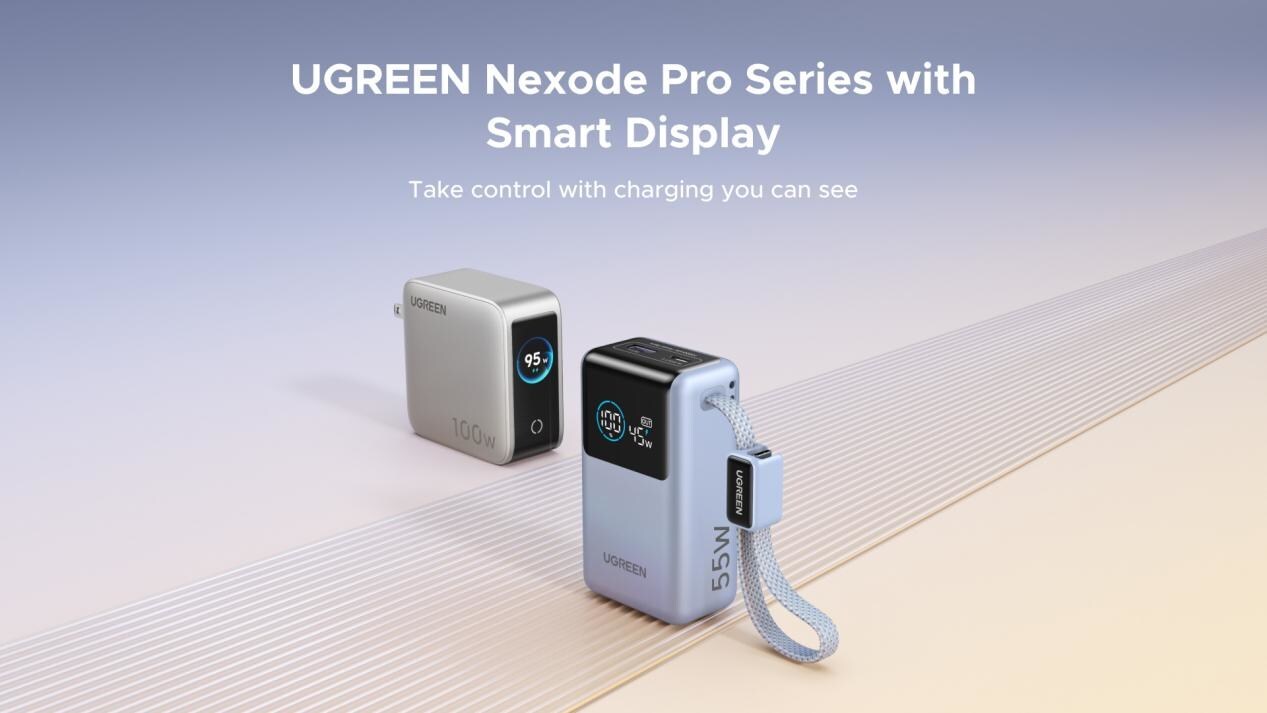
UGREEN has expanded its Nexode Pro charging lineup with two new devices designed for the modern user. They are the Nexode Pro 10000mAh 55W Power Bank and Nexode Pro 100W 5-Port Charger.
These new offerings combine intelligent digital displays, fast-charging capabilities, and user-focused designs for reliable power — whether at the desk or on the move.
The Nexode Pro 10000mAh Power Bank is the ultimate travel companion, delivering strong charging performance in a compact and travel-friendly form.
It supports up to 45W single-port fast charge, meeting the industry standard for high-speed portable charging. It can reach up to 55W as well when charging compatible Xiaomi devices.
The accessory is equipped with two USB-C ports, one USB-A port, and a built-in retractable USB-C cable. As such, it can power up to three small devices simultaneously without requiring extra cables.
With a rated capacity of 36Wh, the power bank also meets airline carry-on requirements.
Meanwhile, the UGREEN Nexode Pro 10W 5-Port Charger supports workstations. It has four USB-C ports, a USB-A port, and up to a 100W output.
It also has a built-in smart TFT display for easy power distribution monitoring.

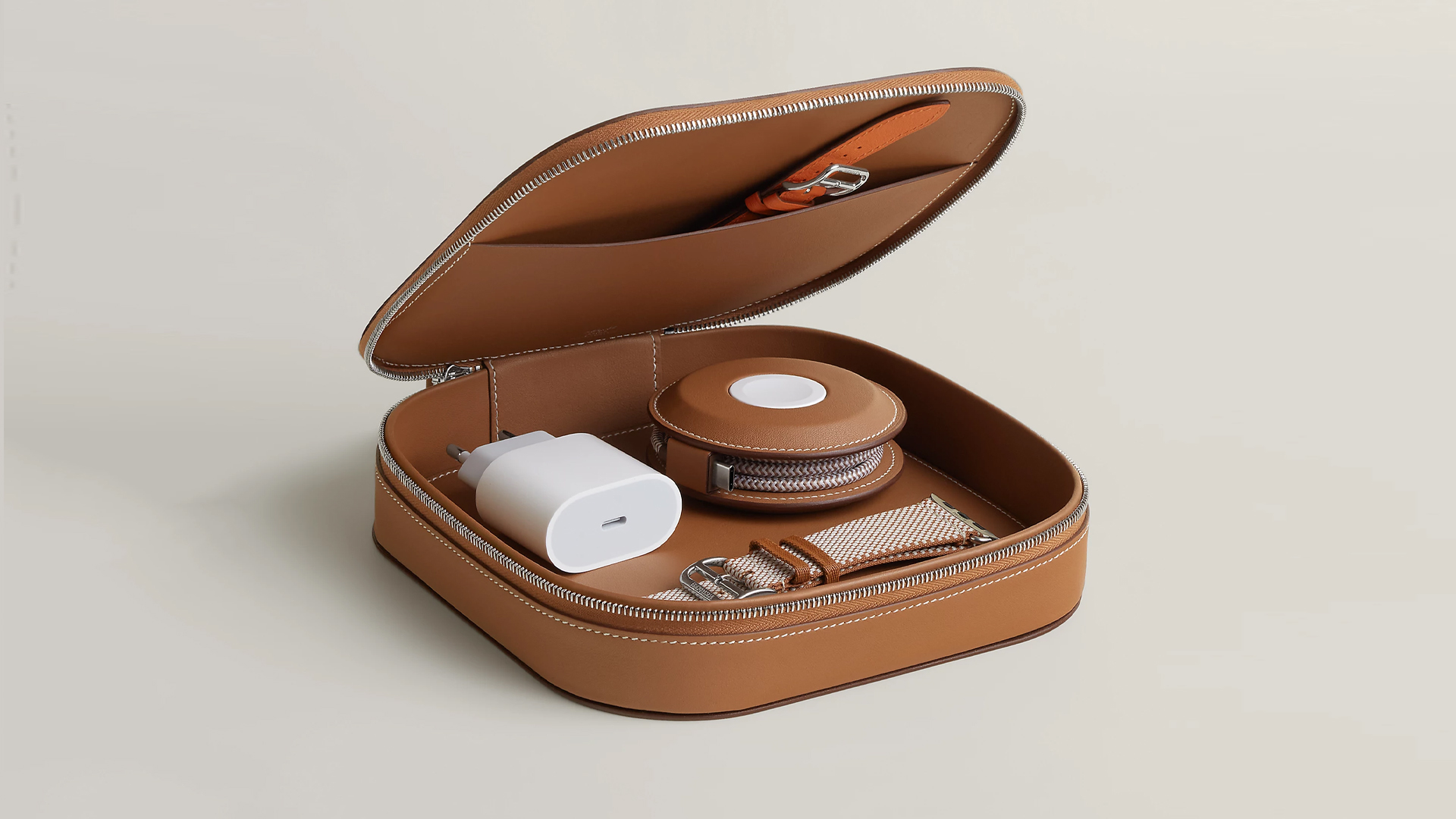
How extra are you as an Apple fan? No matter what you say, you’ll probably never be as extra as someone who buys a US$ 5,000 MagSafe charging case for their iPhone and Apple Watch. Hermès has just launched a series of leather chargers and cases specifically made for Apple fans.
Available now, Hermès has three types of MagSafe chargers for iPhone users. The cheapest one, the Paddock Solo, is a simple leather-bound puck that can charge a single device. The charger also has a braided 3.3ft USB cable. It costs an eye-watering US$ 1,250.
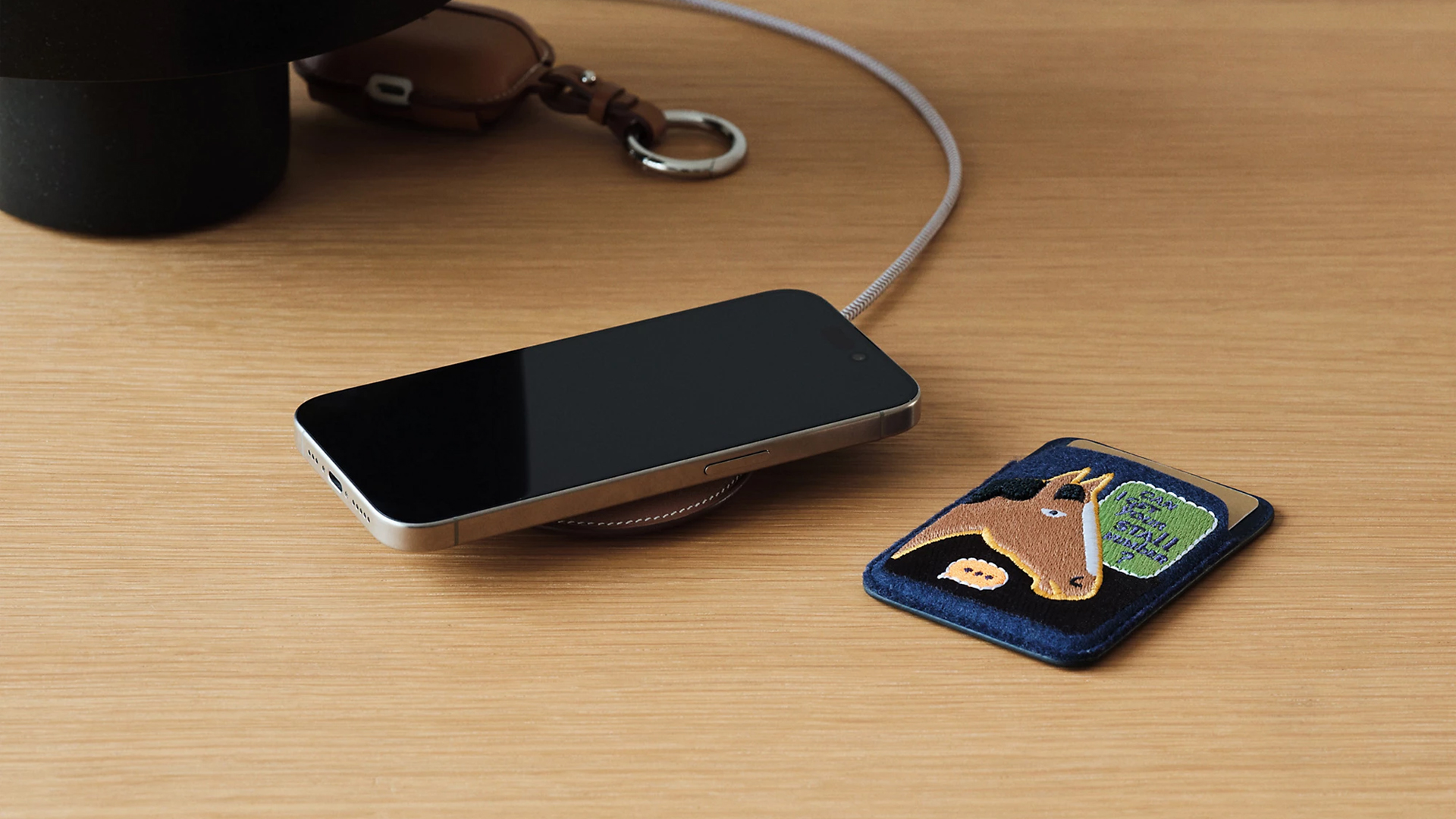
Paddock Solo charger
On the other hand, the Paddock Yoyo charger offers two charging zones for two devices simultaneously. Shaped like a yoyo (hence, the name), it allows users to roll the cable into a convenient stack. It costs US$ 1,750.
Finally, the Paddock Duo is a charging pad that allows for two devices simultaneously. It just doesn’t have a pocket for the cable. It likewise costs US$ 1,750.
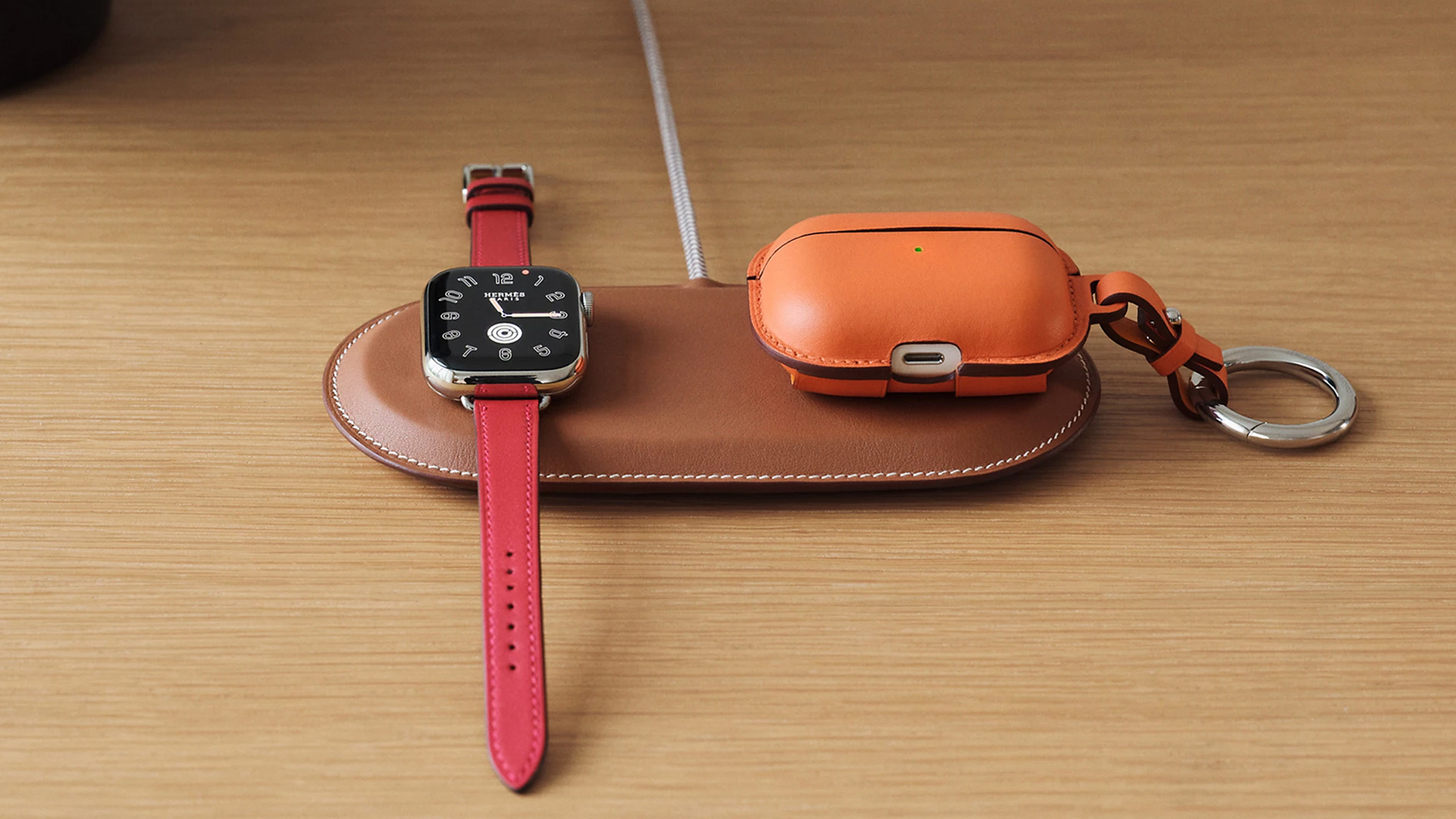
Paddock Duo charger
Now, if you want to upgrade your pricey charging kit even further, Hermès has two cases for them: the Petit Paddock case and the Grand Paddock case.
The Petit Paddock case, as the name suggest, is a snug leather case that fits only the charger (and a brick, if bundled with the Yoyo). The charger and case combo will set you back by US$ 3,725 for the Solo, and US$ 4,225 for either the Duo or the Yoyo.
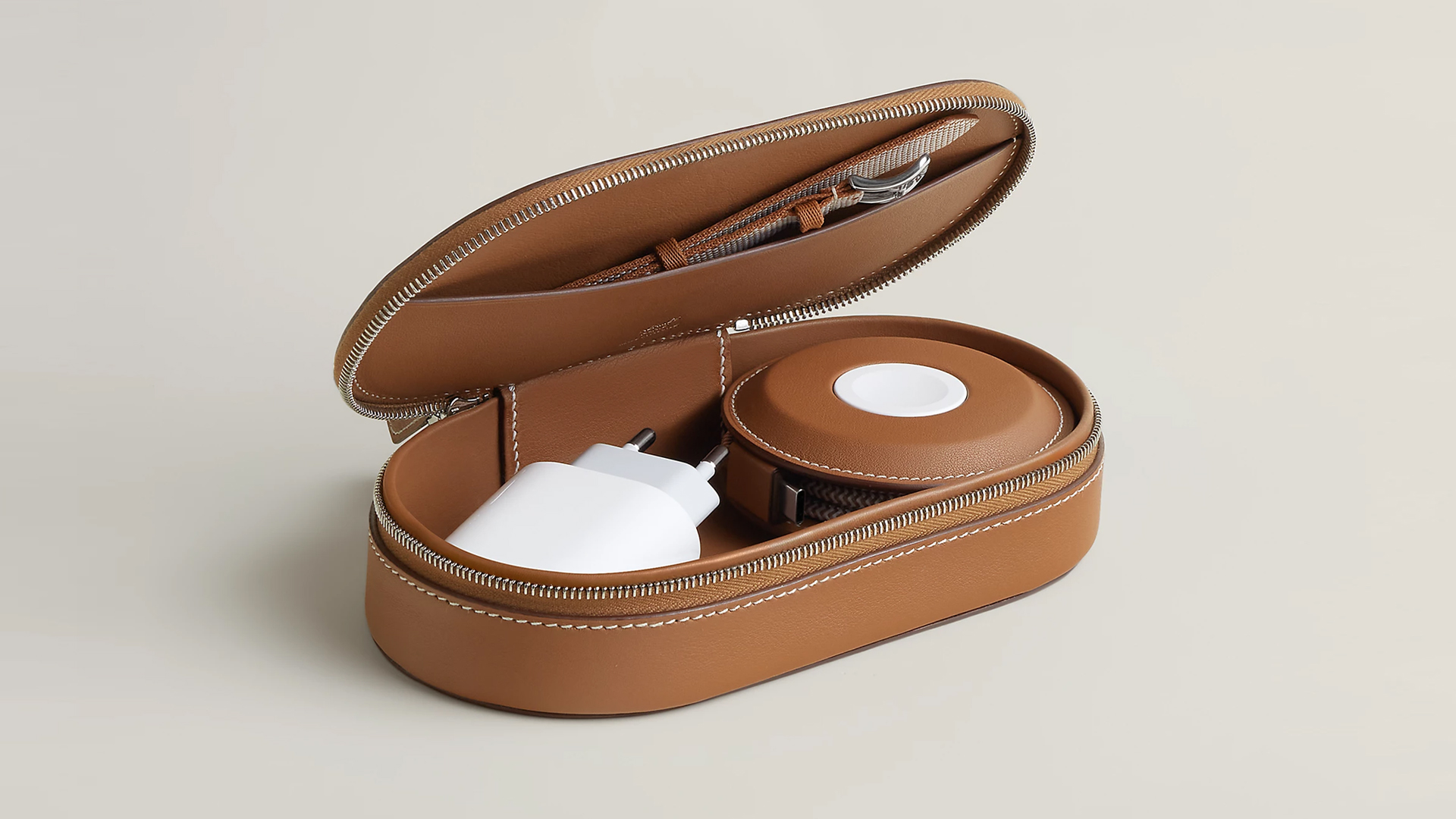
Paddock Yoyo + Petit Paddock
Alternatively, the Grand Paddock can fit much more but also costs a lot more. It costs US$ 4,650 for the Solo, and US$ 5,150 for the Duo or the Yoyo.
Of note, none of these come with a charging brick, so you’ll have to shell out a bit more to maximize the kit.
SEE ALSO: Apple unveils the iPhone 17e


Galaxy Buds4 Pro review: I thought I was done with in-ears
This Buds4 you


WWE 2K26 lets you live out all the fantasy matches you could want
But you have to play for hours and hours to unlock everyone.


The HONOR X8d is serviceable
Steady but slow?

More iPhone switchers this year than Android switchers, report says

Marvel’s Wonder Man greenlit for a rare second season

Apple’s WWDC 2026 will be from June 8 to 12
Galaxy Buds4 Pro review: I thought I was done with in-ears
WWE 2K26 lets you live out all the fantasy matches you could want


-

 Reviews1 week ago
POCO X8 Pro Max review: A new beast from the far east
-

 News1 week ago
POCO X8 Pro Series: Price, availability in the Philippines
-

 Laptops2 weeks ago
Apple MacBook Neo Review
-

 Apps2 weeks ago
Google Maps is finally getting a 3D mode
-

 Features2 weeks ago
Galaxy AI on the Samsung Galaxy S26 Ultra
-

 Entertainment2 weeks ago
The internet is thirsting over the One Piece Season 2 cast
-

 Automotive2 weeks ago
BYD is reportedly considering an F1 team
-

 Gaming2 weeks ago
Resident Evil Requiem will get a story expansion