
Apps
US FDA approves first contraceptive app
Can an app stop you from getting pregnant?

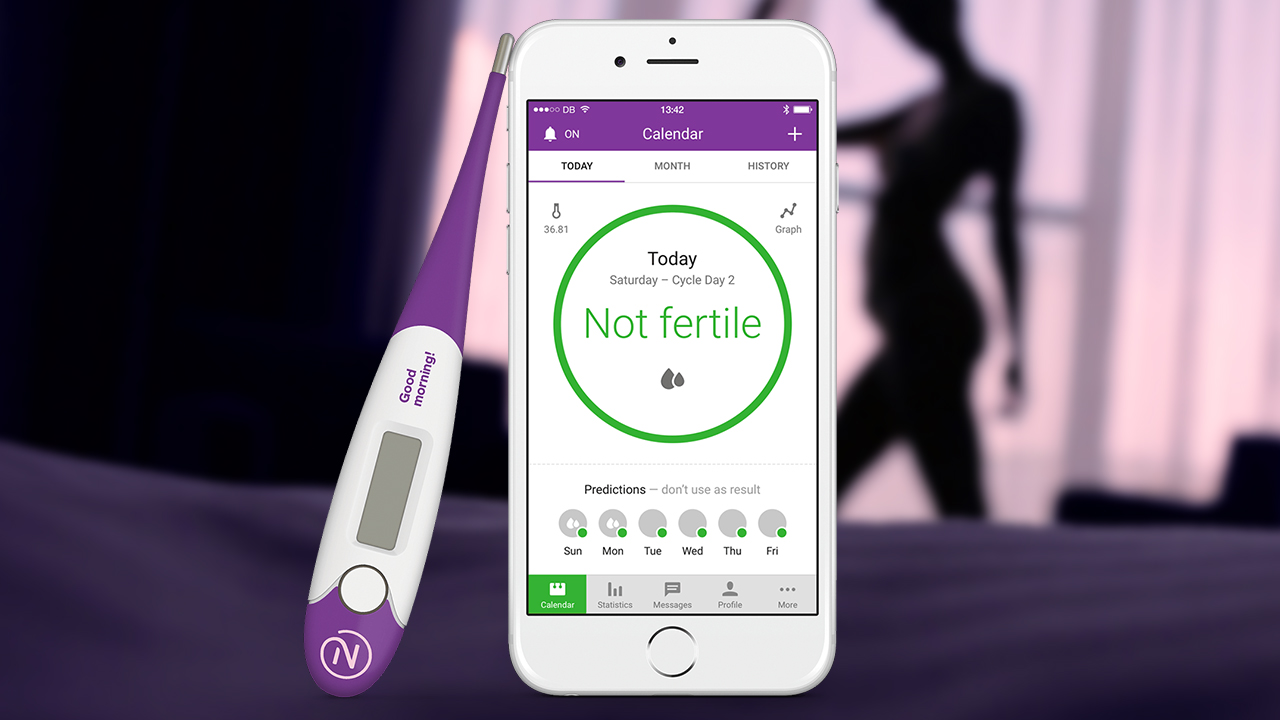
I now truly believe that there’s an app for everything. 😱
Last week, the US Food and Drug Administration approved the very first app to be marketed as a method of contraception. Yes, ladies, you read that right. Not a period tracker, but an actual birth contraception method.

Natural Cycles is a phone application from a European startup. For EUR 65 per year, it works by using the fertility awareness method via basal body temperatures and menstrual cycle information to tell whether a woman is fertile or not. It then advises which days you should “abstain” or “use protection.”
According to the US FDA, “consumers are increasingly using digital health technologies to inform their everyday health decisions, and this new app can provide an effective method of contraception if it’s used carefully and correctly.” They report that clinical studies have shown that the app has a “perfect use” failure rate of 1.8 percent (meaning 1.8 in 100 ladies get pregnant in spite of using the app correctly) and a “typical use” failure rate of 6.5 percent (which accounts for wrong app usage, etc).
We look forward to working together with healthcare professionals to offer a digital form of birth control to women in the US, following FDA clearance. Find out more here: https://t.co/7ASdJoX5SL pic.twitter.com/YrGLFcbNUN
— Natural Cycles (@NaturalCycles) August 14, 2018
To put in context, the US CDC pegs the typical use failure rate of birth control pills at nine percent and condoms at 18 percent. Interesting enough, this same information gives fertility awareness-based methods, the same method being used by Natural Cycles according to the FDA statement (though, in this case, unassisted by apps or algorithms), a typical use failure rate of 24 percent.
The FDA warns that “no form of contraception works perfectly, so an unplanned pregnancy could still result from correct usage of this device.”
The contraceptive app is not one without their share of controversies. Early last year, they were certified as the very first contraceptive app by the Europen Union. It has since been reported, however, that out of the 668 women who sought abortions from September to December 2017 at one of Stockholm’s biggest hospitals, 37 were relying on Natural Cycles as a contraceptive method.
Natural Cycles claims that they are “responding to each reported case,” and that “as [their] user base increases, so will the number of unplanned pregnancies coming from Natural Cycles users. This is an arithmetic truth applicable to all contraceptive methods.”


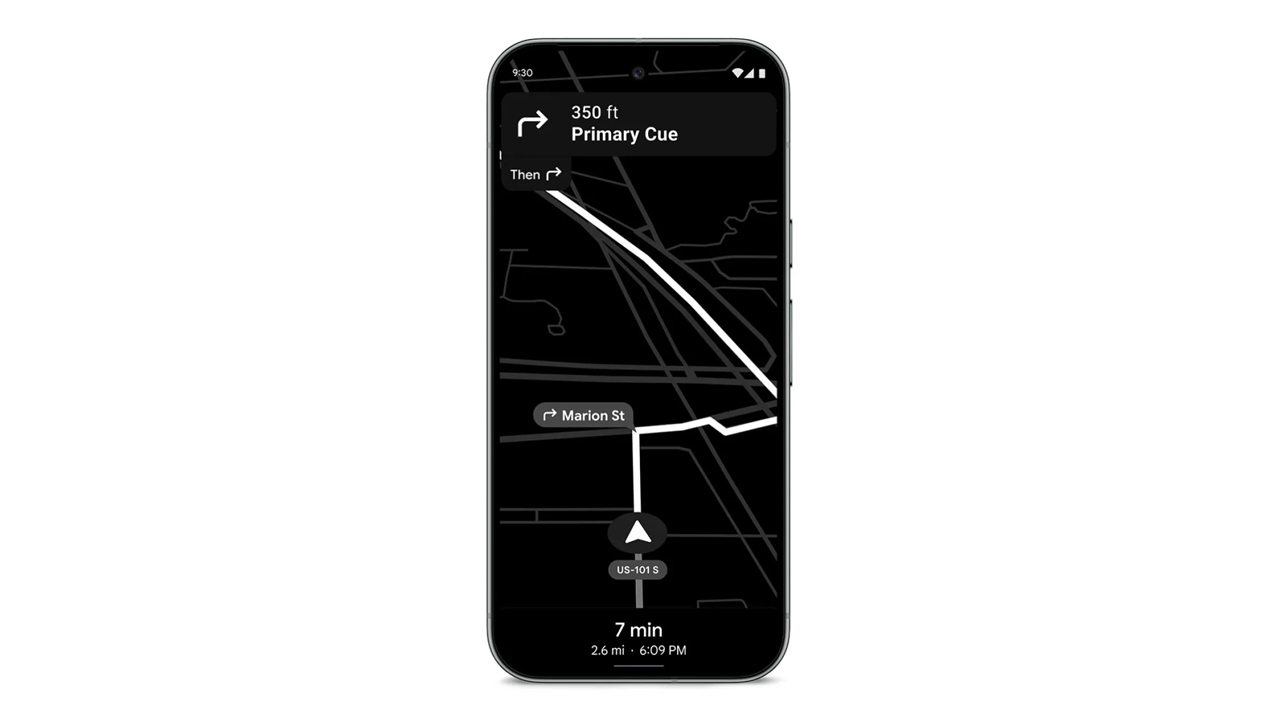
In a congested country like the Philippines, using navigation for shortcuts is a requirement. However, these apps can hog a lot of battery. If you forgot your car charger, it’s practically game over for your phone. Today, Google is shipping out a Maps update which can save your phone’s battery for those long drives.
Announced earlier this month, the update will include a Power Saving mode for Google Maps. The new mode will turn the normally colorful interface into monochrome with particular emphasis on black. The interface will reduce all interactable elements, so you can just focus on the display.
Presumably, it also reduces the power required by the app, while still prioritizing navigation. According to Google, smartphones will get up to four hours more juice when the mode is enabled.
Unfortunately, it’s not a widely released update yet. Google is limiting the update’s rollout to the Pixel 10 series for now. It’s also limited to driving mode; it won’t work if you’re just walking or cycling. The option is accessible through Driving options under Navigation in the settings.
In countries where Android Auto isn’t the norm just yet, a power saving mode for navigation is a godsend. Besides hoping that the update arrives on more devices, one can also hope that Google, who also owns the app, will introduce a similar mode to Waze. (To be fair, Waze did have a battery saver option, but it just dimmed the display for long straights.
SEE ALSO: Android now supports AirDrop!
Apps
Turn your cravings into cashback with this new credit card
EastWest, Visa, and foodpanda created a lifestyle card that rewards your everyday life in the most delicious way!


There comes a moment in every busy, convenience-loving yuppie’s life when the heart encounters something that simply gets it.
For many, that moment will happen the first time they hear about the new EastWest foodpanda Visa Credit Card.
This cobranded creation from EastWest, foodpanda, and Visa feels like a treat wrapped inside another treat, made for those who thrive on ease, comfort, and a healthy dose of instant gratification.
Think of all the small joys in your routine. The iced latte that turns your morning around; the comforting order that saves an exhausting weekday; or the impulsive midnight craving that somehow counts as self-care.
Now imagine every craving quietly earning something meaningful in return. That is the lifestyle this card was built to support.
Cashback that keeps the cravings flowing
Cardholders receive 10 percent cashback on all foodpanda orders with earnings of up to Php 400 each month.
Cashback continues at 3 percent even after reaching the cap, which keeps rewards flowing for frequent orders.
Users also receive 1 percent cashback on overseas transactions and 0.3 percent on other local purchases. All cashback across categories has a combined limit of Php 1,000 per month.
The card is free of annual fees during the first year and early users receive a complimentary six month pandapro subscription.
Cashback is credited weekly to the user’s pandapay wallet for immediate access. This weekly reward cycle is a first in the local market. It reflects foodpanda’s focus on instant gratification and smooth digital experiences.
EastWest, foodpanda, and Visa aligned on a single goal. They wanted a card that fits into everyday routines, feels simple to use, and delivers rewards in a fast and friendly way.

Lifestyle card for a lifestyle-first way of spending
Younger Filipino consumers are embracing credit cards that care about their lifestyle choices.
The EastWest foodpanda Visa Credit Card fits right into this shift, giving people a financial tool that rewards the habits they already enjoy.
It creates a gentle nudge toward smarter spending without taking away the fun or the flavor.
Visa’s global network makes tap-to-pay transactions fast and secure. With automatic weekly cashback and worldwide acceptance, the card creates a rewarding experience that enhances how Filipinos dine and enjoy their favorite cravings.
This card understands one universal truth: Every order has the potential to be more than a meal. Now, it comes with rewards ready to follow you everywhere.
To learn more or start your application, visit eastwestbanker.com/foodpanda or tap ‘Apply Now’ on the foodpanda app.
Apps
Chinabank makes tap to pay easier with Google Pay
A smoother and more secure way to pay is now available!
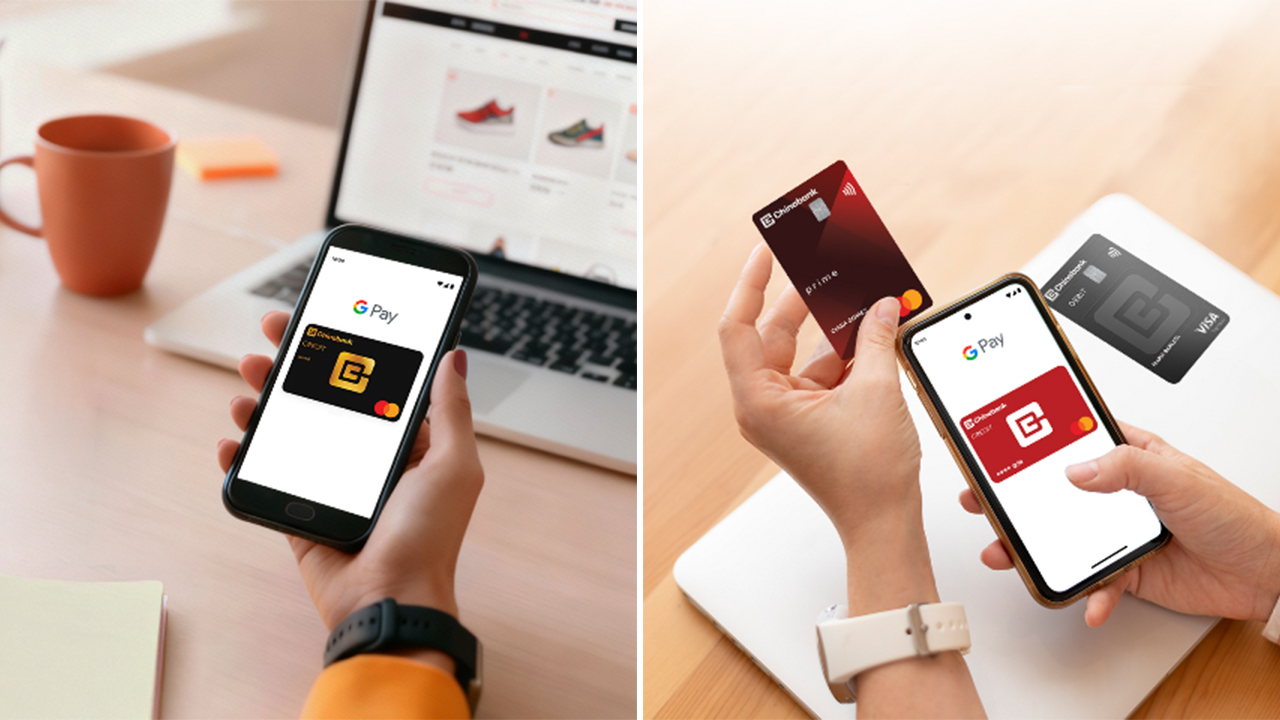
Cashless life just got a whole lot easier!
Chinabank is now one of the first Philippine banks to support Google Pay for both Credit and Debit Cards, whether you’re using Mastercard or Visa. If you’ve ever wished you could breeze through checkout without digging for your wallet, your moment has officially arrived.
With this rollout, Chinabank customers can add their cards to Google Wallet and start making fast, secure, tap-to-pay transactions using only their phones.
In stores, in apps, and on your favorite online shops, paying becomes as simple as unlocking your device and tapping. No more scrambling for plastic cards at the bottom of your bag.
Google Pay uses secure digital tokens for every transaction, which means your actual card number stays private. Even if you shop daily or travel often, your payments stay protected. It’s the kind of small upgrade that makes everyday errands feel smoother and more modern.
As digital payments become the norm across the country, Chinabank’s move helps speed up the shift. Whether you’re grabbing coffee, doing a grocery run, or checking out online, you now get a payment option that feels more intuitive and more secure.
How to add your Chinabank card to Google Wallet
- Download Google Wallet from the Play Store and open the app.
- Tap “Add to Wallet” then choose “Payment Card.”
- Scan or manually enter your Chinabank Credit or Debit Card details.
- Complete the verification steps.
- Once approved, you’re ready to tap and pay.
How to use Google Pay
- In-store: Unlock your phone and hold it near a contactless terminal until it confirms the payment.
- Online: Select Google Pay at checkout for quick and secure payments.
- Security: Each transaction uses a unique digital card number or biometric verification, keeping your information safe.
Chinabank is also preparing guides and support channels to help customers get familiar with Google Pay, making the shift to digital wallets easier for everyone.
With Google Pay now part of its digital ecosystem, Chinabank gives its customers a payment experience that’s faster, safer, and ready for modern life.


Anno 117: Pax Romana helps you get into strategy games
However, the campaign lacks a conclusive ending.

HONOR X7d: Dependable, but not dazzling
Straightforwardly a basic utility phone with some plus points

vivo X300 Pro review: Going the X-tra Mile
300+ Hours Later with vivo's latest and greatest X-flagship

Ford announces Mustang Mach-E, new Ranger in the Philippines
Anno 117: Pax Romana helps you get into strategy games
HONOR X7d: Dependable, but not dazzling

VOLTME opens 1st kiosk in Manila
vivo X300 Pro review: Going the X-tra Mile

Spotlight: ASUS ProArt P16

I was skeptical about smartphone gimbals, then I tried the DJI Osmo Mobile 8

From OS to AI OS: HONOR announces MagicOS 10

This gaming mouse made me fall in love with working from home again

What happens when the car you once loved returns as a Hybrid?


-
 Reviews2 weeks ago
realme C85 5G review: Big battery, tough body
-

 Reviews6 days ago
POCO F8 Pro review: Lightweight, heavy hitter
-
 Cameras1 week ago
DJI Osmo Action 6 review: An adventurer’s best friend
-

 Gaming2 weeks ago
Clair Obscur: Expedition 33 bags record-breaking 12 nominations at Game Awards
-

 Entertainment2 weeks ago
The Legend of Zelda film gets its first official photos
-

 News2 weeks ago
realme C85 with 7000mAh battery, 5G connectivity officially launches
-
 Reviews6 days ago
vivo X300 review: The point-and-shoot I’ll always carry
-

 Reviews6 days ago
POCO Pad X1 review: A tablet that keeps up with your day