

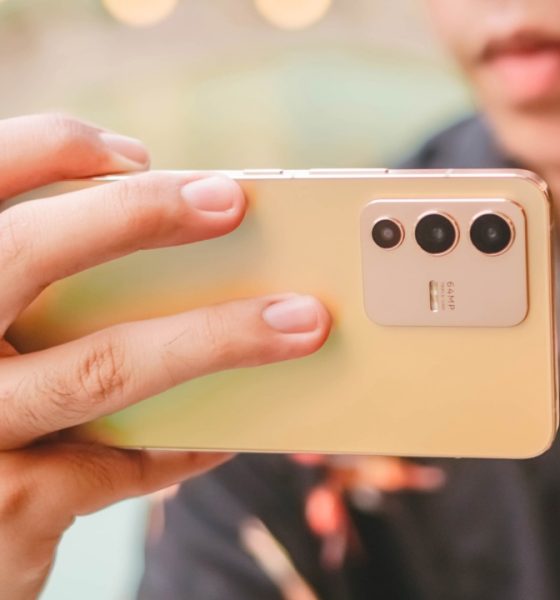

The vivo V23 5G is one among 2022’s latest midrange smartphone offerings — well at least in several countries like India and the Philippines.
Some of you might remember the phone’s quick unboxing with some #PhotoDump. This time, we’re only focusing on the vivo V23 5G’s camera capabilities and how its software magic can do more than just relying solely on its less-exciting camera hardware.
Going beyond camera hardware
As a refresher, the vivo V23 5G has a total of five cameras with three in the back:
- 64MP f/1.9 wide (main)
- 8MP f/2.2 ultra-wide
- 2MP f/2.4 macro
And two selfie cameras: a 50MP f/2.0 wide and a wider 8MP f/2.3 ultra-wide lens.

Admit it or not, the vivo V23 5G doesn’t have the best cameras in any midranger right now. If I’ll list down, one of you (or more) would probably argue that there are better midrange offerings with better cameras of the same price tag.
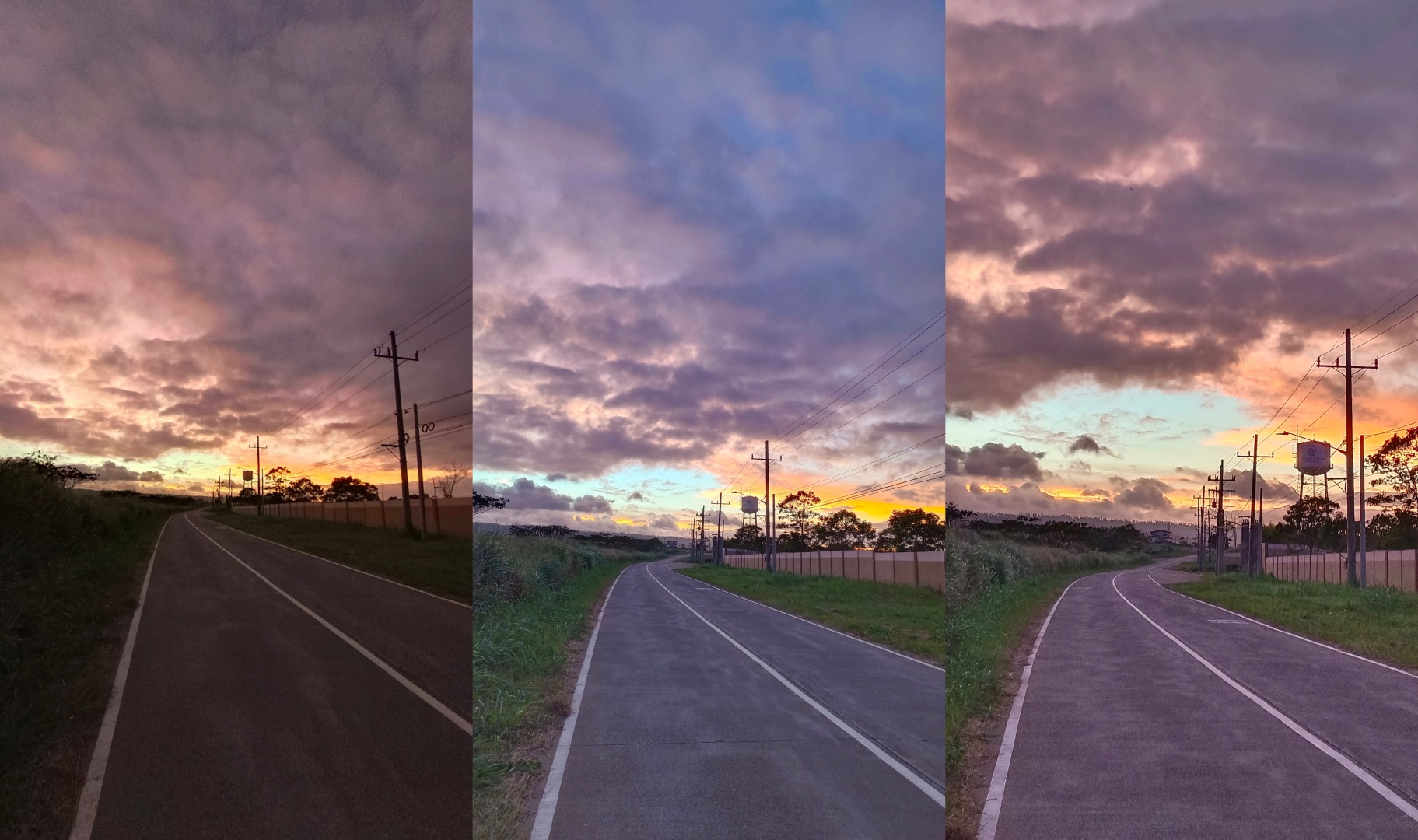
UWA | Wide | 2x
With a certain amount of light, the lens will start showing flares and glares — which is actually a pretty-looking effect just like how it did on my cat.

When the sun sets and everything gets dark outside, the night mode actually helps.
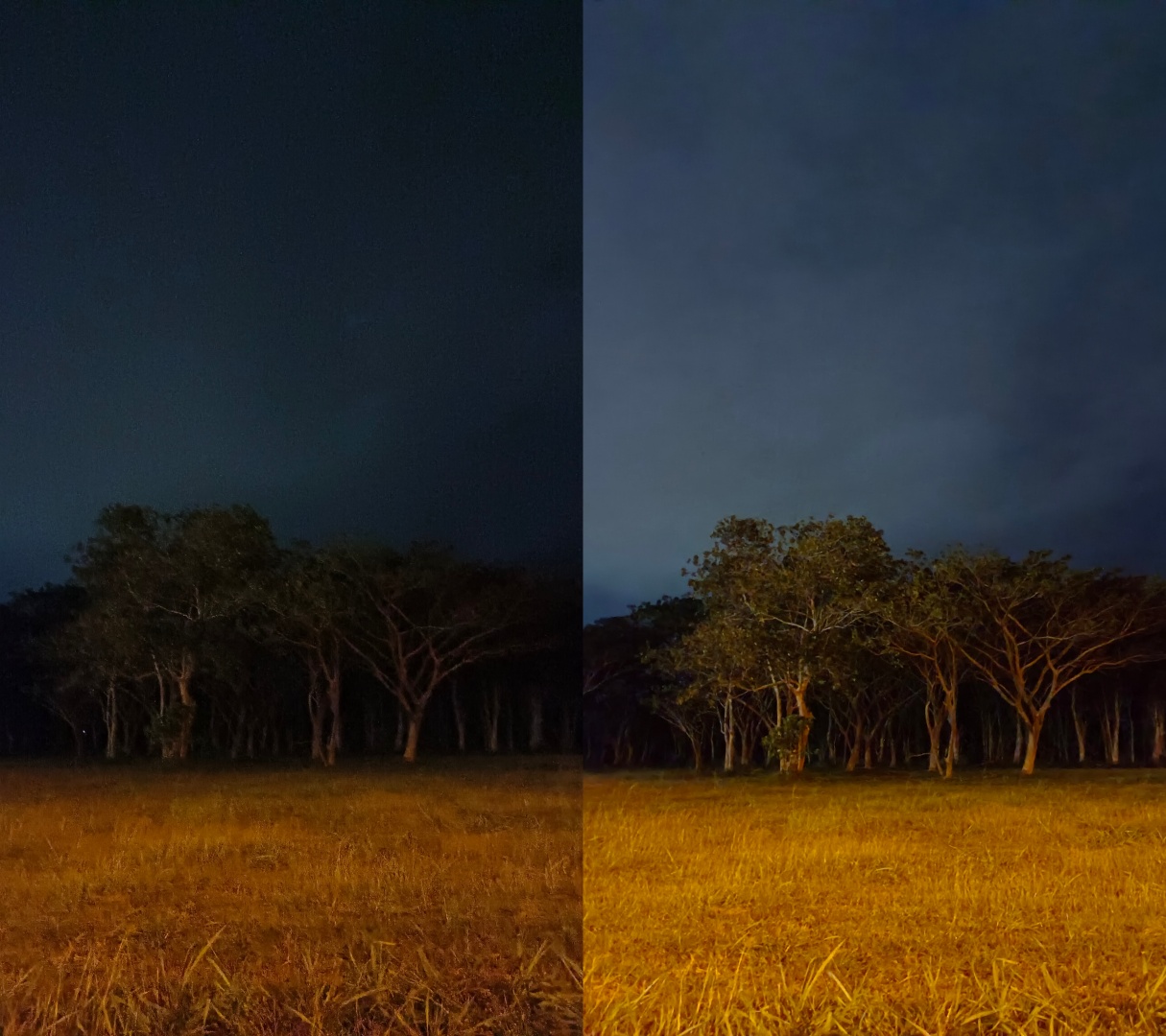
Night Mode OFF | ON
But most of the time, it just amplifies the highlights and shadows a little bit.

Night Mode OFF | ON
The story doesn’t end here. In fact, night mode shots can still look better — more on that after you read this section.
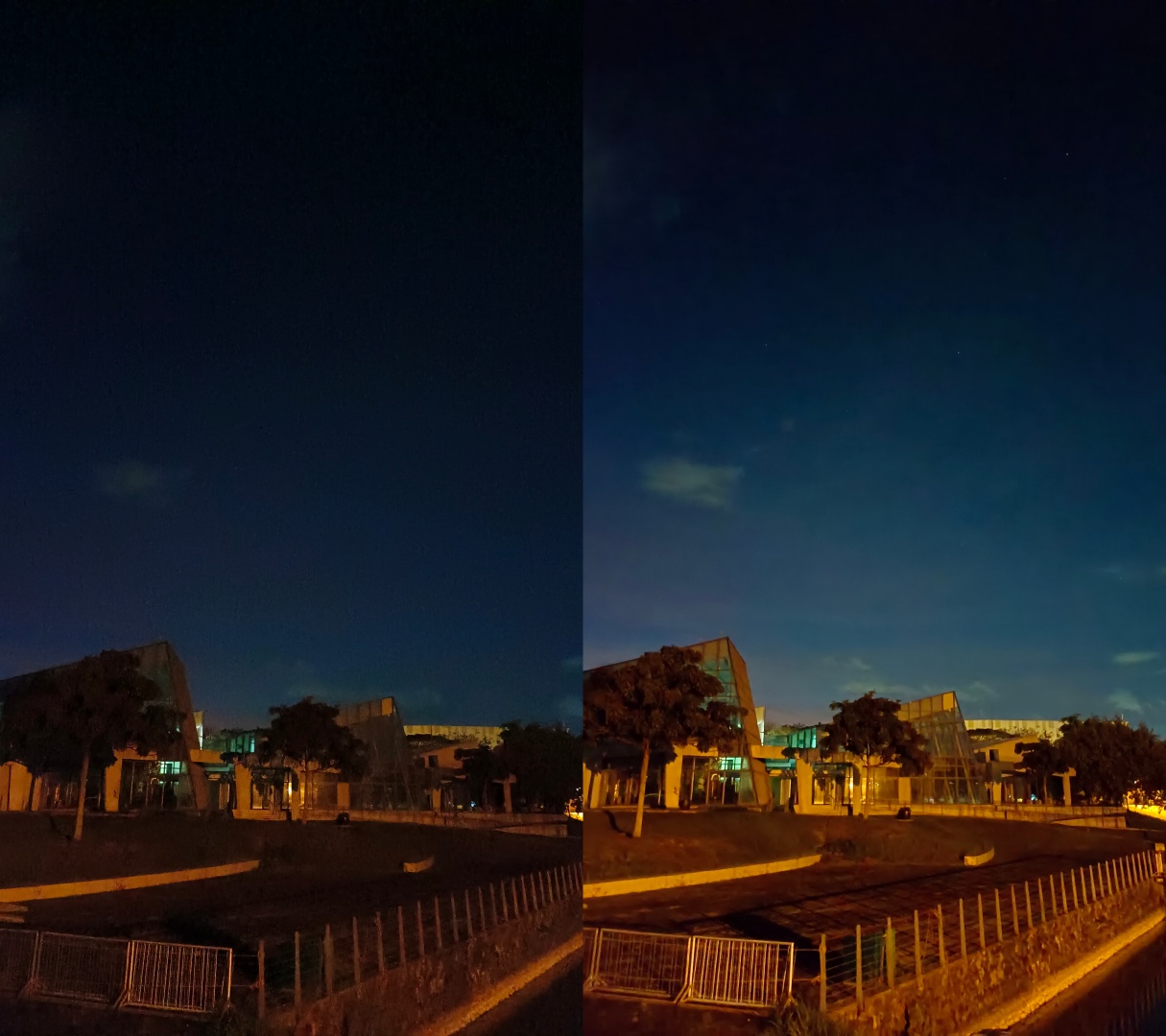
Night Mode OFF | ON
The subtle photo processing adjustments also occur in food. Some of you might already look contented with how the vivo V23 5G produced these lasagna photos.

AI OFF | ON
When turned on, its AI feature can automatically detect if a subject is a food, pet, scenery, sunset, and more — just like most Android smartphones do nowadays.

AI OFF | ON
But sometimes, the AI doesn’t do its job to make the photos stand out — such as these ice cream photos.
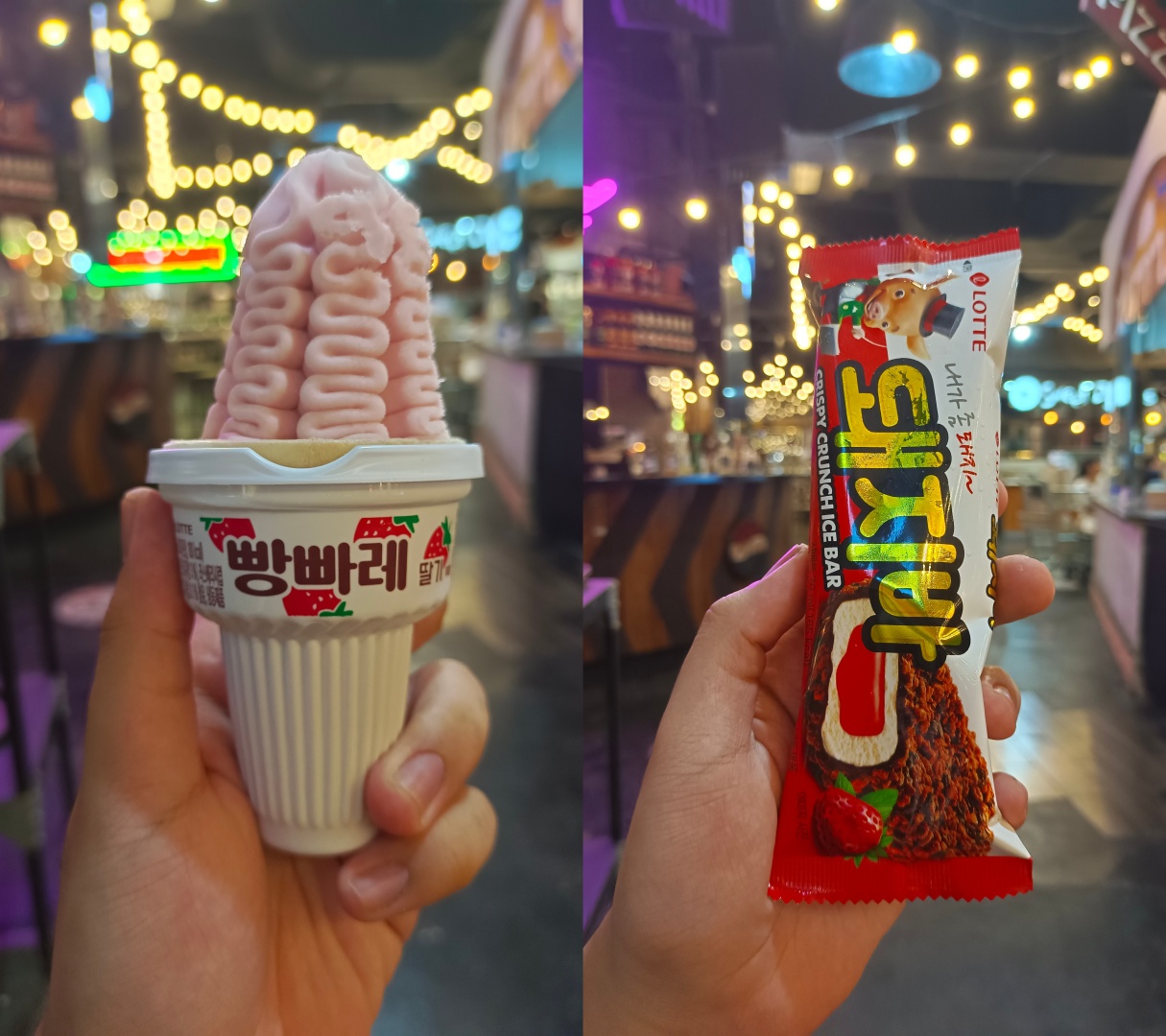
And even in subjects that don’t have food in it, I think the vivo V23 5G could produce better shots than the usual.

This is where its brilliant camera software enters the scene. Its host of camera software features offer more than meets the eye.
Using photo filters isn’t a crime
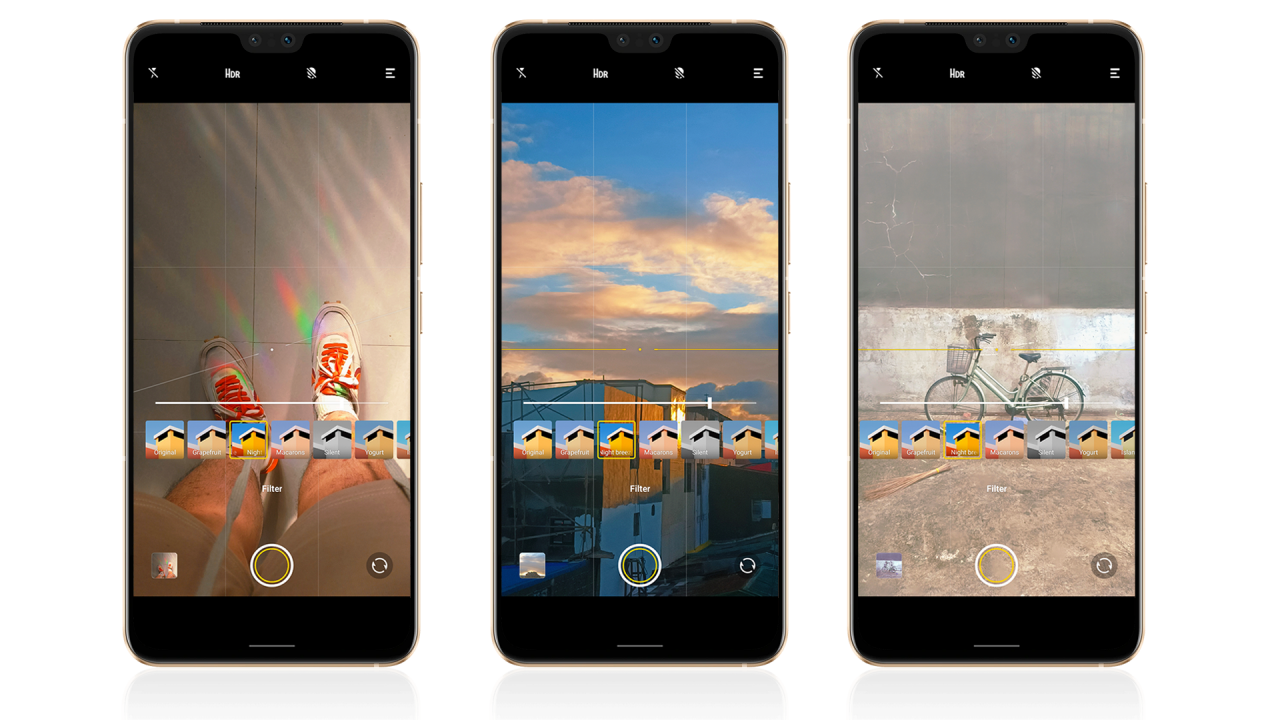
Don’t listen to #NoFilter apologists. Your shots, your rules! Even if a lot of people brag about their shots being taken “without filters”, there’s already some post-processing algorithm happening in the background the moment you click the shutter button.
And speaking as a multimedia creative, professionals do tend to play with colors for a lot of photographs and video output. So no, you’re never alone in applying filters on your shots.
See your life to the fullest
The term ‘vivo’ in Latin means “within the living”. And the better way to actually make the most out of your daytime shots is to slap on some filters curated by the vivo team.

Daylight photos shot with the vivo V23 5G with HDR and AI turned look fine on most occasions, but just in case you’ll own one and you want to go the extra mile, the in-app filters will make them a lot better.
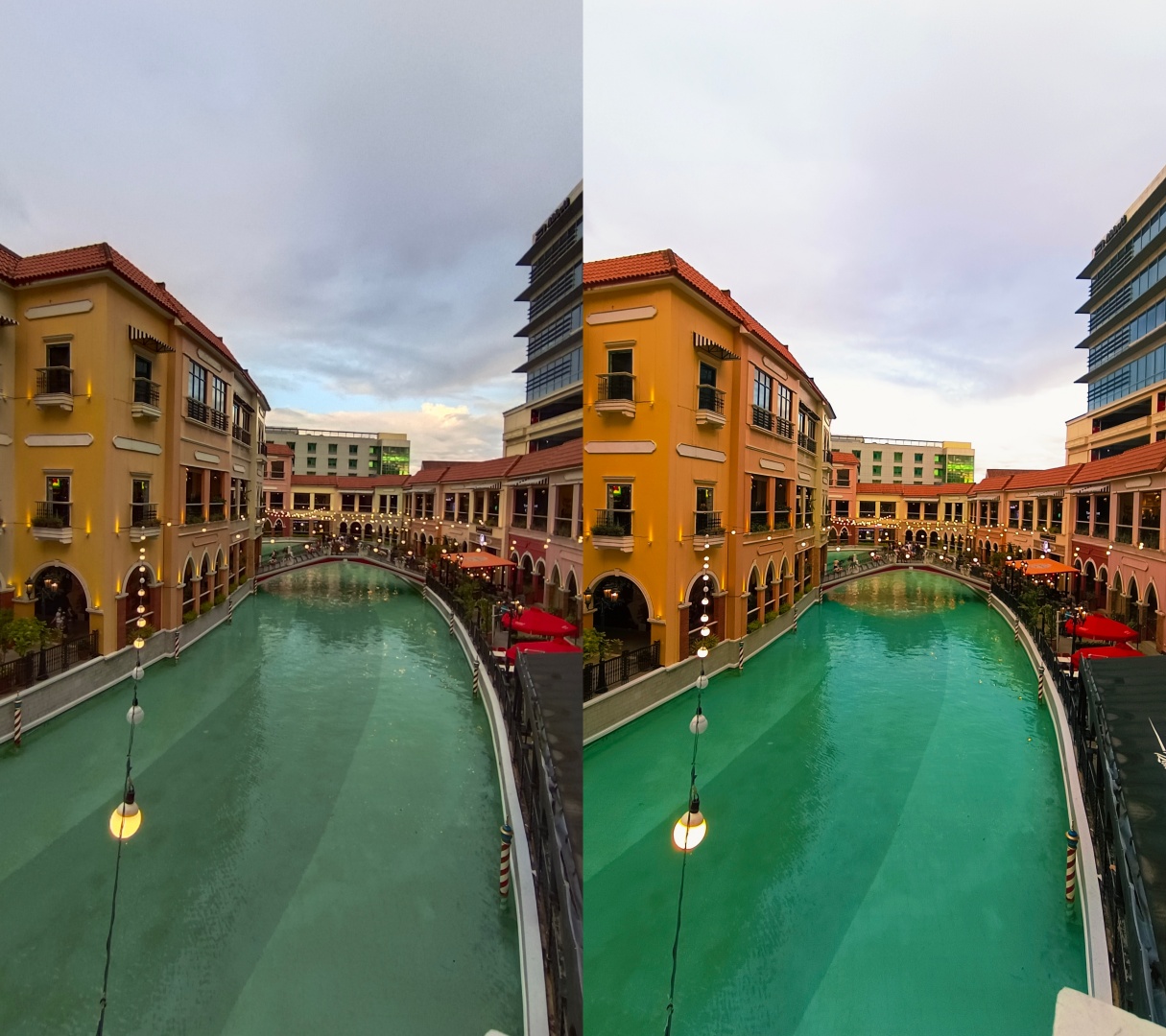
Original | Night Breeze
While I’m not the biggest fan of oversaturated photos, you just need to make some photos livelier.
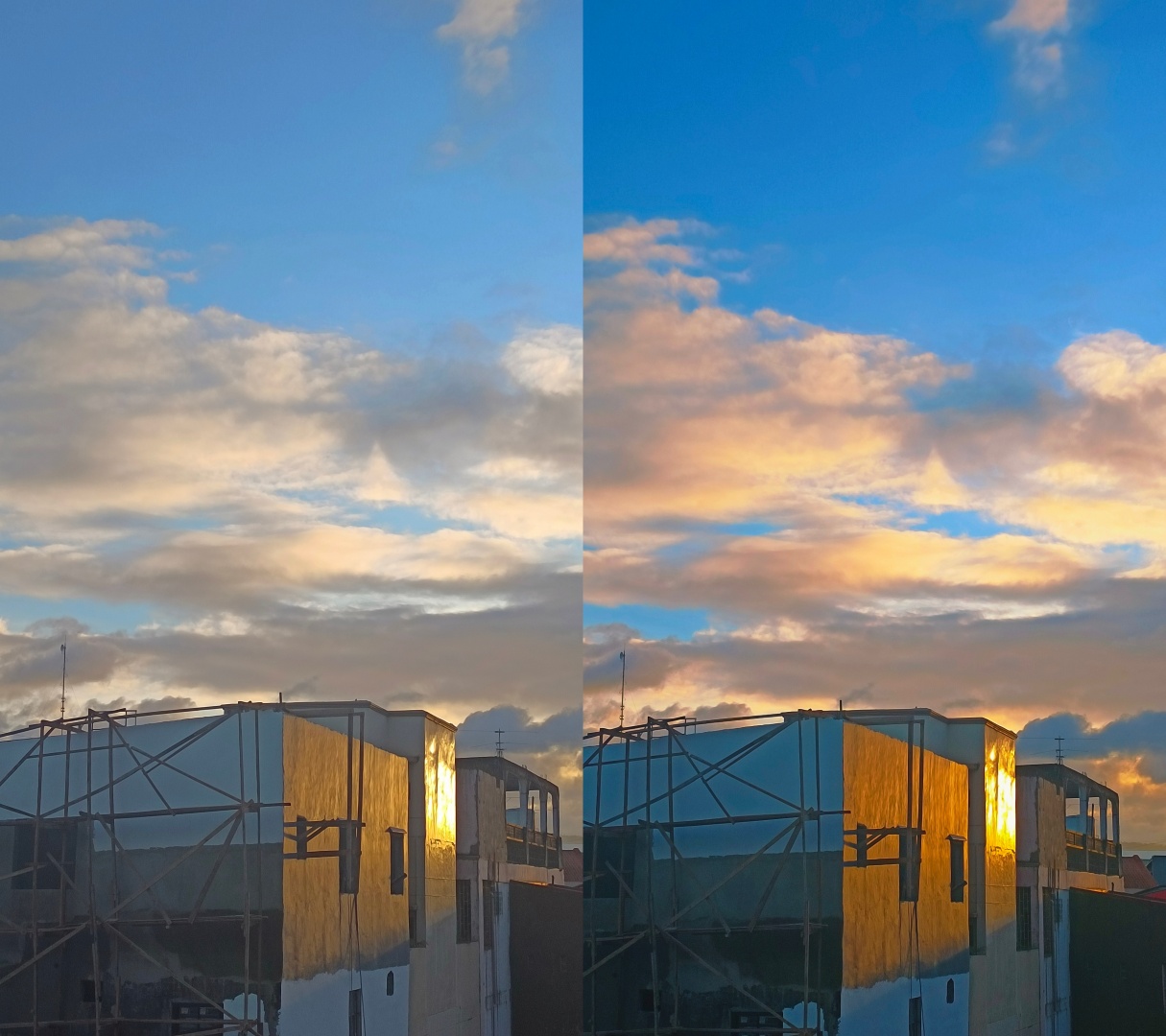
Original | Night Breeze
Honestly, the vivo V23 5G took blander photos than what I see in reality. Thankfully, the Night Breeze filter I often use does the trick in making the shots true to life.

Original | Night Breeze
The filters may vary depending on your taste. Some filters are inclined towards saturation and contrast boosting, others are subtle with some adjustments in overall tint and temperature.

Original | Night Breeze
Luckily, these built-in camera filters are here to save the day. And yes, they work in ultra-wide angle mode, too!
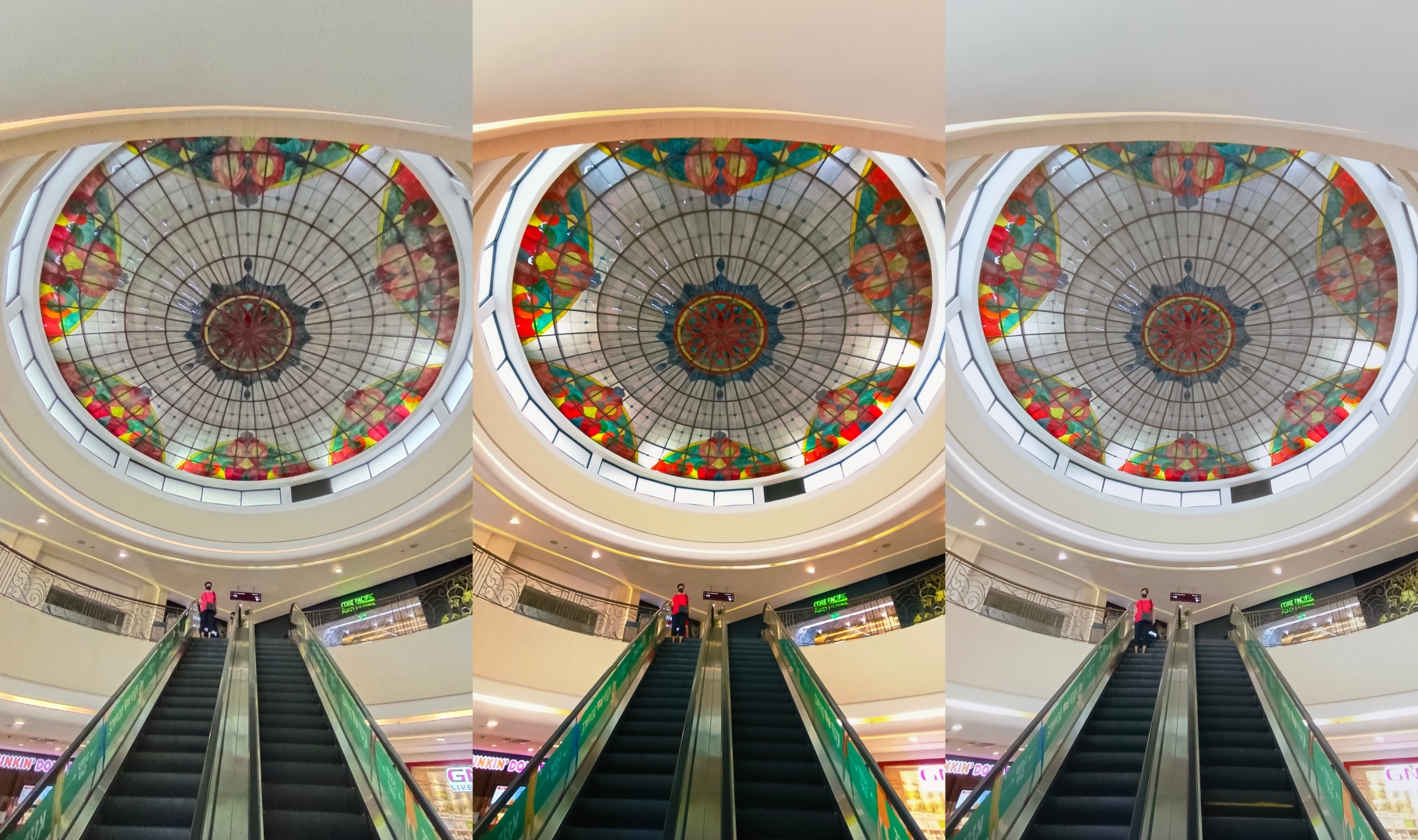
Regardless of what subject or object you shoot, the filters will look good. It’s just a matter of preference which you will use.

Warmer and more saturated ones, or the faded and less saturated filter, it’s all up to your creative freedom to choose.
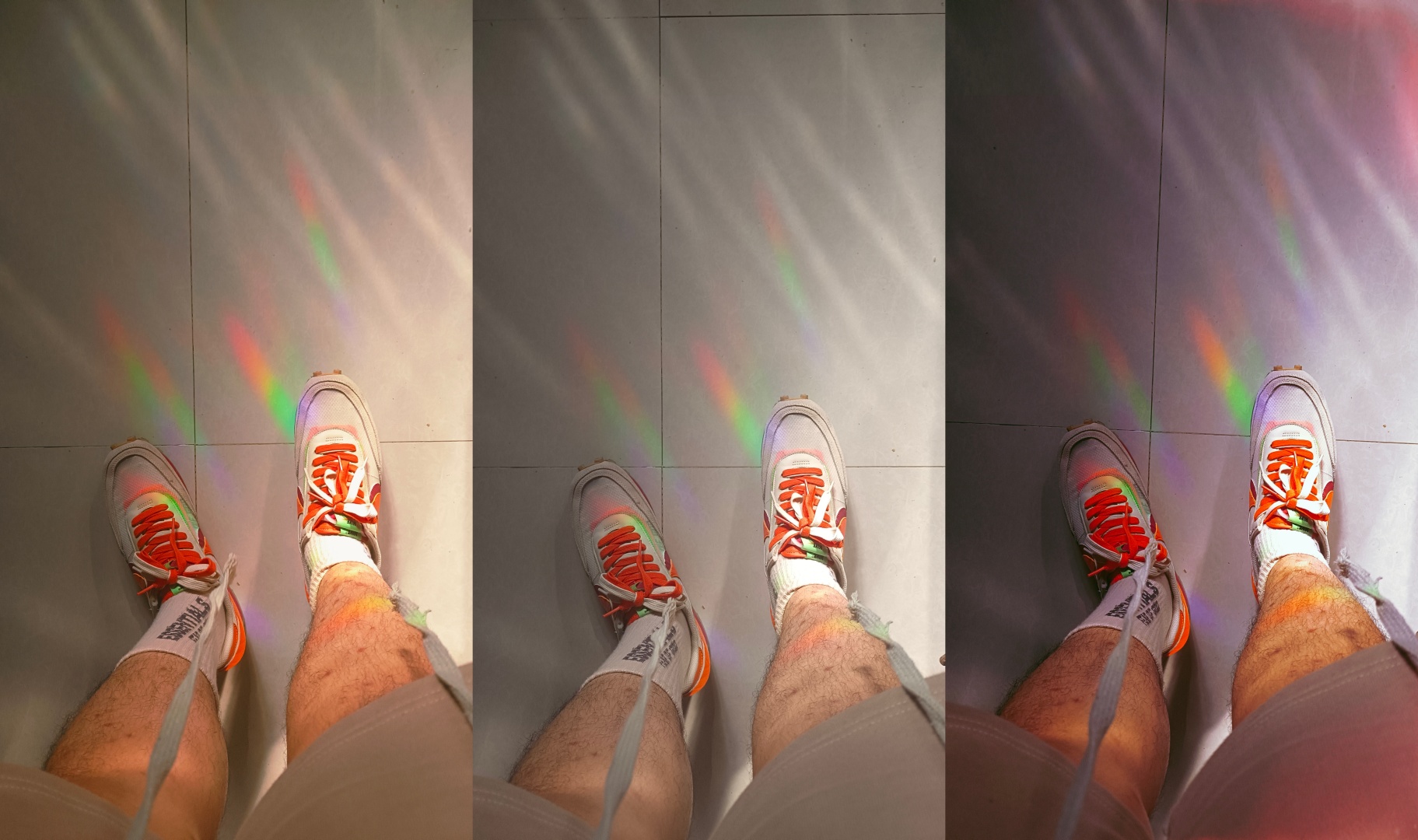
Can you even imagine a dramatic shot get even more dramatic just because of these camera bonuses?

If you don’t like the “too colorful” processing vibe of the vivo V23 5G itself, there are filters that could (somehow) patch things up such as desaturated and faded out filters.

But in other aspects, the darker and cooler filters bring justice to the subject.

And in some situations, tinkering with these filters add drama to your boring day-to-day photos (since some of you crave for that anyway).
Food for the hungry eyes
We love taking food photos. Whether that may be flat-lays, angled shots, or just the typical focused ones with some depth segmentation happening in the background. But the first thing that worried me is how the vivo V23 5G lacks a 2x lens since its more flexible to take food photos for your Gram.
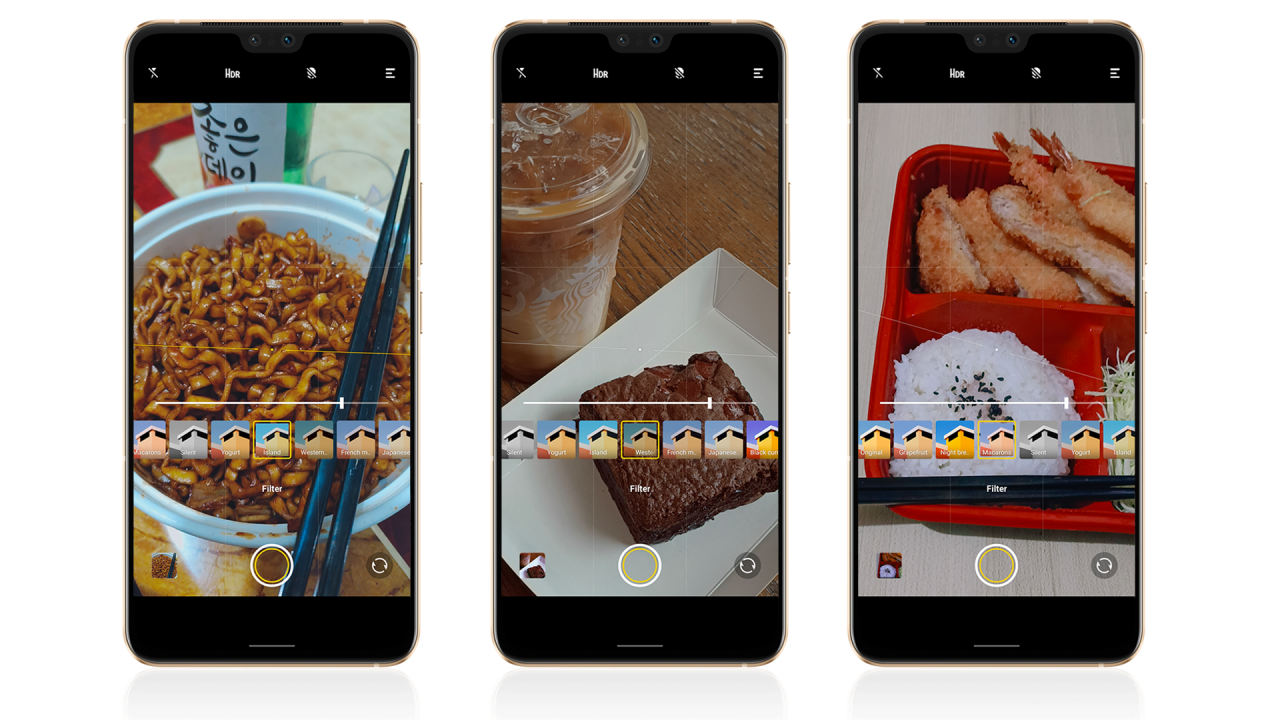
My go-to filter for most of my food shots taken with the vivo V23 5G is the Macarons filter since it brings out better shadows and tones down the saturation.

Original | Macarons
While it brings down some of the needed highlights, I still prefer this filter over the original one that favors contrast more.

Original | Macarons | Night Breeze
Even in this spicy 짜장면 (jjajangmyeon) I ate, the filtered one (using my other fave) looks something I would directly post on my social media. Even the color of the 소주 (soju) is favorable in my opinion.

Original | Night Breeze
That said, there are still other filters you can play around with.

My favorite filter doesn’t do well on this halo-halo so I had to peek and select other options in the filter list.

And in this late night indoor shot of the tempura and tonkotsu, the original one looked too dark for my taste.
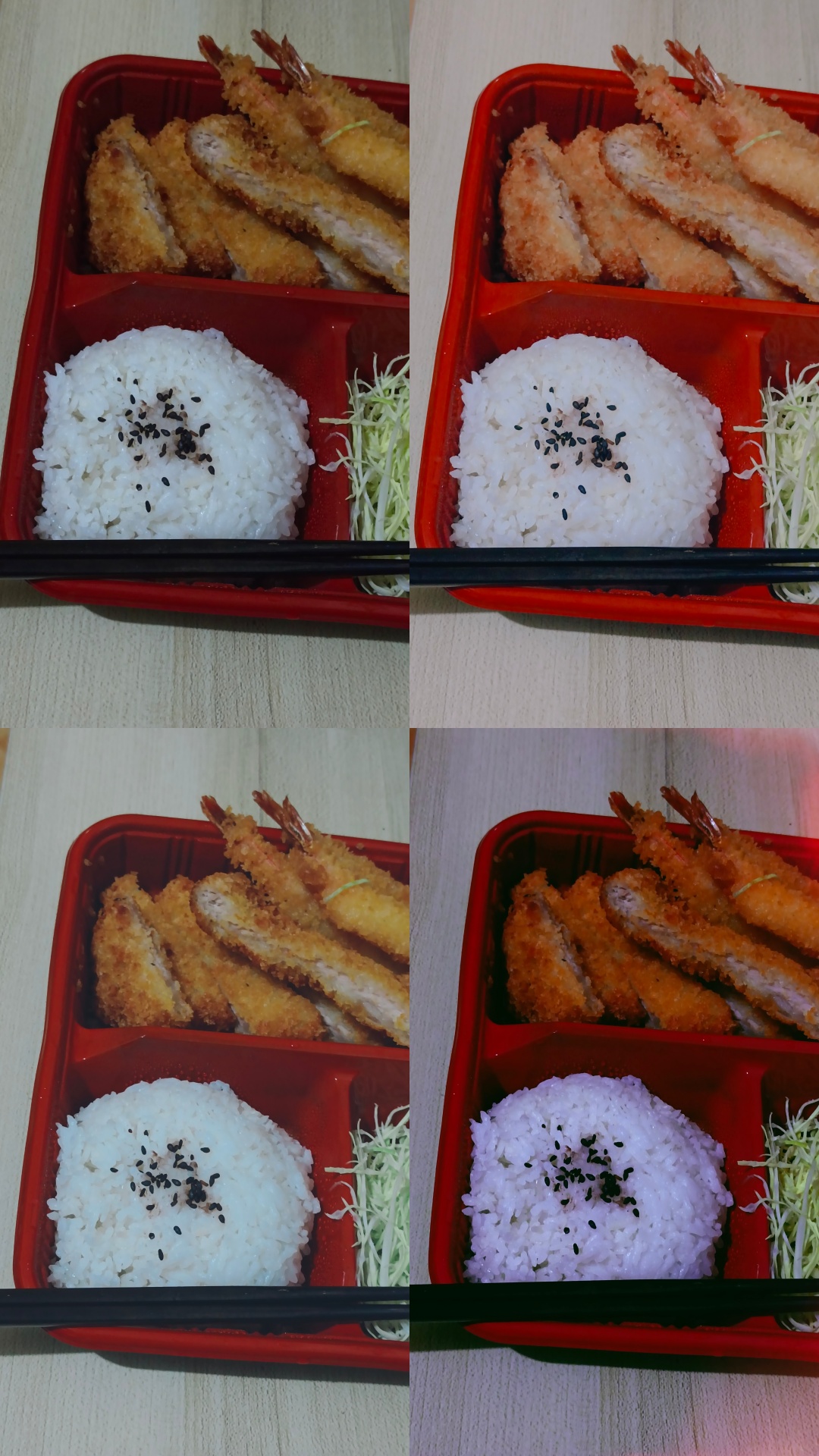
But with the existence of vivo V23 5G’s camera filters, one of them brings out the better food photo that you can directly post in your socials.
The better night mode
While regular night mode does the trick of making night-time photos brighter, filters actually do take part in making such shots more appealing and convincing (sometimes even exceptional).
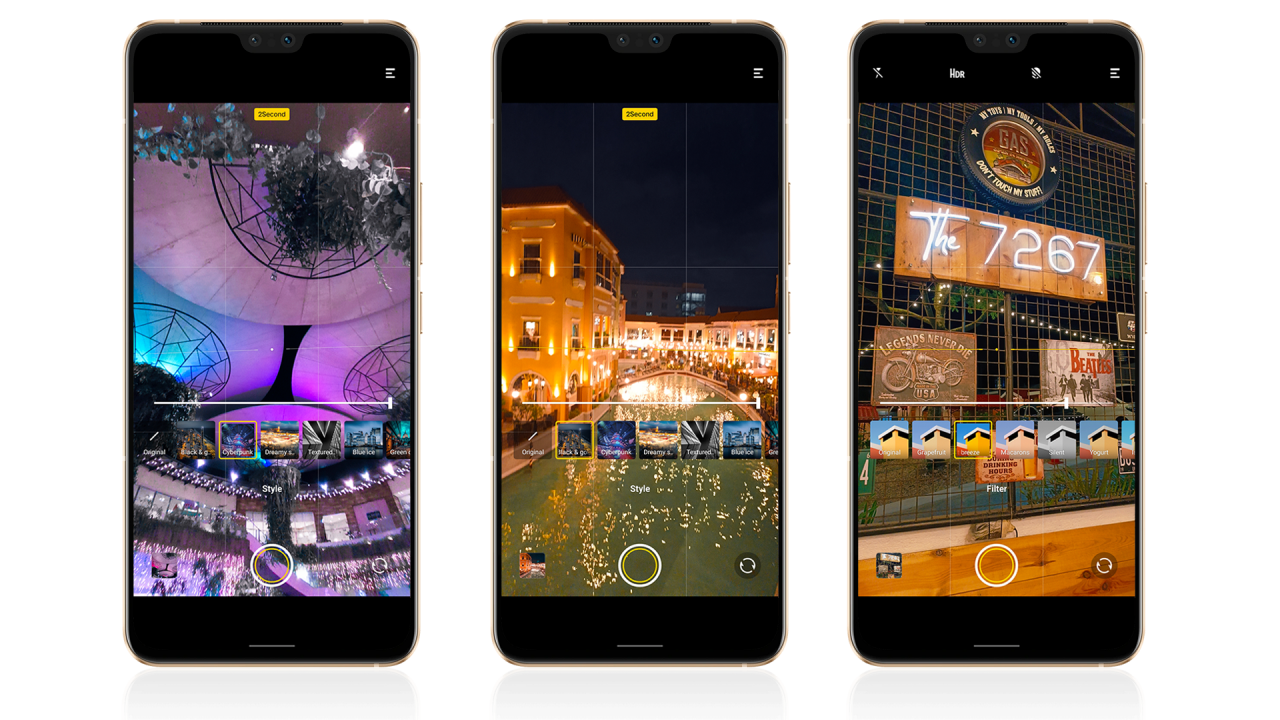
Unlike filters in the regular photo mode, shooting with night mode brings you a different set of filters to choose from.
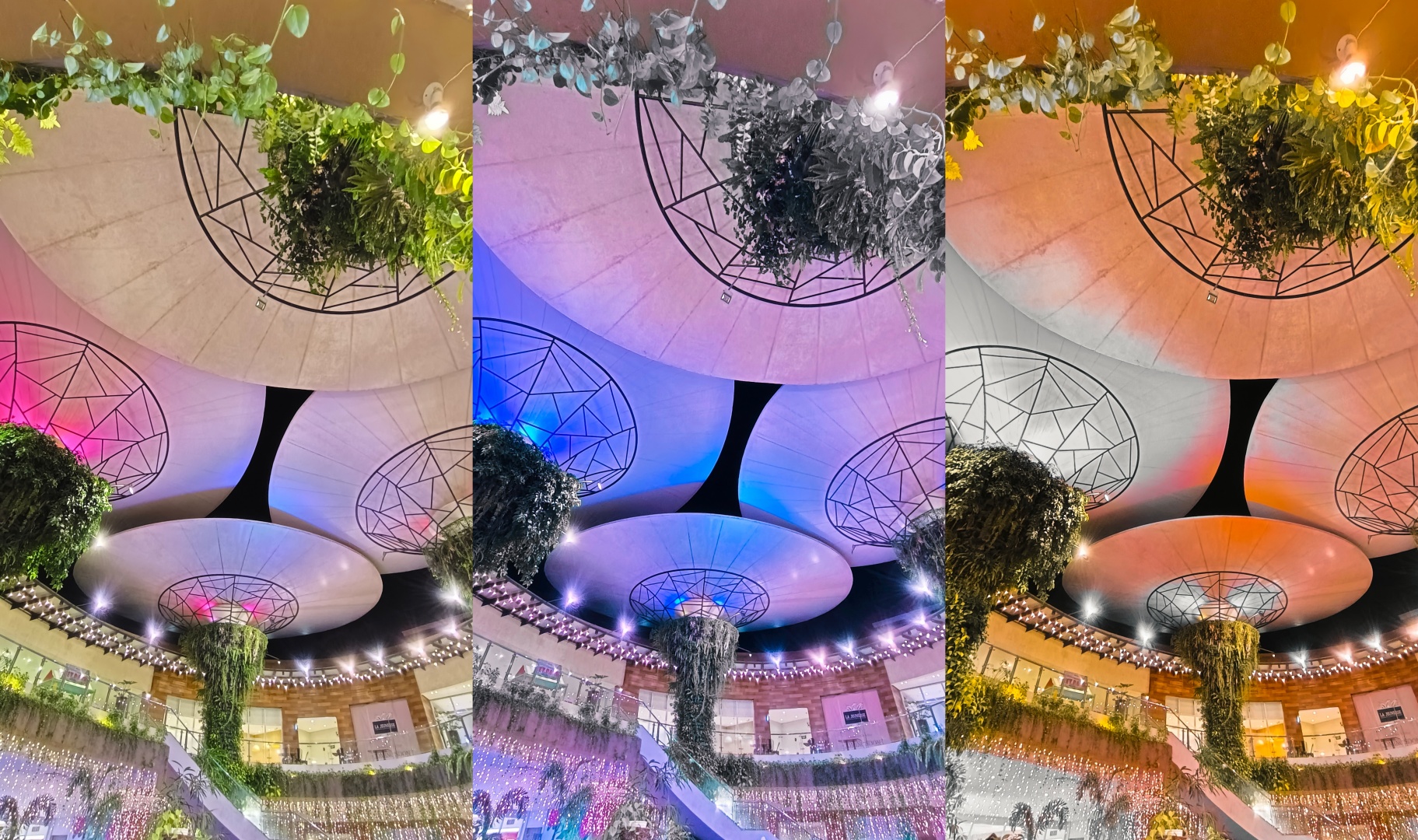
From filters such as Cyberpunk to silver and orange, most of these filters will look good as long as you have the right exposure, framing, and environment.

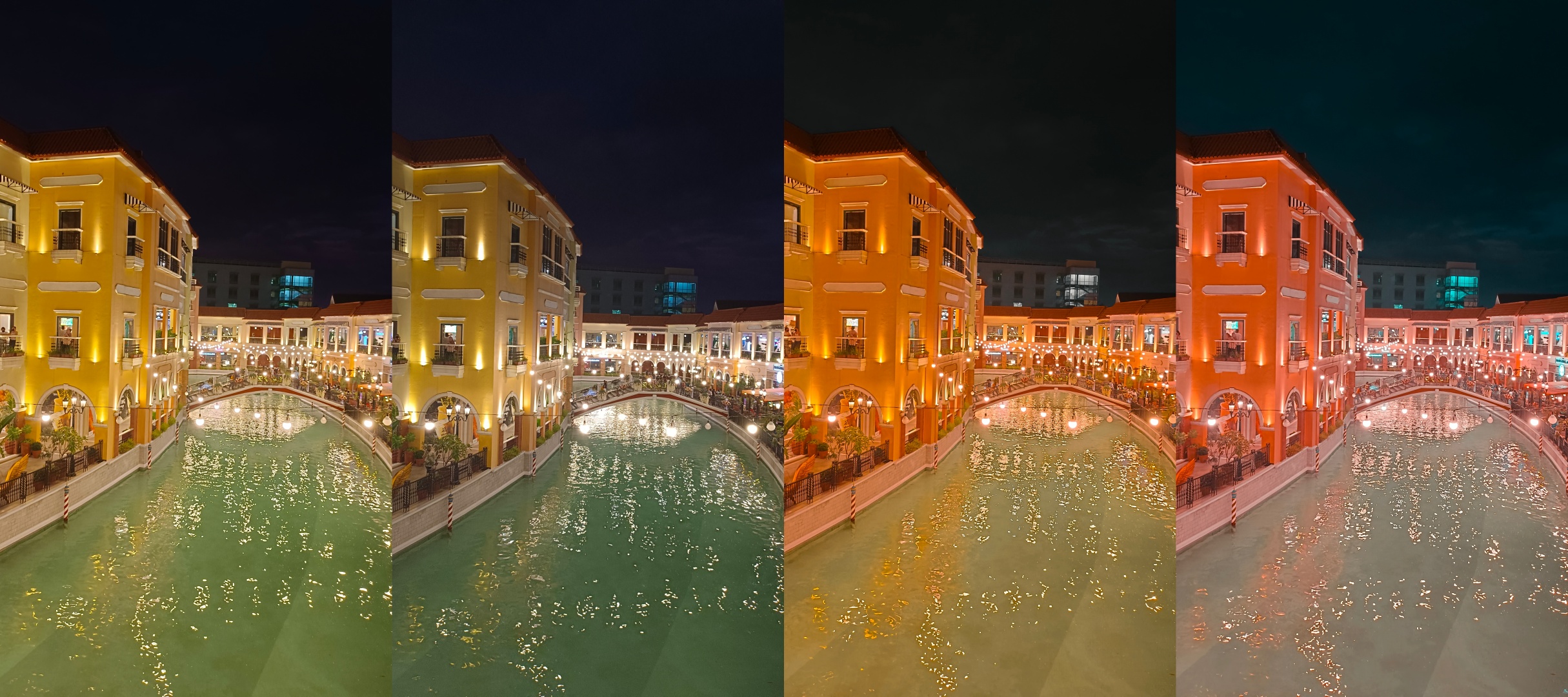
Some even complement the architecture or scenery itself. Take these Venetian-styled buildings and bridge as a reference.
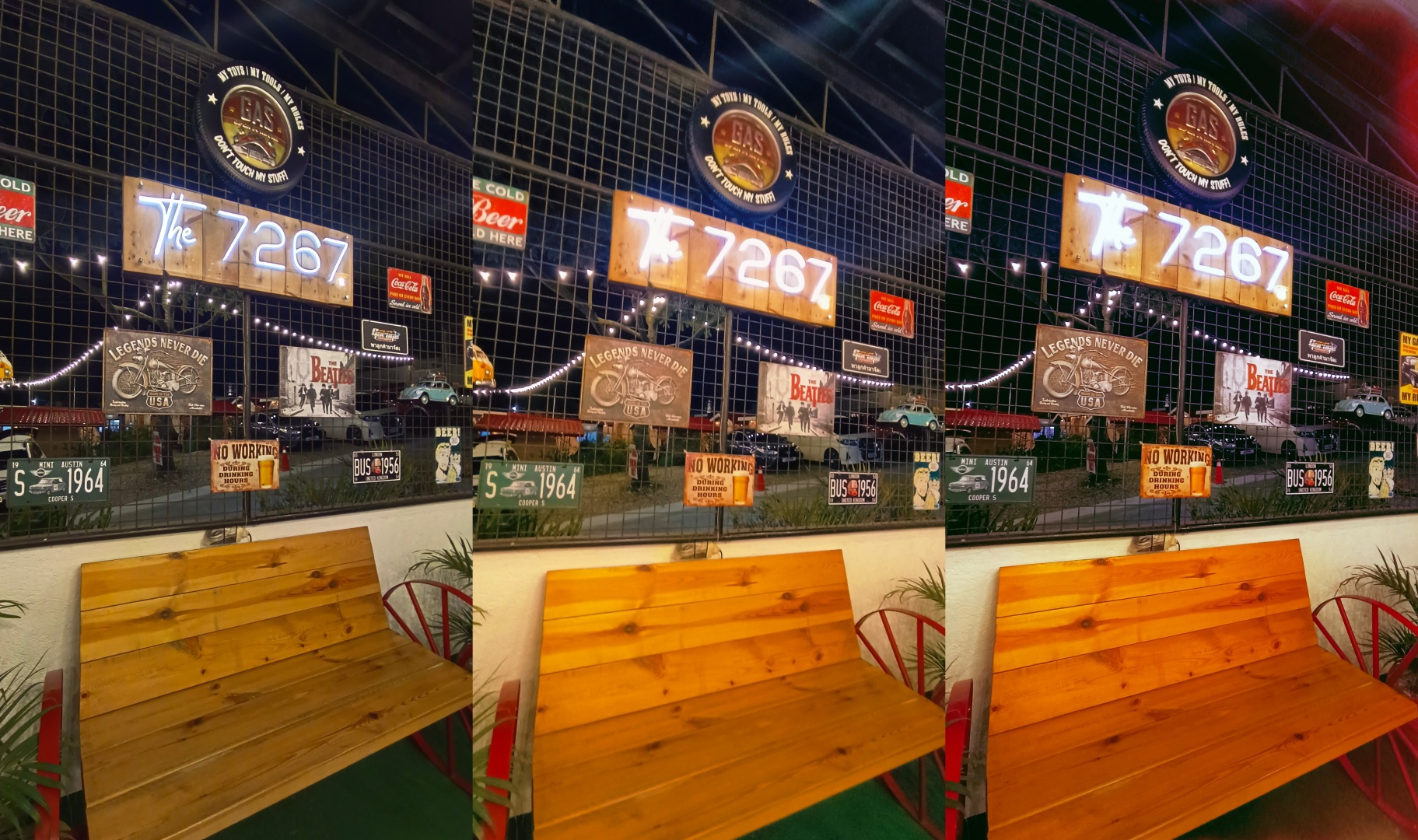
Or if that’s not enough, here are some retro-looking interior decor without and with vivo’s in-app filters.

These night mode shots actually looked better when I tried choosing a filter over the original shot.

Not only did the filters add more color, it also gave the extra “oompfh” I’m looking for shots that the regular HDR, AI, and Night Mode processing of the vivo V23 5G failed to achieve.

And just like in the day, these filters also look nice in the dark via its ultra-wide lens.
In your next café or restaurant visit with a lot of neon signs on it, the vivo V23 5G’s built-in camera filters saves that extra energy you’ll use for manual photo adjustments.

Open that hidden treasure chest
I’m not saying you should open the treasure chest with THAT gold that’s been missing for decades 👀. There are a lot of users who simply don’t take full advantage of the extended features of a camera app. And if you’re a new V23 5G user, don’t hesitate to try them out instead of leaving them alone.
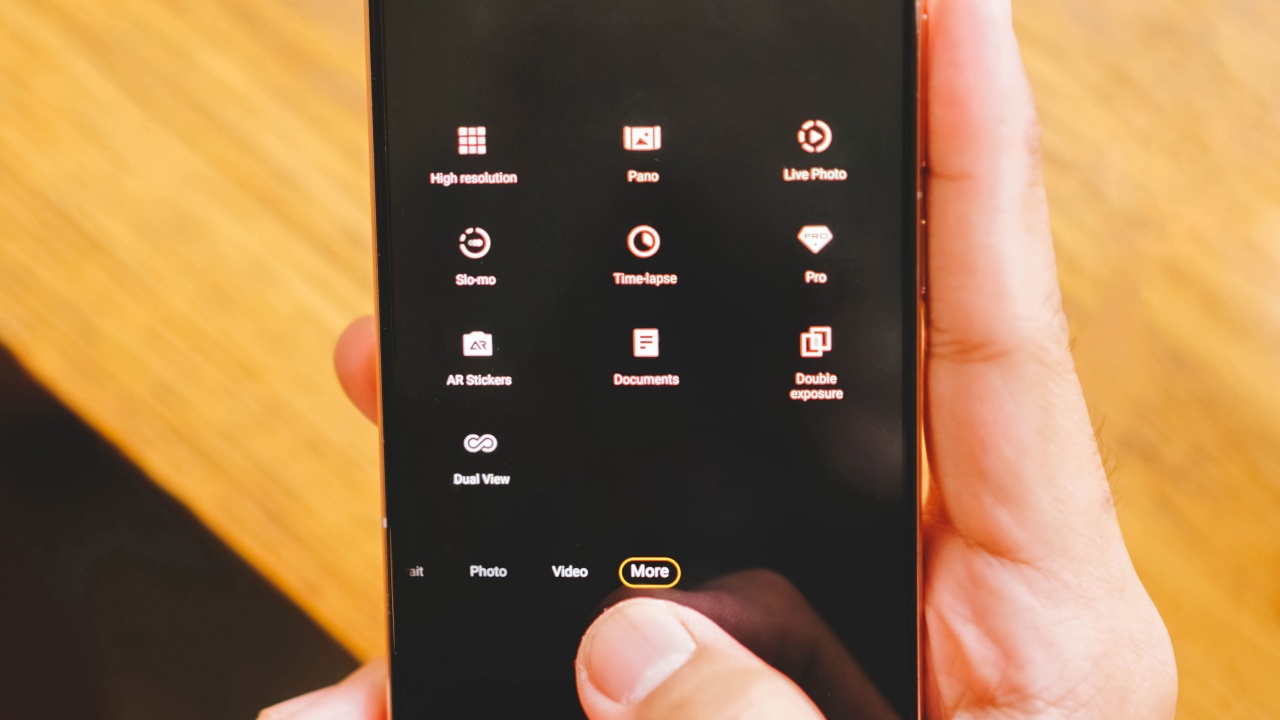
Other than the regular portrait, photo, video, and night modes, there are several more hidden under “More” tab. Those modes include:
- High Resolution taken in full 64 megapixels
- Panorama for that scenic wide-long views
- Live Photo which captures both stills and a super-short clip
- Slo-mo for well, you’ve guessed it
- Time-lapse for that artsy rundown of a long video recording
- Pro mode for those who dare (I’m not talking about you, ROG)
- AR stickers for Gen Zs (or maybe boomers) who want to look cute(r)
- Documents, well no-brainer
- Double exposure for conjoining the base photo with an opaque image preset by vivo; and
- Dual view for simultaneous recording via the front and rear cameras

These AR stickers a la Snapchat and SNOW are too cute for my liking. If you’re a fan, more can be downloaded right through the camera mode itself.

I even tried taking a “double-exposure” shot but I guess there’s a better use for that in a different scenario.

Two front cameras for many uses

Other than the color-changing glass back of the vivo V23 5G, its dual front cameras with both a wide and ultra-wide lenses are what makes the vivo V23 5G stand out from the rest of the crowd. Forget bringing that ring light! There’s also a dual Spotlight flash — which is also another first in this phone.
For OOTDs (and maybe TikToks?)
These were the first few samples I’ve taken with the ultra-wide front camera of the vivo V23 5G just right after I received it.

With that wider selfie lens plus turning on the timer and putting it on a stable tripod (or any other surface), this handy-dandy feature is very useful for those who want to see their full OOTD look without ever worrying about framing that most users do when using rear cameras.

This is beneficial for bloggers (or influencers) who flaunt their latest look or even for those who sell their garments online. Moreover, this wider view is an advantage for those who shoot a lot of TikTok dance trends — just don’t ask me about the video quality as I don’t use one 🥴.
For pandemic groufies

Wide (1x) vs Ultra-wide (0.6x)
Bulky monopods no more! If you’re tasked to take a selfie and you have a short hand (like my friend), you might have a hard time taking groufies.

But thanks to the extra ultra-wide lens of the vivo V23 5G, you’ll get better photo souvenirs with your friends.

And in tight spaces like a small car interior, having the option to switch between these two selfie cameras helps a lot.
The new selfie expert?
If you’re one among those aging tech nerds like yours truly, you’d know that the tagline belongs to OPPO. But upon testing — even if I’m not the biggest selfie expert in this team (that title probably goes to either of the two MJs — one from New York and one from the Philippines), the vivo V23 5G actually takes some good selfies with the right amount of beauty effects and filters applied.

Just like how you’ve seen it in groufies, taking a selfie between ultra-wide (0.6x) and wide (1x) lenses are noticeable.

UWA | Wide Front
It took some guts to actually take cringe-y selfie samples like these at 3AM.

Flash OFF | Aura | Spotlight
Another one of the same pose but this time, it shows how bad the selfie is without opening the fill-in and dual Spotlight flash modes of the vivo V23 5G.

Flash OFF | Aura | Spotlight
Beauty filters and effects are preferential. I just tried comparing three beautified selfies against one without it.

Beauty / Flash OFF | Beauty ON | Aura | Spotlight
And if the smoothing effect doesn’t look clear enough, here’s a closer look.

Using beauty mode shouldn’t be frowned upon. Not only does it show the right amount of skin texture, the skin also isn’t as smeared the way other Android phones do it.
Too much software magic? No problem!
Just in case you do and you properly know what’s good for the eyes (well tbh you should still learn and understand the basics first before you break ’em), give the built-in adjustment settings in vivo’s Albums (Gallery) app a try.

In my experience, adjusting was a total breeze. I have access to most of the stuff I play around with like exposure, contrast, temperature, highlights, shadows, and more. If you don’t know how to tinker around, the Auto-Enhance might come in handy but it might not work most of the time.
There are photo filters that can be applied as well so if you’re not satisfied with the first filter you have, you have the ability to change it afterwards.
Not for everyone — but good for anyone
If you’re a budding enthusiast with a keen eye on photography or a casual user who just wants to take a lot of photos but has a limited budget, the V23 5G should be in your radar.

Its built-in filters, camera modes, plus the in-app adjustments you’ll find in its Albums (or Gallery) app are some of the reasons why the vivo V23 5G can still take social media photos that are worthy to post.

And in all honesty, the vivo V23 5G cameras aren’t the worst. We’re just surrounded with a lot of smartphones lately that take the best-in-class phonetography experience. But with the existence of these software novelties, I think it’s time for people to make full use of them that would totally make phone shots a lot better than what’s taken straight out of the camera app.
SEE ALSO: vivo V23 5G: A lost Android soul in an iPhone’s body?





Features
A Galaxy summer to remember
The last ‘awesome’ summer of my twenties unfolds through the lens of the Samsung Galaxy A57.


They say we only have ten truly vibrant summers in our twenties.
I’m not entirely certain who authored that pressure or if I simply internalized it while scrolling through a Pinterest mood board of how I wanted my life to look when I finally hit my prime. That idea sparked a specific kind of FOMO that if we aren’t living at our absolute peak during these ten fleeting orbits around the sun, we are somehow failing the decade.
I’d be lying if I said I hadn’t let that ideology steer my ship. I spent my twenties accumulating milestones like they were limited-edition accessories. I chased the grand and “successful,” often reaching markers of achievement that most expect in their thirties. Back then, everything had to be monumental for my life to feel awesome.
Maybe because I didn’t come from privilege. I grew up with the odds stacked against me, and started working for my dreams as soon as I turned 18. So I turned into a professional opportunist, grabbing every chance I could get.
I was never sure when the universe might stop offering them.
Because of that drive, my life eventually looked meticulously curated on paper. It’s even more glamorous when viewed on a 120Hz Super AMOLED+ display.
However, as Taylor Swift so astutely noted, familiarity breeds contempt. As a lifestyle journalist, that contempt often manifests as a weary cynicism toward the very tools of my trade. In a world of iterative design, the novelty of a new smartphone often feels like a ghost.

When I packed the Samsung Galaxy A57 5G to experience a summer to remember in Boracay Island, I didn’t expect to be surprised. I expected a standard device and a beautiful island, but what I actually found was a paradigm shift in how I view my own life.
Sparkle of new beginnings
Arriving at Discovery Boracay, the scenery felt like a familiar embrace.
I had stayed at this resort years ago, yet as I walked toward the shore, the sensation of the Galaxy A57 in my hand felt distinctly different.

Shot on the Samsung Galaxy A57 | Photo by MJ Jucutan
The device is unapologetically slim at 6.9mm, which is a feat of engineering that feels more like a piece of jewelry than a piece of technology.
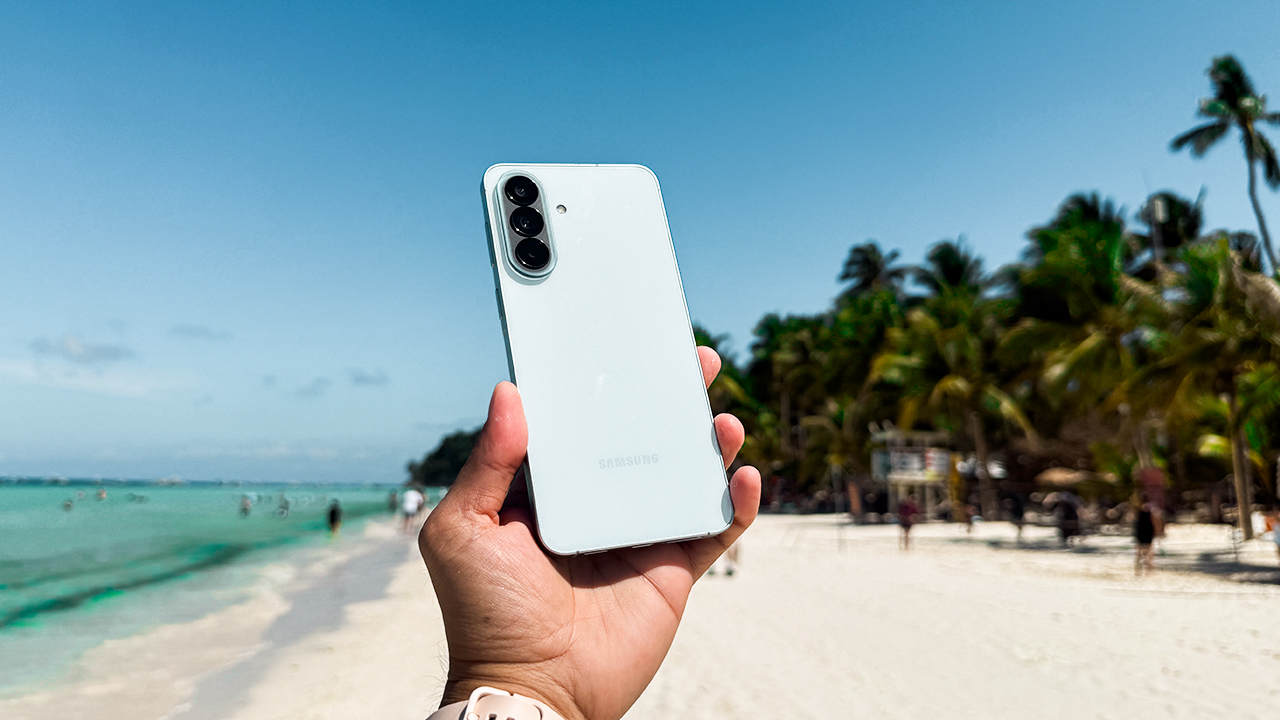
Shot on the Samsung Galaxy A57 | Photo by MJ Jucutan
The Awesome Blue finish captures the shifting hues of the sea and features the new Ambient Island translucent camera bump. This design choice mirrored the soft pastels of the morning sky I used to watch, proving that even a tool for work can possess an aesthetic that resonates with a creative soul.
Watching the sun rise while eating Tahô, those warm pearls of sweetened silken tofu, I realized that my personal form of touching grass is actually touching sand and watching the ocean sparkle.
This realization helped me put things into perspective, which is the defining lesson of the final summer of my twenties. Along the way, I had been taking the awesome for granted because I was looking for it in all the wrong places.
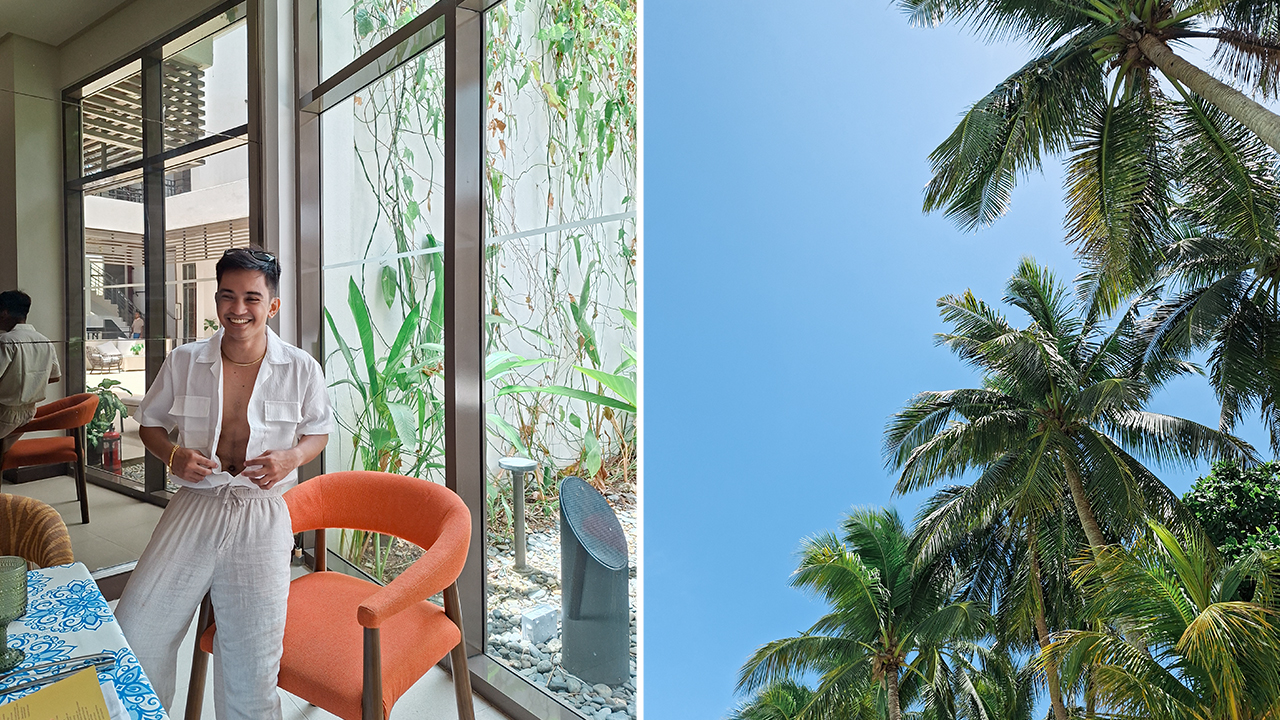
Shot on the Samsung Galaxy A57 | Photo by MJ Jucutan
I was busy waiting for a grand, sweeping crescendo when I should have been looking at the way the light hits the salt spray on the horizon.
Finding awesome in the everyday
Life is truly awesome if you possess the courage to look at it without the heavy filter of expectation.
In between Boracay sunsets, shared mojitos, and crisp white linen shirts, I’ve met new people and realized that I’m standing at the precipice of a new chapter.

Kyle Vergara holding the Samsung Galaxy A57, while Mikee Bernabe holds a glass of Mojito
I’m leaving certain things behind, yet I no longer feel the sting of sadness regarding these endings. I’ve come to understand that they are merely setting the stage for new beginnings. This sentiment may feel like a cliché, but I’ve learned that truths often become clichés because they are universal.

People we meet on vacation, friendship version featuring Jo Serrano, Mikee Bernabe, and Kyle Vergara
With a group of new friends, I boarded a yacht to watch the sunset from the open water. I had done this same activity for my birthday two years ago. At that time, I couldn’t fully appreciate the beauty or the joy of the moment. I was carrying an immense emotional weight in my heart that kept me anchored to the past.
This time, I simply allowed myself to let go. I felt a profound sense of gratitude as I found myself laughing and dancing with abandon. The people I have met on this journey have made me realize that there was never anything wrong with me to begin with, and that is a realization I intend to keep.
Stabilizing the blur of my 20s
Out on the open water, where the movements are frantic and the wind is unpredictable, the 50MP OIS Main Camera on the Galaxy A57 became my most reliable companion. I wanted to capture these fleeting moments with precision. I recorded the clinking of canned beers and the sound of laughter being lost to the sea breeze while the sun dipped below the horizon.

Shot on the Samsung Galaxy A57 | Photo by Jayson Dionisio (Left) and MJ Jucutan (Right)
These moments were transformed into stabilized, high-definition memories that I know I will carry for the rest of my life.
To celebrate this internal change, I even began asking others to take my photo. In my early twenties, I would have hovered over the photographer, consumed by worry regarding the angle and the light.

Shot on the Samsung Galaxy A57 | Photo by Mikee Bernabe (Left) and MJ Jucutan (Right)
I was obsessed with achieving a hollow version of perfection. Now, I have learned to trust the process.
The Best Face through Galaxy AI on the Galaxy A57 creates a promise that even if I blink or the boat lurches unexpectedly, the device will select the ideal facial expressions for everyone in the frame. It allows the final result to capture the actual essence of my joy rather than just a curated pose.
Trading milestones for moments
We spend a significant portion of our twenties waiting for the world to show us something amazing. We wait for the next professional promotion or that one grand vacation we booked months in advance.

Shot on the Samsung Galaxy A57 | Photo by MJ Jucutan
As I sat on the sand, I realized I was already in the middle of everything I had been searching for. The Galaxy A57 didn’t just document a beautiful summer trip filled with new people I have come to love.
It taught me to notice the finer details of the world around me. I guess life unfolds beautifully if you simply allow it to be. Maybe, we don’t actually require ten perfect summers to feel whole.

Shot on the Samsung Galaxy A57
We just need to realize that every single day is an opportunity to step up our A-Game. As I head toward thirty, I am intentionally leaving the milestone-chasing behind me. I’m trading the monumental for the authentic.
Now, I am keeping my eyes open and my heart ready. That, and a reliable smartphone like the Samsung Galaxy A57 in my pocket to make sure I do not miss a single second of the ‘awesome’ that was there all along.


Not every tablet needs to win you over in the first five minutes.
Some are just meant to ease you in—to see if having a bigger screen actually changes how you use your tech day to day.
Instead, it feels like it’s asking a quieter question: Do you even need a tablet?
That’s the space the HONOR Pad X8b seems to occupy. Not a productivity machine. Not a performance-first device. But something that lets you test the waters—see if a tablet fits into your everyday routine at all.
And for a lot of people, that might be exactly the point.

It’s positioned as a “Tablet Made Tough,” and that framing makes a lot of sense here. Because if you’re just starting out, or buying for someone who’s still getting used to tech, you don’t want something fragile. You want something you can be a little careless with—throw in a bag, hand to a kid, leave on a table—and not worry too much about it.
And that’s exactly the kind of role this tablet is trying to fill.
Who this is really for

You can feel pretty quickly who this tablet is designed for.
Kids are an obvious fit. Something they can use in short bursts—for watching videos, light learning, or just getting familiar with tech without handing them a more expensive device. The durability angle plays a big role here too. It’s the kind of tablet you won’t panic over every time it slips or gets handled a bit roughly.
But it’s not just for kids.

This also makes sense for first-time tablet users in general. If you’ve never owned one, or you’ve always wondered if a tablet fits somewhere between your phone and laptop, this feels like a low-commitment way to find out.
Not a big investment. Not a big adjustment. Just something to try.
Built for watching, not pushing

Julie freaking Han
Most of that experience revolves around media consumption.
The display is… nice enough. It gets the job done. Colors are decent, viewing is comfortable, and for videos, it holds up better than expected.
Case in point: I watched KISS OF LIFE’s “Who is She” music video on this—mostly for miss freaking Julie Han, if we’re being honest—and it looked good.
That may not be what you want your kids watching. But for actual use, it gives you a good sense of what this screen can deliver.
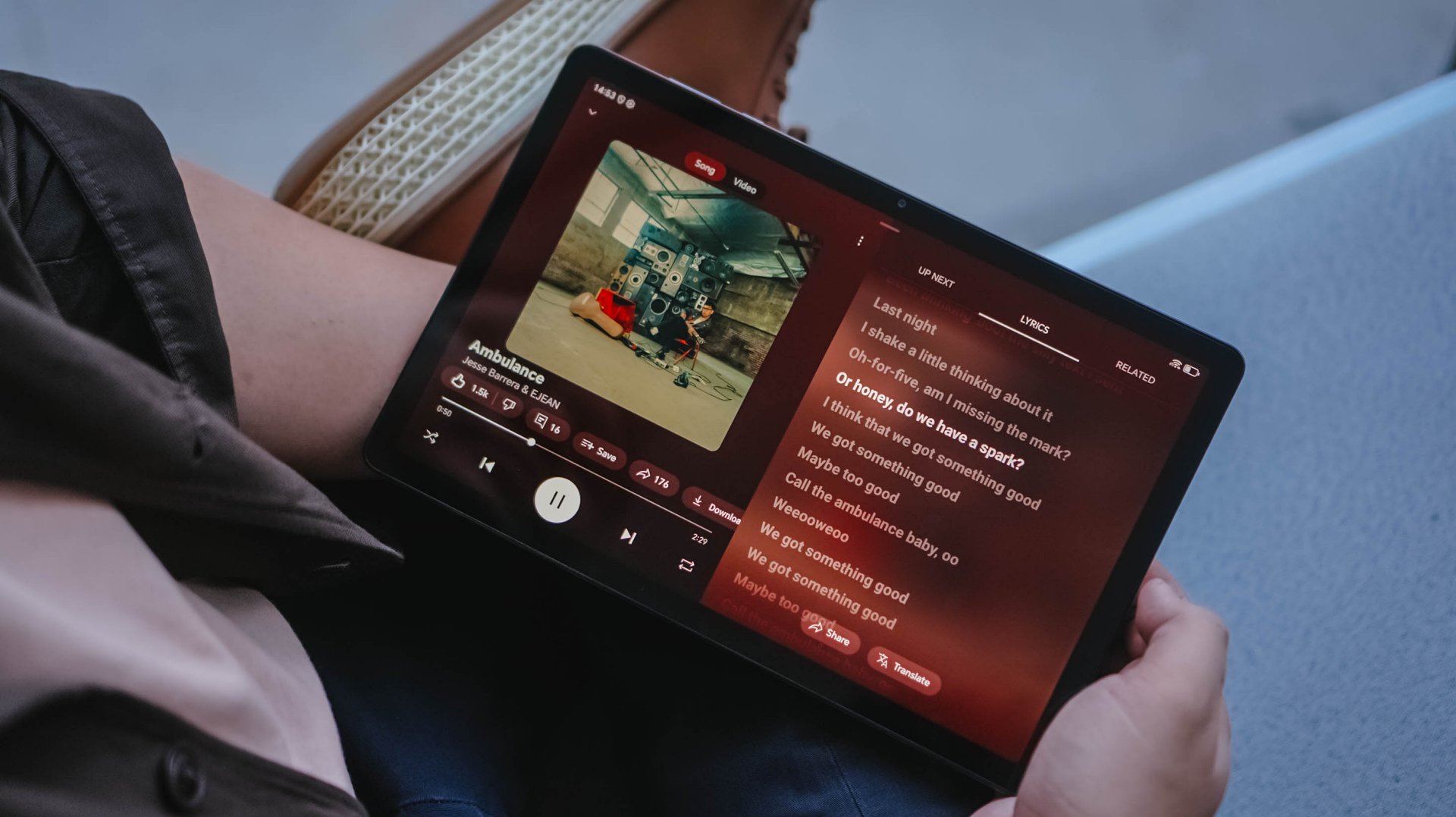
This has been on consistent rotation lately
Audio is also decent. Not groundbreaking, but not thin either. I ran AMBULANCE by Jesse Barrera and EJEAN through it, and it had enough body to feel enjoyable without immediately reaching for headphones.
Put those together, and you get a tablet that’s easy to pick up for Netflix, YouTube, or Spotify. The kind of device that lives on a coffee table or bedside, ready when you just want a bigger screen for casual viewing.
Where you feel the limits

But it doesn’t take long before you notice where things slow down.
Even just swiping around the interface, there’s a certain lack of fluidity. Nothing completely breaks, but it’s not the kind of experience that disappears into the background either. You feel it.
Apps open fine. Navigation works. But everything carries a slight hesitation that reminds you this isn’t built for speed.
And that’s really the trade-off.
This tablet leans heavily into light use—watching, browsing, maybe some casual apps. The moment you expect more responsiveness or try to push it harder, the limits start to show.
What you’re actually getting

Before we get into pricing, here’s a quick look at what the HONOR Pad X8b brings on paper:
- 11-inch HONOR Eye Comfort FullView display
- 10100mAh battery (up to multiple days of light use)
- Qualcomm Snapdragon 680 processor
- Quad-speaker system
- Storage options up to 256GB with RAM expansion
- Metal body with drop and crush resistance focus
- MagicOS 10 (Android-based)
- HONOR Kids Edition with parental controls
It’s a spec sheet that prioritizes the basics—big screen, long battery, and durability—over outright performance.
So where does it land?

At PhP 9,999 (special TikTok shop price in the Philippines, the HONOR Pad X8b lands exactly where it needs to. Not cheap enough to ignore—but accessible enough to try.
At the end of the day, this isn’t trying to be more than it is. It’s a starting point. A way to figure out if a tablet fits into your routine.
If you’re curious about tablets, this tells you real quick if it’s for you.

It might be an exaggeration but, never have I ever dreamt of stepping onto the Land of the Rising Sun anytime soon.
Financial instability is one. Tedious visa application process for another. Don’t even get me started with all the daunting stories of denied applicants.
But, as luck would have it, I was still granted a single-entry visa. A year’s worth of preparation didn’t go into waste.
It’s not because I’m an anime fan (because I ain’t one). As much as everyone else, Japan (日本) is a legitimate dream destination for all the sights and wonders it offers.
After all, being able to experience the rich nation from the Far East has been dumped in my travel bucket for more than two decades — way before this trip became a reality.
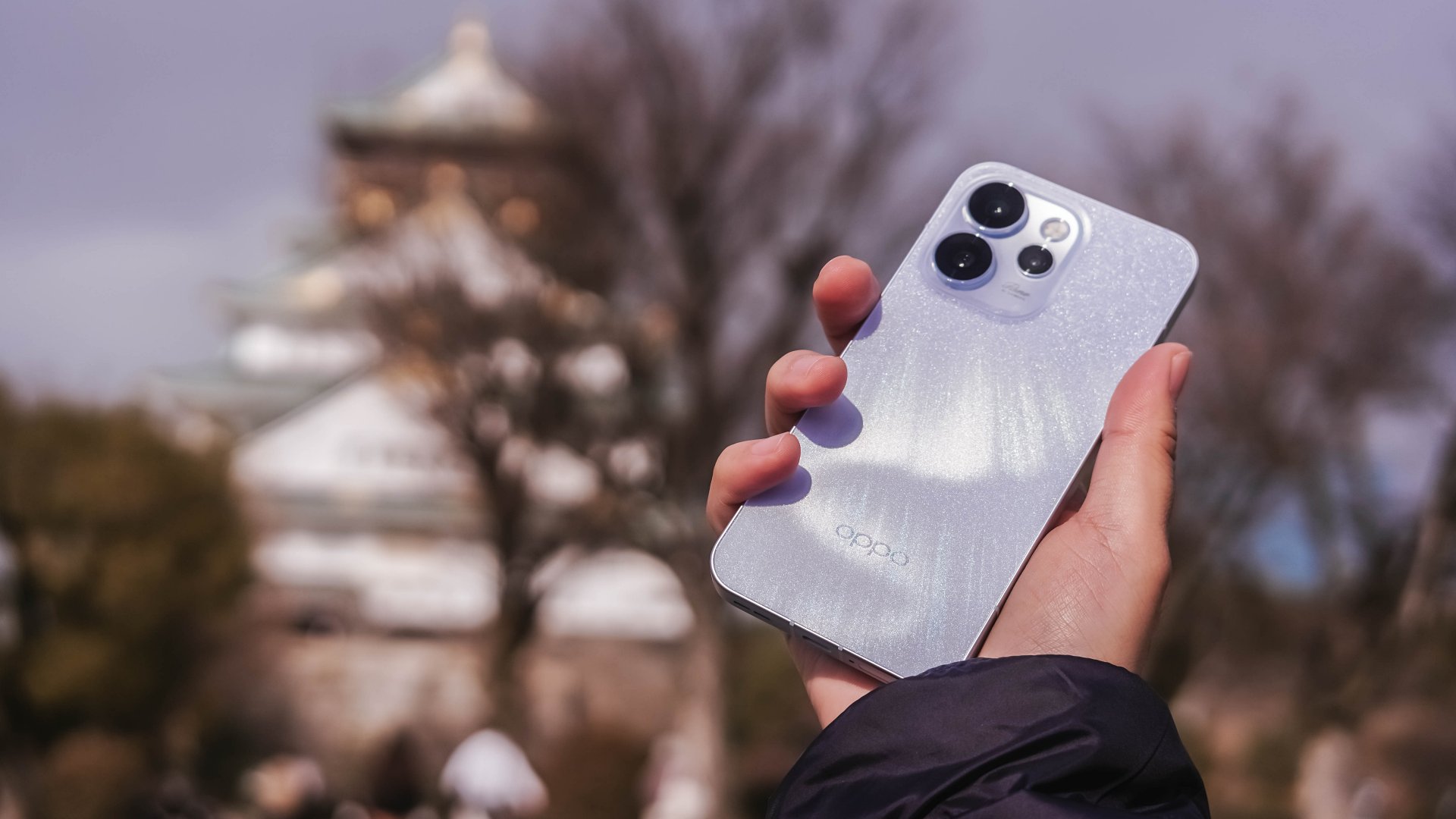
While coincidental, the OPPO Reno15 Pro 5G was lent to me just a day before our departure. This made the perfect opportunity to showcase both Osaka (大阪) and the phone’s prowess with its cameras.
The Kitchen of Japan
Let’s start with what the city is best known for.
Osaka isn’t called “the kitchen of Japan” or the nation’s “food capital” without any meaningful reason.
Other than its culinary delights alongside that rich cuisine presence and history, the city is also popular for the kuidaore (食い倒れ) expression, or eating ’til it fills your heart and stomach’s desires and empties your pockets all at once.


Although I haven’t tried each and every Osaka delicacy available, I still enjoyed all the great delectables during the course of the trip.
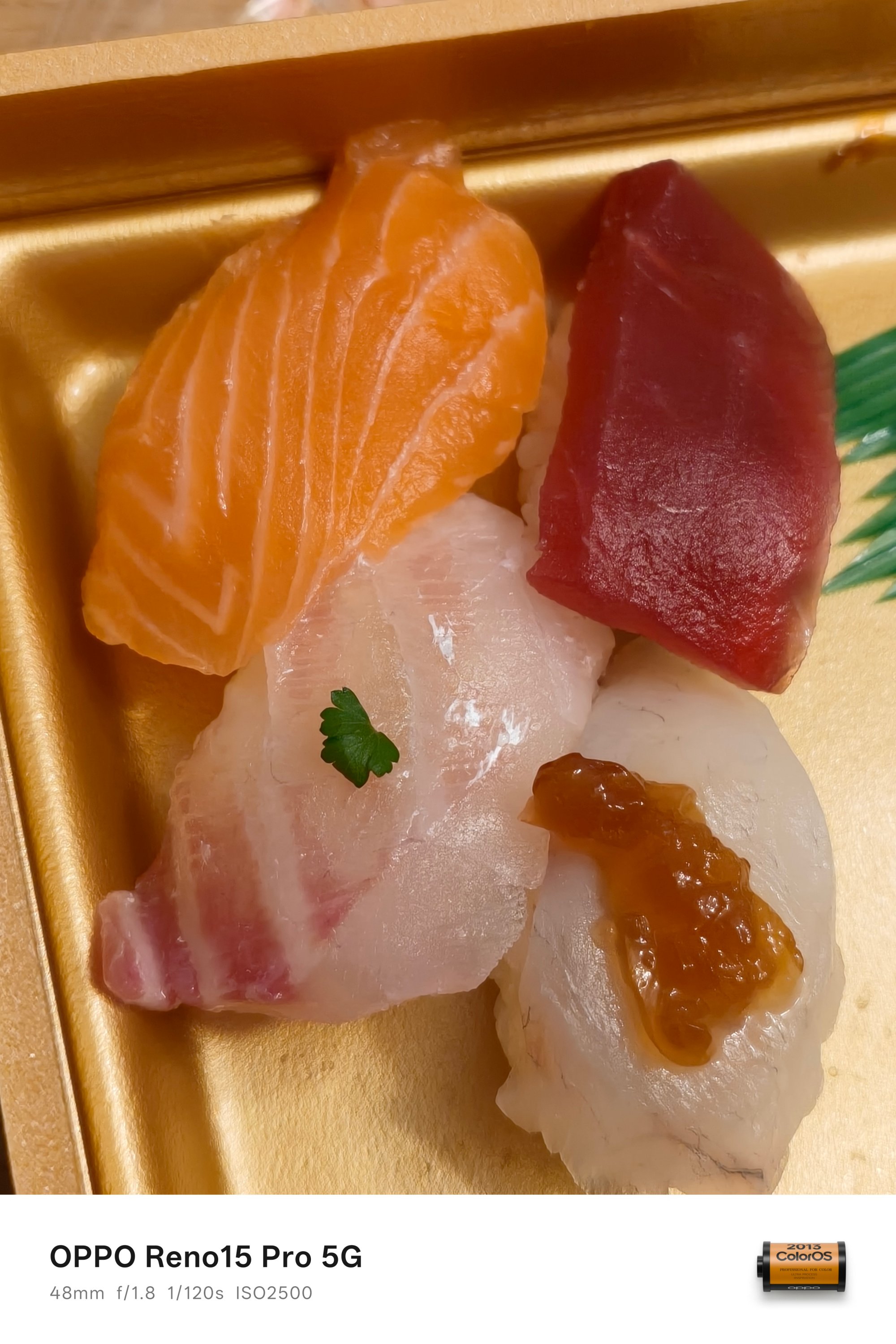

From the Okonomiyaki and sushi from a konbini, all the way to that Karaage and Naporitan combo near Tsutenkaku area. They all taste shockingly delicious for such value.

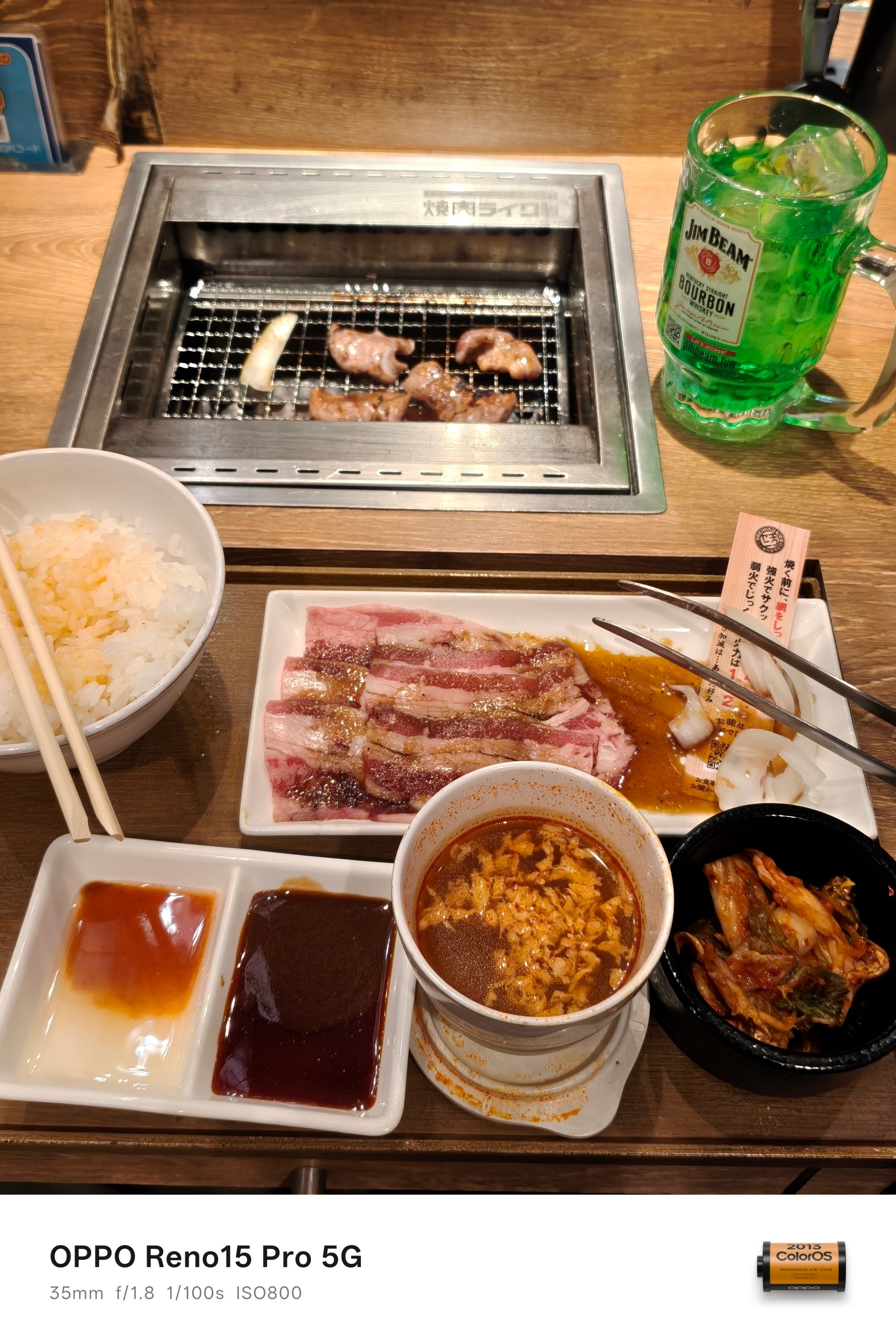
Of course, not everything is specific to Osaka, such as the much-raved ramen by Ichiran or the tender meat cuts in Yakiniku Like.


On slow days where I felt not spending a lot, all I ever craved for were these fast food delights — such as this Japanized combo meal from KFC or the simple ol’ Chinese lunch at Universal Studios Japan.


Lastly, it would be a huge miss not to try out the Osaka-blend Iced Americano by the home-grown brand MUJI as well as those big yet affordable pastries found inside R Baker — with a popular branch located beside the Osaka Castle Park.
Leaving marks in these landmarks
Now that we’re at it, I must say it is mandatory to see Osaka Castle (大阪城) by the time you visit the city. It’s a key landmark for Japan’s unification during the 16th century.

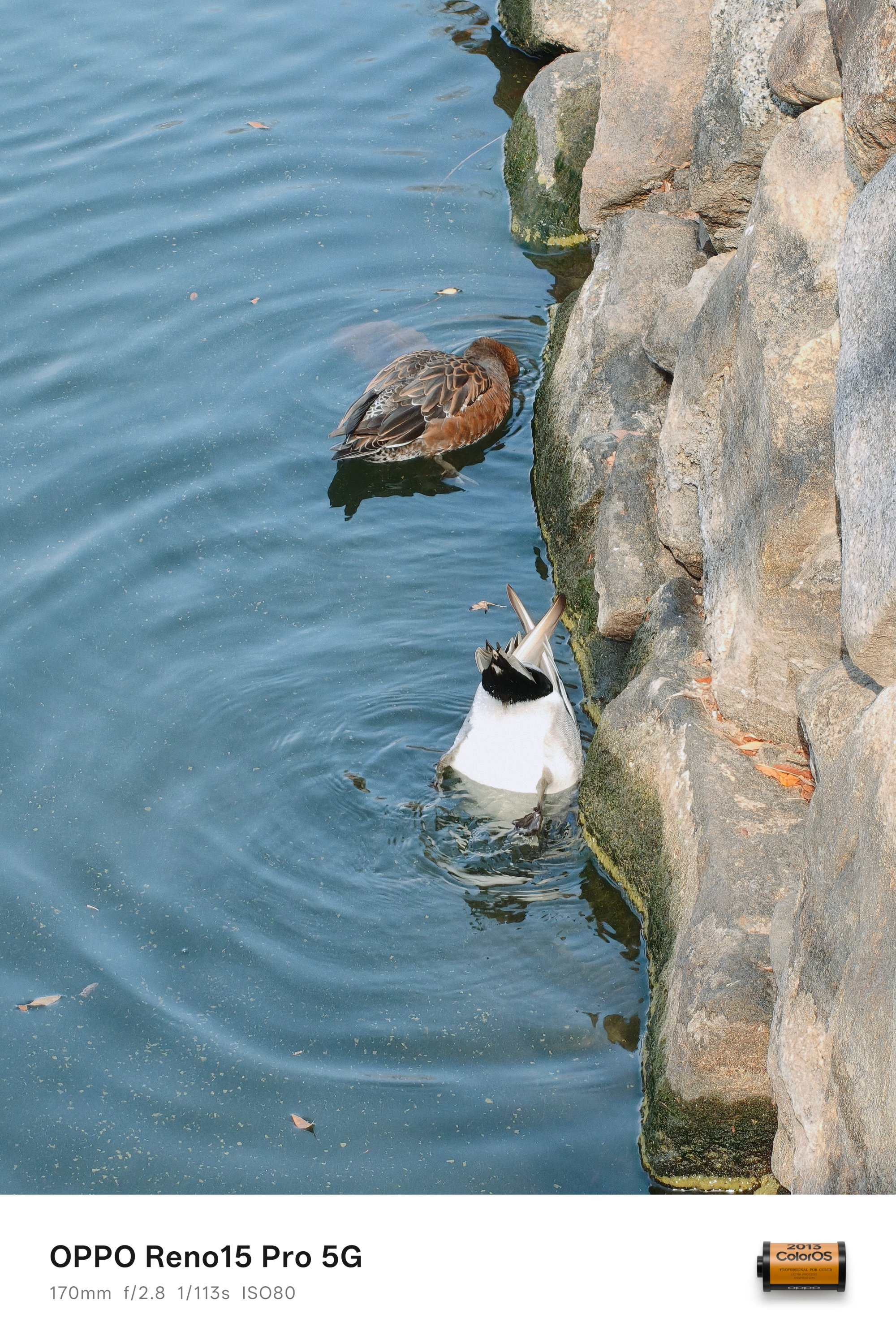
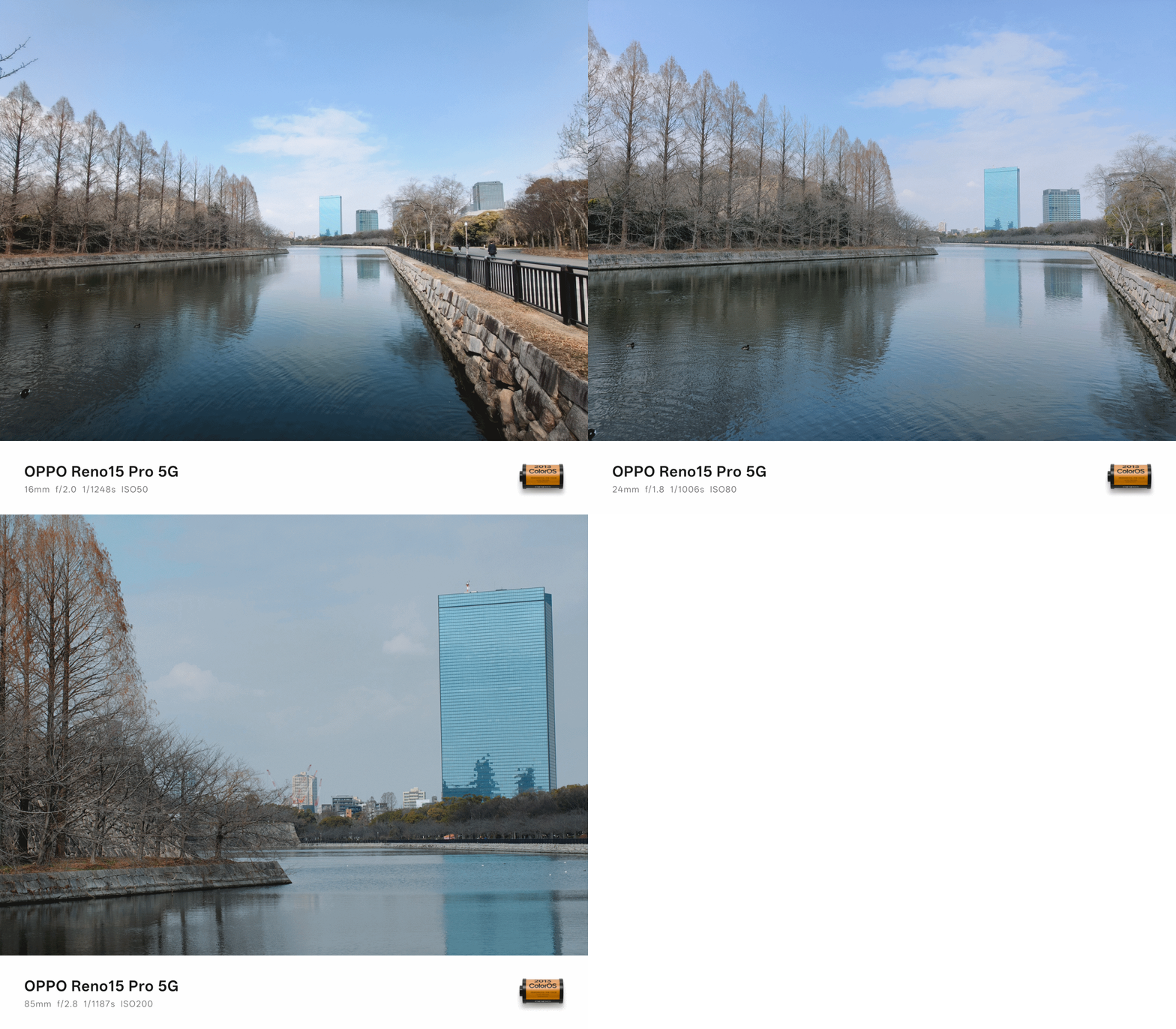
Although it has been destroyed several times since 1583, the excellence and perseverance of the Japanese actually made a perfect reproduction of the majestic castle.
Admittedly, we didn’t go inside and up. Still, it’s a beautiful sight to see so you have a glance of Osaka’s history.
Another popular must-visit spot in Osaka? None other than the Glico Man billboard along the Dotonbori (道頓堀) area.
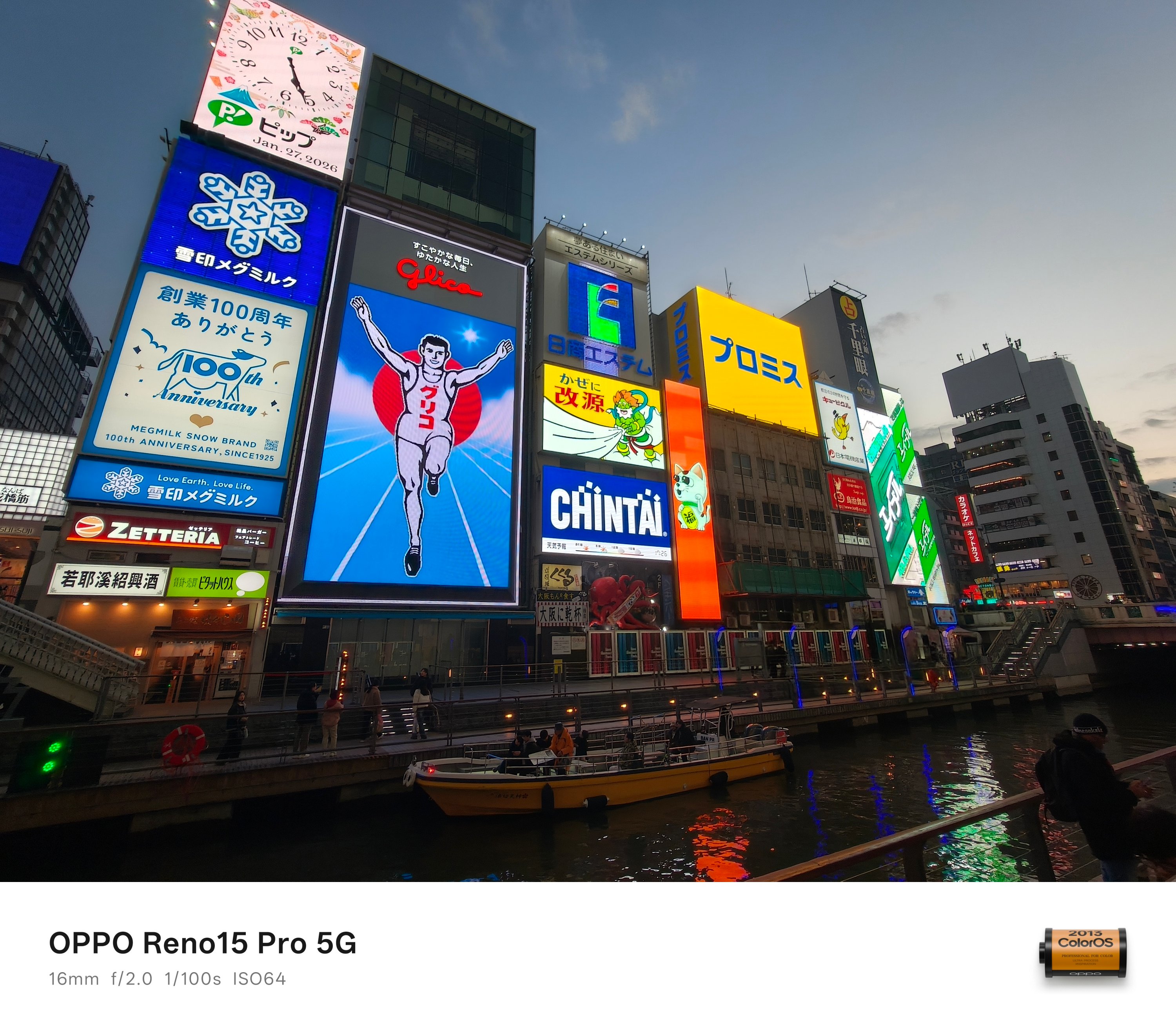
For everyone else, it’s just like any other regular digital billboard. However, something that’s only shown here makes it uniquely Osaka.
And now that we’re here, it’s a real heaven for any shopaholic — my friends included in that narrative.
That’s a long, loooong strip of hundreds of shops ever imaginable with items being sold at slashed prices. Be it gadgets, watches, clothes, sneakers, bags, luggages, chocolates. Gashapons even!

If you want to see the Osaka Bay Area up and above, going on top of the Umeda Sky Building should be in your itinerary.
The best thing here is that, you can still buy souvenirs and see parts of the Osaka Bay coastline through its windows even if you don’t pay for the entrance going to the rooftop — just like how we did.

As mentioned, here’s the Osaka Bay from the ground — captured in a place found at the latter part.
Maybe we got lost in translation
This write-up seems too smooth to be true. But, I have to be realistic and break it in the middle. Traveling, especially in a foreign country, isn’t always an easy-breezy ride.

Unlike most of my international trips where I go and enjoy being solo, I went here with my long-time high school buddies.
Back in our Taipei and Hong Kong trips, I was the tour guide of the gang. This time, Osaka was a first for all of us.

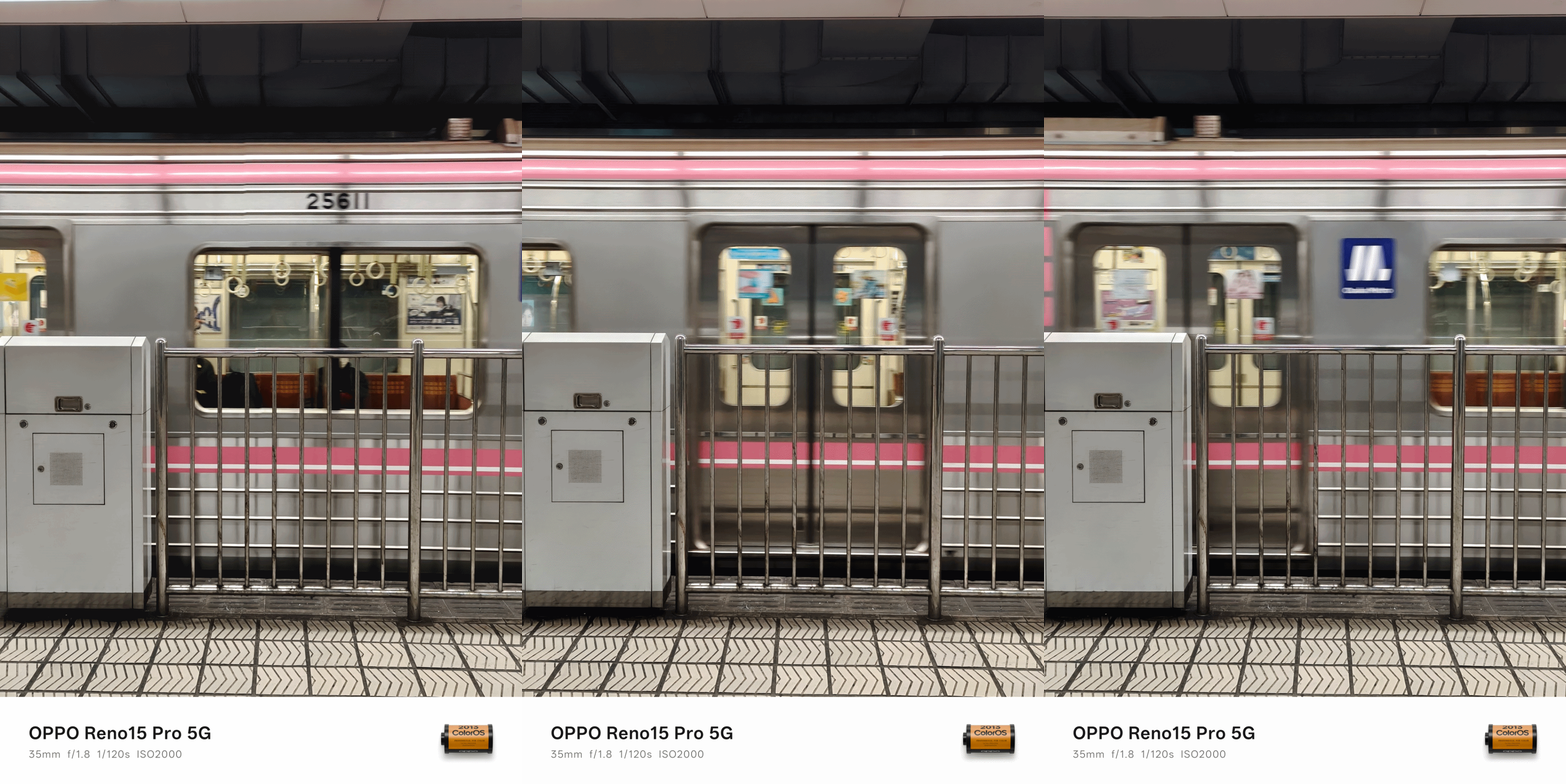
The moment we landed at KIX / Kansai International Airport (or the world’s first airport built above a man-made island), there were already struggles — even if we did our research months prior this trip.
ICYMI, Osaka has two separate train systems managed by two different companies.
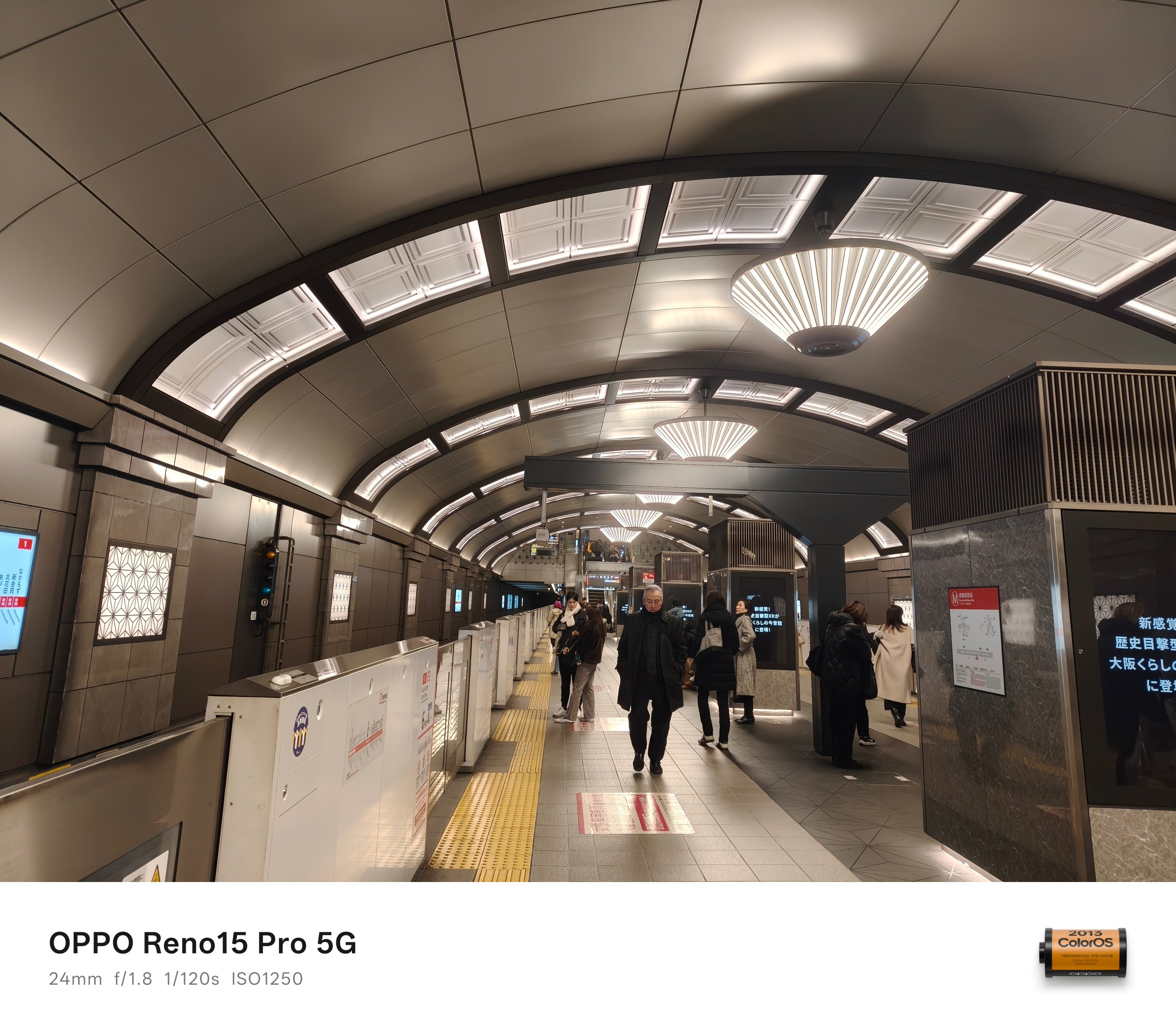
Underground relies on Osaka Metro. Ground and above is where JR-West prevails.
The former is more welcoming for tourists as the machines accept foreign credit/debit card payments. The latter only works with Japan’s smart cards: namely ICOCA and Suica.
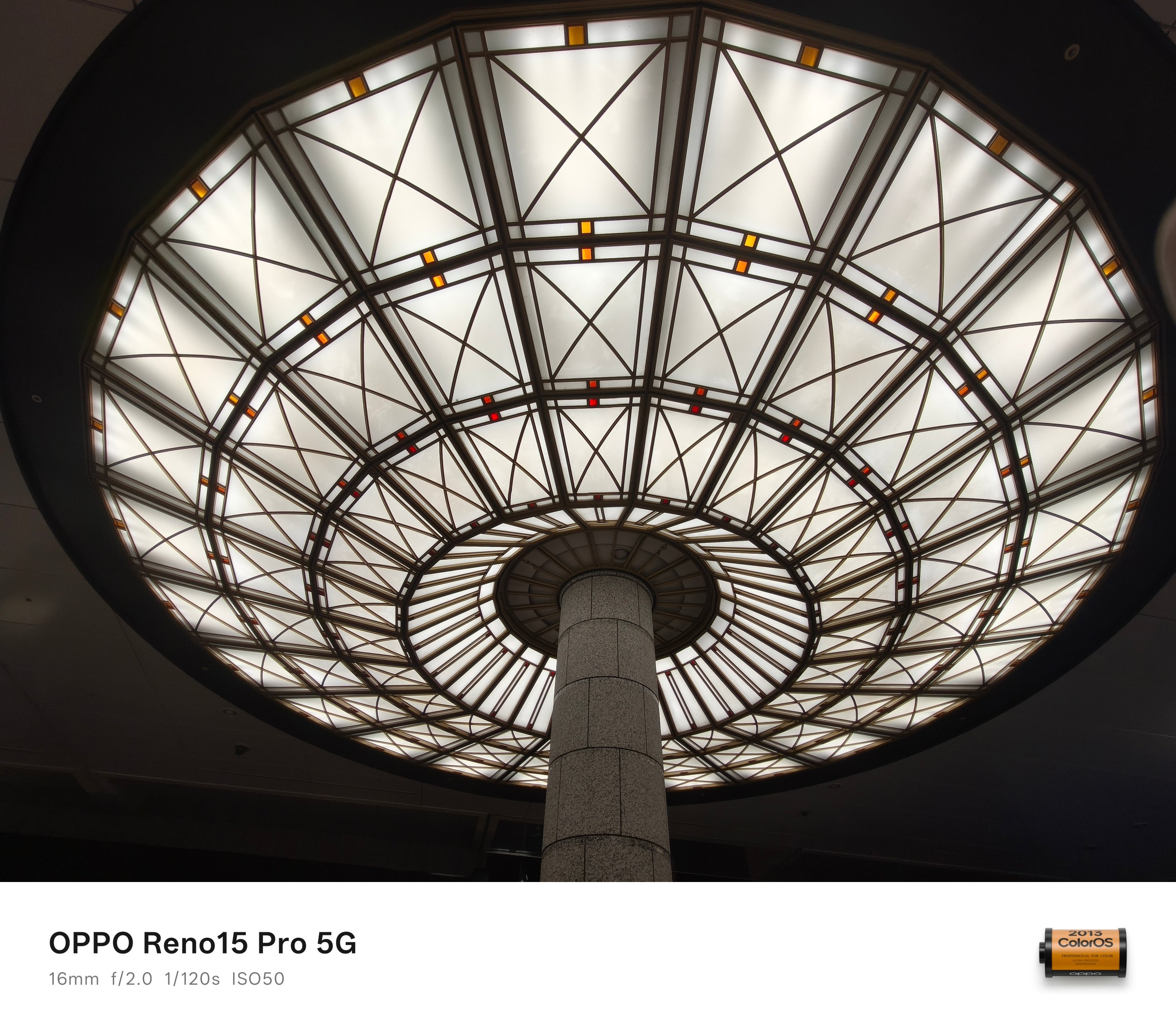
To make things more complicated, buying an ICOCA card for the first time (and reloading it) only accepts cash and coins. That’s a huge bummer for a tech-driven nation.
While the smart card dispenser wasn’t hard to find once you go out of the airport, looking for a tourist-friendly ATM machine (with minimal to no foreign fees) was.
It took us some back and forth moment just to realize it was inside the airport all along. Third floor to be very specific, not the ground floor.
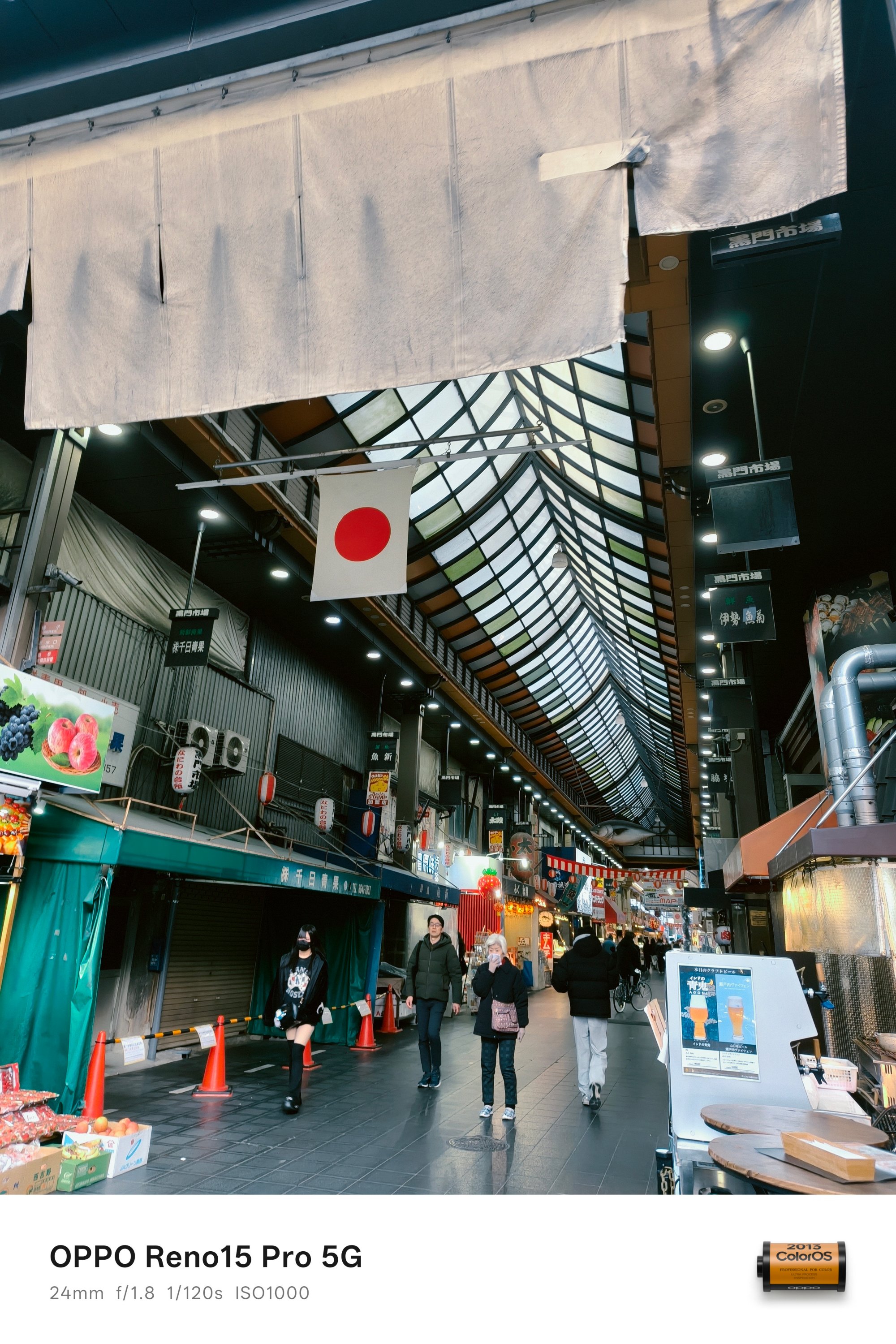
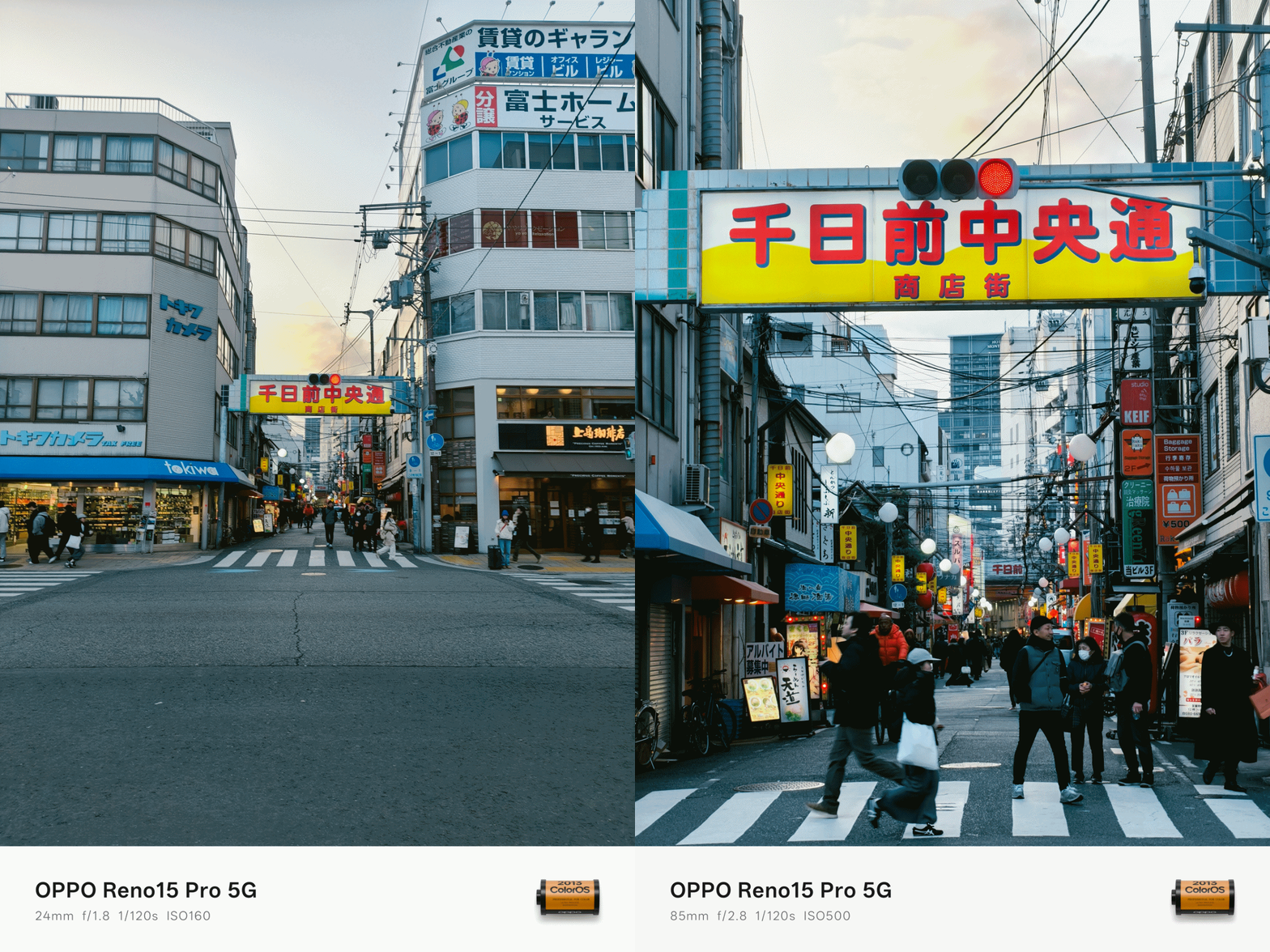
Problems don’t end once you figure out how to enter the train station. Japan has a lot of trains. Emphasis on A LOT.
Now, if you’re like my three friends who usually grasp for the right directions when roaming around with Google Maps, confusing station exits plus various train sets can still make one lost.
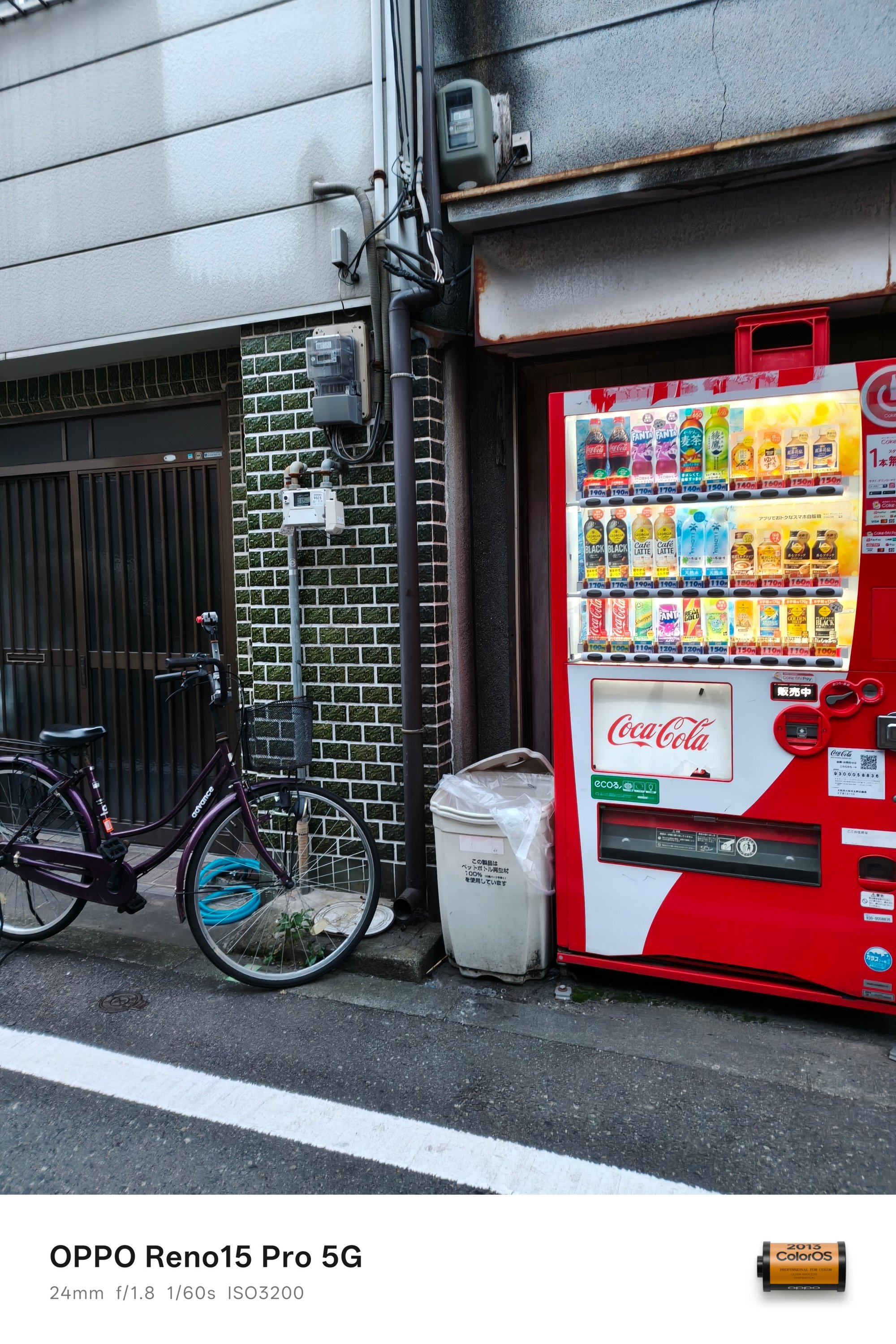
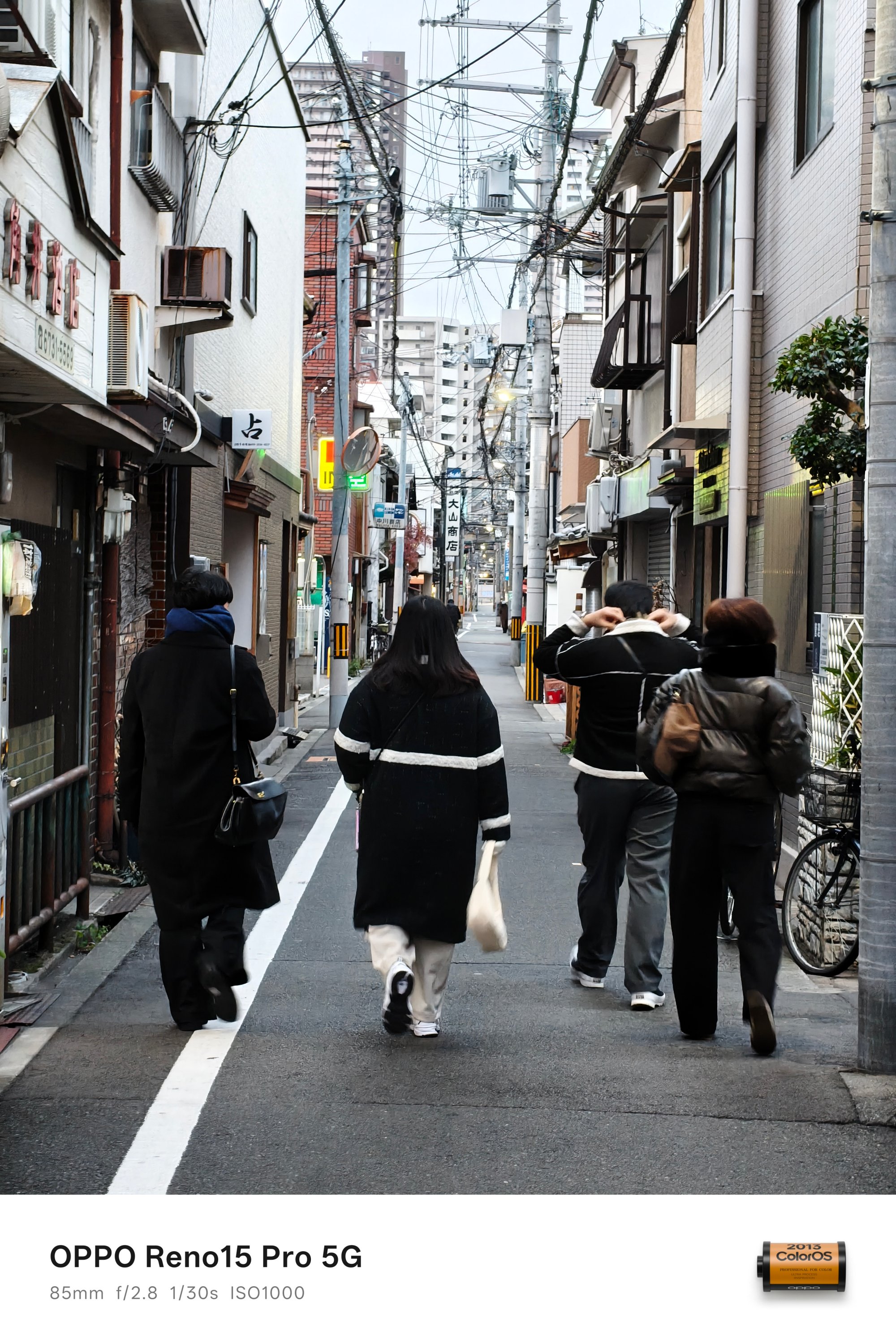
It’s just a good thing that two of us are map-proficient.
During those times when I wanted to explore parts of the city all by myself, another one could lead the circle without me sorting out how to meet them afterwards.
Exciting and exhilarating
Now back to regular programming.
For a die-hard theme park fan like yours truly, it’s mandatory to see what Universal Studios Japan (USJ) has to offer.
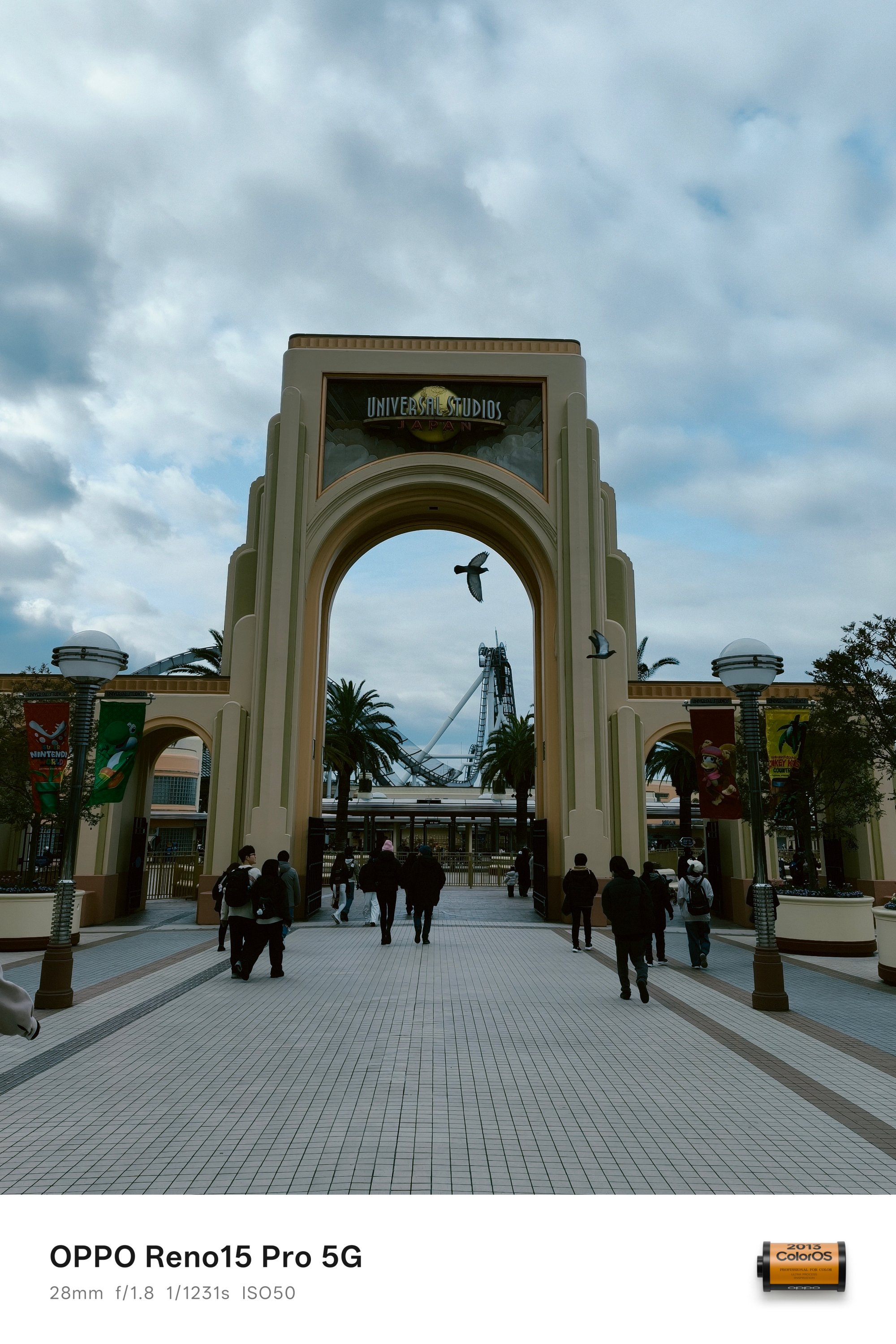

Ain’t even a Potterhead but, trying out that signature Butterbeer from Harry Potter shouldn’t be left out.
The cold 9ºC temperature never stopped me from ordering the iced version — and I prefer it over the hot ones that my friends ordered.

For all the Potterheads out there, it’s truly a remarkable sight to see the Hogwarts Castle. It was also a great example to justify the ultra-wide power of the OPPO Reno15 Pro.

Whether you’re a millennial, Gen Z, or a sandwiched MZ like me, these characters don’t need any introduction.
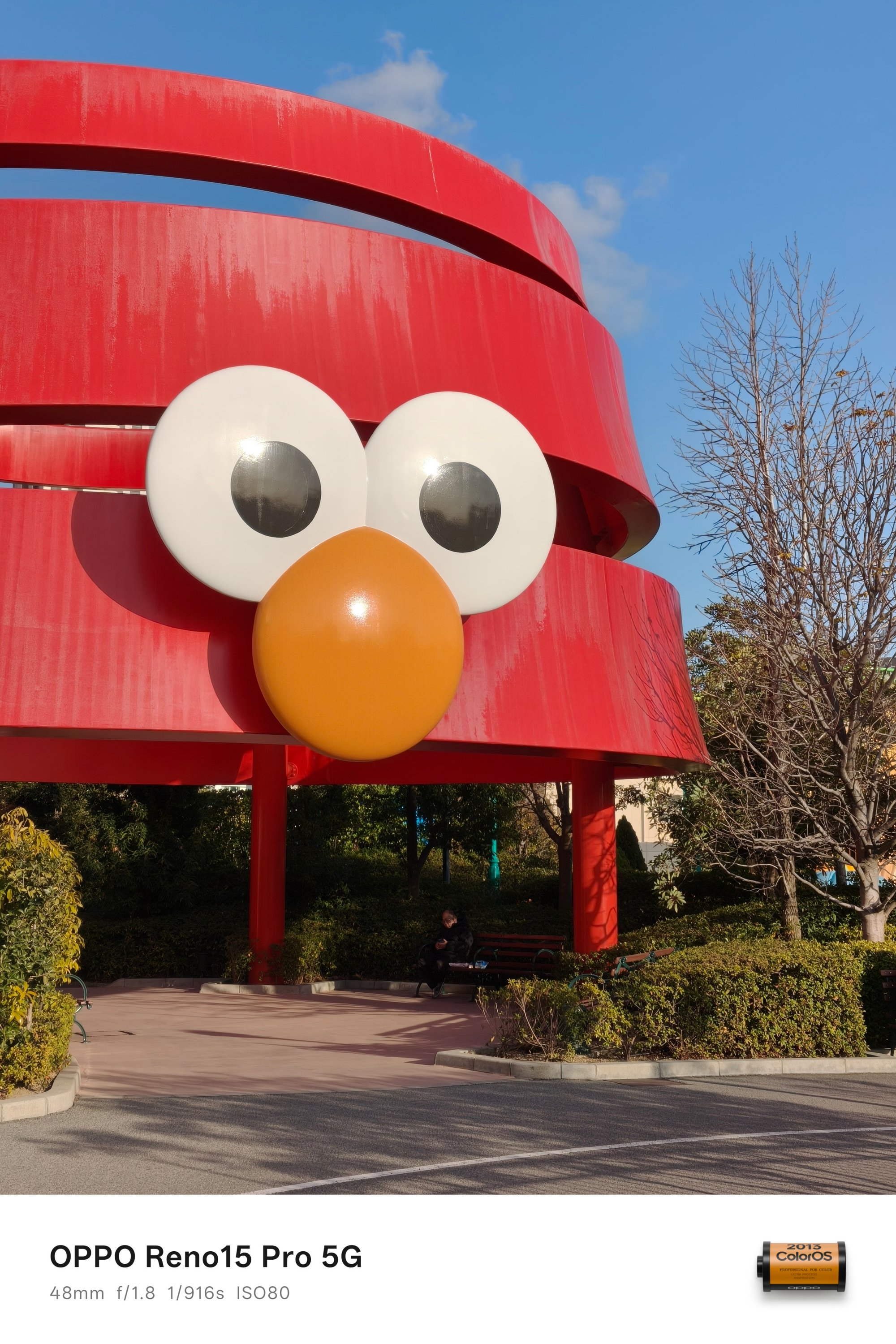


And, even though I’m born between the two aforementioned generations, I’m still glad I grew up watching Despicable Me.
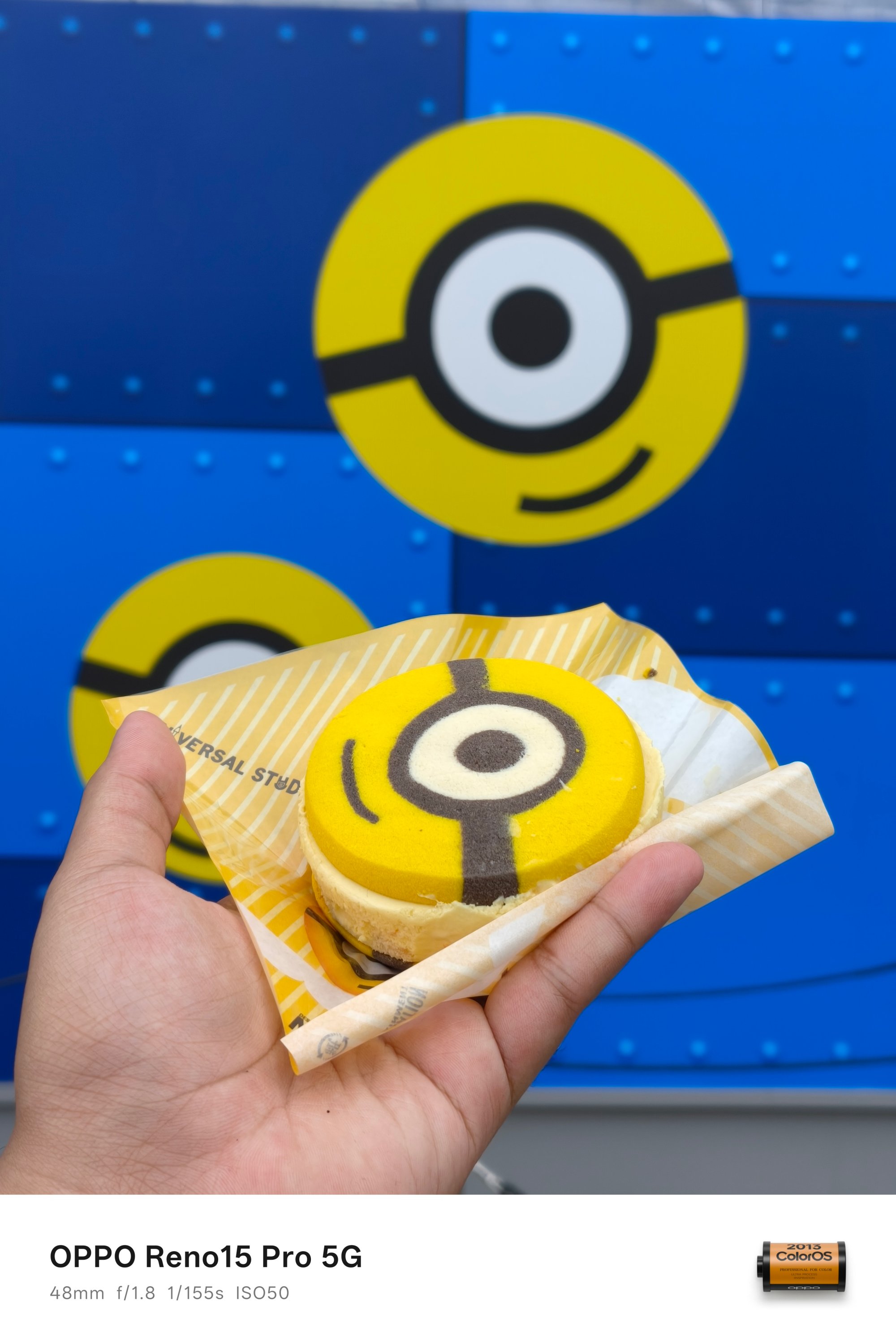

I’ve gushed over these cute Minions during my adolescence — even if it’s more relevant to Gen Alphas now.
Gen MZ yappin’ thru
As I already told a glimpse of my childhood (and puberty), I also wanted to come clean against the stereotypical millennials who made ’90s their whole personality.
Despite being part of the Gen Z, I grew up knowing diskettes, Walkmans, VHS tapes, and not-so-surprisingly, Nintendo’s Game Boy.

It so happened that my cousin had the first-gen console with Super Mario in it. It’s been an integral part of my childhood alongside the classic Sony PlayStation x Crash Bandicoot.



It might not show on my face but, witnessing the Super Nintendo World IRL was a huge achievement.
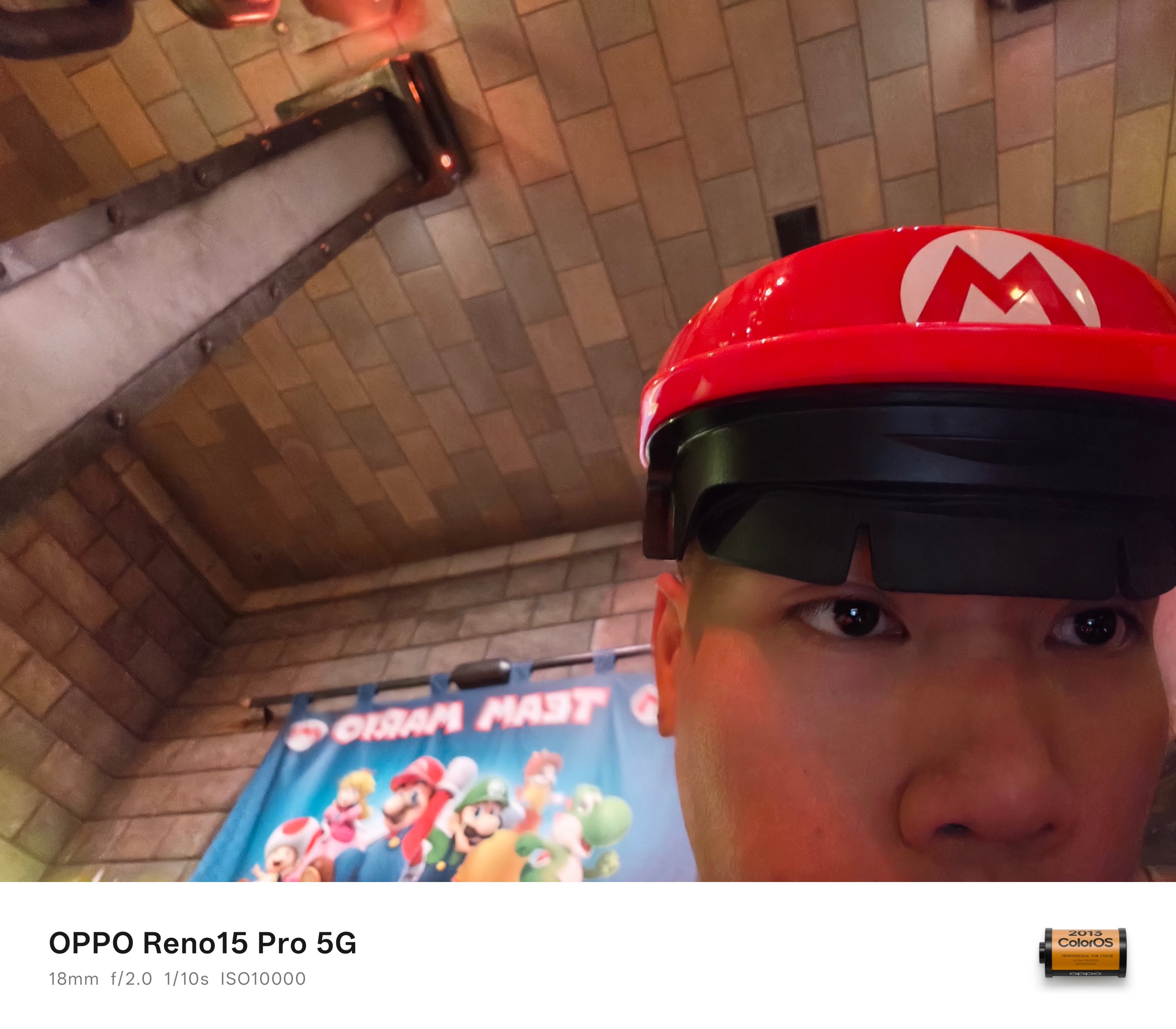 As fortunate as it was, I was able to visit without applying for a special pass. It even looked like I was in the actual video game when I entered the area even after the sun has already set.
Love at First Night
Osaka during the winter day was already a breath of fresh air. How much more during the night?
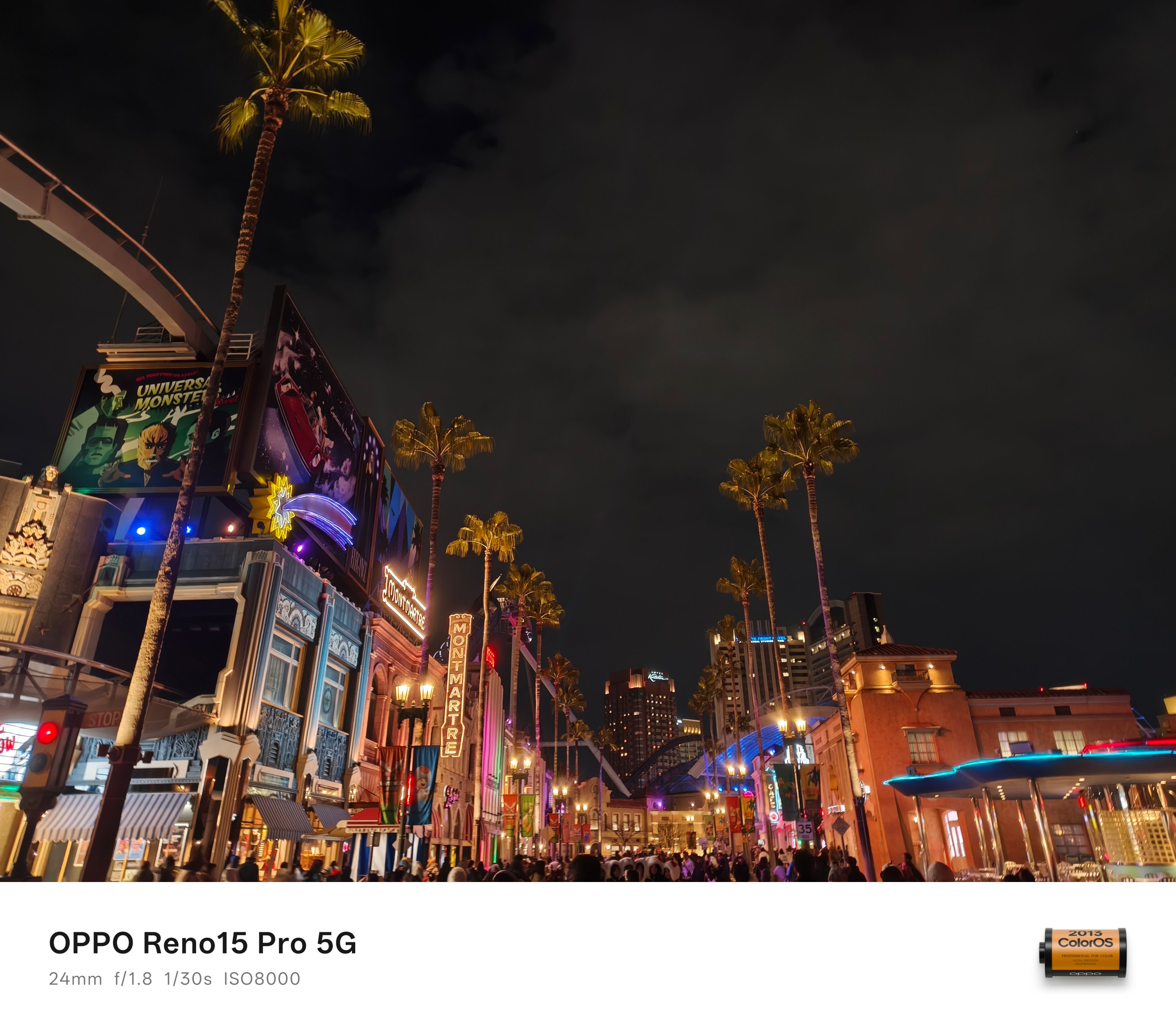
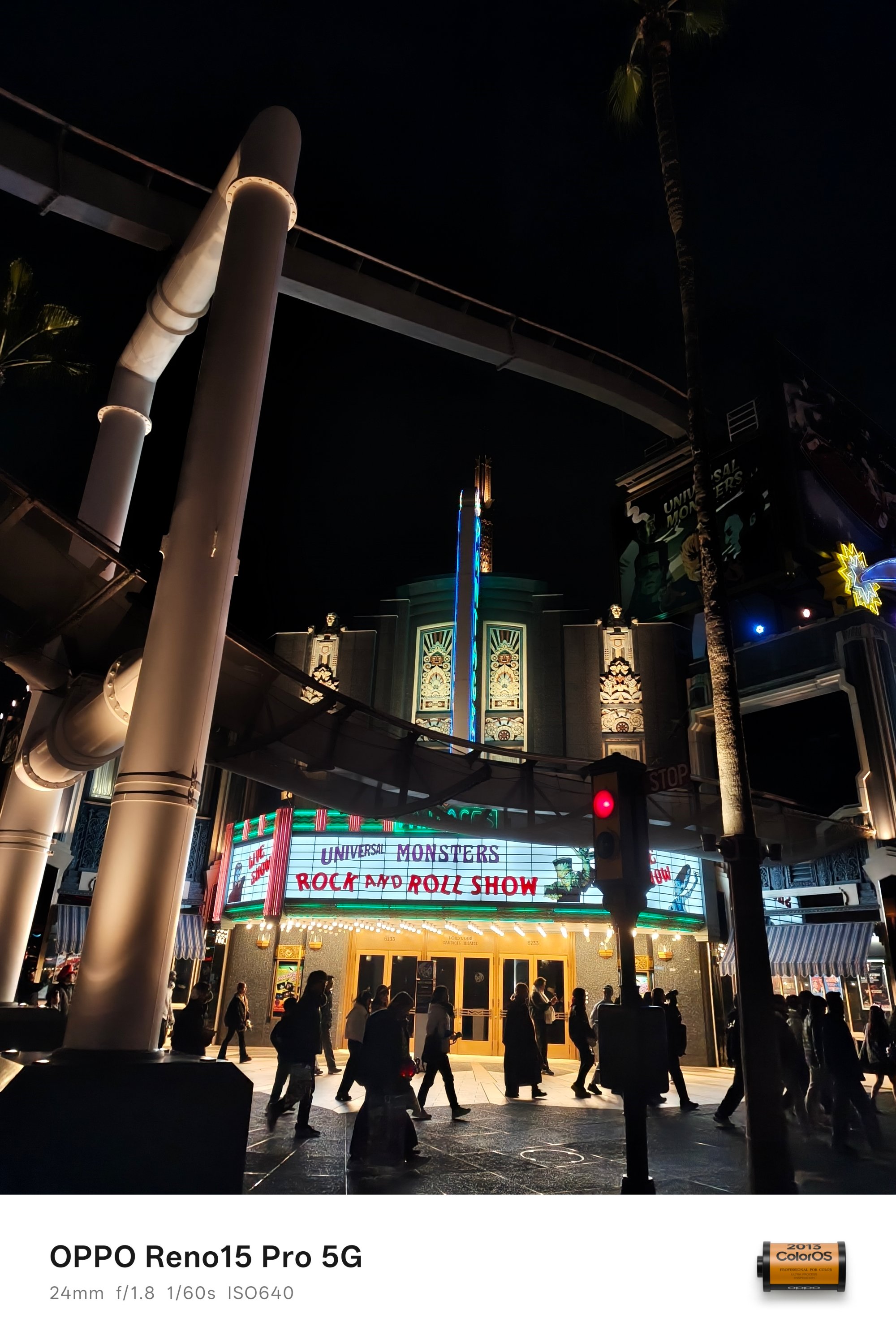

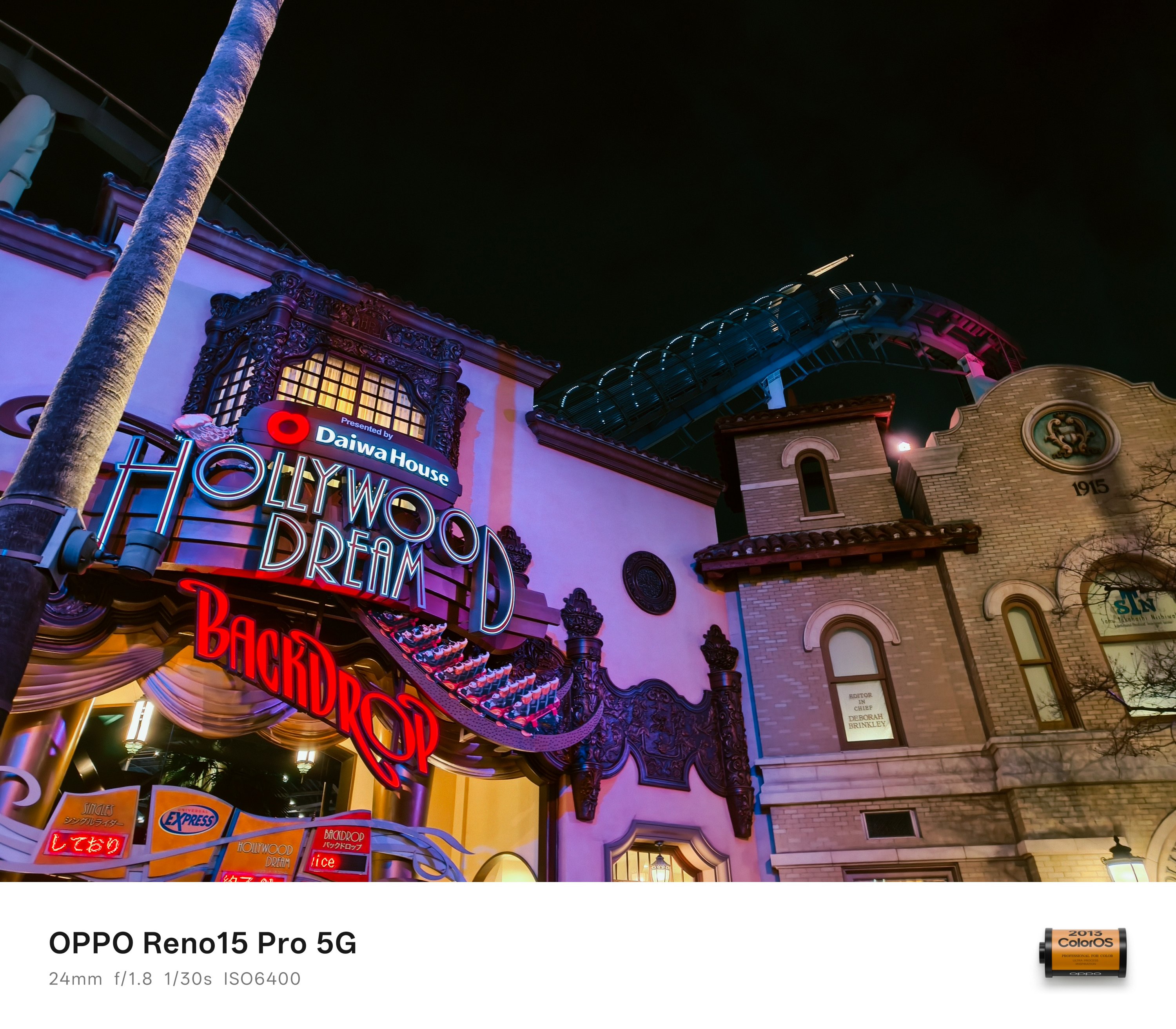
Nostalgia aside, the theme park doesn’t only revolve in the mentioned characters above as there’s so much more to see.


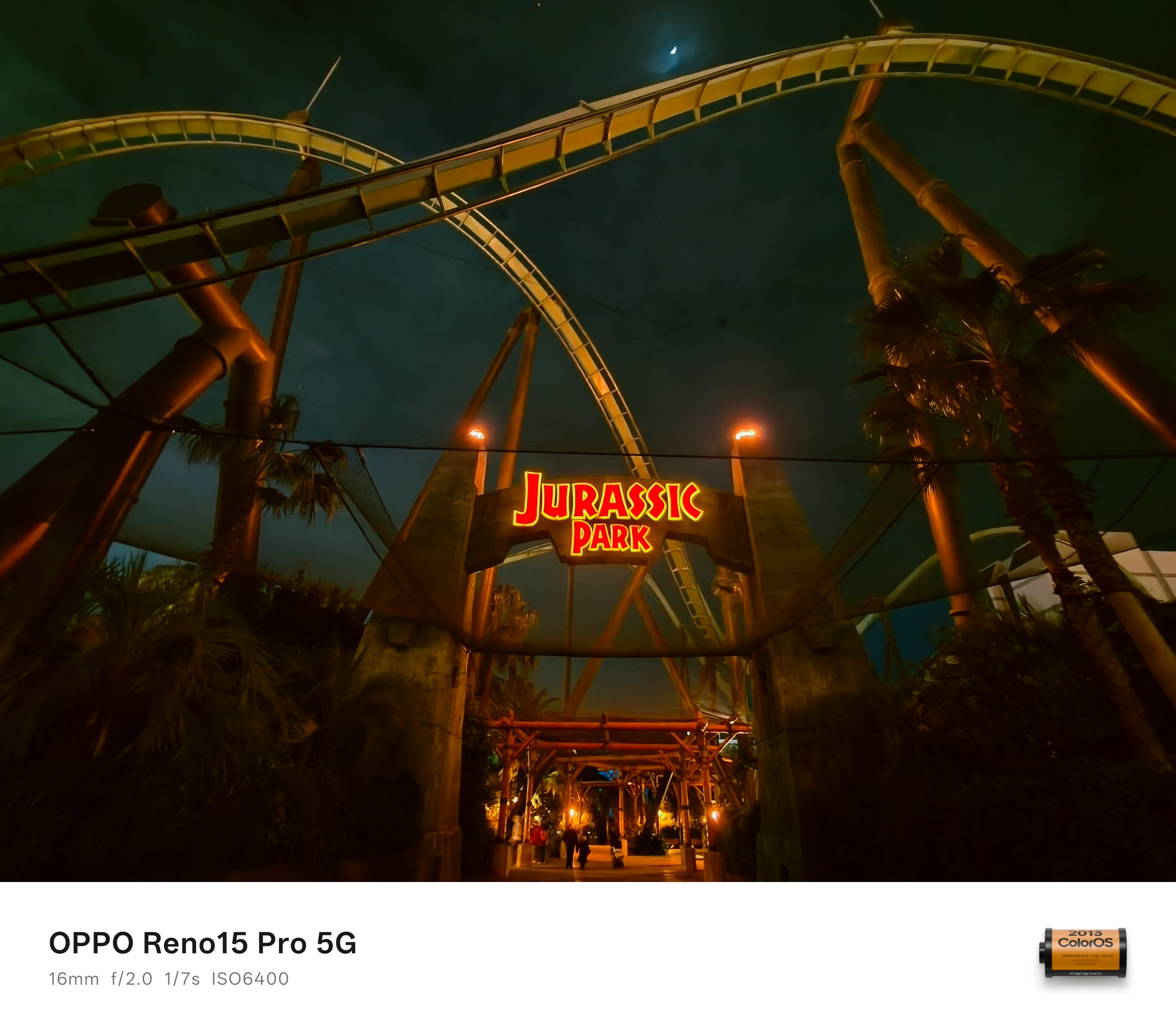
I want to end my USJ photo dump with Jurassic Park’s The Flying Dinosaur — a.k.a the best rollercoaster ride I’ve ridden so far.
The only proof I can provide as phones were not allowed the moment you queue up to the stairs 😭
That’s in comparison to Universal Studio Singapore’s Battlestar Galactica: Cylon, Everland Korea’s T Express, and Shanghai Disneyland’s TRON Lightcycle Power Run — which I all fully enjoyed riding for more than thrice.
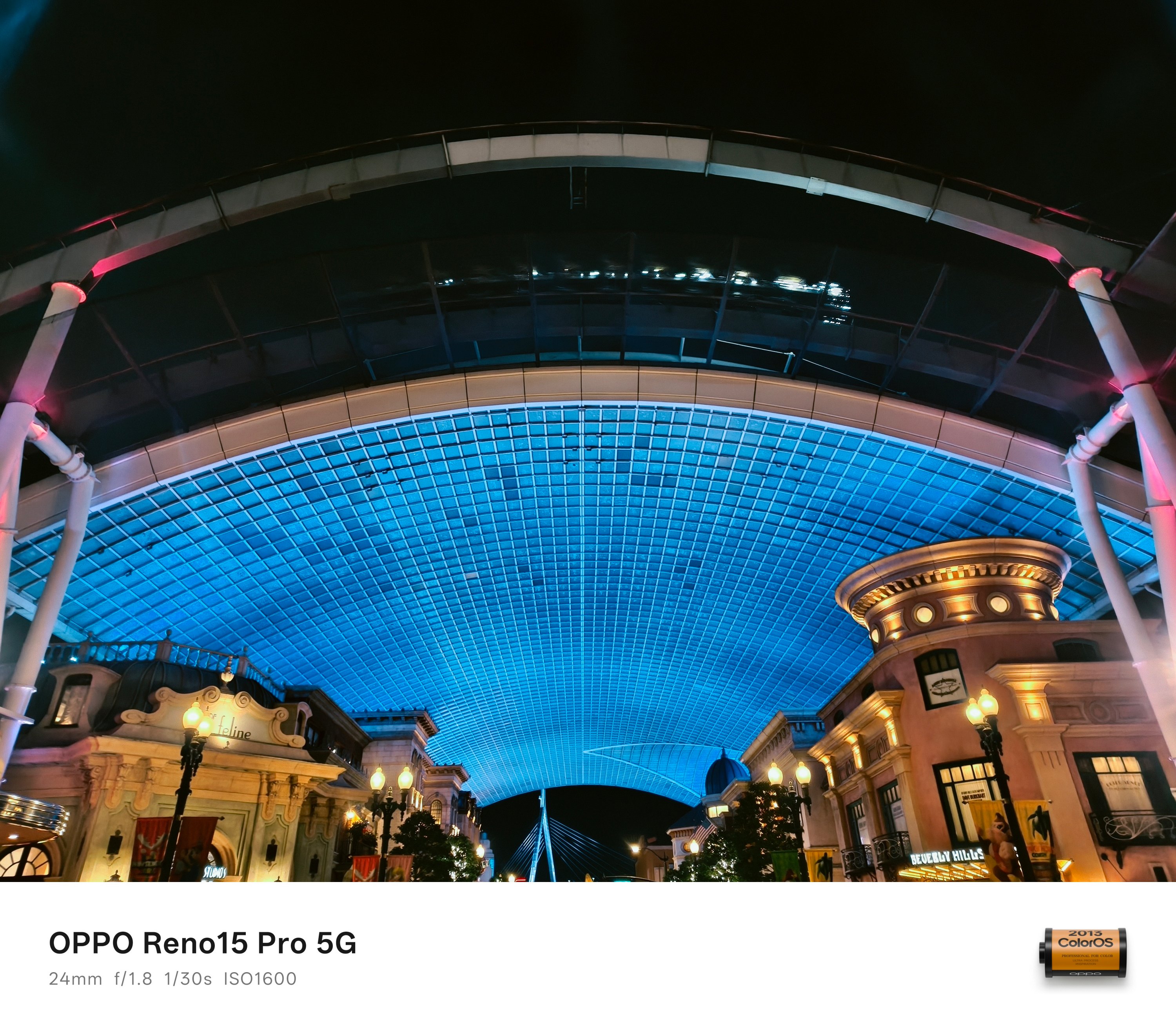
A segment of the ride can actually be seen the moment you enter (and exit) the theme park.
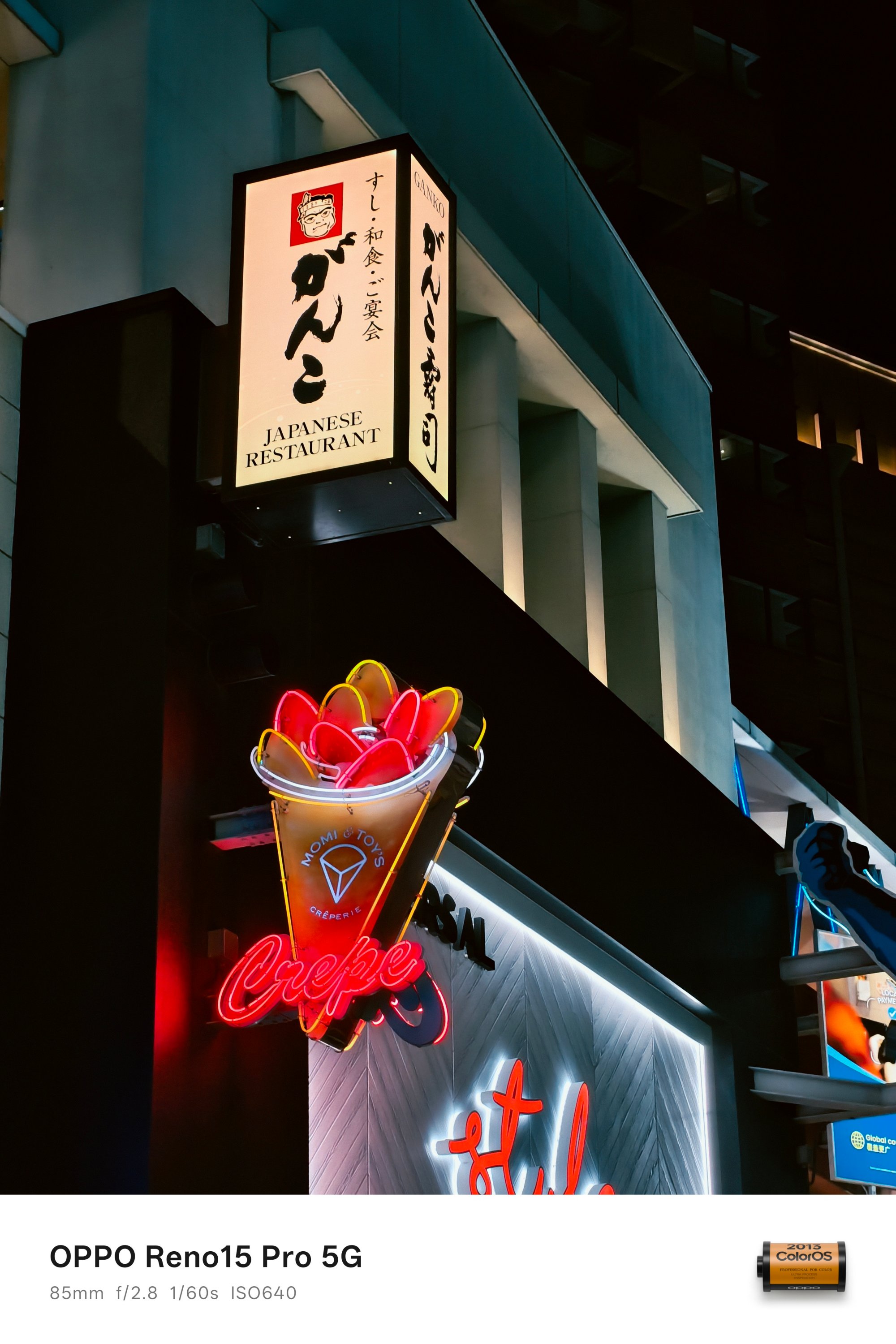
Now, to cap off this portion, there are two more highlights that truly show off Osaka’s night life.
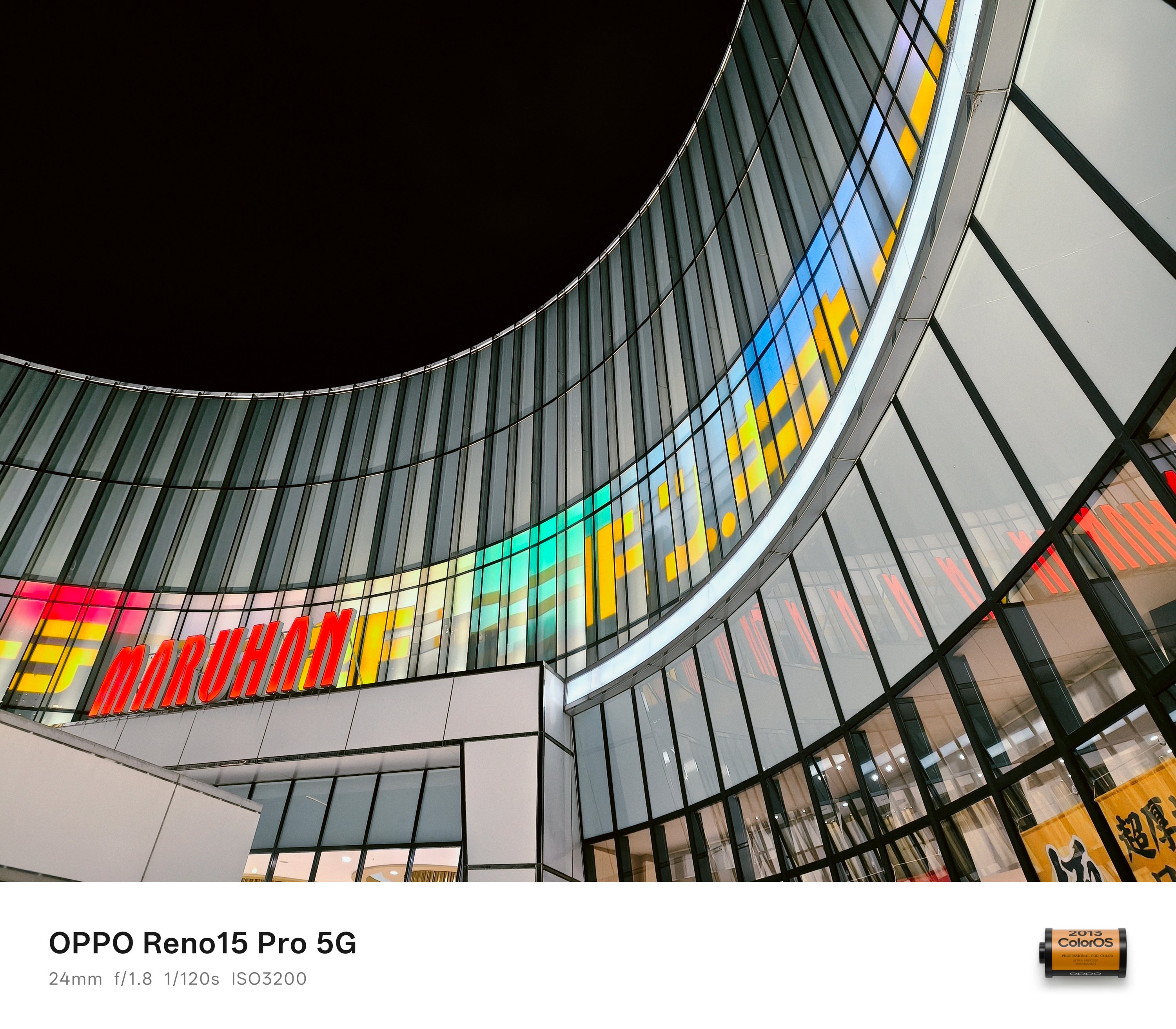
Other than the Dotonbori area, Shinsekai (新世界) is gleaming. It was inspired by Paris and Coney Island to make Osaka a “New World” in 1912.
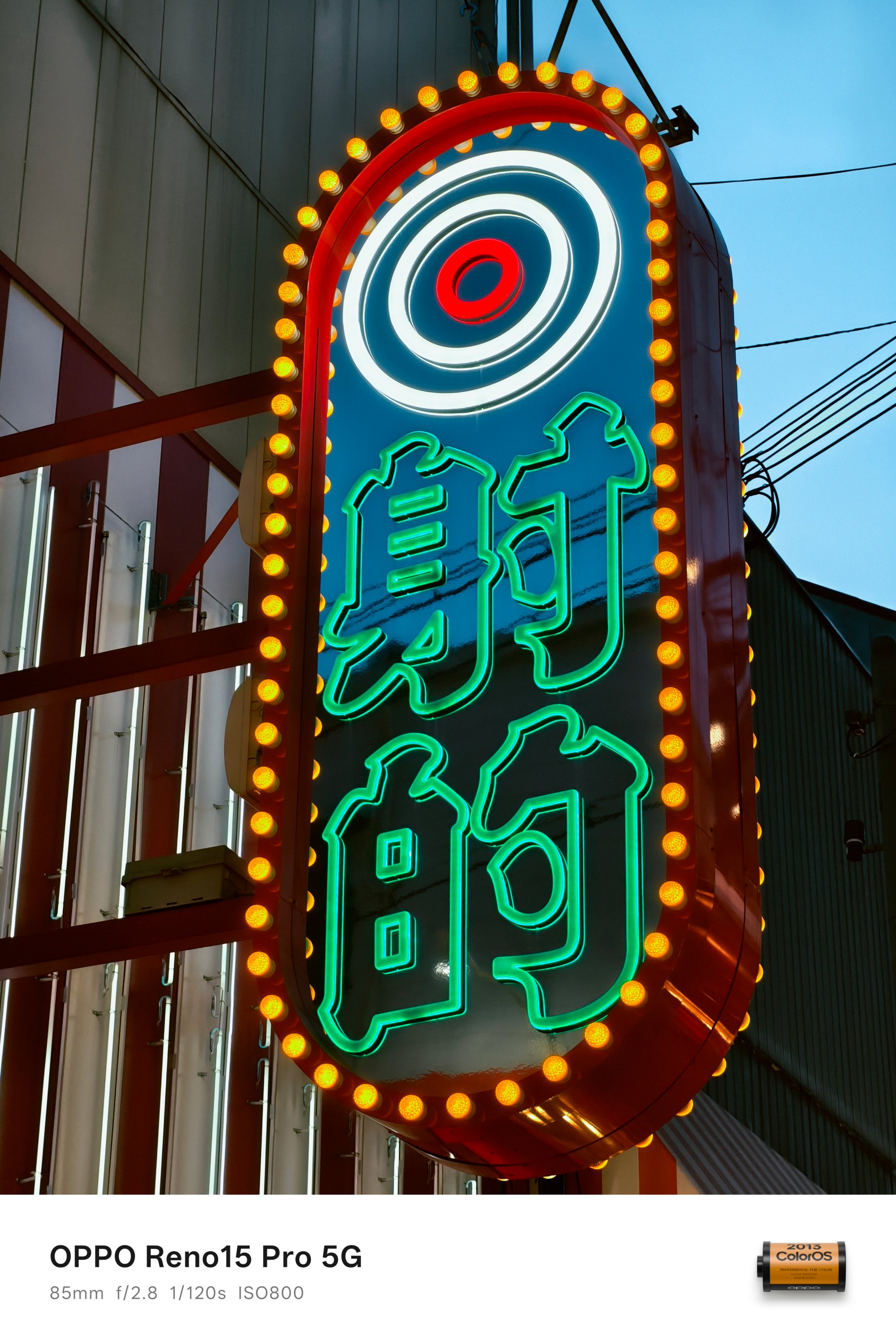

From the neon signs and vibrant night light displays, such retro vibe will make your visit truly warm and cozy. Even if it was freezing cold.
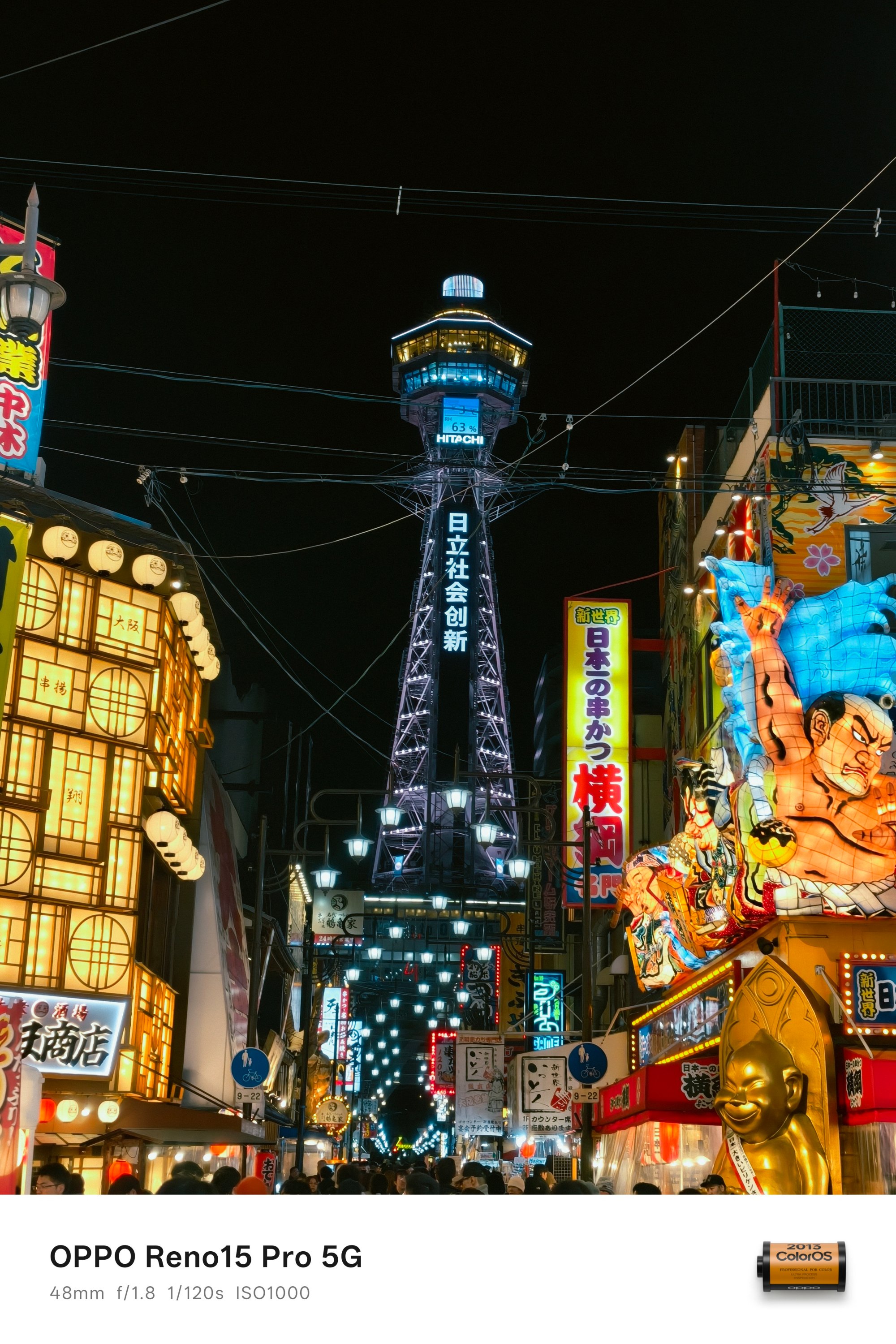
At the heart of the district is where the Tsutenkaku (通天閣) stands high. That now translates to a “tower reaching heaven.” Albeit, it’s nowhere near that achievement in today’s standards.
And even when it can’t even go against Eiffel nor Tokyo Tower, it’s still a center piece of its own.
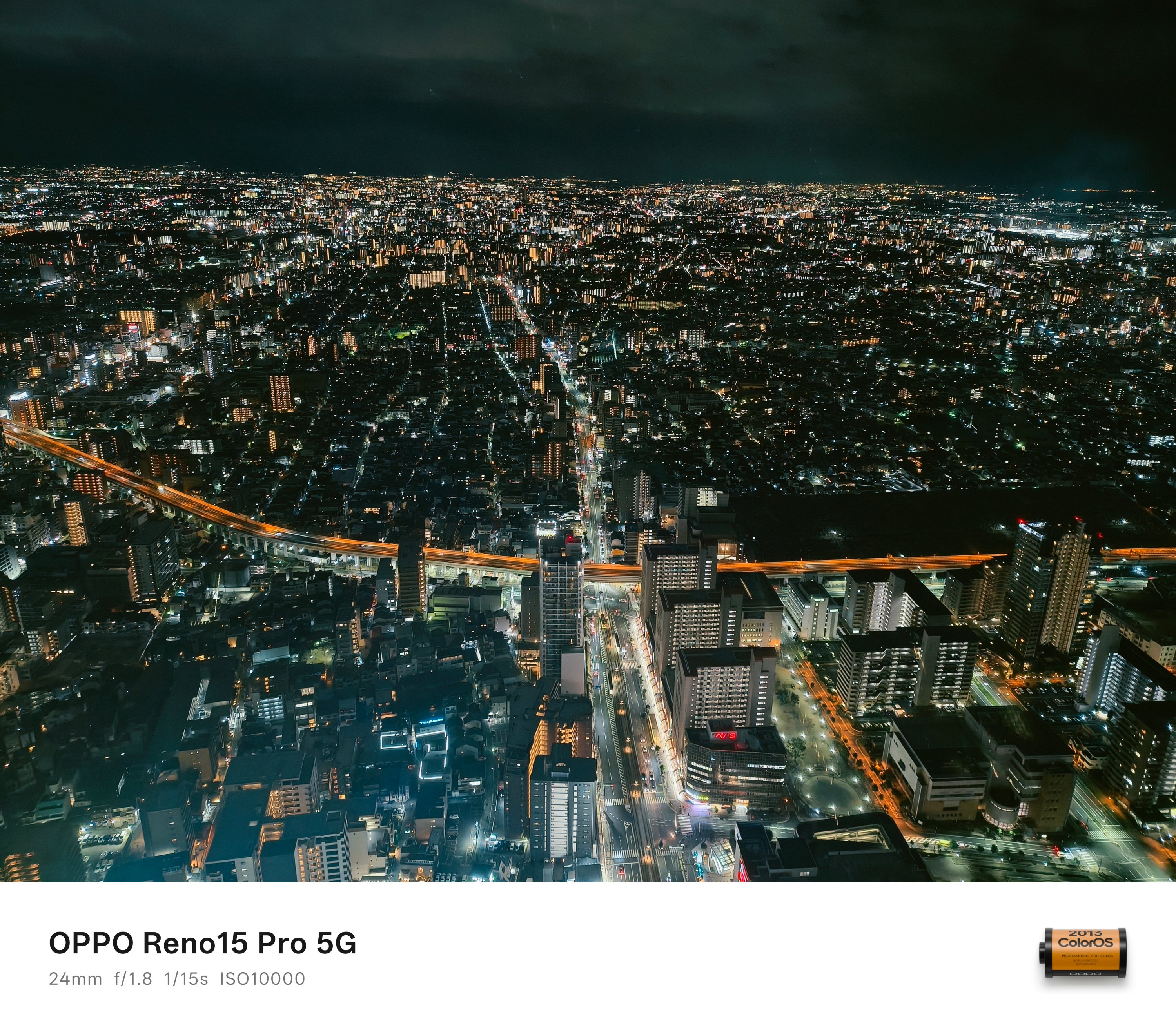
Now, if we’re talking about Osaka’s tallest, the Abeno Harukas 300 holds that title.
From the building name itself, it’s exactly 300 meters tall. It also holds the record for being Japan’s second tallest structure after Azabudai Hills Mori JP Tower in, you guessed it, Tokyo.
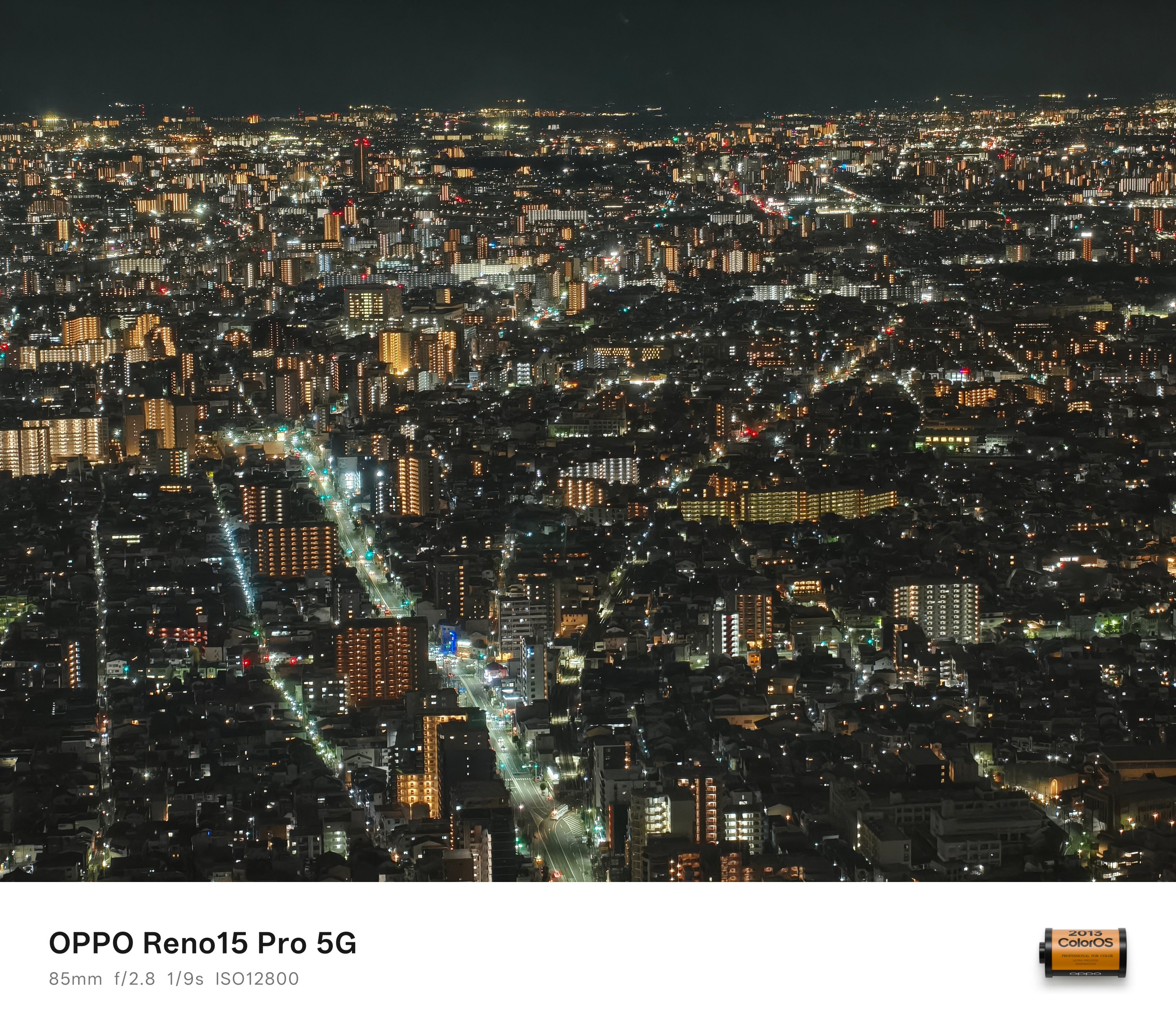
While you can go inside for free as there’s a mall below it, you can see Osaka’s breathtaking night sky only if you pay for the entrance fee. Honestly, the price is worth the sight.
Much awe in Osaka
Although Tokyo comes first when you think about Japan, Osaka has its own distinct charm.
The same thing can be said with the OPPO Reno15 Pro in a sea of very-capable midrangers. While it’s just another camera-centric smartphone for most, its cameras have that irresistible, special sauce in it.

Personally, I enjoyed my time more in Osaka. People are warmer and more welcoming. More so, that pretty chill vibes and laid-back nature kept me attached against the stricter plus fast-paced life in Tokyo.
With all that said, I’m not trying to pit two cities against one another as both are truly worth visiting. However, I regret having a shorter trip duration here. I’m just wishfully thinking (and manifesting) that I can re-visit the city sooner than later.
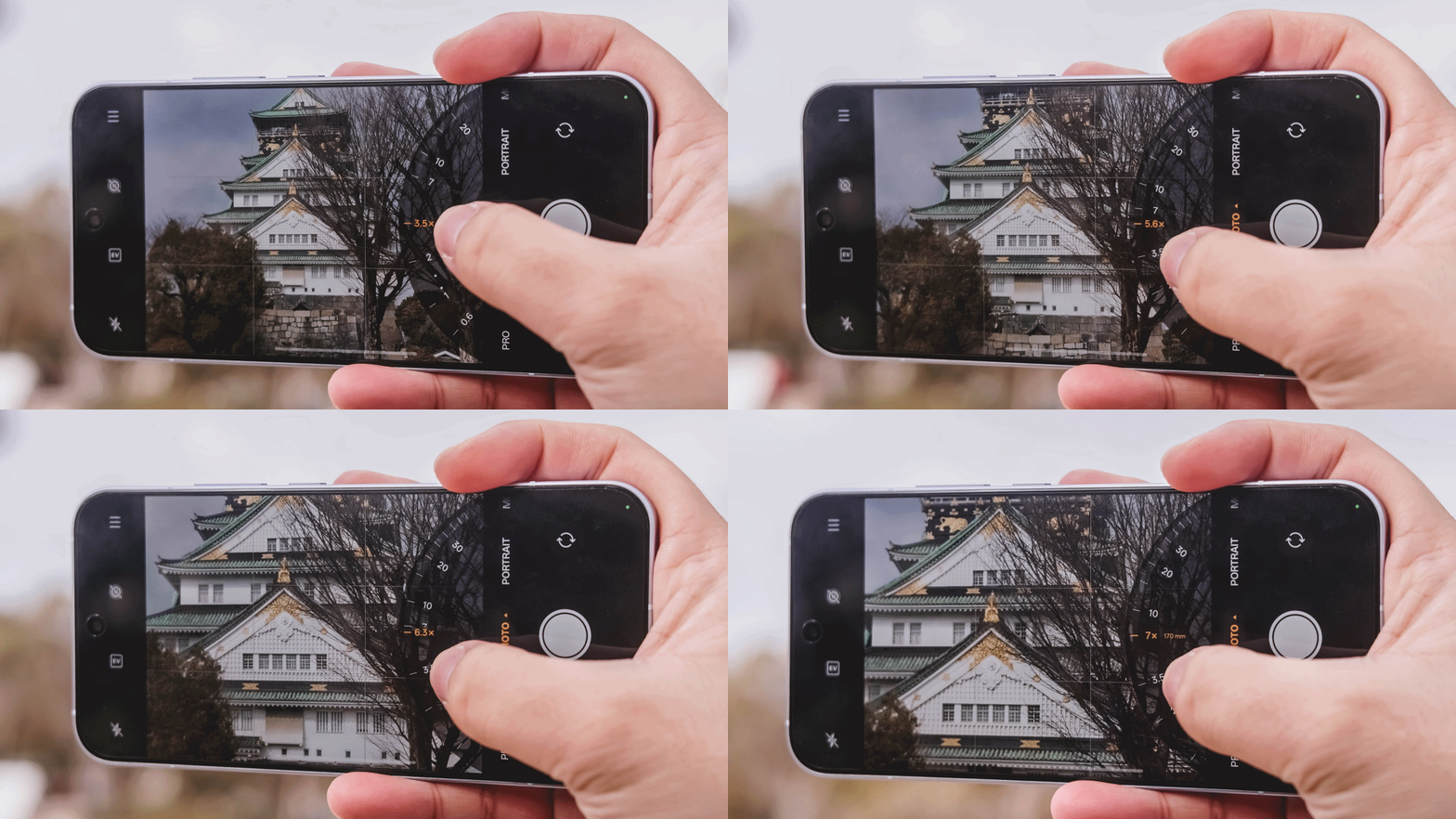
If you haven’t seen the other side of my Japan journey — from Tokyo, Kyoto, all the way to Mt. Fuji — the rest can be found in my in-depth camera analysis of the OPPO Reno15 Pro.


5 games with the nubia Neo 5 GT 5G
Niche device, but is worth the price?


Giving up counter space for reverse osmosis: Living with Waterdrop M6H in NYC
A 7-stage filtration system


Saros review: Returnal’s difficulty is back and better than ever
Although, it loses the memorable storywriting.

Motorola updates the razr family with its first book-style phone

A Galaxy summer to remember

The VinFast VF6 is perfect for urban travelers

Apple reportedly gives up on the Vision Pro

YouTube makes picture-in-picture mode free for everyone globally


-

 Reviews1 week ago
HONOR 600 review: A taste of more
-

 Laptops1 week ago
ASUS Zenbook S14 (2026) review: The perfect portable buddy
-

 News1 week ago
OPPO Find X9 Ultra lands in PH: Price, availability, pre-order perks
-

 Malaysia2 weeks ago
The OPPO Find X9 Ultra is Galaxy S26 Ultra’s biggest enemy
-

 News2 weeks ago
Forget the Pro+ and Ultra! HUAWEI unveils the Pura 90 Pro Max
-

 News1 week ago
OPPO Find X9s now official in PH: Price, availability, pre-order info
-

 Luxury Smart Home2 weeks ago
Spotlight: Amazon Ember Artline TV + New Fire TV Stick HD
-
Gaming1 week ago
Saros review: Returnal’s difficulty is back and better than ever