
Hands-On
Xiaomi Mi Mix 2 Hands-on Review


When Xiaomi unveiled the Mi Mix last year, it was the first of its kind. A phone with a front panel that was all screen, no buttons, no sensors, no ear piece — just display from corner to corner.
Xiaomi called it a concept phone, their vision of what the smartphone of the future looked like. In the succeeding months, rival smartphone brands followed suit, LG with its G6, Samsung’s entire flagship line, up-and-comer Essential with its PH-1, and most likely Apple’s next iPhone also.
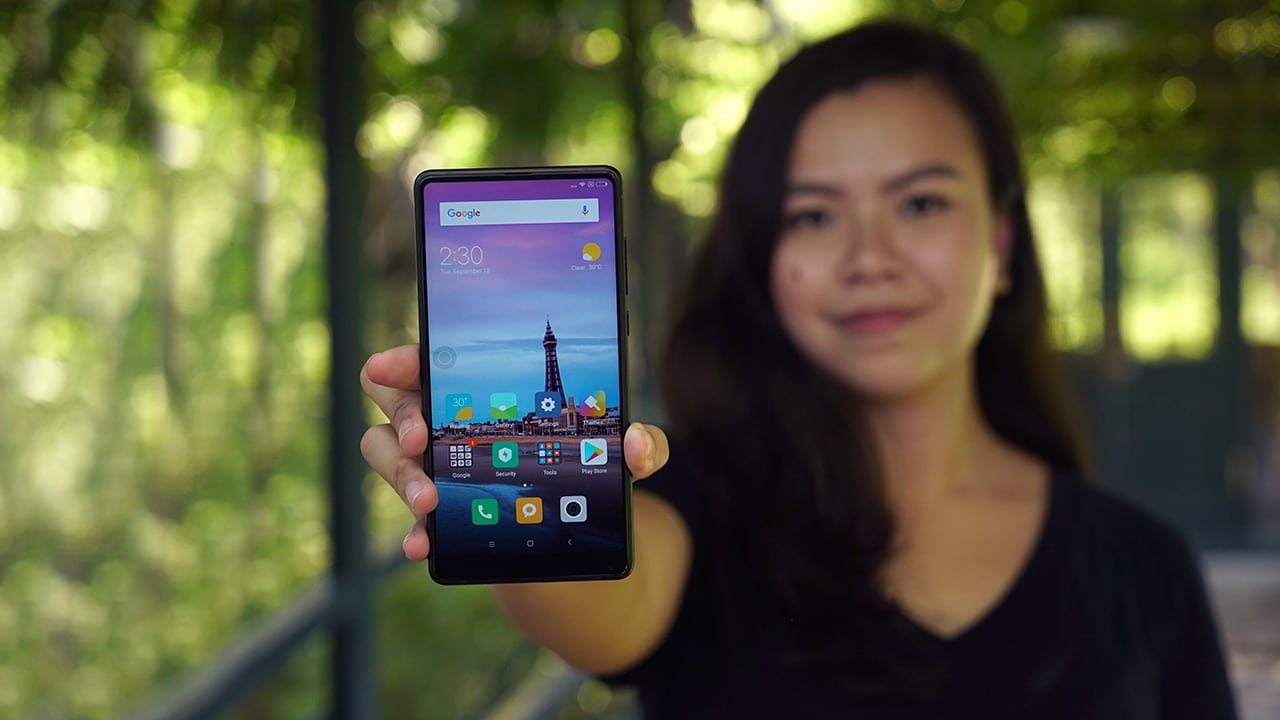
Earlier in Beijing, Xiaomi unveiled the phone’s successor, the Mi Mix 2 — learning from their concept phone and turning it into a device that everyone can use.
The sequel looks just like a smaller version of the original but with several refinements; now with a 6-inch display (instead of 6.4 inches), rounded corners, and a new 18:9 aspect ratio that makes it narrower and easier to grip. The size adjustment fixes one of our biggest complaints about the first Mix: It was big, unwieldy, and impossible to use comfortably with one hand.

Mi Mix (left), Mi Mix 2 (right)
Both phones look like they were cut from the same cloth. In terms of build materials, the Mix 2 has the same aluminum frame and glossy ceramic back. Xiaomi is also shipping a special edition model that’s made from a single block of ceramic. While we imagine this to be very delicate, the white model in particular is stunning. Xiaomi describes it as a “perfect piece of jade from heaven.”
On the phone’s front panel right above the display, Xiaomi added an earpiece, something it took away last year in lieu of technology that sent sound waves through the display. It was a cool feature that didn’t quite match the call quality of actual speakers, so we’re glad to see the traditional earpiece back.
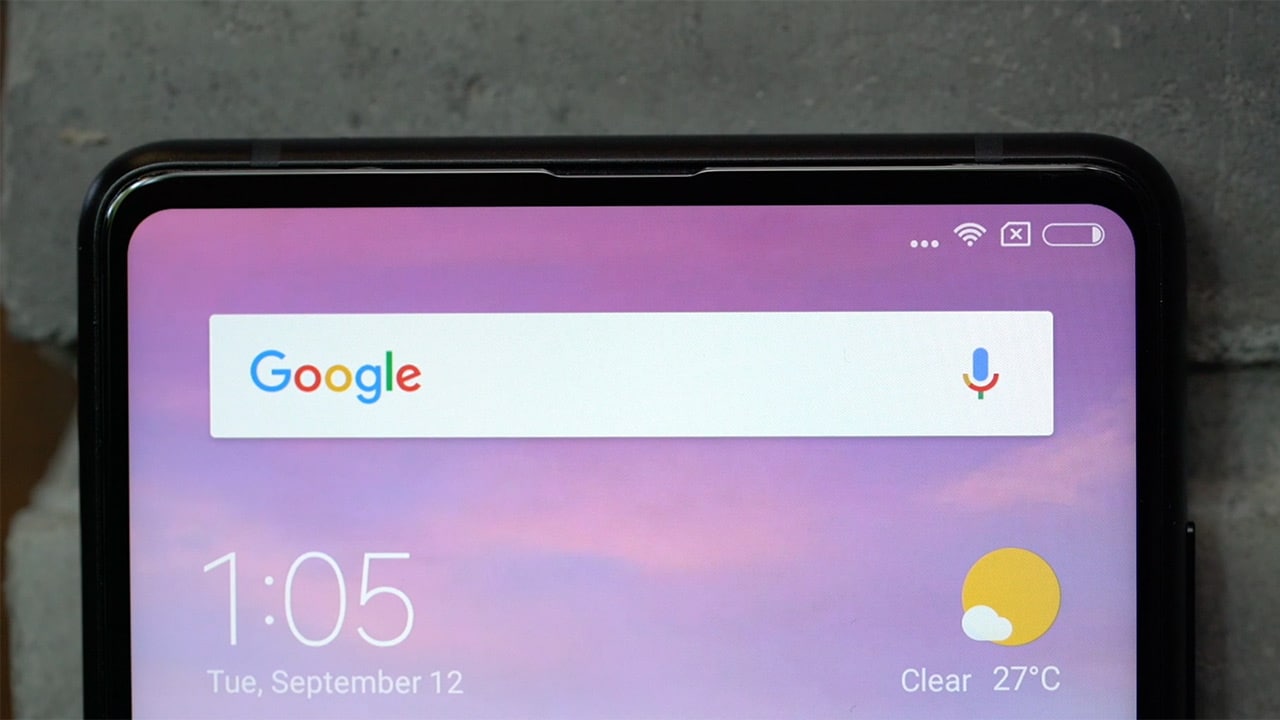
The bottom chin carries the selfie camera. While Xiaomi’s done good by further reducing the size of the chin, bringing the phone close to its its bezel-free promise, the selfie camera is still in the same sore spot.
For best results, we recommend flipping the phone upside down while taking selfies, the camera app will adjust, except on third-party apps like Instagram and Snapchat.

The Mix 2’s back side is pristine with only the main camera and its circular gold accents breaking up the monotony. Beneath the camera is a fingerprint sensor; quick, reliable, and now because of its smaller form factor, easily reachable even with smaller fingers.
The only physical buttons on the device are the volume rocker and power button on its right side. It’s got a dual nano-SIM card tray on the left, with no provisions for expandable memory. You’re stuck with 64GB, 128GB, or 256GB built-in storage options. On its bottom are speakers and a USB-C charging port. Also missing is a headphone jack. Xiaomi ships an adapter in the box, but unlike the rest of its phones, it skips on bundled headphones, as well.

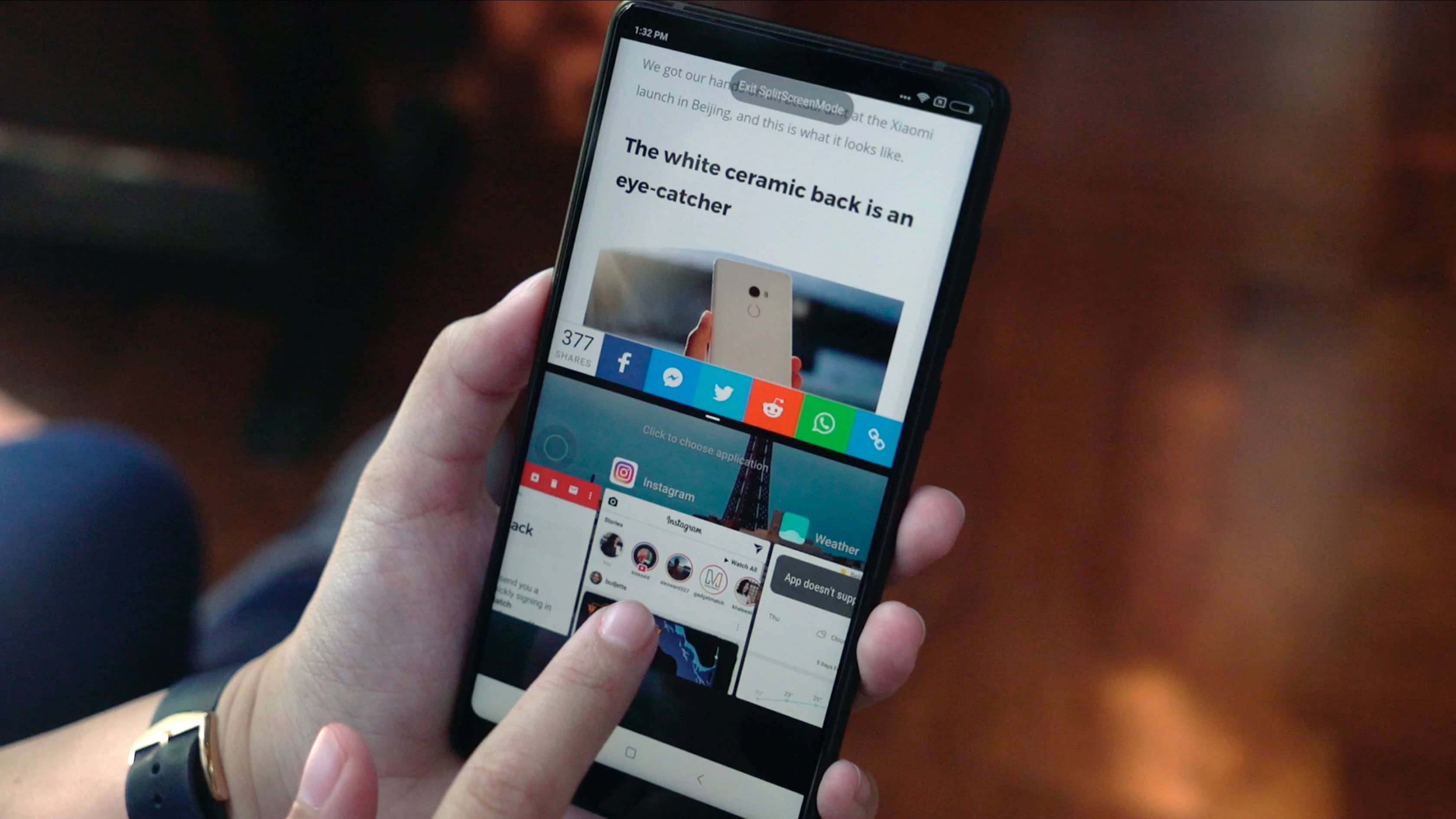
As great as the phone looks on the outside, its insides too live up to the leadership role the Mix 2 espouses. The flagship is powered by a top-of-the-line Snapdragon 835 processor and 6GB of RAM. In the time we spent with the phone, we found the user interface snappy and responsive. Games ran fine, and multitasking was hiccup-free. The phone runs Android 7.1.1 Nougat out of the box with Xiaomi’s new MiUI 9 skin.
In the day we used the phone around Beijing, the Mix 2 powered through, not needing a top-up. But we want to put its 3400mAh battery through a more rigorous test for our full review. One thing we can vouch for now are quick top-ups thanks to Quick Charge 3.0 support.
Unlike the dual-camera-touting Mi 6, the Mix 2 only has one main 12-megapixel camera. Performance was pretty standard, apart from a bit of processing lag when taking HDR photos. Photo quality was great across all lighting conditions. Check our gallery below:








You’ll also find that low-light performance has been significantly improved from the Mix to the Mix 2.
[sciba leftsrc=”http://www.gadgetmatch.com/wp-content/uploads/2017/09/Xiaomi-Mi-Mix-2-sample-9.jpg” leftlabel=”Mi Mix 2″ rightsrc=”http://www.gadgetmatch.com/wp-content/uploads/2017/09/Xiaomi-Mi-Mix-sample-9.jpg” rightlabel=”Mi Mix” mode=”horizontal” width=””]
[sciba leftsrc=”http://www.gadgetmatch.com/wp-content/uploads/2017/09/Xiaomi-Mi-Mix-2-sample-10.jpg” leftlabel=”Mi Mix 2″ rightsrc=”http://www.gadgetmatch.com/wp-content/uploads/2017/09/Xiaomi-Mi-Mix-sample-10.jpg” rightlabel=”Mi Mix” mode=”horizontal” width=””]
Night shots are now very good, thanks in part to the phone’s 4-axis stabilization, which also did a decent job even from a rickety rickshaw (check out our video review for the footage).
Is the Mi Mix 2 your GadgetMatch?
We’ll reserve judgement until we’ve had the time for a full review, but in the limited time we’ve used the phone, it’s safe to say there’s no denying the Mi Mix 2 is a great phone.

What sets the phone apart is its price tag, starting at about CNY 3,299, which comes to around US$ 500. That makes the Mix 2 significantly cheaper than any other bezel-less smartphone from 2017.
On top of that, the phone supports an unprecedented 43 bands, meaning it should theoretically work with the most number of cell networks in the world. The phone was clearly designed to appeal to a broader global market, in keeping with its image of not being just a concept anymore, but a phone for everyone.
SEE ALSO: Xiaomi Mi Mix 2 Special Edition comes in full ceramic body
[irp posts=”20062″ name=”Xiaomi Mi Mix 2 Special Edition comes in full ceramic body”]






Hands-On
Apple iPhone Duo Unboxing and Hands-on
Supported apps, crease, cameras, and MagSafe all tested


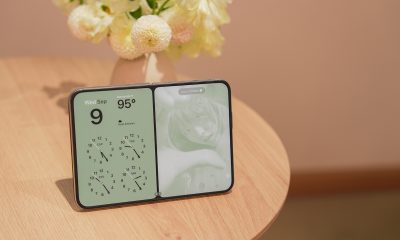
Apple’s iPhone Duo is finally here!
Aside from unboxing the all-new iPhone-dable in Night Sky, we take a closer look at the display crease, check out the under-display camera quality, see which MagSafe accessories work with it.
Most of all, which apps support it (or not).
But how well does the dual-screen experience on an iPhone actually work? Watch our Apple iPhone Duo unboxing and hands-on to know more!


Moving into a new space comes with a long list of things to figure out, and lately, I’ve been paying more attention to something that’s easy to overlook: air quality.
After using the LG AeroMini for about a month, it has become a subtle but welcome addition to my space. It helps make the room feel fresher, while its compact and stylish design fits naturally into my setup. Here are the things that stood out to me most after living with it for a month.
360° purification for a fresher space
One of the things I appreciate about the AeroMini is its 360° air purification, designed to bring purified air in every direction.
For me, this is particularly useful in a new space where I’m spending a lot of time working, relaxing, and just settling in.

Combined with its True HEPA filter, which is designed to remove 99.999% of 0.01μm fine dust and allergens, it gives me added peace of mind about the air I’m breathing every day.
After a month, I can genuinely say that the space feels fresher with it running.

Surprisingly quiet
This is probably my favorite feature.
The LG AeroMini operates at just 26dB, and after using it for a month, what stands out is how easy it is to forget that it’s even running.

I can have it running while I’m working or sleeping without the noise becoming a distraction. For an appliance that’s designed to continuously improve the air around you, I think that’s a big deal.
Sometimes, the best feature is the one you barely notice.
Design that fits my space
Since I recently moved, I’ve been pretty conscious about what I bring into the space. I want things to be functional, but I also don’t want appliances that feel like they’re taking over the room.

The AeroMini’s slim and compact design makes it easy to incorporate into my setup. It doesn’t feel bulky or industrial, and I like that I can leave it out without feeling like I need to hide it away.
For me, that balance between functionality and aesthetics makes it feel more like part of the space rather than just another appliance.
Air quality at a glance
Another feature I’ve found convenient is its Smart Control. Through the app, I can monitor and control the AeroMini while getting real-time updates on the indoor air quality.
It’s a small convenience, but being able to check the air quality without having to interact with the purifier directly makes it easier to keep track of what’s happening in the room.

Easy to maintain
I also appreciate that the AeroMini is designed with an all-in-one dust and deodorization filter that makes replacement and maintenance easier.
That matters to me because the best home gadgets are the ones that don’t create another complicated chore. I want something I can set up, use regularly, and maintain without too much fuss.

After a month, would I keep it?
Yes, and mainly because it quietly fits into my everyday routine.
The LG AeroMini has helped make my new space feel fresher and more comfortable, while its compact design means it doesn’t compromise the look of the room. But if I had to pick just one thing I appreciate most, it’s still how incredibly quiet it is.

It’s one of those upgrades that doesn’t demand your attention. It simply works in the background.
If you’re also looking to make your home a fresher and more comfortable space for yourself and your family, visit https://www.lg.com/ph/ to learn more about the LG AeroMini and how it can fit into your everyday life.
Hands-On
Apple iPhone 18 Pro Series Hands-on
And everything announced during Apple’s September 2026 Event

The latest Apple event isn’t just about the shiny new Apple Duo. There’s a lot to talk about!
In this video, we break down everything Apple has announced during their September 2026 keynote.
First, there’s the updated iPhone 18 Pro and 18 Pro Max. That’s alongside their design and color changes, battery and performance improvements. Even that massive camera upgrade.
There’s even the ANC-infused AirPods 5 alongside the newer Apple Watch Series 12 and Apple Watch Ultra 4. Plus, the latest software updates coming to both these wearables.
So, are these worth the upgrade?


ROG G700 review: The best prebuilt PC you can get off the shelf
This PC will make you stop worrying about specs.


HP OMEN Max 16 review: Gamer-maxxing in deep black
Peripherals deemed necessary to max this out


vivo V80 review: Good phone, tough sell
A capable travel companion

What the MacBook should touch on instead

realme 16 Pro 5G Harry Potter Edition: Price, availability in the Philippines

TechLife Pad Neo SE: Price, availability in the Philippines

PlayStation unveils Prism Collection

Apple unveils MacBook Pro with PROLED XDR display and Touch


-

 News2 weeks ago
vivo V80 debuts with ZEISS cameras
-

 Philippines2 weeks ago
TECNO CAMON Slim 5G gets launch discounts, free MagBadge
-

 News2 weeks ago
Samsung: Galaxy Z Fold8 demand rose because of iPhone Duo
-
Reviews1 week ago
vivo V80 review: Good phone, tough sell
-
![KINGDOM HEARTS Collection [I-III]](https://www.gadgetmatch.com/wp-content/uploads/2026/10/kingdom-hearts-colletion-I-III-202610-400x240.png)
![KINGDOM HEARTS Collection [I-III]](https://www.gadgetmatch.com/wp-content/uploads/2026/10/kingdom-hearts-colletion-I-III-202610-80x80.png) Gaming2 weeks ago
Gaming2 weeks agoKINGDOM HEARTS Collection [I–III] now available on PS5, Switch 2
-

 News1 week ago
OPPO Find X10 Series: Price, availability in the Philippines
-
 Buyer's Guide2 weeks ago
iPhone Duo Philippines: Prices, installments, and where to buy
-

 Cameras1 week ago
DJI Osmo Pocket 4P Pearl White now available globally