
News
Samsung Galaxy A8 and A8+ (2018) go official with dual front cameras and Infinity Display


Samsung officially unveiled the latest versions of their upper-midrange line of smartphones. With almost all of the competitors already having near-borderless phones for their lower-tier devices, the Galaxy A8 (2018) series joins the club.
The newest additions to the Galaxy A series are the Galaxy A8 (2018) and the larger Galaxy A8+ (2018). Both have nearly identical specifications aside from battery capacity and screen size. The new naming scheme hides the fact that these are the successors to the Galaxy A5 (2017) and A7 (2017), rather than the old Galaxy A8.

What’s new to the 2018 series are dual front cameras, the Infinity Display (without the curved edge), and an ergonomic design with curved glass (back and front) and a metal frame.
Both have a Super AMOLED display with an 18.5:9 display ratio and Full HD+ resolution. Being the smaller of the two, the Galaxy A8 (2018)’s display measures at 5.6 inches while the Galaxy A8+ (2018) has a 6-inch panel. Since the latter is bigger, it has a larger 3500mAh battery versus the former’s 3000mAh capacity. Both support Adaptive Fast Charging through USB-C.

Camera-wise, both have three cameras onboard. There’s a single 16-megapixel f/1.7 rear shooter with phase-detection autofocus and electronic image stabilization. Its wide aperture also enables better low-light photography along with a built-in hyperlapse feature. For selfies, you get two front-facing cameras: 16- and 8-megapixel f/1.9 cameras. The dual front camera setup brings the Live Focus feature from the Note 8 for selfies with bokeh.
The phones are powered by an unspecified octa-core processor (most likely an Exynos chip), with up to 6GB of memory for the A8+ and up to 64GB of expandable storage. Out of the box, they run Android 7.1.1 Nougat with the Samsung Experience skin on top. They also support NFC and Samsung Pay.
Lastly, the phones are IP68-certified water and dust resistant, and can be used with Samsung Gear VR.
The Galaxy A8 (2018) and A8+ (2018) will be in stores starting early January 2018. They’ll come in four colors: black, orchid gray, gold, and blue. Pricing and regional availability are yet to be announced.
SEE ALSO: Samsung might launch the Galaxy S9 in February
[irp posts=”26333″ name=”Samsung might launch the Galaxy S9 in February”]







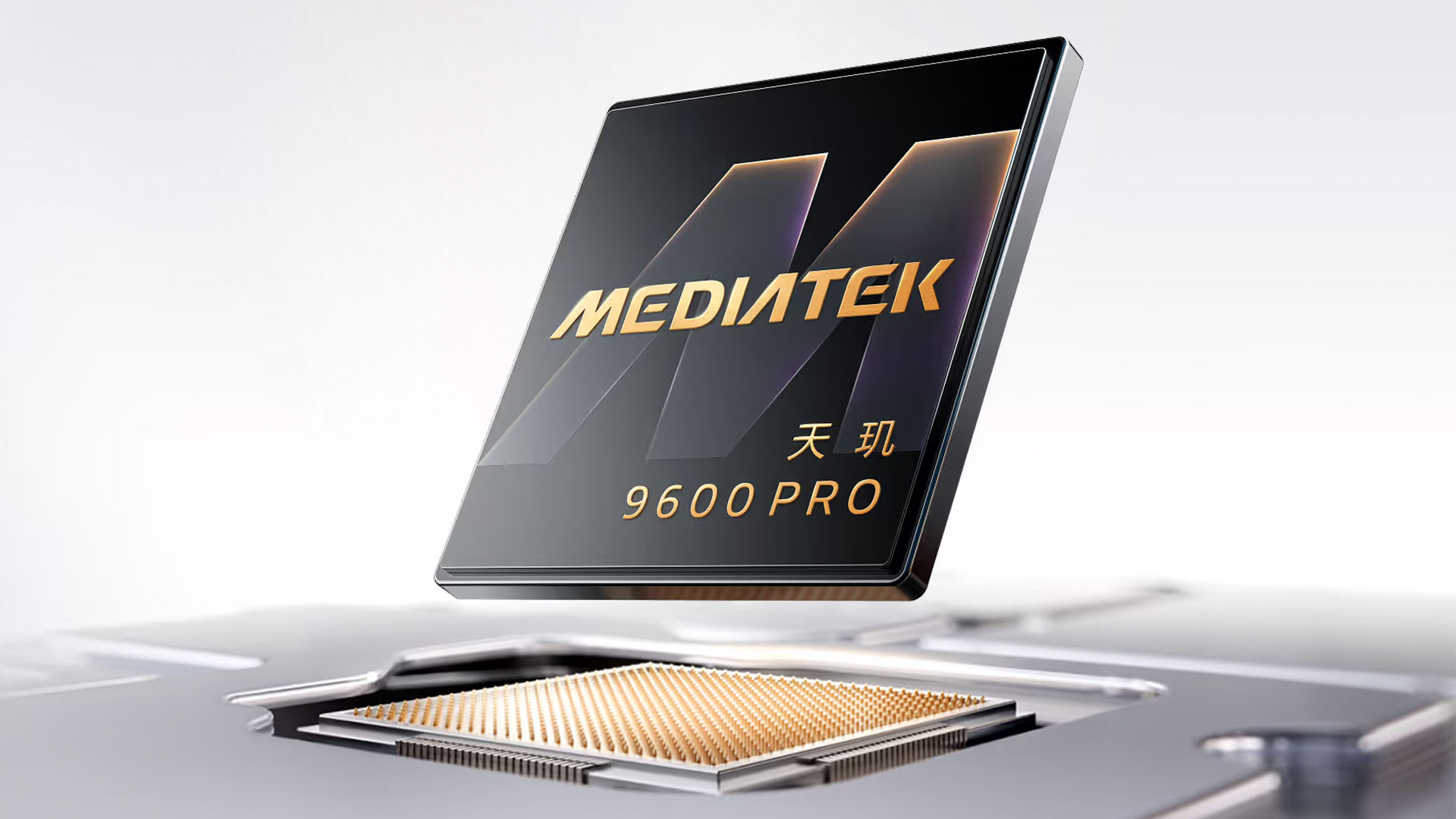
The stage is set for next year’s smartphones. Both MediaTek and Qualcomm have unleased their upcoming flagship chipsets for the coming generation. If you’re looking for the Qualcomm side of things, go here. But if you’re looking for MediaTek, then you’re in the right place.
The Dimensity 9600 Pro adopts the 2nm process mode, which makes MediaTek one of the first companies to use it. The chip itself features a 2+3+3 All Big Core CPU. Specifically, it has two C2-Ultra cores going up to 4.55GHz, three C2-Pro cores going up to 4.35GHz, and three C2-Pro ones going up to 3.1GHz. This configuration can reportedly achieve 17 percent better single-core performance and 15 percent higher multi-core performance.
Besides all that power inherently built in, the chipset also has the G2-Ultra NX GPU. This GPU can deliver 27 percent higher peak performance, 24 percent lower power consumption, 18 percent faster raytracing, and gaming at up to 185 frames per second.
Finally, the chipset has the Imagiq 1290 ISP. With this engine, the processor can handle 60fps motion capture and 4K240 direct-output ultra-slow-motion video.
Alongside the Dimensity 9600 Pro, MediaTek is also launching the Dimensity 9600M, a slightly more lightweight option of the Pro that deliver flagship level performance to more users outside of that price point.
Smartphones that will come with the Dimensity 9600 Pro and 9600M will launch sometime in the fourth quarter.
SEE ALSO: MediaTek unveils Dimensity 9500s, 8500 mobile processors
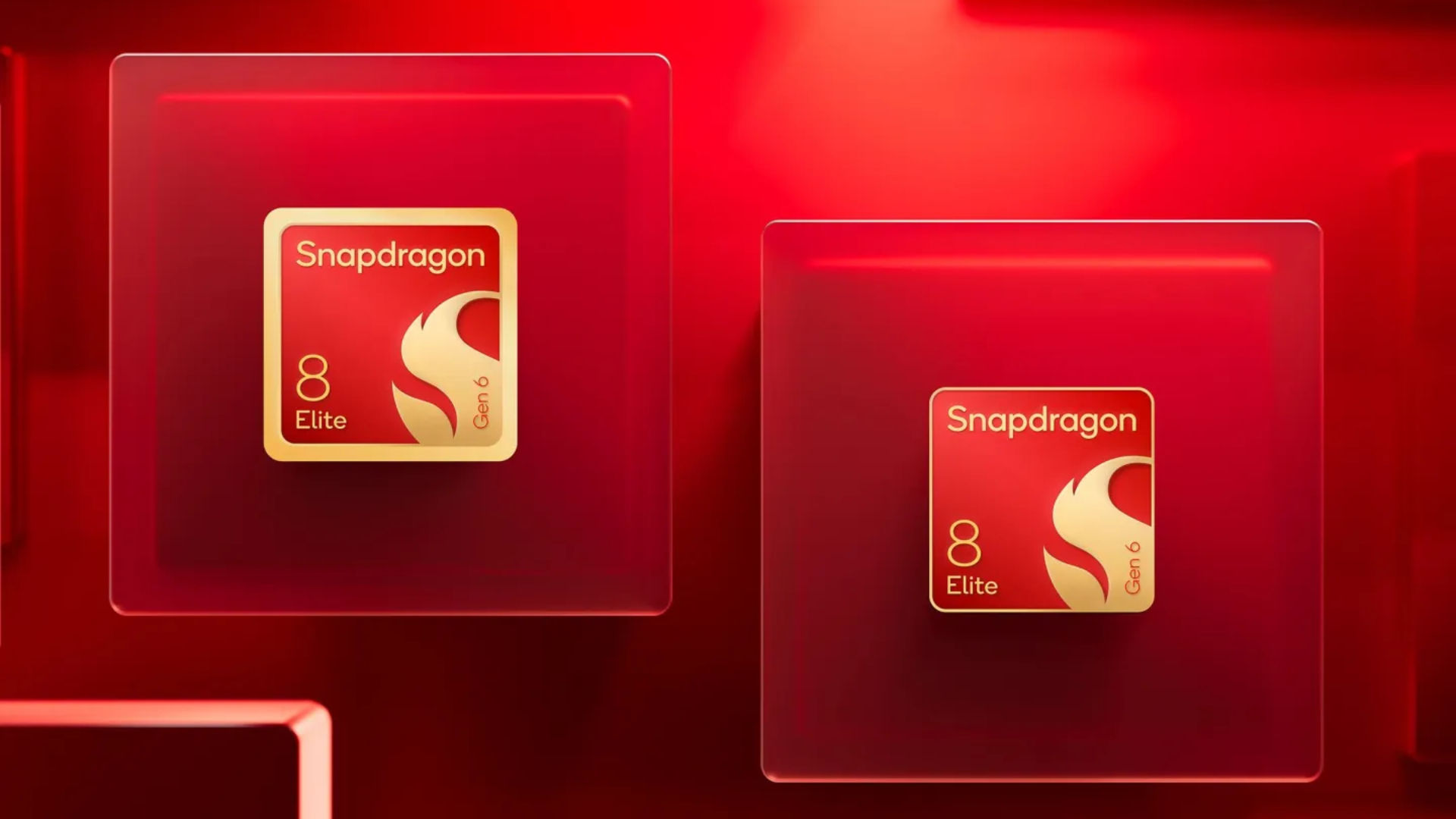
The end of the year always heralds the next step of processors for next year’s smartphones. Besides the oodles of phone rumors we’ll have before the year ends, these new processors give us a powerful hint of what the new machinery can do. Today, Qualcomm has unveiled that next generation, announcing the Snapdragon 8 Elite Gen 6 and the Snapdragon 8 Elite Extreme Gen 6.
Yes, this time, the Snapdragon flagship chipset will come in two flavors. Let’s start with the Snapdragon 8 Elite Gen 6.
The “base” model of the duo has an octa-core Oryon CPU with two prime cores going up to 5GHz. It also has an Adreno GPU that touts 35 percent faster performance compared to the previous generation. Additionally, the chipset has a 16MB Flex Cache which can supposedly leverage the cache better to deliver better single-threaded performance.
The Snapdragon 8 Elite Gen 6 will also have a new Spectra ISP. The engine can support single image capturing at 320 megapixels, or 64 megapixels with a triple rear camera combo. It also supports 8K video capturing at 30fps. Further, Intelligent Pixel Control features better contextualization skills so the camera can more accurately detect what you’re taking a photo or video of.
Finally, the X105 5G modem offers the usual array of 5G connectivity options but also goes up to supporting Bluetooth 6 and Wi-Fi 8.
Meanwhile, the Snapdragon 8 Elite Extreme Gen 6 offers much of the same as the duo’s regular model. However, it features 18MB of high performance memory, video recording that goes up to 60fps at 8K resolution, and new Matrix Cores that boost frame generation for gaming.
As expected, both models will appear in new smartphones from later this year to next year.
SEE ALSO: Qualcomm is raising its prices this year
News
OPPO Find X10 Pro Max is the first phone with a triple 200MP camera system
Second to rock MediaTek’s Dimensity 9600 Pro chip

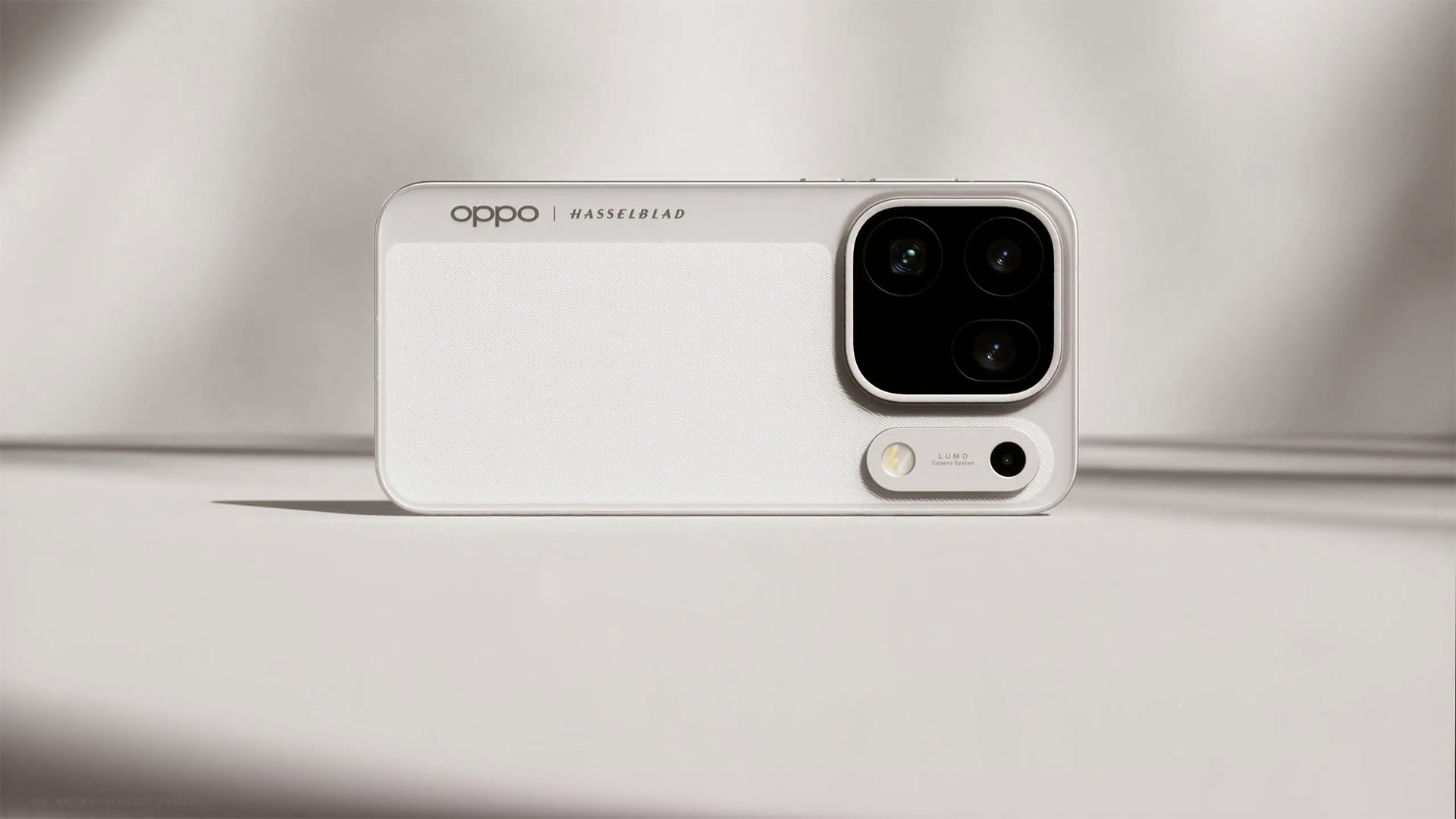
Just a day after its sister company launched the camera-centric vivo X500 Pro Max with the same chip in it, OPPO grabs the spotlight with the Find X10 Pro Max.
More than pro
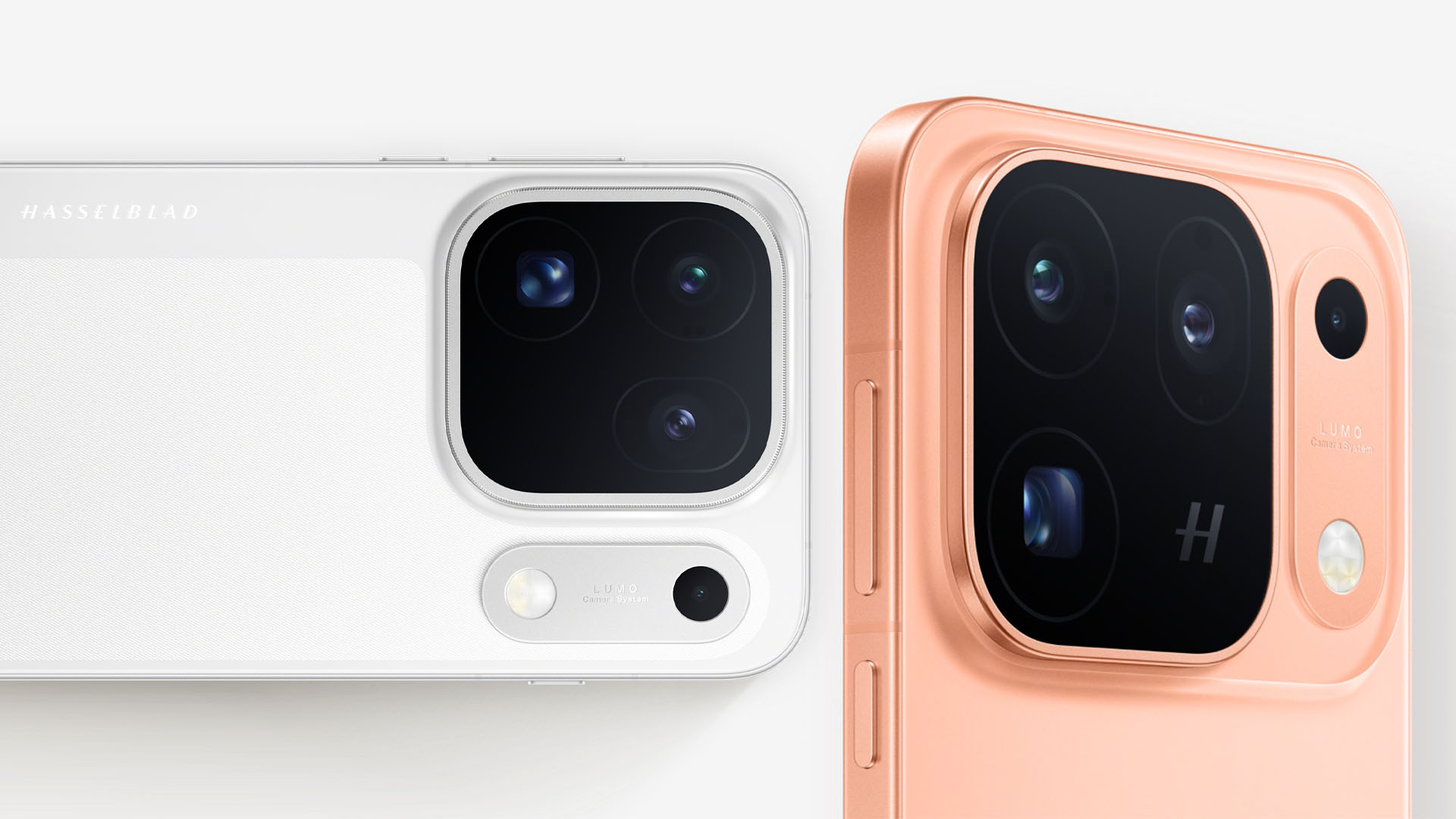
The highlight of the all-new OPPO Find X10 Pro Max has got to be its triple 200MP camera system — marking the first smartphone to have such PROwess. These are still co-developed with the niche Swedish camera maker, Hasselblad.
First and foremost, the main sensor boasts a large aperture of f/1.5. It also offers 17EV of dynamic range and a CIPA 6.5 professional-grade stabilization.
It also features the industry’s first DeepPix sensor technology. This creates the most “realistic” light and shadow reproduction while consuming less power at the same time.
Graphics by Vincenz Lee | GadgetMatch
Second, its UWA (Ultra-Wide Angle) lens with an f/2.2 aperture. This new module has a 124-degree FoV (Field of View) and can catch 102% more light than last year’s Find X9 Pro.
Last but definitely not the least, its telephoto shooter. The lens opening is at f/2.1 and has OIS with a CIPA 7.5 stabilization.
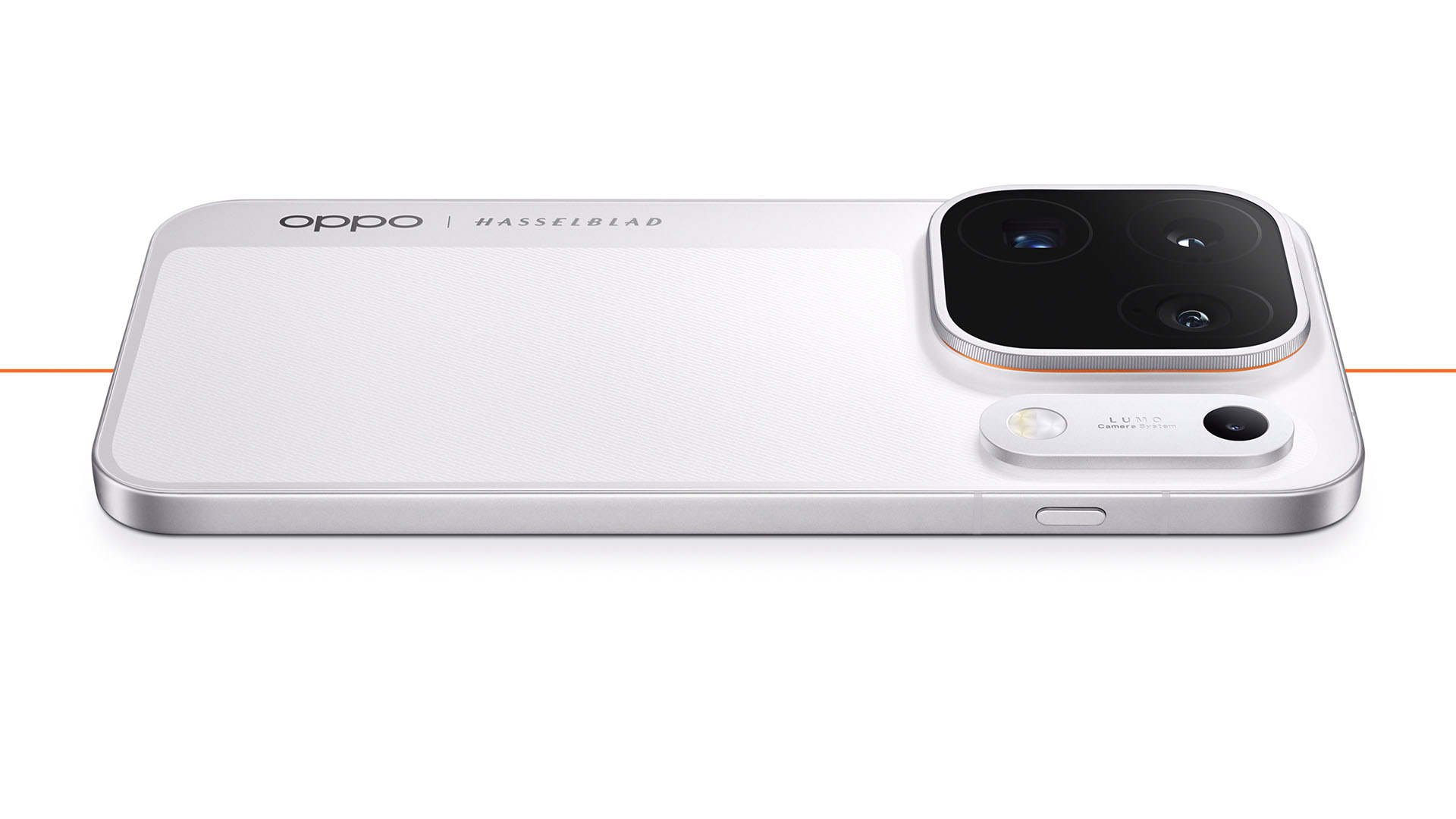
That separate bar beside its camera bump is dubbed as the “LUMO Original Color Capsule.” It houses not just the flash unit, but also the second-generation Danxia multi-spectral color sensor.
It does not stop at just pro-tography as the OPPO Find X10 Pro Max focuses on videography as well.
To make it a full-blown Pro Max model, it can shoot at a maximum of 4K/120fps or 8K/30fps video recording across all these three rear cameras.

Blackmagic Camera can also make use of these video strengths alongside OPPO’s 10-bit O-Log2 format.
And while we’re already at it, it also supports Open Gate capture where it uses the full camera sensor to capture footage in a 4:3 aspect ratio.

The previous telephoto extender lens is also supported alongside Tilta’s Khronos rig.
Max power
As alluded to earlier, the OPPO Find X10 Pro Max is the second smartphone to have MediaTek’s latest Dimensity 9600 Pro SoC based on a 2nm process — just a day after the vivo X500 Pro series.
While it’s already mentioned that CPU is up to 15% faster and GPU is around 27% faster, the best thing is that it it’s 61% more power efficient in multi-core tasks.
Graphics by Vincenz Lee | GadgetMatch
Other than being the first smartphone with triple 200MP cameras, OPPO has also worked together with MediaTek in developing Laminar Flow Engine. This basically balances out system responsiveness alongside an even lower power usage.
Now that it’s mentioned, the Find X10 Pro Max packs a 8000mAh battery, 500mAh more than last year’s Find X9 Pro (and 950mAh more than the Find X9 Ultra),

Graphics by Vincenz Lee | GadgetMatch
Screen bezels have also shrunk to a mere 0.99mm. That’s in contrast to the 1.15mm and 1.45mm bezels of the Find X9 and Find X8 series.
Charging is less speedy though at 80W (versus 100W on the Ultra).
While USB-C PPS support is limited to 55W, the new UFCS standard eliminates that limitation and makes full use of OPPO’s SuperVOOC charging speeds.
50W wireless charging and 10W reverse wireless charging all still remain.
Finding the other Xs
OPPO skips a Max-less Pro model in favor of two vanilla variants: the Find X10 and Find X10 E.
Both models possess a smaller 6.59-inch screen. Though display tech isn’t far off from its superior sibling, especially with the faster 144Hz refresh rate and BT.2020 support.

Much like the base vivo X500, the OPPO Find X10 runs MediaTek’s slightly down-powered Dimensity 9600M.
The Find X10 E, on the other hand, runs Dimensity 9500s.
Battery capacity of the Find X10 is the same as its Pro Max sibling at 8000mAh. Meanwhile, the Find X10 E has a slightly smaller 7025mAh tank.

Graphics by Vincenz Lee | GadgetMatch
Finally, cameras, while not Pro Max-level, were not totally compromised.
Find X10 E has a triple 50MP camera setup. While the base the Find X10 retains that 50MP f/2.0 120-degree ultra-wide shooter but replaces its main and telephoto cameras with a dual 200MP sensor at f/1.6 and f/2.6 respectively.

Graphics by Vincenz Lee | GadgetMatch
For utmost durability, all Find X10 models feature IP66, IP68, and IP69 water and dust resistance ratings.
They also run the latest ColorOS 17 based on Android 17.
Pricing and Availability
The OPPO Find X10 series + Find X10 Pro Max are currently available for pre-orders in Mainland China.
Pricing and configuration are as follows:
Find X10 Pro Max (Moon White, Shallow Titanium, Warm Orange)
- 12+256GB = CNY 6799 (US$ 1015 / EUR 870 / GBP 750 / SG$ 1285 / MYR 4099 / PhP 63,465 / INR 95,735)
- 12+512GB = CNY 7499 (US$ 1120 / EUR 960 / GBP 825 / SG$ 1415 / MYR 4520 / PhP 69,999 / INR 105,590)
- 16+512GB = CNY 7999 (US$ 1190 / EUR 1025 / GBP 880 / SG$ 1510 / MYR 4825 / PhP 74,665 / INR 112,630)
- 16+1TB = CNY 8999 (US$ 1340 / EUR 1155 / GBP 1698 / SG$ 1260 / MYR 5425 / PhP 83,999 / INR 126,710)
Find X10 (Ice Blue, Light Titanium, Clear Orange)
- 12+256GB = CNY 5499 (US$ 820 / EUR 705 / GBP 605 / SG$ 1038 / MYR 3315 / PhP 51,330 / INR 77,430)
- 12+512GB = CNY 5999 (US$ 895 / EUR 770 / GBP 660 / SG$ 1130 / MYR 3615 / PhP 55,995 / INR 84,470)
- 16+512GB = CNY 6499 (US$ 970 / EUR 835 / GBP 715 / SG$ 1230 / MYR 3920 / PhP 60,665 / INR 91,510)
- 16+1TB = CNY 7499 (US$ 1120 / EUR 960 / GBP 825 / SG$ 1415 / MYR 4520 / PhP 69,999 / INR 105,590)
FindX10 E (Ice Blue, Shallow Titanium)
- 12+256GB = CNY 4999 (US$ 745 / EUR 640 / GBP 550 / SG$ 945 / MYR 3015 / PhP 46,660 / INR 70,390)
- 16+512GB = CNY 5499 (US$ 820 / EUR 705 / GBP 605 / SG$ 1038 / MYR 3315 / PhP 51,330 / INR 77,430)
* these are only rough price estimates
It’s rumored that international availability of the OPPO Find X10 series will likely happen next October. We just have to wait and see what OPPO global has to reveal.


DJI Lito X1 review: Is this the best lightweight drone for creators?
Making a strong case as a travel companion and a capable B-cam!


REDMI Note 17 Pro Max review: A new breed born from AI greed
Welcome to the new normal


Marvel’s Wolverine review: When the claws come out
A brutal, cinematic superhero adventure

When your body talks, the Galaxy ecosystem listens

MediaTek launches the Dimensity 9600 Pro

Qualcomm unveils the Snapdragon 8 Elite Gen 6 series

OPPO Find X10 Pro Max is the first phone with a triple 200MP camera system

70mai launches the A900 series with 4K front, rear recording

realme 16T 5G with 8000mAh battery, IP69 Pro rating launches in PH

HUAWEI Pura X View is 2026’s first WIDE slab-type smartphone

REDMI reveals the refreshed Note 17 and Note 17 Pro series

REDMI Note 17 Series: Price, availability in Singapore

The CAMON Slim 5G is TECNO’s latest ultra-slim smartphone


-

 Accessories2 weeks ago
CASETiFY upgrades iPhone 18 cases, teases iPhone Duo lineup
-

 Hands-On2 weeks ago
Apple iPhone 18 Pro Series Hands-on
-

 News3 days ago
vivo X500 Series launches with major imaging upgrades
-
Gaming2 weeks ago
Marvel’s Wolverine review: When the claws come out
-

 Gaming1 week ago
BlizzCon 2026 announces World of Warcraft: Forever and Diablo V
-

 Singapore5 days ago
Epson Lifestudio Grand Plus EH-LS970B with 4K projection, more launches
-
Reviews1 week ago
REDMI Note 17 Pro Max review: A new breed born from AI greed
-

 First Look2 weeks ago
First Look: Apple iPhone Duo