
With the latest 2022 iPad Air around the corner, choosing the iPad for you is harder than it seems.
Other than the aforementioned M1-equipped Air, there’s also the similarly-powered M1 iPad Pro, as well as a smaller iPad mini, and a budget-friendly 9th Generation iPad.
But which iPad is your GadgetMatch? In this video, we’ll help you find the right iPad for your needs!
Head over to our 2022 iPad Buyer’s Guide to guide you in making the right purchasing decision.
News
Apple introduces the powerful new iPad Pro M5
Unlocks faster AI, next-level graphics, blazing wireless performance
Apple has unveiled the new iPad Pro M5. It delivers the biggest leap in AI performance ever for iPad. With a next-generation GPU featuring a Neural Accelerator in each core, M5 makes the new iPad Pro up to 3.5x faster than M4 and 5.6x faster than M1 for AI tasks.
Built for AI-driven creativity
With M5, iPad Pro brings AI workflows to a new level. The 10-core GPU architecture with Neural Accelerators boosts AI performance up to 3.5x faster than M4. It accelerates image generation in Draw Things and video masking in DaVinci Resolve.
The faster 16-core Neural Engine powers Apple Intelligence features like Image Playground and enables developers to run large on-device models using the Foundation Models framework.
M5 also integrates a third-generation ray-tracing engine. It provides up to 1.5x faster 3D rendering than the previous iPad Pro. It’s also up to 6.7x faster than M1. It’s ideal for design, gaming, and creative apps like Octane X, Final Cut Pro, and Adobe Illustrator.
Smarter performance and seamless multitasking
The M5 chip delivers a major upgrade across the board — faster CPU cores, 30% more memory bandwidth, and 2x faster storage speeds. The 256GB and 512GB models now start with 12GB of unified memory, giving users more headroom for multitasking, AI model processing, and heavy creative projects.
With over 150GB/s of unified memory bandwidth, users can render, edit, and game smoothly, while fast charge support powers the device up to 50% in around 30 minutes using a high-wattage USB-C adapter.
Advanced connectivity and design
The C1X modem brings up to 50% faster cellular data and 30% lower power use compared to the previous generation. The new N1 chip enables Wi-Fi 7, Bluetooth 6, and Thread, improving AirDrop, Personal Hotspot, and smart home connectivity.
Available in 5.1mm (13-inch) and 5.3mm (11-inch) thickness, iPad Pro remains Apple’s thinnest device. The Ultra Retina XDR display with tandem OLED technology offers 1600 nits peak HDR brightness and 1000 nits sustained brightness. A nano-texture glass option reduces glare for color-critical workflows, while Adaptive Sync enables smoother 120Hz performance on external displays.
Powered by iPadOS 26 and designed for the future
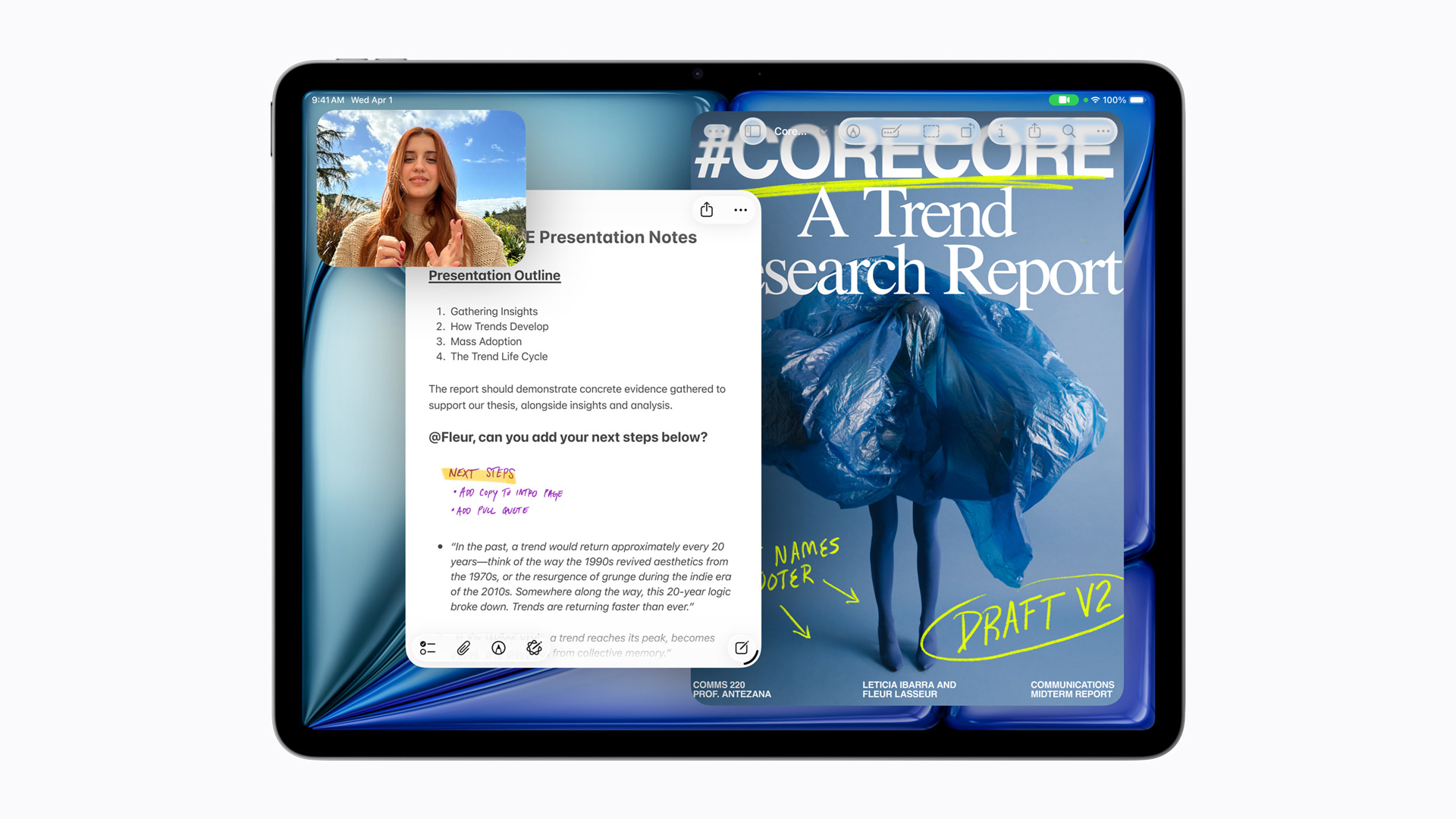
The new iPadOS 26 introduces a redesigned interface, an all-new windowing system, and Liquid Glass effects that react dynamically to user input. It also adds the Preview app for PDF editing, a supercharged Files app, and more automation with Shortcuts and Live Translation powered by Apple Intelligence.
Accessories like Apple Pencil Pro, Magic Keyboard, and Smart Folio expand what users can do on iPad Pro — from illustration to professional editing and multitasking.
Built with 30% recycled content, the iPad Pro meets Apple’s 2030 carbon-neutral goals, featuring 100% recycled aluminium in the enclosure, rare earth elements in magnets, and cobalt in the battery.
Price and availability
The new iPad Pro with M5 will be available starting October 22, priced from SGD 1,499 for the 11-inch Wi-Fi model and SGD 1,999 for the 13-inch Wi-Fi model.
Reviews
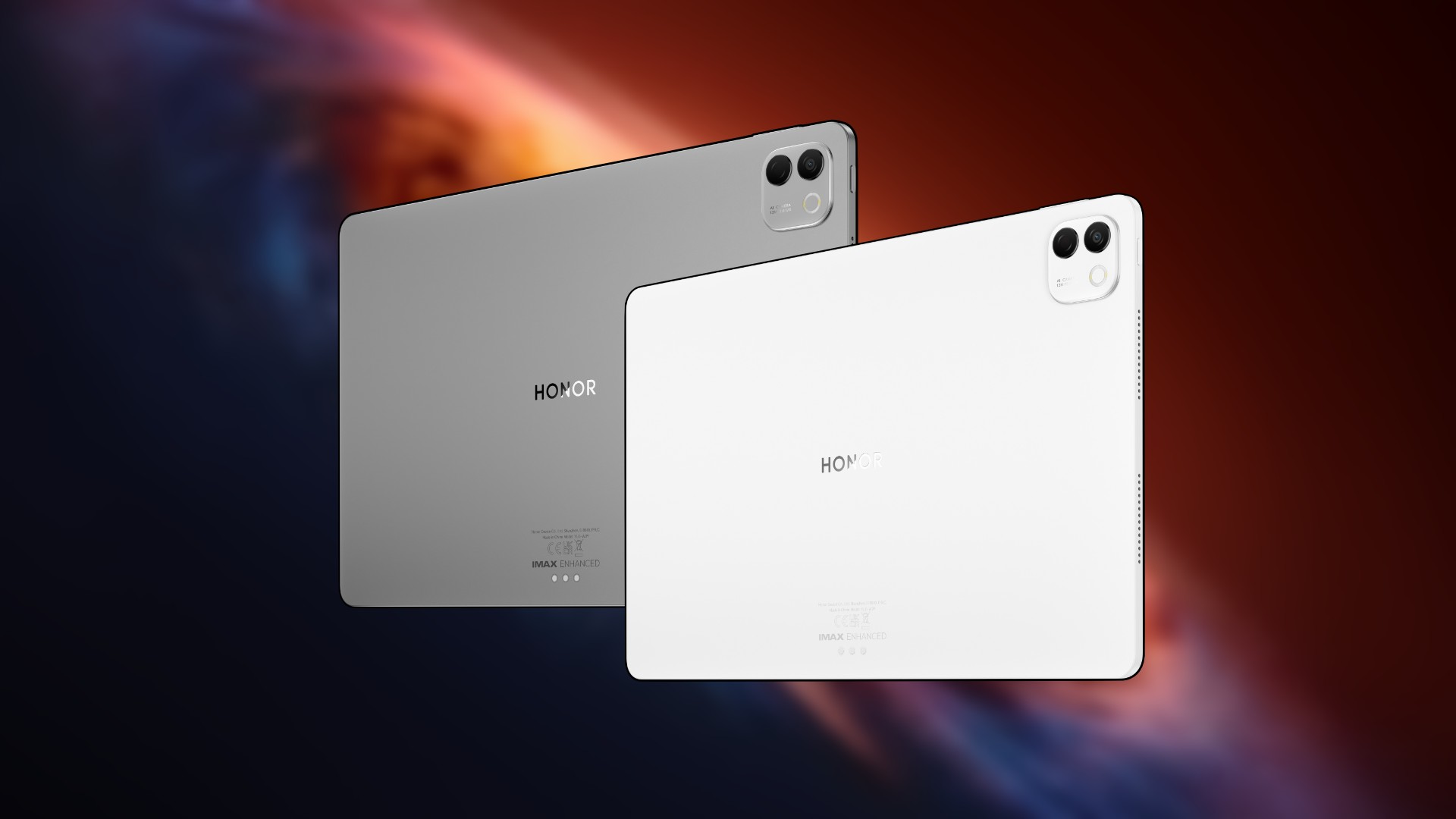
The HONOR MagicPad 3 is an almost perfect premium pad partner
Ever-reliable for work, chill, and play BUT with some catch
More than a month ago, the MagicPad 3 debuts as HONOR’s largest tablet yet. Unlike other pads by HONOR, this one comes with a premium — both inside and out.
Some three weeks after, I’m here to relay my thoughts on one of the industry’s rarest premium pads to date.
Work Flow, Hustle Game 💪🏼
Honestly, I’ve never been the tablet kind of guy. I wasn’t born in the generation of “iPad kids” or of tablet-dependent Gen Alphas (I’m under Generation MZ, BTW).
Moreover, tablets don’t really handle the kind of work I do.

While others make clickbait titles like how “tablets can totally replace your laptop”, there are simply stuff that a tablet is incapable of doing so — no matter how powerful its internals are.
Still, I’ve focused on what the HONOR MagicPad 3 can do for some work and how it has managed to do so.
🎨 Color-grading stills
It’s hard to resist editing photos on a massive screen like this. To be specific, the HONOR MagicPad 3 boasts a 13.3-inch screen.
For the most part, it’s color-accurate with DCI-P3 wide color gamut and support for 1.07 billion colors. It even has IMAX Enhanced certification.
Its 3.2K display resolution isn’t limiting with ample sharpness.
For what it’s worth though, an LCD display can either be a hit or miss.
The unit I have displays some backlight bleeding along some bezel corners and edges.
It might just be me nitpicking. As both a creative and a tech nerd, I know how OLED displays are superior above everything else.
I do commend how HONOR managed to bring these thin bezels, though.
Fortunately, with plethora of photo-editing apps such as VSCO, Snapseed, and even Adobe Lightroom for Android, color-grading on the MagicPad 3 has been a breeze.
Pair that with the all-new HONOR Magic-Pencil 3, it enables pixel-perfect precision even on the smallest of detail.
✂️ Splicing clips
With apps such as CapCut or Canva, video editing has always been achievable on Android.
And with the MagicPad 3, everything felt expansive especially that it has a screen closer to that of an actual laptop (or MacBook).
It can fit in more segments and directories with a longer viewable timeline, more visible stacks of layers, as well as selection of texts, effects, even transitions.
Although it’s not anywhere near Adobe’s Premiere Pro or the Apple-exclusive Final Cut Pro (that I mainly use for editing GadgetMatch’s YouTube videos), these still get most of the job done — especially if it just requires splicing without many more artistic fuss.
With a single USB-C port, it can also read my external SSD where most of my large Full HD 1080p / 120p work footages are stored.
Then again, don’t expect desktop-grade editing on this pro-grade machinery as the software hinders the experience and can only do so much.
📝 Up for some write-ups
While most Android tablets aren’t very different in offering a separate keyboard accessory, the version for the MagicPad 3 steps it up a notch with its built-in trackpad.
Not only it saves you extra money for not having to buy a separate wireless mouse, it also frees up your bag space — especially if you’re not into bringing heavy bags.
Much like the MacBook I use heavily for work, using the trackpad on this so-called “Smart Touch Keyboard” felt familiar. It recognized all the recognizable touchscreen gestures from scrolling all the way to pinching.
It was also fluid and responsive regardless of how I use it when scrolling through my itinerary plan, scrubbing through albums, even swiping across various websites.
The keyboard itself isn’t mediocre as well.
Keys were responsive enough when I type. They’re also neither clicky nor too mushy. Typing on it feels and performs just right especially considering the slim profile it has.
I even tried writing one of my review articles using this premium pad.
Having the ability to type and/or write on one side while referencing on the other is often a luxury for small screens.
Now, this is where I can confidently say split-screen multitasking with that pop-out window feature makes full sense on big-sized panels like what we have here on the MagicPad 3.
✍🏼 Visualize to realize
Unlike my imaginative 8-year-old self who’s very addicted to drawing and sketching of what he sees (or tries to visualize), it’s the opposite 20 years apart.
But, to relive my faded skills, I still tried using the Magic-Pencil 3 to its utmost potential.
Although HONOR pioneers the brightest smartphone displays, this tablet only maxes out at 700 nits (and 1000 nits under HBM or High Brightness Mode).
That might be a dealbreaker if you want to tag along the MagicPad 3 and draw out in the park under broad daylight.
Still, I applaud the responsiveness of HONOR’s specialized stylus. There’s little to no latency at all — like I’m writing on paper.
However, the panel is reflective. So, if you want Apple’s Nano Textured Glass or HUAWEI’s PaperMatte, just buy a third-party matte screen protector (which I did).
And before it slips off my head, both the keyboard and pencil attach magnetically (through pogo pins + frame’s magnets, respectively), making everything wire-free and hassle-free.
This means not having to charge one separately via USB-C or go through the conventional Bluetooth pairing that causes stir-ups most of the time.
No one asked but…
The HONOR MagicPad 3 possesses a 13MP f/2.0 rear camera with an extra macro camera on the side.
While using the tablet’s cameras have little use in a creatives’ PoV, this could be useful for taking not just quick snaps as mementos, it could be more beneficial for document-scanning and AR-related tasks.
As for the 9MP front camera, its existence is valuable for video calls, work meetings, or even social media live streaming that are either for personal or business purposes.
And while we’re at it, I thought the MagicPad 3 was equipped with a fingerprint sensor beneath its power button the first time I used it.
However, this “premium” tablet relies only on the less-secure facial recognition system based on that front camera alone.
If that makes you anxious enough, the only other ways are setting a PIN, pattern, or alphanumeric password — like it’s a 2011 Android.
What A Chill Kill 🎶🎵
Much like the tablet itself, I can only do so much as a human being.
Stepping aside all the work-related madness, the MagicPad 3 is more enjoyable as it could be for viewing various content.
I’ve enjoyed and cherished the last episode of Bon Appétit: Your Majesty in MagicPad 3’s superior screen.
Chef Yeon and King Yi Heon’s final moments during the Joseon period were extra tearful as opposed to watching it on my “large” 6.78-inch smartphone.
This massive tablet also means it’s equipped with more than four speakers. To be precise, the HONOR MagicPad 3 boasts an eight-speaker surround sound setup.
Amping out its volume between 80 percent ’til the limit, you instantly get a loud portable speaker.
When you play songs in Lossless Audio, the output is richer and fuller than what one would expect.
There’s a fine line between its treble and mids. Bass is quite deep for a device like this.
And as an Apple-ogist of Apple Music *pun intended*, I love how tablet-friendly the layout is.
Songs being played with better-looking lyrics show on the right side. All while giving you the ability to scroll through your thousands of songs (or hundreds of playlists) without uninterrupted music playback.
Slay Some Play 💅🏼🎮
What makes the HONOR MagicPad 3 stand out from usual tablets is mainly the hardware it rocks.
Baked inside is the 4nm Qualcomm Snapdragon 8 Gen 3 SoC. If you’re not tech-savvy, that’s simply a pro-grade chipset found in most top-performing smartphones of late 2023 until mid 2024.
Paired with a config combo of 16GB memory and 512GB storage, you get plenty of power and performance for a tablet this size.
The MagicPad 3 running the latest MagicOS 9.0 with HONOR AI will make prospective users take full advantage of those rich AI tools in mind — very helpful as a productivity powerhouse.
Google’s Gemini is even built-in just in case you need AI more than ever.
It would be a huge miss though, not to test it out for gaming.
As much as I prefer playing my fave game titles on bigger screens (like choosing a foldable over a regular smartphone slab), that also means I have to deal with its heavy battery hog and lack of system cooling.
Admittedly, using a tablet for games is a pretty enjoyable experience — which I think is a massive understatement.
First and foremost, driving my best sports cars on Racing Master never felt this immersive.
While it’s very possible to play the game on a larger screen with screen casting via my 55-inch TV, it doesn’t do justice at all.
Not only there’s some display delay, on-screen controls can only imitate the look, never the feel of an actual controller.
Unapologetically, I was able to play around two hours without feeling sore. Its 5.79mm slimness plus the right amount of heft at 595 grams are factors why the experience was more enjoyable.
However, I’ve struggled quite a while when I played Ranked Matches in Call of Duty: Mobile (CoDM).
The only “fix” I did was to re-adjust controls and pull it towards the farther ends of the display so I don’t need to stretch out my thumbs just to forcibly reach them.
For less demanding games, the MagicPad 3 is a real pleasure to play with.
I’ve used it for making confusing pizza orders of indecisive customers on Good Pizza, Great Pizza. The stylus functionality adds precision whenever placing toppings before you slide it through the oven.
It’s also beneficial when organizing goods, scanning purchases, and doing cash changes (or inputting card charges) in My Supermarket Simulator 3D.
Lastly, fixing my good ol’ city in SimCity: Build It (that I honestly haven’t opened since 2019, until just recently).
Massive for a reason 😱🤩
A bigger display comes with a greater battery capacity.
What lies beneath this gargantuan tablet is its 12,450mAh Silicon-Carbon battery. And it’s not large just by the numbers.
For some light to moderate usage, it (unsurprisingly) lasts around 2 to 4 days. Even longer when running just in idle.
Kick in some draining and daunting tasks such as streaming, video editing, or even gaming, the narrative completely changes.
Though for the most part, it would still last me at the end of the day with some room left to spare.
One bummer though is that, it doesn’t have a bundled fast charger. Or maybe it’s just the European model I have.
I tried using my 100W UGREEN Uno GaN Charger, thinking it supports USB-C PD with PPS, but it can only do so much to fill it to the very brim.
| From 0% | START TIME: 10:45PM |
| 3 minutes | 3% |
| 5 minutes | 4% |
| 10 minutes | 6% |
| 15 minutes | 10% |
| 20 minutes | 14% |
| 30 minutes | 23% |
| 45 minutes | 30% |
| 1 hour | 43% |
| 1 hour 15 minutes | 47% |
| 1 hour 30 minutes | 57% |
| 1 hour 45 minutes | 64% |
| 2 hours | 75% |
| 2 hours 15 minutes | 84% |
| 2 hours 30 minutes | 93% |
| 2 hours 45 minutes | 99% |
| 100% | 2 hours, 46 minutes END TIME: 1:31AM |
The only way to maximize that 66W fast charging is to buy an authentic 66W HONOR SuperCharge adapter.
Is the HONOR MagicPad 3 your GadgetMatch?
Without a doubt, the HONOR MagicPad 3 is an ideal pad partner you can rely on — for loads of creative and editorial work, some Netflix and chill, even heavy playing in between.
It’s a Swipe Right for all things considered — a ginormous display that’s truly poppin’, Pro-grade chipset without the “Pro” name, reasonably massive battery capacity.
Coupled with a smart keyboard and magical pencil combo, what more can you ask for?
So, where did that “almost perfect” sentiment came from?
Well, aside from that frowned upon LCD display (over OLED), having an SRP of PhP 49,999 / SG$ 1099 / GBP 599.99 is a legit tough ask.
Furthermore, the Malaysian MagicPad 3 is being offered at RM 2999. Considering conversion, that’s roughly around PhP 40,000 / SG$ 900 / GBP 530 — which is still big in savings.
Not only the inconsistency in pricing felt unfair, it also plays a factor whether or not it will sell well.
In this economy, especially in a third-world country like the Philippines, that price is too much to pay for. But hey! At least you get the keyboard and pencil for free when you purchase one.
Pad–emonium
Its cousin, the HUAWEI MatePad Pro, is being sold for the same price with a slightly smaller 12.2-inch screen but greater than ever tandem OLED display tech plus PaperMatte coating.
All that with the limiting ecosystem of HarmonyOS (globally, at least) alongside sideloading Google Play that most won’t even bother doing with its sheer complexity.
Another would be Samsung’s Galaxy Tab S10 FE+ that rocks that same 13-inch display size and LCD tech but has a pocket-friendlier pricing at just PhP 27,992. While it has a 5G version plus a microSD card slot, its built-in configuration is limited to 8+128GB. Chipset is quite on the mid side as well.
Lastly, its closest Apple rival, the 13-inch iPad Air, is heaps pricier with its PhP 54,990 / EUR 969 / SG$ 1199 / RM 3699 price tag.
But, in return, you get a more powerful and more efficient Silicon chip, better host of third-party accessories.
Most of all, iPadOS’ rich diversity of professional / creativity software that Android tablets still lack (such as Procreate, Davinci Resolve and Final Cut Pro for iPad, among others).
Deals
The new Lenovo Legion Tab comes with a free GameSir G8+ this month
All-in-one package to unleash mobile gaming
Lenovo has whipped up an enticing promo for gamers on the go, involving the new Lenovo Legion Tab Gen 3.
Until October 31, the just-launched tablet (ZAEF0080PH) built primarily for gaming fittingly comes with a free GameSir G8 Plus Bluetooth mobile controller, along with a Folio Case and Glass Film.
That’s a freebie bundle worth more than PhP 3,000 in total. The offer is exclusive to the following resellers:
- GameOne
- Datablitz
- Joneco
- PC Express
- VillMan
- Robinsons Appliances
Upon purchase, customers will instantly receive their freebies in-store. Lenovo actually launched the promo as early as September 15.
The Lenovo Legion Tab is priced at PhP 29,995. It is built for gaming performance and immersive gameplay.
Powering the device is a Qualcomm Snapdragon 8 Gen 3 processor. It comes with 12GB RAM and 256GB storage. The processor is complemented by Lenovo ColdFront cooling to ensure steady gaming sessions.
Moreover, the tablet has an 8.8-inch 2.5K 165Hz display in front for smooth visuals. This panel has 98% DCI-P3, up to 900 nits of peak brightness, and TÜV certifications.
To complete the audiovisual experience, there is dual speaker system that supports Dolby Atmos for immersive sound.
The slate runs on Android 14 or later and has a 6550mAh battery with 65W charging.
Other handy features include haptic feedback and Legion Space software. There is likewise a 13MP main camera at the back and 8MP front camera.
-
Tablets2 weeks agoThe Xiaomi Pad Mini is discounted until October 13
-
Reviews2 weeks agovivo X200 Pro review: 200+ Days After
-
Deals2 weeks agoThe new Lenovo Legion Tab comes with a free GameSir G8+ this month
-
Laptops2 weeks agoThe Lenovo Yoga 7i Aura Edition gets it right after ten generations
-
Reviews5 days agoThe HONOR MagicPad 3 is an almost perfect premium pad partner
-
Cameras5 days agoDJI Osmo Nano review
-
Gaming2 weeks agorealme 15 Pro named official M7 World Championship gaming phone
-
News2 weeks agorealme 15T also releasing on October 8