

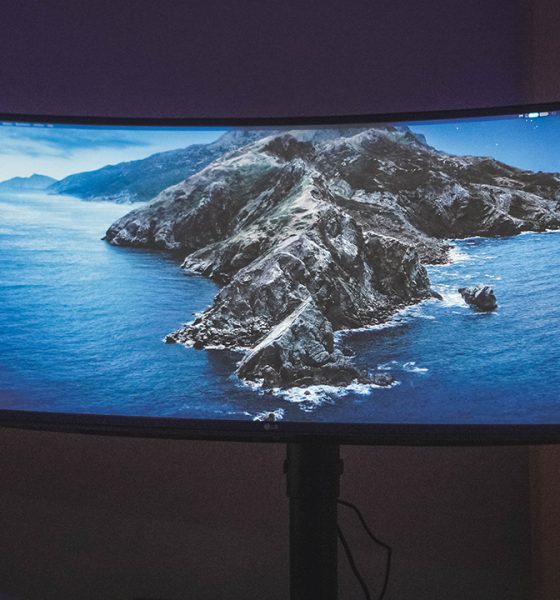

I’ve been working on a laptop almost exclusively for the better part of the last decade. It’s been so long that I had forgotten the benefits of working with a bigger screen — a benefit that was shoved into my face when I used the LG UltraWide 34” Curved monitor.
Easy setup
Putting it together was relatively easy. I didn’t need any special tools or anything of the sort. Everything just fit into place seamlessly.
Here are all the ports on its back. That’s two (2) HDMI ports, one (1) Display port, two (2) USB downstream ports, one (1) USB upstream port, and one (1) headphone out port.
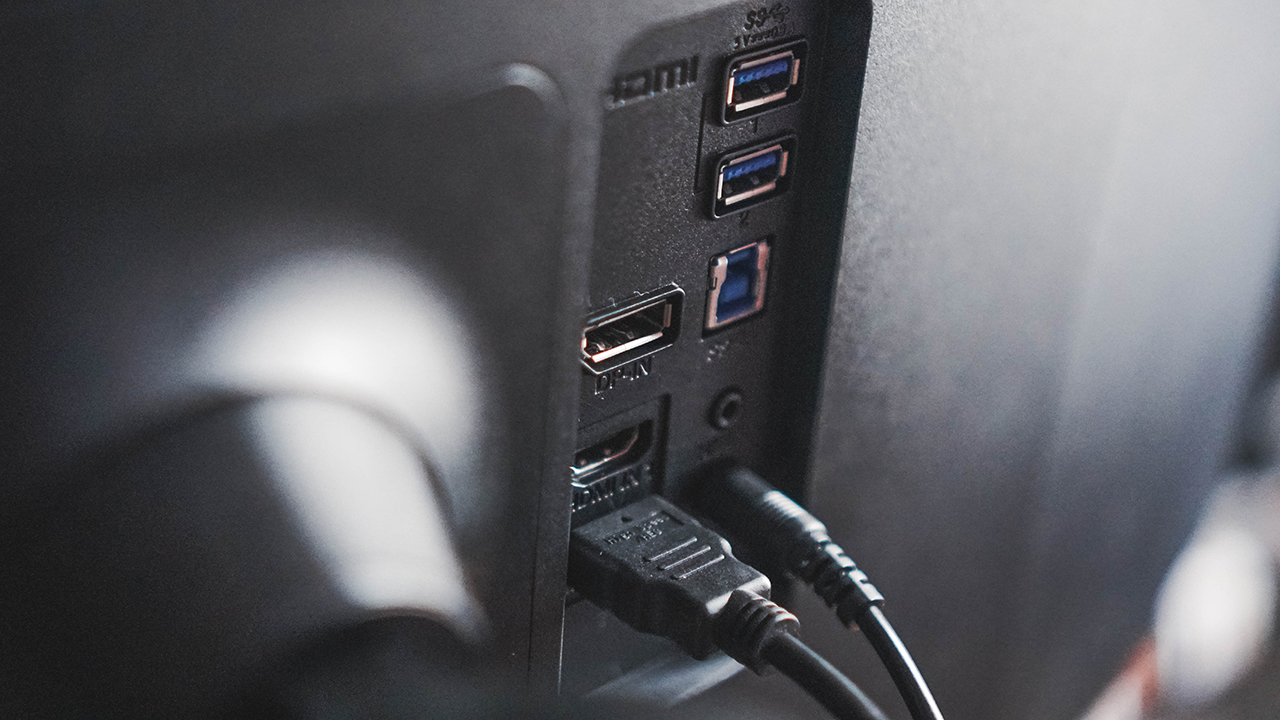
It also comes with a cable organizer that you kind of clamp to the stand so your setup can look clean.

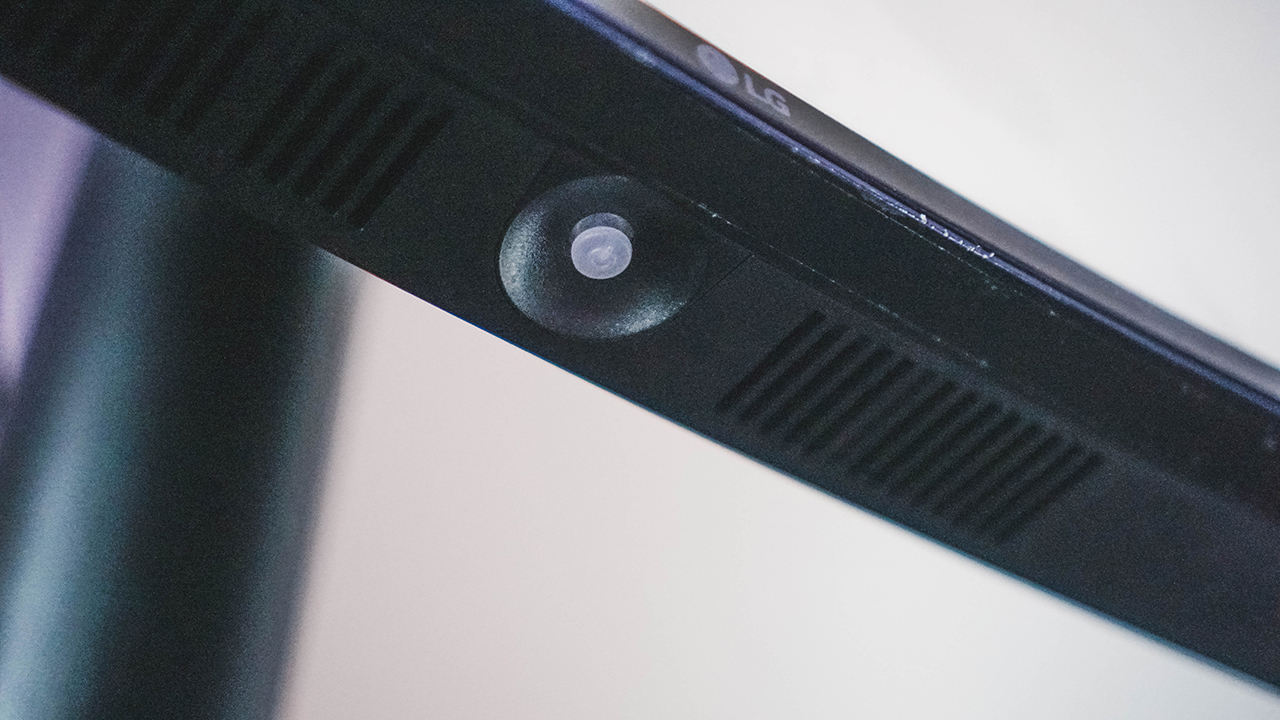
Once everything is plugged, you only need to use this button at the bottom center of the display to make any changes in the settings or switch between inputs should that be necessary.
My regular workflow
At any given day I can be doing anything from writing an article, a script, coordinating with the team and external partners, copy-editing articles, and video editing among others.
This means I toggle between screens A LOT. Other than that, my posture while working is mostly crouched down since I’m looking at the laptop screen.

However, that all changed when the fire nation attacked. No, I mean, it was definitely shaken up when I started using the LG UltraWide 34” Curved Monitor.
I didn’t really have a proper setup with it owing to the tiny space I live in but in the brief week that I used it, I started craving a better work from home setup.
How the LG UltraWide monitor disrupted my workflow
The first thing I noticed was how I was now looking up instead of looking down. It might not be that big a deal for younger people, but when you reach a certain age, even the smallest improvements to your posture can make a huge difference.
The extra space is invaluable. At one glance I can look at Slack and Tweetdeck. This means I can quickly look up if there’s anything new that needs to be edited while also monitoring any potential news that we should run on the website.
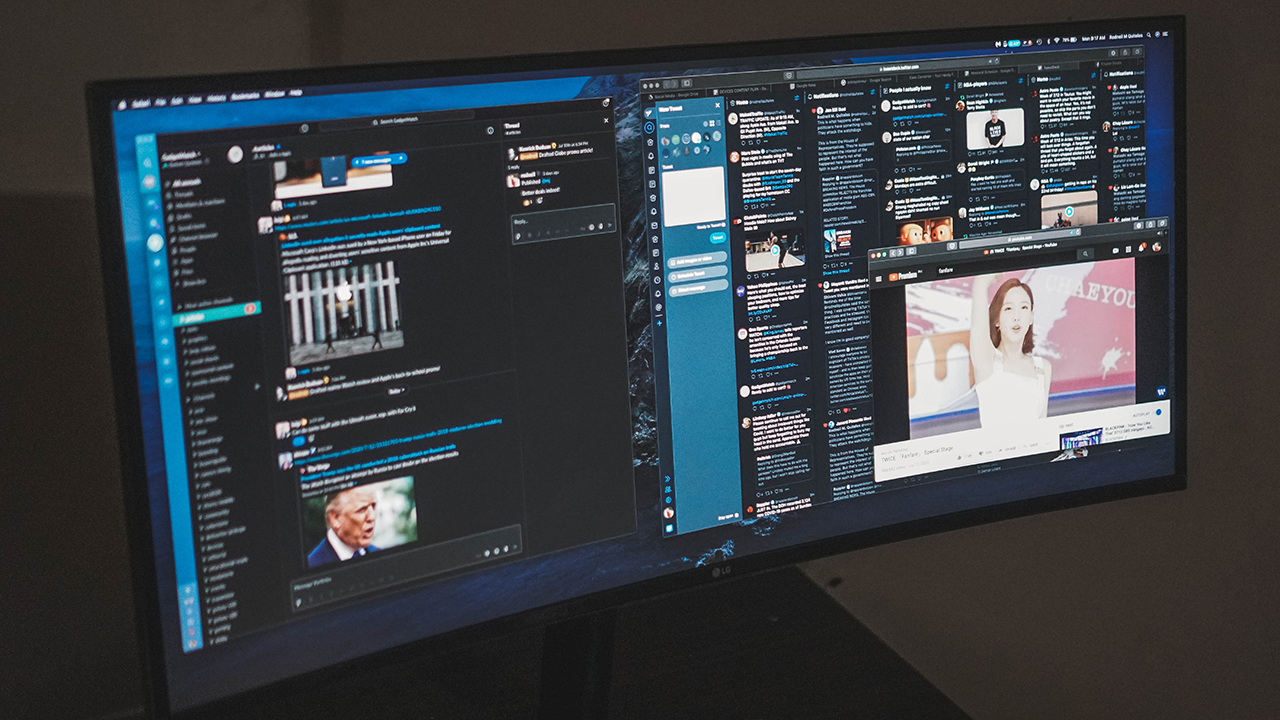
Bonus: I can also have a floating tab with a playlist of my favorite girls TWICE cheering me up as I slog through another work day.
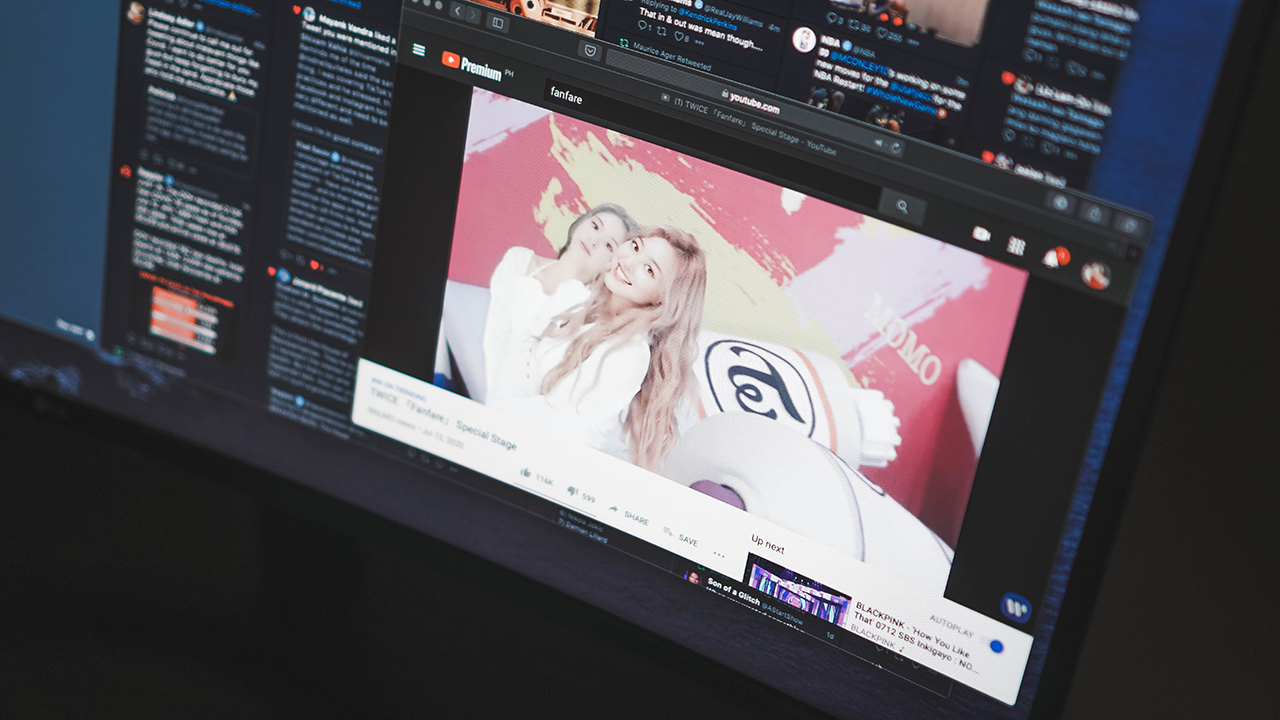
This works in other instances too. I can pull up a press release for reference on one side of the screen and have Google Docs on another. This means I no longer have to quickly press Alt+Tab every time I need to double check details.
Just the overall convenience of seeing more at a glance is already a major upgrade to the workflow I’ve grown accustomed to.
Video editing
I no longer video edit as much as I used to due to changing roles and all. But here, the benefit of having a larger, wider monitor is even more pronounced.
Having a wide workspace means I didn’t have to hide certain tools while editing. They’re just there, easily and immediately accessible when I need them. It was honestly tough going back to the smaller screen especially for this task.

Taking less steps to complete your everyday tasks is a godsend. Every small thing adds up to a faster, smoother, and generally better working experience.
Should you upgrade to the LG Ultrawide 34” Monitor?
There are plenty of things to consider. For people like myself who have mostly worked on laptops, we’re pretty set in our ways. Plus there are a few other peripherals I might need to get so it’s not an easy yes or no decision.
You also need to consider your workspace. As I mentioned, I live in a rather tiny place with very little space to accommodate a fully desktop setup.

But this is me. If you’re still working on a more traditional 16×9 monitor, I guarantee the difference, while jarring at first, can be truly beneficial in the long run.
The LG Ultrawide 34” Curved Monitor retails for PhP 45,999 (around US$ 937). If you’re ready to splurge to up your productivity, this isn’t a bad place to start.
LG has other monitors you can check out. The UltraWide line of monitors start at PhP 12,699 for the 25”, PhP 14,799 for the 29”, PhP 29,499 for the 34”, and PhP 45,999 for the curved 34” version.
LG’s UltraGear gaming monitor line on the other hand starts at PhP 12,599 for the 24”, PhP 22,199 for the 27”, and PhP 23,999 for the 32”.
SEE ALSO: LG UltraGear 24” Gaming Monitor review: Enough to get you started






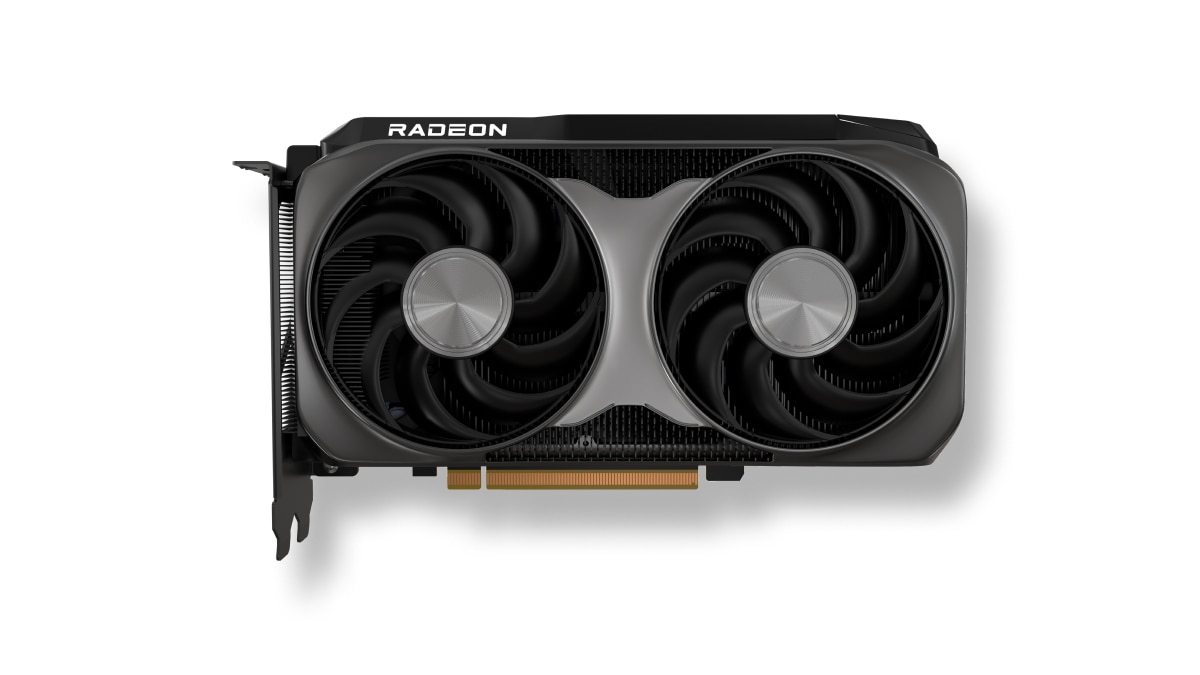
AMD has launched the new AMD Radeon RX 9050 graphics card, expanding the Radeon RX 9000 series with an affordable option.
This brings AMD RDNA 4 gaming technologies to mainstream gamers with a retail price of US$ 279.
The particular GPU is designed for responsive gameplay at 1080p. That’s for esports and modern AAA titles.
Some popular titles it can run at high frame rates on a 1080p resolution include: Cyberpunk 2077, Forza Horizon 6, Pragmata, Call of Duty: Black Ops 7, Valorant, and Tom Clancy’s Rainbow Six Siege, to name a few.
This highly efficient, drop-in upgrade features a 92W TBP and fully supports the latest AMD FSR technologies, next-gen raytracing, and high-quality AV1 video streaming.
Key specs:
- Architecture: AMD RDNA 4
- Compute Units: 16
- VRAM: 8GB GDDR6
- Game Clock / Boost Clock: 1.92 GHz / Up to 2.60 GHz
- TBP: 92W
In line with the Radeon RX 9050 launch, AMD has also released AMD Software: Adrenalin Edition 26.7.1.
This driver introduces official day-one support for Radeon RX 9050, alongside early multiplayer access for Gears of War: E-Day.
Users can download the software here.
Accessories
OBSBOT’s Meet Flip is your next best pocketable 4K webcam
Fold the Flip for further protection

Several months ago, you might remember that OBSBOT revealed the Tiny 3 series of web cameras.
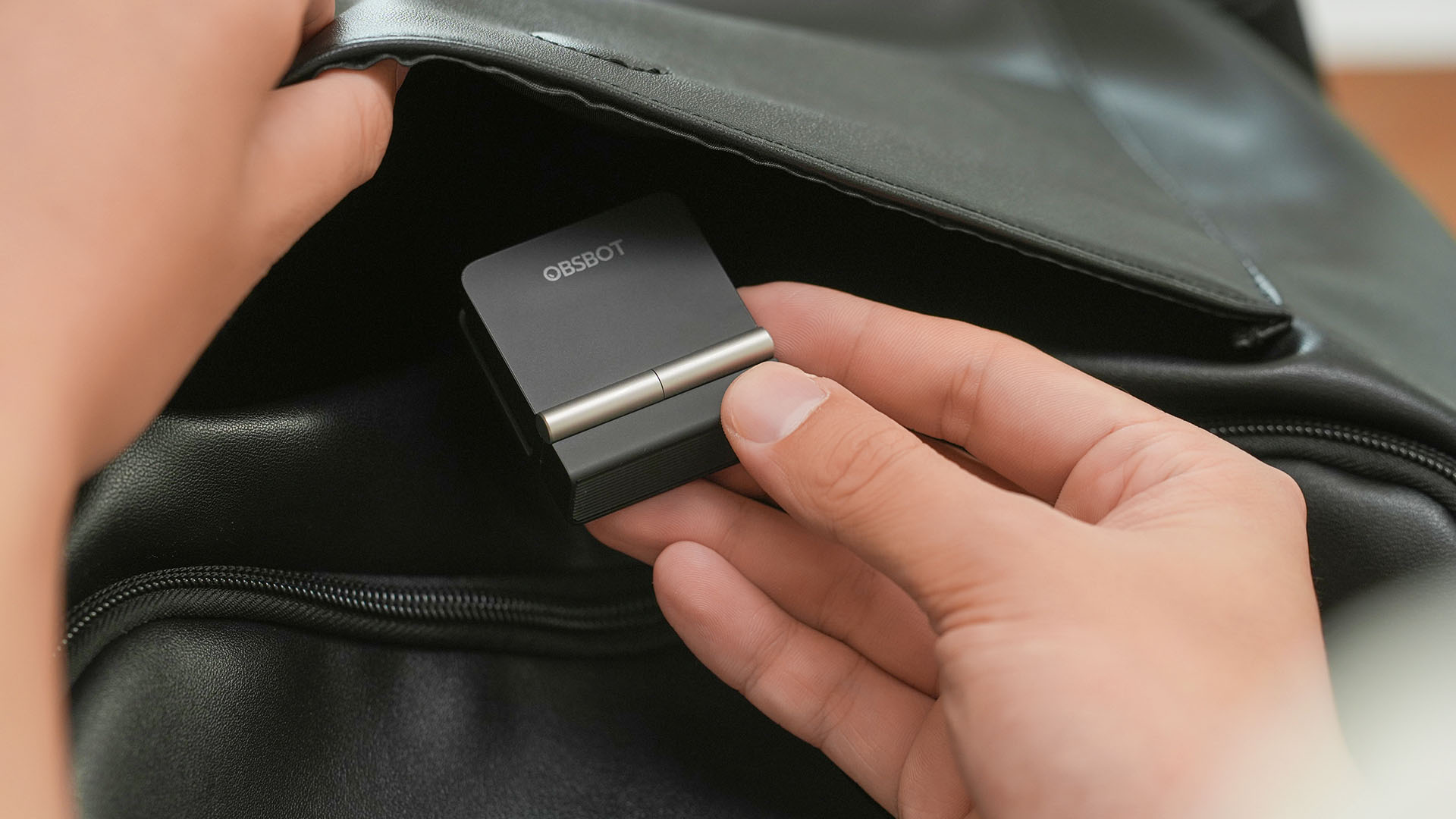
Six months after, they also unveil the all-new Meet Flip. From the name itself, it’s the company’s latest foldable 4K webcam that puts hardware privacy front and center.
Foldable and pocketable
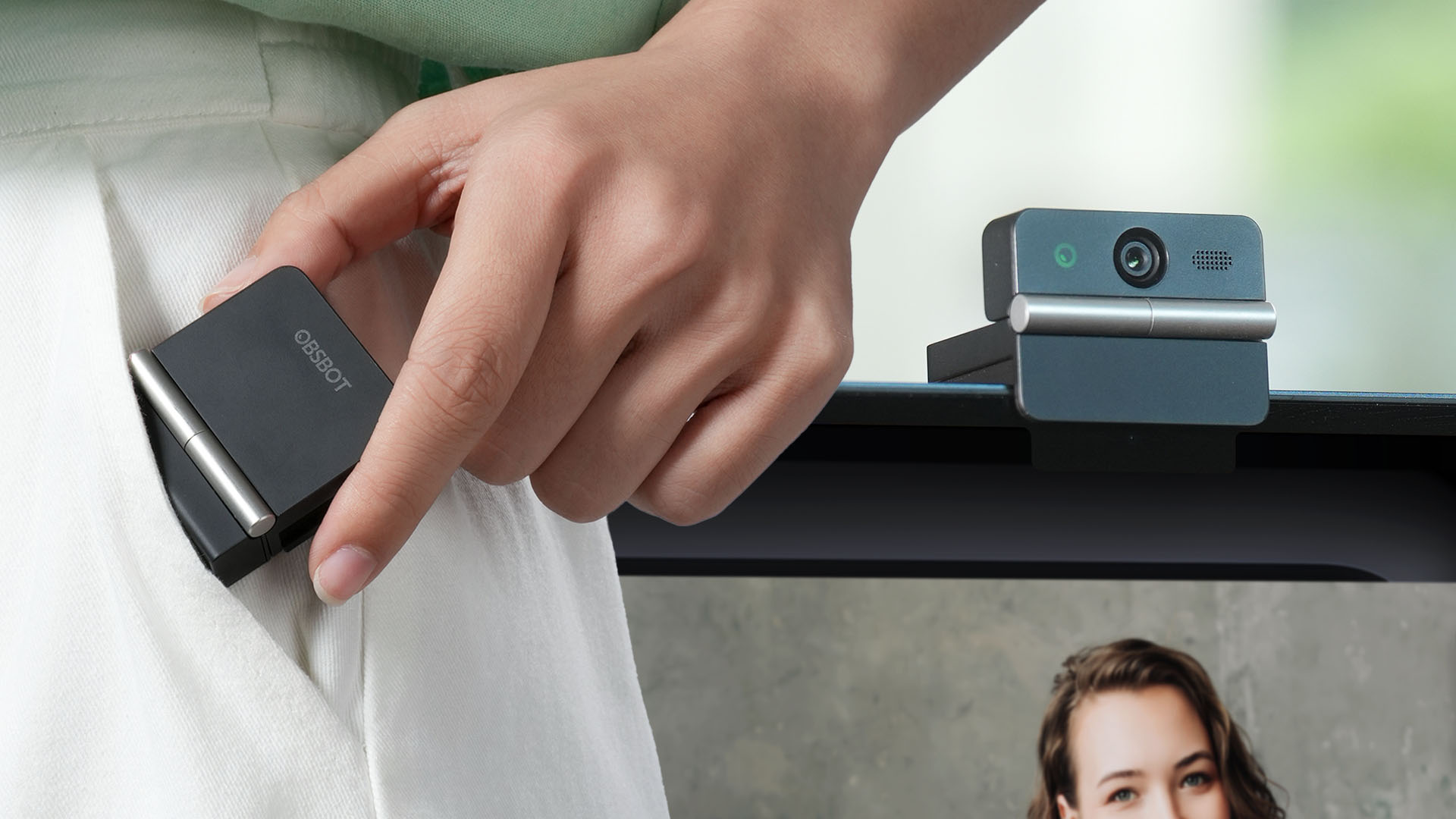
Despite weighing just 37.7 grams, the Meet Flip aims to deliver premium webcam features for all types of users. Be it remote workers, professionals, or content creators.
Graphics by Vincenz Lee | GadgetMatch
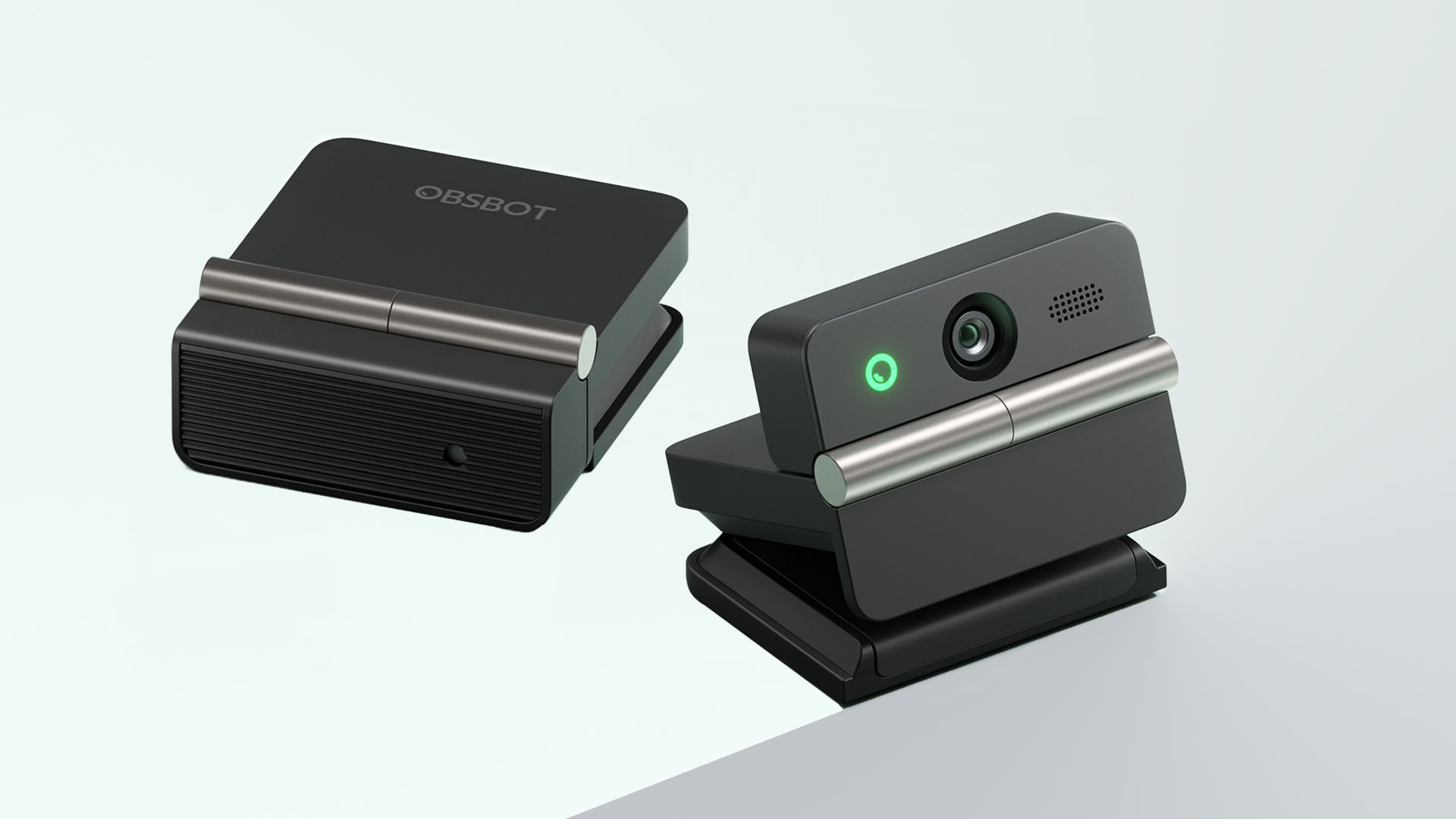
Undoubtedly, the biggest highlight has got to be the webcam’s folding design. Not only it’s portable, it protects your privacy too.
Closing the device physically blocks the lens, giving users a visual confirmation that the camera is no longer active. When it’s time for a meeting, simply unfold it and it’s ready to go.
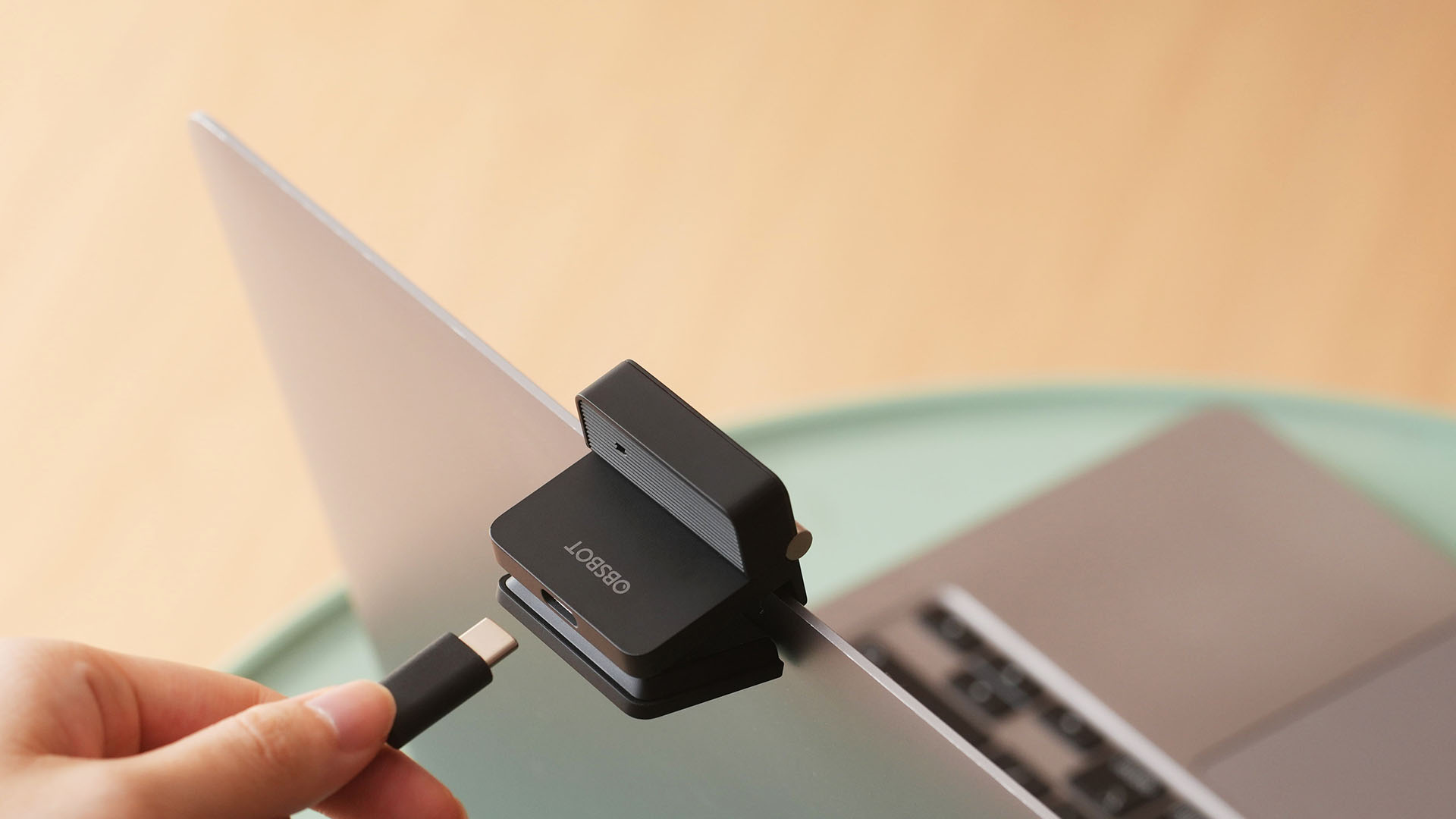
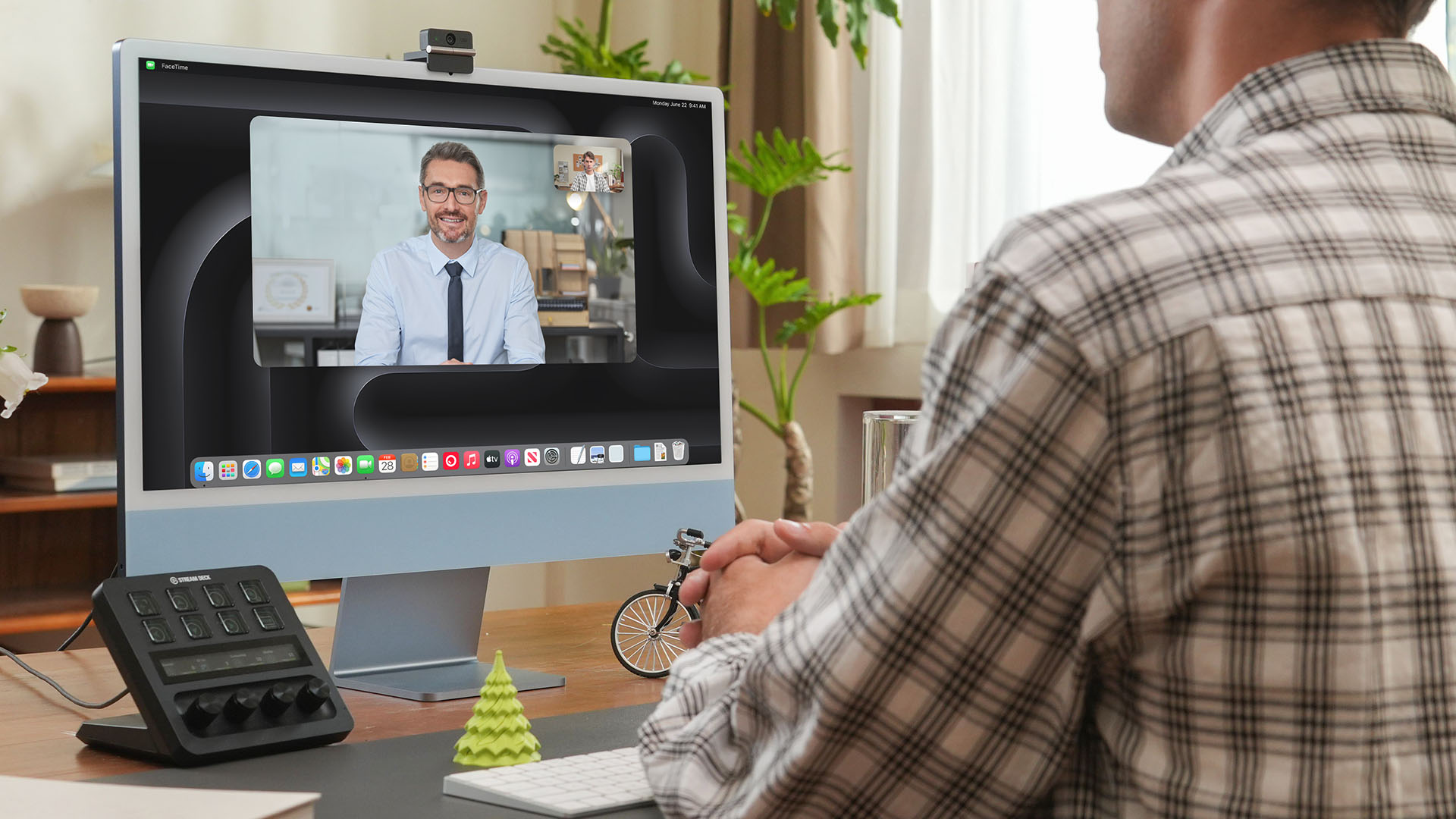
That lightweight body also features a built-in mounting clip that works with laptops, monitors, and tripods. Users can mount it in landscape, portrait, or even upside-down orientations depending on their setup.
Despite that absurd amount of lightweightness, the OBSBOT Meet Flip is still able to house a 1/2-inch Exmor RS stacked CMOS sensor with Quad Bayer technology. That’s something more commonly found among bigger and higher-end web cameras.
Other camera features include:
- 4K video recording / 30fps
- 1080p recording / up to 60fps
- HDR support for challenging lighting
- Phase Detection Autofocus (PDAF)
- 4x digital zoom
- f/1.8 aperture with ISO 100-6400 support for low-light environments
Beyond just video calls
The OBSBOT Meet Flip isn’t just packed with serious camera hardware, it’s seriously intelligent as well.
The Meet Flip supports AI Auto Framing. This automatically keeps users centered during meetings — regardless if they are presenting alone or with a group. Gesture controls also let users activate framing or adjust zoom without touching the keyboard or mouse.
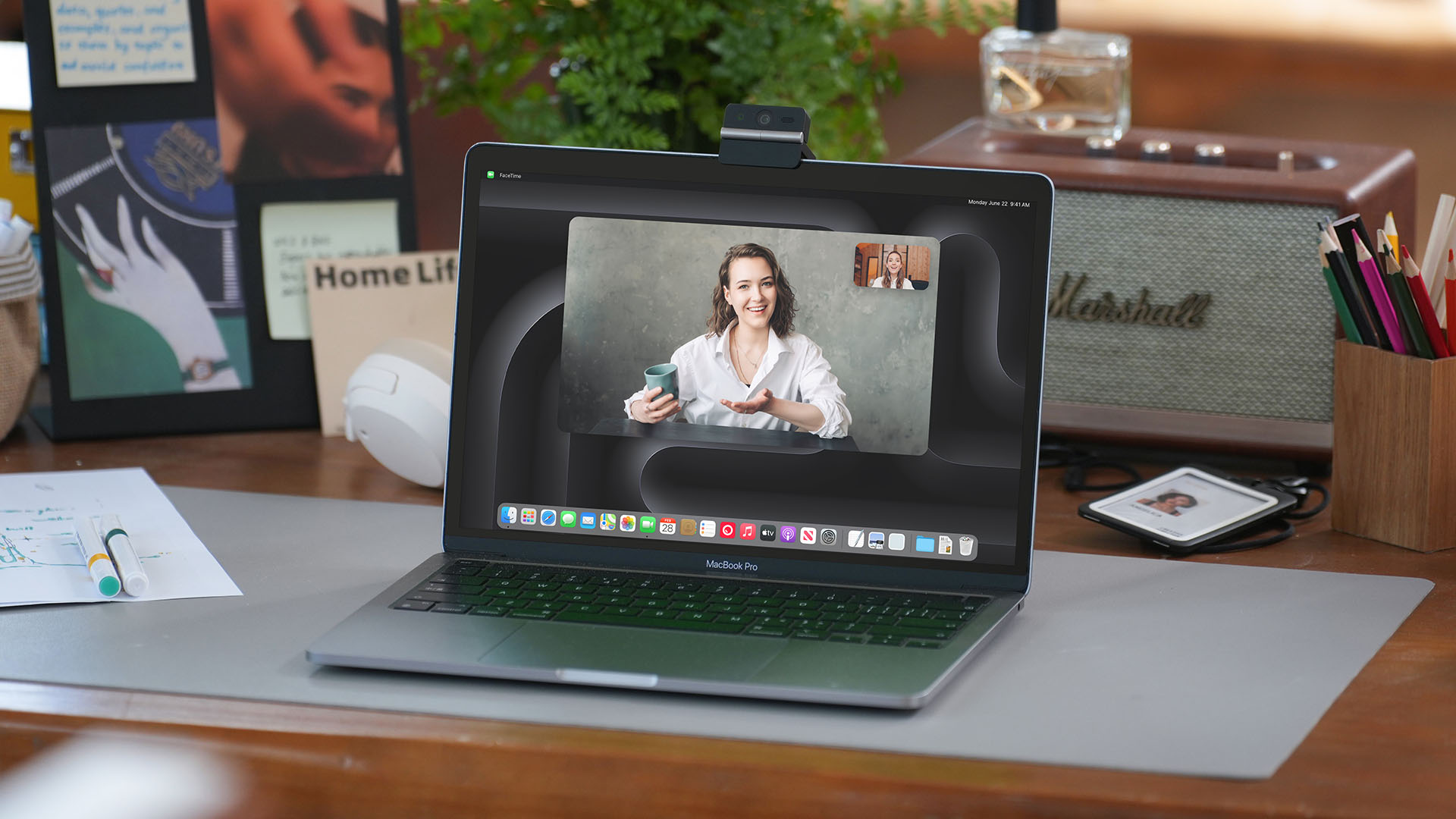
Another standout feature is AI Magic Notes which provides real-time meeting transcription and automatically generates summaries, action items, and key discussion points.
The feature works with Google Meet, Zoom, and Microsoft Teams through OBSBOT Center. Every webcam includes complimentary transcription of 120 minutes.

With that being mentioned, OBSBOT Center also makes users gain access to software features such as background blur, virtual backgrounds, beauty mode, and picture-in-picture overlays for presentations.
Those who want more advanced controls can enable Smart Eye Tracking, teleprompter support, and manual image adjustments.
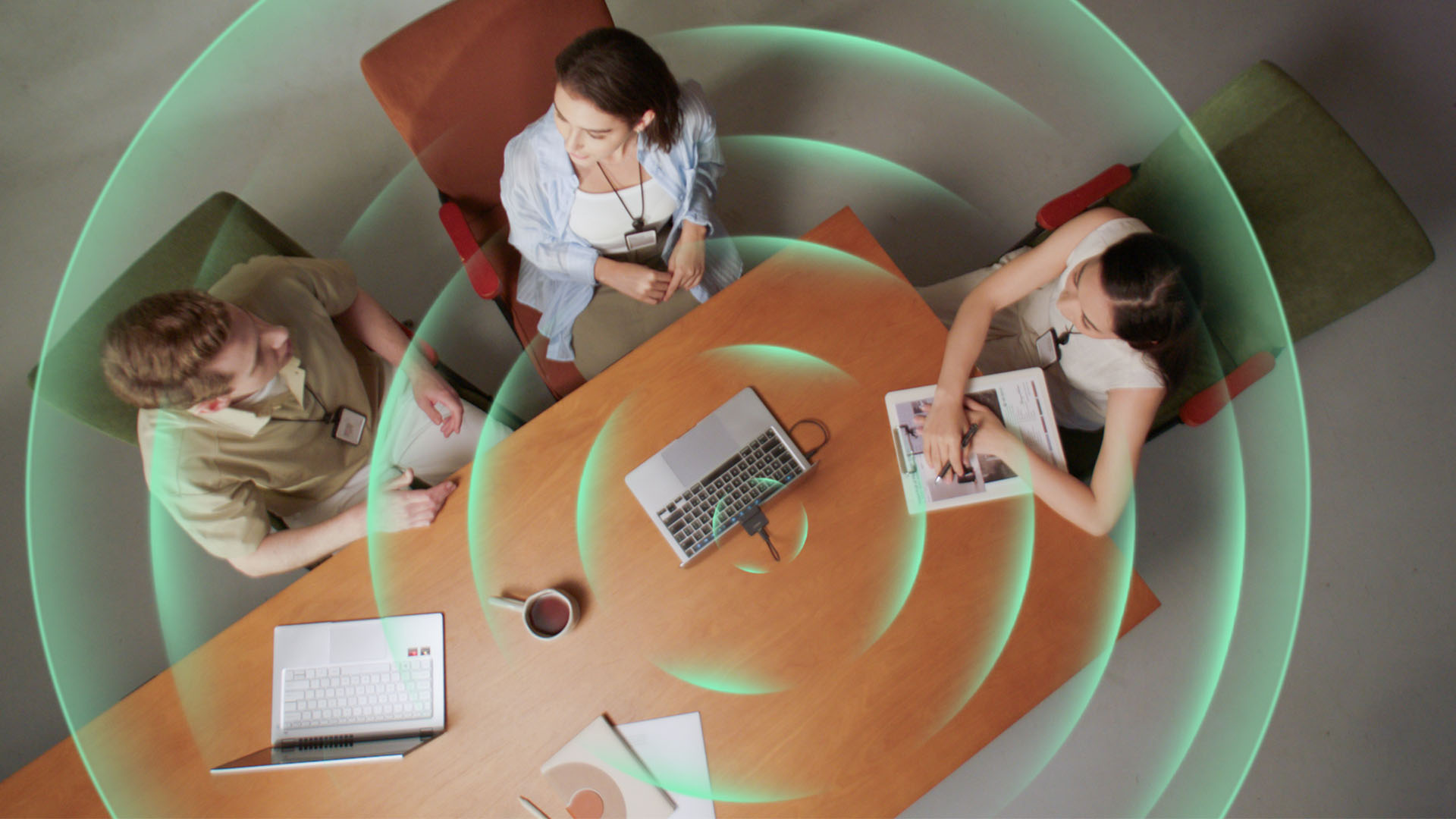
Audio also gets an upgrade through an intelligent dual-microphone system that offers four recording modes:
- Directional Mode / solo calls
- Dual-Directional Mode / interviews
- Smart Omni Mode / group meetings
- Pure Audio Mode / unprocessed stereo recording
AI Noise Reduction and Automatic Gain Control are also available across most modes to help improve voice clarity.
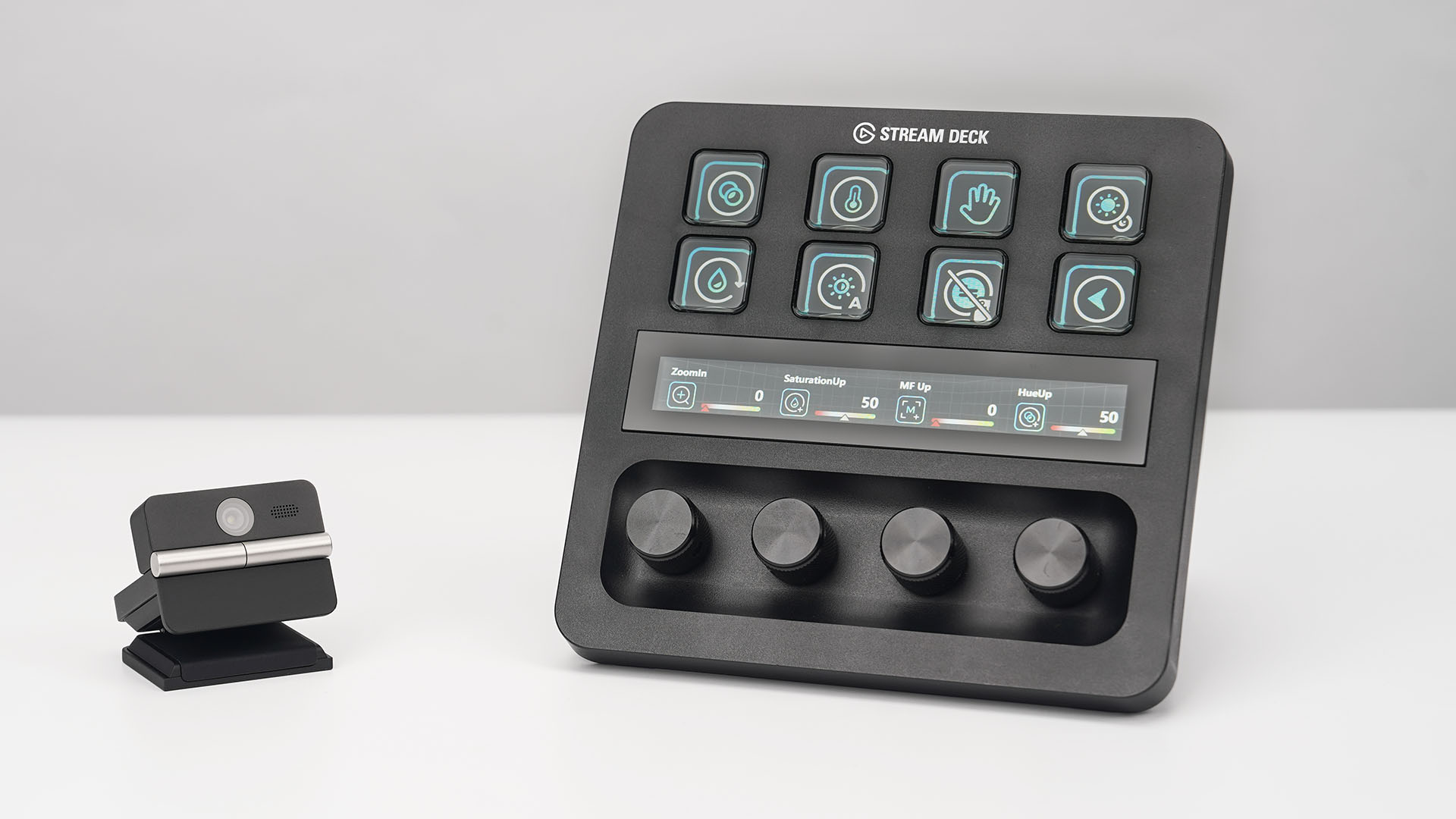
OBSBOT’s Meet Flip is also compatible with mobile devices through the OBSBOT Live app and supports integrations with accessories including Elgato Stream Deck, Nintendo Switch 2, and UVC-to-NDI/HDMI adapters.
Pricing and Availability
The OBSBOT Meet Flip is available starting today for US$119 through OBSBOT’s online store, Amazon US, and select retailers worldwide. Regional pricing may vary.
Computers
AORUS MASTER 16 Gen 2 2026 AI gaming laptop launches
For AI-powered performance, immersive gameplay

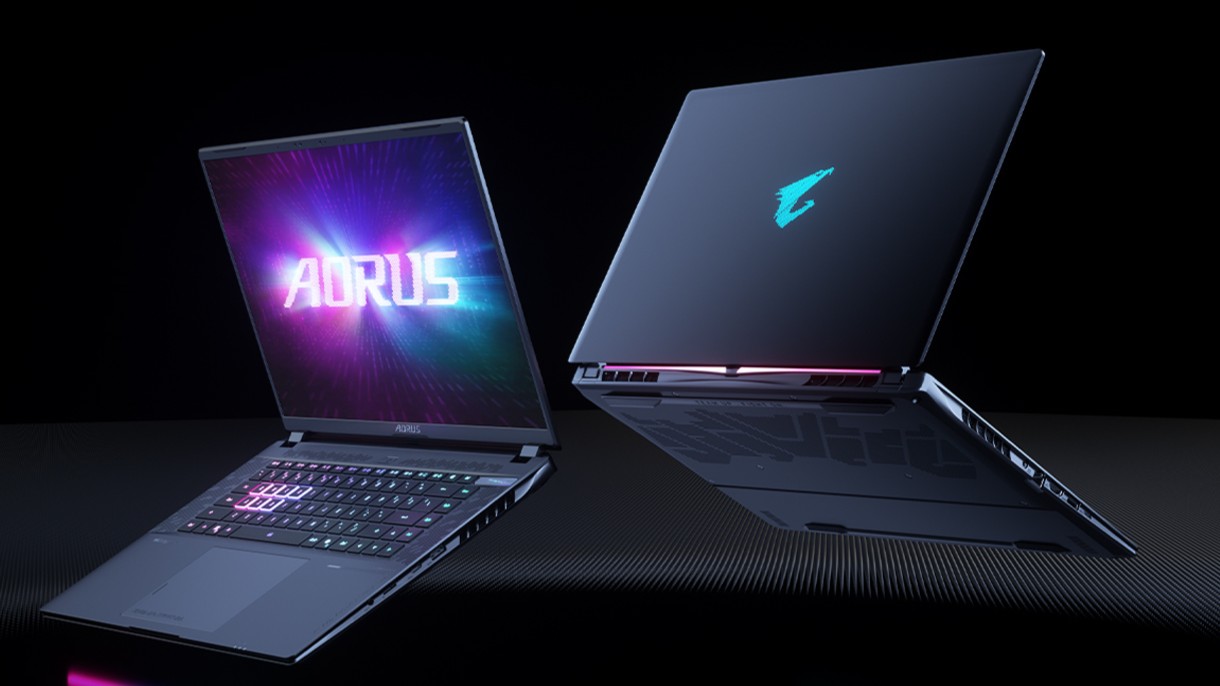
GIGABYTE has announced the availability of the AORUS MASTER 16 Gen 2 2026 flagship AI gaming laptop.
This machine combines desktop-class performance, advanced cooling, and an exclusive AI agent in an ultra-thin 19mm portable design.
It is configurable up to an AMD Ryzen 9 9955HX3D processor and up to an NVIDIA GeForce RTX 5090 laptop GPU. Together, these work to provide close to desktop-level power.
The model also supports MUX Switch to simplify integrated GPU or discrete GPU selection with fast mode.
Beyond gaming, with an advanced GPU AI capability of up to 1824 AI TOPS, the AORUS MASTER 16 Gen 2 2026 is built for next-gen AI-assisted creation and accelerated workflow.
The entire system also leverages the flagship WINDFORCE INFINITY EX thermal solution, featuring a vapor chamber design and the integrated Frost Fan 2.0.
In front is a 16-inch 16:10 2.5K 240Hz OLED display with creator-grade color accuracy. It has up to a 0.2ms response time, 100% DCI-P3, and a 1,000,000:1 contrast ratio.
Furthermore, it is Pantone Validated, TÜV Rheinland Certified, and VESA DisplayHDR 1000. Complementing this is Dolby Atmos and four dual-force speakers with Smart Amplifier.
At the center of the experience is the GiMATE exclusive AI agent. It is designed for more flexible and intelligent system control, streamlining performance management and introducing tools for modern workflow.
For instance, GiMATE Creator integrates generative image models into a manageable local workflow.
Meanwhile, GiMATE Coder supports natural-language code generation, correction, and optimization with Visual Studio Code auto-completion.


realme C100: Enduring and durable in spite of entry-level realities
Enough power but needs more agility


The ASUS ExpertBook Ultra wins you over
The laptop sneaks up on you


Nexal Watch Sport review: A rugged watch for small budgets
I couldn't believe that watches this good could come for this cheap.

Xiaomi debuts SkyNomad Series featuring new Kunlun platform

GAC launches new trio of MPVs

TECNO unveils the world’s first 0mm bezel-less phone

We hosted a Spider-Man block screening with Samsung — here’s what went down

Apple introduces Apple Upgrade leasing program


-

 Wearables2 weeks ago
Garmin launches its first screenless fitness band
-
 Hands-On1 week ago
Hands-on: Samsung Galaxy Z Fold8, Flip8, Ultra
-

 Gaming1 week ago
NBA 2K27 cover athletes unveiled: Wemby, Clark, DRose
-

 Accessories1 week ago
CASETiFY revives Spider-Man collection for Brand New Day
-

 Gaming2 weeks ago
Call of Duty, Aston Martin unveil Dreadnought for Modern Warfare 4
-

 Cameras1 week ago
Sony announces new FX5 full-frame camera
-

 Gaming1 week ago
FINAL FANTASY X | X-2 HD Remaster launches on Nintendo Switch 2
-

 Entertainment2 weeks ago
Avengers: Doomsday trailer assembles Marvel’s biggest heroes against Doctor Doom